It is that time of the year when AQI takes over, and air purifiers become a necessity for most metro cities, at least in North India. Addressing that demand, Xiaomi has launched two new purifiers in the country under its smart home and lifestyle-focused brand, Mijia, called the Mijia Smart Air Purifier 6 and Mijia Air Purifier 4 Compact. We will be talking about the non-compact variant here, which also happens to be its flagship offering.
The Mijia Smart Air Purifier 6 is priced in India at Rs 19,999, and it isn’t just limited to removing harmful PM2.5 from the air. Read on to find out everything that the Mijia Smart Air Purifier 6 can do and how it fits into the room in this review.
Table of Contents
Design
The Mijia Smart Air Purifier 6 resembles the Xiaomi Air Purifier 4 Lite in design. However, it has a more modern look, with rounded corners instead of flat ones, giving the device a sleek, minimalist feel. The purifier also feels more approachable in the room, easily fitting into a corner or a centre setting. While it may not be ideal for everyone, the purifier can also be placed on a TV cabinet as a showpiece if there is enough space.
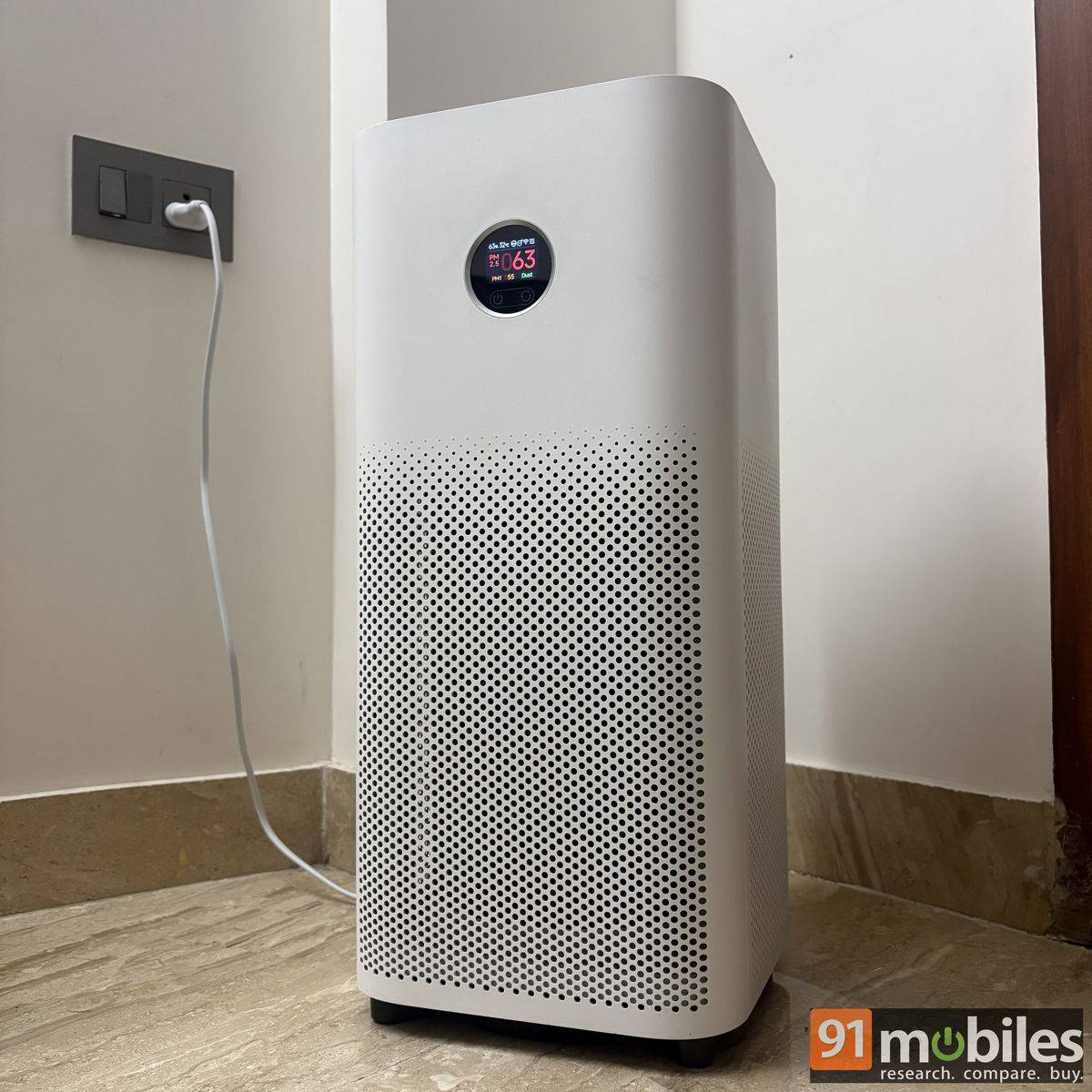
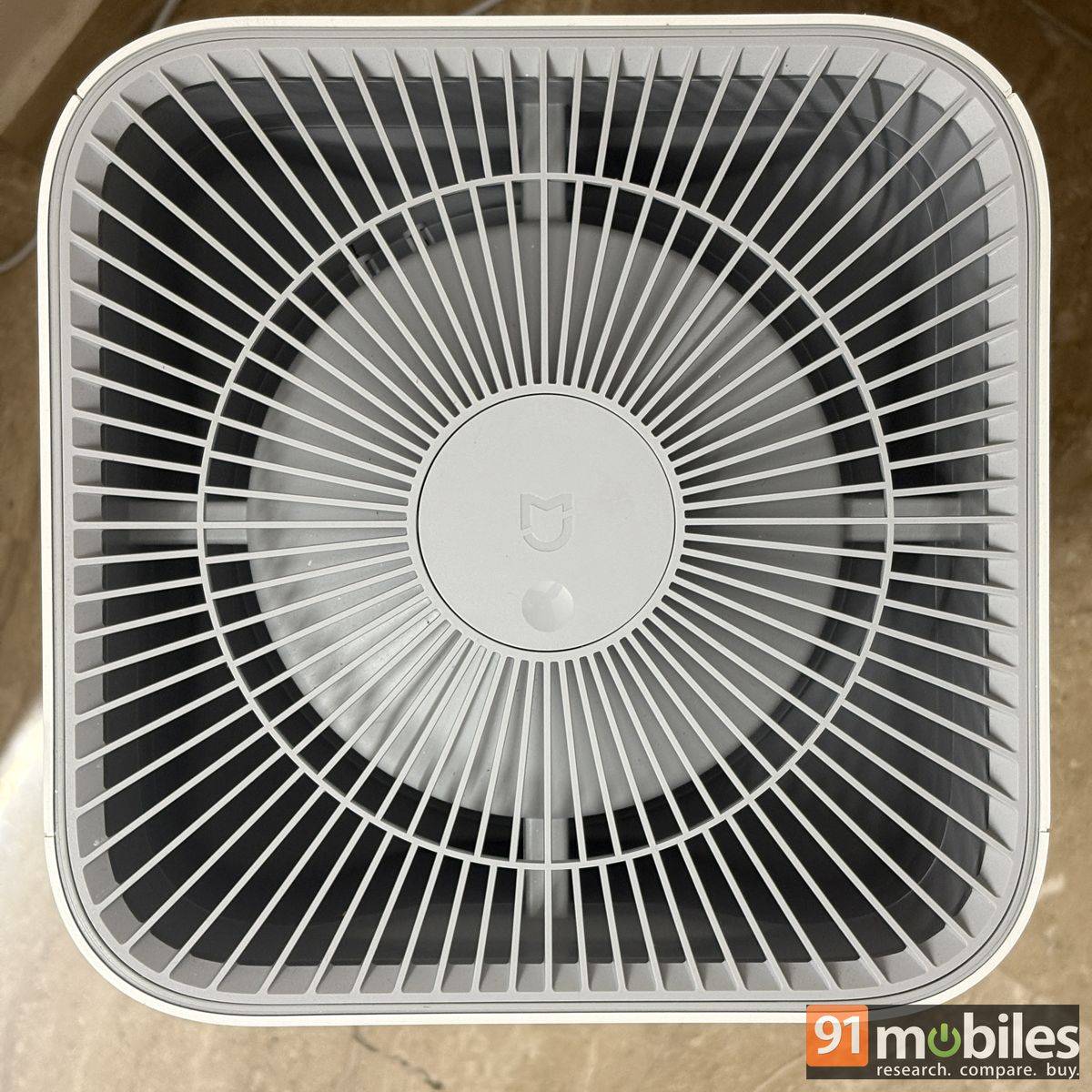
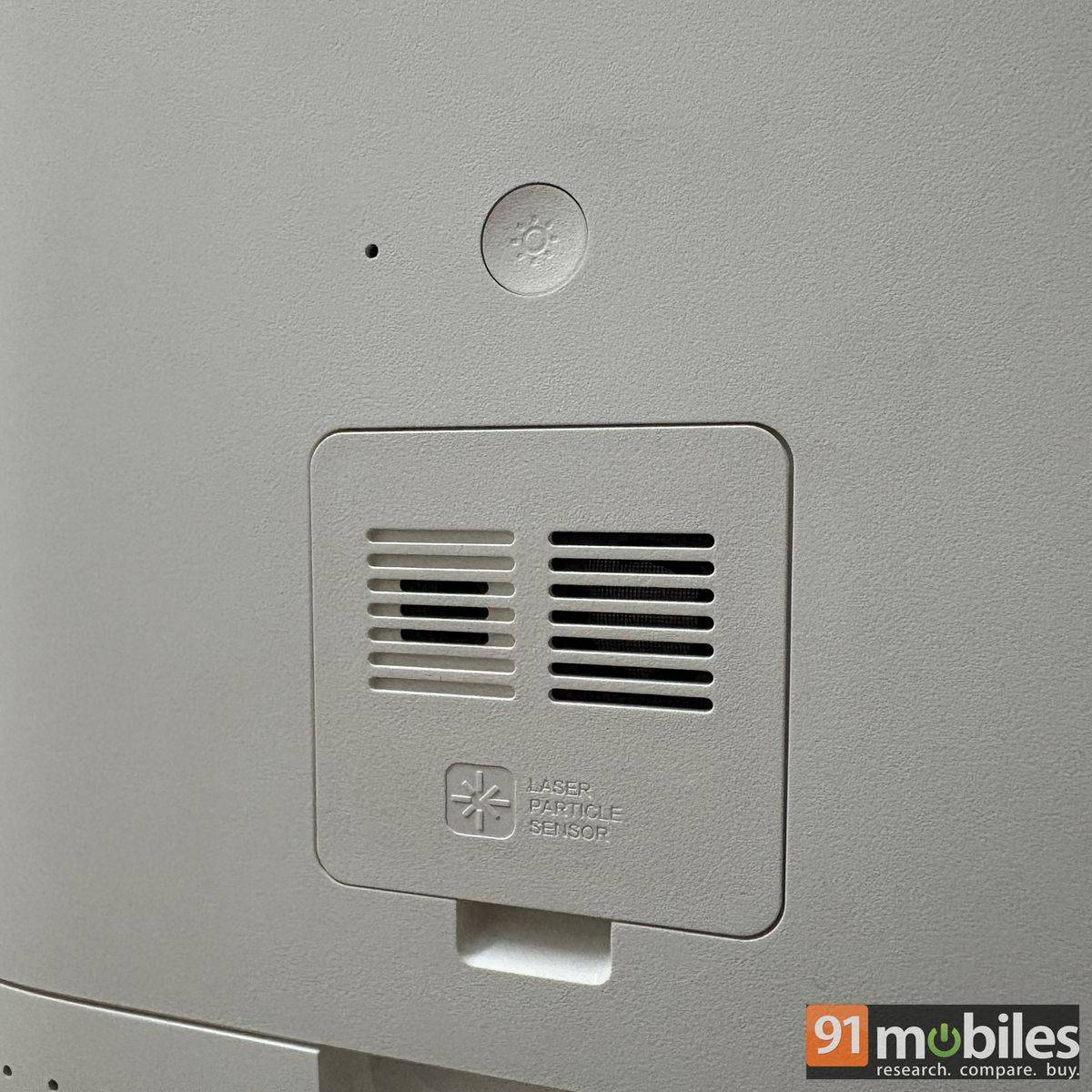
The Mijia Smart Air Purifier 6 features a squarish form factor, measuring 250mm in both depth and width, making it almost a foot across. At 550mm tall, it is roughly the height of a carry-on suitcase. Xiaomi recommends leaving at least 20cm of clearance on all four sides for optimal performance. Small air-intake pores cover the bottom half of the device, drawing in polluted air from the surroundings, while clean air is expelled through the top edge.
The front of the device features a small display in a circular housing, while the back has a large magnetic flap that houses the filter. All the sensors are hidden behind a small cap, just above the flap.
Controls and app connectivity
Before operating the Mijia Smart Air Purifier 6, remove the filter from its plastic packaging and place it back in the same slot. Then, put the large magnetic flap back in place. Connect the cable provided in the box to the purifier and plug the other end into a socket (a 16A socket works).
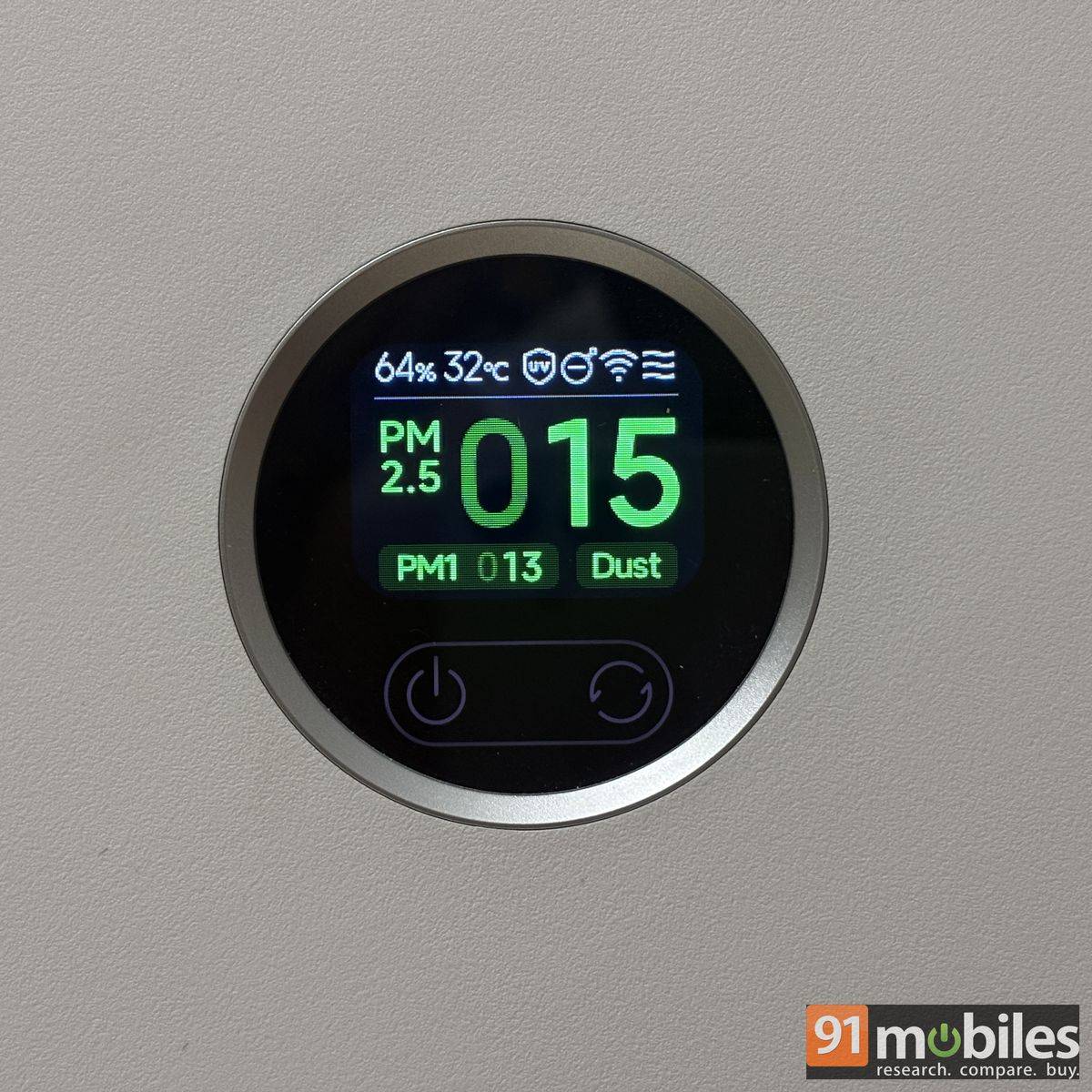
The display lights up, showing the filter’s remaining health as a percentage. Below the display are two capacitive buttons: one to power the device on or off and the other to cycle through its modes, including Sleep, Auto, and Manual. That’s about it for the device’s controls.
For additional controls, you can download the Xiaomi Home app on your iPhone or Android smartphone. After a quick login, the app pairs the Mijia Smart Air Purifier 6 with your smartphone. I had the device connected to my Pixel 11 Pro, letting me manage it remotely and switch between fan speeds and modes. The app also records PM2.5, Dust, and PM1 levels across days, months, and half-years, so you can revisit them, find the average value, and see when air quality hit its worst.
Other app controls include customising the UV light, negative ion function, display brightness, notification sounds, operating schedules, and child controls. The app also actively displays information such as filter life, purified air quality, temperature, humidity, and PM2.5, PM10, and dust levels. While the app feels intuitive and easy to use, with a user-friendly UI and no ads, I wish it offered an option to customise the control layout, moving bottom-placed controls up for quick, easy access.
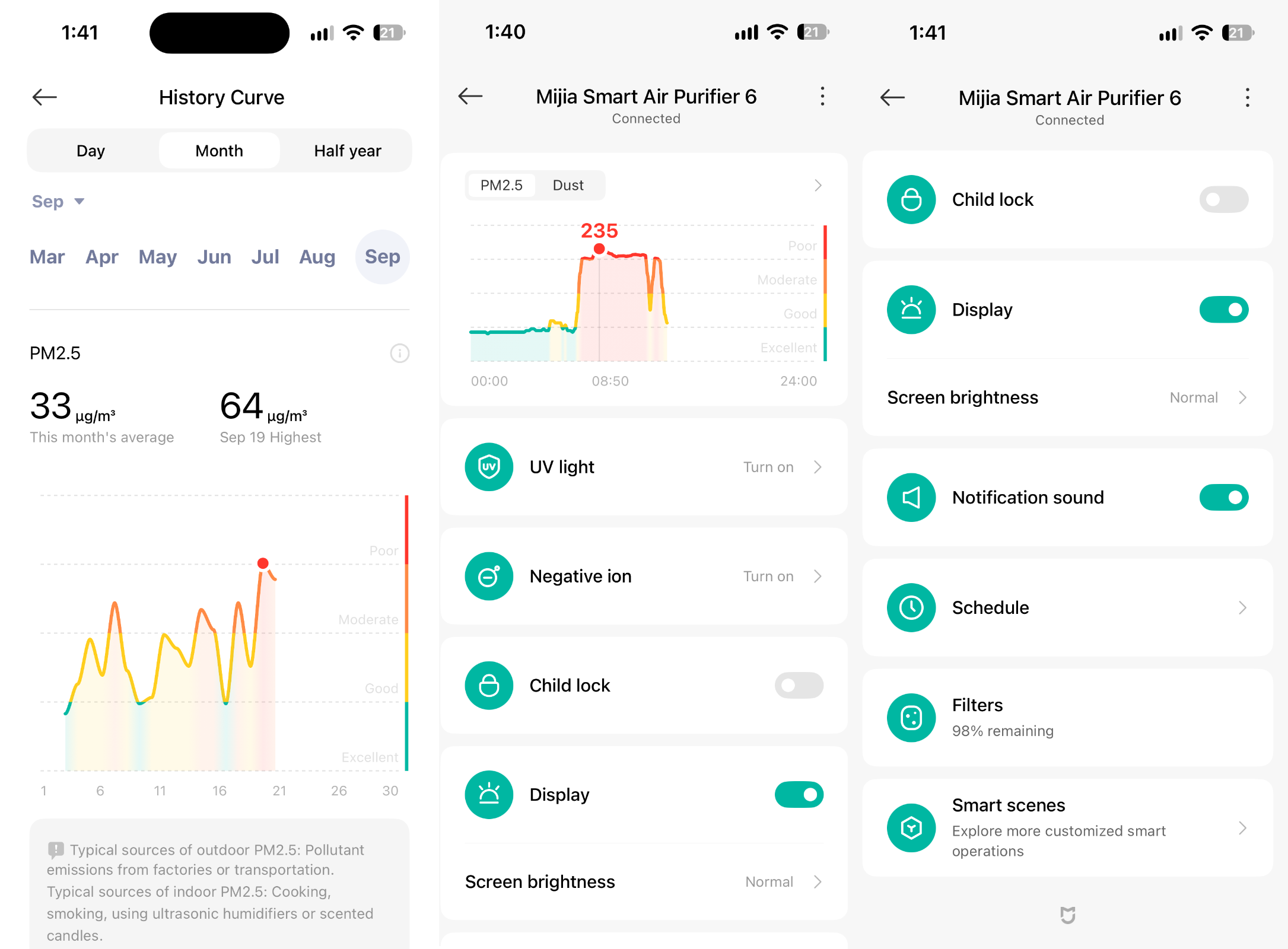
The app has several other features that require a separate article, but for controlling the Mijia Smart Air Purifier 6, you have everything you need to know. It’s worth noting that I had v11.7.704 installed on my Android smartphone, and it didn’t crash or freeze at the time of reviewing the air purifier.
Functioning, coverage area
The Mijia Smart Air Purifier 6 by Xiaomi is designed to function efficiently in an area up to 940 sq ft. While I can’t vouch for whether it can clean an area as large as a 2BHK, I’ve tested the air purifier in both my living room (which extends to the dining room and kitchen) and my bedroom.
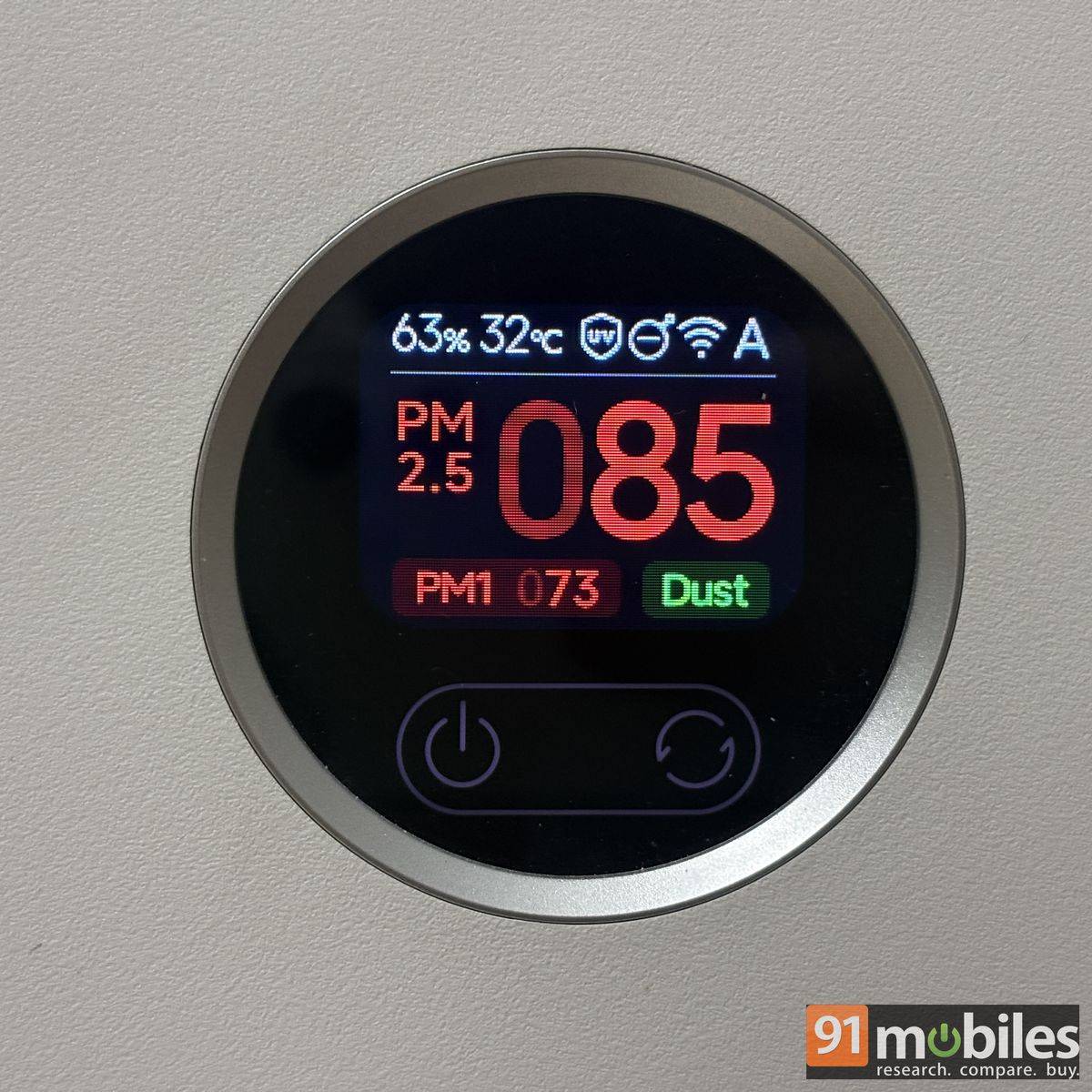
The latter measures 10 x 15 ft and has a standard ceiling height. The Mijia Air Purifier was quick to bring the room’s AQI down from poor, and at times very poor, to excellent. In Auto mode, the air purifier can take close to 20 minutes to cleanse the air. It is also worth noting that I used the purifier mostly with a 1.5-ton AC in the room, which could have helped clean the air by trapping lint.
However, the air purifier can independently trap PM2.5, PM1, and dust particles from the air. Xiaomi claims the Mijia Smart Air Purifier 6 can remove harmful elements from the air within three and a half minutes when run at maximum fan speed, and that was indeed the case. The purifier runs at maximum capacity when air quality is above 150 in auto mode, or users can manually switch to this mode via the app or the device display.
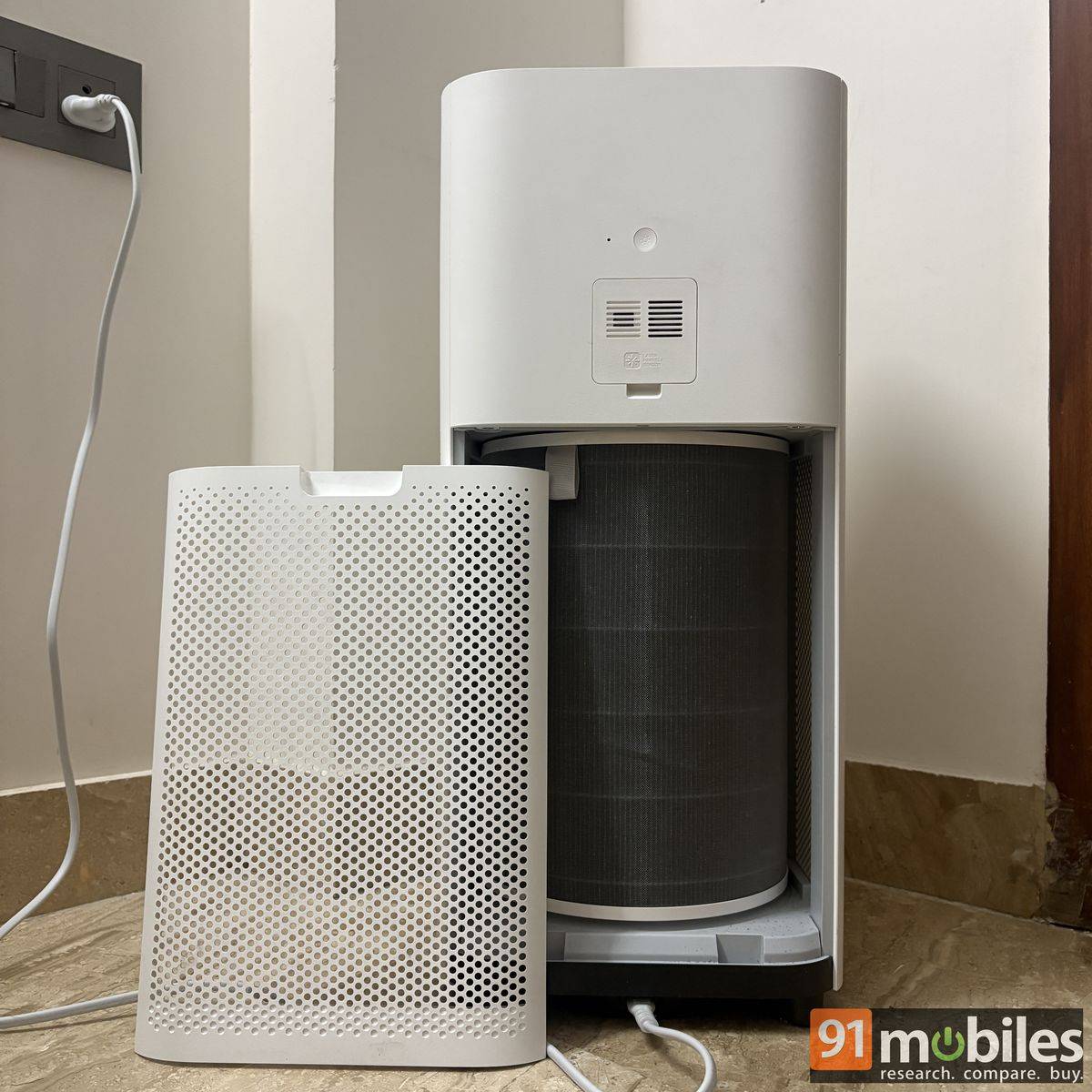
The Mijia Air Purifier 6 uses a Xiaomi High Efficiency filter, positioned just after the primary filter, that traps pet dander, pollen, and dust, rather than the traditional TrueHEPA filter for tiny PM2.5 air pollutant particles. The OEM claims that its filter removes 99.98 percent of 0.3μm fine particle pollutants. The efficiency seems to be on par with a HEPA filter.
The Mijia Air Purifier backs its filter with an activated carbon filter to trap foul odours, such as those from cooking. The purifier also comes with a UV light that helps prevent bacterial growth on the inner surface of the display, along with negative ions that help neutralise airborne particles such as dust, pollen, and smoke, causing them to settle on the ground. You can turn both off, but it is recommended you don’t if you want a pleasant-smelling environment without bacteria.
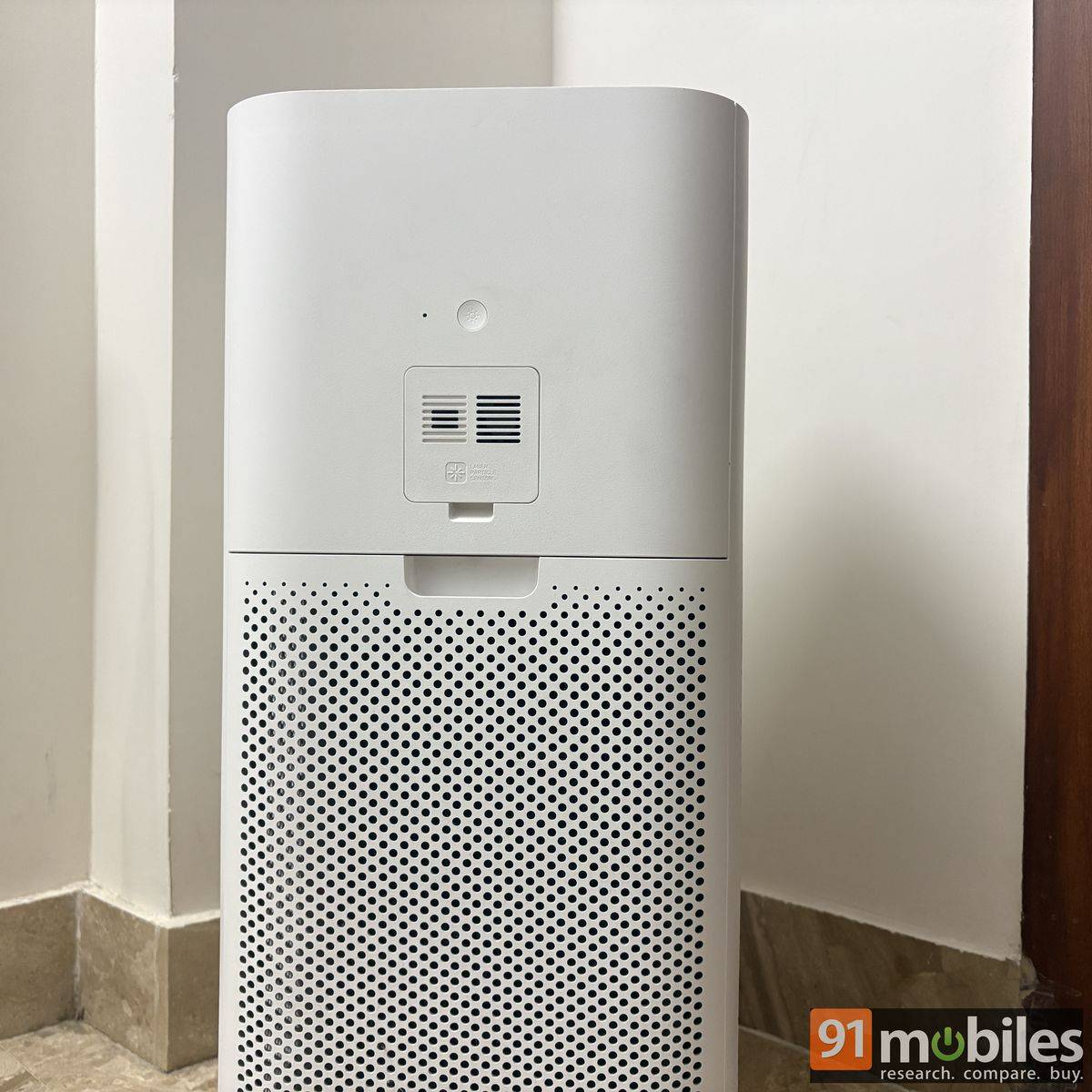
When discharged, the negative ions are said to make the purifier a bit louder to operate, but I didn’t find that to be the case during my usage. I could sleep comfortably with the air purifier on without sleep mode, which further optimises the Mijia Smart Air Purifier 6’s performance by disabling the display light and reducing noise levels. Additionally, the machine supports ‘Child lock’ mode, which disables touch control on the display so that infants don’t end up tweaking the settings. It can be enabled and disabled both via the app and the display with a long-press of the refresh-lookalike button on the device.
Maintenance and filter life
The Mijia Smart Air Purifier 6 requires minimal maintenance, most of which can be done by the user. The outer surface can be cleaned with a gentle, damp wipe, while the air duct and fan blades should be cleaned with a dry cloth or brush to remove accumulated dust. You can access the duct and blades by removing the top cover, which is secured by a screw located behind the small flap on top.
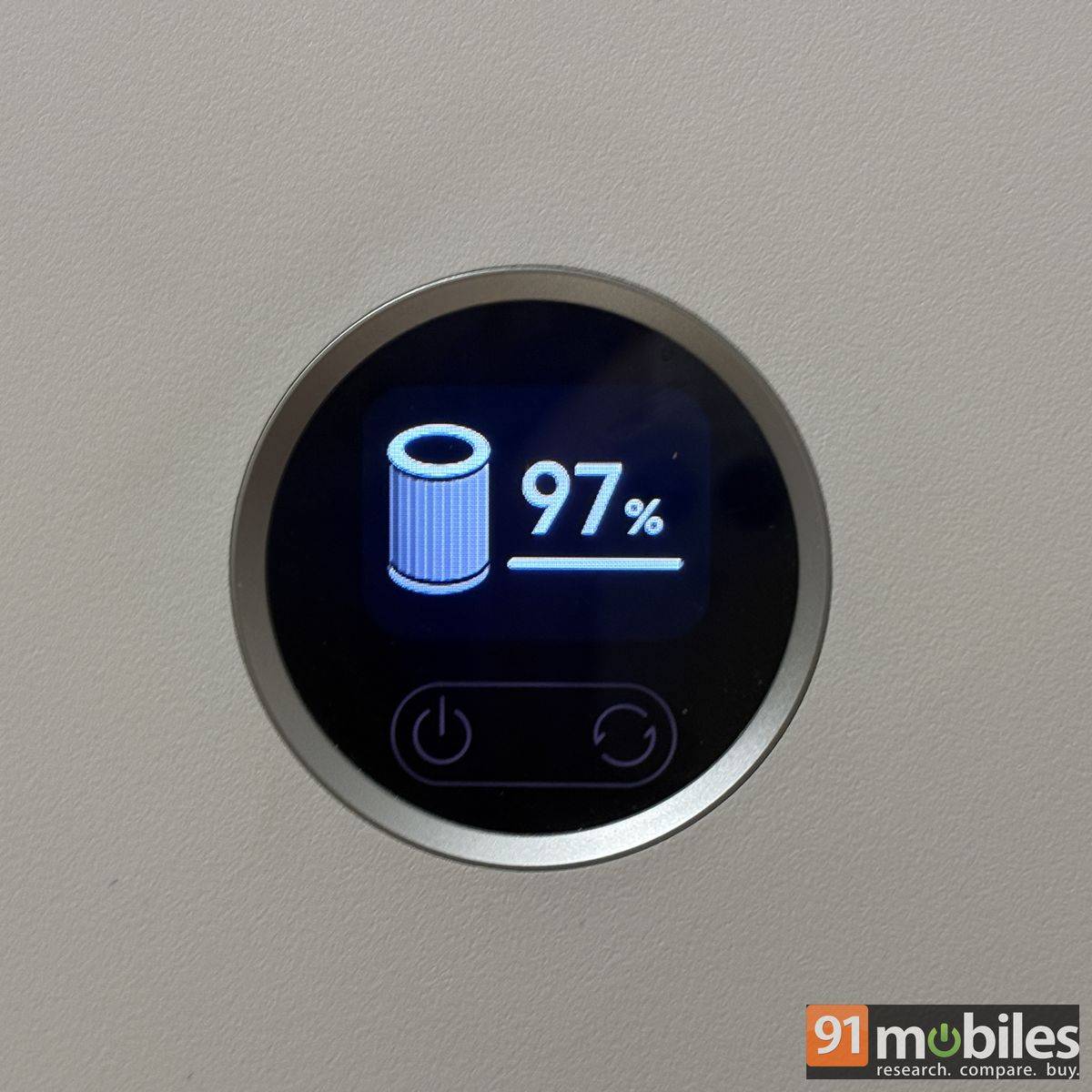
The filter also requires some maintenance. Brush it, not wash it, once every 30 days of use to remove pollen and other particles that may accumulate on its surface, helping maintain optimum performance. Xiaomi claims the filter can easily last between 6 months and 12 months, depending on usage and the air quality. The filter’s health dropped from 100 percent to 97 percent after a month of use.
You can monitor filter health in the app or on the device itself. You also receive a notification when the filter health drops below 10 percent. A replacement unit costs Rs 1,499 and can be purchased via the company’s official website. You can easily install it by removing the flap at the back of the purifier. This is the only component that requires regular replacement.
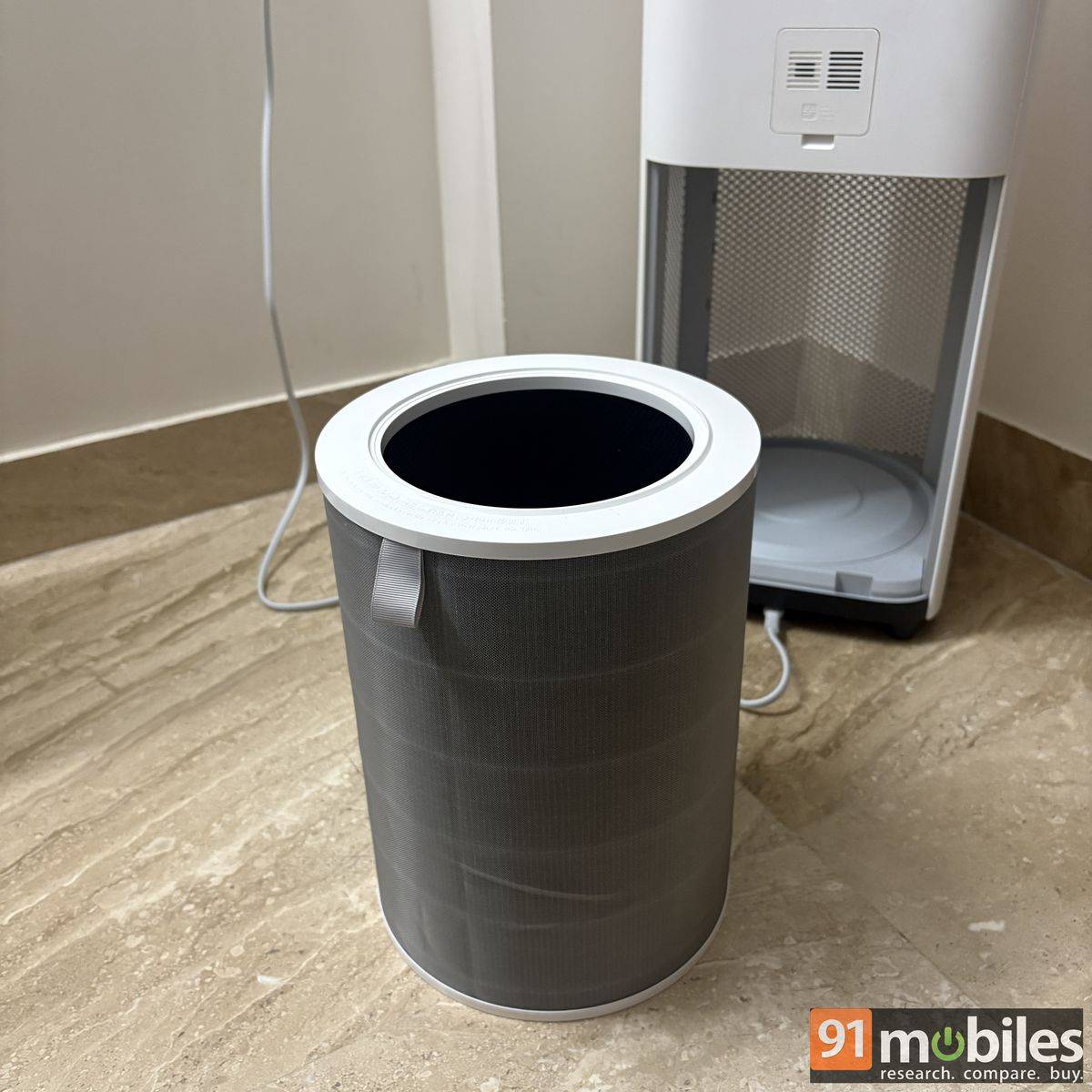
The filter also has an RFID tag, which the air purifier detects whenever it is removed or put back in place. This also applies to the back panel, which stops the air purifier from functioning when removed.
Verdict
The Mijia Smart Air Purifier 6 may not be the most aggressively priced option in its segment, but it makes up for that with a feature-rich package. It stands out with smart connectivity, a five-stage filtration system, and extensive coverage, while its minimalist design blends seamlessly into your home. Its relatively compact footprint also makes it easy to position around the room.
Besides lowering AQI levels, the Mijia Smart Air Purifier 6 can also remove odours and disinfect bacteria, helping keep your home’s air cleaner. The air purifier is fairly easy to maintain, while the claimed 6–12-month filter life should help keep running costs in check.
There are a few shortcomings. The app could offer more flexibility in arranging its controls, and the purifier gets noticeably louder at maximum fan speed. These are relatively minor compromises, though, and don’t take away from what is otherwise a well-rounded air purifier that combines effective performance with plenty of smart features.
So, if you’re looking for an air purifier that combines effective purification with smart controls, detailed monitoring, and relatively easy maintenance, the Mijia Smart Air Purifier 6 makes a compelling case.
Editor’s rating: 8.5/10
Pros
- Effective air purification
- Detailed air-quality monitoring
- Minimal maintenance
- Long filter life
Cons
- Takes longer to purify the air in Auto mode
- App controls cannot be customised