
The Resident Evil franchise is one of the most popular horror series in the industry, so whenever a new game gets announced, the hype surrounding it is very real. The latest entry, Resident Evil: Requiem, launching on February 27th, 2026, is no different. Adding to the excitement is the return of fan favourite Leon S. Kennedy as a dual protagonist. While most fans love the franchise for its horror elements, Capcom’s RE launches have another quality that doesn’t get discussed nearly enough.
Almost all mainline Resident Evil titles, and particularly the new wave of remakes, are exceptionally well optimised for PC. This is becoming rarer by the day with the advent of upscaling technologies like DLSS and AMD FSR, which now compensate for poor optimisation by enhancing image quality even on lower-end rigs.
We got our hands on an early access review copy of the game, and I’ve been playing it for a few days now. In this article, I’ll share how the game performs on a mid-range PC and whether it lives up to the optimisation reputation its predecessors have built.
Table of Contents
Test bench specifications
For testing purposes, I’ve been using the MSI Sword AV12VF gaming laptop. Here’s a quick look at its specifications:
- Display: 15.6-inch, 1920x1080p IPS panel, 144Hz refresh rate
- Processor: Intel Core i7 12650H
- Graphic Card: NVIDIA GeForce RTX 4060 8GB
- RAM: 16GB of LPDDR5 RAM @ 4600MT/s
- SSD: 1TB NVMe Gen4 SSD
- OS: Windows 11
Game settings
Resident Evil: Requiem gives you a good auto-configure option that detects your hardware and sets optimised defaults right out of the box. As a hardcore gamer, however, I just can’t help but go in and tweak things manually to squeeze out more performance where I can.
The game runs at 1920×1080 (1080p) beautifully on this machine and averages well over 80 fps with ray tracing off. I personally capped it at 60fps, but it isn’t strictly necessary. I feel it helps maintain a buttery-smooth, stable gameplay experience and allows me to push the graphics to the absolute max. Since the game only offers fixed options between 30, 60, 120, and Variable, 60 FPS feels like the sweet spot, keeping things consistent without putting unnecessary load on the GPU.
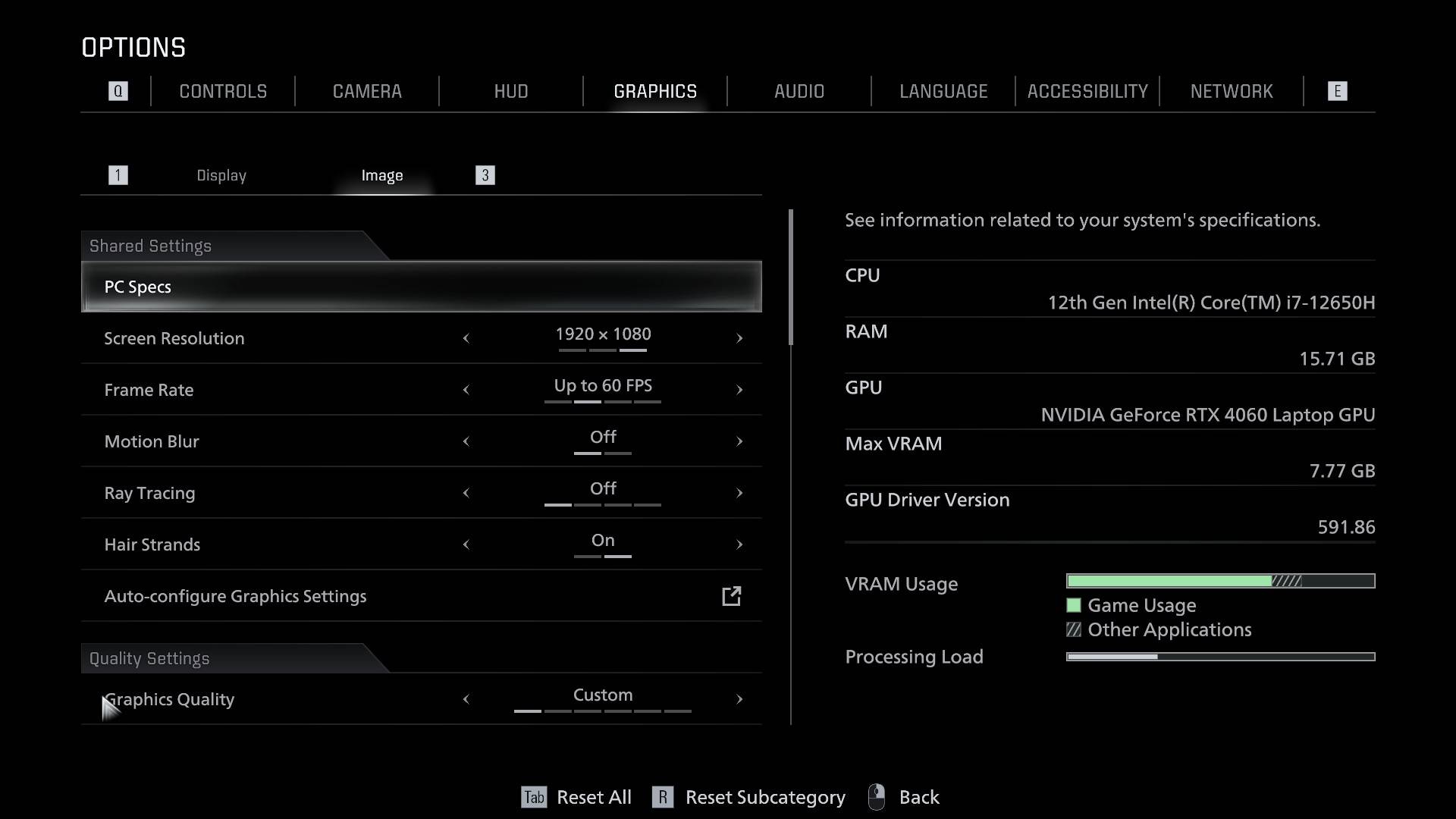
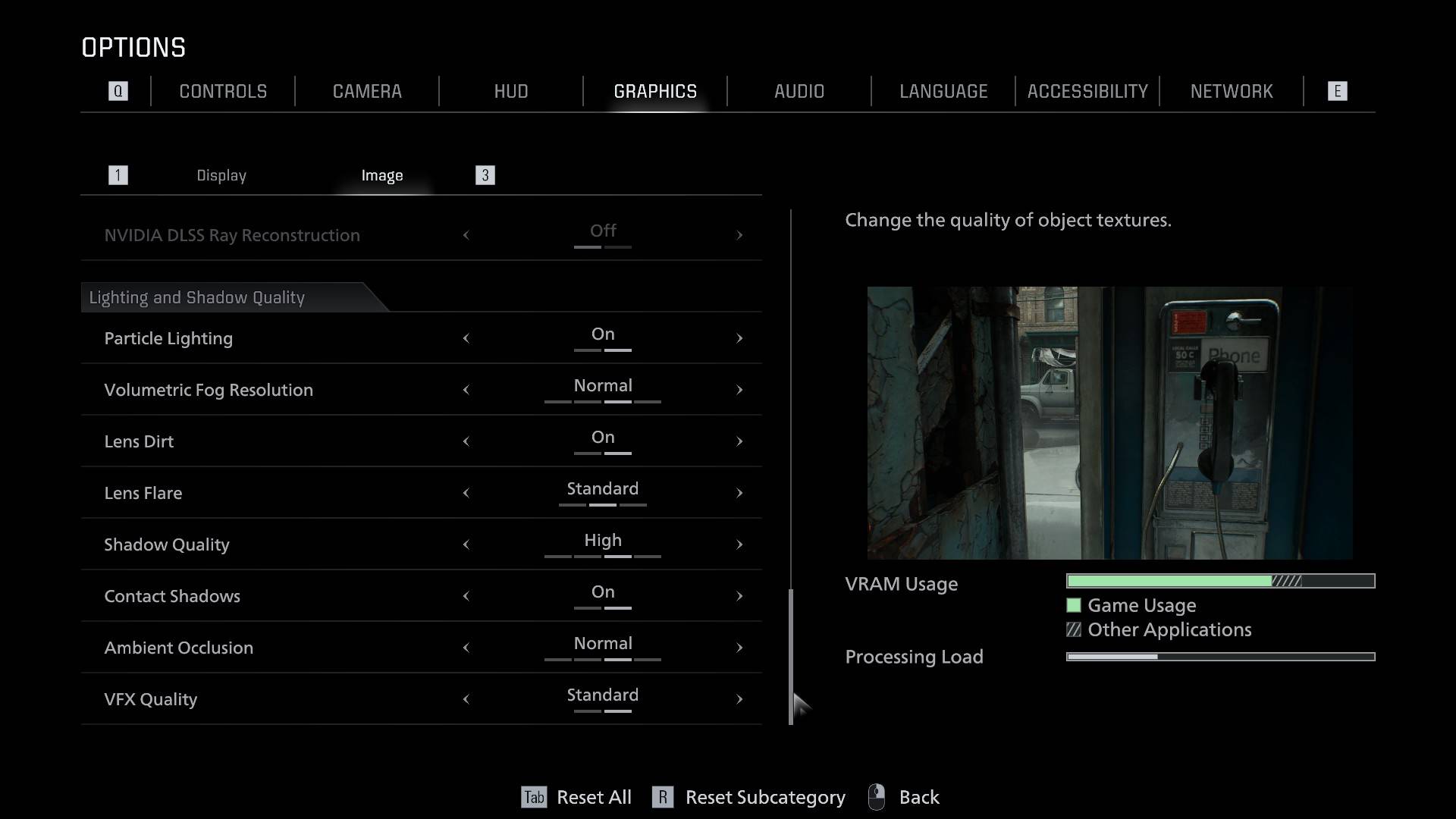
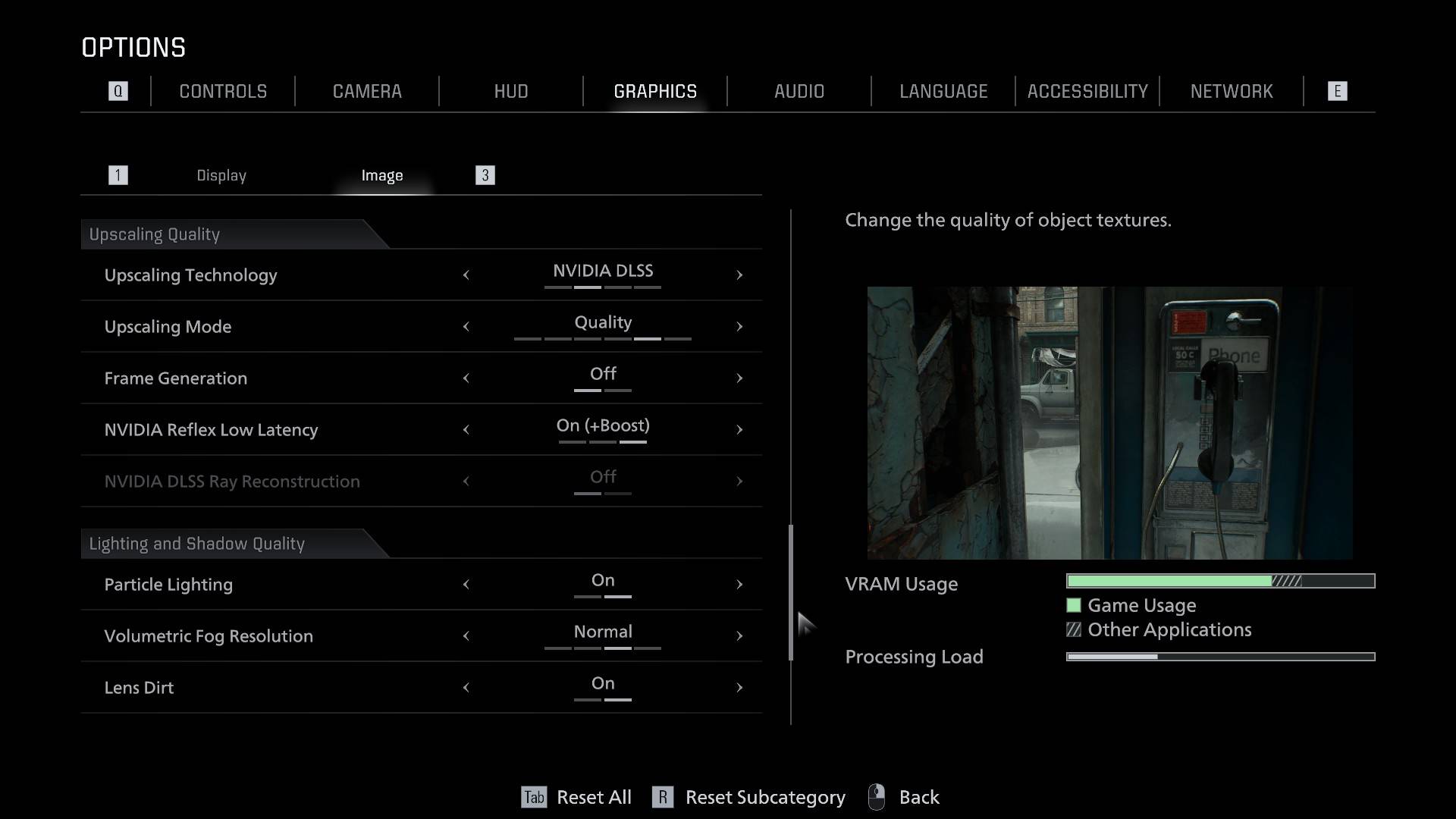
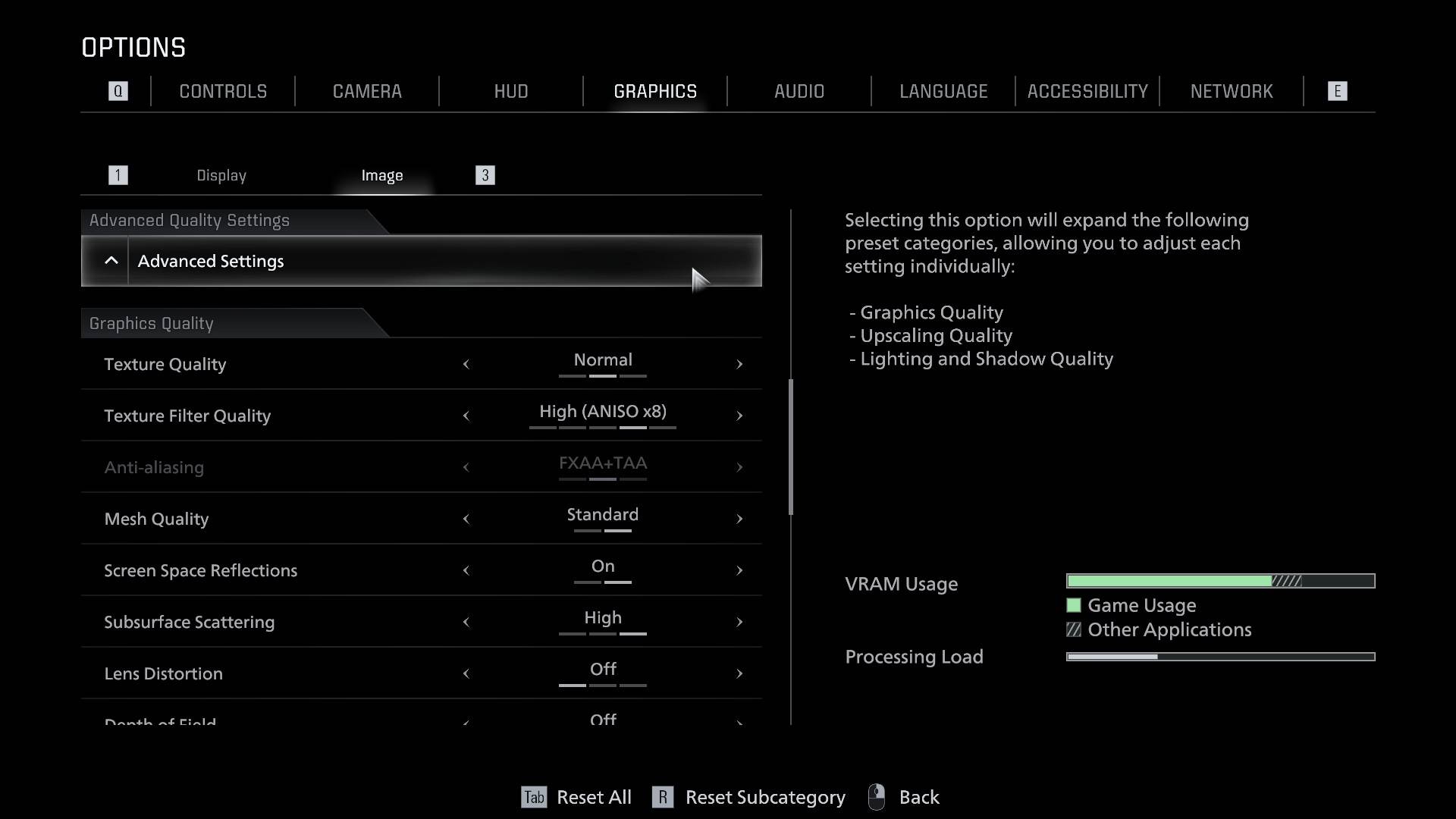
For upscaling, I kept DLSS on the Quality preset with NVIDIA Reflex Low Latency set to On + Boost and left Frame Generation off since there was no need for it. I deliberately avoided pushing it to Balanced mode or lower because this game looks absolutely stunning, and it would be a shame not to soak in every bit of that visual fidelity.
The game looks stunning even at the performance preset, so if your machine is a little older/less capable, it is absolutely fine to set it to that. Among all the upscalers, DLSS worked best during my testing. The rest of my game settings are a mix of Normal and Standard presets. I’ve attached images from my game settings in case you wanted a closer look.
What’s the actual performance like?
With an RTX 4060 machine in tow, I was pretty confident going in that the experience would be smooth throughout, and that is largely how it played out. The game runs through multiple distinct areas, like the Wrenwood Hotel, the Rhodes Hill clinic, and a small open-world segment, among others, so average performance can vary quite a bit depending on the locale.
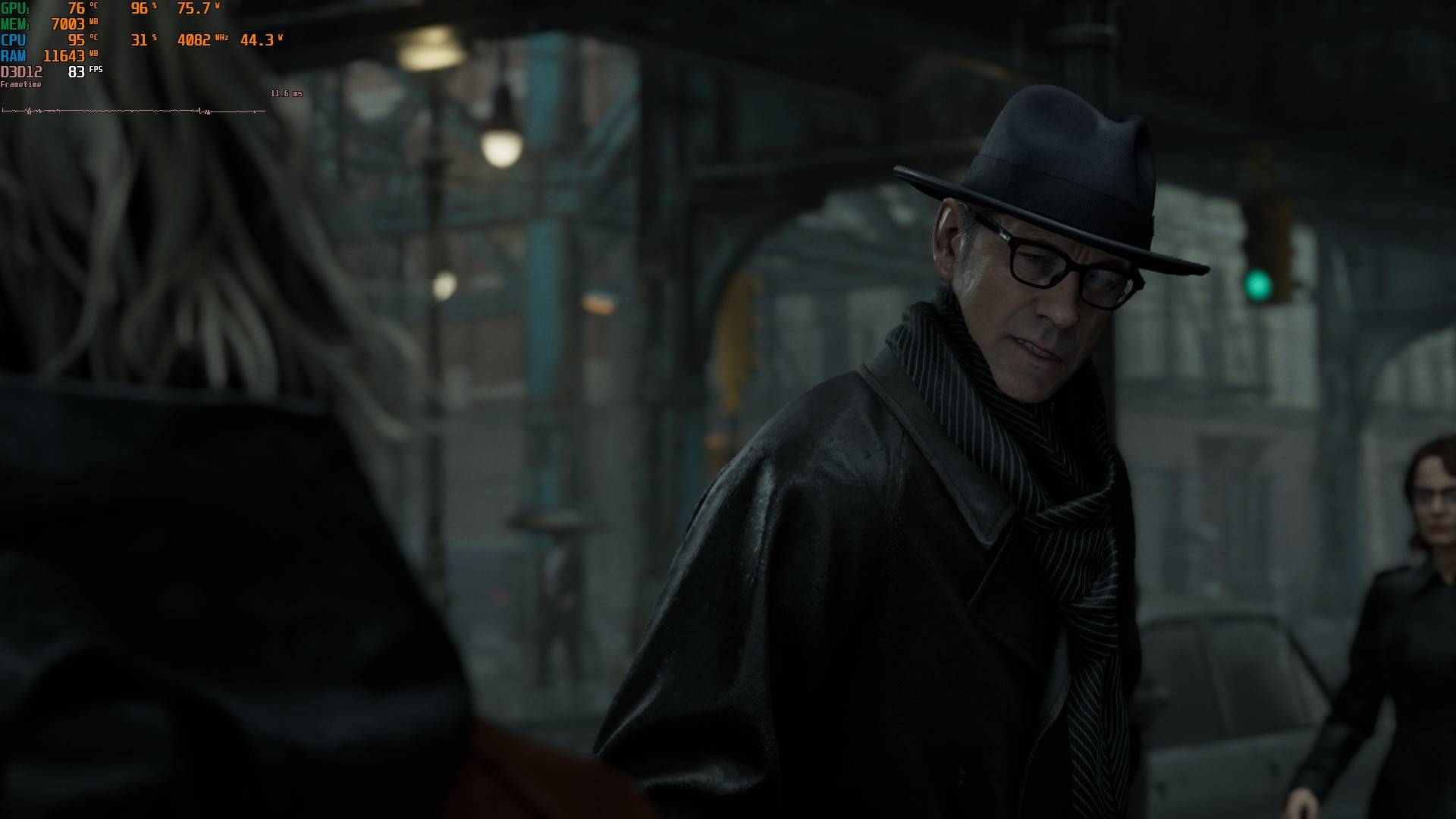
In the city open world at the start of the game, the sheer number of characters, vehicles, and environmental elements naturally pushes the average FPS lower. In my testing, it comfortably sat between 80 and 90 FPS. The Wrenwood Hotel, being a closed, contained location with fewer elements to render, pushed performance all the way up to 144 FPS, matching my display’s refresh rate. It could have gone even higher with V-Sync turned off.
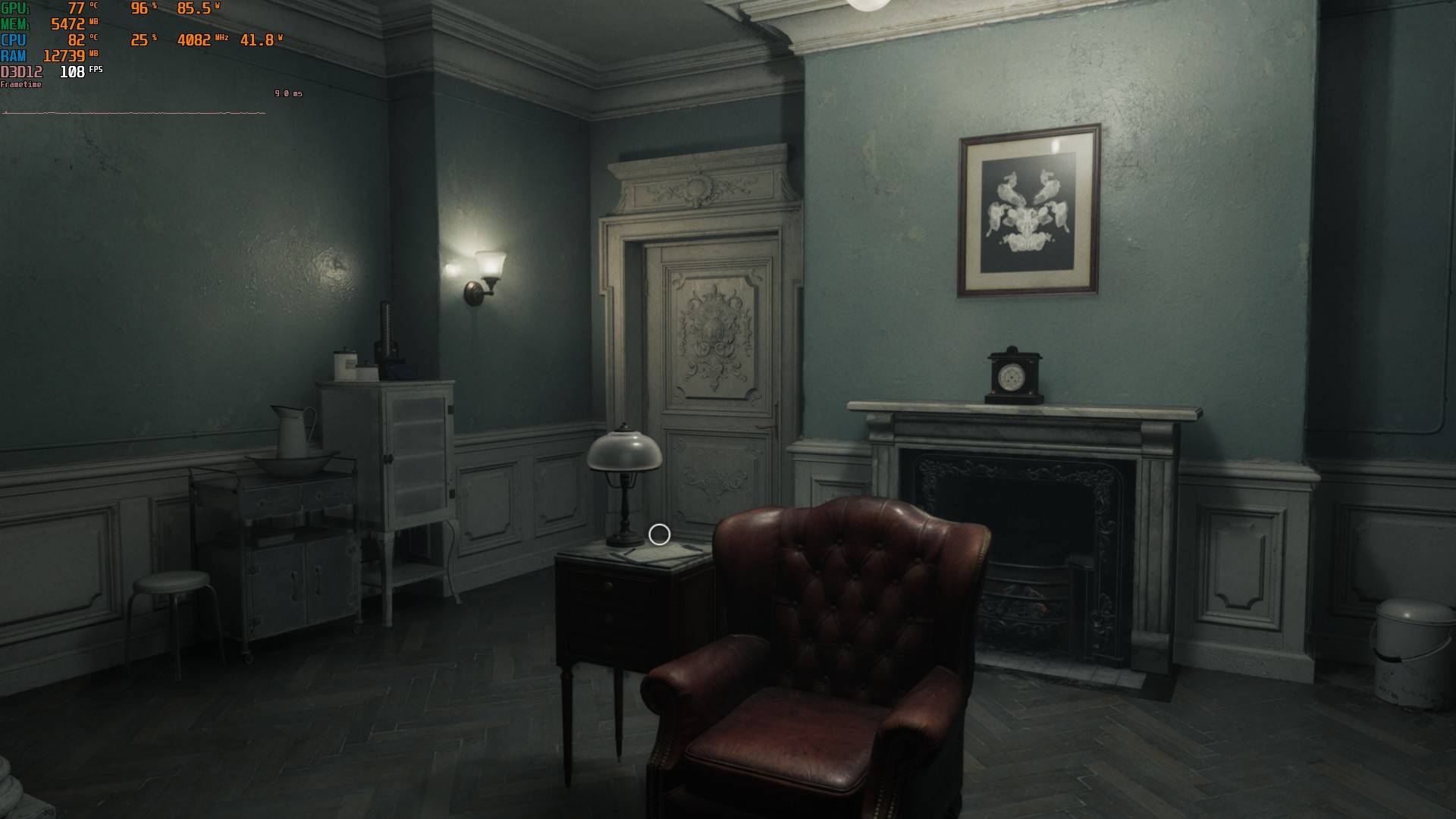
The Rhodes Hill clinic brought things back down to the 90-110 FPS range, thanks to dense scenes filled with zombies and intense firefights that occasionally dipped below 80. Leon’s sequences, in particular, put a bit more strain on the machine.
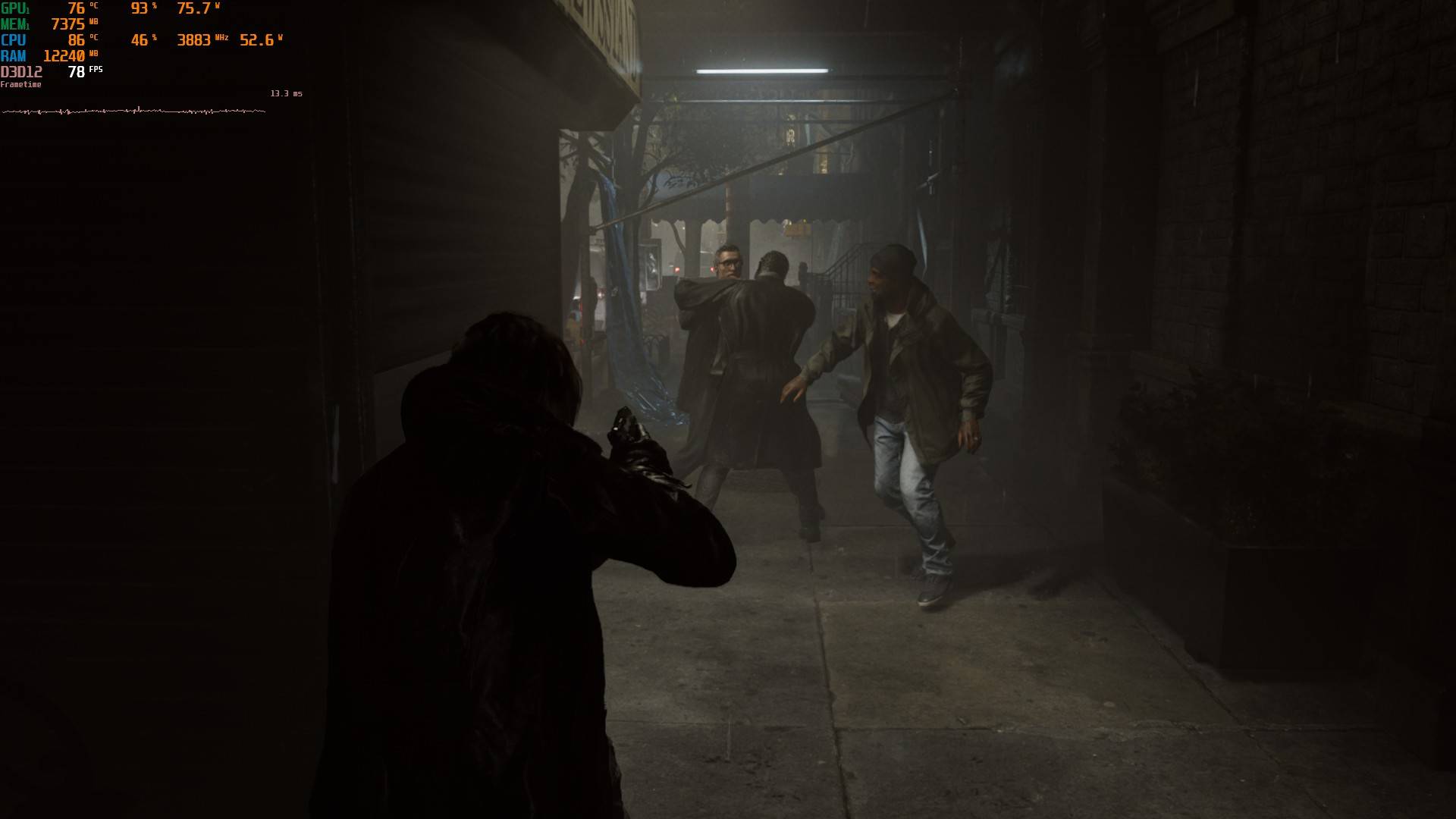
His flashy combat moves and weapon switches can cause some frame drops, with the first major fight against him spiking all the way down to the low 40s during heavy action. Outside of those moments, though, the average was pretty steady at an 80-90 FPS window.
I even tried playing the game with Ray Tracing set to normal, but it can often tank the fps and introduce stutters, so I kept it turned off for my time with the game. The graphical difference with RT turned on and off isn’t great enough to make me consider keeping it turned on.
Overall, I was pretty satisfied with how the game runs on a 1080p system with a capable GPU like the RTX 4060, pushing well over 100 fps in quite a few scenarios. Even with a lower-tier GPU (6GB VRAM minimum as per official specs), you should be able to comfortably play the game at 60fps with DLSS turned on.
I never encountered any graphical artefacts or bugs in my run so far, and the only minor issues have been the frame drops in combat sequences, which I believe will improve with future patches.
Verdict
Resident Evil: Requiem continues Capcom’s impressive streak of shipping well-optimised PC titles. On a mid-range machine like the RTX 4060 laptop, the game runs beautifully at 1080p, consistently delivering well over 80 FPS across most areas and over 100 FPS in contained, less demanding locations. The frame drops that do show up are limited to particularly intense combat sequences, few and far between and not very persistent.
Using DLSS massively improves the performance while letting you retain the game’s stunning visuals and keeping the frame rate healthy. The fact that even lower-tier GPUs meeting the 6GB VRAM minimum requirement should be able to hit a stable 60 FPS with DLSS engaged is a testament to how well Capcom has optimised this title.
You can also check out our detailed gameplay review, which offers a spoiler-free look into the game’s story, mechanics and other key details.
Optimisation Rating: 9.0/10
Pros:
- DLSS presets deliver great visuals with minimal performance cost
- Exceptionally well optimised for mid-range hardware
- Extensive graphics settings with a variety customisation options
- Stable and consistent frame rates across most gameplay scenarios
Cons:
- Combat sequences can cause occasional frame drops
- Ray Tracing introduces stutters