


Review Summary
Expert Rating
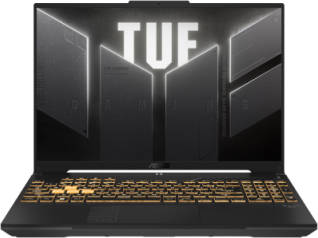
ASUS introduced a new variant under its TUF Gaming laptop lineup last month, akin to the existing TUF Gaming F16 (FX607VU) model from last year. The refreshed model retains most of the design and hardware aspects but with lower-tiered internals at a more affordable price point. Replacing the 13th Gen Intel Core i7-13620H, ASUS has gone ahead with the Intel Core 5 210H, paired to an entry-level variant of NVIDIA’s RTX 3050A and DDR4 memory.
Notably, since its launch, the laptop has seen a price cut from Rs 80,990 to Rs 76,990. This positions it as a more affordable option for first-time laptop buyers who want to stick to a certain budget. But does it offer the right value for the asking price? Let’s take a look.
Table of Contents
Key specifications at a glance
- Processor: Intel Core 5 210H
- Display: 16-inch 16:10 FHD+ (1920x 1200) IPS display, 300 nits peak brightness
- Refresh rate: 144Hz
- RAM: 16GB DDR4 3200MHz
- Storage: 512GB PCIe Gen 4 SSD
- GPU: NVIDIA GeForce RTX 3050A 4GB
- Wireless connectivity: Dual-band Wi-Fi 6 and Bluetooth 5.3
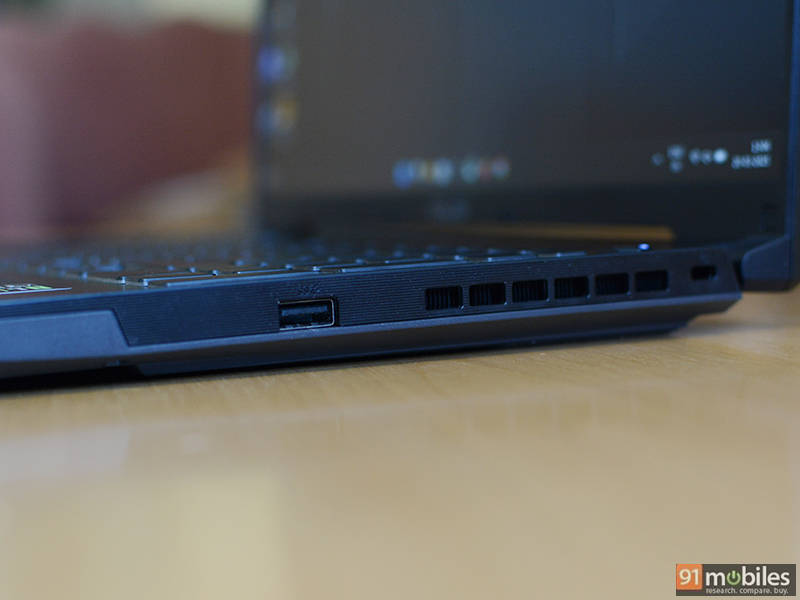
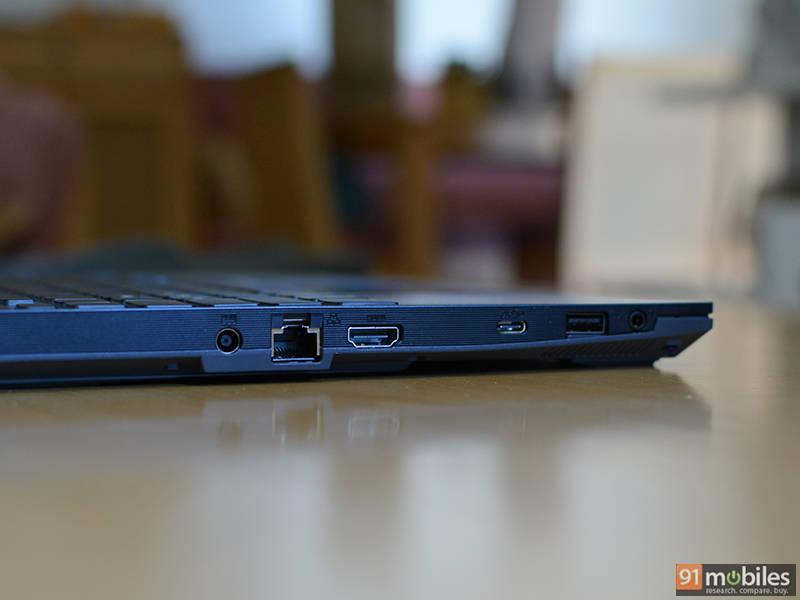
- Ports: 1 x USB 3.2 Gen 2 Type-C DP+PD, 2 x USB 3.2 Gen 1 Type-A, 1 x HDMI 2.1 FRL, 1 x Audio combo jack, 1x RJ45 LAN port
- Battery: 56Whr
- AC adapter: 150W
- Weight: 2.2Kg
Design and display
The TUF Gaming F16’s chassis feels solid, and the overall profile is as thick as one would expect from a budget gaming laptop. It weighs about 2.2 kg, which isn’t bad for a 16-inch machine, although you have to consider the charging brick and power cord if you are traveling with it.
The ‘Mecha Gray’ finish looks pretty average, but I was happy to see that it doesn’t attract many fingerprints and is easy to clean. There are subtle design elements, like the small triangles at the corners of the lid with the TUF logo in the middle and other branding elements on the keyboard deck and trackpad.
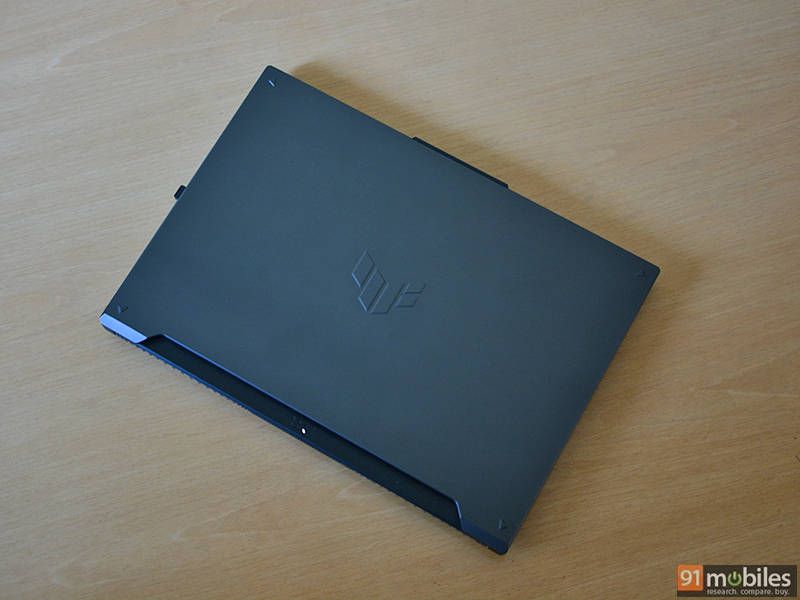
ASUS claims that TUF Gaming F16 has been tested thoroughly to meet MIL-STD-810H standards for vibration and impact resistance, as well as performance at high altitudes and in high and low temperatures. In terms of rigidity, the keyboard deck and the lid offer little to no flex, which is nice to see. Even the hinge is strong, and it is quite easy to open the laptop with just one hand. Opening the lid also reveals some LEDs positioned at the back in an X pattern to indicate power and standby functions.
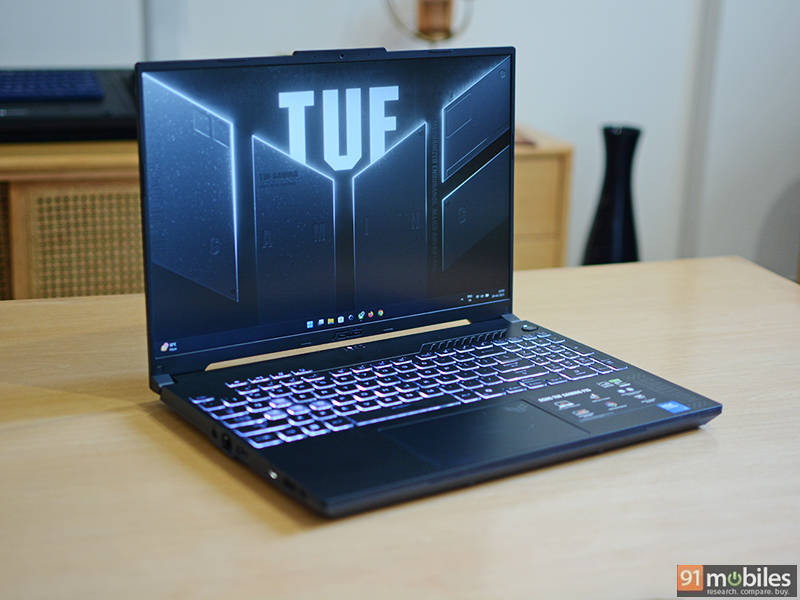
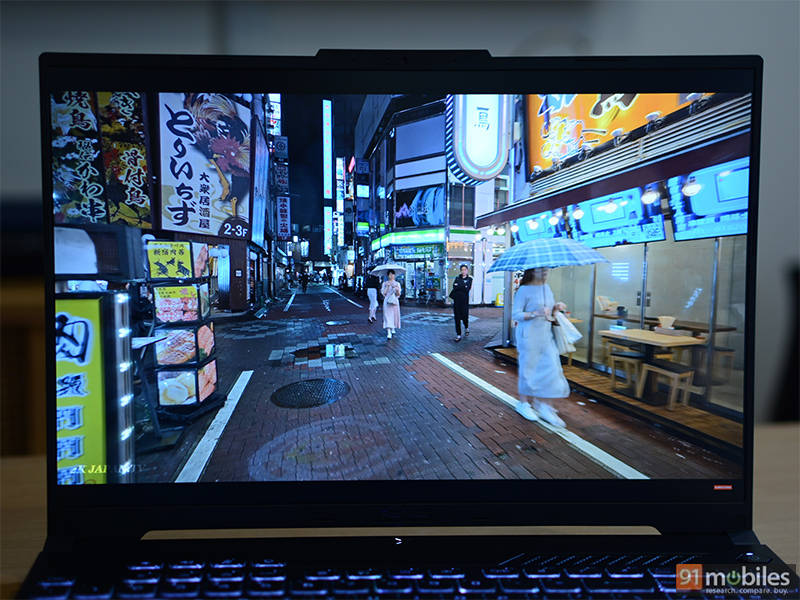
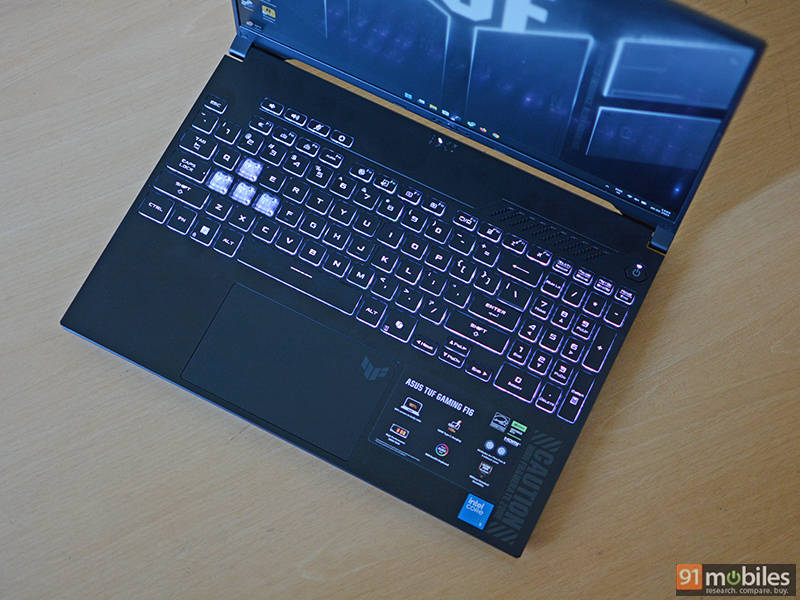
The keyboard on the TUF Gaming F16 comes with single-zone RGB backlighting, with the WASD keys having a translucent finish. There is even a dedicated numpad, which can be useful for data entry nerds, although the keys are quite small. The rest of the keyboard is well implemented with proper spacing along with dedicated keys for volume control, mic toggle and Armoury Crate. The keyboard feels just fine to type on with decent travel, but I wish it was a bit more tactile as the keys feel mushy. Similarly, the trackpad works as intended, with good tracking and response, along with support for all Windows gestures.
Ports, audio, and connectivity
Performance
Intel’s Core 5 210H, which is essentially part of the Raptor Lake-H refresh, powers the laptop. It features eight cores (four performance + four efficiency) and 12 threads and boost clock speeds of up to 4.8GHz. With a rated TDP of 45W, the chip supports both DDR4 and DDR5 memory.
The laptop comes with 16GB of DDR4 memory at 3200MHz as standard. While I appreciate the option of swapping out or adding more memory, ASUS should have gone with DDR5, as pricing has stabilised in the past few years.
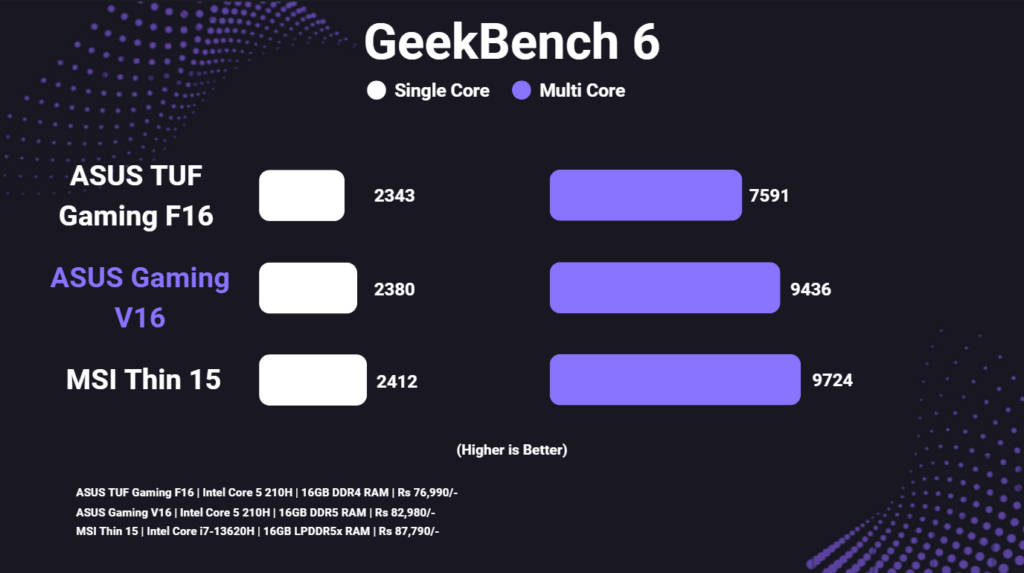
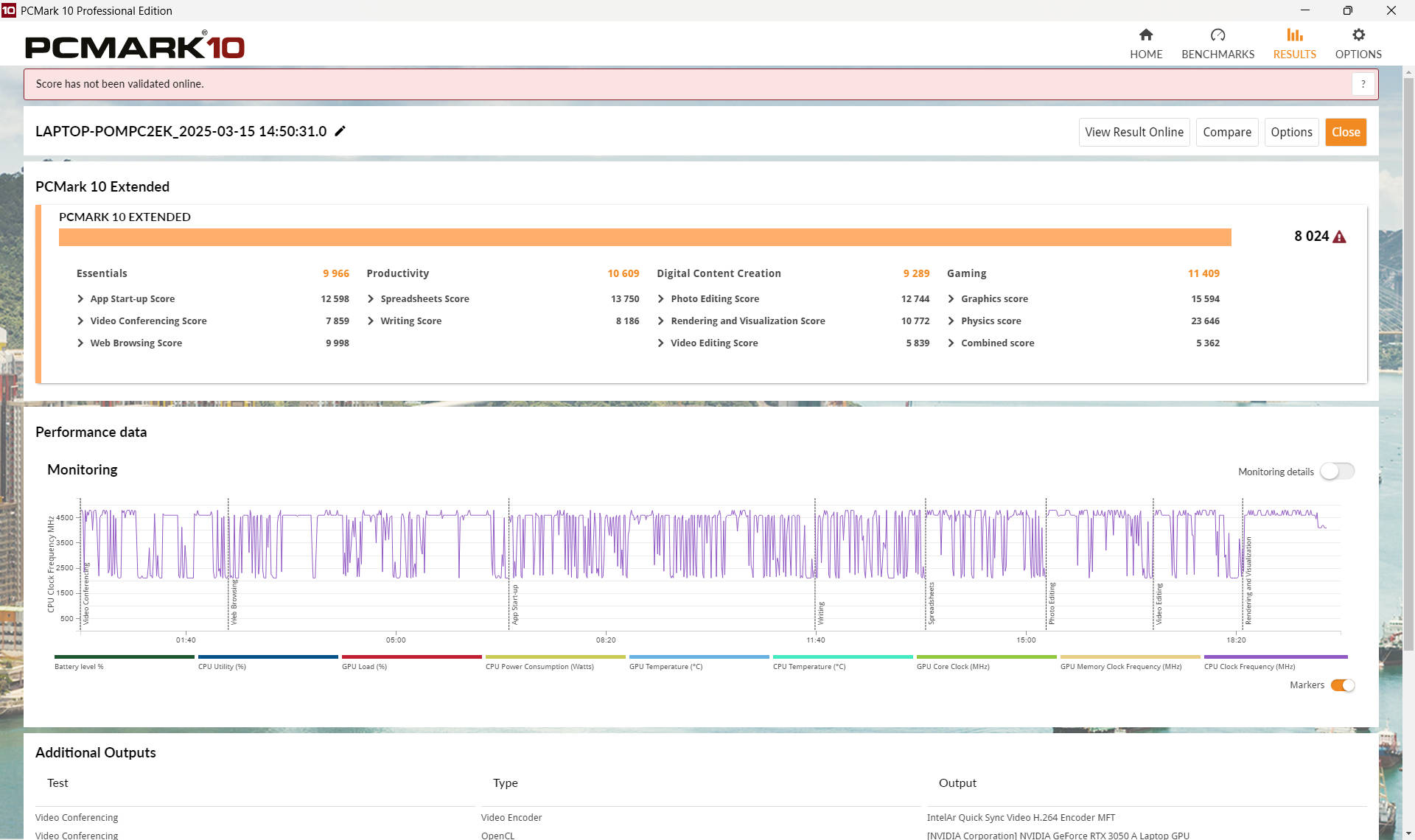
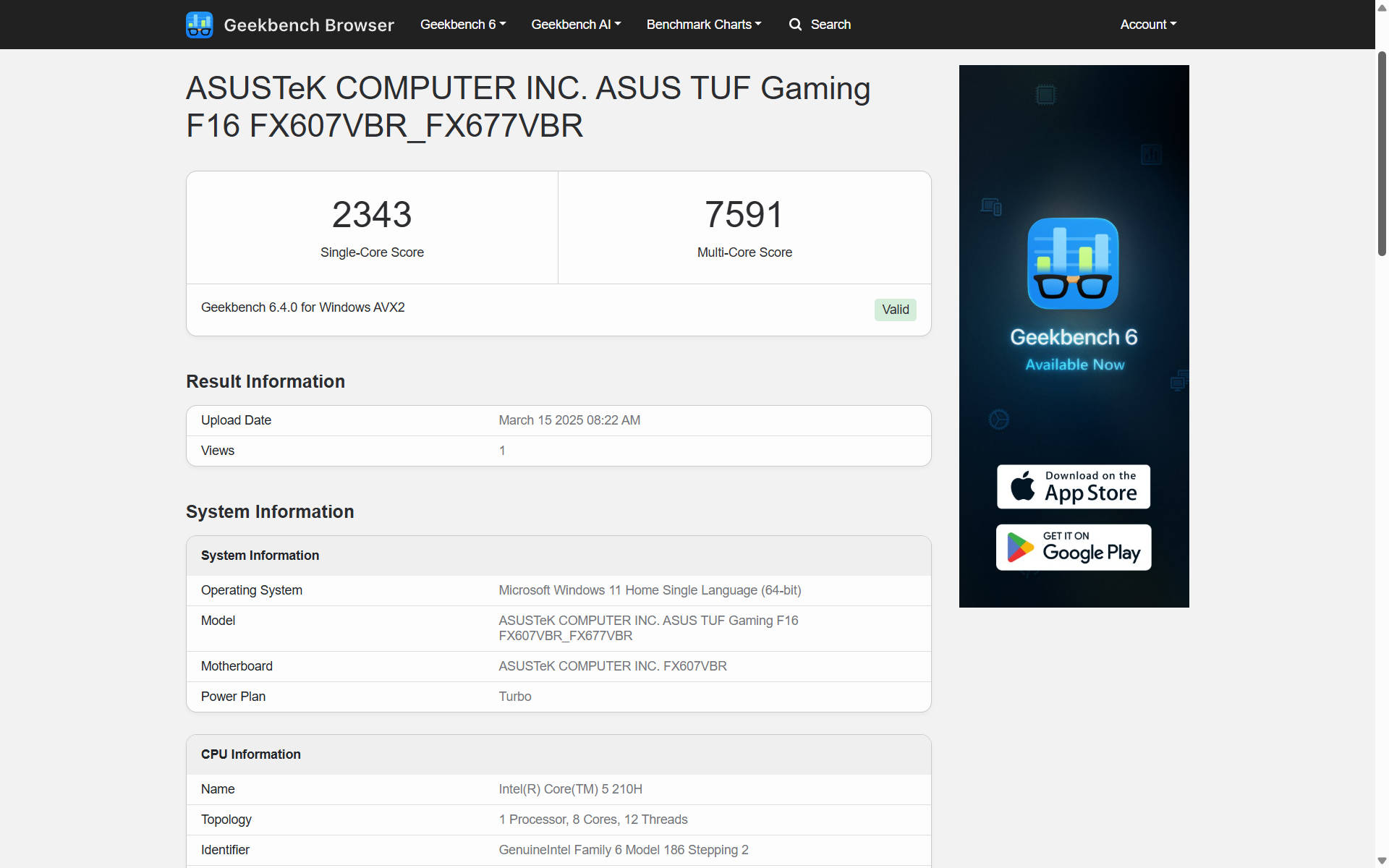
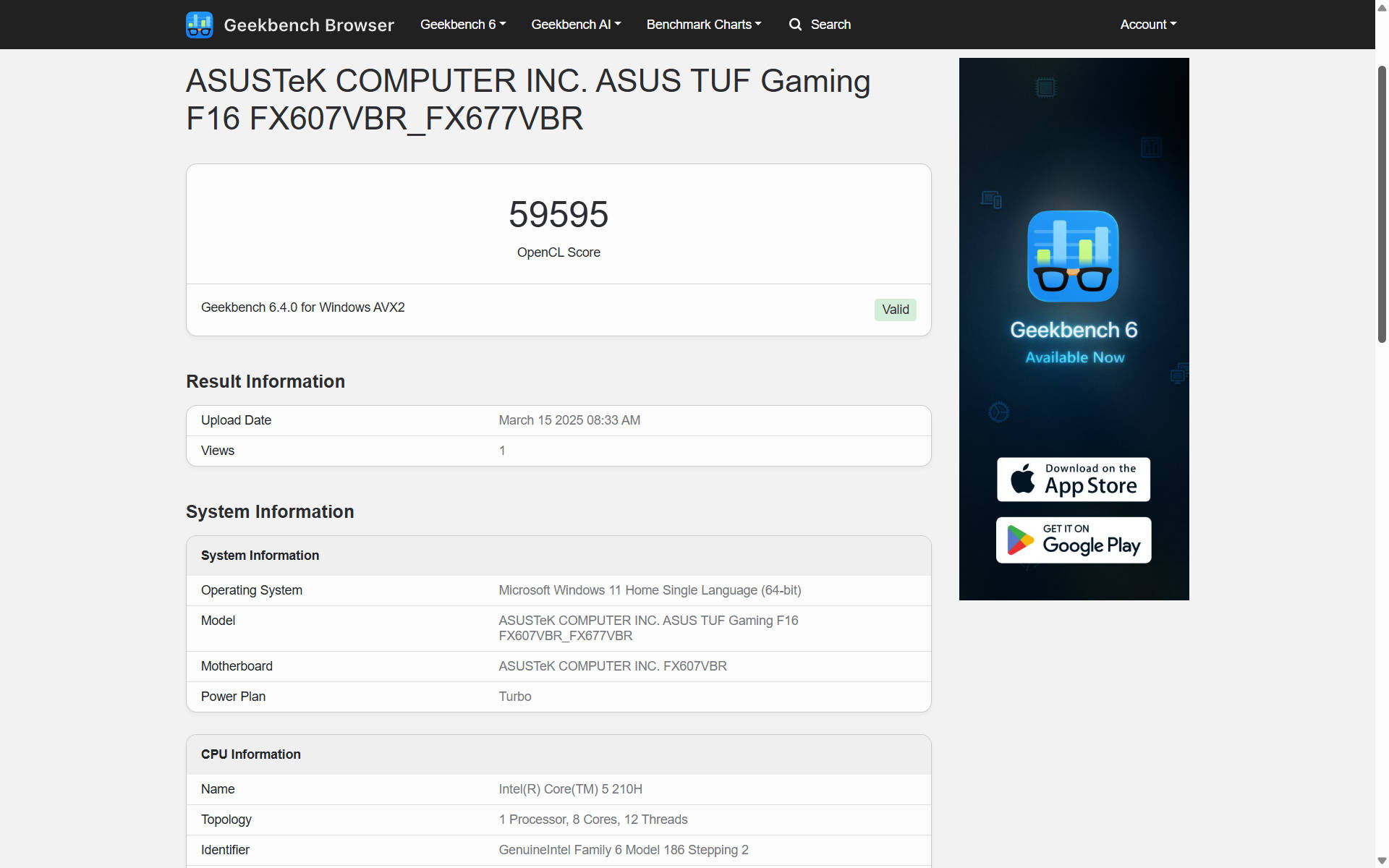
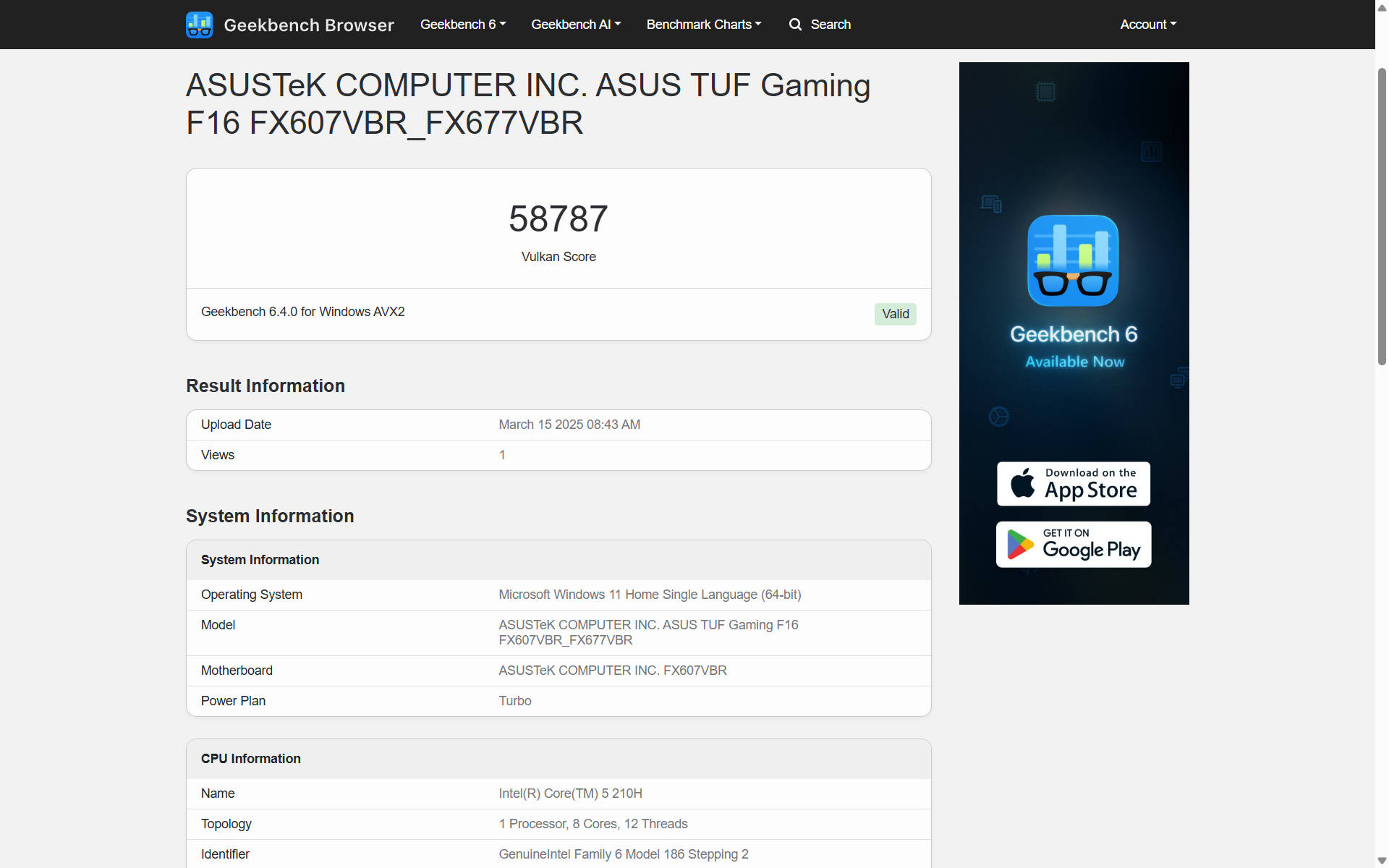
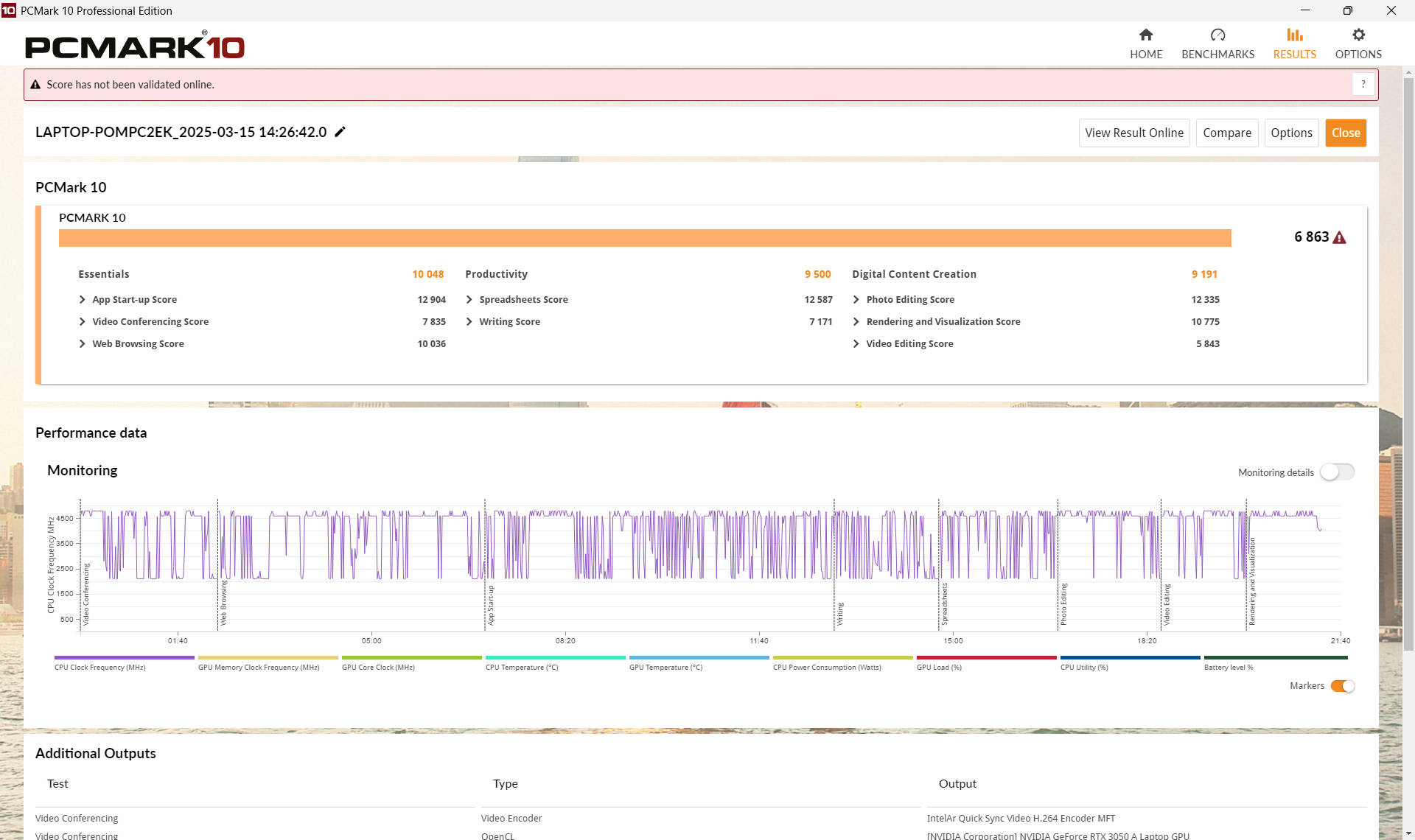
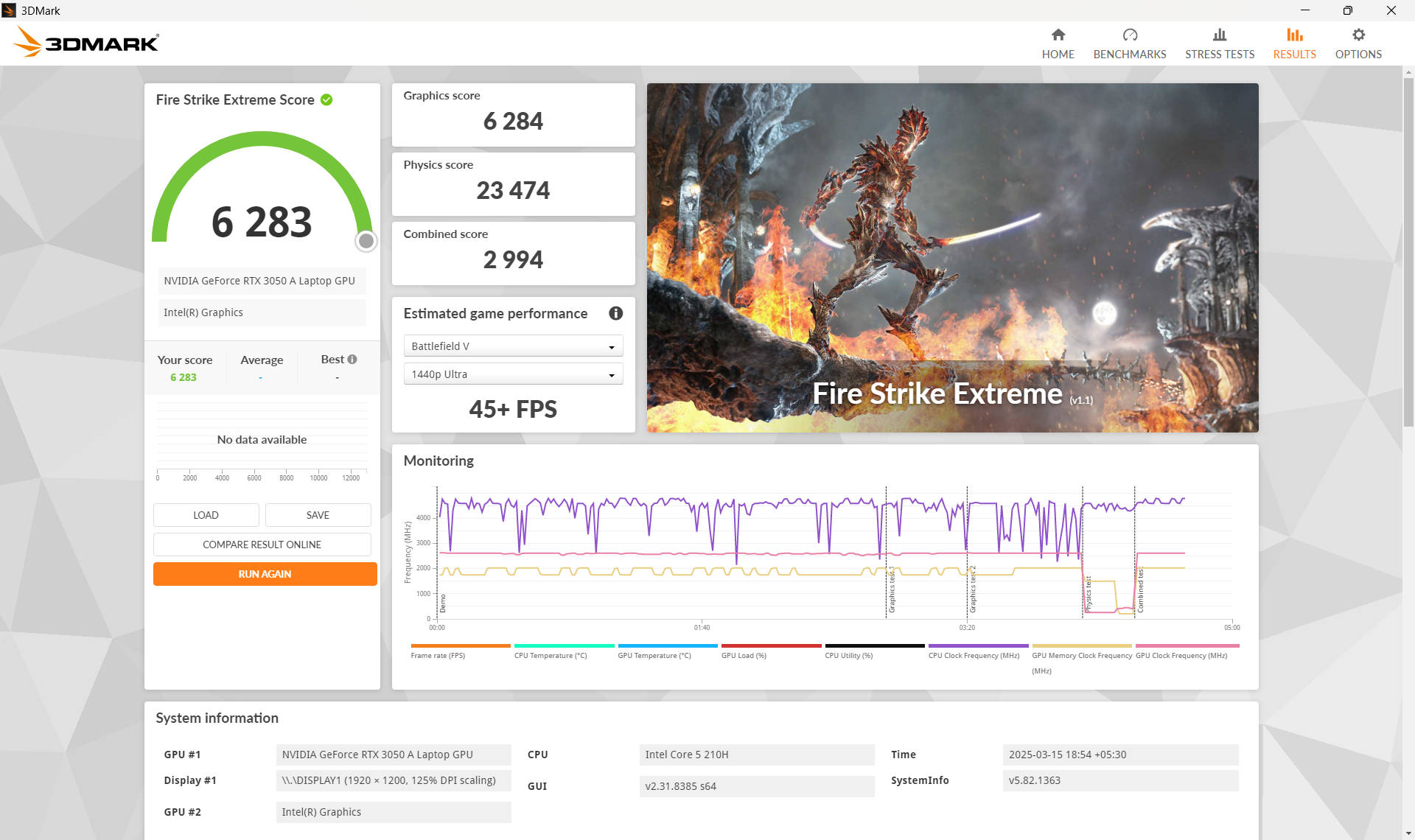
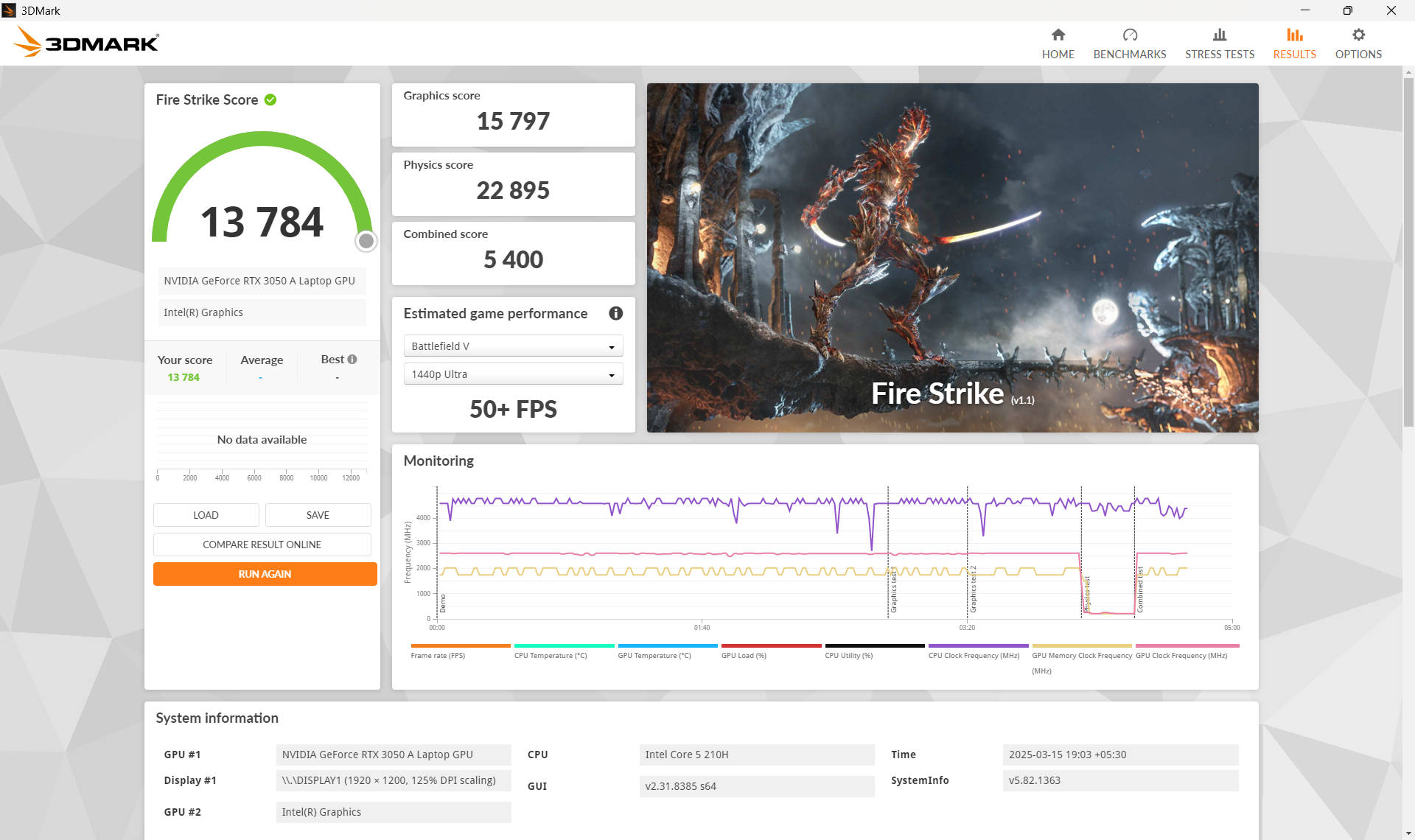
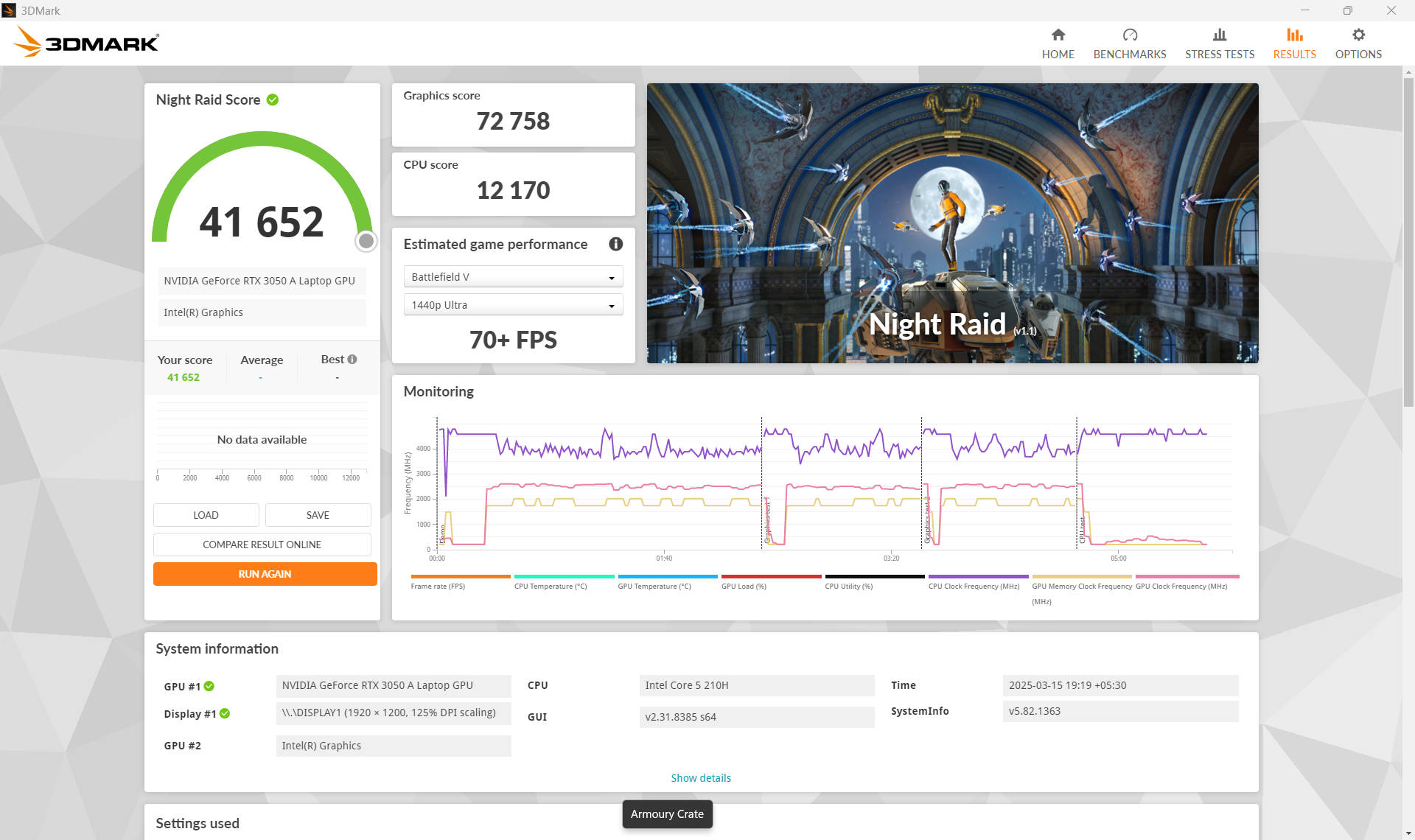
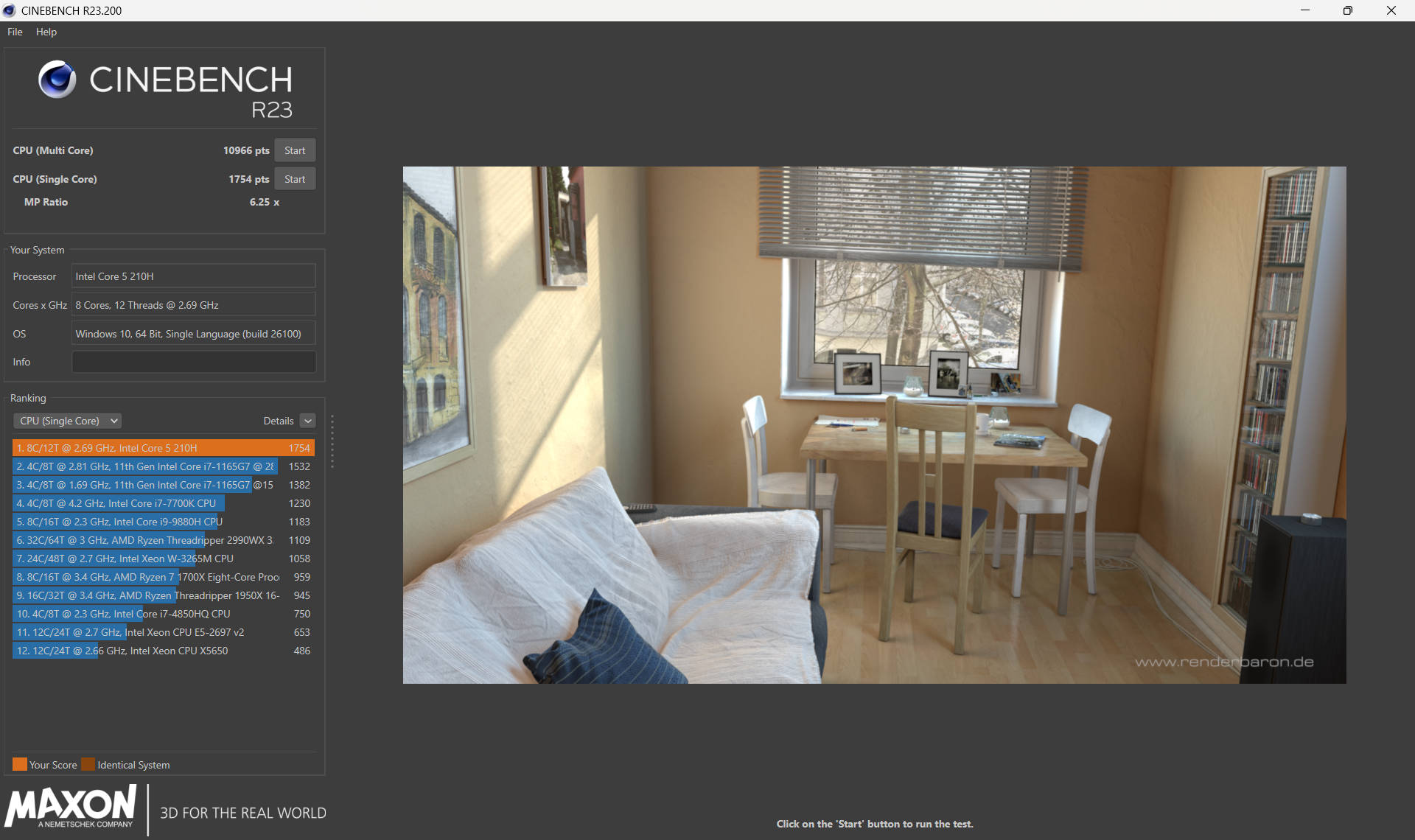
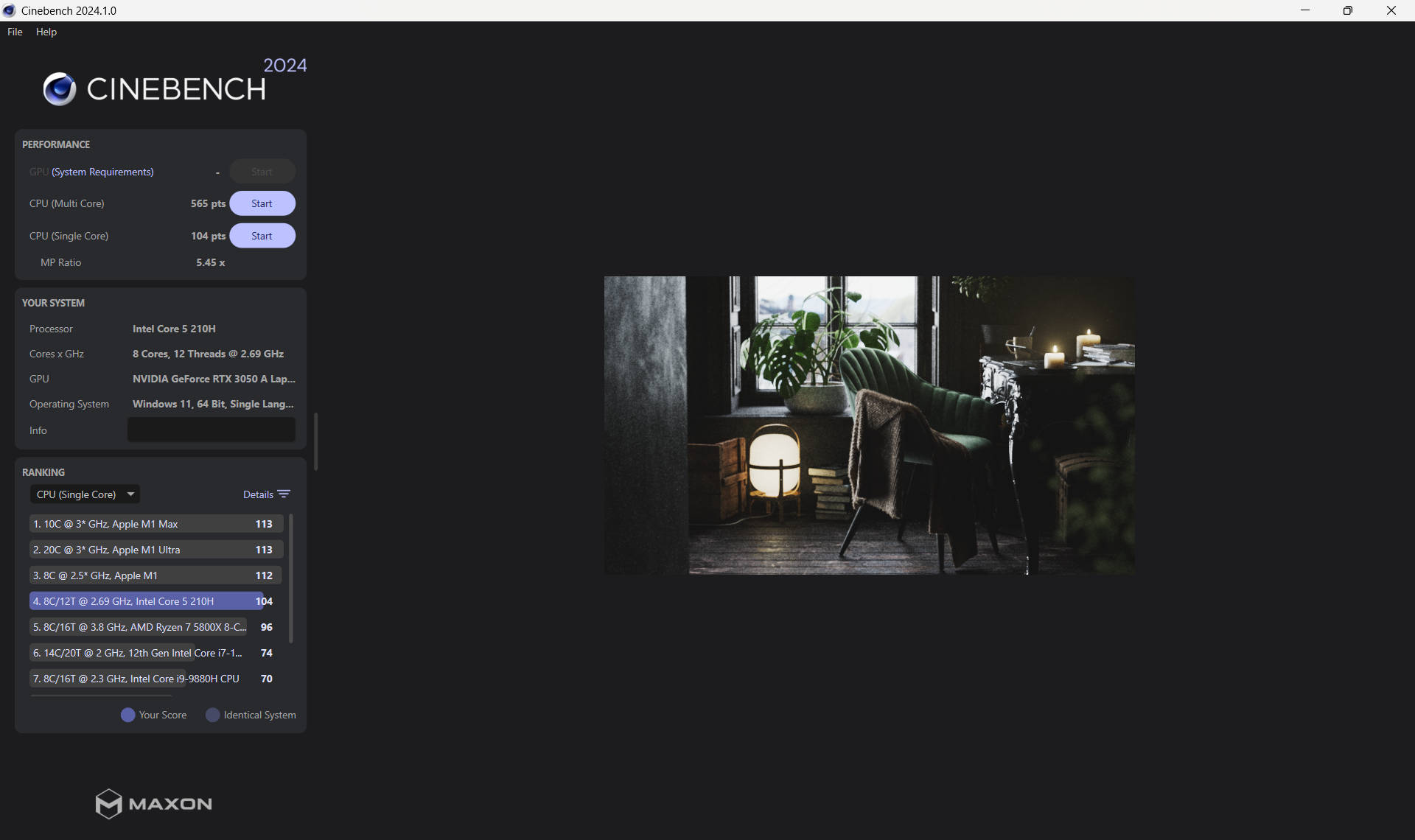


Coming down to synthetic benchmarks, the laptop scored 10,966 points in Cinebench R23 multi-core and 1,754 in single-core, indicating good multi-threaded performance but somewhat modest single-threaded capabilities. Cinebench R24 scores (566 multi-core, 104 single-core) reflect a similar trend. In Geekbench 6, it achieves 7,591 points (multi-core) and 2,343 (single-core), making it competent for entry-level gaming and creative workloads but not the fastest in its class.
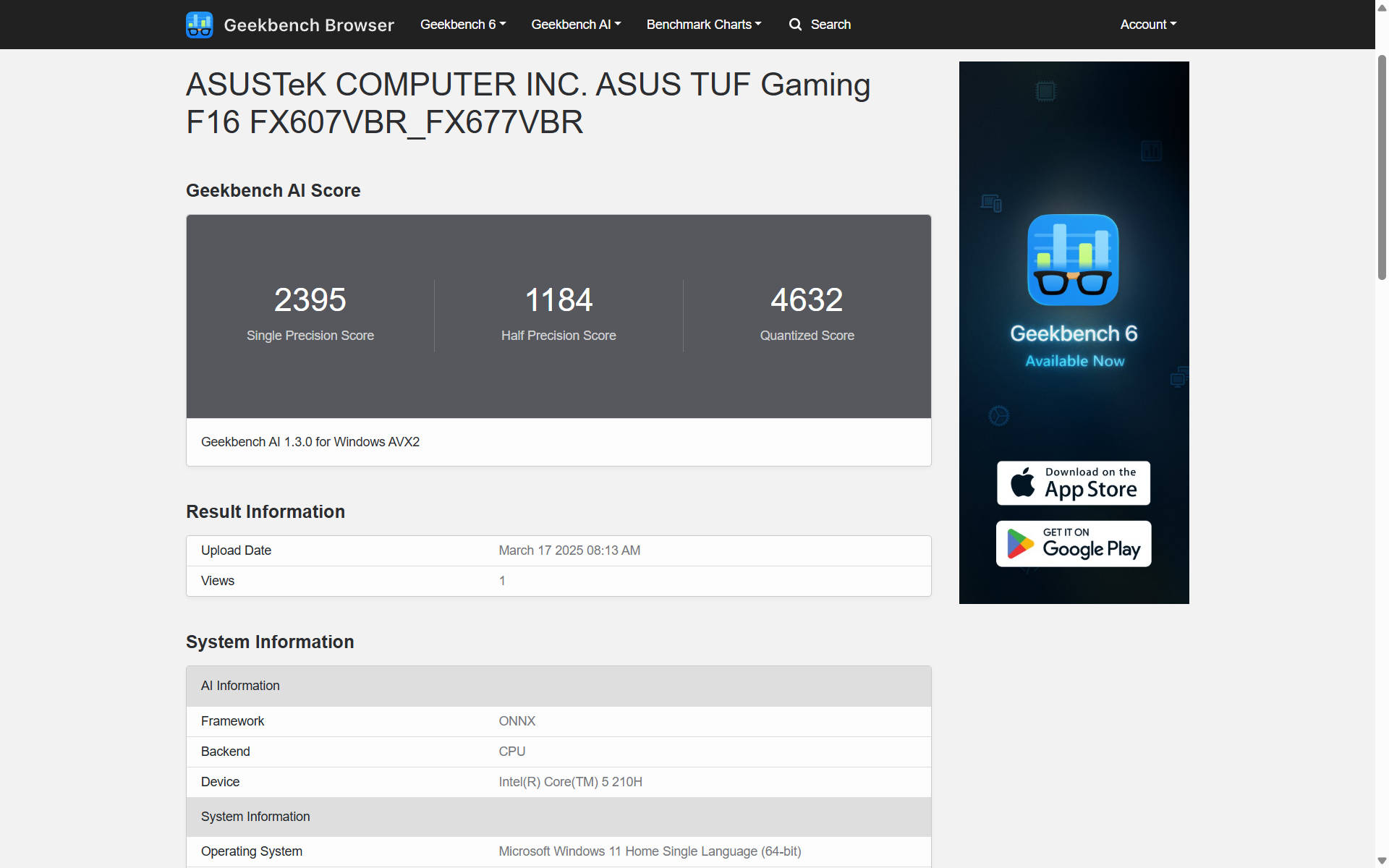
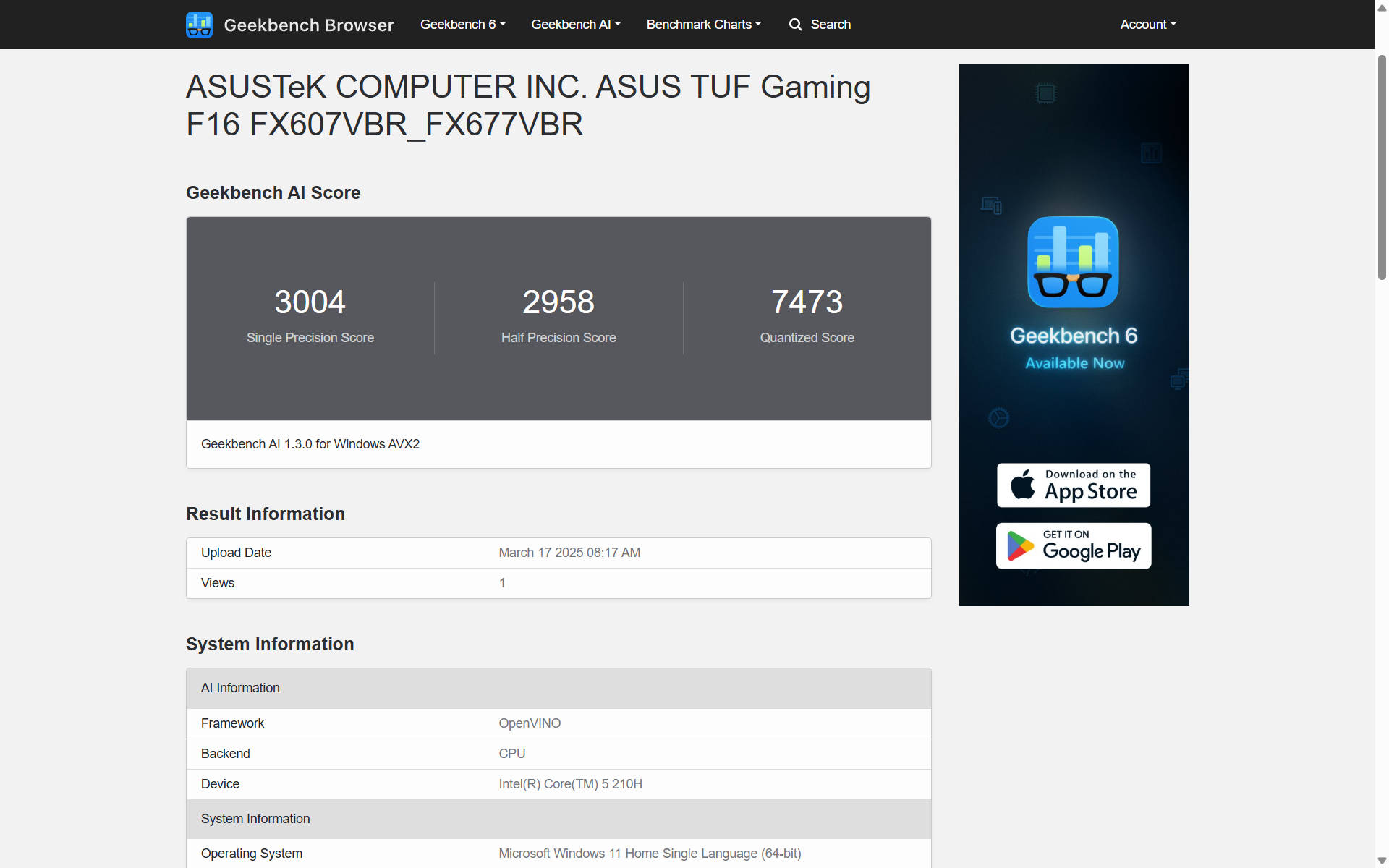
With Geekbench 6 AI benchmarks, the CPU scored 4,632 in ONNX Quantized and 7,473 in OpenVINO Quantized, showing that while AI-related workloads are possible, this is not a specialised AI machine.
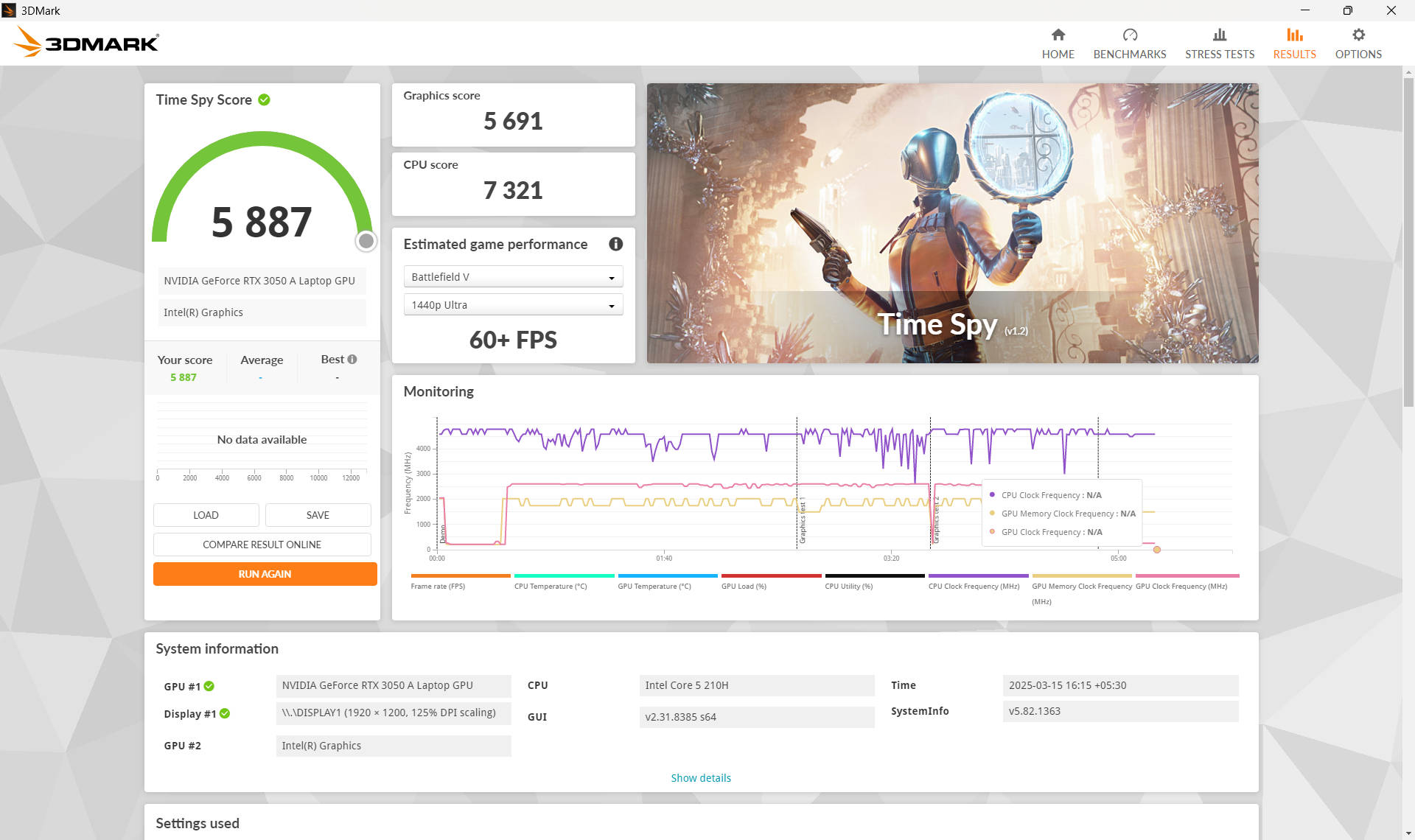
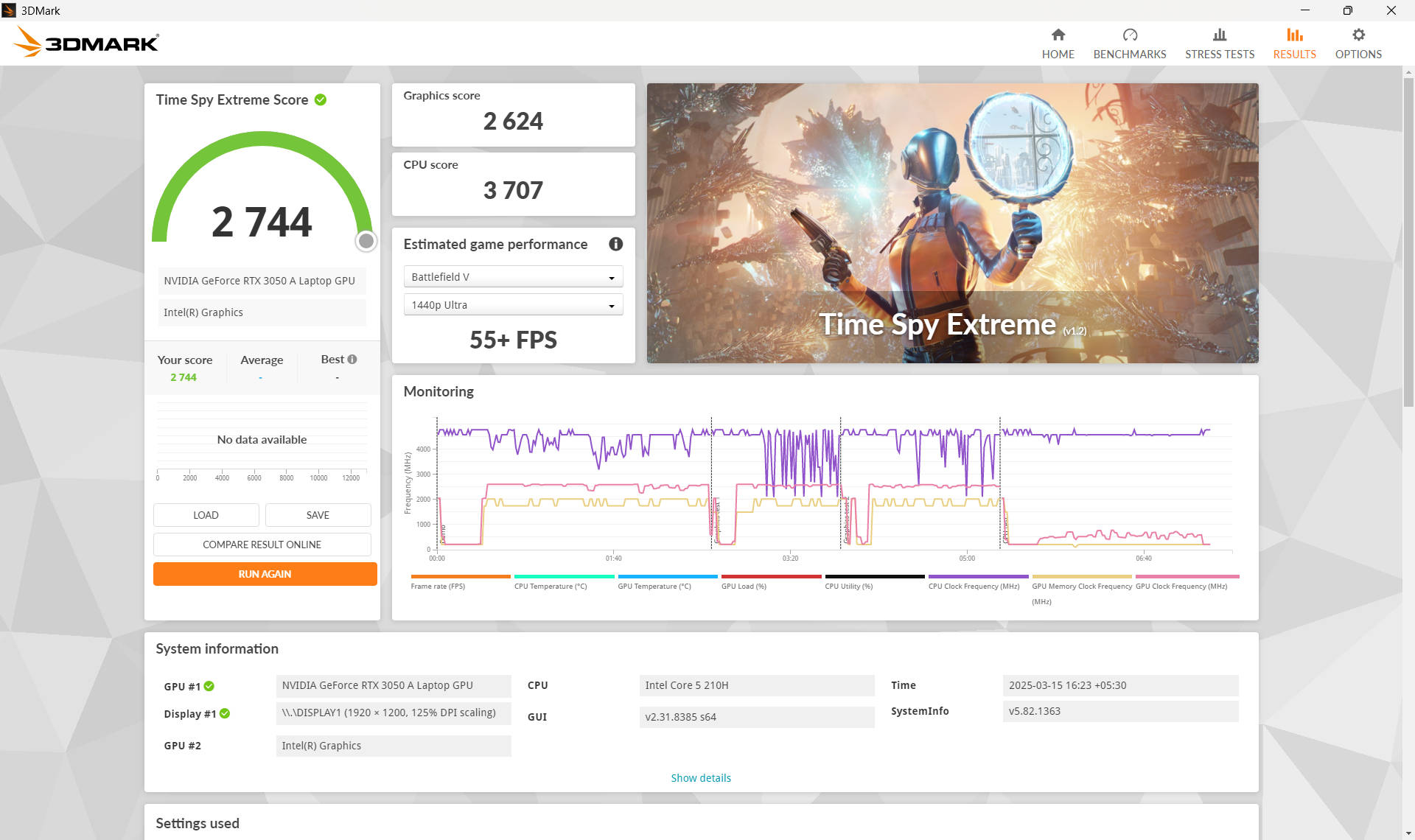
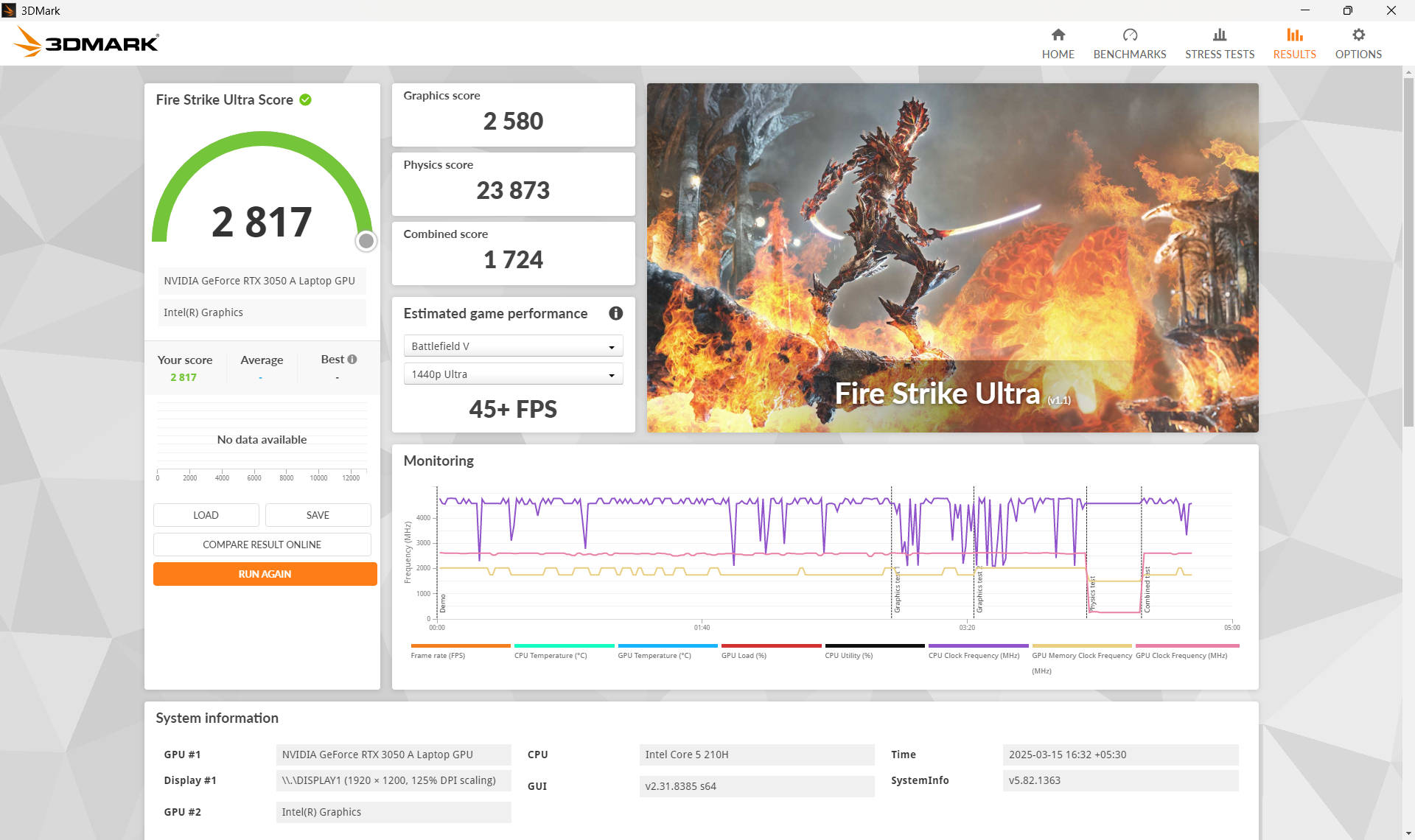
Coming to graphics performance, in 3DMark benchmarks, the TUF Gaming F16 scored 5,887 in Time Spy and 2,744 in Time Spy Extreme, showing it can handle games at 1080p with acceptable performance. Fire Strike results (13,784 points overall, 6,283 in Extreme, and 2,817 in Ultra) suggest that while capable, it is not a high-end gaming powerhouse. Lastly, Night Raid at 41,652 indicates strong performance for lighter gaming and esports titles.
It is interesting to note that the company’s Gaming V16 laptop features the same chip but with faster DDR5 RAM and an RTX 4050. For that reason, the TUF Gaming F16 falls behind in certain benchmarks.
The TUF Gaming F16 laptop delivers mixed gaming performance. It showcases strong results in some titles while struggling with more demanding, graphically intensive games.
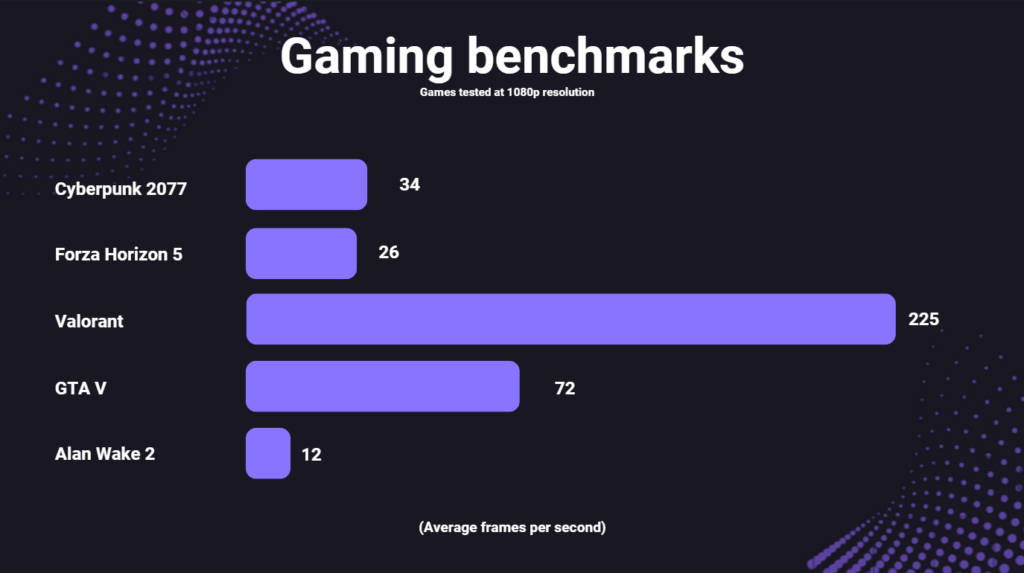
Surprisingly with Ray Tracing set to Ultra along with Ray Reconstruction and Frame Generation enabled, the laptop managed 34 FPS in Cyberpunk 2077. This is impressive, considering how demanding the game can be. Of course, for a consistently smooth experience, players may want to lower Ray Tracing to Medium and tweak other visual options.
As expected, the TUF Gaming F16 excels in Valorant, pulling in around 225 FPS. Even with MSAA 2X and High graphics settings enabled, this frame rate makes the laptop ideal for competitive players seeking ultra-smooth, low-latency performance.
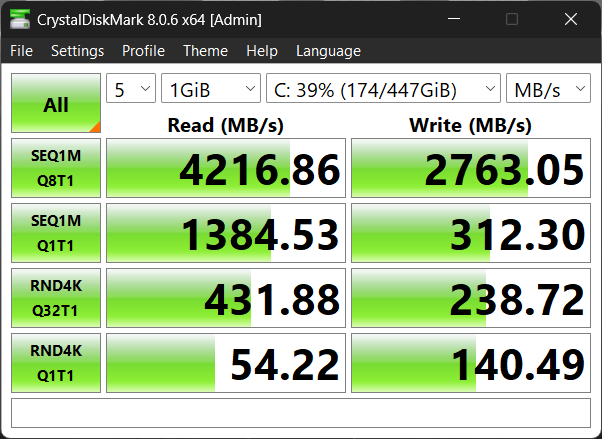
In terms of storage, you get a 512GB PCIe Gen 4 SSD, which in our testing offered 4,200MBps and 2,800MBps read and write speeds, respectively. There’s also a second M.2 slot in case you want additional storage.
As for thermals, the CPU does get quite toasty, reaching up to 90°C, while the GPU goes upwards of 85°C. These results are the maximum temperatures when both the chips are stressed, and you shouldn’t see such high temperatures during day-to-day use cases. As with most ASUS gaming laptops, you can swap between different performance modes using the Armoury Crate software, or by using the Fn + F5 key combo. Similarly, you can use Armoury Crate to control the keyboard RGB and toggle NVIDIA‘s Advance Optimus feature to enable or disable the discrete GPU and swap between the integrated graphics solution.
Battery
The laptop features a 56WHr battery unit, which offers a very limited run time of just over two hours, although your mileage may vary. The power brick is rated at 150W and has an old-school round barrel charging port. ASUS says the laptop can also be charged using USB Type-C with up to 100W, although that may not be enough for gaming purposes.
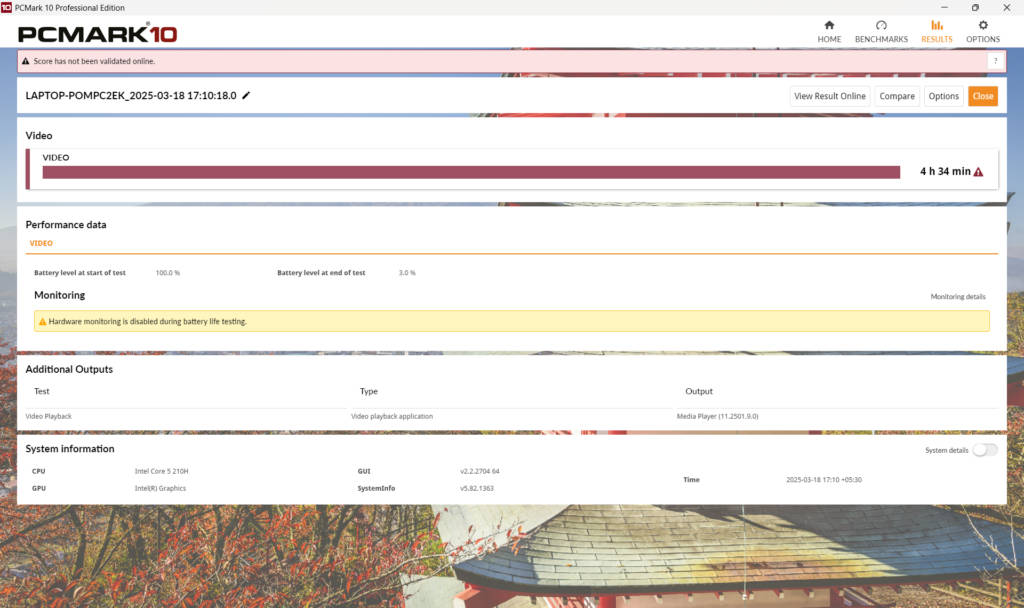
In the standard PCMark 10 Battery Video Loop test, with screen brightness reduced to 80%, the laptop scored 4 hours and 34 minutes. This result is particularly disappointing, considering the company’s Gaming V16 laptop, which we tested a few days ago, scored over 10 hours with the same CPU.
Verdict
As per ASUS, there is a continuous demand for entry-to-mid level gaming laptops in the Indian market. While that makes the trimmed-down TUF Gaming F16 a welcome addition, it is positioned in a very awkward spot. The company launched the laptop at a very similar price as its fairly new Gaming V16, at Rs 80,990 only to eventually cut it down to Rs 76,990. Now that’s telling something.
On its own, the laptop should be good for most of your daily tasks, including video playback and streaming, school or office work, and even some basic multimedia editing. The GPU is quite underwhelming and will be a lot more suitable for esports titles rather than games with demanding visuals. In comparison, the Acer Nitro V and even the ASUS Gaming V16 seem to offer a much better package, although the latter is priced a tad bit higher at Rs 82,990.
Editor’s rating: 6.5/10
Pros
- Dual M.2 slots
- Points for serviceability
- Sturdy build quality
Cons
- Poor GPU performance
- DDR4 instead of DDR5
- Below average battery life