Gigabyte G5 ME review: punchy performance, but lacks finesse
The Gigabyte G5 offers respectable performance for its price, however it needs polishing in the build and battery departments.


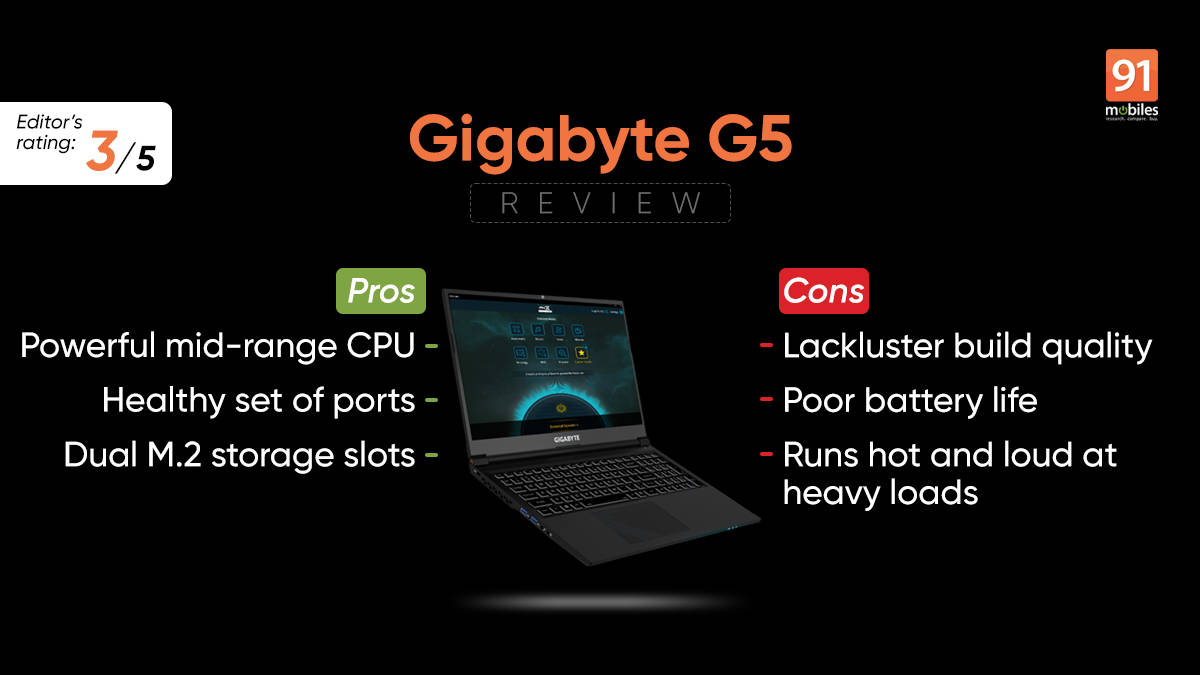
Gigabyte is a renowned name in the PC hardware space. Apart from motherboards, GPUs, monitors, peripherals, etc. the company also makes laptops for creators, gamers and everyday casual users. A decent-looking offering in the sub-Rs 1 lakh gaming laptop segment is the Gigabyte G15 featuring Intel’s 12th-gen processors and Nvidia’s mid-ranged RTX 30-series GPUs.


The laptop is available in three SKUs – KE, ME and GE, with all three featuring the same Core i5 processor with the main difference being the GPU. The GE comes with an RTX 3050, the ME has the RTX 3050 Ti, while the KE has the more powerful RTX 3060. Read on for the full review and to know whether it is worth the money…
Table of Contents
Design
The laptop looks pretty low-key when it comes to the design which doesn’t come as a surprise. There are no flashy red or blue accents, instead, you get an all-black finish with some angular patterns on the bottom corner of the lid and the trackpad. Gigabyte branding can be seen on the lid and underneath the display. The exhaust vents on the rear and sides have neat-looking triangular cutouts, while at the bottom there are additional cutouts for air intake. Clearly, the company is using a lot of copper for the thermal solution as it is visible through these vents.

While I like the minimal aesthetics, the build quality leaves something to be desired. The edges and corners aren’t very refined, the hinge is sturdy but doesn’t stop the lid from wobbling, and overall the chassis feels subpar with minor flex here and there. The matte finish definitely looks nice, but easily gathers finger oil leaving smudges all around.

As per the marketing material, the laptop offers a “high screen-to-body ratio” and a “thinner and lighter chassis.” Essentially it has shaved off a few millimetres compared to the previous generation model. While that is a good upgrade, the newer G5 felt pretty much like any other budget 15.6-inch laptop, be it the bezels or the dimensions. At 2kgs it isn’t the heaviest, yet somehow it feels large and bulky.


In terms of ports, the laptop comes with a USB 2.0 Type-A port, a USB 3.2 Gen 1 Type-A port, two USB 3.2 Gen 2 port Type C ports, a Mini DP 1.4, HDMI 2.1, dedicated audio and microphone jacks, an RJ-45 LAN port, a microSD card reader and a barrel style charging port. Notably, one of the USB Type-C ports is Thunderbolt 4 enabled if you opt for the higher-tier model with the RTX 3060 GPU.

Removing the 13 screws, the bottom cover can be taken off by gently prying it out from the edges. One can swap or replace the two DDR4 memory modules, the M.2 SSD and even the Wi-Fi card. Apart from that you also get access to the 54WHr battery, and the “WINDFORCE cooling solution” that includes two fans with a 59-blade design, five heat pipes and four exhaust vents.

Display
The 15.6-inch display on the Gigabyte G5 comes with a full HD (1,920 x 1,080p) resolution with up to 144Hz refresh rate. Now the company doesn’t mention what type of panel it uses nor does it state the colour reproduction capabilities. But by the looks of it, the panel is definitely IPS-type with good viewing angles. The contrast and brightness are quite acceptable for a budget gaming laptop, although I don’t believe it can go beyond 250 to 300-nits. In short, the panel is just above average, and should offer a decent visual experience when used indoors.

In my experience I found the display to be passable for most games, be it exploring the vast lands in Horizon Zero Dawn or catching some fast-paced shooting action in Apex Legends. Even for someone who consumes a lot of video content, this isn’t the worst panel and should be perfectly fine. If you plan on editing videos or photos especially when colour accuracy is of utmost importance, then this isn’t the best panel out there.
Keyboard and trackpad
It’s nice to see a full-size keyboard on a 15-inch laptop and I was also pleased to see full-size arrow keys, as they should be on a gaming laptop. The island-style keycaps have a soft rubber texture with white edges, and single-zone 15-colour backlighting. One can change the lighting colour and brightness using the dedicated Function (Fn) key combos. Alternatively, you can use the Control Center app that additionally offers settings to set macro keys using the ‘Flexikey’ option.

The typing experience is actually not bad despite the non-tactile feedback. I was able to quickly adapt to the layout and keypress actuation for fast and accurate typing. As for the trackpad, it doesn’t skimp on the size and looks much better than what the previous generation model offered. Once again the build quality isn’t great especially compared to a glass trackpad. Having said that, it worked perfectly fine for everyday use cases.
Performance and software
As mentioned in the beginning, the Gigabyte G5 comes with the 12th-gen Intel Core i5-12500H which is shared between all three SKUs. It’s an excellent mid-range gaming mobile CPU featuring four performance cores and eight efficiency cores with a max turbo frequency of 4.5GHz, 18MB cache and up to 95W TDP. While the CPU does support DDR5 memory, the G5 comes with dual-channel 16GB DDR4-3200 RAM which isn’t entirely a deal breaker, but newer-gen memory would have been appreciated. The laptop also supports up to 64GB of memory, so there is an option to upgrade down the line.
The 500GB PCIe Gen 4 M.2 SSD on the laptop offered up to 4,800Mbps read speeds and 2,300Mbps write speeds as per testing done on CrystalDiskMark. There is a secondary PCIe Gen3x4 M.2 storage slot, which can be used for additional storage, especially if you have a large games library.
Performance is actually pretty solid on this machine. The Core i5-12500H managed to score very close to its faster sibling, the Core i7-12700H in Cinebench R23 single and multi-core benchmarks. It has been tuned to draw up to 70W of power, or at least what HWInfo suggested. During most of the benchmark testing, the CPU would peak at 70W and eventually drop down and stay around the 62W mark. Similarly, the P-cores would peak at 4.5GHz, but settle down to 3.2GHz while the E-cores would go up to 3.3GHz and sustain at 2.5GHz.
The Gigabyte Control Center 3.0 allows you to switch between performance modes. The app looks rough around the edges with a UI that seems to be from the early 2000s. There are four performance modes – Power Saving, Quiet, Entertainment and Performance. The Power Saving setting also has the option to reduce the refresh rate from 144Hz to 60Hz. Additionally, there are settings to control the fan speeds corresponding to the CPU and GPU temperatures.
For gaming performance there is the Nvidia GeForce RTX 3050 Ti mobile GPU with 4GB GDDR6 memory, boost clock speeds of up to 1485 MHz and a maximum power draw of 75W. It is capable of offering a good 1080p gaming experience, especially if you play games that support Nvidia’s DLSS. Below is a chart with the average frame per second achieved at various graphics performance settings.
Notably, all the games were tested with frame enhancement settings turned off and at different graphics presets. In my experience, Spider-Man Remastered felt fairly smooth at the highest settings with frames going up to 60fps and averaging around 55fps. Enabling DLSS immediately improved the performance and I noticed an uplift of about 10-20 percent in frames. I even managed to get close to 90fps in Horizon Zero Dawn and Rise of the Tomb Raider at medium settings. The laptop is also great for esports titles like CS: Go, Valorant or Apex Legends, but I would definitely not advise this laptop for serious players looking to indulge in professional or semi-professional competitive gaming.
| GAMES AT 1080P | MEDIUM | HIGH | VERY HIGH/ULTRA |
| Horizon Zero Dawn | 85fps | 73fps | 64fps |
| Rise of the Tomb Raider | 91fps | 87fps | 86fps |
| Apex Legends | 115fps | 90fps | 77fps |
| Metro Exodus Enhanced Edition | 44fps | 34fps | 12fps |
| Spider-Man Remastered | 68fps | 62fps | 55fps |
As for thermals, the cooling solution is pushed to its limits and while it does a decent job, there is room for improvement. During benchmark stress testing the CPU went up to 90°C with an average of 87°C. During a long gaming session, I recorded the CPU temperature hitting the 100°C mark making the underside and the upper section of the keyboard quite warm to the touch. Even the fans get pretty loud as they work hard to push out all the heat. There isn’t a huge hit in terms of performance, but considering the oncoming summer season, the laptop is expected to get super toasty.
In the audio department, you get dual 2W speakers that are placed at the bottom. They sound below average as they are not very loud, don’t offer good enough bass and tend to crack at high volumes. The laptop does support DTS:X Ultra audio technology which makes sense if you are going to use a pair of quality headphones. The 720p webcam is just passable as it struggles with exposure, white balance and colour accuracy. The inclusion of Wi-Fi 6 and Bluetooth 5.2 is appreciated, as it ensures fast wireless connectivity.
The laptop comes preloaded with Windows 11 and I was happy to see that there was no bloatware choking the system. Overall, the laptop should serve as an excellent companion for day-to-day productivity especially if you are a student.
Battery
Gaming laptops aren’t the best when it comes to battery backup, and that’s pretty much the case with the G5. It comes with a 54Whr battery unit that hardly manages to keep the lights up for more than a couple of hours. I switched the performance mode to ‘Power Saving’ to cut down the CPU power draw and the screen refresh rate to 60Hz, in order to see how it fares in a regular everyday scenario. To test the battery I reduced the screen brightness to 50 percent and mostly browsed the internet, watched a video or two on YouTube, and did some typing. I got a total battery backup of 1 hour and 50 minutes before it asked me to plug in the charger.

The power brick is rated at 130W and is definitely compact compared to some of the gaming laptops I have tested in the past. This is great as it doesn’t substantially increase the overall weight while one is travelling.
Verdict
If performance is all that you care about, then the Gigabyte G5 is actually worth the cost. The Core i5-12500H is a cracker of a processor for raw performance, and while the RTX 3050 Ti is more or less a good entry to mid-level GPU, it offers enough power for an acceptable 1080p gaming experience. Build quality and battery life are the biggest issues with the laptop, and I believe Gigabyte can definitely pull up its socks to improve on the two.
Should you buy the Gigabyte G5? Well, its a difficult choice considering there are much better options from ASUS, HP and Dell. It is also important to note that we are about to witness new wave of gaming laptops this year with newer chipsets from Intel, AMD and Nvidia. I would highly suggest everyone to hold on to their money until these new upgrades hit the markets.
Editor’s rating: 3 / 5
Pros:
- Powerful mid-range CPU
- Healthy set of ports
- Dual M.2 storage slots
Cons:
- Lackluster build quality
- Poor battery life
- Runs hot and loud at heavy loads

