HP has launched the OmniPad 12 in India as a 2‑in‑1 device that tries to mix the feel of a tablet with the basic productivity of a laptop. It runs Android, uses a Qualcomm Snapdragon processor, and comes with a detachable keyboard, so you can switch between touch‑first tablet use and more traditional typing when you need to get work done.
It seems to be made for students, first‑time users, small businesses, and young professionals who want something light, familiar, and easy to carry around. If your routine involves online classes, basic office work, content watching, and everyday apps, the OmniPad 12 is trying to be that “one device” you can take anywhere. Let’s look at it in more detail below.
Table of Contents
HP OmniPad 12: price and availability
The HP OmniPad 12 is priced from Rs 48,999 in India and comes in Denim Blue and Meteor Silver. It’s available through HP’s online store, Amazon, Flipkart, Reliance Digital, Croma, Vijay Sales, and HP World stores.
At launch, HP is offering Rs 5,000 cashback on select credit cards, which brings the effective starting price closer to Rs 43,999 for eligible buyers. There is also a one‑year free subscription bundle worth Rs 96,000 that includes access to popular AI tools like GPT‑5, Claude 4, Gemini 2.5, Perplexity, Grok 4, and DeepSeek. If you’re curious about AI and plan to use these services regularly, that bundle is good value over the first year.
HP OmniPad 12: specifications, features
The OmniPad 12 has a 12‑inch 2K multi‑touch display with a 16:10 aspect ratio, up to 400 nits brightness, and a refresh rate of up to 90Hz. This should give you a sharp, bright screen with a bit more vertical space than a regular 16:9 tablet, which helps with reading notes, working on documents, and viewing long web pages. The 90Hz refresh rate should also make scrolling and animations feel smoother.
The tablet part weighs about 600g and is fairly slim, which makes it easy to carry between classes, meetings, or around the house. Once you attach the detachable keyboard, it turns into a small laptop‑style setup that you can use on a table or desk. The keyboard connects via POGO pins and includes a trackpad, so you can click, scroll, and type like you would on a regular notebook.
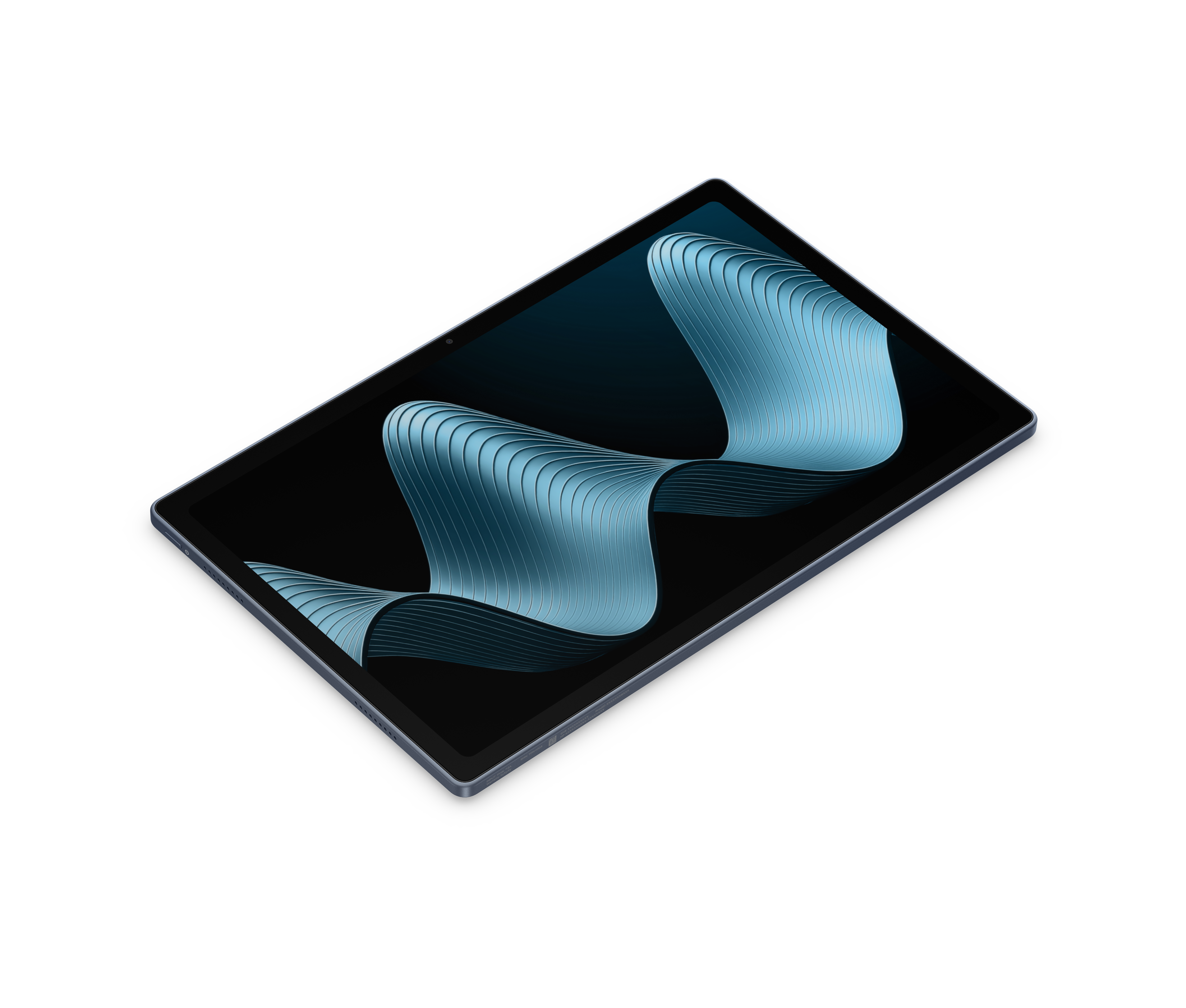
Inside, HP is using a Qualcomm Snapdragon 6 Gen 3 chipset with Adreno graphics, paired with 8GB LPDDR5 RAM and 128GB UFS storage, plus a microSD slot for up to 1TB extra storage. For the target user, this combo is mainly about smooth everyday use like video calls, office apps, web browsing, streaming, and basic content creation. You won’t get as much performance output in heavy games or editing, but it will still perform well enough for most users.
HP claims up to 18 hours of battery life from the 31Wh battery, which, if it holds up in real use, should comfortably cover a full day of classes or work without needing to plug in midway. It charges via the included 33W adapter, so top-ups between sessions should be reasonably quick.
For calls and content, the OmniPad 12 offers a 13MP rear camera and an 8MP front camera. The front camera should be enough for online classes, meetings, and casual video chats, while the rear camera is there for scanning documents, recording quick clips, or capturing basic photos.
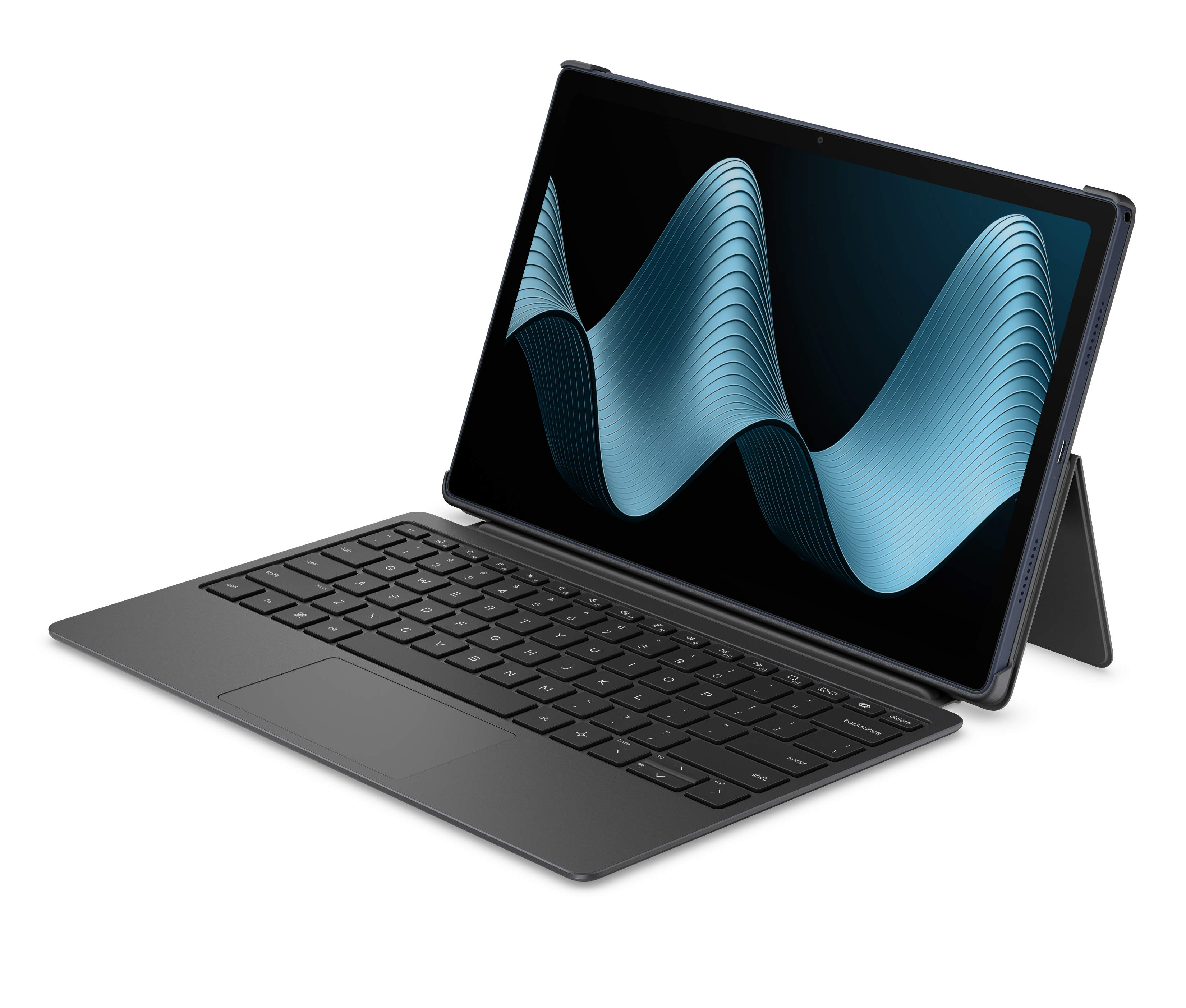
The tablet has quad speakers with DTS:X Ultra support and dual microphones. You can expect louder, clearer audio for movies and calls and better voice pickup when you’re talking to people on video. Connectivity options include Wi‑Fi 6E, Bluetooth 5.2, a USB Type‑C port, and a 3.5mm audio jack, so you can plug in wired headphones or speakers if you want.
HP also preloads some education and producitvity apps like iPrep, Lexillion, and Brands.live, which can help students and small businesses get started on day one without hunting for basic tools.
Should you buy this?
The HP OmniPad 12 makes sense if you want a simple Android tablet that can double as a small laptop right out of the box. At Rs 48,999, it includes a full‑size detachable keyboard with trackpad, so you don’t need to hunt for accessories or pay extra to get a proper typing setup.
The Snapdragon 6 Gen 3 chip, 8GB RAM, 128GB storage, and 12‑inch 2K display are more than enough for online classes, office apps, video calls, and everyday browsing. If your priority is a straightforward, portable work machine with a decent battery life and no extra accessory costs, the OmniPad 12 is the easiest “ready to use” option around this price.
If you care more about performance, display quality, or gaming, rivals like the OnePlus Pad 3, Xiaomi Pad 8, and the new ASUS Pad are better options. The OnePlus Pad 3 costs more and sells its keyboard separately but gives you a flagship chipset, a bigger 144Hz screen, and a huge battery. The Xiaomi Pad 8 is cheaper and powerful, but you must buy the keyboard and stylus separately.
The ASUS Pad offers a premium 144Hz OLED panel and good performance, but again, a pen and keyboard will cost you extra. So, choose the OmniPad 12 if you value the bundled keyboard and simplicity; choose the others if you want more power, better screens, and are okay building your own accessory kit.