This iOS 26 feature could be your best defense against pesky scam calls


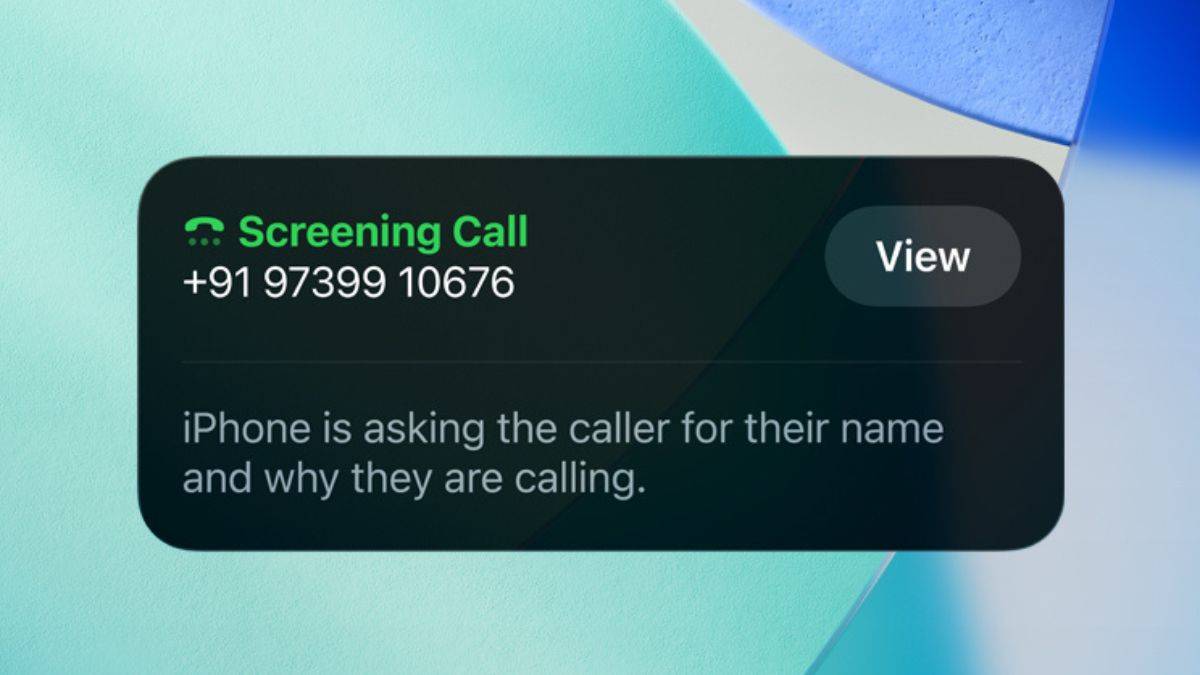
Apple rolled out iOS 26 last month, bringing the biggest iPhone design overhaul in years. The update introduces ‘Liquid Glass’, giving the entire UI a translucent look. There are new additions to Messages and Camera, and iPhone users now get their own version of ‘Circle to Search’. Whether the new visual design is a hit is up to users to decide, but one of the most practical additions in iOS 26 could be its new call screening feature, designed to handle spam calls effectively.
With iOS 26, you get more control over calls from unknown numbers. You can either let them ring normally, silence them, or require callers to state their reason before your phone rings. The third option, ‘Ask Reason for Calling,’ is the real highlight.
To enable it, go to Settings > Apps > Phone, scroll to Screen Unknown Callers, and select Ask Reason for Calling. When this is on, unknown callers are prompted to say their name and reason before your phone rings. The details appear on your screen in a chat-style box, and you can respond by typing a message that the assistant reads out. You then decide whether to accept or reject the call. In testing, the assistant reliably captured what we said, making the interaction smooth for both sides.


Keep in mind, this won’t apply if the caller’s number is already saved in your contacts. It only works with completely new, unknown numbers. This feature is particularly handy for spam prevention. Forcing callers to explain why they’re reaching out can discourage unwanted calls, while still letting important ones through. It’s also more flexible than the other options:
- Never: lets unknown calls ring normally.
- Silence: sends them straight to voicemail.
Here, Ask Reason for Calling works as a middle ground, especially if you don’t want to silence calls completely, as some of them could be important. It’s enough to ward off pesky callers, but still useful for receiving calls from unknown numbers that aren’t spam. Best of all, it’s available on any iPhone running iOS 26, not just newer models with Apple Intelligence. Devices as old as the iPhone 11 can use it.
Show Full Article
There are existing options with Truecaller for spam calls on iPhones. Truecaller’s Caller ID lets you identify who’s calling by displaying their name on the screen. It also features a similar call screening option, where the Truecaller Assistant answers and screens calls on your iPhone, detects spam, and informs you if a call is worth answering. These features are also helpful, but if you don’t want to download another app, then iOS 26’s call screening features work.
If you get a lot of spam or unknown calls, this is a feature worth turning on right away. It strikes a smart balance between staying reachable and avoiding unwanted interruptions – something third-party apps have tried to solve for years. More importantly, it reflects Apple’s broader privacy-first strategy, where control stays with the user. For most iPhone users, especially those who don’t rely on Truecaller, this could easily be one of the most genuinely useful additions in iOS 26.

