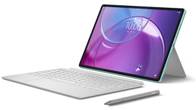
For many, tablets primarily serve as multimedia devices, occasionally doubling as a smartphone alternative, if they come with dedicated LTE or 5G support. The Lenovo Tab K11 in my hands fits that bill but also brings a few interesting extras, including business-focused features and plenty of customisation options, making it an intriguing option.
Interestingly, the tablet is available in standard and ‘Enhanced Edition’ models—one with just a stylus and another that includes both a Folio keyboard and a stylus. I have the latter, which is the top-end variant. It’s also the priciest of the lot, starting at Rs 26,998 on the brand’s official website. That price tag puts it up against some solid alternatives from other brands, so let’s see if it offers enough value to justify the cost.
Table of Contents
Design & display
| Thickness | Weight | |
| Lenovo Tab K11 | 7.15mm | 465 grams |
| Xiaomi Pad 7 | 6.5mm | 500 grams |
| Redmi Pad Pro 5G | 7.52mm | 560 grams |
The Lenovo Tab K11 sports a simple yet refined dual-tone design and comes in two colours – Luna Grey and Seafoam Green. I got the Luna Grey variant for review and quite like its minimalist look. The tablet has a full-metal build that feels premium to the touch while also resisting fingerprints and smudges. Without the keyboard attached, it’s fairly lightweight, so holding it up for long stretches isn’t a problem.
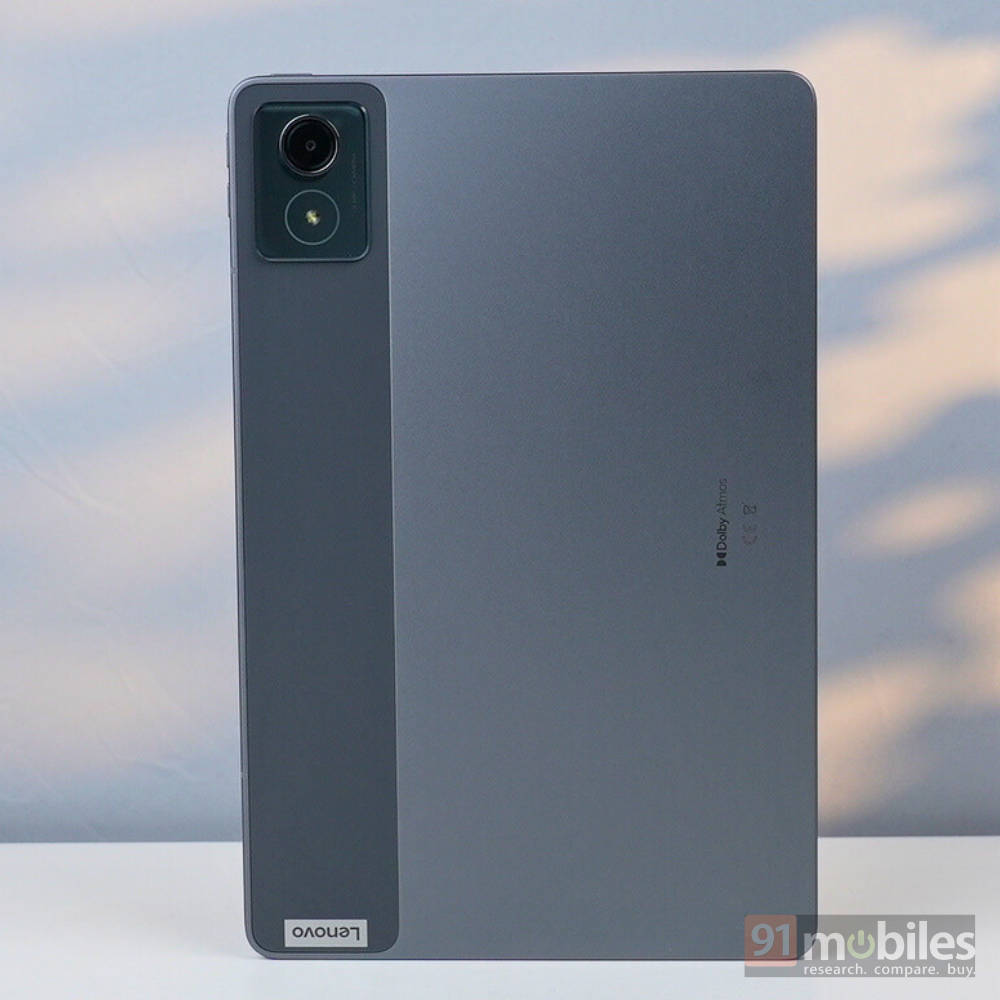
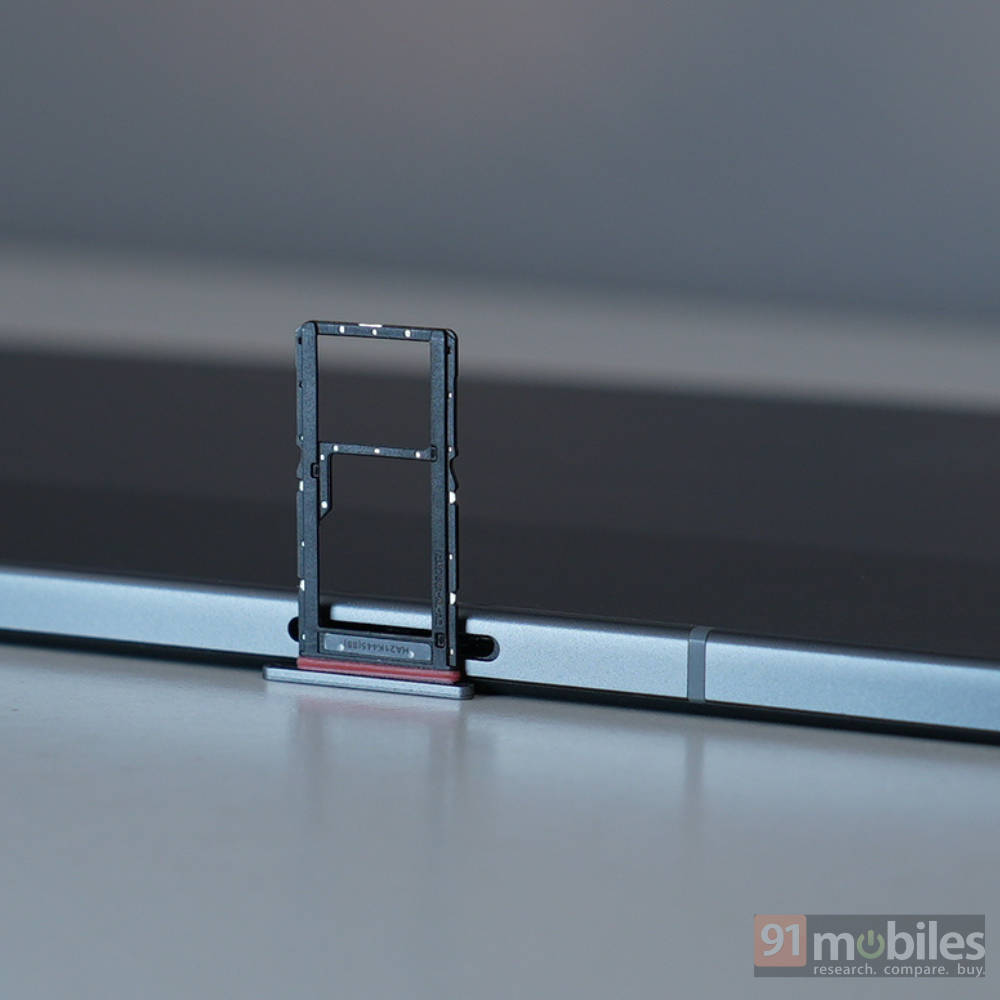
There’s a small camera module in the top-left corner housing a 13MP rear camera with a flash. The tablet features a quad-speaker setup, with two speakers on the top edge and two on the bottom, along with a USB-C 2.0 port. And you also get a rare 3.5mm headphone jack on the lower-right corner. The left edge houses the volume buttons and a hybrid SIM tray, while the power button sits on the top-right edge. It’s a straightforward layout. There’s no side-mounted fingerprint scanner, but face unlock works well and is a lot more convenient than typing in a PIN every time.
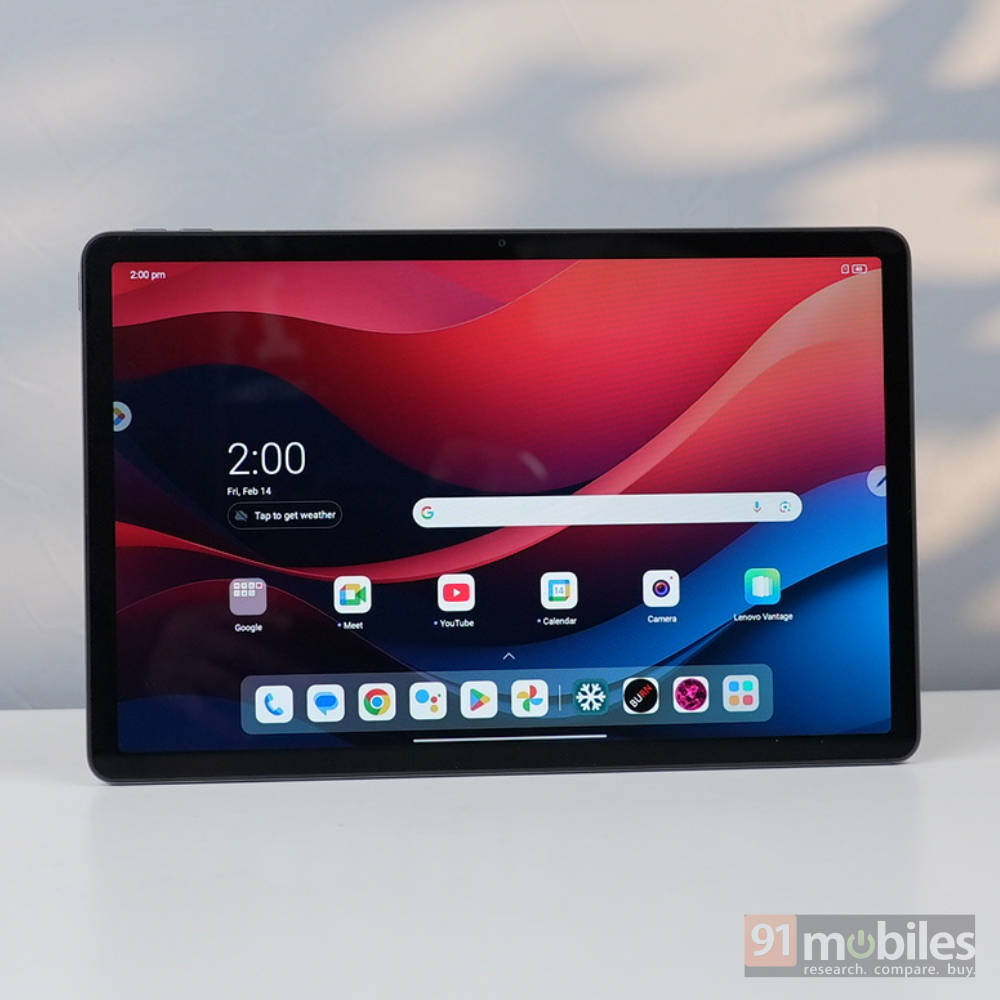
The display is an 11-inch LCD panel with an FHD resolution (1920 x 1200p) and a 90Hz refresh rate. It’s one of the better screens I’ve seen on a tablet in this range. While there’s no official mention of its colour accuracy, it’s one of the more vibrant panels I’ve come across. Widevine L1 certification means you can stream FHD content on your favourite platforms, and the experience is solid. The quad speaker setup with Dolby Atmos support makes it a lot better with deep, immersive audio that sounds fantastic. It also gets loud enough to fill a midsized room with ease.
| Display | Peak brightness | |
| Lenovo Tab K11 | 11-inch 90Hz LCD | 400 nits |
| Xiaomi Pad 7 | 11.2-inch 144Hz LCD | 600 nits |
| Redmi Pad Pro 5G | 12.1-inch 120Hz LCD | 600 nits |
There’s a dedicated reading mode with options to play ambient sounds and switch the display to grayscale or muted colours, making it easier on the eyes. As someone who relies on tablets for daily reading, I really appreciate it.
Keyboard & stylus
The Tab K11 has quite a few variants, with the Enhanced Editions offering either a bundled stylus or a combo of a stylus and Folio keyboard. I got the latter, and I have to say, both accessories are pretty solid. The keyboard, in particular, is a joy to type on. It has great tactile feedback and decent key travel, making it genuinely enjoyable to use. In fact, I’m writing this very review on it. One thing that did bother me a bit is that the tablet automatically switches to PC Mode when you connect the keyboard, but you can turn that off. No need to worry about charging the keyboard since it connects via a POGO pin connector.
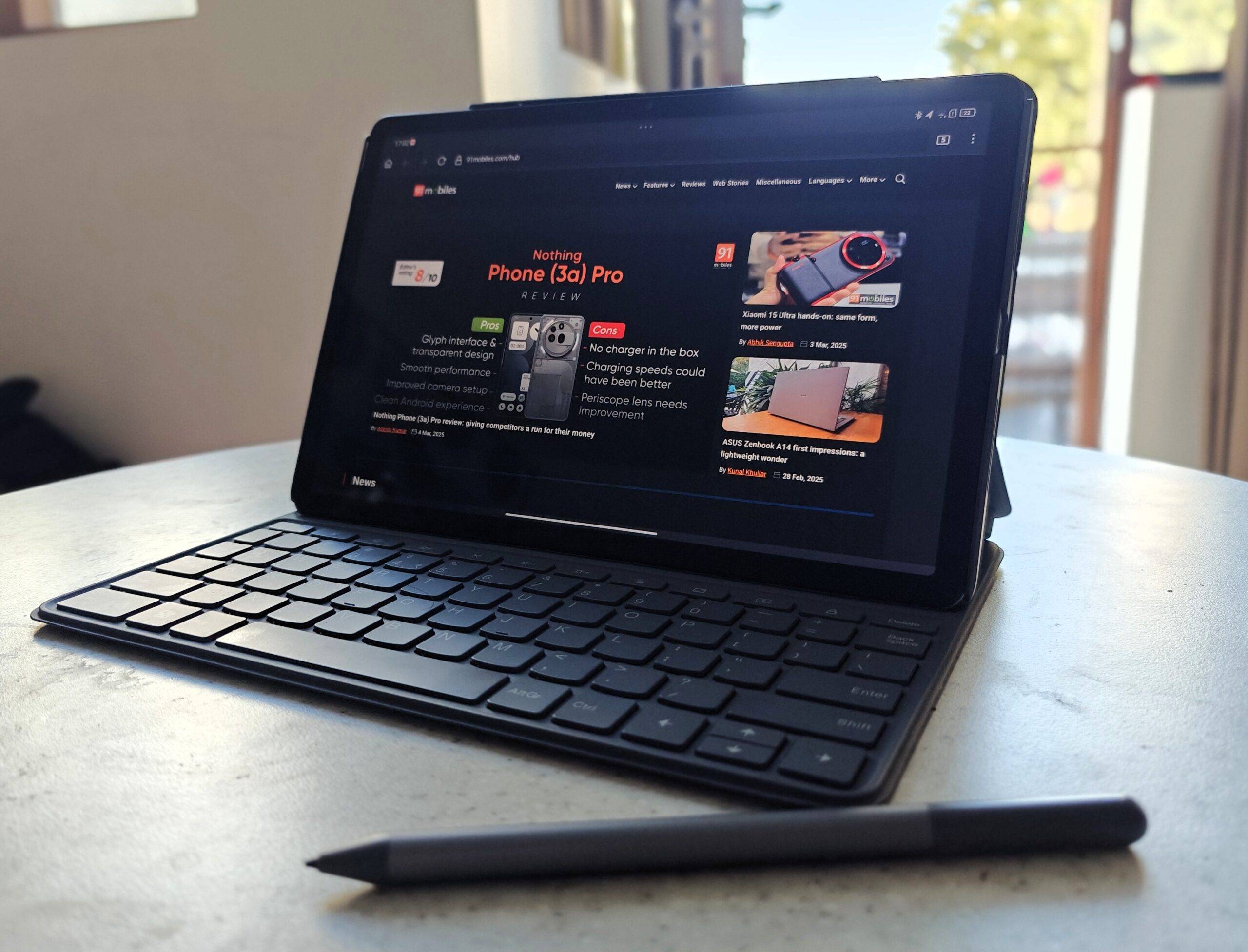
The stylus is quite good too. It runs on an AAA battery and works instantly when in range of the tablet, no setup is required. It’s a no-nonsense stylus with no extra buttons for shortcuts or remote controls, which I actually don’t mind. With the Nebo app, you can convert handwriting into digital text, and it does a pretty good job. There’s proper palm rejection too so no need to fret about mistouches. The only odd thing is that the stylus doesn’t have a dedicated attachment point on the tablet – at least not officially.
But I did discover something fun: the POGO pin connector is magnetic, and if you fiddle around a bit, you can get the stylus to stick to it. There’s also a slot for it in the keyboard case, but with the combined weight of the tablet, keyboard, and stylus, it does get a bit heavy. I prefer keeping the tablet separate from the keyboard and attaching it when I actually need it.
Performance & software
The Lenovo Tab K11 runs on the MediaTek Helio G88 chipset, paired with up to 8GB of LPDDR4X RAM and 128GB of eMMC 5.1 storage. If you need more space, the storage is expandable up to 1TB via a microSD card. Performance, however, is where the tablet struggles quite a bit. Even with everyday tasks like browsing socials, watching YouTube streams, or just scrolling through the app drawer, there’s a noticeable lag. The experience often feels jittery, which I’d largely attribute to the slow eMMC storage. Apps and processes can take a fair bit of time to load, which doesn’t help either. I’ll be adding some benchmark scores comparing it to its rivals for better context. The gaming performance is best for just casual titles, don’t expect it to run demanding titles smoothly.
| AnTuTu | Geekbench single-core | Geekbench multi-core | |
| Lenovo Tab K11 | 2,78,417 | 431 | 1403 |
| Xiaomi Pad 7 | 14,19,954 | 1885 | 5107 |
| Redmi Pad Pro 5G | 5,47,792 | 1032 | 2982 |
The tablet runs Lenovo’s ZUI, based on Android 14, straight out of the box. There are some genuinely useful features here, like PC Mode, which transforms the interface into a desktop-like setup. You can pair it with a Bluetooth mouse, and you get a more complete experience. Another great feature is Smart Connect, which brings some neat ecosystem-style integrations. You can link the tablet to your other devices and unlock some handy tools, like using the Tab K11 as a webcam for your laptop, Smart Clipboard for quick copy-pasting across devices, cross-controls to access your PC or tablet from the other, and app streaming. To get it working, you’ll need to download the companion app—available for both Windows (via Microsoft) and macOS.
Lenovo has kept pre-installed apps to a minimum, so the UI feels quite clean and close to stock Android. Although software support is a bit underwhelming. You’ll only get one major OS upgrade, which in this case is Android 15. So, technically, no future Android upgrades since Android 15 is out on most new devices already. The good news is that Lenovo promises four years of security updates until 2028, so at least the device stays protected.
On the business side, the Tab K11 supports a range of enterprise-focused features, including exclusive customisation options like branding, Android Zero-Touch enrolment, and the ability to remove pre-installed apps as needed. There are also commercial customisation tools designed to cater to specific business requirements.
Battery & charging
The tablet packs a 7,040mAh battery with 15W fast charging support, though you only get a 10W charger in the box. Lenovo claims up to 10 hours of video playback, and while I didn’t quite hit that mark, I came pretty close. I managed around 8 hours of screen time, which was enough to binge an entire season of a show on OTT. Good enough for my use.
With 4G enabled, battery life drops slightly to around 7 hours, but since most people will likely use it over Wi-Fi, that shouldn’t be much of an issue. That said, compared to some competitors in this price range with larger batteries, the endurance is a bit on the lower side.
| Battery | Charging time (20 to 100%) | |
| Lenovo Tab K11 | 7,040mAh | 161 minutes (10W) |
| Xiaomi Pad 7 | 8,850mAh | 110 minutes (45W) |
| Redmi Pad Pro 5G | 10,000mAh | 114 minutes (33W) |
The charging speed was my true nemesis here. As you can probably tell, I’m a pretty heavy user, so I ended up charging the tablet almost daily. And with the bundled charger, it takes a painfully long time—161 minutes to be exact. In 2025, that feels very sluggish.
Verdict
The Lenovo Tab K11 starts at Rs 14,999 for the 4GB+128GB variant and goes up to Rs 26,998 for the Enhanced Edition, which includes the stylus and keyboard case. The tablet gets a lot of things right—its high-resolution display is rich and vibrant, the speakers are excellent, and the connectivity features are quite solid. For a budget tablet, the battery life is also pretty good.
The Enhanced Edition, however, feels a bit pricey for what it offers, especially when you compare it against alternatives like the Redmi Pad Pro 5G (review) and the new Xiaomi Pad 7 (review).
The Redmi Pad Pro 5G has a stronger performance output, 5G support instead of 4G, a bigger display, and a larger battery that also charges faster. While its overall cost with accessories like a keyboard and Smart Pen is slightly higher, it offers better value for the price. The Xiaomi Pad 7, on the other hand, is an upgrade in almost every way—better performance, a better display with a nano-texture coating for reduced reflections, longer software support, and faster charging. That said, once you factor in the cost of its keyboard and stylus, it does get quite expensive.
At the end of the day, if you’re going for the standard Tab K11 or even the Enhanced Edition with just the stylus, it offers great value. But once you start looking at the pricier accessory bundles, the competition gets a lot tougher, making it a trickier choice.
Editor’s rating: 7.5/10
Pros:
- Impressive display & speakers
- Good interconnectivity features
- Decent battery life
Cons:
- Performance could be better
- Slow charging speed