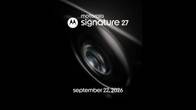
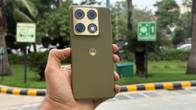
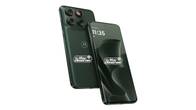
After Google and Samsung, Motorola was among the first Android manufacturers to seed the beta build of Android 17 to several of its smartphones across price ranges. With the Motorola Signature receiving the stable update in late August, the new firmware brings several features and changes for users to explore. These include new additions to customisation, privacy and security, productivity, and much more. Here’s everything you need to know about Motorola’s Android 17 update, including the list of eligible devices, release date, key new features, steps to download, and more.
Table of Contents
Motorola Android 17 update release date
Unlike other brands, Motorola generally doesn’t host a dedicated launch event for its major software releases. However, it confirmed that its current-generation flagship, the Motorola Signature, began receiving the Android 17 update on August 25th and revealed the features and changes packed into the firmware. As usual, the update is based on Motorola’s proprietary skin, Hello UI.
Even before the rollout announcement, Motorola invited users to its MFN (Motorola Feedback Network) Beta Testing programme, which allowed owners of eligible Motorola smartphones to get early access to the Android 17 build and send feedback on improvements, issues, and bugs directly to the company. This programme was open to multiple devices under the Edge 60 series, Edge 70 series, and newer G-series smartphones.
You can find the list of Motorola smartphones eligible for MFN Beta Testing on Motorola’s official forum website.
Eligible Motorola Android 17 devices
An official blog post from Motorola on the Lenovo forum has listed various devices eligible for the Android 17 update, which you can find below:
Motorola Razr series and Signature
- Motorola Signature
- Motorola Razr 70 Ultra
- Motorola Razr 70 Plus
- Motorola Razr 70
- Motorola Razr Ultra 2026
- Motorola Razr+ 2026
- Motorola Razr 2026
- Motorola Razr Fold 2026
- Motorola Razr Fold 2025
- Motorola Razr 60 Ultra
- Motorola Razr 60s
- Motorola Razr 60d
- Motorola Razr 60
- Motorola Razr Ultra 2025
- Motorola Razr+ 2025
- Motorola Razr 2025
- Motorola Razr 50 Ultra
- Motorola Razr+ 2024
Motorola Edge series
- Motorola Edge 2026
- Motorola Edge 70 Pro+
- Motorola Edge 70 Pro
- Motorola Edge 70 Max
- Motorola Edge 70 Neo
- Motorola Edge 70 Plus
- Motorola Edge 70 Fusion+
- Motorola Edge 70 Fusion
- Motorola Edge 70
- Motorola Edge 2025
- Motorola Edge 60 Stylus
- Motorola Edge 60 Pro
- Motorola Edge 60 Fusion
- Motorola Edge 60
- Motorola Edge 50 Ultra
- Motorola Edge 60
Motorola G series
- Moto G Stylus 2026
- Moto G Power 2026
- Moto G Play 2026
- Moto G 2026
- Moto G 2025
- Moto G Power 2025
- Moto G Stylus 2025
- Moto G Max
- Moto G87
- Moto G86
- Moto G86 Power
- Moto G77
- Moto G77 Power
- Moto G67
- Moto G57
- Moto G57 Power
- Moto G47
- Moto G37
- Moto G37 Power
Moto Android 17 update rollout schedule
At this point in time, Motorola hasn’t released a rollout schedule for its Android 17 update. However, as with previous major releases such as Android 15 and Android 16, the brand starts rolling out the firmware once MFN Beta Testing for an eligible device is successfully completed.
Motorola phones that have received stable Android 17 update
- Motorola Signature
Moto Android 17 update key features and improvements
Per Motorola and our findings after using the firmware on Motorola Signature, the Android 17 update brings the following key features and improvements:
Updated Quick Settings panel: The Quick Settings panel gets a visual refresh, matching the design already seen on newer Android 16 Motorola devices such as the Moto Edge 70 Max and Moto G77 Power. This updated layout will now expand to all eligible Motorola phones running Android 17.
Refreshed Settings experience: The Settings app features larger, more prominent buttons and smoother navigation for a cleaner, more intuitive feel. Display settings also gain expanded HDR brightness options for finer control.
Changes to Live Updates: On Android 16, Motorola phones feature a small pill on the left-hand side of the status bar to display live activities from apps like Maps, Music, Clock, etc. On Android 17, just like OPPO’s ColorOS 16 and Vivo’s OriginOS 6, the pill moves to the centre and adds support for more apps and use cases, such as food order tracking from Zomato and Swiggy.
Deeper personalisation options: Homescreen customisation receives several upgrades, including new widgets and system-wide themed icons that now apply to every app. Enlarged folders make a return as well, echoing similar designs found in ColorOS, One UI, OriginOS, and other platforms.
Streamlined accessibility tools: Core Android 17 refinements bring clearer, more organised controls for Vision settings, Display Size, and Magnification, making these features easier to find and adjust.
Smoother connectivity features: Sharing a mobile connection through Instant Hotspot becomes more straightforward, while Nearby Audio Streams improve the overall experience when using connected devices.
New Device Diagnostics section: A dedicated Device Diagnostics menu has been added, giving users a convenient place to check hardware component health and view related diagnostic details.
Cross-platform file sharing with iPhones: With Google’s native Quick Share support, Motorola phones on Android 17 can now send and receive files with iPhone users, as long as AirDrop is turned on on the iOS device.
Stronger security and privacy controls: New protections include a Failed Authentication Lock, along with refinements to PIN security and additional privacy and security options.
Smarter notification handling: Notification summaries and better organisation tools help users manage alerts more efficiently, while sensitive notifications receive extra lock-screen protection.
Improved scam detection in Messages: Google Messages now includes enhanced security that proactively scans for potentially suspicious or fraudulent messages.
Smarter photo sharing suggestions: In partnership with Google Photos, the phone can now suggest sharing only the relevant photos of the person you’re messaging in Google Messages.
Based on our experience with the Android 17 build on Moto Signature, the upgrade brings some much-needed improvements on the customisation front, such as icon colour theming, which now applies the same shade to all applications on the smartphone. The upgraded Live Updates pill is a nifty addition for viewing app information in real time, while improved security in the Messages app and better privacy controls can go a long way toward keeping users safe from attempts to extract their data.
How to install Android 17 update on eligible Motorola phones
Whenever the Android 17 update is available for an eligible Motorola smartphone, it’ll be pushed out over the air. However, in case you feel the need to manually check for the latest firmware, here’s how to do it:
Step 1: Open the Settings app on your Motorola phone
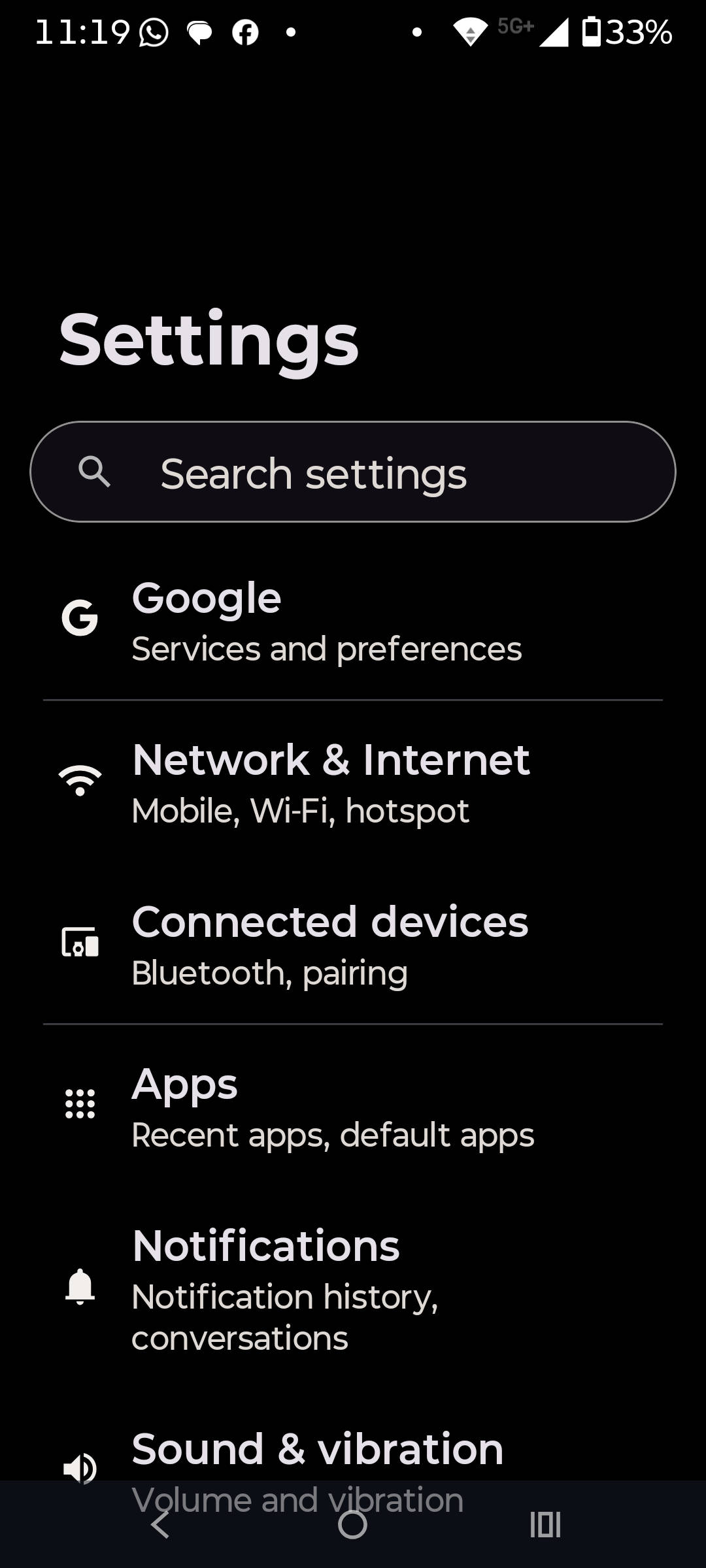
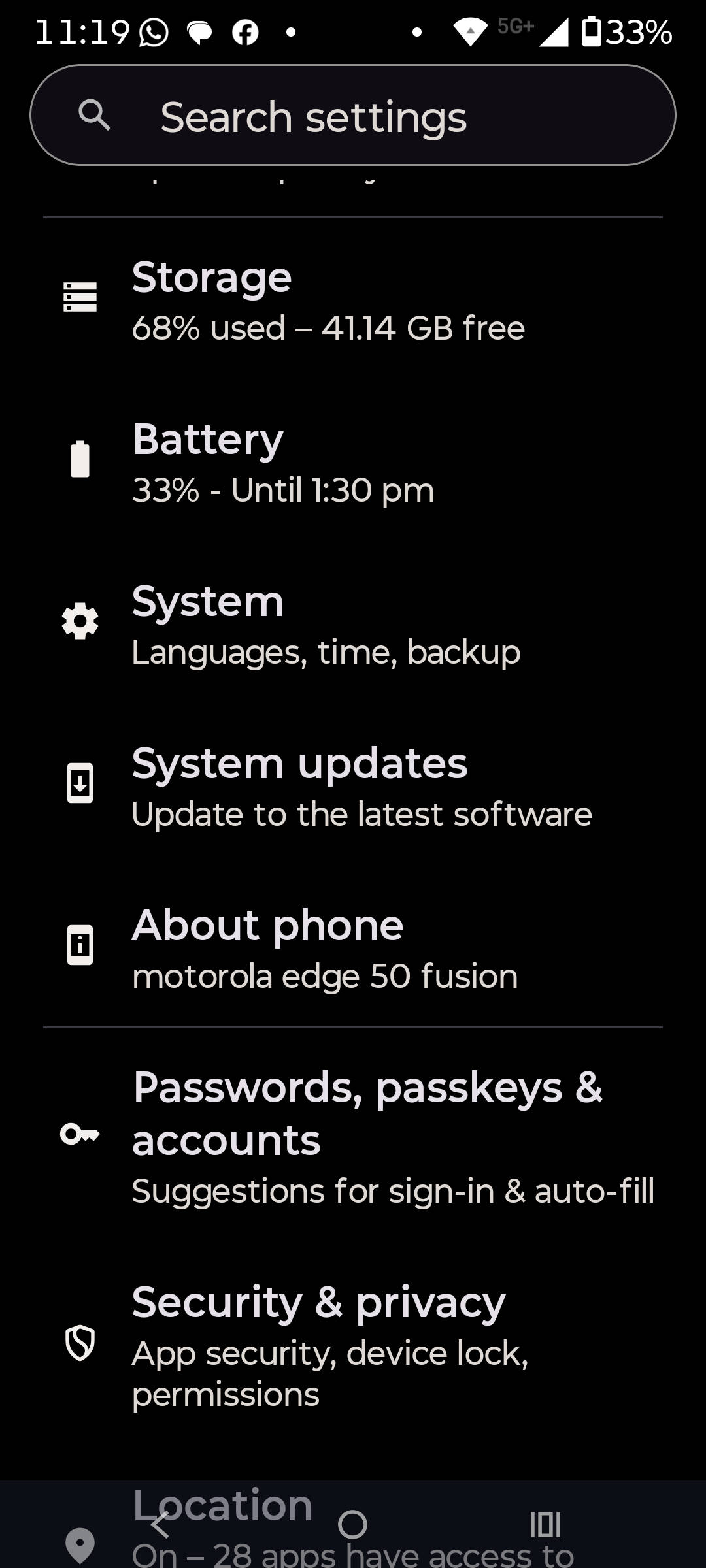
Step 2: Scroll down and select ‘System updates’
Step 3: Now tap ‘Check for updates’
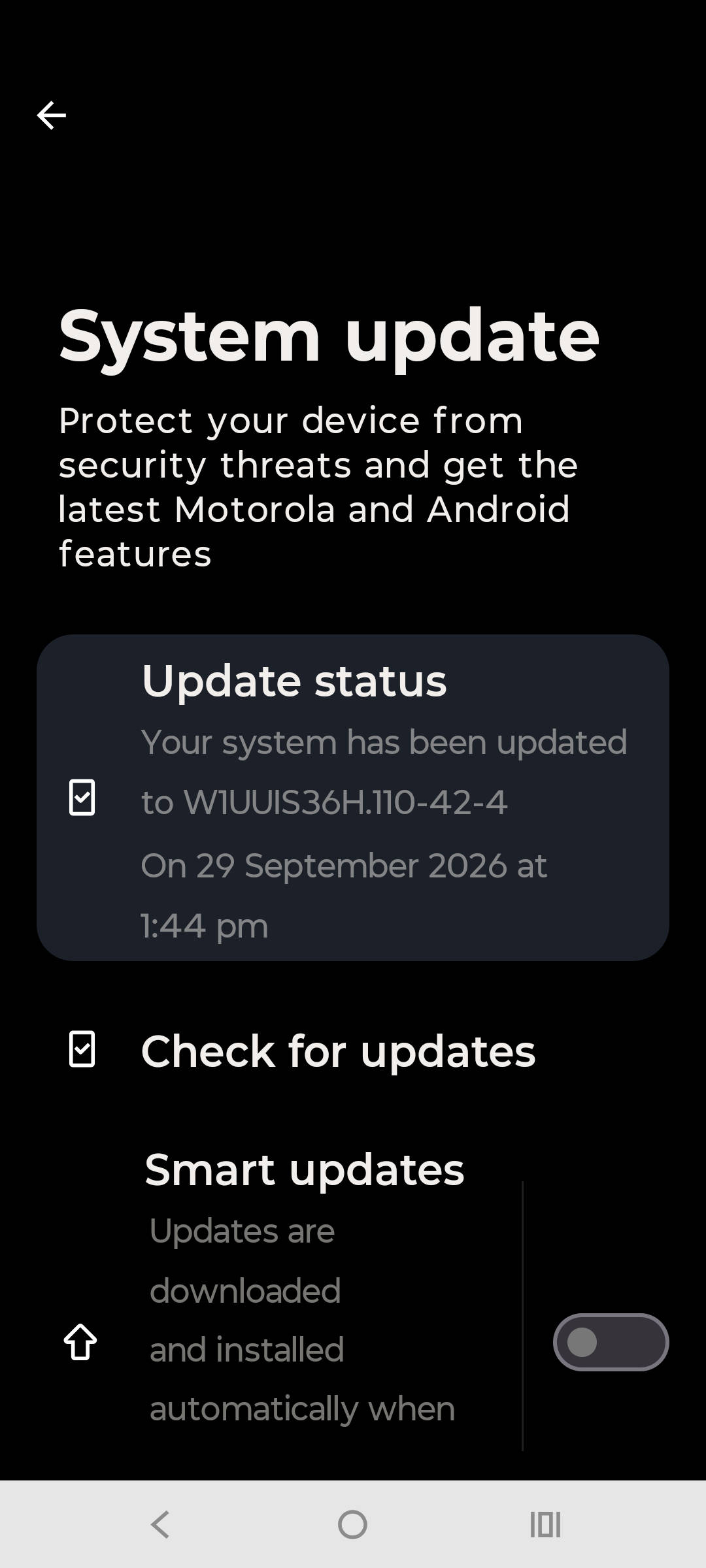
Step 4: The system will try to manually fetch the Android 17 update, if available
Step 5: Once the update shows up, proceed to download and install it
FAQs
Can I roll back from Motorola’s Android 17 to Android 16 update?
No, you generally cannot officially roll back from Motorola’s Android 17 to Android 16 using any official method. Like several manufacturers, Motorola does not support downgrading major Android versions once an update is installed. Official support pages also state that you cannot go back to a previous software version after installing an update.
Which core Android 17 features are included on Motorola phones?
Some of the core Android 17 features Motorola has included are Live Updates in the status bar to track live activities from supported apps, such as food and order delivery apps, expanded dark theme support, HDR brightness control, and Enhanced Quick Share to transfer media directly to iPhones.
Does the Android 17 update improve battery life or performance?
Results vary by device. Many users on Android 17’s MFN testing programme report smoother animations and better multitasking, but some early adopters note temporary battery or heat changes that usually improve with subsequent patches. A factory reset after updating can sometimes help if issues persist.