Nothing OS 5.0 unveiled with over 80 changes across design, personalisation and AI; Open Beta for Phone (3) begins on August 26th


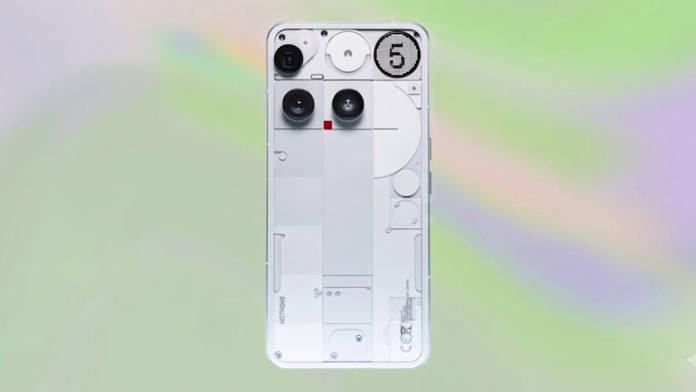
After teasing the update for several days, Nothing has officially unveiled the next iteration of Nothing OS. Based on Android 17, Nothing OS 5.0 aims to bring a refined design language, more customisation options, and purposeful AI use cases for everyday fun and productivity. As with every major Android release, the update will first roll out to Nothing’s highest-end device, the Phone (3), followed by mid-tier devices such as the Phone (4a) and Phone (3a) series.
Table of Contents
Nothing OS 5.0 major changes and improvements
UI redesigns and revamps
Translucent theme: Starting with the homescreen, Nothing OS 5.0 incorporates translucent widgets and a search bar, adding depth and layering to the overall look.
Gallery app changes: The Gallery app includes blur effects at the top and bottom for a premium feel.
Adaptive colours: The icons, widgets, and even the lockscreen clock can now fully adapt to your wallpaper’s colour, resulting in a cohesive look across the system.
Show Full Article


Status bar changes: The icons in the status bar animate when enabled, such as Aeroplane mode; the icon flies in from the bottom of the status bar before settling.
Other UI design changes: The Camera app has also received subtle spacing and animation changes. A new typeface makes the cut in Nothing OS 5.0, with revised text sizing, alongside unified blur effects and improved iconography.
Better customisation
New clock styles: Gooey and Micrographics lockscreen clock styles have been introduced. The former uses bold, fluid shapes to display the time, while the latter shows several pieces of information at once, including date, time, weather and upcoming meetings.


New widgets: The Collector widgets allow users to add images in a single place on the homescreen, and the Away Time widget tracks how long the user has stayed off their phone and serves as a motivational reminder to use their phone less.
Options for quick settings: NOS 5.0 has finally introduced a Separate quick settings panel, where notifications can be accessed by swiping from the top left, while retaining the Combined style.


Batch homescreen editing: Much like ColorOS 16, users can now select and move multiple apps and widgets at once, saving time and effort when overhauling the homescreen.
Glyph Interface app: Earlier tucked within the Settings app, Glyph Interface now has its own app for easy access, while the Glyph Timer widget has been added to start a timer right from your homescreen
Performance improvements
Under the hood improvements: Touch response, background app retention and system
resource management have been improved, resulting in better daily performance. On-device intelligence learns which apps are used most and keeps them ready to launch.
Better animations: System animations have been expanded and refined across apps, folders, widgets, multitasking and shortcuts.
Other improvements: Bluetooth controls have been redesigned in Quick Settings, making it easier to find, connect and disconnect nearby devices in fewer taps. The camera also keeps detected QR codes fixed on screen, making them easier to tap without rescanning.
Essential AI tools
Essential Voice: It is now faster and delivers cleaner, better-formatted transcriptions, while better understanding when to turn speech into a list or leave it as a paragraph.
reducing.
Real-time transcription now shows words as you speak, and you can now also capture
audio directly from the Ear (3) case with SuperMic.
Essential Space changes: Essential Space introduces Smart Collections, which organise scattered memories by recommending content for new and existing collections.
Model Context Protocol (MCP) support allows other AI tools to search and read selected Essential Space data, while the Essential Key captures content in a simpler and consistent manner across the lockscreen, home screen and apps.
Essential Apps Builder: This is a dedicated app for deploying AI-powered widgets and apps without visiting the Nothing Playground website.
Apart from this, Nothing OS 5.0 brings core Android 17 features, such as brand-new 3D emoji designs, support for sharing with iPhones via Quick Share, and more prominent indicators when the location, camera, or microphone is in use.
Nothing OS 5.0 eligible devices and release schedule
Here’s when you can expect your Nothing smartphone to receive the Open Beta and stable Nothing OS 5.0 update:
| Phone | Open Beta release | Stable release |
| Phone (3) | August 26th | Mid October |
| Phone (4a) Pro | Early September | Early November |
| Phone (4a) | Late September | Early November |
| Phone (3a) Pro | Late September | Early November |
| Phone (3a) | Late September | Early November |
| Phone (2a) | Mid October | Mid November |
| Phone (2a) Plus | Mid October | Mid November |
| Phone (3a) Lite | Will not receive | Late December |
| Phone (4b) | Mid December | Mid January |
| CMF Phone 2 Pro | Will not receive | Mid January |
From the looks of it, Nothing OS 5.0 appears to be a major update with changes and enhancements across all key areas, such as customisation, AI, connectivity, and privacy. The brand also instils the notion that it continues to add new features and improvements while sticking to its signature design language, providing users with a completely different experience from what’s already out there.

