

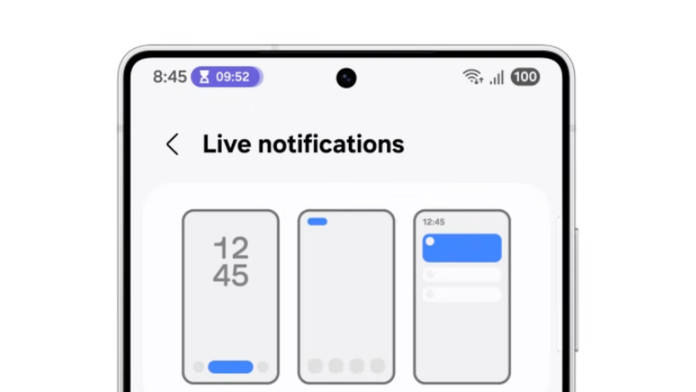
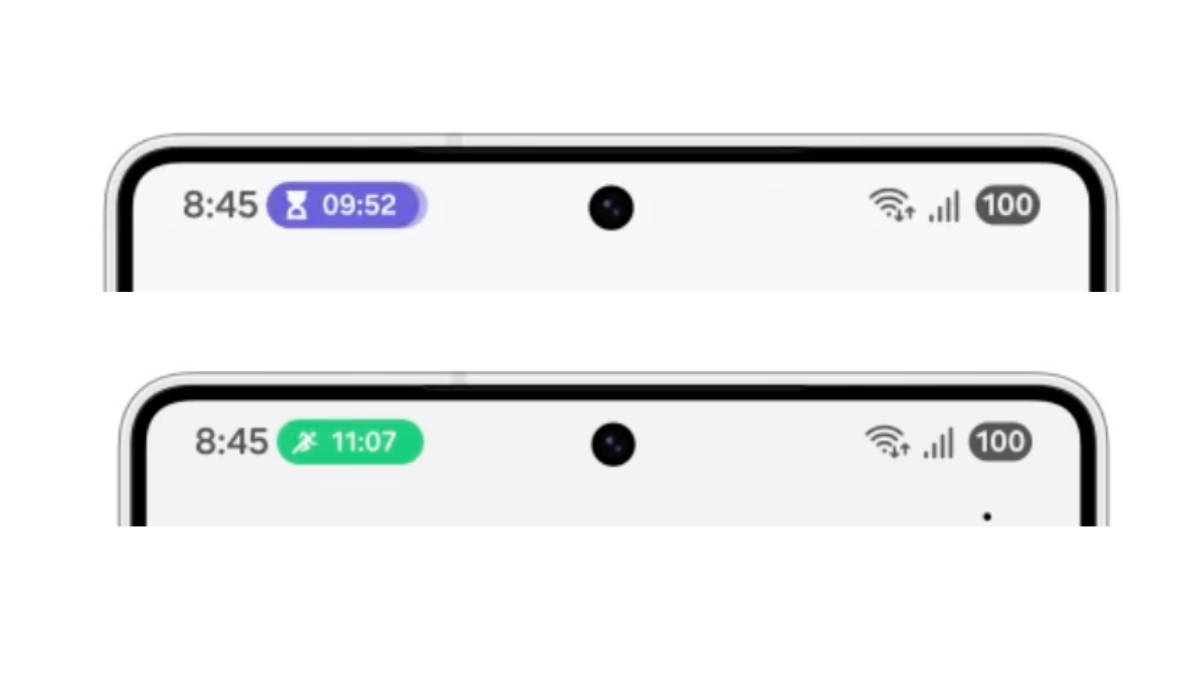
With the One UI 9.5 beta program now live in multiple countries, including India, for the Samsung Galaxy S26 series, users have come across several new changes and additions. One prominent change is a redesigned Live Notifications pill, aka the Now Bar, which sits in the status bar to display live activities. While it has been spotted in a testing build of the Galaxy S27, there’s a possibilty the revamp could make its way to future beta builds. Along with this, several UI tweaks in One UI 9.5 have also been revealed.
Table of Contents
New Live Notifications style on One UI 9.5
While the Live Notifications redesign isn’t available in the first One UI 9.5 beta, SamMobile has gained exclusive access to Galaxy S27 software, where the redesigned Live Notifications appear. Unlike the current style, Live Notifications on One UI 9.5 could sit in the centre of the status bar, covering the front camera, just like Apple’s Dynamic Island or ColorOS’ Live Alerts. Instead of adapting to apps’ colour, the new Live Notifications pill is blacked out with white bordering around the edges when displayed on a dark background.
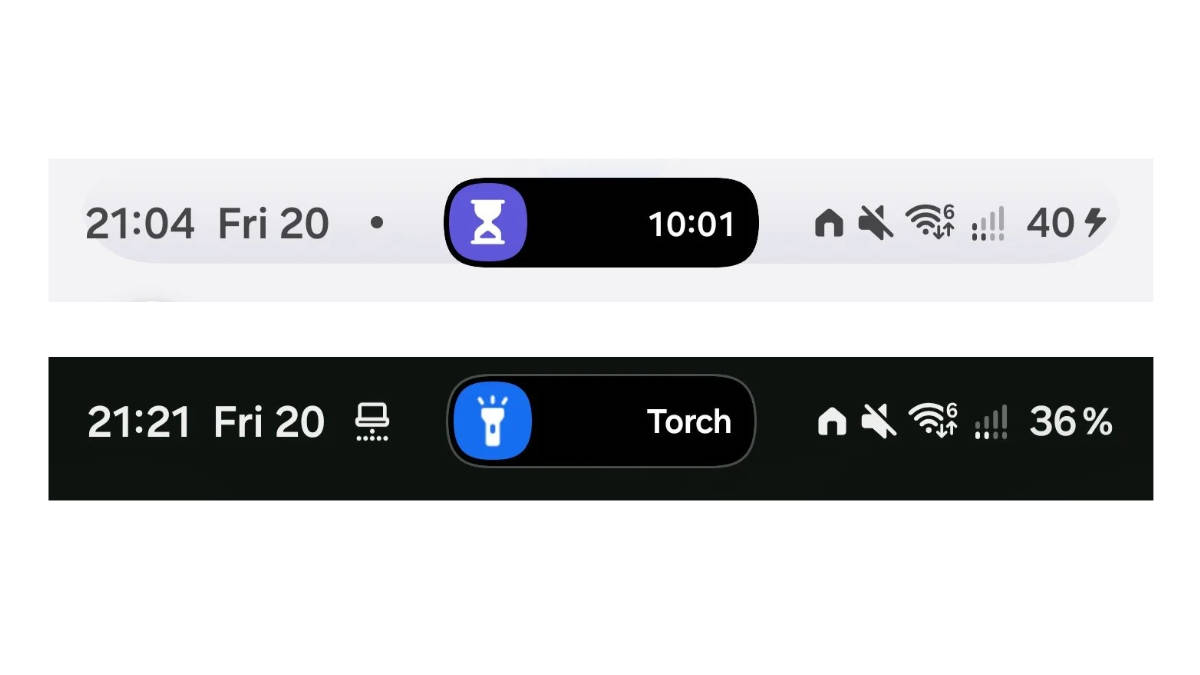
Furthermore, when running two live activities simultaneously, brackets appear on each side, just like ColorOS 17’s Live Alerts. Users can swipe between activities and tap them to reveal the running notification, such as a timer, stopwatch, music playback, sports scores, food order/delivery tracking, Now Brief, and more. The Samsung Galaxy S27 series is likely to debut in early 2027, so software details are starting to surface.
Per SamMobile’s findings, One UI 9.5 may also introduce a feature called “Moment Effects”, which will be responsible for making “notifications more interactive and visually engaging”. From the looks of it, this feature may add visual flair to live notifications when you achieve a goal or milestone, such as your favourite team winning a sports match.
More visual redesigns in the One UI 9.5 beta update
Apart from the redesigned Live Notifications, One UI 9.5 brings a brand new lockscreen unlock animation, the camera app features simplified controls for every setting by appearing in a single non-scrolling grid of larger circular buttons, while the Pro and Pro Video mode layouts also gain upgrades. Two customizable shortcut buttons now sit on either side of the shutter button. You can assign frequently used tools such as Auto Exposure Lock (AEL), metering, histogram, focus peaking, timer, aspect ratio, AF area, or (in Pro Video) Smooth zoom.
Also, when customising the quick settings panel, the edits page adds a search to help users quickly find the desired quick setting control and add it to the layout.
With all these changes in tow, and likely many more coming in the future, Samsung is delivering further refinements and polish to its software in One UI 9.5 beta builds. The new Live Notifications leave space for more notification icons in the status bar, unlike the previous implementation, which sat on the left. This should give a quick overview of pending notifications when a live activity is actively running.
Should you install One UI 9.5 beta update
Since the One UI 9.5 beta program is live for the Samsung Galaxy S26, Galaxy S26 Plus, and Galaxy S26 Ultra, users can install the update to test and explore new features and additions early. However, owners of these devices are advised to proceed with caution and, importantly, back up their data before hitting the ‘Update’ button to avoid the risk of data loss.