The festive season is when I end up using my phone for everything at once. Work calls keep coming in, deliveries need attention, plans keep shifting, and something new pops up when I’m already in the middle of something else. That is why One UI 8.5 on the Samsung Galaxy A57 5G, Galaxy A37 5G, and Galaxy A27 5G makes a strong case this festive season. The useful bits are not buried in how the interface looks, but instead they show up when you cannot take a call, need to find something quickly, or want the phone to handle a routine task without asking you to stop and sort it out yourself; as if it is an extension of me, handling everything swiftly to make it a well-planned Diwali night. Let’s understand how One UI is the ultimate festival phone partner, step by step.
Table of Contents
The calls you cannot answer still need dealing with
I miss plenty of calls because I am in the middle of something else, and then it becomes hard to know whether the call actually mattered. That gets worse during the festive season, when delivery calls, bookings and random spam all start looking the same on screen.
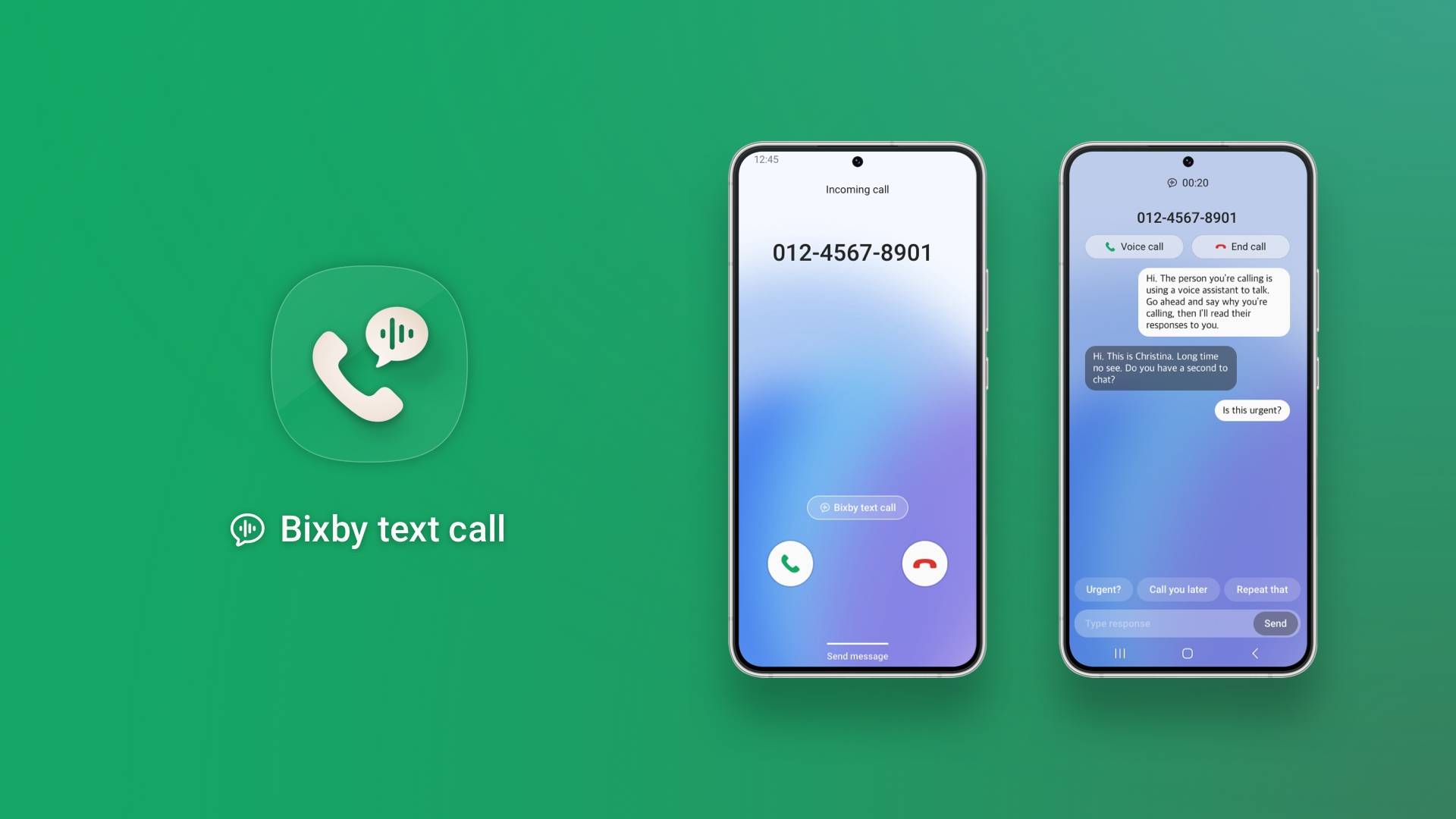
Bixby Text Call helps me by screening the conversation without actually taking the call. Users can read what the caller is saying, type a response, and only switch to voice if it is worth your time. It appears to be a small feature, but it becomes genuinely useful. Direct Voicemail, too, is useful for the same reason. If you miss the call, the caller can leave a message while a live transcript appears on screen. You can see what they want before they are even finished and pick up midway if you need to. That feels particularly handy around Diwali, when the number of unfamiliar calls goes up but your willingness to answer every single one goes down.
Enhanced experience for calls that actually matter
I travel a lot during the festive season and that means more cabs, airport runs, station pickups and last-minute calls about where everyone has reached. Those are also the places where background noise of the relentless firecrackers can make even a simple conversation frustrating.
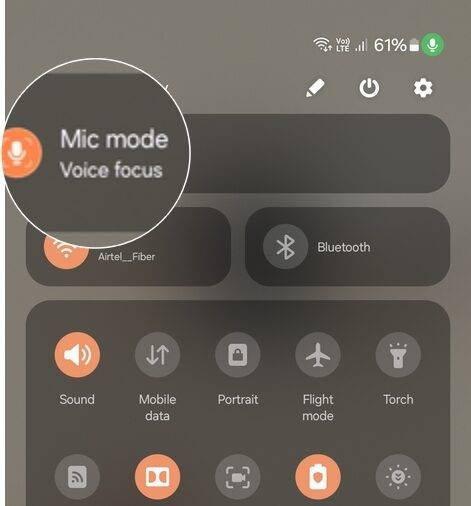
Voice Focus helps here by cutting down more of that noise so your voice comes through more clearly. And if you are the one struggling to hear, Call Captions can put the conversation on screen in real time. Isn’t that super helpful for when you are trying to coordinate a pickup, find the right gate or tell someone where to meet you? Wait till you use the features.
Festive plans come with a lot to remember; the A series is here to help
I am terrible at remembering details that are casually mentioned on calls, and the festive season somehow produces more of them than usual. Someone sends me the address for a Diwali party or work slips in one last thing before everyone logs off. I always assume that I will remember. Usually, I do not.
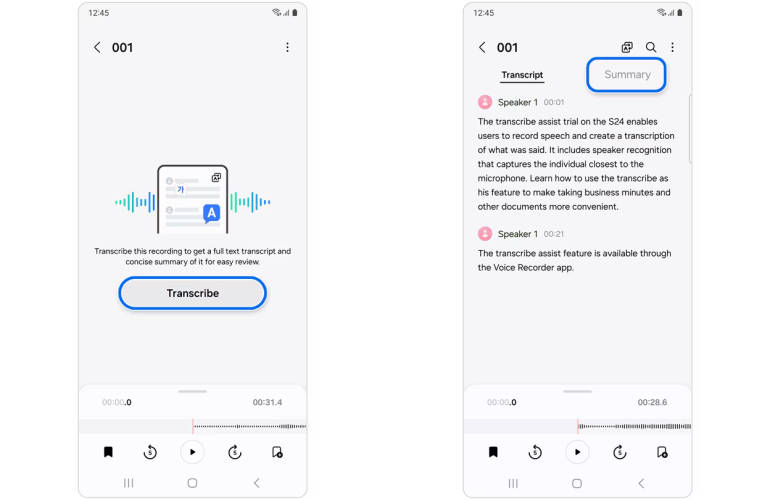
On the Galaxy A57 5G and Galaxy A37 5G, Voice Transcription can turn supported recordings into text that you can read and translate later, while Samsung’s Phone app also has call recording built in. So if an address or instruction matters, you can actually go back and find it instead of replaying an entire conversation or messaging someone to ask again.
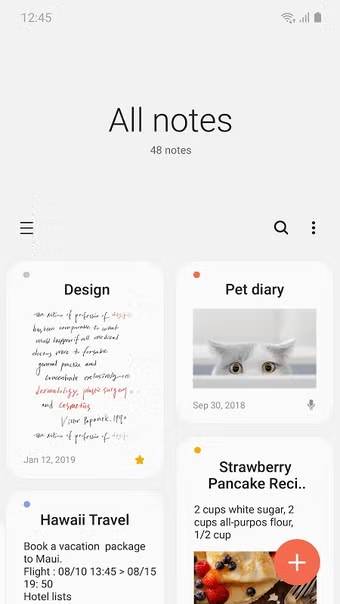
Samsung Notes is useful for pulling scattered information into one place. You can keep checklists, save screenshots and images alongside written notes, organise details for trips or events, and sync those notes across Galaxy devices so the information is easier to get back to later.
The Samsung Galaxy A phones can also adapt as the day changes
During the festive season, my day can change completely within a few hours. I might start with work, spend the afternoon running errands or travelling across town, and end up at a family gathering by evening. In such cases, Samsung’s Modes and Routines comes in handy because the phone can adjust settings for you. Let’s get into it.
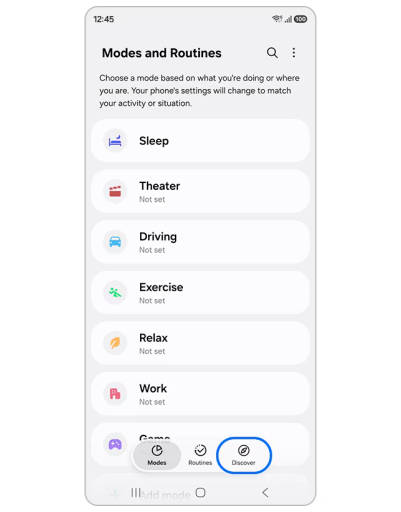
The Work mode can quieten distractions without blocking the people you still need to hear from, while the Driving mode can change how notifications behave once you are on the road, and Routines can respond automatically to things like time, location, Wi-Fi or a Bluetooth connection. So the phone can bring up navigation when you get into the car, switch Wi-Fi back on when you reach home, or tone down notifications when work starts; all extremely useful when you’ve to travel from one Diwali party in Gurugram to another in Noida on the same night.
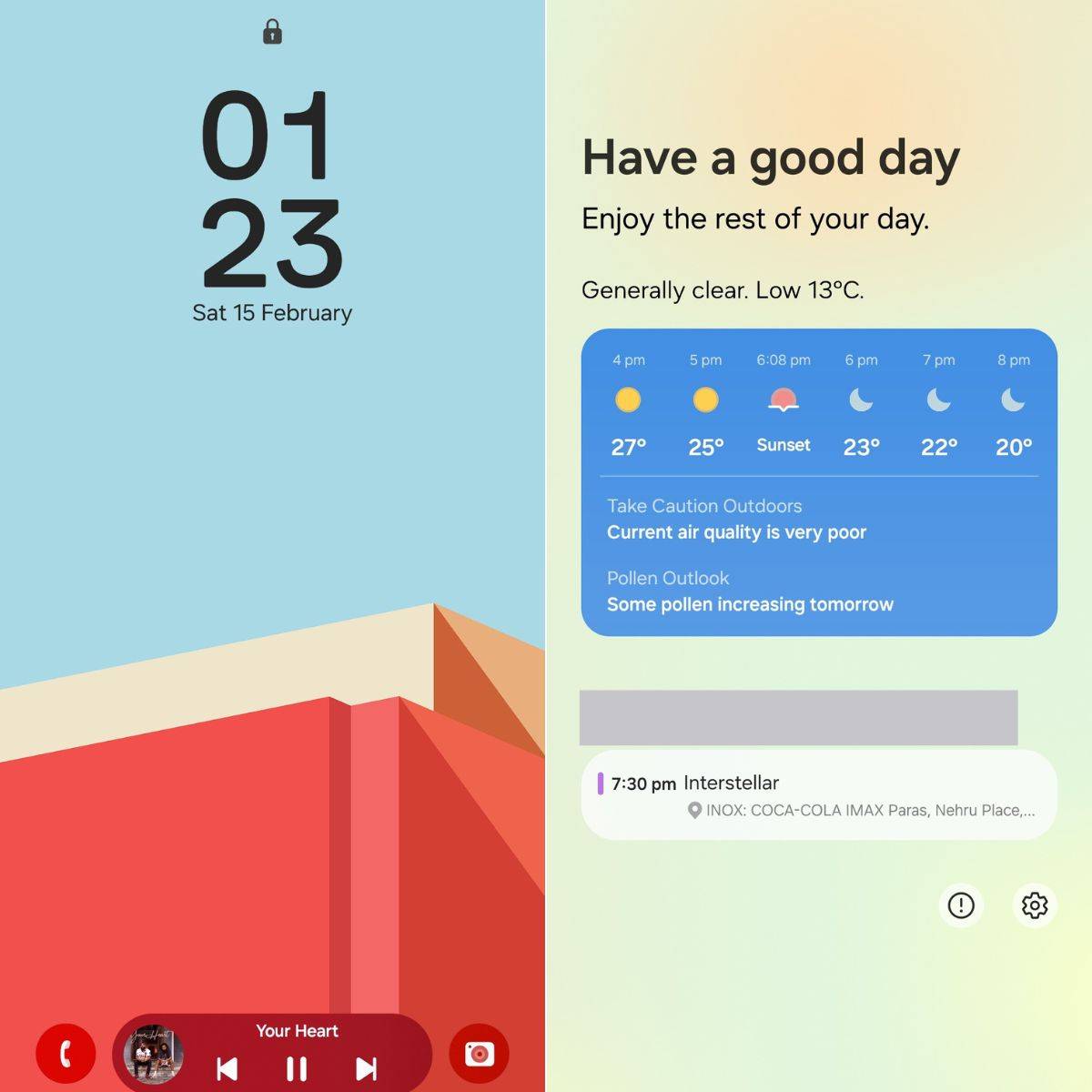
Now Bar also fits neatly into the same idea. Timers, navigation, media and supported live updates can stay visible on the lock screen, which is useful when you are checking directions between stops or keeping an eye on a timer while getting ready for the party. Such parts of One UI become more useful the busier the day gets because the phone already knows what you are doing and the nice part is not having to keep telling it how to behave.
When festive memories take up too much storage, Samsung comes to the rescue
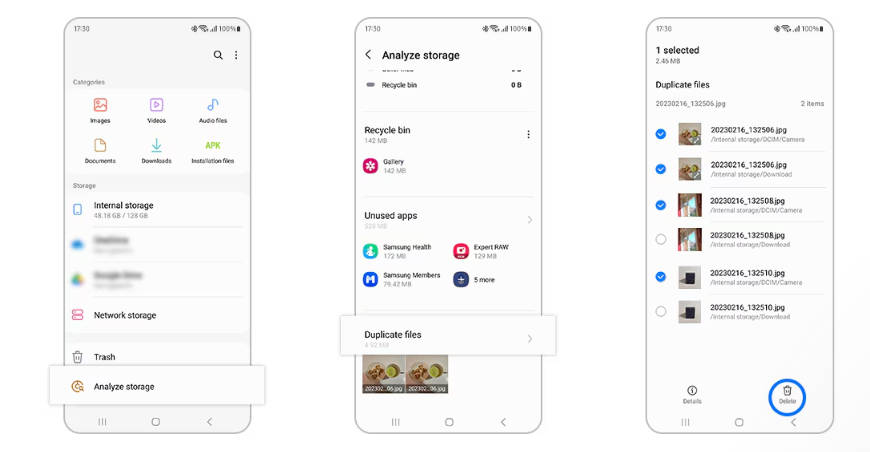
Festive planning leaves digital clutter everywhere. Tickets, invoices, delivery receipts, screenshots, PDFs, invitations, booking confirmations, bills. Half of them are saved once and then urgently needed days later. My Files, a file manager that helps you organise all your files, is destined to become your favourite. It sorts content into categories such as Images, Videos, Audio, Documents and Downloads, while Recent files helps you get back to something you opened earlier. And we all know how much filler content is generated and stored during festivities.
What I like about One UI 8.5 is that it takes care of the kind of things that usually pile up during the festive season. Missed calls, last-minute plans, reminders, all of it tends to arrive at once. On the Samsung Galaxy A57 5G, Galaxy A37 5G and Galaxy A27 5G, the software helps keep a lot of that from turning into extra work. That feels especially valuable around Diwali, when the phone is involved in almost every plan you make because the less attention a phone demands while helping you stay on top of things, the better your celebrations are.
Samsung Galaxy A Series Diwali Prices and offers
If One UI 8.5 makes the case for a festive upgrade, the Samsung Diwali mobile offer on the Galaxy A27 5G, Galaxy A37 5G, and Galaxy A57 5G makes it easier to act on. An instant cashback and an exchange offer bring its net effective price down considerably, which makes it one of the more tempting picks in the Diwali mobile sale in India. Here is how it works out:
Model and variant | Galaxy A27 5G (6GB + 128GB) | Samsung Galaxy A37 5G (8GB + 128GB) | Galaxy A57 5G (8GB + 256GB) | Galaxy A57 5G (12GB + 256GB) |
Price (MOP) | ₹35,999 | ₹46,999 | ₹62,999 | ₹72,499 |
Instant cashback | ₹2,500 | ₹4,000 | ₹8,500 | ₹9,500 |
Exchange value of old device (based on the previous-generation model, as per Cashify) | ₹11,000 | ₹17,000 | ₹23,000 | ₹25,000 |
Net effective price | ₹22,499 | ₹25,999 | ₹31,499 | ₹37,999 |
EMI | ₹937 / month for 24 months | ₹722 / month for 36 months | ₹787 / month for 40 months | ₹950 / month for 40 months |
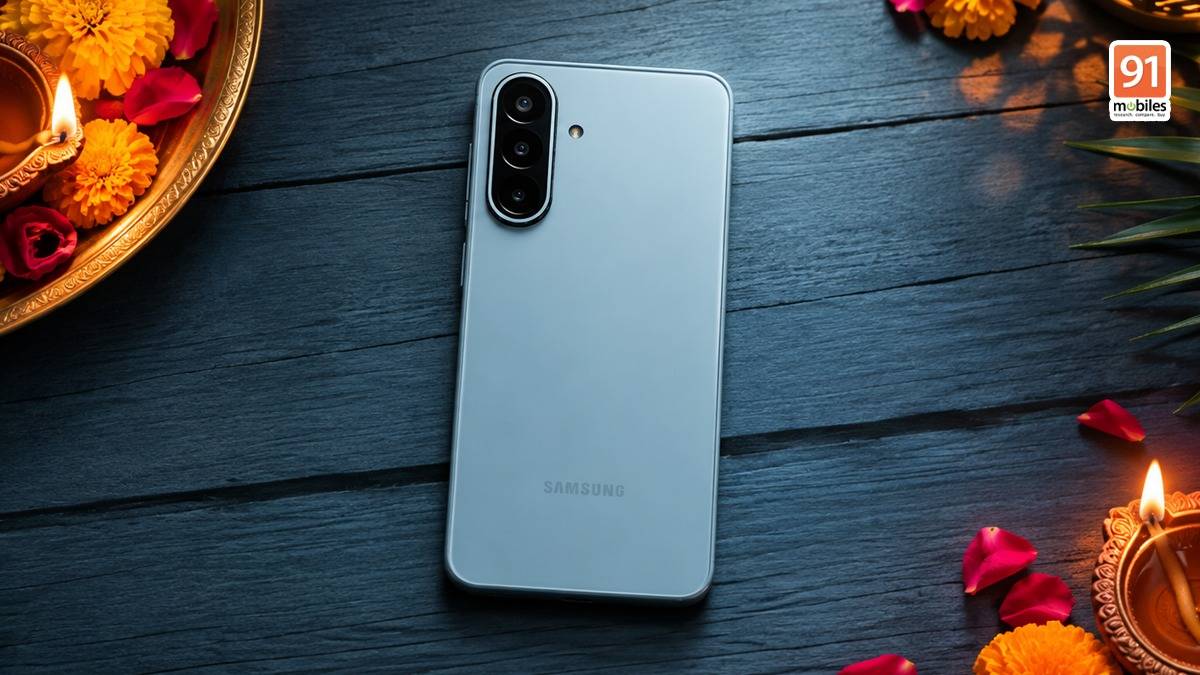
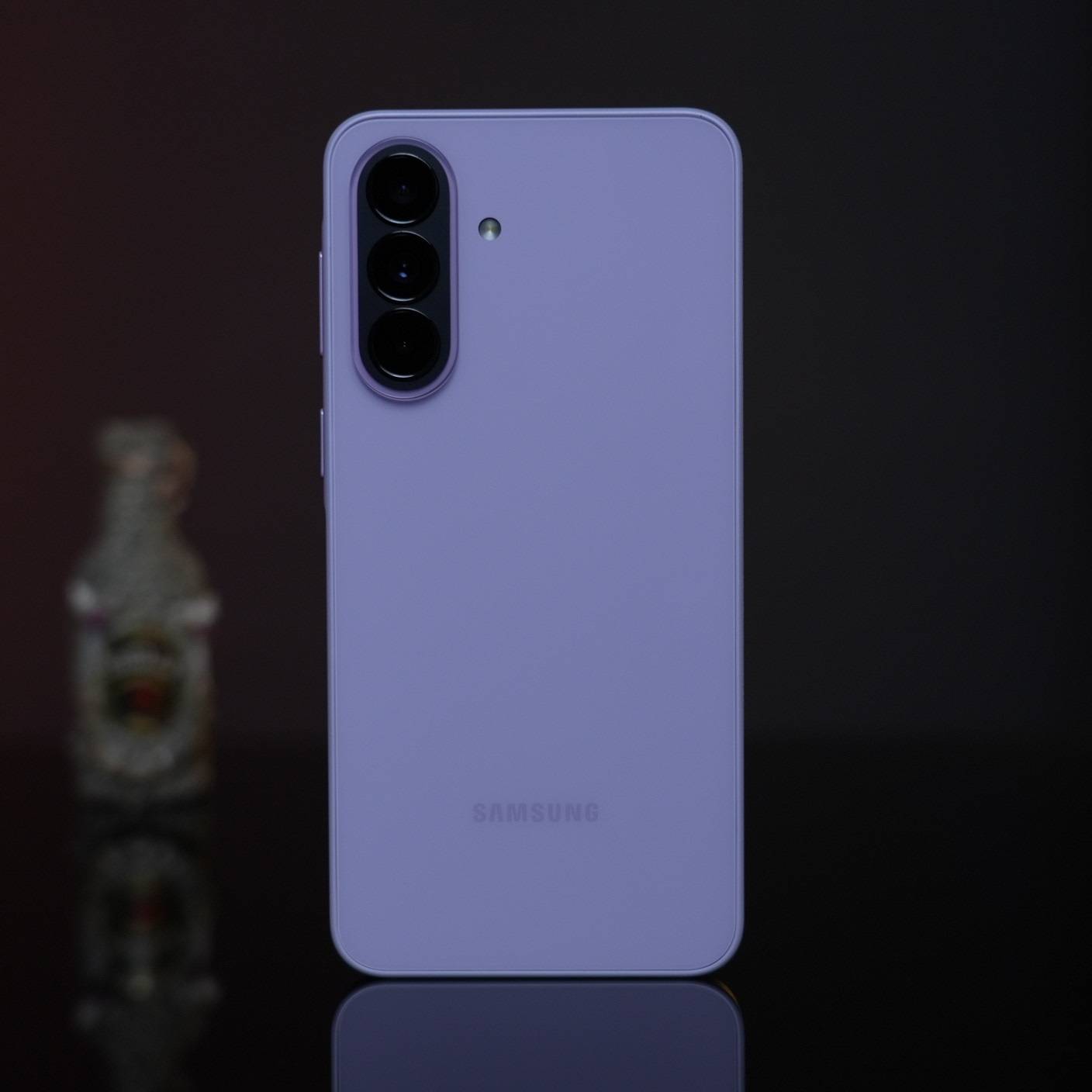
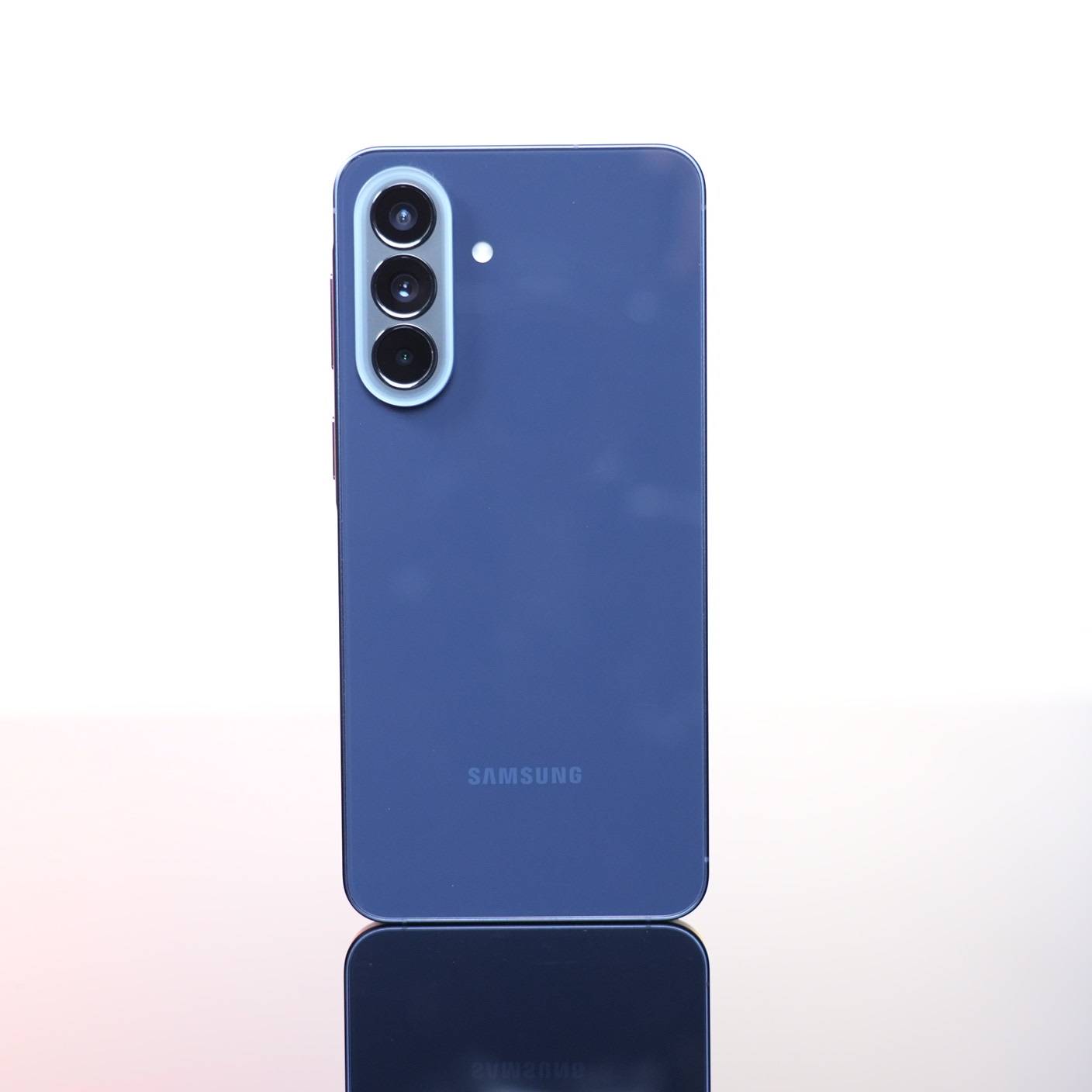
Beyond the Galaxy A Diwali discount, the Galaxy A37 5G gets up to six generations of OS upgrades and six years of security updates, so the One UI experience keeps improving long after the festive season ends. For anyone who has been waiting for the right moment, the festive season is the best time to buy now.
FAQs
Which Samsung Galaxy A phones run One UI 8.5?
The Samsung Galaxy A57 5G, Galaxy A37 5G, and Galaxy A27 5G all run One UI 8.5, which brings smart calling, note-taking, automation, and file management features that come in handy during the festive season.
How do Galaxy A phones help with calls that cannot be answered right away?
Bixby Text Call screens a call without picking it up, so the caller’s words appear as text and a reply can be typed, with the option to switch to voice if needed. Direct Voicemail lets the caller leave a message while a live transcript appears on screen, so it is easy to see what the call is about and pick up midway.
Can Galaxy A phones make calls clearer in noisy places?
Yes. Voice Focus cuts down background noise, such as traffic or firecrackers, so the user’s voice comes through more clearly, and Call Captions shows the conversation on screen in real time when it is hard to hear.
Which Galaxy A phones support Voice Transcription?
Voice Transcription is available on the Galaxy A57 5G and Galaxy A37 5G. It turns supported recordings into text that can be read and translated later, and Samsung’s Phone app also has call recording built in.
What can Modes and Routines do during a busy festive day?
Modes and Routines adjust the phone’s settings automatically. Work mode quietens distractions while letting important contacts through, Driving mode changes how notifications behave on the road, and Routines can respond to the time, location, Wi-Fi, or a Bluetooth connection, for example by bringing up navigation when the phone connects to the car.
What does Now Bar show on Galaxy A phones?
Now Bar keeps timers, navigation, media, and supported live updates visible on the lock screen, so directions or a running timer can be checked at a glance.
How can Galaxy A phones help find saved tickets and invoices?
My Files sorts content into categories such as Images, Videos, Audio, Documents, and Downloads, and Recent files makes it quick to return to something opened earlier, such as a ticket, an invoice, or a booking confirmation.
Is a Galaxy A phone with One UI 8.5 a good festive upgrade?
Yes. One UI 8.5 brings smart calling, automation, and file management features to the Galaxy A57 5G, Galaxy A37 5G, and Galaxy A27 5G, and Samsung backs them with up to six generations of OS upgrades and six years of security updates. That long support is a big part of the Galaxy A value for money, and it makes each of them a trusted Samsung smartphone to keep for years.
What is the Samsung Galaxy A Diwali sale price of the Galaxy A37 5G?
With the current festive offers, the Galaxy A37 5G (8GB + 128GB), which has an MOP of ₹46,999, gets an instant cashback of ₹4,000 and an exchange offer that values an old device at ₹17,000 (based on the previous-generation model, as per Cashify). That brings the net effective price down to ₹25,999, which works out to EMIs of ₹722 a month over 36 months.