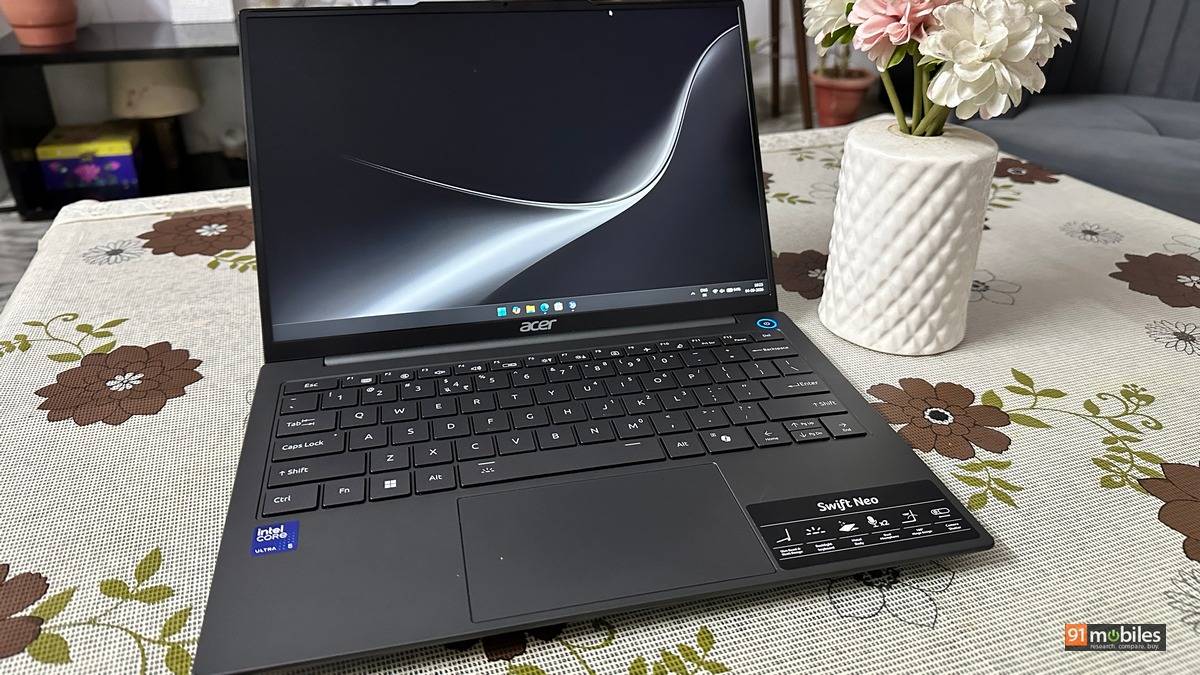
The Acer Swift Neo SFN14-55 is a straightforward thin-and-light. Core Ultra 5 125H, 16GB of LPDDR5, a 512GB SSD, a 14-inch screen, 1.25kg. Nothing really on the spec sheet stands out.
Then you run the benchmarks, and something more interesting happens.
We have tested two other laptops carrying this exact processor. Both post multi-core numbers that this one does not come close to. After a week with the Swift Neo, that stopped reading like a fault and started reading like a decision. Acer built a machine that stays light, stays quiet, and lasts most of a working day, and it paid for that with some performance headroom.
Whether that is the right trade depends entirely on what you were planning to do with it. Here is how it holds up.
Table of Contents
Design and build
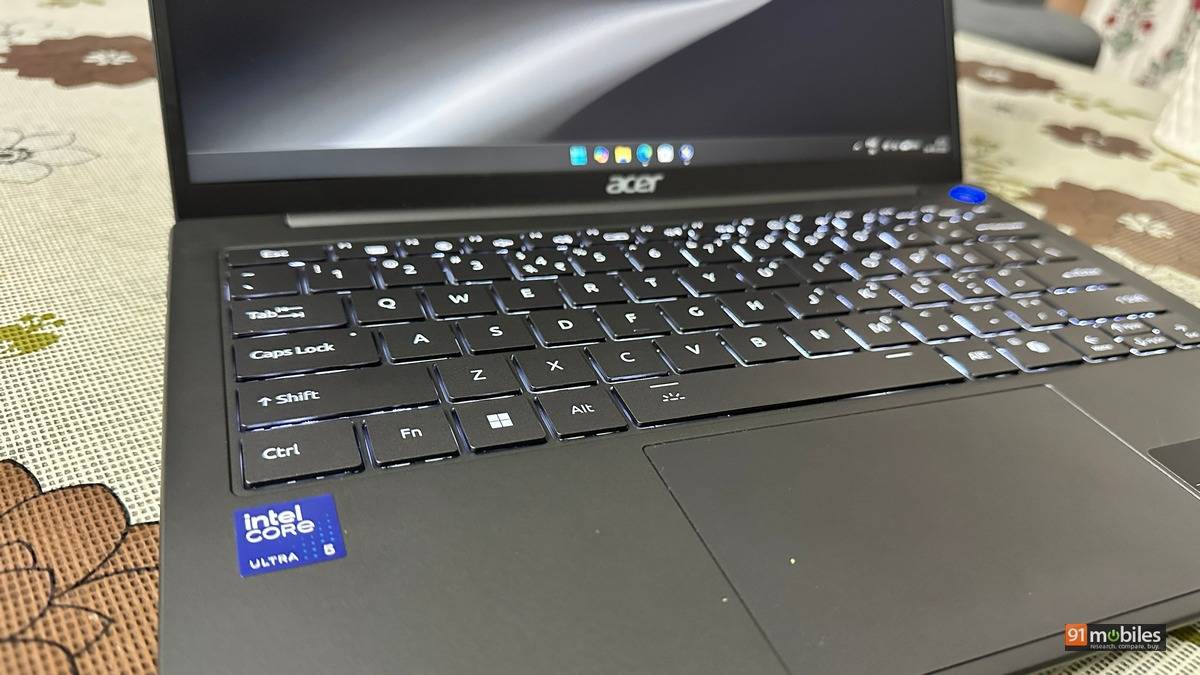
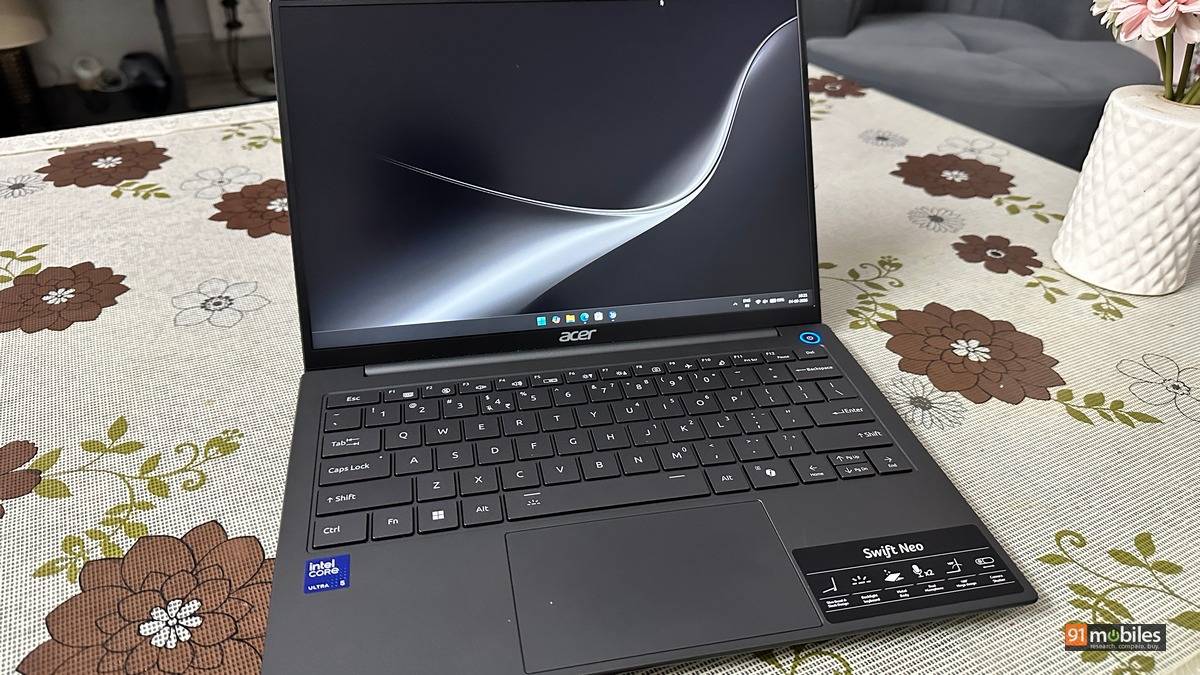
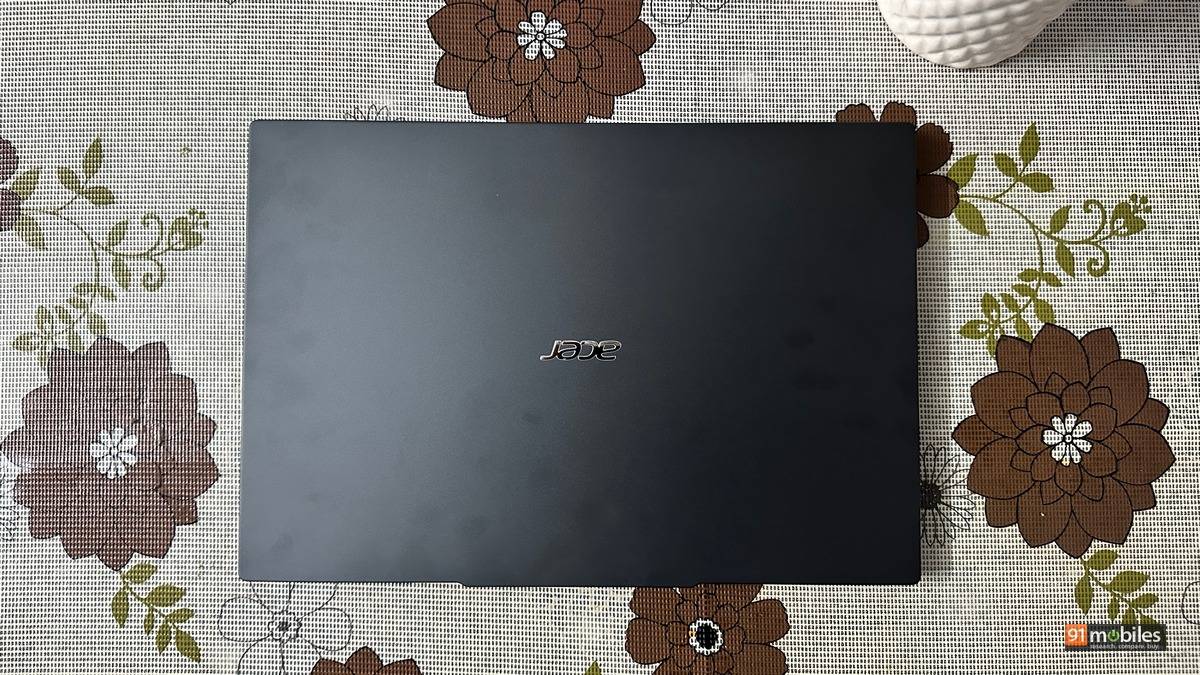
The Swift Neo arrives in Steel Gray, and Acer has kept the styling deliberately quiet. There is no logo theatre, no accent trim, nothing that announces itself when you pull it out in a meeting room. For a machine aimed at people who carry a laptop between office, home, and the occasional cafe, that restraint seems like the right call.
At 1.25kg, this is light for a 14-inch Windows laptop, and it is roughly 50 grams under the Acer Aspire 5 A514-54H (review) we reviewed with the same processor inside.
With a charger and notebook in your backpack, this is the difference between a bag that feels light and one that feels heavy.
The dimensions of the laptop are: 17.2mm thick, 316.2mm wide, and 216.8mm deep. This is not the thinnest 14-inch machine on the market, and Acer has clearly used some of that depth for cooling and for the port selection. Acer builds the Swift Neo line around a metal body, and the SFN14-55 follows that. It feels considerably more solid than the plastic chassis you usually find around this price.
The hinge holds position without the wobble that plagues cheaper thin-and-lights, and the lid opens with one hand, which is a small thing until you are doing it a dozen times a day. There is some give in the keyboard deck if you press down hard in the middle, but nothing that shows up during normal typing.
Display and audio
The panel is a 14-inch WUXGA IPS running 1920 x 1200 at 60Hz, rated for 300 nits with 170-degree viewing angles.
The 16:10 aspect ratio is the one that will show up every day. Documents show more lines before you scroll, spreadsheets show more rows, and a browser window docked beside a video call will not feel cramped. Once you have worked on 16:10, going back to 16:9 feels like a bit of a challenge.
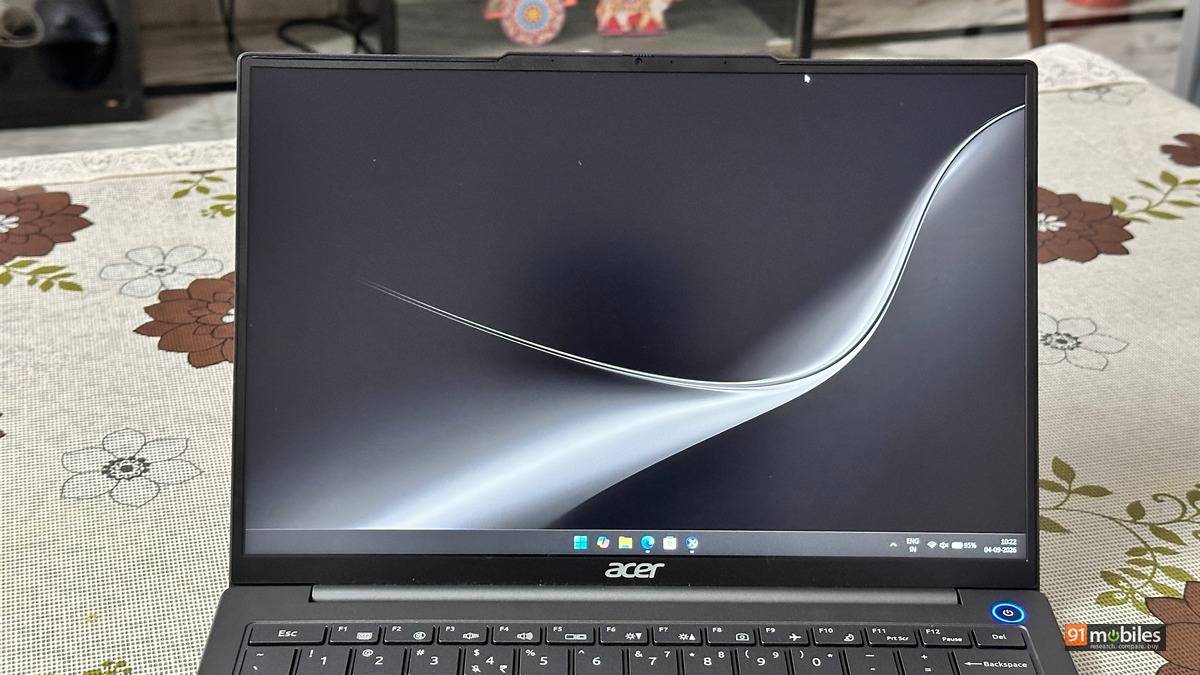
Three hundred nits is a bit of a compromise for this good aspect ratio. Indoors and under office lighting it is perfectly usable, with enough brightness for documents, spreadsheets and streaming. Take it outside, or sit with a window directly behind you, and it runs out of headroom quickly. This is a screen you work on rather than one you watch films on. Worth noting that Acer’s own Swift Neo SFN14-54H carries a 400-nit OLED with full sRGB coverage, so the panel here is the clear step down within the same family.
The stereo speakers on the laptop are fine for calls and casual YouTube, but push past 50% volume, and they start to distort. You’ll want headphones for anything more.
The webcam shoots at 1080p, which still counts as a win at this price point since half the laptops here stick with 720p. Video calls look clean in decent light, muddy in dim rooms, and there’s no privacy shutter, which we feel is a bit of an oversight.
Keyboard and trackpad
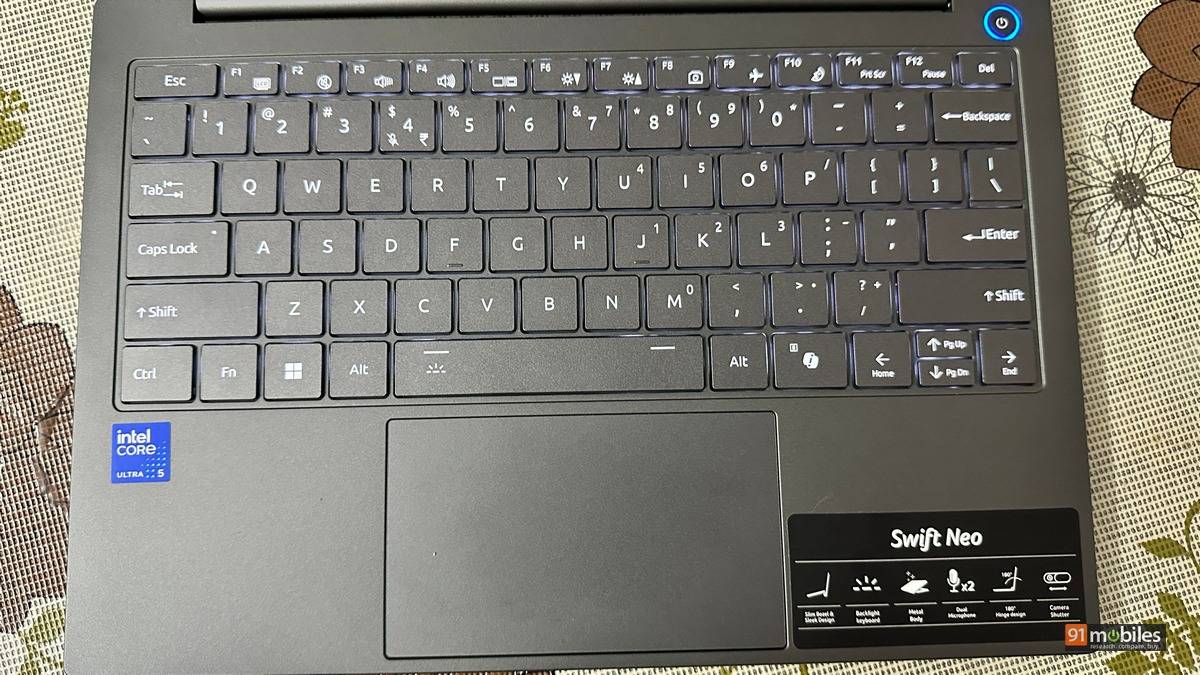
Acer fits its FineTip keyboard here, a full-size 83-key layout with white backlighting. The keys are well spaced across the 14-inch deck, and the backlight matters more than it sounds on a machine built for people who work on trains and in hotel rooms. There is no number pad, but you’re on par with any laptop with a 14-inch panel.
The fingerprint reader supports Windows Hello, so you tap and you’re in. No passwords, no PIN screen. If you’re opening and closing this thing ten times a day, it adds up.
The trackpad supports the full Windows Precision gesture set, including two-finger scrolling, pinch-to-zoom, and multi-finger gestures for switching apps and opening the Action Centre. It is a glass-smooth surface of the size you would expect on a 14-inch chassis.
Ports and connectivity
This is the Swift Neo’s quiet strength, and it is unusual for a machine this thin.
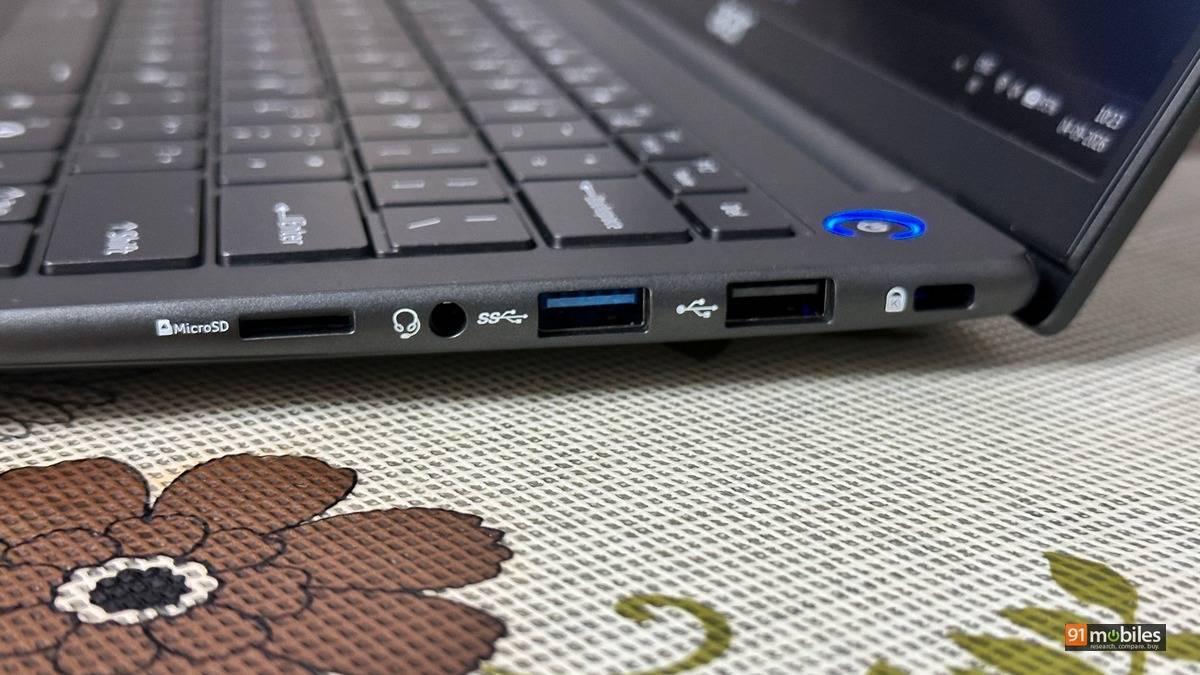
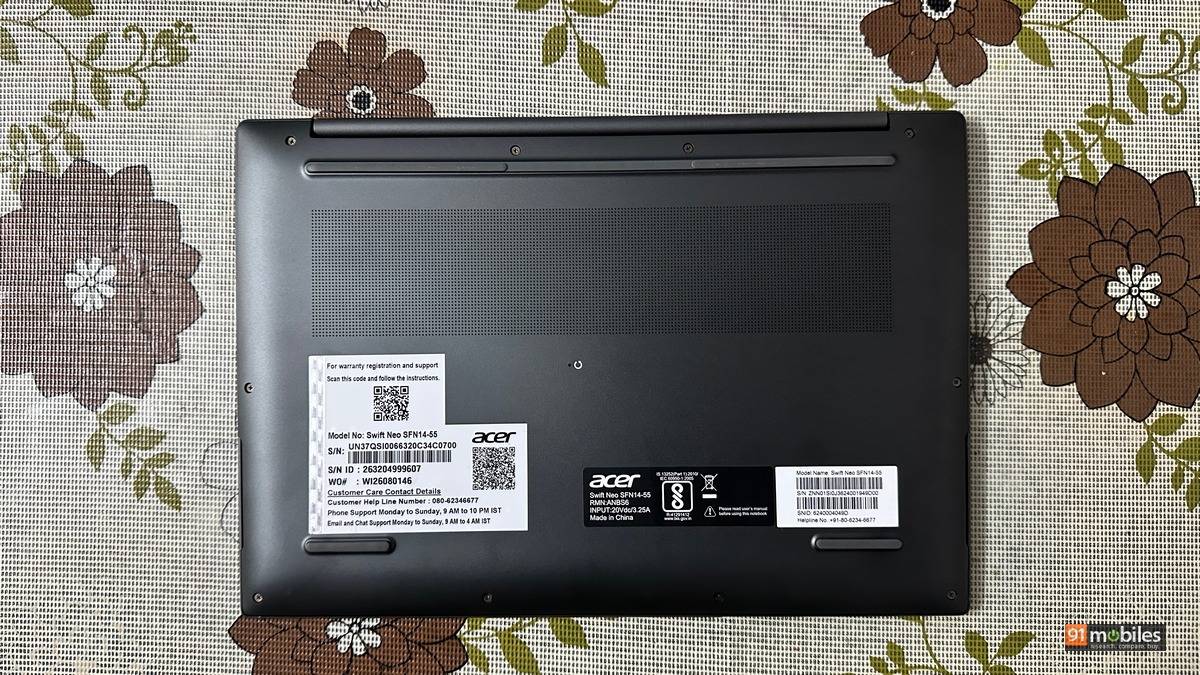
You get five USB ports in total. Two are USB Type-C with full functionality, and three are Type-A: one USB 3.2 Gen 1, one USB 3.0 and one USB 2.0. Alongside them sits a full-size HDMI 2.0 output.
In an era where thin-and-lights routinely ship two Type-C ports and a dongle bag, three Type-A connectors on a 17.2mm chassis are pretty useful. Plug in a mouse, a USB drive, and a wireless receiver at the same time, and you still have both Type-C ports free for charging and a display.

The compromises are in the details rather than the count. HDMI is 2.0 rather than 2.1, so 4K output caps at 60Hz. There is no card reader of any kind, which will irritate anyone pulling footage off a camera. And wireless runs Wi-Fi 6 with Bluetooth 5.2 rather than the Wi-Fi 6E or Wi-Fi 7 that rivals are starting to fit at this money.
For most people, none of that will matter as much as not having to carry a hub.
Performance
Our review unit runs the Intel Core Ultra 5 125H, a 14-core, 18-thread Meteor Lake chip clocking to around 3.6GHz, paired with 16GB of LPDDR5 memory and a 512GB NVMe SSD. Graphics come from Intel Arc, with 128MB dedicated and just over 9GB shared from system memory. It shipped on Windows 11 Home build 26200 with Arc driver 32.0.101.8517.
Day to day, it feels quick. That is not a throwaway line, because the benchmark data supports the impression while complicating it in a way that needs some explaining.
Benchmark table
| Benchmark | Acer Swift Neo SFN14-55 | Acer Aspire 5 A514-54H | Aspire Go 14 AG14-71M | Dell 15 D15260 |
|---|---|---|---|---|
| CPU | Core Ultra 5 125H | Core Ultra 5 125H | Core Ultra 5 125H | Core Ultra 5 225H |
| GPU | Intel Arc | Intel Graphics | Intel Graphics | Intel UHD |
| Cinebench 2026 MT | 1,560 | 2,169 | NA | 2,398 |
| Cinebench 2026 ST | 393 | 406 | NA | 466 |
| Cinebench R24 MT | 377 | 527 | 552 | 601 |
| Cinebench R24 ST | 96 | 100 | 96 | 118 |
| Cinebench R23 MT | 6,081 | 9,350 | 11,533 | 11,013 |
| Cinebench R23 ST | 1,694 | 1,709 | 1,640 | 1,929 |
| PCMark 10 Extended | 6,557 | 6,589 | 5,520 | 7,025 |
| CrossMark Overall | 1,297 | 1,552 | NA | 1,536 |
| ONNX Quantized | 3,141 | 4,944 | 5,638 | 7,152 |
| OpenVINO Quantized | 6,158 | 5,770 | 6,282 | 10,404 |
| 3DMark Time Spy | 1,856 | 2,450 | 2,274 | 2,592 |
| 3DMark Time Spy Extreme | 952 | 1,130 | 1,076 | 1,259 |
| 3DMark Fire Strike | 3,873 | 4,571 | 4,398 | 4,790 |
| 3DMark Fire Strike Extreme | 1,963 | 2,279 | 2,321 | 2,317 |
| 3DMark Fire Strike Ultra | 1,036 | 1,318 | 1,324 | 1,328 |
| 3DMark Night Raid | 13,704 | 18,327 | 17,551 | 20,298 |
| CrystalDiskMark Q8T1 Read | 2,717.68 | 7,040.34 | 3,479.67 | 5,900.41 |
| CrystalDiskMark Q8T1 Write | 1,895.79 | 5,245.22 | 3,240.14 | 5,328.63 |
| GTA V (1080p) | 56.5 | 45 | 36 | 49 |
| Battery Runtime (Hr:Min) | 09:54 | 11:15 | 07:47 | 05:05 |


Let’s start with the good news. In PCMark 10 Extended, which simulates a working day rather than a synthetic loop, the Swift Neo scored 6,557. Break that apart, and the Productivity sub-score of 14,295 is the standout, with Essentials at 9,457 and Digital Content Creation at 7,521. Put plainly: launching apps, moving between spreadsheets and browser tabs, joining calls, editing documents, all of it happens without the machine getting in your way. That 6,557 total sits within a whisker of the 6,589 the Aspire 5 A514-54H managed with the same chip, and well ahead of the 5,520 from the Aspire Go 14 (review).
CrossMark reads similarly, with a caveat. An overall score of 1,297 splits into 1,183 Productivity, 1,477 Creativity, and 1,160 Responsiveness. The Creativity figure is the healthiest of the three, but the overall number trails the 1,552 from the Aspire 5 and the 1,536 from the Dell 15 D15260.
Now the part that needs explaining. Cinebench R23 returned 6,081 multi-core and 1,694 single-core, at an MP ratio of 3.59x. Cinebench 2024 gave 377 multi-core and 96 single-core. Cinebench 2026 came in at 1,560 for multiple threads, 558 single-core, and 393 single-thread.
Those multi-core figures are low. Not marginally low. The Aspire 5 A514-54H, running the identical Core Ultra 5 125H at 28W, scored 9,350 in Cinebench R23 multi-core. The Aspire Go 14 with the same chip scored 11,533. The Swift Neo gives up between 35 and 47% against laptops carrying its own processor.
Single-core tells a completely different story. At 1,694 in R23, the Swift Neo edges past the Aspire Go 14’s 1,640 and sits within touching distance of the Aspire 5’s 1,709. The chip clocks properly. What it cannot do is hold those clocks across every core through a sustained render, which is what you would expect from a 1.25kg chassis with limited room for cooling.
Geekbench 7 fills in the shape at 1,921 single-core and 4,906 multi-core, with 20,667 in OpenCL and 18,106 in Vulkan. Worth noting that we ran Geekbench 7 here while our earlier comparison units were tested on Geekbench 6, so those figures are not directly comparable across our archive.
In practice, this splits cleanly. Short bursts of work, which is what almost everyone actually does, run smoothly. Long sustained loads finish noticeably slower than the same silicon manages in a thicker machine. Documents, browsing, calls and light creative work will never trouble it. Twenty-minute video exports and heavy compiles will.
Storage is the one area that the laptop falls simply behind. CrystalDiskMark returned sequential reads of 2,717.68MB/s and writes of 1,895.79MB/s at Q8T1, with Q1T1 at 2,572.36 and 1,883.41. Random performance came in at 421.46 read and 549.87 write for RND4K Q32T1, dropping to 61.70 and 148.96 at Q1T1. For context, the Aspire 5 A514-54H hit 7,040MB/s sequential reads, and even the Aspire Go 14’s slower Gen 3 drive managed 3,479MB/s. This is the slowest of the four. You will feel it during large transfers and app installs rather than in daily use, but it is a visible corner cut.
On the AI side, Geekbench AI produced three runs. The CPU pass through the ONNX runtime scored 1,317 single precision, 631 half precision and 3,141 quantized. The OpenVINO CPU pass improved to 2,486, 2,389 and 6,158. A third run posted 1,216 single precision but jumped to 6,845 half precision and 11,446 quantized, a profile consistent with the workload running on the GPU or the NPU rather than the CPU cores.
Set against the field, the ONNX quantized score of 3,141 is the lowest of the four machines here, behind the Aspire 5’s 4,944 and the Dell 15’s 7,152. The OpenVINO quantized figure of 6,158 recovers to sit ahead of the Aspire 5’s 5,770, though still short of the Dell’s 10,404.
Graphics and gaming
Intel Arc handles what you would expect from integrated graphics, then does slightly better than the synthetic scores suggest.
In 3DMark, Time Spy returned 1,856 with 1,743 graphics and 2,942 CPU. Time Spy Extreme dropped to 952, with 900 graphics and 1,419 CPU. Fire Strike scored 3,873, splitting into 4,284 graphics, 9,079 physics, and 1,502 combined. Fire Strike Extreme managed 1,963 and Fire Strike Ultra 1,036. Night Raid, the test actually built for integrated graphics, came in at 13,704 with 23,520 graphics and 4,073 CPU.
Against the other Core Ultra 5 125H machines, the pattern from the CPU results repeats. The Aspire 5 A514-54H scored 2,450 in Time Spy and 18,327 in Night Raid. The Aspire Go 14 managed 2,274 and 17,551. The Dell 15 D15260, on the newer Core Ultra 5 225H, hit 2,592 and 20,298. The Swift Neo sits under all three.
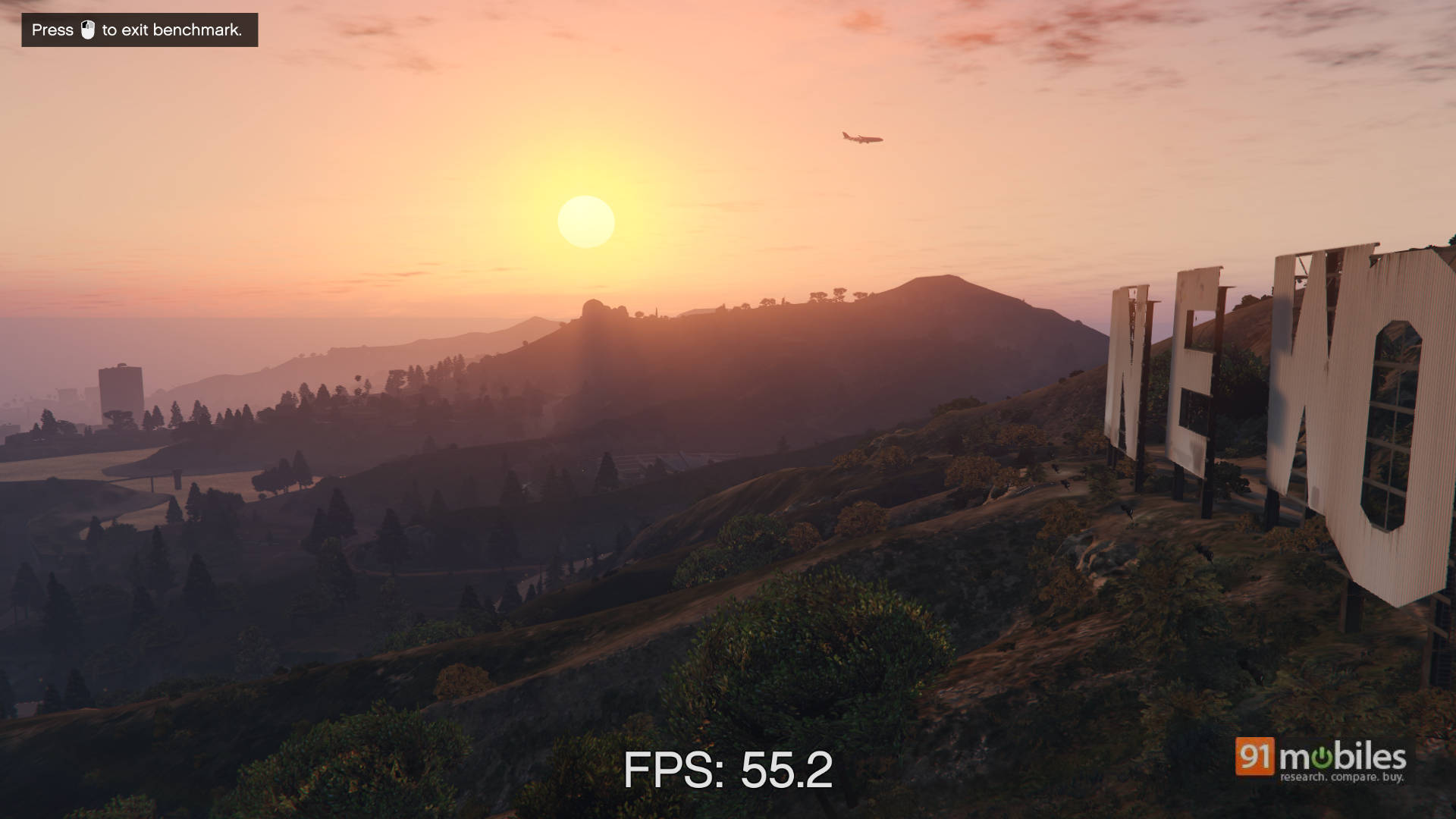
Real games told a better story. Running the built-in GTA V benchmark at 1920 x 1080 with shadows and reflections dialled back, MSAA off and FXAA on, the Swift Neo averaged 56.5fps across five passes, with individual passes ranging from 44.9 to 63.9. Pushed to the panel’s native 1920 x 1200 at the same settings, it averaged 53.2fps, holding between 47.3 and 55.5.
Frame consistency held up too. At 1920 x 1200, better than 99% of frames landed under the 33ms mark across the four longest passes, meaning the experience stayed above 30fps almost throughout rather than lurching between smooth and stuttering.
Those are respectable numbers for integrated graphics, and they land ahead of what we recorded from the Aspire 5 and Aspire Go 14 with the same chip, though our settings profile here leans conservative, and that gap should be read with the settings in mind. What it means practically: esports titles run comfortably at 1080p, older AAA games are playable with settings turned down, and anything demanding from the last two years is off the table.
Battery life
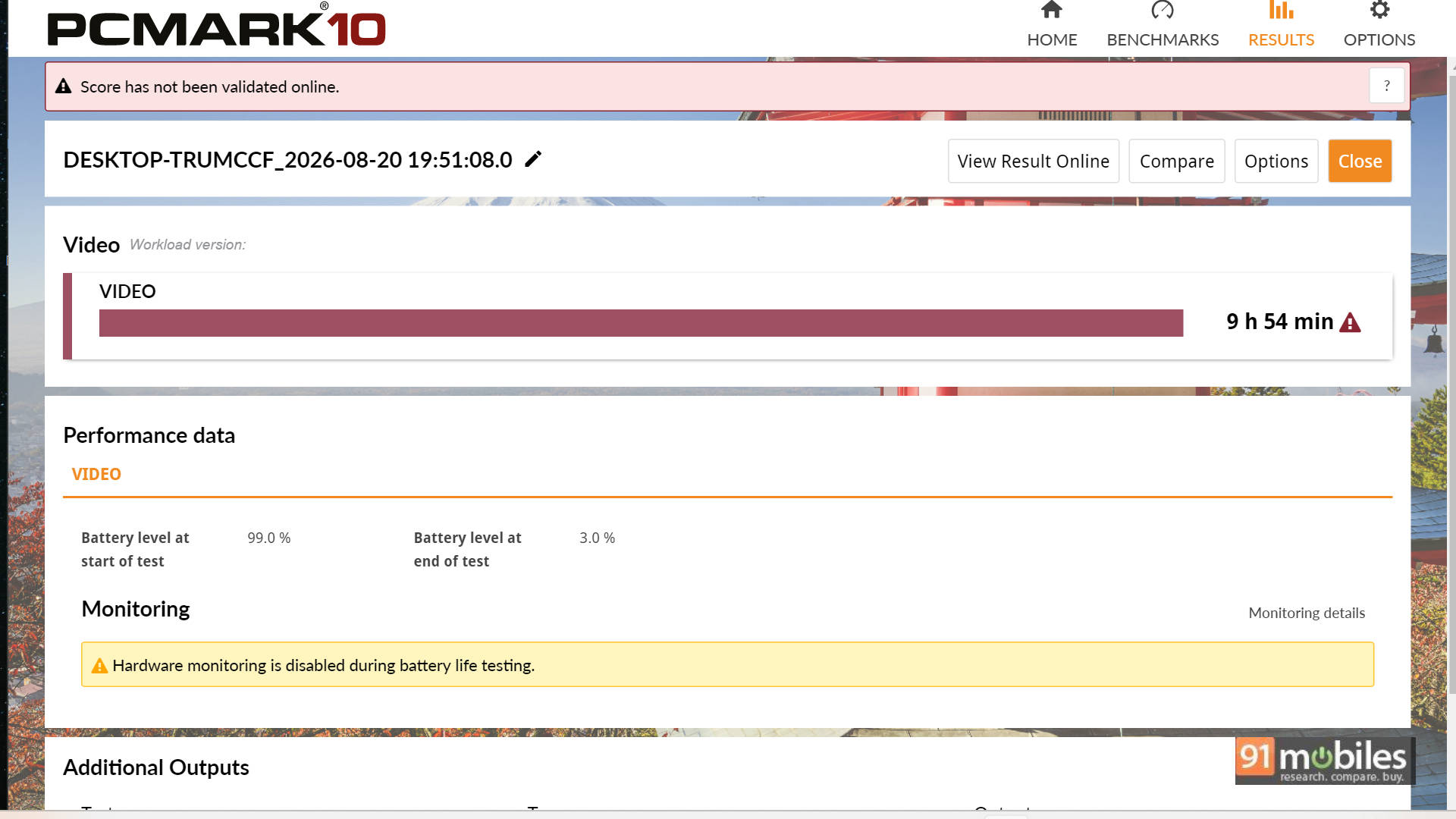
This is where the Swift Neo earns back what it gave away. In the PCMark 10 video loop test at 80% brightness, it ran 9 hours 54 minutes, draining from 99% to 3%. For a 14-inch Windows laptop with an H-series processor inside, that is a strong result. It is a better one when you notice the battery is only 52Wh, smaller than the 55Wh cell in the Aspire Go 14 and the 53.8Wh unit in the Aspire 5. Acer rates this machine at up to 8 hours. It beat that by nearly two hours.
Context makes it look better, as the Aspire Go 14, with the same processor, managed 7 hours 47 minutes. The Dell 15 D15260 on the newer 225H managed 5 hours 5 minutes. Only the Aspire 5 A514-54H beat it, at 11 hours 15 minutes. Against most of what sits at this price, close to ten hours means leaving the house without the charger and not spending the afternoon hunting for a socket.
It also reframes the performance figures. A chip held at lower sustained power runs cooler, runs quieter, and drains slower. The Swift Neo is not underperforming so much as spending its power budget somewhere else, and battery life is where it lands.
Charging runs over USB Type-C with a bundled 65W Power Delivery adapter, which is small enough to live in a bag permanently and doubles as a phone charger. That is one less brick to carry, and on a machine sold on portability it counts.
Verdict
The Acer Swift Neo SFN14-55 is a machine with a clear personality, which is more than most laptops in this bracket manage. It is light, it lasts, and it stays out of your way through a normal working day. The 16:10 panel is properly useful, the productivity scores are strong, and close to ten hours of tested battery is the sort of number that changes how you use a laptop rather than just how you feel about it. GTA V running near 57fps at 1080p is a bonus nobody buying this machine will have expected.
What you give up is headroom. Multi-core performance sits well below what this same Intel chip delivers in thicker machines, the SSD is one of the slowest we have measured in this segment, and the 300-nit IPS panel gives up ground to the OLED screens rivals now ship at similar money. None of that matters for email, documents, browsing, and calls. All of it matters if you edit video, compile code, or push the machine hard for stretches at a time.
So the recommendation splits cleanly. If you want a light, long-lasting 14-inch laptop for everyday work, and you value the charger staying at home over benchmark bragging rights, the Swift Neo makes a straightforward case for itself. If you want the full performance this processor is capable of, Acer’s own Aspire 5 A514-54H delivers noticeably more of it, along with faster storage and better battery, at around Rs 76,999.
On price, Acer currently lists the laptop for Rs 69,990 in the 8GB configuration, which is what most people should actually consider. Our 16GB review unit sits above that. At roughly seventy thousand rupees, a 1.25kg metal-bodied 14-inch laptop with five USB ports, a 1080p webcam, a fingerprint reader, and close to ten hours of tested battery life, the Acer Swift Neo is a sensible buy.
Editor’s Rating: 7.5 / 10
Pros:
- Close to 10 hours of battery in our video loop test
- Light 1.25kg body that disappears into a bag
- Handles everyday productivity work without hesitation
- 16:10 panel gives genuinely useful vertical space
Cons:
- Sustained multi-core performance trails other Core Ultra 5 125H laptops
- Slow SSD Speeds
- IPS panel struggles outdoors