There are three kinds of gamers when it comes to handhelds. First, you have the folks who already own a proper gaming PC or console and just want something portable to enjoy lighter titles or sneak in a few matches while travelling. Then there are those who believe in squeezing every ounce of value from their tech. Basically, they want a single device that does everything: gaming, streaming, maybe a bit of work, and definitely Netflix on a plane. And finally, you have the performance purists. The ones who want nothing short of the best frame rates and thermals, even if that means lugging around a 2.5 kg gaming laptop.
Now, the ASUS ROG Xbox Ally X isn’t meant for that last group. Even with all its shiny new hardware, it will never match a gaming laptop, let alone a full-blown desktop, that costs the same. But for everyone else? Especially those who want a handheld that’s also a capable PC, with the added flavour of Xbox baked in? This thing makes a strong case for itself.
Just… keep in mind, it comes with a few asterisks. Let’s take a closer look at everything this handheld gaming PC offers, and whether it fits Microsoft’s tagline of “This is an XBOX” or not.
Table of Contents
Design and Build: Xbox in Spirit, and in Feel
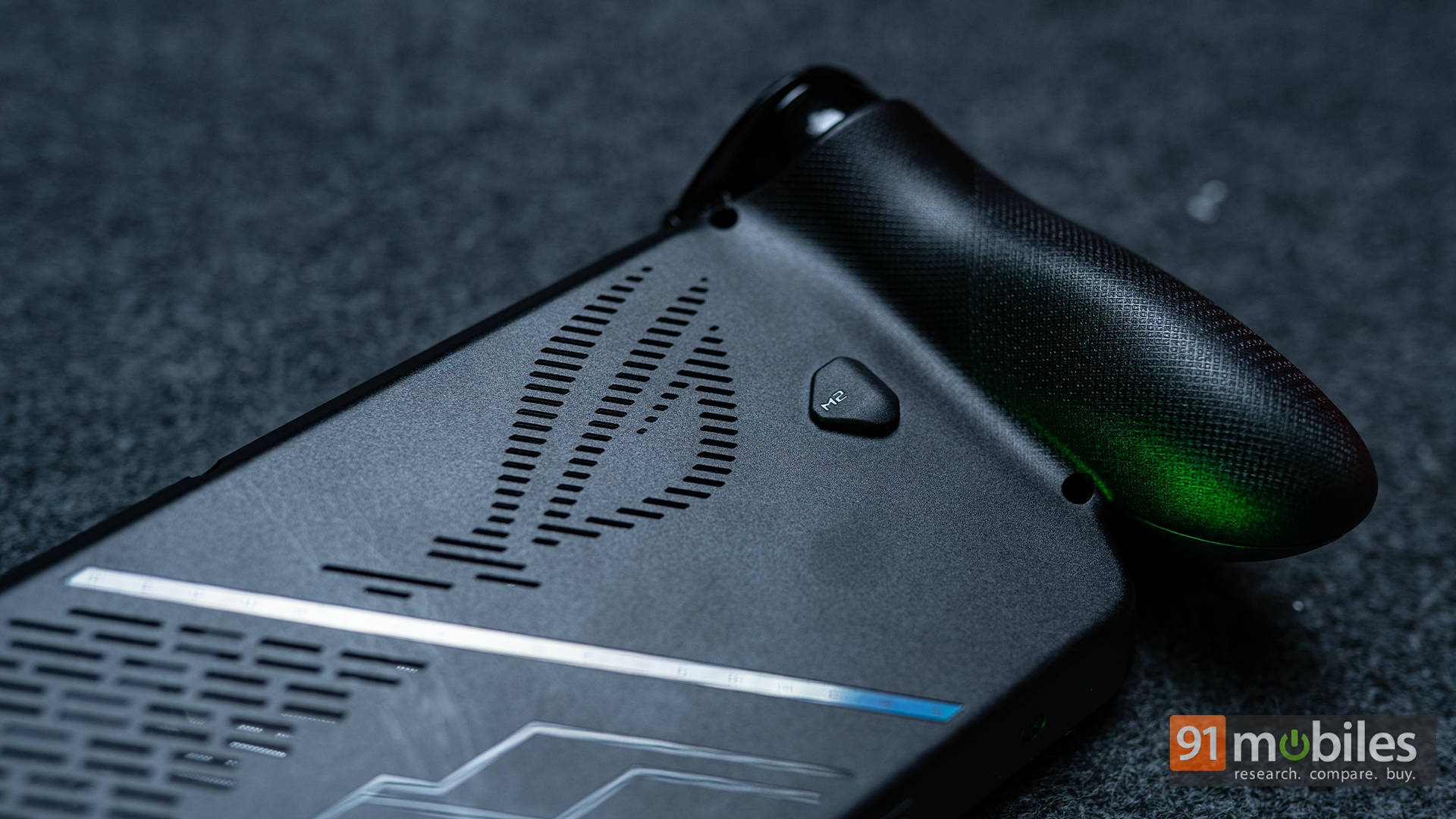
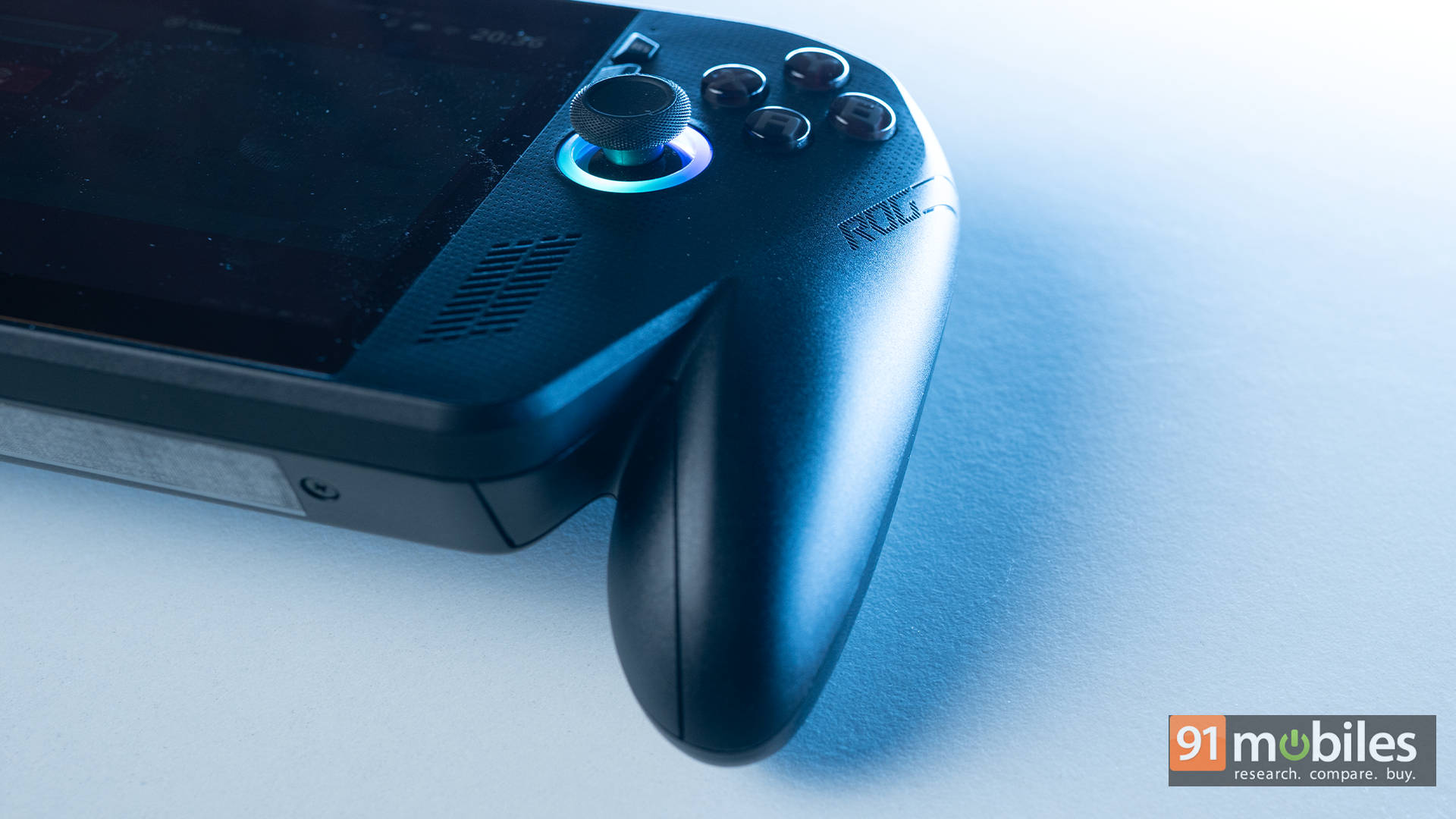
Okay, first things first, most people assume that the “Xbox” in the name refers purely to software. Surprisingly, the hardware carries that identity too. While the original ROG Ally was already more comfortable than its competition, like the chunky Steam Deck or the plasticky Switch, the ROG Xbox Ally X takes that comfort and gives it the full controller treatment. It’s essentially an Xbox Wireless Controller that swallowed a 7-inch display, and I mean that as praise.
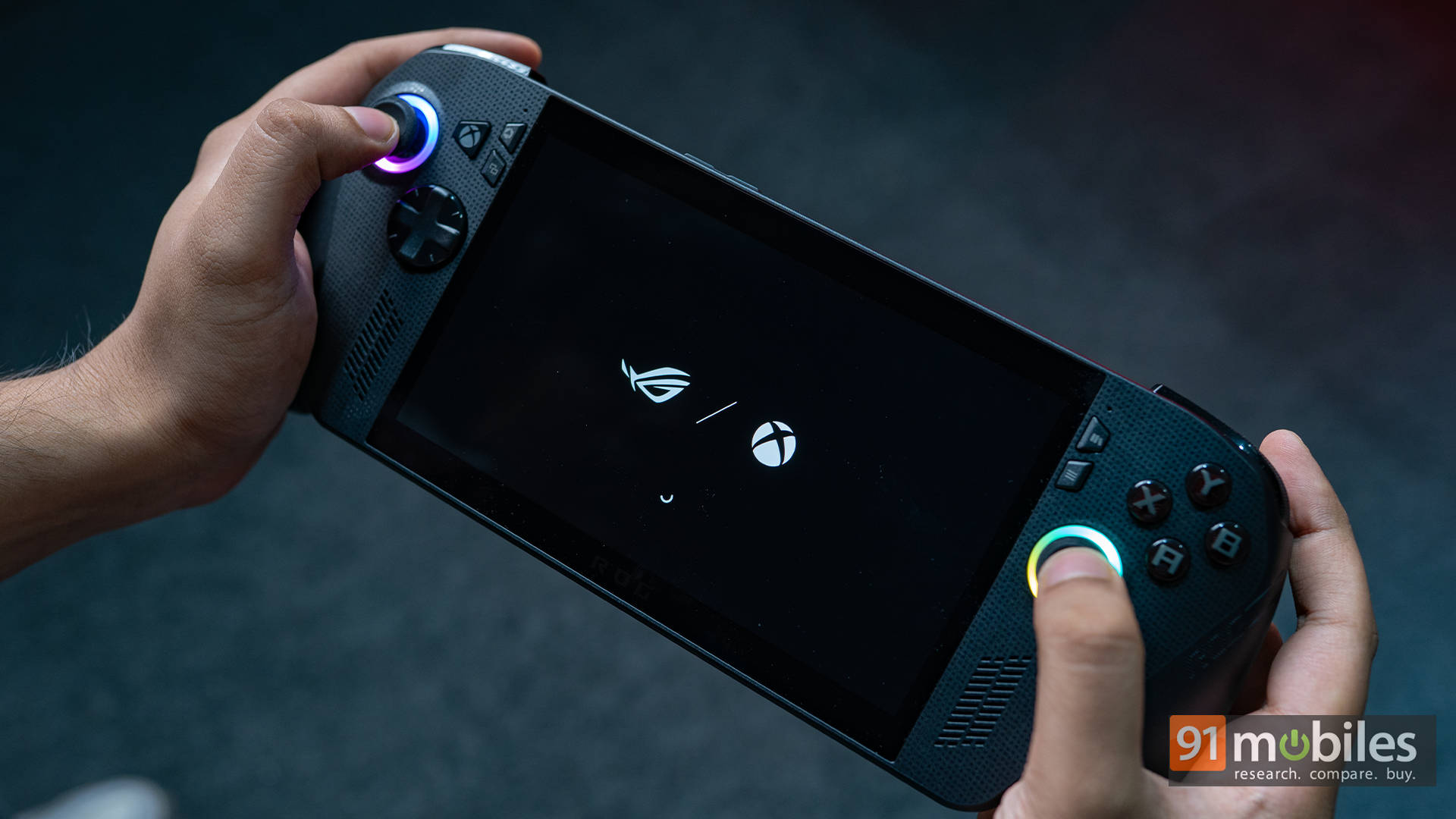
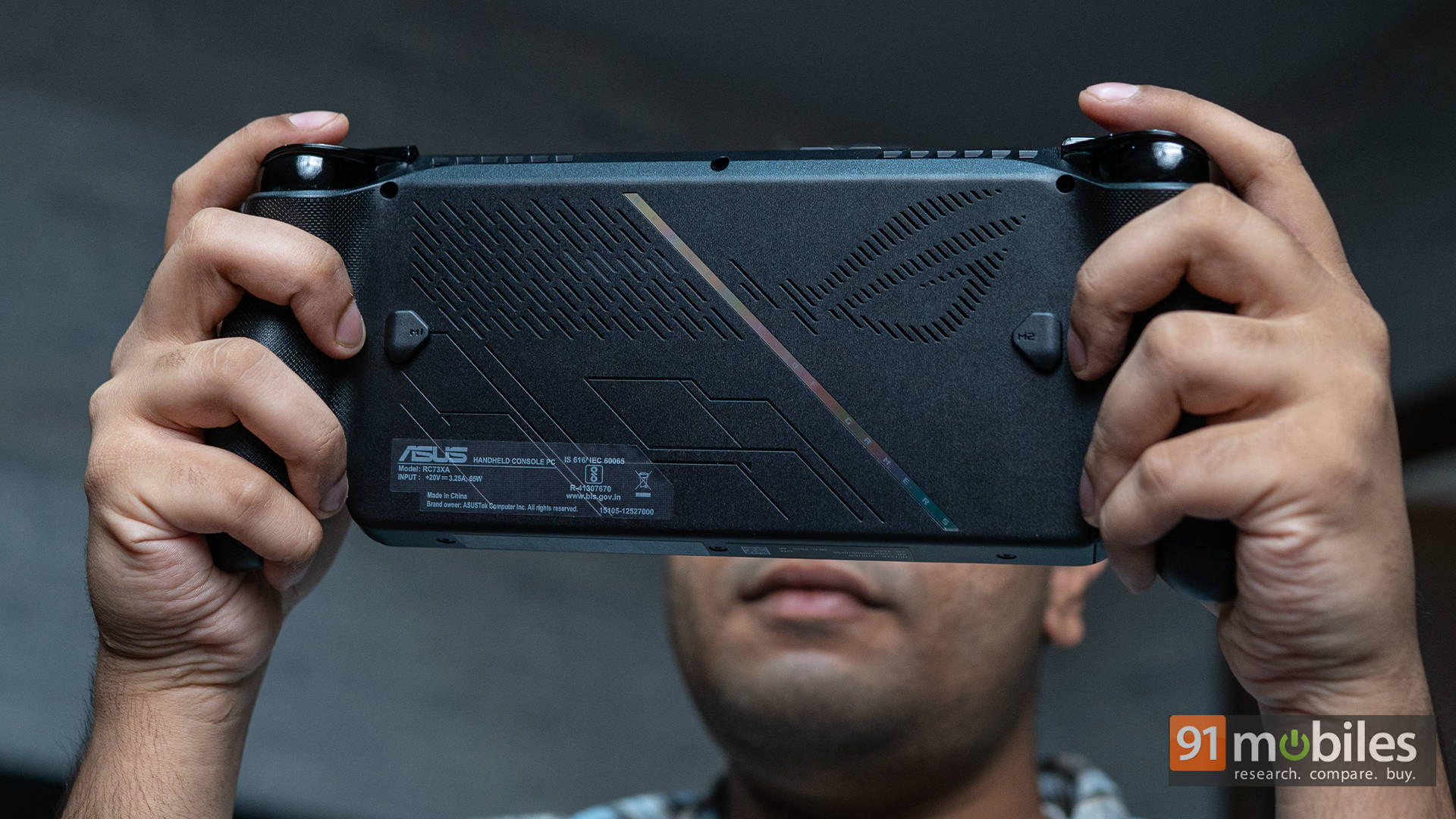
The curves are familiar, the grip feels secure, and the textured back makes a huge difference during long sessions. The ergonomics are sublime. Despite the spec sheet hinting at added bulk, the weight distribution is perfect, so it doesn’t feel top-heavy or awkward in your hands. It’s the kind of comfort you don’t think about until you use something else.
ASUS has also made some nice quality-of-life changes here, which most gamers, including me, genuinely appreciate. There are dual USB-C ports on the top, with the left one supporting USB4 (Thunderbolt 4), so you can plug in external SSDs, hubs, or even the ROG XG Mobile if you want RTX 5090 Laptop GPU power. That said, do note that ASUS hasn’t shared any details on when its eGPU solution will be coming to India.
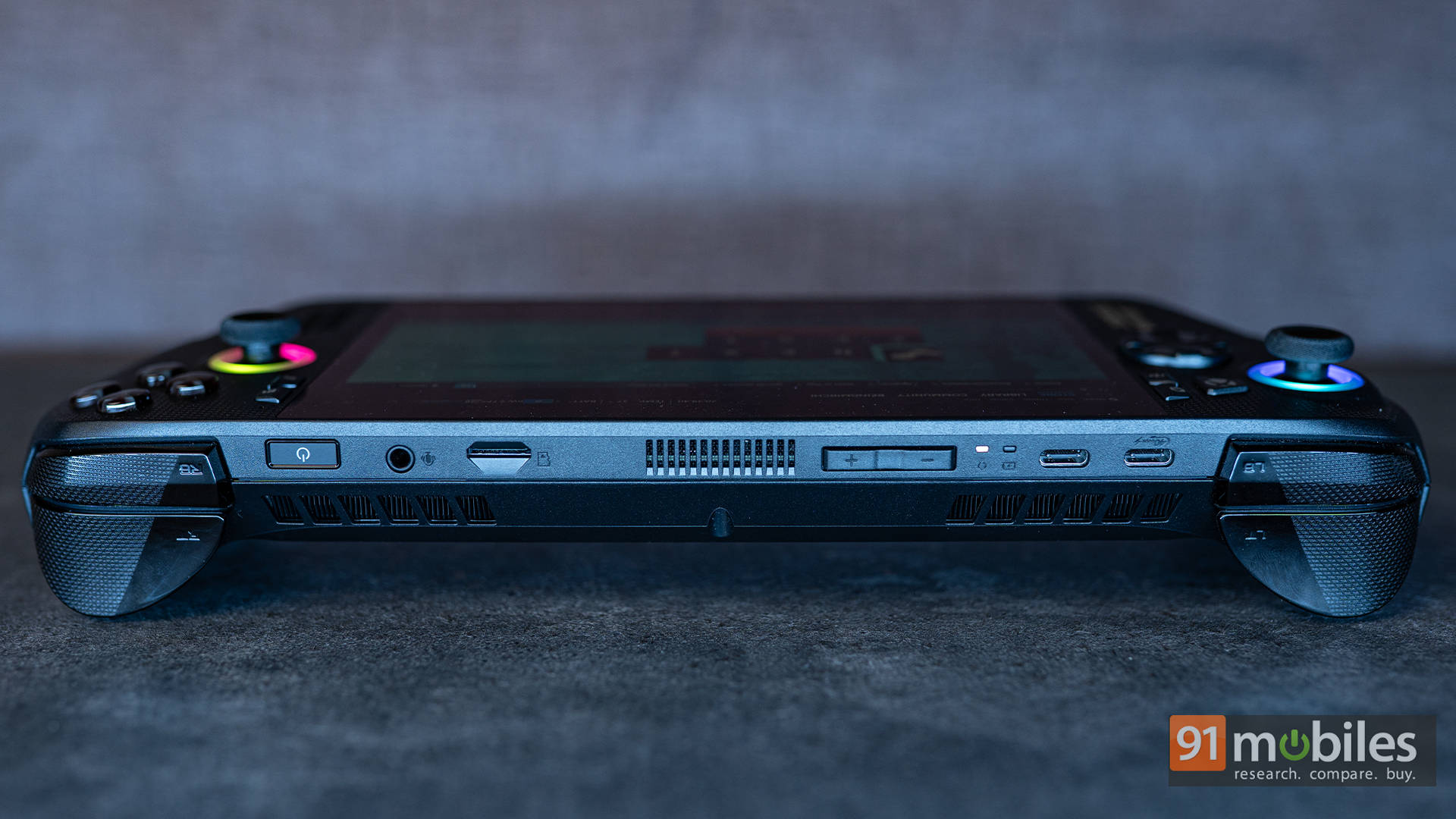
Back to the handheld, there are now independent vibration motors in both triggers, so you feel the rumble of a car engine in Forza or the kick of a shotgun in DOOM in each finger, not across the entire chassis. There’s also a new button layout, moving Armoury Crate to the left and adding a dedicated Xbox button there too for faster navigation.
Hardware and Specs: A Serious Upgrade Under the Hood
Whether you’re coming from an older handheld like the ROG Ally X or just searching for the first one, the specifications are definitely something that will matter to you. The AMD Ryzen Z2 Extreme APU is the star here, bringing improved efficiency and slightly better performance over the Z1 Extreme from the original Ally. It pairs with Radeon 890M graphics, giving you genuine mid-tier gaming laptop performance in your palms.
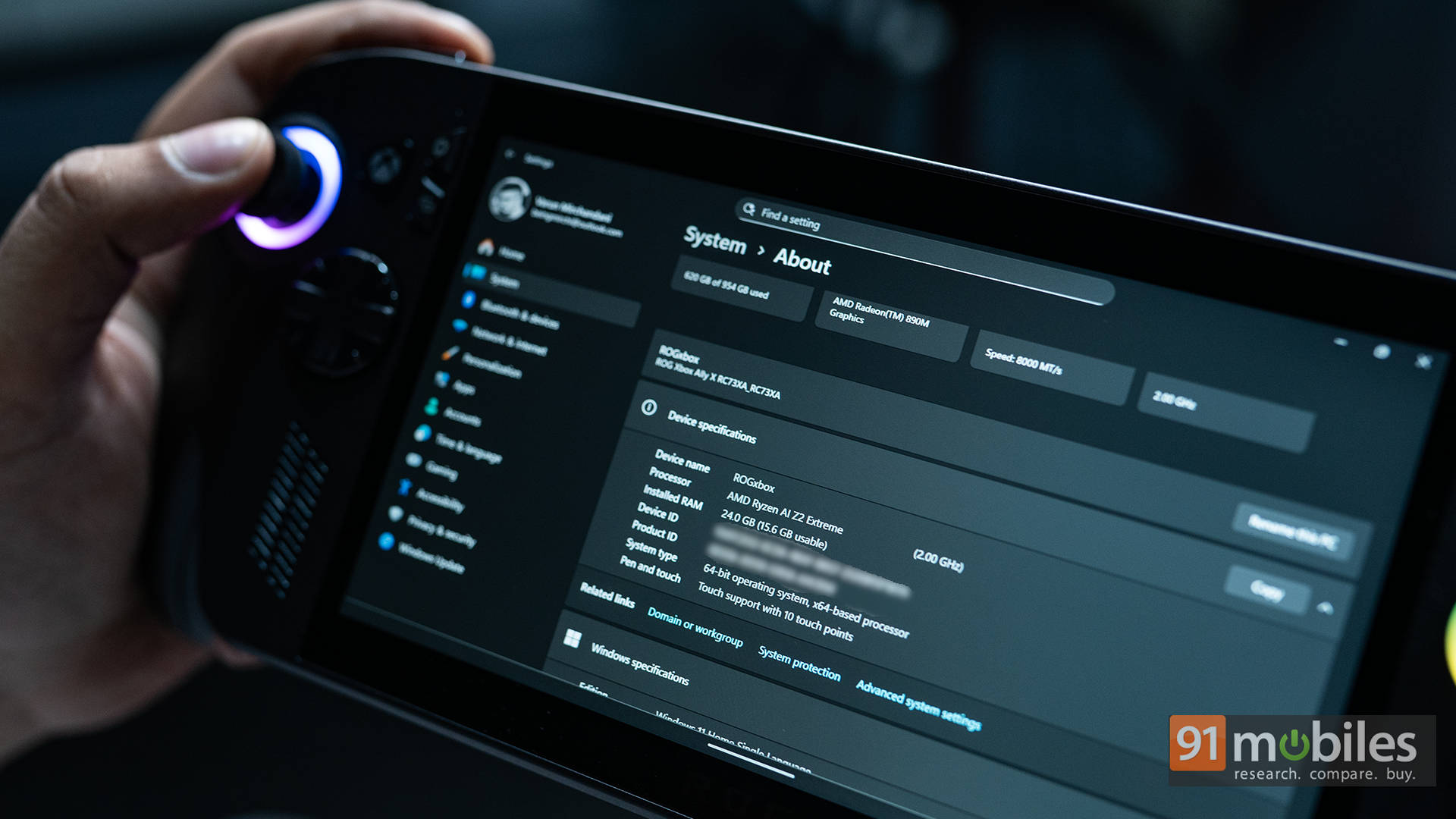
Backing that is 24GB of LPDDR5X RAM: fast, low-latency, and perfect for multitasking or running more demanding games smoothly. Storage has also been upgraded to a 1TB PCIe Gen 4 SSD. More importantly, it’s a 2280-sized drive, which means you can easily swap it out later for something larger or faster. The previous Ally used a rare 2230 drive, which made upgrades unnecessarily complicated, not to forget the limited availability of 2230 drives. The ROG Xbox Ally fixes all of that.
Performance Benchmarks: Small Machine, Big Numbers
Just to evaluate just how good the Ryzen Z2 Extreme is, we ran it through a series of synthetic benchmarks, including Cinebench, Geekbench, and 3DMark’s GPU tests. The ROG Xbox Ally X holds its ground surprisingly well. At 35W TDP (plugged in), it performs roughly on par with entry-level gaming laptops, which is an achievement in itself considering the size.
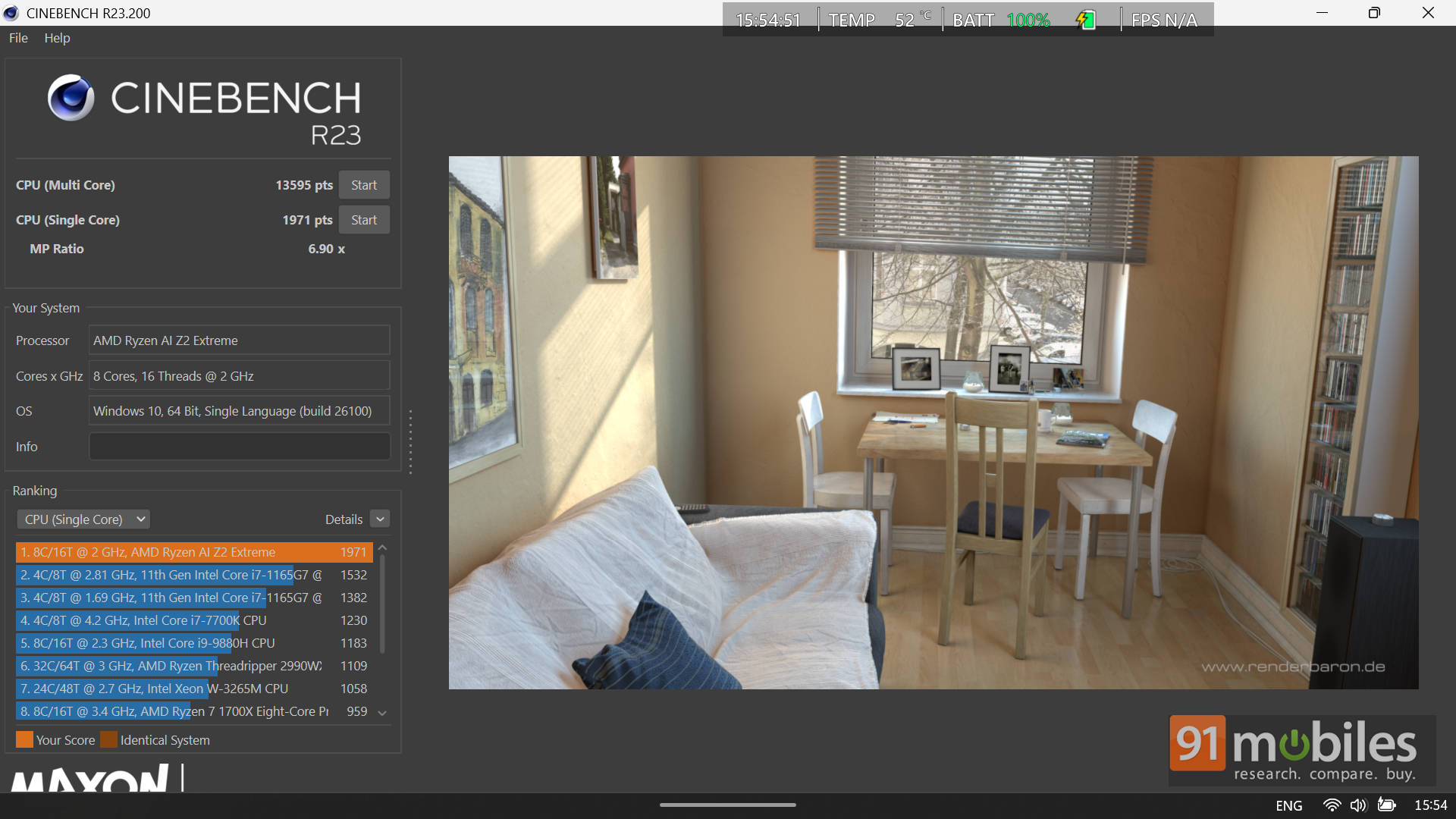
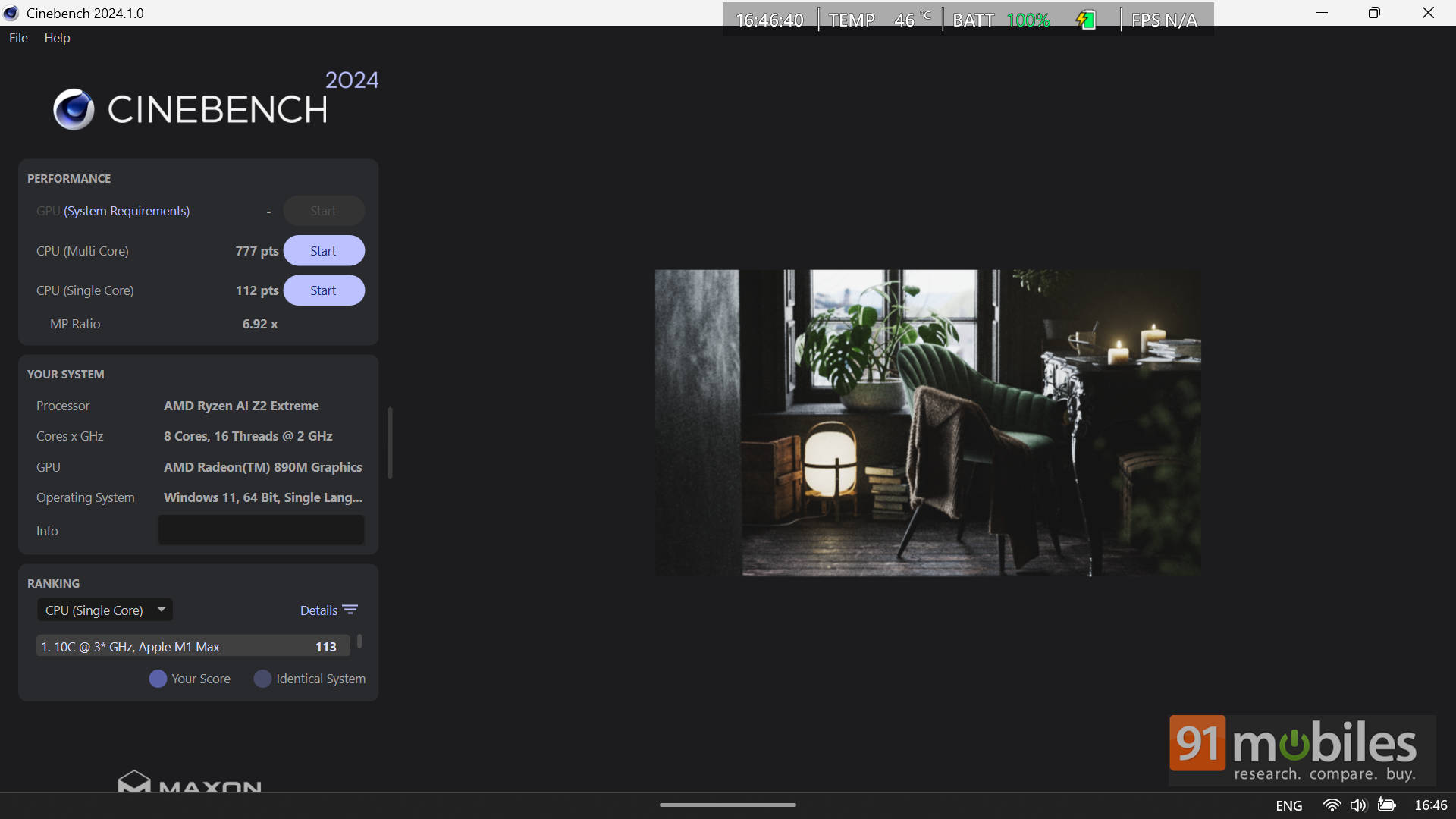
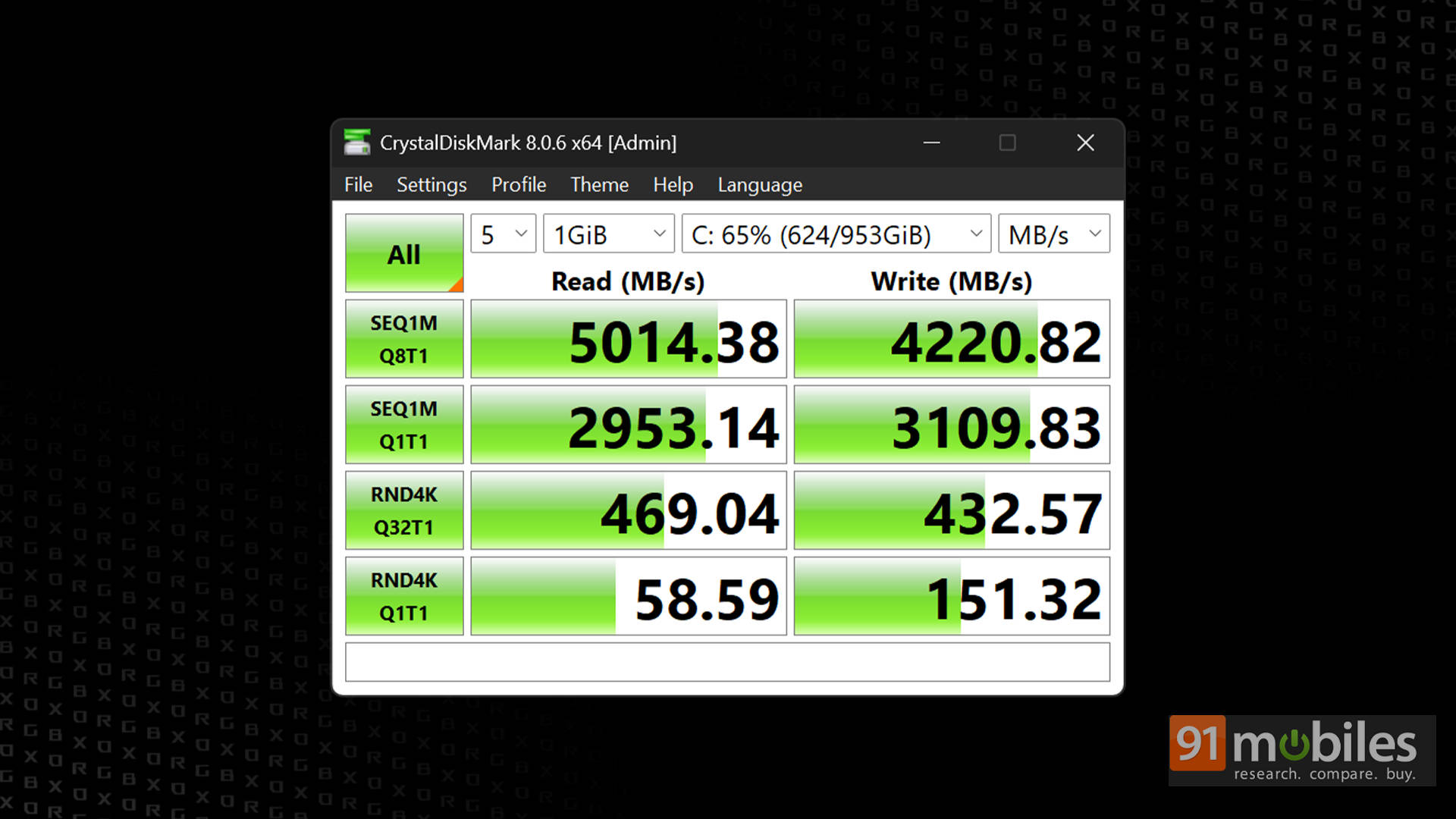
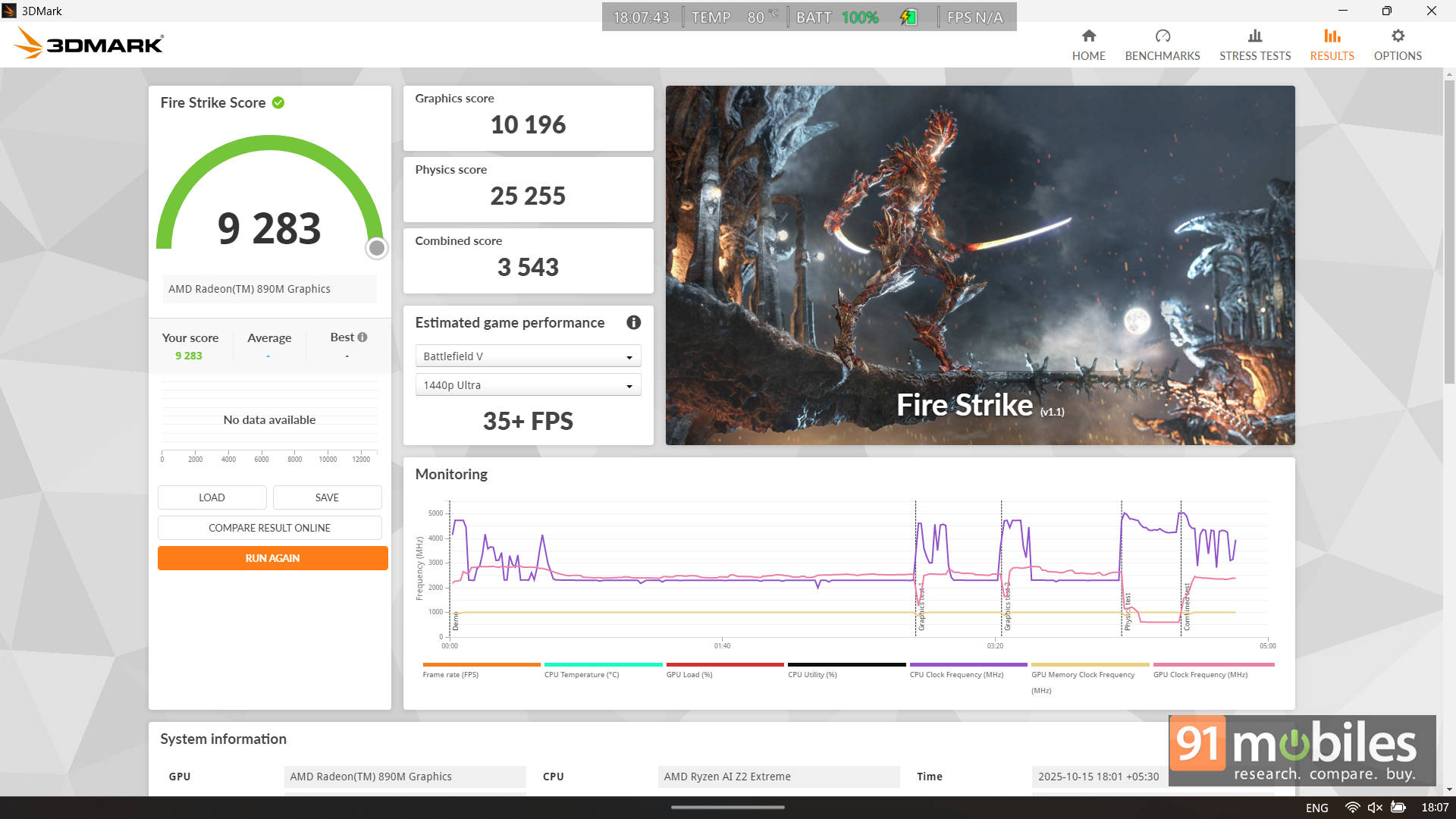
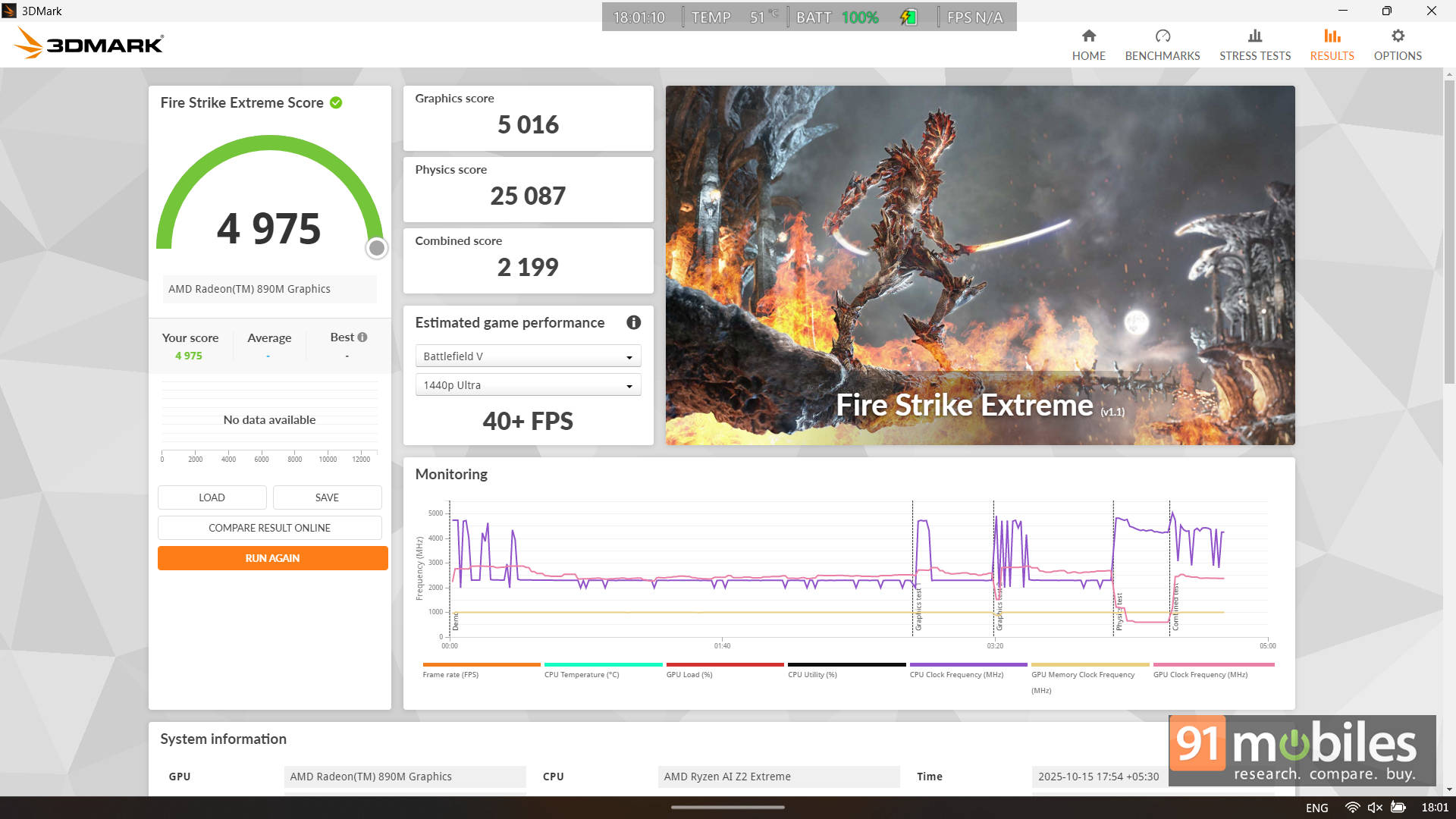
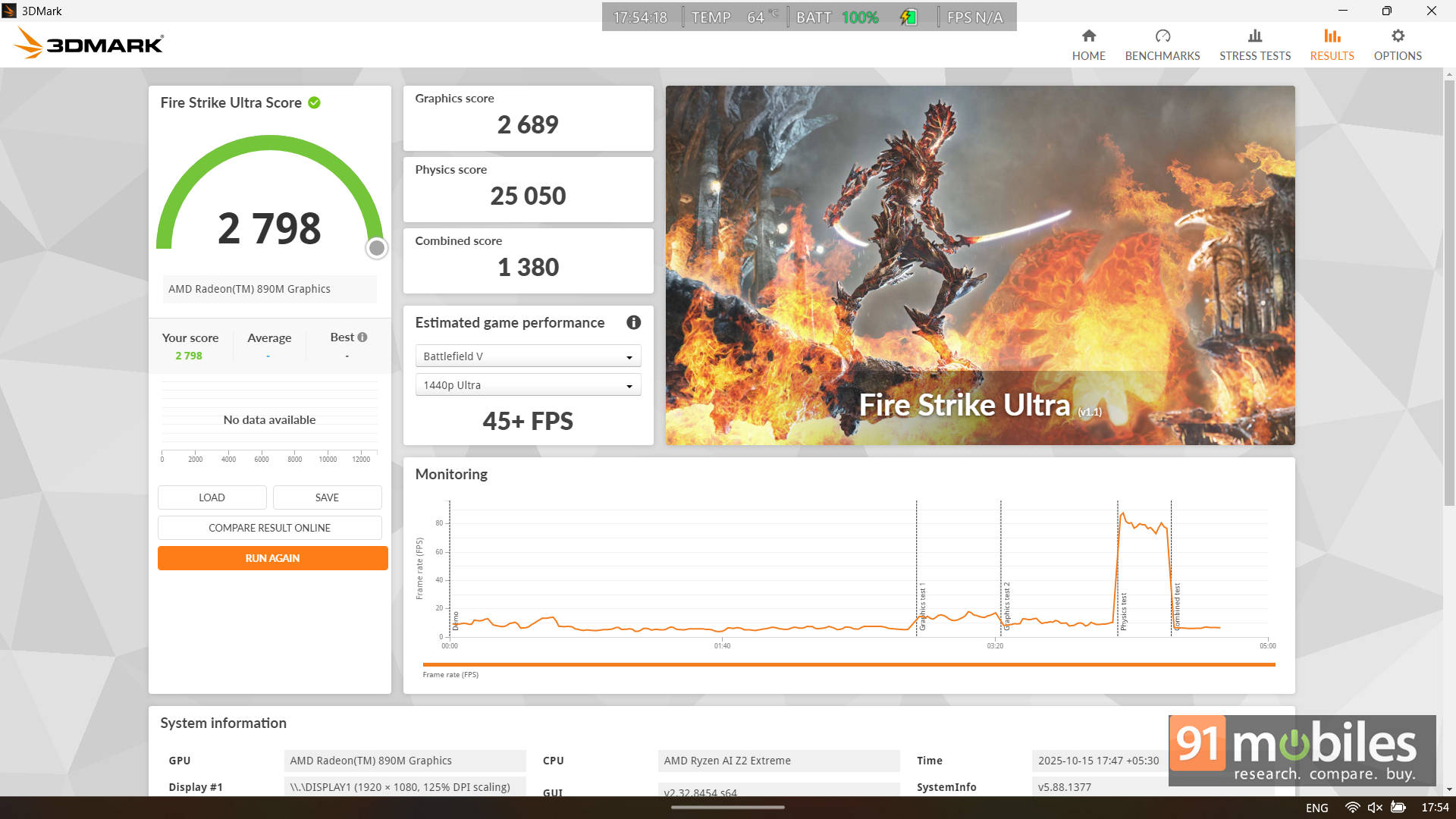
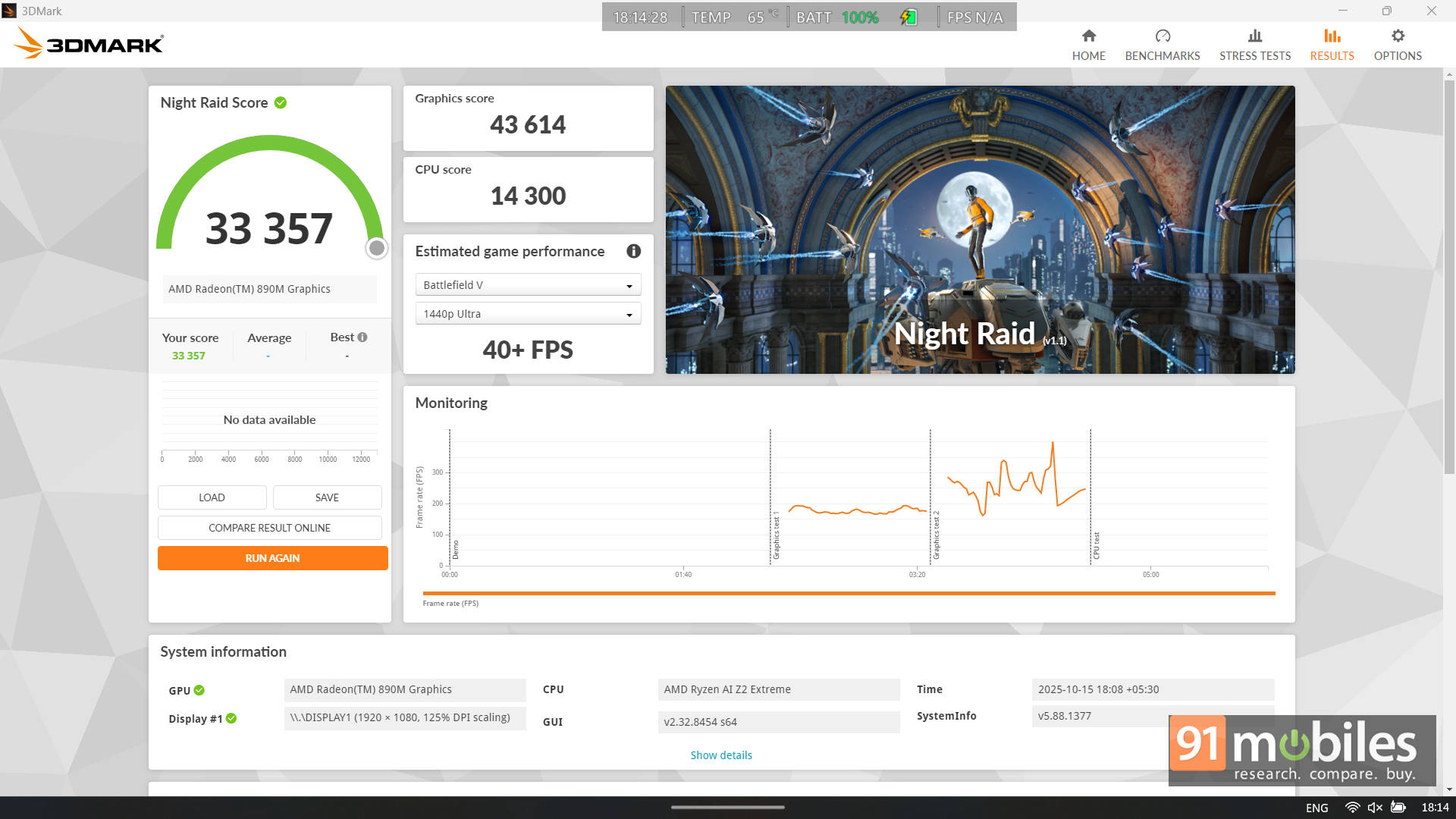
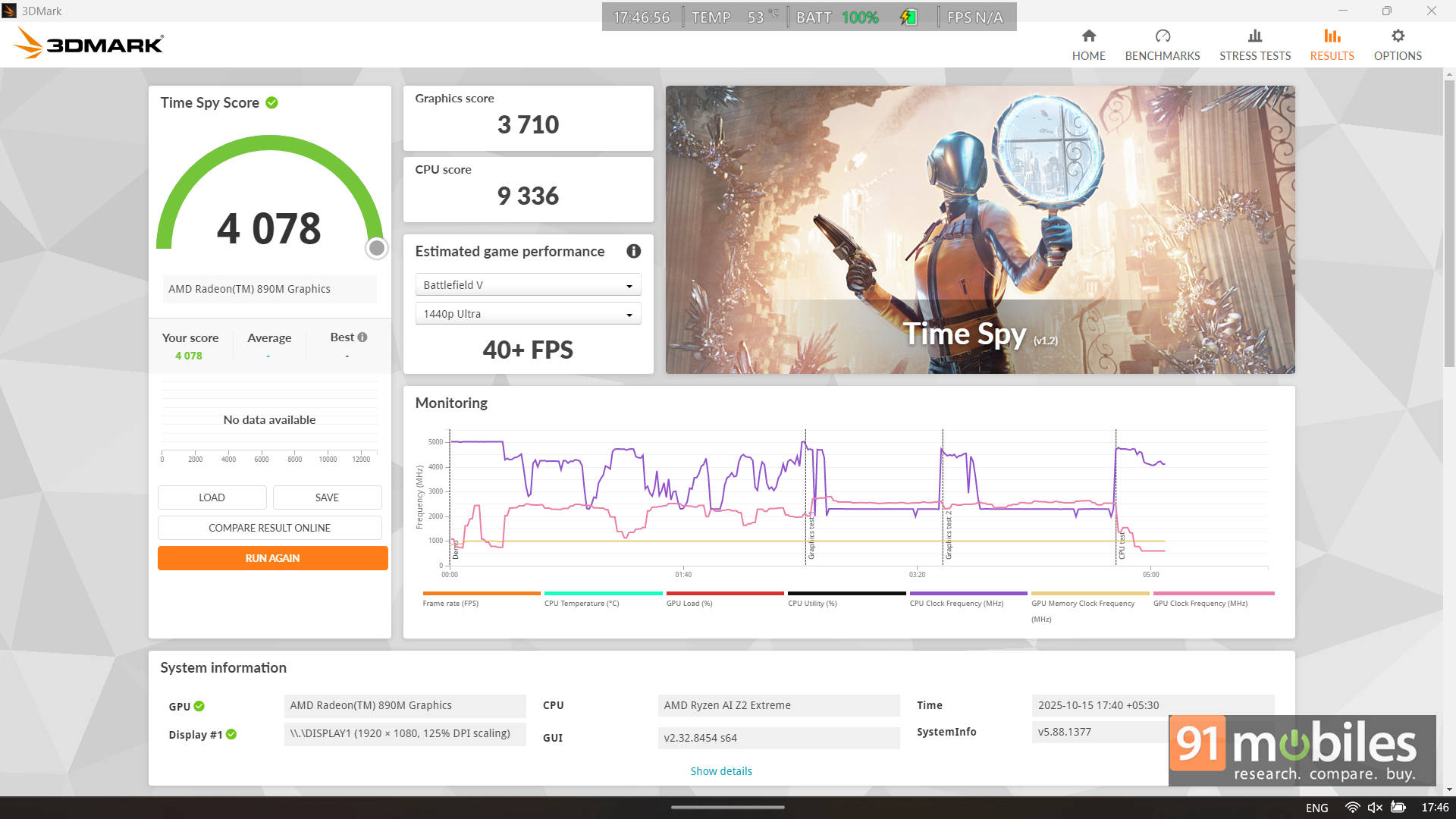
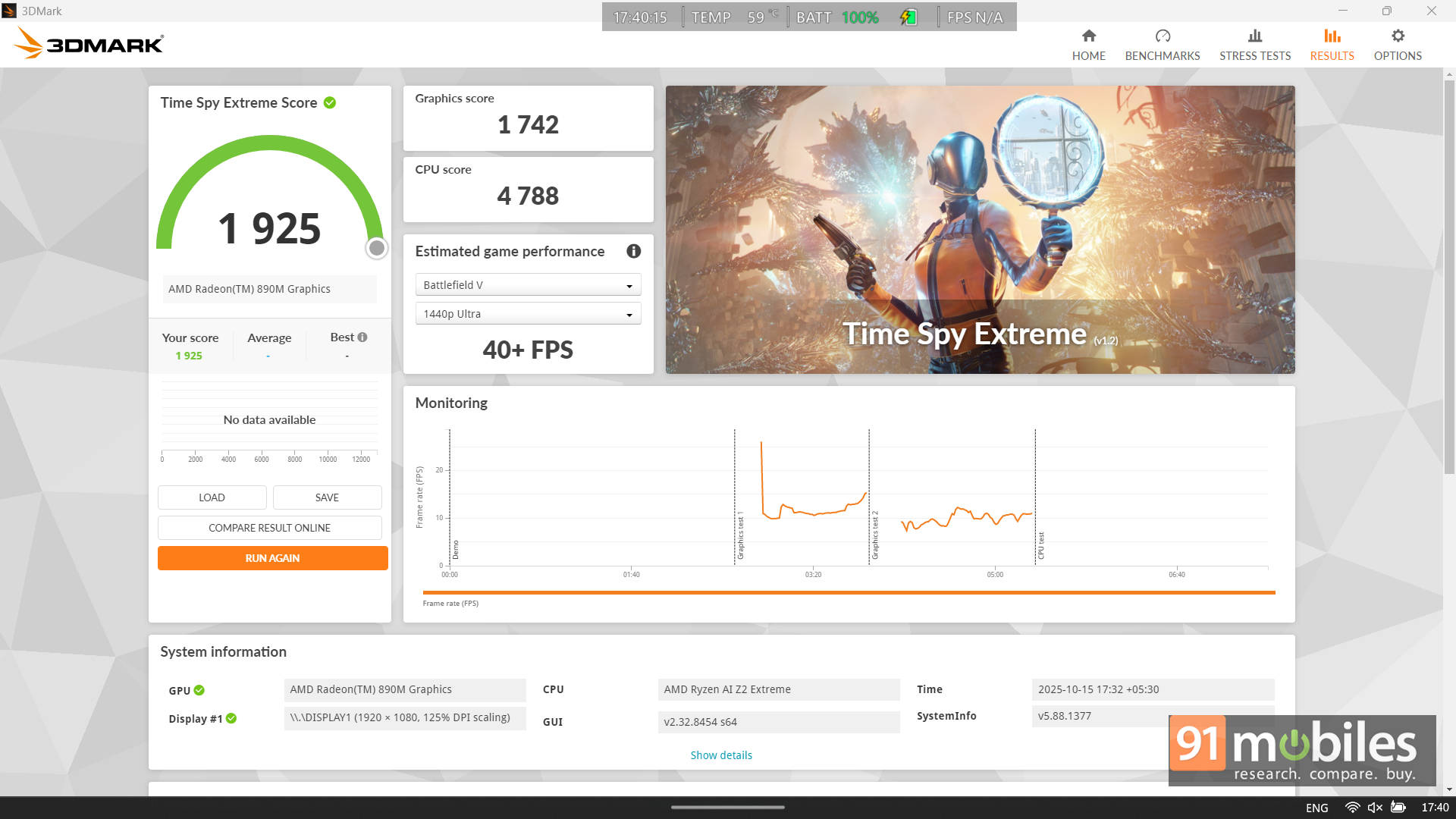
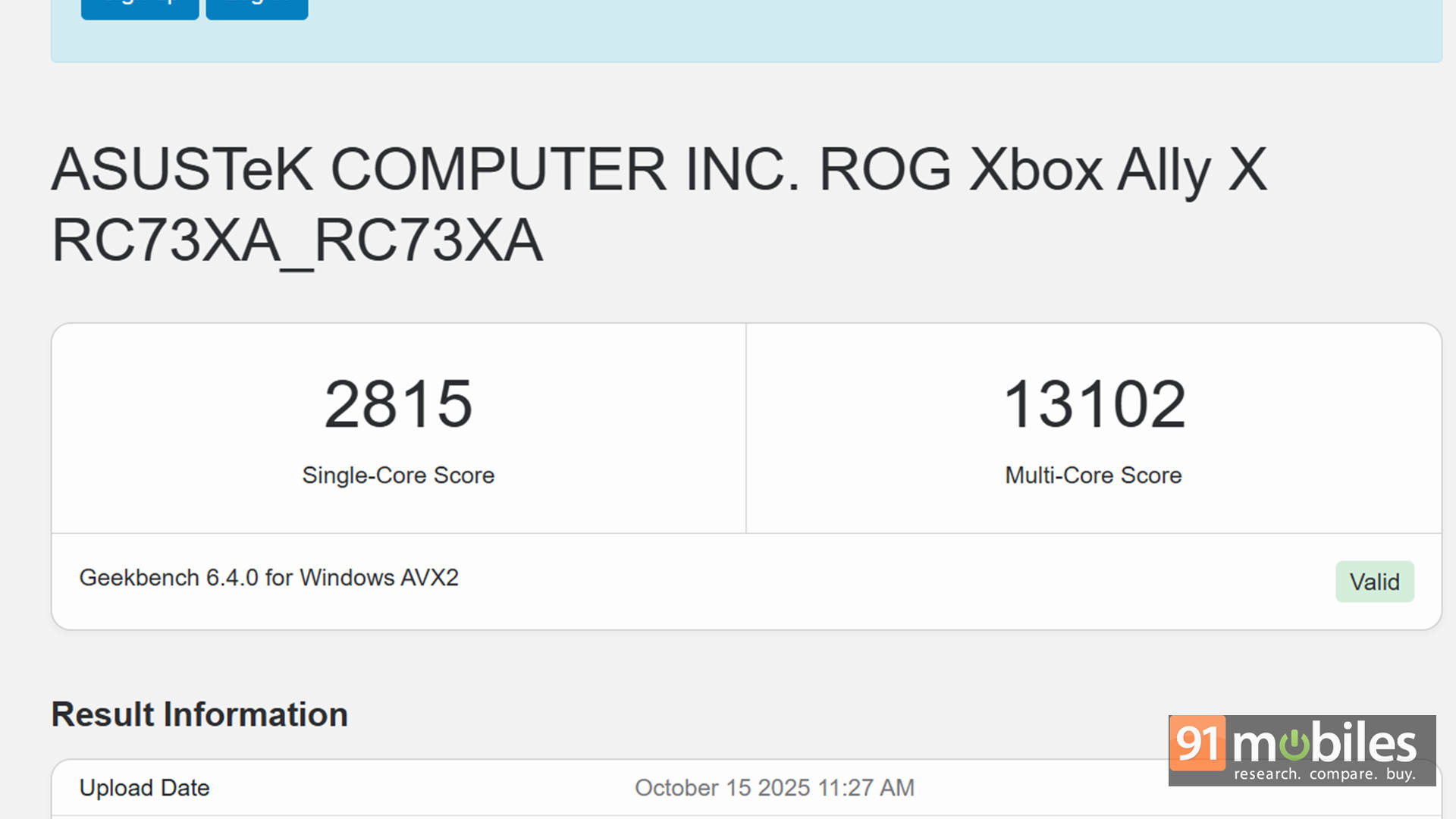
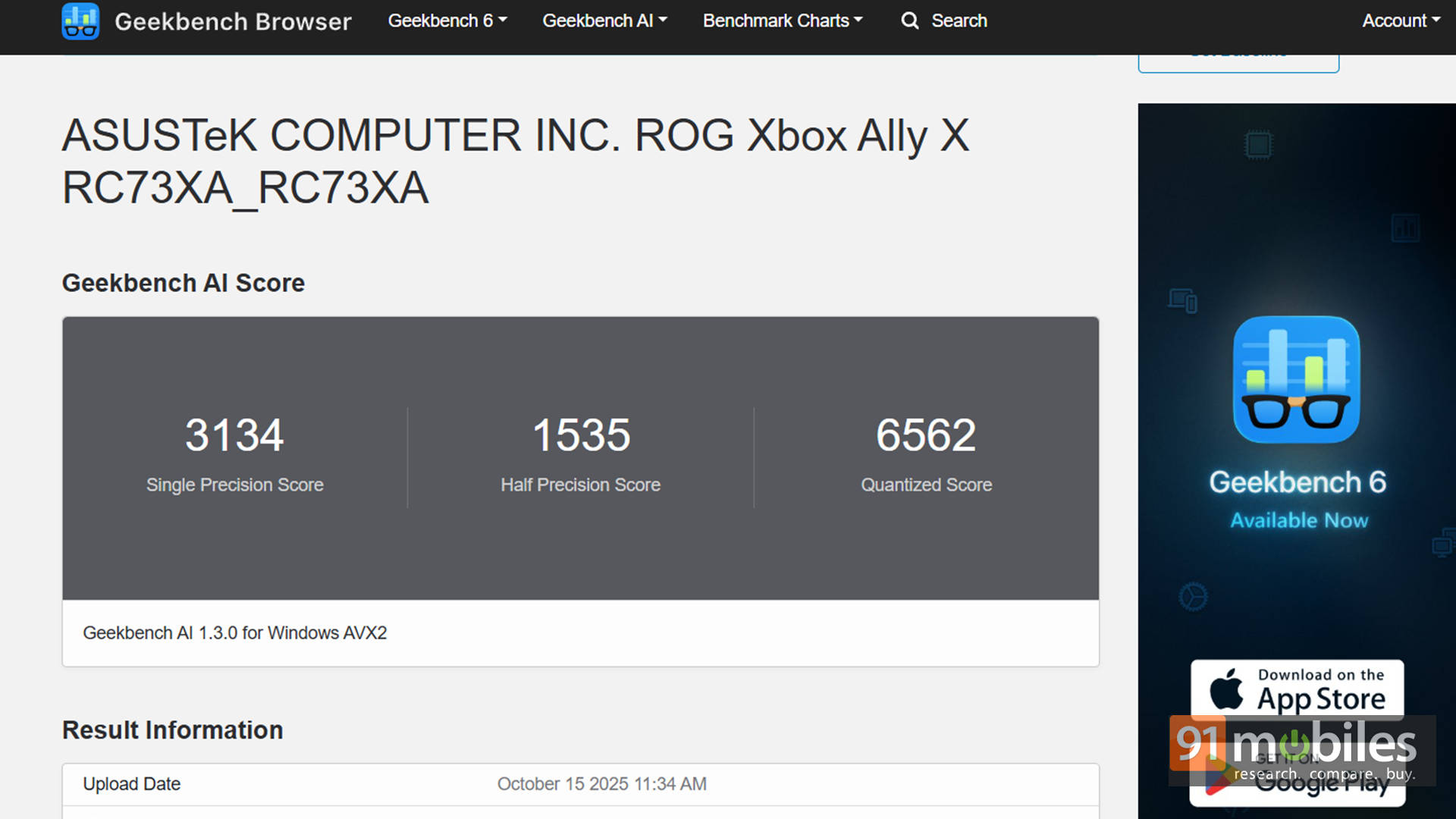
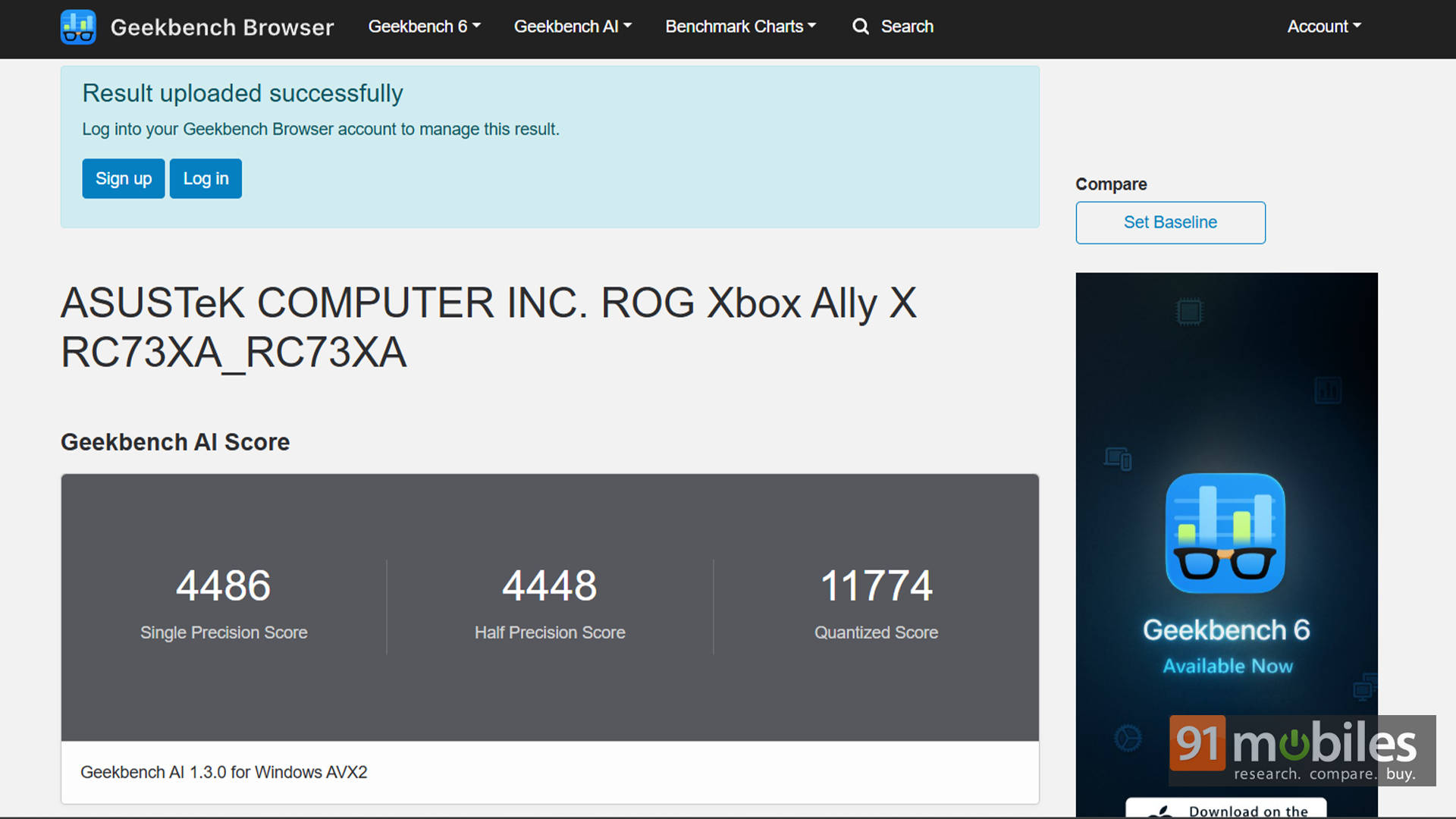
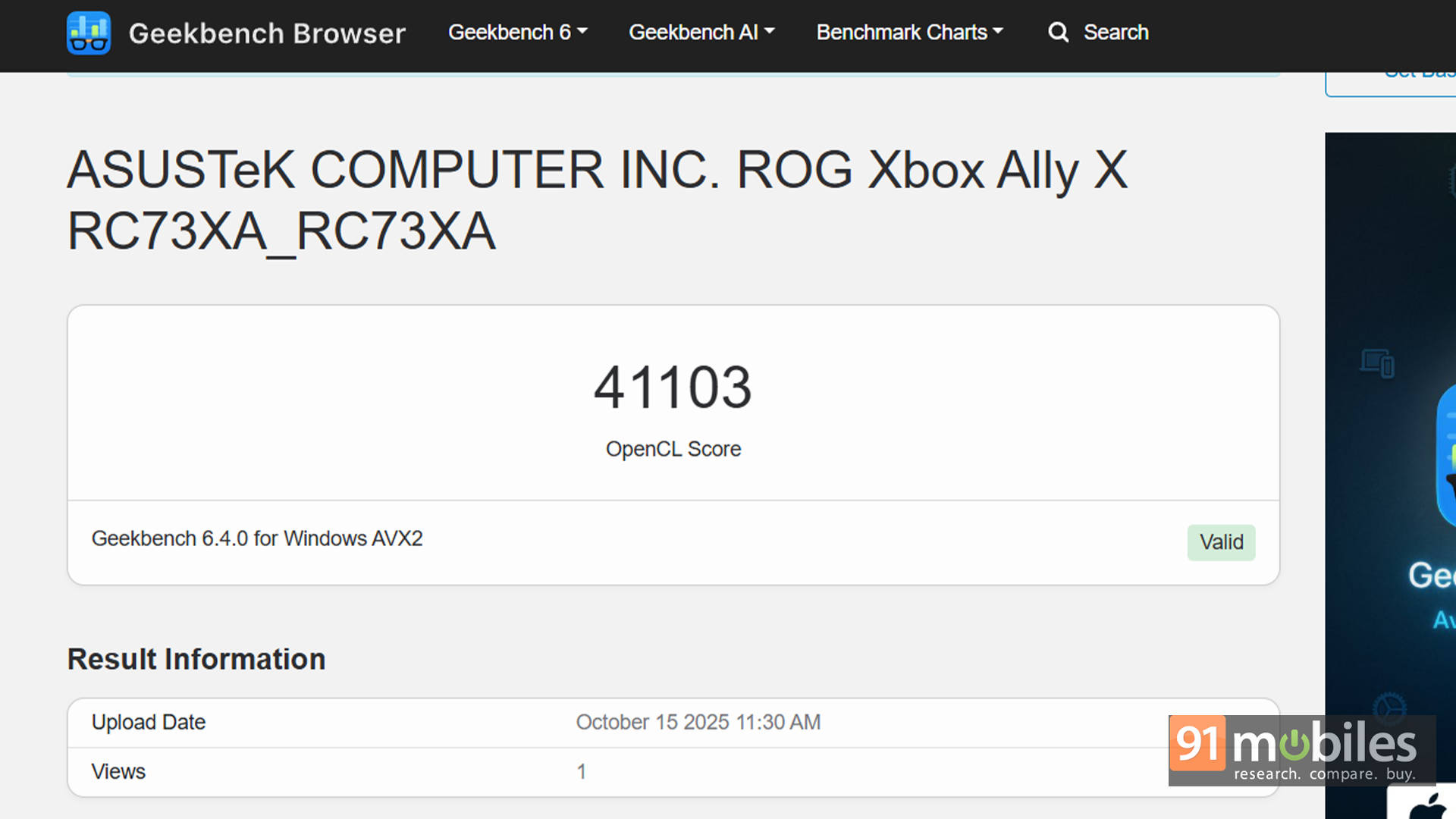
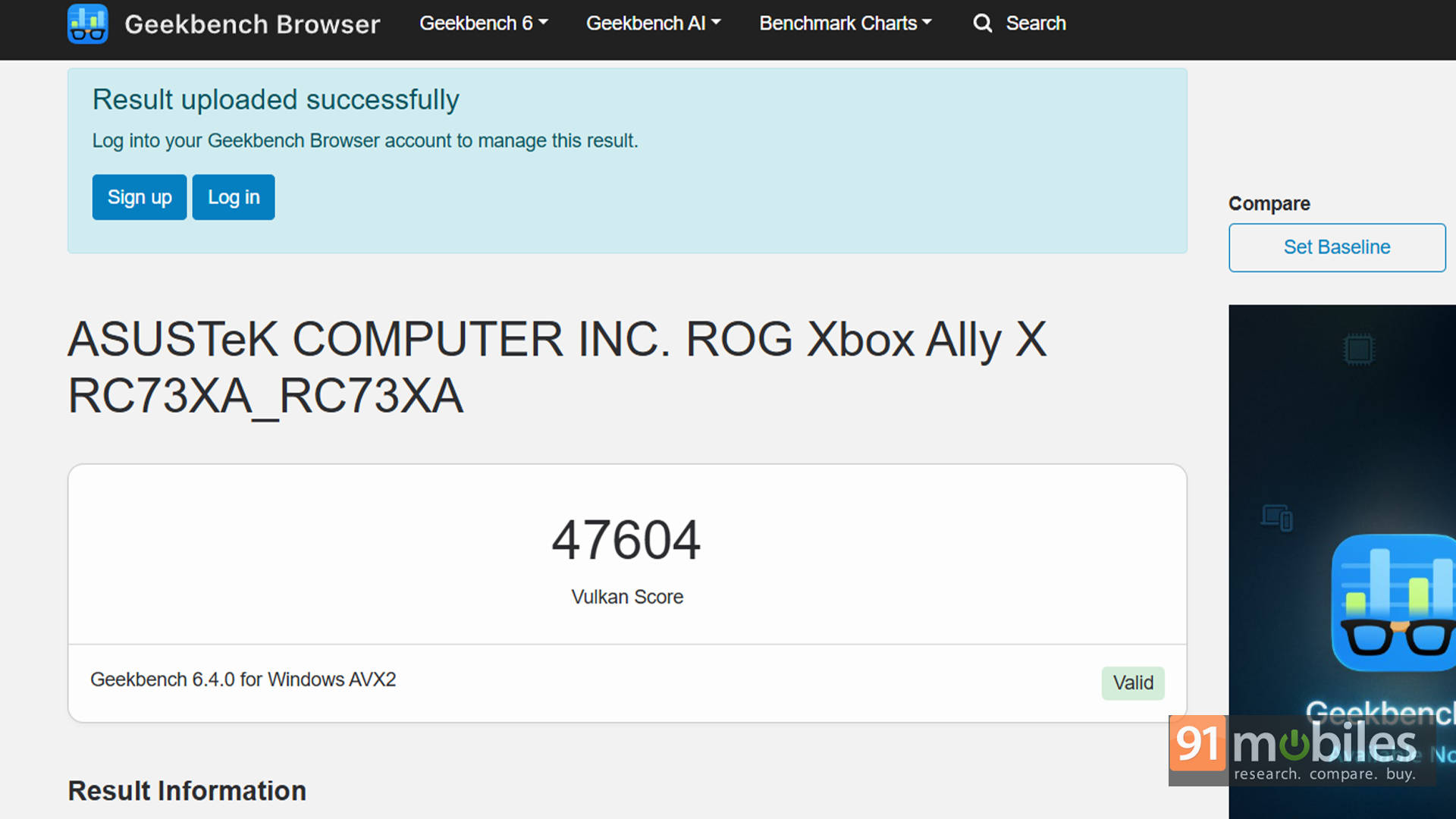


Drop the power down to 25W Turbo mode, and you’ll see around a 7–10% performance dip, which is expected given the reduced power envelope. Then again, that’s not a big deal for on-the-go gaming. But let’s be honest, no one buys this thing to stare at benchmark graphs. You buy it for games.
How It Plays
This is where the ROG Xbox Ally X truly flexes. I ran a mix of demanding AAA releases and well-optimised racers here, from Cyberpunk 2077 and Black Myth: Wukong to Forza Horizon 5 and Hogwarts Legacy. And I’m glad to report that the handheld consistently delivered solid results at 1080p, as you can see in the benchmarks below. Newer launches like Ninja Gaiden 4 and DOOM: The Dark Ages were playable too. Of course, you’ll typically be looking at a mix of Low-to-Medium settings plus AMD’s upscaling to hit comfortable frame rates, but the experience is surprisingly smooth for a device this size.
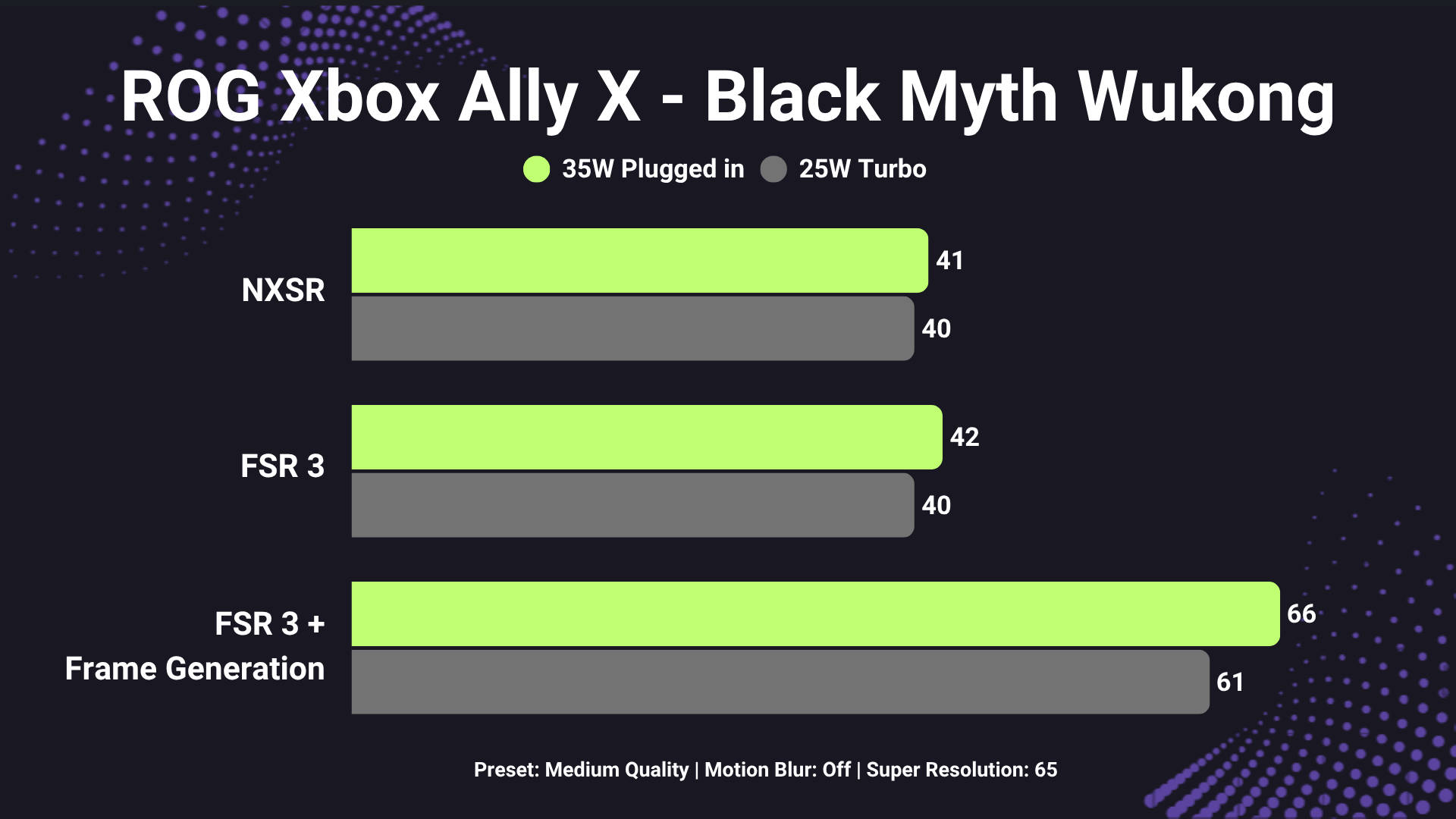
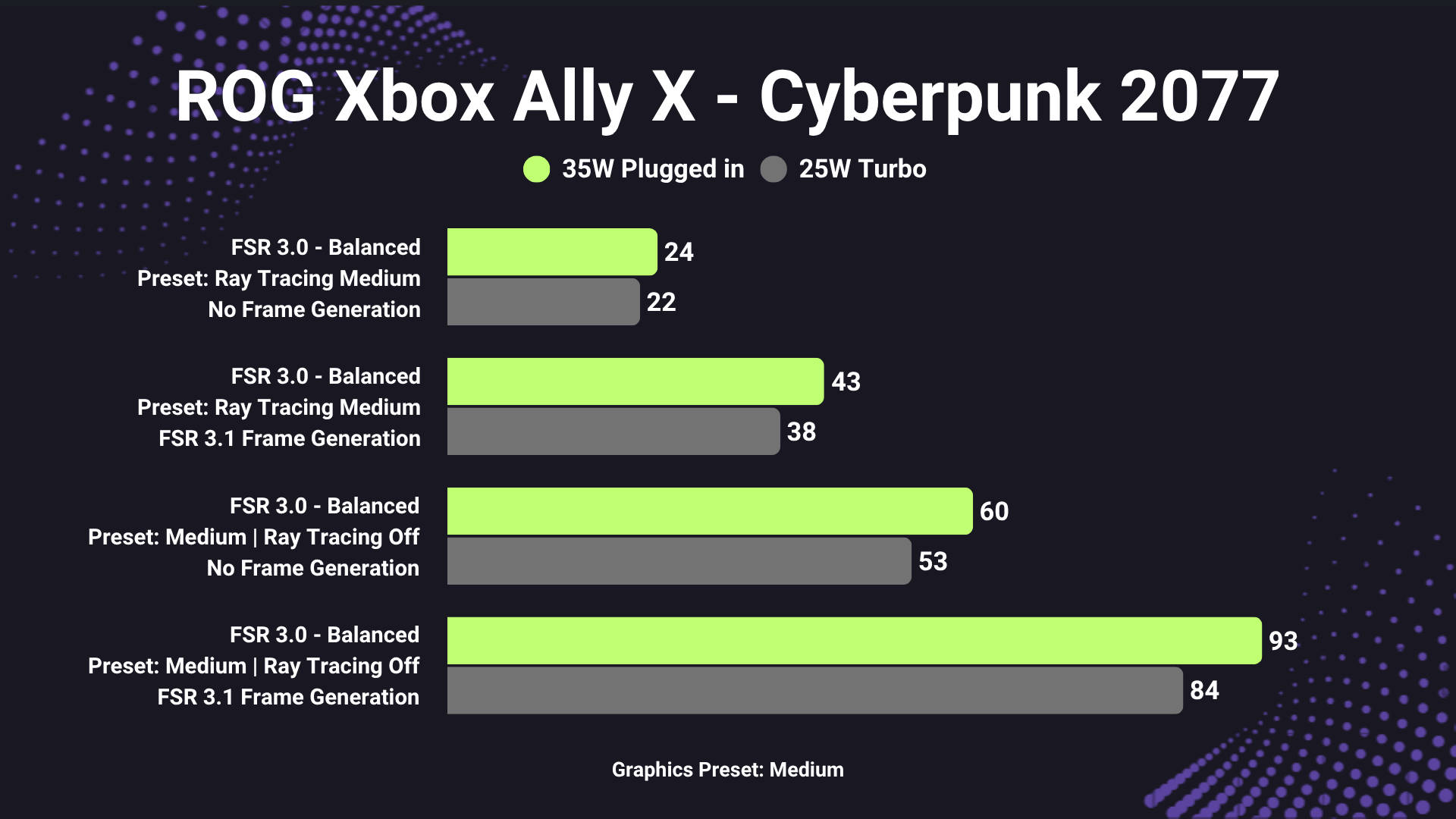
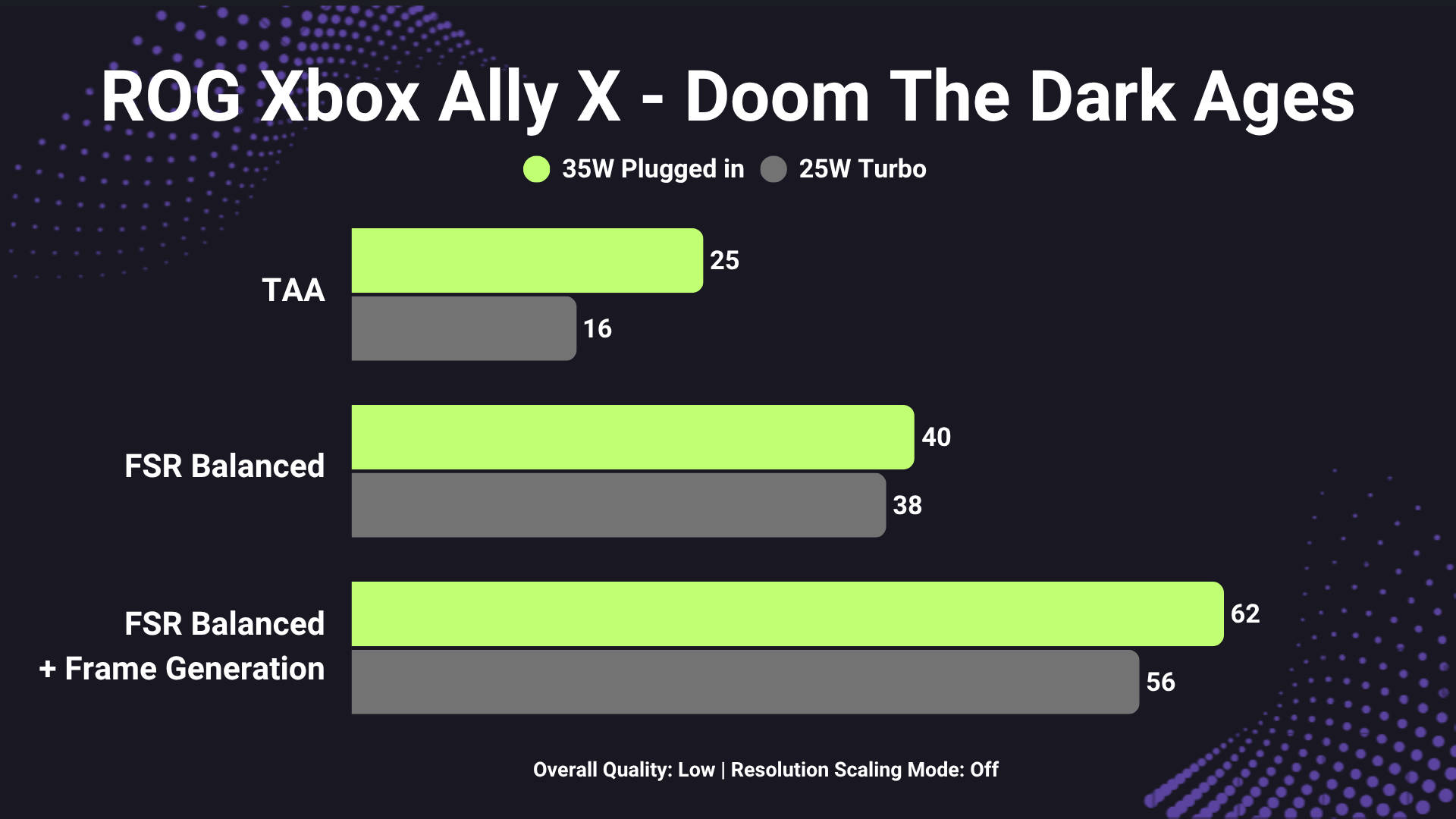
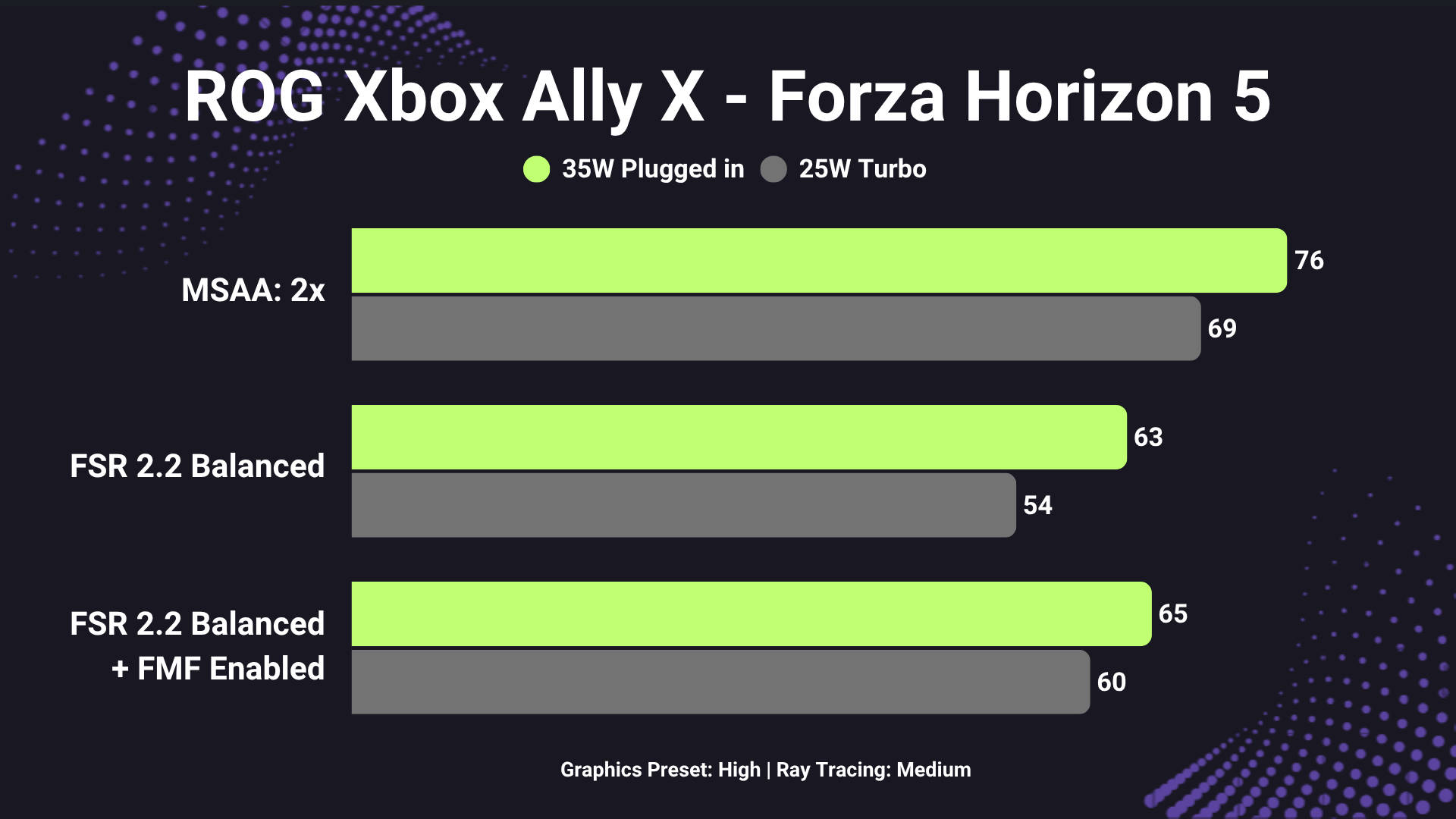
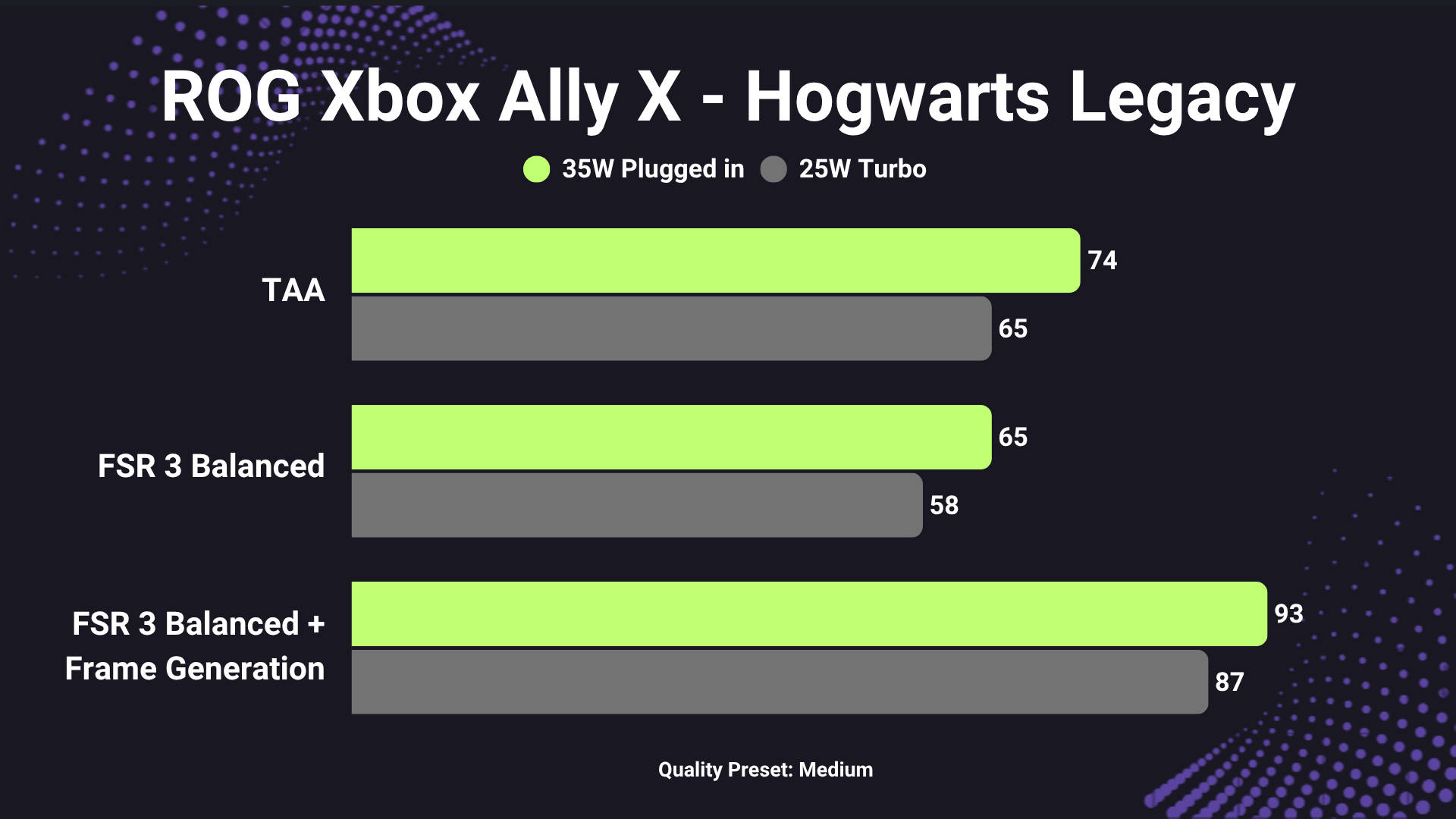
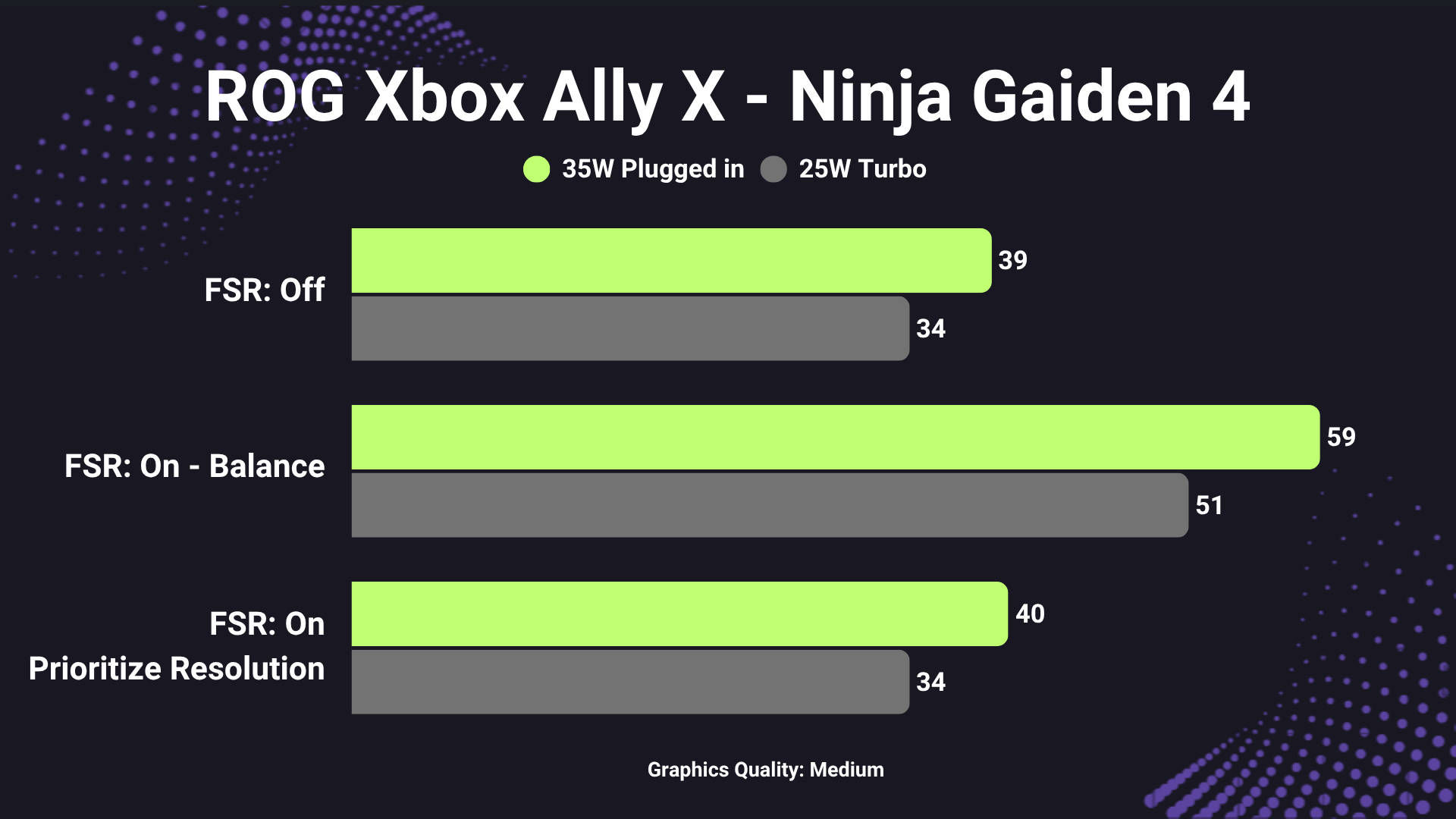
A few things to keep in mind. First, AMD’s FSR (FidelityFX Super Resolution), especially the latest iterations, is a game-changer for handhelds. It renders a scene at a lower internal resolution and then reconstructs it to 1080p, which saves GPU cycles and frees up frames. Not every title supports the newest FSR builds yet, but when it does, the ROG Xbox Ally X can push much higher averages without a massive hit to visual quality.
Secondly, for those of you who are new to the handheld scene, “Low” settings don’t mean “ugly” on a 7-inch display. Pixel density and screen size do most of the heavy lifting here, and as such, shadows, distant foliage, and certain post-processing tweaks are the easiest things to drop without ruining the look. In practice, many games at Low/Medium, with FSR enabled, look perfectly fine on the ROG Xbox Ally X’s 7-inch screen while running far smoother.
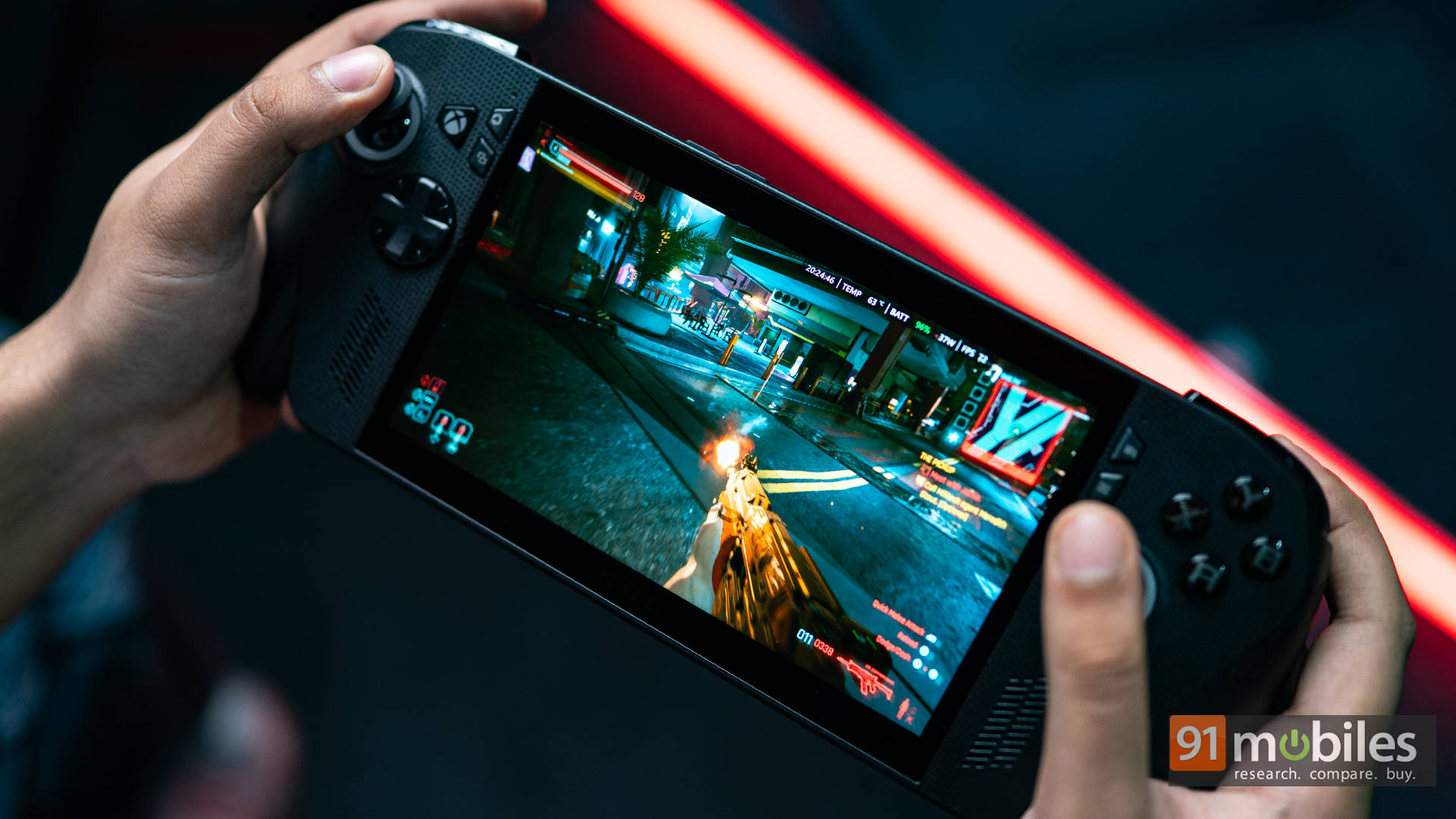
Finally, thermals and acoustics are handled well. The system rarely climbs past ~58 °C, and most of that heat is concentrated away from the grips, so hands stay cool. Fans do ramp in Turbo mode, but the noise level never becomes obnoxious, and there’s no weird coil whiff that some owners reported with earlier models. All told, performance feels balanced and intentional, not overheated bravado.
Xbox Full-Screen Experience: Great Idea, Half-Execution
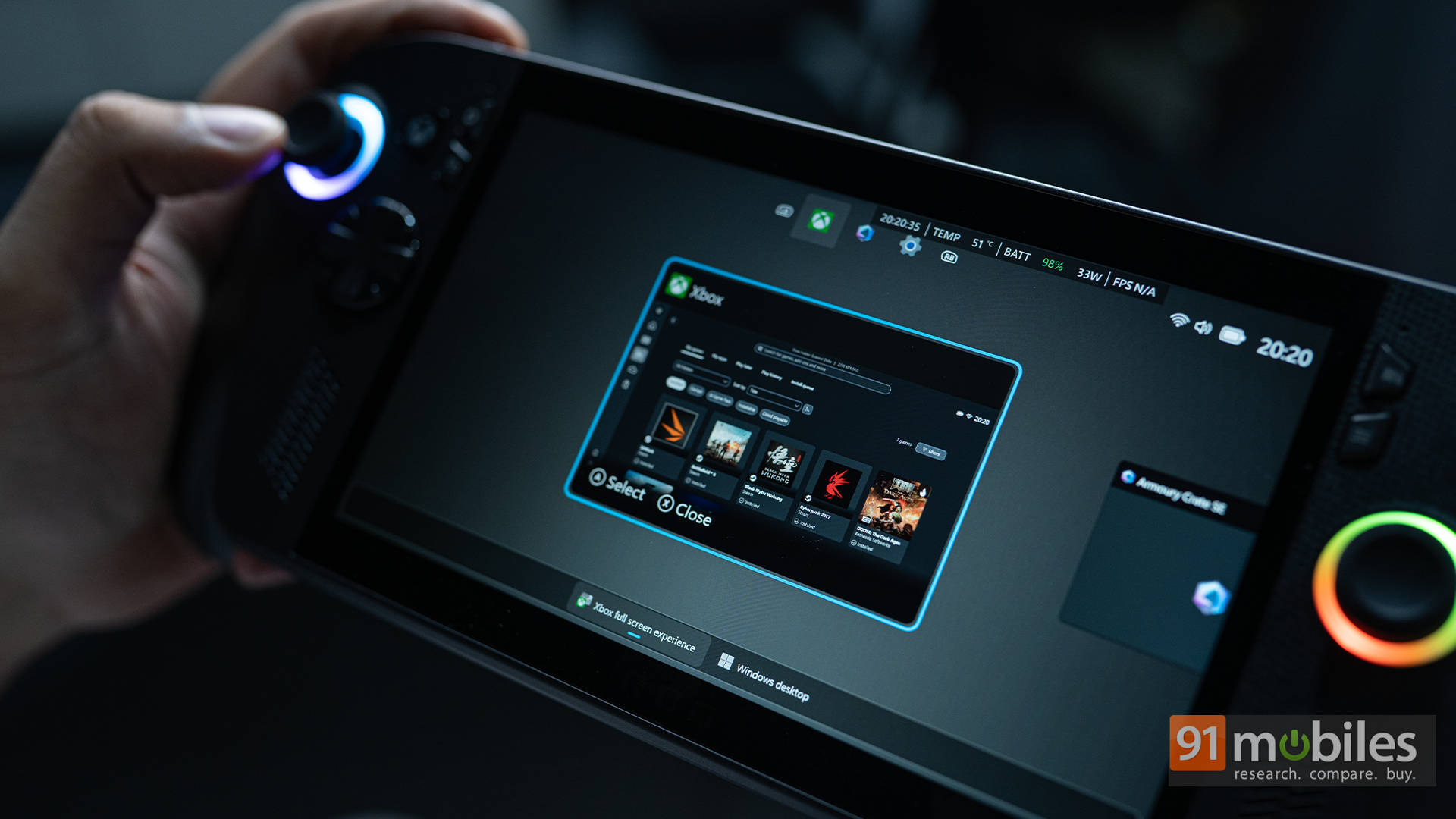
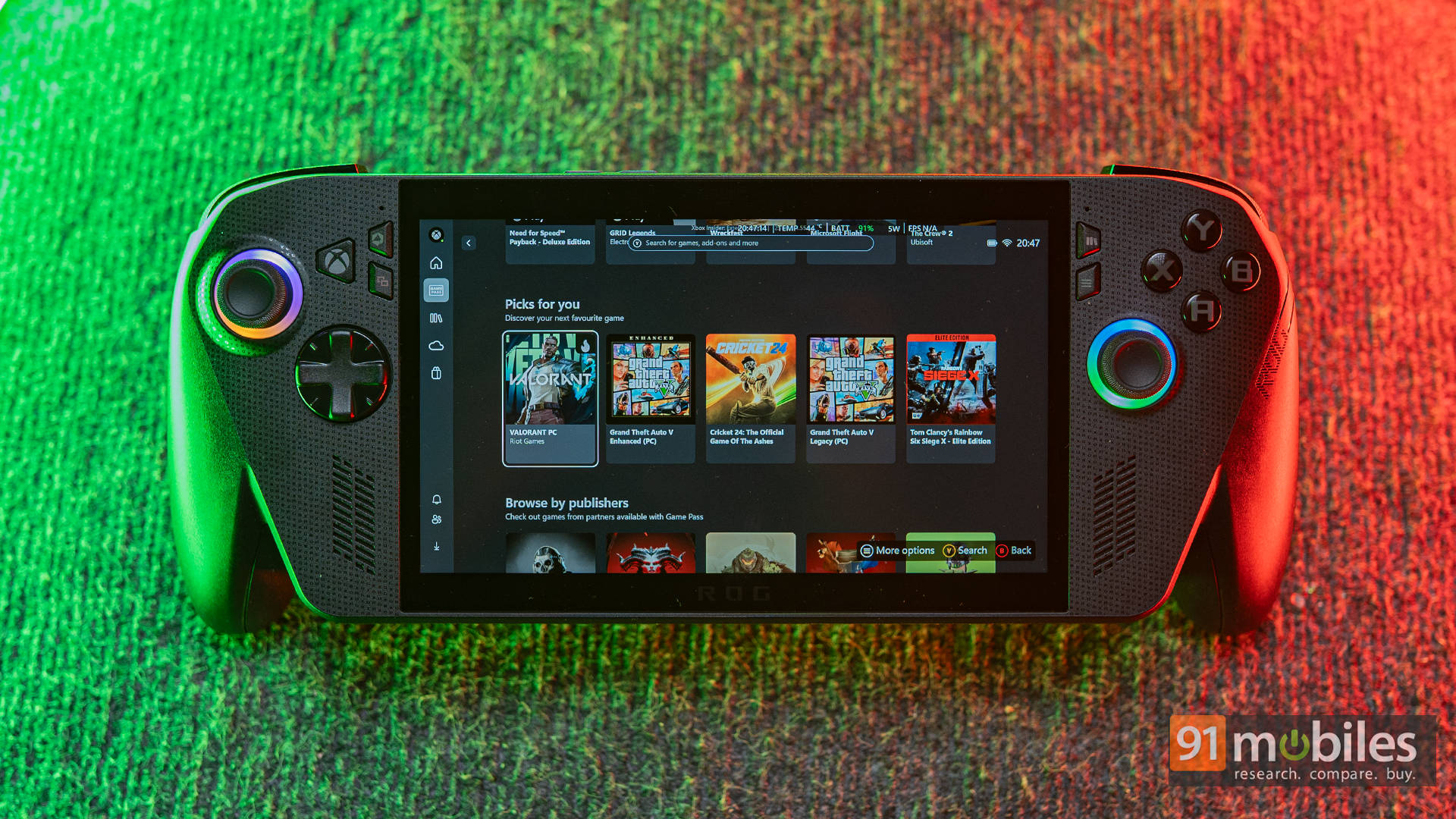
Okay, so here’s the feature Microsoft and ASUS hyped the most: Xbox Full-Screen Experience. The concept is simple: when you boot up, instead of loading Windows Explorer and background services, you jump straight into the Xbox UI — cleaner, faster, and console-like. And to be fair, it’s a solid experience.
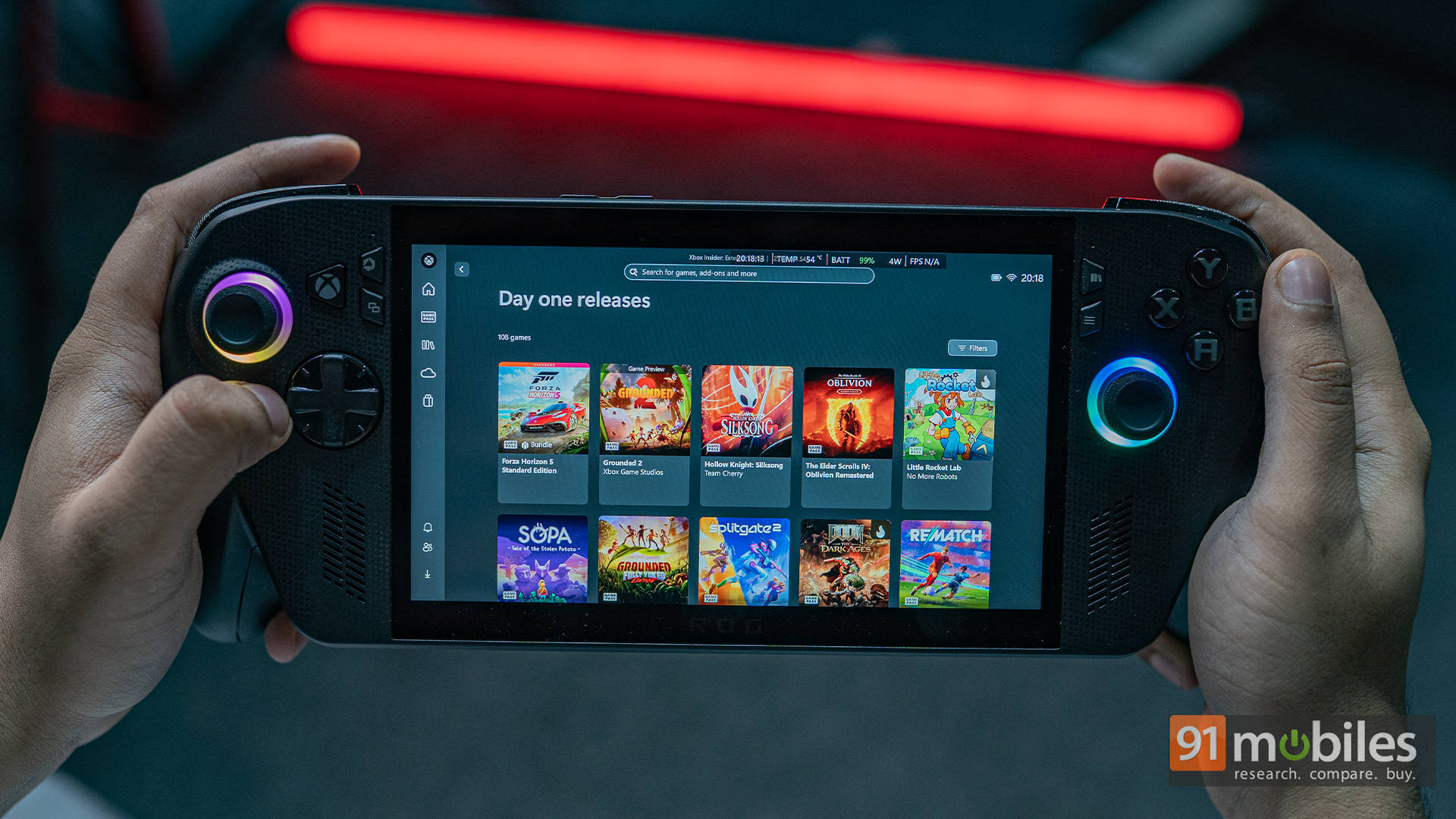
The interface looks like the Xbox dashboard, optimised for smaller screens. It supports all major launchers such as Steam, Battle.net, Epic Games, and more, thus letting you keep your entire library in one place. If I had to describe it differently, think of it as Playnite with an Xbox skin. That said, it doesn’t have the ability to add “unofficial games,” which most PC users would want to try out. But apart from that, the idea is nice. It even frees up system resources by not loading unnecessary background tasks like Explorer, so boot time and responsiveness do improve slightly.
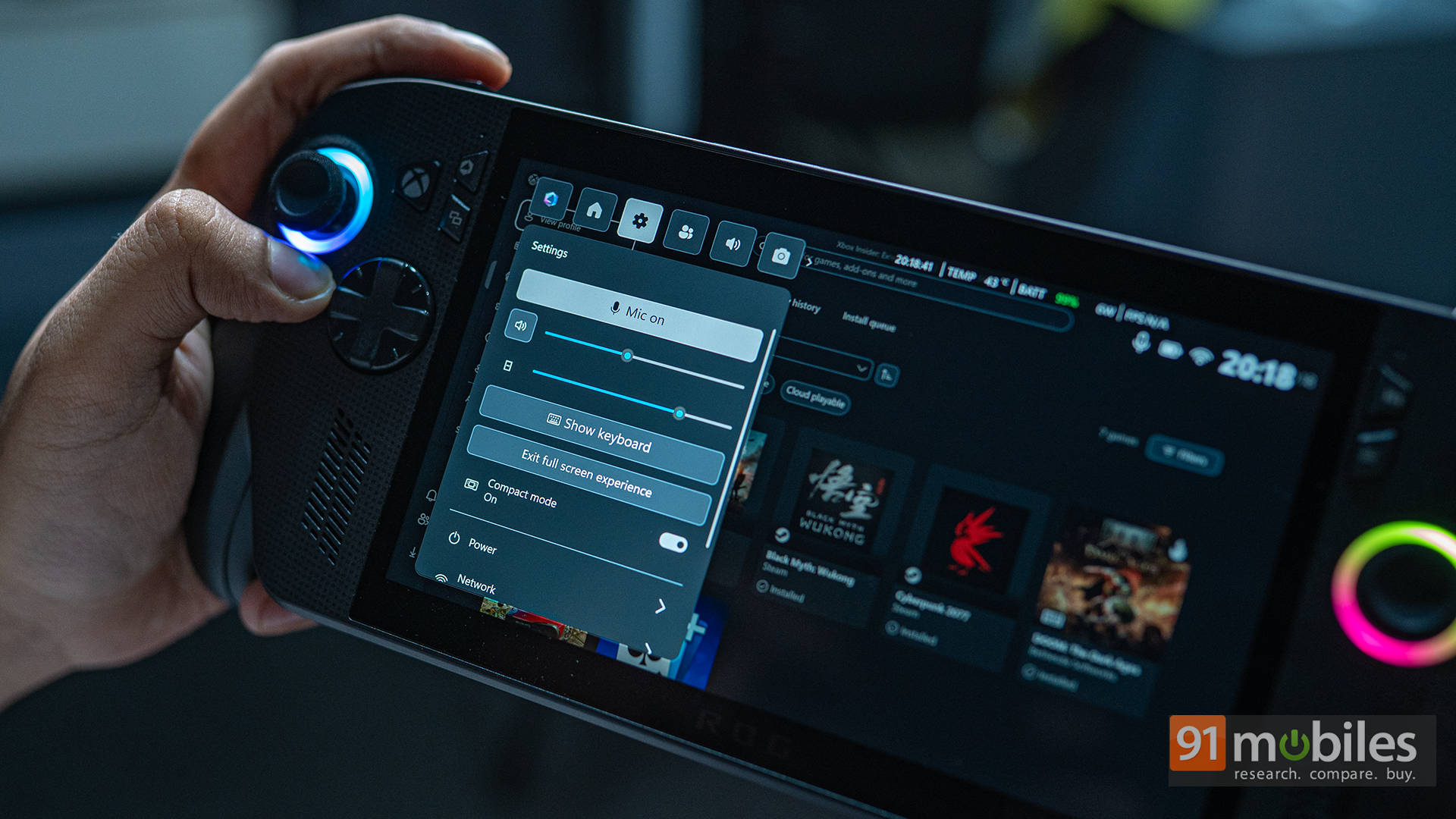
But here’s the thing: don’t mistake this for a new OS or expect FPS miracles. The performance difference between this mode and launching from desktop Windows is negligible, maybe 1–2 FPS at best. It’s mostly a streamlined launcher. Also, you’d assume the idea of the Full Screen Experience is to offer a console-like experience. However, ASUS’ own Armoury Crate still exists separately. So while you can launch games from the Xbox interface, you still need to dive into Armoury Crate for fan curves, updates, and deeper settings. It genuinely breaks the console illusion.
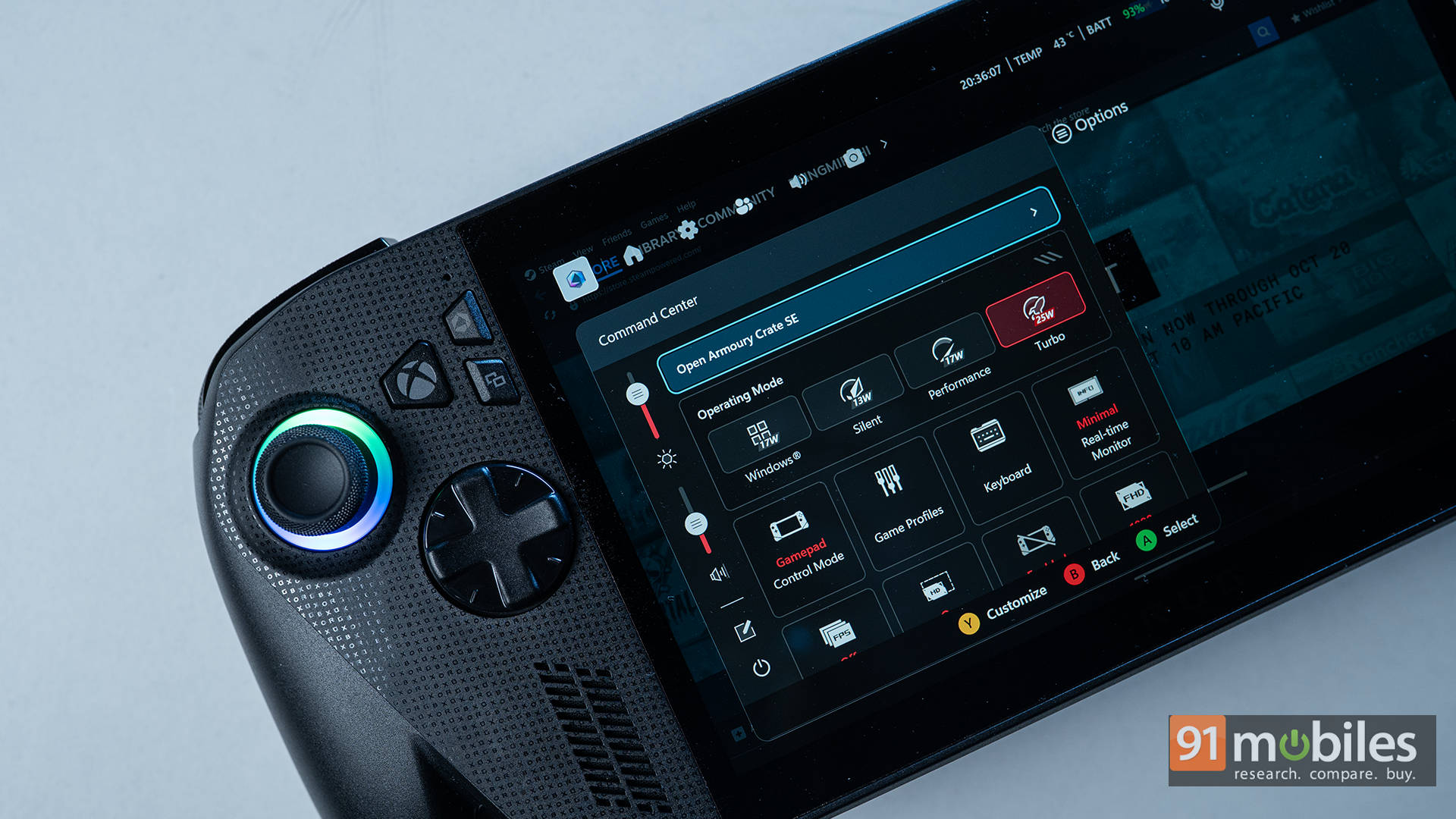
There are also a few random bugs sprinkled throughout the experience. Sometimes the device refuses to wake up properly, or the touchscreen demands surgical precision to register a tap. They’re small, fixable issues, but they’re also a reminder that the ROG Xbox Ally X is still very much a PC dressed up as a console.
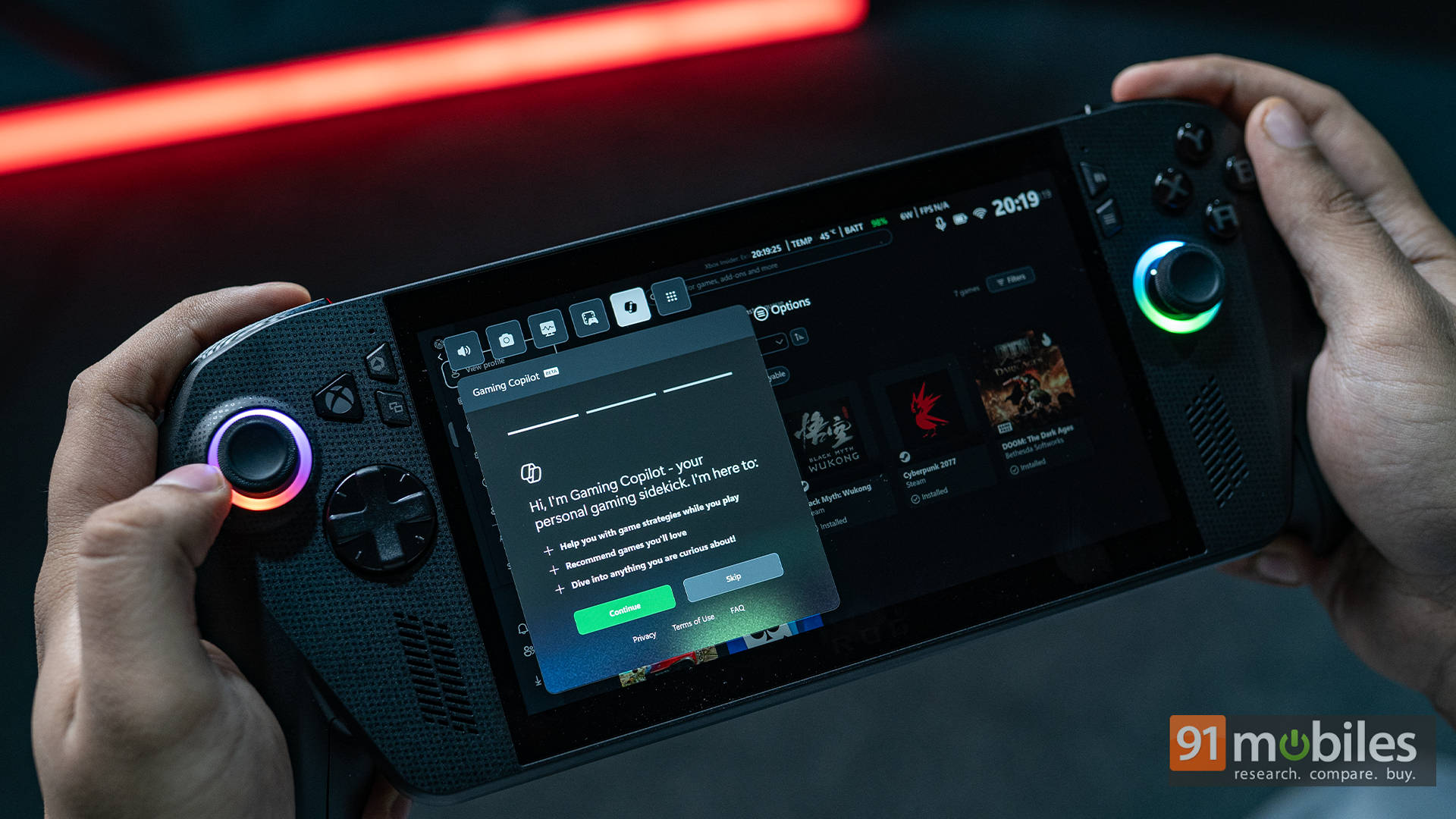
And like any PC, you’ll still have to deal with the occasional login circus. Fire up Cyberpunk 2077 or The Witcher 3 for the first time? Even if you launch them through the Xbox app, you’ll be kicked over to CDPR’s launcher to sign in before you can actually play. The same goes for Apex Legends with EA’s login, or Assassin’s Creed titles that pull up Ubisoft Connect. You get the idea, right? It’s not quite the seamless, one-button simplicity that an actual Xbox console delivers.
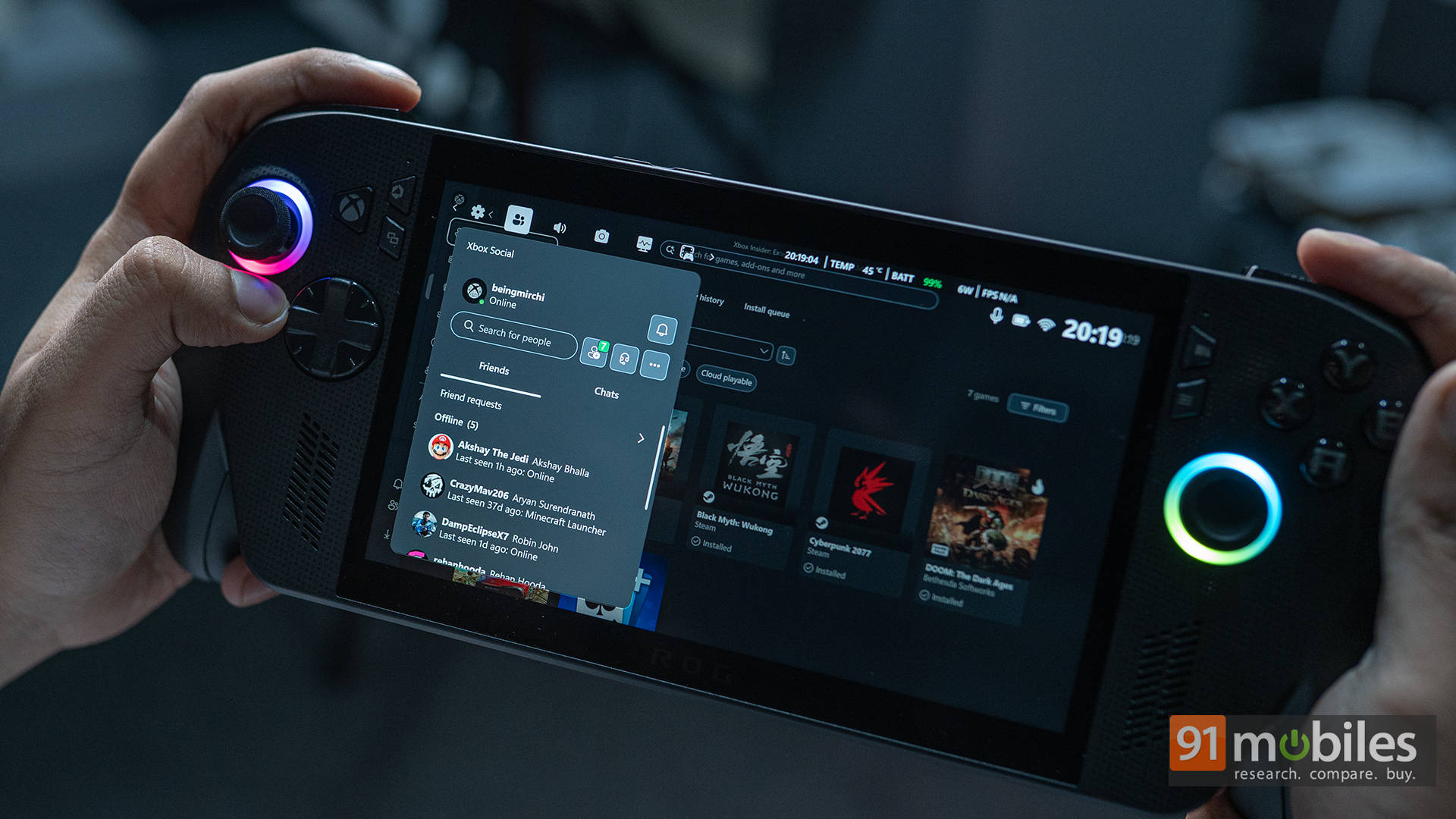
That said, I still like the idea. It’s smoother than Armoury Crate’s old launcher and makes casual sessions feel more “pick up and play”. Just don’t buy into the marketing idea that it’ll magically boost your performance. It won’t.
Note: We’ve seen tests of Linux-based OS such as Bazzite actually performing better, so if you’re into tinkering with your devices, you can actually check that out.
“This Is an Xbox” — Or Is It?
Microsoft’s claim that “this is an Xbox” is both true and misleading. Let’s start with the good, though.
The ROG Xbox Ally X is excellent for Xbox Remote Play. If you own a console and have a solid internet connection, you can stream your entire library from your Xbox to the Ally X anywhere in the world. It’s responsive, smooth, and shockingly close to native play when latency is good. This is easily one of its strongest selling points, and ASUS deserves credit for integrating it natively. Funny enough, every handheld user, even Steam Deck users, could enjoy the same remote play magic through the XBPlay app… until it abruptly ended support a month before the ROG Xbox Ally X launched. Coincidence?
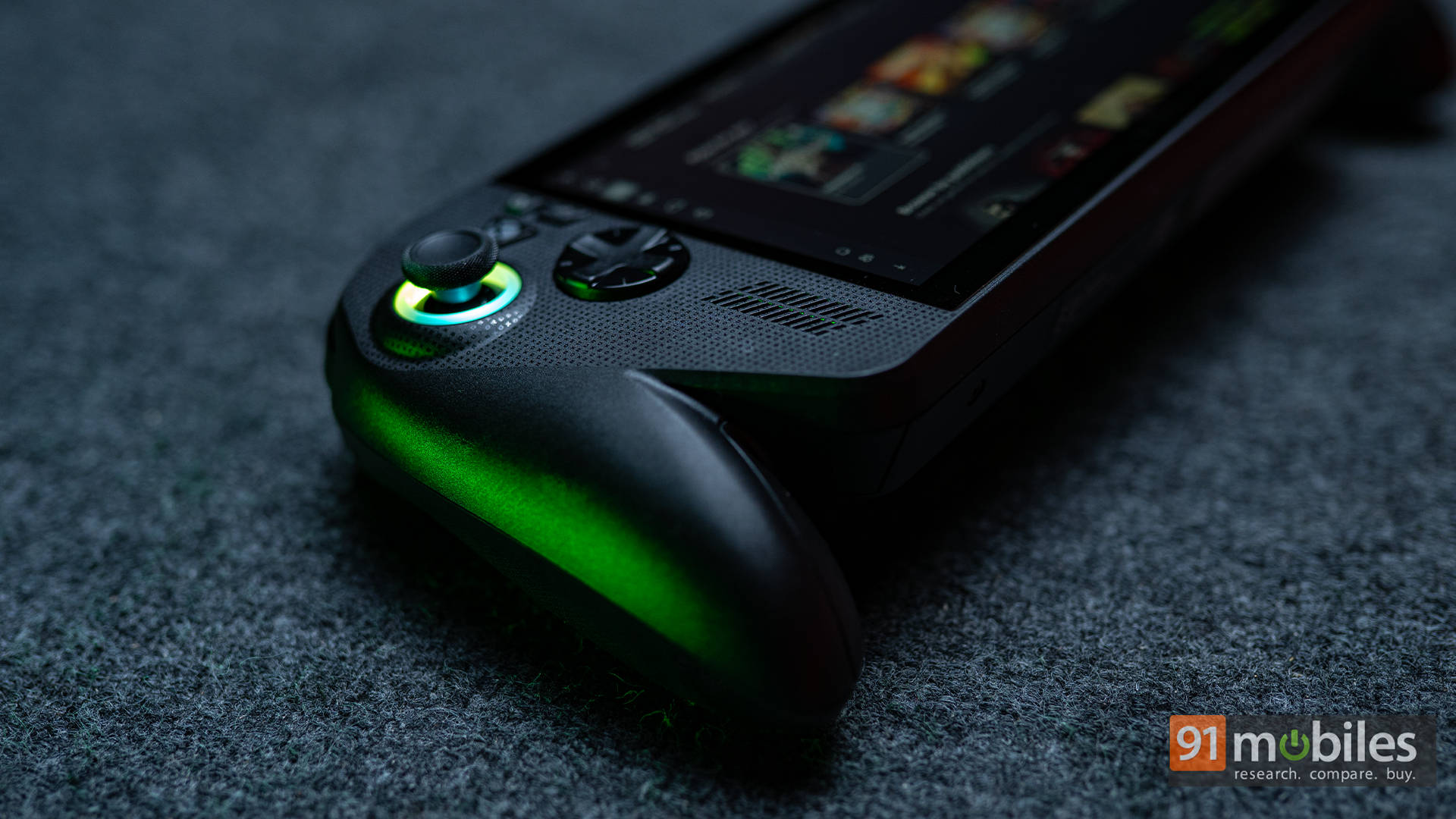
But back to the Xbox’s handheld, Remote Play is also where the illusion of it being a console ends. The ROG Xbox Ally X still runs Windows. It still opens launchers like Steam, Epic, and EA before you play. And while Xbox Play Anywhere titles do let you share games between Xbox and PC, that list is tiny. Heck, even some first-party titles don’t support it. So no, you can’t just sell your Xbox and expect to carry your library here.
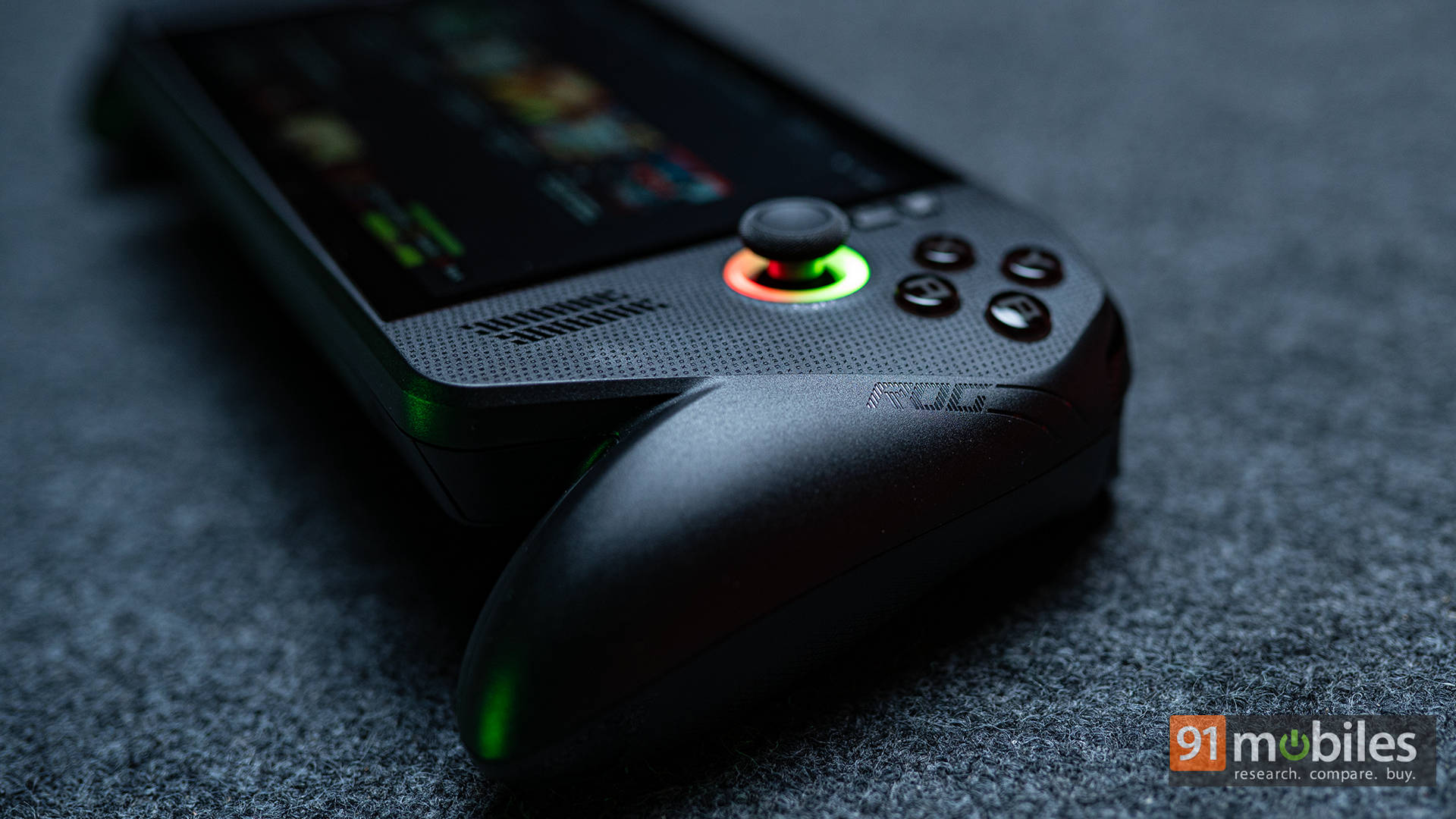
Sure, for Game Pass users, it’s a different story. Everything syncs nicely, and you get immediate access to your subscription library. What still needs work is cross-progression, as to how your save files sync between the Xbox and PC versions. Microsoft really needs to standardise this if it wants the “This is an Xbox” message to feel genuine.
Long story short: this is still a PC, with all the little quirks that come with it. The Xbox flavouring is welcome, and some parts work brilliantly, but there’s still a real need to educate customers so they actually know what to expect. To their credit, the newer ad for the ROG Xbox Ally X finally seems to be doing just that. It emphasises that it’s meant to be a part of the Xbox ecosystem, not a replacement for it.
Battery Life: Surprisingly Better, Still Not Amazing
Alright, now, let’s talk endurance. The ROG Xbox Ally X packs an 80Wh battery, which obviously doesn’t sound like much compared to laptops, but it’s huge for a handheld. To give you a baseline, in my usual gaming usage, the original Ally lasted just under an hour, while the Ally X managed about 1.5 hours. Now, the all-new ROG Xbox Ally X stretches that to 2 hours of average gaming, which is pretty decent.
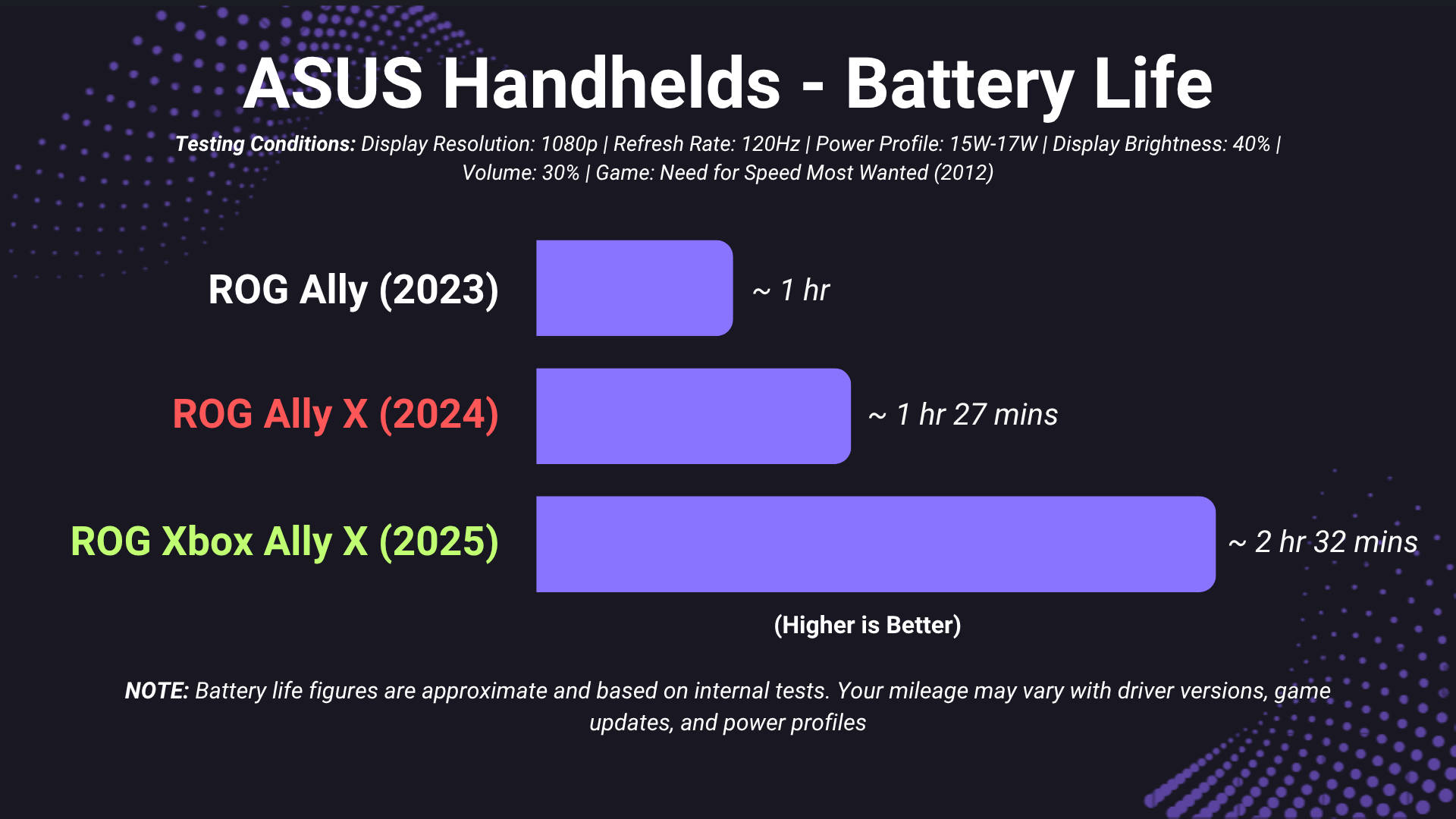
Of course, if you’re playing lighter indie titles, emulators, or 2D games on Silent mode, you can push 3.5 hours. That’s a big jump. But for high-end games, you’ll still drain it quickly.
Personally, I’ve started carrying a 20,000mAh power bank. Plug it in, and battery anxiety disappears. And honestly, most people who own handheld PCs end up gaming plugged in anyway. Whether it’s a flight, car, or train, charging options exist. So while better battery life is always nice, it’s not the dealbreaker some make it out to be.
Display: The OLED That Never Was
Now this is where I feel ASUS dropped the ball a little. The ROG Xbox Ally X still uses a 7-inch 1080p IPS LCD panel — the same as before. On paper, it’s great: 120Hz refresh rate, VRR (Variable Refresh Rate), and punchy colours. In fact, it’s one of the best LCDs in the category.
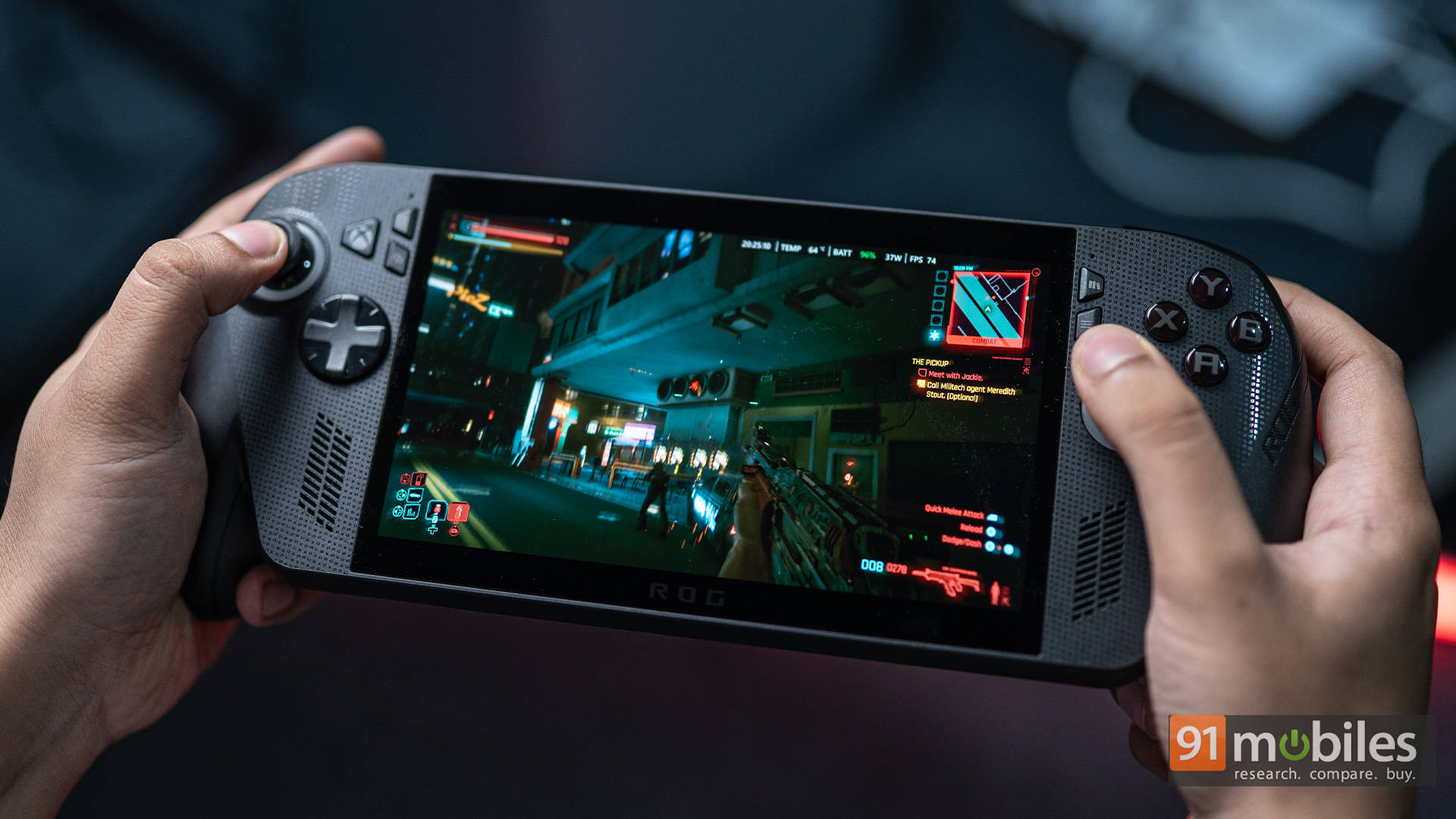
But it’s not OLED. After using the Steam Deck OLED, it’s hard not to notice what’s missing: true blacks, deeper contrast, and more battery efficiency. Games like Ori, Hades, and Spider-Man would’ve looked stunning on OLED.
That said, I can’t fault the IPS panel itself. It’s bright, crisp, and consistent across lighting conditions. OLED would’ve made it better, sure, but this is still a top-tier display in isolation. ASUS probably chose reliability and refresh rate over bleeding-edge panel tech. It’s a fair trade, though a slightly disappointing one, especially when you remember the price you’re paying for this handheld.
Price, Value, and Who It’s For
Speaking of which, let’s rip off the Band-Aid; the price absolutely hurts. In the US, the ROG Xbox Ally X sits at $999, and in India, it’s a hefty Rs. 1.15 lakh, making it the priciest handheld on the market right now. That alone narrows its audience quite a bit.
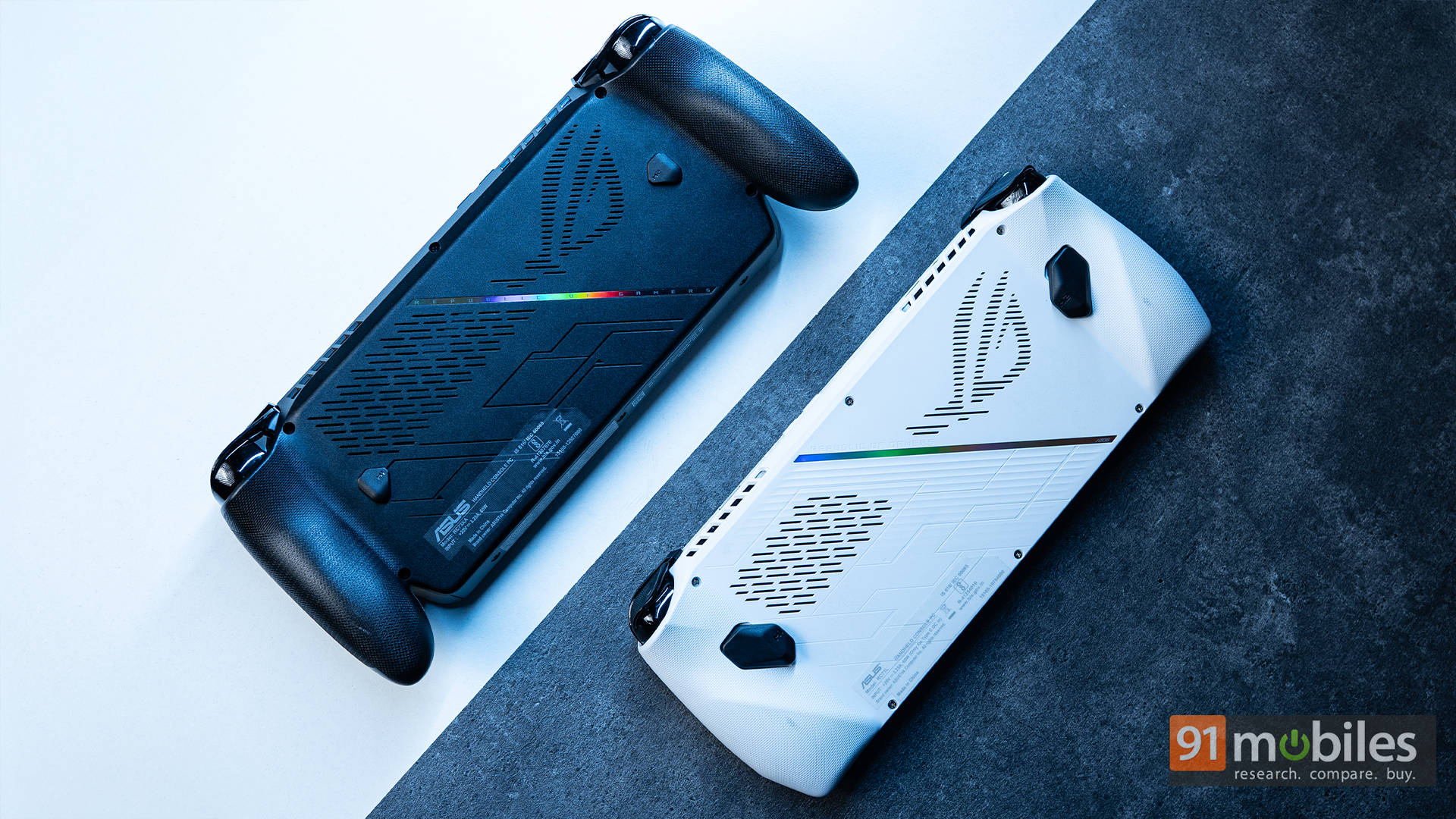
See, if you’re chasing pure value, the Steam Deck OLED or even the original ROG Ally still make more sense. But for those who understand what they’re buying: the best build quality, the latest hardware, the most comfort, and the flexibility of a full Windows machine? For them, the price is still steep, but in a way, understandable. You see, ROG products have always catered to enthusiasts. The ROG Xbox Ally X isn’t meant to compete on price; it’s meant to compete on experience.
Take my colleague Sameer, for instance. He’s a gamer dad but doesn’t want to hog the family TV. For him, this thing’s perfect. He can stream Forza Horizon from his Xbox, park himself on the couch, and still be part of family time. For me, with a monstrous RTX 5090 desktop at home, it’s the ultimate travel companion. I use it for indie titles, lighter sessions, or even streaming my PC library through Moonlight. And for those without a gaming PC, the ROG Xbox Ally X doubles as an entry ticket into that world: compact, powerful, and surprisingly future-proof.
Scroll through the ROG Ally subreddit, and you’ll find plenty of users who now treat this as their main gaming machine, even ditching their consoles or laptops. And that’s the thing about the ROG Xbox Ally X: its value depends entirely on your use case. If your idea of gaming fits its mould, this isn’t just the most expensive handheld out there, but also one of the most capable, and likely to stand the test of time.
For most gamers who just want a solid handheld, the Steam Deck OLED still hits the sweet spot with its bright screen, great value, and a massive community. The original ROG Ally is no slouch either; it’s cheaper now and backed by tons of modders and enthusiasts. Sure, neither will breeze through the 2026 blockbusters, but if your backlog’s bigger than your weekend schedule, they’ll do just fine. The ROG Xbox Ally X, though, is for those who want something that’ll age gracefully. It’s a handheld built to last, with updates that’ll only make it better over time.
The Best Handheld You Probably Don’t Need
The ASUS ROG Xbox Ally X is one of the most ambitious handhelds ever built: premium, powerful, and polished, yet self-aware enough to fully embrace its PC DNA. It’s not trying to replace your console or your desktop; it’s trying to be a bit of both. And honestly, it pulls that off better than most would expect.
Could it use an OLED? Absolutely. Is the Xbox integration still a little rough around the edges? Definitely. Is it expensive? Yeppers. But the mix of comfort, performance, thermals, and flexibility it offers is second to none. Just don’t look at it as a console or laptop substitute, as that’d be missing the point. Like an iPad, it carves out its own niche: a capable, delightfully overpowered sidekick that fits perfectly into your gaming ecosystem.
Editor’s Rating: 8.5 / 10
Pros:
- Excellent ergonomics inspired by the Xbox controller
- Great performance for a handheld
- Xbox Full-Screen Experience is smooth and intuitive
- Upgradeable storage and dual USB-C ports
Cons:
- Still no OLED display
- Windows quirks break the illusion of a console
- Quite expensive