Battlefield is back: sharper, smoother, and, surprisingly, not trying to melt GPUs this time. After years of hit-or-miss PC ports, Battlefield 6 finally feels like EA DICE has taken optimisation seriously. The developers proudly call it their most optimised Battlefield ever, but is that really the case?
Well, I decided to put that claim to the test and see how the game performs across different hardware. Since NVIDIA has been busy fine-tuning drivers and rolling out new features for Battlefield 6, I was especially curious to see how it fares on Team Green’s lineup. From budget laptops to high-end machines and custom-built rigs, here’s how Battlefield 6 performs. Oh, and spoiler alert: this might just be one of the best-tuned shooters EA has ever released.
Table of Contents
Game Settings and Features
Right out of the gate, Battlefield 6 shows serious love to PC players. It comes packed with every feature modern GPUs crave: DLSS 4, DLAA, FSR 3, XeSS, NVIDIA Reflex, and even full support for ultrawide and super-ultrawide displays.
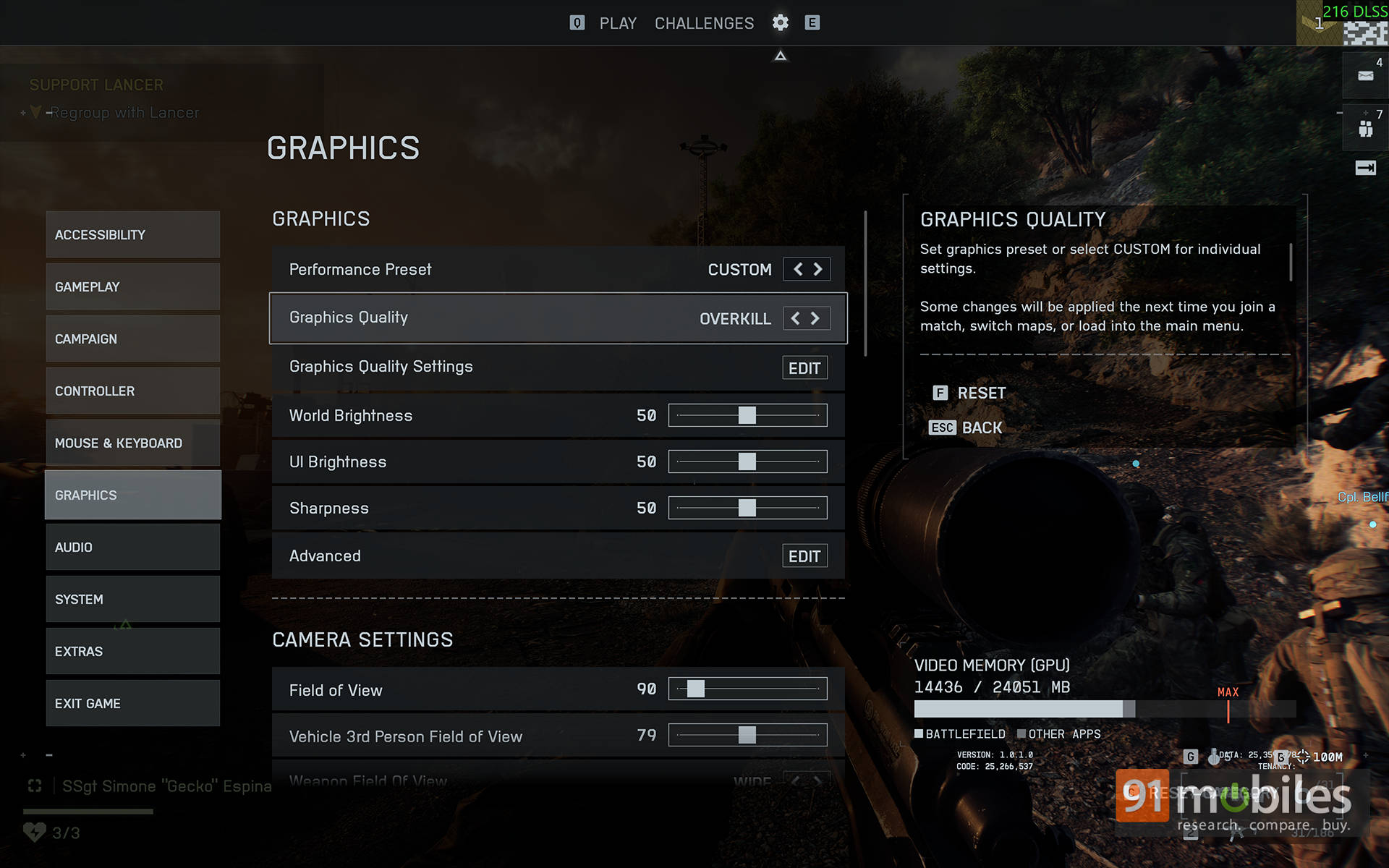
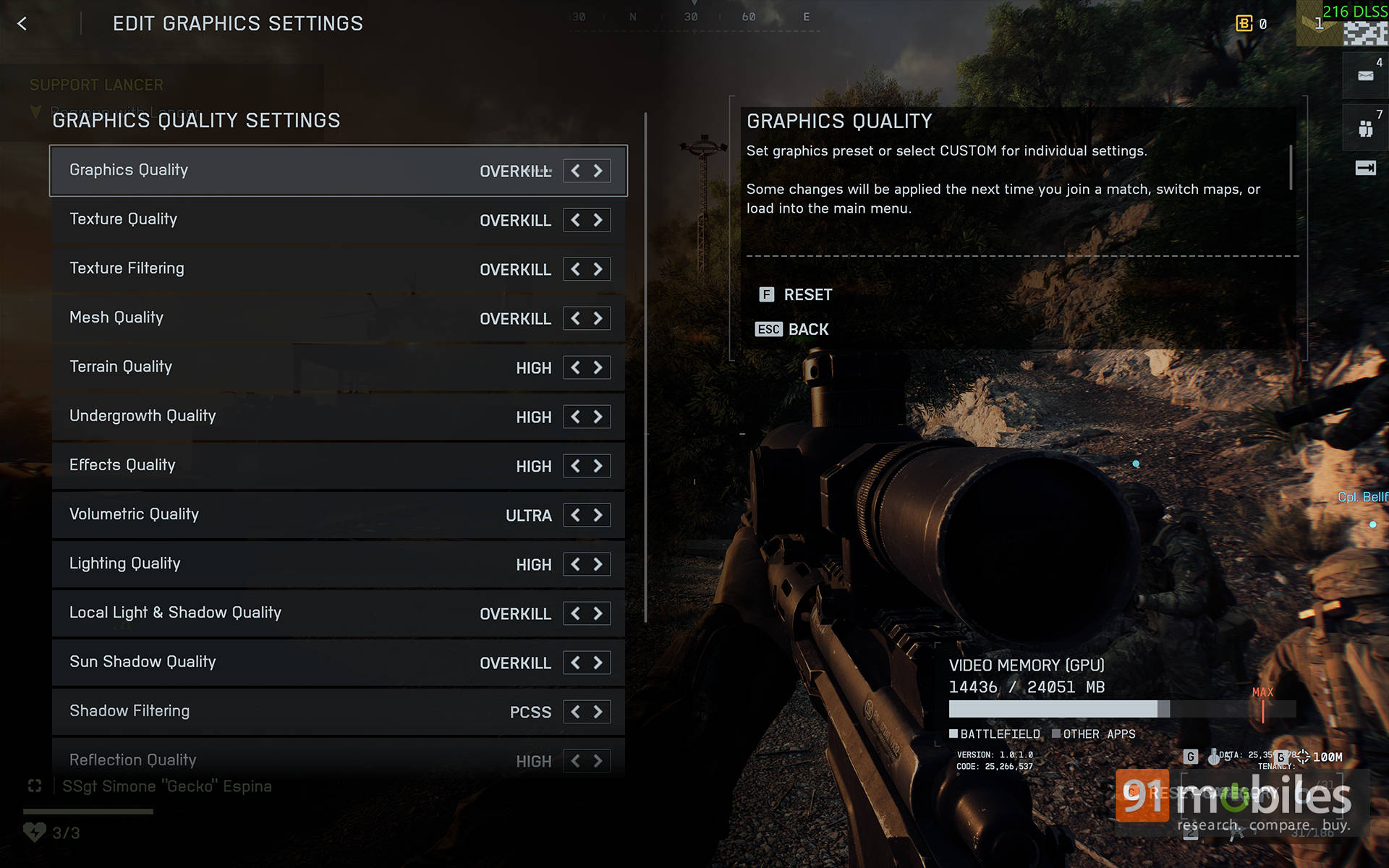
For those who prefer to keep things simple, there are easy-to-use performance presets: Auto (Balanced), Auto (Performance), and Custom, along with graphics quality options ranging from Low, Medium, High, Ultra, Overkill, to Custom. Power users, on the other hand, can dive into the Graphics Quality Settings menu to fine-tune every detail, from ambient occlusion and dynamic shadows to motion blur and depth of field.
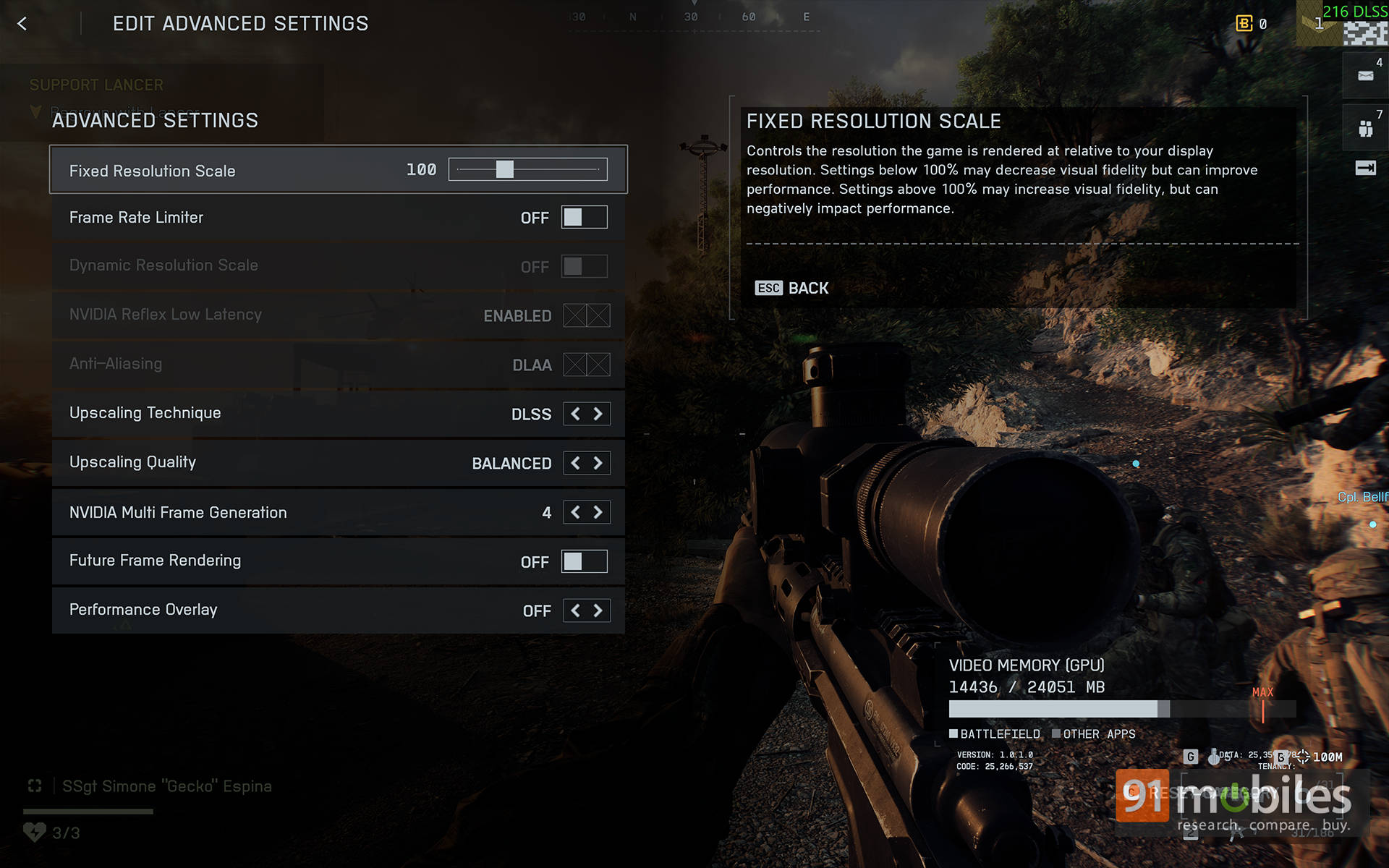
Then there’s the Advanced Settings tab, where you can choose your preferred anti-aliasing method or enable upscaling technologies like DLSS, FSR, or XeSS. NVIDIA’s RTX 40-series and above cards get access to Frame Generation, while the RTX 50-series takes it a step further with Multi-Frame Generation (up to 4×). You can even enable Future Frame Rendering if you want to squeeze out every extra frame.
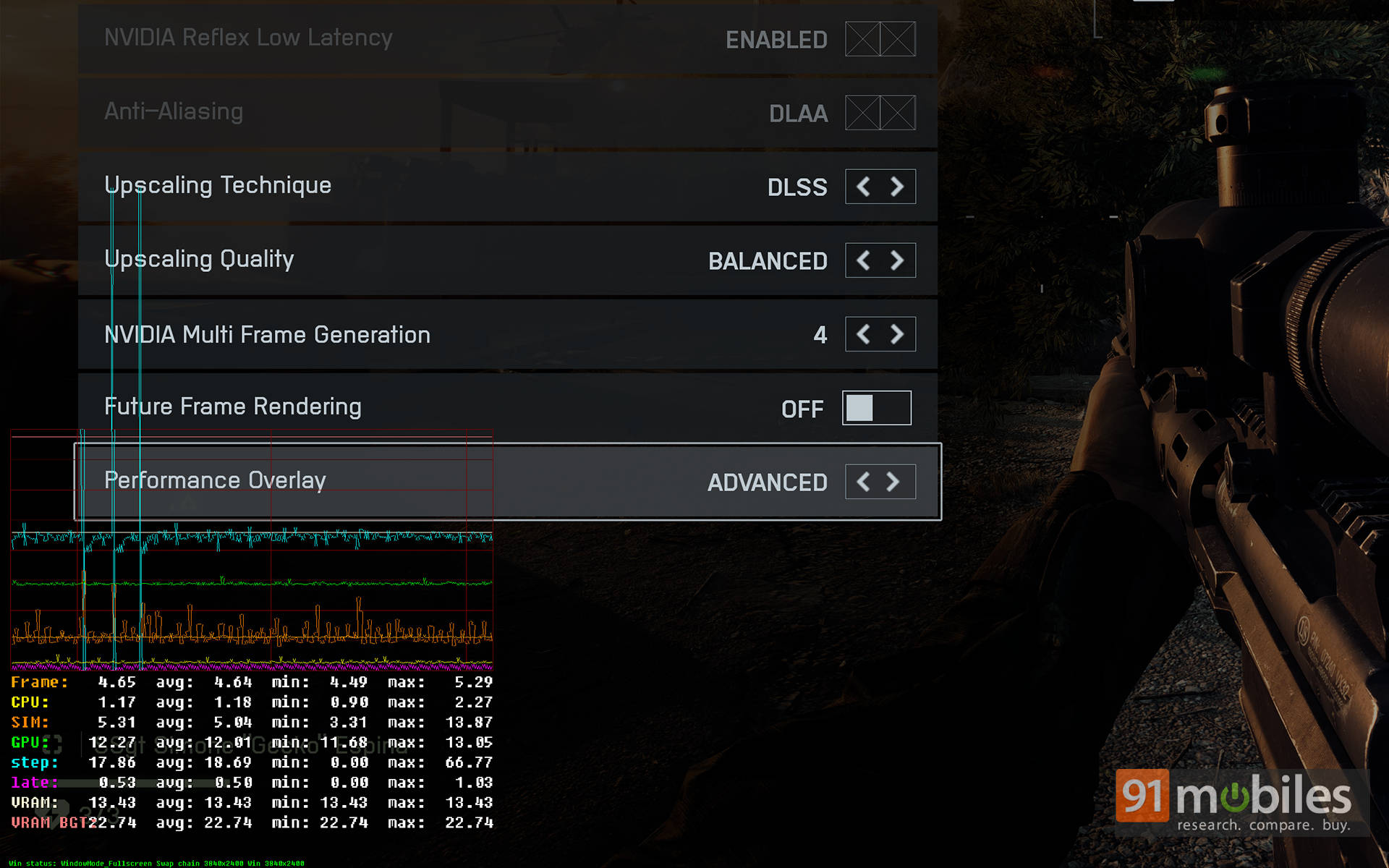
A nice touch here is that EA has also included a Performance Overlay, letting players track CPU, GPU, and RAM usage without relying on third-party tools like MSI Afterburner. The only thing missing is a built-in benchmarking tool. As such, all performance testing mentioned below was carried out by repeating the same campaign mission multiple times to ensure consistency.
Now, speaking of things that are not here, Ray Tracing is completely absent. And honestly, you won’t miss it. Despite skipping RT entirely, Battlefield 6 looks phenomenal. The environments are teeming with life. Sunlight diffuses through smoke, explosions scatter particles in every direction, and the sheer scale of destruction feels vintage Battlefield. All that, without the heavy RT performance tax.
Performance Analysis
Alright, let’s get down to how the game actually performs, shall we?
Note: All our testing was done on Battlefield 6 (v1.0.1.0) with NVIDIA’s GeForce driver v581.42 installed.
To kick things off, I wanted to see just how well Battlefield 6 could flex at its highest settings, and whether it could make even the best hardware break a sweat. So, I fired it up on the Razer Blade 18, powered by Intel’s Core Ultra 9 275HX and NVIDIA’s GeForce RTX 5090 Laptop GPU. I went all out with the Overkill graphics preset, turned V-Sync off, and tested the game across three resolutions: 4K (3840×2400), 1600p (2560×1600), and 1200p (1920×1200). And here’s how the numbers stack up:
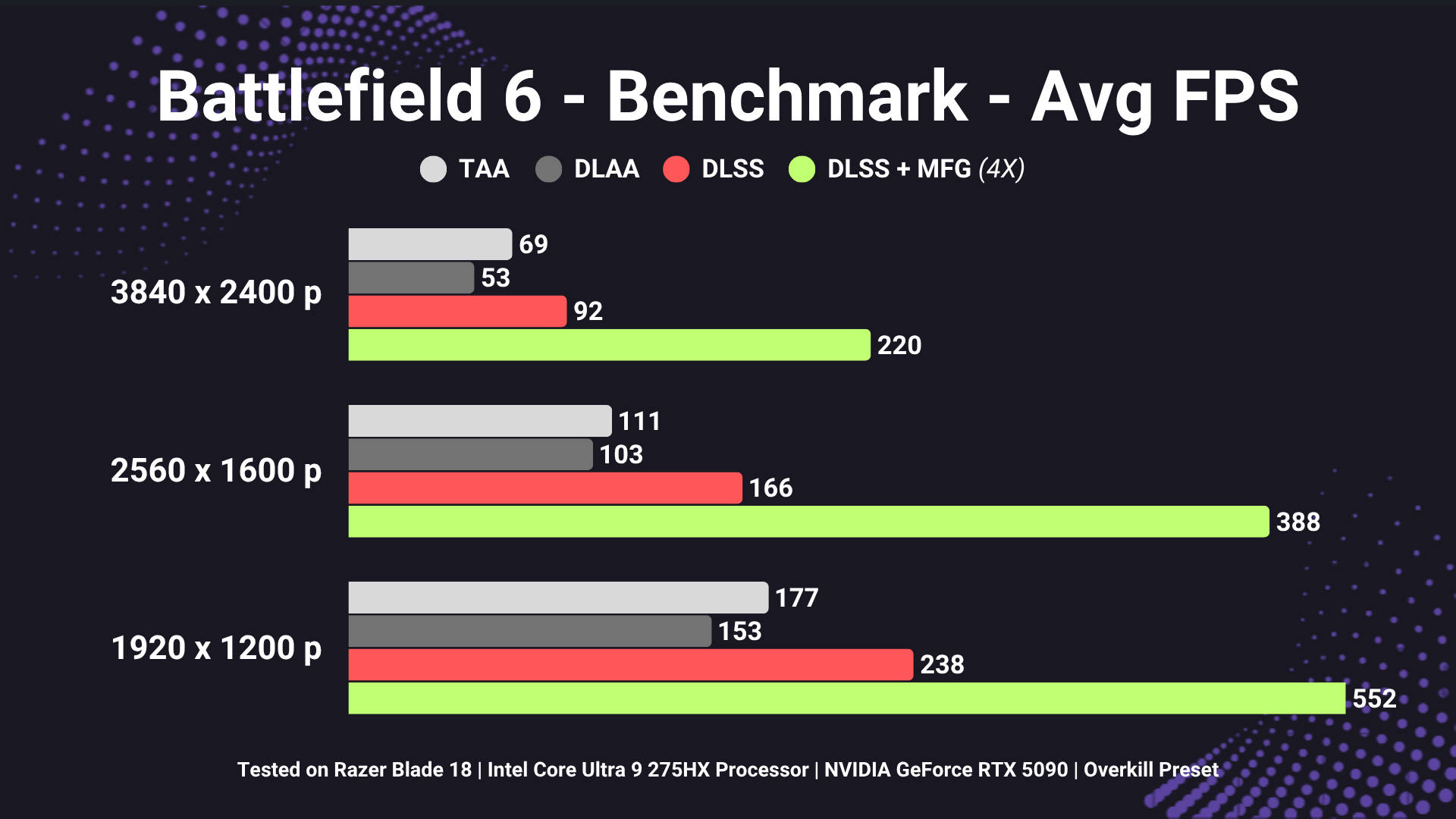
Even at 4K, the game comfortably hovers around the 100 FPS mark with DLSS enabled. Flip on Multi-Frame Generation (MFG), and you’re suddenly pushing close to 240 Hz, which perfectly matches the refresh rates of today’s high-end 4K gaming monitors. And yes, 552 FPS on a Battlefield title at 1080p sounds unreal. Like, those are Counter-Strike-level numbers. And before you start commenting, no, I’m not comparing the two, just pointing out how absurdly well optimised this game really is.
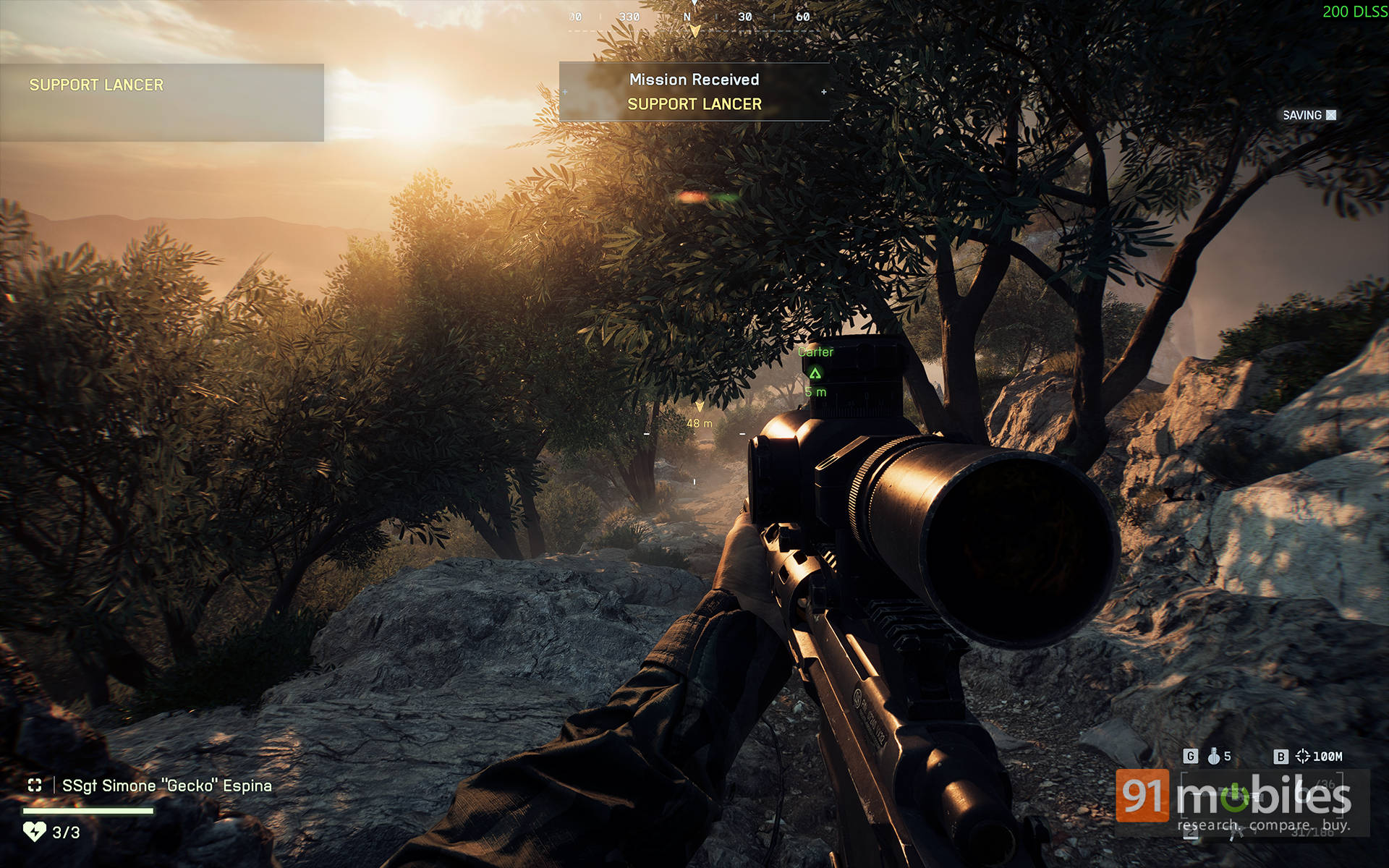
In an era where plenty of Unreal Engine 5 games struggle to hit 60 FPS even on flagship hardware, Battlefield 6 stands as proof of what happens when a studio actually spends time on optimisation.
Of course, you could argue that this was all done on dream-tier hardware. So, I fired it up on a slightly more down-to-earth setup: my custom rig featuring an Intel Core i9-13900K, 32 GB RAM, and an MSI RTX 5070 Ti (16 GB) GPU. Testing at 2560×1440 with the Overkill preset, the game ran butter-smooth even before any DLSS magic.
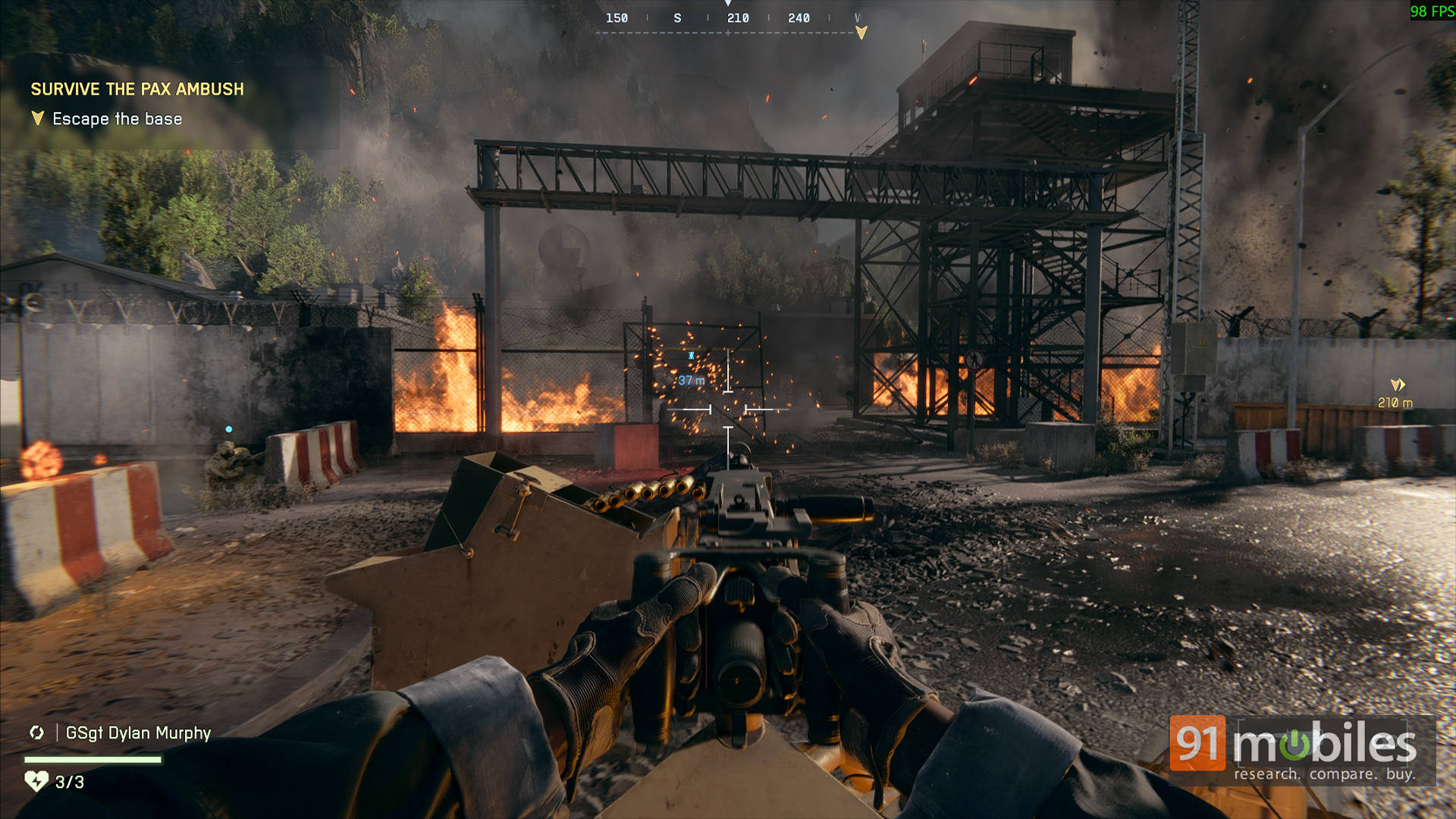
At native TAA, frame rates averaged around 105 FPS; enabling DLSS 4 Quality bumped that up to roughly 160 FPS, and with MFG active, it soared past 300 FPS without breaking a sweat.
Note: We’ll be updating this article once we’ve tested Battlefield 6 on a few budget gaming laptops, so check back soon to see how it scales across mid-range hardware, too.
Frame Pacing & Responsiveness
Here’s the kicker: there are no visual compromises. The new transformer-based DLSS 4 model reconstructs fine detail so well that even high-speed motion stays razor-sharp. Jet fly-bys, collapsing buildings, and smoke plumes — all hold their texture and definition. Thin geometry (like fences, wires, or scaffolding) no longer flickers as it sometimes did with older DLSS versions.
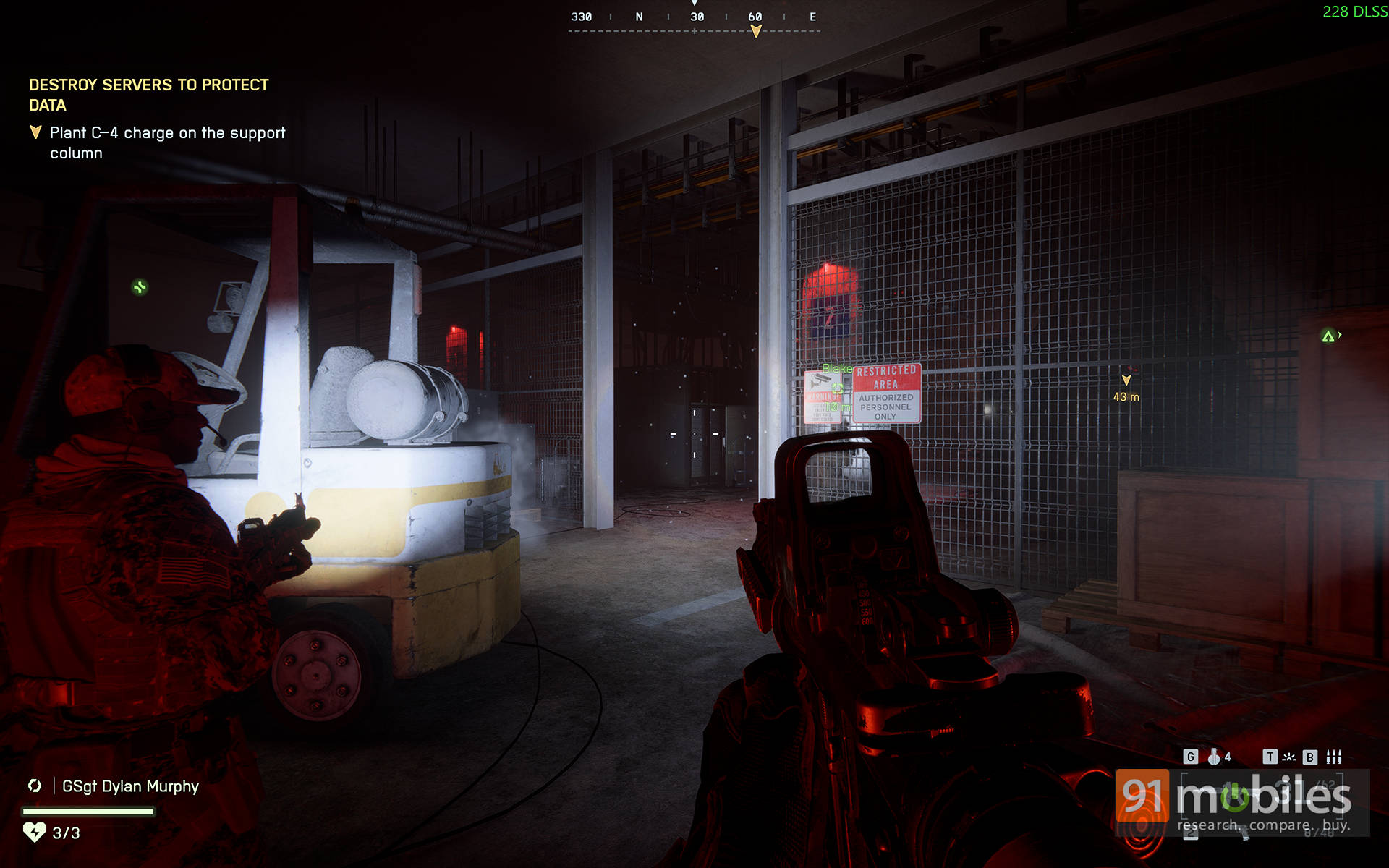
Additionally, motion reconstruction has also improved massively over DLSS 3. There are no ghost trails, smears, or “echo” artefacts when you pan the camera quickly. Everything feels snappy and cohesive. Add to that, EA’s optimisation work deserves serious credit. There are no random frame drops, no stuttering during big explosions, and no shader compilation hitches. Frame pacing remains consistently smooth throughout, even in heavy, particle-filled scenes.
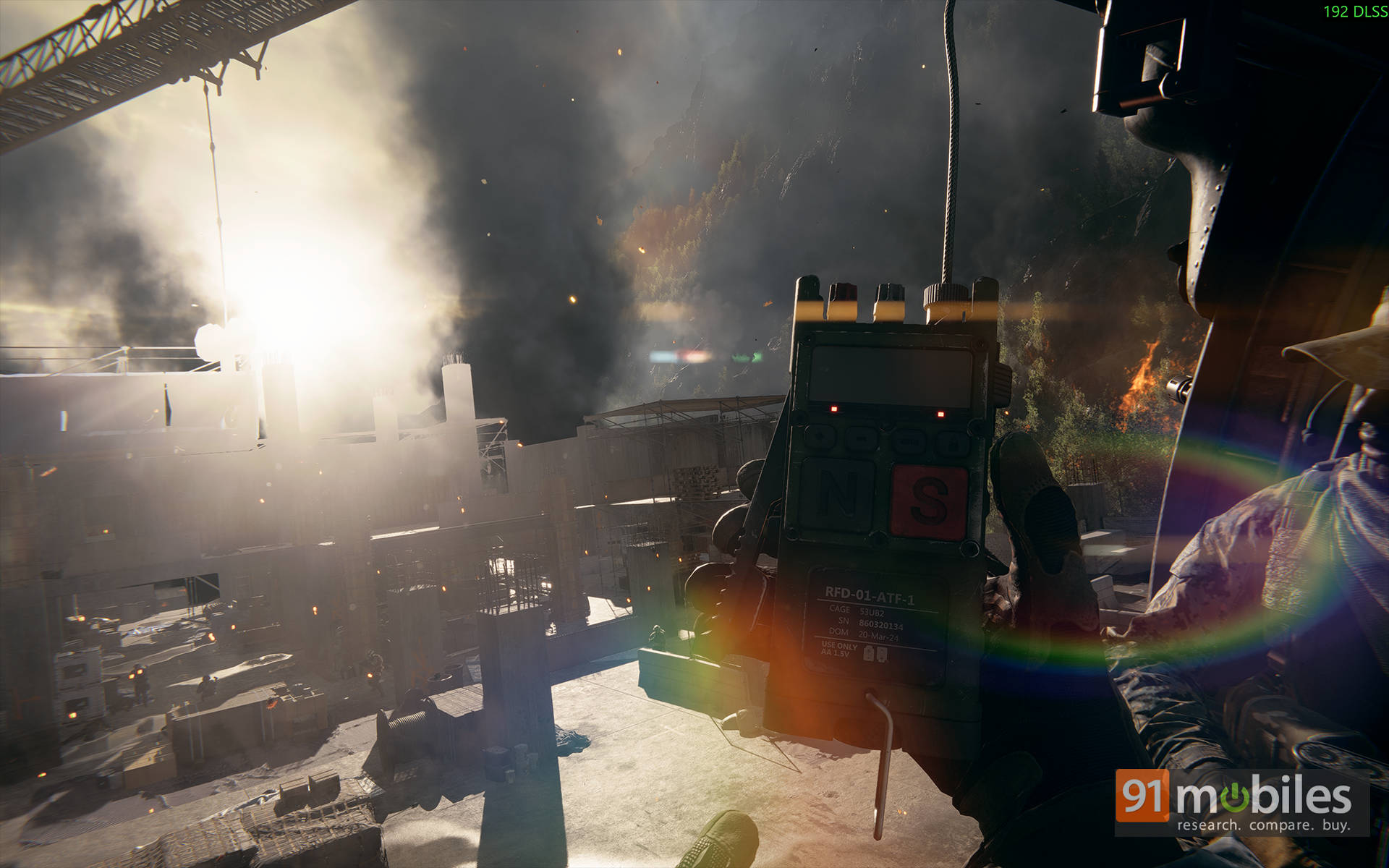
Sure, there’s no ray tracing here, but you honestly won’t miss it. The art direction more than makes up for it, with sun-baked landscapes, volumetric fog drifting across war-torn cities, and light rays bleeding softly through debris clouds. Even the small details, such as bullet casings clattering on metal or ripples in puddles after a grenade blast, add a sense of tactile realism that sells the chaos.
In short, Battlefield 6 proves you don’t need ray tracing to look stunning. You just need smart lighting, clever engineering, and top-tier optimisation.
Multiplayer Performance & Ultrawide Experience
Of course, the real Battlefield magic has always lived in its multiplayer chaos, and this time, it’s glorious. Performance is almost identical to the campaign, with frame rates staying within 5–10% of single-player numbers even in full-blown 64-player matches. No dramatic dips during explosions, collapsing towers, or frantic air raids. And that says a lot about how well the game engine now scales across cores and GPUs.
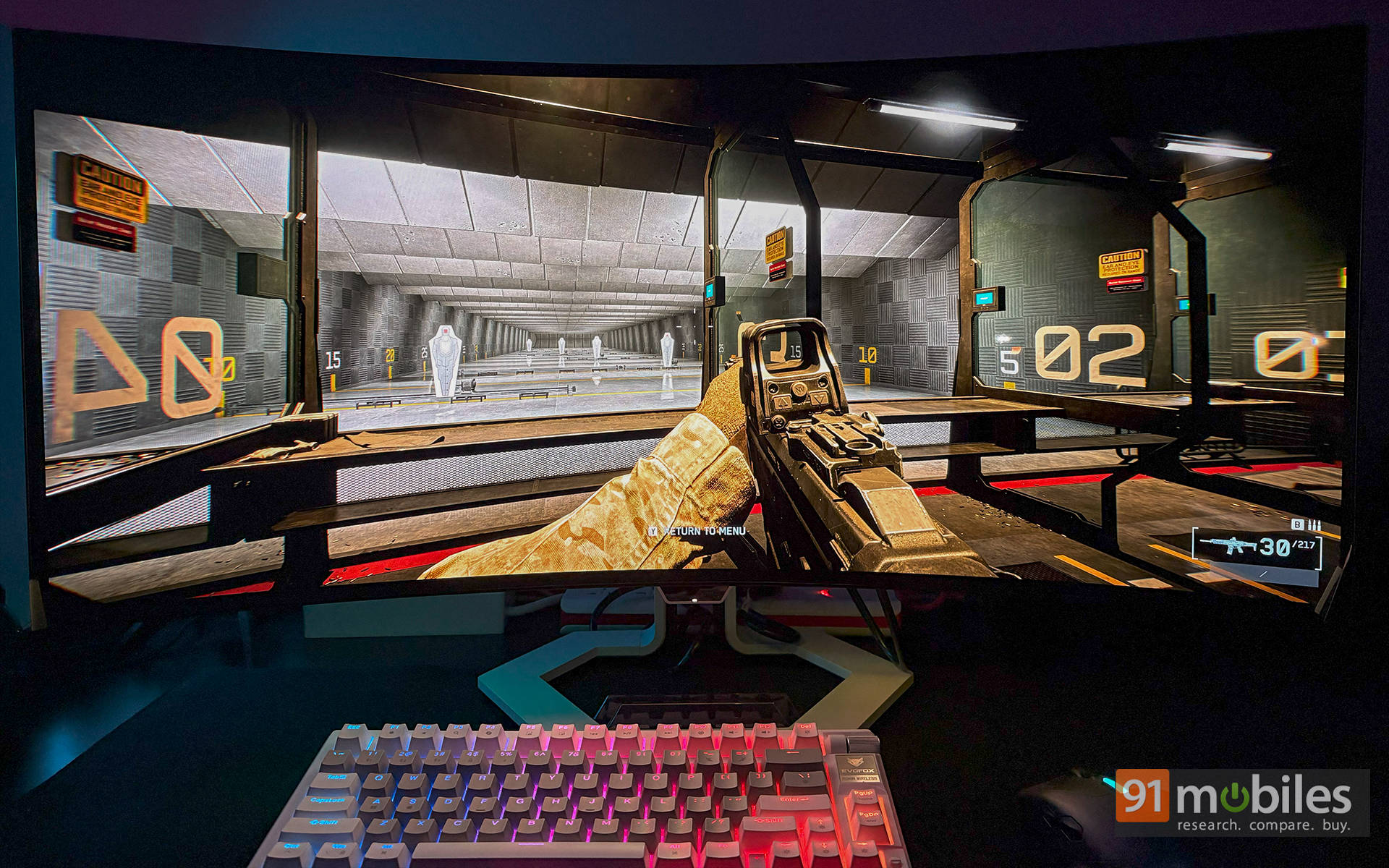
But the real game-changer? If you’ve played previous Battlefield titles, you’d know how well they scale on an ultrawide resolution. It was the same experience for me when I tested things out on the Lenovo Legion Pro 34WD-10 ultrawide monitor. Battlefield 6 scales beautifully across its 3440×1440 panel. And that extra field of view? It’s not just cinematic; it’s a legit competitive advantage. Flanking enemies are easier to spot, jets are easier to track, and honestly, once you go ultrawide, there’s no going back.
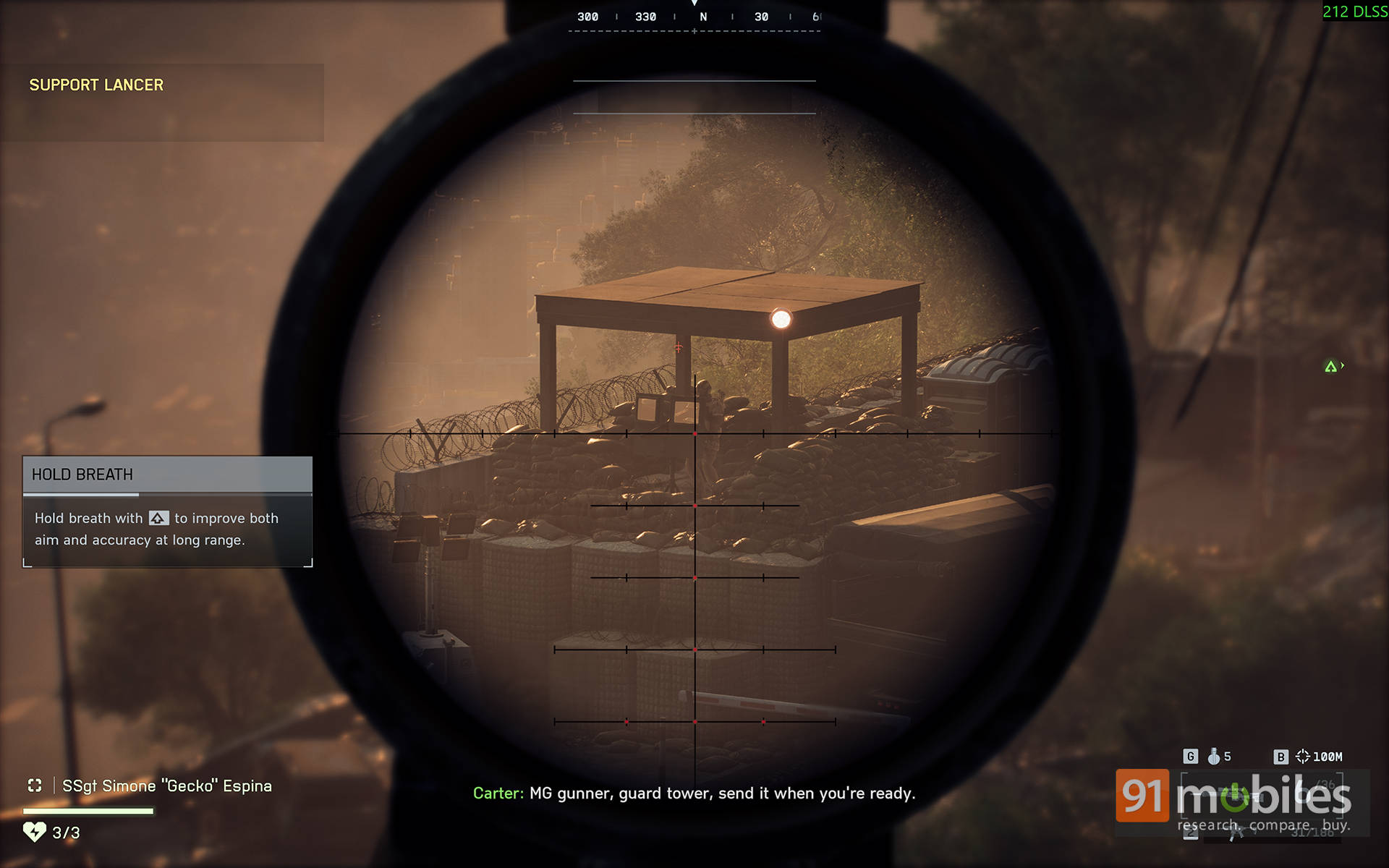
Now, here’s where DLSS 4 and Frame Generation really earn their stripes. Running a 3440×1440 ultrawide display means rendering almost 1.2 million extra pixels per frame compared to standard 1440p (that’s 4,953,600 pixels vs. 3,686,400 — yes, we did the math). So, enabling upscaling and frame generation isn’t just smart; it’s practically required to keep those frame rates silky-smooth.
Also read: From 1080p to 1440p: How Budget Gaming Has Changed!
And then comes NVIDIA Reflex, quietly working its magic in the background. Input latency remains unbelievably low, even with Multi-Frame Generation enabled. I’d go so far as to say that playing with MFG on feels almost indistinguishable from native rendering. That’s a huge deal, because not too long ago, gamers would never enable frame generation in competitive shooters for fear of input lag. With Battlefield 6, that old rulebook goes straight out the window. You get higher frame rates and crisp, instant responsiveness all at once.
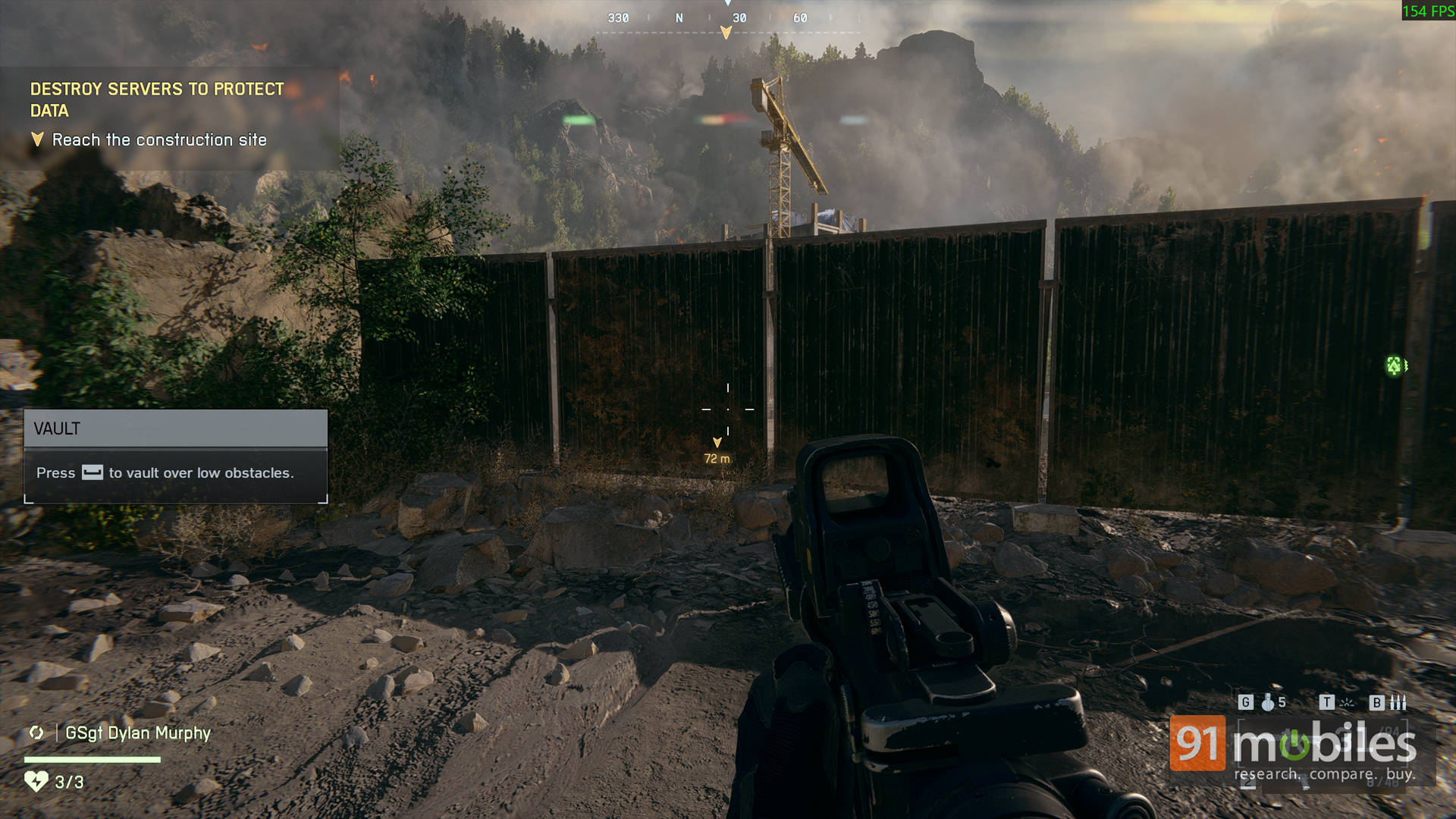
Of course, your experience will still depend on your network speed and server ping. I mean, let’s be real, no amount of DLSS can save bad Wi-Fi. But when it comes to local latency and raw fluidity, this is hands down the smoothest, most responsive Battlefield multiplayer experience yet.
After-Action Report: Locked, Loaded, and Optimised
Battlefield 6 is what happens when EA and DICE actually listen to their PC community. The game is visually stunning, technically refined, and shockingly well-optimised. Honestly, those are some words that felt impossible to say about a Battlefield launch a few years ago.
As you’d expect, DLSS 4 is the star of the show here. Seeing a battlefield go from 90 fps to 350 fps just by toggling a setting never gets old. And yet, image quality stays crisp and stable through all that madness. There’s no ray tracing here, but EA’s art team has squeezed every bit of visual drama from Frostbite. The explosions look Hollywood-tier, and the maps feel dense and alive. Whether you’re running a flagship RTX 5090 or a mid-tier card, this game scales brilliantly. That’s rare in today’s AAA PC scene.
Editor’s Rating: 9.5 / 10
Pros:
- Exceptional optimisation across all GPU tiers
- DLSS 4 + MFG deliver huge, stable performance gains
- Gorgeous visuals even without ray tracing
- Excellent ultrawide support with zero scaling issues
- NVIDIA Reflex keeps latency low, even with Frame Gen enabled
Cons:
- Frame Generation can demand hefty VRAM
- Slight motion softness visible at 4x MFG