


Review Summary
Expert Rating

Workstations don’t usually try to sound cool; instead, they are focused on sounding serious. Enter: The Dell Pro Max 16 Plus, a name that sounds more like a flagship smartphone than a mobile workstation. But make no mistake, this is very much the successor to Dell’s Precision 7670/7680 lineage. The branding may have changed, but the attitude hasn’t.
Our unit came loaded to the teeth: Intel Core Ultra 9 285HX, NVIDIA RTX Pro 5000 Blackwell with 24GB GDDR7, 128GB of CAMM2 memory, triple Gen5 SSD slots, and the new 4K Tandem OLED panel. On paper, this is as extreme as 16-inch laptops get. In reality? It’s almost that, with a few important caveats. Let’s get into it.
Table of Contents
Performance: Silicon on Steroids
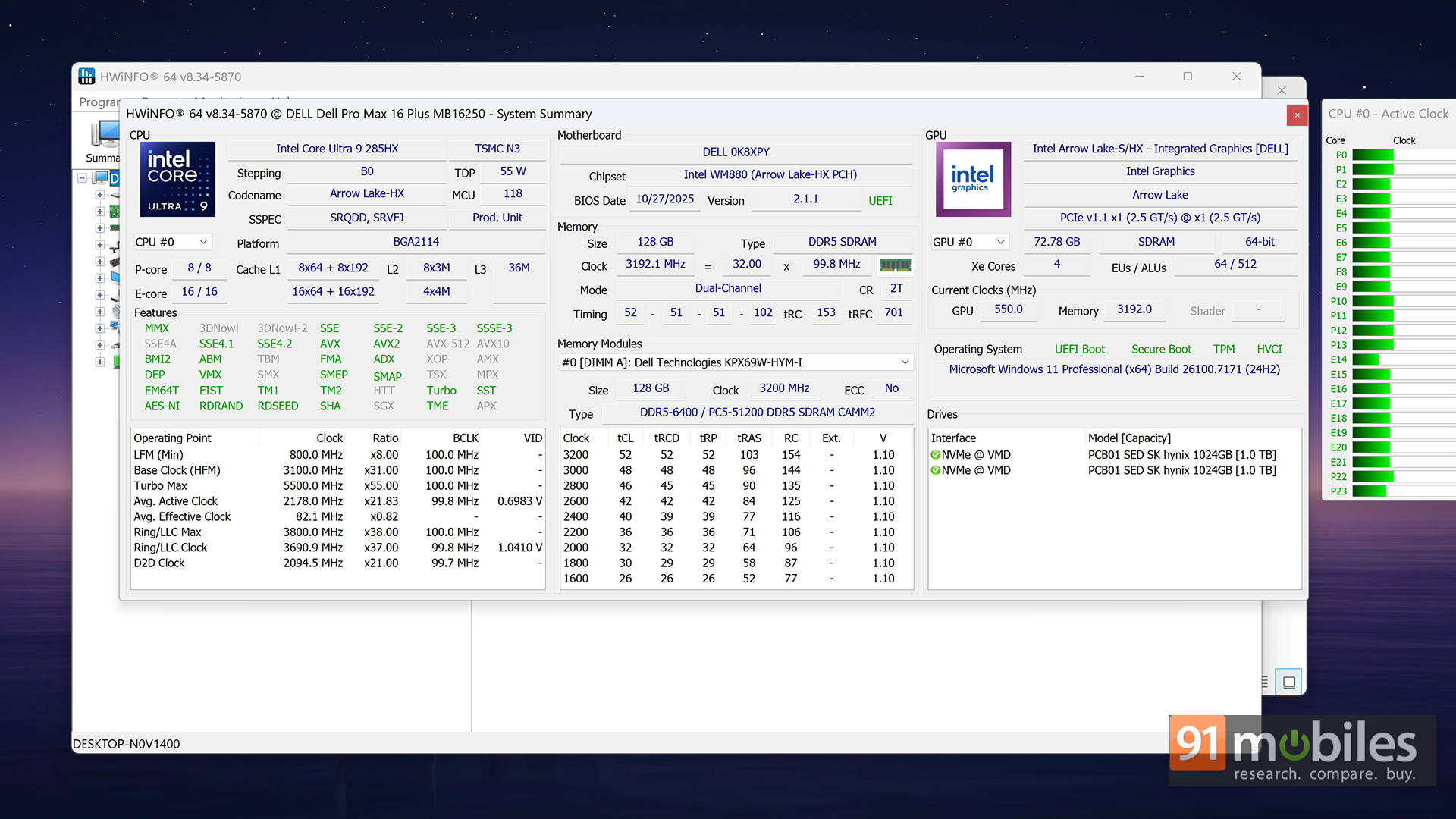
Let’s start with the heart of the machine: the Intel Core Ultra 9 285HX. This is a 24-core chip built on Arrow Lake-HX architecture, featuring 8 Performance cores and 16 Efficient cores. It is coupled with a whopping 128GB RAM, but apart from the capacity, it packs more tricks up its sleeves. The memory uses CAMM2 instead of traditional SODIMMs. For those of you unaware, CAMM2 is essentially a flat memory module that allows higher capacities, better cooling, and future scalability up to potentially 256GB. For professionals who prefer upgrading to replacing entire systems, this matters.
Let’s get back to numbers, though. In synthetic benchmarks, this chip is an absolute monster. In Cinebench R23 and R24 multi-core, the scores sit comfortably among the highest we’ve seen in a 16-inch chassis. Geekbench multi-core results reflect the same story: this isn’t just fast, it’s desktop-replacement fast. Under PL2 bursts of around 159W, it sprints aggressively. Sustained loads hover closer to 90W, and that’s where things get interesting.
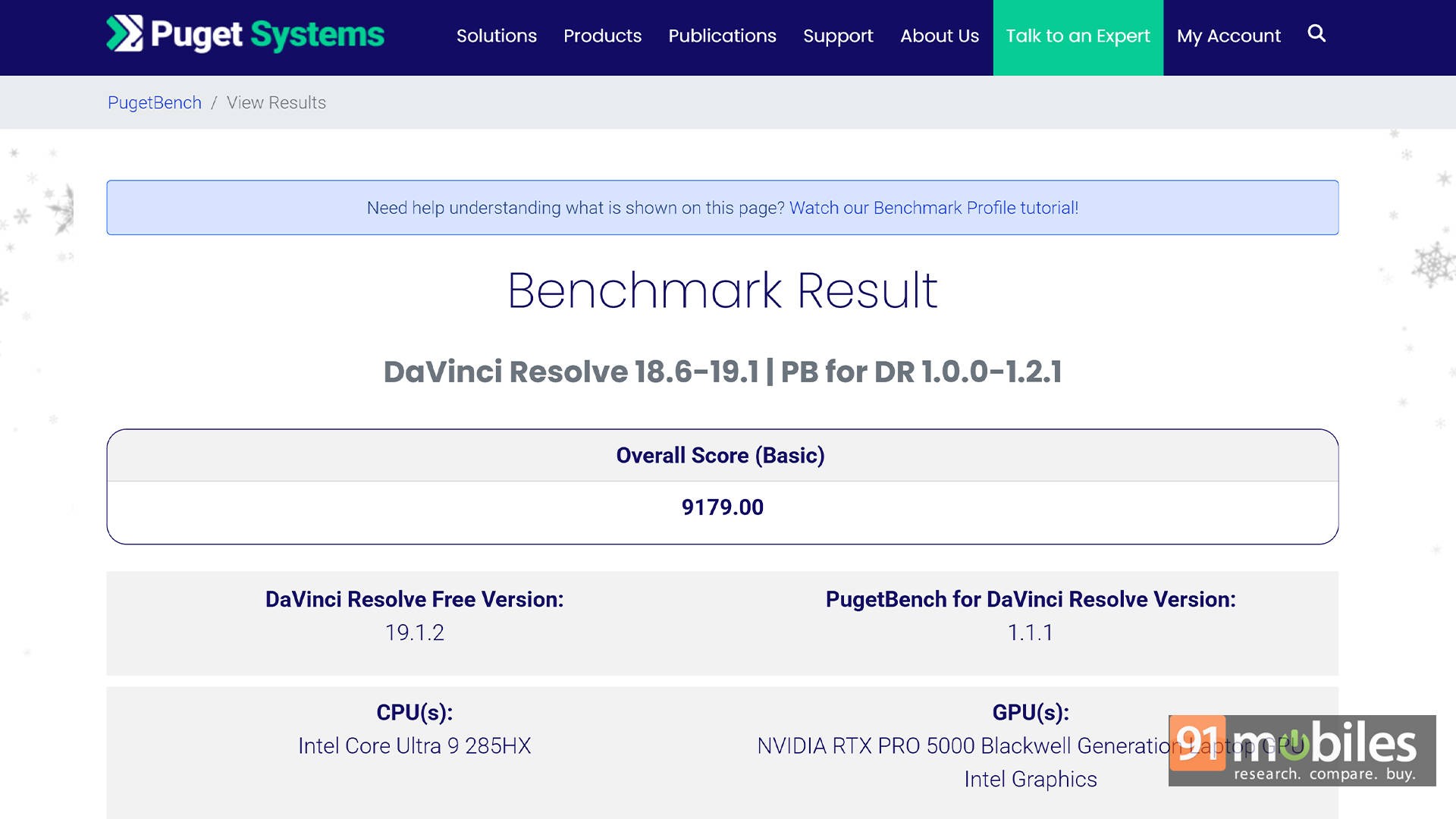
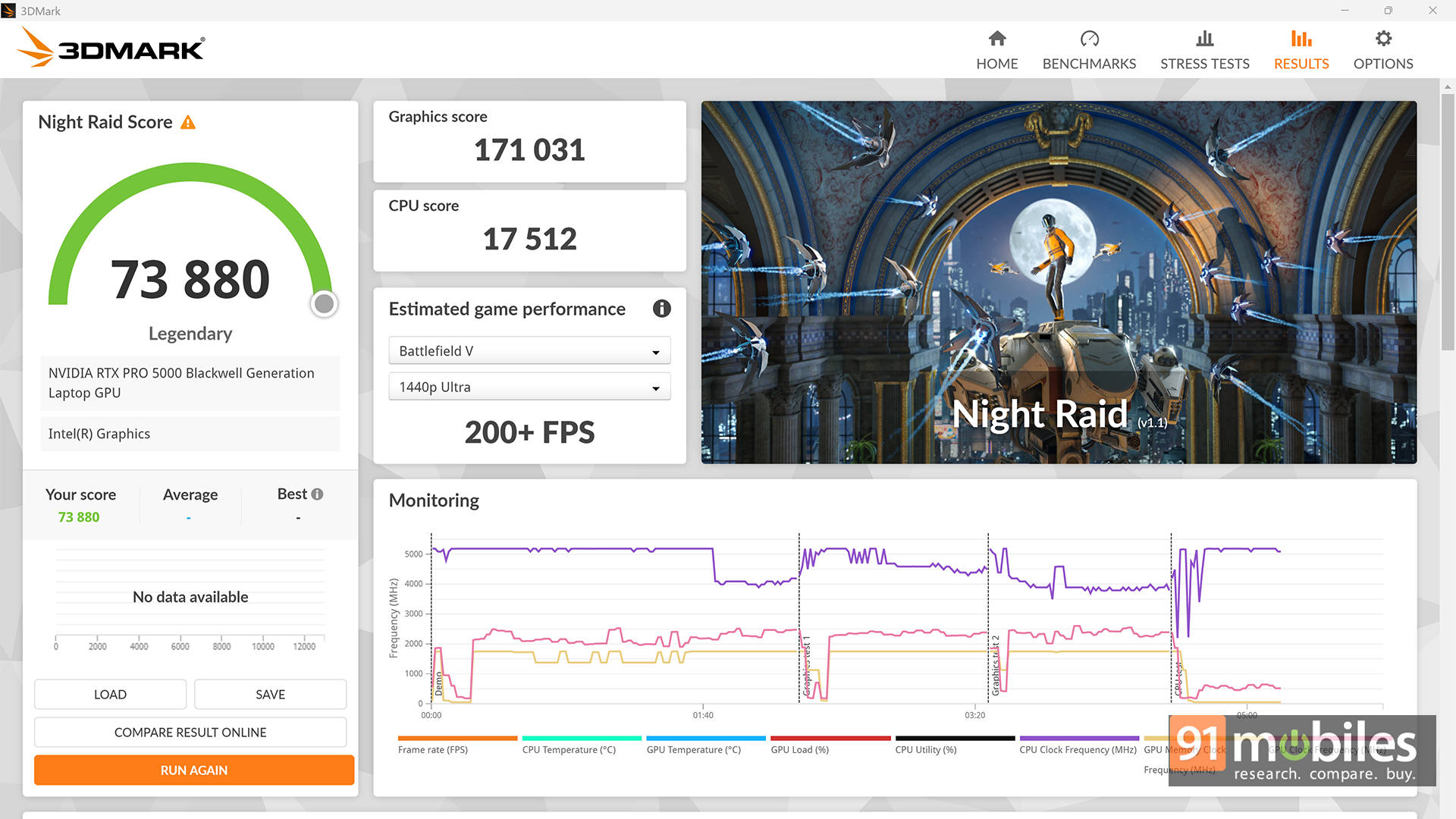
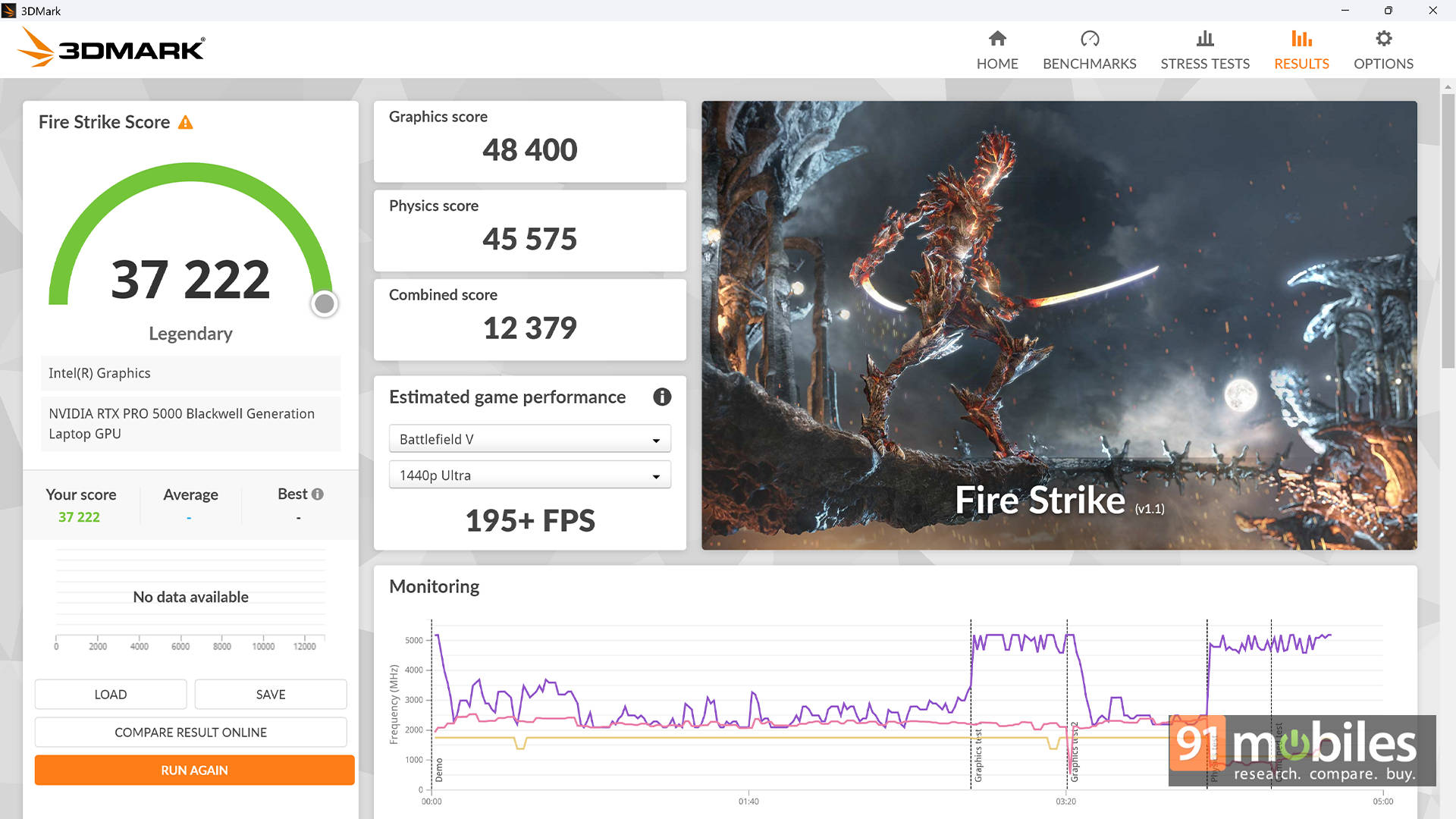
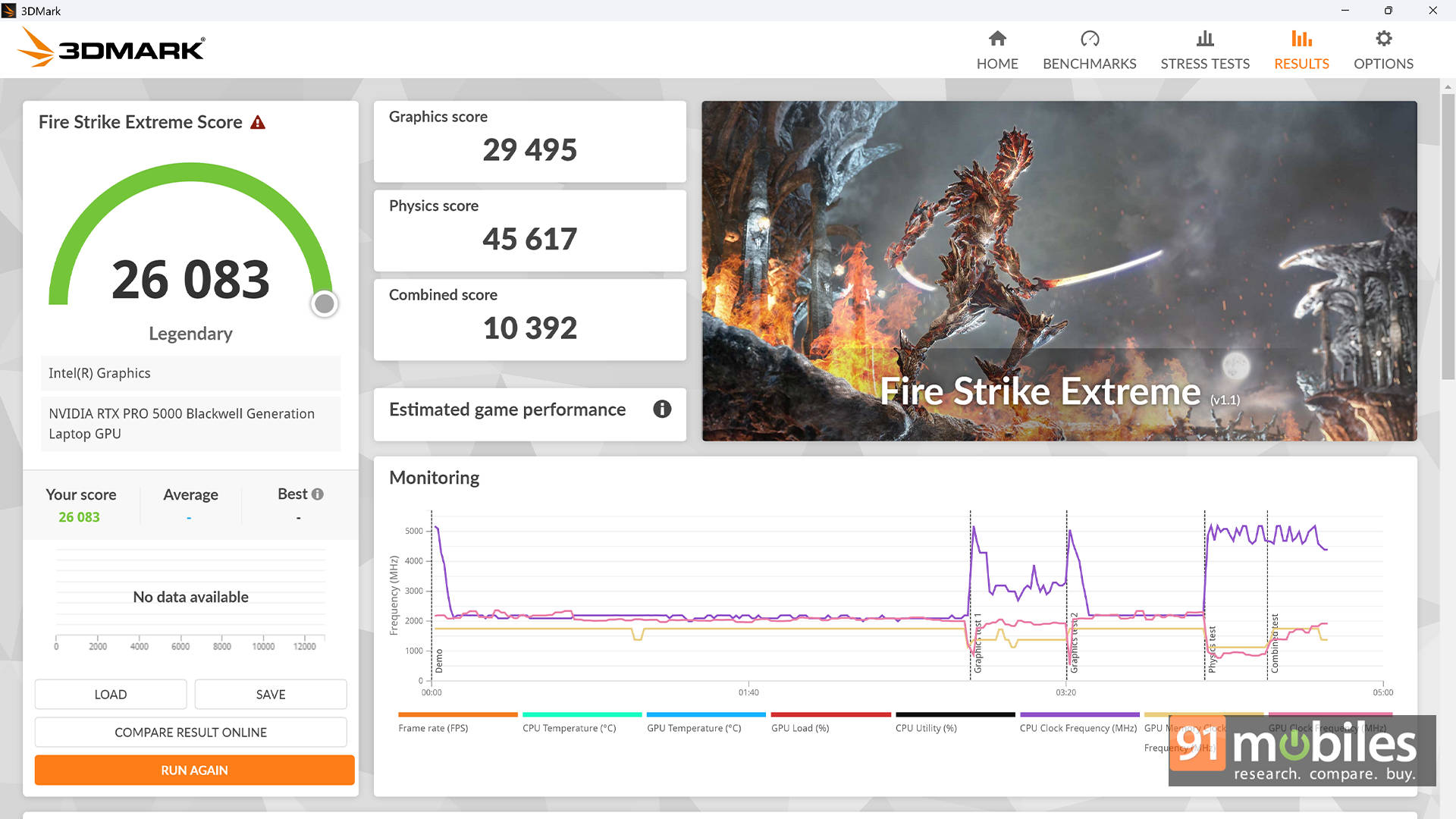
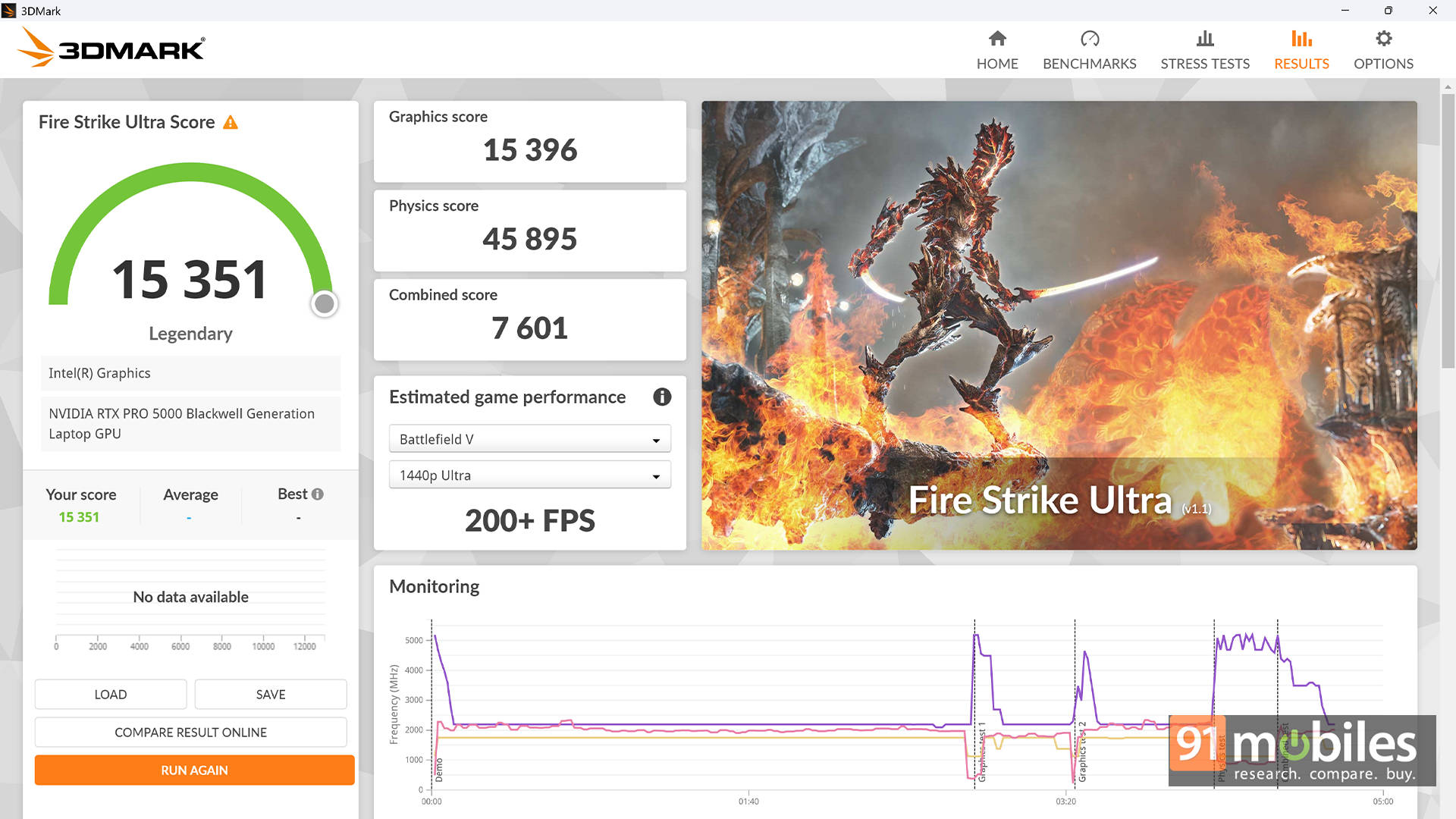
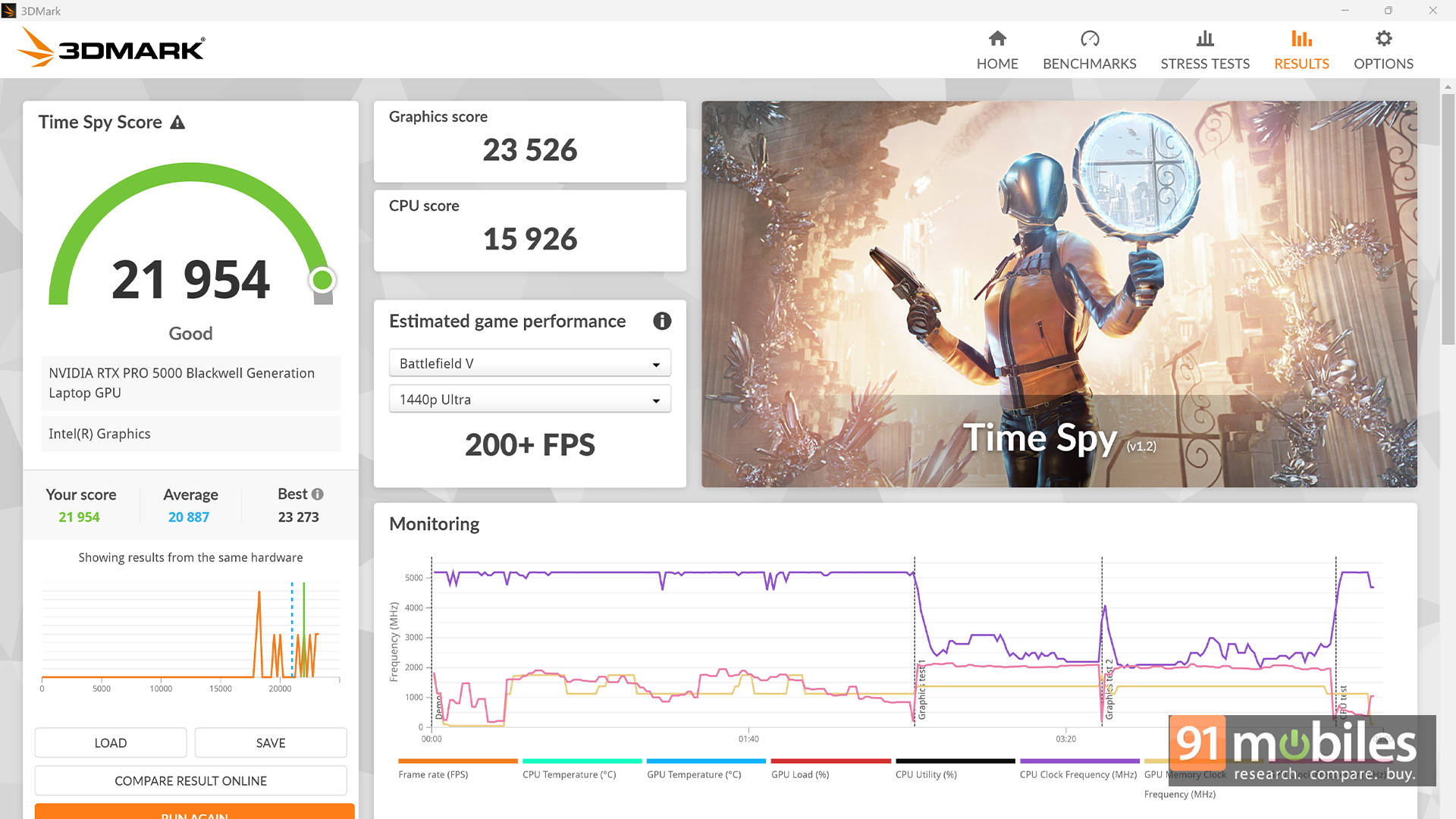
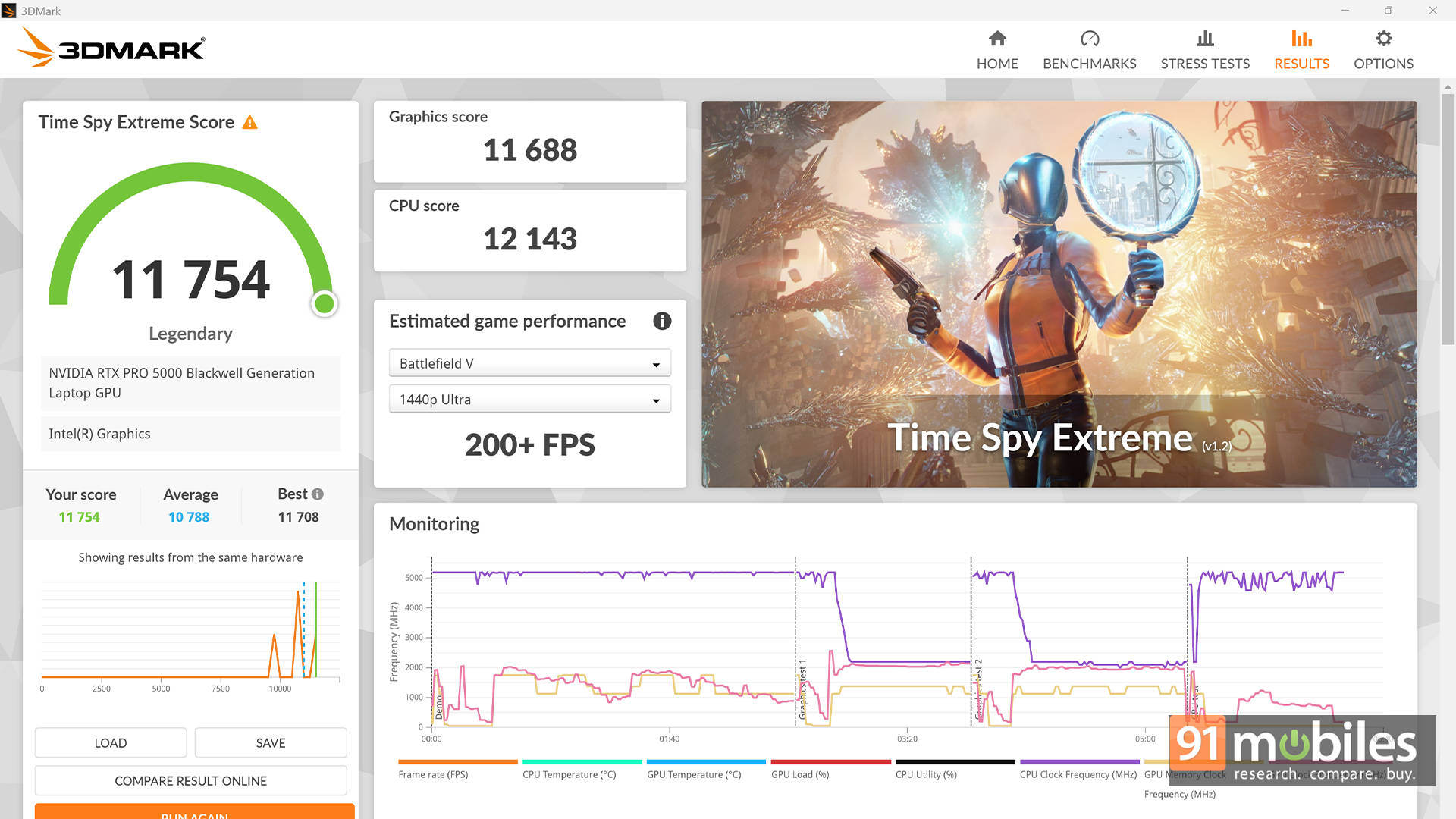
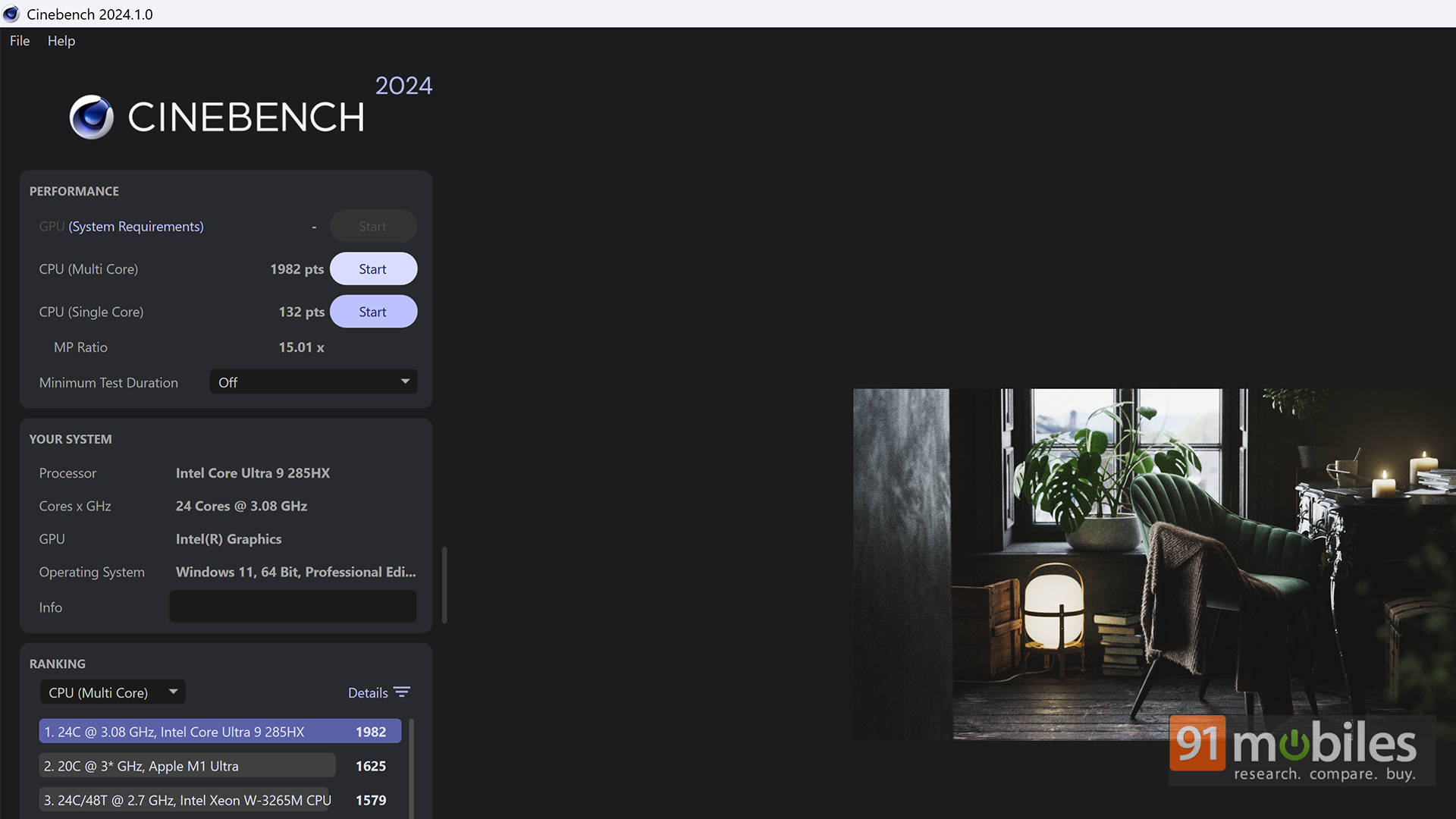
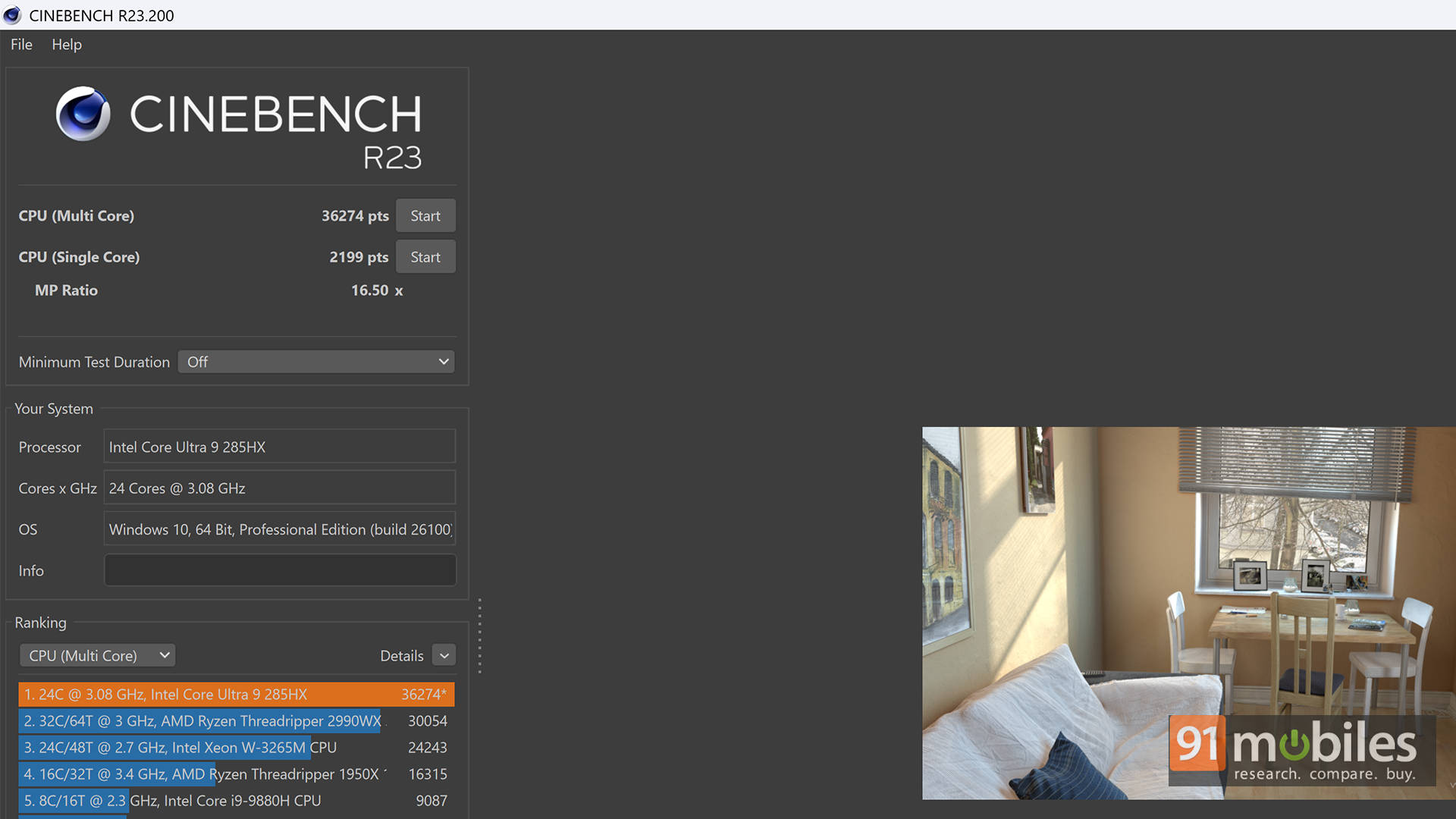


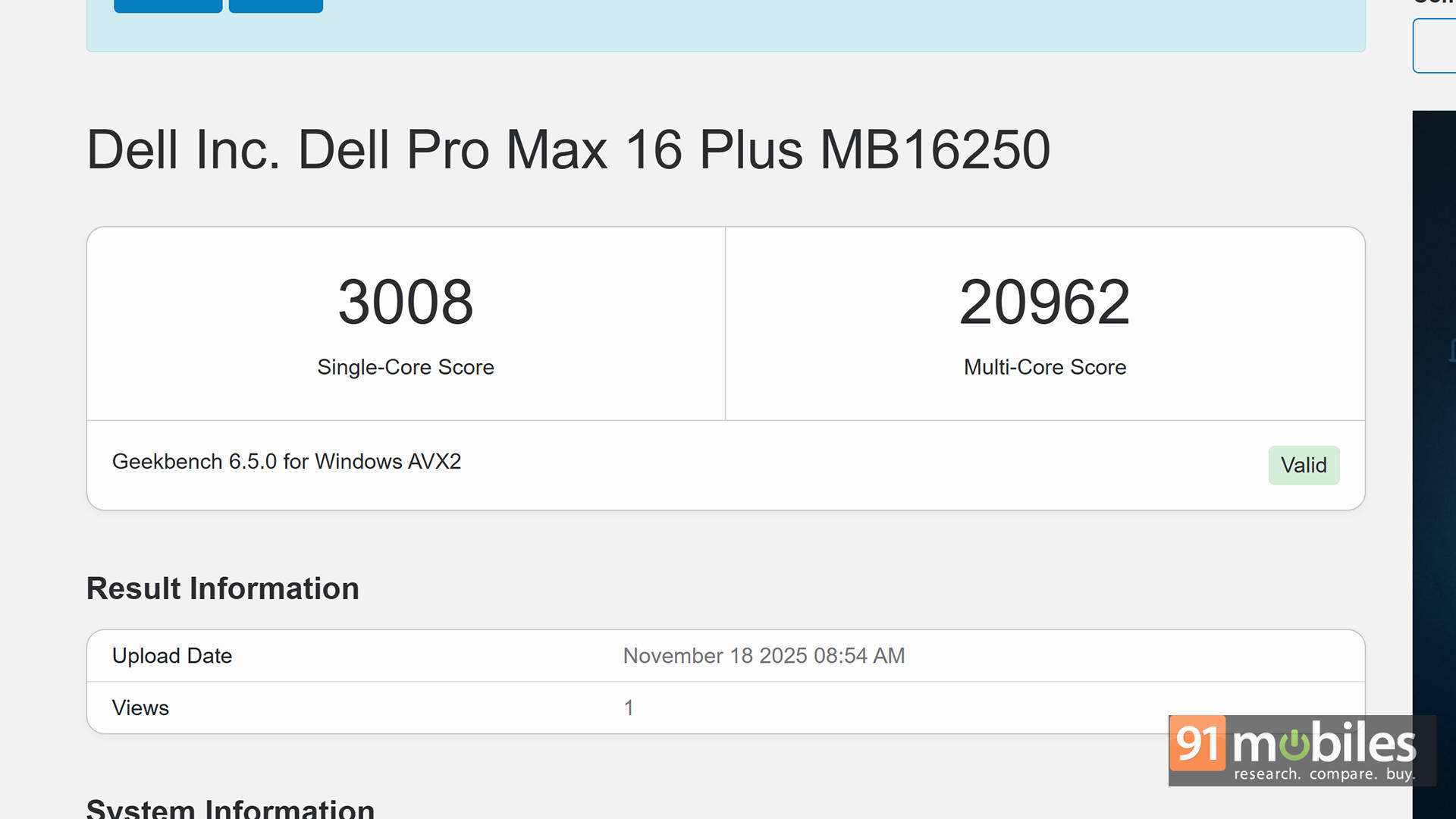
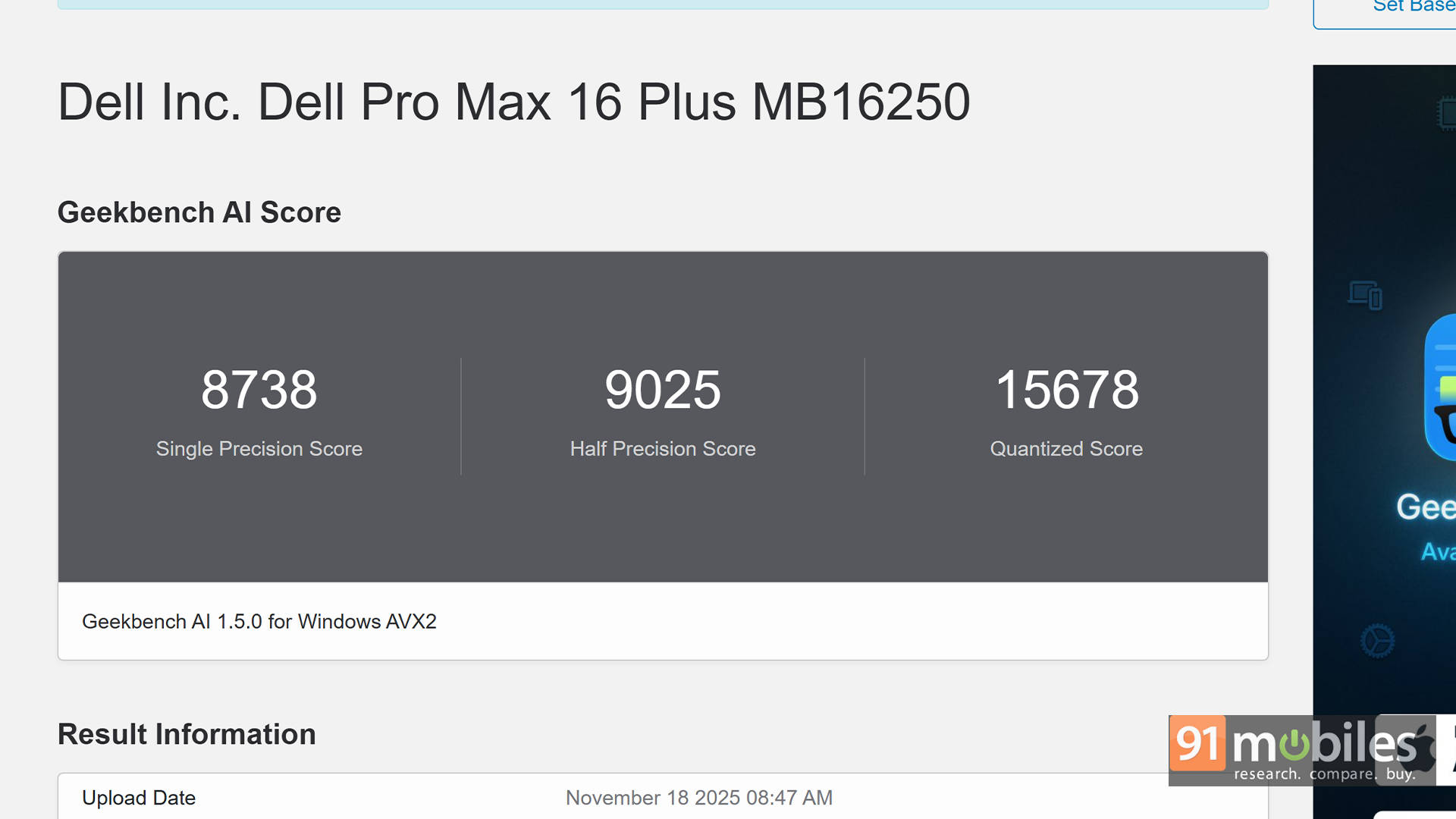
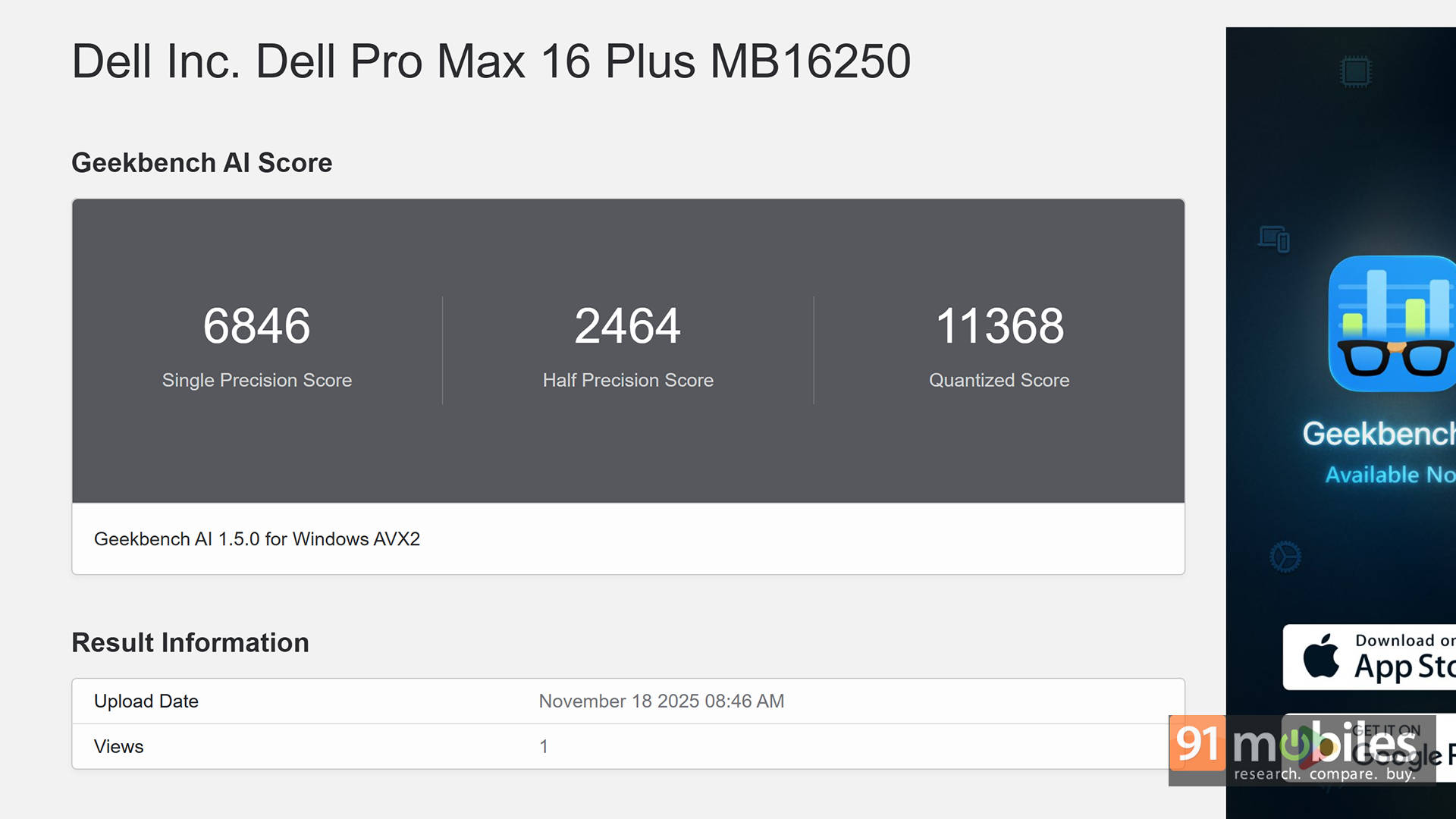
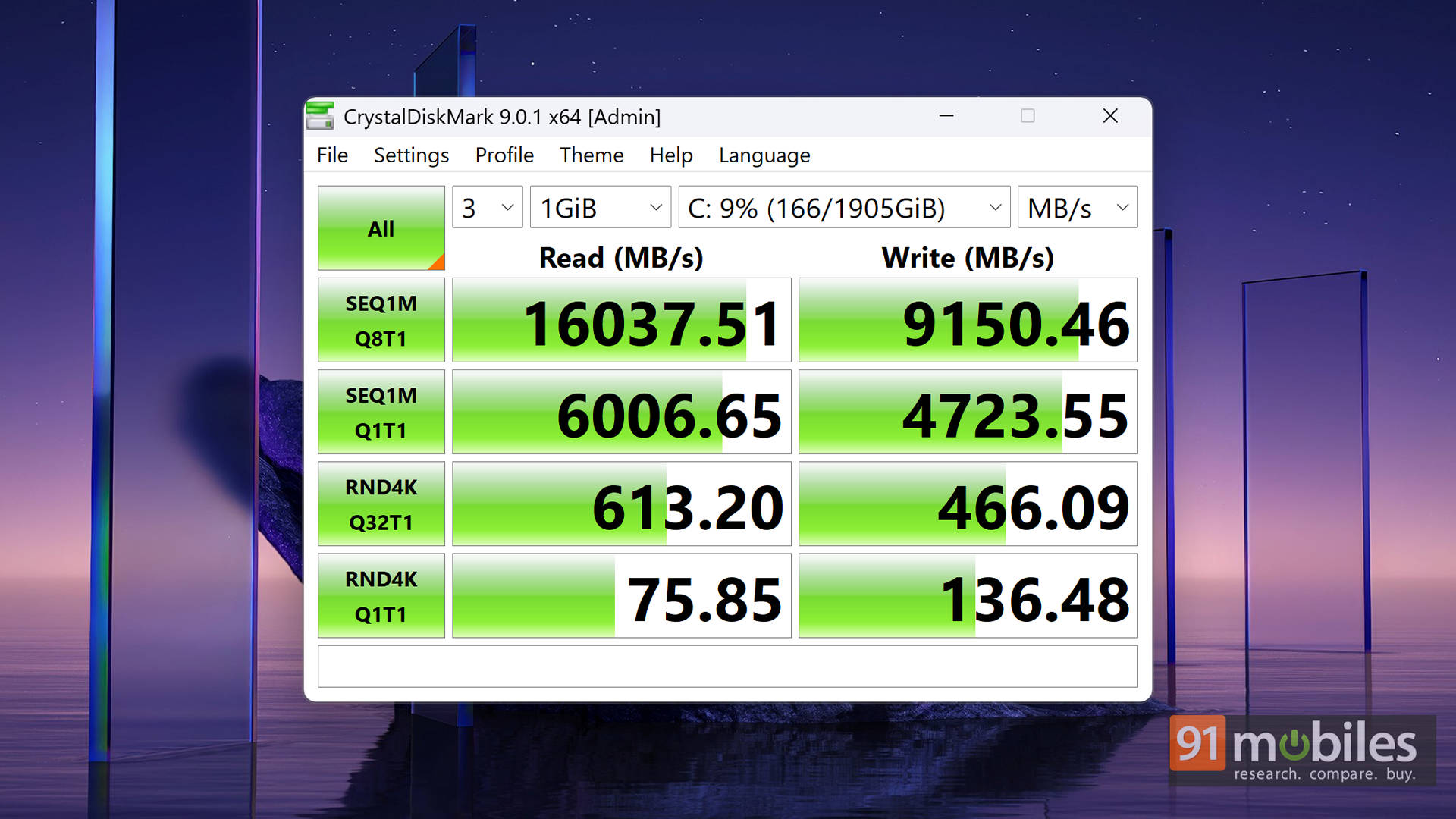
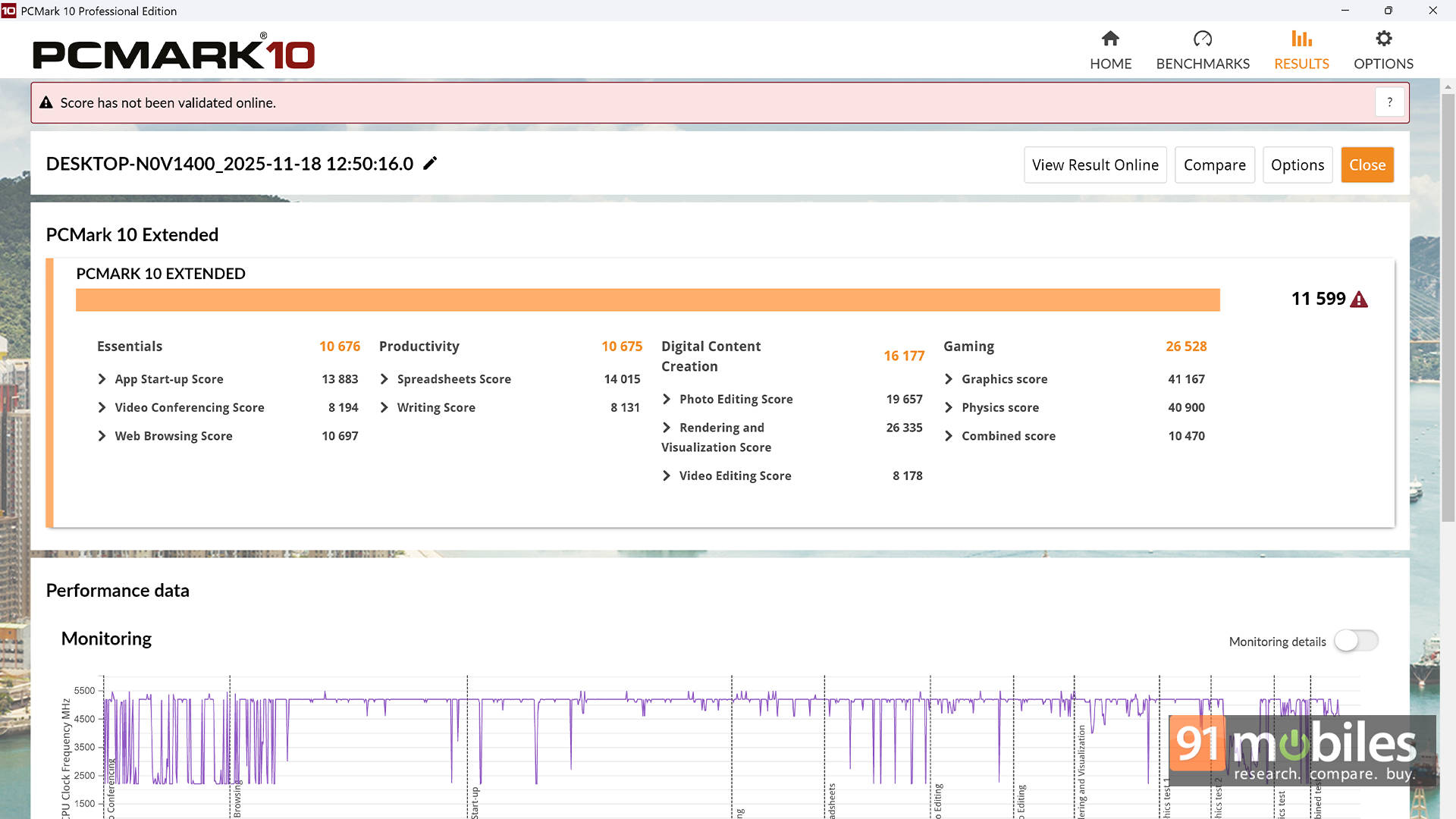
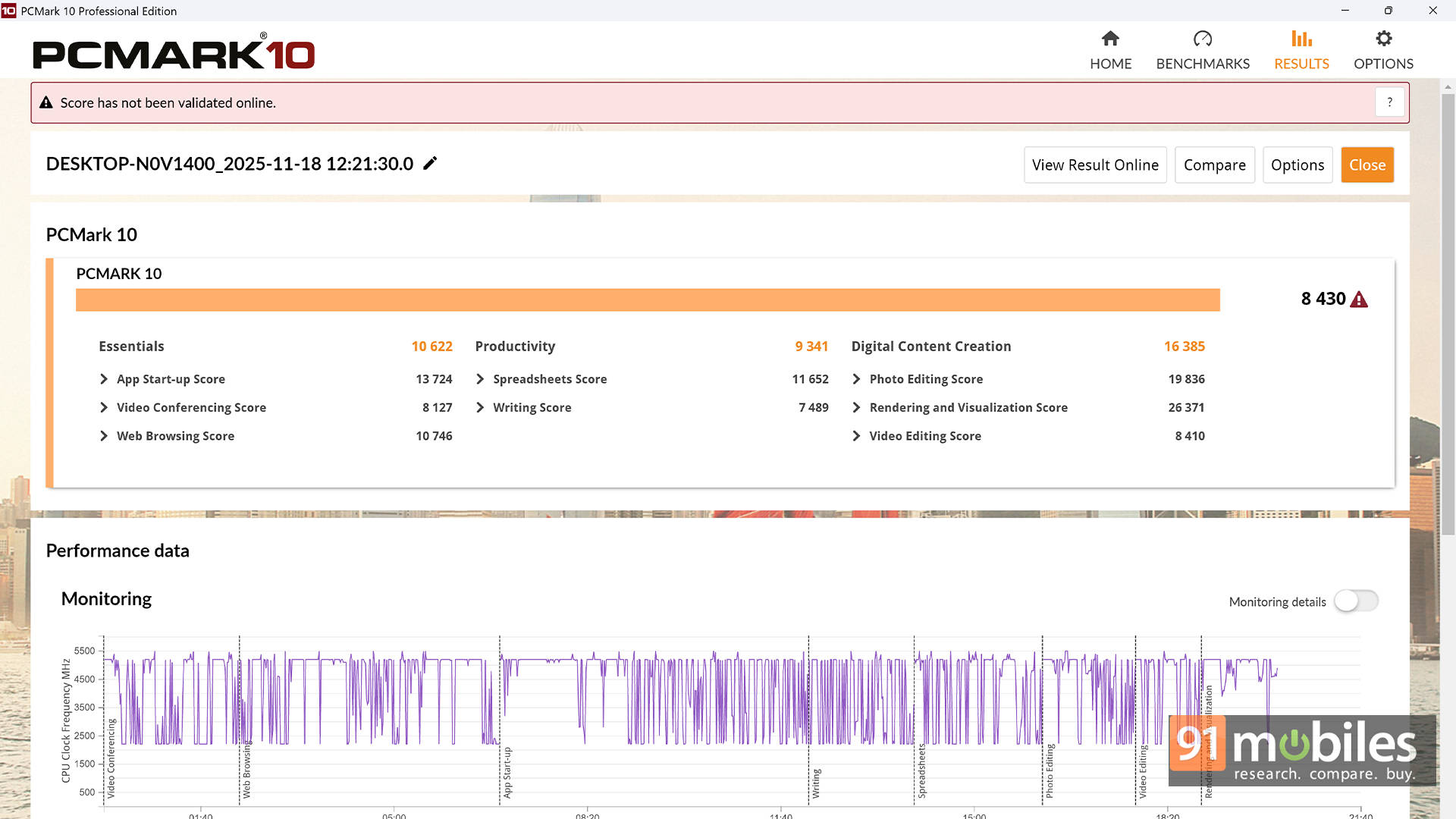


Because yes, it runs hot. Under heavy stress tests, CPU temperatures can spike into the mid to high 90s and occasionally touch triple digits. That sounds scary, but modern silicon is designed to operate near these limits. What it does mean, though, is that sustained performance stabilises rather than endlessly scaling upward. For long render sessions, compilation tasks, or scientific simulations, you’re getting excellent performance.
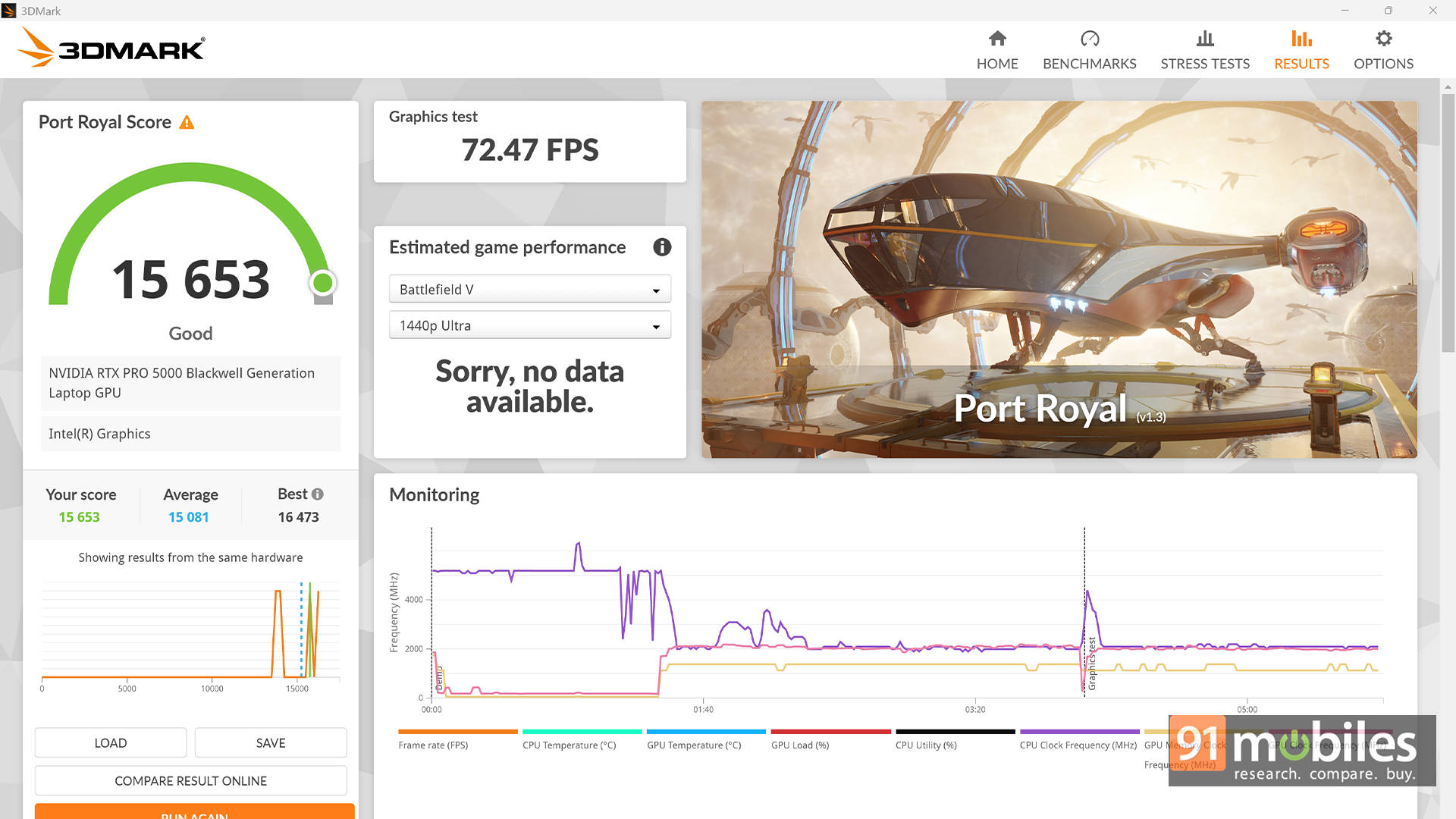
Then there’s the star of the show: the NVIDIA RTX Pro 5000 Blackwell, and it comes with a massive 24GB of VRAM. For professionals working with large 3D scenes, AI models, or heavy video timelines, that extra memory is a big deal. In 3DMark benchmarks, the RTX Pro 5000 performs shockingly close to consumer-class RTX 5090 laptop GPUs found in bulky gaming rigs like the Alienware Area 51. That’s wild for a workstation-class GPU focused more on stability and professional drivers than flashy RGB gaming numbers.
| Benchmark \ Laptop | Dell Alienware 18 Area-51 | Dell Pro Max 16 Plus MB16250 |
| 3DMark Time Spy Extreme | 12622 | 11754 |
| 3DMark Time Spy | 24063 | 21954 |
| 3DMark Fire Strike Ultra | 16350 | 15351 |
| 3DMark Fire Strike Extreme | 28028 | 26083 |
| 3DMark Fire Strike | 35629 | 37222 |
| 3DMark Night Raid | 92094 | 73880 |
| Cyberpunk 2077 - FHD - Native | 171 | 126 |
| Cyberpunk 2077 - FHD - DLSS | 174 | 127 |
| Cyberpunk 2077 - FHD - DLSS+RT | 118 | 92 |
| Cyberpunk 2077 - FHD - DLSS+RT+FG | 348 | 328 |
| Cyberpunk 2077 - QHD - Native | 123 | 107 |
| Cyberpunk 2077 - QHD - DLSS | 159 | 120 |
| Cyberpunk 2077 - QHD - DLSS+RT | 97 | 84 |
| Cyberpunk 2077 - QHD - DLSS+RT+FG | 282 | 253 |
However, here's the catch. The GPU is rated up to 175W, but inside this 16-inch chassis, it stabilises around 125W due to thermal constraints. In real-world terms, that means you're getting elite-tier performance, but not the absolute maximum the silicon is capable of. If you want the full 175W experience, Dell's 18-inch variant is the better thermal playground.
Nonetheless, for creators, engineers, and designers, this laptop doesn't just pass benchmarks — it flexes. Blender renders completely significantly faster than previous-generation RTX 5000 Ada systems. Heavy OpenCL workloads show meaningful gains. Large Excel models and code compilations breeze through tasks that would choke mainstream laptops. This is the kind of machine where you stop worrying about "can it handle this?" and start boasting about "Look how much time it just saved me!"
Built Like a Tank and Wired for the Future
At first glance, the Pro Max 16 Plus looks understated. Matte surfaces, clean lines, no gamer drama. But underneath that calm exterior is one of the most modular laptop designs on the market. The chassis is built from recycled magnesium and bio-based plastics and meets MIL-STD-810H durability standards. In plain language, it feels like a tank. Not flashy. Not slim for Instagram. Just solid.
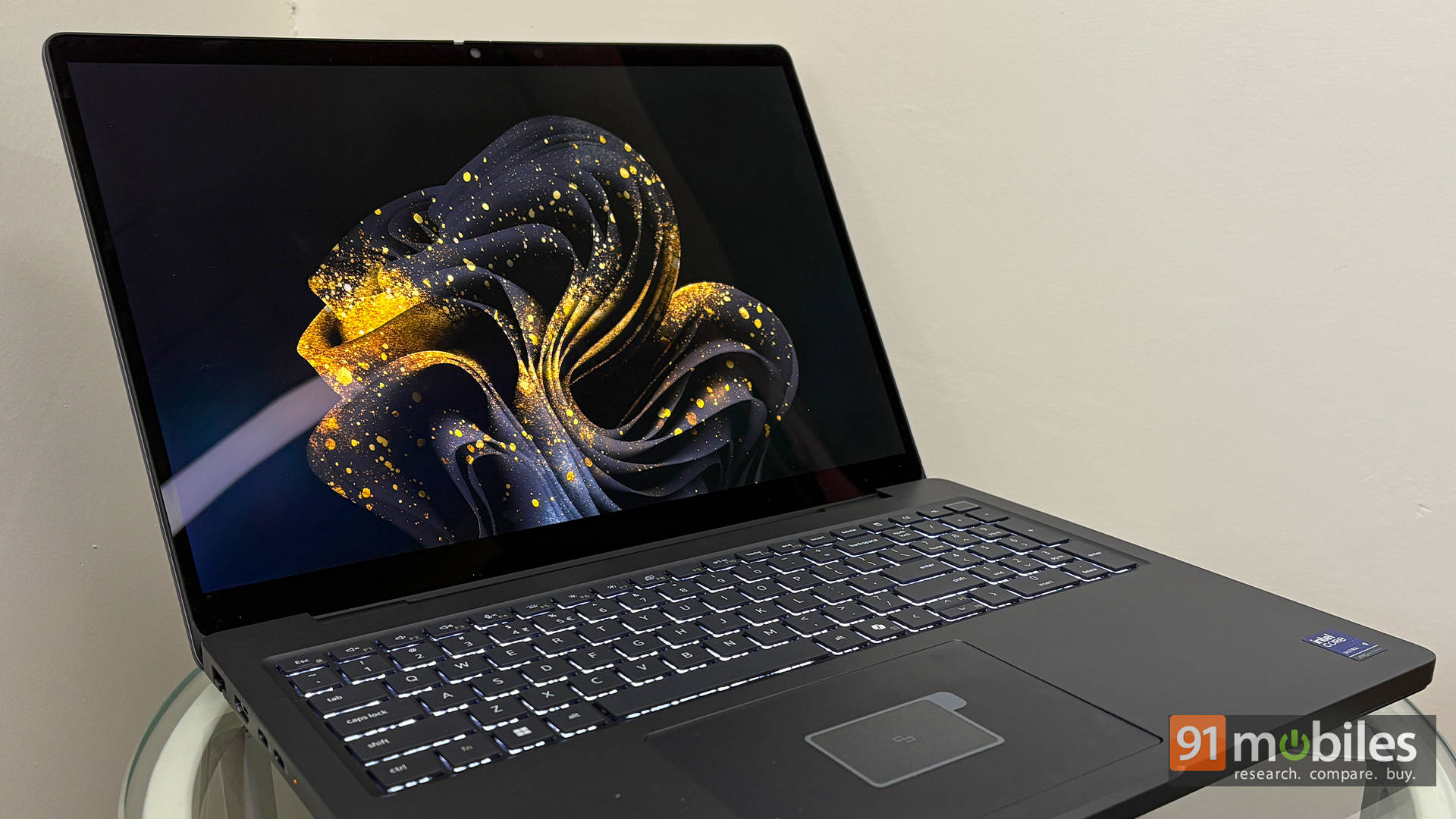
The real magic lies inside. The GPU sits on a DGFF module (Dell's Graphics Form Factor), which means it isn't permanently soldered to the motherboard. Plus, we already talked about the CAMM2 RAM. For professionals who prefer upgrading to replacing entire systems, this matters. In fact, even the USB-C ports are modular. If one gets damaged, it can be replaced independently instead of requiring a full motherboard swap. That's the kind of engineering decision you only see in serious workstations.
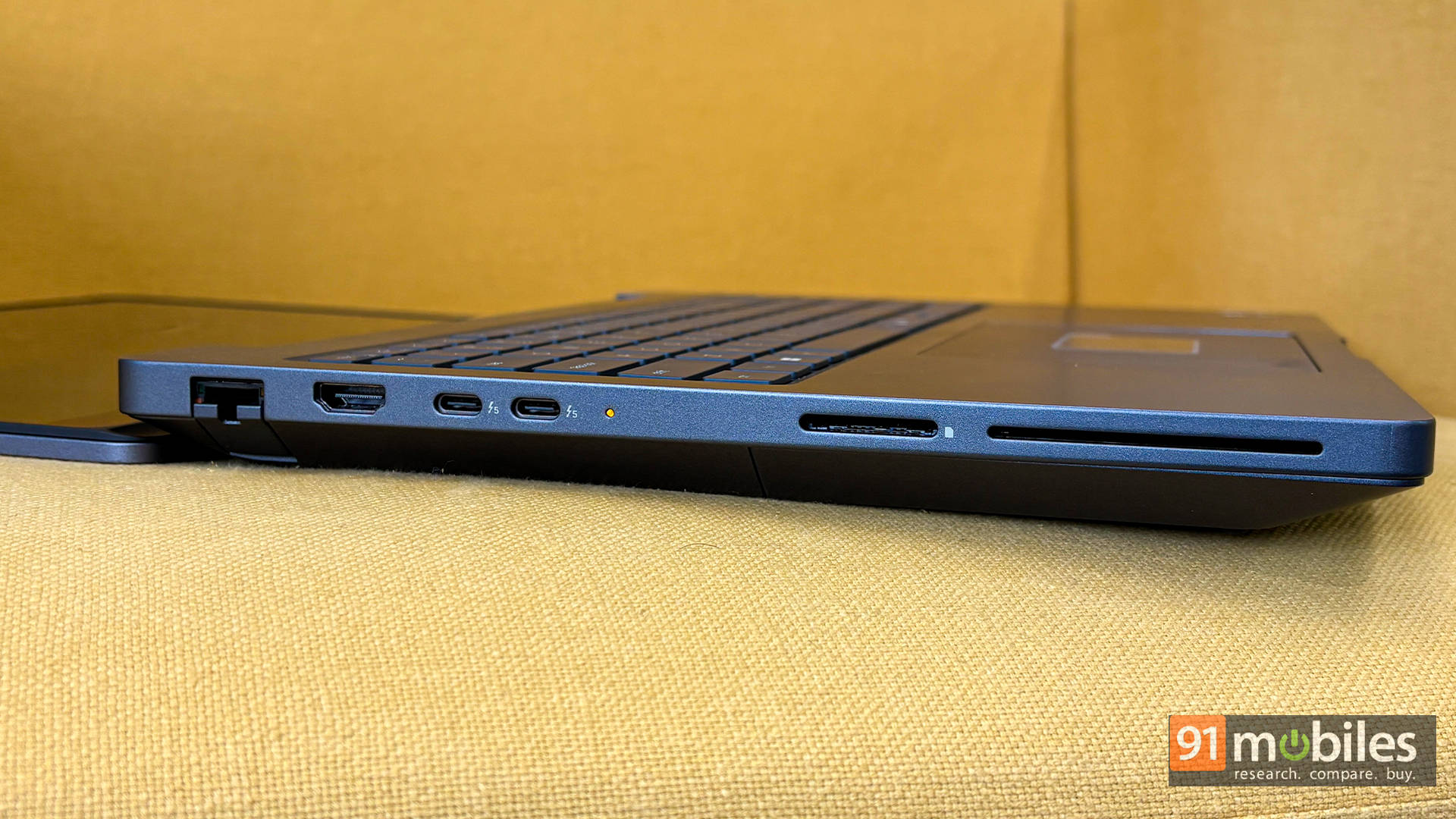
Port selection is equally future-proof. You get dual Thunderbolt 5 ports capable of 80Gbps, a Thunderbolt 4 port, HDMI 2.1, 2.5GbE LAN, SD Express, USB-A ports, and a headphone jack. The only slightly annoying bit is charging via USB-C. The massive 280W adapter occupies one of the Thunderbolt ports, so you're effectively down a port when plugged in. Then again, you can just get yourself a Thunderbolt dock, and you get access to plenty of ports without any compromise in bandwidth.
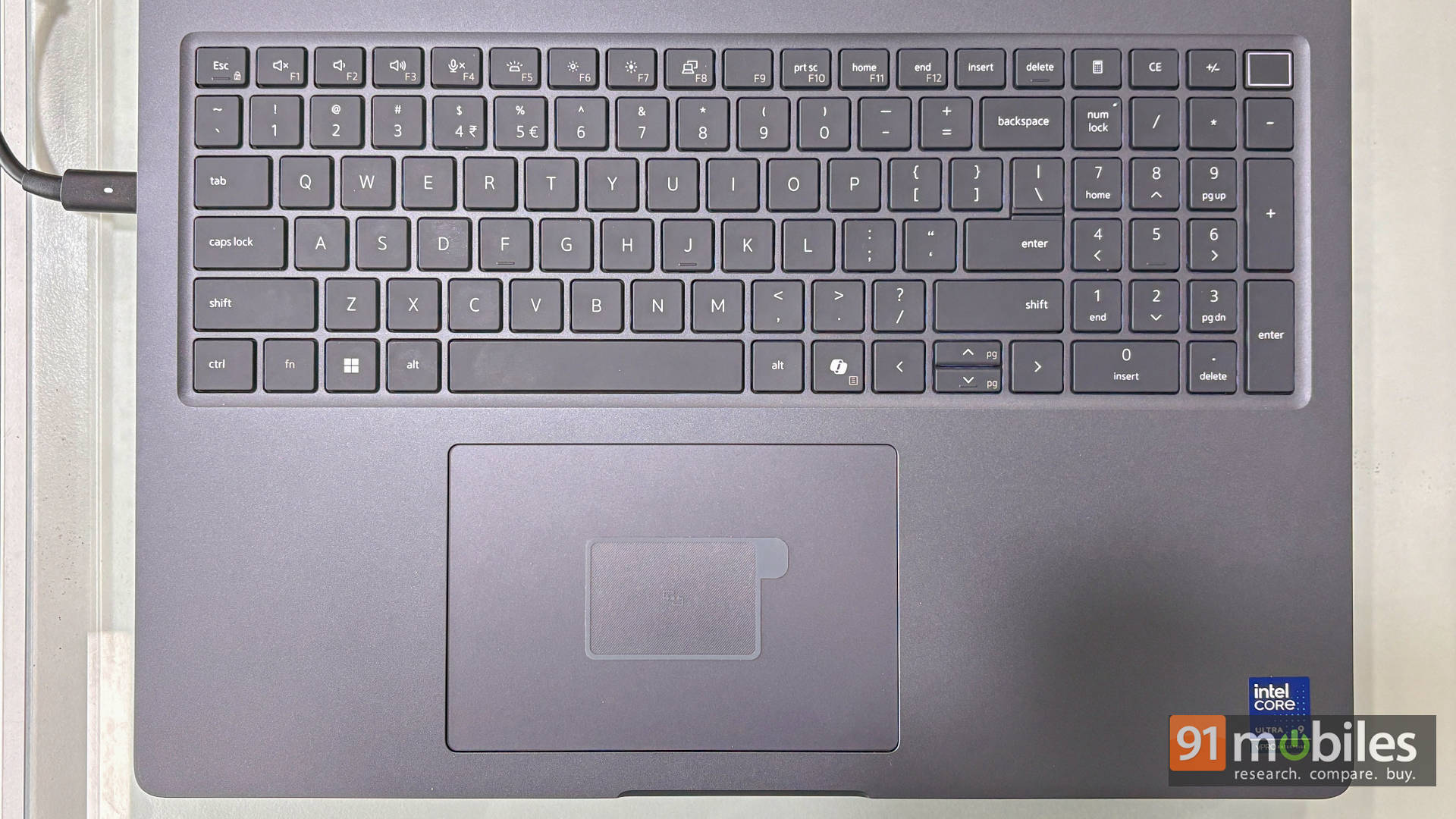
The keyboard includes a full numeric keypad, which accountants and engineers will appreciate. The alphanumeric section does feel slightly shifted left because of the numpad, so it may take a day or two to adjust, but honestly, the typing experience more than makes up for it. The key travel is satisfying and firm, very much in line with Dell's professional lineage. Even the touchpad is smooth, responsive, and appropriately large, though let's be honest, most workstation users will plug in a mouse.
Pixels That Mean Business
Moving on to the display, Dell's 16-inch 4K Tandem OLED panel is genuinely special. Tandem OLED stacks two OLED layers to increase brightness and longevity while reducing burn-in risk. That's particularly important for professionals working with static UI elements for hours on end.
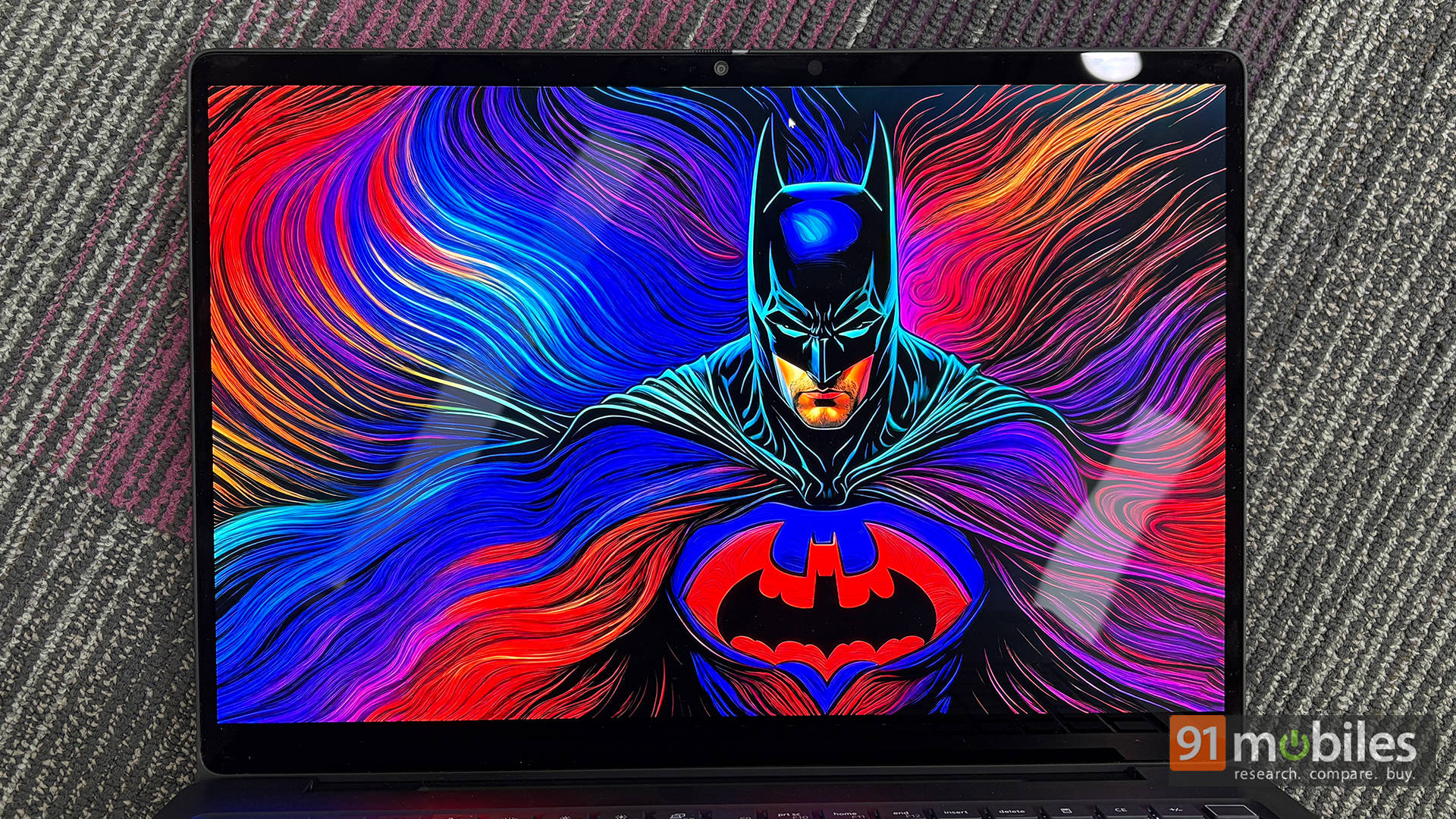
The 16-inch display offers a sharp 3840 x 2400 resolution in a 16:10 aspect ratio, giving you extra vertical space that's especially useful for timelines, documents, and large spreadsheets. With brightness reaching 500 nits in standard mode and support for VESA HDR TrueBlack 1000, the screen looks vivid, crisp, and full of contrast in everyday use.
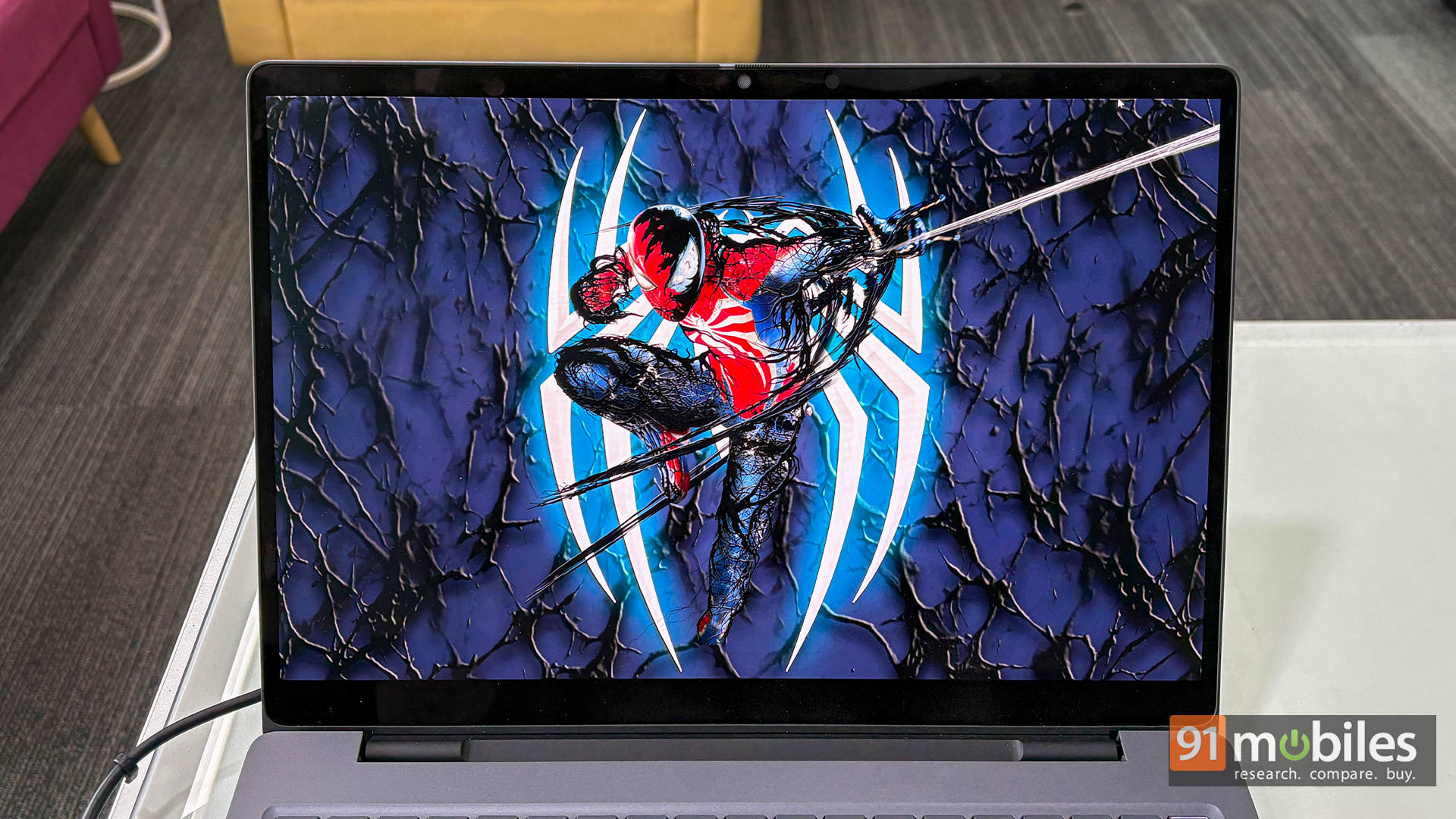
Colour accuracy is excellent, covering nearly the entire DCI-P3 range with very low deviation straight out of the box. This makes it reliable for tasks like photo editing, video grading, and graphic design. The speakers aren't the main attraction, but they're clear and loud enough for meetings and casual content, staying clean without noticeable distortion.
Big Battery, Bigger Appetite
The Pro Max 16 Plus comes with a 96Whr battery, which is one of the biggest batteries you're allowed to take on a flight. That said, when you've got a CPU and GPU that can gulp down power like there's no tomorrow, don't expect miracles.
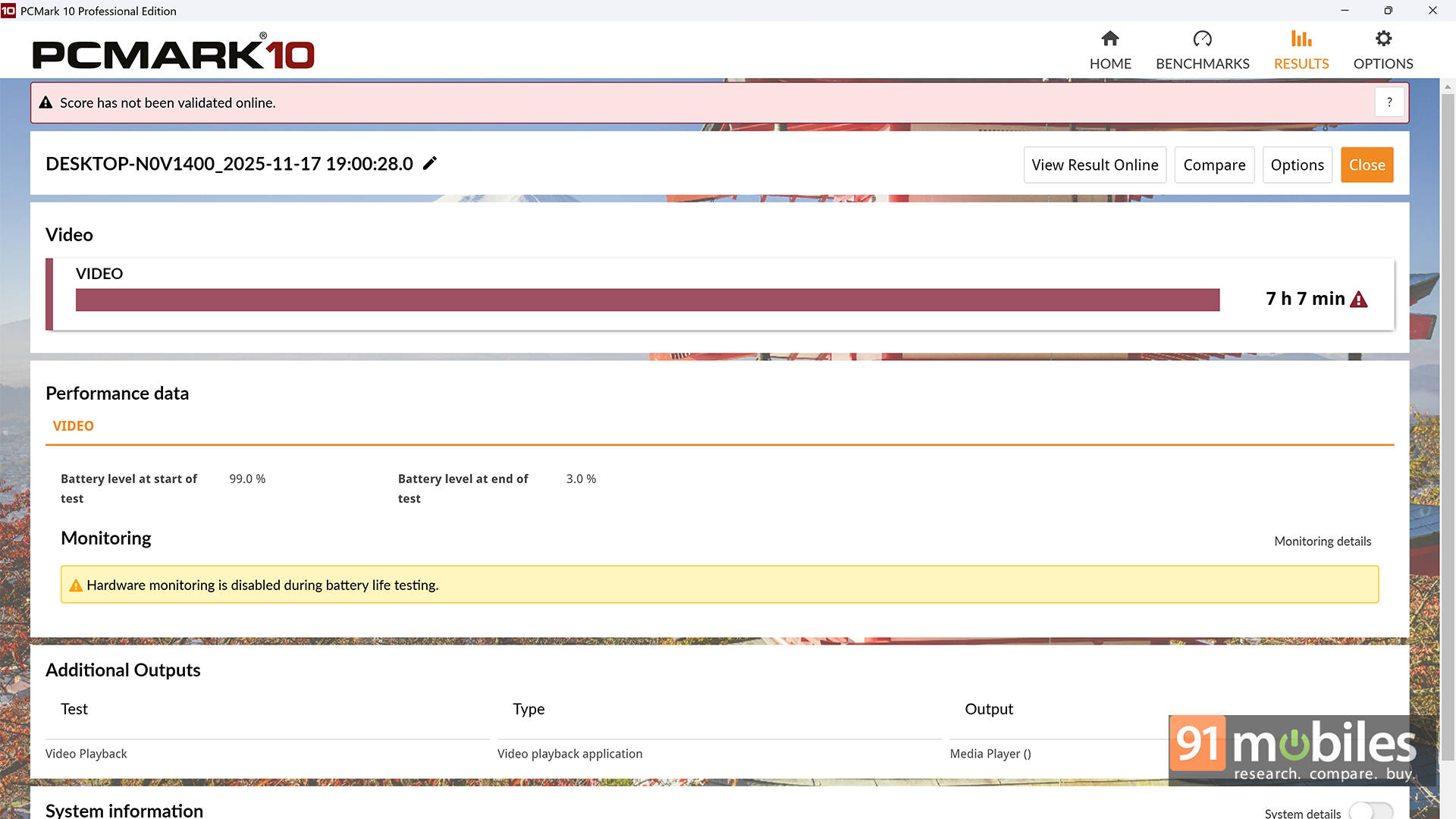
You'll get around 4 to 6 hours for light work, but push it hard, and it'll hunt for a wall socket pretty quickly. The chunky 280W charger makes it clear: this isn't a sip-power-and-chill machine, it's a plug-in-and-dominate kind of laptop.
Verdict: Heavyweight Champion?
The Dell Pro Max 16 Plus is a no-compromise powerhouse that squeezes Intel's Core Ultra 9 285HX and NVIDIA's RTX Pro 5000 Blackwell into a 16-inch chassis and pushes them hard. It delivers seriously impressive results in synthetic benchmarks and demanding creative workloads, even if it runs hot, carries some weight, and doesn't let the GPU stretch to its full 175W potential. In return, you get exceptional modularity, massive performance headroom, a gorgeous Tandem OLED display, and proper enterprise-grade engineering. It's not built for gamers hunting value; it's built for professionals who see performance as an investment, not a luxury.
That said, if you want ultra-deep workstation validation, like ISV certification breakdowns, SPECviewperf comparisons across niche CAD suites, or highly specialised enterprise deployment testing, it's worth checking out other workstation-focused platforms as well. We've reviewed it as a high-performance laptop you'll actually live with daily, but for very specific industry workflows and compliance testing, dedicated workstation reviewers go even further down that rabbit hole.
Editor's Rating: 9.5 / 10
Pros:
- Exceptional CPU and GPU performance
- Modular RAM, GPU, and ports
- Stunning 4K Tandem OLED display
- Enterprise-grade durability and build
Cons:
- Runs extremely hot under load