Normally, I don’t go back to using a smartwatch after reviewing it, but I’d happily keep the Google Pixel Watch 5 on my wrist. That’s not to say the other watches were unusable or the Pixel smartwatch is flawless. It could have done a few things better, but the Pixel Watch 5 gets most things right. Thanks to its advanced AI processing and revamped app support, the wearable feels like more than just a gadget wrapped around your wrist, making the overall experience more interactive and intuitive than ever.
Keep reading this Google Pixel Watch 5 review to find out more.
Table of Contents
Design
The Google Pixel Watch 5 retains the same design DNA as its predecessors, dating back to the first-generation model. That’s not necessarily a bad thing, as it gives the watch a distinct identity that I appreciate. However, Google should have included knitted fabric bands in the box rather than fluoroelastomer ones. Even in their second generation, these bands don’t feel particularly sweat-friendly. I felt uncomfortable wearing the watch for extended periods, especially after a workout, as sweat trapped under the band irritated my skin.

Google sells its polyester yarn bands separately for Rs 6,999, but it should include them by default or offer them as a free alternative. This would better align with Google’s positioning of the Pixel Watch 5 as an everyday wearable designed for comfortable use, even in humid weather.
Beyond the band, the wearable feels as durable and premium as you’d expect. It features an aluminium frame sandwiched between glass layers, including a 3D Corning Gorilla Glass 5 dome covering the AMOLED display. Despite regular use, including intense workouts, the watch has remained scratch-free and free of paint chips.

The Pixel Watch 5 is available in four colour options: Polished Silver, Champagne Gold, Satin Pyrite, and Matte Black. Our Matte Black review unit looks highly professional paired with its Obsidian Active Black Band. The watch comes in 41mm and 45mm dial sizes. The 41mm variant I tested suited my wrist perfectly, and at just 31 grams (without the band), it is exceptionally comfortable to wear all day and in bed.
Display and Controls
The watch features a circular LTPO AMOLED display with a dynamic refresh rate ranging from 1Hz to 60Hz to conserve battery life. At 320ppi, visuals are sharp, and the 3,000-nit peak brightness ensures flawless visibility under direct sunlight. The highly responsive panel produces rich colours and maintains vibrancy at extreme viewing angles. It earns a perfect 10 out of 10 in this category.

Alongside the touch screen, the right side houses a digital crown and a secondary button. The versatile crown allows you to power the watch on or off, open the app drawer, return to the home screen, scroll through menus, and take ECG readings. Meanwhile, the secondary button opens the recent actions menu. I rarely used this button as it sits flush against the domed chassis, making it difficult to find by touch, and its tactile feedback leaves much to be desired.

Fortunately, Google’s “Double-pinch” gesture and Gemini integration render the physical button mostly unnecessary. Double-pinch lets you tap your thumb and forefinger together twice (on the hand wearing the watch) to pull up notifications, scroll through the UI, or make selections. The gesture works seamlessly and proved incredibly convenient for starting activity tracking or checking summaries mid-workout.

If you prefer not to use gestures, Gemini handles the rest. The AI assistant is deeply integrated into the system, pulling real-time information from the internet with reliable accuracy. It easily manages everything from starting a workout to answering complex queries. To activate it, simply lift your wrist; a brief flash of light at the bottom of the display indicates Gemini is listening. Alternatively, you can use the standard “Hey Google” command. Every interaction is backed by haptic feedback that feels as precise and satisfying as a high-end smartphone’s, making the watch a joy to use.
Connectivity and App Support

The watch offers Bluetooth and Wi-Fi connectivity and syncs data with its companion app in near real time. It includes NFC for contactless payments, an Ultra-Wideband (UWB) chip for precision tracking, dual-frequency GNSS for location accuracy, and Satellite SOS.
The Pixel Watch 5 supports devices running Android 12 or newer. I paired the wearable with my Pixel smartphone, which includes the new Google Health app out of the box. While the watch works with other Android devices, some controls are slightly limited outside the Pixel ecosystem.
iPhone users aren’t entirely left out. The Pixel Watch 5 can sync with the Google Health app on iOS, provided the watch was initially set up using an Android device. As long as you sign in with the same Google account, the iOS app fetches activity data directly via the cloud. This cloud-first approach eliminates the frustratingly long Bluetooth sync times that plague many competing smartwatches.
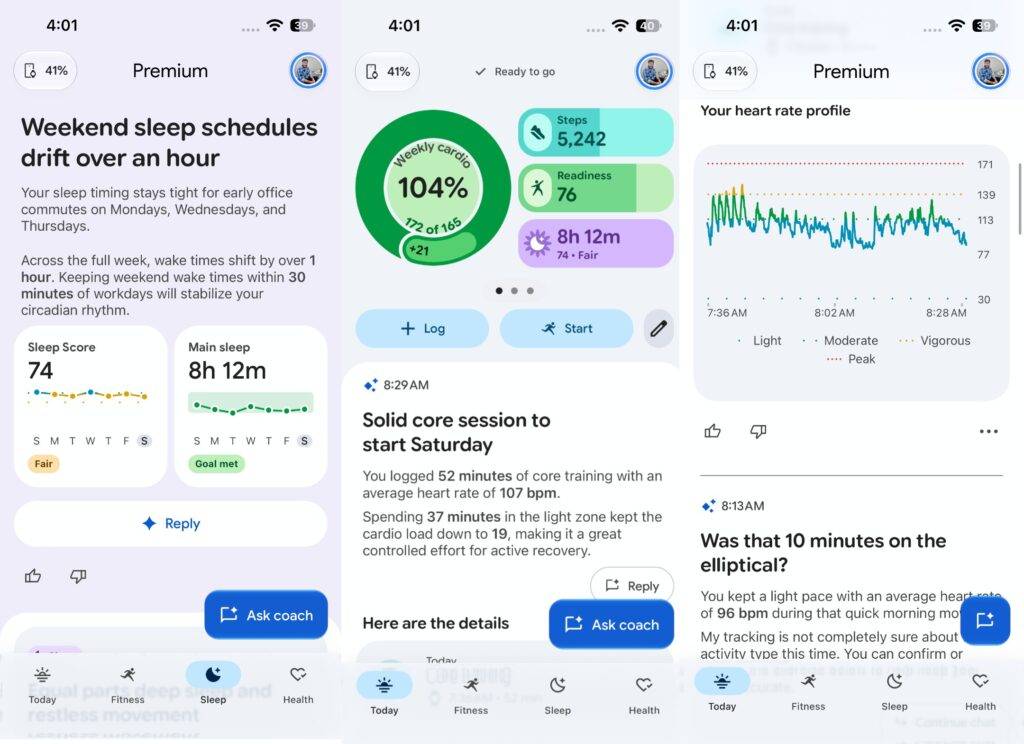
The Google Health app, a refreshed version of the Fitbit app launched earlier this year, integrates Gemini to translate colour-coded graphs into plain-English summaries. However, the sheer density of information can feel overwhelming on a standard smartphone screen (though it scales perfectly on a foldable). Google should consider collapsing granular details behind a “Read more” toggle. This would declutter the primary interface while preserving deep data for power users.
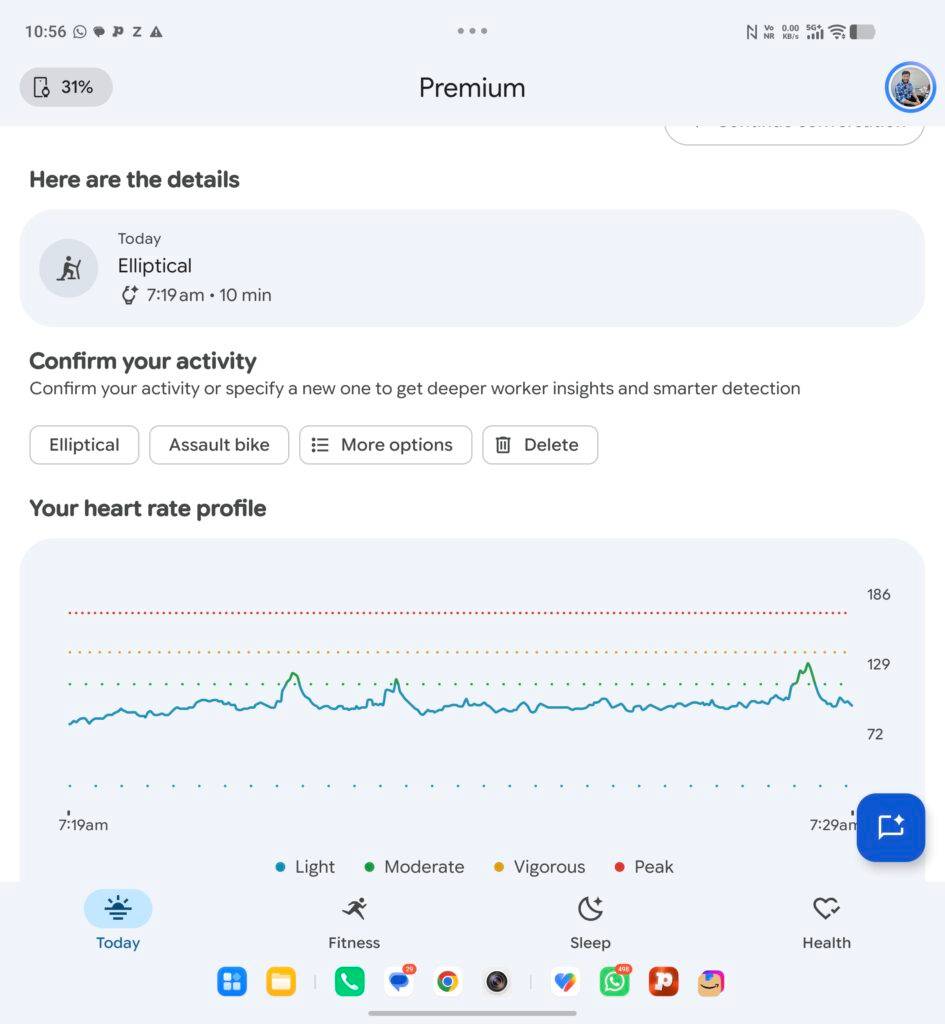
I also wish the app surfaced weekly and monthly comparisons upfront, rather than burying them in deeper menus. This is a minor nitpick, which may not bother many. Overall, the Google Health app experience is highly intuitive. Pixel Watch 5 buyers receive a free three-month Premium subscription, which unlocks adaptive fitness plans, coach assistance, advanced AI features, and deeper tracking insights absent from the free tier.
For an in-depth analysis of the app, you can read our Google Health review.
Health Tracking
Health tracking is undoubtedly the watch’s strongest asset. Covering ECG, sleep, recovery, breathing, and complex workout metrics, it tracks with remarkable precision. While Google emphasises that the Watch 5 is not a medically certified device, its day-to-day readings proved highly reliable. It recorded roughly 1,300 steps per kilometre, a standard stride estimate, and entirely avoided registering “ghost steps” while I slept.

That said, the real value of the Pixel Watch 5 lies in its processing power. Backed by the Snapdragon W5 Gen 2 Accelerated chipset, a Cortex-M55 co-processor, and 3GB of RAM, the watch handles heavy lifting with ease. It features 64GB of storage and hardware-level Gemini integration, enabling offline controls, custom AI watch face generation, and seamless “raise-to-talk” capabilities. On the software front, Wear OS 7 introduces refined Material Design elements and noticeably smoother animations.
Google claims a significant performance leap over the previous generation, and the real-world experience confirms it. Everything from launching apps to managing notifications feels instantly responsive. Gemini analyses activity data rapidly, generating plain-text summaries within seconds. Unlike other wearables, I never had to sift through raw heart rate zones or raw data to understand my body’s performance.

Like high-end Garmin watches, the Pixel Watch 5 generates a daily “Readiness Score” based on sleep and previous activity levels (requiring 7 to 10 days of continuous wear to calibrate). However, this score often felt slightly off-putting for me. Despite learning my baseline over several weeks, the watch frequently advised me to take it easy and avoid pushing myself. Early on, these warnings created a psychological placebo effect, causing me to unnecessarily tone down my workouts. When I eventually ignored the watch and pushed hard at the gym, I felt perfectly fine.
I primarily use the watch for casual lifestyle tracking, so these conservative estimates weren’t a dealbreaker. (Athletes should obviously consult a healthcare professional rather than treating a smartwatch’s conservative algorithms as medical gospel.)

Another minor flaw is the automatic activity detection. Even budget smartwatches can consistently detect when I wake up, but the Pixel Watch 5 occasionally remained stuck in Bedtime mode long after I was out of bed. I noticed similar inconsistencies with automatic workout detection, which missed the start of a few routines. Hopefully, Google can tighten these algorithms via a future firmware update.
Battery and Charging
The watch houses a 332mAh battery in the 41mm model and a 465mAh cell in the 45mm version. While this is a marginal capacity increase over the Watch 4, Google’s battery life claims remain unchanged: up to 30 hours with the Always-On Display (AOD) active, and up to 48 hours in battery-saver mode. During the initial calibration period, I only managed about 24 hours per charge. Once fully settled, however, the watch easily hit Google’s 30-hour claim, stretching to nearly two full days with lighter use.

Charging takes around 40 minutes to go from 0 to 100 percent using the proprietary dock, matching the impressive speed of its predecessor. The side-oriented charging posture, carried forward from its predecessor, is a smart design choice, making it easy to check the time or interact with the screen. The watch also displays a dynamic “time until full” estimate, which takes the guesswork out of top-ups.
Verdict
In India, the Google Pixel Watch 5 starts at Rs 42,900. If you are a Pixel smartphone user who has been on the fence about buying the company’s smartwatch, this generation is an excellent starting point. Its standout health-tracking capabilities, smooth performance, intuitive Gemini integration, and bright, responsive display make it a compelling everyday wearable. The revamped app experience also makes complex health data easier to digest, while reliable battery life and fast charging keep you off the wall outlet.
That said, the default fluoroelastomer band can become uncomfortable during extended wear, and the automatic activity detection needs to be more consistent. The daily Readiness Score may also feel overly conservative for users who prefer to push their physical limits during workouts. Nevertheless, the pros easily outweigh these minor cons.
While the Pixel Watch 5 can be recommended to other Android smartphone users, even with a limited feature set, many would not want to compromise at this price. That may not be Google’s core audience. Instead, the company seems to be focusing on building an ecosystem for Pixel users, and the Watch 5 is a great addition.
Editor’s rating: 9/10
Pros
- Bright, sharp and responsive display
- Accurate health and activity tracking
- Smooth performance and useful Gemini integration
- Good battery life with fast charging
Cons
- Bundled band can feel uncomfortable during extended use
- Automatic activity detection needs improvement