Finding a good budget-friendly tablet can often be a game of compromises. At least one out of the core aspects like performance, build quality, or display, are sacrificed just to hit a lower price point. However, every now and then, a budget tablet comes along that challenges those expectations. After spending some time with the OPPO Pad SE, I can say it’s one of those rare finds that delivers a complete experience without the hefty price tag. Check out the detailed review below.
Table of Contents
A sleek, lightweight design
The moment you unbox this tablet, its premium construction is immediately apparent. It features a sleek metal unibody design that feels both sturdy and high-end, punching well above its price point. My review unit came in the Twilight Blue colourway, which does an excellent job of resisting fingerprints and smudges.
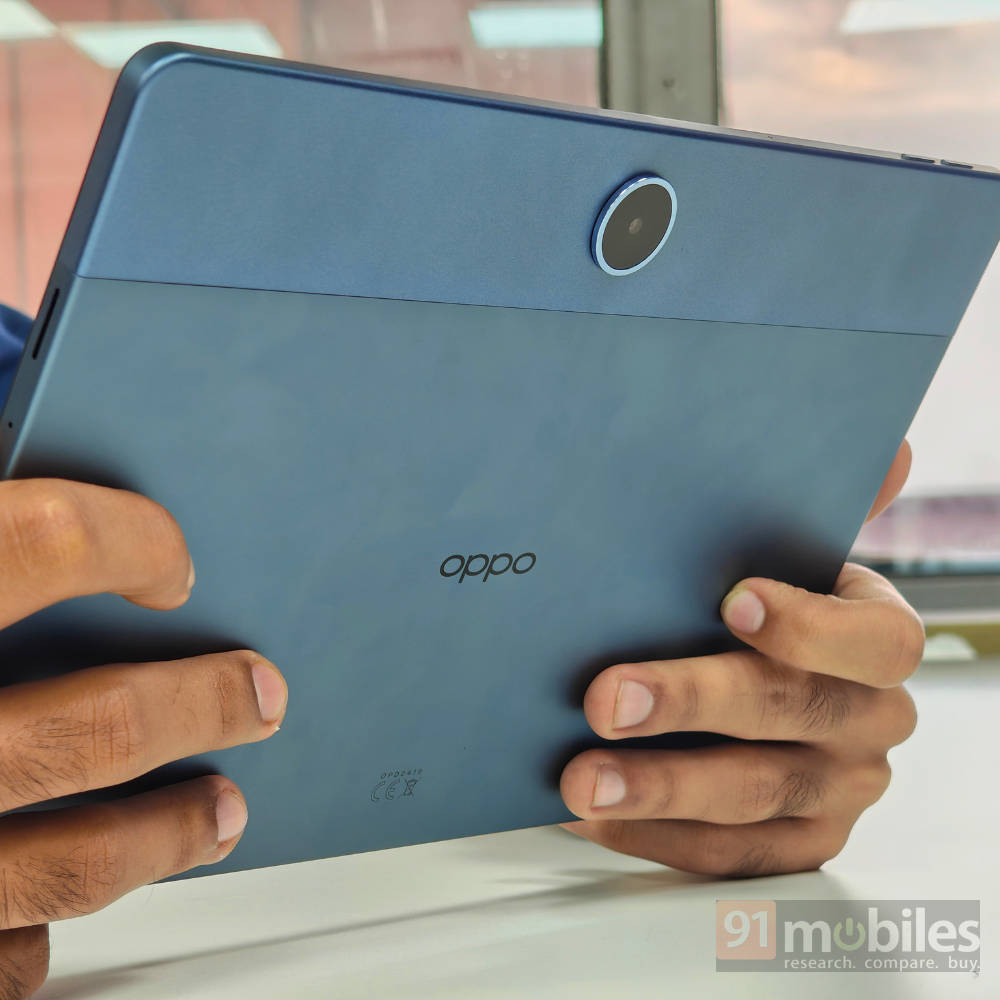
What truly surprised me, however, is just how comfortable it is to use. Despite its large screen, the device boasts a nice weight balance that makes it feel significantly lighter than its ~530g would suggest. It’s also impressively slim at just 7.4mm. This combination makes the tablet incredibly handy, whether you’re holding it with one hand to read or propping it up to watch a video.
The bezels around the display are uniform and, in my opinion, perfectly sized. They give you just enough room to grip the device firmly without your thumb creeping onto the screen and causing accidental touches.
Still, holding any device this large for extended periods will inevitably lead to some fatigue. I’d recommend pairing it with a case that has a built-in stand, as this makes day-to-day use far more practical and ergonomic.
Immersive multimedia experience
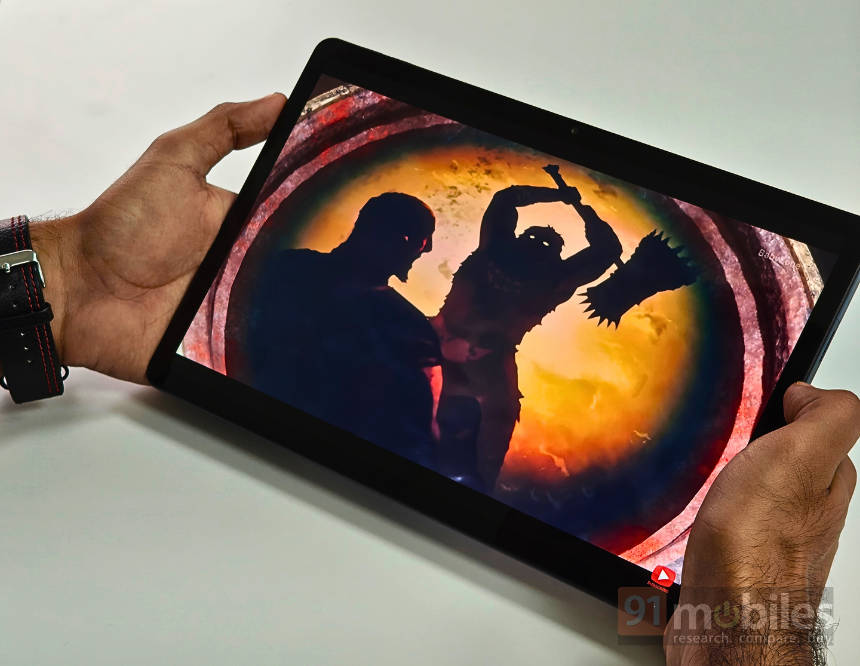
The multimedia experience on this tablet is pretty good, largely thanks to a good combination of display and audio. The centrepiece is the large 11-inch display, which has a 90Hz refresh rate. This keeps general navigation and scrolling feeling quite smooth.
Visually, the panel is pretty impressive. The resolution comes in at 1,920 x 1,200 pixels, making it just a little over Full HD. As a result, content looks crisp and vibrant, making for a great experience on streaming services like Netflix. I also found that YouTube playback can go up to 1440p, which is a decent bonus.
Capable performer for daily use
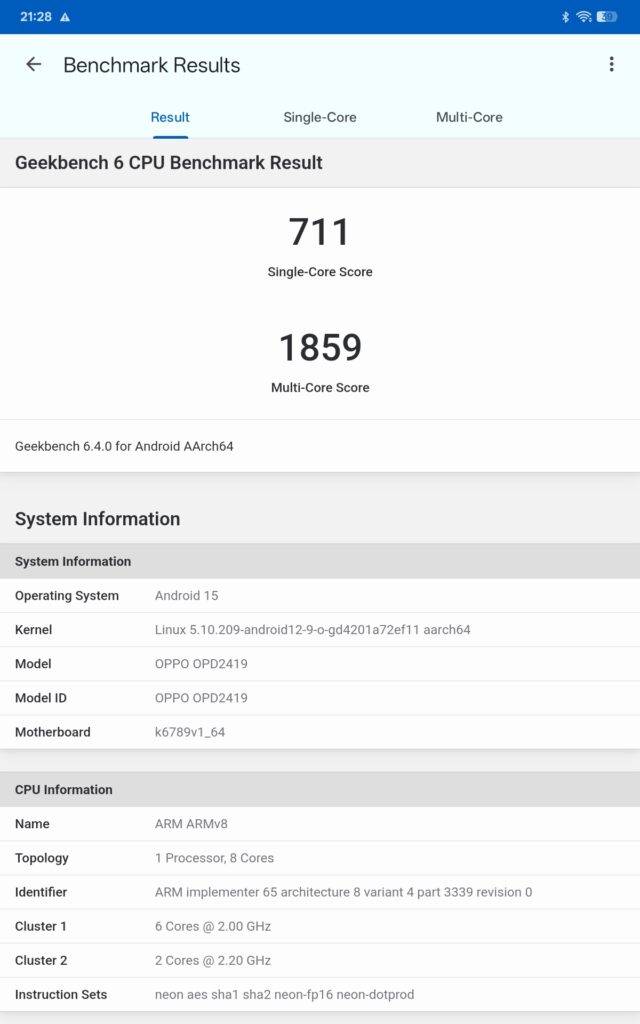
Going into this review, I had tempered my expectations for the tablet’s performance. The tablet is powered by the MediaTek Helio G100, which is a fairly entry-level chipset, paired with 4GB of LPDDR4X RAM and 128GB of UFS 2.2 storage. On paper, it is a modest setup, but I have to say, my experience was surprisingly pleasant overall. I do recommend getting the LTE variant with 6GB RAM, as that would just improve the long-term viability of this device, as 4GB RAM could become a bit limiting down the line.
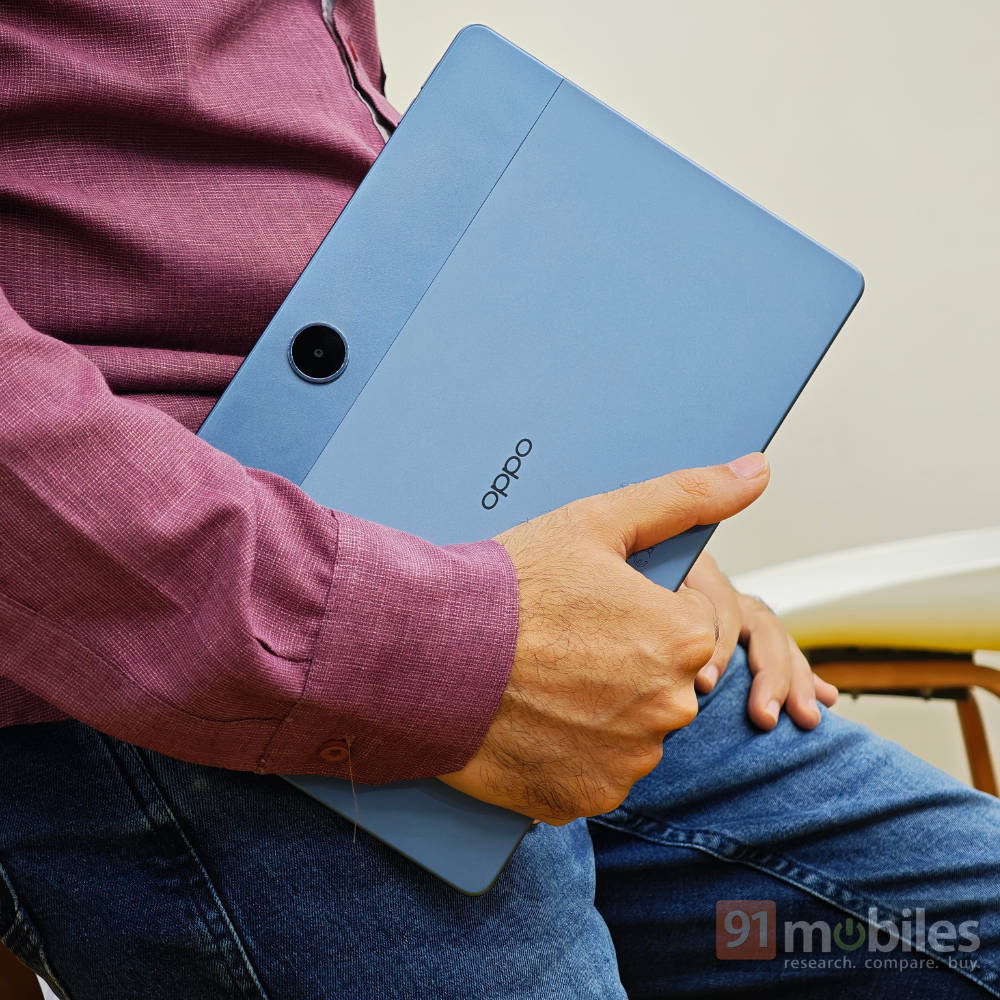
For day-to-day tasks like browsing the web, scrolling through socials, and watching videos, the tablet is quite capable. It handles these activities without any major issues and offers a generally smooth experience.
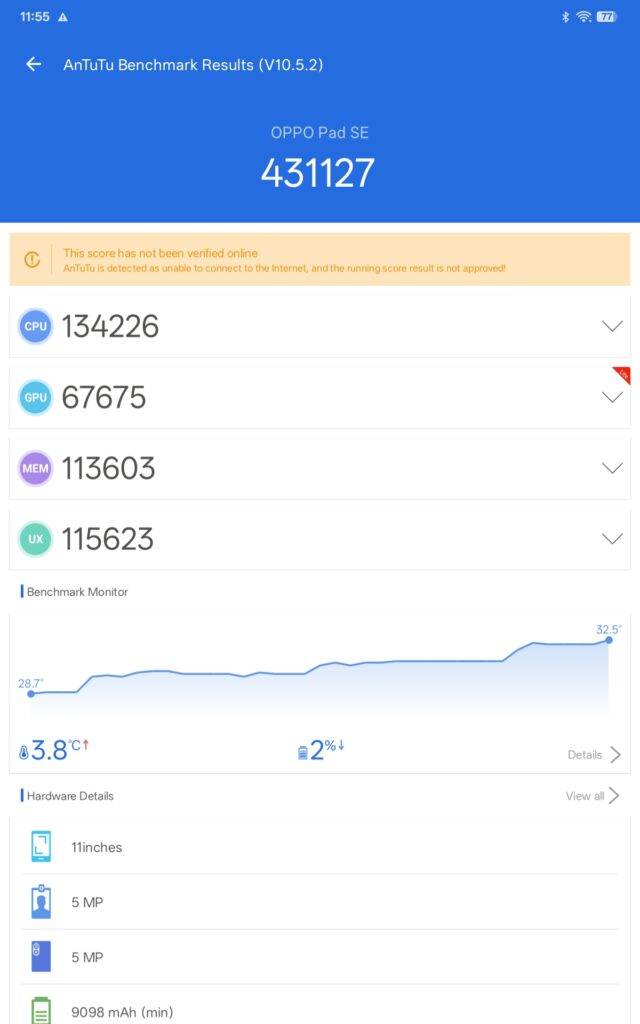
The gaming performance isn’t really exemplary, as you’d expect from a budget chip. However, it’s capable of running even demanding titles like BGMI at low settings with a fairly playable frame rate (about 40-47fps) in short stints. I prefer playing less demanding games like Hay Day, Beach Buggy Racing, and Clash of Clans, and I’m happy to report that I faced no issues whatsoever. If you are a casual gamer playing lighter games, you’d be pretty satisfied with this device.
Clean software with a surprising amount of AI
I found the software experience on this tablet to be another pleasant surprise. It runs ColorOS 15, based on Android 15, and provides a great experience right out of the box. The interface feels smooth, and I appreciate the clean, minimal approach to pre-installed apps. Beyond the standard Google suite, the tablet includes only a couple of third-party apps like Netflix and WPS office, which can be easily uninstalled if you don’t want them.
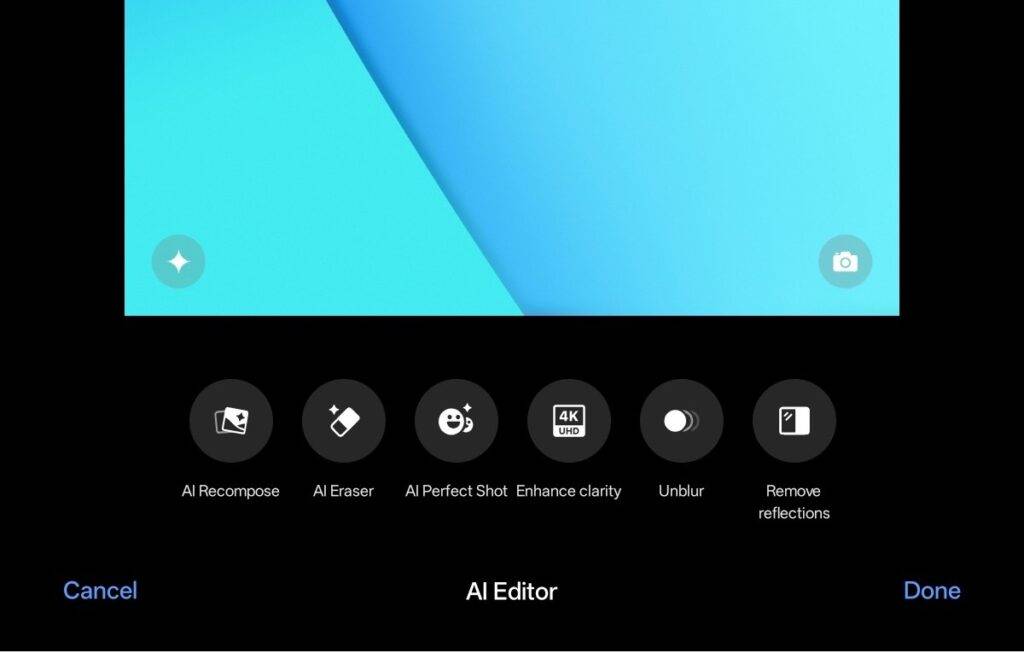
Here’s a quick rundown of the AI features:
- Google Gemini: It provides quick AI assistance for setting alarms, organising my schedule, and looking up information.
- Document Tools: I found features like Document Summary and one-tap Document Translate incredibly practical for productivity.
- Photo Editing: The tablet offers a number of tools, including AI Eraser to remove unwanted objects, AI Reflection Remover, and AI Unblur to sharpen photos.
While I feel the camera-focused AI tools are a bit mismatched with the basic hardware, I welcome their inclusion. The clean software and the AI features make the overall software experience a definite strong point for this device.
Battery life that just keeps going
One of the highlight features of this tablet is its battery. With a massive 9,340mAh cell packed inside, this is an easy two-day device for most moderate users. During my use, I was getting through two full days with roughly 3-4 hours of usage each day, which is pretty decent. Even if you’re a heavy user who streams content back-to-back, you should still comfortably get through a full day with some juice to spare.
And when it does finally run out of power, the 33W fast charging support gets you back in action pretty quickly. There is no charger in the box, which is a little surprising given it is a budget tablet. With a compatible charger, it can top up the massive battery in about 2.5 – 3 hours—not great, not terrible. Personally, I just ended up charging it overnight, and given the excellent battery life, I’d recommend you do the same.
How does it compare to the competition?
The OPPO Pad SE is up against some tough rivals in the price segment. First up is the Infinix XPAD (review). For Rs 14,999, it gives you 8GB of RAM and 4G connectivity. This makes it a good option for users who need mobile data on the go. However, the OPPO Pad SE comes in at a more affordable Rs 13,999 (Rs 15,999 for the 6GB LTE variant) and offers a bigger battery, faster 33W charging, and a cleaner software experience with more useful AI tools. Unless 4G support is a deal-breaker for you, the OPPO Pad SE offers better value.
Then you have the Redmi Pad 2 (review), which is another good contender, starting at an even lower price of Rs 12,999. Its main advantages are a sharper 2.5K display and support for the Redmi Smart Pen, making it a good choice for students or anyone who relies on a stylus a fair bit.
But, if you’re willing to spend just a little more, the OPPO Pad SE gives you significantly faster charging and more AI features baked right into ColorOS 15, which I feel is arguably the better software compared to HyperOS. The choice really comes down to what you value more: stylus support on a tight budget or a better all-round experience.
Verdict
The Oppo Pad SE is a polished tablet that gets the fundamentals right, making it a good option in the budget market. With a starting price of just Rs 13,999, it strikes a decent balance between features and affordability.
There’s a lot to like here. The premium design feels great in the hand, and the combination of a vibrant display and excellent speakers makes it a fantastic device for content consumption. The battery life is a big highlight, easily lasting two days, and the clean software is supplemented by some useful AI tools. Despite its 4GB RAM, I never encountered any major hiccups and the experience remained pretty smooth, which is another major advantage.
Of course, it’s not perfect. The lack of a fingerprint scanner, missing charger, and no official stylus support are some drawbacks. Still, if you’re a casual user looking for a media device that is reliable, the Oppo Pad SE is an easy recommendation.
Editor’s Rating: 8 / 10
Reasons to buy:
- Premium design that feels great in the hand
- Excellent multimedia experience with a great screen and speakers
- Clean software with useful, on-device AI features
- Great battery life
Reasons not to buy:
- It does not come with a charger
- There is no official stylus support