Samsung Galaxy Book6 Ultra Review: A sneaky & premium powerhouse


Review Summary
Expert Rating
Few laptops exist in the Windows world that offer a premium look combined with sheer horsepower and the software goodies to back it up. That’s where the Samsung Galaxy Book6 Ultra comes in, though. The laptop already impressed me in my first impressions, but after extensive use, I can affirm that the Galaxy Book6 Ultra is a masterclass in premium Windows hardware, seamlessly blending a boardroom-ready aesthetic with workstation-level internals.
Then again, when you are dropping a massive chunk of change on a single laptop, especially with the fierce competition sitting right next to it on the shelf, simply being “good” is never enough. It needs to justify its existence in your tech arsenal genuinely. So, let us take a closer look at the real-world performance, the gaming chops, the everyday usability, and ultimately, whether this beautiful machine is actually worth your hard-earned cash in the Indian market.
Note: This review focuses primarily on real-world performance and testing. For an in-depth look at the device’s design, ecosystem, and market positioning, please refer to our First Impressions article.
Table of Contents
Performance: Intel’s Cooking, Samsung’s Cooling
Let’s start with performance, because this is where things get genuinely interesting. My unit of the Samsung Galaxy Book6 Ultra is powered by the Intel Core Ultra 7 356H, paired with 32GB of LPDDR5X RAM and a fast 2TB NVMe SSD. On the graphics side, Samsung has gone with an NVIDIA GeForce RTX 5070 laptop GPU, which already tells you this isn’t your usual thin-and-light pretending to be powerful; it actually is powerful.
Now, I’ll admit, I expected Samsung to play it a bit safe here. But with the GPU running at a healthy power level, this machine has more than enough grunt. And it shows. Across our usual mix of Cinebench, Geekbench, and PCMark, the Galaxy Book6 Ultra doesn’t just hold its own; it comfortably trades blows with proper gaming laptops. Intel’s latest chips clearly have momentum right now, and this one feels like a solid step forward over previous generations, both in responsiveness and sustained performance.
Gaming on an Ultrabook?
Samsung might not call this a gaming laptop, but let’s be honest, once you see an RTX 5070 inside, you already know where this is going. And sure enough, the Galaxy Book6 Ultra handles modern titles far better than you’d expect from something this sleek.
| Benchmark/Laptop | Dell Alienware 16X Aurora | ASUS TUF Gaming F16 | Samsung Galaxy Book6 Ultra |
| TGP - GPU | 115W | 115 | 90W |
| 3DMark Time Spy Extreme | 6756 | 6570 | 5588 |
| 3DMark Time Spy | 14139 | 14025 | 11194 |
| 3DMark Fire Strike Ultra | 8526 | 0:00 | 7443 |
| 3DMark Fire Strike Extreme | 16594 | 17534 | 14146 |
| 3DMark Fire Strike | 37798 | 32270 | 24015 |
| 3DMark Night Raid | 74339 | 66656 | 48484 |
In my testing, 2K gaming across demanding titles like Cyberpunk 2077, Black Myth: Wukong, and Forza Horizon 5 felt surprisingly effortless. The experience is smooth, stable, and, more importantly, consistent. Despite being configured at 90W of TGP, the RTX 5070 here has very respectable scores.
| Benchmark/Laptop | Dell Alienware 16X Aurora | ASUS TUF Gaming F16 | Samsung Galaxy Book6 Ultra |
| TGP - GPU | 115W | 115 | 90W |
| Cyberpunk 2077 - FHD - Native | 107 | 107 | 79 |
| Cyberpunk 2077 - FHD - DLSS | 122 | 117 | 89 |
| Cyberpunk 2077 - FHD - DLSS+RT | 72 | 74 | 51 |
| Cyberpunk 2077 - FHD - DLSS+RT+FG | 217 | 219 | 177 |
| Cyberpunk 2077 - QHD - Native | 68 | 67 | 56 |
| Cyberpunk 2077 - QHD - DLSS | 94 | 96 | 73 |
| Cyberpunk 2077 - QHD - DLSS+RT | 59 | 58 | 45 |
| Cyberpunk 2077 - QHD - DLSS+RT+FG | 141 | 161 | 130 |
For context, when compared to chunkier machines like the Dell Alienware Aurora 16X or the ASUS TUF Gaming F16, which run similar GPUs at 115W of TGP, the gap isn't nearly as wide as you'd think. What you're getting here isn't peak gaming performance, but a very well-balanced version of it.
Quiet confidence
Even so, perhaps what impressed me the most here is that there's essentially no throttling to speak of. Sure, Samsung has dialed the power back a bit, but it's equally impressive to see what they've achieved on the hardware side. Thanks to the vapor chamber design, the fans, even in Turbo mode, never get obnoxiously loud. I'd go as far as saying this is the quietest I've ever played on a "gaming laptop"… except, well, this isn't really a gaming laptop to begin with.

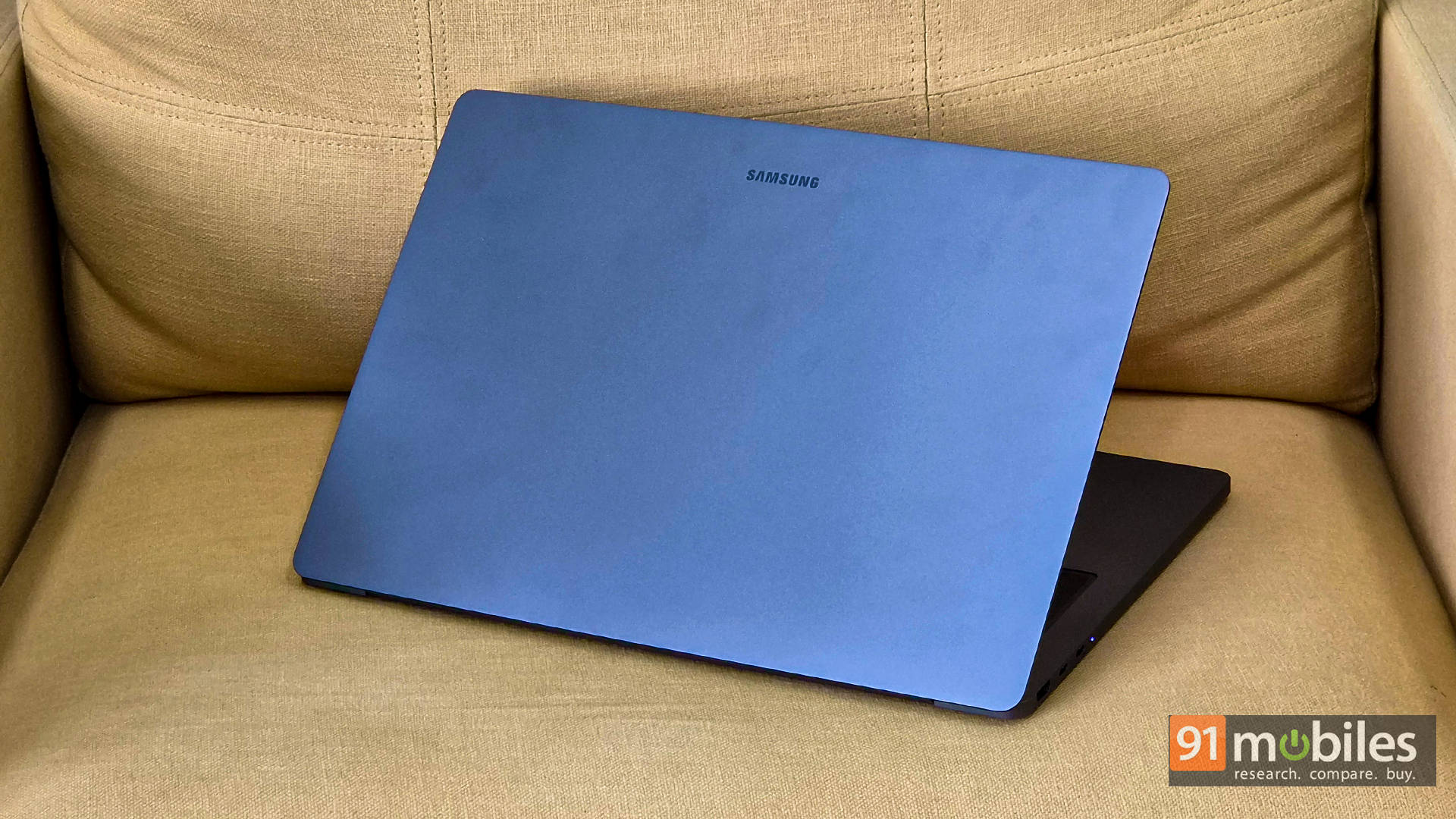
And that's exactly where the magic lies. Samsung has managed to carry its clean, everyday design philosophy into real-world performance, too. You're getting the kind of power you'd expect from a much more aggressive machine, but without the usual trade-offs. It just quietly does its thing, and does it really well.
Keyboard and Touchpad: A Mixed Bag
Moving on to the keyboard, the typing experience on the Galaxy Book6 Ultra is arguably the most polarizing aspect of the entire machine. Samsung has opted for a very shallow key travel, which looks absolutely fantastic and keeps the profile incredibly slim. However, I personally prefer more feedback from a laptop keyboard, but if you're a fan of clicky low-profile keys, this should feel right at home. Then again, it is not a complete dealbreaker, but it is a slight annoyance on an otherwise premium deck.

On the complete opposite end of the spectrum, however, the touchpad is an absolute masterpiece. Samsung carried over the mega-sized trackpad from previous generations, and it takes up a massive portion of the wrist rest. It is remarkably smooth, highly responsive, and provides precise navigation whether you are editing a complex video timeline or just endlessly scrolling through web pages. It easily rivals the best trackpads on the market and is an absolute joy to use every single day.
The Remote Work Essentials
If you're dropping this kind of money on a prosumer laptop, it absolutely has to get the remote work basics right. Thankfully, the Galaxy Book6 Ultra doesn't fumble here. Instead, it actually leans into it pretty well.

Let's start with the webcam. Tucked neatly into the top bezel is a 2MP 1080p Full HD shooter that's… just right. No, it's not replacing your mirrorless setup for YouTube shoots or client productions, but for everyday Zoom calls and back-to-back meetings, it does the job without making you look like a pixelated mess. The image is sharp enough, exposure is handled well, and if you ever need more quality and have a Samsung smartphone, you can seamlessly use its camera as a webcam too.

But the real star of the show here is the audio. Samsung has gone all-in with a six-speaker setup (four force-canceling woofers paired with two tweeters), and it shows. The sound is crisp, full, and surprisingly punchy for a laptop this slim. Whether you're on a call, watching a movie, or just blasting your go-to playlist while working, the speakers get loud enough to fill a room without falling apart at higher volumes. Vocals come through clean, instruments don't get muddy, and there's actual depth here, not just noise.

And the best part? You get to enjoy all of that for a long time. The 80.20Wh battery inside this machine is no joke. In my testing, it comfortably lasted an entire workday on a single charge. It's the kind of battery life that lets you step out without that low-key anxiety of carrying your charger everywhere. And honestly, leaving that chunky 140W USB-C brick behind for once feels pretty great.
Ecosystem: One Brain, Two Screens
Beyond just tossing files around with Quick Share, the real magic here is how your devices start behaving like one. With Samsung's Multi Control, your laptop's keyboard and trackpad can control your phone, reply to texts, drag photos, and multitask like it's all part of the same machine. Throw in a universal clipboard that just gets it, and you'll genuinely forget which screen you copied something from. It goes even further with calls, notifications, and messages showing up right on your desktop, thanks to tight Link to Windows integration. And unlike most AI fluff, features like Circle to Search actually add to the flow instead of breaking it. The result? An ecosystem that doesn't feel forced or gimmicky. Instead, it just works, keeps you in the zone, and honestly feels cooler than it has any right to.
Verdict: Big Money, Big Decision
So, the big question: should you actually spend this kind of money on it? The RTX 5070 variant of the Samsung Galaxy Book6 Ultra comes in at a hefty Rs 3,10,990, firmly planting it in ultra-premium territory. If you're a casual user or someone chasing max FPS per rupee, this isn't your machine. But if you're a creator, a heavy-duty multitasker, or someone who wants serious GPU muscle without lugging around a bulky gaming rig, this thing absolutely delivers. Between the gorgeous AMOLED touchscreen, the polished design, and Samsung's surprisingly tight ecosystem, it walks that fine line between boardroom elegance and creative powerhouse really well.
That said, there's a smarter way to look at it. If hardcore gaming isn't your priority, the Core Ultra X7 358H variant makes a lot of sense. It's lighter, far more affordable at just Rs. 2,42,990, and still carries the same premium DNA, while offering enough graphical grunt for casual gaming at 1080p. Sure, you could also consider alternatives like the 16-inch Dell XPS 16 or the Apple MacBook Pro 16, but Samsung's feature set and overall balance give it a unique edge. It's not cheap, but it doesn't feel overpriced either. It just feels like a well-built, no-compromise machine for people who want a bit of everything done right.
Editor's Rating: 9 / 10
Pros:
- Stunning AMOLED touchscreen
- Powerful yet slim design
- Excellent thermal management
- Top-tier speaker system
Cons:
- Shallow keyboard feel
- GPU not fully unleashed

