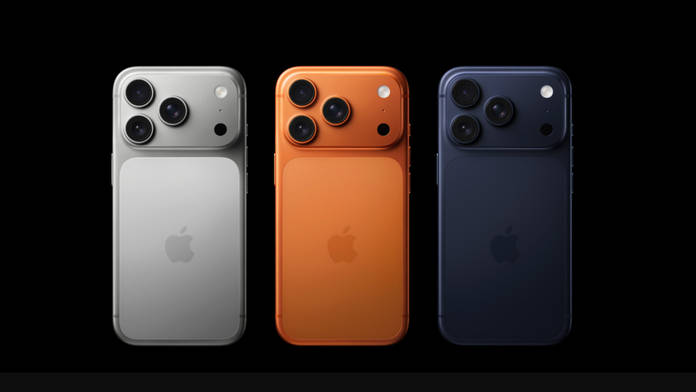
The iPhone 17 Pro and iPhone 17 Pro Max launched in September with Apple’s most advanced camera systems till date, just in time for the festive season. Both handsets have three 48MP Fusion cameras, which can produce sharper and more detailed images. New photography styles, such as a “Bright” style in iOS 26, enable users to further customise their photos. The new front camera with Centre Stage enables portrait or landscape photos while holding the phone vertically for group selfies. These are just some of the improvements that make the iPhone 17 Pro lineup especially robust for photography and video shooting during this festive period.
Ahead of Diwali, here are some tips and tricks from photographers Apeksha Maker and Gursimran Basra to make the best use of your iPhone 17 Pro and Pro Max cameras.
- Begin with a clean lens – A simple wipe can increase the clarity of images dramatically. iOS 26 has Lens Cleaning Hints to remind you when your lens needs wiping.
- Use View Outside the Frame – This assists you in better framing your shot, capturing sudden movements or smiles that occur just beyond your direct shot.
- Try Photographic Styles – Practice using built-in camera styles such as Amber, which introduces a warm colour and balanced contrast ideal for celebratory lighting. You can also alter or eliminate these styles after capture.
- Portraits using the telephoto lens – The 48MP telephoto lens produces great depth and separation of the subject, making candid portraits look stunning.
- Shoot with natural light – Utilise ambient light from diyas, candles, or fairy lights for softness and depth. Position your subjects towards the light for optimal effect.
- Prevent flash in low light – Let Night Mode do its job to preserve the warmth of the scene and balance bright and dark spots with Smart HDR.
- Get up close with Macro Mode – Take close-up shots of details like diya flames, jewelry glint, or sweets textures by bringing your phone near until the lens readjusts. Lock focus on fire and lower exposure to preserve warmth and glow.
- Prioritize quicker shooting – Activate this feature to freeze fast action moments in a snap without delay.
- Apply 48MP ProRAW – Turn on ProRAW and Resolution Control in Settings for high-resolution shots such as rangoli or portraits. This helps retain image data, making edits possible without compromising on quality.
- Centre Stage for group selfies and group videos – Keep all subjects centrally framed with automatic adjustments even when walking.
- Play back slow motion – Record sparkling sparklers in exquisite detail at 120 or 240fps for an emotive impact.
- 100mm Telephoto (4x Zoom) – Perfect for close-up Diwali portraits, featuring gorgeous background blur and paying attention to details like a child lighting a diya.
- Fireworks – Turn off flash and HDR, set focus to a far-off point, and shoot in burst mode for colourful pictures.
- Cinematic Portraits – Employ Cinematic Mode to achieve a gentle background blur for creative family videos.
- Record videos at 4K/60fps or cinematic 24fps – For a film-like feel, and experiment with Dual Capture to shoot both front and rear cameras together, great for festival feelings.