I tried NVIDIA DLSS 5 before launch; here’s everything you need to know


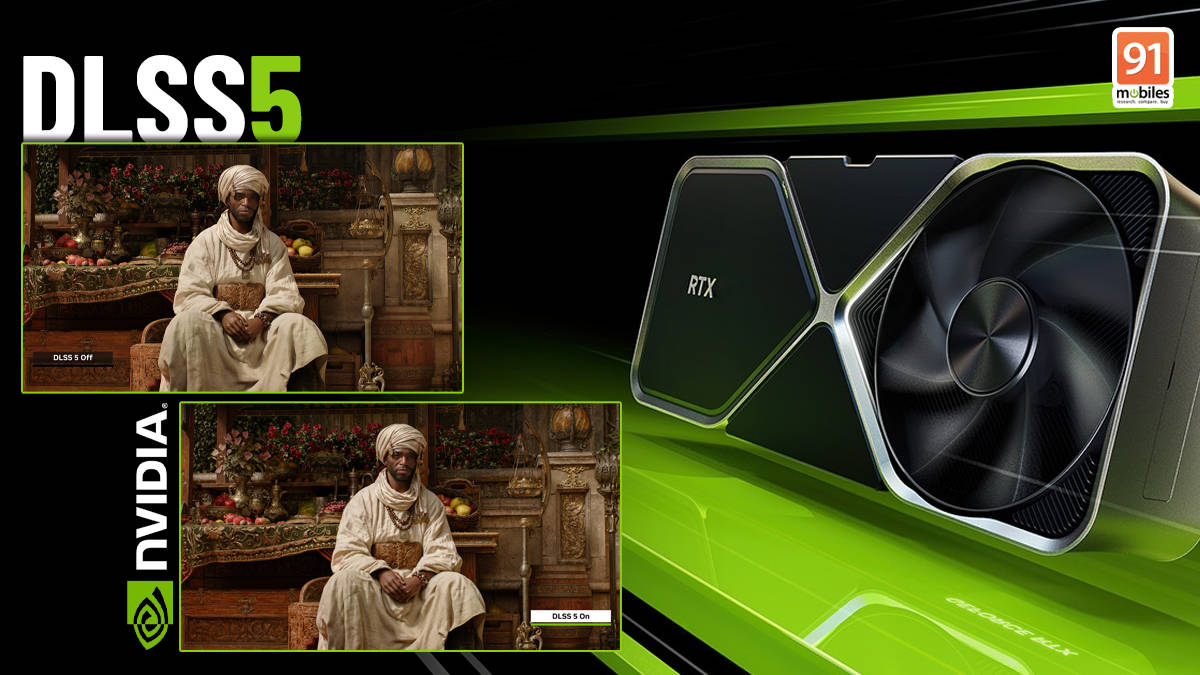
I spent three hours questioning NVIDIA’s intent with DLSS 5 at Gamescom 2026. Is it an AI slop filter? Will characters look different for different users? And most of all, what’s the performance penalty on my hardware?
All of these questions are important to me as a gamer. I think if AI is taking over graphics, then every argument about artistic intent and AI drift is as important as my willingness to buy said game.
How does DLSS 5 work in a game?


Everyone was quite vexed by the drastic facial changes in the Resident Evil Requiem demo back in March. While the fundamentals of the technology remain the same, we have new information regarding how it works and how much control the developer and the player have over this new AI setting.
Firstly, all granular controls over DLSS 5’s AI uplift will be in the hands of the developer. DLSS 5 works on the same framework as the other DLSS plugins, so developers can easily introduce this system into their game if they’ve worked with NVIDIA’s tools before.
DLSS 5 with 3D-Guided Neural Rendering uses colour data and motion vectors to enhance the material, finish and lighting details in a scene. It doesn’t necessarily introduce a new type of material, finish or lighting into the scene but only enhances the existing data.

According to NVIDIA developers, DLSS 5 has data on material surfaces, colour and light interaction. So, when a developer assigns a specific colour and surface finish to an asset in the game, DLSS 5 enhances that using AI.
For example, if there’s a character with black leather boots in a game. The boots are assigned a surface material and a colour, then DLSS 5 will read that underlying data and work to improve it. If you’re familiar with LLMs, then think of DLSS 5 as a guardrailed model for material, colour and lighting. It cannot enhance material without the underlying geometric data.
So developers will still have to do the groundwork of designing the character and pepper it with details for DLSS 5 to work in any meaningful way. If you’re into modding games, then you can take this technology and slap it on old games and then laugh at the AI disaster that follows, but the AI drift will be much higher because the game wasn’t developed with DLSS 5 in mind.
How much control does the developer have?

NVIDIA showed us a full suite of controls that developers can use to create a photorealistic image of the frame. Developers have global controls that affect the entire image quality, or they can automask parts of the asset, like only having DLSS 5 on the face and not the entire character body, or they can mask every asset individually, like grapes, pitchers and bottles on a table.

All of these assets can also be individually tweaked using structure and tone intensity sliders to change the intensity of DLSS 5. During the demo, some of the shadow details and anti-aliasing were significantly better with DLSS 5. However, if the underlying texture is already highly detailed, it is hard to notice.
However, the overall lighting and tone of the scene look different in some sense, because it may override any overcast tone in the original scene.
What controls will the players have over DLSS 5?|
Firstly, the player will only get a DLSS 5 Neural Rendering toggle on or off switch. This means, as a gamer, we cannot fine-tune the degree to which the AI is affecting the overall image quality. The NVIDIA dev team told us that most games will only let you turn the setting on or off, and granular control is only in the hands of the game developer.

However, I think that eventually, this setting will open up to users depending on their hardware. My hunch is that it will be very similar to ray tracing, where you can toggle it, and the granular controls only change the intensity of ray tracing in the image. The subsequent load on your hardware remains heavy even if you choose the lowest intensity of ray tracing.
NBA 2K27 with DLSS 5
I tried a demo of NBA 2K27 with DLSS Neural Rendering, and honestly, this was a great gameplay demo to showcase the technology. I could barely notice the difference in the overall image quality when the camera was in team view during gameplay. But during a replay, the camera gets close to the NBA player’s face, and that’s when you notice a closer-to-photorealistic quality.
Players’ faces get better shadow details and texture. DLSS Neural Rendering even works with sweat droplets on their arms and forehead to make it look more realistic. DLSS Neural Rendering aims to be photorealistic, and in the NBA 2K27 demo, it achieves that really well. DLSS Neural Rendering improved the facial and shadow details in players to a jaw-dropping level. It’s not overdone where you’d start to use gameplay footage as highlights on the NBA app as an April Fool’s joke, but it’s an improvement over whatever the developers created under it.

I pixel-peeped into the crowd as well and noticed major improvements in the visual quality with DLSS 5 enabled. The biggest improvement is in the shadow detail and textures. We were not allowed to track frame rate metrics in the game during the demo, but according to the developers, DLSS 5 will dip the frame rate. In my opinion, this goes against what DLSS first set out to do. It was supposed to improve frame rates.

NVIDIA’s demo had some ludicrous 300+ FPS in NBA 2K27, which, after reading the fine print, was because multiframe gen was enabled as well. However, my NBA 2K27 demo was running on one RTX 5090, as opposed to two RTX 5090s that were required for the initial Resident Evil Requiem demo. NVIDIA said that they will keep improving this technology to make it more stable, faster and less resource-hungry.
Honestly, I am not too worried about the yassfying of characters in my game because DLSS 5 will be optional and I am more of a gameplay-first gamer than a graphics-first gamer. We’ll do another deep dive into the DLSS 5 performance in the NBA 2K27 game, so circle back when that review is up.

