When DLSS 5 showed up, yass-ifying Leon and Grace from Resident Evil Requiem, everyone on the internet hated the idea and took a stand against AI as the solution for graphical fidelity if it meant taking away artistic intent.
However, under the Neural Rendering umbrella, you have DLSS 5, which applies graphical uplift after your graphical engine has executed the result. Second is when the Neural Rendering sits within the engine pipeline, evaluating lighting and materials, computing shaders, and decoding textures.
So what people referred to as “yass-fying” Grace in the DLSS 5 demo was basically the version where the AI takes over the final output of the rendered image and changes it. A sloppy execution, yes.
However, Neural Texture Compression is built into the game engine to decrease VRAM usage but has the same final output as a “non-yass-ified” image. It doesn’t change the image; it makes it less VRAM-hungry to achieve it.
Table of Contents
Is NTC AI or not?

The elevator pitch is that decoding textures using ML and AI methods is what reduces VRAM usage. So Neural Texture Compression, as the companies like to call it, is not the same as DLSS 5, and it’s definitely not AI in the traditional sense.
Now, before you bring out your torches and pitchforks on X (formerly Twitter), let me make one thing clear. Neural Texture Compression is not an AI-generated slop you see on social media. I would argue that it’s not even AI to some degree and mostly ML, but we’ll get to that soon.
Neural Compression technology has been the work of multiple companies and institutions, and it’s not just Nvidia or Intel. Even AMD and PlayStation are flirting with the idea. Many researchers have posted research papers discussing the potential benefits of using Neural Texture Compression to significantly reduce VRAM usage instead of Block Compression.
Will the Nvidia RTX 5060 GPU with 8GB VRAM start making sense? Let’s dive deeper.

What is Neural Texture Compression?
Traditionally, video games used Block Compression to mathematically compress texture data by taking 4×4 pixels and compressing them based on averages. This resulted in significantly reduced byte size per texel (texture element). For example, you take four texels of brown shades on a piece of rock and combine it to a single colour of brown. What you get is a significantly reduced file file but also some loss in quality.
If you understand smartphone pixel binning, then the logic is similar, but happening at a mathematical compression level and not at the sensor level like smartphones.
NTC (Neural Texture Compression) is under the same family as DLSS 5, where it uses the same Tensor Cores as DLSS 5 for computation, so it doesn’t eat into the actual rendering bandwidth from CUDA Cores. However, NTC is deterministic, not generative.
How does NTC affect games?
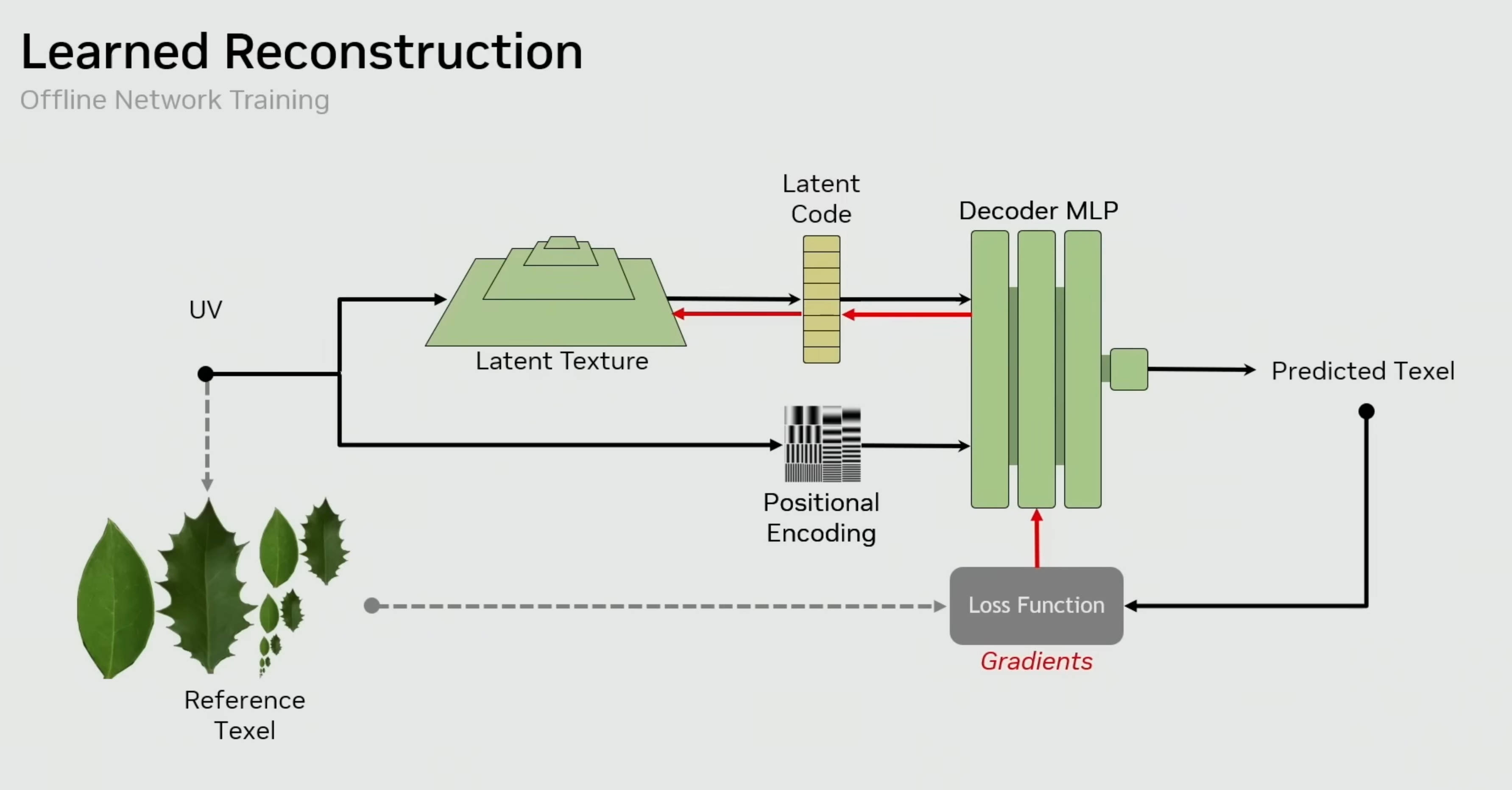
NTC is ML-based, so it takes a data set of the finished look, and encodes textures into compact latent feature maps instead of storing full resolution texels and final colours like Block Compression. Think of it as storing an entire book as a PDF rather than having the physical book itself.
The second part of NTC is the decoder, which has the positional encoding of the reference texture. So a book PDF contains the information, but the decoder will add the spatial structure that lets this rendering model recreate the same 3D model of a book with the right properties every time.
More importantly, the developer would need to train a small MLP (Multi-Layer Perceptron) to learn the ‘look’ of a material or texture to reconstruct it using NTC. NVIDIA says it has pretty much trained models on every possible type of material for easy deployment.
For example, assuming a scene in Cyberpunk would take 8 to 12GB of VRAM space with regular Block Compression, NTC can reduce that usage to half, maybe even more, depending on how the developers deploy it. They can use NTC for only certain objects, like cars or environments, or for full scenes entirely.
Why use NTC?
So NTC achieves a higher compression ratio over traditional BCn (Block Compression), and it can compress multi-channel data without losing fidelity in a smaller memory size. NTC can also handle up to 16 channels, like albedo, roughness, metalness, and other properties, and can reduce the size efficiently using latent feature maps.
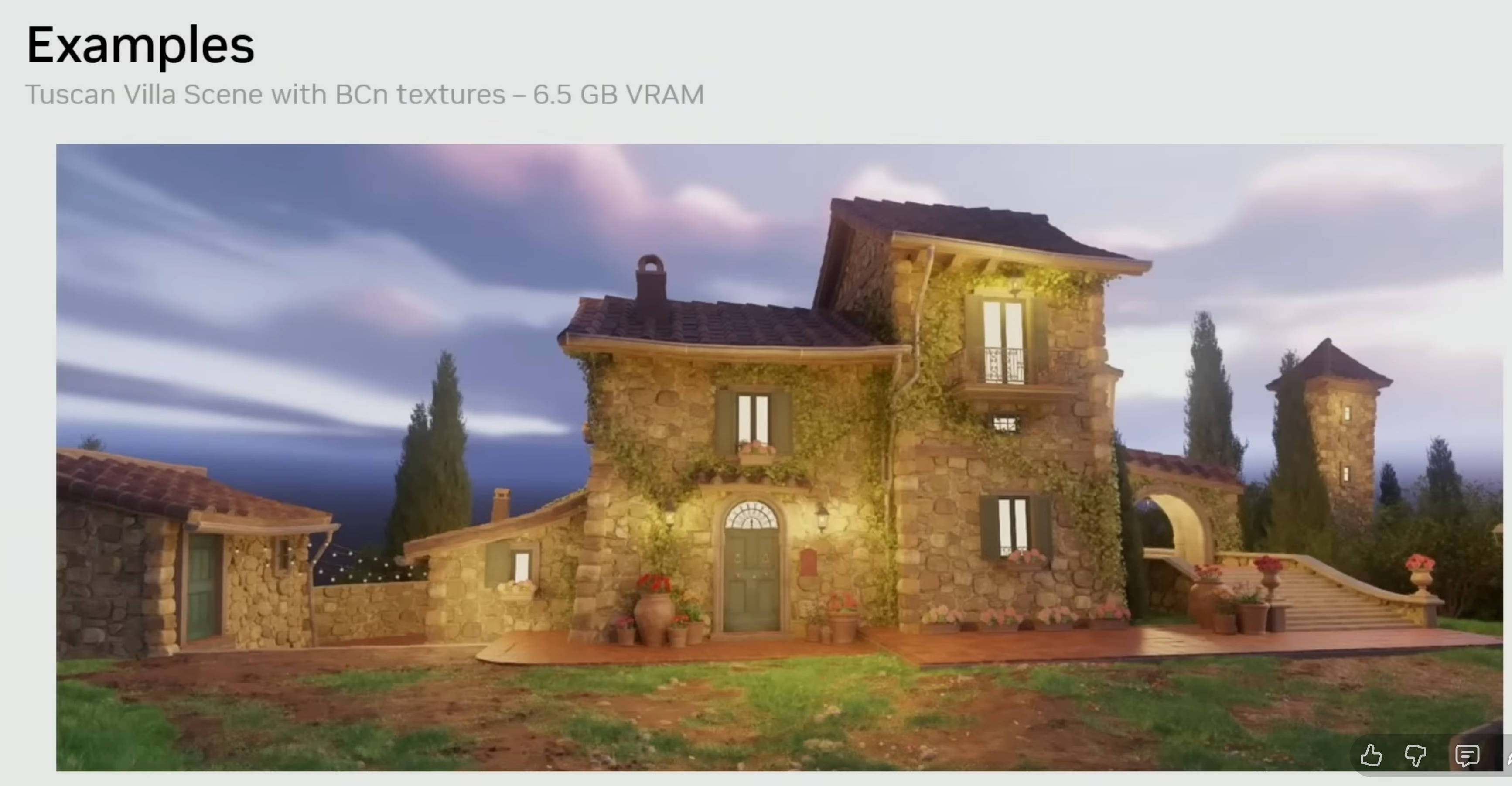
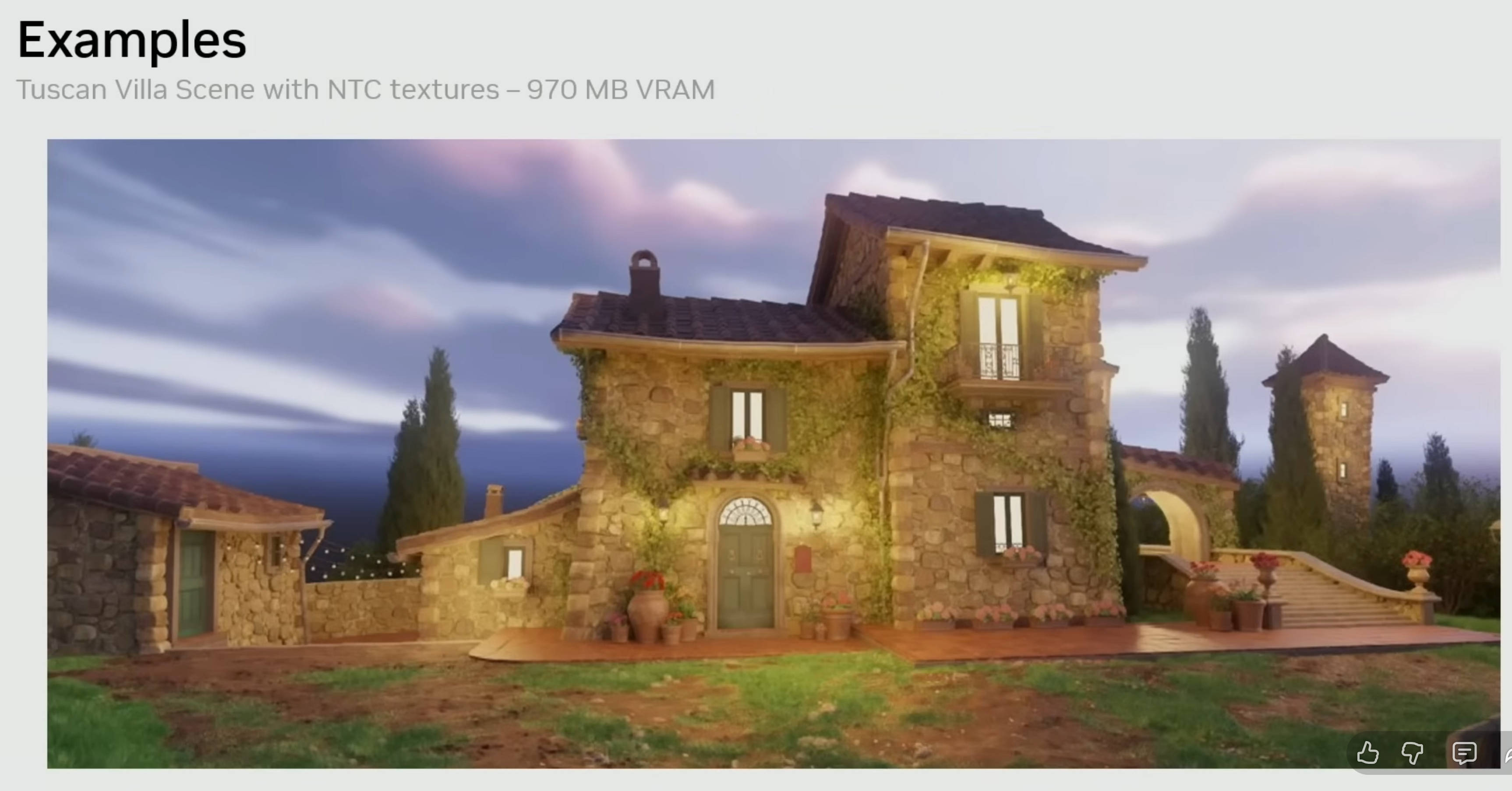
In Nvidia’s presentation, they showed a Tuscan Villa Scene that takes up 6.5 GB VRAM with Block Compression, and the same scene takes up 970 MB VRAM using the NTC method. That’s shockingly reduced to 1/6th of the VRAM usage.
Moreover, the size of each compressed block is fixed, either 8 or 16 bytes, depending on which BCn format is being used. This represents a 4:1 or 8:1 compression ratio, if the source image is in 8-bit RGBA format. NTC doesn’t follow the same mathematical compression ratios.
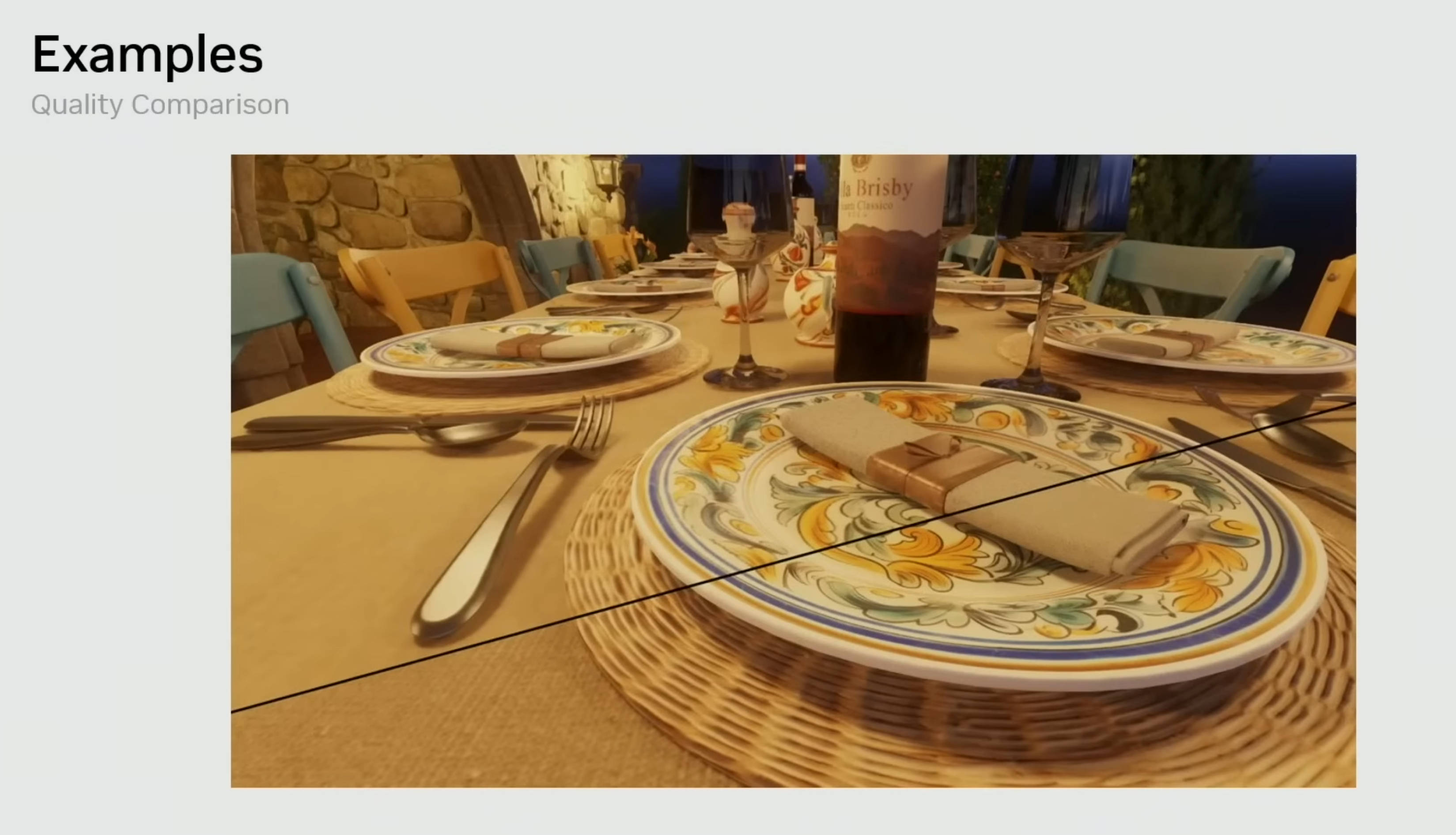
In some scenes, the NTC method retains higher visual fidelity compared to BCn when it’s using the same amount of VRAM. BCn can introduce artifacts in such scenes because of its compression logic. If you’ve played open-world games, you may have noticed that sometimes the textures of rocks and other materials in the game get smudgy even at 4K resolution. That’s because of the higher compression ratio to preserve VRAM for other important tasks like character’s texture and clothes.
Benefits of NTC in gaming
In Intel’s presentation, they explained other benefits to NTC as well.
1) For installation: A compressed file gets downloaded and then decompressed on disk to save bandwidth for the end user. Example: Steam game download files are reduced in size and then decompressed to the actual game on your PC.
2) For saving disk space: Compressed data is stored on your disk and then decompressed to VRAM when loading the game. Saving you disk space.
3) Streaming: Decompressing textures on the fly at stream time. Texels will be decompressed when needed to save disk space and bandwidth. Basically, decompressing and streaming textures while you’re playing the game.
4) Sample time: Textures remain compressed and then decompressed on a per-pixel basis at sample time. Imagine locking the game frame rate to 30 or 60FPS like consoles do for higher fidelity.
Drawbacks of NTC for gamers
Now the burning question in everyone’s mind: will my game look different on different GPUs? The answer to that is a big fat no because of the Slang shading and language compiler. It’s an open-source shading language and compiler by Nvidia, and it works with Vulkan, DirectX, Metal, CUDA, and so on. So developers can easily port their games to run on Intel, AMD, Nvidia, Apple, Qualcomm, and more platforms.
However, this technology relies on Tensor, XMX, or similar cores, which means if game developers use it, it may remove a big chunk of older hardware in the market from the list of recommended specs for gaming.