


Review Summary
Expert Rating
The MagicBook series from Honor has slowly but steadily developed a fanbase in India. In fact, last year’s MagicBook X14 was one of the more preferred laptops in its price range due to its slim design, impressive display, and capable processor. Now that this laptop’s successor – the MagicBook X14 Pro – has finally launched in the country, there is quite a lot of buzz around the new portable. Notably, the new portable ships with a 13th-generation Intel core processor, which is not common in this price range. If you’re wondering if the Pro variant offers significant upgrades over its predecessor or if it can be a good substitute for someone switching from an old MacBook Air, you’re about to get your answers. I’ve been using the laptop for around 3 weeks now and have a good idea about its pros and cons. Without further ado, let’s get right into the detailed review.
Design and display
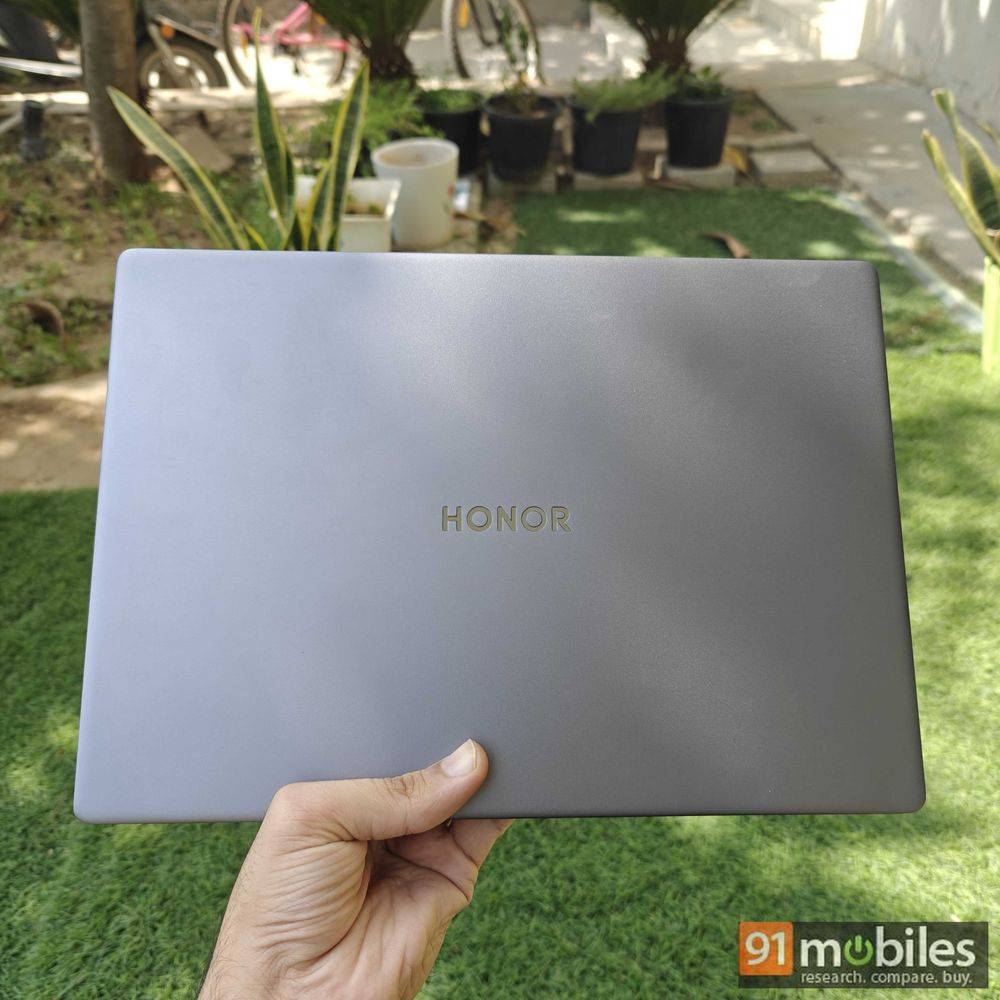
MagicBook X14 Pro carries forward the torch from last year’s model and offers a modern, stylish, sturdy, and sleek design. Here’s a detailed look at its design elements:
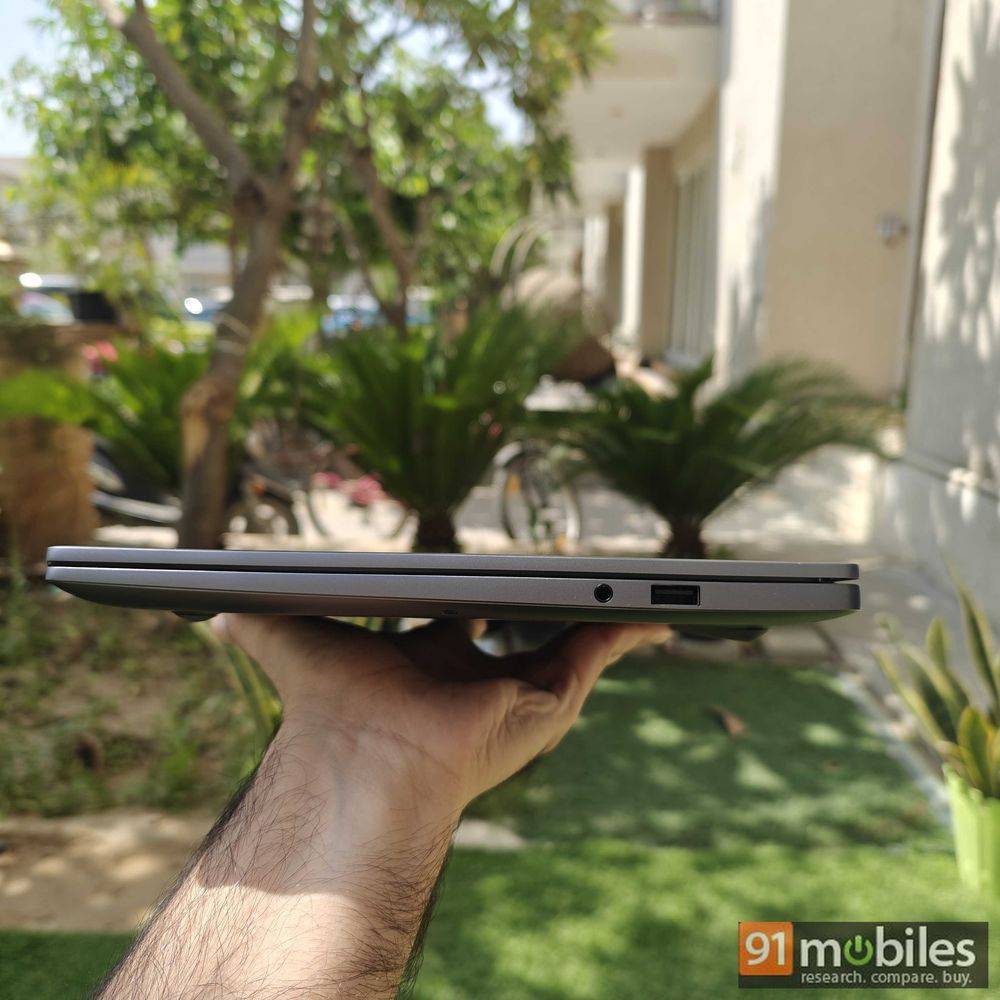
- The X14 Pro weighs 1.34kg and is 15.9mm thick (slimmer than last year’s 16.5mm). This makes it easy to carry around. Holding the laptop is easy even with one hand, which is always a good sign.
- Despite featuring a thin profile, the impressive build quality ensures that the laptop offers a sturdy feel.

- Just like last year’s model, the X14 Pro will also remind you of MacBook Pro with its design language.
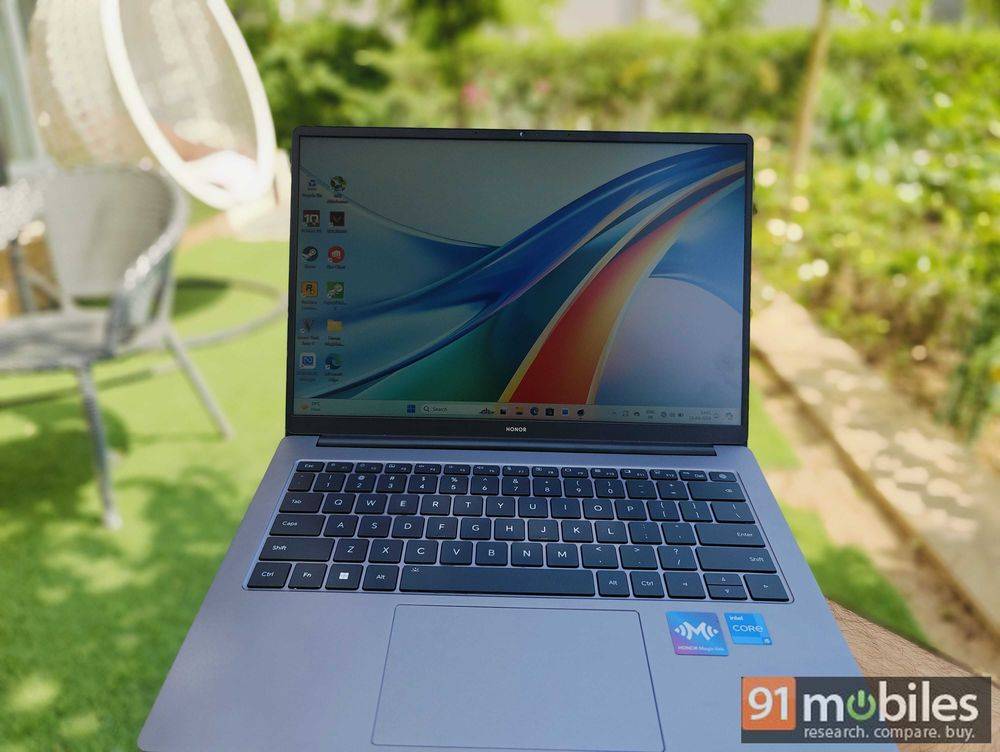
- The laptop features a 14-inch fog surface anti-glare FullView IPS display with a resolution of 2,240 x 1,400 pixels and 16:10 aspect ratio.
- The display supports 100 percent of the sRGB colour gamut and has a peak brightness of 300 nits. The pixel density sits at 189ppi.

- With thin bezels and decent display resolution, the X14 Pro offers a good view of your multimedia content. However, the highlight here has to be the anti-glare nature of this display. Moving from a glossy MacBook display, the anti-glare screen on this laptop felt much more convenient in comparison.
- Thanks to TÜV Rheinland Flicker-Free and Low Blue Light (Hardware Solution) certifications, this laptop protects eyes and preserves user vision. In this direction, the laptop also comes with E-book mode, which makes it less straining for your eyes while reading text on the display and gets rid of unnecessary elements.
- I found the webcam on the laptop to be pretty decent. If you’re someone who has to attend a lot of video meetings on a daily basis, you will be just fine with the quality at offer here.
- As far as the connectivity options are concerned, the laptop comes with a USB Type-C port (full function), two USB Type-A 3.2 Gen1(5Gbps) ports, one HDMI port, and a 3.5mm headphone jack.
Keyboard and trackpad
As the X14 Pro will primarily cater to working professionals, the keyboard and trackpad are crucial elements for this portable. Here’s what it has on offer:
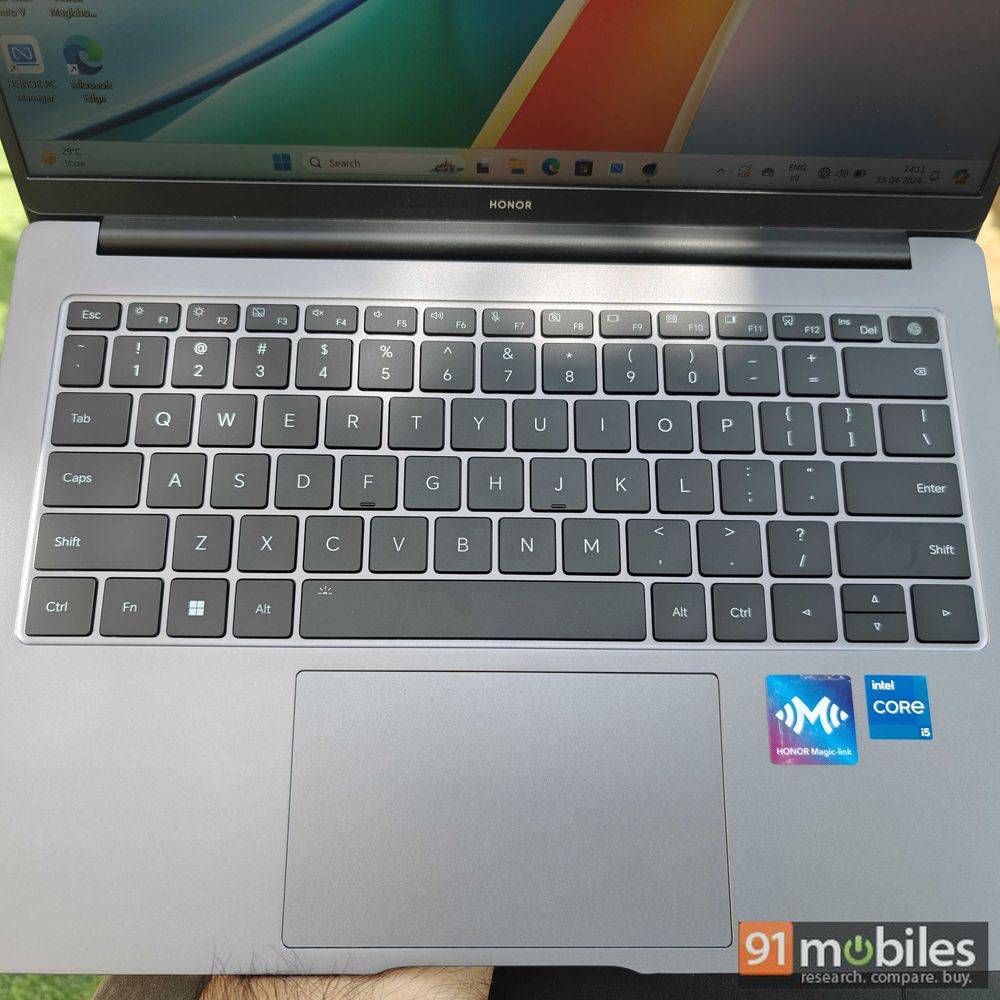
- The X14 Pro comes with a keyboard that seems identical to the one on MacBook Air. Be it the key size, the spacing, or even the travel, everything looks and feels similar to the Apple laptop. If you’ve been a MacBook user who wants to switch to a Windows laptop, you’ll feel right at home with this one.
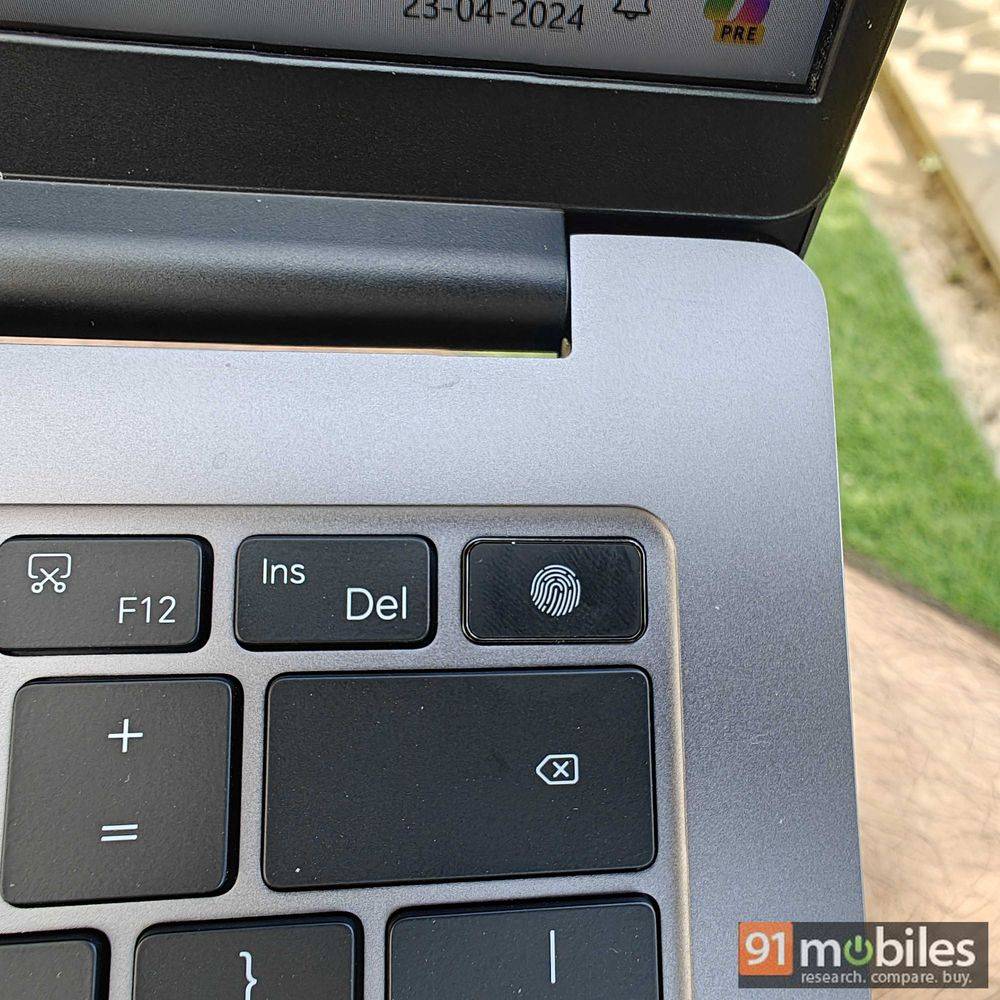
- As this is a backlit keyboard, you can even use the laptop easily in a dark room with ease. Talking about convenience, just like the X14, this portable also comes with a 2-in-1 power button/fingerprint sensor to allow you a fast and secure login. Honor claims that this sensor lets you unlock the device in 0.7 seconds, and in my usage, I did find it to be quick.
- The brand has used a skin-friendly resin coating and added submicron super-hard diamond powder to the keys to bring a delicate touch and make the keyboard more resistant to dirt and wear.
- In terms of durability, every single key has gone through a press test up to a whopping 5 million times. The brand also claims that due to the optimised rubber structure, the laptop provides strong tactile feedback.
- I found the trackpad to be reasonably responsive and the palm rejection did a decent job too. The size of the trackpad also ensured that it was comfortable to use, unlike some laptops that have slightly smaller tracking areas.
Performance and battery life
Whether you spend your entire day in front of your laptop or just use it casually for a certain few tasks, performance is a key factor for all of us. Be it longevity or the desire for lag-free usage sessions, this is the department that holds the key. Let’s dive into what the X14 Pro has up its sleeves:
- The X14 Pro features a 13th-generation Intel Core i5 processor (13500H) and Dual-channel LPDDR4x 4266MHz RAM. The processor comes with 12 cores (4 P-Cores + 8 E-Cores) and 16 threads.
- The laptop allows you to seamlessly switch between the Smart Mode and High-Powered mode by simply pressing the ‘Fn + P’ keys. The Smart Mode operates at 35W and is ideal for daily work and entertainment consumption. On the other hand, the High-Powered mode operates at 45W and is suitable for more demanding tasks and gaming.
- While the laptop ships with 512GB PCIe Solid State Disk, you can extend the SSD storage by up to 1TB. It is advisable that you get professional help to install the extension.
- Check out how the laptop performed in our usual benchmark tests below to get a better idea about the performance.


- As you can see from the benchmarks, while the laptop has a really capable processor, it doesn’t have the graphical prowess that some other portables have in this price range.
- In normal usage, I didn’t face any issues or crashes. The laptop handled multitasking fairly well and even managed to play slightly less demanding games at high frame rates per second.
- Keep in mind that we received the unit with 8GB of RAM (although there is a 16GB RAM variant also available for the laptop), which means you can get better performance with the beefier variant.
- In our gaming test, here’s what we managed to get out of the MagicBook X14 Pro:
GTA 5 (High Preset)
1920*1200P
Avg Fps: 37FPS
1920*1080P
Avg Fps: 39FPS
Valorant (Low Preset)
@1920*1200P
Avg Fps: 178FPS
@1920*1080P
Avg Fps: 189FPS - It is pretty evident that this is not a gaming machine and the laptop particularly shines in CPU-intensive tasks. This means that it could be suitable for users who are into video editing, coding, or data analysis. But not really for gamers.
- With HONOR PC app, the laptop works seamlessly to allow transfer of data from your phone to the X14 Pro. You can even answer your phone calls on the laptop via this app.


Battery life
- With a 60Wh battery, the MagicBook X14 Pro promises to deliver a backup of 11.5 hours while running a 1080p video offline. While web browsing, the laptop has been claimed to offer a battery life of 9.5 hours on a single charge.
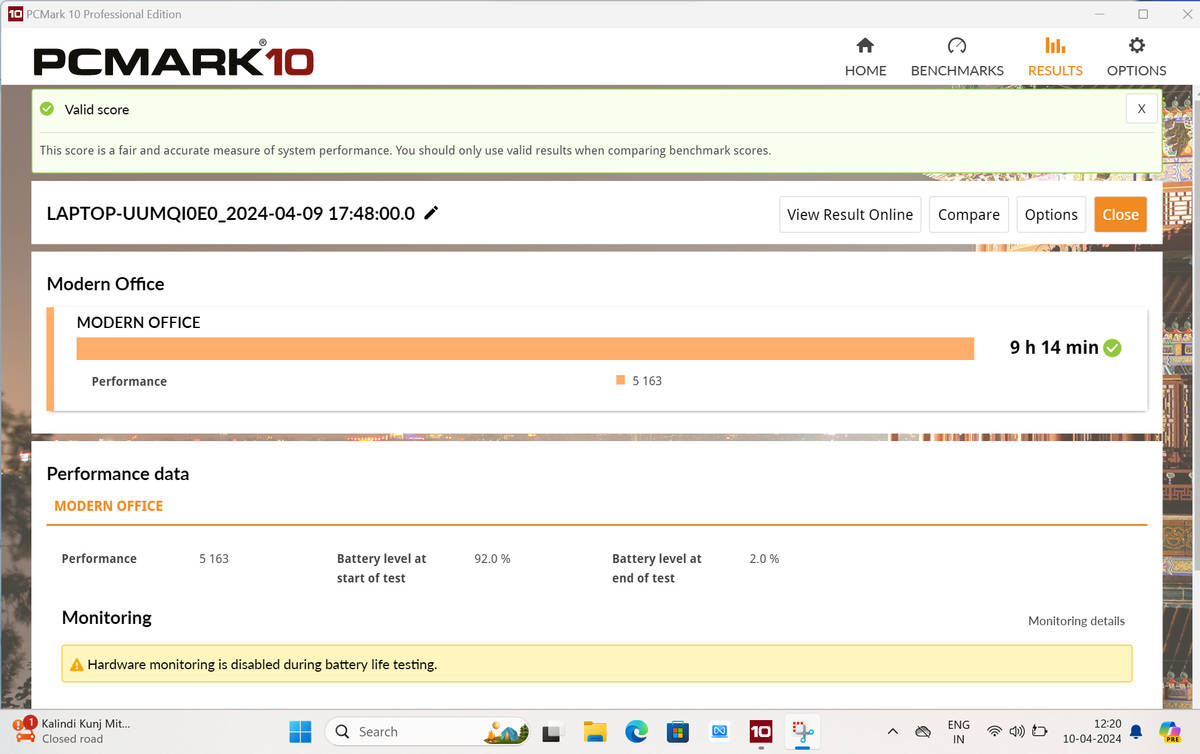
- I found the battery backup offered by the laptop to be in line with the company’s claims. In the PCMark battery test, the laptop went down from 92 percent to 2 percent in 9 hours and 14 minutes.

- One of the most convenient aspects of owning this laptop is that it supports 65W fast charging. Having a decent battery backup is one thing but the quick refuelling time definitely makes using this laptop a breeze.
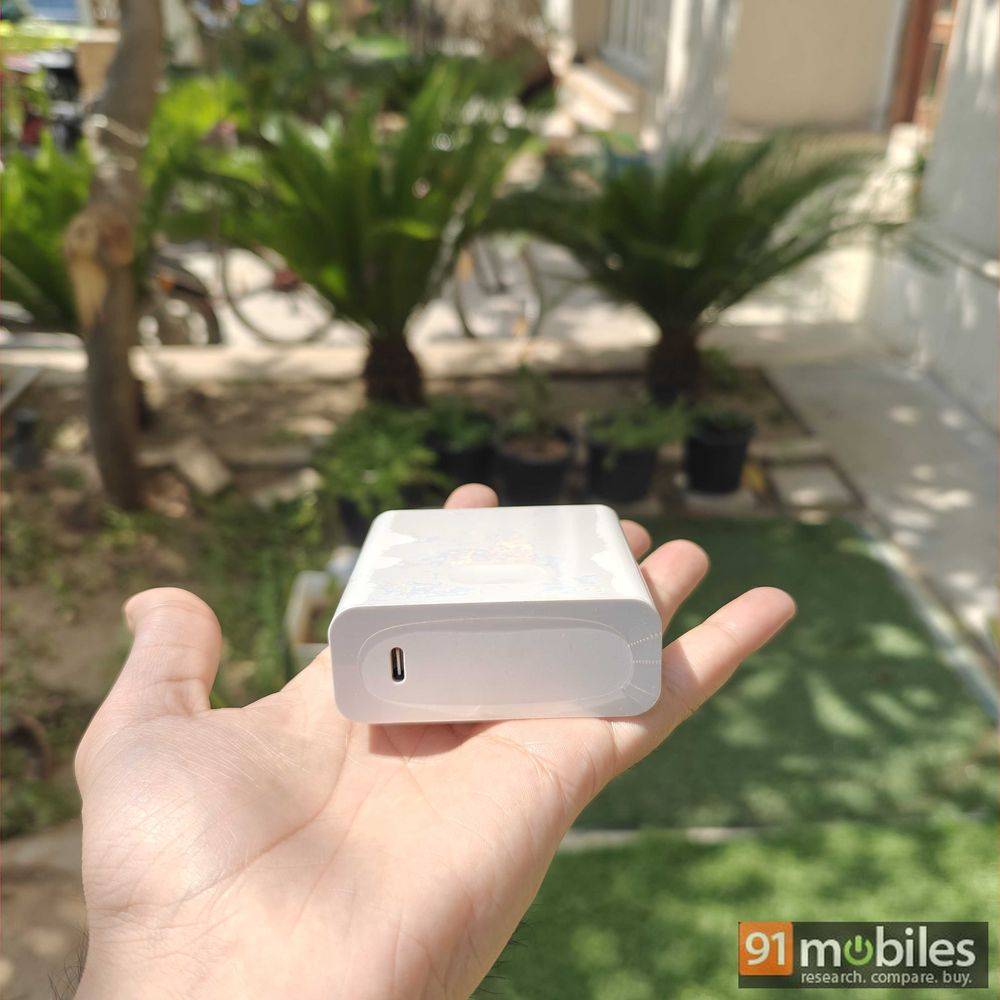
- One of the strange design choices from the brand can be seen in the charging plug. The design of the charger makes it really hard to use almost anywhere. While I respect the fast charging speed support, the design of the charger in its current state is far from ideal.
Verdict
The Honor MagicBook X14 Pro is meant to be a work laptop and it does a really good job at it. The slim design, impressive build quality, functional matte display, fingerprint sensor, and support for 65W fast charging ensure that you can simply focus on getting your work done. With a starting price of Rs 54,990 (Rs 2,000 bank discount available), calling the X14 Pro a Windows alternative to the MacBook won’t be too far-fetched as this laptop has clearly been built from the ground up to provide you with a similar feel. In this price range, such a combination is rare to see. However, if you’re looking for a laptop that offers better gaming performance, you could consider the MSI GF63 Thin. If you want a non-gaming laptop in this price range with some other lucrative features, you can go for the ASUS Vivobook Go 15 OLED. Apart from that, if you want a solid all-rounder that is ideal for office work, you can’t go wrong with the MagicBook X14 Pro.
Editor’s rating: 7.5 / 10
Pros:
- Design and build quality
- 65W fast charging support
- Impressive matte display
- Decent battery backup
Cons:
- Graphical performance
- The charger is too wide