


Review Summary
Expert Rating
.png?tr=q-70,tr:t-5)
Traditionally, gaming laptops were known for their bulky designs and heavy builds, often sacrificing portability in favour of high-performance components. However, with technological advancements, manufacturers have packaged powerful hardware into more compact and lightweight designs, giving rise to the 14-inch gaming laptop category. Crafting these laptops is no easy feat; performance and thermal management are critical challenges in such a small form factor. So, does the HP Omen Transcend 14 deliver the performance and portability we’ve been waiting for? Find out in today’s review!
This device was originally reviewed by Florence George, and this article is based on his evaluation.
Here is the video review of the HP Omen Transcend 14:
Table of Contents
Design and Build Quality
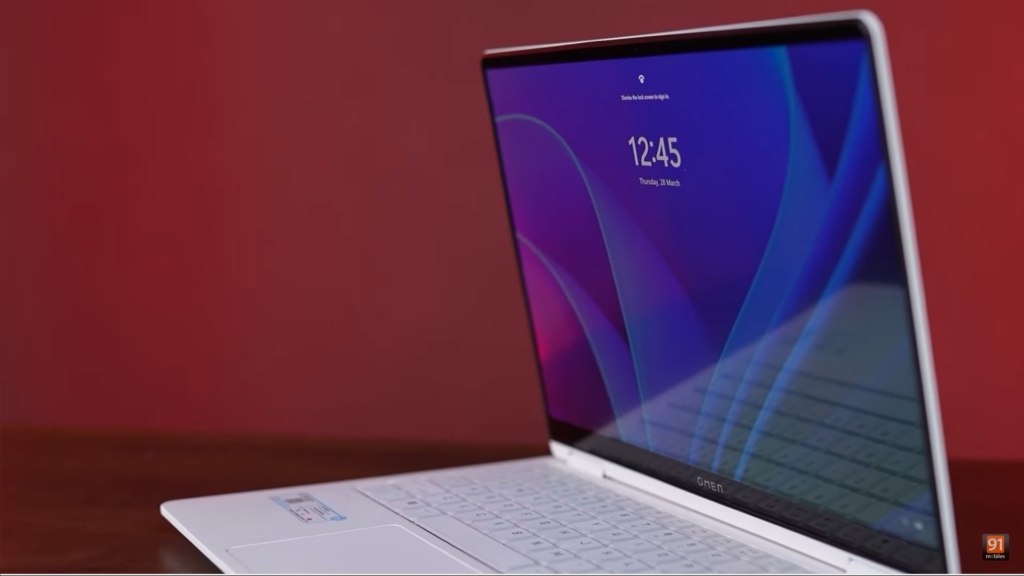
The entire chassis is crafted from aluminium, giving the laptop a solid feel with minimal flex. The bottom of the chassis features large vents for air exhaust and two additional vents for the speakers. The white paint job adds a sleek and aesthetically pleasing touch. Overall, there are no major complaints in terms of design.
Display
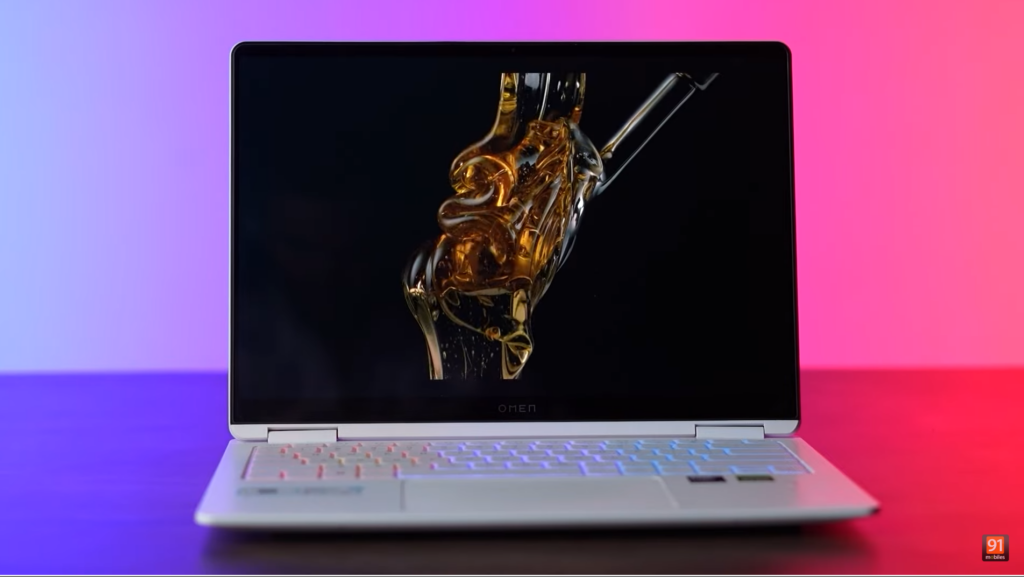
When it comes to the display, you’re in for a treat. The Omen Transcend 14 features a 14-inch 2880 x 1800 OLED screen with a 16:10 aspect ratio and a 120 Hz refresh rate. It also offers a Dynamic Refresh Rate option, which adjusts the refresh rate based on the content displayed, helping reduce power consumption. The display is HDR-compatible and IMAX-certified, ensuring top-tier colour reproduction, brightness, and contrast levels. Whether gaming or watching movies, you’ll enjoy a flagship-quality display for content consumption.
In terms of speakers, you get two bottom-firing speakers which are fairly loud and sound good.
Keyboard, Trackpad and I/O
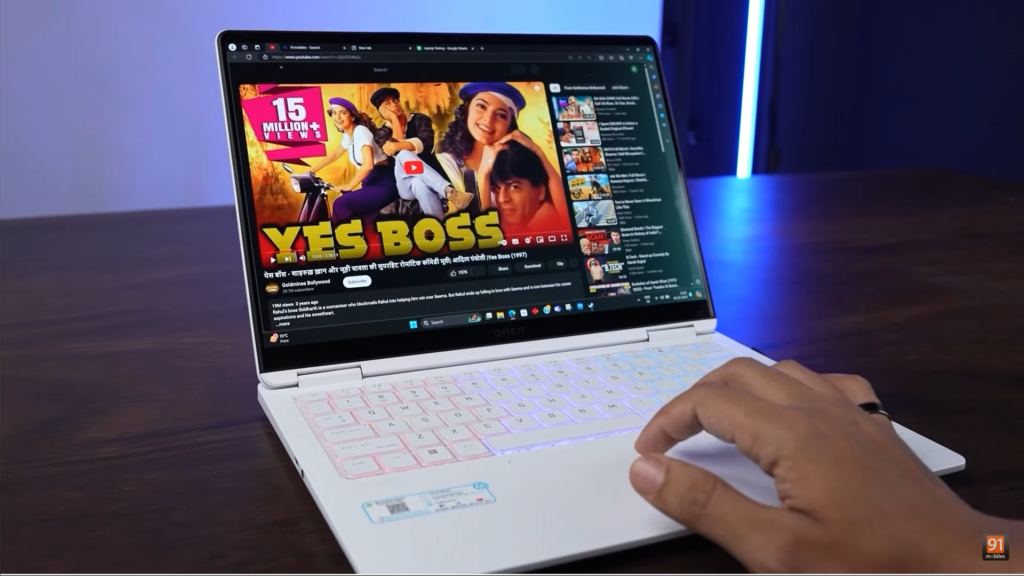
The trackpad functions smoothly, with all Windows 11 gestures working as intended. However, the real star of the show is the keyboard, which captures the majority of attention. It’s one of the most beautiful keyboards we’ve seen in a long time. The typing experience is excellent, and while it features RGB backlighting, it doesn’t offer per-key RGB customization. Instead, it utilizes 4-zone RGB, which still provides a unique and aesthetically pleasing look.
In terms of I/O, you get a Thunderbolt 4 USB-C port and an audio combo jack on the left side, and on the right side, you get 2 USB Type-A ports with USB 3.2 Gen 2 speeds, and on the rear, you get HDMI 2.1 port, and a USB Type-C port which supports 140W charging, and USB 3.2 Gen 2 speeds. Another thing to note is that this laptop does not have exhaust vents on both sides. The majority of the vents are located on the rear side of the laptop.
HP Omen software and AI features
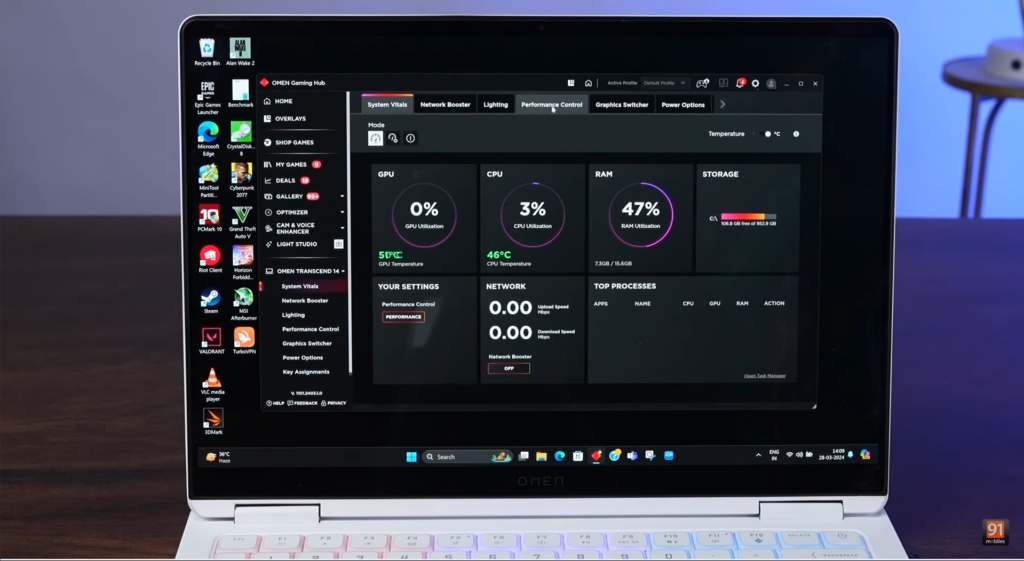
Moving on to software and AI features, HP has its software suite for controlling the performance and thermal limits of the laptop. Dubbed the Omen Gaming Hub, this software lets you customize the power limits of your laptop, as well as lighting control for the keyboard and also helps you manage your games.
All of the testing and benchmarking has been done in the performance mode at the maximum fan speed, and with hybrid mode, which has the discrete GPU enabled. For maximum performance, there are options under Advanced settings of performance mode which have two options, smart performance gain and maximum battery drain. You have to set both these sliders to maximum if you want to play with the full TGP of 65 watts, otherwise, the GPU will be limited to 50 watts.
In terms of AI features, there are some baked inside this laptop. While using the webcam, you get options such as Eye Contact, Automatic Framing as well and background effects, all these features require an NPU to run, which is available on this laptop.
Performance
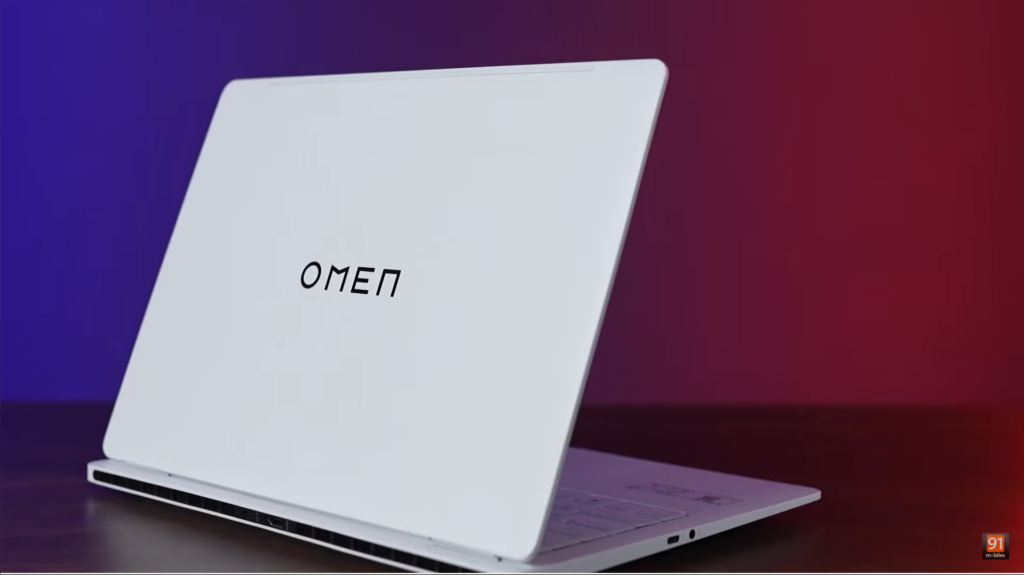
Now moving to performance, the Omen Transcend 14 features the latest Intel Core Ultra 7 155H processor which has 16 cores and 22 threads and has 16GB of LPDDR5 RAM with a frequency of 7467 MHz. The laptop has 1TB of Gen 4 NVMe SSD and Nvidia Geforce RTX 4060 GPU with 65W of TGP. Unfortunately, this laptop does not have any options for upgradability, as the laptop has the RAM soldered, and there is only a single slot of SSD for storage. When coming to the thermals, this laptop has the thermals under control when we were testing it under the ambient temperatures of 27 degrees Celsius, the CPU never crossed 85 degrees, and the GPU temperatures used to hover around 60 degrees. Now, let’s look at the performance numbers:
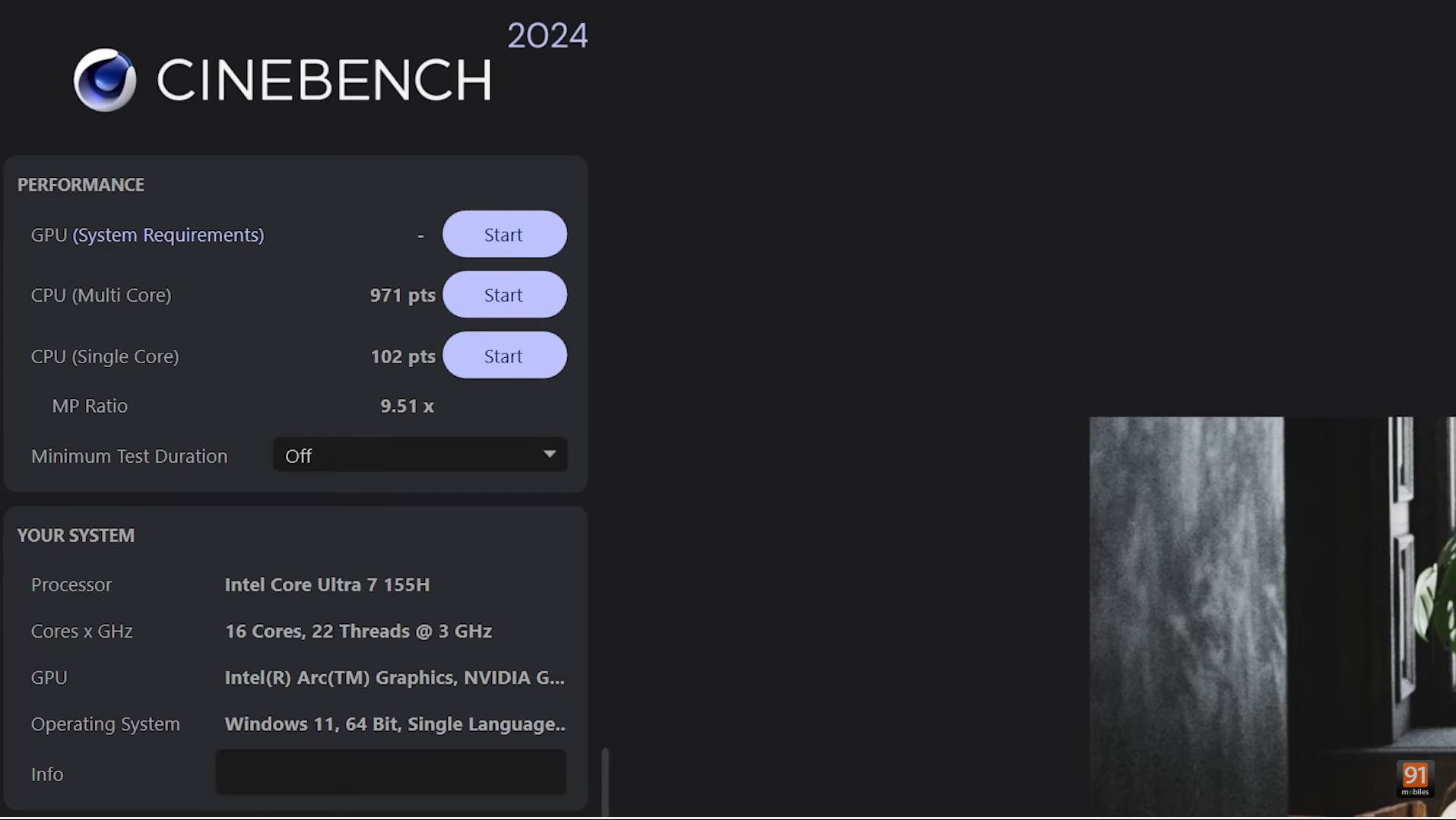
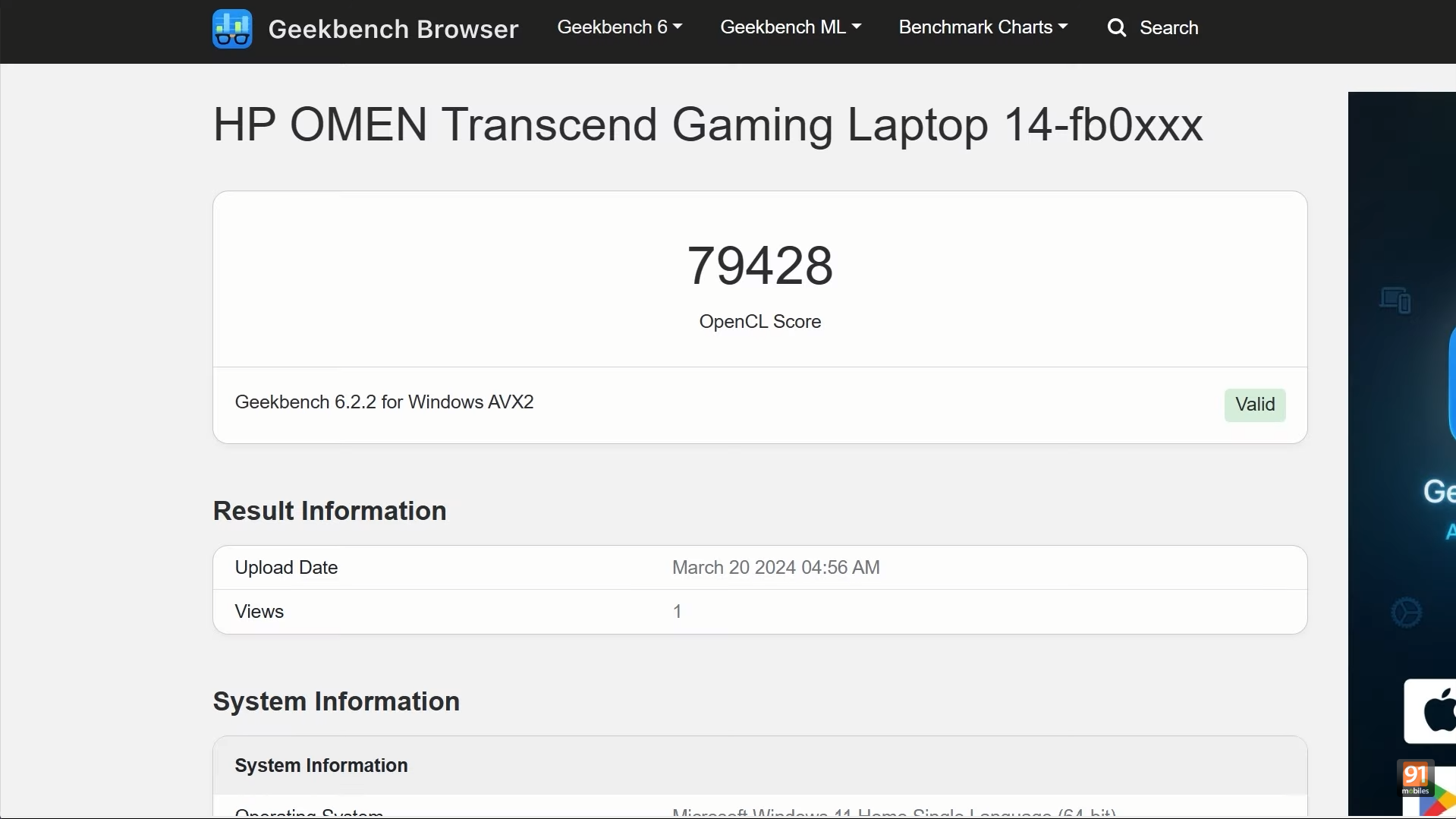
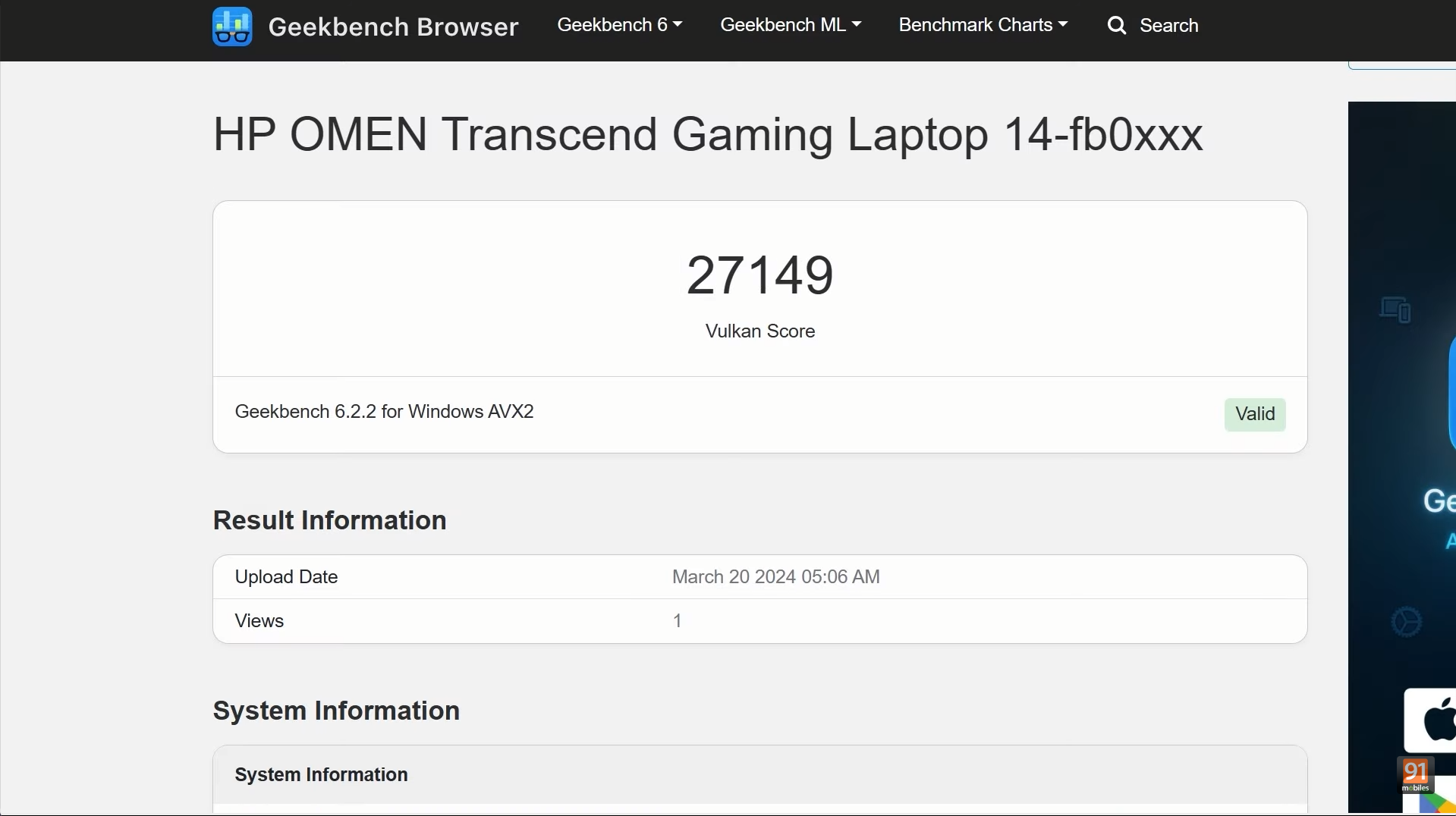
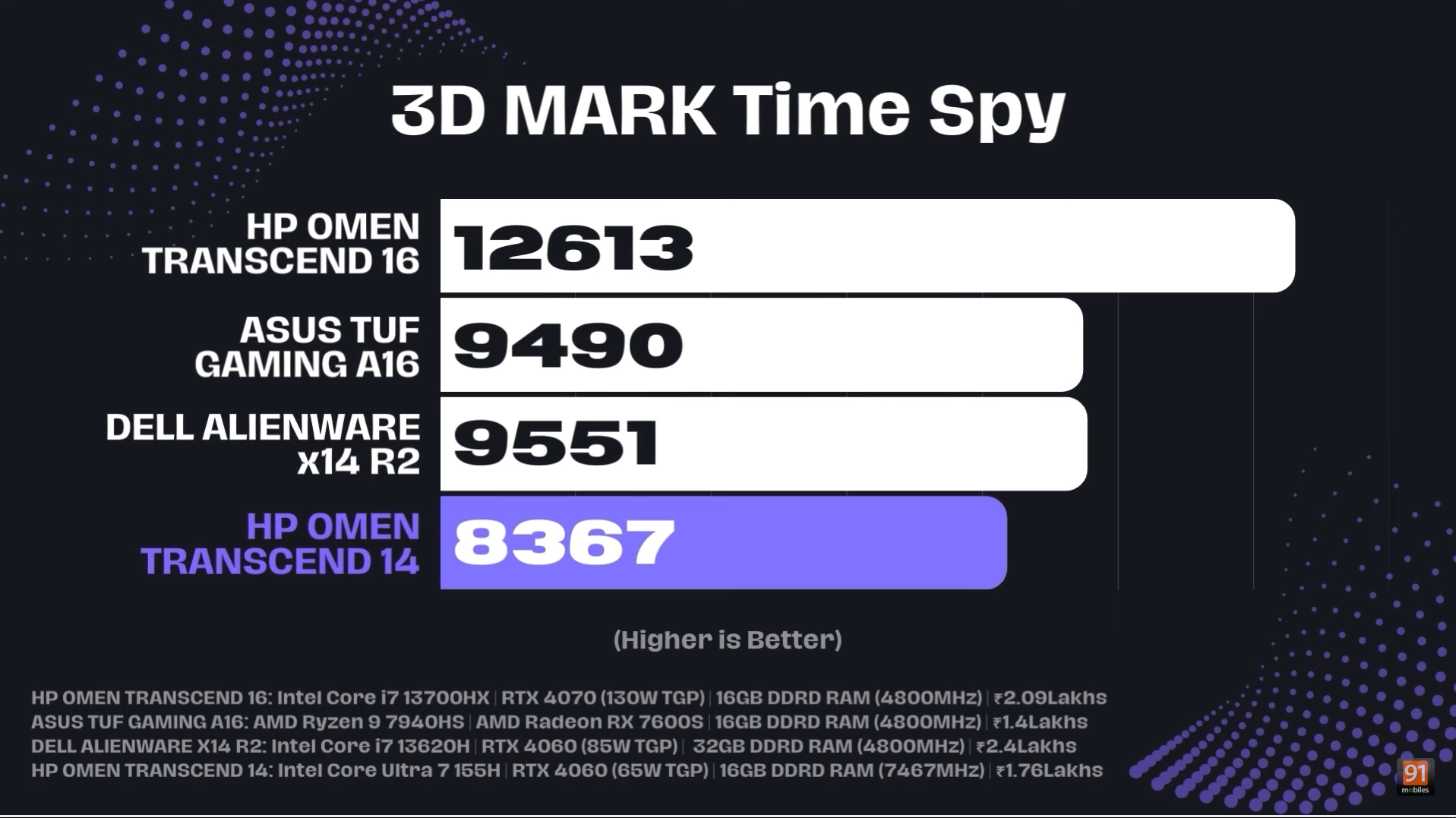
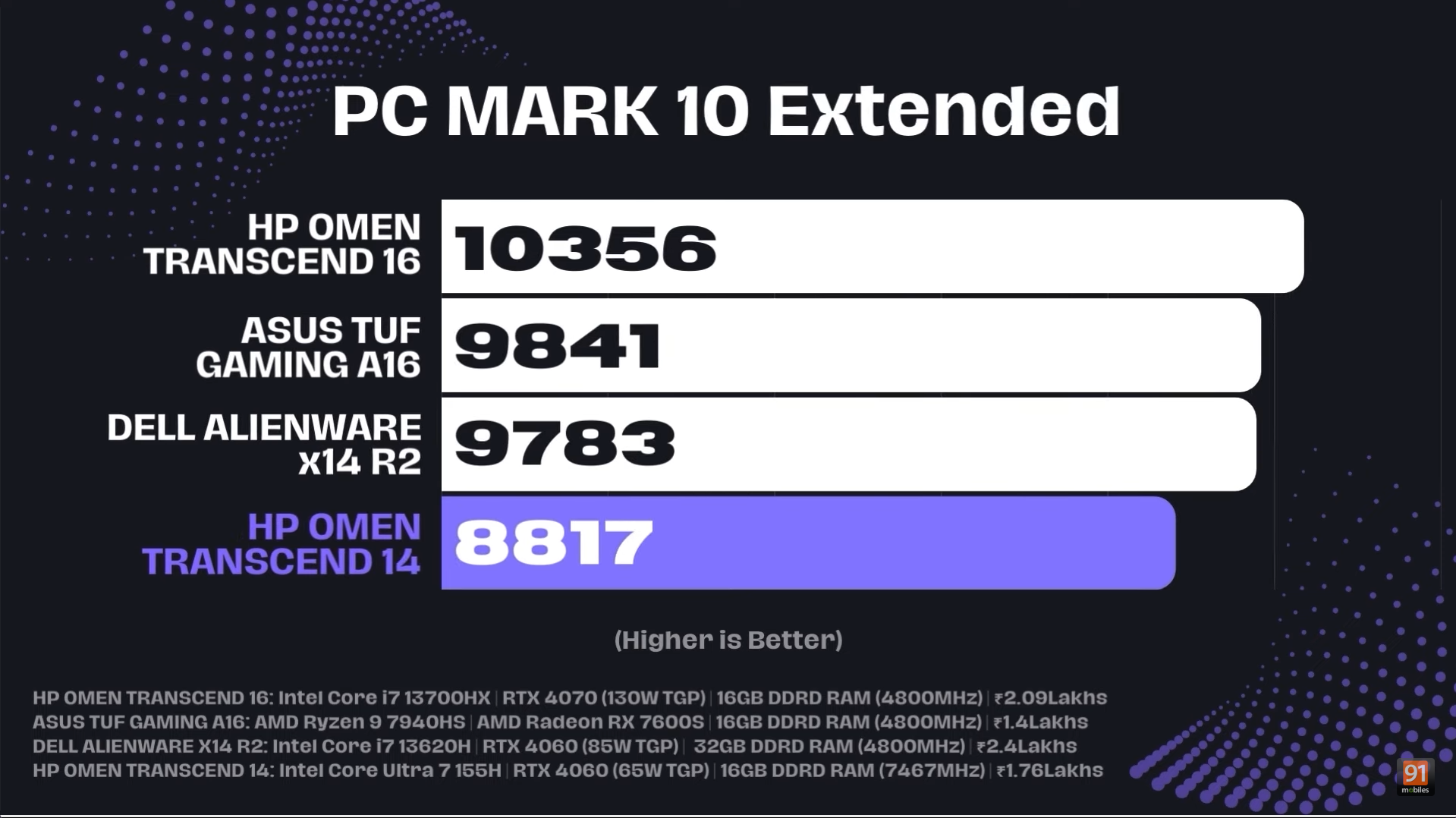
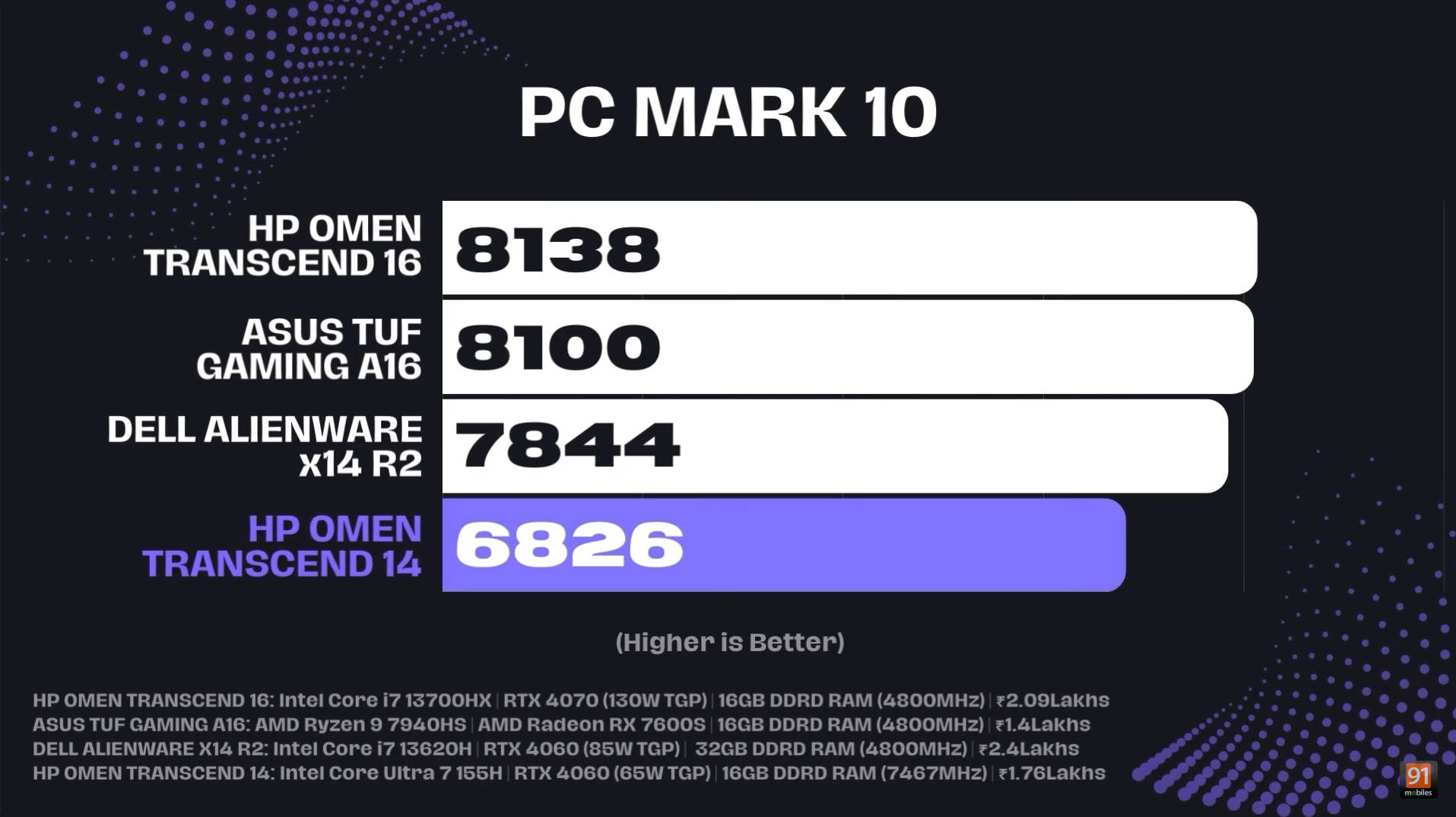
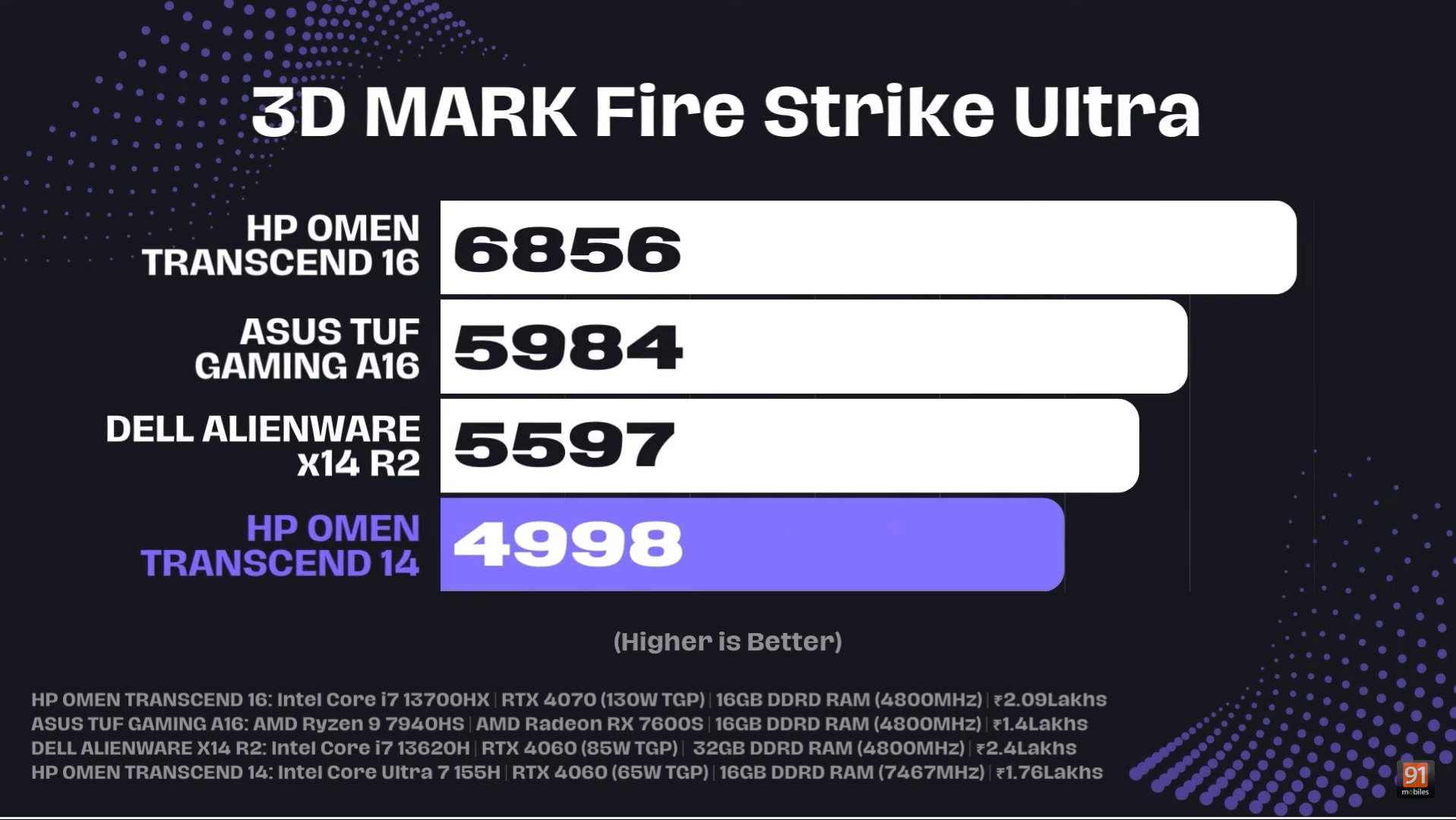
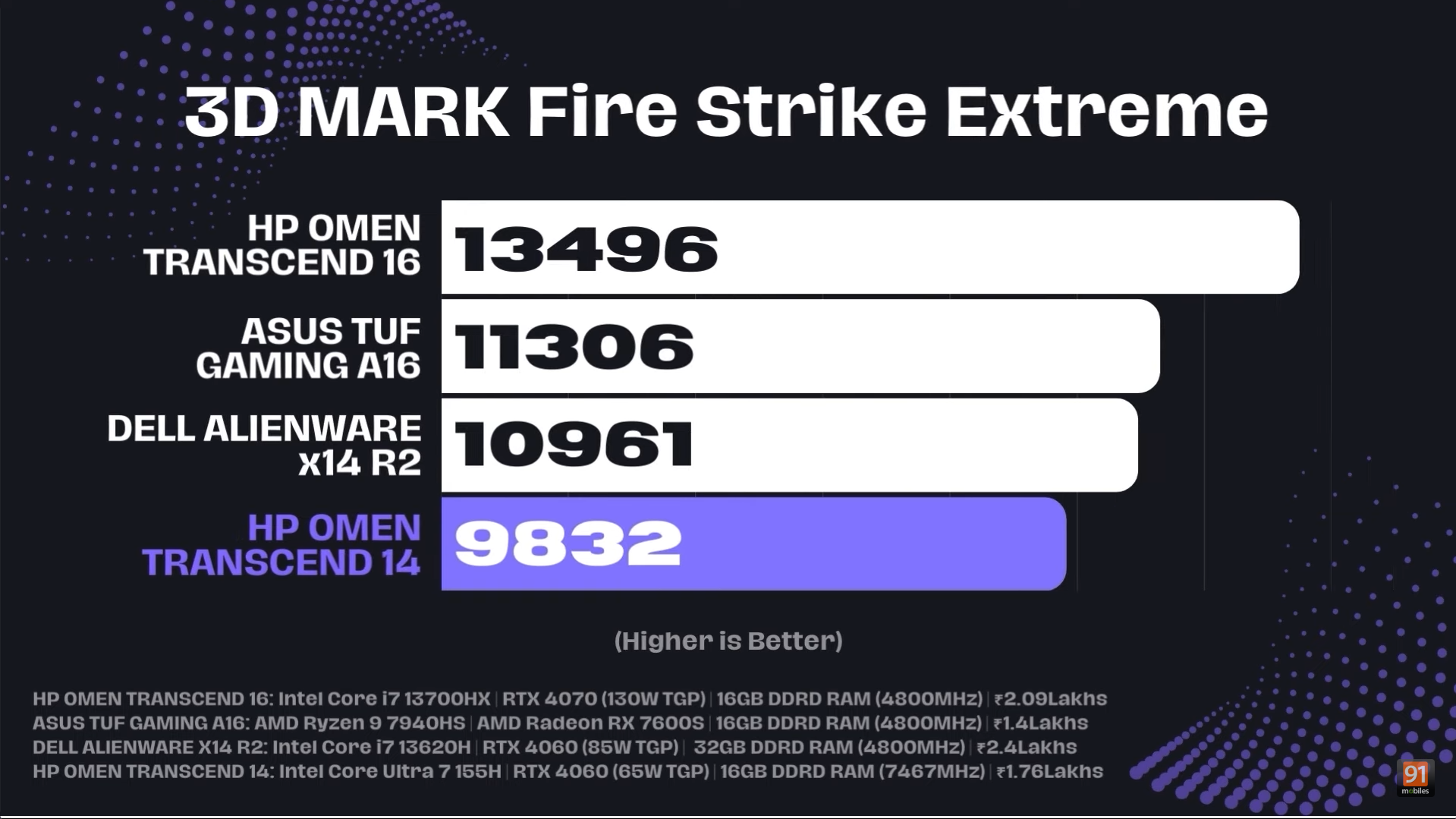
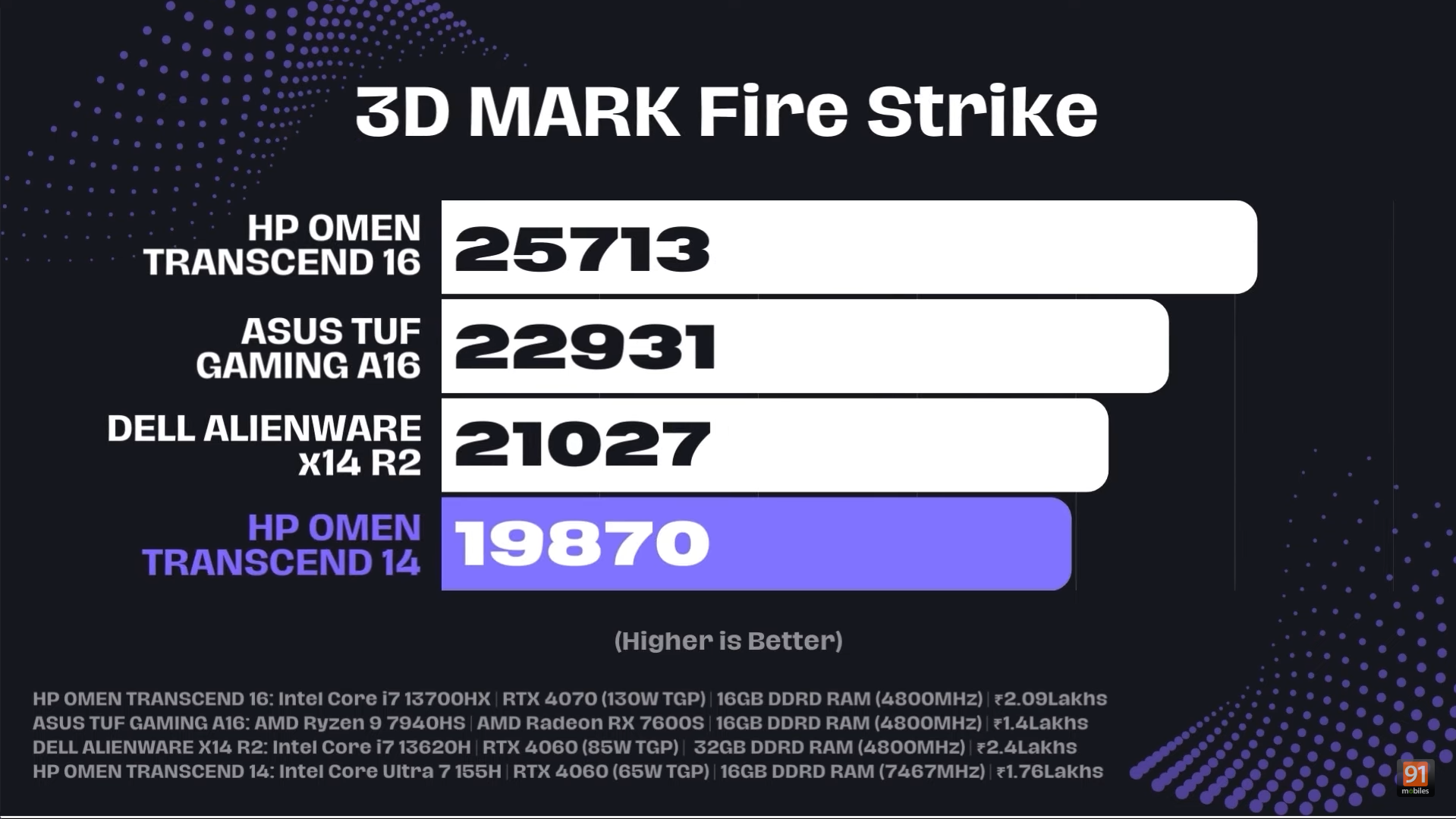
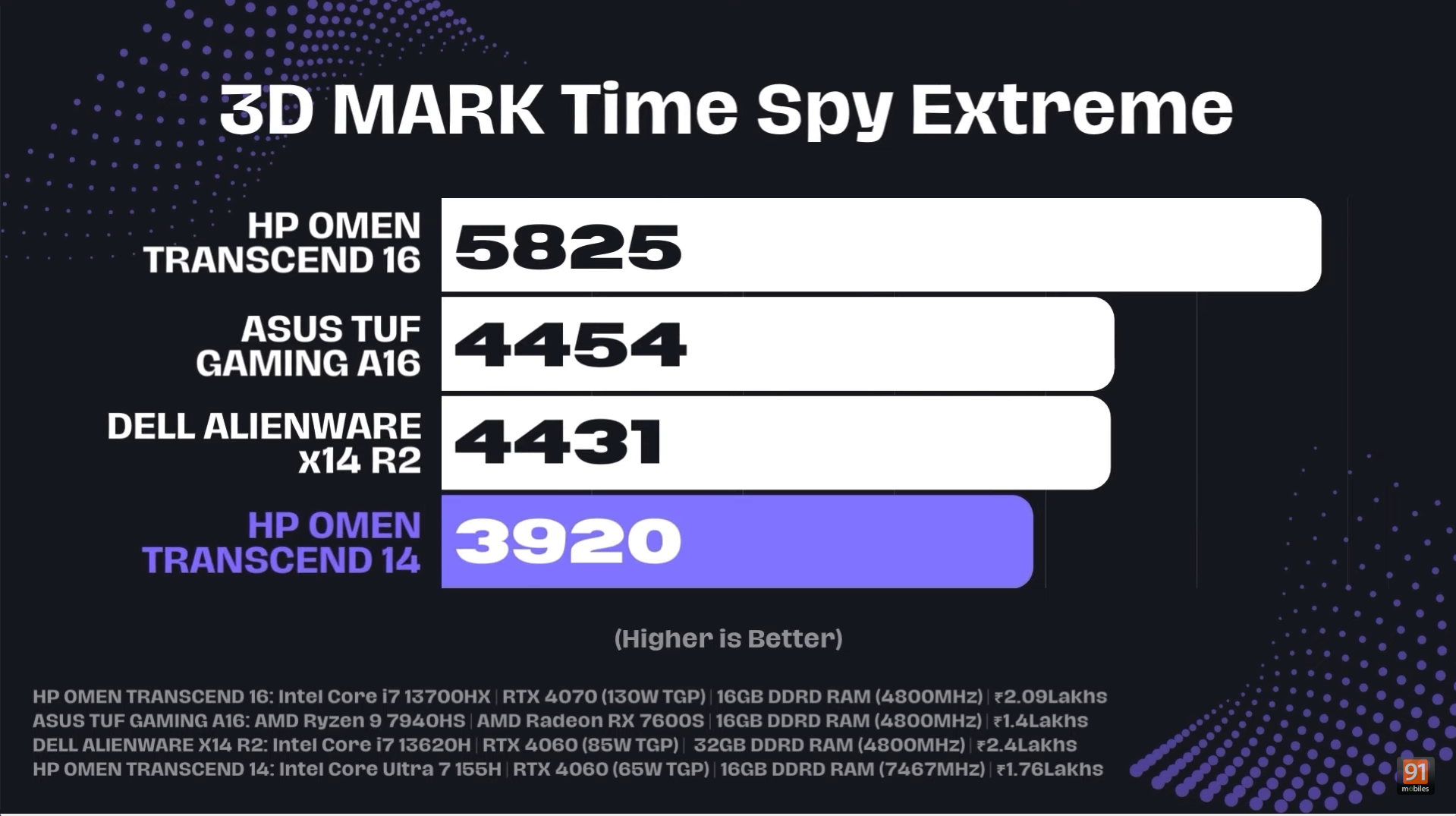
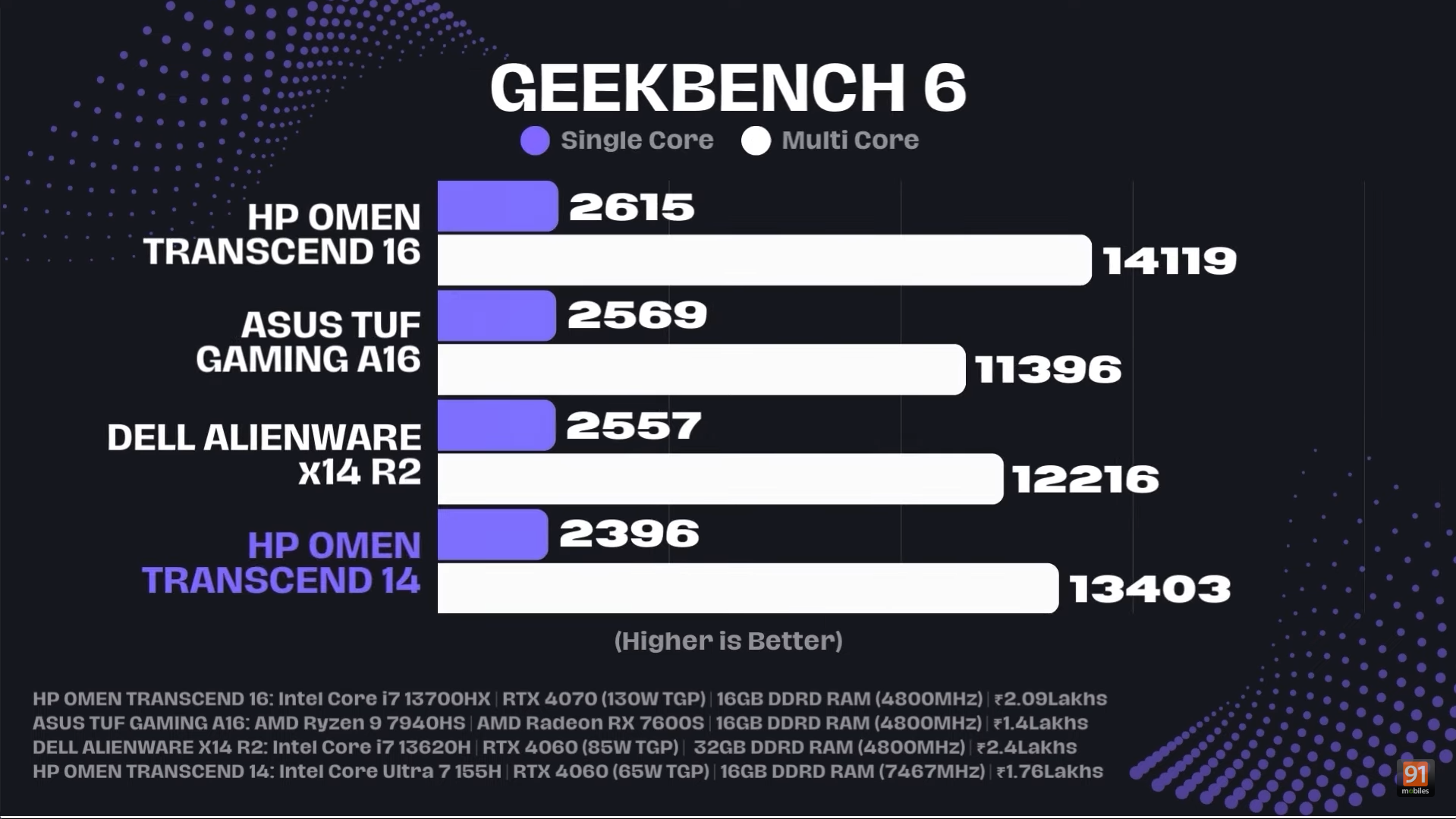
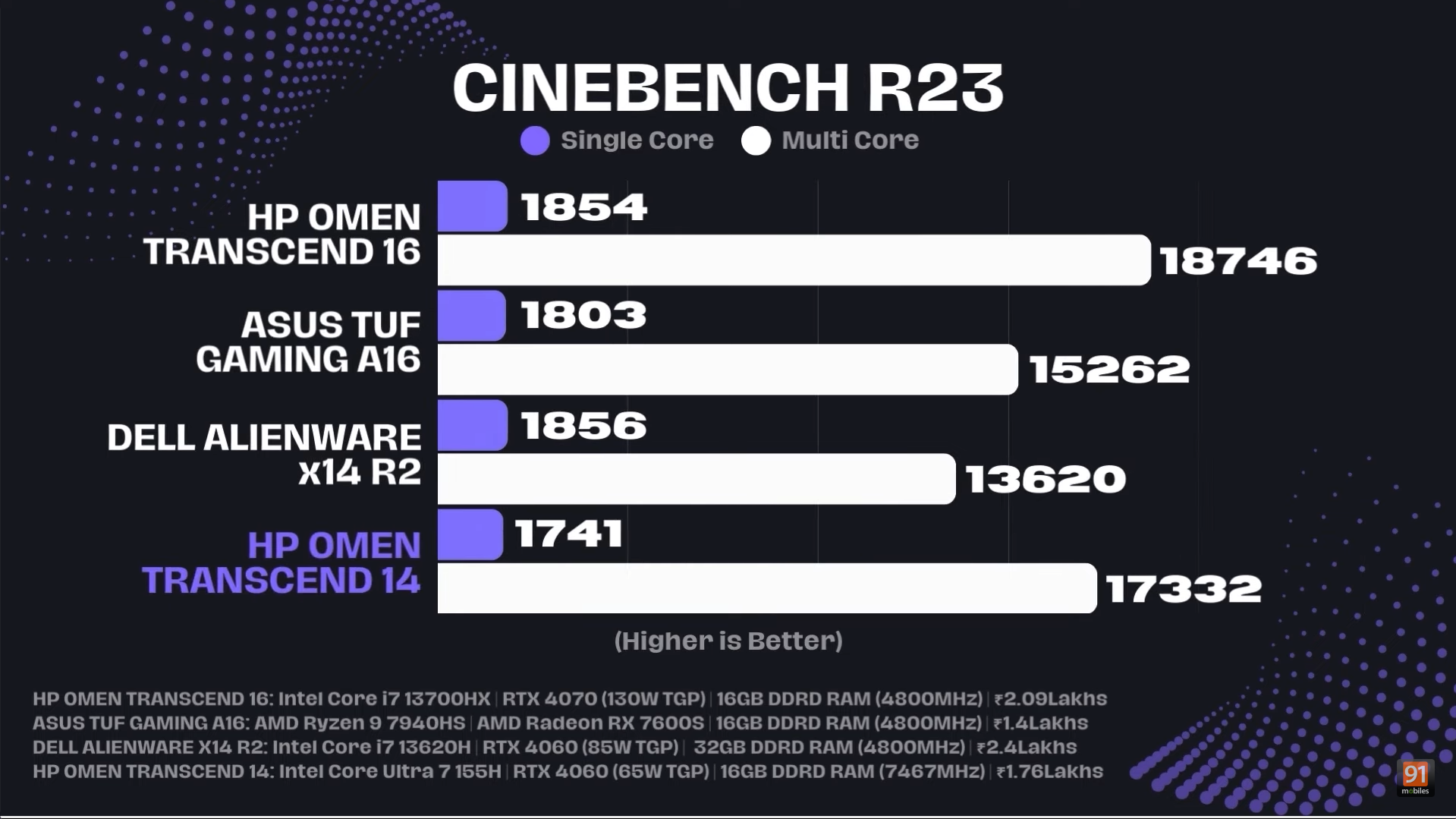


Now that we have an idea of the CPU performance, here is the gaming performance of the Omen Transcend 14, keep in mind all the games were tested at their native resolution of 1800p, and at performance mode with an overclock boost of 15W turned on.
Game | FSR Settings | Ray Tracing | Average FPS |
Alan Wake 2 (High Preset) | Quality | Off | 41 |
Horizon: Forbidden West (Very High Preset) | Quality | Not applied | 42 |
Valorant (High Settings) | Not applied | Not applied | 266 |
Red Dead Redemption 2 (Ultra Settings) | Not applied | Not applied | 44 |
Cyberpunk 2077 (1800p) | Not applied | Ultra | 43 |
Cyberpunk 2077 (1440p) | Not applied | Ultra | 57 |
GTA 5 (MSAA 4X and Max settings) | Not applied | Not applied | 64 |
Forza Horizon 5 (Extreme preset) | Not applied | Off | 60 |
Battery Life
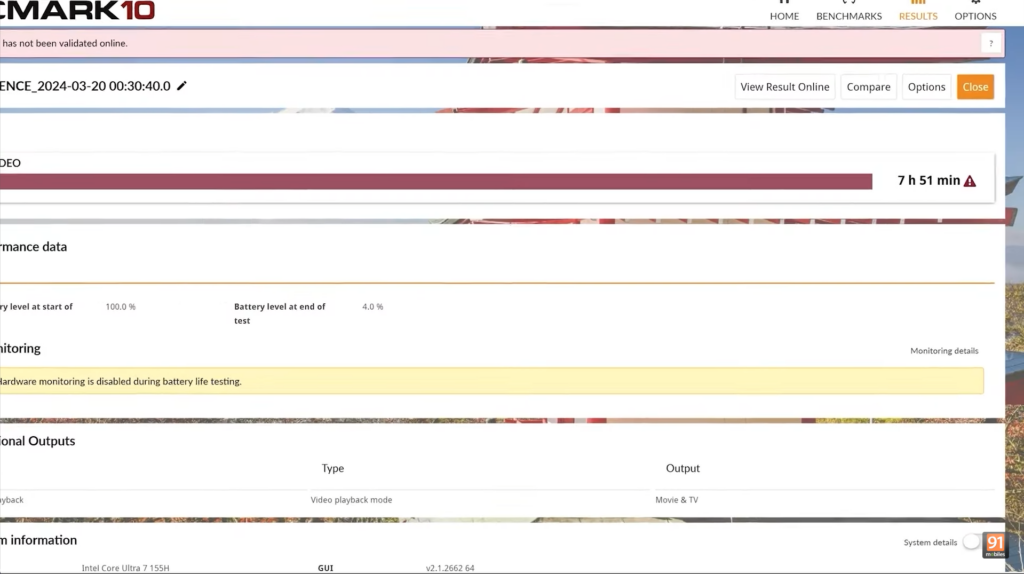
The HP Omen Transcend 14 has a 71 WHr battery which gave us a runtime of 7 hours and 51 minutes when using iGPU in Eco mode and at a screen brightness of 80 percent, which we tested on the PCMark video playback test.
Verdict
The HP Omen Transcend 14 (2024) offers impressive value for its price, featuring a high-resolution IMAX-certified display with a high refresh rate, the raw power of an Intel Core Ultra 7, and an RTX 4060 GPU—all within a thin and light form factor. This is exactly what power users have been craving, and HP has delivered it well. The laptop can effortlessly handle any AAA title and offers solid battery backup. However, the lack of upgradability might be a deal-breaker for some.
Editors Rating: 7.5 / 10
Pros
- Sturdy build quality
- Immersive IMAX-certified OLED display
- Excellent performance
- Slim and light form factor
Cons
- No room for upgradability
- Glossy display