Launched as the successor to Funtouch OS 15 for Vivo and iQOO smartphones available globally, OriginOS 6 is Vivo’s take on Android 16. The custom skin made its grand debut on October 15th, 2025, which the company touts as its “most advanced operating system, redefining human-computer interaction in the AI era”. As the statement indicates, OriginOS 6 features several interactive elements that respond to user input, along with utilitarian AI capabilities, which we thoroughly explored in our detailed OriginOS 6 hands-on review.
With a revamped design language, several new features, and a vast set of customisation options in store, you’d be wondering when the anticipated OriginOS 6 update will arrive on your Vivo or iQOO smartphone. Fortunately, both companies have rolled out OriginOS 6 to their flagship and high-end smartphones since last year, with the remaining devices confirmed to receive the update in the coming months.
Table of Contents
OriginOS 6 eligible devices from Vivo and iQOO
Since all the existing Vivo and its sub-brand, iQOO, smartphones run Funtouch OS, all devices that have at least one OS upgrade remaining are eligible to receive OriginOS 6.
OriginOS 6 release schedule for Vivo devices
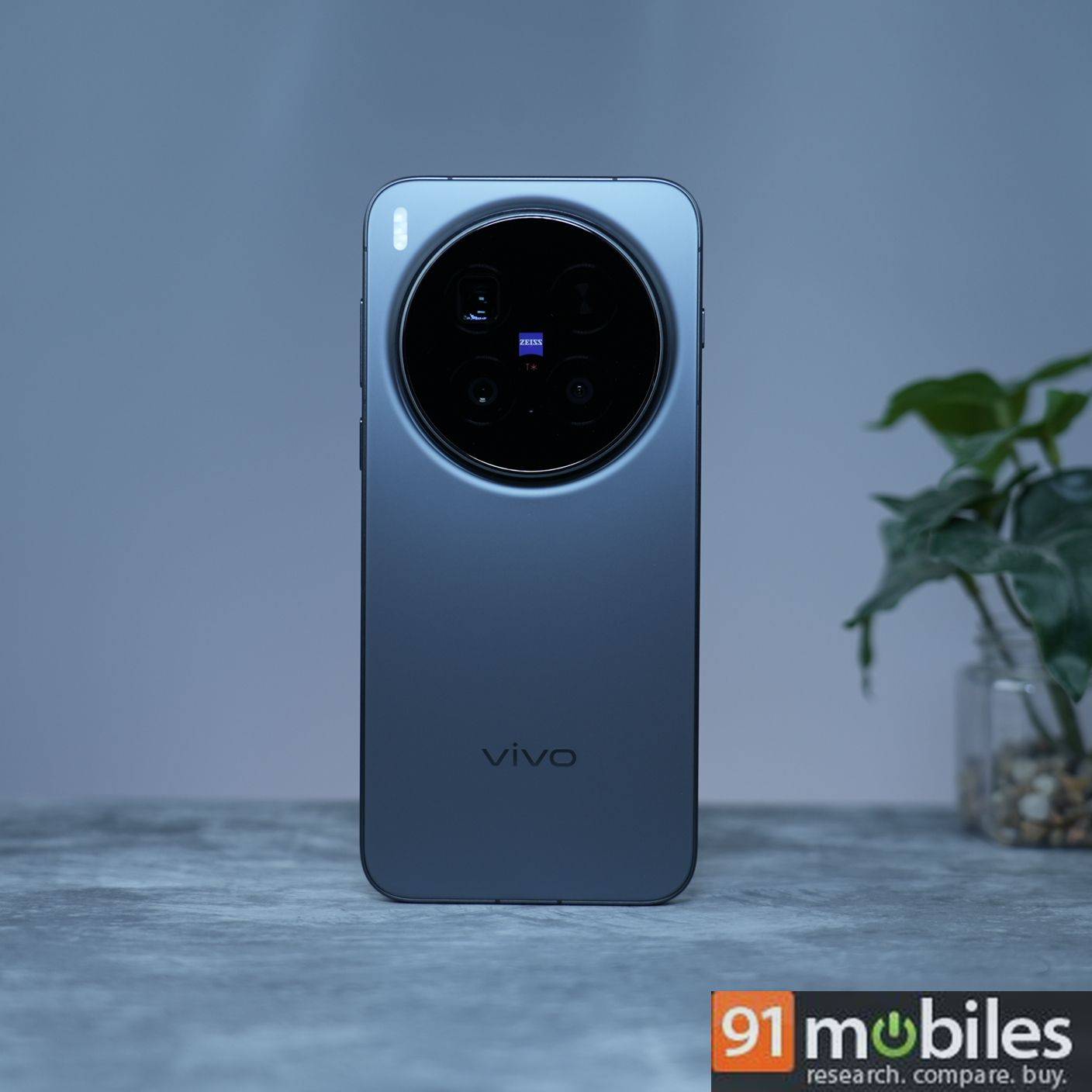
Most eligible Vivo smartphones in the Vivo X series have already received the OriginOS 6 update in 2025. That said, here’s the official OriginOS 6 release schedule for Vivo devices:
| Series | Models |
|---|---|
| X series |
|
| V series |
|
| T series |
|
| Y series | Starting Jan 2026: Vivo Y400 Pro, Y400 5G, Y400, Y300 Plus, Y300 5G, Y200 Pro, Y200, Y200e 5G, Y100 5G, Y100, Y58 5G, Y39 5G, Y38 5G, Y31 Pro 5G |
OriginOS 6 release schedule for iQOO devices
Just like Vivo, several premium and high-end iQOO phones released over the last couple of years have already bagged Android 16-based OriginOS 6 update. The release schedule for the pending devices is as follows:
| Series | Models |
|---|---|
| Number and Neo series |
|
| Z series | Starting Jan 2026: iQOO Z10, Z10R, Z10x, Z9, Z9s Pro, Z9x |
Vivo and iQOO devices that have already received OriginOS 6
Since the update availability varies by region, device variant, and carrier, the status shown here is compiled from official announcements, brand community forums, and user reports on social media.
Vivo phones already on OriginOS 6
Here are the Vivo smartphones that have received the stable OriginOS 6 update over the last couple of months.
| Series | Models |
|---|---|
| X series | Vivo X300 Ultra, X300 FE, X200T, X300, X300 Pro, Vivo X200, X200 Pro, X200 FE, X Fold5, X100, X100 Pro, X Fold3 Pro, X90, X90 Pro |
| V series | V70 Elite, V70, V70 FE, Vivo V60, V60e, V40, V30e |
| T series | Vivo T5 Pro, T5x, T4 Ultra, T4 Pro, T4x, T3 Pro, T3 |
| Y series | Yet to receive |
iQOO phones already on OriginOS 6
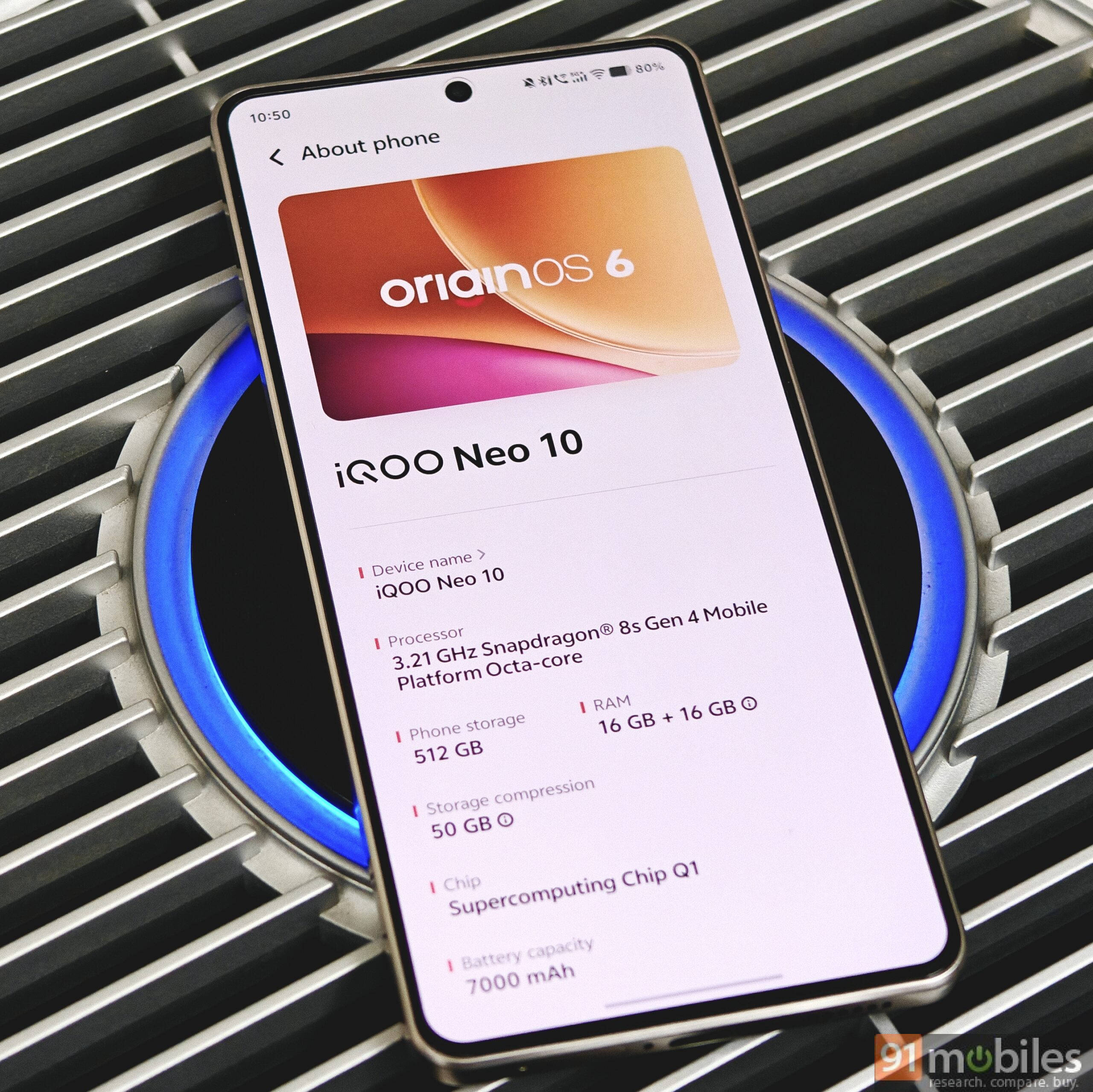
These iQOO smartphones have received the OriginOS 6 update.
| Series | Models |
|---|---|
| Number and Neo series | iQOO 15R, iQOO 15, iQOO 13, iQOO 12, iQOO 11, iQOO Neo 10, Neo 10R, Neo 9 Pro, Neo 7, Neo 7 Pro |
| Z series | – iQOO Z11x – iQOO Z10, Z10R, Z10x, Z10 Lite – iQOO Z9, Z9x, Z9s, Z9s Pro |
Here’s how you can download or check for the OriginOS 6 update
Whenever the OriginOS 6 update is made available for your device, you’ll receive an OTA update notification, unless the ‘Smart Upgrade’ option is enabled, which automatically downloads an incoming update. However, if you wish to manually check for the OriginOS 6 update, here’s how you can do it:
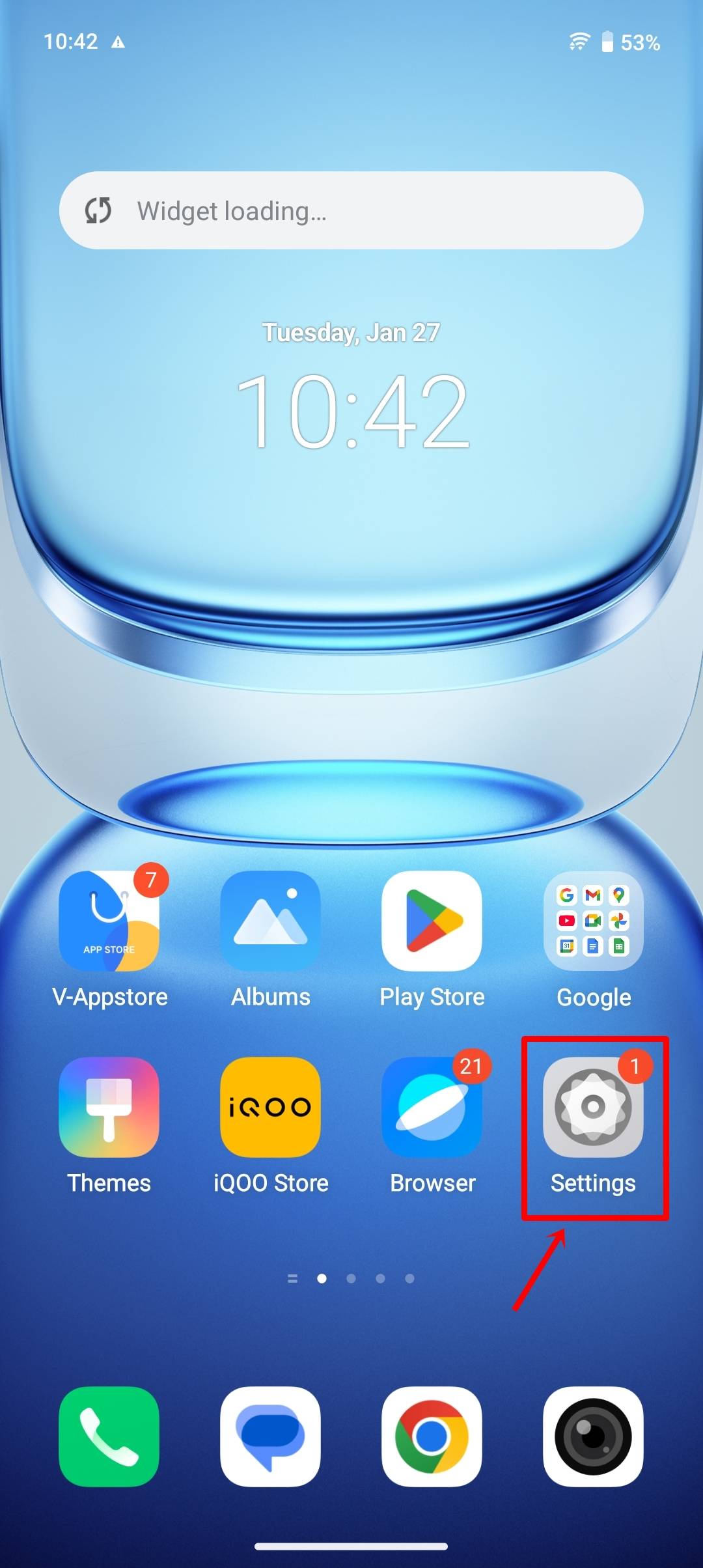
Step 1: Open the ‘Settings’ app.
Step 2: Scroll down to ‘System update’.
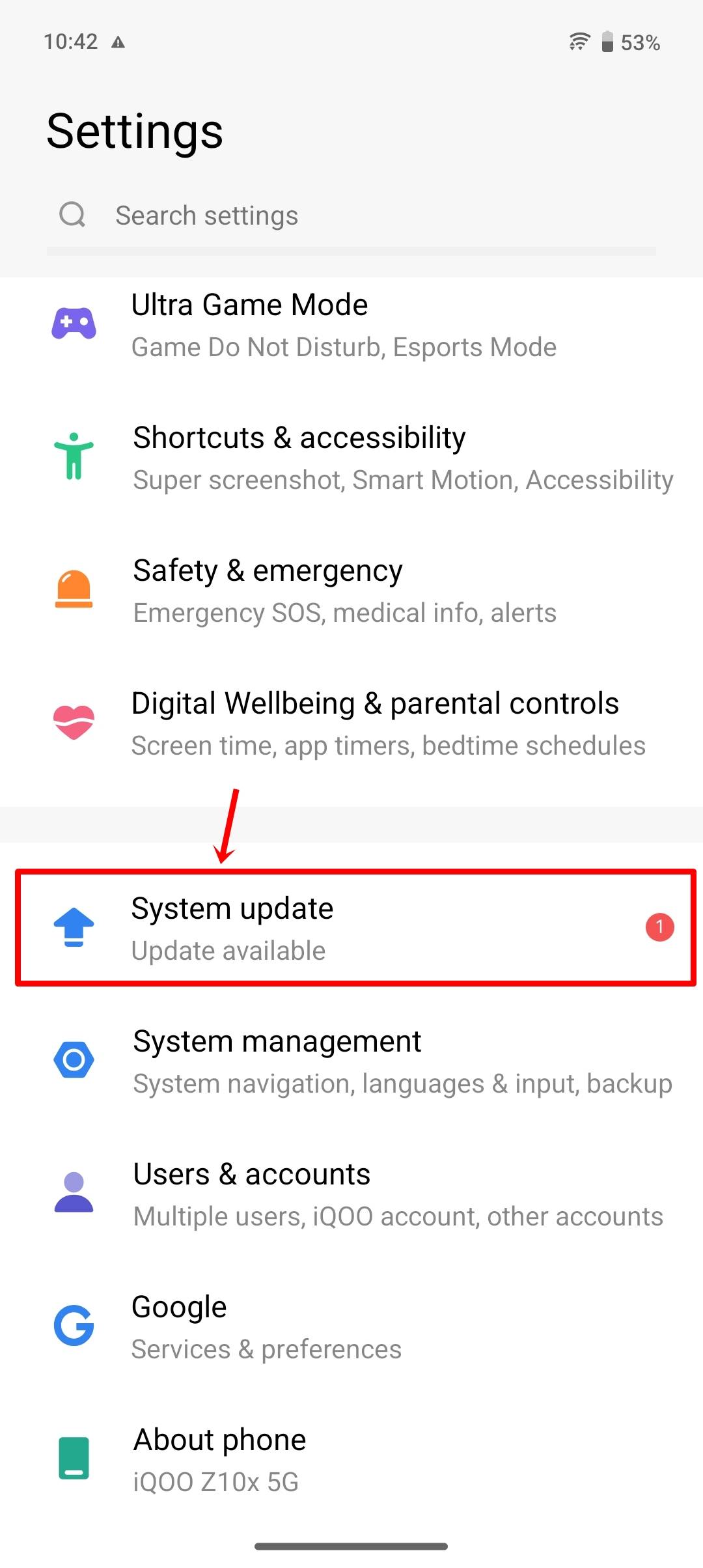
Step 3: The system will fetch the OriginOS 6 update. If available, the update will pop up.
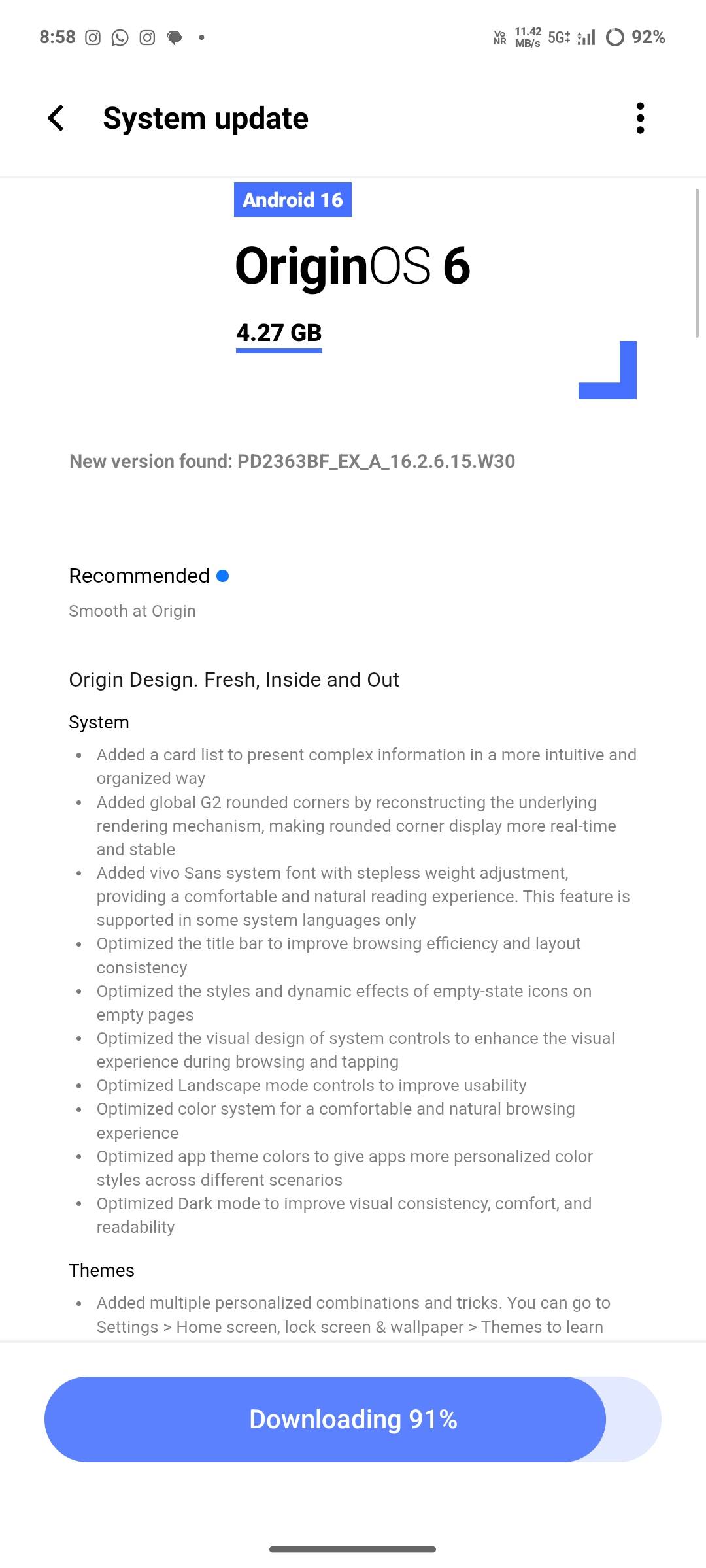
Step 4: Now, simply select the ‘Update’ button to download the update.
Step 5: Once downloaded, select ‘Restart now’ or ‘Restart overnight’.
Step 6: The update installation will take several minutes. Once done, you’ll be booted on OriginOS 6.
Note: To be on the safe side, ensure you back up all your data before installing the update.
Top OriginOS 6 features and changes worth exploring
Since OriginOS 6 brings a major overhaul, there’s a lot to explore. Based on the ‘Origin Design’ framework, the entire software carries light and radiance effects, bouncy animations, and gradient blur, resulting in a more intuitive experience over Funtouch OS 15. On that note, here are the headlining features and changes worth checking out on OriginOS 6:
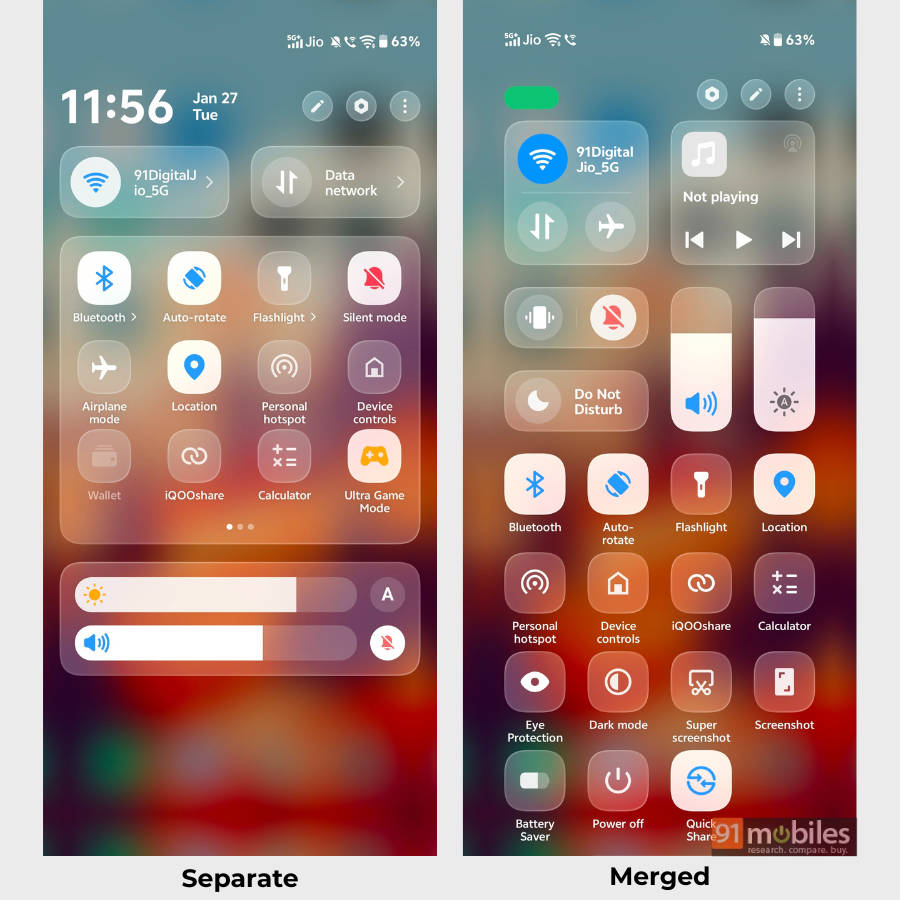
Revamped Control Centre: Just like most custom Android skins, OriginOS 6 lets users choose between a ‘Separate’ and ‘Merge’ Control Centre. Regardless of what you choose, the quick toggles render a light effect when interacted with.
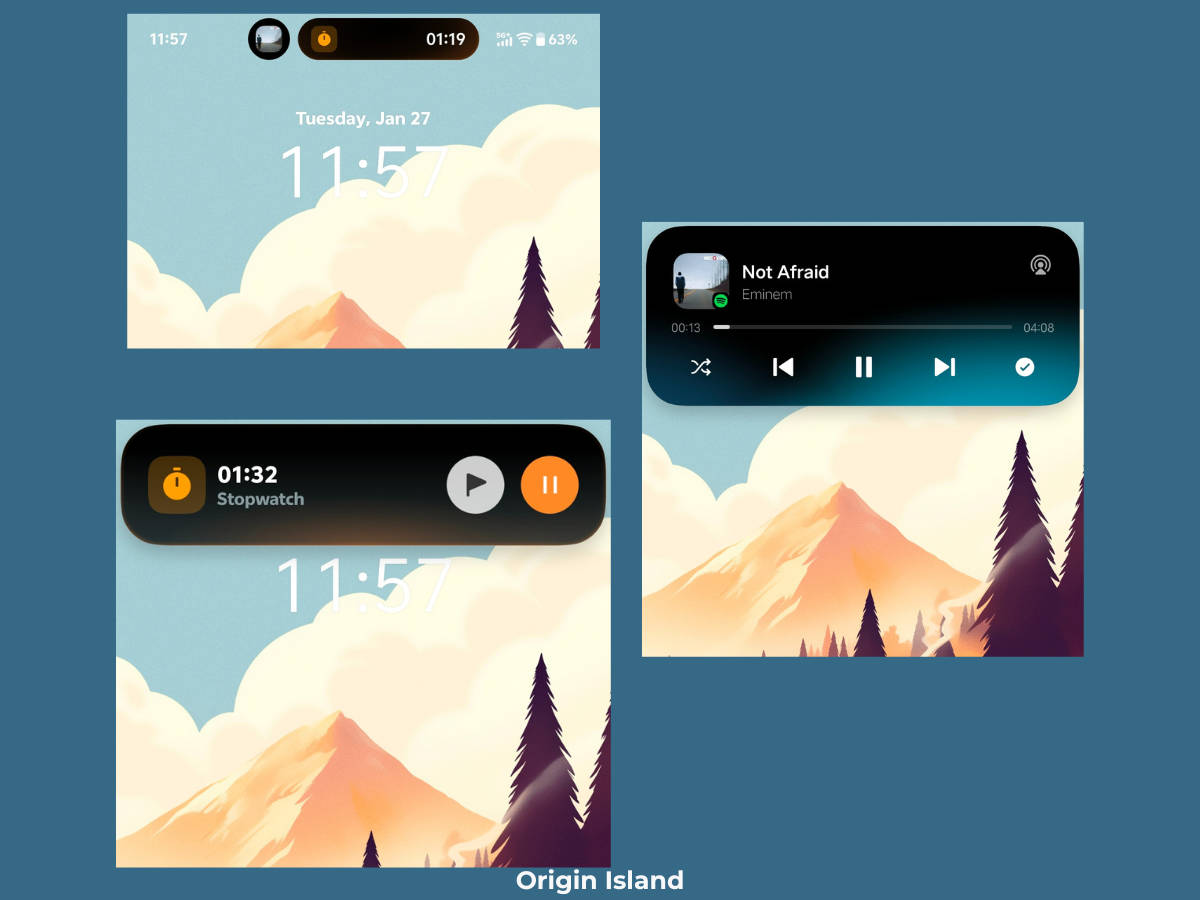
Origin Island: Vivo’s version of Dynamic Island, a pill-shaped interactive UI element that sits in the status bar. It displays real-time information such as the currently playing song, stopwatch or timer status, Google Maps directions, and food delivery status.
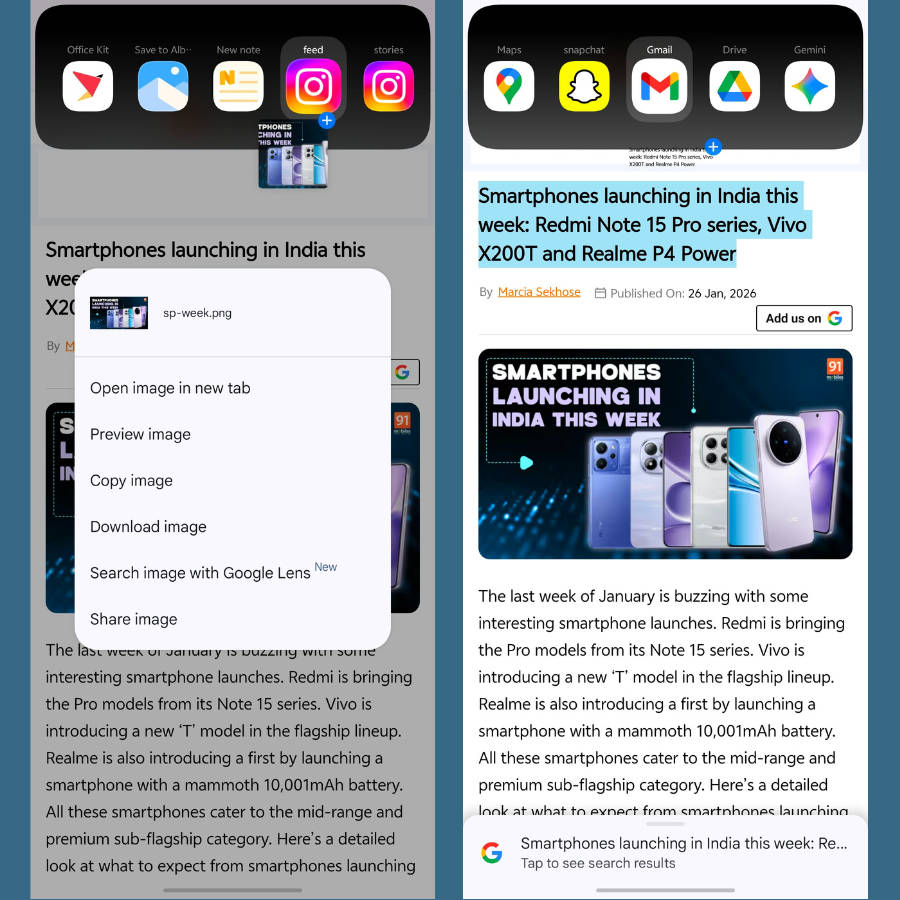
Drag & go: Integrated into Origin Island, tap and hold text, images, documents, or other media, then drag them to the top area to trigger specific actions. These include dialling a mobile number, saving text in Notes, initiating instant file transfer, and more.
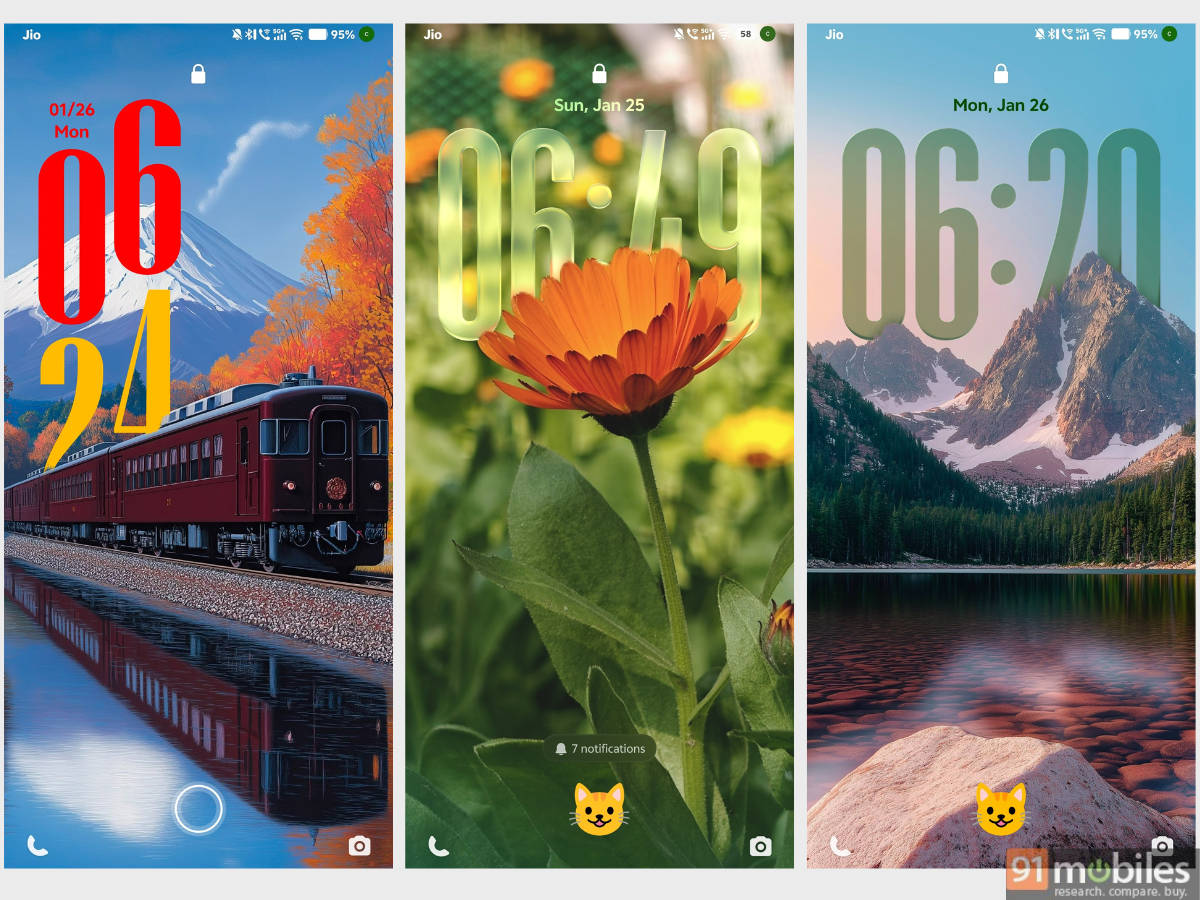
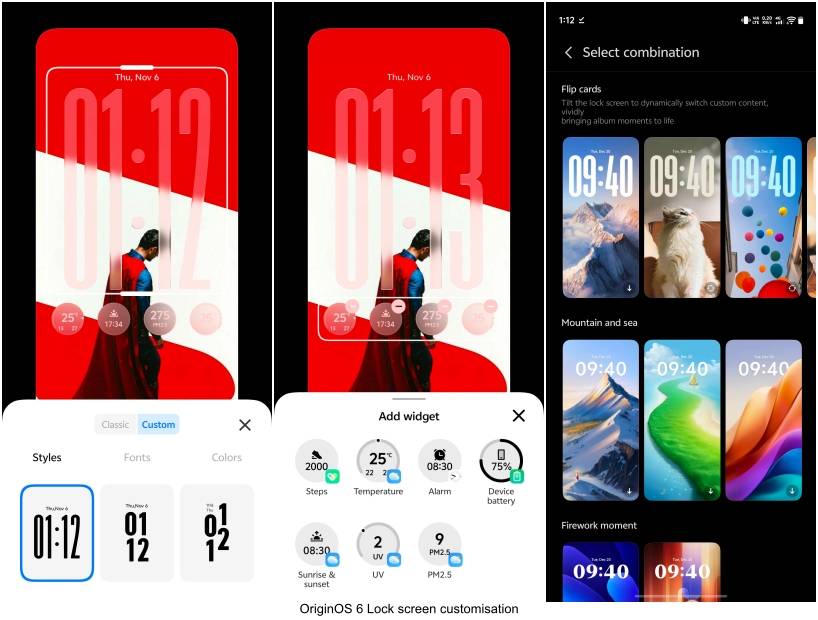
New ways to customise the lockscreen: A major highlight of OriginOS 6, the update offers a new translucent clock style that you can set to appear in different forms and sizes. Furthermore, widgets on the lock screen have also been added.
Flip Cards: A lockscreen feature exclusive to OriginOS 6, at least among the skins available in India, this lets you add four different wallpapers, which you can cycle through simply by tilting the phone left or right.
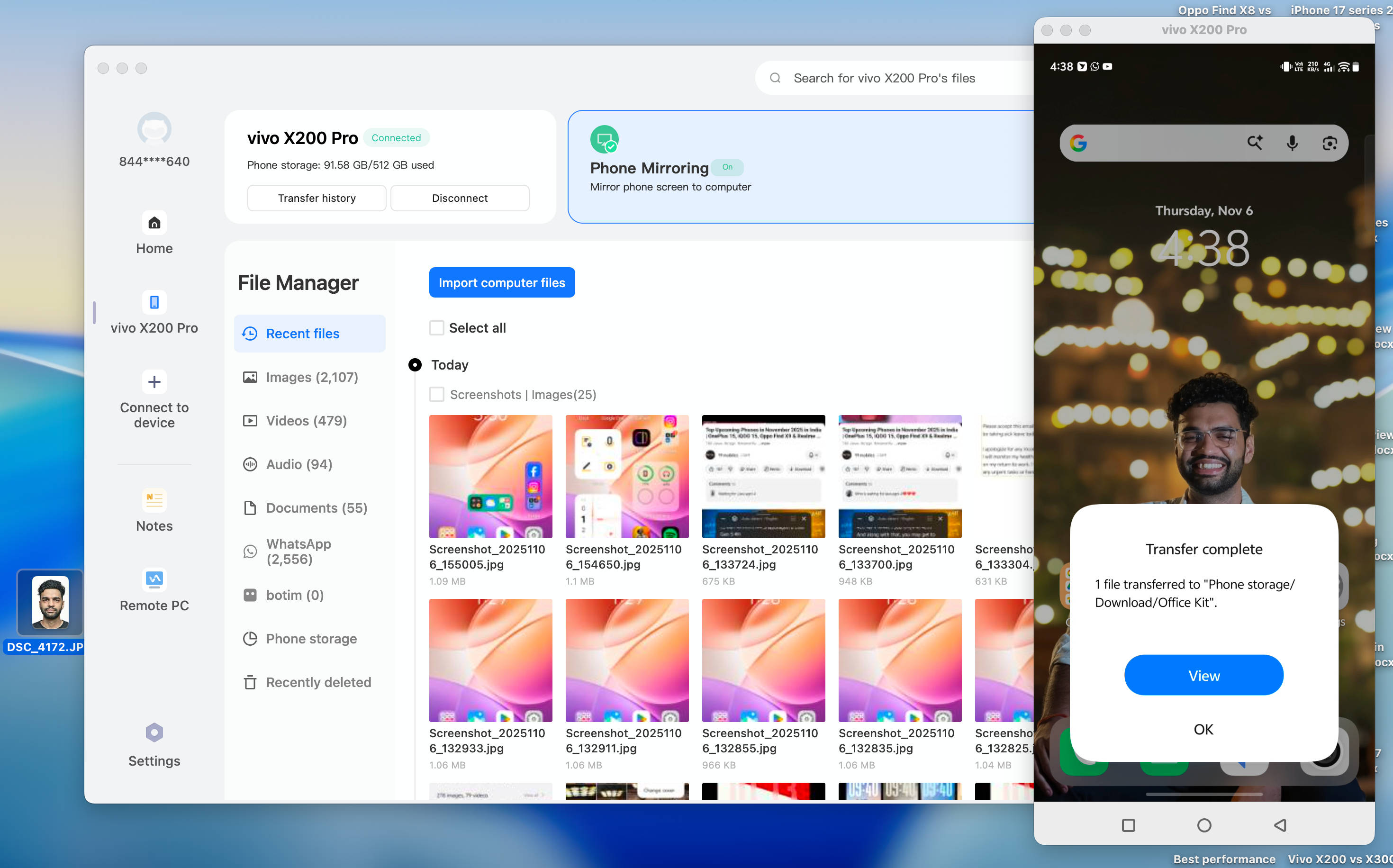
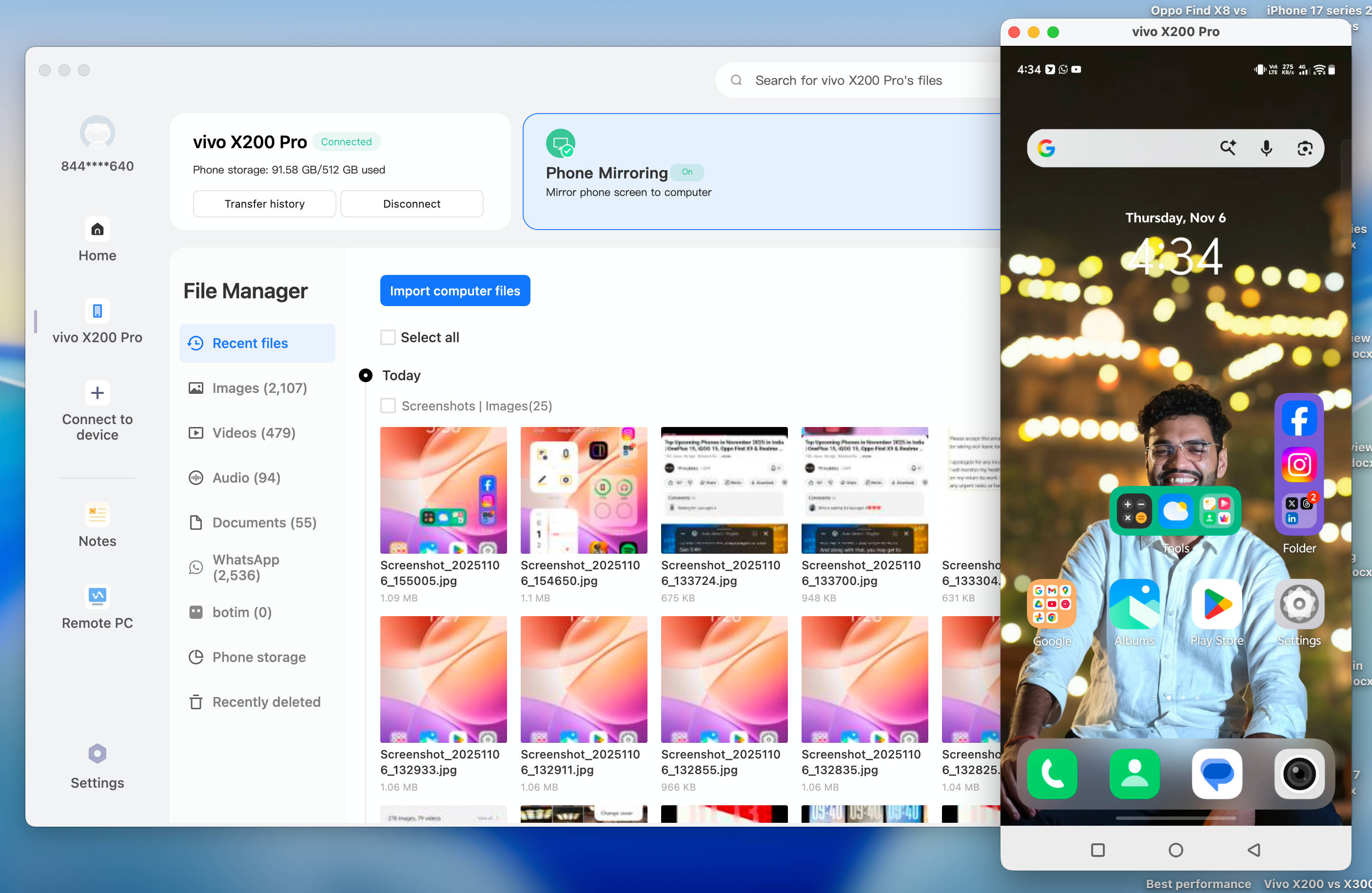
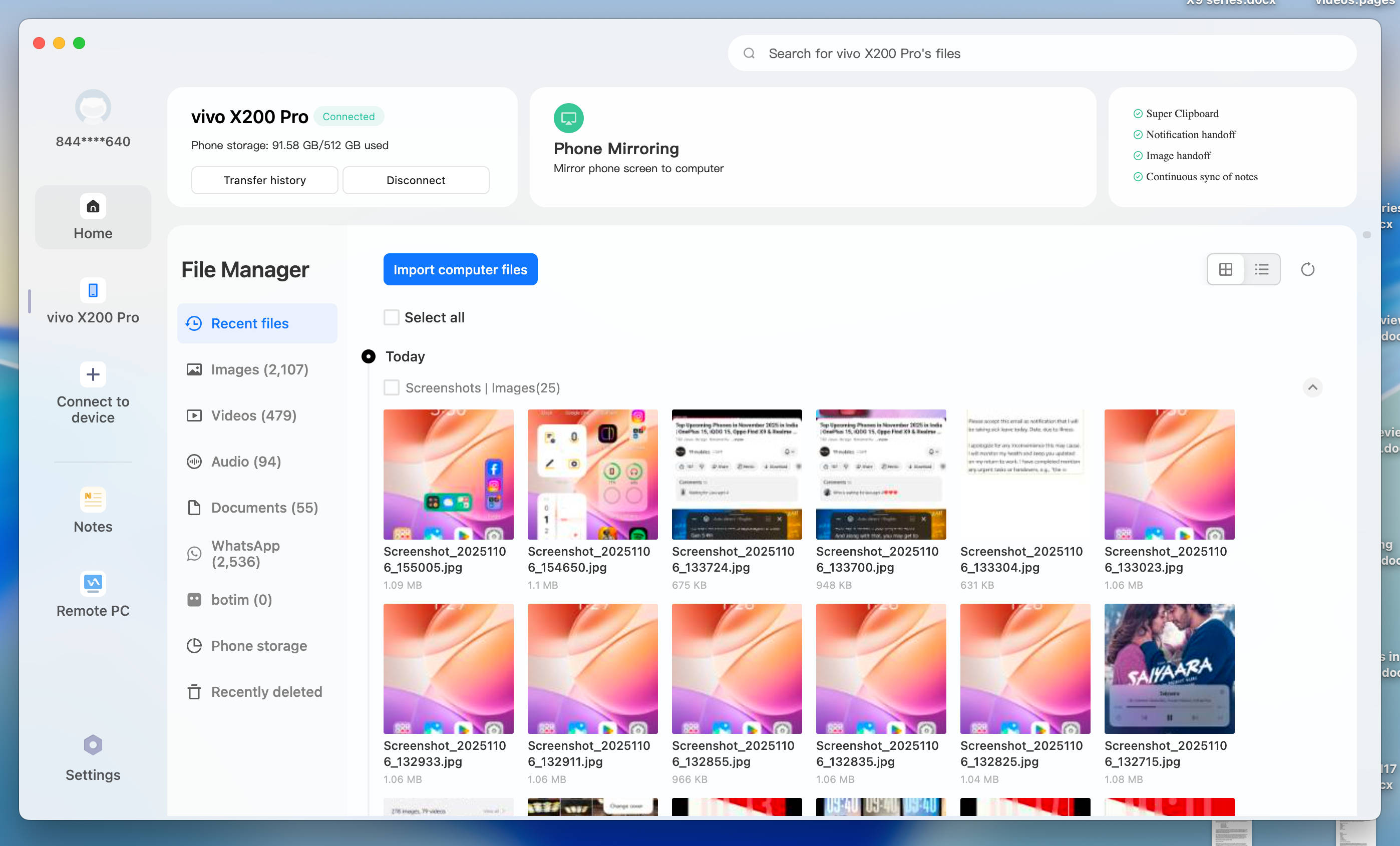
Office Kit: With Office Kit, you can use it to transfer files, mirror screens and even control your phone from your PC. All you need to do is install the said app on your Windows or Mac device to take advantage of a vast range of productivity options.
Origin Engine: A proprietary framework that is responsible for rendering smooth transitions, animations, and blur details throughout the system.
From our extended hands-on experience with OriginOS 6, the new firmware is clearly a step in the right direction. With a new ‘Origin’ design language in place, it’s evident that Vivo and iQOO have listened to users and delivered on most fronts, whether by offering new customisation options or adding productivity-focused features like Origin Island and Office Kit. Compared to the now-defunct Funtouch OS 15, OriginOS 6 is not only more responsive to use but also ups the visual appeal across the system.
While it has scope for improvement, in areas where there are design inconsistencies regarding the Origin Island and notification panel, we had a fairly reliable experience with OriginOS 6 on both the Vivo X300 series and the iQOO Neo 10.
FAQs
What is the difference between OriginOS 6 and Funtouch OS?
The most significant difference between Funtouch OS and OriginOS 6 lies in their core designs and user experiences. While Funtouch OS leaned heavily on “Stock Android” aesthetics, OriginOS 6 introduces a “Origin” design with distinct visuals previously unseen on Funtouch. This includes dynamic light and radiance effects on interactive buttons, fluid “bouncy” animations, and blur gradients integrated across system apps. Beyond the visuals, OriginOS 6 boosts productivity with features such as Origin Island, Drag & Go, and customizable Flip Cards.
Is the global OriginOS 6 different from the one running on China-only Vivo and iQOO phones?
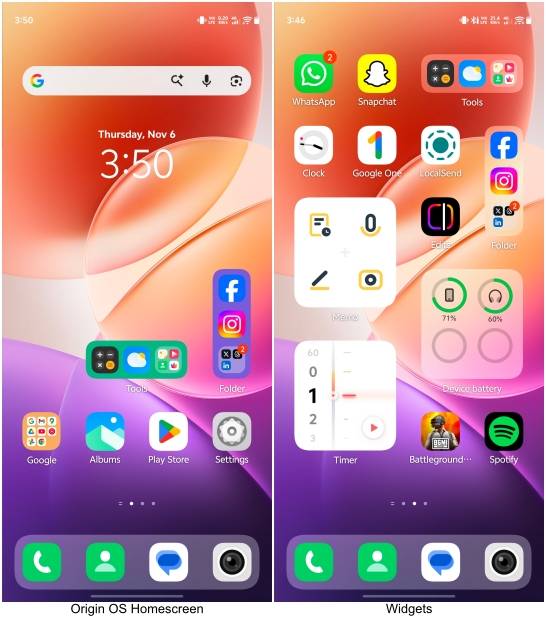
Yes. While the entire core design from China-only OriginOS 6 has been carried over to the global OriginOS 6, the latter lacks several AI features and home-screen customisation options. For starters, the OriginOS 6 firmware present on Vivo-based phones in China uses Blue Heart AI (BlueLM), Vivo’s proprietary AI powerhouse that is more integrated into the system. On the other hand, the ‘Atomic Widgets’ in the China-based OriginOS 6 offer a slew of design-rich, visually appealing homescreen widgets that the global OriginOS lacks.