OriginOS 7 update roundup: release timeline, eligible phones, features and more


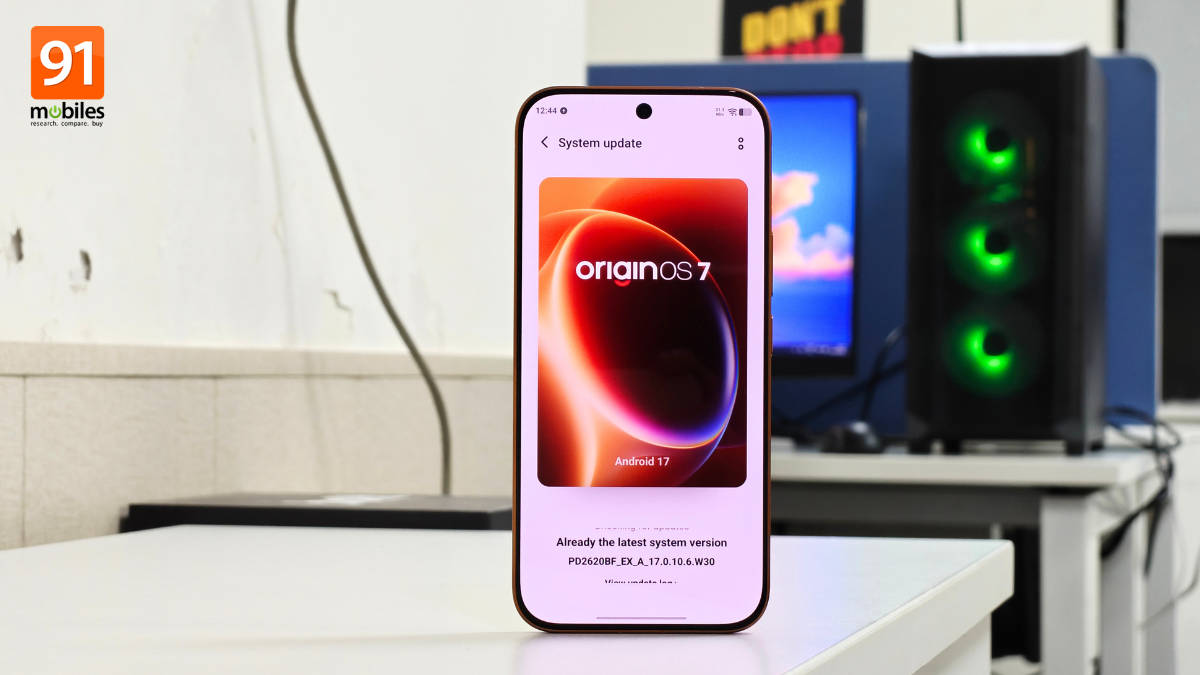
With OriginOS 6 bringing a complete design revamp across Vivo and iQOO smartphones worldwide, the Android 17-based OriginOS 7 skin was recently introduced with a strong emphasis on intricate details, multitasking, and AI productivity. Although the update doesn’t boast major upgrades, it focuses on smoother performance and gives users more control over how the interface looks and feels. In this roundup, we break down everything you need to know about OriginOS 7’s release timeline, rollout schedule, features, and quick steps on to how to download and install it.
Table of Contents
OriginOS 7 release timeline
OriginOS 7 was first unveiled in China on September 16th 2026, at a dedicated event, where it revealed its features, improvements, and key details. On the same day, the Preview Program, aka the open beta OriginOS 7 update, went live in India and several other regions for the Vivo X300 Pro and iQOO 15.
Just a few days later, Vivo held the global launch event for OriginOS 7 on September 22nd, and on October 6th, it unveiled the official release schedule for Vivo devices at the Vivo V80, X Fold 6, and S2 FE launch event. Just a few days later, a similar OriginOS 7 update timeline was put out for iQOO devices. The Vivo V80 and Vivo X Fold 6 were among the first Vivo devices to run on OriginOS 7 and Android 17 out of the box.
For the stable update, the entire Vivo X300 series, Vivo X Fold 5, and iQOO 15 are promised to receive OriginOS 7 by the end of October 2026.
Vivo devices eligible for OriginOS 7 update, rollout plan
Here’s the official OriginOS 7 update release schedule for Vivo devices:
| Release phase | Devices |
| October end | Vivo X300, X300 Pro, X300 FE, X300 Ultra, X Fold 5 |
| Mid November | Vivo X200T , X200, X200 Pro, X200 FE |
| Mid December | Vivo X100 , X100 Pro, X Fold 3 Pro, V60e, V60, V70 FE, V70, V70 Elite |
| December end | Vivo V50, V50e |
| January end | Vivo T5 Pro, T5, T5x, T4 Ultra, T4 Pro, T4, T4R, T3 Ultra, Y51 Pro, V40, V40 Pro, S2 FE, S2 |
| February end | Vivo V30e, V30, V30 Pro, T4x, Y31 Pro, Y400, Y400 Pro |
iQOO devices eligible for OriginOS update, rollout plan
The following iQOO devices will get the OriginOS 7 update in the next few months:
| Release phase | Devices |
| October end | iQOO 15 |
| Mid November | iQOO 15R, iQOO 13 |
| Mid December | iQOO 12, iQOO Neo 10, iQOO Neo 10R |
| January end | iQOO Neo9 Pro, iQOO Z11 5G, iQOO Z11x 5G, iQOO Z11xa 5G, iQOO Z10 5G, iQOO Z10R 5G |
| February end | iQOO Z10x 5G |
OriginOS 7 new features and improvements
While we’ve covered all the new findings, features and improvements found on OriginOS 7 in a detailed hands-on story, here’s what you can expect with the update when it lands on your device:
Expanded customisation options
OriginOS 7 brings a major refresh to personalisation, featuring interactive themes that react dynamically to touch and motion:
- Wiggle Theme: Adds kinetic effects like ripples and springs that respond as you tilt your device.
- Pet Pals: Replaces static backgrounds with lively, interactive animated companions, such as dogs and cats, that appear on unlock. The pets react to your touch and even groove to ongoing music.
- Glint Theme: Enhances personal wallpapers with dynamic light beams and metallic, shiny depth effects as you move. If you want something striking, it’s worth giving Glint theme a shot.
- StickIt: Enables system-wide sticker placement across lock screens, wallpapers, and Always-On Displays. You can even create your own sticker by pressing and holding an image, and a pop-out element will automatically be created. These stickers can be placed anywhere on homescreen, lockscreen, and AOD.
Refined UI & Interface Design
Instead of a rigid design language, OriginOS 7 gives users granular control over interface aesthetics compared to its predecessor:
- Adjustable transparency: Offers three distinct visual styles in the form of Dynamic Translucent Material, including Opaque, Transparent, and Glass, letting you dial in the exact blur and depth levels you prefer.
- Customizable notification panel: Provides flexible layout options for toggles and status information, creating a tailored user experience.
- Dynamic Glow and Spring Animation: A key design upgrade over OriginOS 6 is Dynamic Glow, which subtly illuminates elements across the UI, while Spring Animation adds elastic transitions in multiple areas.
Upgraded AI productivity suite
OriginOS 7 introduces practical, everyday AI utilities across core apps:
- Smarter notes: Uses AI optical character recognition (OCR) to convert handwritten notes, whiteboards, and receipts into formatted, editable text, alongside advanced summarisation and organisation tools. Major brands like Apple and Samsung have had a similar feature in their smartphones for a while, so it’s great to see OriginOS 7 catching up.
- Enhanced recorder: Features automatic speaker identification, smart formatting, sub-headers, and instant AI summaries for effortless transcript editing. This can be highly useful for working professionals to revisit office or client meetings.
- Dedicated PDF reader: Integrates an optimised reading mode built for seamless, clutter-free ebook and document consumption.
- Natural language AI search: Finds files and notes based on remembered context or key concepts rather than exact file names.
Origin Workbench (Multitasking Hub)
Origin Workbench is a dedicated workspace that lets you keep up to five active tabs open simultaneously. Fluid animations and instant tab-switching make managing multi-app workflows effortless. You can display these tabs vertically on the left or horizontally at the top, so you can choose what suits you best.


Performance & Security Upgrades
Several under-the-hood optimisations have also been made to ensure a faster, safer system:
- Origin Smooth Engine: Combines refined RAM management with physics-based, elastic animations for effortless app switching.
- Comprehensive security: Integrates daily automated malware scans, stricter app permissions, and active protection against unsafe links, spam calls, and vulnerable Wi-Fi networks.
For users coming from OriginOS 6, the OriginOS 7 update may not feel as significant, but with design refinements, better multitasking, and a focus on AI features, it presents itself as a well-packed Android skin. Compared to rivals like ColorOS 17 and HyperOS 4, the skin definitely stands its ground, especially in design, with glass and luminous effects, overall smoothness, and plenty of customisation options.
How to download and install OriginOS 7
If and when the OriginOS 7 update is pushed out for your Vivo or iQOO device, here’s how you can check and download it:
Step 1: Go ahead and open the Settings app
Step 2: Scroll down and select the ‘System update’ option


Step 3: Once the OriginOS 7 update pops up, hit the ‘Download & install’ button


Step 4: The update will begin downloading, and your device will shortly reboot into OriginOS 7
FAQs
When was OriginOS 7 released?
OriginOS 7 was first unveiled in China in September 2026 and is expected to roll out in stable form in global regions by the end of October 2026. A couple of newly released smartphones, such as the Vivo V80 and Vivo X Fold 6, come with OriginOS 7 pre-installed.
What are the biggest new features in OriginOS 7?
Key highlights of OriginOS 7 include interactive themes (Wiggle, Glint, Pet Pals), StickIt system stickers, three-level transparency/glass UI controls, major upgrades to the Notes and Recorder apps with AI tools, Origin Workbench multitasking hub, improved PDF reader, AI Search, smoother animations via the Origin Smooth Engine, and enhanced security features.
Will all OriginOS 7 features be available on every device?
Feature availability can vary by model, region, and hardware capabilities. For instance, high-end devices in the Vivo X series may support blur textures and details, which isn’t the case on entry-level and midrange phones such as the Vivo T or V series. Similarly, certain AI features may be limited to the premium smartphones.
Will it be possible to downgrade from Android 17-based OriginOS 7 to Android 16?
Since Vivo or iQOO didn’t offer an official way to downgrade from OriginOS 6 to Android 15, the same is likely true for OriginOS 7 to Android 16. However, if you run into any issues, taking your device to a Vivo or iQOO service centre could help you downgrade.

