


Review Summary
Expert Rating
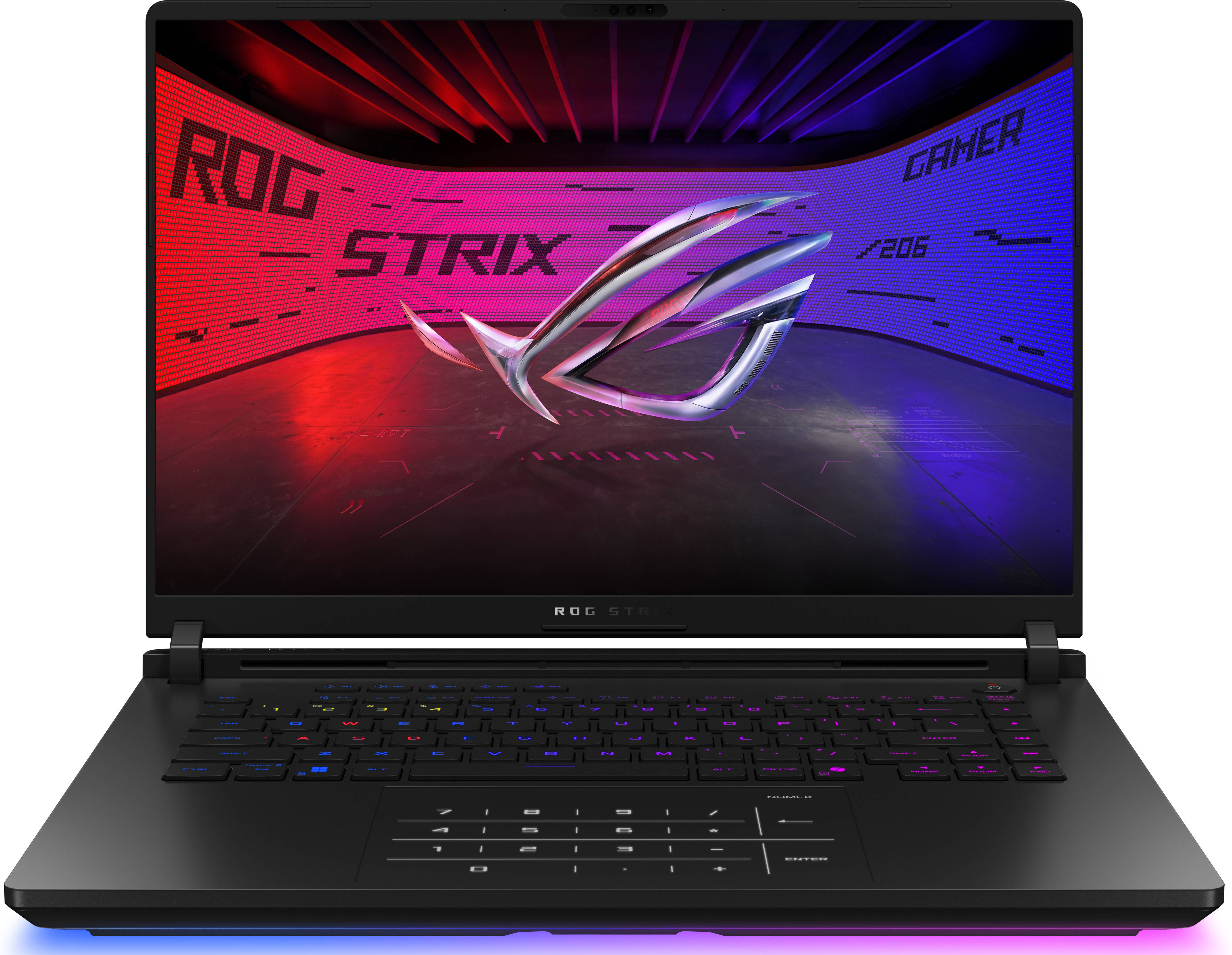
When ASUS rolls out a gaming laptop under the ROG badge, you can bet it’s going to be drenched in RGB. But beneath all the flashy lights and gamer flair sits a machine with some serious muscle. Sure, sometimes ASUS pushes the extra dial a little too far, like the ASUS ROG Strix SCAR 16 (2025). But if there’s a laptop that can flex and wink at the same time, it’s the new ROG Strix G16.
On the outside, you get a glowing RGB lightbar and a keyboard that looks like it just stepped out of a cyber rave. On the inside? A blazing-fast 240Hz 16-inch panel, NVIDIA’s latest RTX 5070 Ti, and Intel’s Core Ultra 9 275HX. And with a price tag around ₹2.5 lakh, it isn’t cheap, but it’s not outrageous either. The real question, then, however, is whether all that firepower justifies the spend? Let’s find out!
Table of Contents
Heart & Hustle: Performance and Thermals
Let’s start with performance, because that’s what most gamers and prospective buyers are really here for, right? The ROG Strix G16 comes loaded with Intel’s Core Ultra 9 275HX processor, paired with 32GB of DDR5 RAM and a 1TB Gen4 NVMe SSD. On the graphics side, you get NVIDIA’s brand-new GeForce RTX 5070 Ti, boosted with an extra 25W of Dynamic Boost to hit a hefty 140W TGP. In simpler terms, this setup gives you NVIDIA’s best offering yet for 1440p gaming without tipping into wallet-destroying territory.

In synthetic benchmarks like Cinebench R23, R24, GeekBench, and PCMark 10, the Strix G16 consistently turned out excellent scores without breaking a sweat. ASUS’ triple-fan cooling system with Liquid Metal does a fine job here, ensuring stable numbers even under prolonged load. But it’s really in the GPU department where this machine flexes hardest. The RTX 5070 Ti breezes through the entire 3DMark suite, proving it’s no slouch in raw graphical muscle.


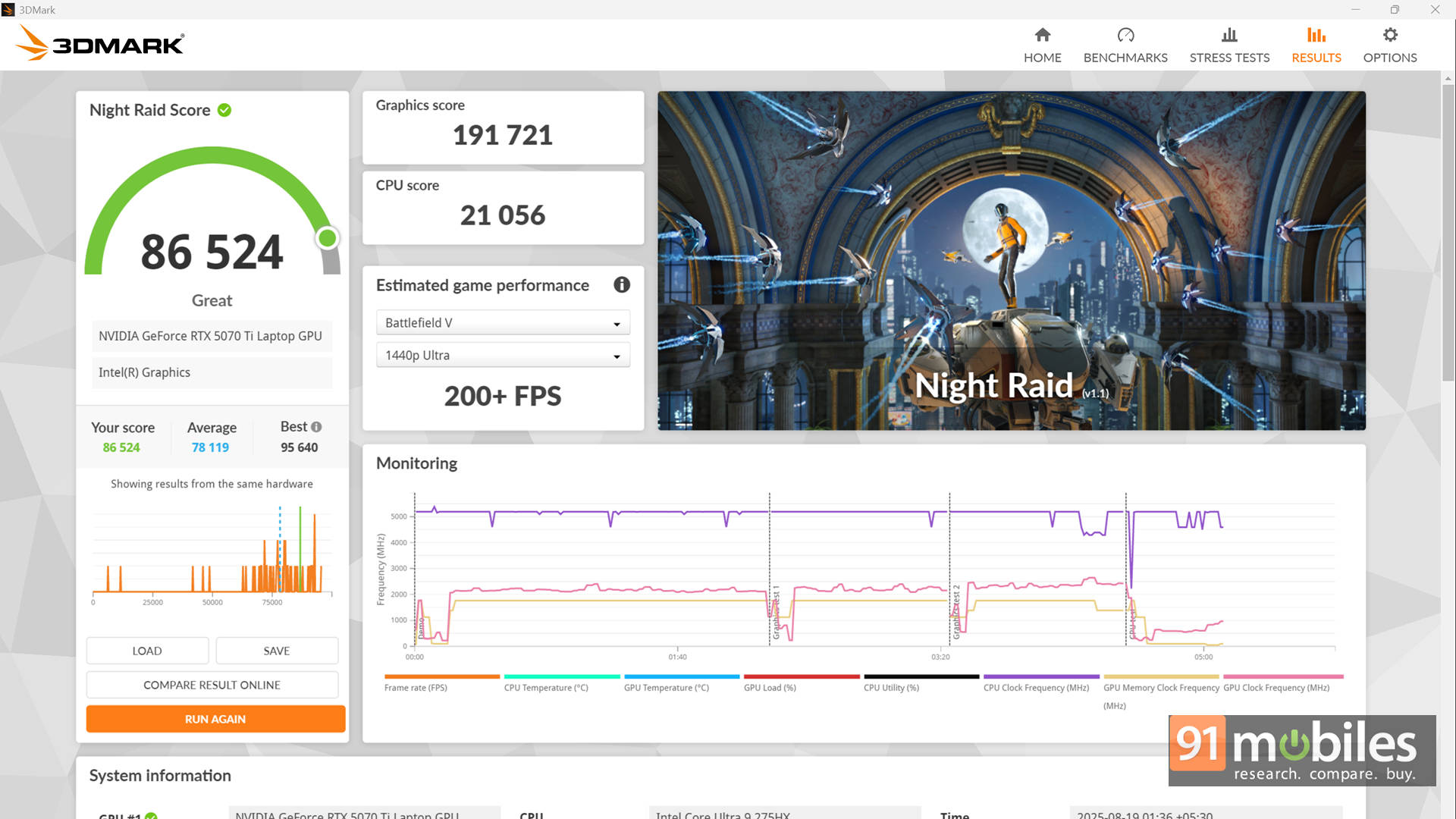
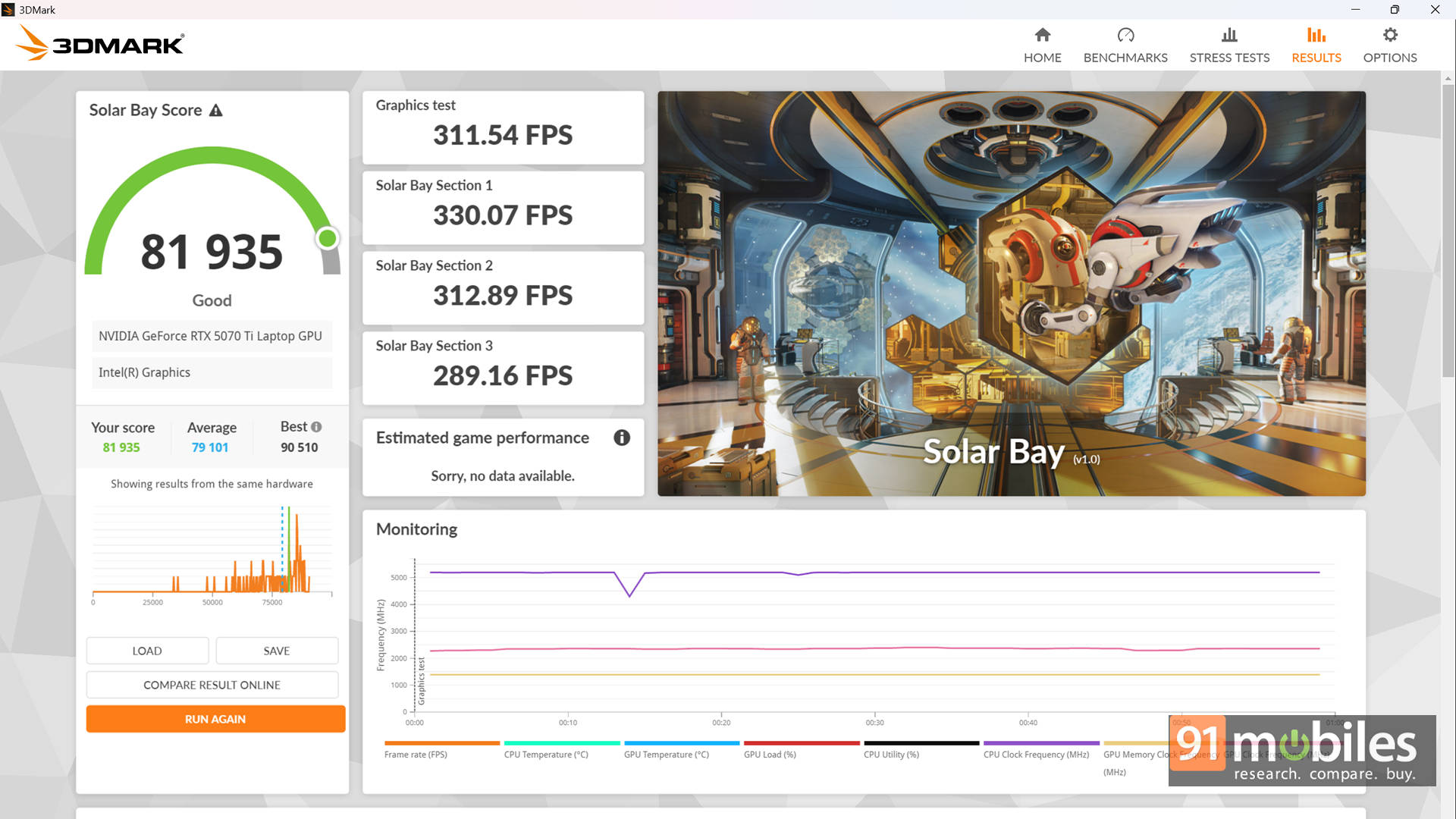
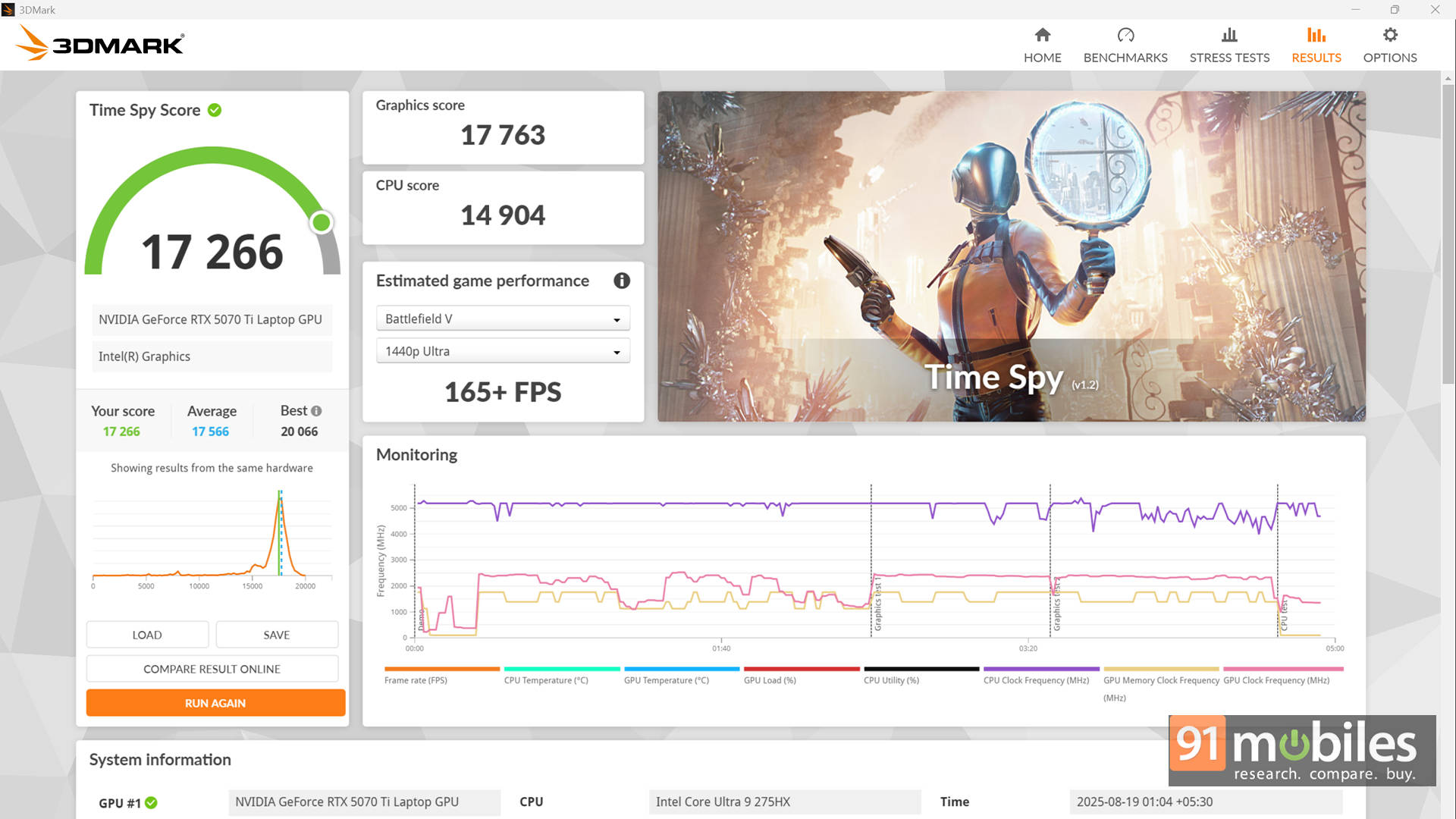
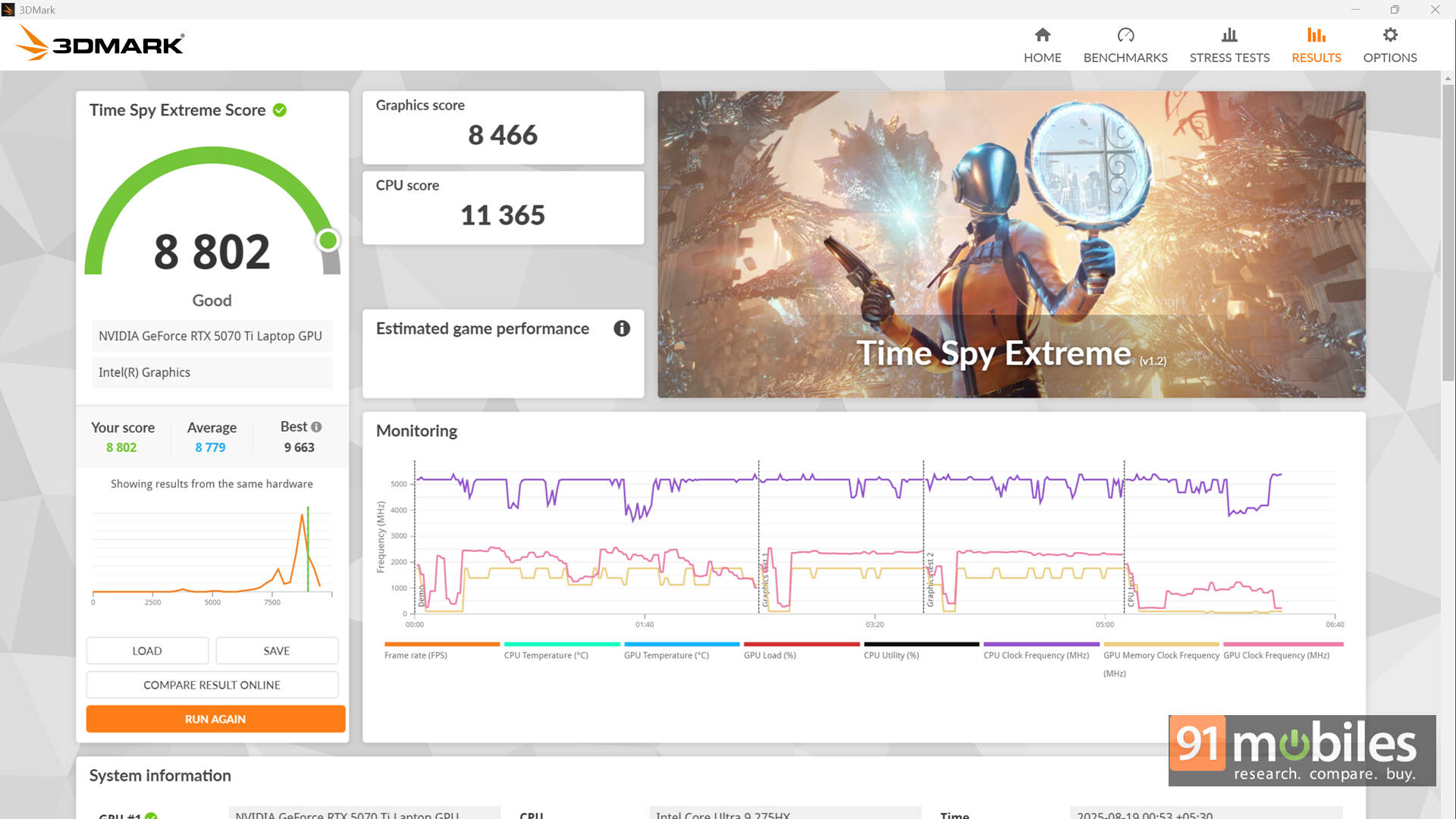
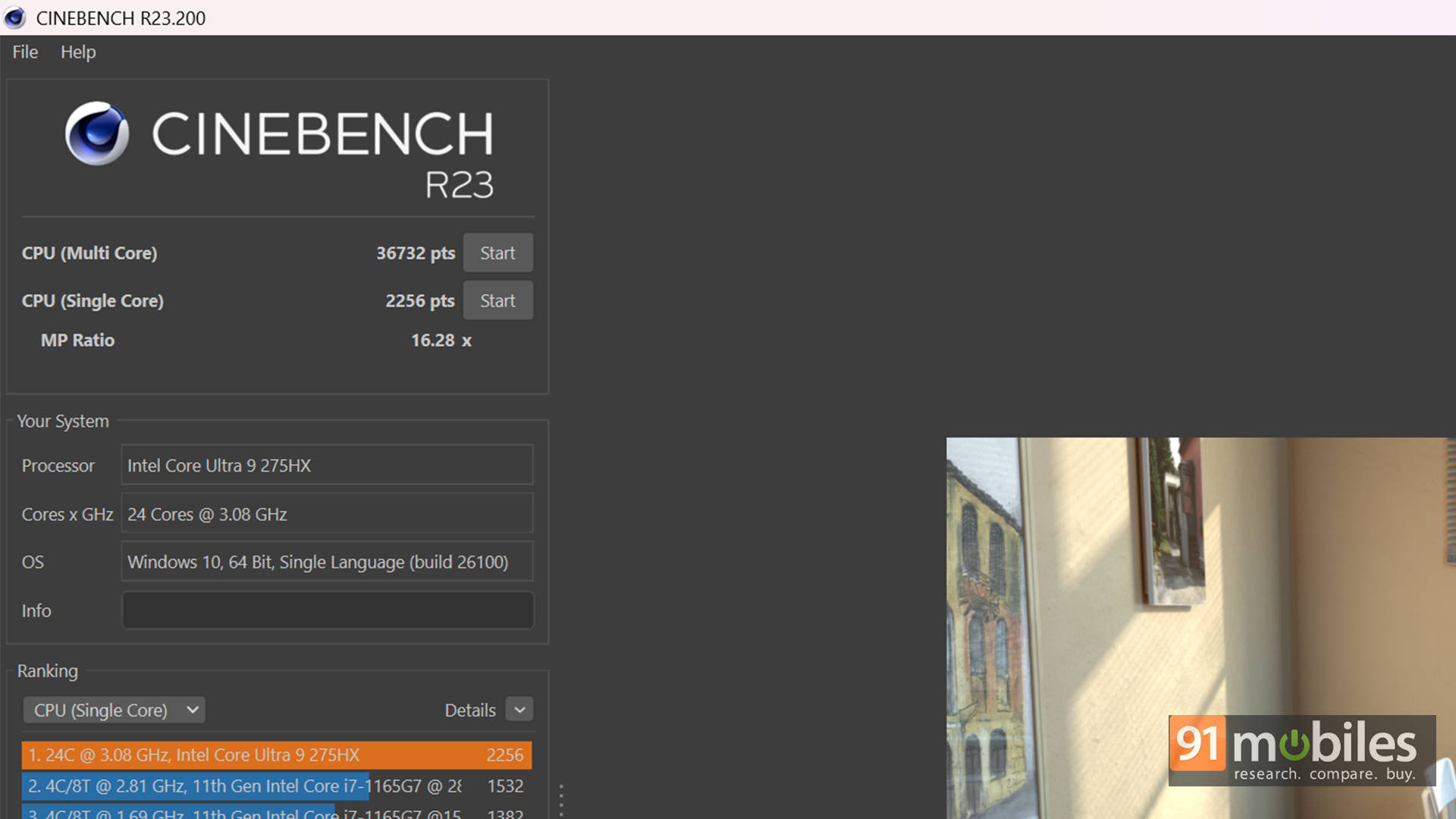
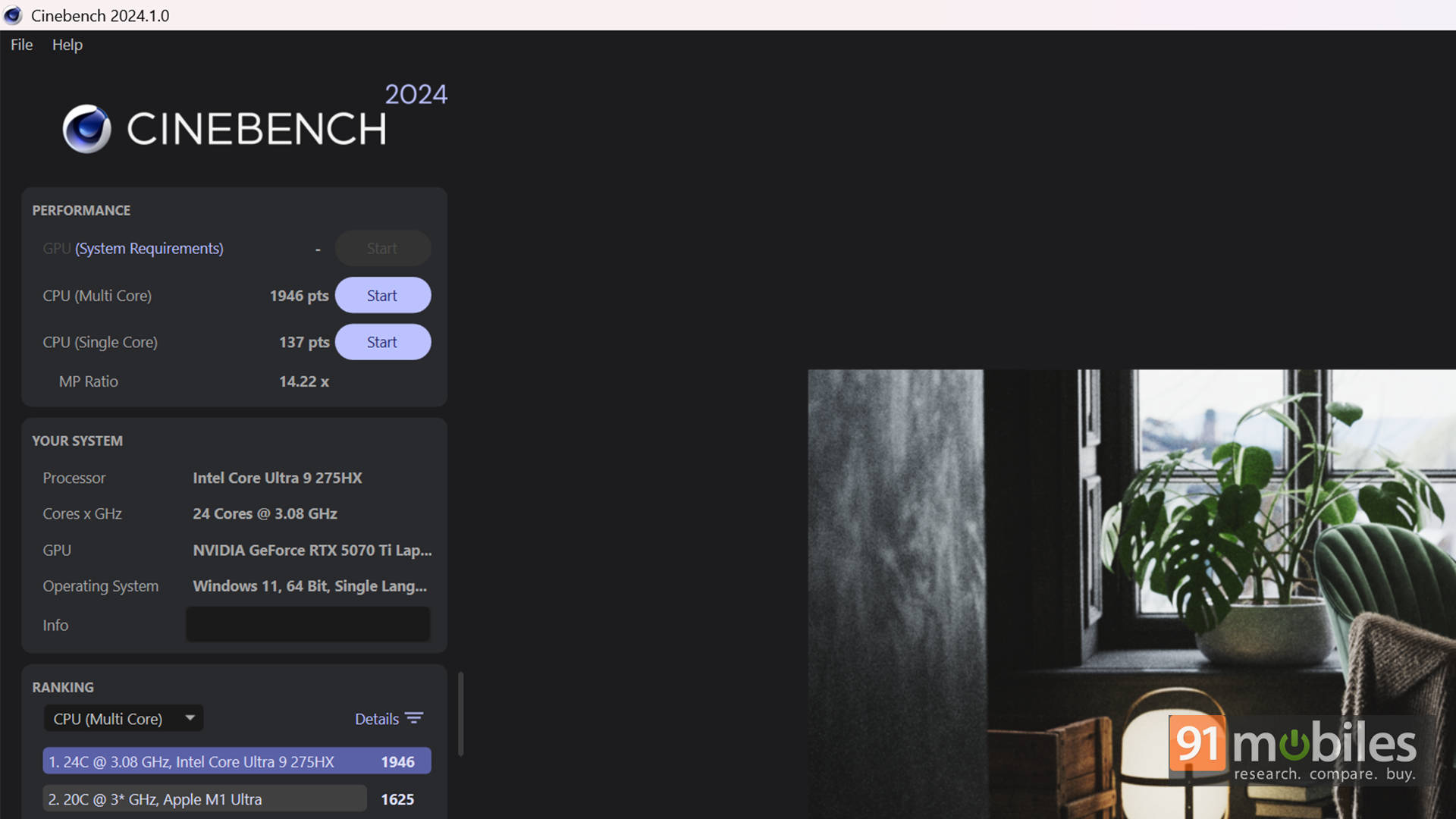
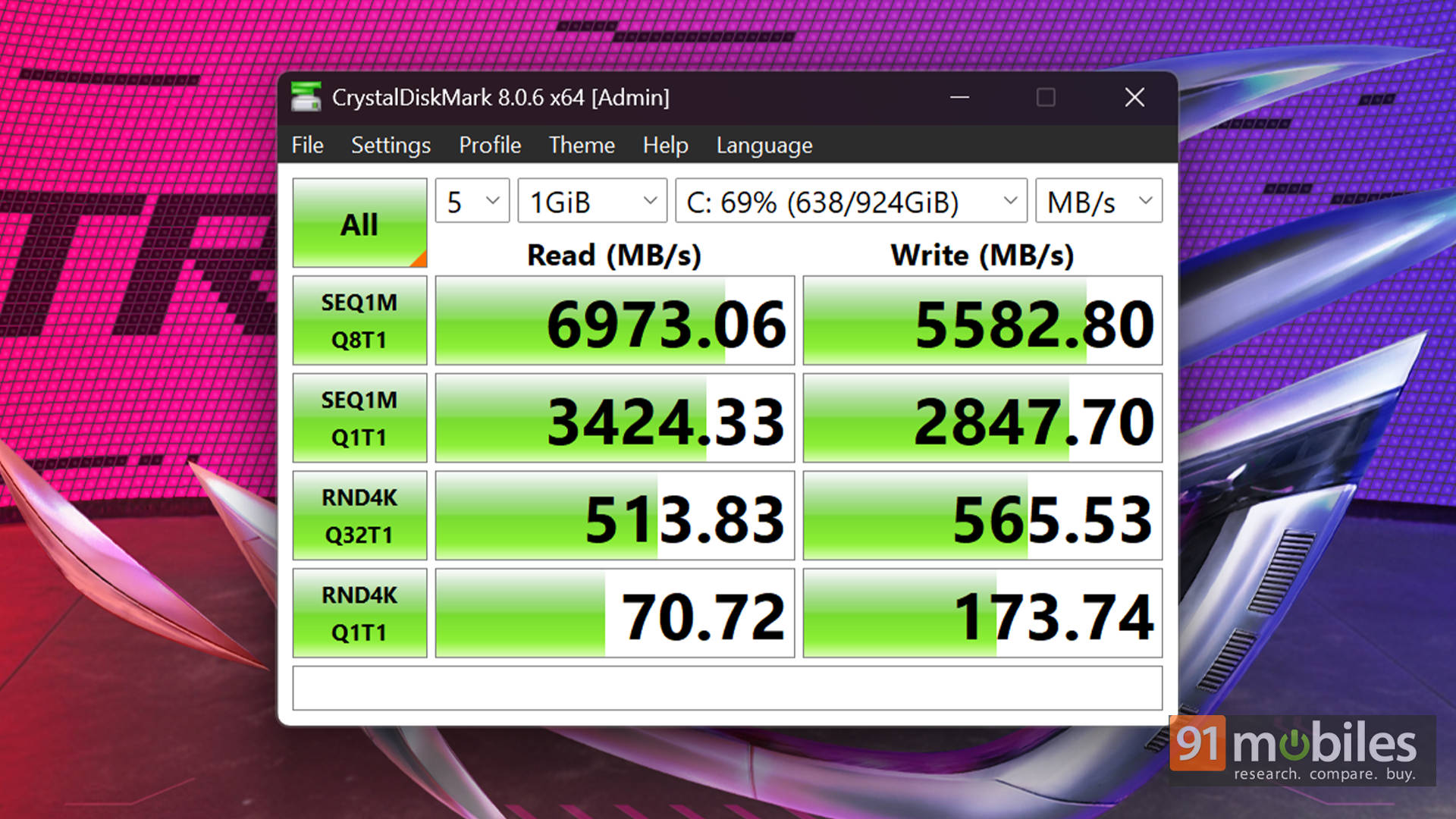
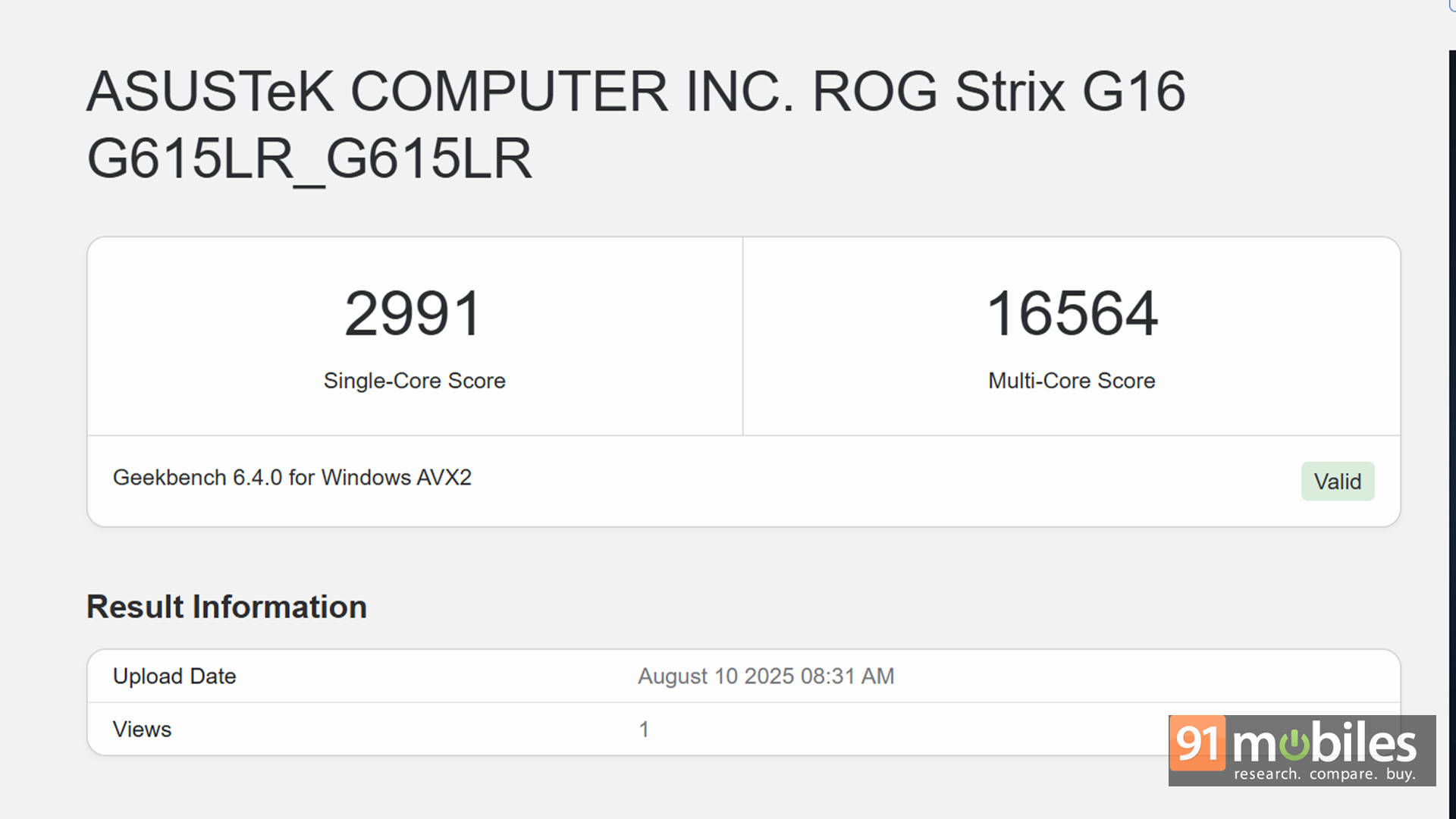
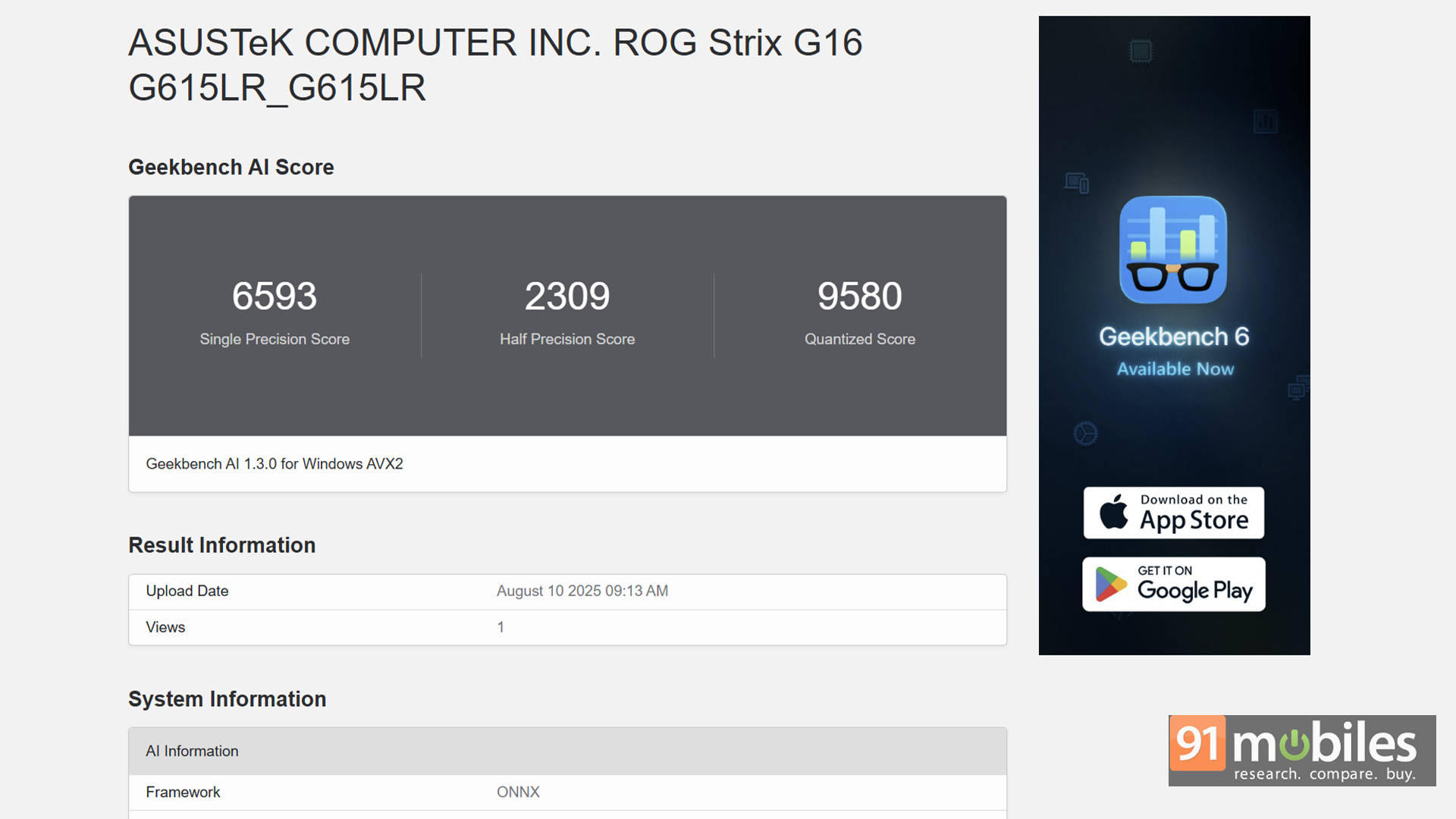
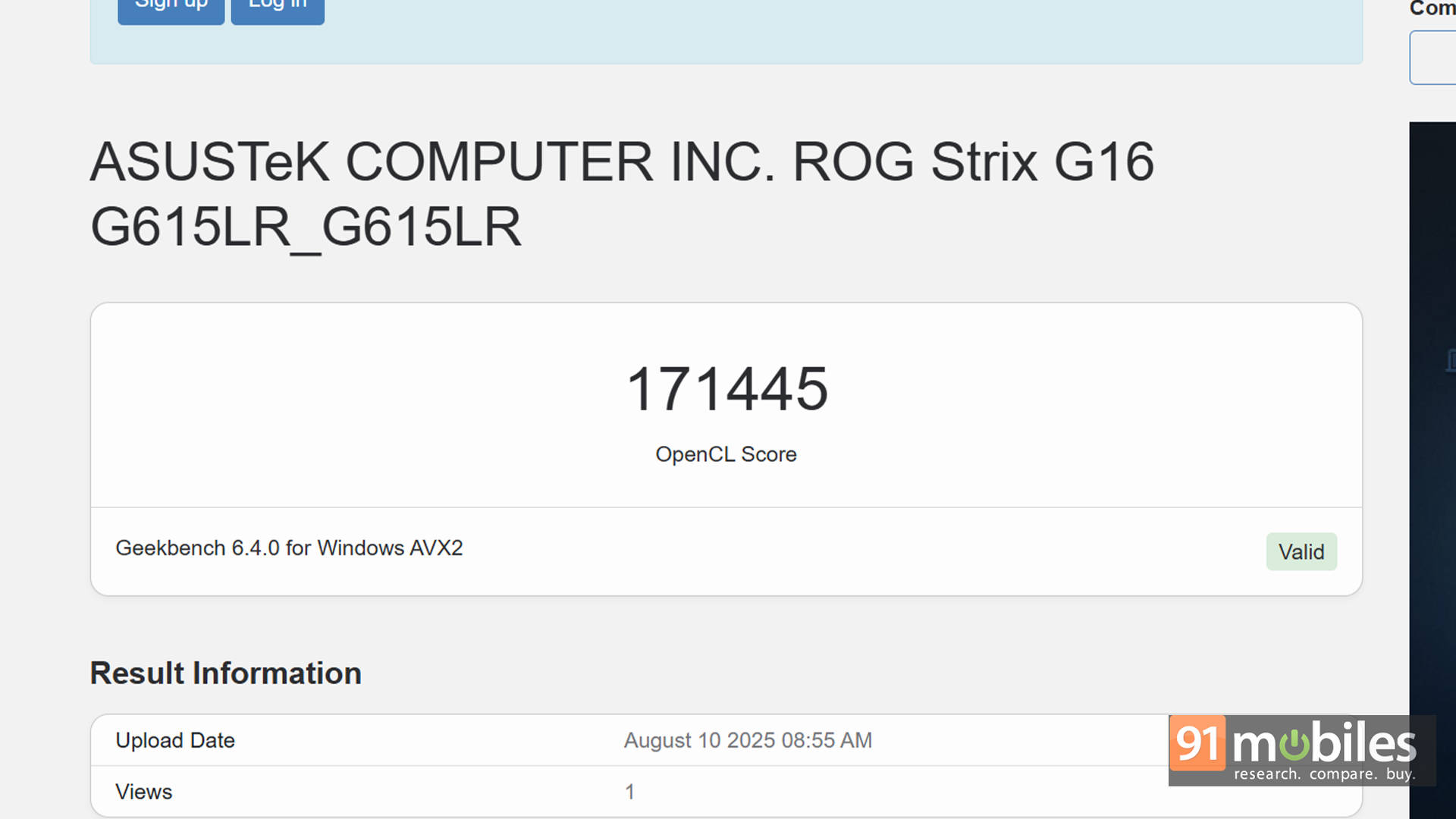

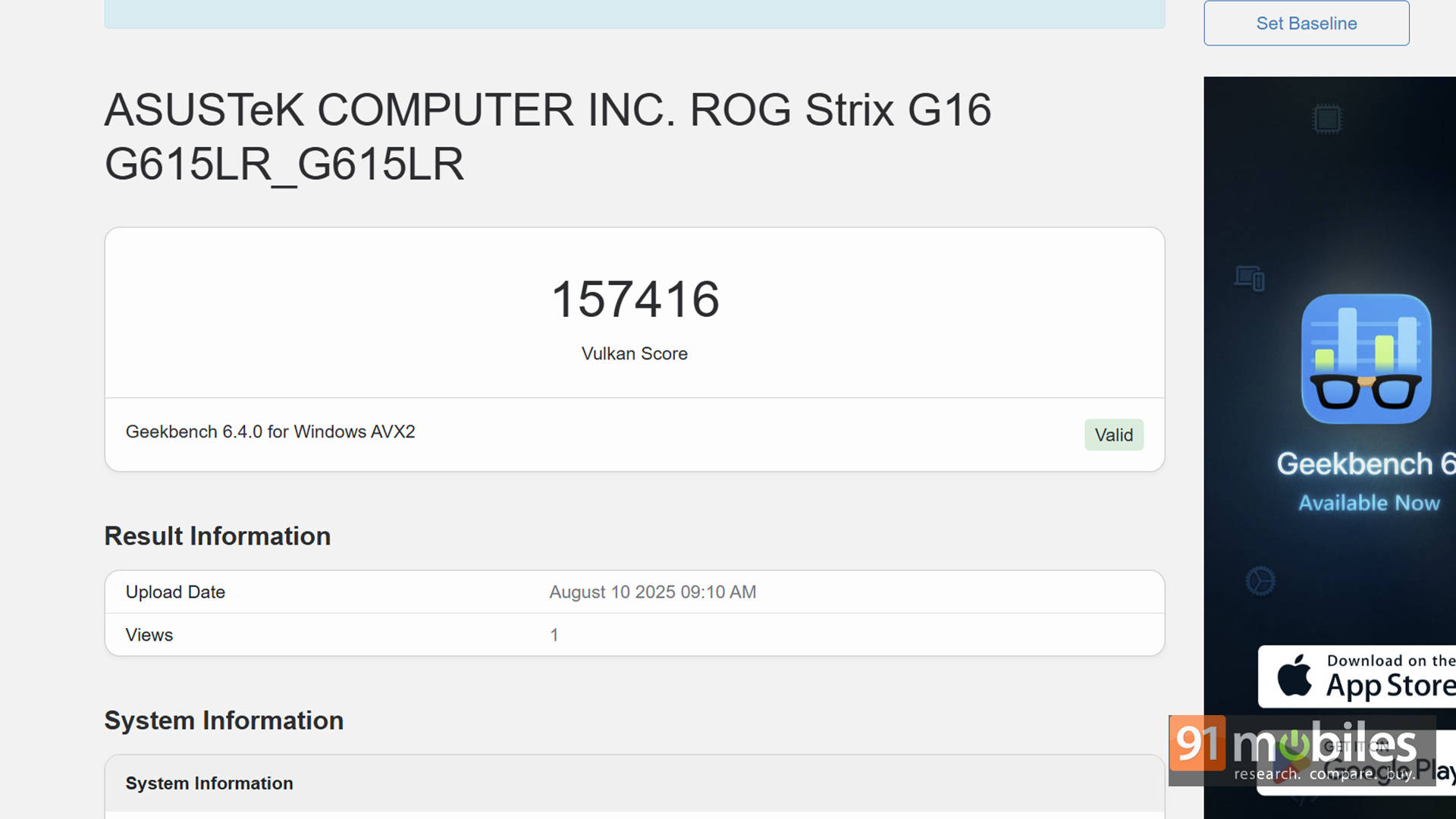

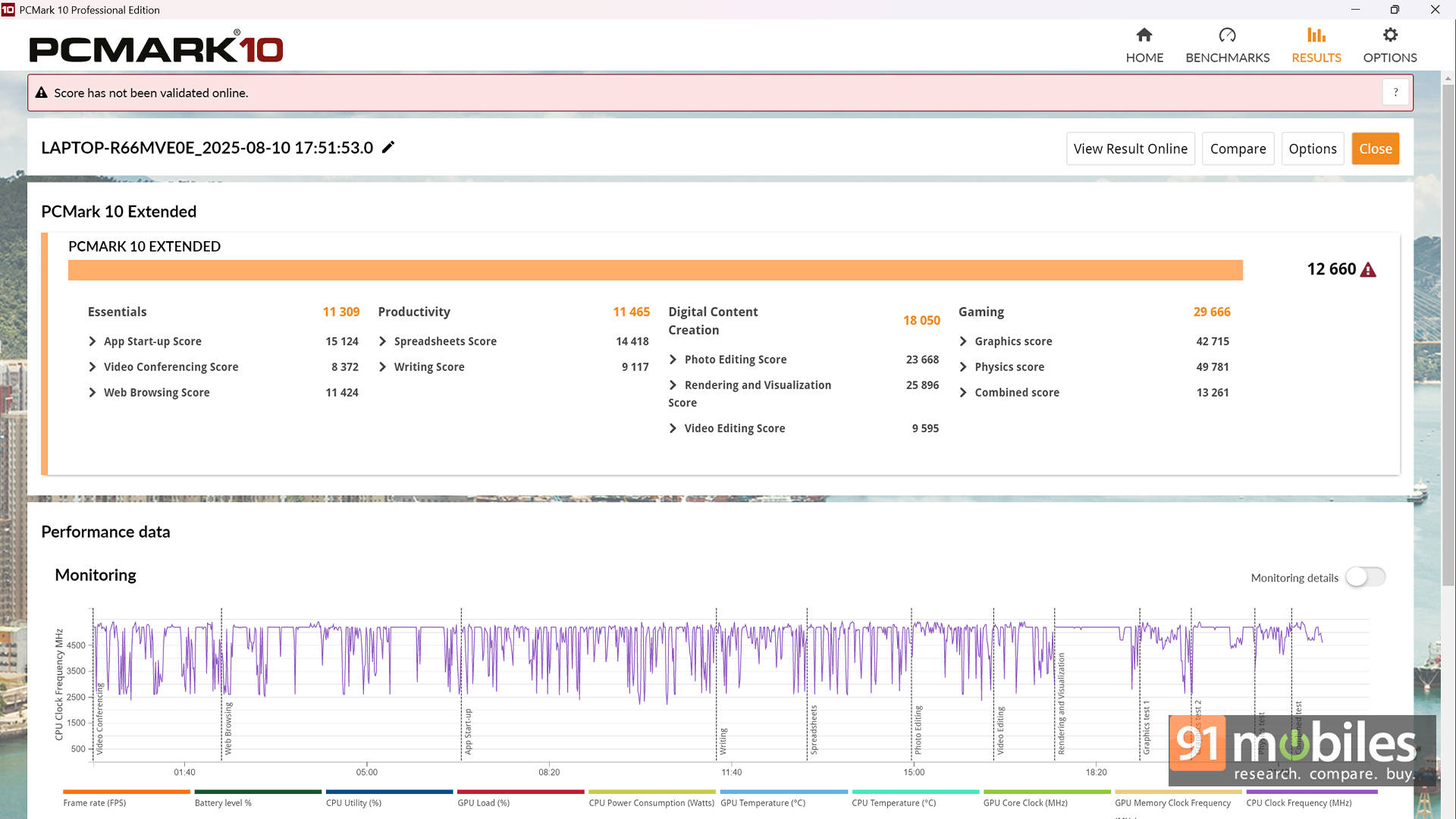


For context, I stacked it against the Dell Alienware M16 R2 (review)(Core Ultra 9 185H + RTX 4070) and the Acer Predator Helios 16 (review)(Core i9-14900HX + RTX 4080). The Strix G16 handily outperforms Alienware’s 140W RTX 4070, and what’s even more impressive is just how close its numbers get to the Predator’s 175W RTX 4080. That’s seriously good company for a “mid-tier” GPU.
| Model Number | Acer Predator Helios 16 | ASUS ROG Strix G16 | Dell Alienware M16 R2 |
| CPU | Intel Core i9-14900HX | Intel Core Ultra 9 275HX | Intel Core Ultra 9 185H |
| GPU | 12GB NVIDIA GeForce RTX 4080 | 12GB NVIDIA GeForce RTX 5070 Ti | 8GB NVIDIA GeForce RTX 4070 |
| TGP - GPU | 175W | 140W | 140W |
| 3DMark Time Spy Extreme | 9382 | 8802 | 5637 |
| 3DMark Time Spy | 18946 | 17266 | 11864 |
| 3DMark Fire Strike Ultra | 11541 | 11429 | 6827 |
| 3DMark Fire Strike Extreme | 21521 | 20731 | 13477 |
| 3DMark Fire Strike | 32922 | 29819 | 25389 |
| 3DMark Night Raid | 71148 | 86524 | 50857 |
Shifting to real-world gaming, the Strix G16 chews through modern AAA titles like Cyberpunk 2077 and Black Myth Wukong. The real ace up its sleeve is support for DLSS 4 and Multi-Frame Generation. In Cyberpunk 2077, for example, performance jumped from around 82 FPS at native 1440p Ultra to an astonishing 193 FPS with Ray Tracing set to Ultra and Frame Generation enabled. Similar gains show up in Forza Horizon 5 and Black Myth Wukong, where DLSS 4 helps keep frame rates comfortably near the display's native 240Hz refresh, even at maxed-out settings.
1080p (FHD) Benchmarks:
| Game | Avg FPS |
| Valorant - 1080P | 466 |
| Cyberpunk 2077 - FHD - Native | 123 |
| Cyberpunk 2077 - FHD - DLSS | 119 |
| Cyberpunk 2077 - FHD - DLSS+RT | 78 |
| Cyberpunk 2077 - FHD - DLSS+RT+FG | 253 |
| Forza Horizon 5 - FHD - Native | 158 |
| Forza Horizon 5 - FHD - DLSS+RT | 152 |
| Forza Horizon 5 - FHD - DLSS+RT+FG | 239 |
| Black Myth Wukong - FHD - Native | 63 |
| Black Myth Wukong - FHD - DLSS | 65 |
| Black Myth Wukong - FHD - DLSS+RT | 70 |
1440p (QHD) Benchmarks:
| Game | Avg FPS |
| Cyberpunk 2077 - QHD - Native | 82 |
| Cyberpunk 2077 - QHD - DLSS | 111 |
| Cyberpunk 2077 - QHD - DLSS+RT | 67 |
| Cyberpunk 2077 - QHD - DLSS+RT+FG | 193 |
| Forza Horizon 5 - QHD - Native | 135 |
| Forza Horizon 5 - QHD - DLSS+RT | 132 |
| Forza Horizon 5 - QHD - DLSS+RT+FG | 189 |
| Black Myth Wukong - QHD - Native | 56 |
| Black Myth Wukong - QHD - DLSS | 59 |
| Black Myth Wukong - QHD - DLSS+RT | 51 |
And it's not just gamers who benefit. Content creators will find plenty of horsepower here as well. In PugetBench for DaVinci Resolve, the Strix G16 scored 8,826 points, which translates to faster Premiere Pro exports, smoother Blender renders, and snappier Handbrake transcodes.
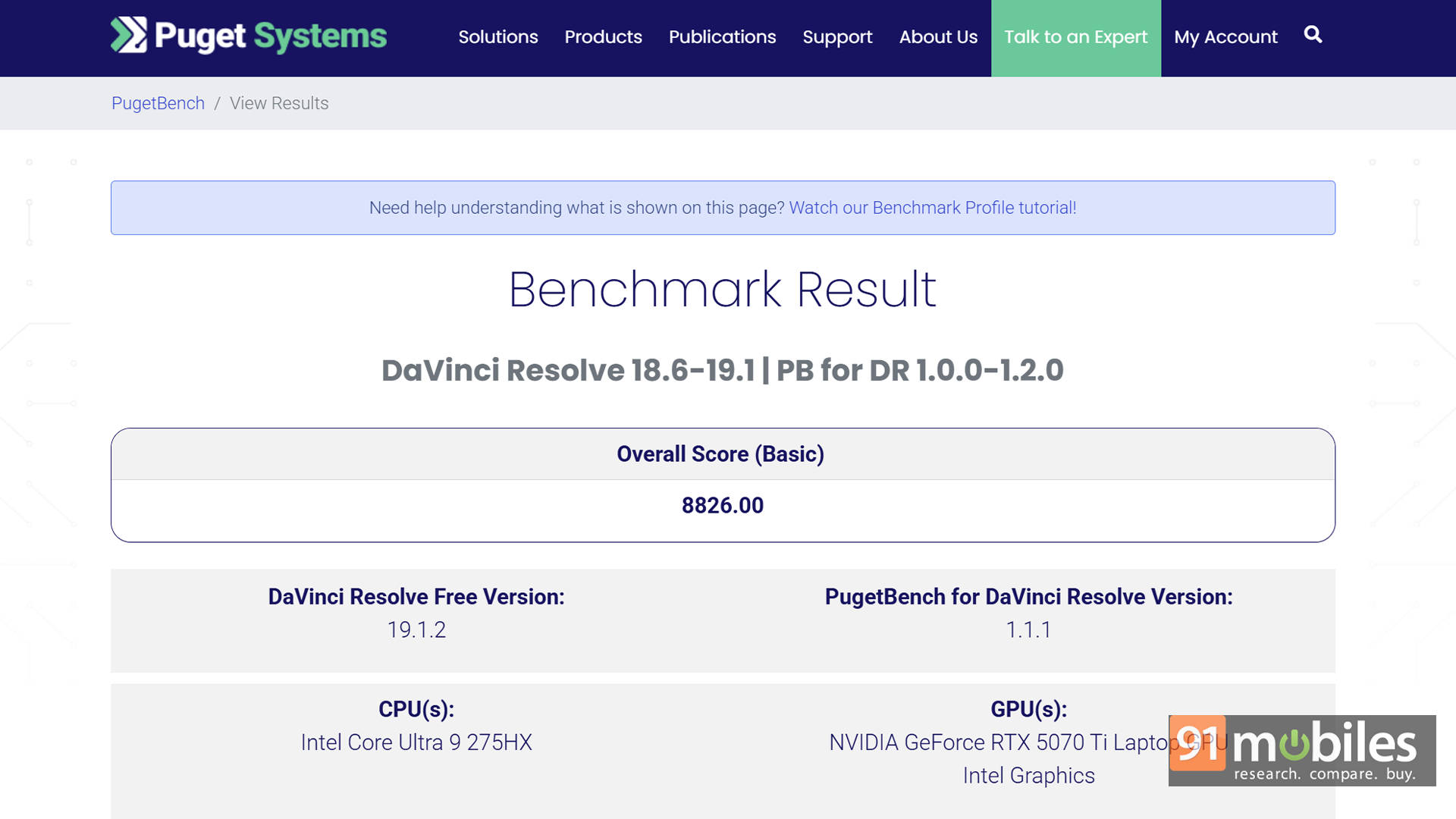
Thanks to its 24-core CPU and RTX 50-series GPU, this laptop isn't just about play, but it's a serious productivity machine too.
Design that Steals The Limelight
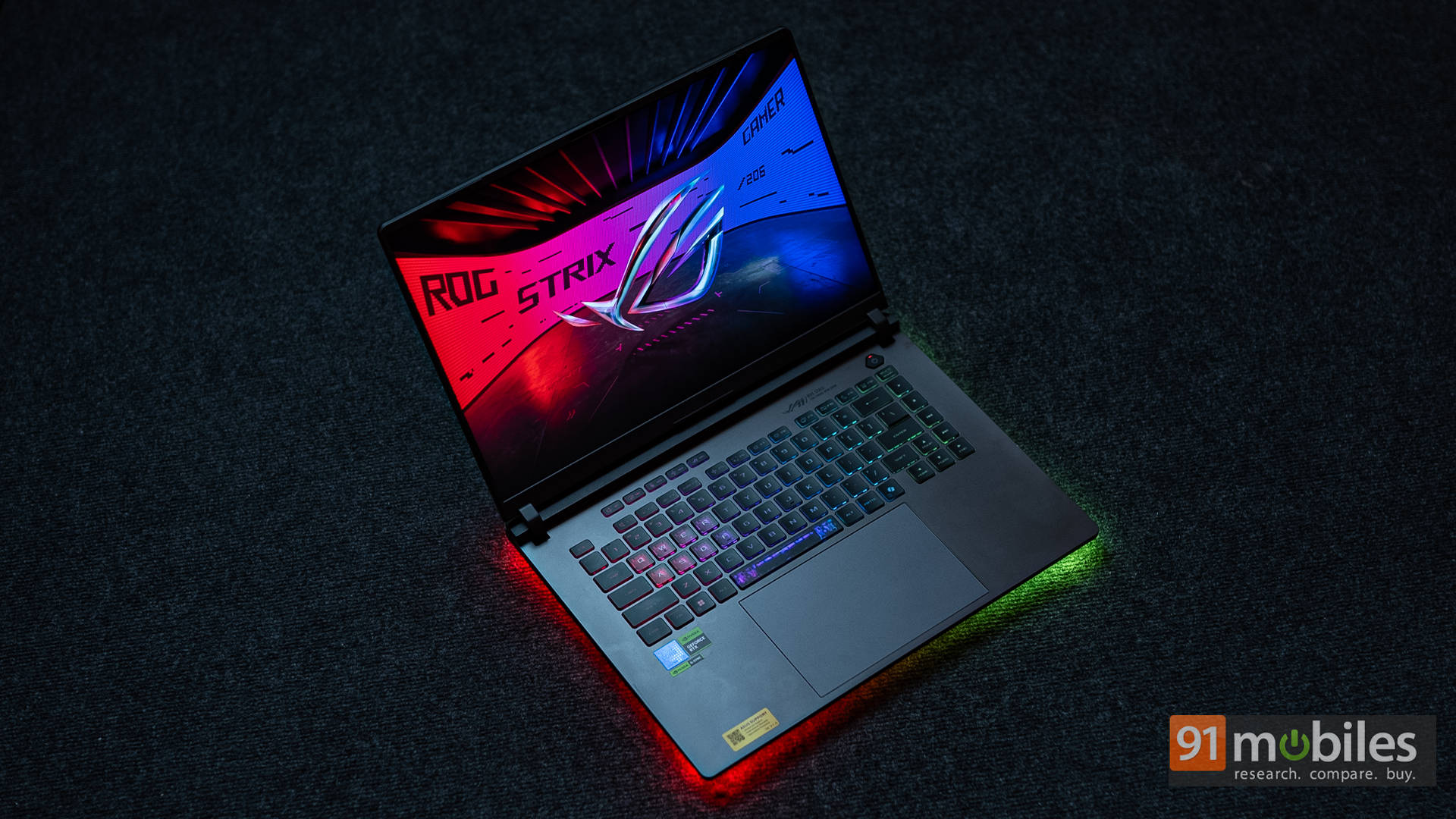
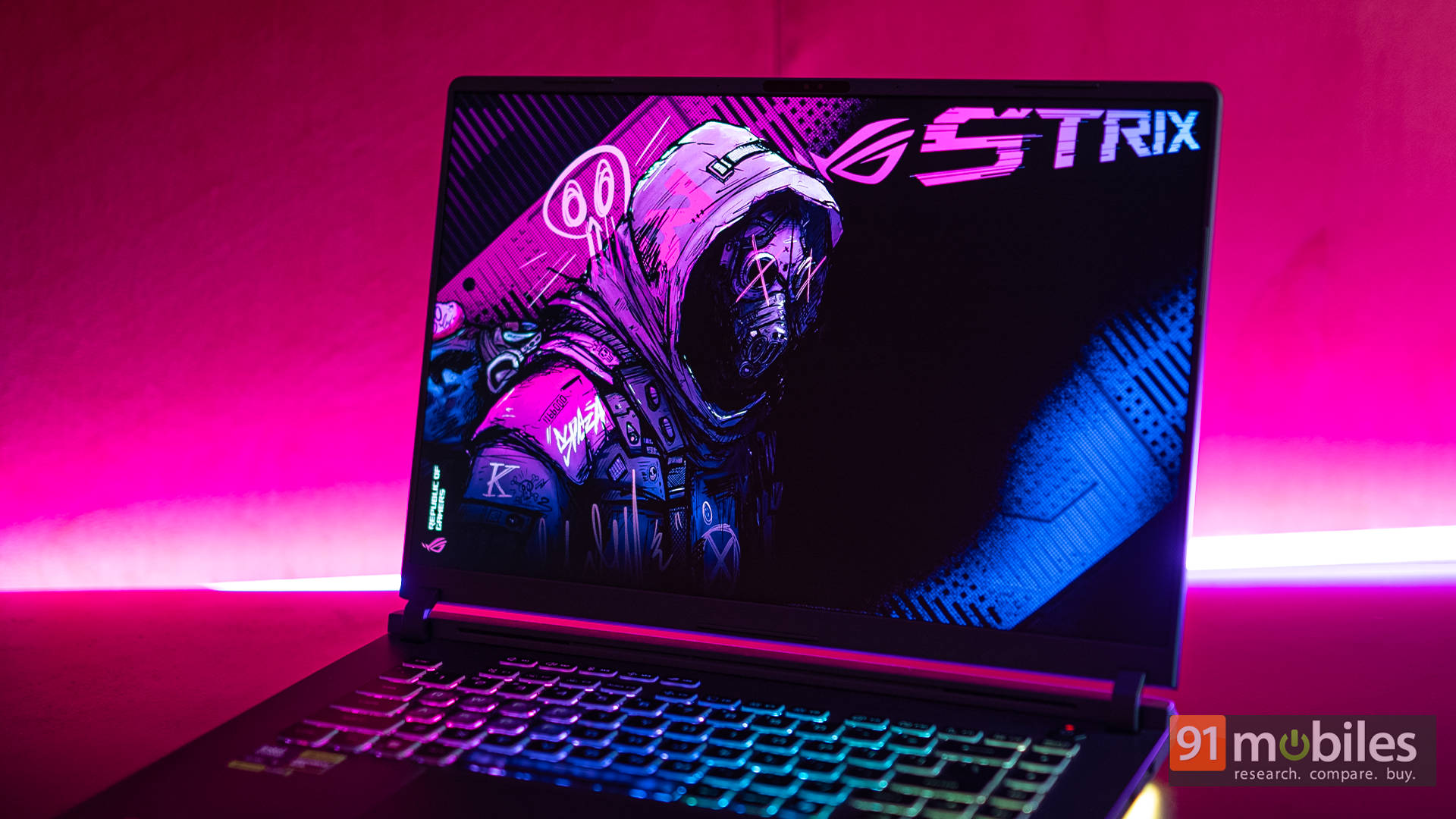
Switching gears, let's talk about the ROG Strix G16's design. From the get-go, it's unapologetically gamer. You get textured plastics, aggressive venting, a slick aluminium lid, and of course, RGB lighting that doesn't just glow but flaunts. The full-surround Aura RGB Lightbar gets bright enough to make the laptop look like it's levitating on a neon cloud. Pair that with the per-key RGB under the keyboard, and you've got yourself a portable disco that actually feels premium rather than tacky.
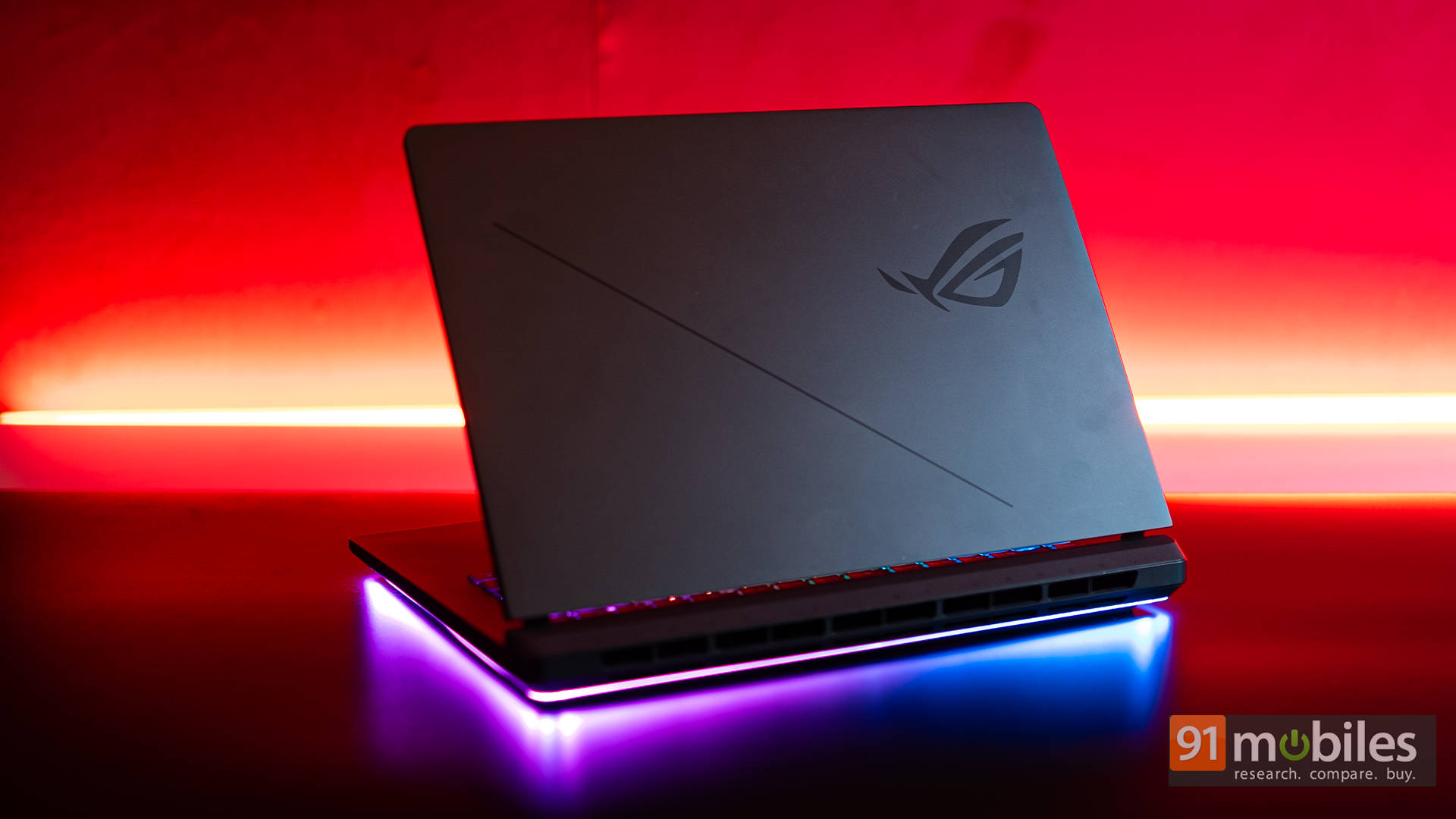
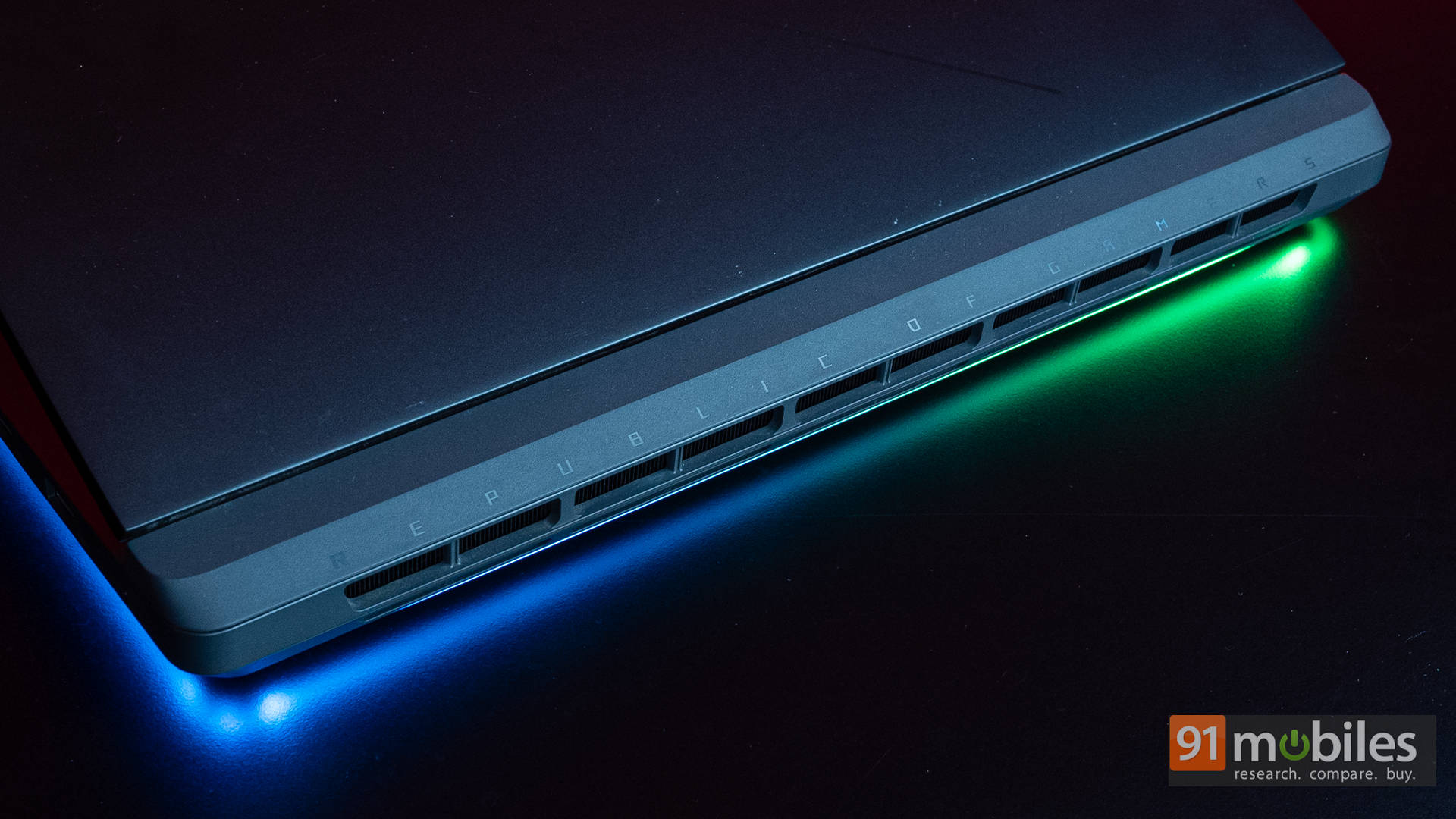
The Strix G16 comes in a single Eclipse Grey finish, which contrasts nicely with all that lighting. The matte surface does pick up smudges, but not to the point where you'll be constantly wiping it down. Build quality is rock solid too, with a sturdy chassis that doesn't flex much. Around the back, ASUS has added Republic of Gamers branding over the rear vents, and it's one of those rare touches that feels classy rather than overdone. The generous ventilation cutouts here aren't just for show, either. They actually help the laptop maintain its excellent thermal performance.
Now, while this is a 16-inch chassis, it still manages to hit a sweet spot between practicality and portability. At 2.65kg, it's no ultrabook, but for the kind of power it packs, that weight is perfectly reasonable. And when you compare it with chunky 18-inch gaming laptops, the Strix G16 suddenly feels like the sensible choice.
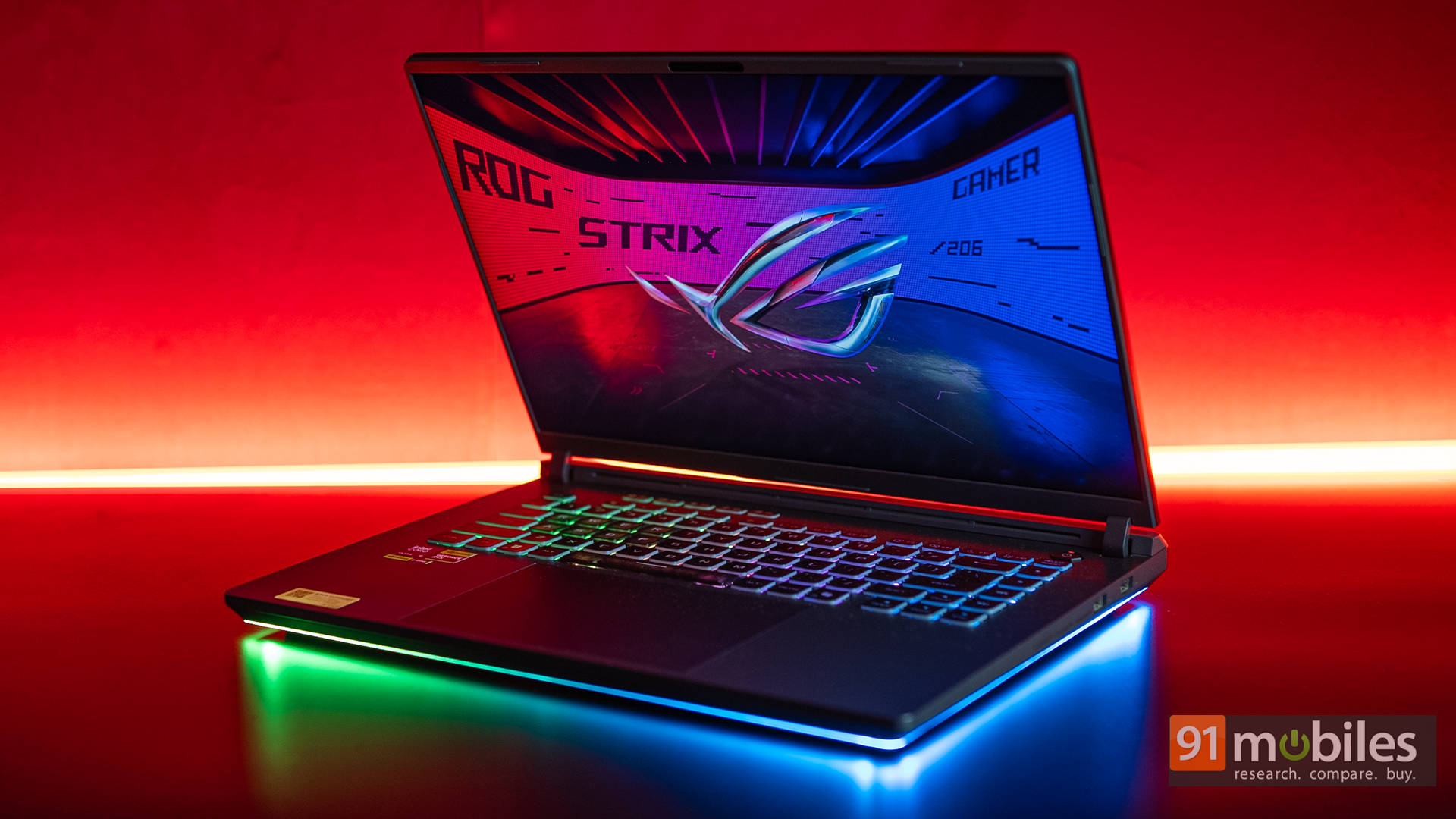
On the display front, ASUS has equipped the laptop with a 16-inch WQXGA (2560×1600, 16:10) Nebula panel running at 240Hz. Honestly, I was expecting a Mini LED panel here, especially since ASUS has been one of the biggest champions of that tech, but this IPS LCD still delivers the goods. In fact, it's easily one of the best LCD panels on a gaming laptop right now. With 500 nits peak brightness and 100% DCI-P3 coverage, it nails both content creation and content consumption. Whether you're grading colours in DaVinci Resolve or bingeing the latest season of The Bear, it looks excellent.
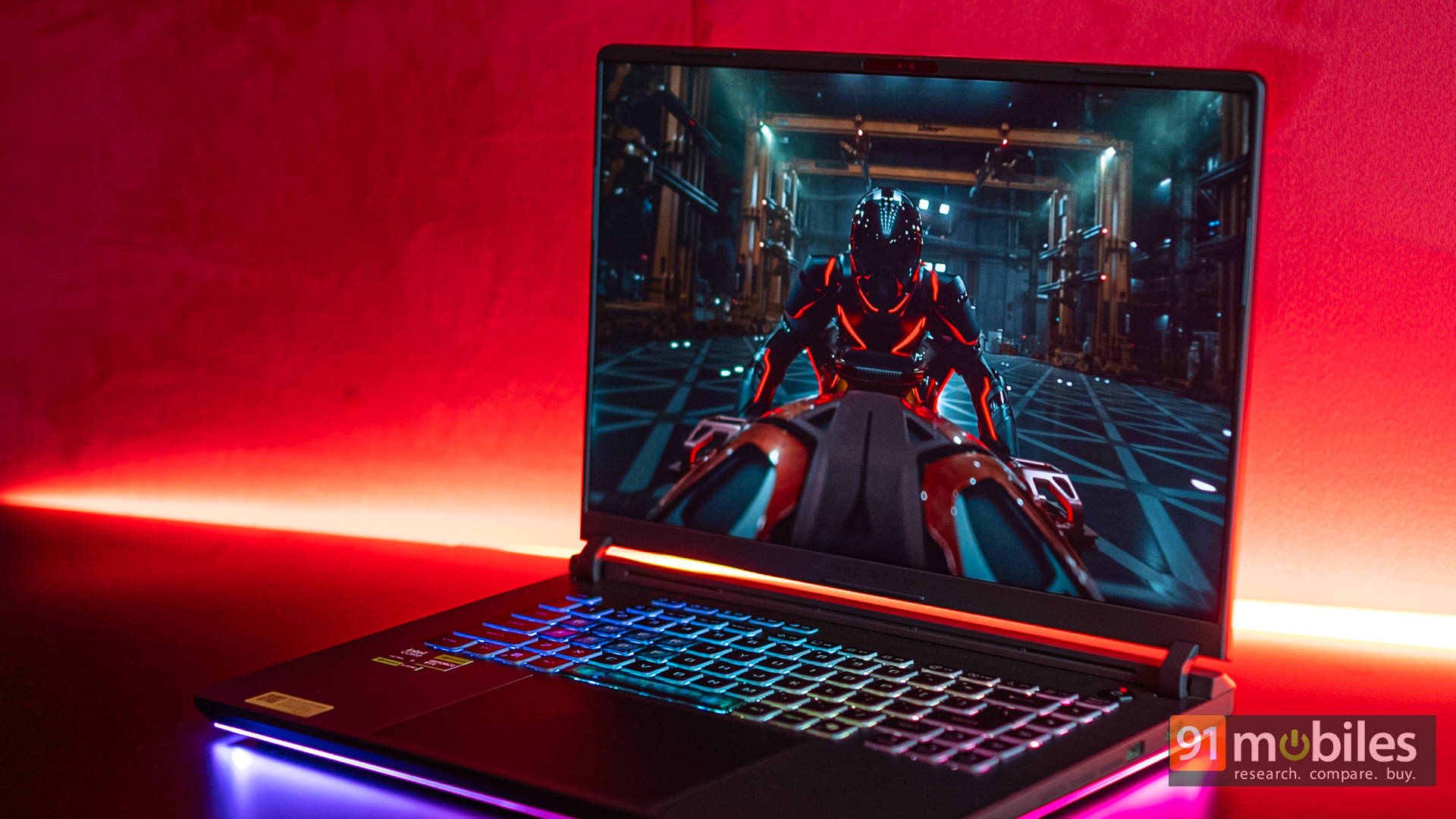
Audio also plays a big role in the experience, and the Strix G16 doesn't disappoint. The 5.1.2-channel surround sound speakers get seriously loud, have a wide soundstage, and produce surprisingly refined audio. Movies and music sound cinematic, with clear highs and punchy lows. Sure, during heavy gaming sessions, the fan noise tends to overpower the speakers, but for everything else, from Netflix marathons to Spotify playlists, the audio is genuinely impressive.
Back to gaming, the 240Hz refresh rate with a 3ms response time makes this panel shine in both competitive shooters and immersive single-player titles. Pair that with the RTX 5070 Ti's support for DLSS 4 and Multi-Frame Generation, and you can comfortably crank settings to the max while still keeping frame rates in sync with the display. It's the kind of visual experience that not only looks smooth but feels buttery in motion.
Ports and Connectivity: The Practical Stuff
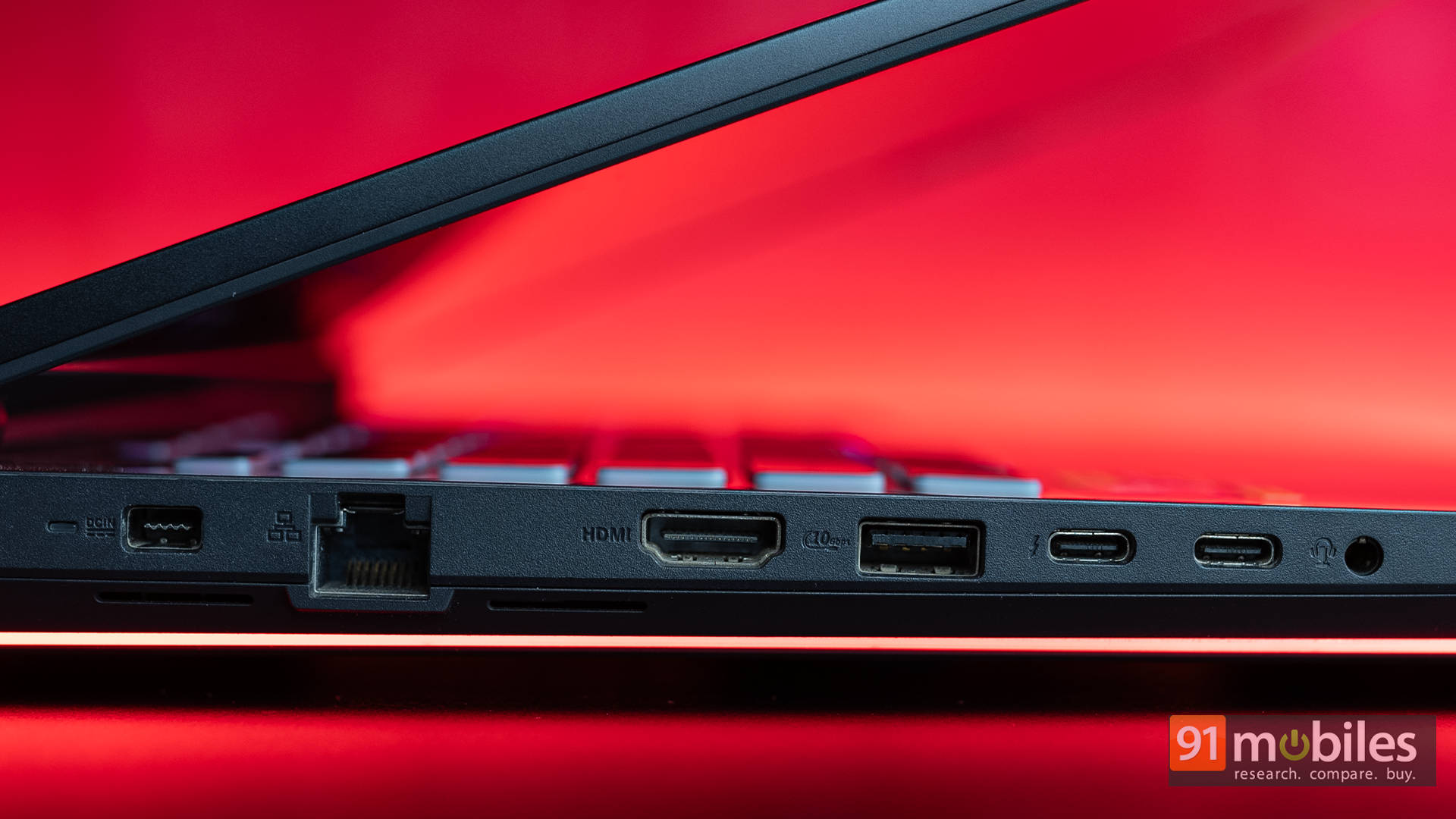
For a machine built to serve both gamers and creators, the ASUS ROG Strix G16 doesn't skimp on connectivity. Over on the left side, you'll find the heavy hitters: a proprietary charging port, a 2.5G Ethernet jack for rock-solid wired gaming, an HDMI 2.1 port for hooking up external displays, a USB-A 3.2 Gen 2, dual Thunderbolt 5 ports for high-speed transfers or docking, and of course, a 3.5mm headphone jack. Basically, all the essentials, and then some.
On the right side, things are much simpler. You get two more USB-A 3.2 Gen 2 ports, perfect for plugging in a gaming mouse, external drives, or that RGB keyboard you insist on carrying around. That said, the right edge feels a little bare compared to the left. I do feel that an SD card reader here would've been the cherry on top, especially for creators on the go. Still, with the sheer number of USB ports available, most users can easily plug in a fast external reader without feeling shortchanged.
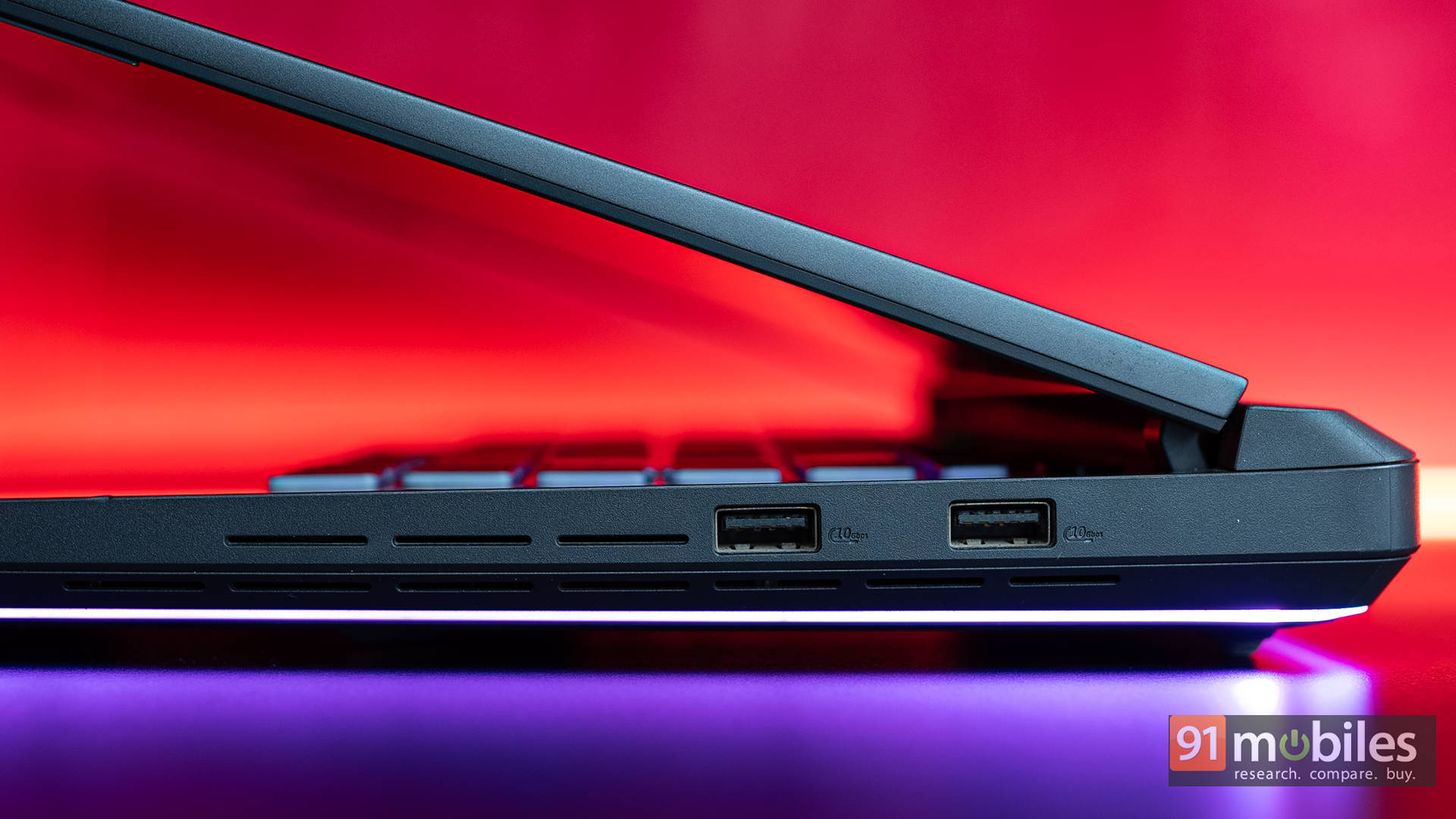
Wireless connectivity is equally future-proof. The G16 ships with Wi-Fi 7 and Bluetooth 5.4, so whether it's a low-latency connection to a gaming headset, pairing a wireless controller, or taking advantage of next-gen high-speed internet without cables, this laptop has you covered.
Taps, Clicks & Faces
A gaming laptop lives or dies by how it feels under the fingers, and the ROG Strix G16 doesn't disappoint. The keyboard here strikes a sweet balance between gaming flair and everyday usability. Key travel is deep enough to feel satisfying, with a crisp actuation that makes both WASD spamming and essay writing feel natural. The layout is spacious, with well-sized arrow keys and dedicated media controls up top, which is something streamers and multitaskers will appreciate.
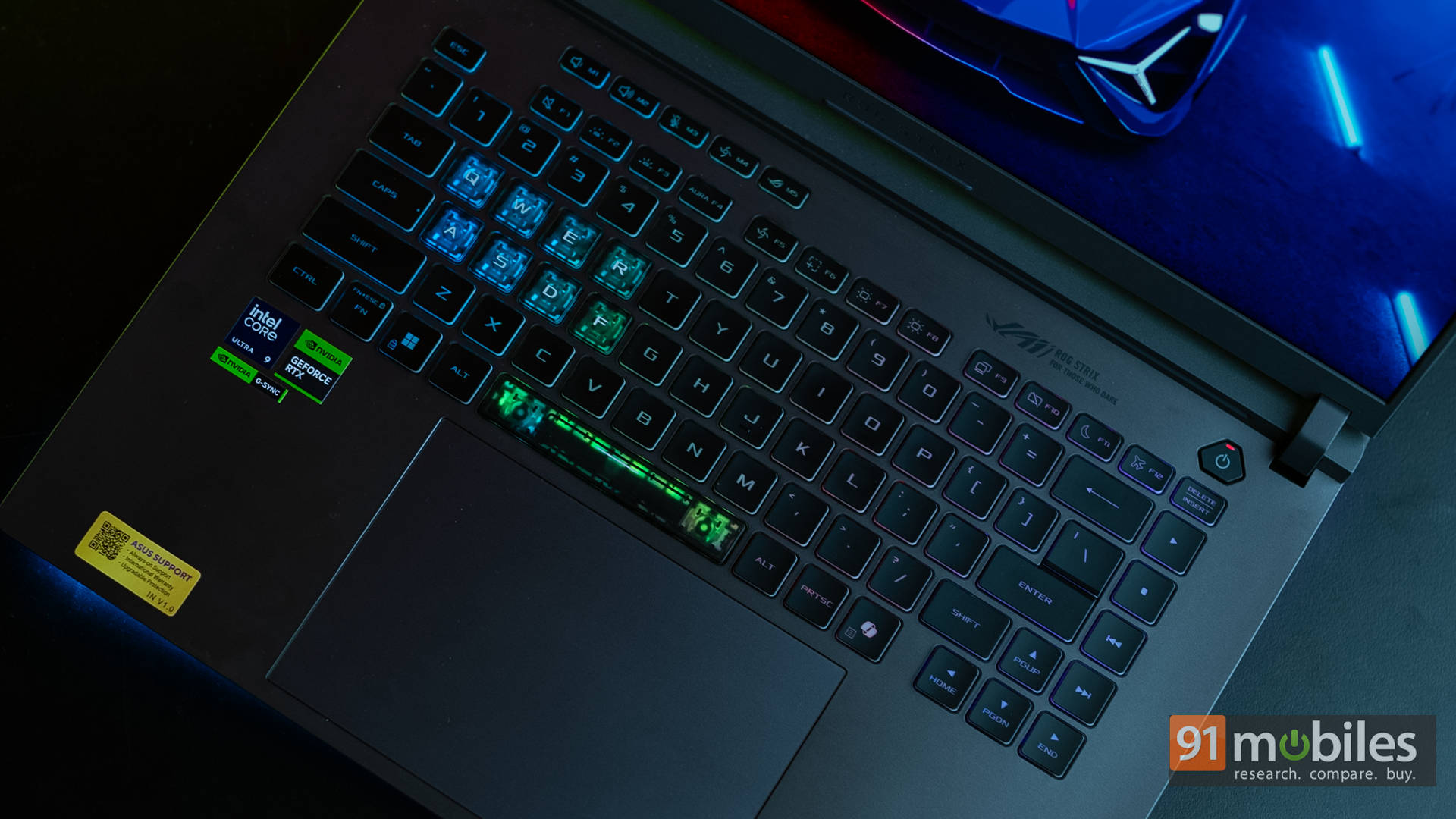
And then, of course, there's the 4-zone RGB lighting powered by ASUS Aura Sync. You can go subtle with a soft white glow or unleash full unicorn mode with effects that ripple, breathe, or sync with in-game events. It's flashy, yes, but also surprisingly functional when you set colour profiles for specific games.

Moving on to the touchpad, it's generously sized, smooth, and highly responsive. Multi-touch gestures register instantly, and the click feedback feels reassuringly firm. Most gamers will still reach for a mouse, but for productivity or casual browsing, it works well.

Interestingly, ASUS' website also mentions that the touchpad can double up as a virtual numpad, which is a neat trick for number crunchers. However, that feature wasn't present on our review unit, and ASUS even lists it as a disclaimer on the product page. In short: Indian variants don't have it (yet).
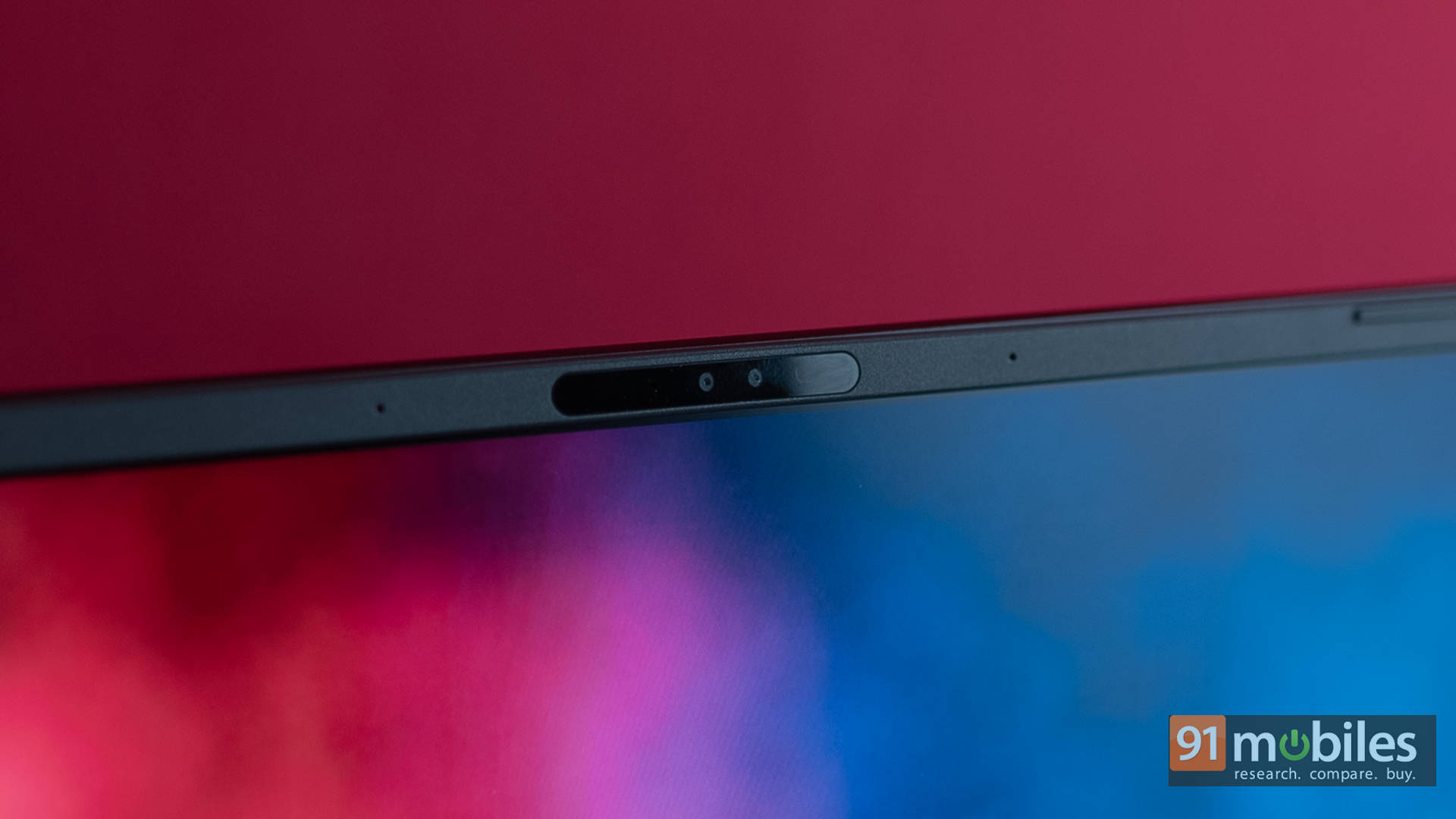
As for the webcam, the Strix G16 comes with a 1080p FHD webcam, which is a massive step up from the old 720p potato cams that plagued gaming laptops for years. Image quality is sharp and clear enough for Zoom calls, livestreaming, or online classes, though low-light performance is still average at best. The good news is that it does come with IR sensors, so Windows Hello Face Unlock works very well.
Can the G16 Unplug and Live?
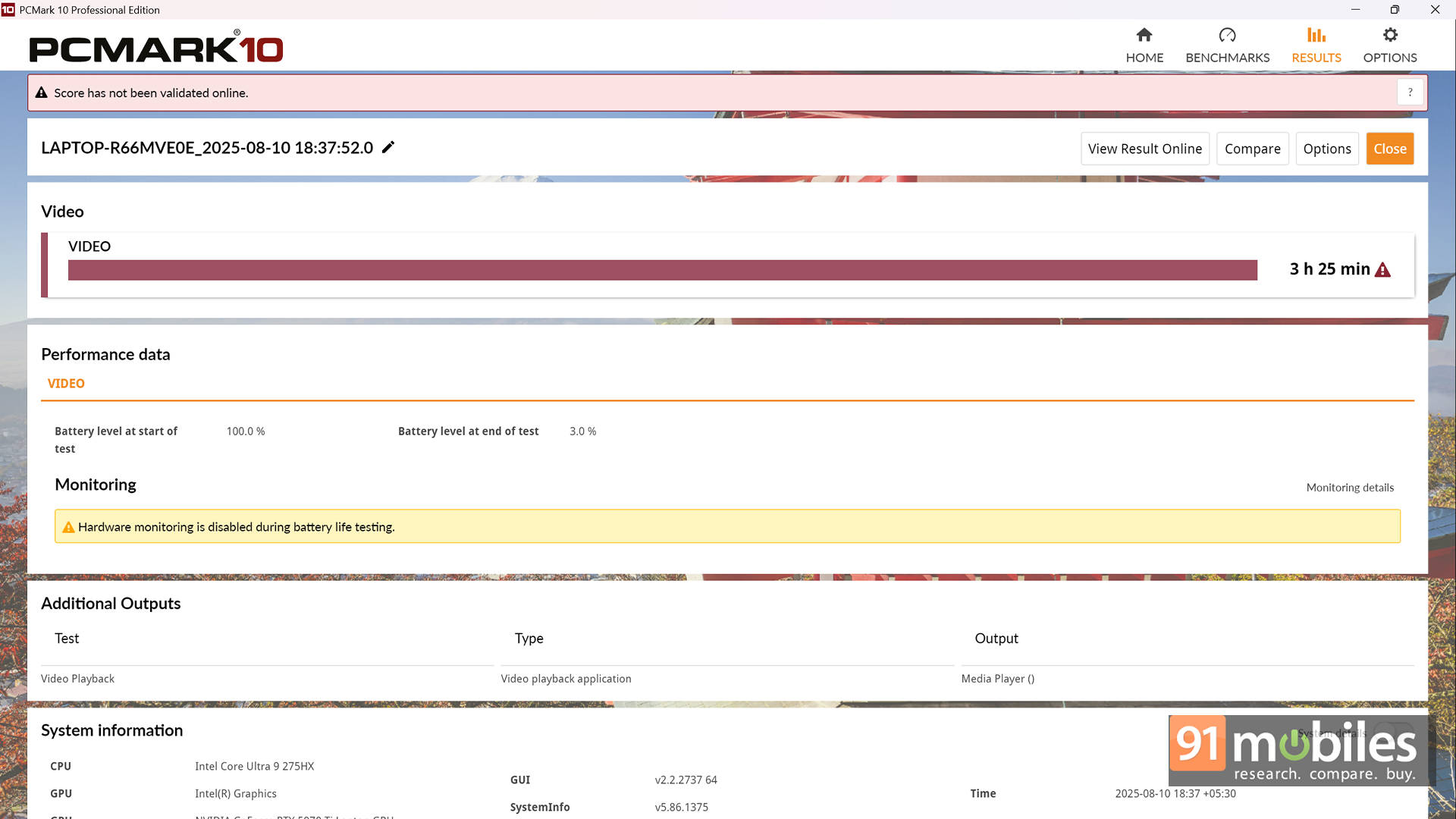
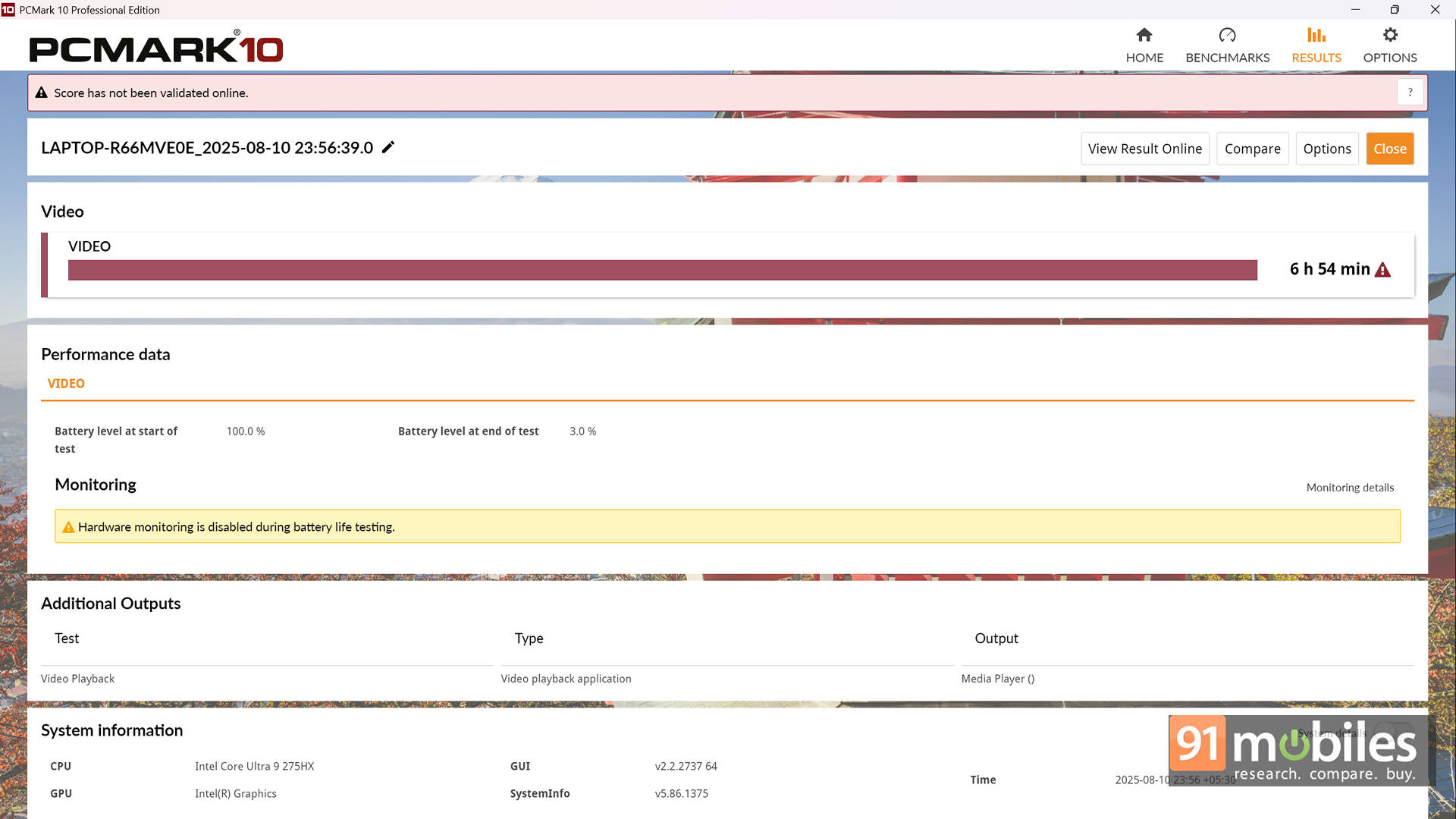
Battery life on the ROG Strix G16 is solid for a machine this powerful, but let's be clear, it's not breaking any endurance records. In the PCMark 10 video loop test at 80% brightness, the laptop managed 3 hours and 25 minutes, which is pretty standard for a gaming laptop running high-wattage components. Switch gears, though, and things get interesting. By diving into ASUS Armoury Crate and disabling the dGPU entirely, the runtime nearly doubles, stretching to an impressive 6 hours and 54 minutes. That's a huge gain and makes the Strix surprisingly practical for students, professionals, or creators who need to use it untethered for lighter workloads.
Charging is handled by a chunky 280W power brick, which unleashes the laptop's full performance when gaming or rendering. It's big and heavy, but necessary if you want all cores and CUDA units firing. On the flip side, ASUS also includes support for 100W USB-C Power Delivery, which is perfect for lighter tasks and day-to-day use. No, it won't sustain maximum performance, but it's a lifesaver for portability. If you're taking the Strix G16 to the office or a café, being able to toss a slim USB-C charger in your bag instead of lugging the brick is a welcome quality-of-life touch.
Final Call: Should You Buy the Strix G16?
So, the big question: is the ASUS ROG Strix G16 worth it? Our review unit (G615LR-S5190WS), as configured, comes in at ₹2,59,990. Yes, that's a hefty price tag, but ASUS makes a strong case for it. The Strix G16 strikes an excellent balance between raw power and practical design. You get a well-engineered cooling system, upgrade-friendly internals, a stunning 2.5K 240Hz display, and Intel's flagship Arrow Lake HX CPU that gives both gamers and creators a serious edge.
Looking at the competition, the MSI Vector 16 HX is available for around ₹2,30,990, making it the cheaper option. But it also comes with a slower Core Ultra 7 255HX, which won't quite match the sustained performance of the Strix's Core Ultra 9 275HX. Meanwhile, the HP Omen Max 16 pairs the RTX 5070 Ti with AMD's Ryzen AI 9 HX 375 at a slightly lower ₹2,49,999. On paper, it's tempting, but since we haven't tested it yet, the jury's still out on how it stacks up in real-world performance.
When you weigh these options, the Strix G16 does enough to justify its price premium. It's not the cheapest way to get an RTX 5070 Ti-powered laptop, but it's one of the most well-rounded packages in this segment. If you're willing to spend a little more for stronger thermals, a sharper display, and a top-tier CPU, the Strix G16 earns its place as a smart buy.
Editor's Rating: 8.5 / 10
Pros:
- Excellent performance with Ultra 9 275HX + RTX 5070 Ti
- 16-inch 2.5K 240Hz display with great brightness and colours
- Strong cooling system with liquid metal and triple-fan setup
- Upgrade-friendly design with plenty of ports and RGB flair
Cons:
- Speakers get overpowered by fan noise during gaming
- Slightly expensive compared to some rivals with similar GPUs