In a market increasingly dominated by OLED panels, higher resolutions, and immersive visuals, the ASUS ROG Strix XG248QSG Ace goes in the opposite direction. With an impressive 610Hz refresh rate, extremely low input lag, and a Super TN panel tuned specifically for responsiveness, it’s built for gamers who prioritise frame rates over everything else.
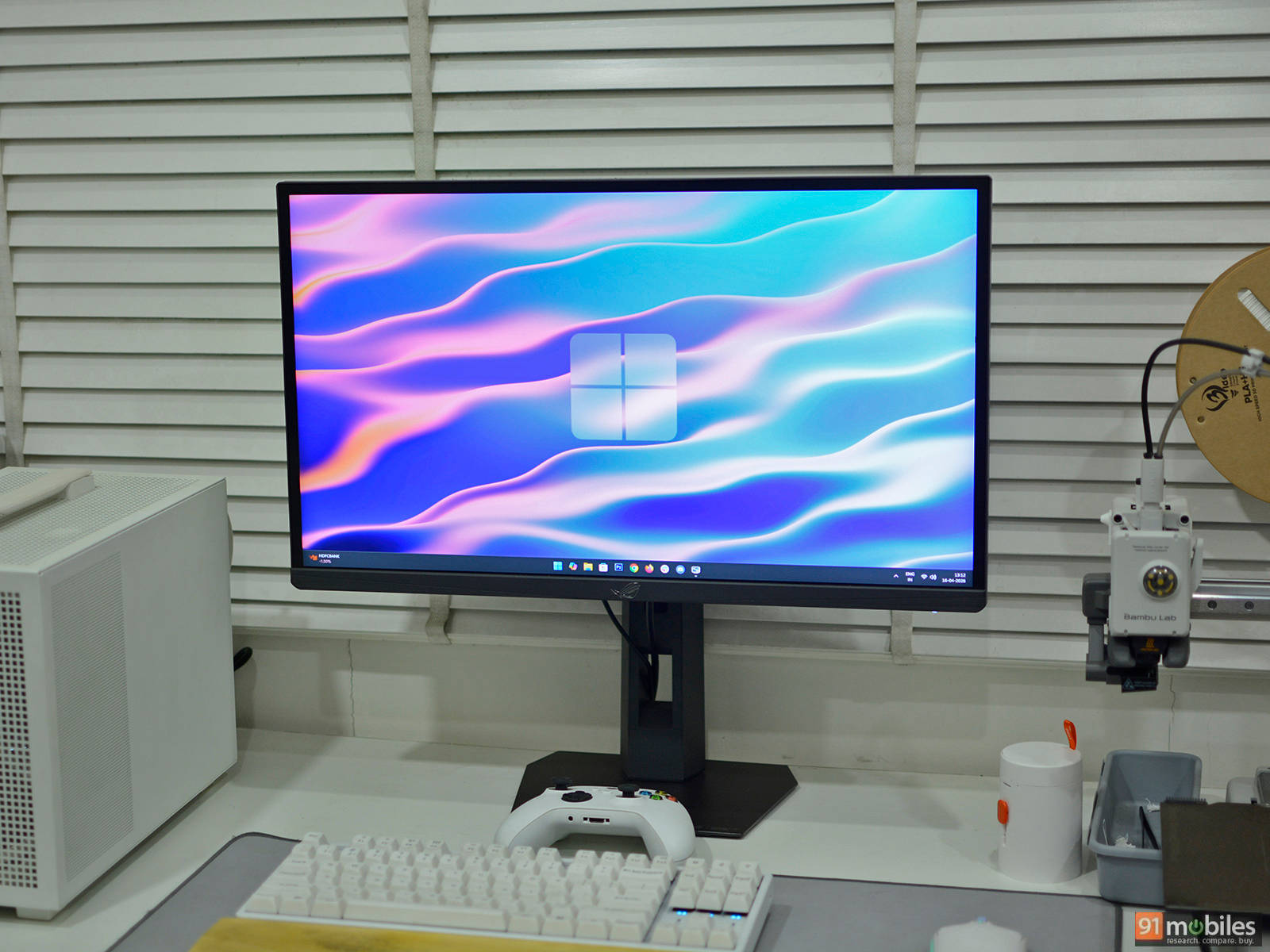
We took a closer look at this ultra-fast gaming monitor to see whether the uncompromised focus on speed actually translates into a practical competitive advantage. We also try to answer whether this extreme refresh rate meaningfully improves real-world gameplay or simply caters to a very niche audience of high-level competitive eSports players.
Table of Contents
Design and specifications
The ROG Strix XG248QSG Ace keeps things focused on function, but still carries enough personality to feel like a proper ROG product. It’s a compact 24-inch display, which is exactly what you’d expect for an esports-focused monitor since it is small enough to keep everything within your field of view, especially when sitting close to the screen.
Specs
- Panel type: 24.1″ Super TN
- Curved: No
- Resolution: 1,920 × 1,080 (16:9)
- Refresh rate: 600Hz; 610Hz (OC)
- Response time: 0.7ms (GTG), 0.1ms (minimum)
- Brightness:
- Typical: 350 nits
- Peak (HDR): 400 nits
- Colour coverage: DCI-P3 90%, sRGB 125%
- Ports:
- 2 × HDMI 2.1
- 1 × DisplayPort 1.4
- 1 × 3.5mm audio out
- 1 x USB-C (Firmware updates only)
- Audio: No speakers
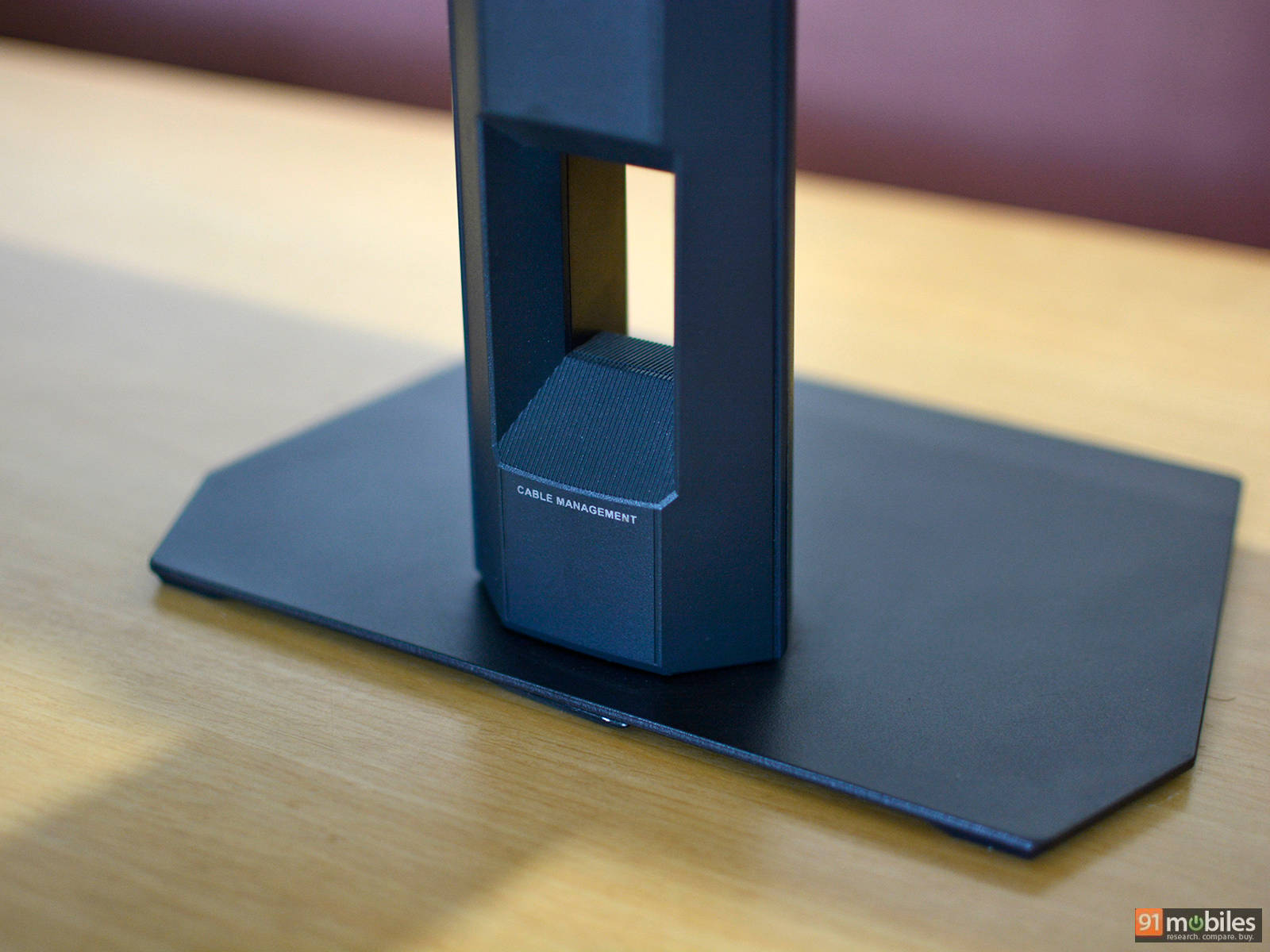
ASUS has paid special attention to the stand design. It uses a relatively small metal base to free up desk space for large mouse movements, and despite the compact footprint, it feels extremely sturdy and well-balanced. Even during intense gameplay, the monitor stays firmly in place with no noticeable wobble.
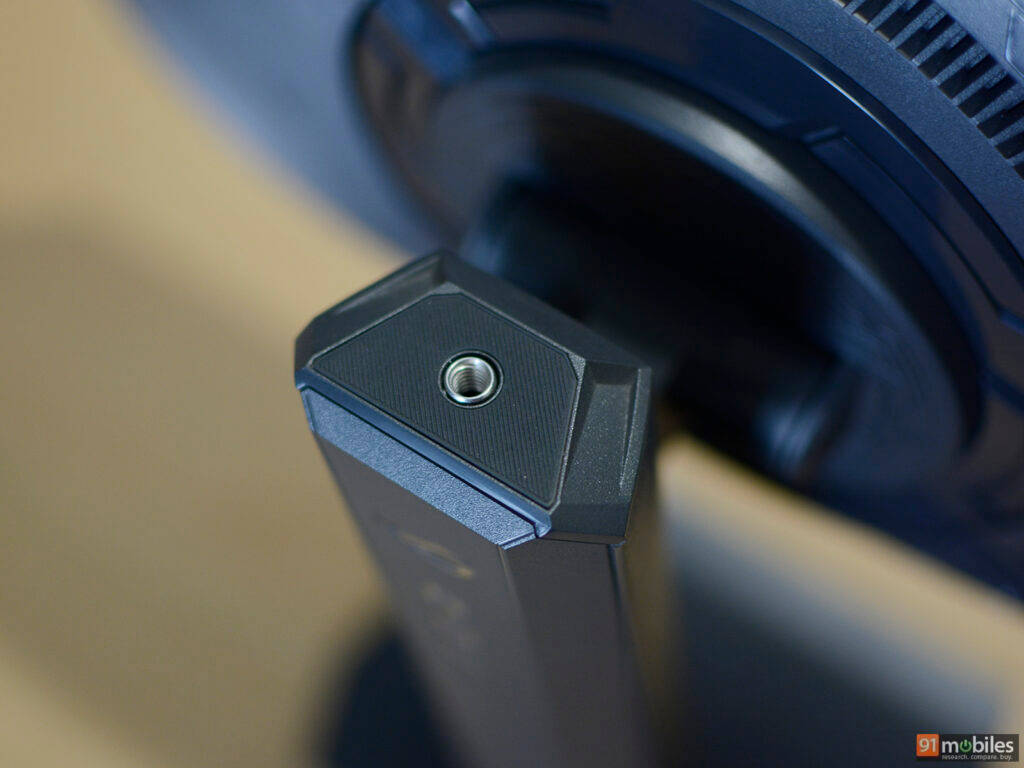
The stand also includes a standard quarter-inch threaded mount at the top, which is a nice touch for attaching accessories like a webcam or lighting.
As for ergonomics, the monitor offers support for height, tilt, and swivel adjustments.The movements feel smooth and precise, with no looseness, giving the monitor a premium feel during setup. Notably, there’s no pivot mode, but that’s probably due to the TN panel’s viewing angle limitations and the monitor’s intended use case. For those who prefer a cleaner desk, VESA mounting is also supported.
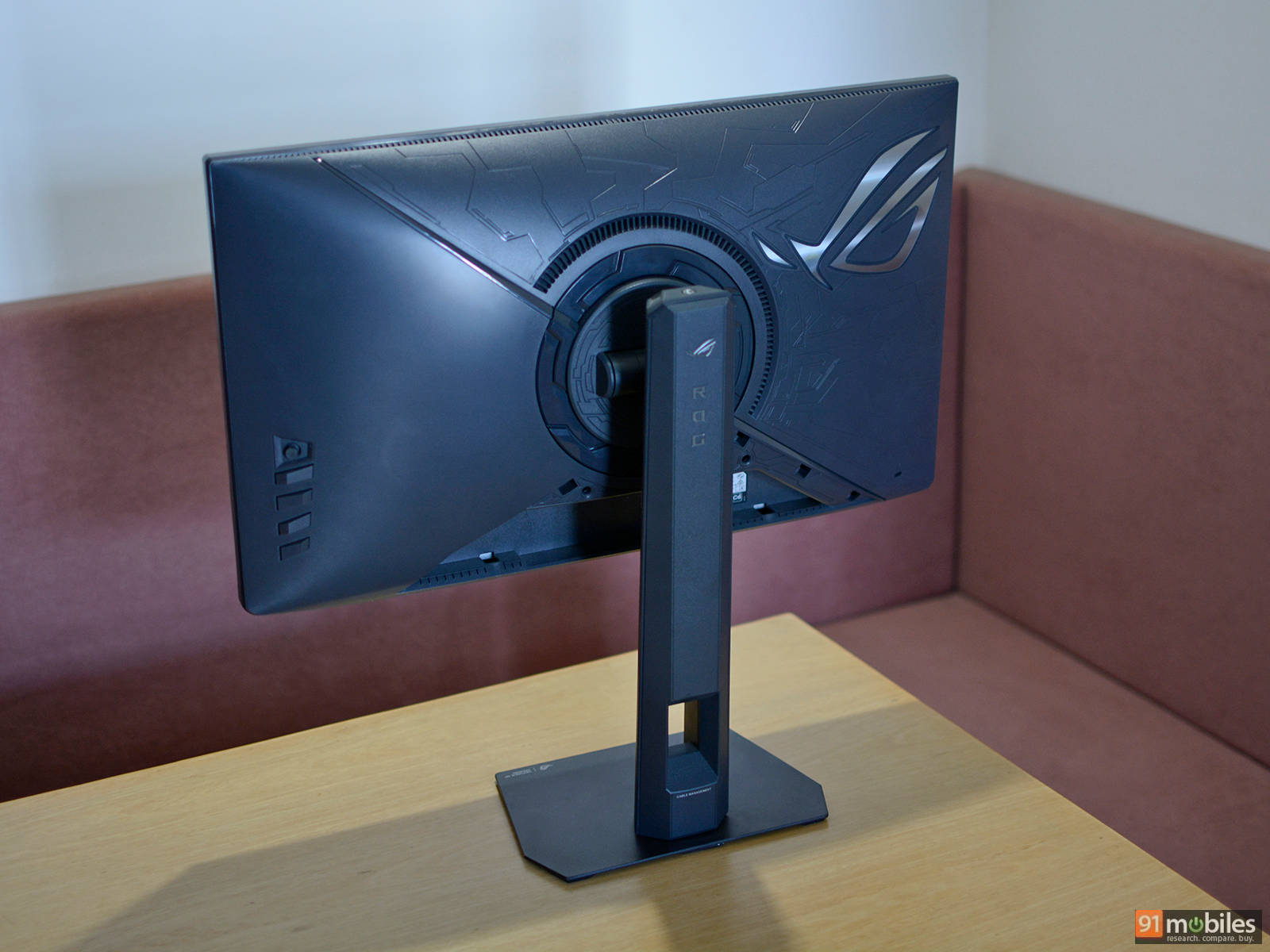
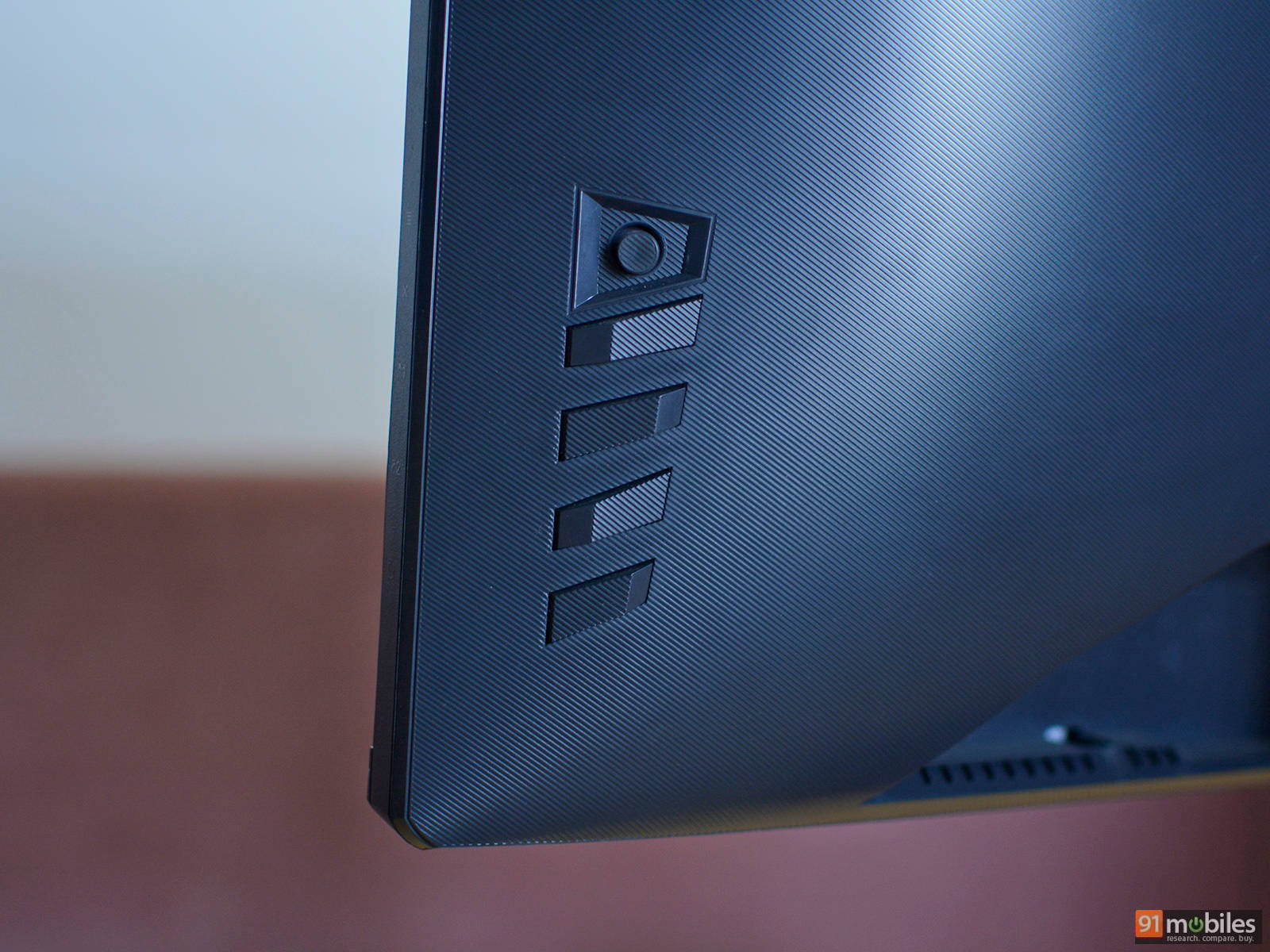
The front looks clean with slim bezels on three sides and a simple ROG logo on the bottom bezel. Around the back, the design adds a bit more flair. The monitor features subtle sculpted detailing, along with a backlit ROG logo that supports Aura Sync RGB lighting. You can customize the colors and effects through the on-screen display or ASUS’ DisplayWidget Center software, which helps the monitor stand out without being overly flashy.
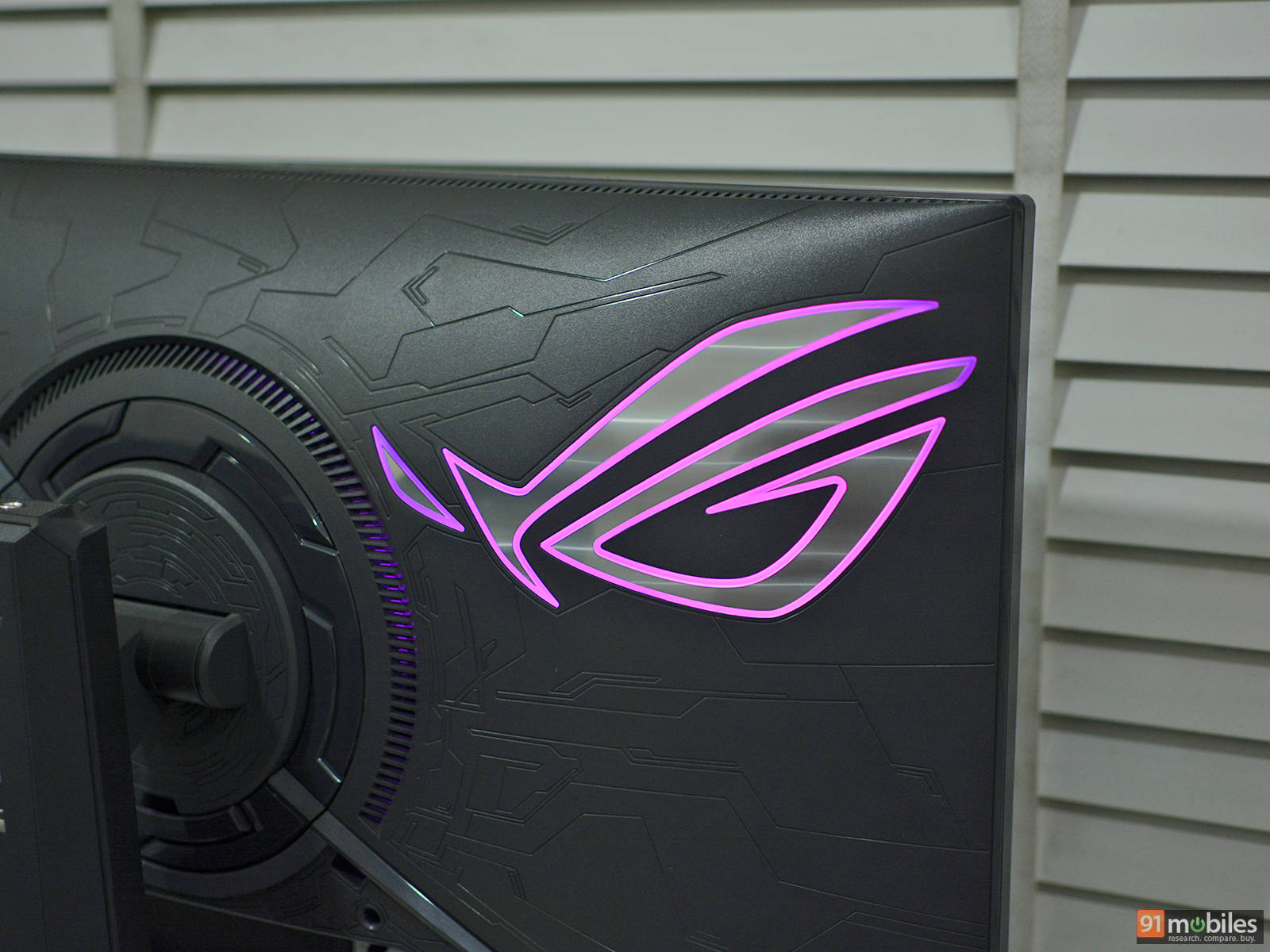
The monitor comes with a joystick on the rear right-hand side, which can be used to bring up the OSD (on-screen display) and navigate through various settings. There are also four additional buttons, one of which is dedicated to power, while the other three can be used for frequently-used functions.
Port selection is fairly straightforward but covers the essentials. You get two HDMI 2.1 ports, one DisplayPort 1.4 with DSC, and a 3.5mm headphone jack. There’s also a USB Type-C port, but it’s limited to firmware updates and doesn’t support display input or charging.
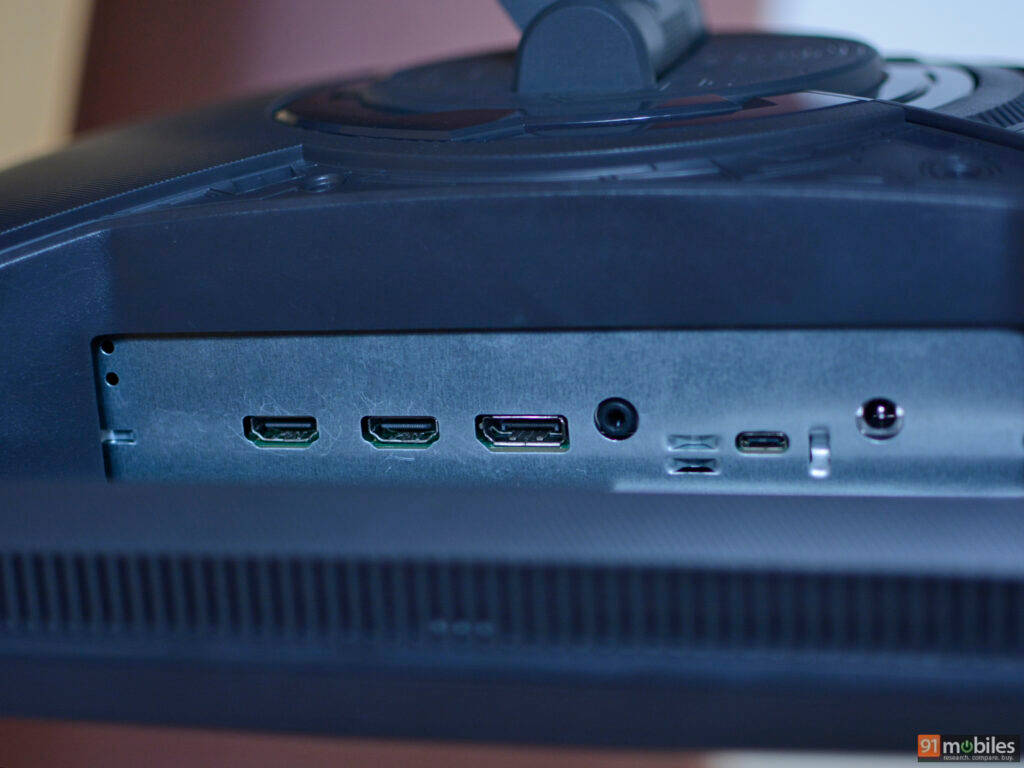
The ports are placed in a recessed, upward-facing layout, which keeps cables tidy but can make plugging in thicker connectors a bit tricky. Speaking of which, the stand has a large cutout for some basic cable management.
Panel: TN with HDR
While the industry is steadily shifting toward QHD and UHD panels for their higher pixel density, the XG248QSG sticks with a 24-inch Full HD (1920 × 1080) resolution. At around 91 PPI, it may not be the sharpest display, but the lower resolution enables the monitor to achieve blistering speed. ASUS is using a next-gen Super TN panel here, one of the only LCD technologies capable of pushing into the 600Hz+ territory. That said, OLED panels have also gained a solid momentum in the past couple of years and are now reaching refresh rates of up to 500Hz and beyond.
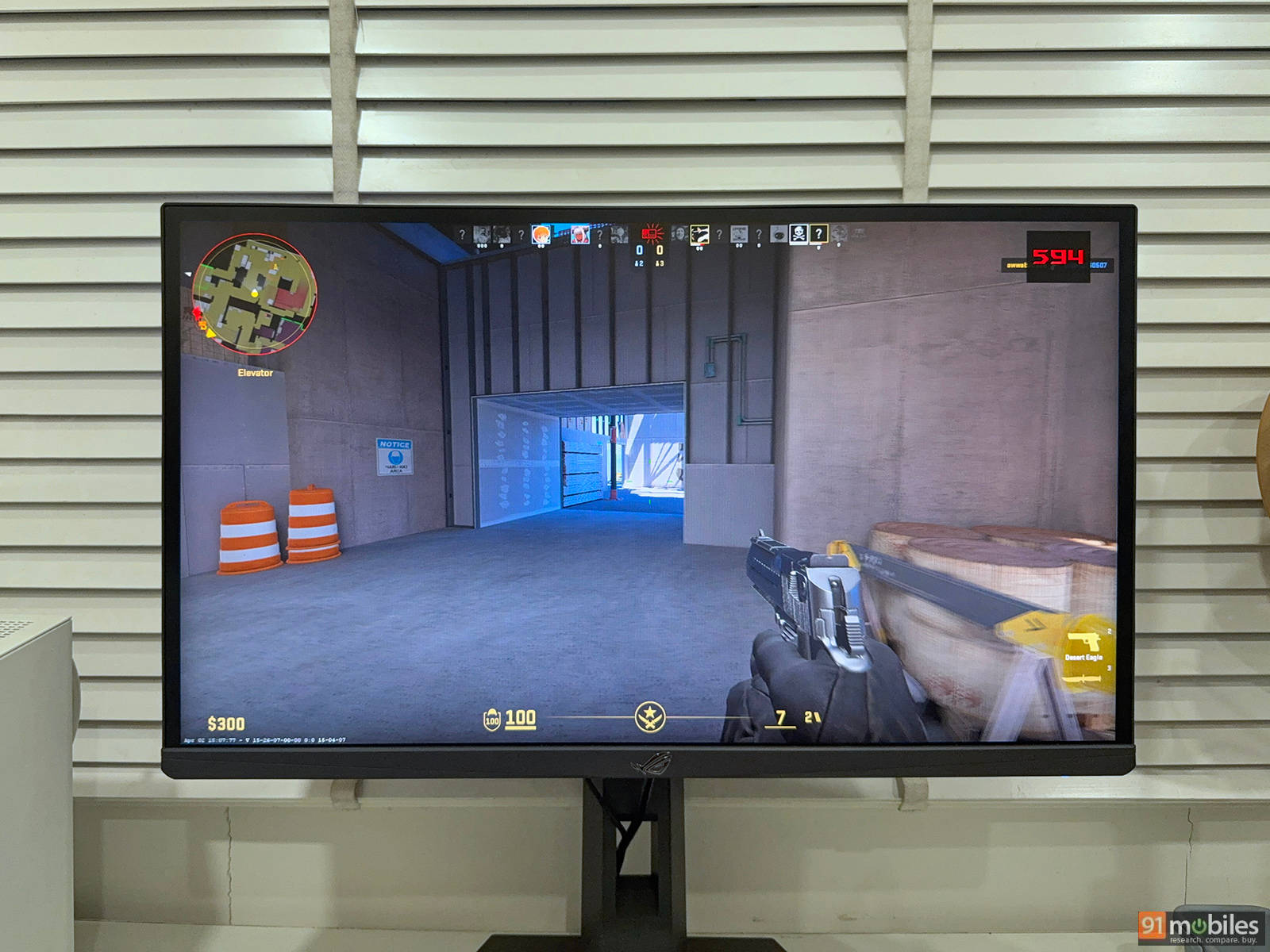
Being a TN panel, viewing angles are not the best, with noticeable color and contrast shifts when viewed off-center. Clearly, this monitor is not meant for group viewing or content creation. However, ASUS has worked to push the limits of the TN panel. It delivers surprisingly vibrant picture quality and covers roughly 90% of the DCI-P3 gamut and 125% of sRGB, which is impressive for an ultra-high refresh rate display. It can also reach up to 350 nits of peak brightness in SDR and around 450 nits in HDR. Additionally, it carries DisplayHDR 400 certification, though HDR performance is not the best and is not worth using during competitive gameplay. During our testing, we found the overall brightness to be more than adequate for gaming and everyday productivity.
Motion clarity is where the XG248QSG truly excels. The monitor comes with ASUS’ ELMB 2 (Extreme Low Motion Blur), an improved backlight strobing technology that helps reduce motion blur in ultra-high refresh rate monitors. Essentially, it works by rapidly turning the monitor’s backlight on and off in sync with the refresh cycle. Additionally, it comes with multi-zone backlight strobing, in this case, a dual backlight design with two LED strips and ten backlight zones. The biggest drawback of using this technology is reduced brightness; however, ASUS claims that they have tuned the monitor to offer three times the peak brightness when compared to the previous generation ELMB.
Performance
In real-world testing, the ASUS ROG Strix XG248QSG Ace is brutally fast and extremely demanding. Despite using a high-end RTX 4080 Super, frame rates in lighter titles exceed 500 FPS, but they still fluctuate well below the panel’s maximum refresh rate in more demanding scenes. In practice, this means fully saturating 610Hz at max settings is not that simple. In cinematic or graphically rich titles, the experience is quite responsive and fluid, and with the right settings dialed in, one can achieve vivid colours, deep blacks, and ample contrast.
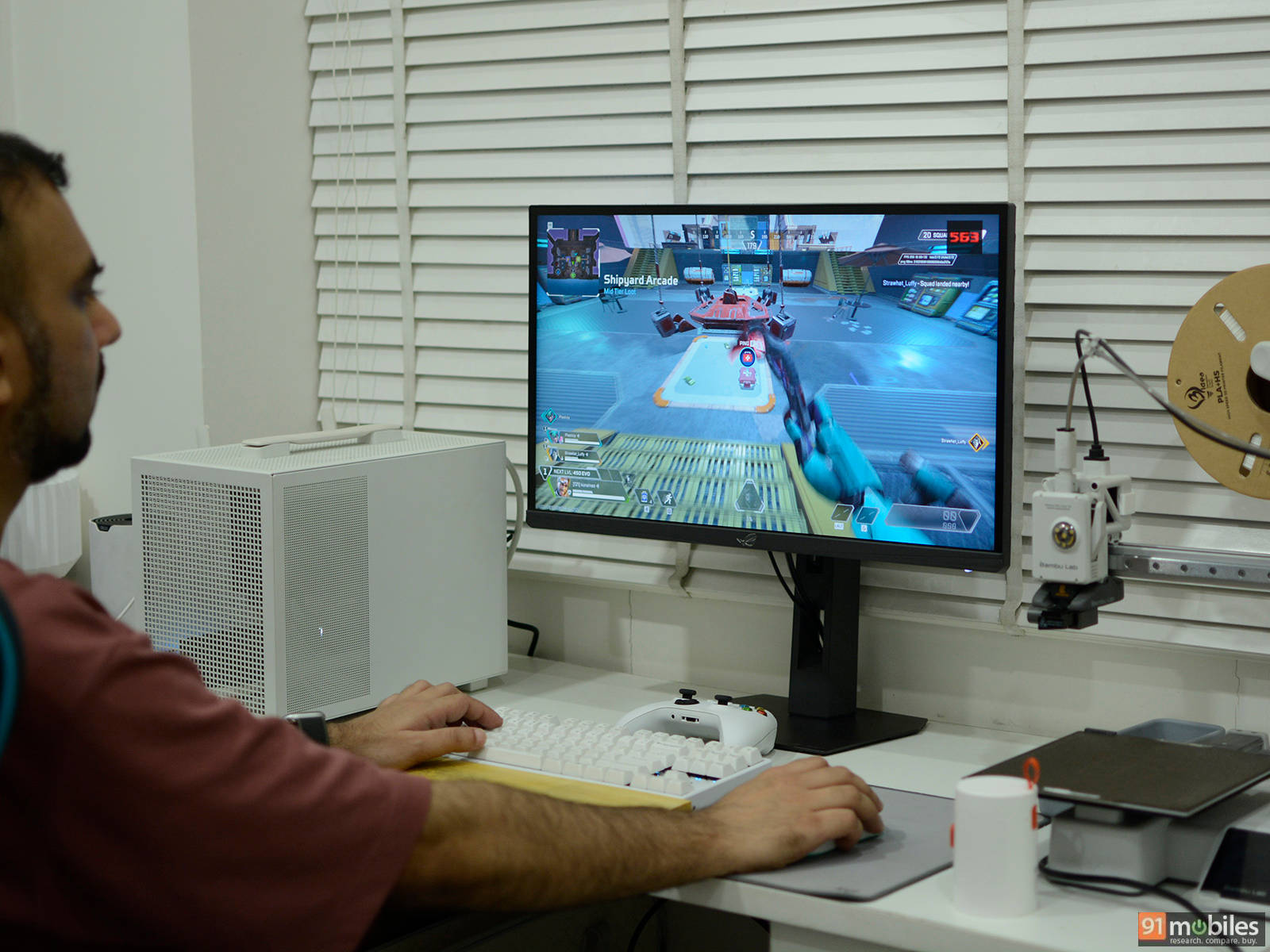
Where the monitor truly shines is in competitive games like Counter-Strike 2 or Apex Legends, where frame rates can climb well past 500 FPS, fully utilizing the panel’s capabilities. That said, the practical benefit of such extreme refresh rates is more nuanced. While the jump from 60Hz to 144Hz or even 240Hz is immediately noticeable, gains beyond 300Hz become increasingly difficult to perceive for most users, including some competitive players.
It is also perfectly usable for everyday tasks and even light content work, but its strengths are clearly meant for competitive players who prioritize responsiveness above all else.
OSD features
The on-screen display (OSD) on the ROG Strix XG248QSG Ace offers a comprehensive set of controls. Core adjustments include brightness, contrast, colour temperature, aspect ratio, and preset colour profiles under the dedicated GameVisual section. Additionally, you have access to gaming-centric features like crosshair overlay, sniper zoom-in, FPS counter, stopwatch, timer, and display alignment under GamePlus.
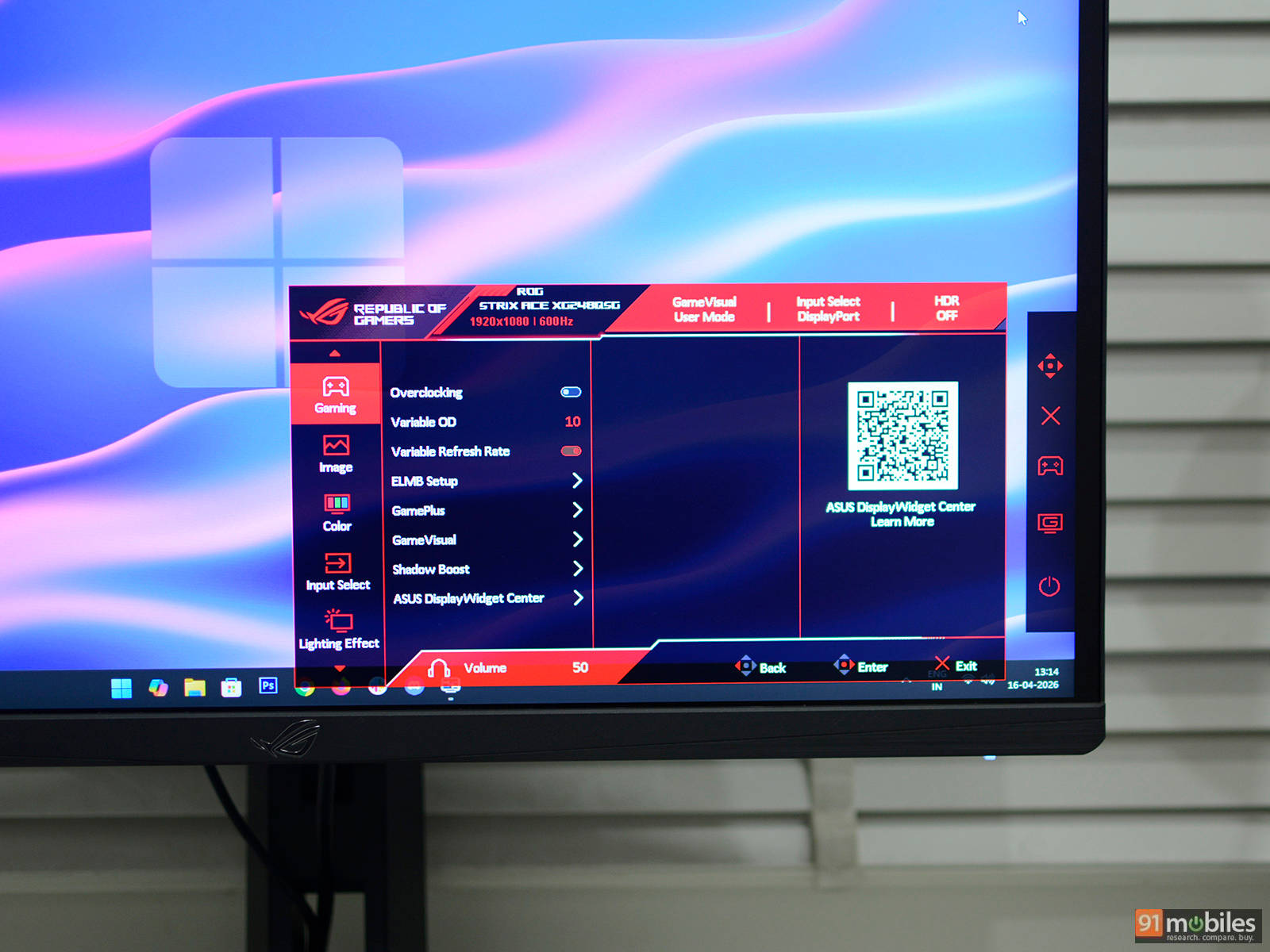
ASUS complements the physical OSD with its DisplayWidget Center app, which essentially mirrors and expands these controls at the desktop level. Instead of navigating the joystick menu, users can adjust brightness, contrast, color settings, and preset modes directly with a mouse, which feels way more intuitive.
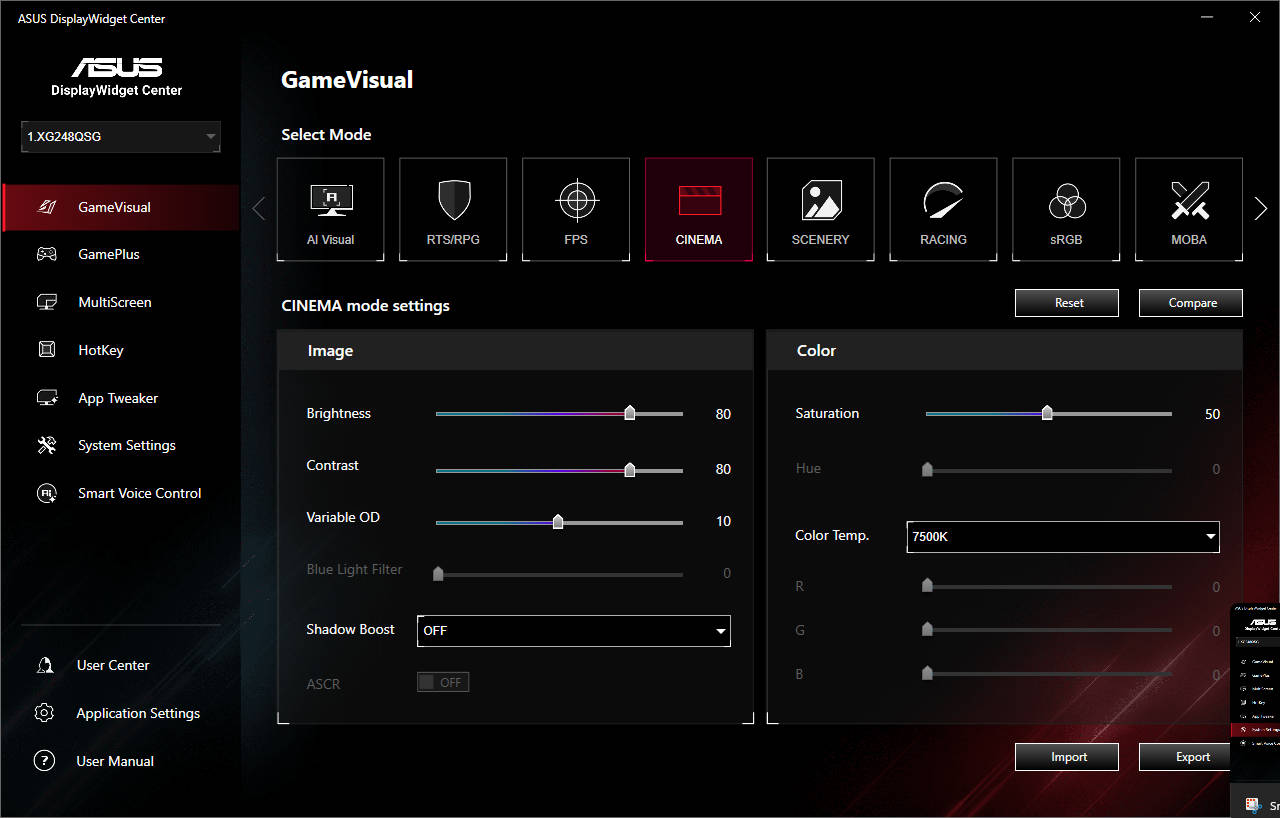
The app also includes App Tweaker, which allows users to assign specific display presets to individual applications, automating changes based on usage scenarios. With Smart Voice Control, users can also adjust the monitor settings by voice commands, though this feature is still in beta and requires an additional package to be installed on your system. Some other important features of the DisplayWidget Center app include HDR auto detection, auto-hide taskbar on Desktop, and the option of standard and power saving profiles.
Final verdict
The ASUS ROG Strix XG248QSG Ace is basically a monitor that’s had one too many espressos. It ditches viewing angles, resolution, and a fair chunk of your wallet, all in the name of raw, unfiltered speed. That 610Hz refresh rate is undeniably wild, but it’s built for the 0.01% esports grinders who can actually push those frames and also notice the difference from 300Hz. For everyone else, it’s like buying a Formula 1 car for grocery runs. Unless there’s a PC powerful enough to brute-force absurd frame rates and a genuine competitive edge to chase, the Rs 94,900 asking price is a hard sell. Especially when stunning OLED panels exist in the same bracket, quietly flexing their superior visuals.
Take something like the MSI MAG 271QPX, which offers a gorgeous 27-inch QD-OLED panel at 240Hz, which is more than enough for most gamers while delivering much better image quality. Even within the esports lane, the BenQ Zowie XL2566X+ gets remarkably close to the ROG’s core experience with its 400Hz panel, at nearly half the price. In the end, the ASUS ROG Strix XG248QSG Ace isn’t a bad product, nor is it outrageously priced. It’s just very, very specifically priced for an incredibly niche audience.
Editor’s Rating: 8 / 10
Pros:
- Ultra-fast refresh rate
- Low input latency
- Sturdy build quality
- Excellent motion clarity
- Windows app for OSD controls
- Meant for a niche audience
- No USB ports
- Overpriced