In this guide, we list our laptops that are for creative professionals. Creative work punishes laptops in ways gaming never does. A timeline scrub needs fast storage, a colour grade needs an accurate panel, and a two-hour export needs a machine that holds its clocks instead of throttling at minute fifteen. The fastest laptop on paper is often not the best one to edit on. What follows is seven machines run through the same creator workloads, each matched to the job it does best, with every number from our own lab, including PugetBench for DaVinci Resolve.
Here are our winners: The ASUS ROG Zephyrus G16 (2026) is our best overall creator laptop. The Dell Alienware 18 Area-51 leads on 4K editing, the Samsung Galaxy Book6 Ultra is the value pick, and the Dell Pro Max 16 Plus is built for 3D. The Apple MacBook Pro M5 Pro is the Mac to buy, the Lenovo Legion Pro 5i Gen 10 has the display, and the MSI Titan 18 HX AI is the big-screen choice.
A note on pricing: all prices are as of the time we reviewed each machine and are subject to change.
Table of Contents
How do we test creator laptops?
Every machine here has been used as a working editing station, not just benchmarked, and the suite is identical across all of them: PugetBench for DaVinci Resolve as the headline creator test, Cinebench 2026, R24 and R23 for render throughput, PCMark 10 and CrossMark for responsiveness, Geekbench 6 and 3DMark for GPU-accelerated effects, and CrystalDiskMark for ingest speeds. Battery comes from the PCMark 10 video loop test at 80 percent brightness. We also weigh what benchmarks miss: whether clocks hold through a long export, and whether the panel is accurate enough to grade on without an external monitor.
ASUS ROG Zephyrus G16 (2026) — Best Overall Laptop for Creators
Price at time of review: Rs 4,49,990
Why we picked it
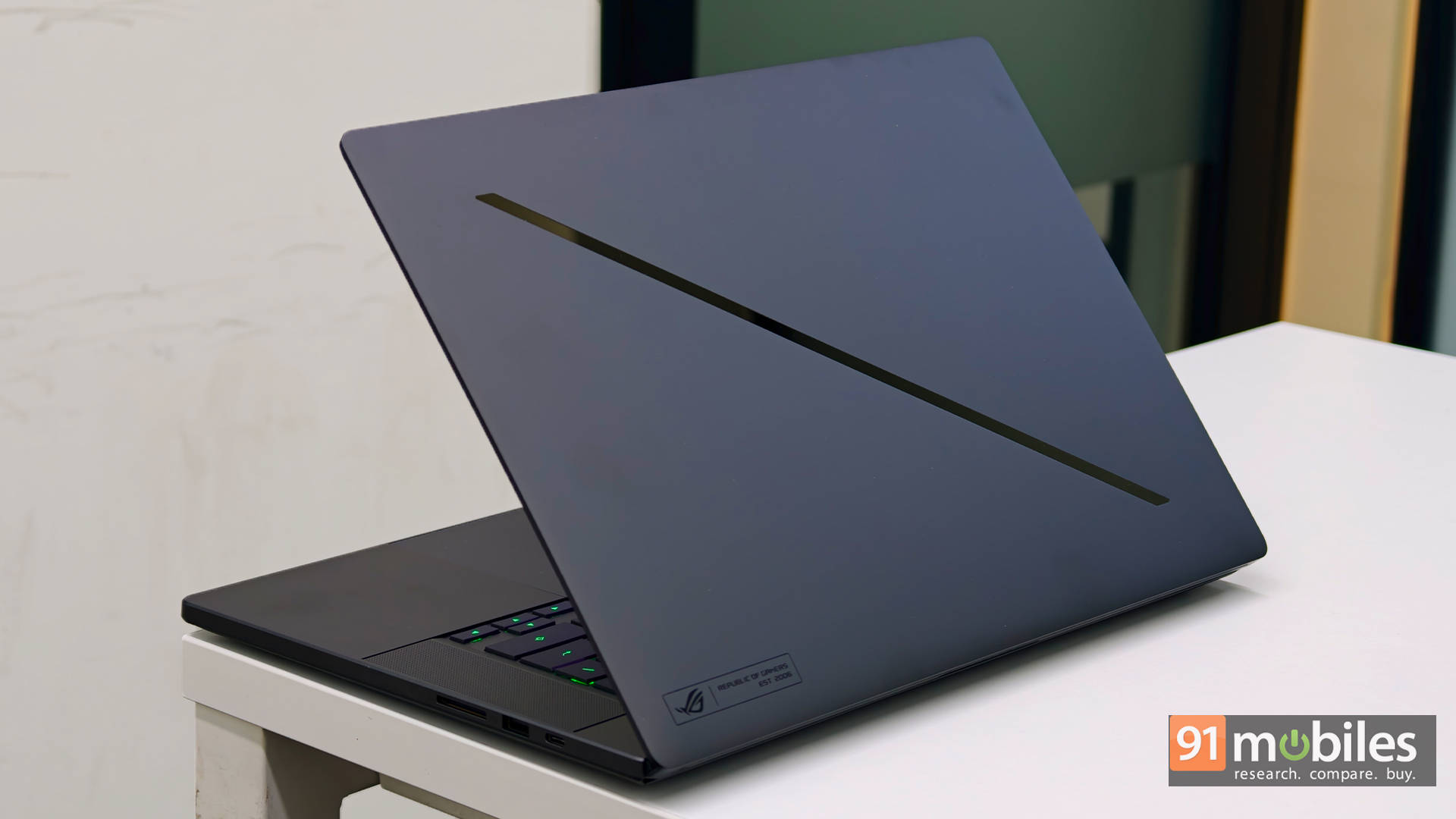
The ASUS ROG Zephyrus G16 (2026) (review) is our best overall creator laptop because it is the only machine here that pairs a colour-accurate 240Hz OLED panel with genuine all-day battery and a sub-2kg chassis, which makes it the one you can actually take to a shoot and still edit on when you get back.
The display settles most of the argument here with the 16-inch 2.5K OLED ROG Nebula HDR panel that runs at 240Hz with G-Sync and arrives factory calibrated, so grading a timeline does not require docking to an external monitor. Underneath, the Core Ultra 9 386H scored 21,219 in Cinebench R23 multi-core and 4,830 in Cinebench 2026 multi-core, and it posted 10,111 in PCMark 10 and 2,267 in CrossMark, both the highest of any machine on this page. Timeline editing, colour grading and asset-heavy projects were handled effortlessly in our testing, with a PugetBench DaVinci Resolve score of 7,691.
What separates it is everything the desktop replacements give up. It weighs 1.95kg, keeps a full-size SD card reader, and ran 9 hours 38 minutes in our PCMark 10 video loop test, roughly triple what the Legion and Titan manage. If your work is pure render throughput and the machine never leaves a desk, the Alienware and Legion below finish exports faster. For everyone whose workflow involves leaving the house, this is the better tool. It scored 8.5/10.
| Pros | Cons |
| Premium design that's both portable and practical | Very expensive compared to alternatives |
| Best-in-class multimedia experience | Limited upgradeability |
| Excellent balance between gaming and content creation | Fan noise gets aggressive under heavy loads |
Key specs:
- Processor: Intel Core Ultra 9 386H (25W TDP)
- GPU: NVIDIA GeForce RTX 5070 Ti, 12GB, 125W TGP
- Display: 16-inch 2.5K OLED ROG Nebula HDR, 240Hz, G-Sync
- RAM/Storage: 32GB LPDDR5x / 2TB Gen 4 SSD
- Battery: 90Wh, 9 hours 38 minutes (PCMark 10 video loop)
- Weight: 1.95kg
- Rating: 8.5/10
Dell Alienware 18 Area-51 — Best for 4K Editing
Price at time of review: Rs 4,95,389
Why we picked it
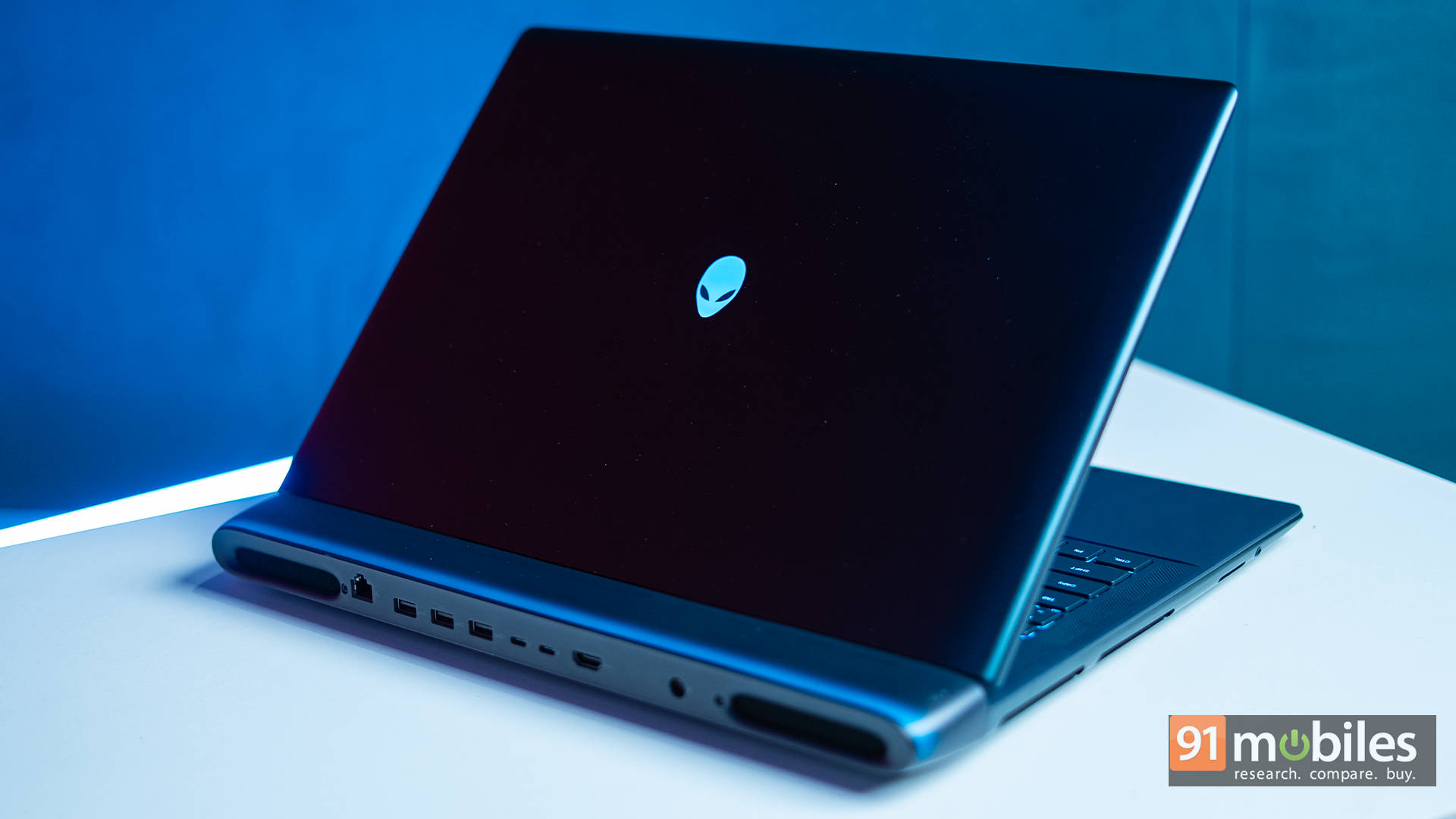
The Dell Alienware 18 Area-51 (review) is our best laptop for 4K editing because it posted the highest PugetBench DaVinci Resolve score we have recorded, and backs it with the thermal headroom to sustain that speed through a full export rather than a benchmark run.
The numbers are decisive. As mentioned, the PugetBench DaVinci Resolve score of 11,365 leads every machine on this page, supported by 38,048 in Cinebench R23 multi-core and 21,525 in Geekbench 6 multi-core, both the highest here. For multi-stream 4K timelines with effects stacked on top, that combination of CPU and RTX 5090 acceleration is what keeps playback smooth instead of stuttering into proxy mode. Storage matches: 13,506MB/s sequential reads and 12,539MB/s writes mean 4K footage ingests almost as fast as you can plug the card in.
The reason it wins over the Titan is thermals. During extended sessions, the vapour chamber cooling held CPU temperatures in the mid-70s and the GPU at 60 to 65 degrees, so a four-hour export finishes at the speed it started. The cost of the device is, of course, through the roof on this one. Apart from that, the 18-inch panel is 300Hz IPS rather than OLED, so colour-critical grading still wants a reference monitor, and at 4 hours 19 minutes of battery, this never leaves the desk. It earned 9.5/10.
| Pros | Cons |
| Desktop-class gaming performance | No OLED or Mini-LED display option |
| Excellent thermal stability | No ports on the sides |
| Massive high-refresh display | Extremely expensive |
Key specs:
- Processor: Intel Core Ultra 9 275HX (55W TDP)
- GPU: NVIDIA GeForce RTX 5090, 24GB, 175W TGP
- Display: 18-inch IPS, 300Hz
- RAM/Storage: 64GB DDR5 / 2TB Gen 5 SSD
- Battery: 96Wh, 4 hours 19 minutes (PCMark 10 video loop)
- Rating: 9.5/10
Samsung Galaxy Book6 Ultra — Best Value Creator Laptop
Price at time of review: Rs 3,10,990 (RTX 5070 variant)
Why we picked it
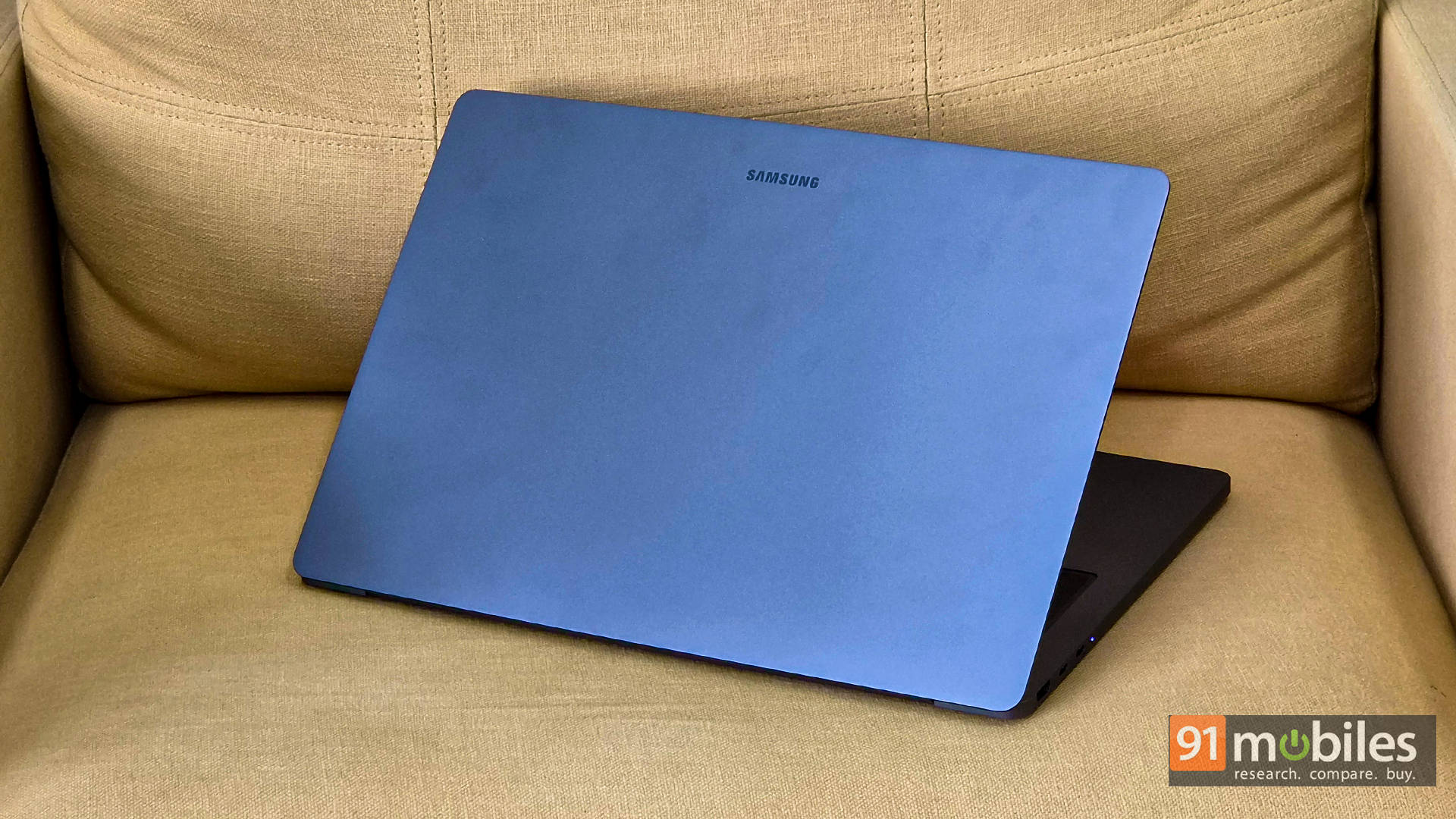
The Samsung Galaxy Book6 Ultra (review) is our best value creator laptop because it delivers a 16-inch AMOLED panel, RTX 5070 acceleration and nearly 13 hours of battery in a machine that costs well under the workstations above and runs almost silently while doing it.
Value here is about what you avoid paying for. The Core Ultra 7 356H with 32GB of LPDDR5x and a 2TB Gen 4 SSD scored 7,130 in PugetBench DaVinci Resolve and 9,579 in PCMark 10, covering most YouTube, social, and client work comfortably. It is not a render farm, but the gap in practice is far smaller than the gap in price.
The AMOLED display is the creator's argument, with its deep blacks and saturated colour making it a pleasant panel to edit and review on, and the six-speaker array is unusually good for audio work. Thanks to the vapour chamber design, there is essentially no throttling, and the fans never get obnoxiously loud, which is particularly important when recording voiceovers near the machine. The 80.2Whr battery ran 12 hours 57 minutes in our PCMark 10 video loop test, easily the best here. The keyboard's very shallow travel divides opinion. Our review rated it 9/10.
| Pros | Cons |
| Stunning 16-inch AMOLED for editing and review | Shallow keyboard feel |
| Powerful yet slim design | GPU not fully unleashed |
| Excellent thermal management |
Key specs:
- Processor: Intel Core Ultra 7 356H (25W TDP)
- GPU: NVIDIA GeForce RTX 5070, 8GB, 90W TGP
- Display: 16-inch AMOLED touchscreen, 120Hz
- RAM/Storage: 32GB LPDDR5x / 2TB Gen 4 SSD
- Battery: 80.2Whr, 12 hours 57 minutes (PCMark 10 video loop)
- Rating: 9/10
Dell Pro Max 16 Plus — Best for 3D and Rendering
Price at time of review: Rs 9,00,000
Why we picked it
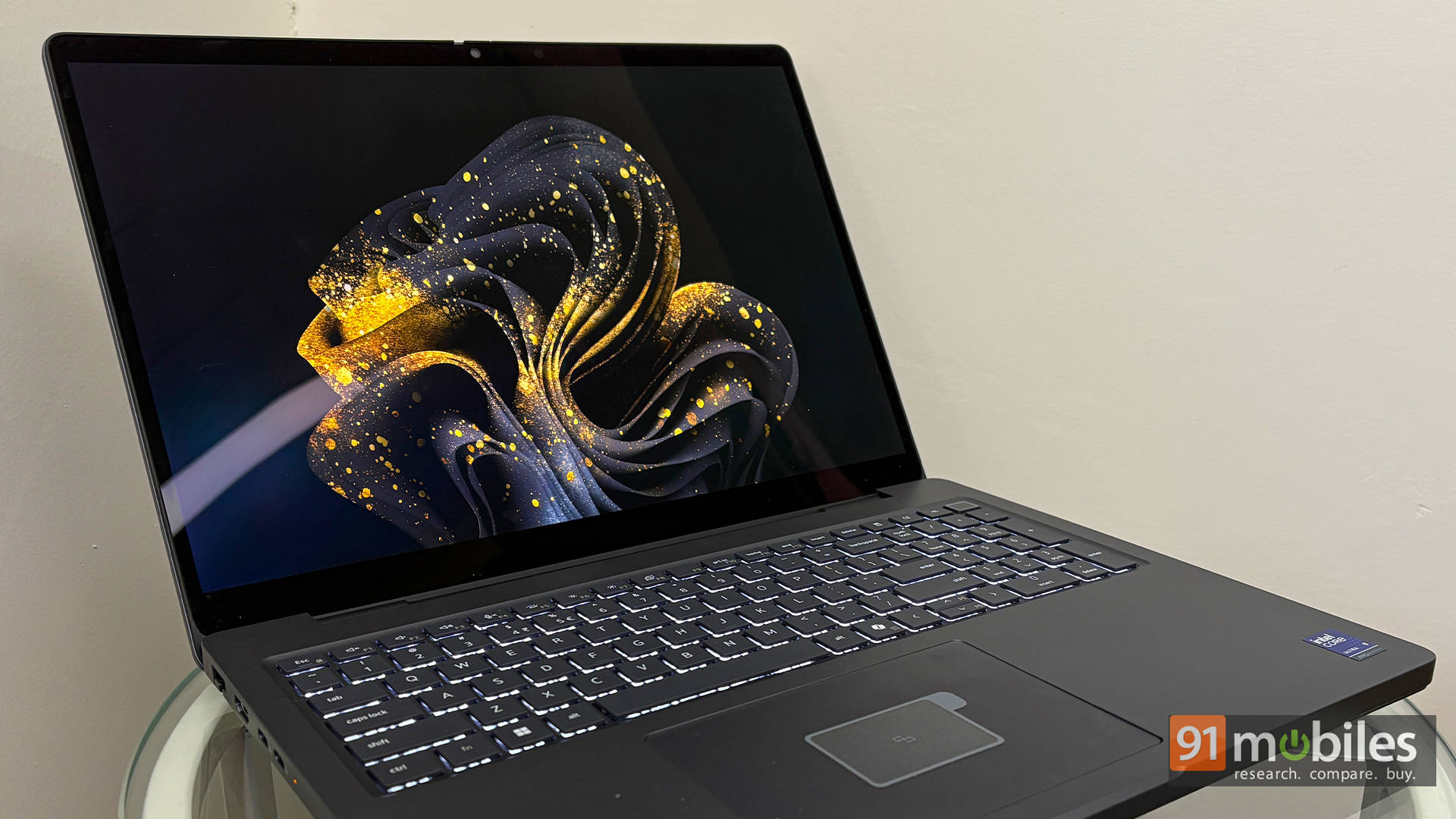
The Dell Pro Max 16 Plus (review) is our best laptop for 3D and rendering because it is the only machine here with a professional-grade RTX Pro 5000 Blackwell GPU and 128GB of memory, which is what heavy scenes and simulation caches actually need.
3D is a memory problem before it is a speed problem: a scene that exceeds available RAM does not render slowly; it fails. The 128GB of CAMM2 memory, upgradeable rather than soldered, is the most important spec on this page for that workload, and the RTX Pro 5000 with 24GB of VRAM handles viewport and GPU rendering that would choke consumer cards. In our testing, it scored 36,274 in Cinebench R23 multi-core, 21,954 in 3DMark Time Spy, and 37,222 in Fire Strike, with a PugetBench DaVinci Resolve score of 9,179 and 16,037MB/s storage reads for scene loads.
The engineering supports long-term studio use. The GPU sits on a modular DGFF module rather than soldered down, the ports swap individually, and the MIL-STD-810H chassis carries a 4K Tandem OLED with near-complete DCI-P3 coverage, so you can grade and preview on it. The battery ran for 7 hours 7 minutes. At Rs 9 lakh, this is a studio purchase, not a personal one, and it runs hot under sustained load. It scored 9.5/10.
Pros Cons Exceptional CPU and GPU performance Runs extremely hot under load Modular RAM, GPU, and ports Stunning 4K Tandem OLED display
Key specs:
- Processor: Intel Core Ultra 9 285HX (55W TDP)
- GPU: NVIDIA RTX Pro 5000 Blackwell, 24GB, 175W TGP
- Display: 16-inch 4K Tandem OLED, 120Hz
- RAM/Storage: 128GB CAMM2 / 2TB Gen 5 SSD
- Battery: 96Wh, 7 hours 7 minutes (PCMark 10 video loop)
- Rating: 9.5/10
Apple MacBook Pro M5 Pro — Best MacBook for Creators
Price: From Rs 2,32,900
Why we picked it
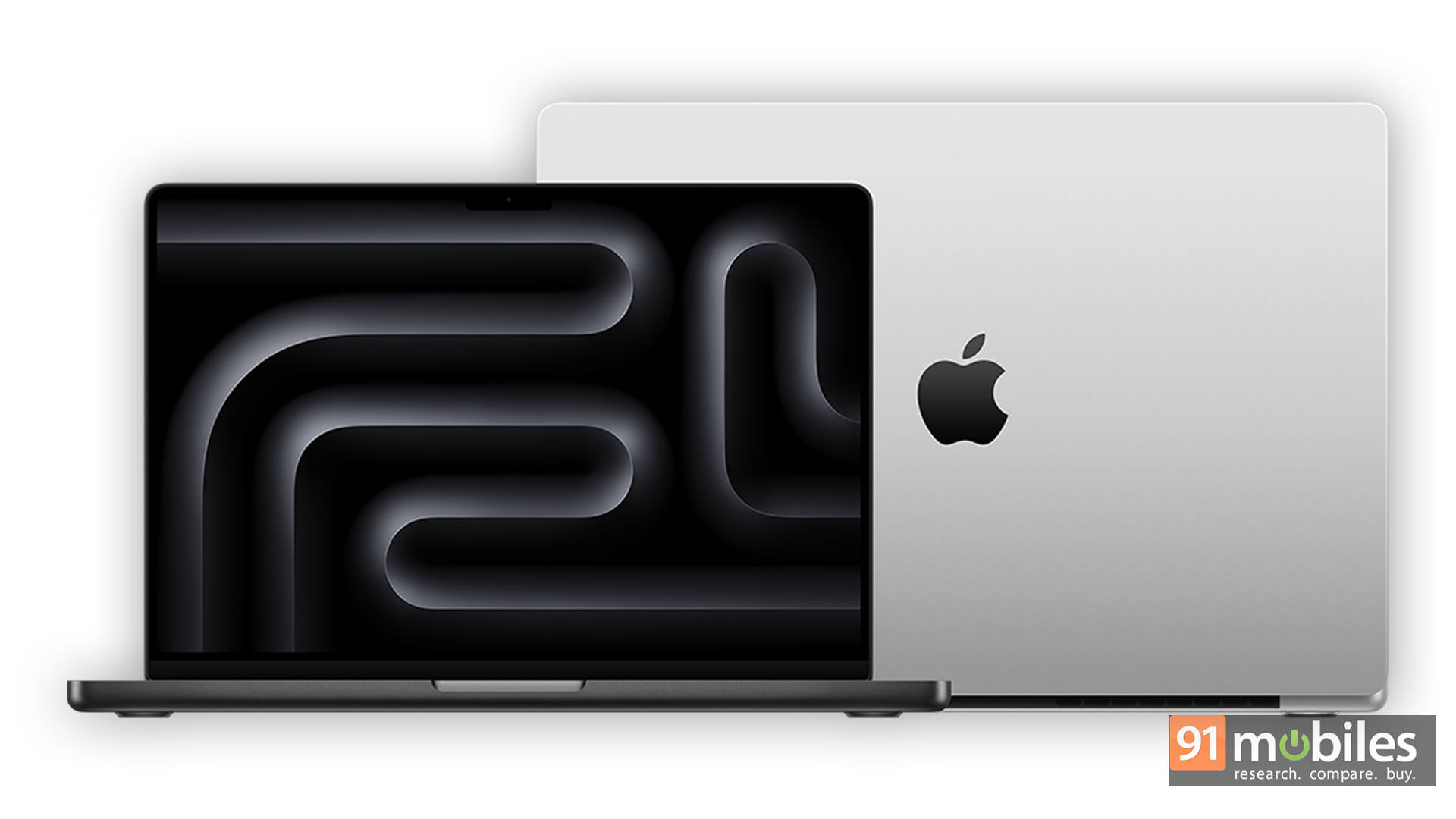
The MacBook Pro with M5 Pro is our best MacBook for creators because it is the point in Apple's range where memory, sustained throughput, and external storage bandwidth all stop being compromises at once.
Three specifics carry it. The M5 Pro starts at 24GB of unified memory rather than 16GB, and the consensus among editors is that this is the threshold where multi-stream timelines, colour nodes, and background renders stop competing for headroom. It gets Thunderbolt 5, which the base M5 does not, and since most editors work off external drives, that changes the daily workflow rather than just file copy times. And thermal headroom means reviewers who have run extended exports on these chips consistently report that minute-one performance is what you still see at minute forty.
The Liquid Retina XDR panel with 120Hz ProMotion remains the reference laptop display for grading, paired with up to a 100Wh battery and Wi-Fi 7, in a 14-inch at 1.60kg or 16-inch at 2.14kg. If your editing is occasional, the base M5 handles it and saves around Rs 60,000. If you live in Final Cut, Logic, or Resolve on macOS, this is the buy.
Pros Cons 24GB base memory suits multi-stream editing Significant step up in price from the base M5 Thunderbolt 5 transforms external storage workflows Overkill for casual editing Sustains performance through long exports Locked to the macOS app ecosystem
Key specs:
- Chip: Apple M5 Pro
- Display: 14.2-inch or 16.2-inch Liquid Retina XDR, up to 120Hz ProMotion
- Memory/Storage: 24GB unified / 1TB SSD, configurable higher
- Battery: Up to 100Wh, up to 96W charging
- Weight: 1.60kg (14-inch), 2.14kg (16-inch), Thunderbolt 5
Lenovo Legion Pro 5i Gen 10 — Best OLED Display
Price at time of review: Rs 2,80,073
Why we picked it
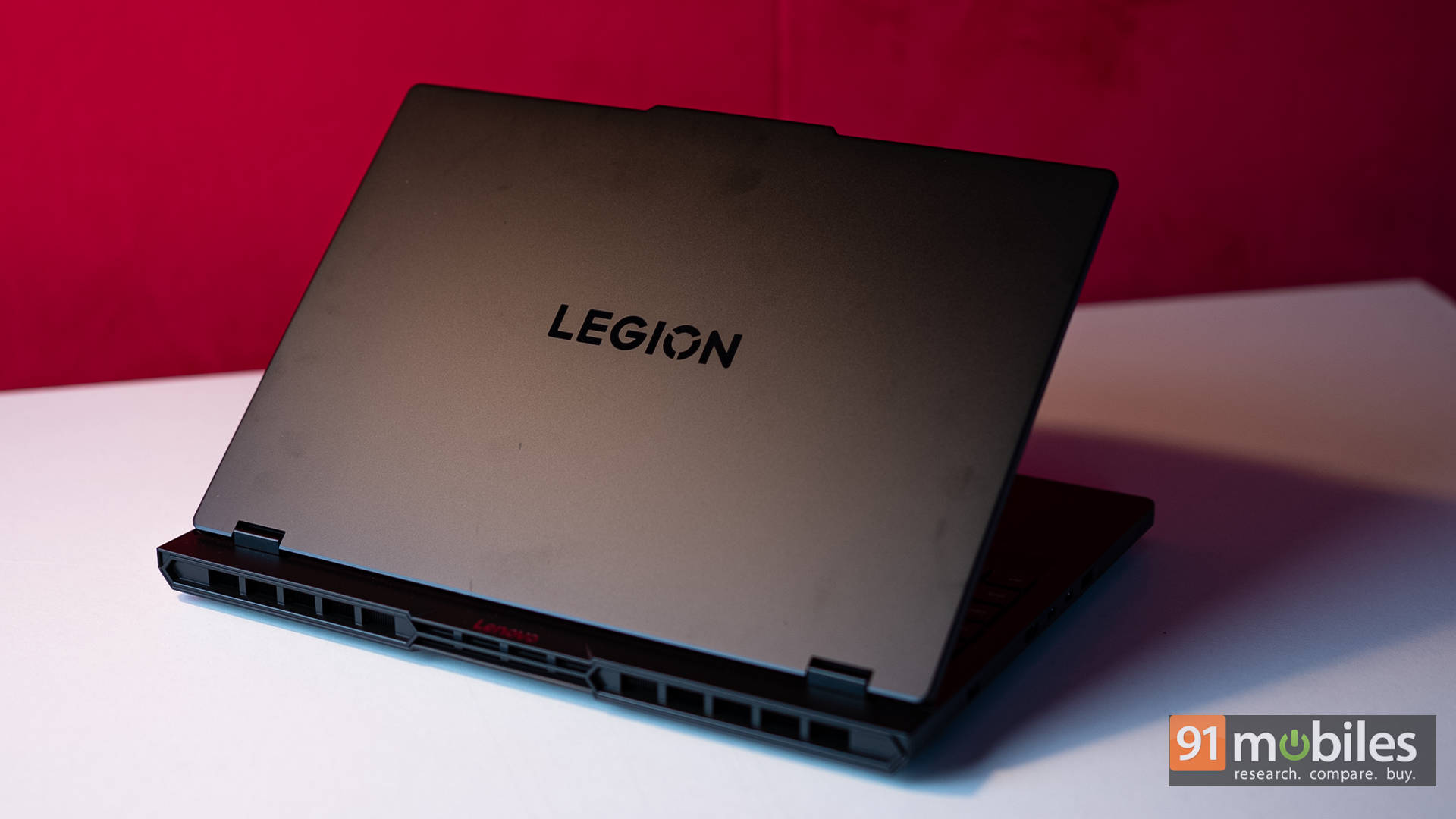
The Lenovo Legion Pro 5i Gen 10 (review) wins on display because its 16-inch 240Hz OLED delivers true blacks and full DCI-P3 coverage at a price no other OLED creator machine here approaches, and it backs that panel with the second-fastest render scores on this page.
The panel is the pick, but the performance is why it belongs in a creator roundup rather than just a gaming one. It scored 10,907 in PugetBench DaVinci Resolve, second only to the Alienware and ahead of machines costing two to three times more, alongside 34,179 in Cinebench R23 multi-core, 9,224 in PCMark 10 and 20,431 in Geekbench 6 multi-core. The RTX 5070 Ti runs at a full 140W rather than a throttled figure, which is why it beats laptops carrying nominally bigger GPUs. Coldfront Hyper cooling keeps the CPU under 92 degrees at full tilt.
The 2560 x 1600 OLED at 240Hz gives the contrast and colour volume grading benefits, plus motion clarity that makes reviewing footage pleasant. Two honest limits: the fans get loud under load, and battery is the shortest here at 3 hours 25 minutes, so this is a mains-powered machine. It scored 8.7/10.
Pros Cons Gorgeous 240Hz OLED gaming display Expensive for RTX 5070 Ti RTX 5070 Ti runs full power Fans get loud under load Excellent sustained performance and thermals
Key specs:
- Processor: Intel Core Ultra 9 275HX (55W TDP)
- GPU: NVIDIA GeForce RTX 5070 Ti, 12GB, 140W TGP
- Display: 16-inch WQXGA (2560 x 1600) OLED, 240Hz
- RAM/Storage: 32GB DDR5 / 1TB Gen 4 SSD
- Battery: 80Wh, 3 hours 25 minutes (PCMark 10 video loop)
- Rating: 8.7/10
MSI Titan 18 HX AI — Best 17 and 18-inch Laptop
Price at time of review: Rs 6,20,990
Why we picked it
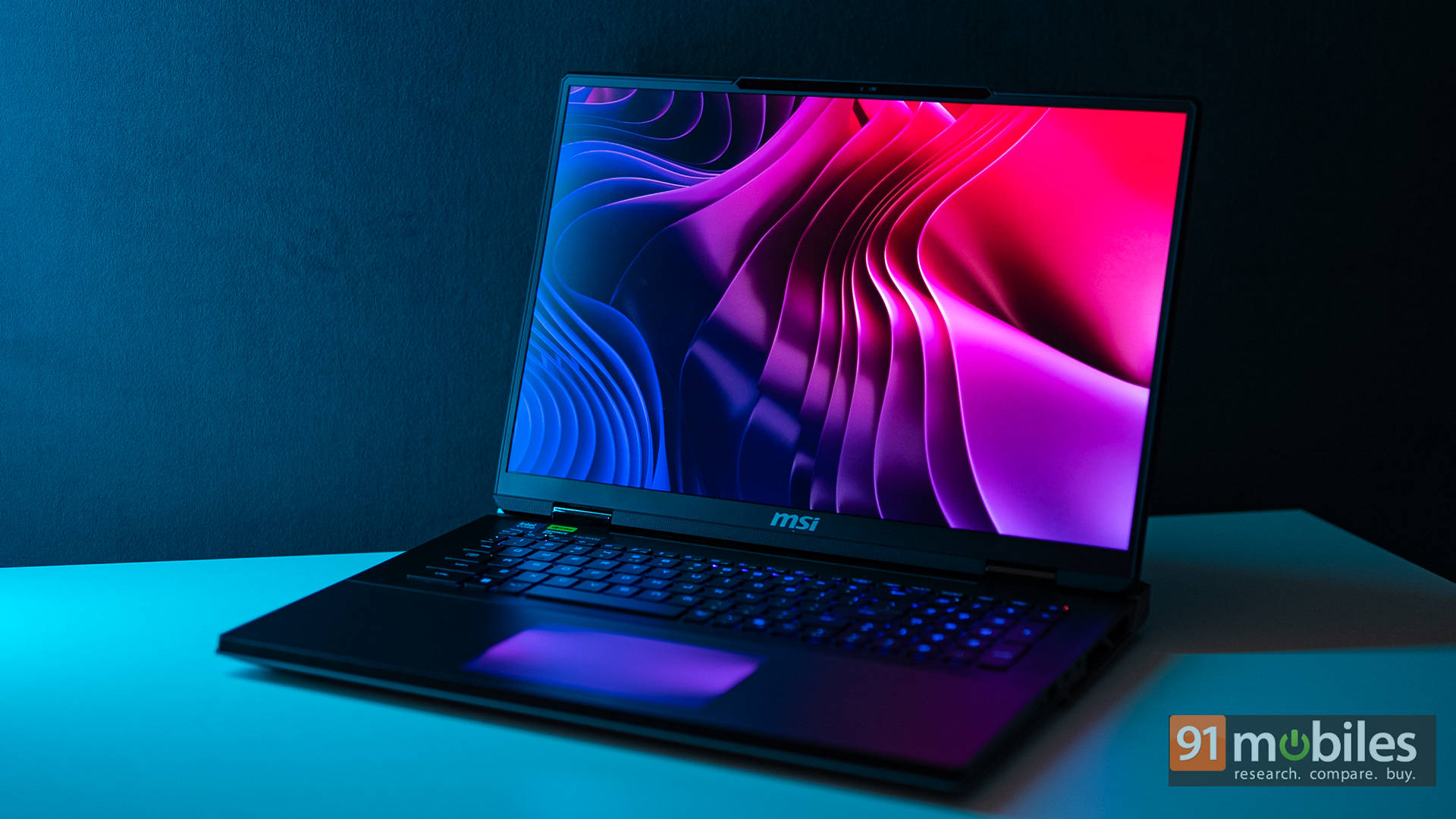
The MSI Titan 18 HX AI (review) is our best big-screen creator laptop because it pairs an 18-inch 4K Mini-LED panel with 6TB of Gen 5 storage and dual Thunderbolt 5, which together make it the closest thing to a portable edit suite.
Screen real estate is the point at this size, and the panel earns it. The 18-inch UHD+ Mini-LED runs 120Hz with DisplayHDR 1000, pushes past 1,000 nits in HDR and covers a genuine 100 percent DCI-P3, close enough to a reference monitor that grading HDR video on it feels legitimate. The 16:10 ratio gives real vertical room for timelines and node graphs.
Storage is the other headline. Three 2TB Gen 5 SSDs in RAID 0 average 16,475MB/s reads, the fastest laptop storage we have tested, so a full project library lives on the machine rather than on drives. Performance keeps pace with 10,869 in PugetBench DaVinci Resolve, 35,617 in Cinebench R23 multi-core and 21,840 in Geekbench 6 multi-core, and Cooler Boost Titan keeps thermal throttling out of the picture. At 3.7kg and 3 hours 39 minutes of battery, this moves between rooms rather than between cities. It scored 9.5/10.
Pros Cons Extreme performance with Intel Core Ultra 9 285HX & RTX 5090 Very expensive Stunning 18″ 4K Mini-LED HDR1000 display Big and heavy Blazing-fast 6TB PCIe Gen 5 RAID 0 storage Fans get loud under load
Key specs:
- Processor: Intel Core Ultra 9 285HX (55W TDP)
- GPU: NVIDIA GeForce RTX 5090, 24GB, 175W TGP
- Display: 18-inch UHD+ Mini-LED, 120Hz, DisplayHDR 1000, 100% DCI-P3
- RAM/Storage: 64GB DDR5-6400 / 6TB Gen 5 RAID 0
- Battery: 99.9Whr, 3 hours 39 minutes (PCMark 10 video loop)
- Weight: 3.7kg | Rating: 9.5/10
Winners at a glance
Prices are as of the time each laptop was reviewed and are subject to change.
Laptop Category win GPU Display DaVinci Resolve Battery Price ASUS ROG Zephyrus G16 (2026) Best overall RTX 5070 Ti, 125W 16-inch OLED, 240Hz 7,691 9:38 Rs 4,49,990 Dell Alienware 18 Area-51 Best for 4K editing RTX 5090 18-inch IPS, 300Hz 11,365 4:19 Rs 4,95,389 Samsung Galaxy Book6 Ultra Best value RTX 5070, 90W 16-inch AMOLED, 120Hz 7,130 12:57 Rs 3,10,990 Dell Pro Max 16 Plus Best for 3D RTX Pro 5000 16-inch 4K Tandem OLED 9,179 7:07 Rs 9,00,000 Apple MacBook Pro M5 Pro Best MacBook Integrated 14.2 or 16.2-inch XDR Not tested Up to 100Wh Lenovo Legion Pro 5i Gen 10 Best OLED display RTX 5070 Ti, 140W 16-inch OLED, 240Hz 10,907 3:25 Rs 2,80,073 MSI Titan 18 HX AI Best 17/18-inch RTX 5090 18-inch 4K Mini-LED 10,869 3:39 Rs 6,20,990
FAQs
Which is the best laptop for video editing in India?
The ASUS ROG Zephyrus G16 (2026) combines a factory-calibrated 240Hz OLED with the highest PCMark 10 and CrossMark scores on test and 9 hours 38 minutes of battery at 1.95kg. If you only care about export speed and never leave a desk, the Dell Alienware 18 Area-51 renders faster.
Which laptop is fastest for 4K video editing?
The Dell Alienware 18 Area-51, with a PugetBench DaVinci Resolve score of 11,365, the highest we have recorded, plus 38,048 in Cinebench R23 multi-core and 13,506MB/s storage reads for fast 4K ingest.
Which is the best value laptop for content creation?
The Samsung Galaxy Book6 Ultra at Rs 3,10,990. It scored 7,130 in DaVinci Resolve, runs almost silently, and delivers 12 hours 57 minutes of battery, comfortably the best endurance of any creator machine here.
Do I need an OLED display for colour grading?
It helps considerably. OLED panels like those on the Legion Pro 5i Gen 10, Zephyrus G16, and Galaxy Book6 Ultra deliver true blacks and full DCI-P3 coverage, so you can grade without docking to an external monitor. The Alienware's IPS panel is excellent for editing, but colour-critical work still benefits from a reference display.