A lakh is an awkward budget. It is well past the point where you are choosing between compromises, and comfortably short of the flagship tier where machines simply do everything. What it buys instead is specialisation. One laptop here runs for over 26 hours on a charge. Another pushes 349fps in Valorant and dies in four. A third weighs 1.4kg and costs less than both.
So the useful question is not which machine is best, but which one is built for what you actually do. All six below have been through our lab on the same benchmark suite and the same battery test, and every number in this guide is ours.
Where they land: the Dell 15 D15260 is the general-purpose pick, the ASUS Vivobook S16 suits professionals, and the ASUS Gaming V16 handles creative work. Gamers want the Lenovo LOQ 15IRX9, travellers want the HP OmniBook 3, and the Apple MacBook Neo is the way into macOS at this price. Updated for July 2026 with the latest testing data and price changes.
A note on pricing: all prices here are what each machine cost at the time we reviewed it. Component costs have pushed laptop prices up sharply through 2026, so several of these have moved since. Check current pricing before you buy.
Table of Contents
How we sorted these
Every laptop here ran the same suite: Cinebench 2026, R24 and R23 for processor work, Geekbench 6 across platforms, PCMark 10 and PCMark 10 Extended for productivity, CrossMark for responsiveness, the 3DMark stack for graphics, PugetBench for DaVinci Resolve where creative work matters, and CrystalDiskMark for storage. Battery is the PCMark 10 video loop test at 80% brightness.
At this price, the spread between machines is enormous, and that is the point. Battery runs from 4 hours 24 minutes to 26 hours 18 minutes across these six. Cinebench R23 multi-core runs from 7,331 to 16,663. There is no single best laptop under a lakh, only the right one for a specific job, and the sections below are organised around those jobs rather than a ranking.
Dell 15 D15260 — Best Laptop Under Rs 1,00,000 Overall
Price at time of review: Rs 77,890
Why we picked it
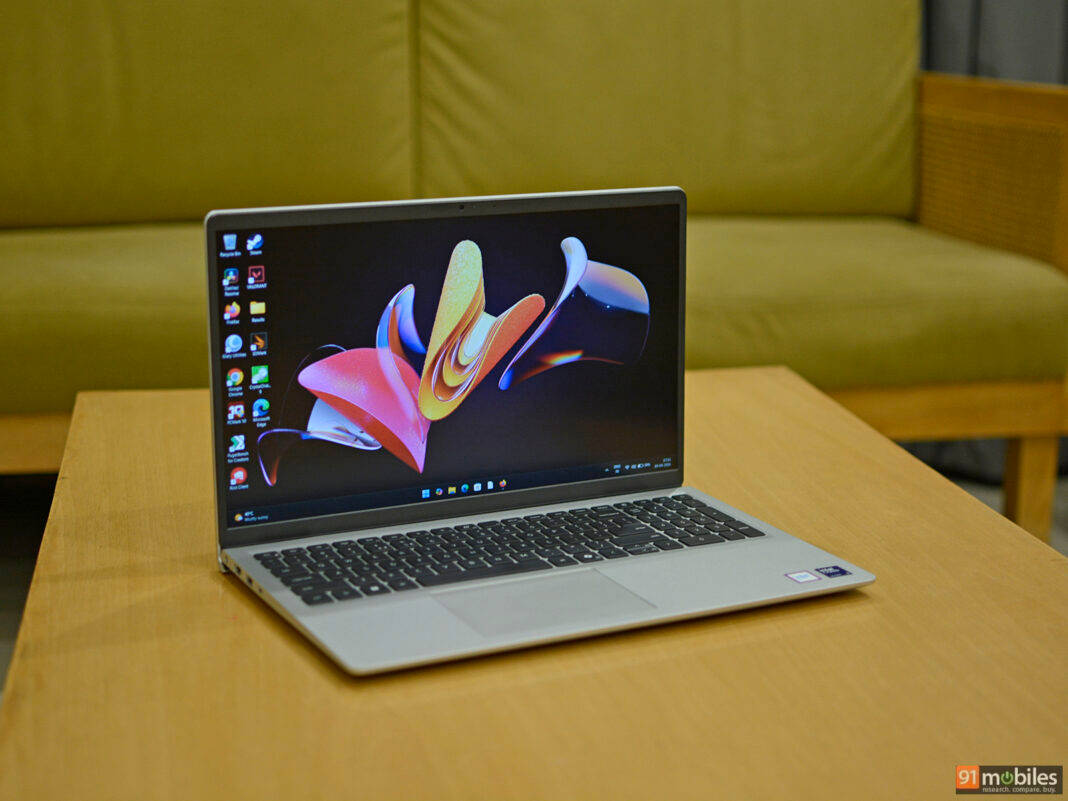
If you want one machine that handles browsing, documents, video calls, streaming and light multitasking without drama, the Dell 15 D15260 (review) is the most straightforward answer here. It is not exciting. It is the one that gets out of the way.
The Core Ultra 5 225H is a 28W Arrow Lake chip, and it delivers the strongest all-round productivity numbers on this page from a non-gaming machine. PCMark 10 came in at 7,975 with 7,025 in Extended, both ahead of the Vivobook S16 and the OmniBook 3. Cinebench R23 multi-core hit 11,013 and Geekbench 6 multi-core 10,829, while Cinebench 2026 multi-core reached 2,398, comfortably the highest here outside the gaming machines. Boot times are quick off the 1TB Gen 4 drive, which posted 5,900MB/s reads and 5,328MB/s writes.
Graphics are respectable for integrated silicon. Time Spy came in at 2,592 and Night Raid at 20,298, roughly double what the ARM-based machines here manage, and GTA V ran at 49fps at 1080p. That is not gaming performance, but it means light photo work and video playback are handled without complaint. Getting 1TB of storage as standard at this price is also unusual and genuinely useful.
The trade-offs are clearly drawn in our review. The chassis is plastic, and the design feels dated next to what else sits at this price. Memory runs single-channel, which holds back some performance. And the 41Wh battery managed only 5 hours 5 minutes in the video loop test, well short of what a modern laptop should deliver, so this is a machine that expects to stay near a socket. It scored 7.5/10.
| Pros | Cons |
| Reliable performance | Battery life |
| Not too bulky | Single-channel memory |
| Bright and consistent display | Plastic chassis with dated design |
Key specs:
- Processor: Intel Core Ultra 5 225H (28W)
- Display: 15.6-inch WVA, 60Hz
- RAM/Storage: 16GB DDR5 / 1TB Gen 4 SSD
- Battery: 41Wh, 5 hours 5 minutes (PCMark 10 video loop)
- Rating: 7.5/10
ASUS Vivobook S16 — Best for Professionals
Price at time of review: Rs 76,990
Why we picked it
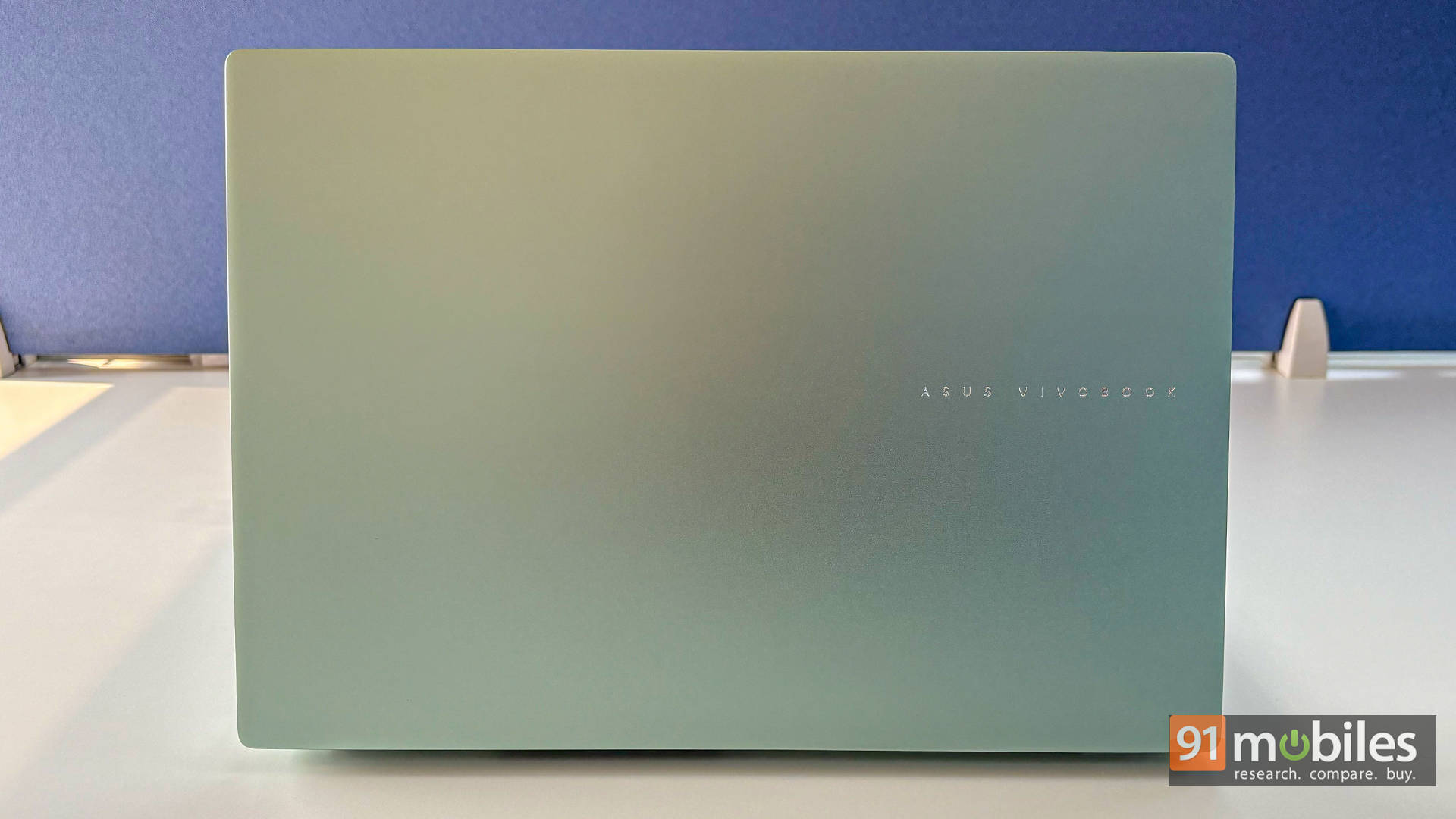
Twenty-six hours and eighteen minutes. That is what the ASUS Vivobook S16 (review) recorded in our PCMark 10 video loop test, and it remains the highest battery figure we have ever measured on any laptop at any price.
For anyone whose working day involves moving between offices, client sites and airport lounges, that number reshapes the machine’s usefulness more than any benchmark could. The Snapdragon X X1-26-100 paired with a 70Wh battery genuinely delivers on it: browsing, documents, calls and streaming across a full day, and often a second one, without the charger leaving the bag.
Performance is honest rather than dominant. It scored 7,497 in Cinebench R23 multi-core and 10,120 in Geekbench 6 multi-core, which places it behind the Dell above on multi-threaded work while feeling essentially identical in everyday use. The 16-inch OLED panel is the other professional argument, delivering the contrast and colour depth that no IPS screen on this page matches, in a 16:10 ratio that helps with documents and spreadsheets. At 1.74kg and 15.9mm it stays portable for its size, and the port selection covers dual USB-A, dual USB-C 4.0, HDMI 2.1 and a headphone jack.
Two things to weigh. This is a Windows-on-ARM machine, so older Win32 software and some niche professional tools run through emulation or not at all. And the 1200p resolution is not especially crisp stretched across 16 inches. A PugetBench DaVinci Resolve score of 1,121 confirms this is a productivity laptop rather than a creative one. It scored 8/10.
| Pros | Cons |
| Exceptional battery life | ARM architecture quirks |
| Lightweight 16-inch form factor | 1200p resolution isn’t that crisp |
| Vibrant OLED display |
Key specs:
- Processor: Qualcomm Snapdragon X X1-26-100
- Display: 16-inch OLED (1920 x 1200), 60Hz, 16:10
- RAM/Storage: 16GB LPDDR5x / 512GB Gen 4 SSD
- Battery: 70Wh, 26 hours 18 minutes (PCMark 10 video loop)
- Build: 1.74kg, 15.9mm
- Rating: 8/10
ASUS Gaming V16 — Best for Creators
Price at time of review: Rs 84,999
Why we picked it
Creative work at this price usually means choosing between GPU acceleration and everything else. The ASUS Gaming V16 (review) refuses that trade, and its PugetBench DaVinci Resolve score of 4,923 is more than four times what the Vivobook S16 manages.
The V16’s RTX 4050 with 6GB of VRAM accelerates timeline scrubbing, effects rendering and exports in a way integrated graphics simply cannot, and the Core 5 210H behind it posted 11,788 in Cinebench R23 multi-core, second only to the LOQ here. In 3DMark, it hit 7,494 in Time Spy and 17,740 in Fire Strike. For editing a client video, running Premiere or Resolve, or exporting a batch of RAW files, this is the machine on this page that finishes fastest.
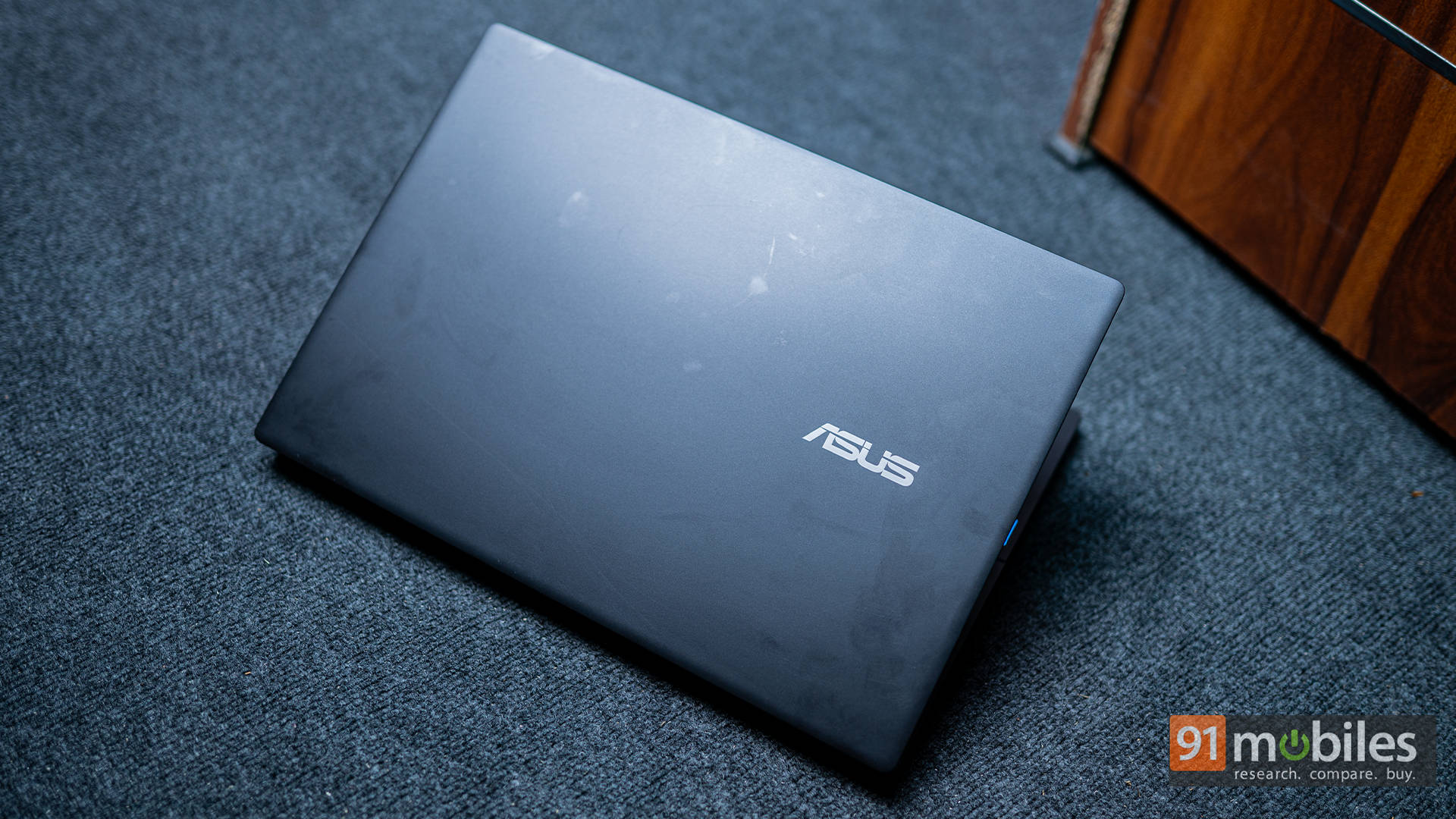
What makes it unusual is that it does not behave like a gaming laptop elsewhere. Battery ran 10 hours 48 minutes in our video loop test, which is extraordinary for anything carrying a discrete GPU and roughly two and a half times what the LOQ manages. It weighs 1.95kg, the matte chassis skips aggressive gamer styling entirely, and the 16-inch 144Hz panel in a 16:10 ratio suits timeline work as well as games.
One honest caveat: the display covers 45% NTSC, which is not going to be enough for professional colour grading. The recommendation from our testing is to edit on the go and plug into a proper monitor over HDMI 2.1 when colour accuracy matters. There is also no Ethernet port. It scored 7/10.
| Pros | Cons |
| Exceptional battery life | Weaker RTX 4050 GPU |
| Relatively portable for a 16-inch gaming laptop | Display’s colour accuracy could have been better |
| Decent FHD gaming performance | No Ethernet port |
| Professional design and sturdy build |
Key specs:
- Processor: Intel Core 5 210H (45W)
- GPU: NVIDIA GeForce RTX 4050, 6GB, 65W TGP
- Display: 16-inch IPS (1920 x 1200), 144Hz, 45% NTSC
- RAM/Storage: 16GB DDR5 / 512GB Gen 4 SSD
- Battery: 63Wh, 10 hours 48 minutes (PCMark 10 video loop)
- Weight: 1.95kg
- Rating: 7/10
Lenovo LOQ 15IRX9 — Best for Gaming
Price at time of review: Rs 92,491
Why we picked it
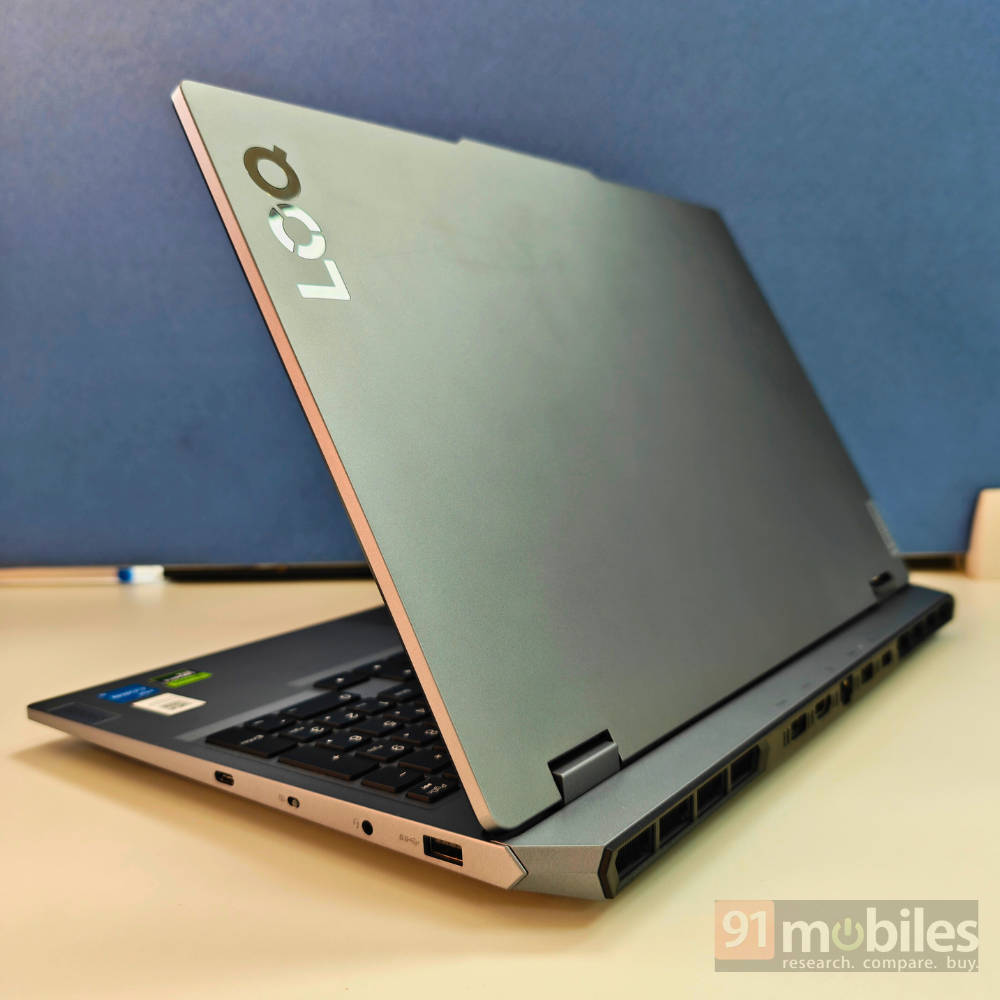
The Lenovo LOQ 15IRX9 (review) runs its RTX 4050 at 105W rather than the 65W the V16 allows, and that single difference decides the gaming category.
The gap in the numbers is large. Time Spy came in at 9,441 against the V16’s 7,494, Fire Strike at 20,047 against 17,740, and Night Raid at 56,790. In real games, the separation is clearer still: GTA V ran at 147fps against 96, Valorant at 349fps against 243, and Cyberpunk 2077 at 67fps native at FHD, climbing to 79fps with DLSS. Forza Horizon 5 held 56fps and Black Myth Wukong 35fps at native settings, so demanding titles need upscaling but remain playable.
The CPU also matters as much as the GPU. The Core i5-13450HX is a 55W HX-series chip, and it posted 16,663 in Cinebench R23 multi-core, the highest figure on this page by a wide margin, alongside 11,813 in Geekbench 6 multi-core and 9,498 in PCMark 10 Extended. Paired with 24GB of DDR5 and a 1TB Gen 4 drive out of the box, this is a machine that will not need upgrading for a while, and the 15.6-inch 144Hz panel keeps competitive titles smooth.
The cost is portability and endurance, with the battery managing 4 hours 24 minutes, the shortest here, so this is a desk machine that travels rather than a laptop you work on unplugged. Our review is also candid that at this price, the arrival of RTX 5050 machines makes the value harder to justify, and that this configuration makes most sense when found discounted. It scored 8/10.
| Pros | Cons |
| Powerful CPU & GPU | Battery could be bigger |
| 24GB DDR5 RAM onboard | No Thunderbolt 4 port |
| Great typing experience | Mediocre webcam |
| Good AAA gaming performance |
Key specs:
- Processor: Intel Core i5-13450HX (55W)
- GPU: NVIDIA GeForce RTX 4050, 6GB, 105W TGP
- Display: 15.6-inch IPS, 144Hz
- RAM/Storage: 24GB DDR5 / 1TB Gen 4 SSD
- Battery: 60Wh, 4 hours 24 minutes (PCMark 10 video loop)
- Rating: 8/10
HP OmniBook 3 — Best Ultrabook
Price at time of review: Rs 79,990
Why we picked it
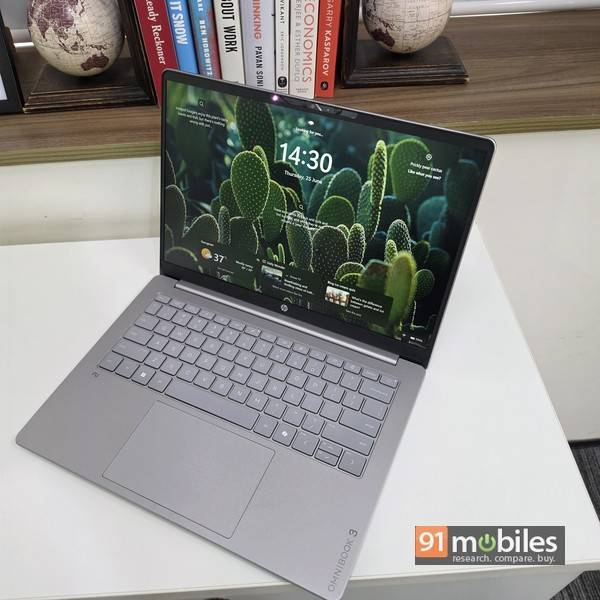
At 1.4kg with a 1.5cm profile and 18 hours 42 minutes of tested battery, the HP OmniBook 3 (review) is the machine here you can carry all day and never think about the charger.
Apart from the battery life, the laptop’s 512GB Gen 4 drive posted 6,995MB/s sequential reads, the fastest among every laptop we compared it against, including the Vivobook S16 at 6,327MB/s, and it took random reads too at 87.17MB/s. The Snapdragon X processor with 16GB of RAM handles productivity workloads without complaining, scoring 1,566 in Cinebench 2026 multi-core, ahead of the MacBook Neo’s 1,391, alongside 10,573 in Geekbench 6 multi-core.
The display choice is deliberate rather than cheap. The 14-inch 1920 x 1200 IPS panel runs at 300 nits with an anti-glare coating that cuts reflections effectively in bright offices and outdoors, which our reviewer rates as a genuine productivity gain over glossier screens. The keyboard is the other highlight, with flat, closely packed keys that still offer good travel and two-stage white backlighting. The bundled charger deserves a mention too: a compact 65W Type-C brick barely larger than a phone charger, which also charges your phone.
Know the limits. Screen brightness could be higher, the bottom-firing speakers are adequate for calls rather than music, and colours look muted enough that this is not a machine for graphics work or colour grading. There is no SD card slot and no fingerprint sensor, though Windows Hello face unlock is present. It scored 7.7/10.
| Pros | Cons |
| Smooth performance | Screen brightness could have been better |
| Good battery life | Audio quality is so-so |
| Antiglare display | |
| Compact charger |
Key specs:
- Processor: Qualcomm Snapdragon X X1-26-100 (30W)
- GPU: Adreno X1-45
- Display: 14-inch (1920 x 1200) IPS, 60Hz, 300 nits, anti-glare
- RAM/Storage: 16GB LPDDR5 / 512GB Gen 4 SSD
- Battery: 60Wh, 18 hours 42 minutes (PCMark 10 video loop), 65W compact USB-C charger
- Build: 1.4kg, 1.5cm thin
- Rating: 7.7/10
Apple MacBook Neo — Best MacBook Option
Price at time of review: Rs 69,990
Why we picked it
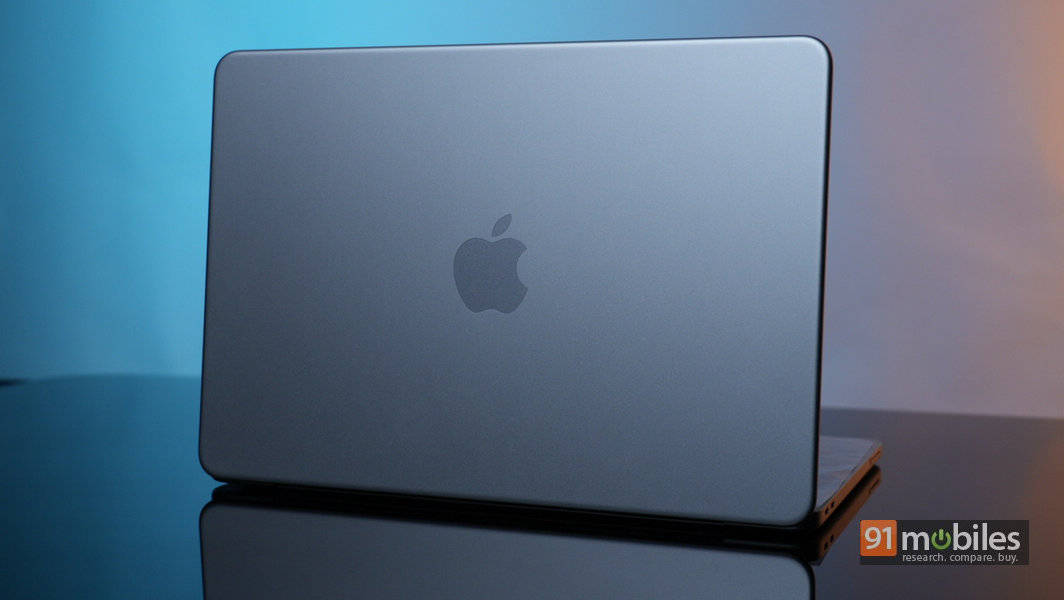
The Apple MacBook Neo (review) is the cheapest route into macOS, and at Rs 69,990 it is also the highest-rated laptop on this page.
Single-core performance is what separates it. It scored 3,466 in Geekbench 6 single-core, far ahead of everything else here, and 1,717 in CrossMark, again the highest on this page. That advantage shows up in the way the machine feels rather than in export times: app launches, interface responsiveness and general snappiness all sit a tier above the Windows machines at this price. Multi-core is a different story at 8,727 in Geekbench 6, behind both ARM Windows laptops here.
The 13-inch Liquid Retina display runs 2,408 x 1,506 at 500 nits with an anti-reflective coating, and in our testing it held its own against similarly priced Windows machines shipping OLED panels. The aluminium build shows no creak or flex, it runs fanless and silent, and the trackpad remains the class benchmark. Battery scored 8.8/10 in our review, covering a full working day comfortably.
The ceiling is memory. Eight gigabytes is what you get, and it becomes a genuine constraint the moment files get heavy or the tab count climbs. There is no keyboard backlight, which is a real omission at this price. Ports run to two USB-C and a headphone jack, and Touch ID only appears on the 512GB model. Anyone needing raw multi-core throughput or GPU acceleration should look at the Windows machines above. For everything else, it scored 8.5/10, the highest here.
| Pros | Cons |
| Compact, lightweight, and well-built | Can’t handle heavy workloads |
| Good display, performance & battery life | No keyboard backlight |
| Delivers the core MacBook experience | Limited ports |
| Value for money |
Key specs:
- Chip: Apple A18 Pro
- Display: 13-inch Liquid Retina (2,408 x 1,506), 500 nits, anti-reflective
- RAM/Storage: 8GB unified / 256GB SSD
- Battery: Full working day, 30W charger
- Connectivity: 2x USB-C, 3.5mm jack
- Rating: 8.5/10
Winners at a glance
Prices are as of the time each laptop was reviewed and are subject to change.
| Laptop | Category win | Processor | Graphics | Memory/Storage | Battery | Rating | Price |
| Dell 15 D15260 | Best overall | Core Ultra 5 225H | 15.6-inch WVA, 60Hz | 16GB / 1TB | 5:05 | 7.5/10 | Rs 77,890 |
| ASUS Vivobook S16 | Best for professionals | Snapdragon X X1-26-100 | 16-inch OLED, 60Hz | 16GB / 512GB | 26:18 | 8/10 | Rs 76,990 |
| ASUS Gaming V16 | Best for creators | Core 5 210H + RTX 4050 | 16-inch IPS, 144Hz | 16GB / 512GB | 10:48 | 7/10 | Rs 84,999 |
| Lenovo LOQ 15IRX9 | Best for gaming | Core i5-13450HX + RTX 4050 | 15.6-inch IPS, 144Hz | 24GB / 1TB | 4:24 | 8/10 | Rs 92,491 |
| HP OmniBook 3 | Best ultrabook | Snapdragon X X1-26-100 | 14-inch IPS, 60Hz | 16GB / 512GB | 18:42 | 7.7/10 | Rs 79,990 |
| Apple MacBook Neo | Best MacBook option | Apple A18 Pro | 13-inch Liquid Retina | 8GB / 256GB | Full workday | 8.5/10 | Rs 69,990 |
FAQs
Which is the best laptop under Rs 1,00,000 in India?
The Dell 15 D15260 at Rs 77,890 is the most versatile all-rounder, with the strongest productivity scores among the non-gaming machines here, including 7,975 in PCMark 10, plus 1TB of storage as standard. If your priority is battery, gaming or creative work specifically, the Vivobook S16, LOQ 15IRX9 and Gaming V16 each beat it in their own category.
Which laptop under Rs 1,00,000 has the best battery life?
The ASUS Vivobook S16, with 26 hours 18 minutes in our PCMark 10 video loop test, the highest figure we have ever recorded. The HP OmniBook 3 is second at 18 hours 42 minutes.
Which is the best gaming laptop under Rs 1,00,000?
The Lenovo LOQ 15IRX9. Its RTX 4050 runs at 105W against the ASUS Gaming V16’s 65W, which translates to 147fps in GTA V, 349fps in Valorant and 67fps in Cyberpunk 2077 at native FHD.
Which laptop under Rs 1,00,000 is best for video editing?
The ASUS Gaming V16, which scored 4,923 in PugetBench for DaVinci Resolve, more than four times the Vivobook S16’s 1,121. Its RTX 4050 handles GPU-accelerated effects and exports, though the 45% NTSC display means colour grading needs an external monitor.
Is the MacBook Neo worth buying over a Windows laptop at this price?
It depends on the workload. The Neo leads on single-core performance at 3,466 in Geekbench 6 and on build quality, and it is the highest-rated machine here at 8.5/10. But 8GB of memory limits heavy multitasking, and both ARM Windows laptops here beat it on multi-core throughput. Choose it if you want macOS and your work is light to moderate.
Should I buy a Snapdragon (ARM) laptop at this price?
Two of these six run Snapdragon X chips, and both deliver battery life no x86 machine here approaches. Mainstream applications now run well on ARM, but older Win32 software, some professional tools and certain drivers still run through emulation or not at all. If your work depends on legacy software, choose the Dell, the Gaming V16 or the LOQ instead.
Which laptop under Rs 1,00,000 is best for office and business use?
The ASUS Vivobook S16 for anyone who travels, thanks to its 26-hour battery and 16-inch OLED display. For a desk-bound office machine, the Dell 15 D15260 offers stronger multi-core performance and 1TB of storage, though its 5-hour battery means keeping the charger close.