This guide is for students in India who need a laptop that survives four years of assignments, lectures, group projects, and the occasional Netflix binge, without wrecking a semester’s budget. Whether you’re a first-year student buying your first machine, an engineering student who needs real multi-core muscle for compiling and simulations, a design student chasing colour accuracy, or someone who just wants a laptop that lasts a full day of classes on one charge, we narrow the field to machines that earned their spot in testing. It’s especially useful if you have a hard price ceiling and want to know exactly what you get at each one.
We tested and compared laptops across the sub-Rs 30,000, Rs 40,000, Rs 50,000, and Rs 60,000 segments, plus premium student machines, to find the best student laptops in India. Rankings are based on real-world usage, synthetic benchmarks, battery endurance, display quality, keyboard comfort, build quality, upgradability, and value for money.
The Acer Aspire 15 AS15-42 is our best overall pick for its Ryzen 7 muscle at a Rs 40,990 price. The Acer Aspire 3 A324-53 leads under Rs 60,000, the Lenovo ThinkBook 16 Gen 7 under Rs 50,000, the Dell Vostro 14 3440 under Rs 40,000 and the CHUWI CoreBook X Pro under Rs 30,000. The Lenovo IdeaPad Slim 5 13ARP10 is the one for engineering and coding, the Apple MacBook Neo wins for design, and the Acer Aspire 14 AI is untouchable on battery. Updated for July 2026 with the latest launches, testing data and price changes.
A note on pricing: all prices listed here are what each laptop cost at the time we reviewed it. Laptop prices in India have moved sharply over the past few months, driven largely by memory and storage costs, so verify current pricing before you buy. Sale events can also swing these numbers by Rs 10,000 or more in either direction.
Table of Contents
How do we test laptops for students?
Every laptop here has been used as a daily driver for weeks, not benchmarked for an afternoon and shipped back. That means the actual student workload: dozens of browser tabs, Word and Excel, video calls, streaming, light photo editing, and in a few cases coding and casual gaming.
The benchmark suite is consistent across every machine, which is what makes these comparisons meaningful. We run Cinebench R23, R24 and 2026 for CPU performance, Geekbench 6 for cross-platform comparison, PCMark 10 and PCMark 10 Extended for real-world productivity, the 3DMark stack from Night Raid to Time Spy for graphics, and CrystalDiskMark for storage speeds. Battery life comes from the PCMark 10 video loop test at 80 percent brightness, which is why the numbers you’ll see below are directly comparable to each other rather than manufacturer claims.
We also weigh the things that matter more to students than to anyone else. Can you type on it for three hours without your hands complaining? Does it survive being thrown into a backpack daily? Can you upgrade the RAM in year three instead of buying a new laptop? Is the display readable in a bright classroom? Those questions shape the picks below just as much as the benchmark charts do.
Acer Aspire 15 AS15-42 — Best Overall Student Laptop
Price: Rs 42,990
Why we picked it
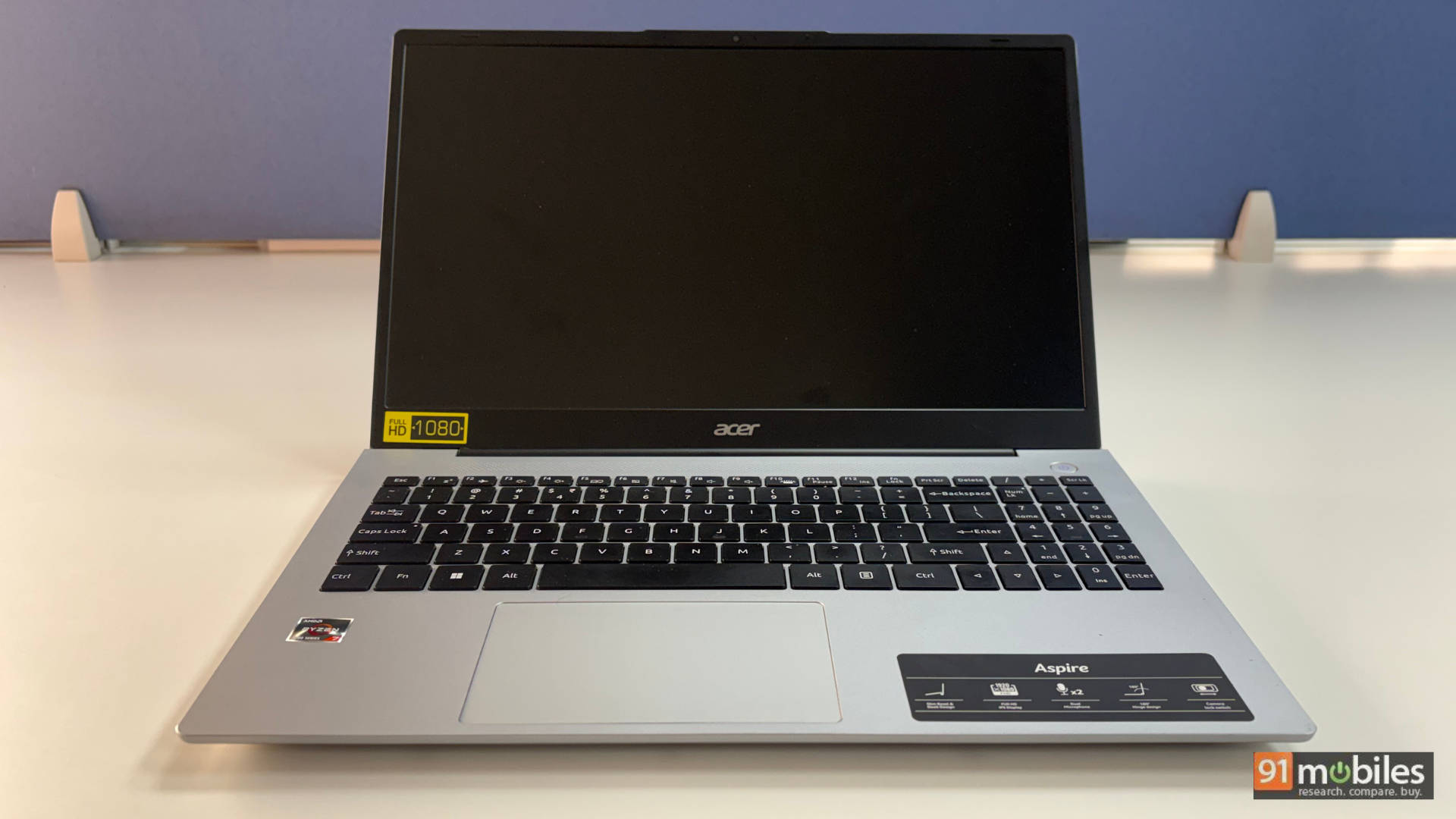
The Acer Aspire 15 AS15-42 (review) is our best overall student laptop because it delivers genuine Ryzen 7 multi-core performance at a price where most rivals are still shipping entry-level chips, making it the single best performance-per-rupee buy for students right now.
Performance is where this machine earns the top slot, and it isn’t close. The Ryzen 7 7730U paired with 16GB of DDR4 and a 512GB Gen4 SSD scored 9,262 in Cinebench R23 multi-core in our testing, ahead of the Lenovo ThinkPad E14’s 8,062 and effectively matching machines costing more. In daily use, juggling 20-plus Chrome tabs, multiple desktops, and light photo editing stayed smooth with only minor slowdowns after long sessions. Our review scored it 8.5/10 on performance alone.
The practical stuff holds up too. The full-sized backlit keyboard has good travel and tactile feedback, the trackpad is spacious and responsive, and the port selection is genuinely excellent: HDMI, three USB-A, two USB-C 3.2, a microSD slot and a physical camera shutter, so no dongles. RAM upgrades to 32GB and an easy-access storage slot means it can grow with you.
Be clear-eyed about the trade-offs. The 15.6-inch panel covers just 45 percent NTSC at 300 nits, so colours look washed out and outdoor use is a struggle. There’s noticeable chassis and screen flex. And the 55Wh battery managed only 5 hours 40 minutes in the PCMark 10 video loop test, the weakest here.
| Pros | Cons |
| Excellent performance for the price | Average display quality (45% NTSC, 300 nits) |
| Clean, minimal design | Noticeable chassis flex |
| Large, comfortable keyboard with backlight | Battery life could have been better |
Good port selection, no dongles needed |
Key specs:
- Processor: AMD Ryzen 7 7730U
- GPU: AMD Radeon (integrated)
- Display: 15.6-inch FHD TFT LCD, 16:9, 45% NTSC, 300 nits, anti-glare
- RAM/Storage: 16GB DDR4 (upgradeable to 32GB) / 512GB Gen4 SSD
- Battery: 55Wh, 5 hours 40 minutes (PCMark 10 video loop), 65W charger
- Weight: 1.79kg
- Rating: 7/10
Acer Aspire 3 A324-53 — Best Student Laptop Under Rs 60,000
Price: Currently Rs 46,990
Why we picked it
The Acer Aspire 3 A324-53 (review) is our best student laptop under Rs 60,000 because it combines surprisingly fast storage, genuine all-day battery life, and the best keyboard in this price band into a 14-inch body light enough to forget in your bag.
The headline surprise here is the SSD. In CrystalDiskMark, the 512GB Gen 4 drive posted 7,039MB/s reads and 5,279MB/s writes, numbers that belong on laptops costing twice as much. The Intel Core i5-1334U backing is an efficiency chip rather than a powerhouse, but it topped this group in real-world productivity scoring, hitting 6,342 in PCMark 10 and 8,061 in Geekbench 6 multi-core, both ahead of the Aspire 15. Fifteen-plus Chrome tabs alongside light photo editing genuinely isn't a problem. Just don't expect it to run Black Myth: Wukong, GTA V, and Valorant with tweaked settings.
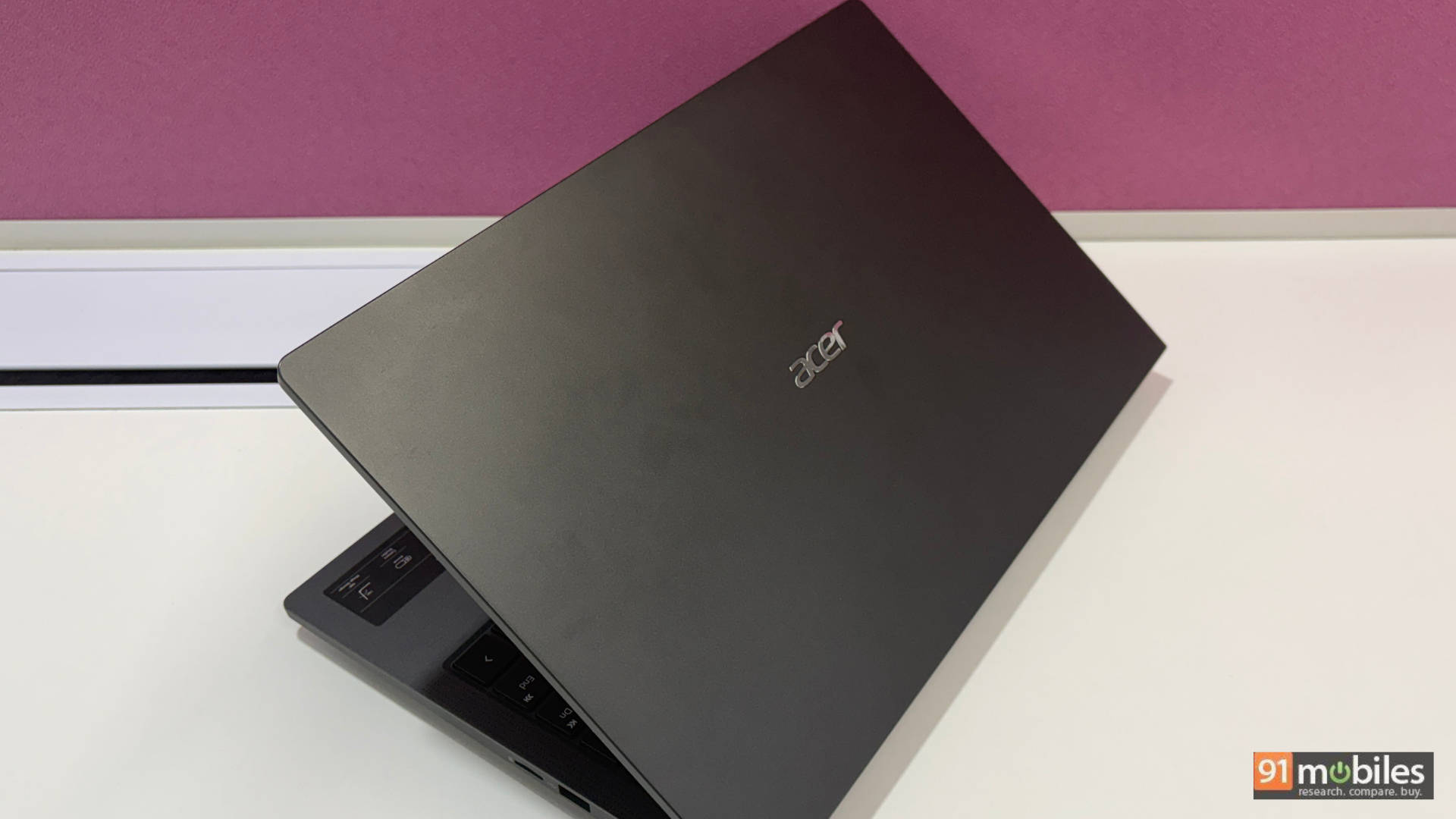
Around that sits a well-judged package. At under 1.5kg and 19.4mm thin, in a steel grey finish with a subtle grainy texture, it's a legitimately nice-looking machine. The 180-degree hinge is more useful than it sounds. The keyboard leans clicky rather than mushy with good travel and a backlight, and the port selection means no dongles ever: two USB-C, two USB-A, HDMI, microSD, headphone jack, and a Kensington lock, plus Wi-Fi 6 and Bluetooth 5.2. The 45Wh battery ran 7 hours 25 minutes on the PCMark 10 video loop test, roughly double what most budget alternatives manage.
The compromises are again on the display side of things, while the audio quality is none too good. It scored 7.5/10. Worth knowing: this laptop has been spotted as low as Rs 43,000 in sales and frequently sits around Rs 50,000, which is where it becomes a genuine no-brainer.
| Pros | Cons |
| Light and slim enough to forget it's in your bag | Display colours are just okayish |
| No dongle needed, ever | Subpar audio and webcam |
| Clicky, satisfying keyboard | Trackpad is a little cramped |
Chews through everyday multitasking easily |
Key specs:
- Processor: Intel Core i5-1334U
- GPU: Intel integrated graphics
- Display: 14-inch FHD non-reflective IPS, 45% NTSC, 60Hz
- RAM/Storage: 16GB (expandable to 32GB) / 512GB Gen 4 SSD
- Battery: 45Wh, 7 hours 25 minutes (PCMark 10 video loop), 65W USB-C PD
- Weight: Just under 1.5kg, 19.4mm thin
- Rating: 7.5/10
Lenovo ThinkBook 16 Gen 7 — Best Student Laptop Under Rs 50,000
Price at time of review: Around Rs 46,990
Why we picked it
The Lenovo ThinkBook 16 Gen 7 (review) is our best student laptop under Rs 50,000 because it pairs an HS-series processor with dual RAM and dual SSD slots and 9 hours of battery life, making it the most future-proof machine you can buy at this price.
Most laptops in this bracket run U-series chips built to sip power rather than deliver it. The ThinkBook rolls in with a Ryzen 5 7535HS, and the gap shows immediately. It scored 9,393 in Cinebench R23 multi-core, 5,779 in PCMark 10, and 8,072 in Geekbench 6 multi-core, beating the Aspire 15 and comfortably clearing the Chuwi CoreBook X Pro and Dell Inspiron 15 3530 in our head-to-head. Even the integrated Radeon 660M pulls ahead of the pack, scoring 16,305 in 3DMark Night Raid, enough for light creative work and casual gaming after hours.
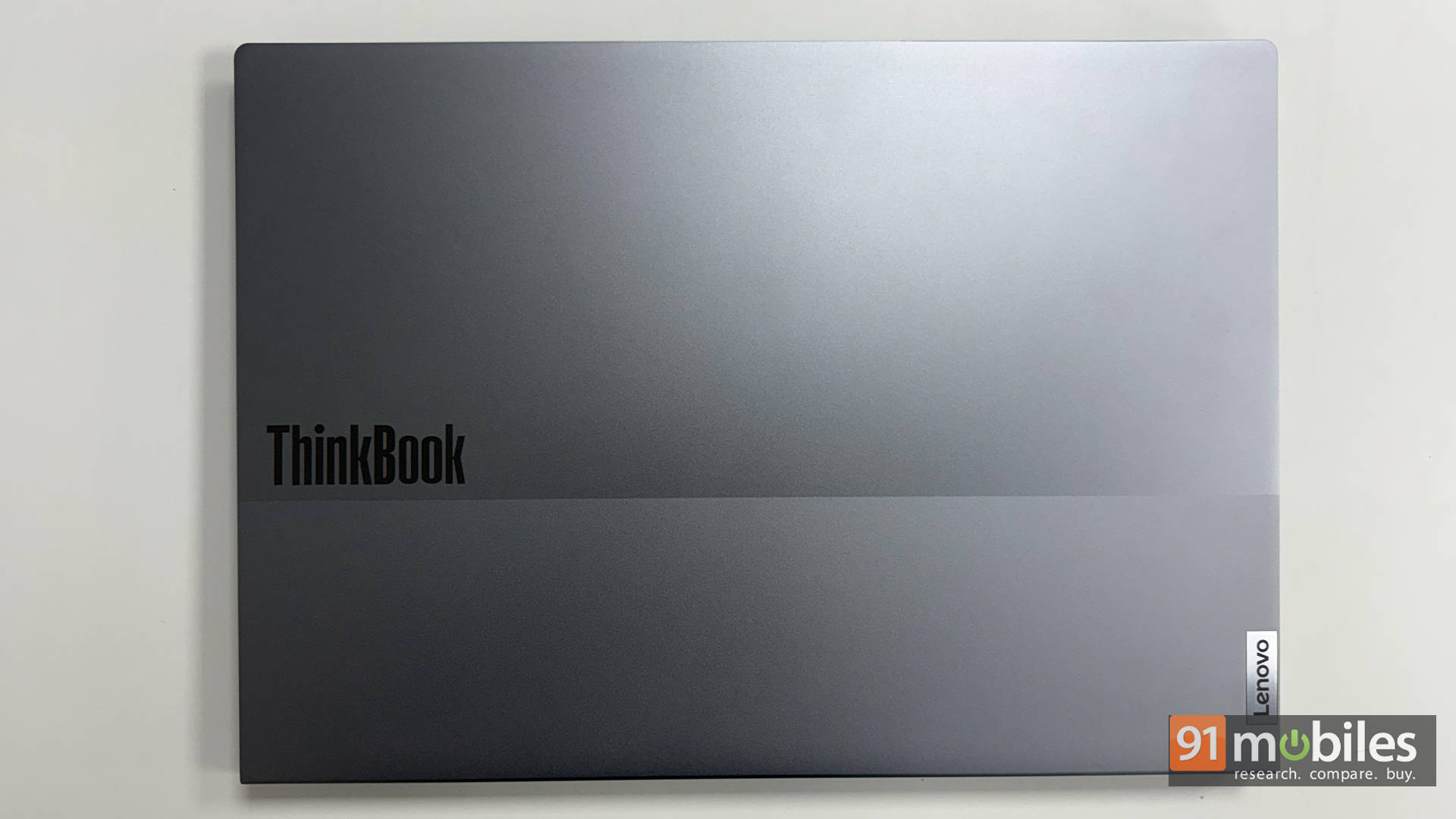
The upgrade path is what really sets this apart for a four-year degree. Dual SO-DIMM RAM slots and two M.2 SSD slots mean you can add memory and storage in year two or three instead of replacing the laptop. The 16-inch WUXGA 16:10 panel gives you real vertical room for spreadsheets, code, and split-screen work, and the keyboard is comfortable enough that long essay sessions stop being a chore. The port selection resists the USB-C-only trend, keeping USB-A, HDMI, Ethernet and a headphone jack, plus a physical webcam privacy shutter. And despite the modest 45Wh battery, the efficient chip pushed it to 9 hours in the PCMark 10 video loop test, roughly double what most laptops in this range manage.
At 1.7kg and 16 inches, it's not the machine you carry between five lectures a day, and the display trades brightness and colour accuracy for size. But at 8.5/10, it's the smartest long-term buy on this list.
| Pros | Cons |
| Spacious 16-inch 16:10 display boosts productivity | Average brightness and colour accuracy |
| HS-series chip delivers standout performance for the price | Heavier than typical 14-inch options |
Dual RAM and dual SSD slots for easy upgrades | |
Sturdy, professional build with full port selection |
Key specs:
- Processor: AMD Ryzen 5 7535HS
- GPU: AMD Radeon 660M
- Display: 16-inch WUXGA, 16:10
- RAM/Storage: 16GB DDR5 / 512GB PCIe Gen4 SSD (dual RAM + dual M.2 slots)
- Battery: 45Wh, 9 hours (PCMark 10 video loop), 65W USB-C
- Weight: Around 1.7kg
- Rating: 8.5/10
Dell Vostro 14 3440 — Best Student Laptop Under Rs 40,000
Price at time of review: Rs 39,990
Why we picked it
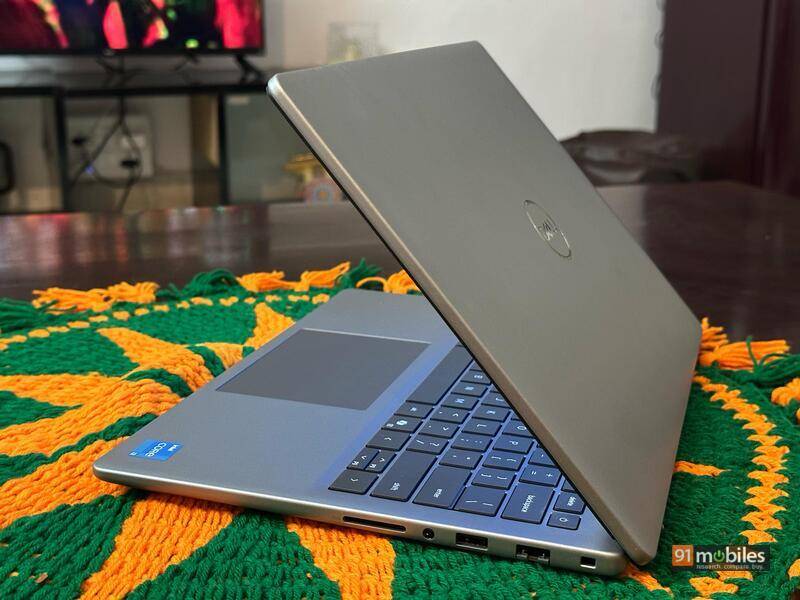
The Dell Vostro 14 3440 (review) is our best student laptop under Rs 40,000, delivering dependable everyday performance in a genuinely portable 1.46kg build that feels considerably more professional than its Rs 39,990 price suggests.
Set expectations correctly, and this machine delivers. The 13th-gen Core i3-1305U is a quad-core chip boosting to around 4.5GHz, paired with 8GB of DDR4 that's expandable to 16GB. In testing, it scored 4,730 in Cinebench R23 multi-core and 4,494 in PCMark 10, with 8,336 in Essentials and 6,202 in Productivity, which is exactly the profile you want for browsing, office apps, and light multitasking. It'll strain under Photoshop or video editing, but for typical coursework, meetings, and streaming it performs admirably.
Where it quietly wins is the everyday feel. The matte black chassis is reinforced around the hinges, the rounded edges look more refined than the usual boxy budget laptop, and at 1.46 kg it's easy to carry between classes. The 14-inch FHD display is crisp with vivid colours and thin bezels, the full-size island-style keyboard has enough travel for long typing sessions, and the 41Wh battery stretches to around 4 hours and 29 minutes of light usage with fast charging support.
The compromises: brightness struggles outdoors, the trackpad is functional rather than precise with occasional lag, and there's no keyboard backlight, which is a genuine annoyance for late-night work. It scored 7.5/10 on our review.
| Pros | Cons |
| Smooth multitasking and daily performance | Low brightness for outdoor usage |
| Lightweight and portable build quality | Trackpad responsiveness is average |
| Fast SSD with great read speeds | No keyboard backlighting |
Long battery life for workdays |
Key specs:
- Processor: Intel Core i3-1305U (13th Gen, quad-core, up to 4.5GHz)
- GPU: Intel UHD Graphics
- Display: 14-inch FHD (1920 x 1080)
- RAM/Storage: 8GB DDR4 (expandable to 16GB) / SSD
- Battery: 41Wh, up to 9 hours light usage, fast charging
- Weight: 1.46kg
- Rating: 7.5/10
CHUWI CoreBook X Pro — Best Student Laptop Under Rs 30,000
Price at time of review: Around Rs 30,000
Why we picked it
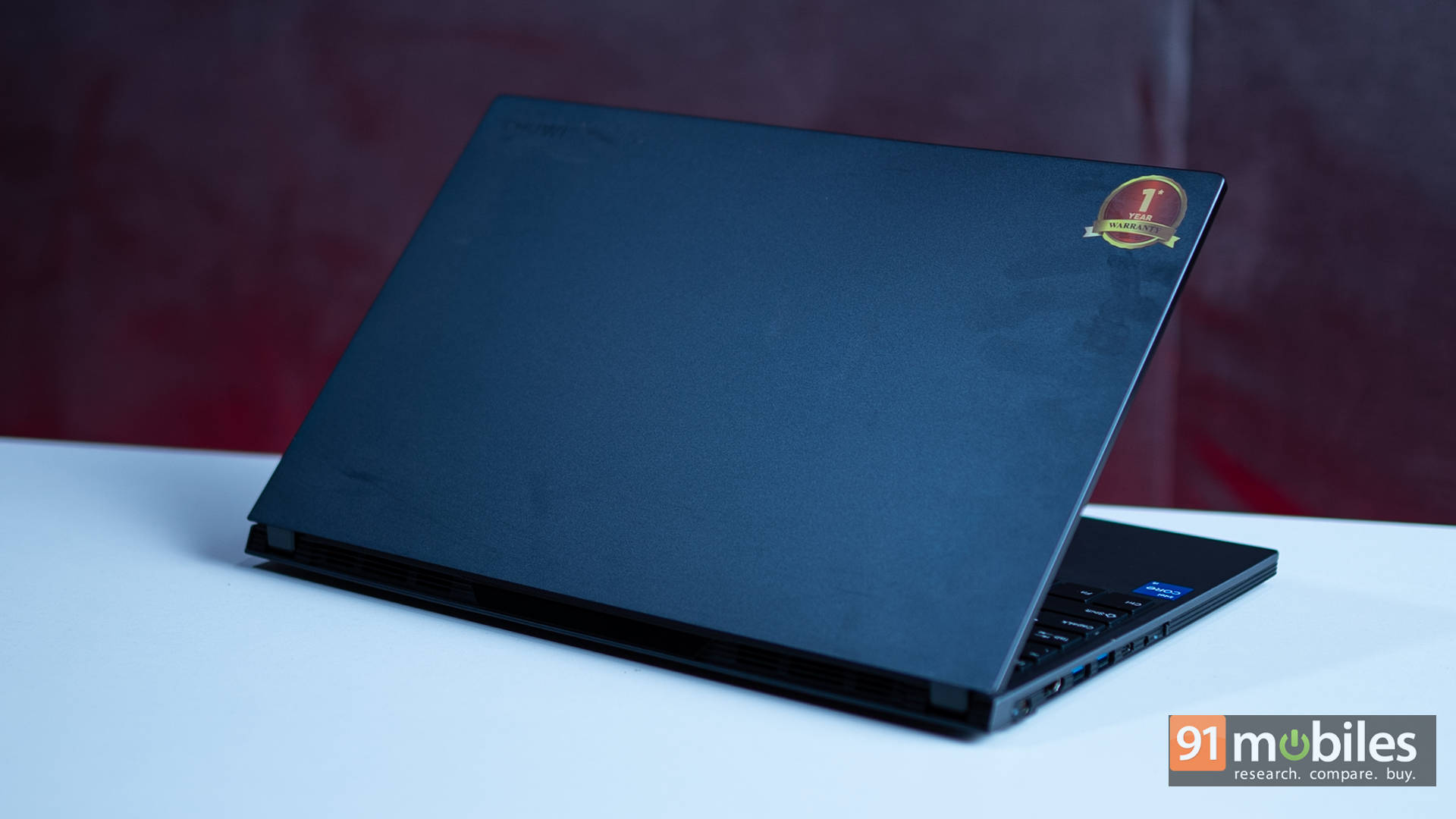
The CHUWI CoreBook X Pro (review) is our best student laptop under Rs 30,000 because it puts a 12th-gen H-series processor, 16GB of RAM and a properly upgradeable chassis at a price where the competition is still shipping sluggish entry-level chips and 768p screens.
The processor is the whole story. The Intel Core i5-12450H is a full H-series part, the kind you normally find in Rs 50,000 to Rs 60,000 creator and gaming laptops. In our benchmarks, it scored 7,128 in Cinebench R23 multi-core and 5,104 in PCMark 10, landing neck and neck with entry-level gaming laptops running the same chip, and demolishing typical budget contenders built on Core i3-1305U silicon. Paired with 16GB of DDR4, multitasking across Chrome tabs, video calls, and productivity apps simply doesn't stutter.
Then there's the upgradability, which is genuinely rare at any price. Chuwi put dedicated flaps on the bottom for RAM and SSD access, so no prying the chassis apart. The single 16GB stick means you can go to 32GB, and a second M.2 slot takes up to 2TB. For a student who wants this machine to last through a full degree, that matters.
Two things to know. The 6-bit display shows muted colours and gradient banding, so it's most definitely not for colour work. And Chuwi's after-sales support in India remains an unknown quantity, which is the real gamble here. Battery is average at just under 5 hours. It earned 8.5/10.
| Pros | Cons |
| Excellent performance | Average 6-bit display with muted colours |
| Upgradeable RAM and SSD | After-sales support and long-term reliability unclear |
Backlit keyboard and solid I/O selection | |
Good build quality with an aluminium lid |
Key specs:
- Processor: Intel Core i5-12450H (12th Gen H-series)
- GPU: Intel UHD Graphics
- Display: 15.6-inch Full HD, 60Hz, 6-bit panel
- RAM/Storage: 16GB DDR4 (upgradeable to 32GB) / 512GB NVMe SSD (second M.2 slot free)
- Battery: 49.08Wh, just under 5 hours (PCMark 10 video loop), barrel-pin charger
- Weight: Around 1.7kg
- Rating: 8.5/10
Lenovo IdeaPad Slim 5 13ARP10 — Best Laptop for Engineering and Coding Students
Price at time of review: Rs 61,190
Why we picked it
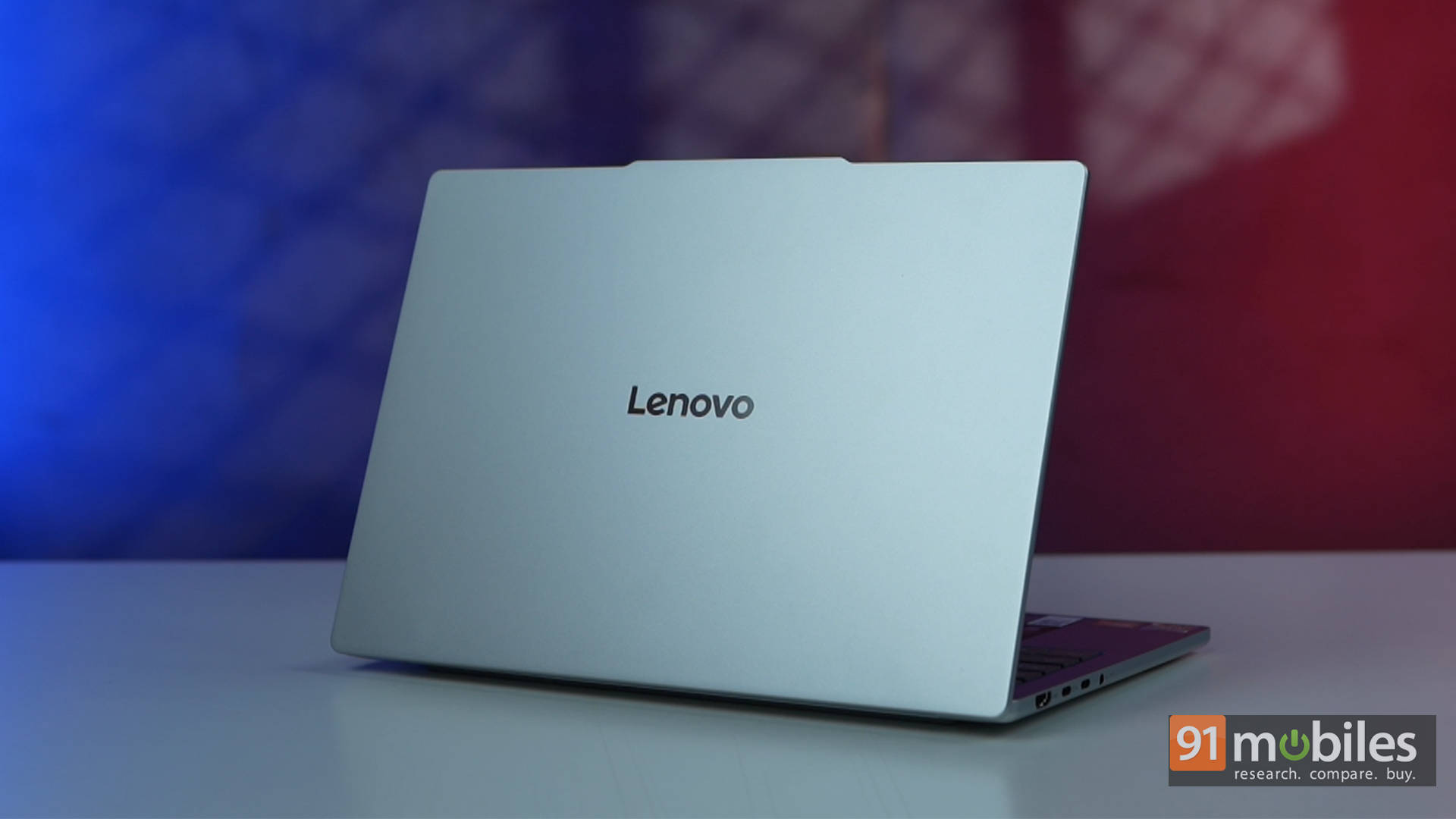
The Lenovo IdeaPad Slim 5 13ARP10 (review) is our best laptop for engineering and coding students because it packs an HS-class Ryzen 7 into a 1.15kg aluminium body, giving you the sustained multi-threaded performance that compiling and simulation work demands without the weight penalty.
Engineering workloads punish weak CPUs, and this is where the Slim 5 separates itself. While most ultraportables at this price settle for low-power U-series chips, Lenovo dropped in the Ryzen 7 7735HS, silicon normally found in far bigger performance laptops. It scored 2,543 in Cinebench 2026 multi-core and 8,978 in Geekbench 6 multi-core in our testing, beating similarly priced rivals from Dell, Acer, and even Apple's entry-level MacBook in multi-threaded work. Thirty Chrome tabs alongside a compiler, documentation, and a video call: nothing made it flinch. The Radeon 680M graphics scored 21,204 in 3DMark Night Raid, comfortably handling visualisation work and esports titles between labs.
For a student carrying a laptop across campus daily, the rest of the package is close to ideal. At 1.15kg and 14mm thin it disappears into a backpack. The 13.3-inch 16:10 display covers 100 percent sRGB at 400 nits with a matte finish that stays readable under lecture-hall lighting, and the taller aspect ratio means more visible lines of code. Crucially for a compact machine, it features two USB-C ports, two USB-A ports, HDMI, and a microSD reader, allowing lab equipment and external displays to connect without the need for a dongle hunt.
Here is the catch: RAM is soldered at 16GB with no upgrade path, which stings on a machine you'll keep for four years, and battery life is decent rather than exceptional at 6 hours 22 minutes in the PCMark 10 video loop test. At 8.7/10, it's still the sharpest tool here for technical coursework.
| Pros | Cons |
| Premium all-aluminium chassis | Soldered RAM with no upgrade path |
| Powerful everyday performance | Battery life is average under heavier workloads |
| Bright, colour-accurate 16:10 display | Side-mounted power button is easy to press accidentally |
Excellent port selection |
Key specs:
- Processor: AMD Ryzen 7 7735HS
- GPU: AMD Radeon 680M
- Display: 13.3-inch WUXGA IPS, 16:10, 100% sRGB, 400 nits, matte
- RAM/Storage: 16GB LPDDR5x (soldered) / 512GB Gen4 SSD
- Battery: 6 hours 22 minutes (PCMark 10 video loop), 65W USB-C fast charging
- Weight: 1.15kg, 14mm thin
- Rating: 8.7/10
Apple MacBook Neo — Best Laptop for Design Students

Price at time of review: Rs 69,900 (256GB), Rs 79,900 (512GB)
Why we picked it
The Apple MacBook Neo (review) is our best laptop for design students because its 13-inch Liquid Retina display is good enough to almost match OLED rivals, and because a Rs 10,000 student discount brings the core MacBook experience within reach of a college budget for the first time.
The display is the reason it wins this category. At 2,408 x 1,506 with 500 nits of brightness and an anti-reflective coating, it's vibrant, bright, and reproduces text and images beautifully. In our testing, it holds its own against similarly priced Windows rivals like the ASUS Vivobook S16 and Motorola MotoBook 60, which ship OLED panels, and it beats them in Geekbench single-thread performance. For design students working in Figma, Illustrator, Canva, or light video, that combination of colour fidelity and responsiveness is exactly right. It even handles basic 4K video editing for short-form content.
The build is classic MacBook: aluminium, no creaks or flex, 1.23kg, and fanless, so it runs silently through a full studio session. The trackpad is superb, and once you've used it, going back to a Windows trackpad genuinely hurts. Battery comfortably delivers a full workday on a charge, which scored 8.8/10 in our review. And students can claim a Rs 10,000 discount, bringing the entry price to Rs 59,900.
Now the honest limits, because they matter for design work. You're stuck with 8GB of RAM, which becomes a bottleneck the moment your files get heavy, and this is the first Mac built around a smartphone chip, the A18 Pro. There's no keyboard backlight, which is a real problem for late-night studio work. Ports are limited to two USB-C, connectivity tops out at Wi-Fi 6E rather than Wi-Fi 7, and TouchID only appears on the 512GB model. If you're doing serious video editing or 3D, this isn't your machine. For everything short of that, at 8.5/10, it's a lot of Mac for the money.
| Pros | Cons |
| Compact, lightweight and well-built | Can't handle heavy workloads |
| Good display, performance & battery life | No keyboard backlight |
| Delivers the core MacBook experience | Limited ports |
| Value for money |
Key specs:
- Processor: Apple A18 Pro
- Display: 13-inch Liquid Retina (2,408 x 1,506), 500 nits, 60Hz, anti-reflective
- RAM/Storage: 8GB / 256GB or 512GB SSD
- Battery: Full workday of use, 30W charger (0 to 50% in about 1 hour 15 minutes)
- Connectivity: 2x USB-C, 3.5mm jack, Wi-Fi 6E, Bluetooth 6
- Weight: 1.23kg, fanless
- Rating: 8.5/10
Acer Aspire 14 AI — Best Battery Life
Price at time of review: Rs 43,999
Why we picked it
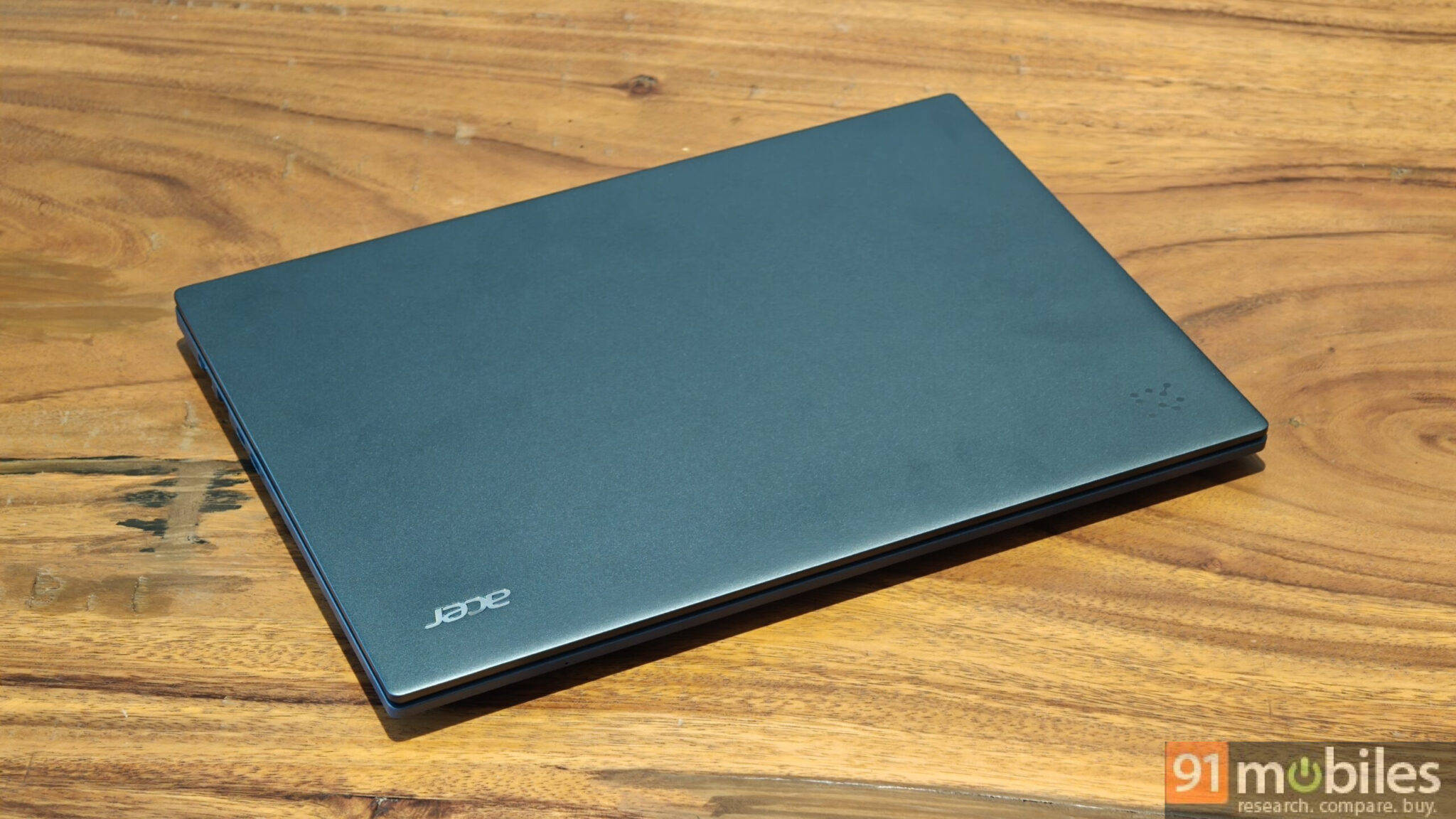
The Acer Aspire 14 AI (review) is our best student laptop for battery life because it ran 15 hours 13 minutes in our PCMark 10 video loop test, surpassing every rival on this list by a huge margin and genuinely changing how you use a laptop.
During testing, it comfortably cleared 10-hour workdays at full brightness with multiple tabs open and the display running at 120Hz, still finishing with over 25 percent left, which stretched to roughly 12 hours of total use. After a week, our reviewer stopped carrying the charger entirely. For a student moving between lectures, the library, and a hostel room with contested plug points, that is the single most useful feature a laptop can have.
The enabler is the Snapdragon X X1-26-100, an ARM chip paired with 16GB of LPDDR5X running at 8,448 MT/s. It's not a powerhouse, but it scored 10,514 in Geekbench 6 multi-core and 704 in Cinebench R24 multi-core, actually ahead of Intel-powered rivals like the Moto Book 60 and ASUS Vivobook S14 in those tests, and it managed 54fps in GTA V. Thirty-plus tabs across two browsers with music playing caused no issues. The 14-inch 1920 x 1200 120Hz IPS panel covers 100 percent sRGB at around 400 nits, making it one of the better displays here, and at 1.26kg with Wi-Fi 7, a QHD+ webcam and a full port selection including HDMI and microSD, it's a genuinely well-rounded machine.
The one real catch is Windows on ARM. Most mainstream apps now run fine, but After Effects, Premiere Pro, and AutoCAD still lack ARM versions, and Linux support is absent. Engineering and video students should note that carefully. The trackpad also occasionally registered phantom right-clicks in testing. It scored 8/10.
| Pros | Cons |
| Excellent battery life | ARM-based uncertainties |
| Lightweight 14-inch laptop | Trackpad issues |
120Hz display and good speakers | |
Decent performance |
Key specs:
- Processor: Qualcomm Snapdragon X X1-26-100
- GPU: Adreno X1-45
- Display: 14-inch IPS (1920 x 1200), 120Hz, 16:10, 100% sRGB, around 400 nits
- RAM/Storage: 16GB LPDDR5X 8448 MT/s (soldered) / SSD
- Battery: 15 hours 13 minutes (PCMark 10 video loop), 65W USB-C PD
- Weight: 1.26kg
- Rating: 8/10
Winners at a glance
PS: Prices below are as of the time each laptop was reviewed and are subject to change.
| Laptop | Category win | Processor | RAM/Storage | Display | Battery (video loop) | Rating | Price at review |
| Acer Aspire 15 AS15-42 | Best overall | Ryzen 7 7730U | 16GB / 512GB Gen 4 | 15.6-inch FHD TFT, 45% NTSC | 5:40 | 7/10 | Rs 40,999 |
| Acer Aspire 3 A324-53 | Best under Rs 60,000 | Core i5-1334U | 16GB / 512GB Gen 4 | 14-inch FHD non-reflective | 7:25 | 7.5/10 | Under Rs 55,000 |
| Lenovo ThinkBook 16 Gen 7 | Best under Rs 50,000 | Ryzen 5 7535HS | 16GB DDR5 / 512GB | 16-inch WUXGA, 16:10 | 9:00 | 8.5/10 | Rs 46,990 |
| Dell Vostro 14 3440 | Best under Rs 40,000 | Core i3-1305U | 8GB / 512GB Gen 3 | 14-inch FHD | 4:29 | 7.5/10 | Rs 39,990 |
| CHUWI CoreBook X Pro | Best under Rs 30,000 | Core i5-12450H | 16GB / 512GB | 15.6-inch FHD, 6-bit | Just under 5:00 | 8.5/10 | Around Rs 30,000 |
| Lenovo IdeaPad Slim 5 13ARP10 | Best for engineering/coding | Ryzen 7 7735HS | 16GB / 512GB | 13.3-inch, 100% sRGB, 400 nits | 6:22 | 8.7/10 | Under Rs 70,000 |
| Apple MacBook Neo | Best for design | Apple A18 Pro | 8GB / 256GB | 13-inch Liquid Retina, 500 nits | Full workday | 8.5/10 | Rs 69,990 |
| Acer Aspire 14 AI | Best battery life | Snapdragon X X1-26-100 | 16GB / 512GB Gen 4 | 14-inch 1200p, 120Hz, 100% sRGB | 15:13 | 8/10 | Rs 43,999 |
FAQs
Which is the best laptop for students in India?
The Acer Aspire 15 AS15-42 is the best overall laptop for students in India, offering Ryzen 7 7730U performance, 16GB of RAM, and a 512GB Gen4 SSD at Rs 40,999, making it the strongest performance-per-rupee buy for everyday student work.
Which is the best laptop for students under Rs 30,000?
The CHUWI CoreBook X Pro is the best student laptop under Rs 30,000. Its 12th-gen Core i5-12450H H-series chip, 16GB of RAM, and upgradeable RAM and SSD slots deliver performance normally found in laptops costing twice as much.
Which is the best laptop for students under Rs 40,000?
The Dell Vostro 14 3440 at Rs 39,990 is our pick under Rs 40,000, combining dependable Core i3 performance and a lightweight, professional 1.46kg build that handles coursework, meetings and streaming comfortably.
Which is the best laptop for students under Rs 50,000?
The Lenovo ThinkBook 16 Gen 7 is the best student laptop under Rs 50,000. Its Ryzen 5 7535HS HS-series chip outperforms the U-series competition, and dual RAM plus dual SSD slots mean you can upgrade it years later instead of replacing it.
Which laptop is best for engineering and coding students?
The Lenovo IdeaPad Slim 5 13ARP10 is best for engineering and coding students, with an HS-class Ryzen 7 7735HS for compiling and simulation work, a 100 percent sRGB 16:10 display for more visible code, and a 1.15kg all-aluminium body.
Which laptop is best for design students?
The Apple MacBook Neo is our pick for design students, thanks to a 500-nit Liquid Retina display that rivals OLED panels, a class-leading trackpad, and a Rs 10,000 student discount that brings the price down to Rs 59,900.
Which student laptop has the best battery life?
The Acer Aspire 14 AI has by far the best battery life, running 15 hours 13 minutes in our PCMark 10 video loop test and delivering roughly 12 hours of real-world use, enough that you can leave the charger at home.
Is 8GB RAM enough for students in 2026?
For basic coursework, browsing, and office apps, 8GB works, as the Dell Vostro 14 3440 and MacBook Neo both show. But for engineering, coding, design or anything with heavy multitasking, 16GB is the sensible minimum, and a laptop with upgradeable RAM like the ThinkBook 16 Gen 7 or CHUWI CoreBook X Pro is the safer long-term buy.
Should students buy an ARM-based laptop like the Acer Aspire 14 AI?
For most students, yes, since mainstream apps now run well on ARM and the battery advantage is enormous. But if your course requires After Effects, Premiere Pro, AutoCAD or Linux, those still lack ARM support, so an x86 Windows laptop is the safer choice.