The Future of Work Displays: Inside Dell UltraSharp With Yoon Lee


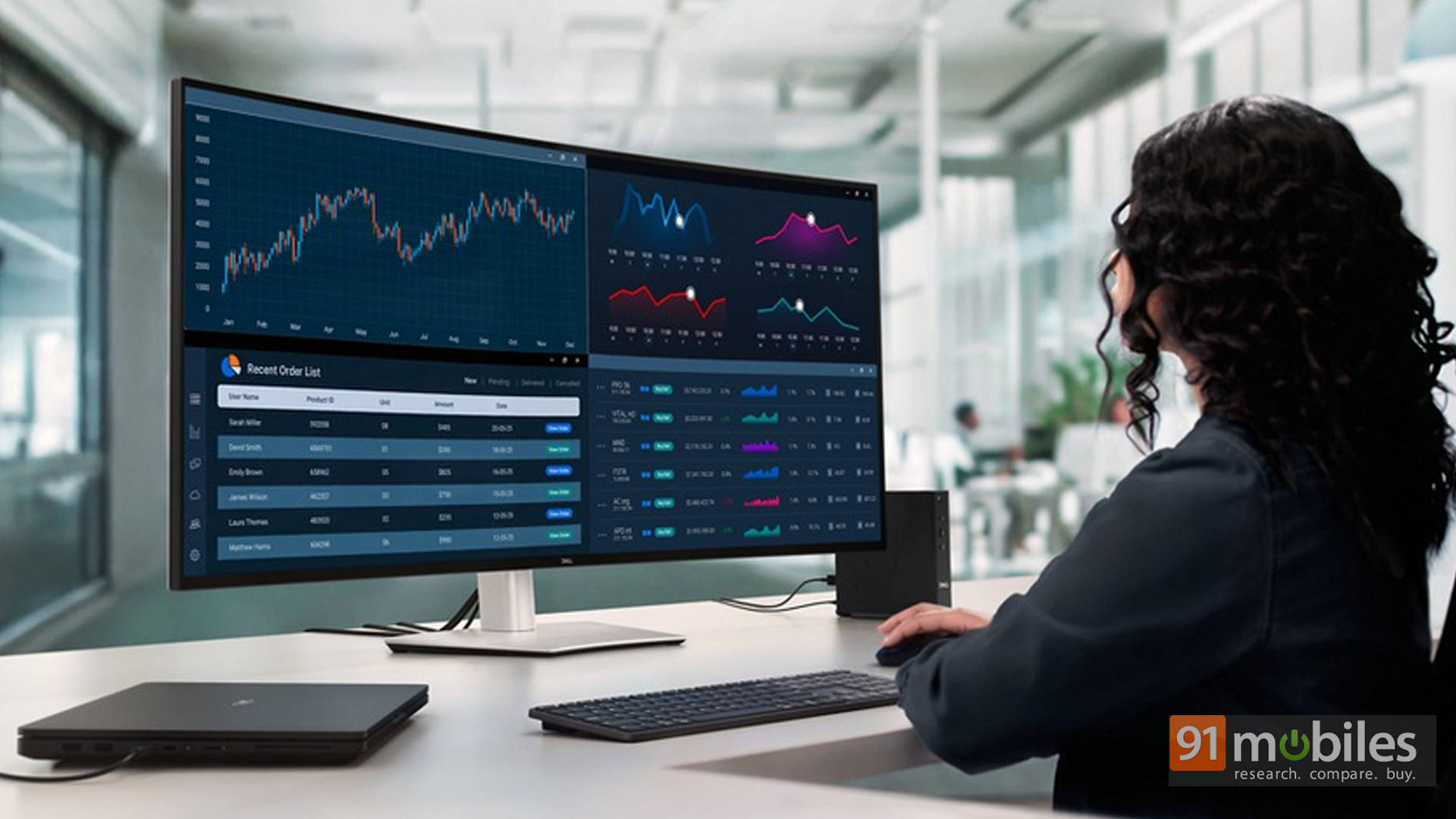
While laptops and AI PCs dominated Dell’s CES 2026 headlines, some of the more meaningful conversations this year happened around displays. In a discussion with Yoon Lee, Vice President of Displays at Dell Technologies, it became clear that Dell’s UltraSharp strategy is being shaped less by trends and more by very specific frustrations voiced by professionals who live on their screens all day.
Rather than chasing flashy features, Dell is focusing on how monitors are actually used by data scientists, engineers, creatives, and financial professionals—and why many existing displays are quietly holding them back.
Table of Contents
Why Bigger Needed to Mean Taller
The most eye-catching addition to the UltraSharp lineup is a 52-inch, 6K monitor priced under $3,000. On paper, it sounds like yet another ultra-wide display designed to dominate desk setups. In reality, it exists because Dell kept hearing the same complaint about its popular 49-inch monitors: they weren’t tall enough.
For people working with code, large datasets, dashboards, or financial models, vertical space is often more valuable than width. When critical context gets pushed off-screen, productivity suffers. Constant scrolling interrupts focus, and over long work sessions, those interruptions add up.
The 52-inch UltraSharp addresses that problem by offering meaningful vertical height in addition to width. The goal isn’t visual excess, but consolidation—replacing complex multi-monitor arrangements with a single canvas that actually improves how information is consumed. Plus, as highlighted in my first impressions, the 52-inch monster essentially replaces a 32-inch monitor flanked by two vertical 27-inch displays.
One Monitor, Multiple Machines, Less Friction
Another major focus of the UltraSharp expansion is reducing desk complexity. Modern professionals rarely work off a single system. Work laptops, personal devices, test machines, and remote connections often coexist. And as you can imagine, managing them usually means extra hardware, cables, and clutter.

Dell’s answer is an intelligent KVM system built directly into the monitor. It allows up to four systems to be connected at once, with the display split accordingly. Instead of manually switching inputs, users simply move their mouse across screens, and the keyboard follows automatically. It’s the kind of feature that disappears once it’s set up, and that’s exactly the point. The technology fades into the background, leaving users free to focus on their work instead of managing their setup.
That thinking extends to connectivity as well. The monitor includes a pop-out quick-access hub with USB-C and USB-A ports, making it easier to plug in everyday peripherals without reaching around the back of a massive display.
Why Thunderbolt 5 Didn’t Make the Cut
Despite supporting Thunderbolt 4, Dell made a conscious decision not to include Thunderbolt 5 on the new UltraSharp. This wasn’t about cost-cutting, but more about relevance.


From Dell’s internal evaluations, Thunderbolt 5’s additional bandwidth isn’t necessary to drive a 6K display at 60Hz. Including it would increase cost and complexity without offering a real-world benefit for the target audience. In an industry obsessed with future-proofing at any cost, this kind of restraint stands out.
On the other hand, Dell’s position is simple: if a feature doesn’t meaningfully improve the user experience today, it doesn’t belong.
A Curve That Respects Straight Lines
Dell was also careful about how this massive screen is shaped. Unlike aggressively curved gaming monitors, the 52-inch UltraSharp features only a very subtle curve. That choice wasn’t aesthetic but functional.

According to Yoon Lee, many creative professionals and financial users actively dislike heavy curvature because it distorts straight lines. When precision matters, even minor visual warping can become distracting. The gentle curve here exists only to improve viewing angles and reduce eye strain at the edges, without bending charts, grids, or layouts in the process.
Why Dell Is Avoiding Smart Monitors Altogether
One of the strongest stances Dell takes with UltraSharp is what it doesn’t include. Unlike many competitors, Dell has little interest in turning professional monitors into smart displays with built-in operating systems and streaming apps.
The reasoning is pragmatic. For professionals, monitors are tools, not entertainment hubs. Adding software layers introduces latency, maintenance concerns, and unnecessary complexity. A fast, responsive display paired with a capable computer will always deliver a more reliable experience than a monitor trying to act like one.
Quiet Panel Improvements That Matter
Beyond the headline-grabbing 52-inch model, Dell has also refined its 32-inch commercial UltraSharp lineup in ways that don’t scream for attention but significantly improve daily use. Panel efficiency has been improved by roughly 40%, helping reduce power consumption. Peak brightness has been increased from 400 to 500 nits, making displays more usable in brightly lit offices. New anti-glare treatments specifically target harsh overhead lighting, addressing a long-standing complaint with glossy and QLED-style panels.
A Different Kind of Display Strategy
Taken together, Dell’s UltraSharp roadmap feels deliberate and quietly confident. Instead of following trends like extreme curvature or built-in smart platforms, Dell is doubling down on fundamentals: usable space, accurate visuals, intelligent connectivity, and displays that adapt to real environments. For anyone whose work lives on a screen, that shift may prove far more valuable than the latest buzzword ever could.

