


Review Summary
Expert Rating
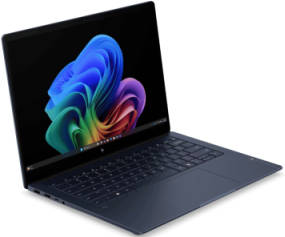
The HP OmniBook X 14 is priced at about Rs 1.7L. It is a premium price where you can expect to get some truly flagship performance in a thin and light form factor with some really great specs. But with the sea of options available in the 1.5L to 2L price bracket, can the new 2026 HP OmniBook X 14 stand out?
Key Specifications at a Glance
- Processor: Intel Core Ultra 7 356H (up to 4.7 GHz, 16 cores, 16 threads)
- Memory & Storage: 16 GB LPDDR5x-6800 MT/s RAM and 1 TB PCIe Gen4 NVMe M.2 SSD
- Display: 14-inch 3K (2880 x 1800) OLED, Multitouch, 120Hz VRR, 500 nits SDR / 1100 nits, HDR, 100% DCI-P3
- Battery: 4-cell, 70 Wh Li-ion polymer
- Weight & Thickness: 1.3 kg and 12.6 mm thin
- Connectivity: Wi-Fi 7, Bluetooth 6.0, 2x Thunderbolt 4, 2x USB Type-A 10Gbps, 1x HDMI 2.1
Table of Contents
Design, build & connectivity: Suave, sturdy, and surprisingly well-connected
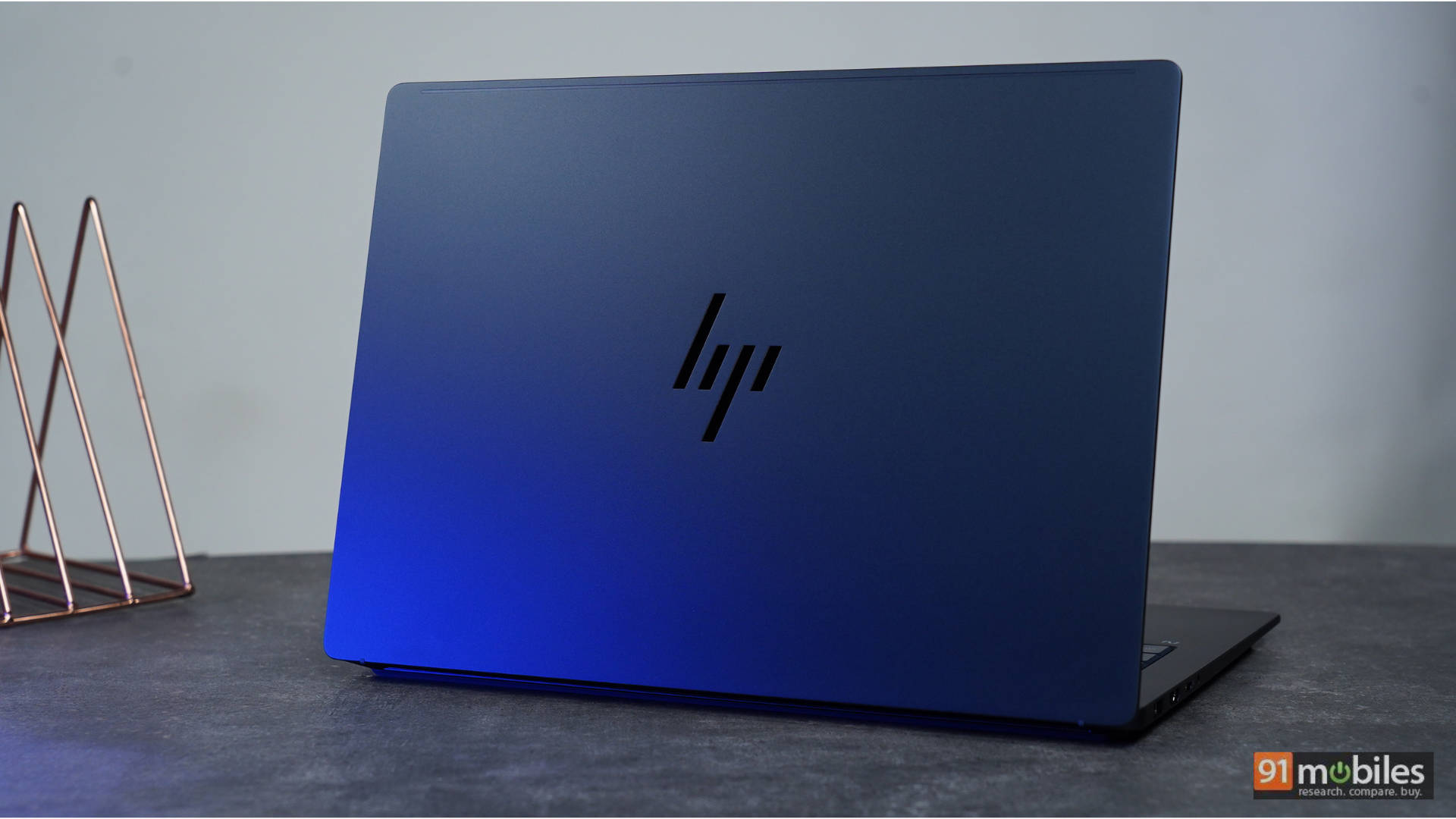
Kicking things off with the design, it is very minimal and elegant—ideal for those who want a work machine without any flash. The laptop is “Atmospheric Blue” in colour, similar to the HP OmniBook X Flip I reviewed last year. It still looks quite stunning. For the 10 days I’ve been using this machine as my daily driver, it has turned a few heads. The laptop’s build is also very sturdy. HP claims that the device has undergone eleven total MIL-STD 810H tests, “so your PC is built to withstand the toughest of days”. The chassis also features a dual anodised finish to ensure that durability meets a premium aesthetic. Additionally, the chassis incorporates sustainable materials, including 20% recycled aluminium and 30% post-consumer recycled plastics.
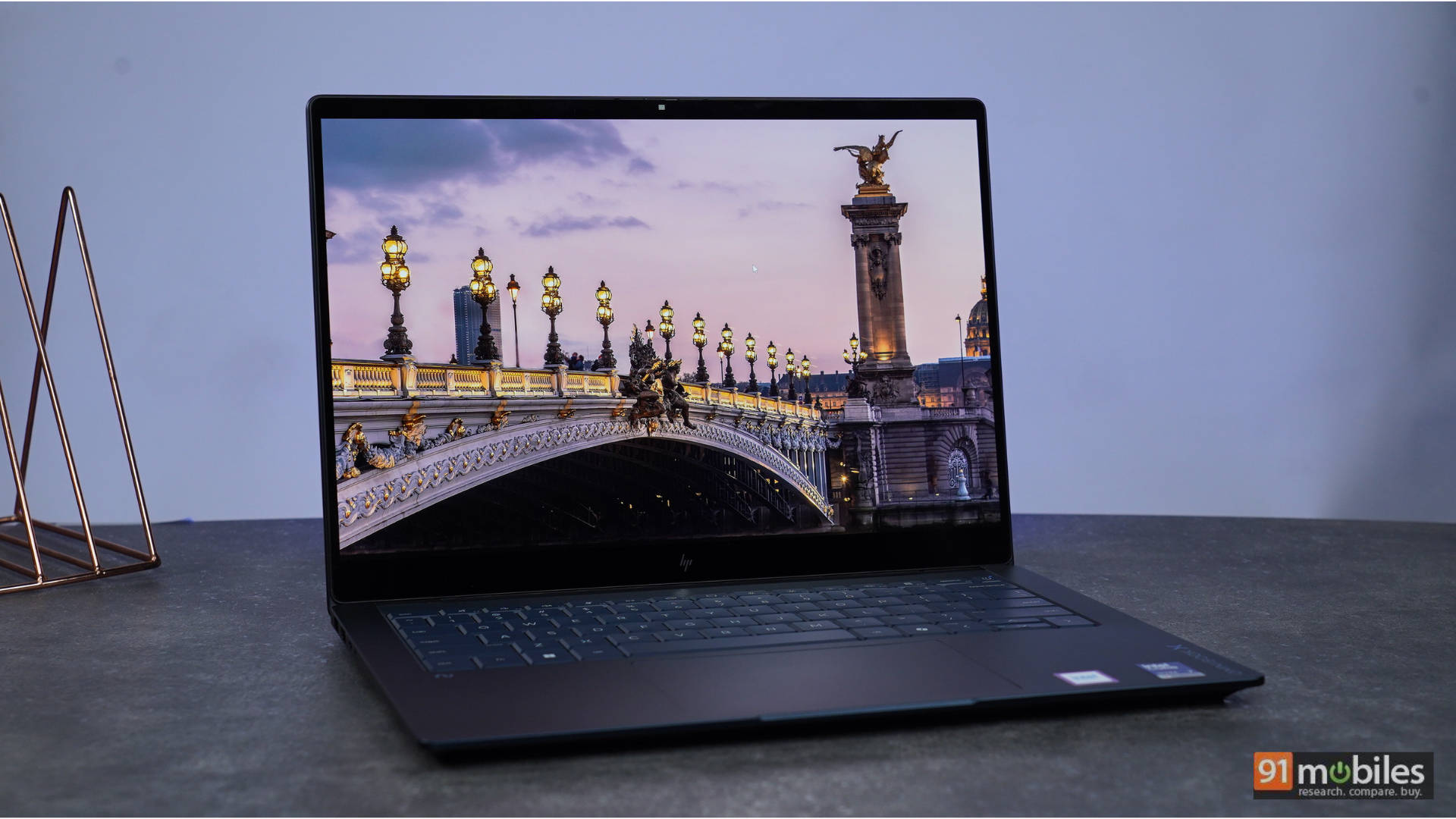
The hinge is very strong with almost no wobble for the display, and you can easily open the laptop with a single finger without wobbling the rest of the machine, a testament to its design. The display is a touchscreen and goes way back, but not all the way like its X Flip sibling. There are two rubber feet, which keep it elevated for optimal airflow when kept on a desk. While this helps a bit when keeping the laptop on the bed, I still wouldn’t recommend using it on the bed for airflow and thermal reasons, unless you are using it on a table. The OmniBook X 14 is incredibly portable, measuring just 1.26 cm thin and weighing a mere 1.3 kg, making it “thinner than a stack of pencils” and “as light as a medium melon”.
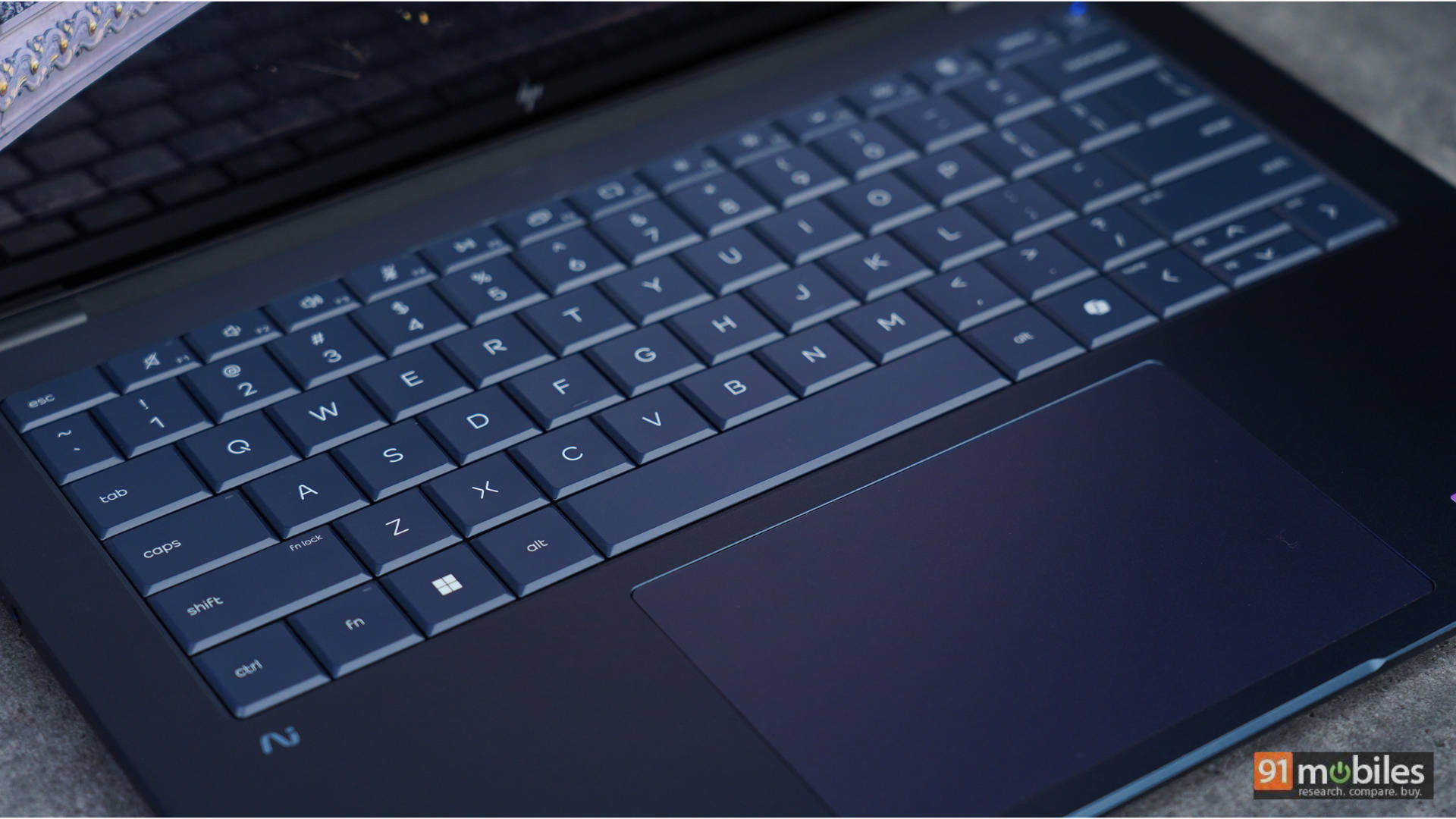
Next up is the keyboard, and this is one place where the laptop has undergone the biggest change. The keyboard looks and feels redesigned, all in a good way. You have a larger key gap with wider key spacing. HP has specifically widened the key gap from 1.5mm to 3mm for improved accuracy. Once you get used to this, typing on the keyboard is a very fun experience. My favourite keyboard is the ThinkPad-style keyboard found on Lenovo laptops, and this new design from HP is right up there. Now I have two favourite styles of keyboards. The biggest thing to note about the keyboard is the deeper key dish with deeper key curvature for a more comfortable fingertip fit. The key dish now ranges from 0.1mm to 0.25mm. The cherry on the cake is that the typeface on the keyboard is also pleasing to look at. HP is using its modern, geometric “HP Progress Typeface”. As someone who has used a bunch of keyboards with different typefaces, this is something you will notice and appreciate almost immediately.
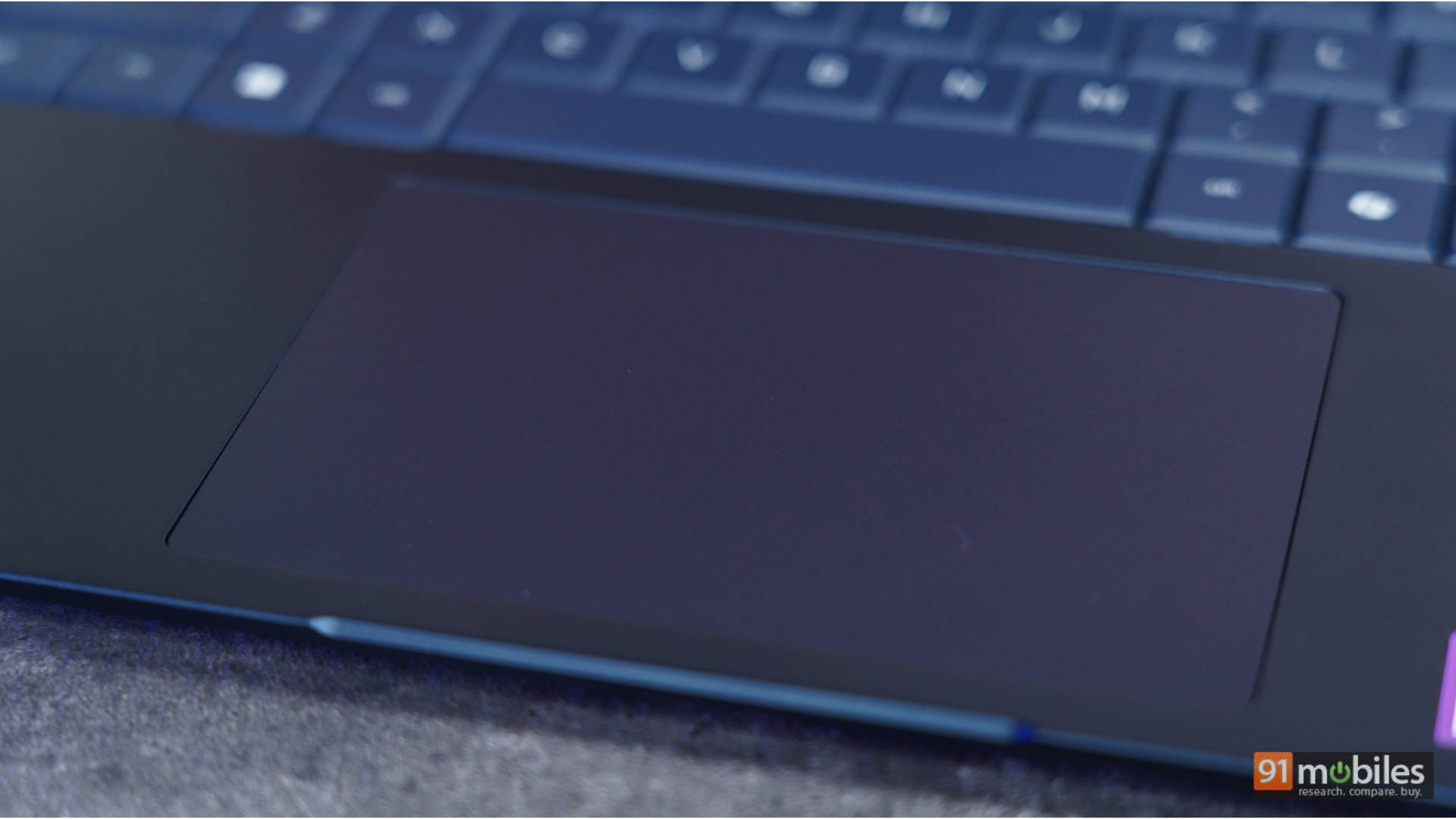
Moving over to the trackpad, it is large and easy to navigate with support for multi-gestures. The trackpad is relatively smooth, almost as smooth as the ones found on MacBooks, and that’s a very good thing. The trackpad now supports new gesture controls, allowing you to slide up or down to quickly adjust screen brightness and volume.
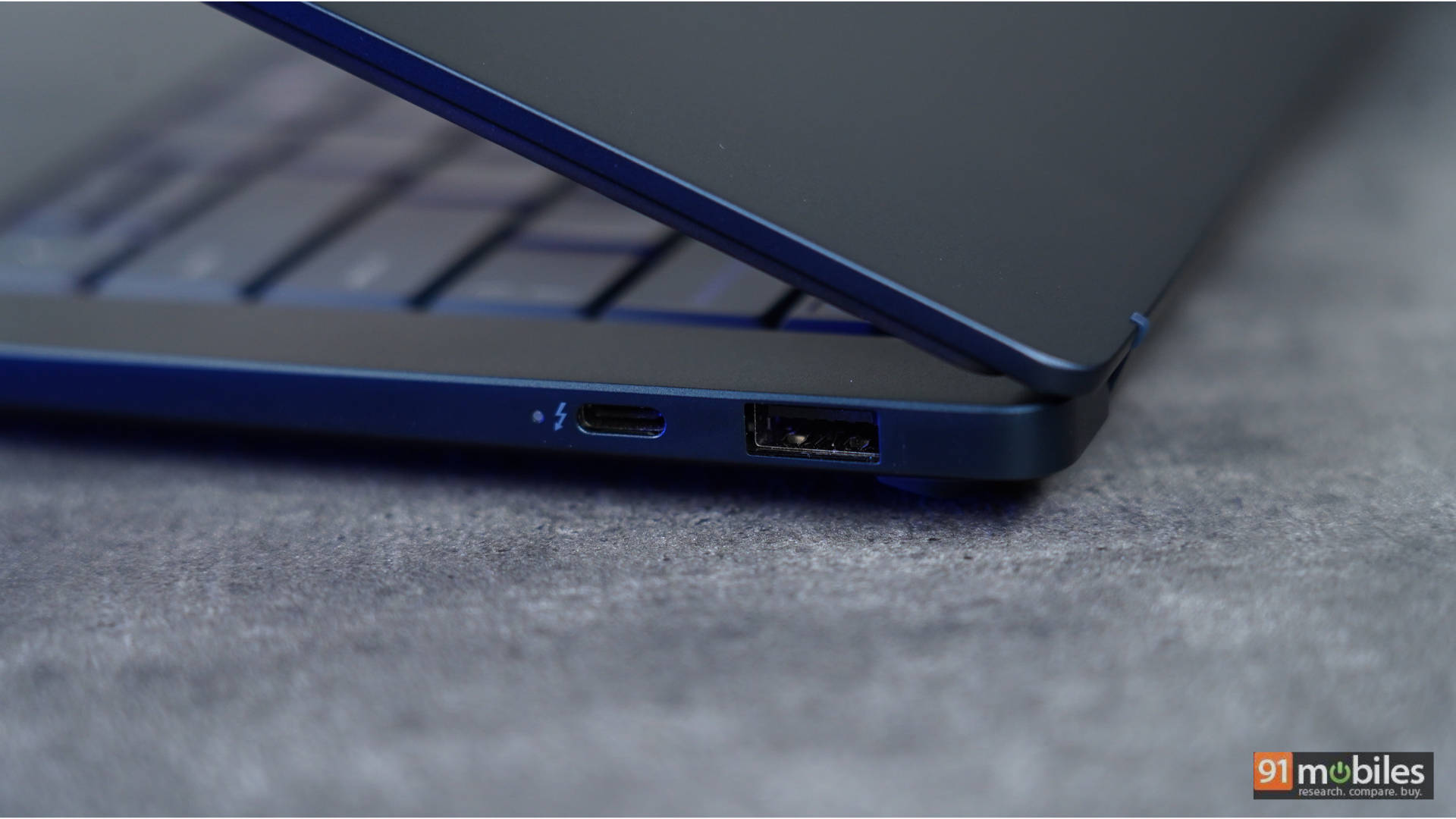
Overall, the build of the laptop is robust. It has a rectangular design with smooth, rounded edges for a comfortable typing and carrying experience.
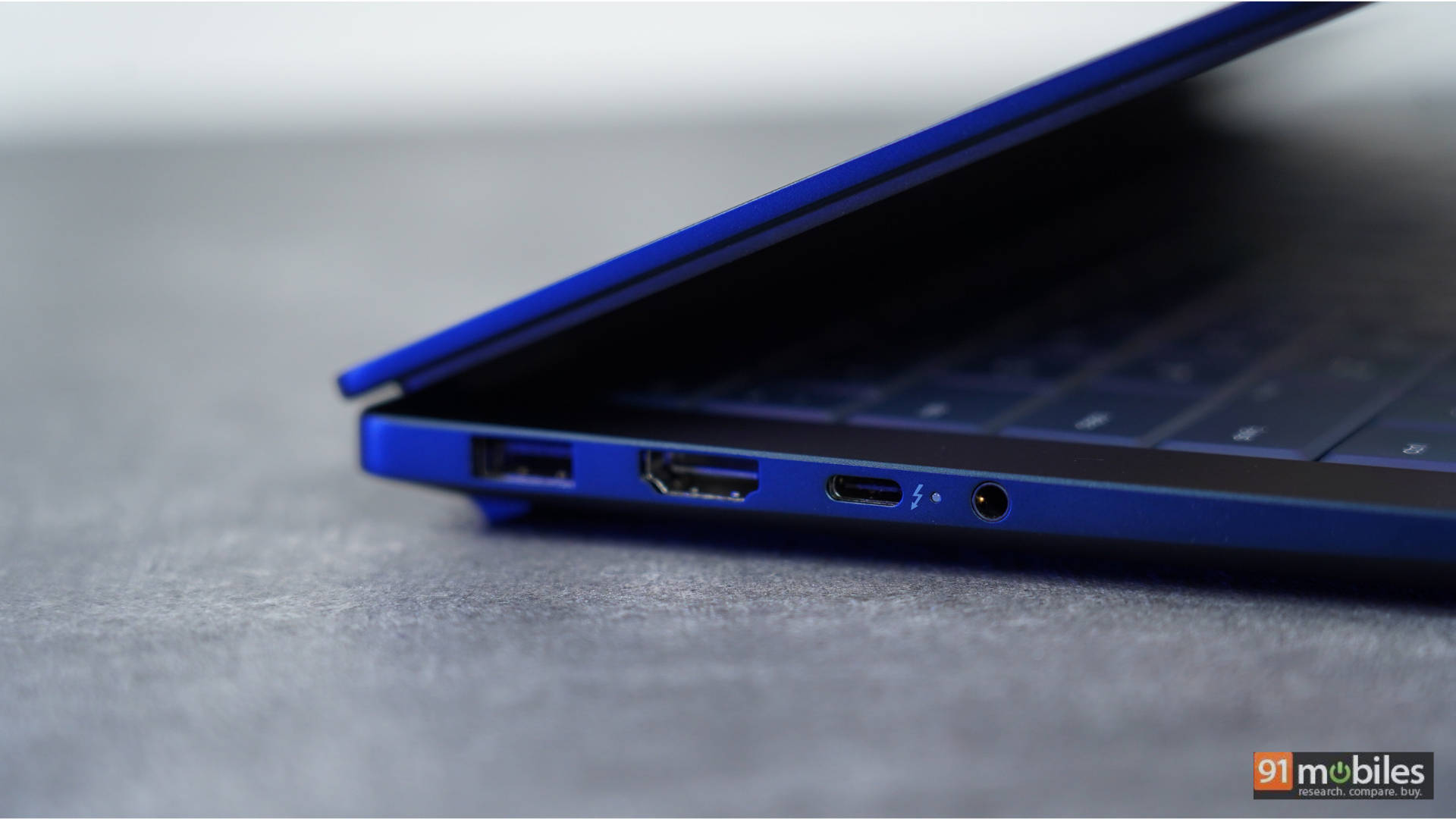
Moving to connectivity, the left of the laptop houses 1 USB-A port, an HDMI port, 1 Thunderbolt port, and a headphone/mic combo jack on the left. The right has the second USB-A port and one more Thunderbolt port. The mix of HDMI and USB-A ports is great, as in the few meetings I went to, it was easy to connect to a projector, and the USB-A port worked seamlessly for a mouse + using an external drive to transfer data. I do wish the device had an SD card slot to round out the package. However, it was a breath of fresh air not to rely on a dongle for day-to-day use. It’s also highly convenient that the USB-C ports are dual-sided (one on either side), keeping your desk untangled.
Display: A 3K OLED Canvas that truly pops
The first thing that will stand out when you use this display is how vibrant it is. I use this laptop on my desk, which has a direct light source reflecting off the display. I used it in a cab on my way to a meeting, and even in a pitch-dark room at night when the kids were asleep, and damn, oh damn, I’ve said it too many times now—once you go OLED, there is no going back.
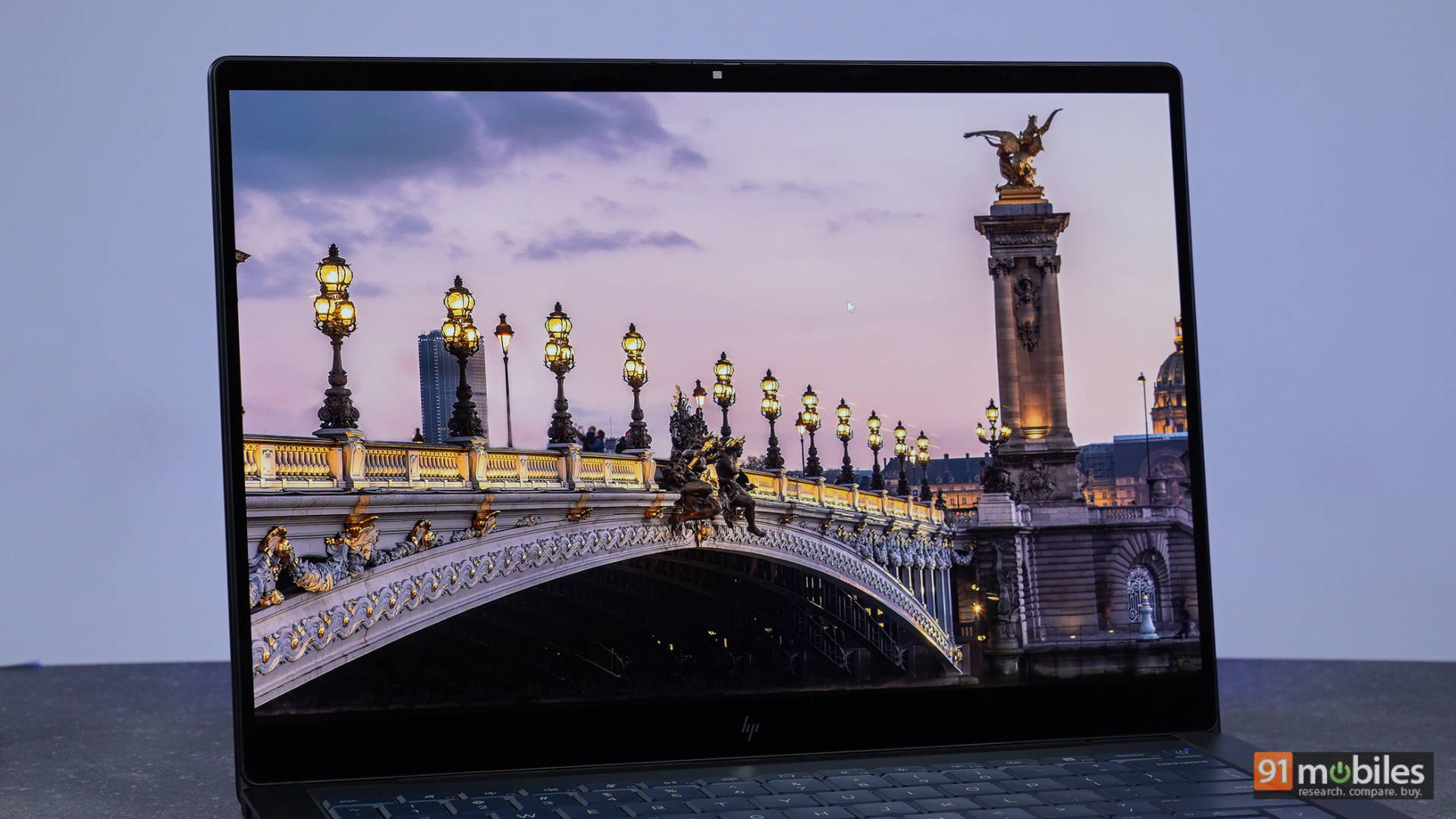
The display looks crisp and sharp, no matter what you do on it. 3K + OLED = pixel-perfect performance. Yes, outdoor visibility under hard sunlight will take a hit, and there are times when a direct light source on the display will make it reflective, but the viewing angles are spectacular, so you can just tilt it away in the right direction. In a pitch-dark room, reducing the brightness does not result in a “dim” experience as you would find on an LCD panel. No blooming or halo effects either when watching movies in a dark room, something which has plagued LCDs on laptops for a very long time. The 120Hz VRR refresh rate is the cherry on top.
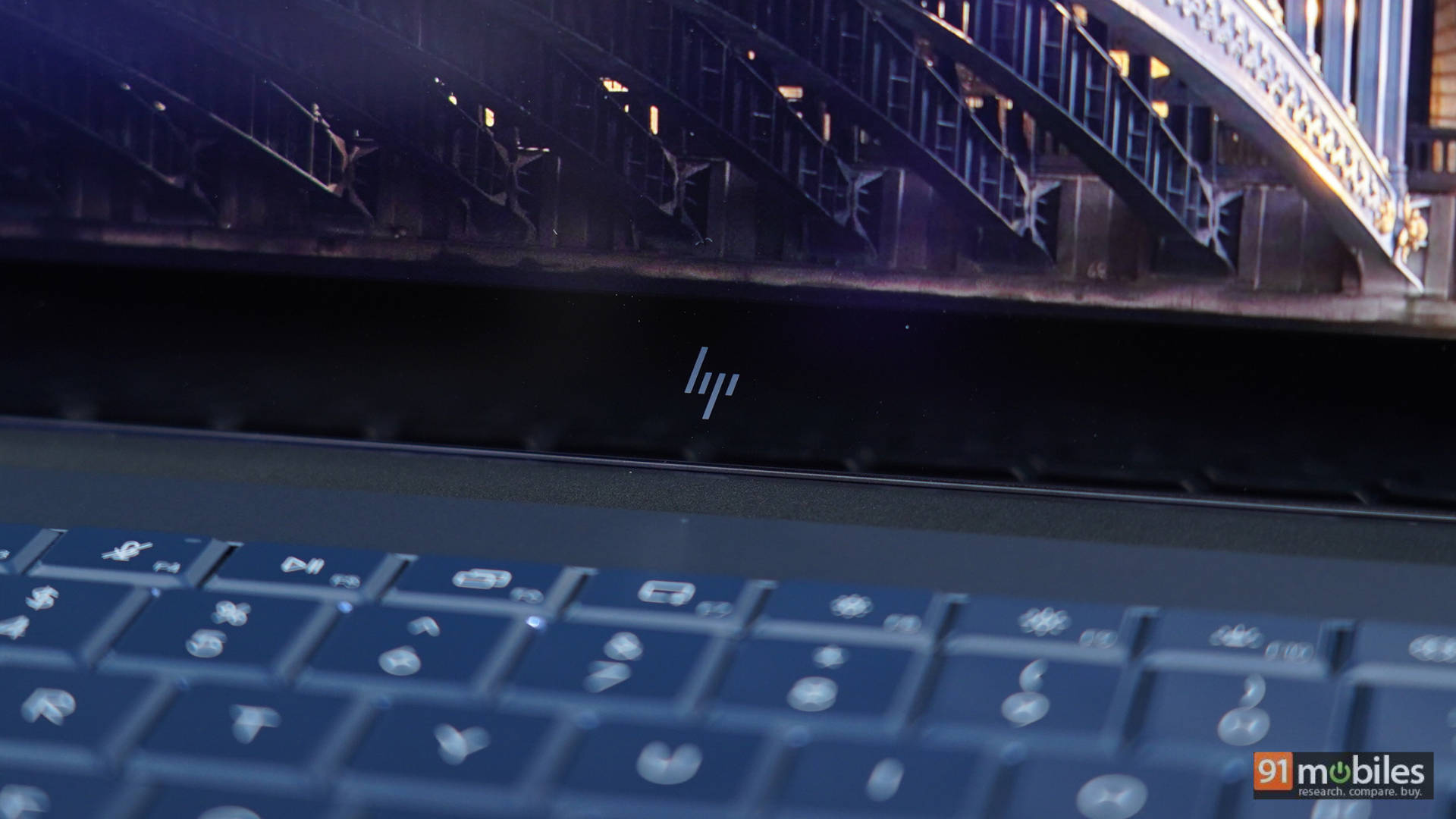
This isn’t a gaming laptop, but scrolling through long documents, reading a book on the Kindle app (yes, I am one of the few who does that on a laptop as well, and it worked brilliantly on this laptop using the touch screen), or simply scrolling through family photos—the display is sublime. The panel also features Corning Gorilla Glass 3 for added durability and scratch resistance, as well as HP Eye Ease to reduce blue light without compromising the true 100% DCI-P3 colour accuracy.
Audio: Good, but leaves room for a bass boost
Ok, this is a confession. I jumped onto the HP OmniBook X 14 after spending two weeks with the 2026 Dell XPS 14, which has phenomenal speakers. That laptop is also way more expensive than the HP I have here today. So when I say I am slightly underwhelmed by the performance of the HP OmniBook X 14, the reference for a point of comparison is much more expensive. It is about in line with what you’ll get on a MacBook Air M5, so the speakers aren’t bad by any means.
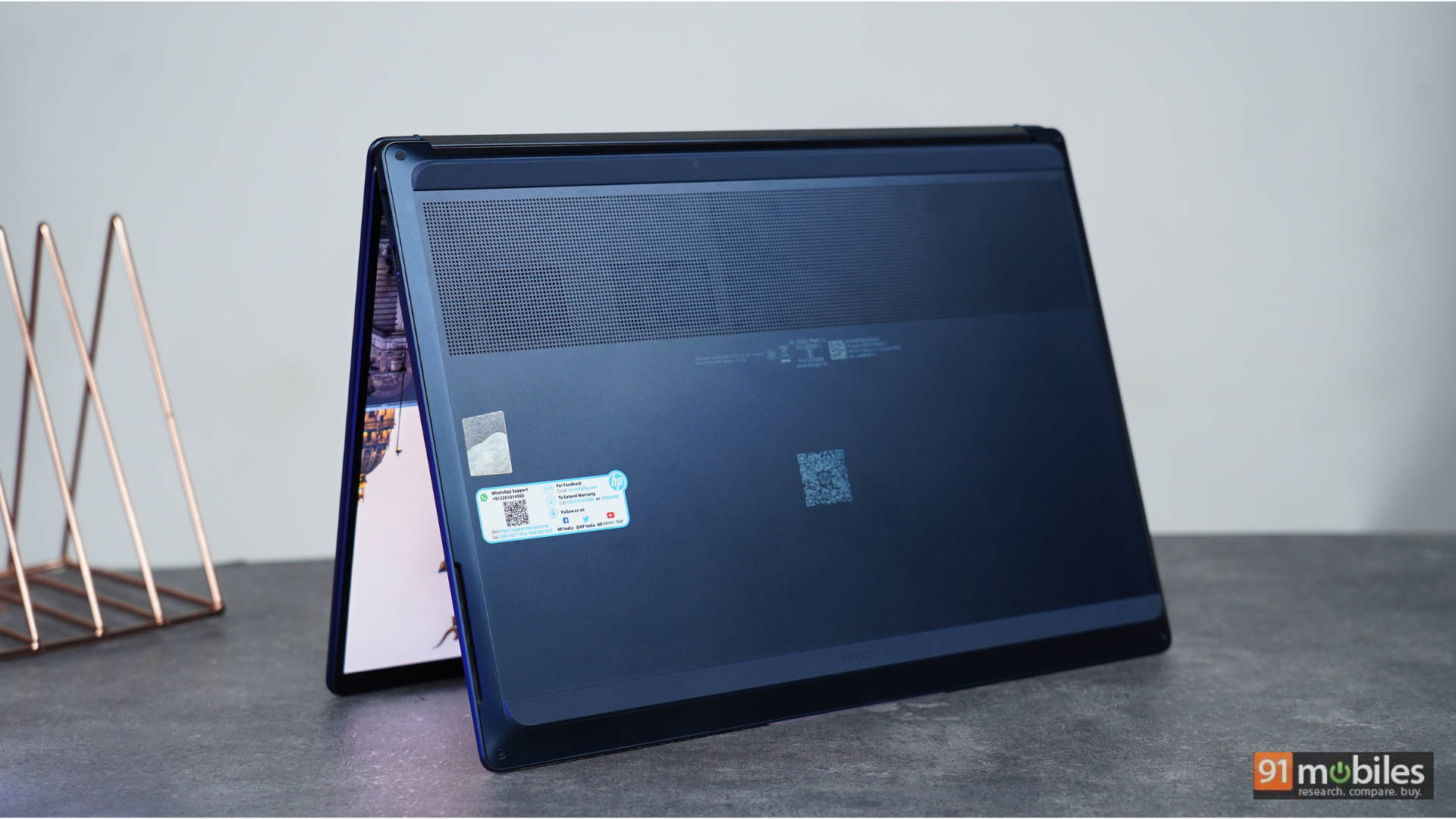
The laptop has two down-firing speakers. They are placed on the D-cover, offering a sleeker, minimalist look. For video calls, they get loud and clear, and I found myself limiting the volume to 70% when working from my fortress of solitude at home, which doesn’t have any ambient noise. However, at the office, 80-100% volume was used to take calls. Watching movies and TV shows, the dialogue clarity is clean, but the mixed audio of bangs and thuds in action movies is nothing to write home about. The speakers lack bass and, at full volume, lack depth. It is worth noting, however, that HP has integrated DTS:X Ultra and Poly Studio tuning to help enhance the audio.
Performance: The Intel Core Ultra beast unleashed
Let’s get down to the belly of the beast: the performance of the HP OmniBook X 14! Below is a look at some synthetic benchmarks of the HP OmniBook X 14 compared to similarly priced laptops, including the ASUS ZenBook S16 powered by the AMD Ryzen AI 9 465, the MSI Prestige 16 AI Evo B2HMG powered by the Intel Core Ultra 9 285H, and the Asus Zenbook 14 OLED UX3405CA-PZ164WS powered by the Intel Core Ultra 9 285H. It should be noted that HP is offering you the latest generation Intel chip, and the laptops we’ve reviewed in this price range have Intel’s previous-gen chips powering them. Below is a look at how the HP OmniBook X 14 (2026) stacks up against the competition in synthetic benchmarks.
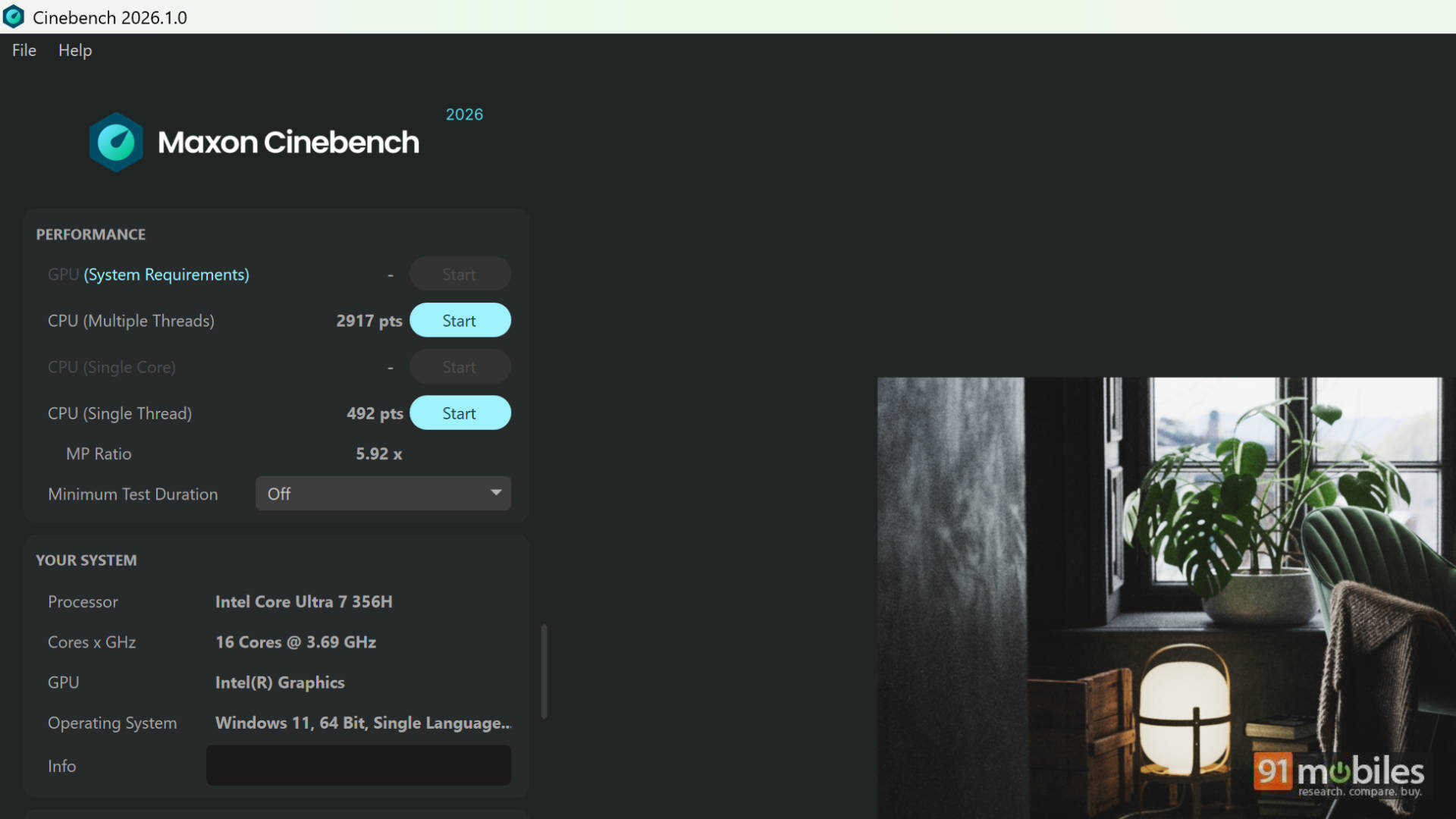
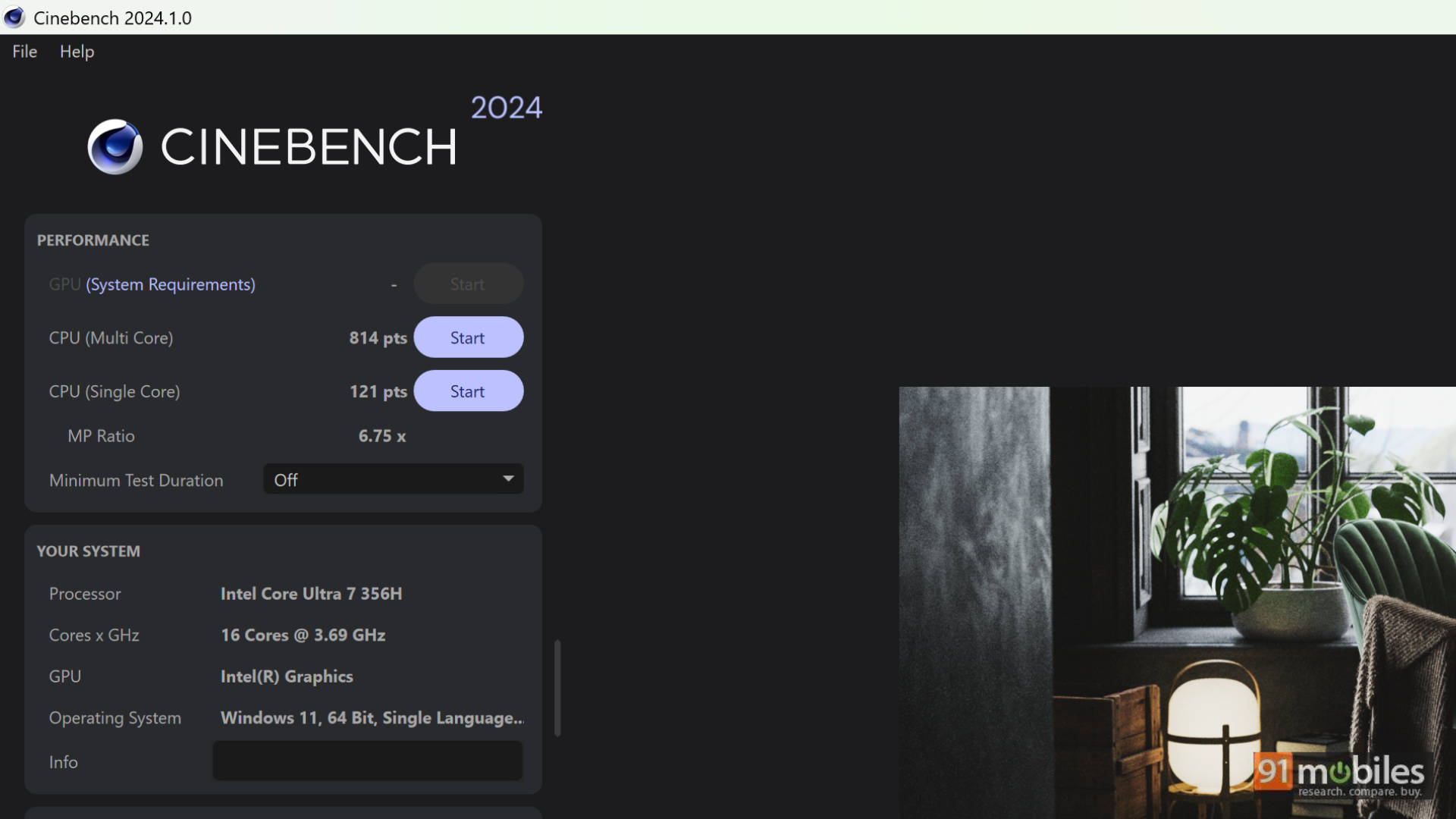
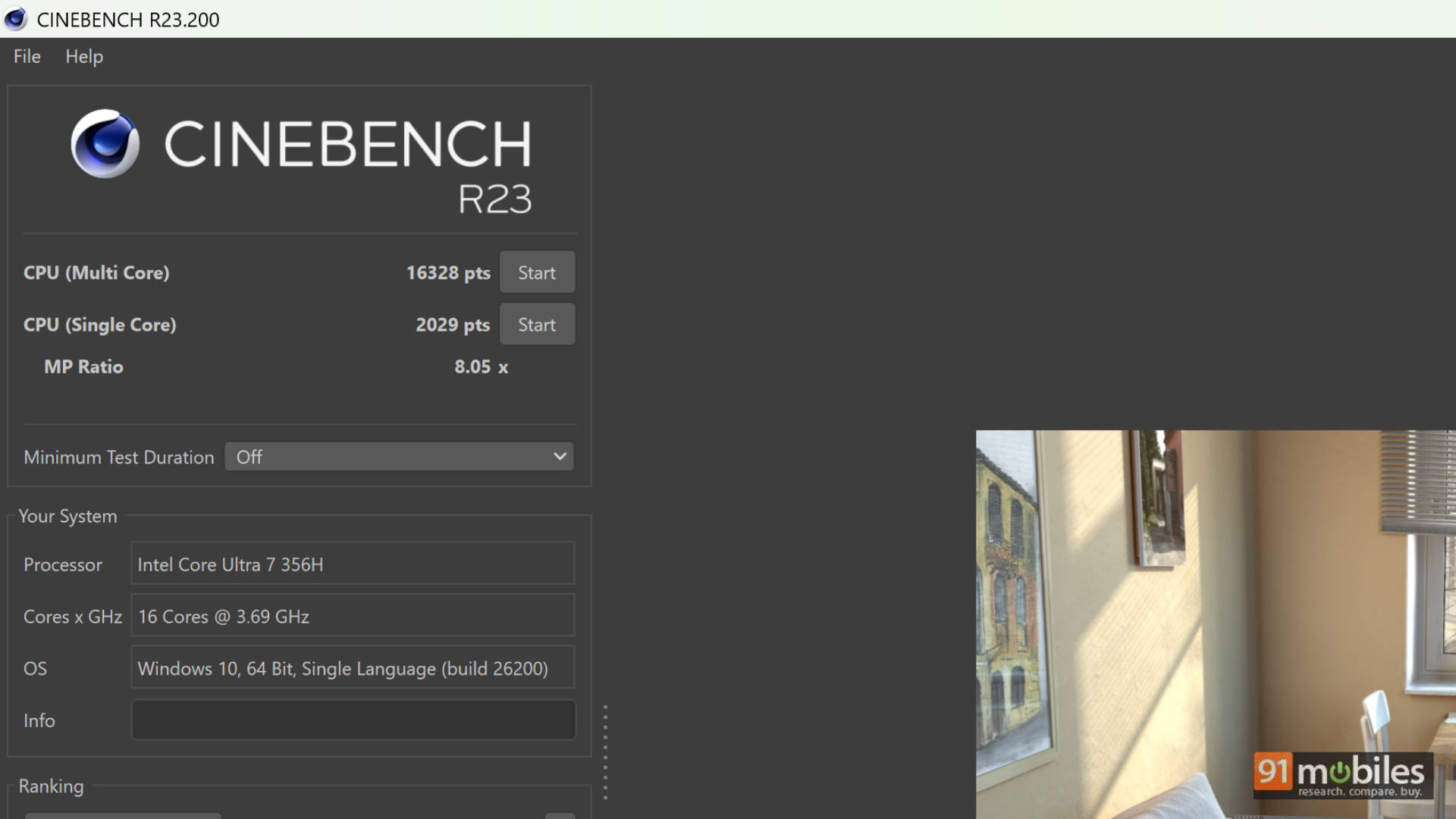
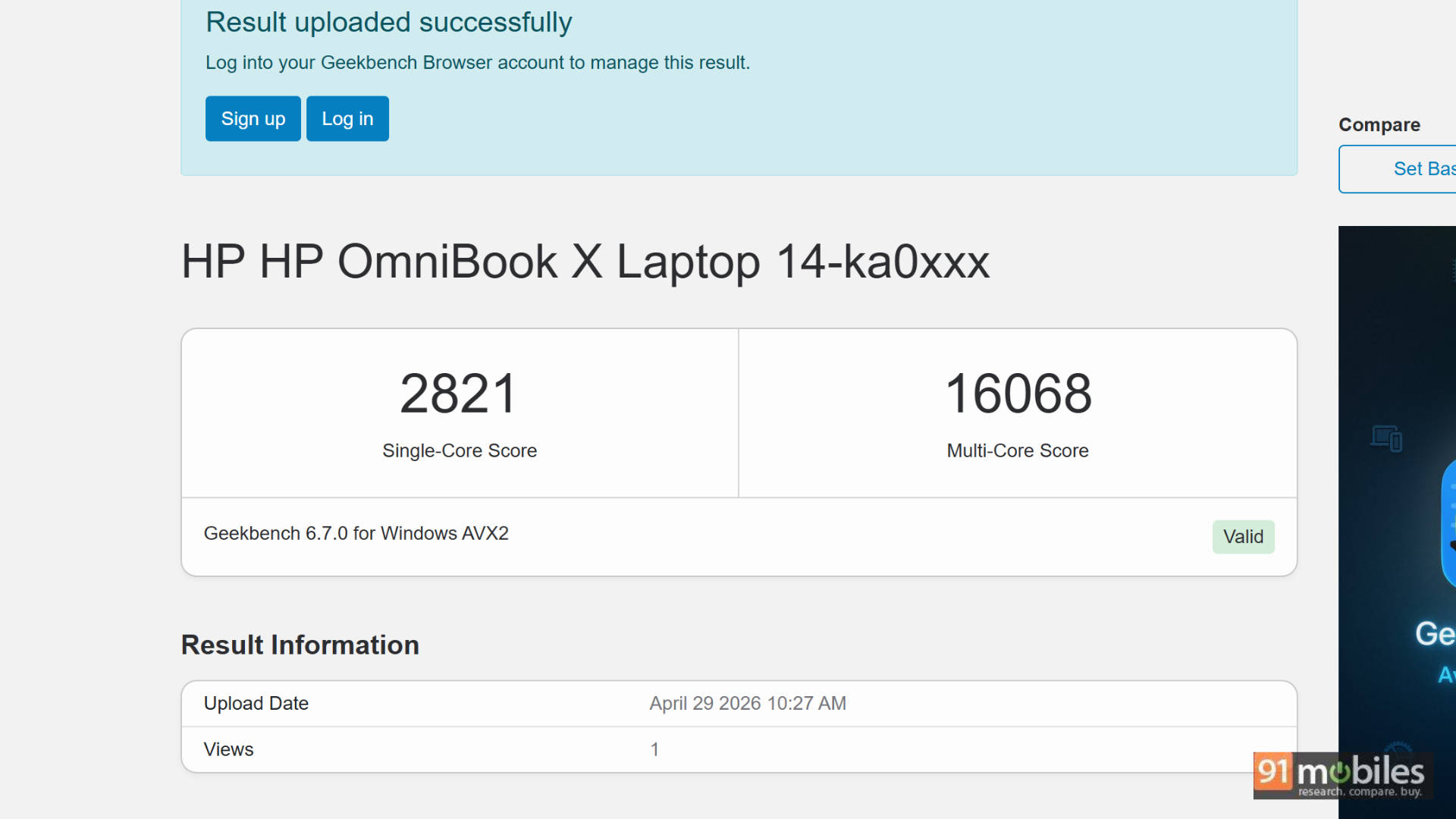
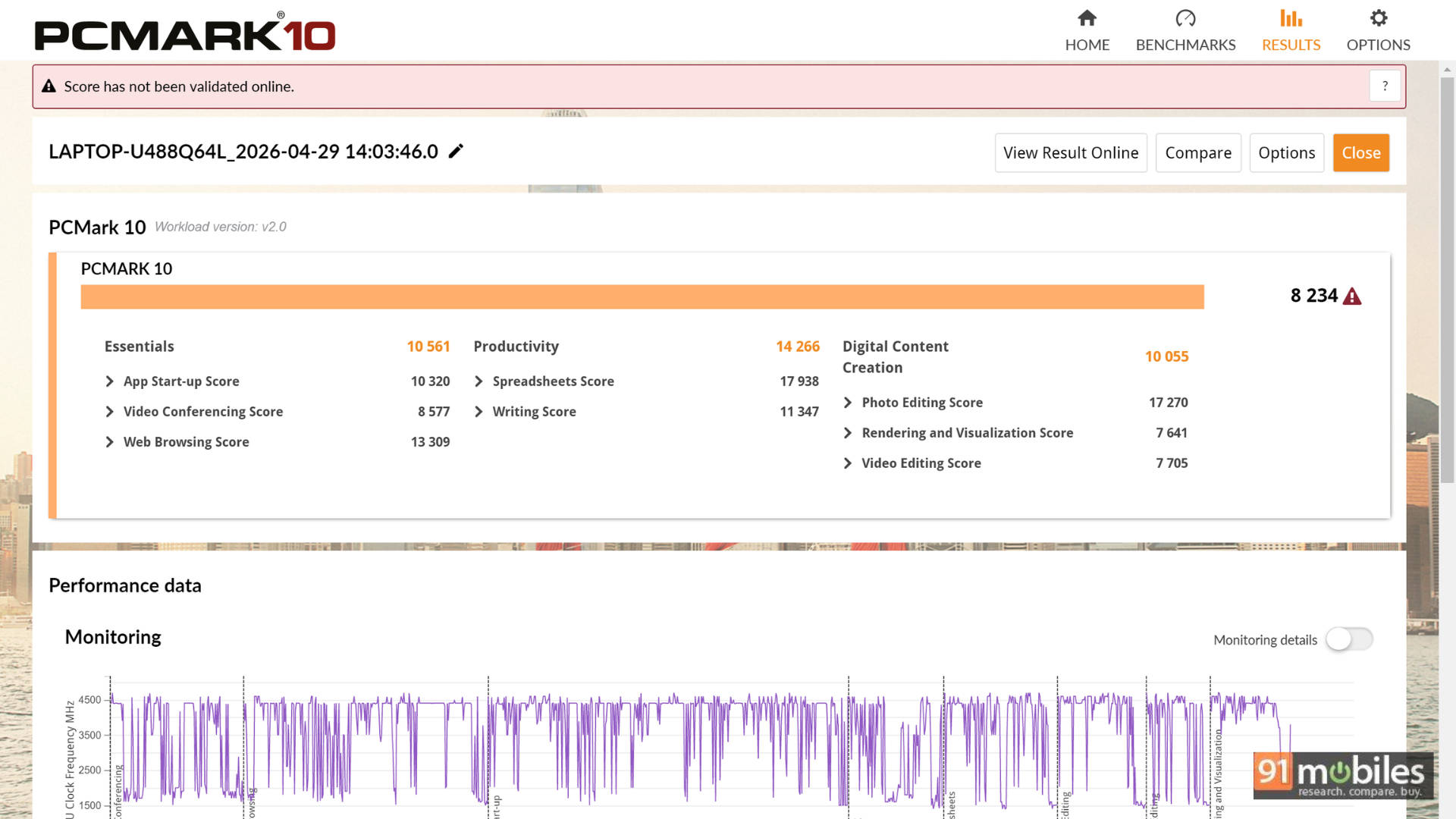
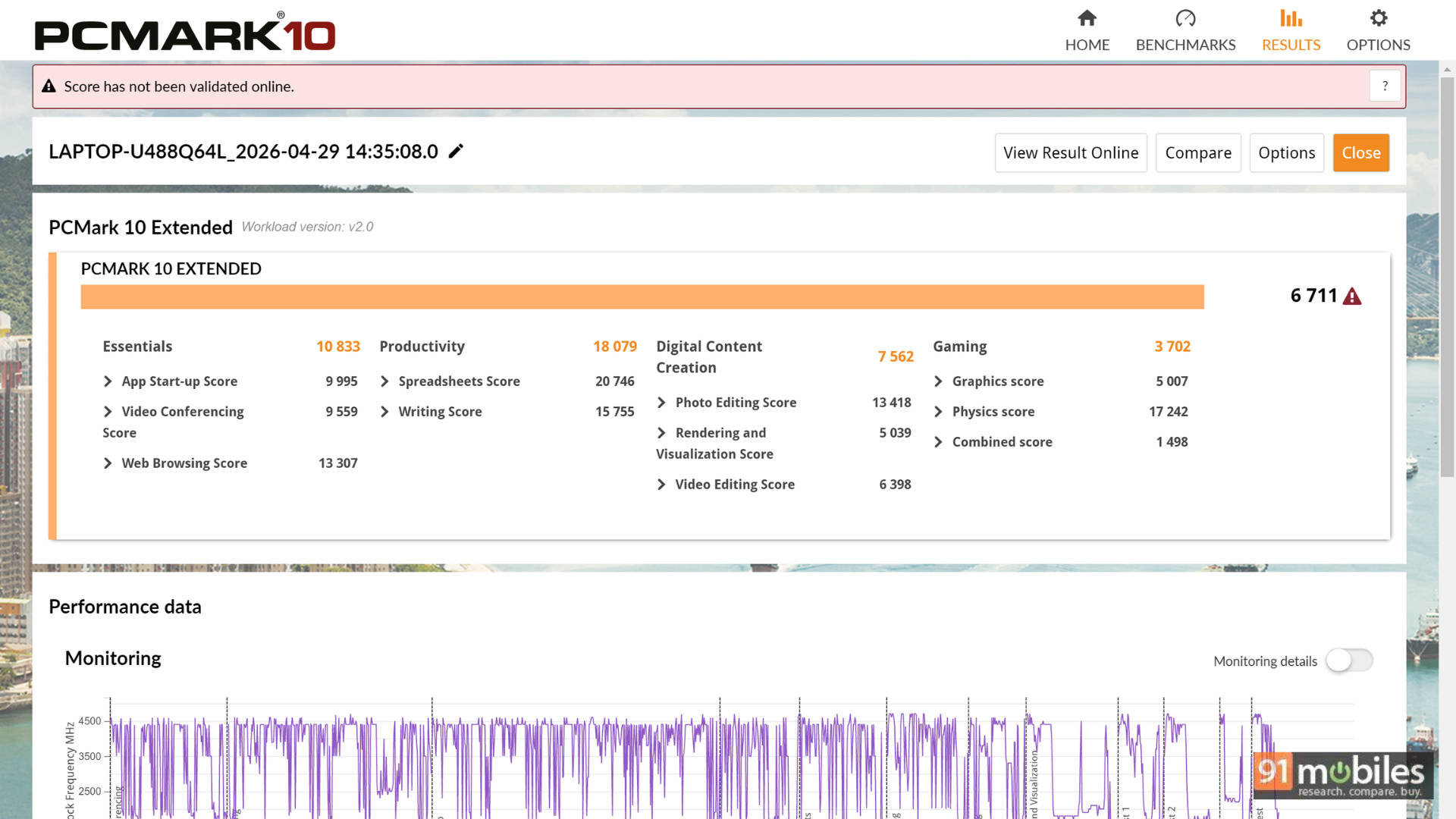
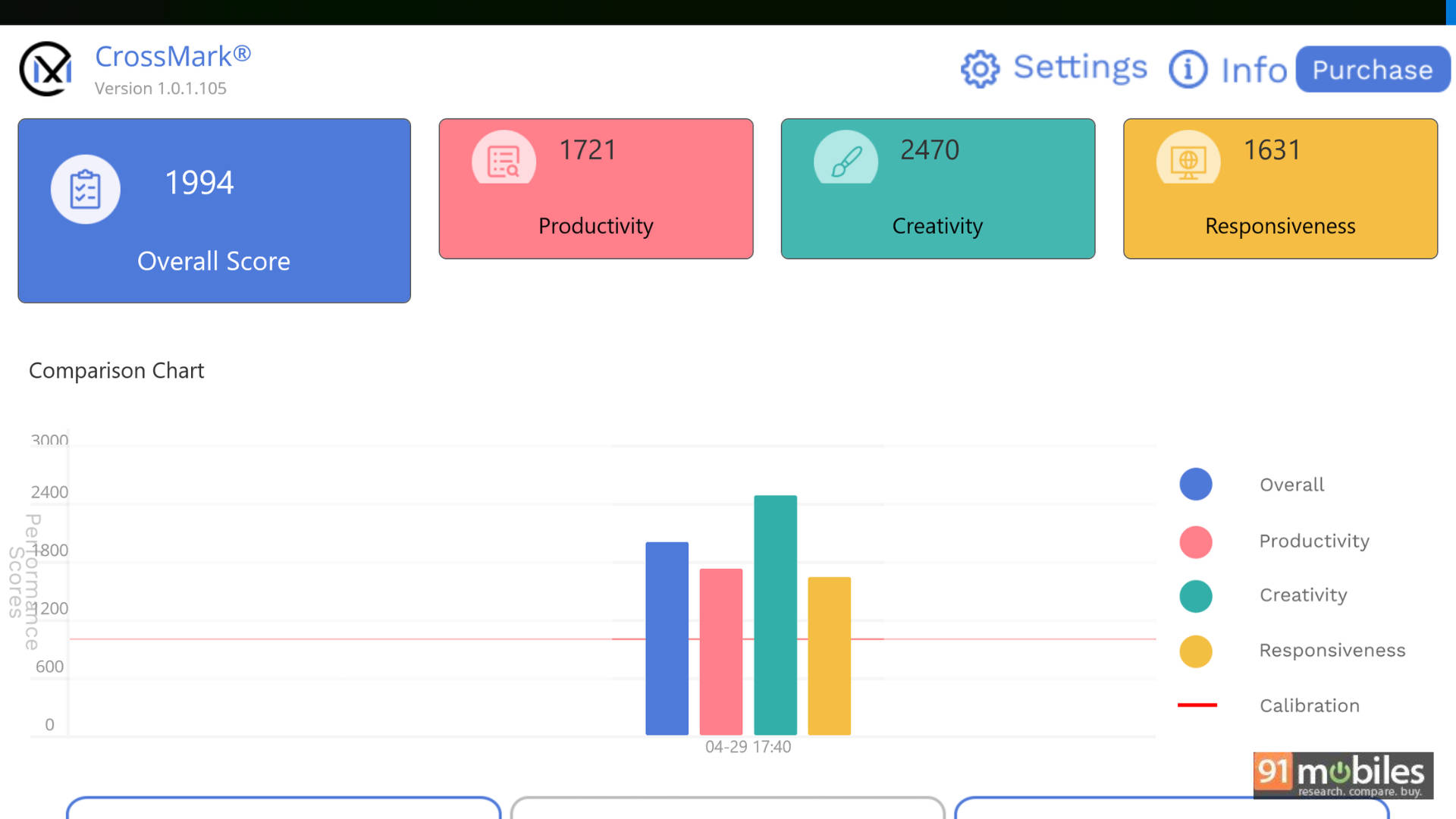
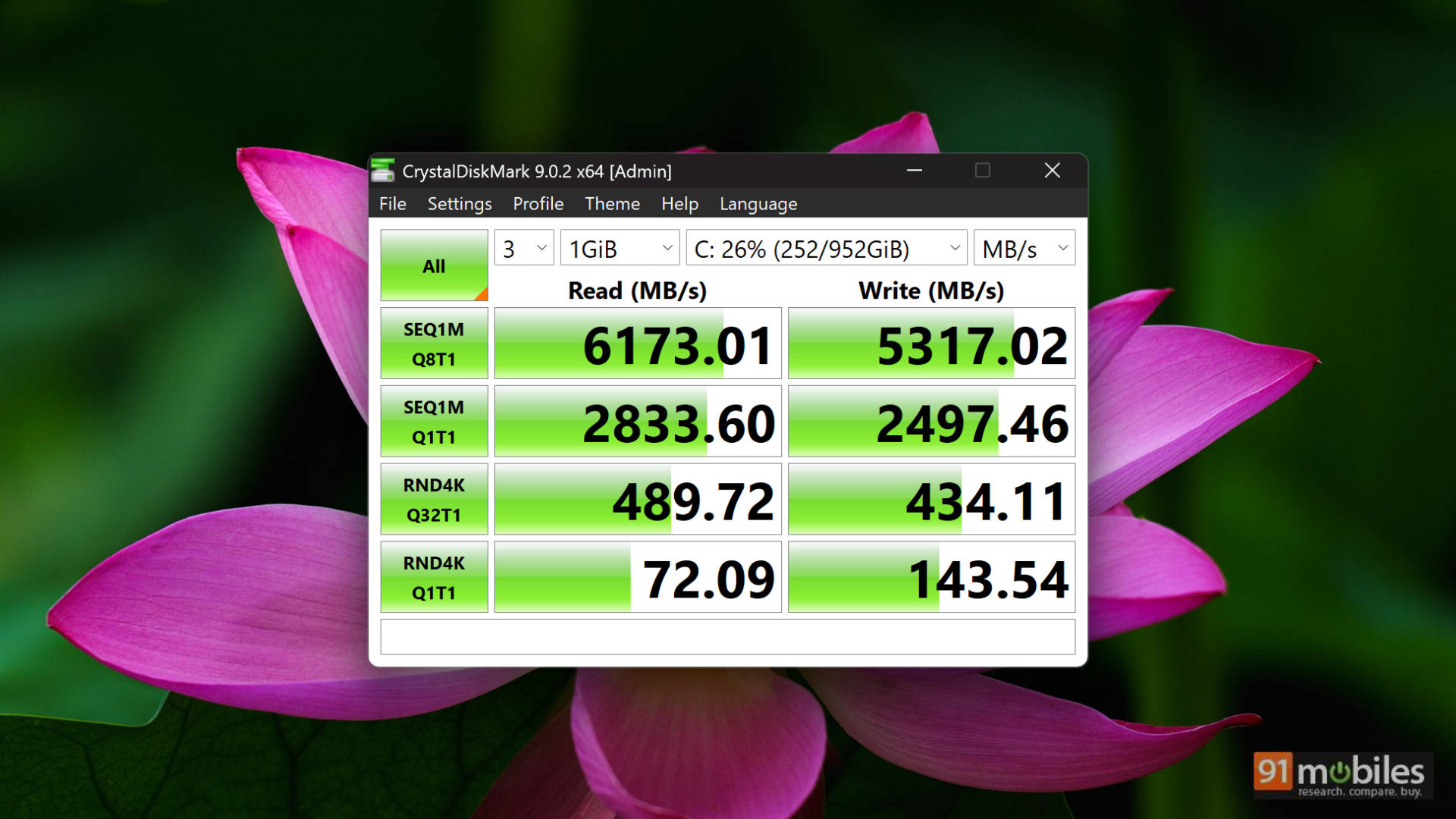
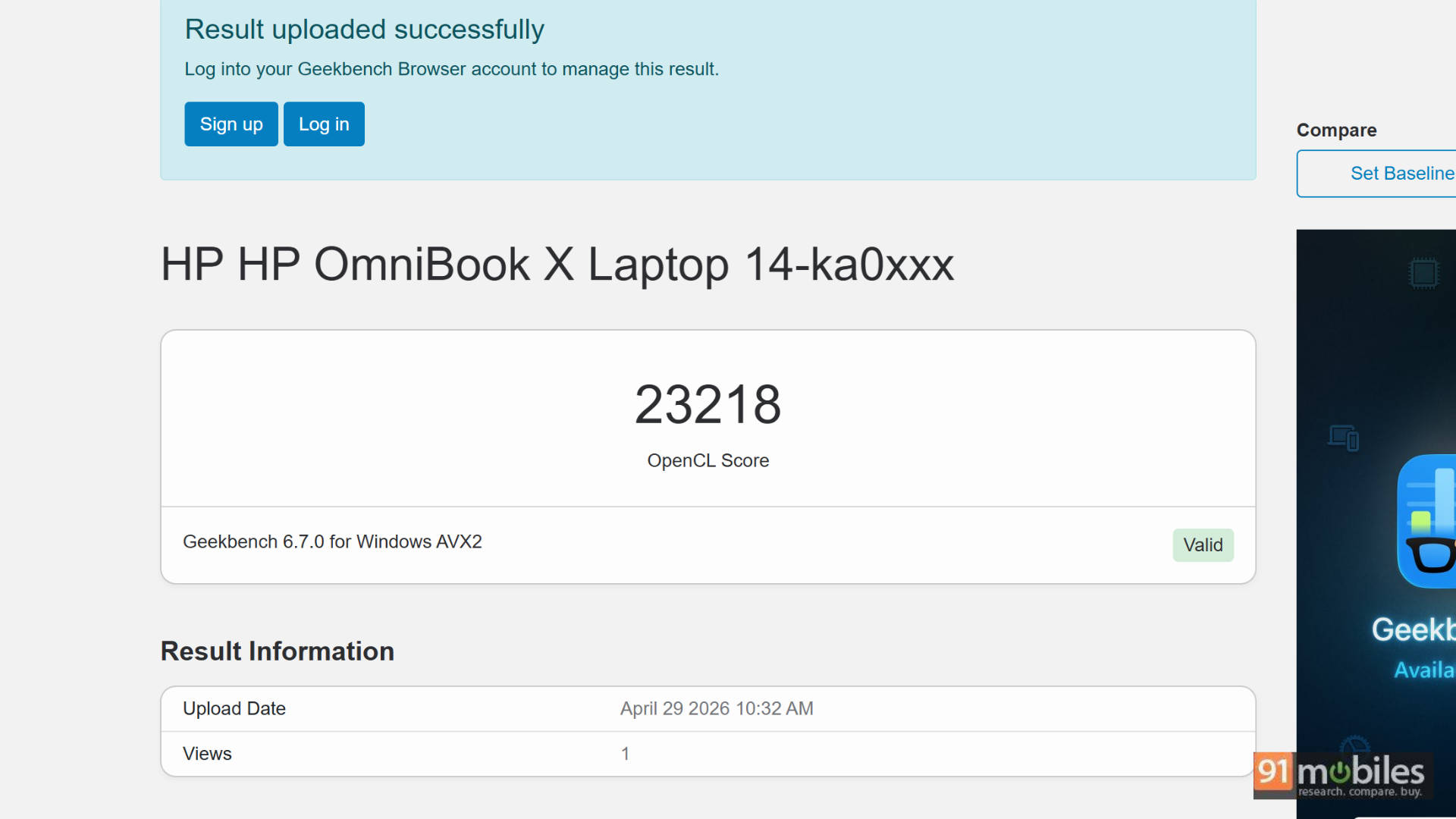
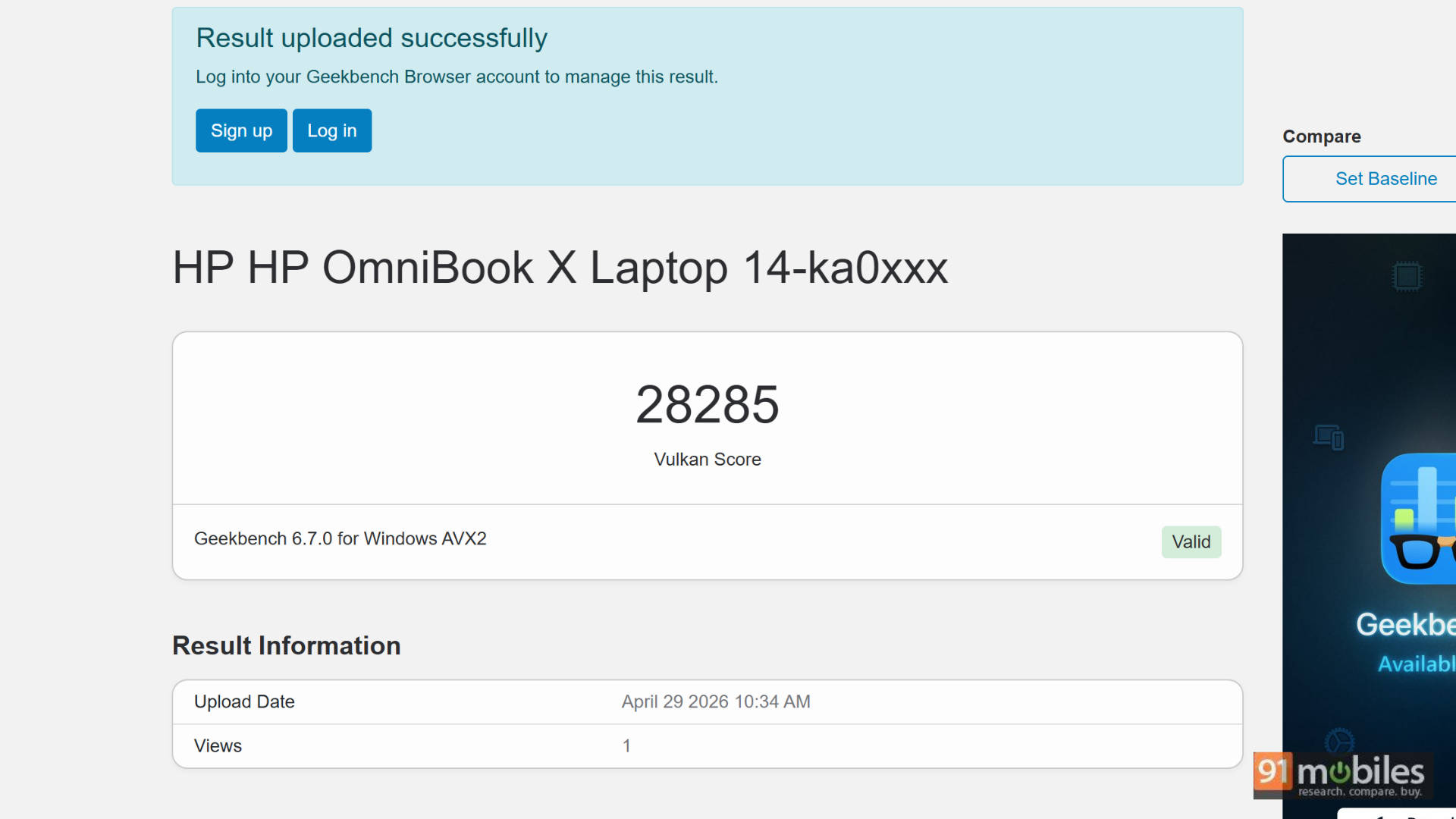
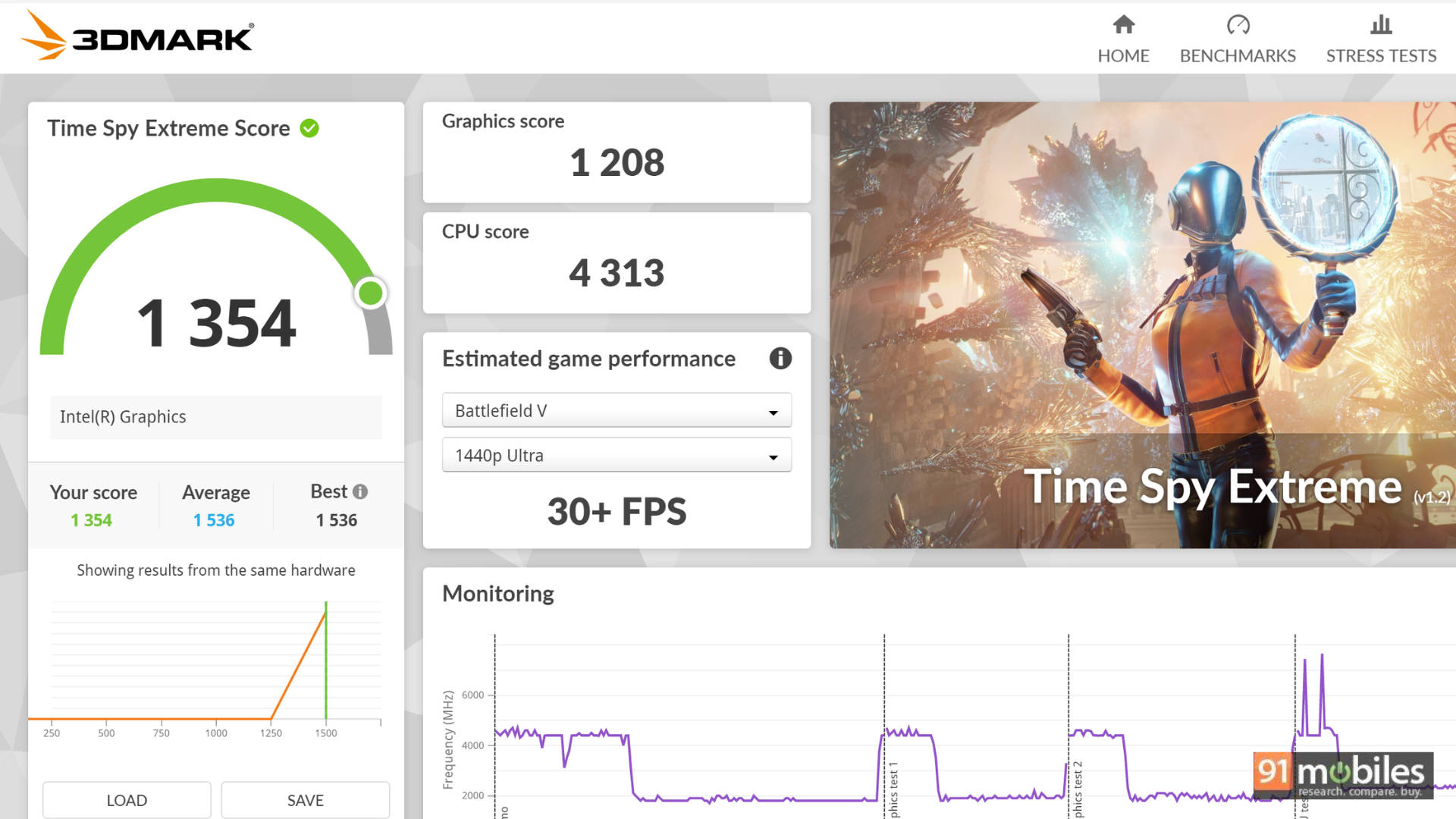
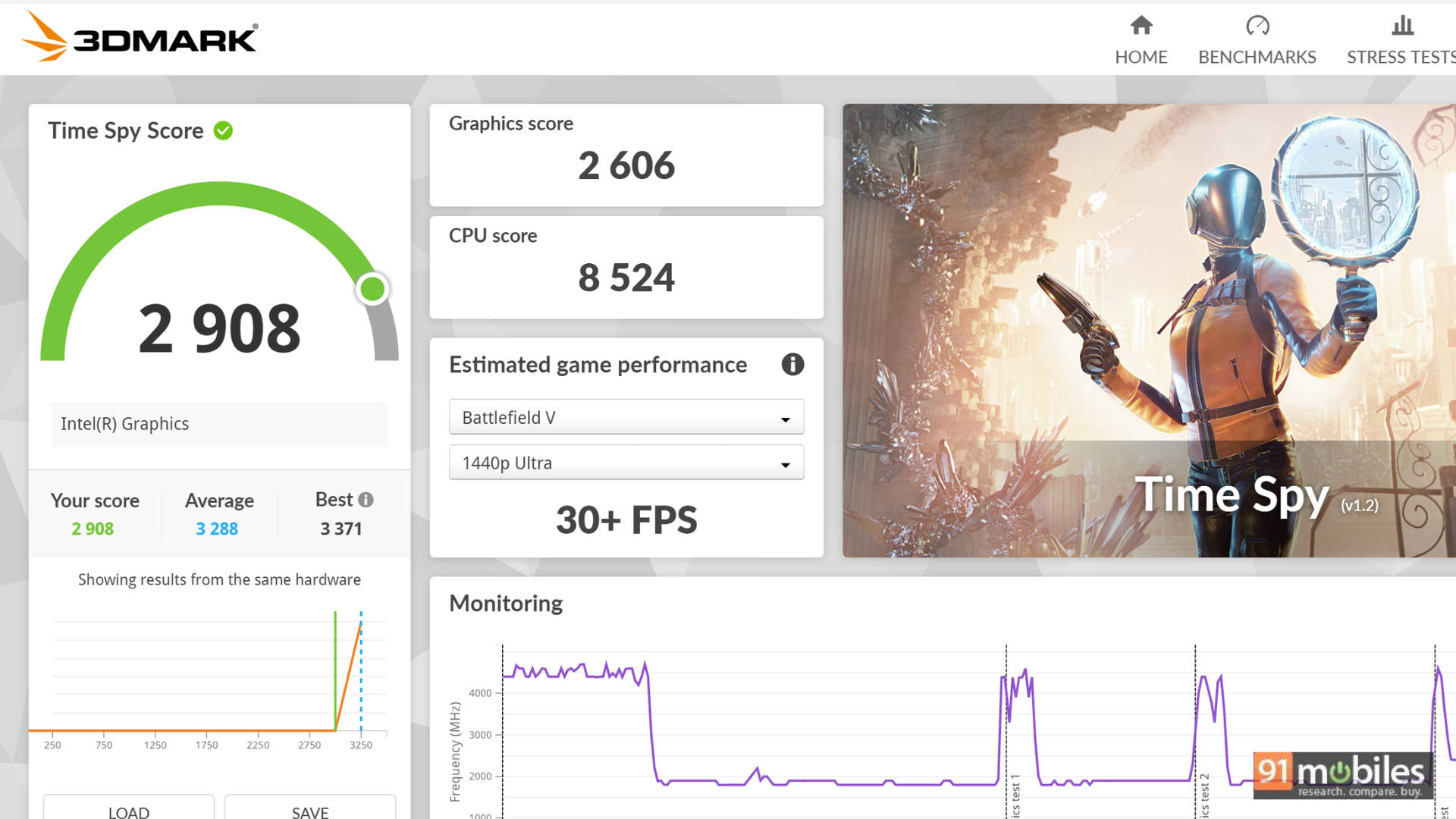
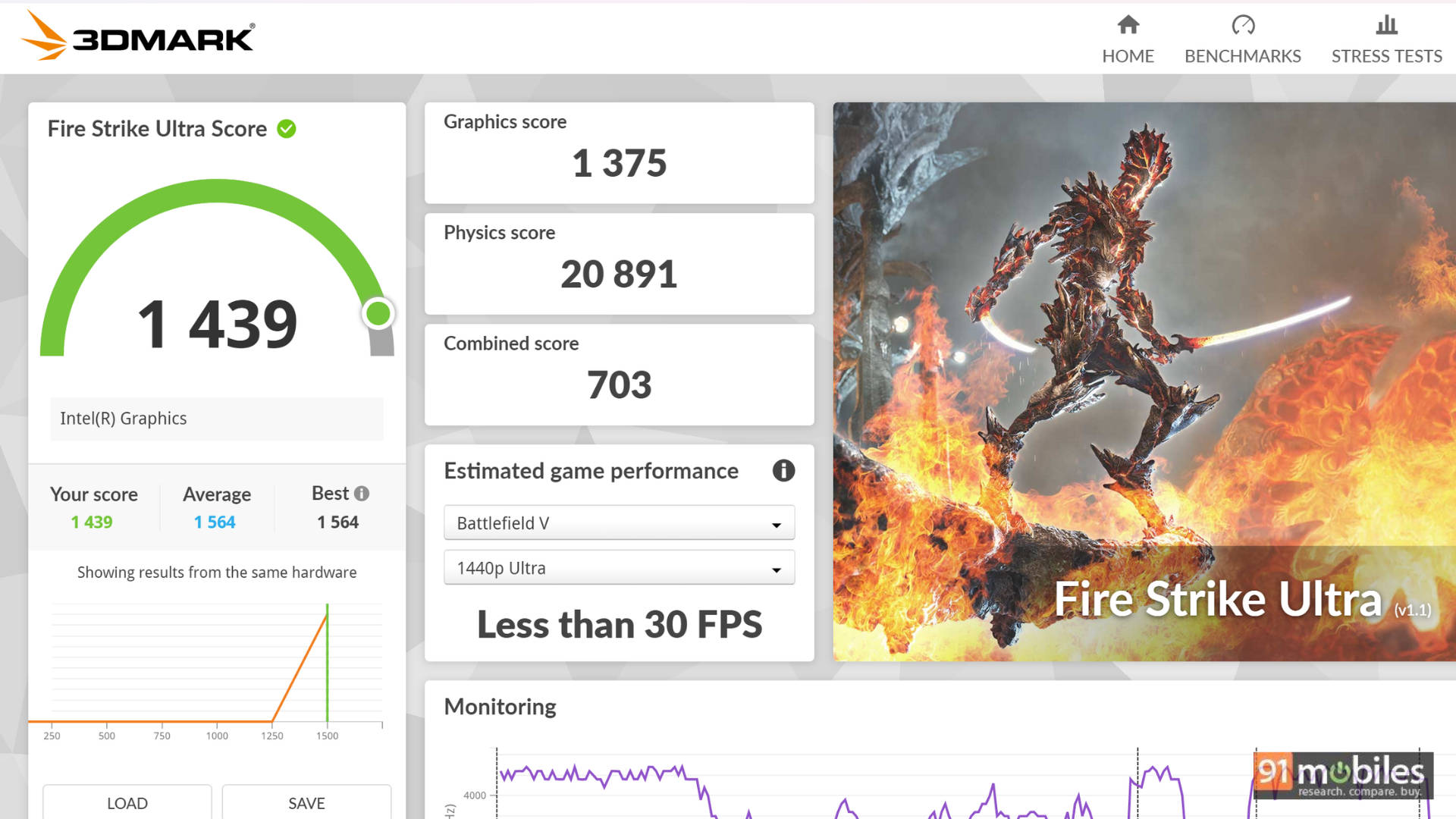
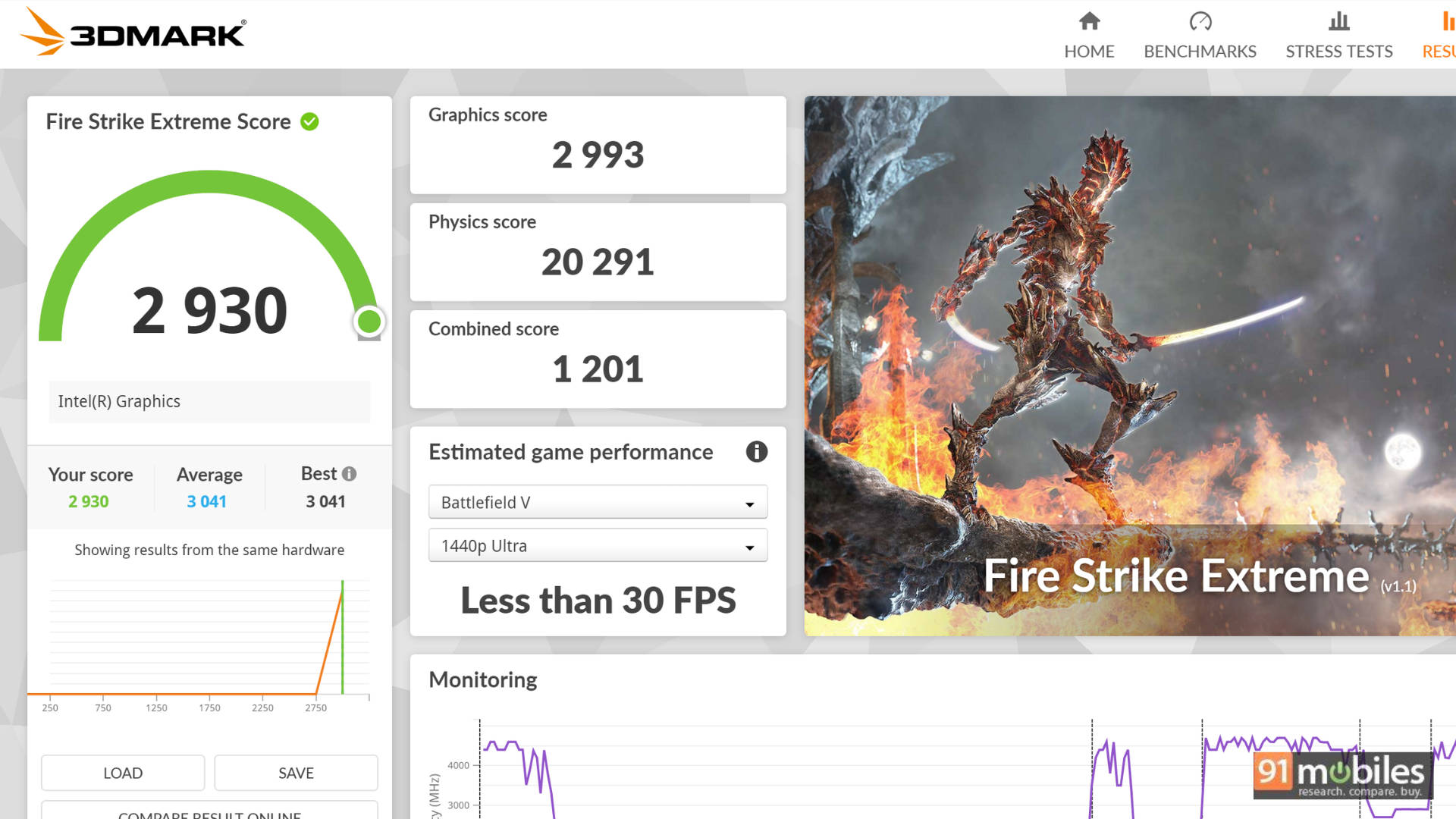
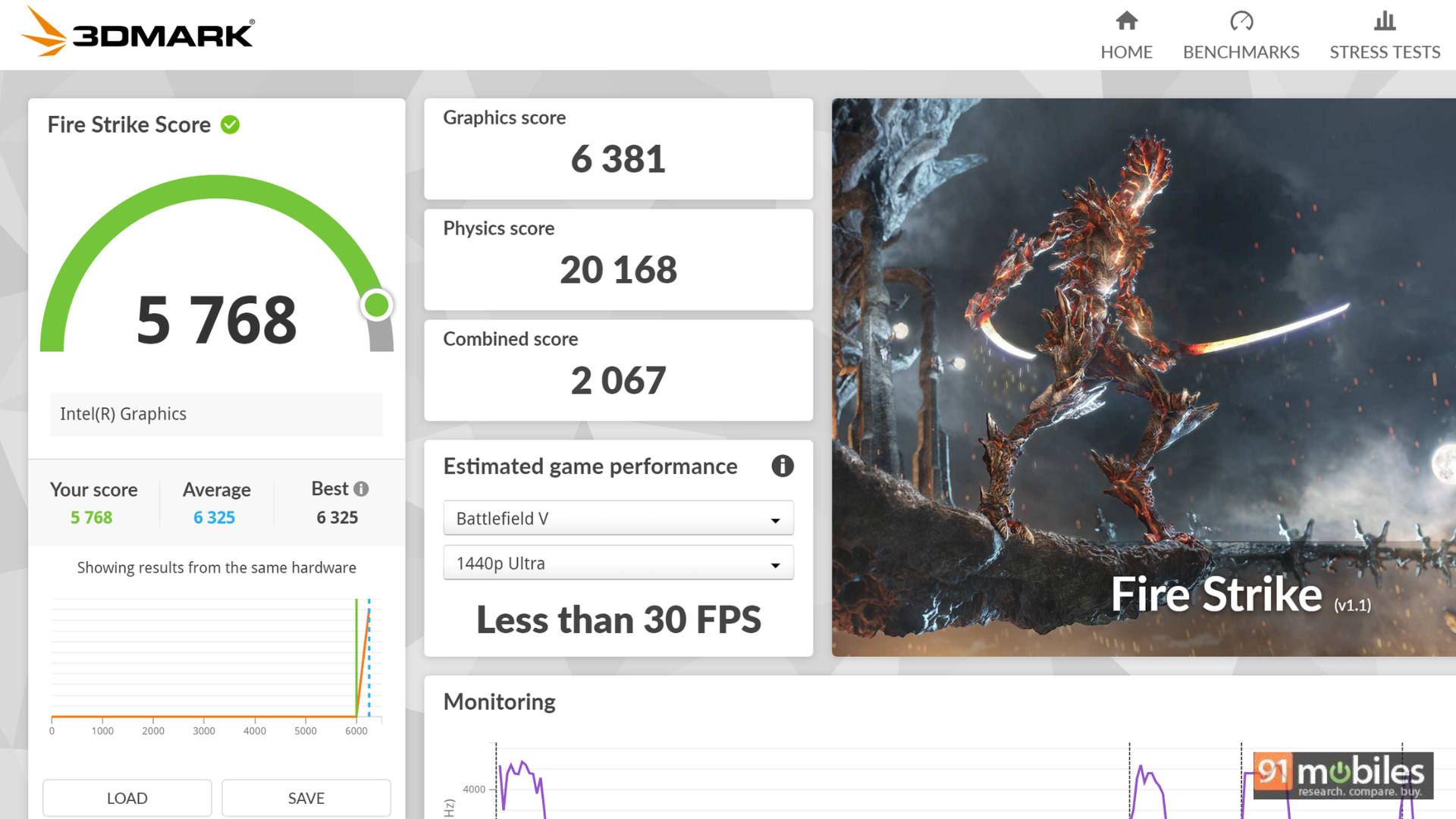
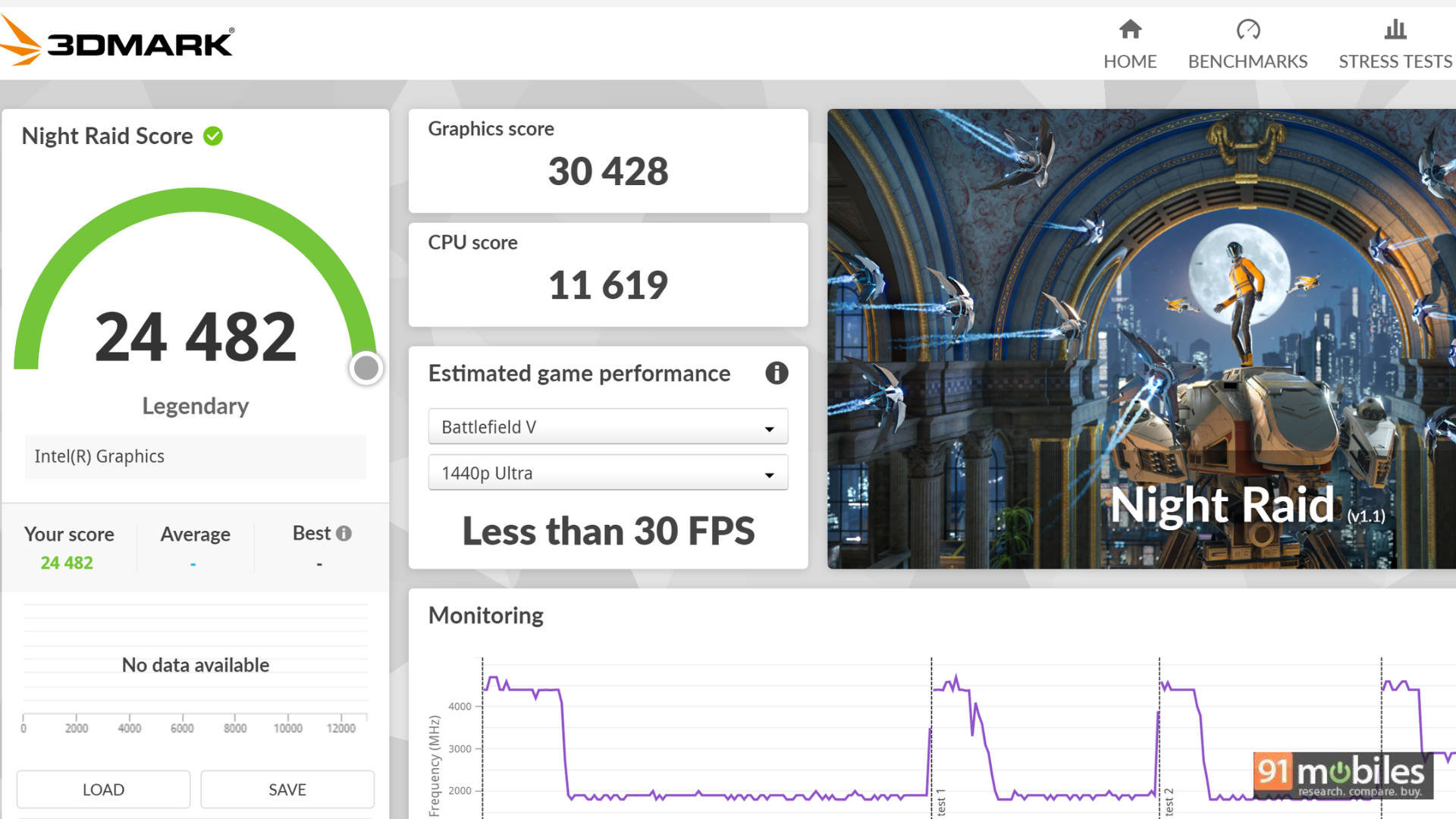


Considering its flagship nature, it’s no surprise that the HP OmniBook X 14 holds its own quite well when compared to the competition. Sure, there are benchmarks where the HP outshines the competition and vice versa, but the ballpark real-world performance is what you’d expect—buttery smooth and ready to handle any task you throw at the machine.
| Laptop/Benchmark | HP OmnibookX 14-ka0068TU | ASUS ZenBook S16 | MSI Prestige 16 AI Evo B2HMG | Asus Zenbook 14 OLED |
| CPU | Intel Core Ultra 7 356H | AMD Ryzen AI 9 465 | Intel Core Ultra 9 285H | Intel Core Ultra 9 285H |
| Cinebench R24 MT | 814 | 932 | 1015 | 934 |
| Cinebench R24 ST | 121 | 115 | 126 | 126 |
| Cinebench R23 MT | 16328 | 16771 | 17882 | 15402 |
| Cinebench R23 ST | 2029 | 1996 | 2131 | 2801 |
| PCMark 10 | 8234 | 8935 | 8183 | 7559 |
| PCMark 10 Extended | 6711 | 8372 | 8303 | 7711 |
| Geek Bench 6 ST | 2821 | 2782 | 2931 | 2938 |
| Geek Bench 6 MT | 16068 | 14317 | 17538 | 15689 |
| Geek Bench OpenCL | 23218 | 30429 | 42743 | 41641 |
| Geek Bench Vulcan | 28285 | 36294 | 36362 | 35555 |
| 3DMark Time Spy Extreme | 1354 | 1506 | 2240 | 2127 |
| 3DMark Time Spy | 2908 | 3312 | 4655 | 4293 |
| 3DMark Fire Strike Ultra | 1439 | 2150 | 2132 | 2077 |
| 3DMark Fire Strike Extreme | 2930 | 3904 | 3999 | 3864 |
| 3DMark Fire Strike | 5768 | 7408 | 8734 | 8179 |
| 3DMark Night Raid | 24482 | 28658 | 36765 | 31669 |
| Battery Runtime (Hr:Min) | 19:59 | 6:02 | 14:13 | 14:11 |
The laptop even ran GTA 5 at an 87FPS average, making it great for casual gaming! To keep this performance sustained, HP has equipped the laptop with a new dual-fan design featuring Special Liquid Crystal Polymer (SLCP) blades and a pure copper CPU cooling plate, delivering a 63% increase in airflow compared to traditional single-fan setups.

We are also reviewing this laptop at a time when we have access to GeForce Now, so playing games like Pragmata, Baldur's Gate 3, Forza Horizon 5, and more was a treat on this machine. With a stable internet connection, you can play games at maxed-out settings and enjoy them on this beautiful OLED display. We are in for a treat over the next few years if GeForce Now continues down this road in India.
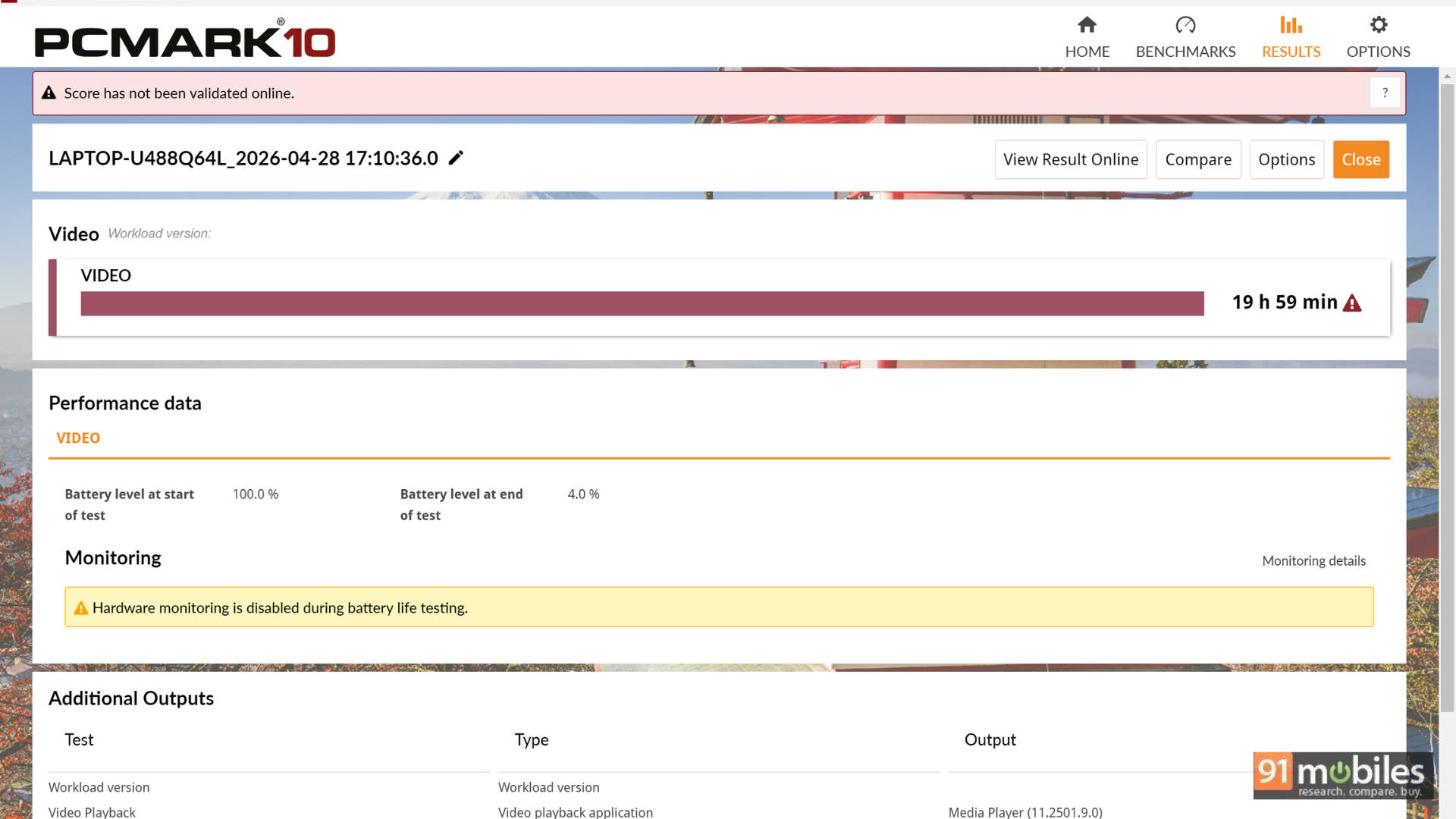
You aren't going to buy this laptop for its benchmark and gaming performance, so let's move over to some real-world performance. I could easily get through a 9-hour workday on this laptop with ease and still have close to 15% battery left based on my workload. This included almost an hour of video calls in the day, as well as some Netflix during lunch. During my time, I worked on a bunch of presentations, did some Excel work, wrote a part of this review, wrote another review, replied to emails, presented some PPTs, and had Google Meets calls, all while having my 40-odd tabs open in Chrome. HP claims an impressive battery life of up to 29 hours of video playback, powered by a 4-cell, 70 Wh battery, so light workloads will sip power throughout the day.
From setup to day-to-day tasks and even enjoying some cartoons on the laptop with kids, it's a great overall machine that marries productivity and play!
AI: Smart Features for the future-proof freelancer
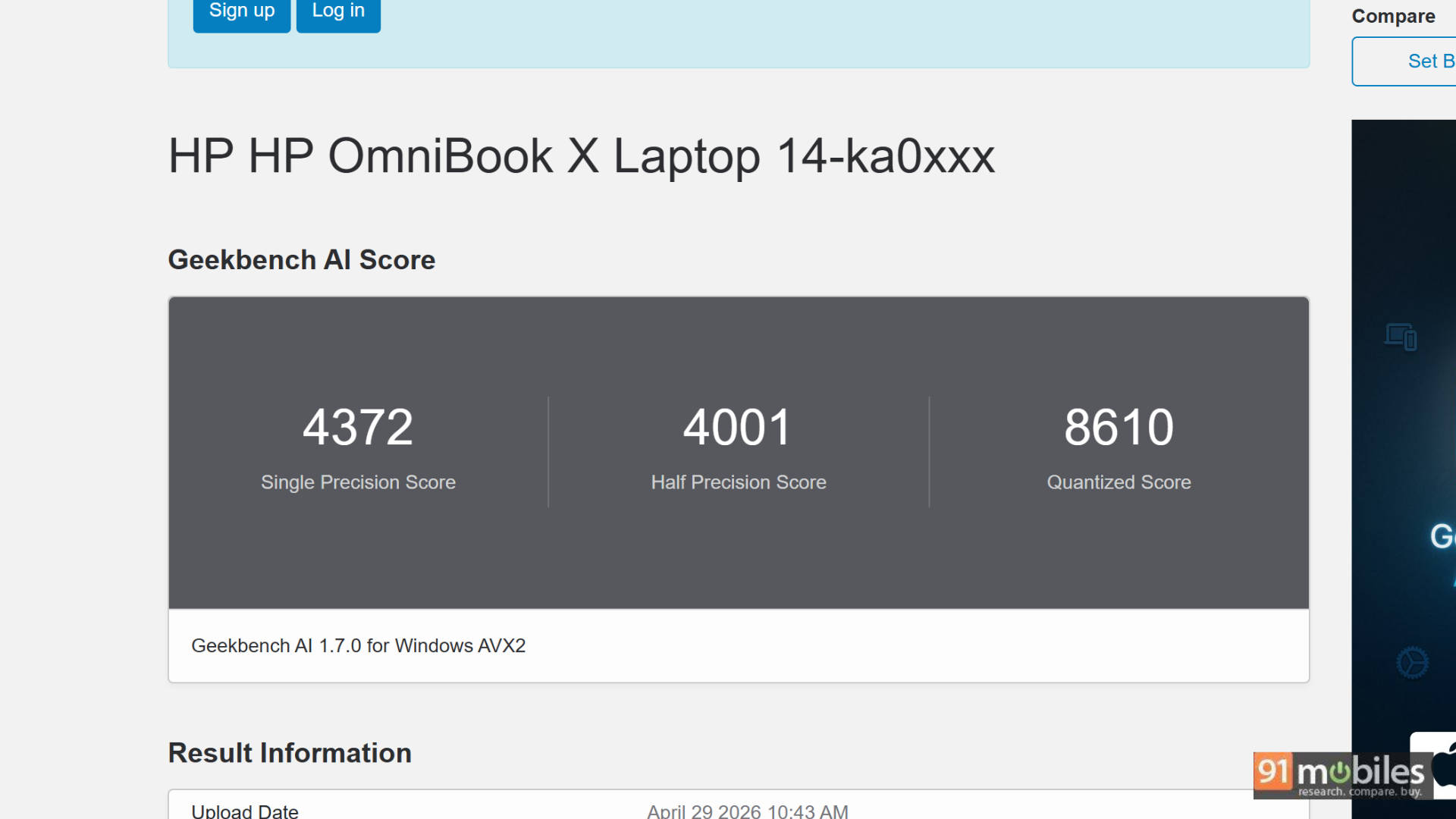
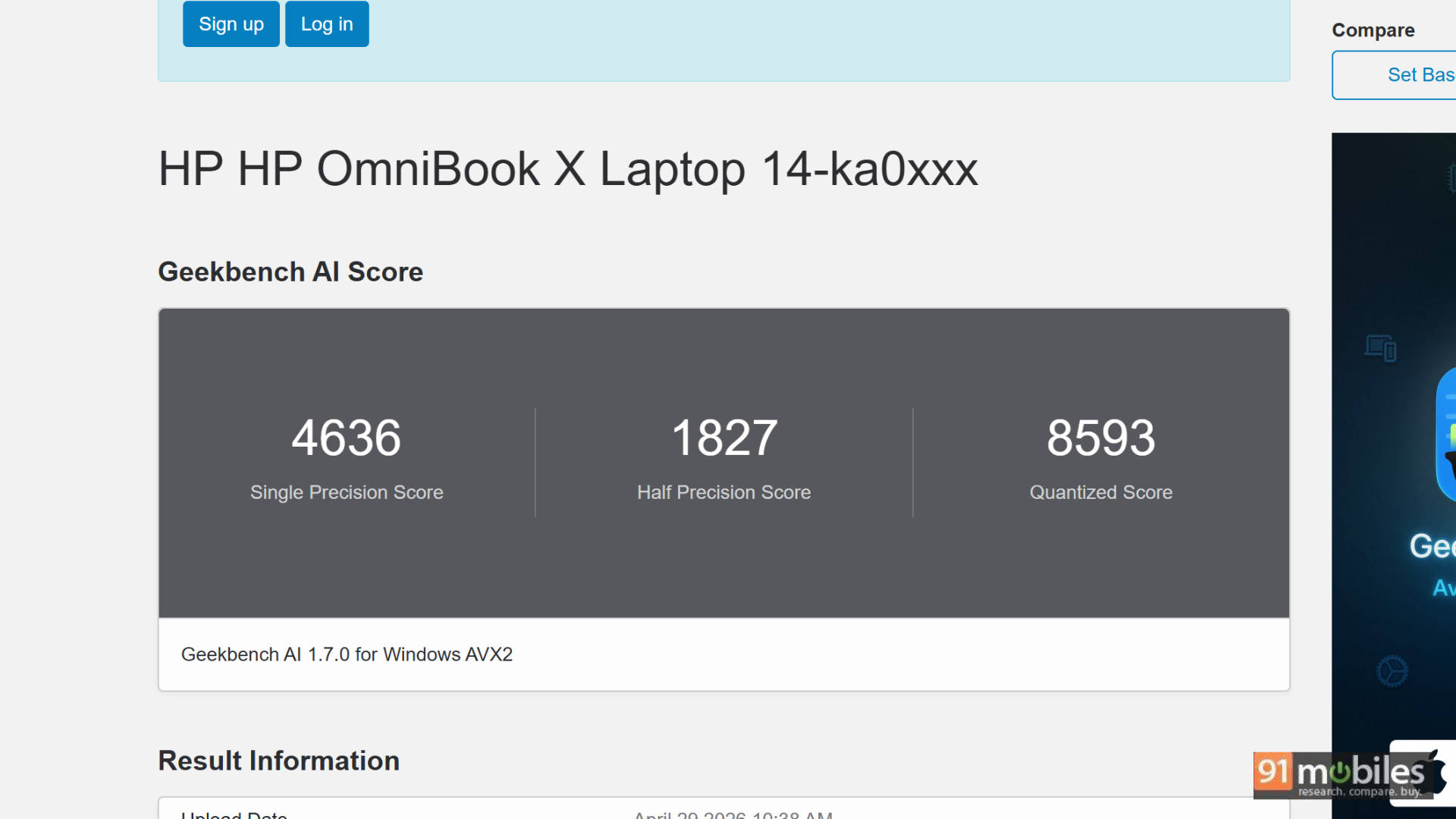
AI is still in its nascent days on the PC, and we have started running Geekbench AI as a benchmark. You can see the results below as compared to the same competition mentioned above. Beyond synthetic benchmarks, the built-in NPU powers practical features like the 5MP IR camera's HDR auto switch and temporal noise reduction, as well as 'Look To Move', which instantly shifts your cursor to the active screen by detecting your head movement.
Verdict: A Premium powerhouse worth the premium price
I haven't really said anything negative about the laptop (apart from the speakers) throughout the review, and that's because, for the price of almost 1.7L, it is giving you the flagship thin-and-light experience you'd expect. It has an immersive 3K OLED touchscreen, is super lightweight, portable, and super ergonomic for use on the go, and the keyboard is sublime to type on. It's a perfect package. However, if I had to nitpick, I'd say that Windows still isn't fully optimised for a touchscreen-only experience, and the audio output could be better.
One special mention goes to the 100W USB Type-C GaN charger that comes in the box with this laptop. It is as compact as a smartphone charger, making it easy to carry and use. Because it is USB-C, you can carry it to charge your phone as well. It's a small touch, but a compact charger makes all the difference for those who travel a lot for work.
Editor's Rating: 8.8/ 10
Pros:
- Stunning 14-inch 3K OLED 120Hz VRR display
- Exceptional keyboard
- Fantastic build quality with plenty of ports
- Compact, pocket-sized 100W GaN charger included
Cons:
- Audio performance lacks bass and depth compared to some high-end competitors
- No built-in SD card reader