


Review Summary
Expert Rating
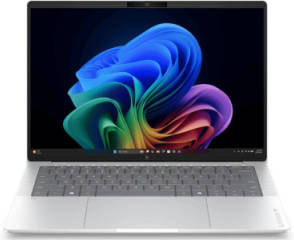
As big of a player as Qualcomm is in the smartphone space, it has traditionally been a bit of an underdog when it comes to laptops. Their first-generation X Elite chips on laptops were great for battery efficiency and decent multitasking but fell short when compared to the offerings from legacy brands like Intel and AMD.
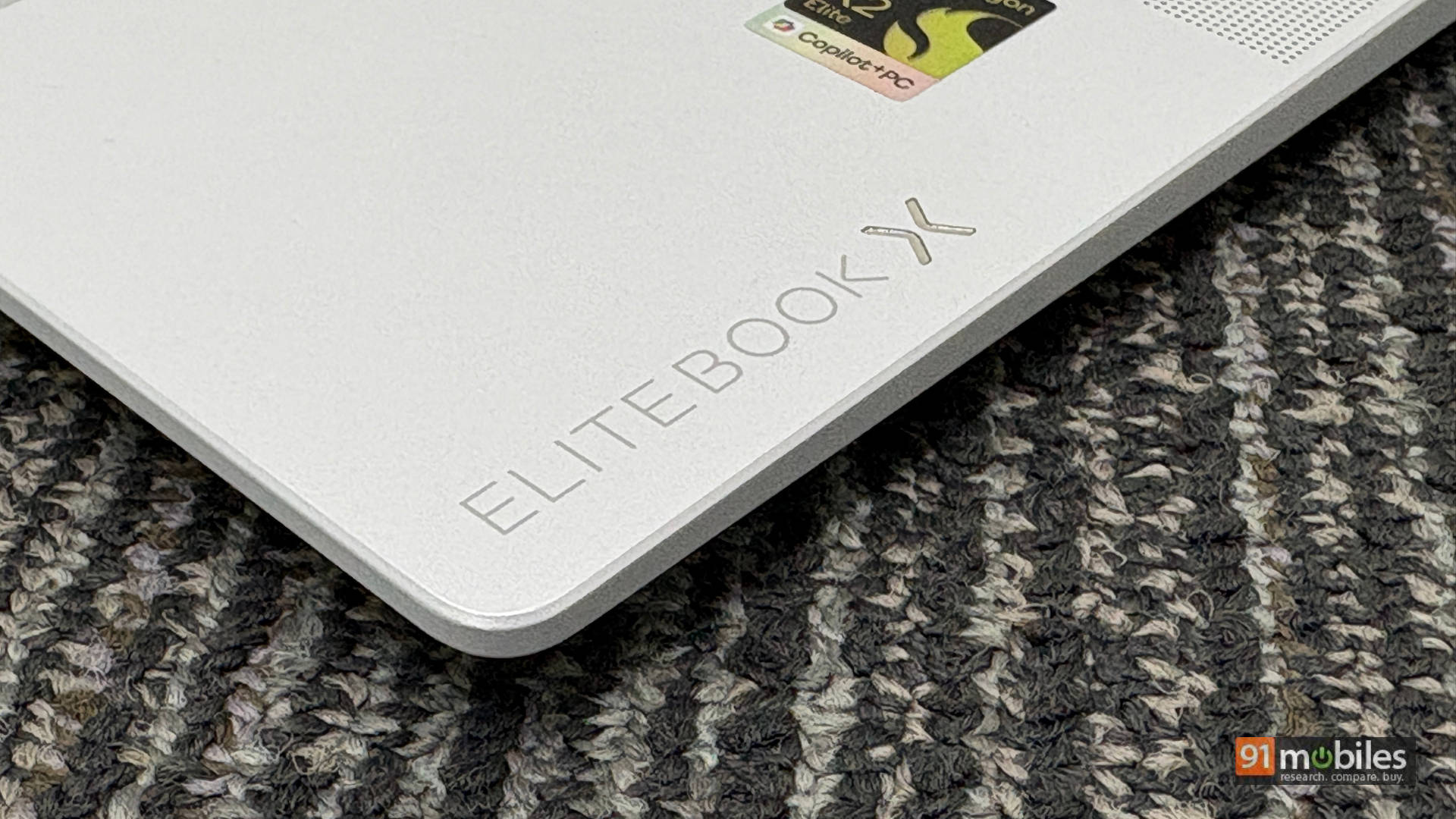
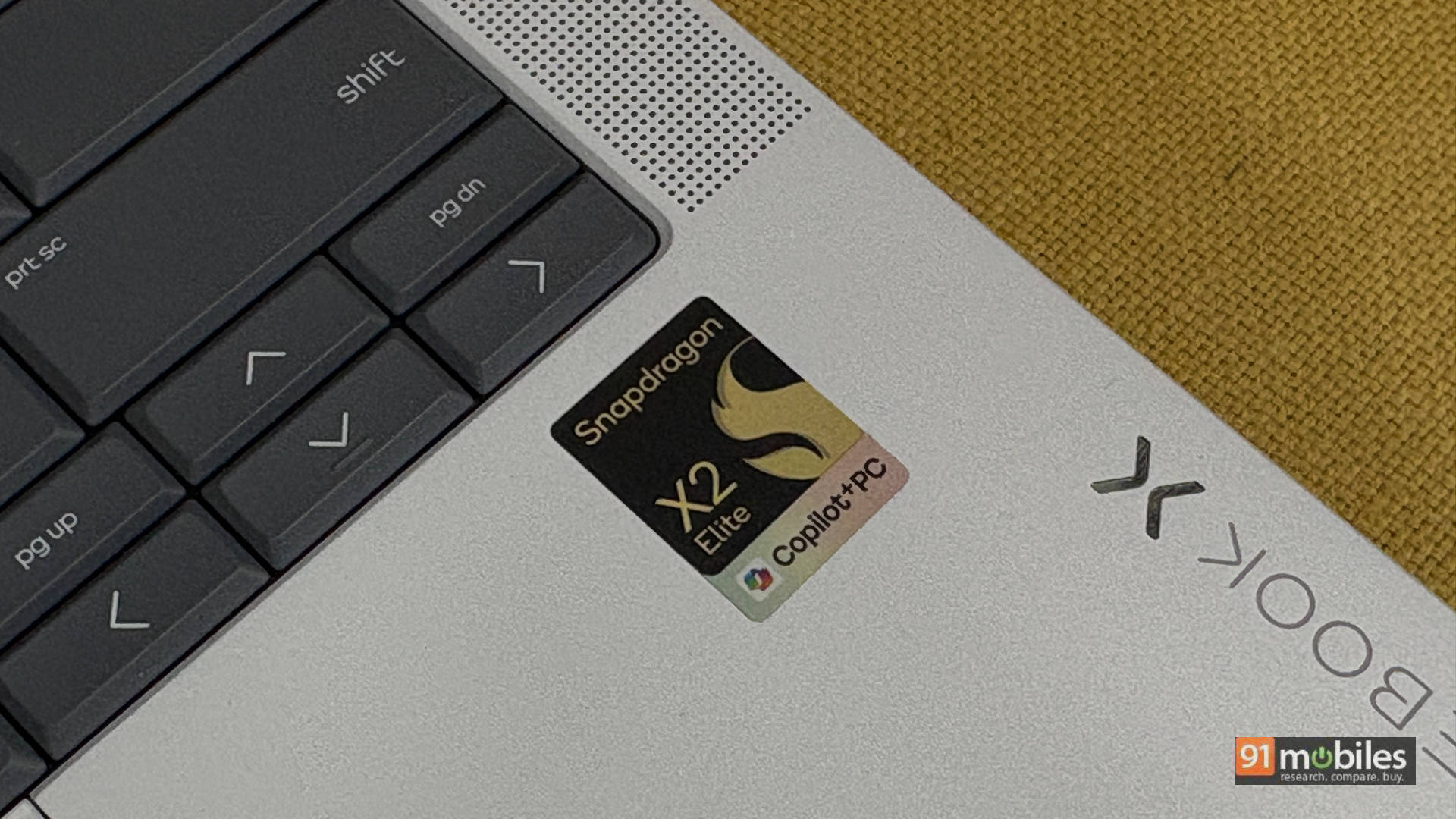
Today, we have with us the second-generation Snapdragon chips in the HP EliteBook X G2q. To be specific, this laptop is powered by the Snapdragon X2 Elite X2E-90-100 (up to 4.04 GHz, 18 cores) with Qualcomm Adreno Graphics and Qualcomm Hexagon (85 NPU TOPS). Priced at Rs 288,116, it competes with the best of the best from Dell, Asus, and Samsung, as well as some offerings from HP itself featuring Intel and AMD SKUs. Does the Qualcomm-powered laptop make a name for itself, or are you better off sticking with the tried and tested?
Table of Contents
Design, Build & Connectivity: The Minimalist’s Dream
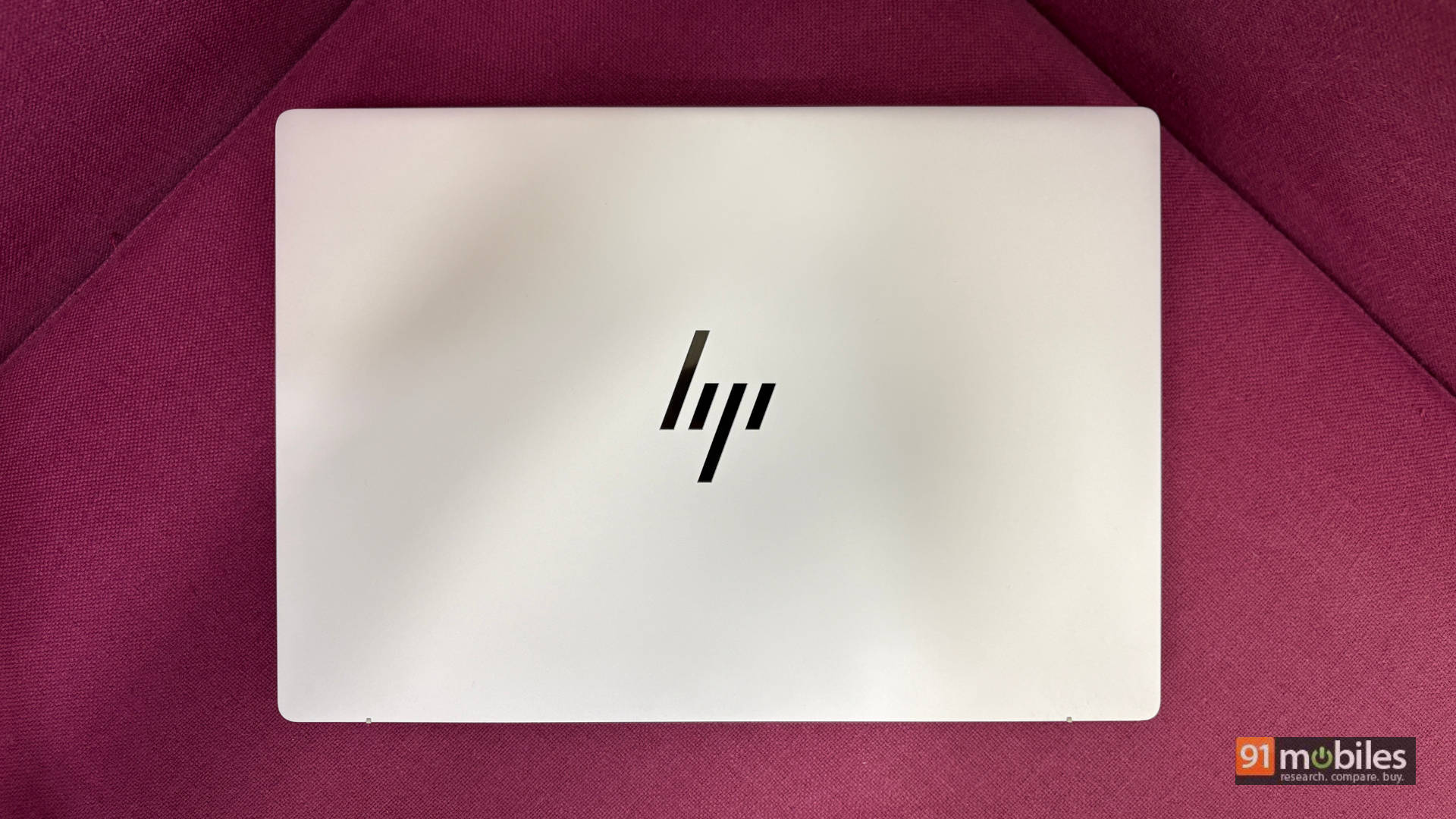
Kicking things off with the design, it is very minimal and elegant, ideal for those who want a work machine without any flash. The laptop is “Glacier Silver” in colour and looks like a run-of-the-mill HP laptop, which isn’t a bad thing. It goes for function over flash, which is something most professionals targeted by this device will appreciate. It still looks quite stunning with the glossy, reflective HP logo dominating the lid.
The build of the laptop is exceptionally sturdy. HP claims that the device has undergone eleven total MIL-STD 810H tests, so the PC can withstand some rough use here and there. At first touch, you may be fooled into thinking the laptop is plastic, but it most certainly is not. The laptop is made from magnesium, which adds to its durability while maintaining a lightweight profile. With current environmental concerns, it’s nice to see that HP has designed the laptop keeping sustainability in mind. The enclosure contains at least 85% recycled metal and at least 25% post-consumer recycled plastic in its other components.
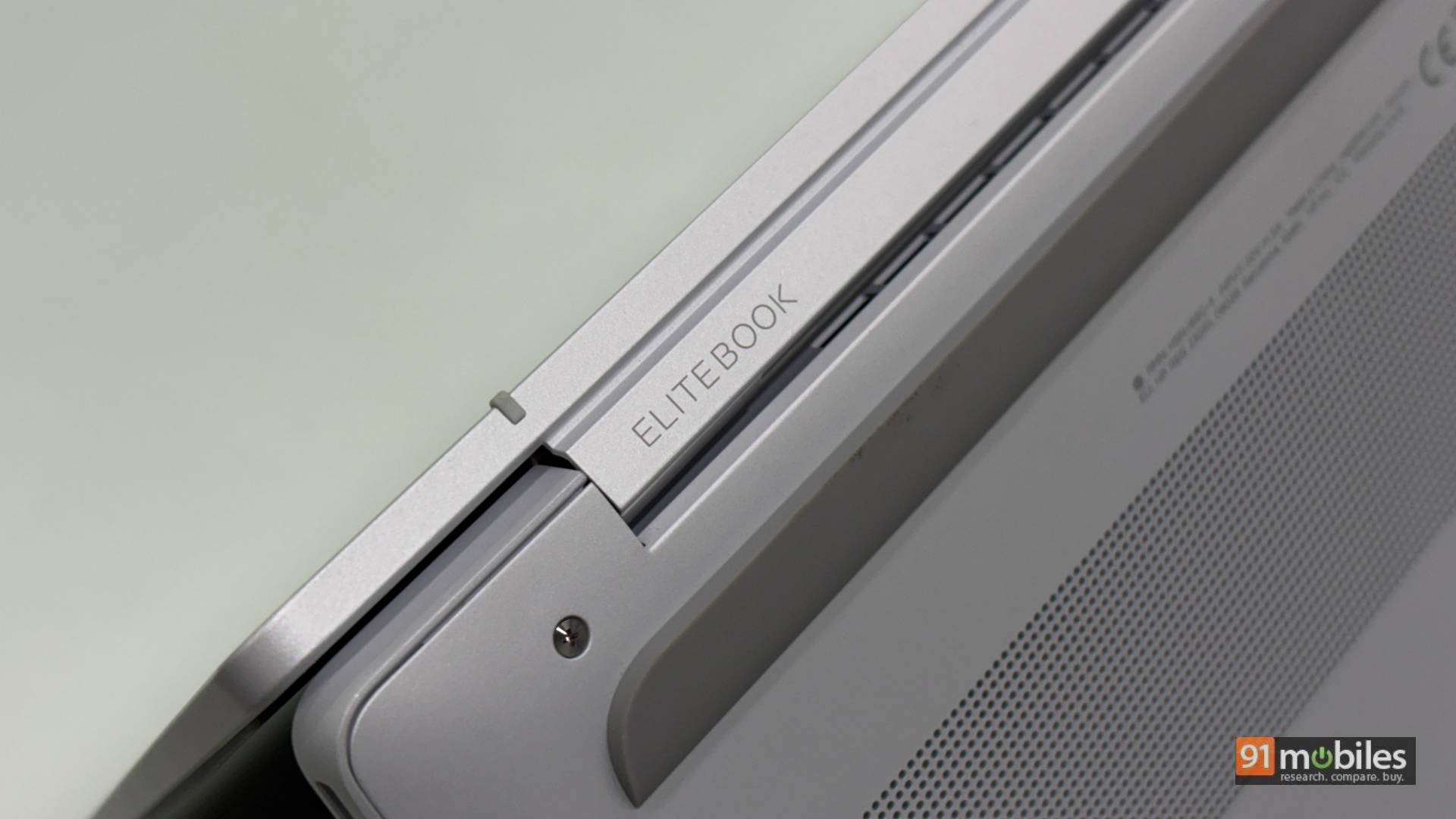
The hinge is very strong with minimal wobble, and you can easily open the laptop with a single finger without shifting the rest of the machine. There is also a small lip on the bottom chassis where you can easily rest your finger to lift the display open quickly, a simple design choice that has excellent real-world value. The touchscreen display goes way back to a 180-degree angle, though not all the way around like its X Flip sibling. Two rubber feet keep the laptop elevated for optimal airflow when kept on a desk. While this helps a bit when keeping the laptop on a bed, I still wouldn’t recommend it for airflow and thermal reasons.
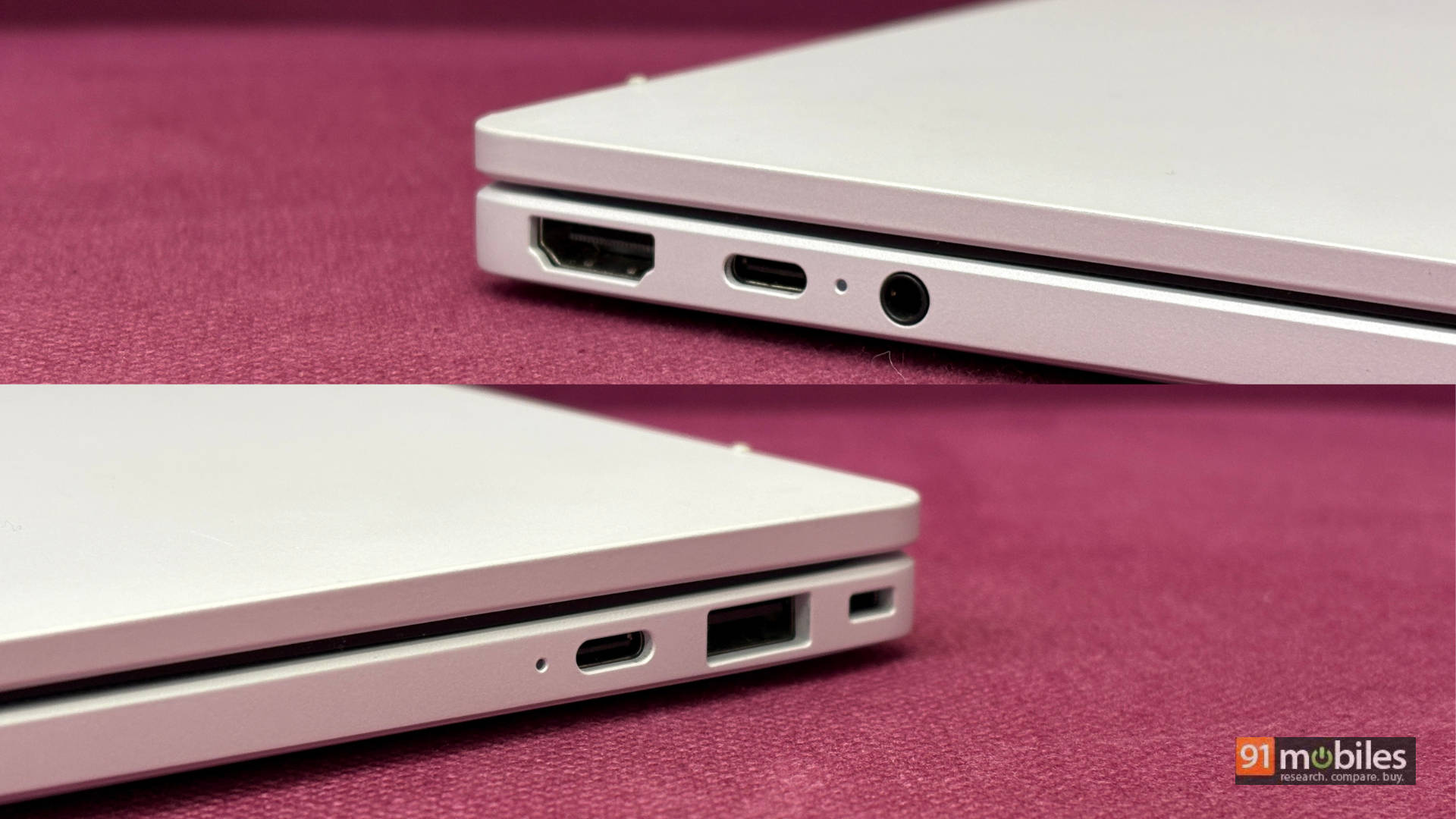
Moving to connectivity, the left side of the laptop houses 1 USB-C port, an HDMI port, and the headphone/mic combo jack. The right side has 1 USB-A port, 1 USB-C port, and a Kensington lock. I wish the device had an SD card slot to round out the package, but that’s just a personal preference.
Keyboard & Trackpad: Type Away the Workday
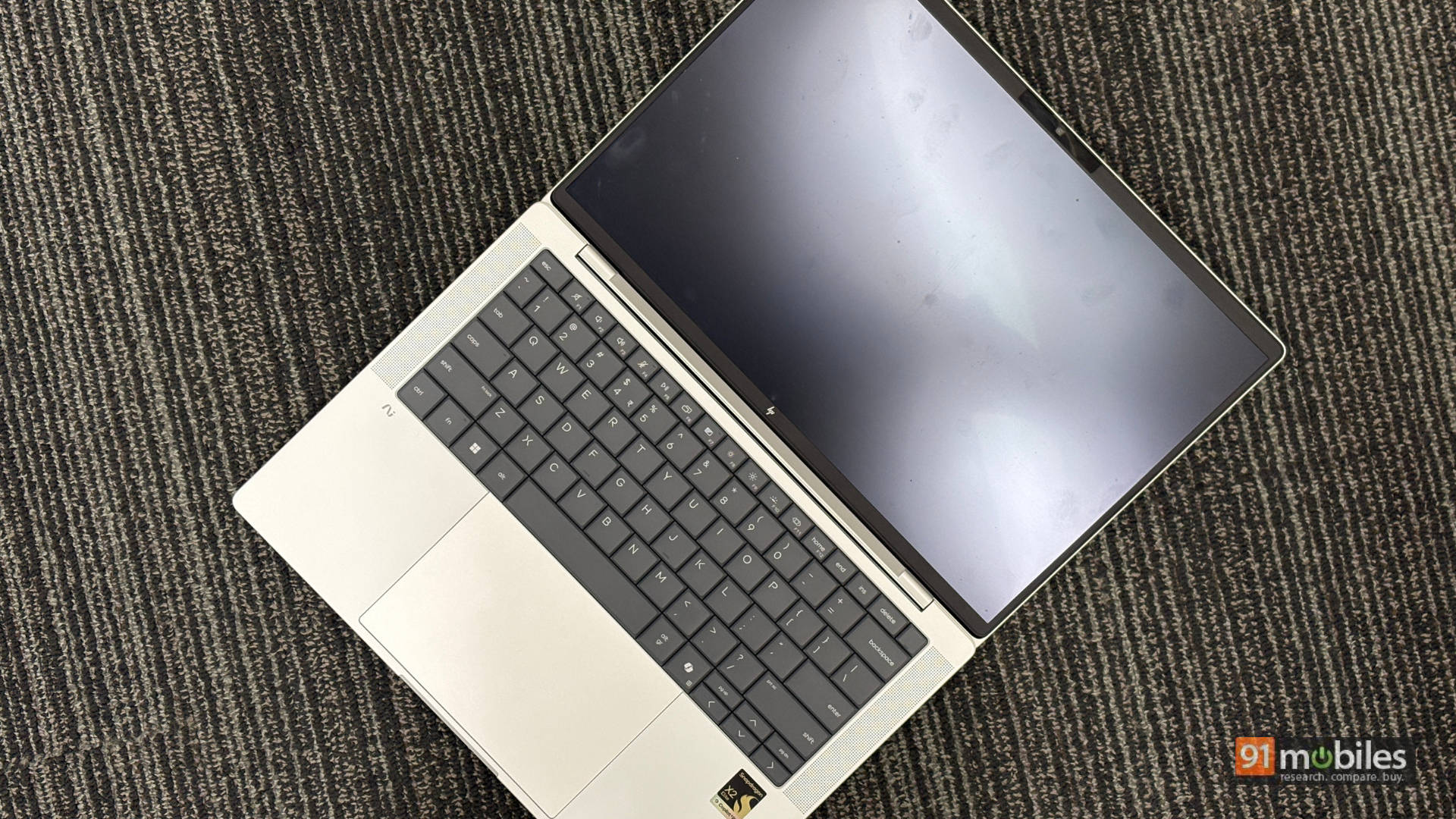
This is one place where the laptop has undergone the biggest change. The keyboard looks and feels redesigned, all in a good way. You have large keys, and the deck is incredibly comfortable to type on thanks to “a deeper keycap dish” for a more tactile typing experience. It is also easy to replace the keyboard via servicing in case you face any issues, adding to the ease of repairability.
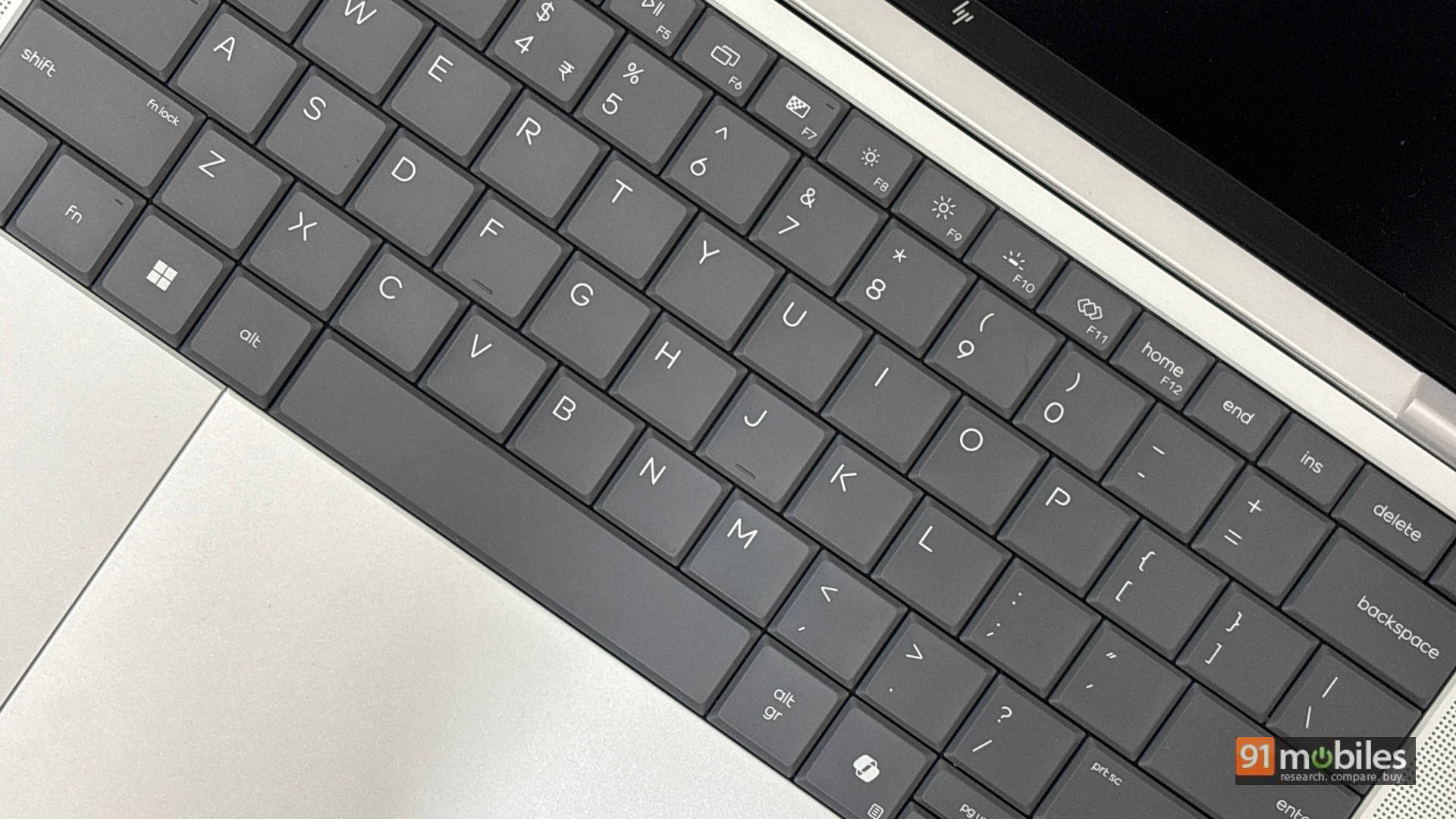
Moving over to the trackpad, it is large and easy to navigate with support for multi-gestures. The trackpad is relatively smooth—almost as smooth as the ones found on MacBooks, and that’s high praise. Overall, if you are someone who is always on the go and prefers a trackpad over a mouse, the comfort of this setup will not disappoint.
Display: A Visual Treat (Even for Kindle Readers)
While I am glad there is an OLED option available for users, the IPS display on my review variant made it easy to use the device in various situations: under harsh office lighting, on the go in a cab or flight, and even with the lights turned down while my kids slept. The display gets plenty bright, making it comfortable to edit documents outdoors while remaining equally adept at media consumption.
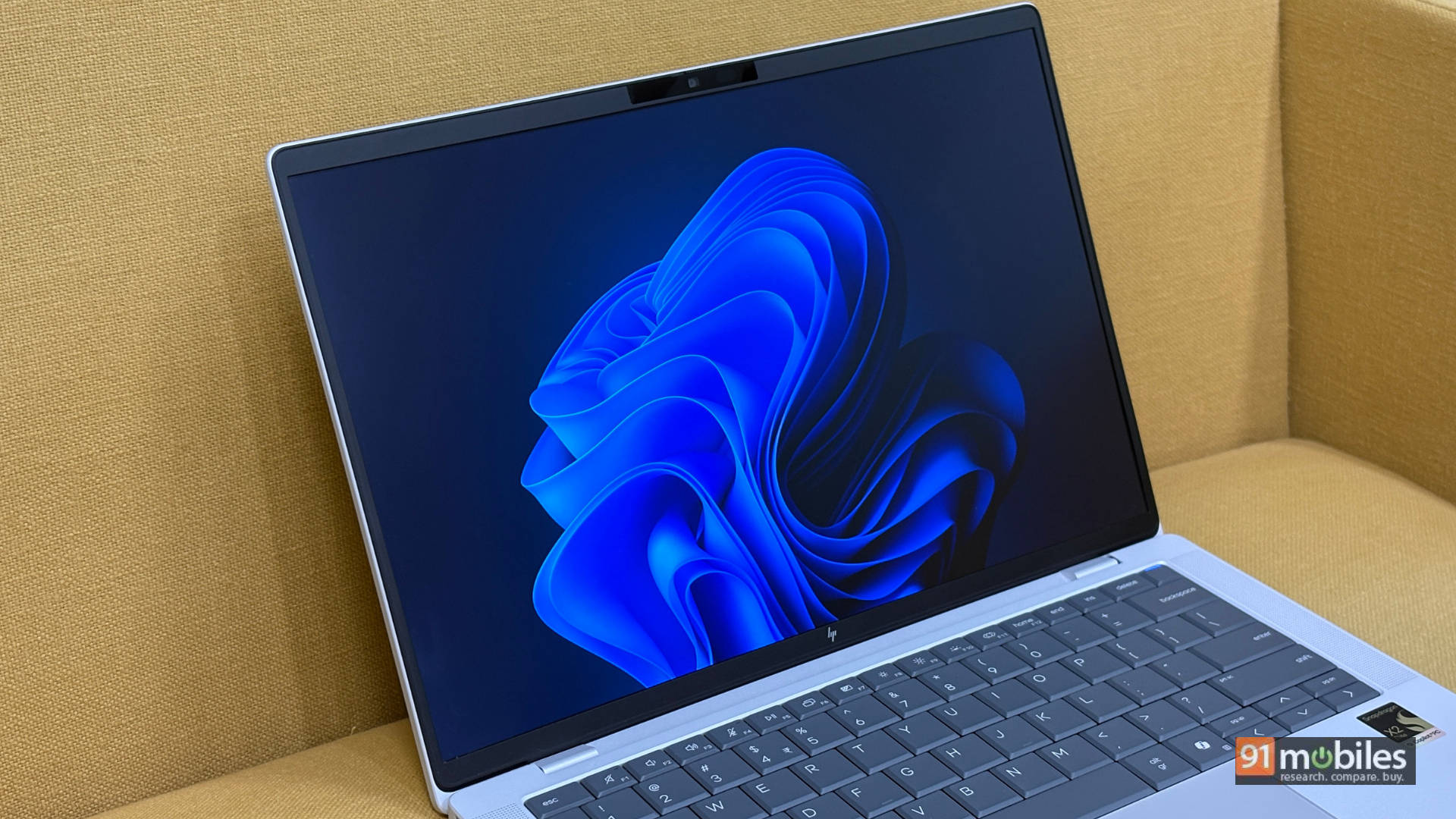
While you will see a slight colour shift at extreme angles, this only happened when a bunch of us huddled around the laptop to watch the new trailer for The Odyssey. The 16:10 aspect ratio makes it great for productivity. This isn’t a gaming laptop, but for scrolling through long documents, reading a book on the Kindle app (yes, I am one of the few who does that on a laptop, and the touchscreen worked brilliantly for it), or simply browsing family photos, the display is sublime.
Audio: Small Cans, Big Boom
To put things into perspective, I still feel the recently launched Dell XPS 14 packs phenomenal speakers for this form factor, but the HP EliteBook X G2q isn’t far behind. Binge-watching my favourite shows during lunch or jumping on a call was enough to let the speakers shine, delivering good voice clarity and a decent amount of thump. It is about in line with what you’ll get on a MacBook Air M5, so the speakers aren’t bad by any means.
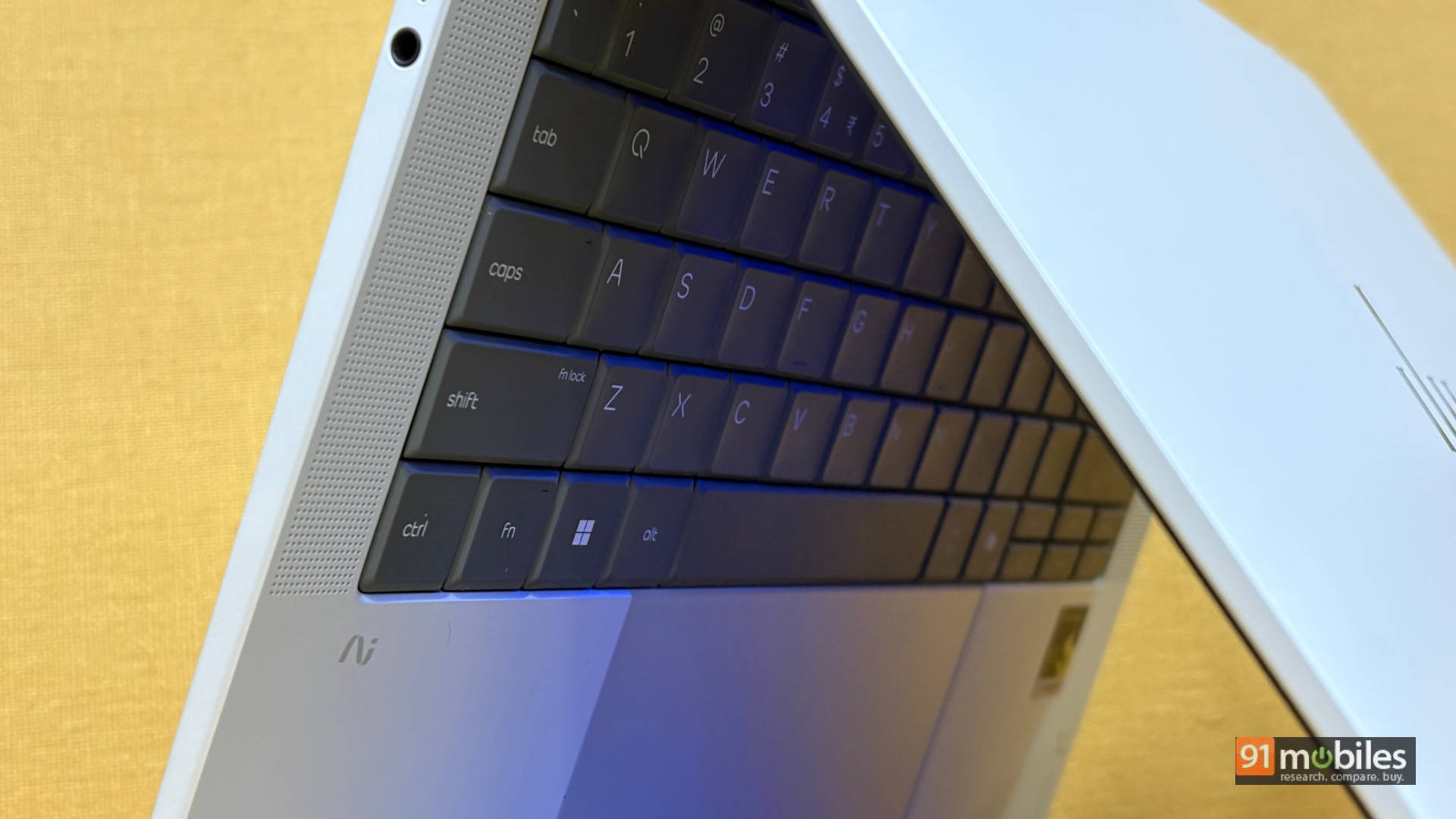
The laptop features two up-firing speakers flanking the keyboard, which prevents the sound from getting muffled when resting the device on a bed. For video calls, they get loud and clear; I found myself limiting the volume to 70% in my quiet home office, though I bumped it to 80-100% to cut through the ambient noise at work. When watching action movies, dialogue clarity is perfectly clean, though the mixed audio of heavy bangs and thuds is nothing to write home about.
Performance: The Snapdragon Strikes Back
Let’s get down to the belly of the beast. Below is a look at some synthetic benchmarks of the HP EliteBook X G2q compared to similarly priced laptops, including the HP Omnibook Ultra (Intel Core Ultra 7 356H), Dell XPS 14 (Intel Core Ultra X7 358H), ASUS Zenbook S14 (Intel Core Ultra 9 386H), and last year’s Surface Laptop 7th Gen (Snapdragon X Elite X1E-80-100) to showcase the generational performance uplift the X2 Elite brings to the table.
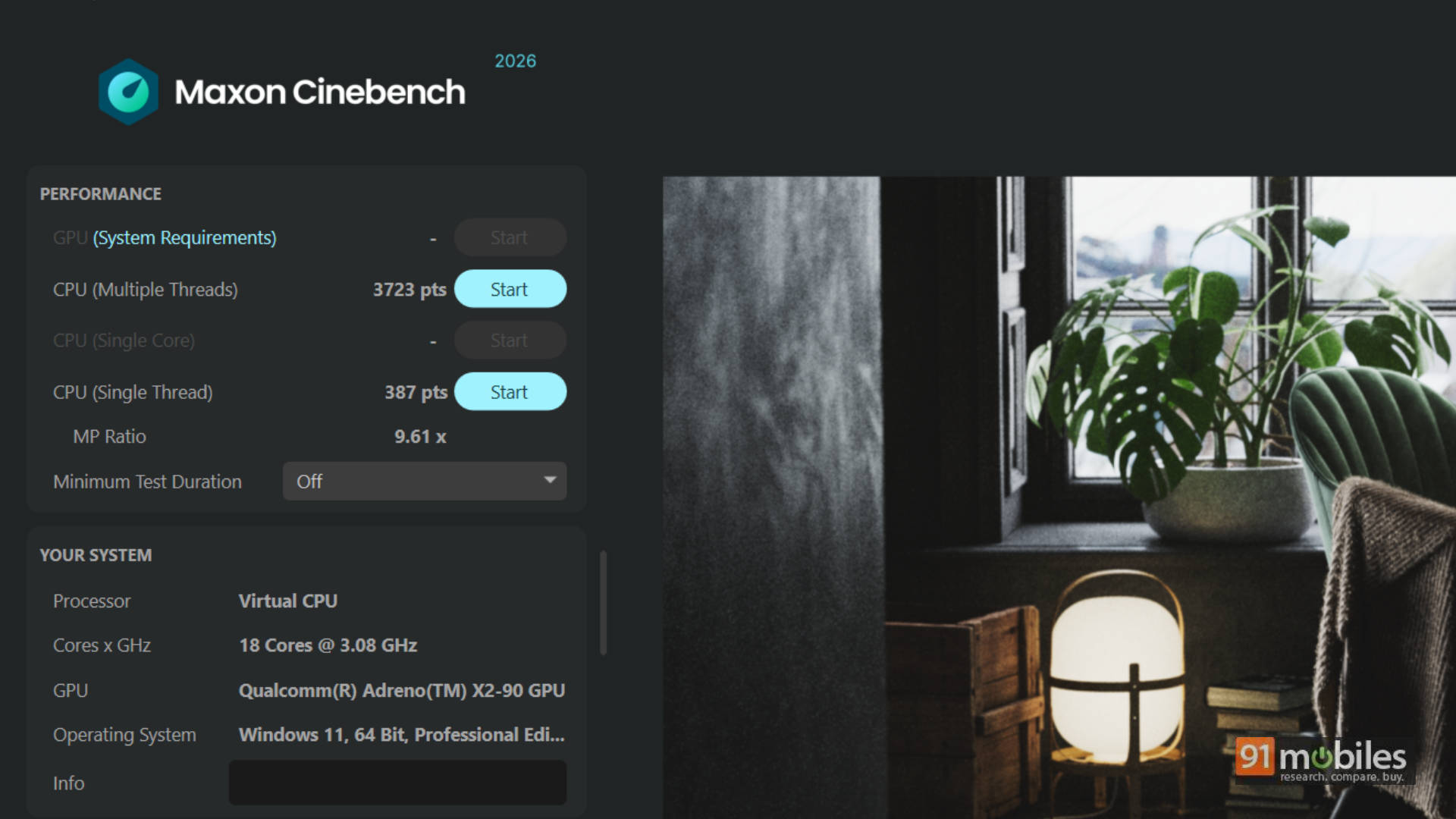
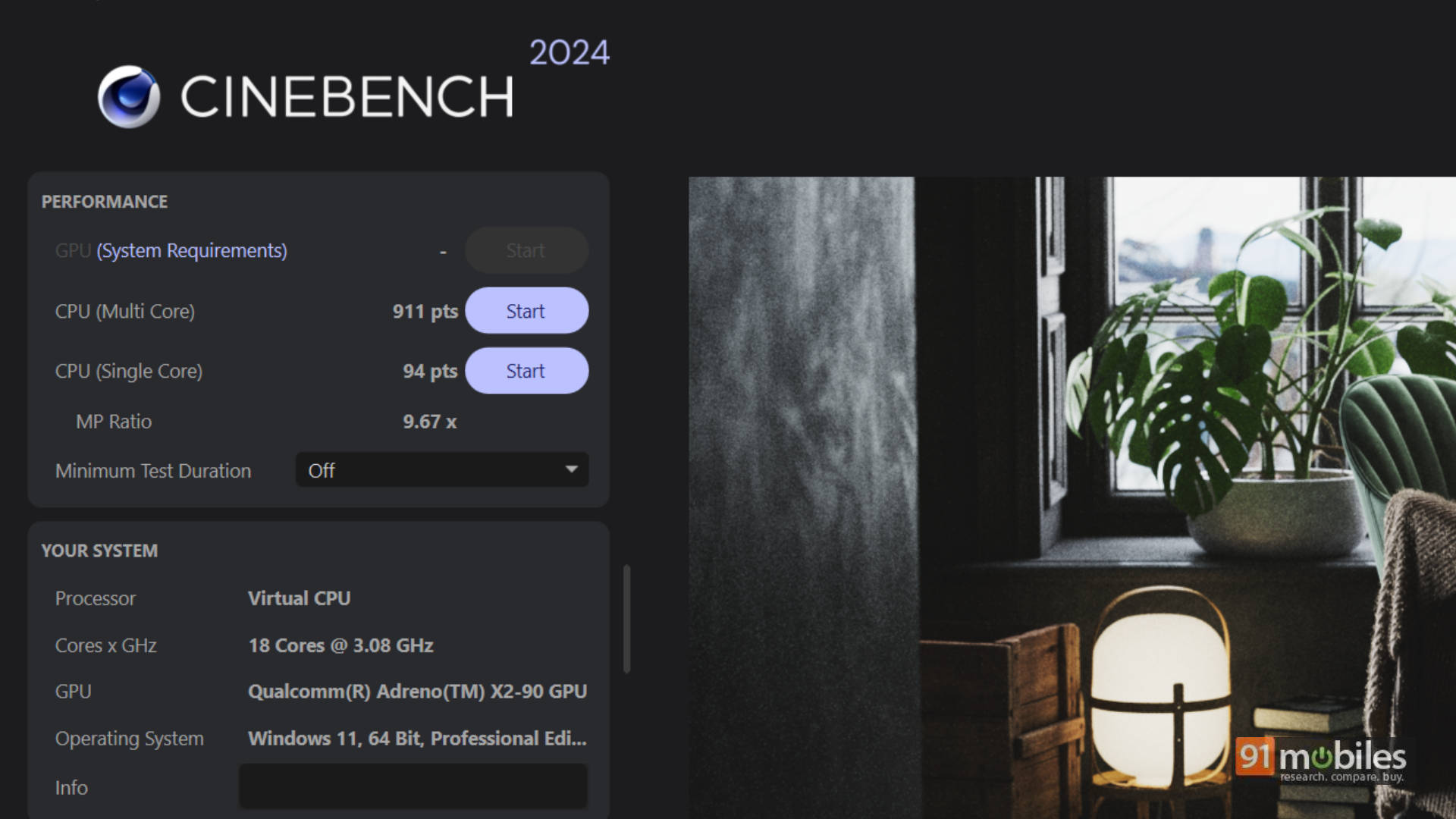
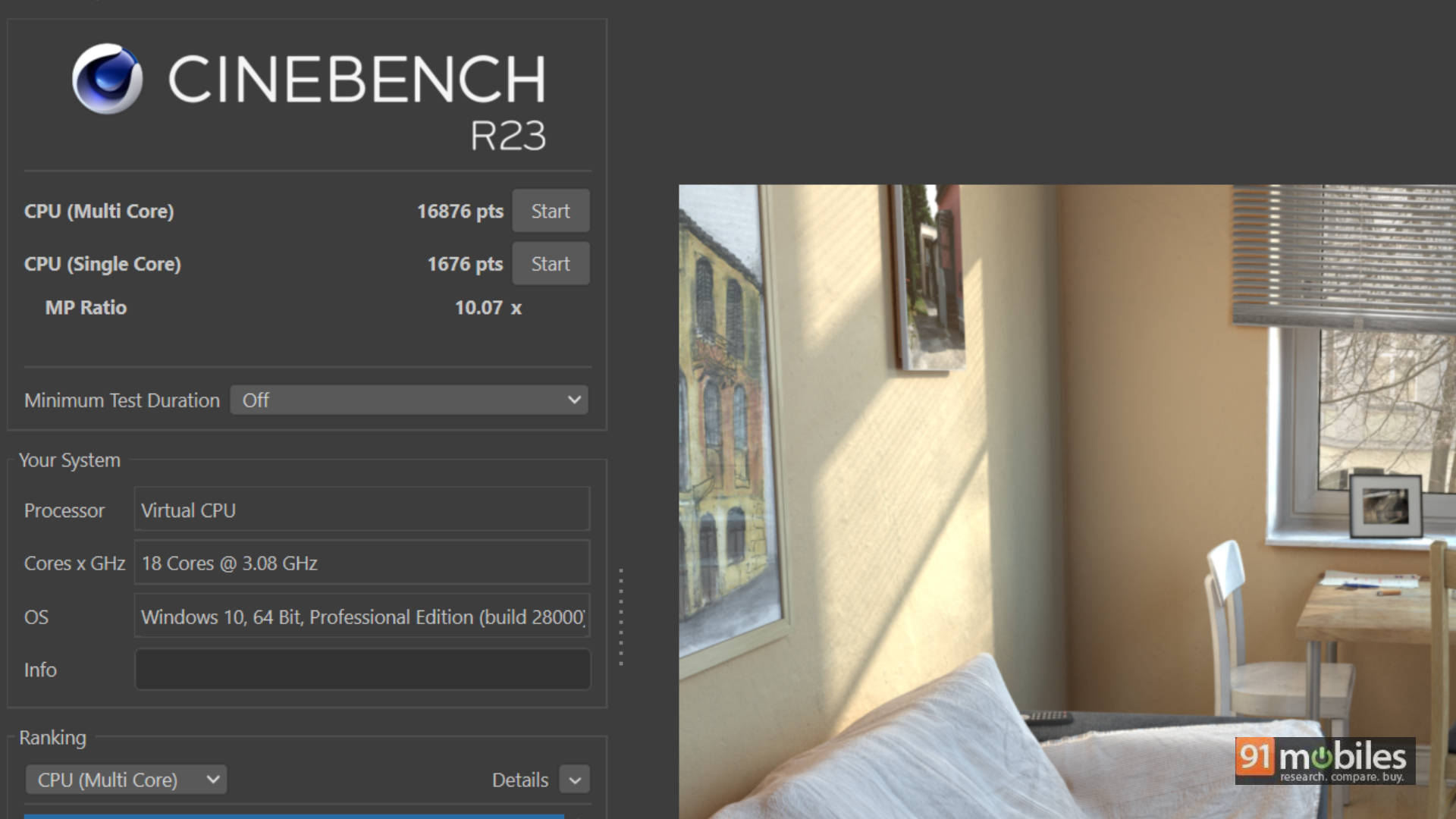
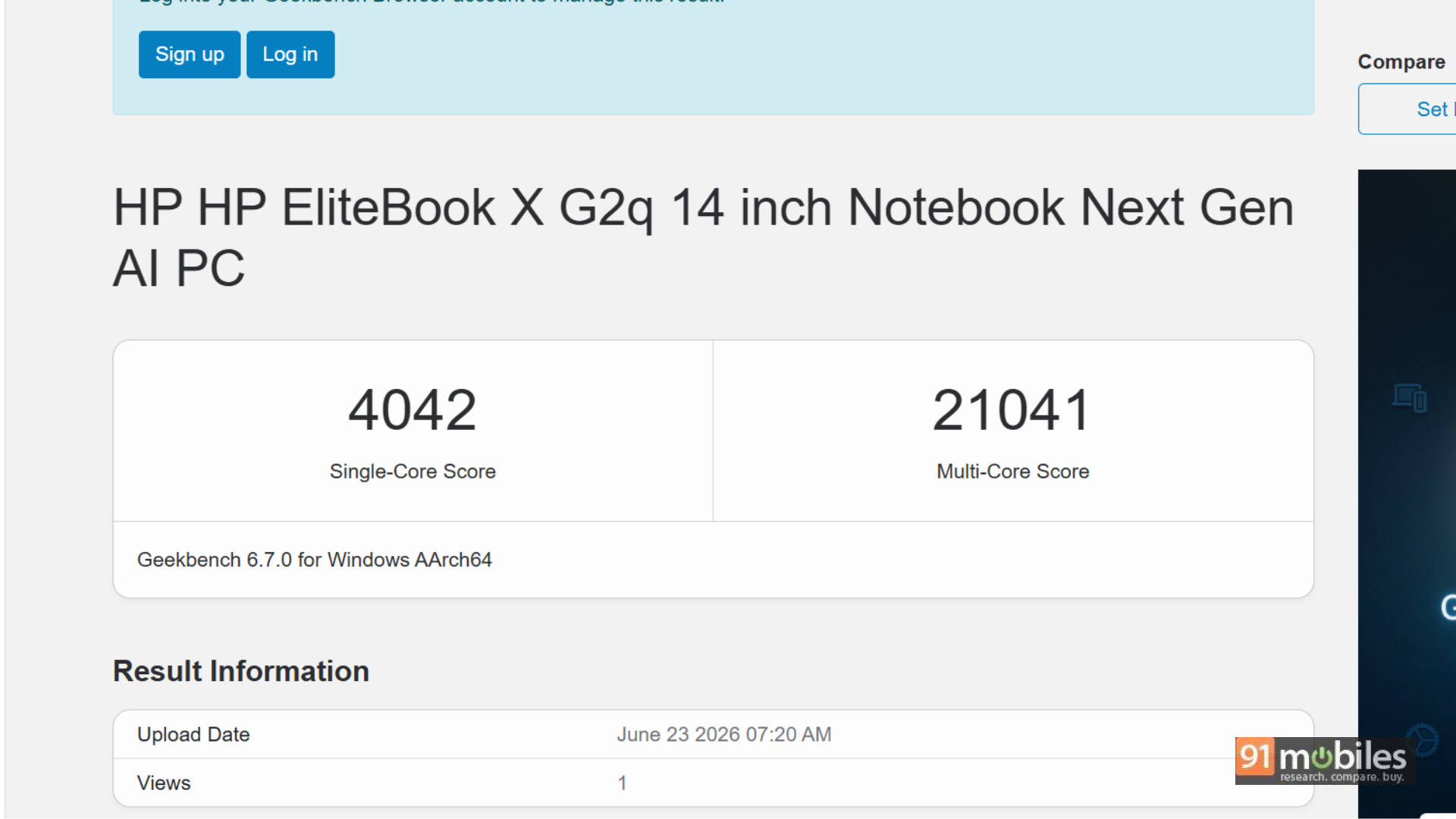
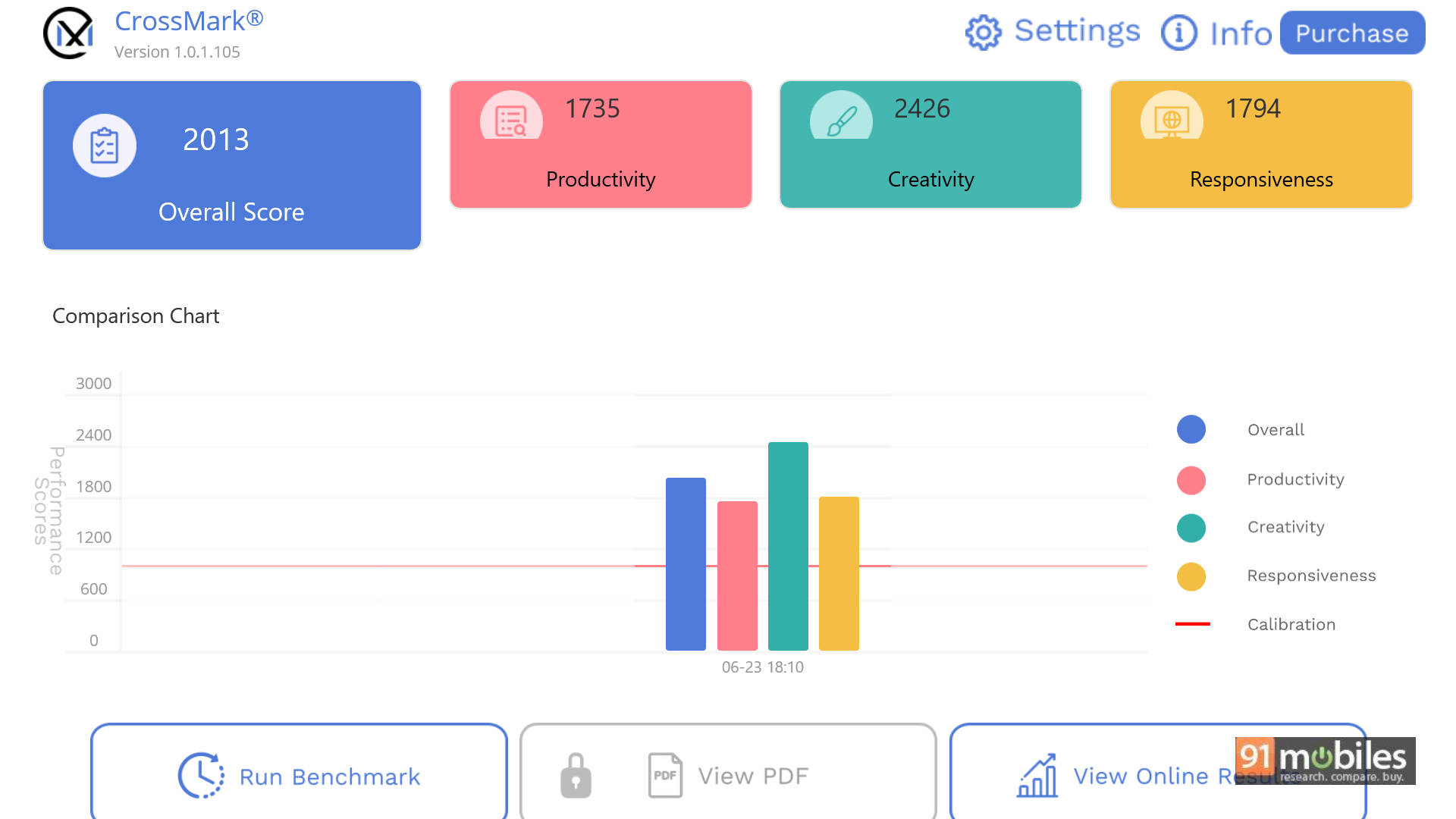
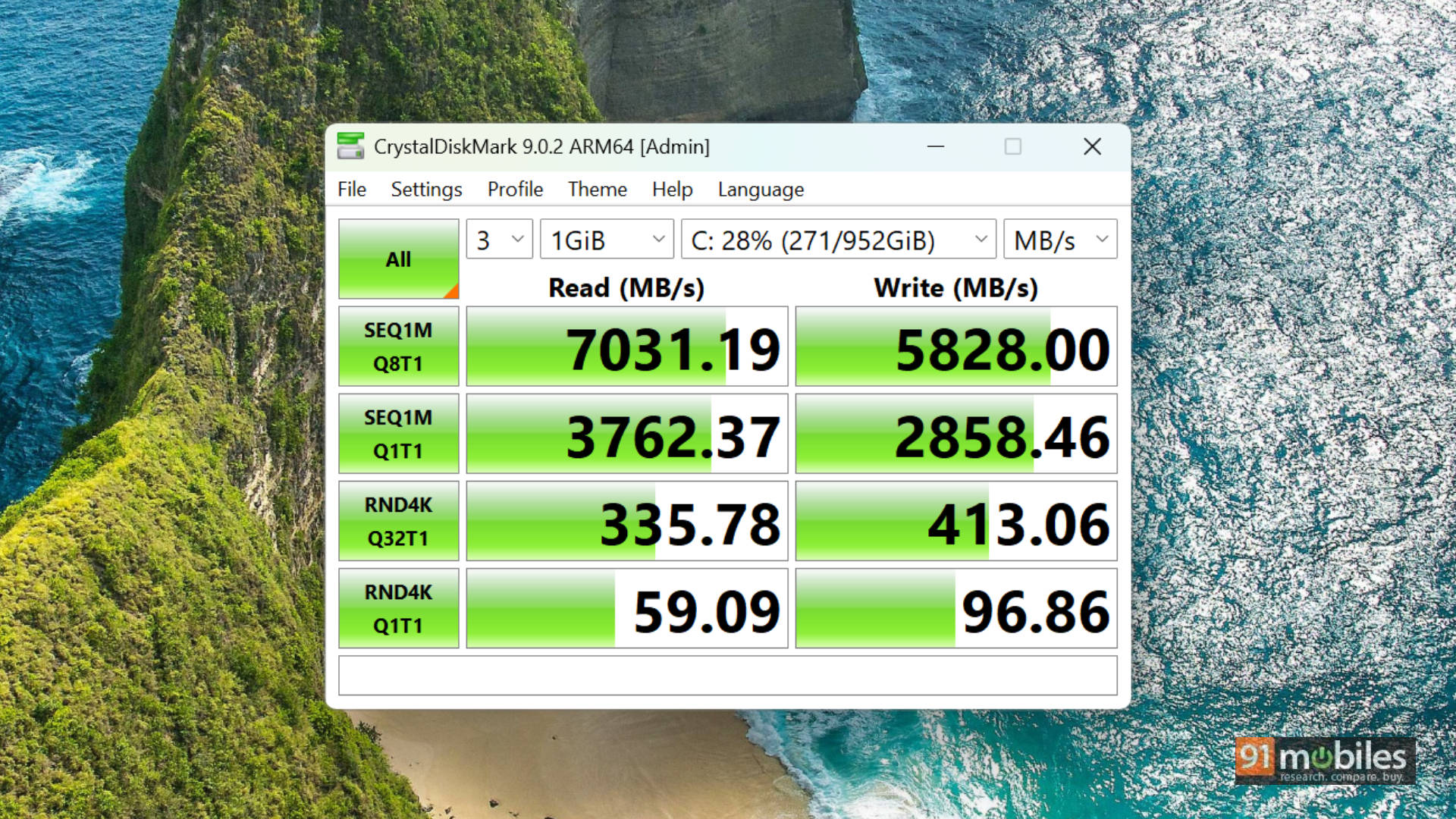
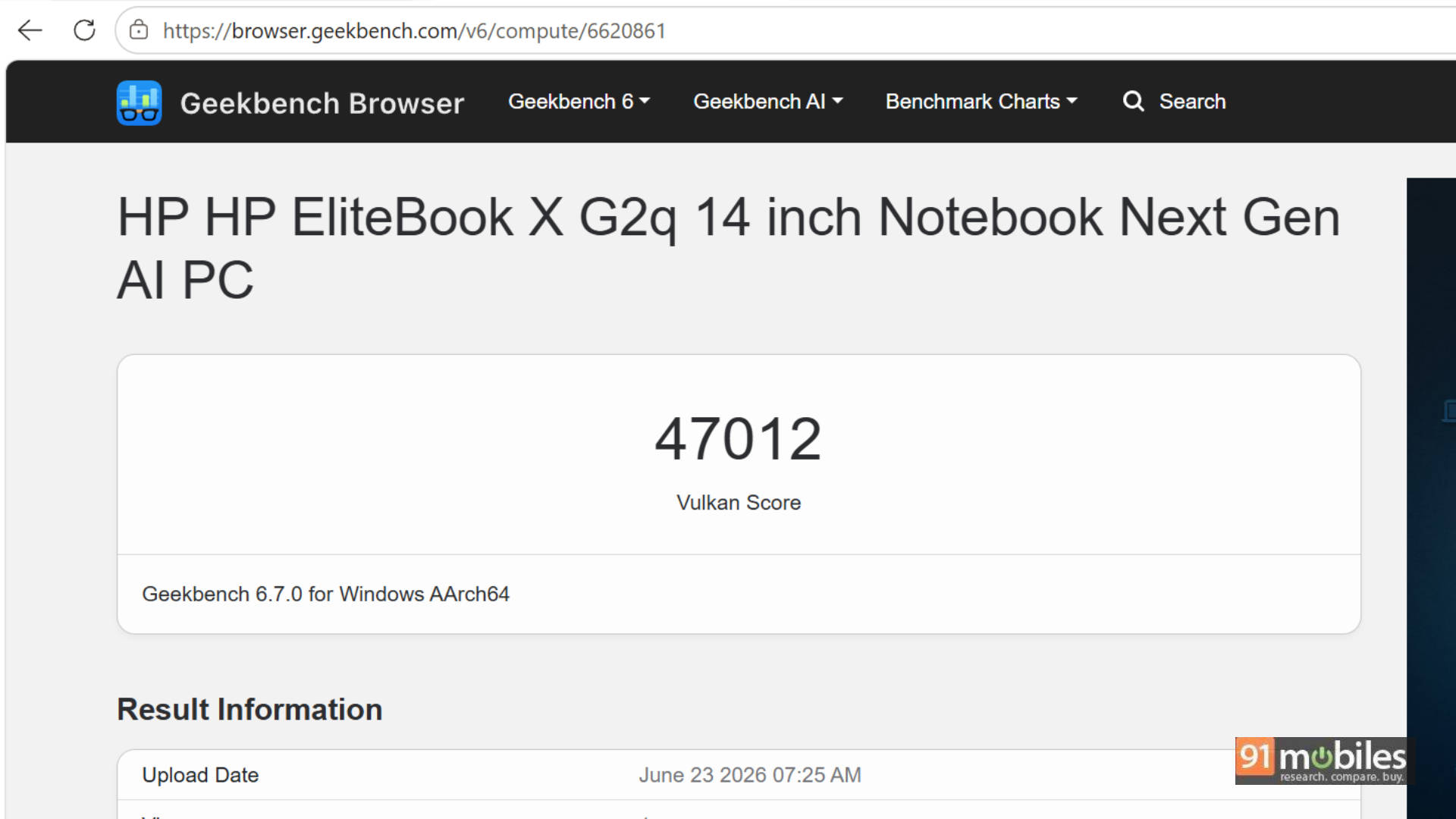
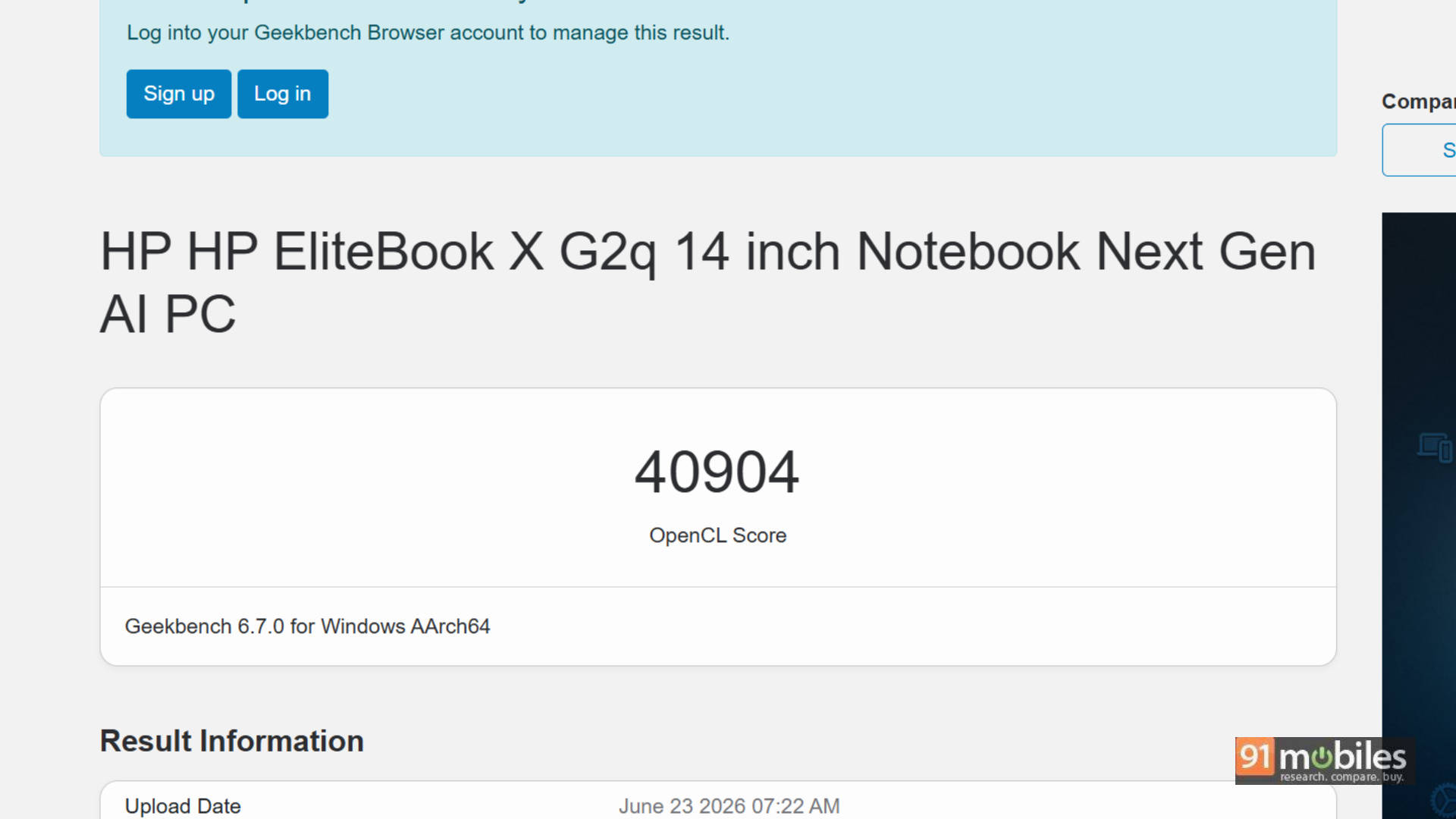
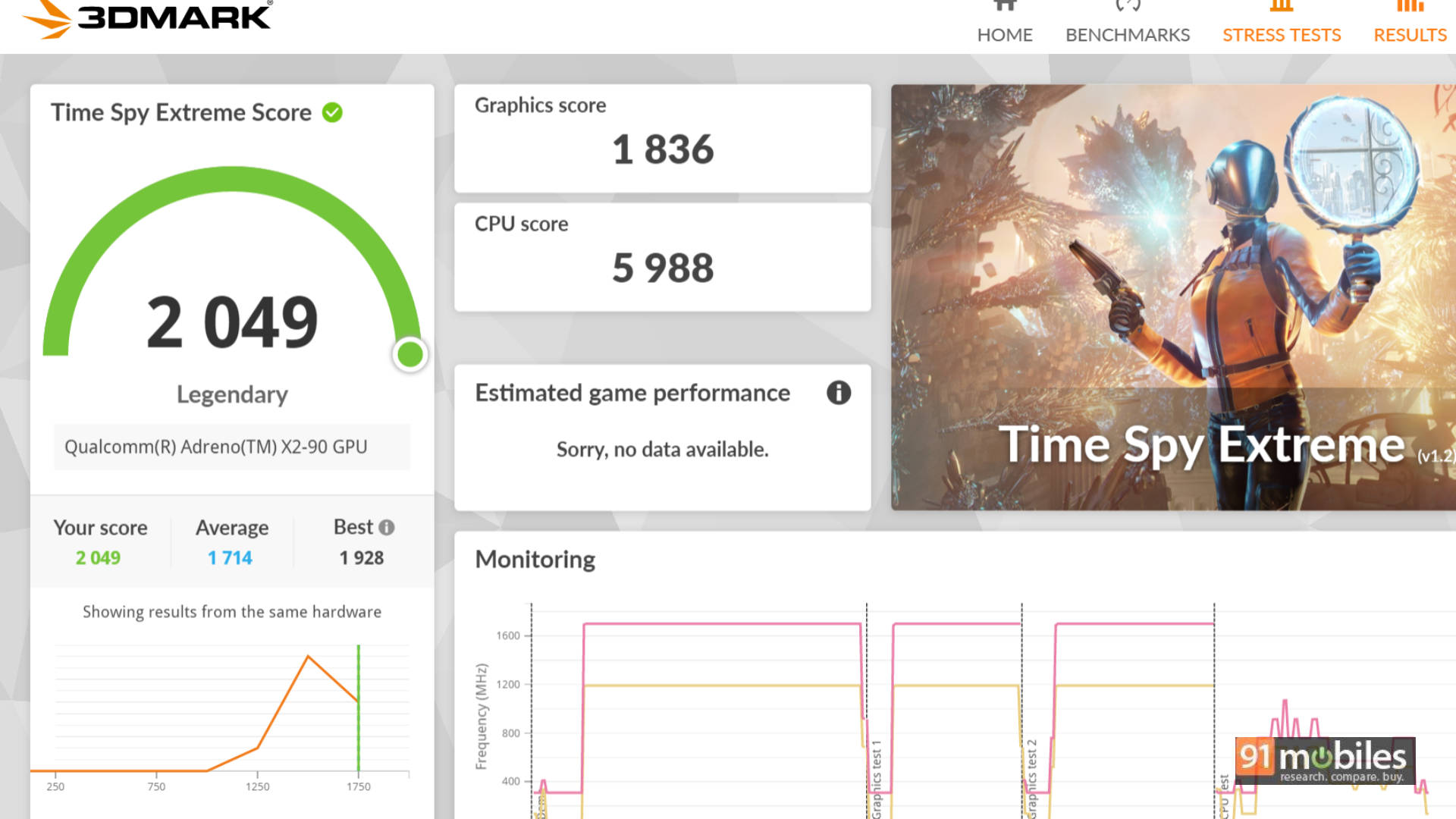
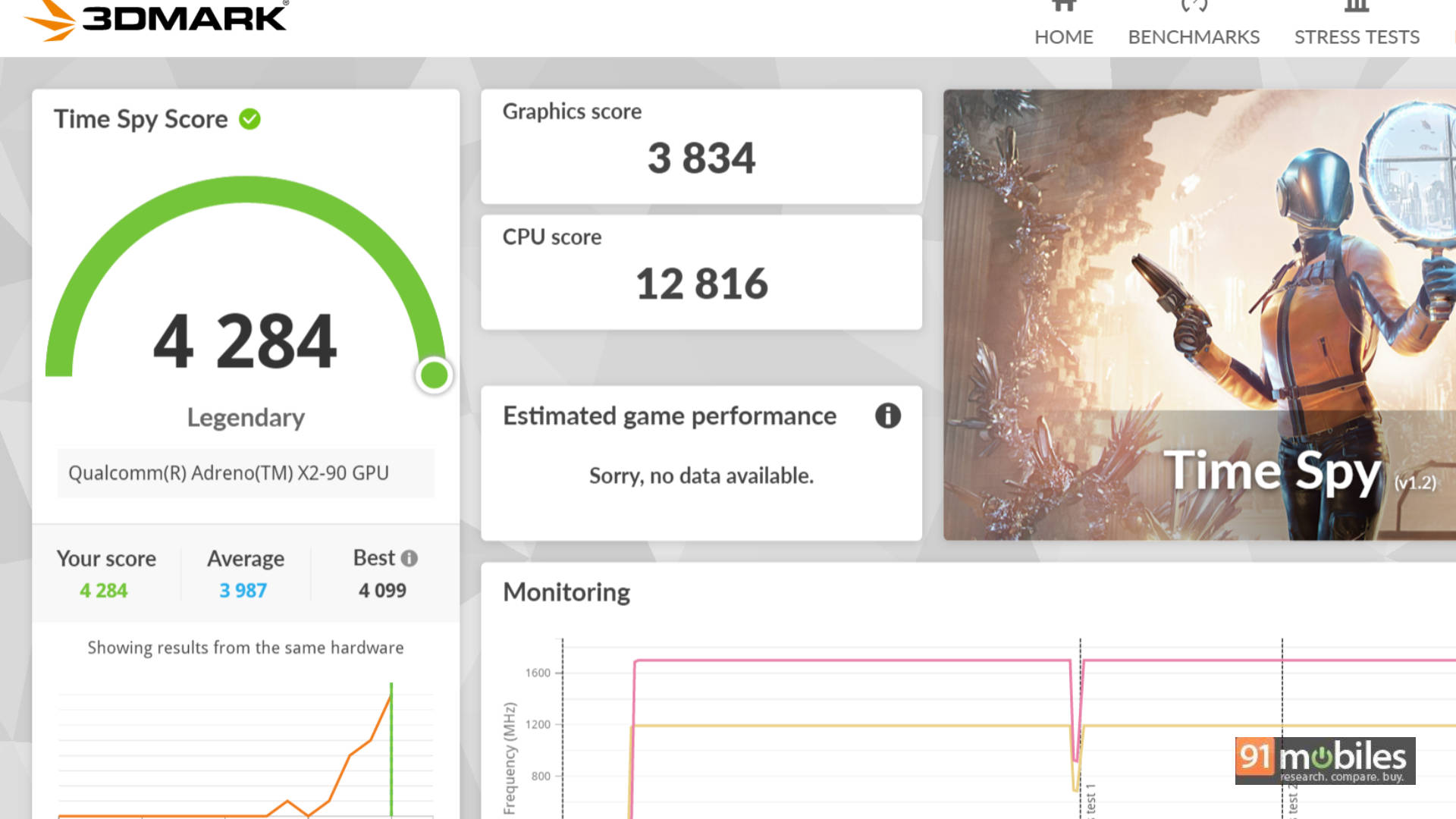
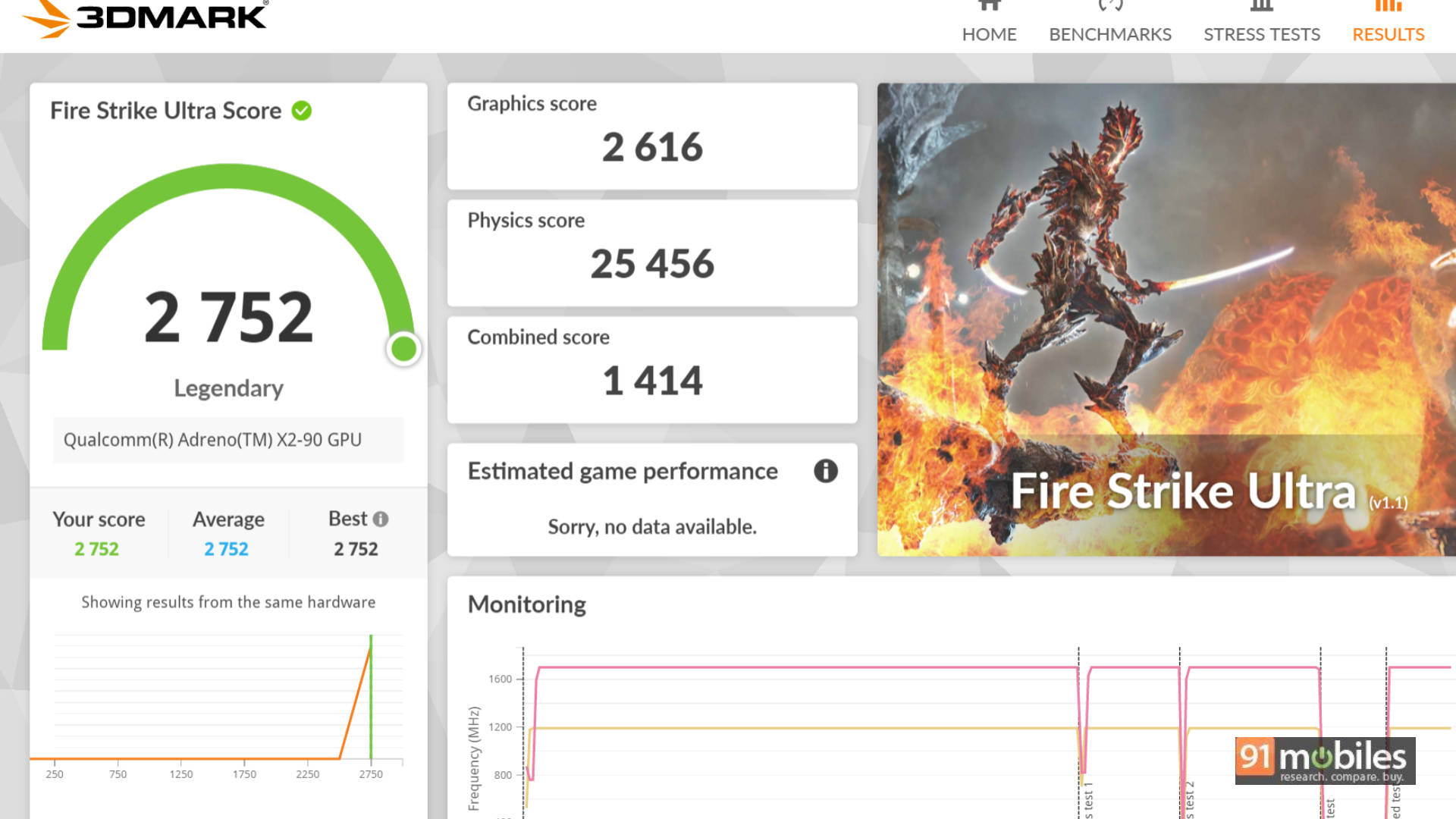
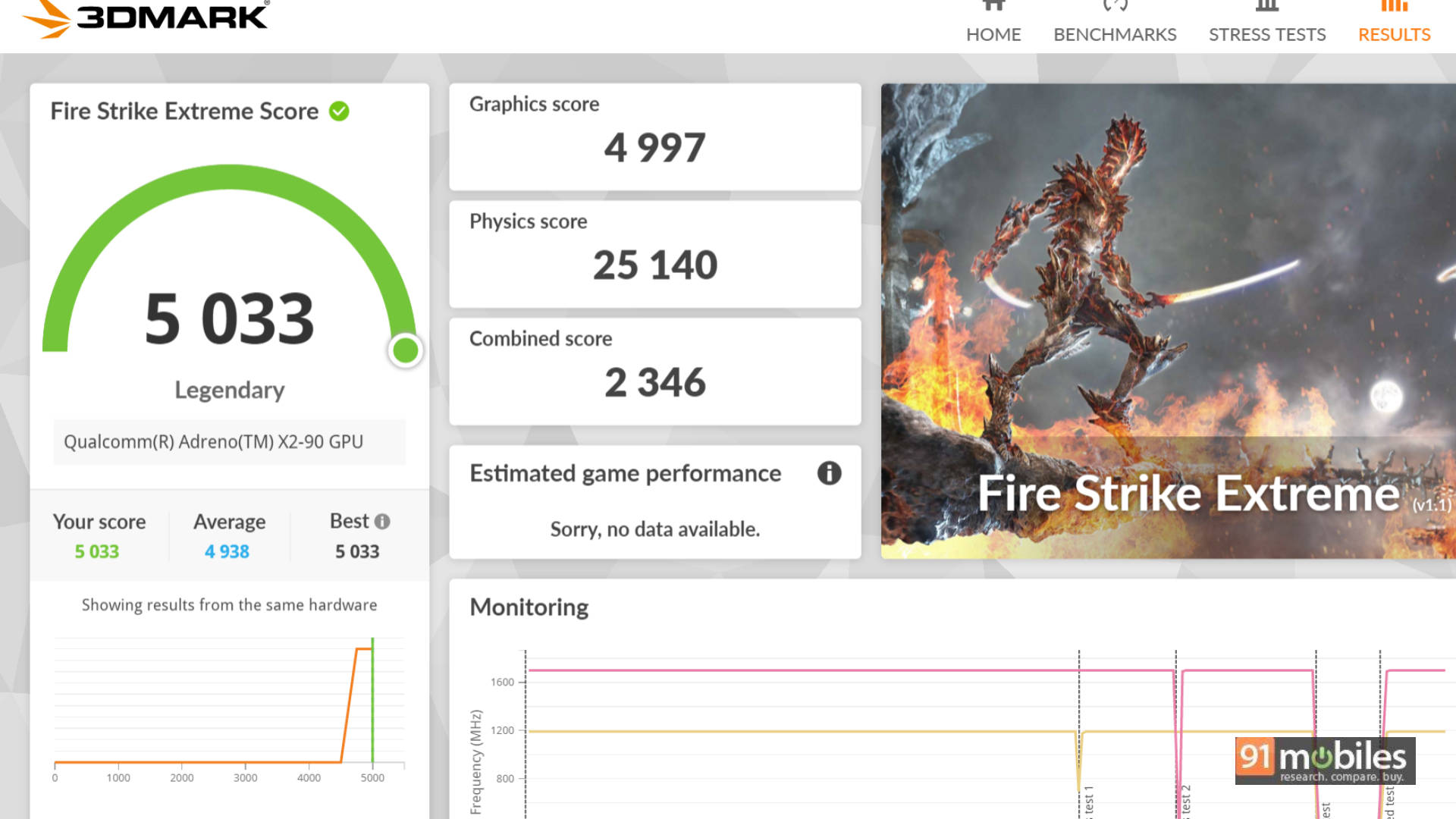
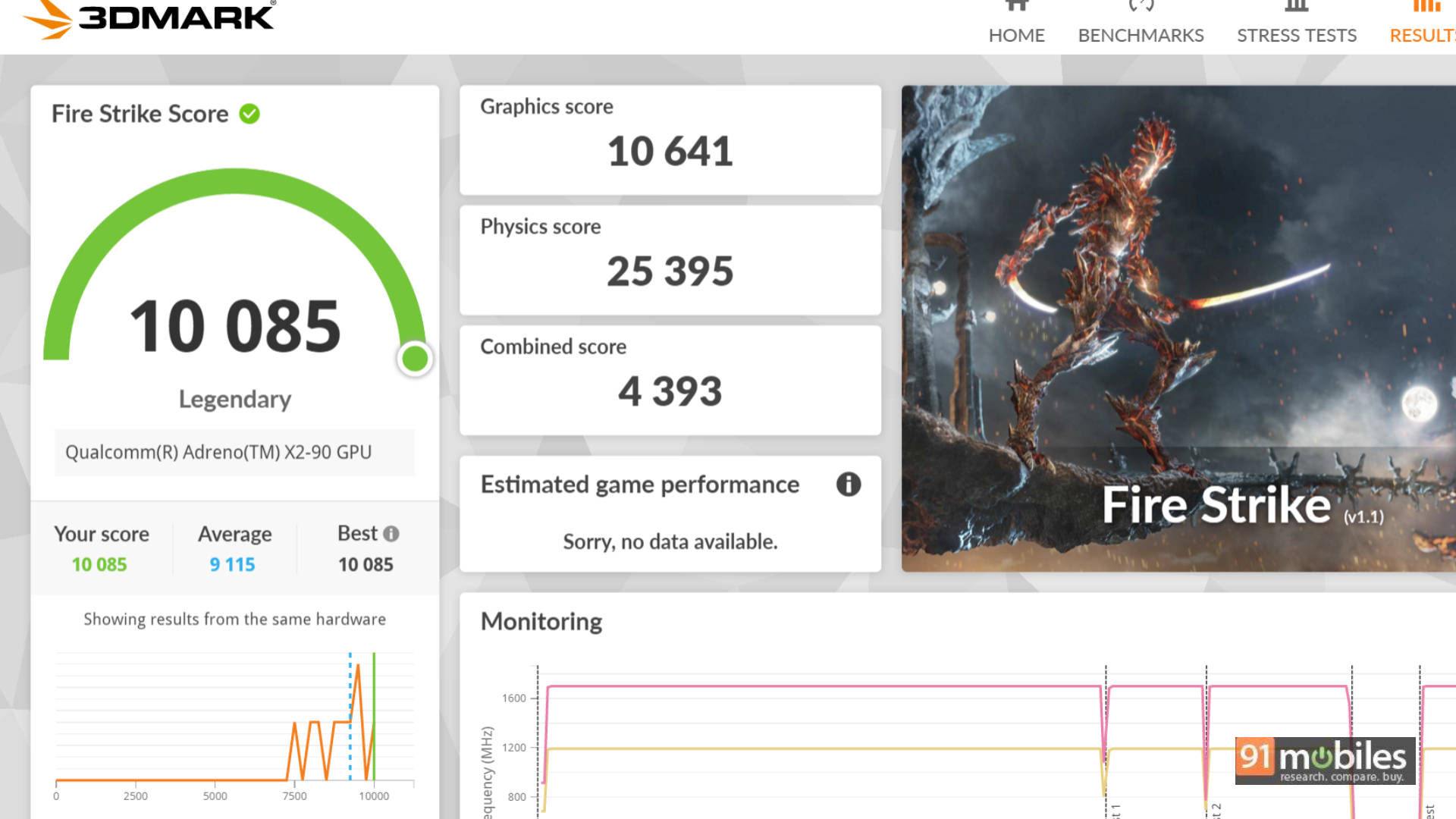
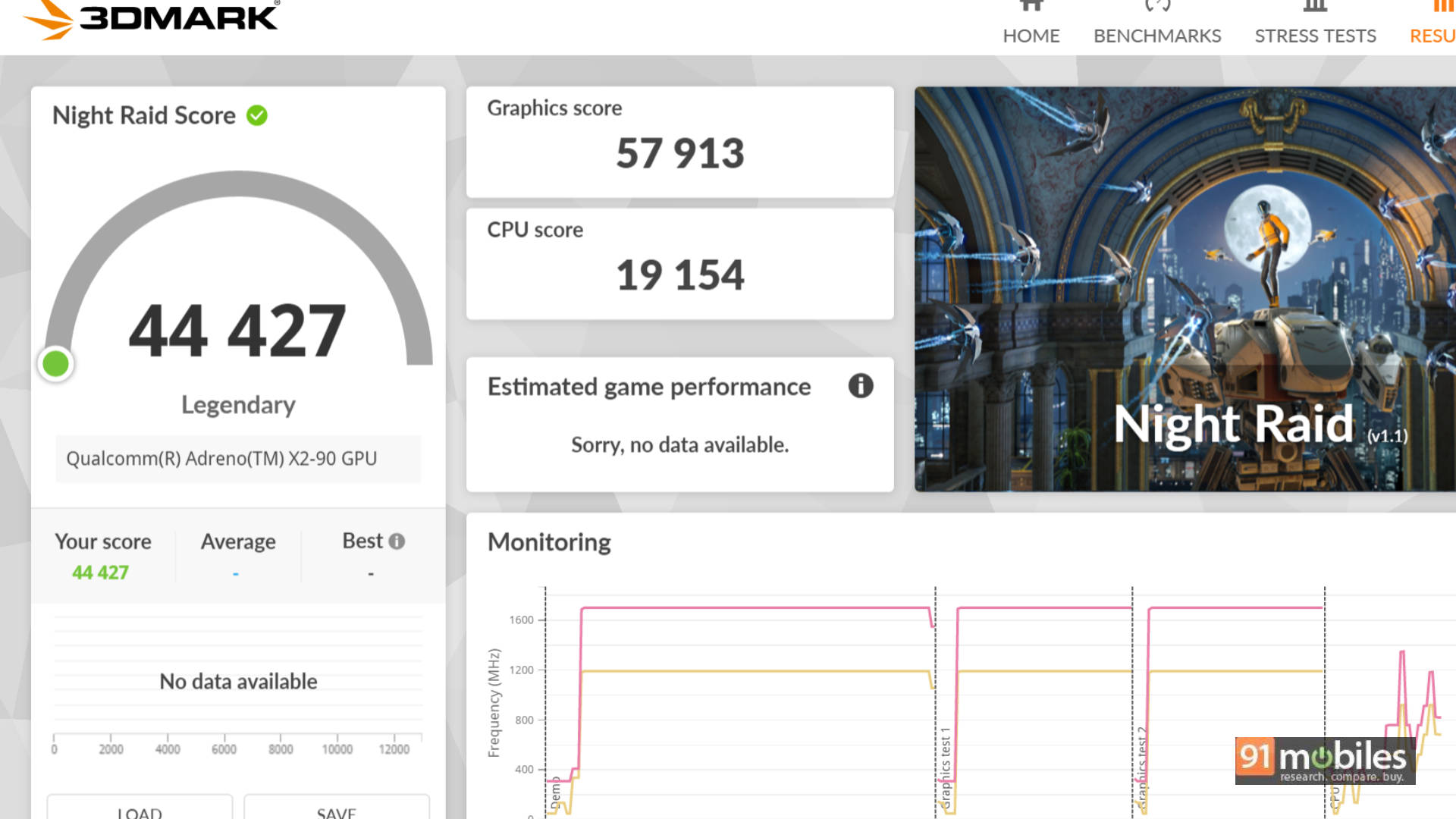



Considering its flagship nature, it’s no surprise that the HP EliteBook X G2q holds its own quite well against the competition. It is a definite improvement over its predecessor and competes fiercely with the current segment favourite, the Intel Core Ultra X7 358H.
| Model Number | HP Elitebook X G2q 14 AI | HP Omnibook Ultra 14 | Dell XPS 14 (2026) | ASUS Zenbook S14 | Microsoft Surface Laptop |
| CPU | Qualcomm Snapdragon X2 Elite X2E-90-100 | Intel Core Ultra 7 356H | Intel Core Ultra X7 358H | Intel Core Ultra 9 386H | Qualcomm Snapdragon X Elite X1E-80-100 |
| GPU | Qualcomm Adreno Graphics | Intel Graphics | Intel Arc B390 | Intel Graphics | Qualcomm Adreno |
| Cinebench R24 MT | 911 | 779 | 755 | 954 | 886 |
| Cinebench R24 ST | 94 | 119 | 118 | 123 | 118 |
| Cinebench R23 MT | 16876 | 14096 | 12500 | 15558 | 9291 |
| Cinebench R23 ST | 1676 | 2021 | 2008 | 2062 | 1275 |
| Geek Bench 6 ST | 4042 | 2762 | 2862 | 2864 | 2736 |
| Geek Bench 6 MT | 21041 | 14428 | 16438 | 16427 | 13332 |
| Geek Bench OpenCL | 40904 | 23148 | 55943 | 23777 | 20410 |
| Geek Bench Vulcan | 47012 | 29081 | 61421 | 28759 | 23074 |
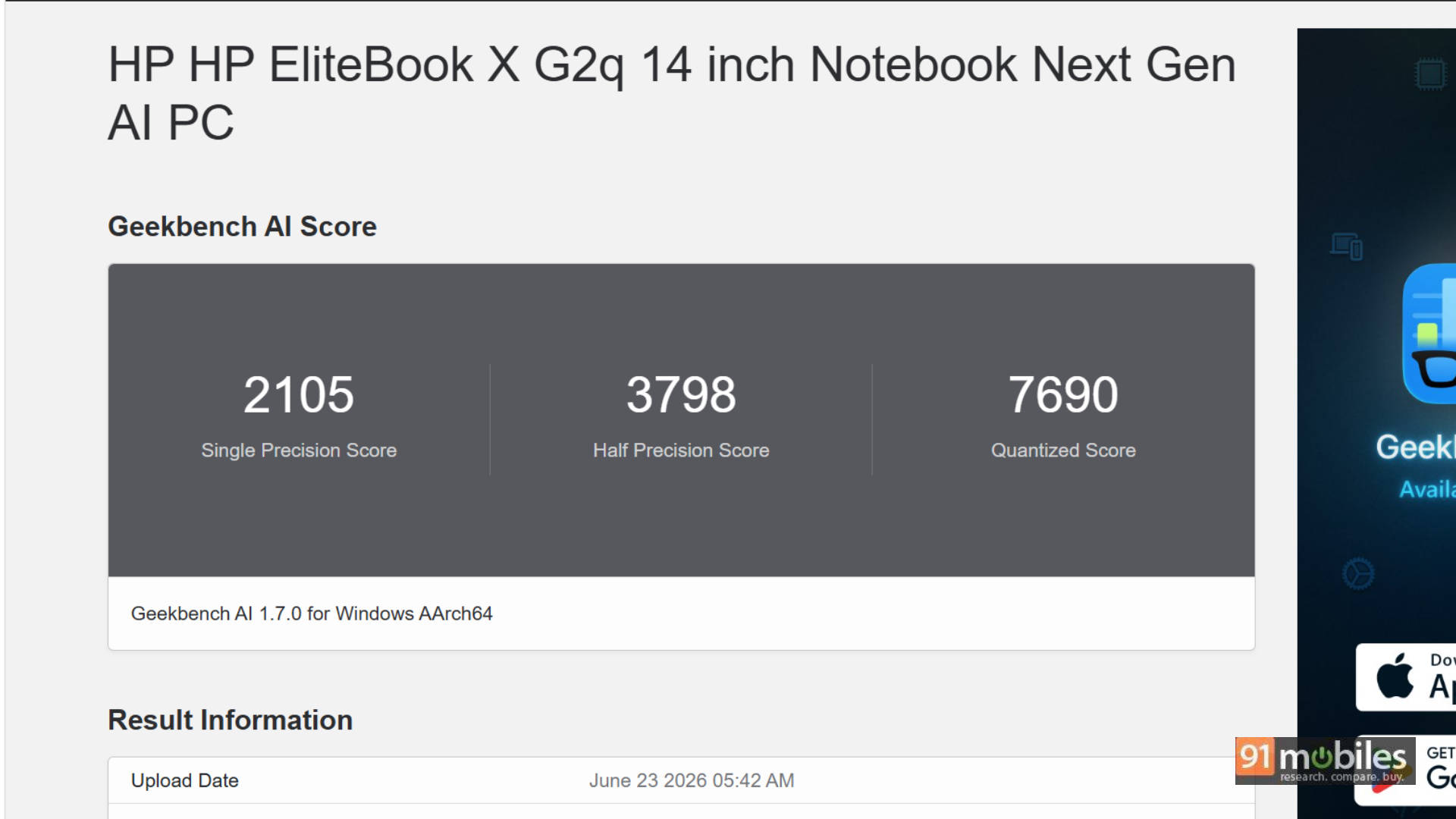
| CPU - ONNX - Single Precision | 2105 | 4120 | 4288 | 4537 | 1928 |
| CPU - ONNX - Half Precision | 3798 | 1613 | 1550 | 1828 | 2665 |
| CPU - ONNX - Quantized Score | 7690 | 7496 | 8303 | 8774 | 6126 |
| 3DMark Fire Strike Ultra | 2752 | 1339 | 3283 | 1729 | 1491 |
| 3DMark Fire Strike Extreme | 5033 | 2975 | 5849 | 3289 | 2767 |
| 3DMark Fire Strike | 10085 | 5719 | 11081 | 6666 | 5959 |
| 3DMark Night Raid | 44427 | 25751 | 36031 | 30468 | 26525 |
| Battery Runtime (Hr:Min) | 11:52 | 14:39 | 11:08 | 10:10 | 16:02 |
While Intel still takes the cake for raw GPU performance, the CPU performance of the X2 Elite is highly commendable. The laptop even ran GTA 5 at an average of 116 FPS, relying on Microsoft's Prism emulator, making it surprisingly great for casual gaming!
But you aren't buying this laptop for benchmark scores. In real-world usage, I easily got through a 9-hour workday with close to 25-30% battery left. My workload included an hour of video calls, some Netflix during lunch, building presentations, Excel work, writing reviews, and juggling 40-odd Chrome tabs. The battery efficiency gains of this ARM processor are stellar, though Windows still needs a few under-the-hood adjustments to fully exploit the hardware.
AI Features: The NPU Steps Up
AI is still in its nascent days on the PC, and we have started running Geekbench AI to measure it.
Beyond synthetic benchmarks, the built-in NPU powers practical, everyday features. This includes the 5MP IR camera's HDR auto-switch and temporal noise reduction (which makes you look incredibly sharp on Google Meet), as well as 'Look To Move'—a clever feature that instantly shifts your cursor to the active screen by detecting your head movement.
The Verdict: A Premium Powerhouse Worth the Premium Price?
I haven't really said anything negative about this laptop throughout the review, and that's because whatever hiccups I faced are more related to ongoing ARM-on-Windows translations rather than HP's hardware. Those software quirks should get ironed out in time, just as they have over the past two years.
In isolation, this laptop is incredibly easy to recommend to a working professional based on its capabilities. However, at Rs 288,116, things get challenging. For a noticeably lower price, you can find highly capable machines that directly challenge this EliteBook, including the Samsung Galaxy Book6 Pro, Dell XPS 14 (2026), and ASUS Zenbook S14, to name a few. I highly recommend weighing your options, both from HP's own Intel/AMD lineup and competing brands, before pulling the trigger.
Editor's Rating: 8.3 / 10
Pros:
- Stellar Battery Life
- Premium, Lightweight Build
- Great keyboard and trackpad experience.
- Quiet & Cool
Cons:
- Steep Price Tag
- ARM/Windows Quirks