Gaming laptops in 2025 aren’t cheap, but HP’s Victus series has always been about squeezing as much performance as possible without blowing up your wallet. The latest HP Victus 15-fa2009xx, powered by an Intel Core 7 240H and NVIDIA’s new RTX 5060 GPU, promises just that. On paper, the laptop has a lot going for it, including modern hardware, a high-refresh display, and plenty of RAM. But as always, the devil’s in the details. From wattage caps to design choices, the Victus has secrets of its own. The question then arises as to whether you should actually invest in this laptop or not. Let’s find out!
Table of Contents
Performance First: RTX 5060 Impresses
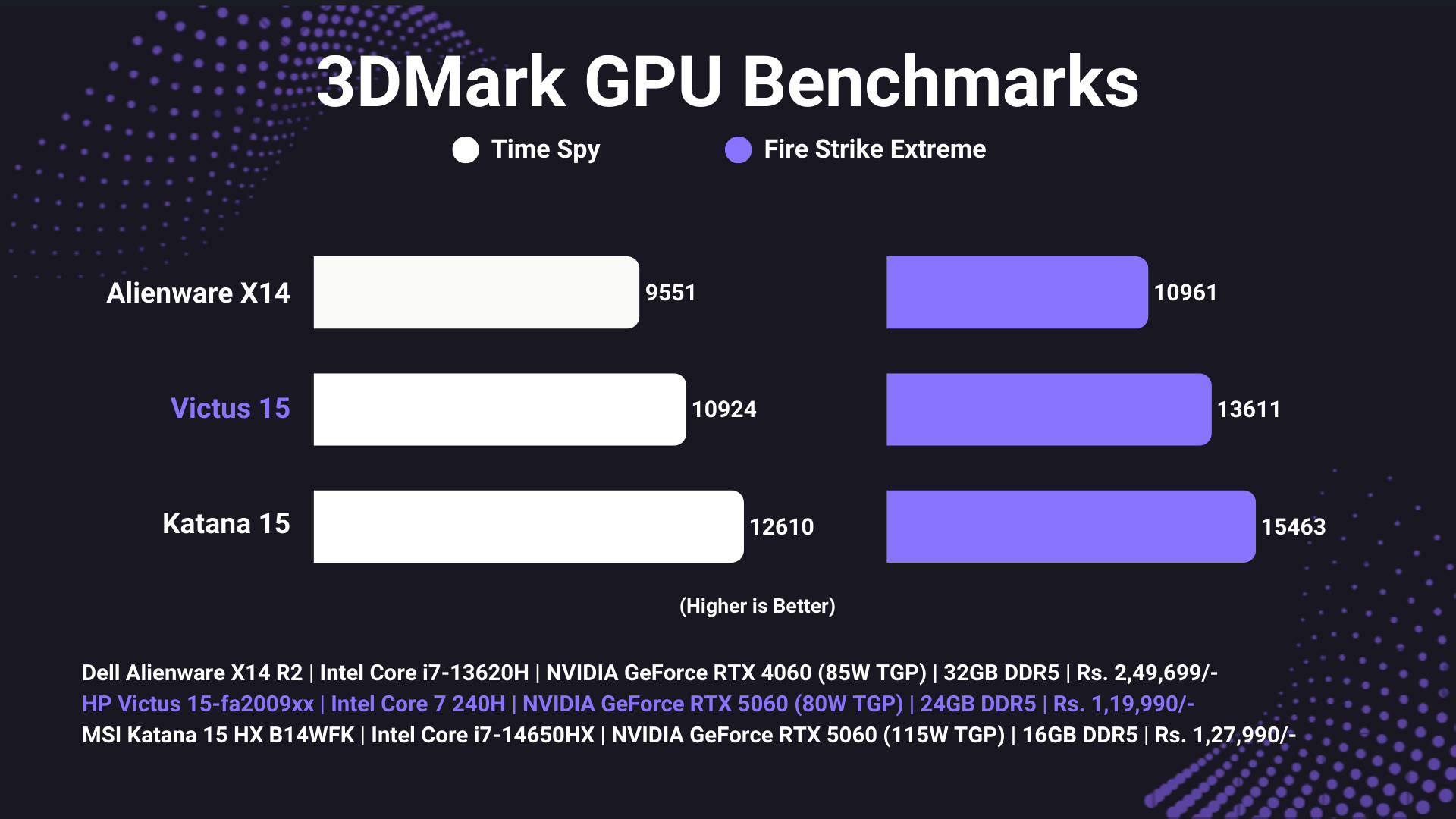
Let’s cut straight to the good stuff: performance. After all, nobody buys a gaming laptop just to admire its looks, right? Inside the HP Victus 15-fa2009xx sits NVIDIA’s shiny new RTX 5060 Laptop GPU, technically capable of flexing up to 100W TGP. HP, however, caps it at 80W, presumably for thermal reasons. That’s a decision I don’t entirely agree with, because the thermals on this machine are actually excellent, and it feels like there was headroom for a higher TGP variant. Still, even at 80W, the RTX 5060 puts on an impressive show, as you’ll see in the benchmarks below.
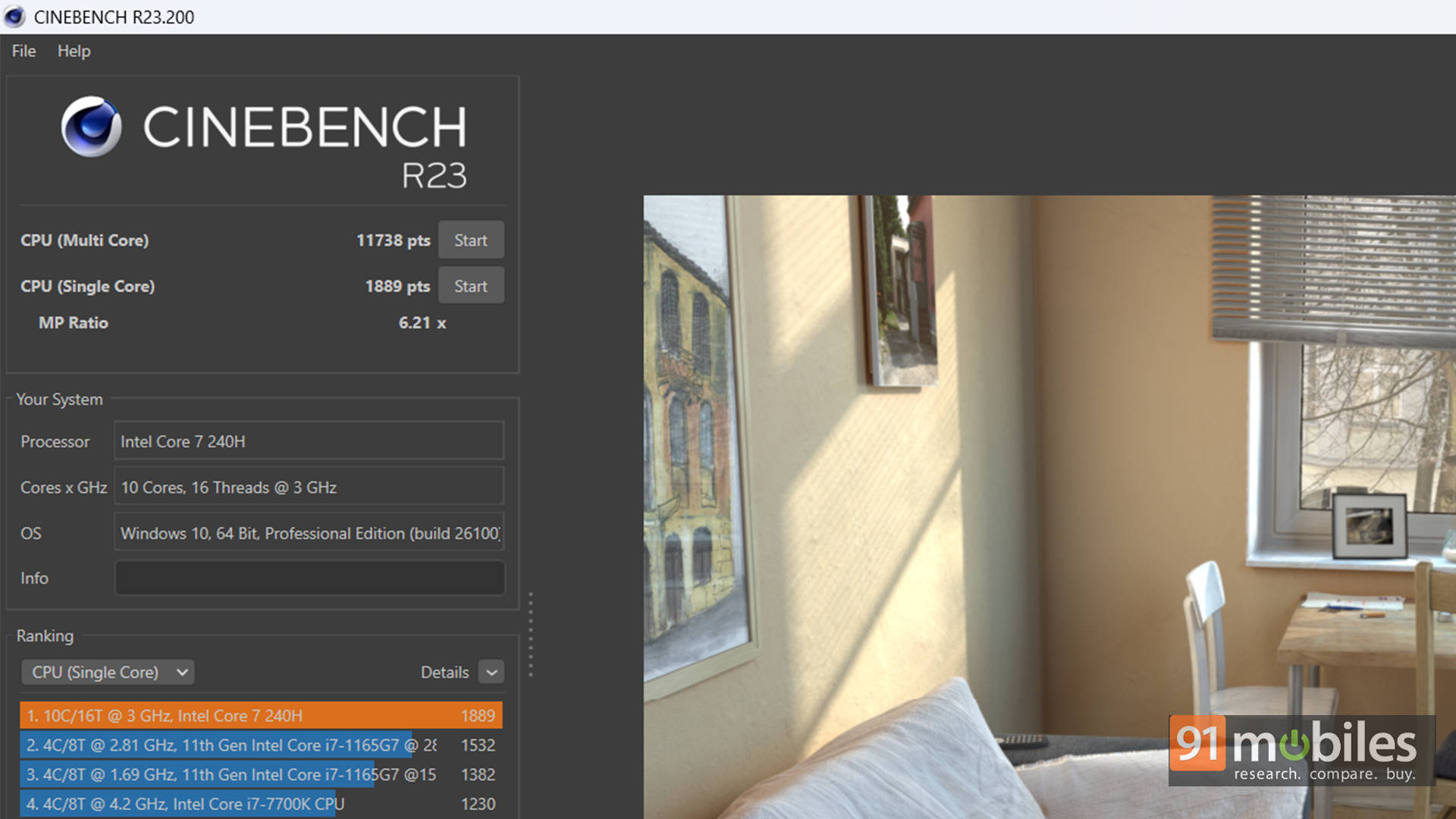
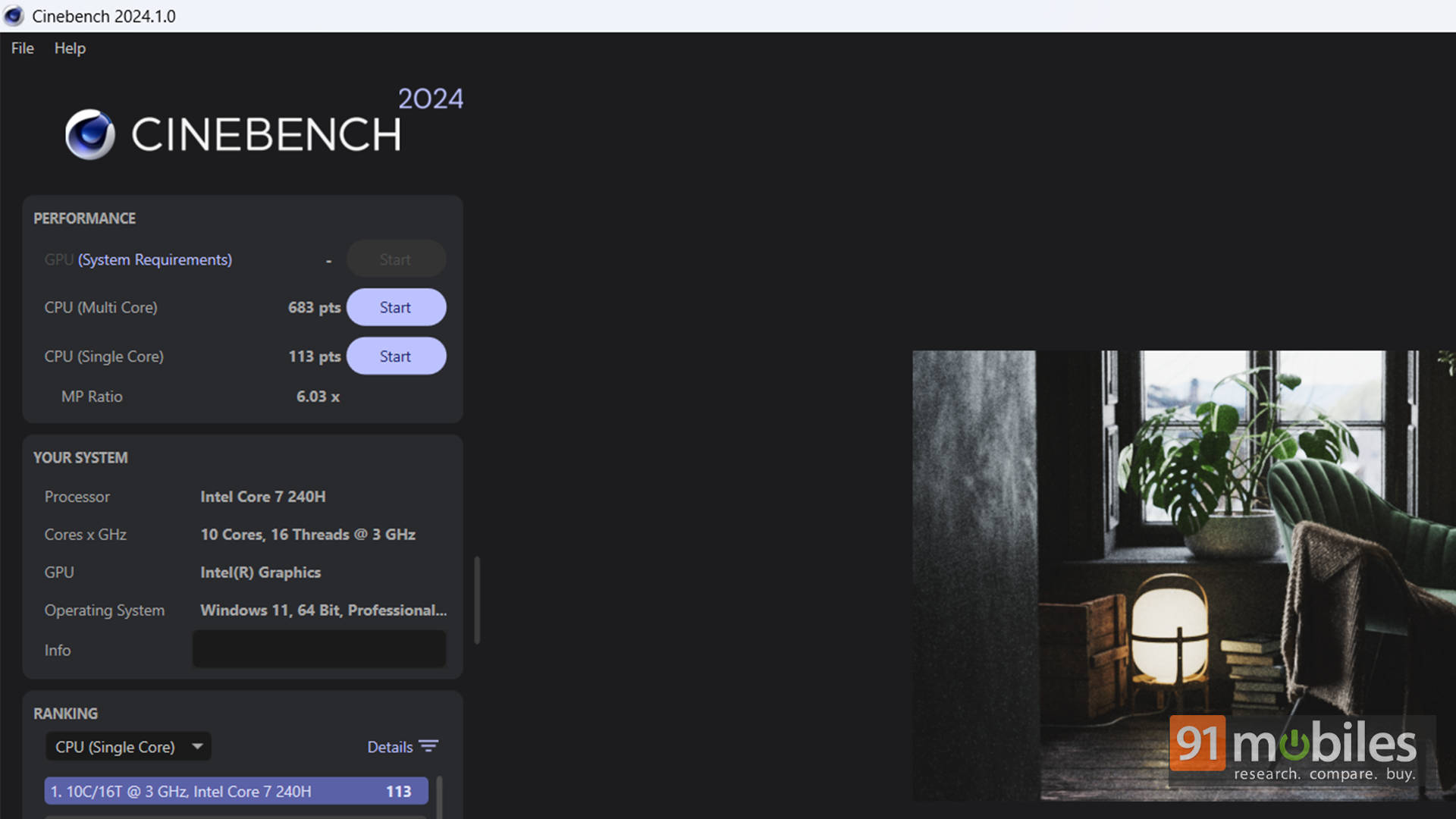
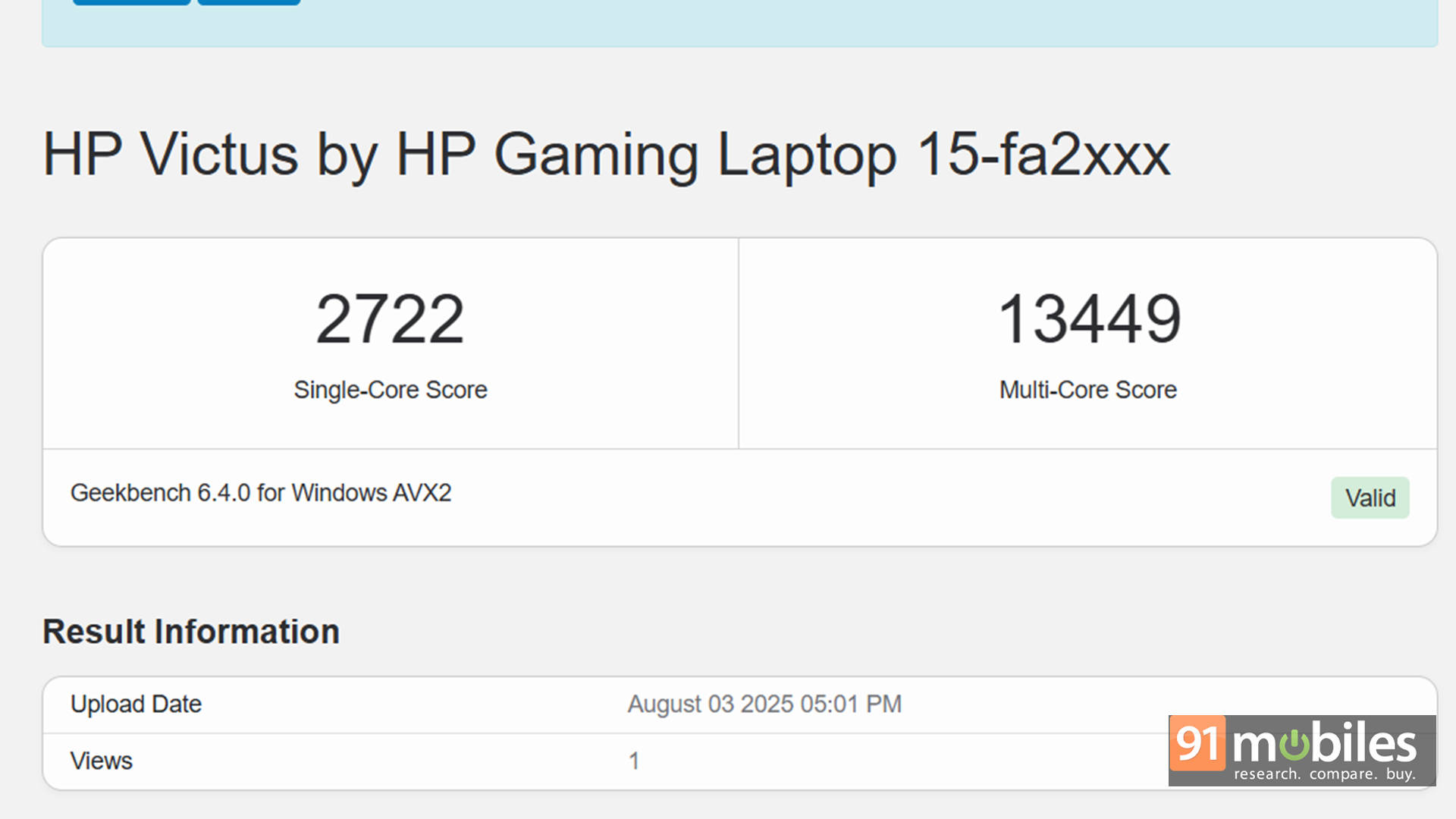
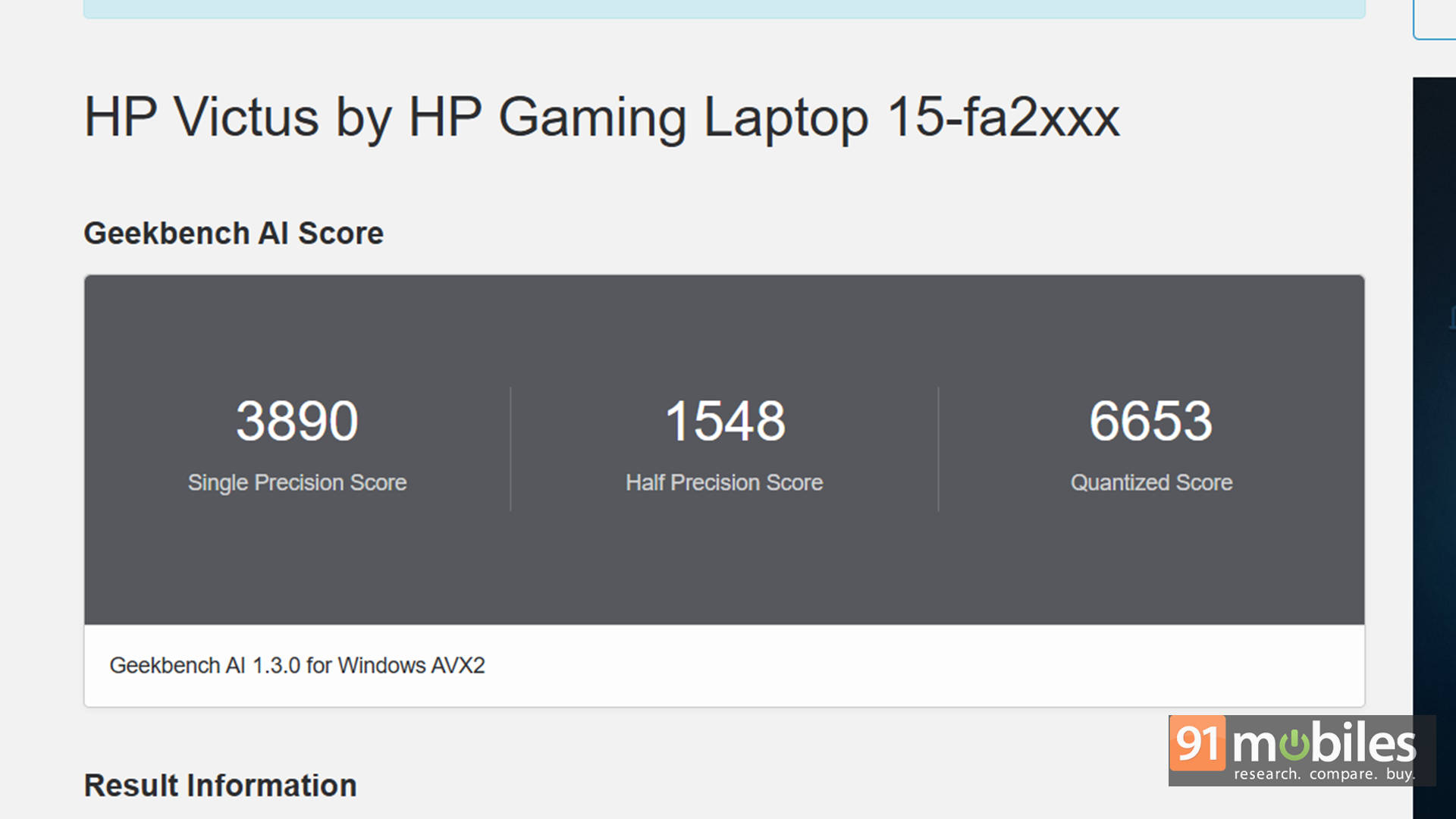
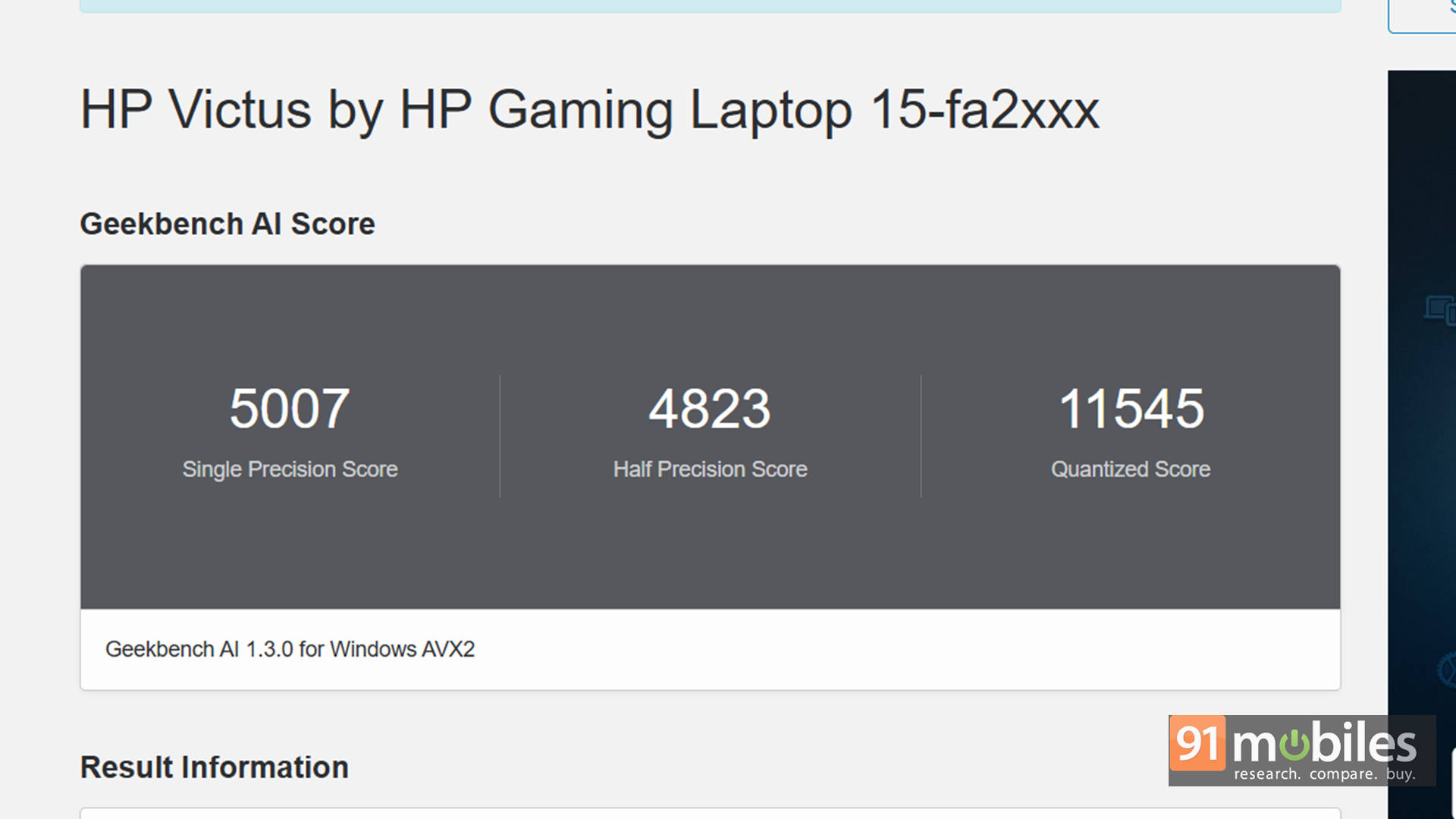
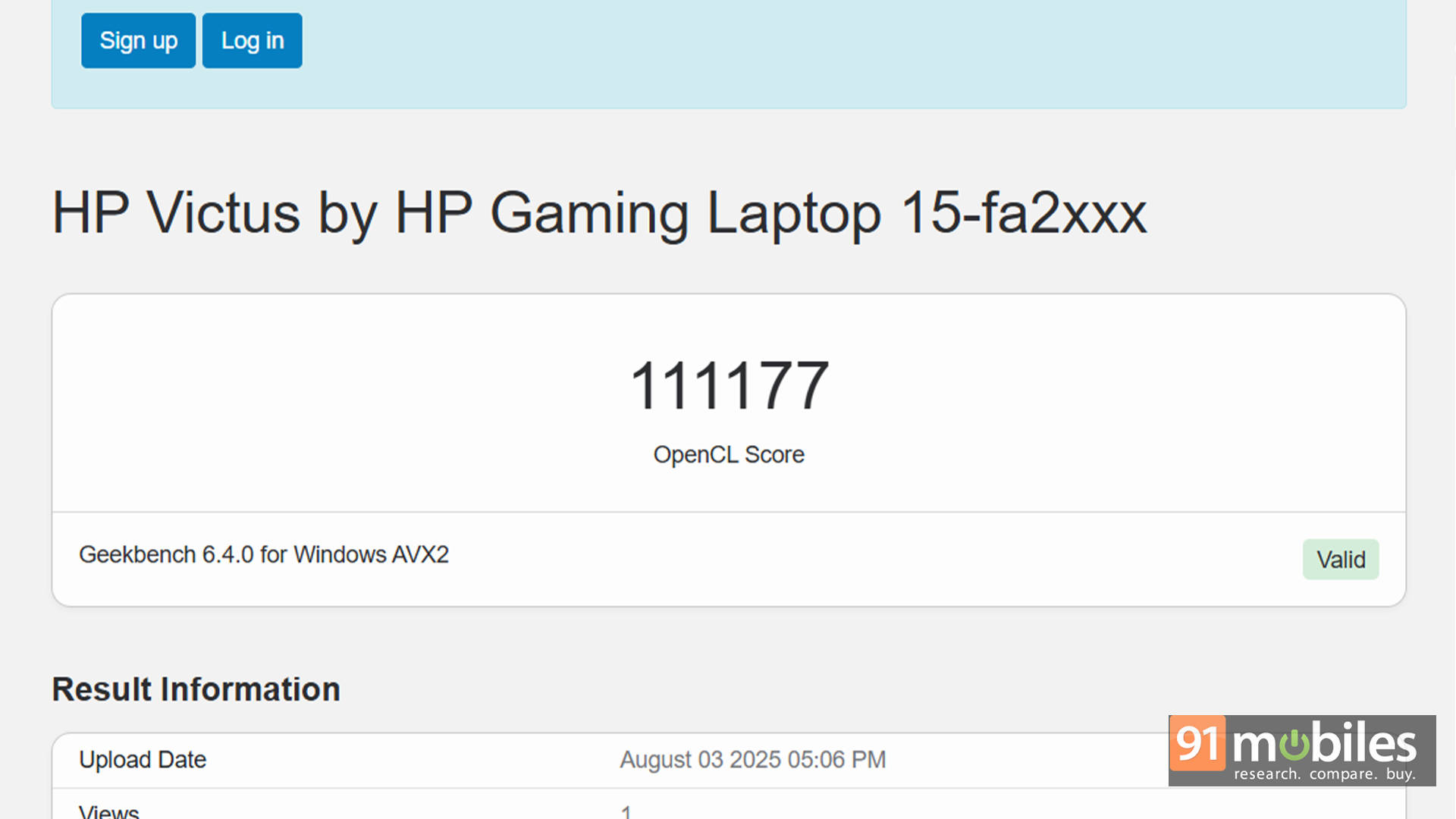
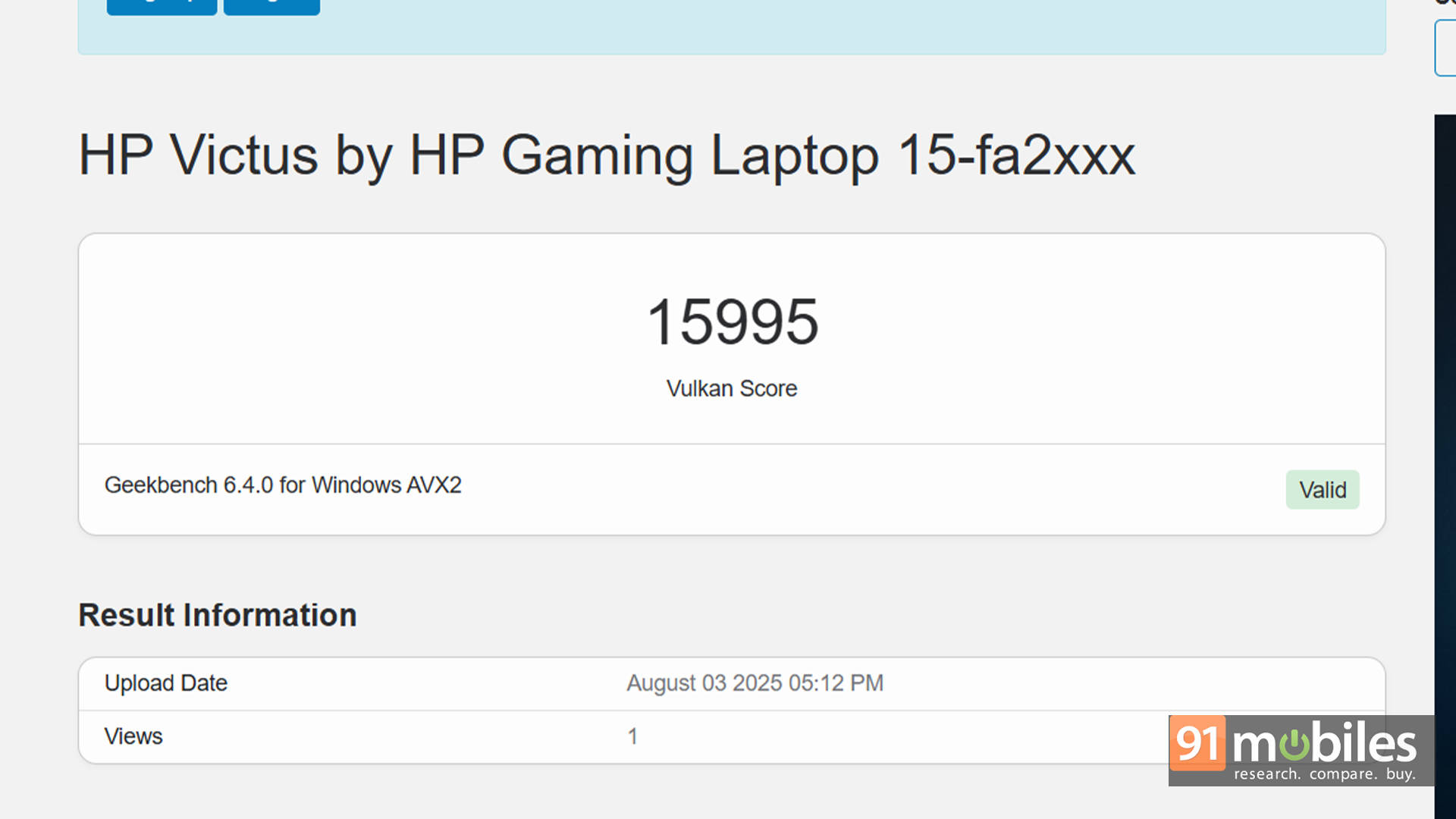

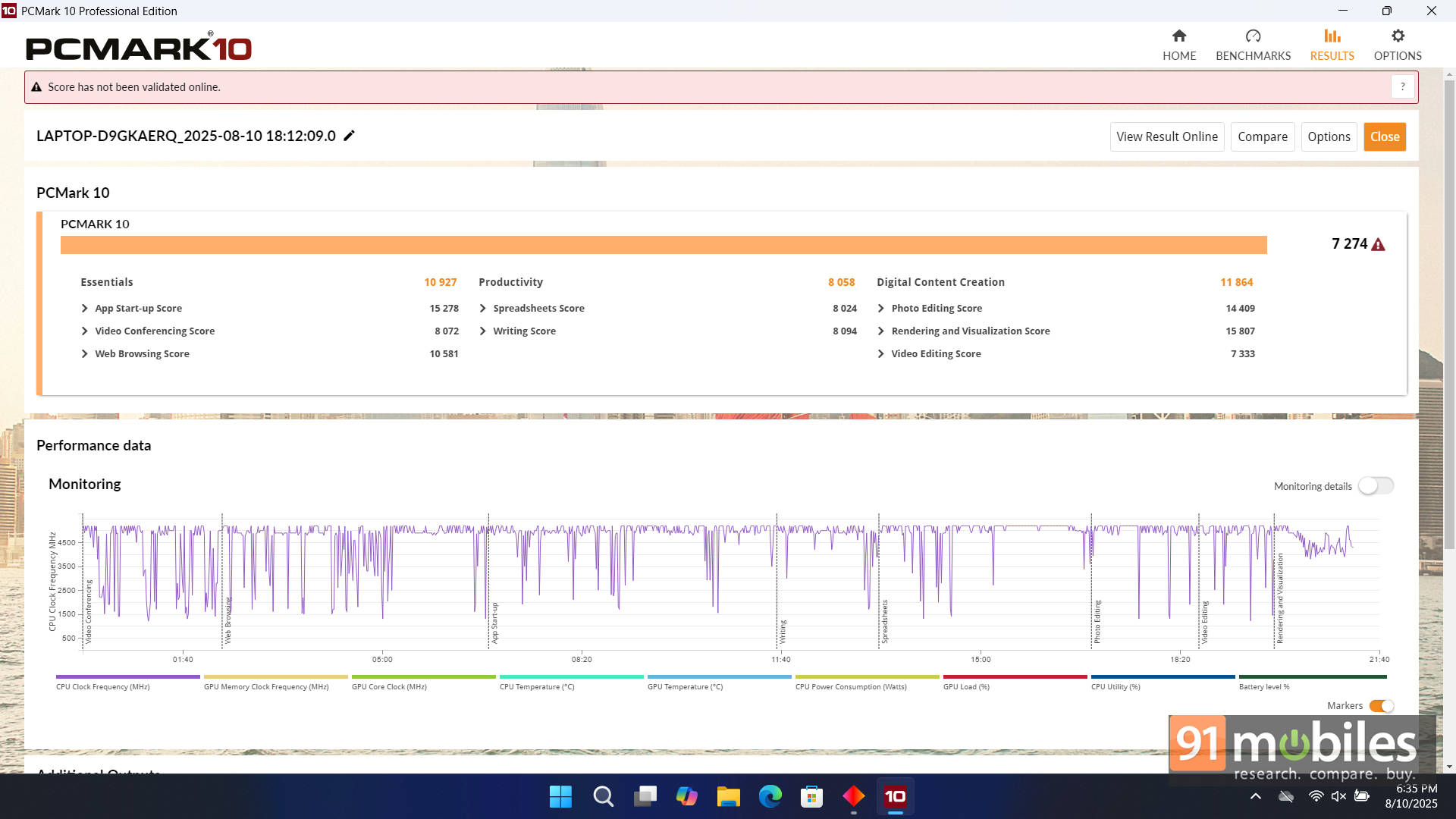
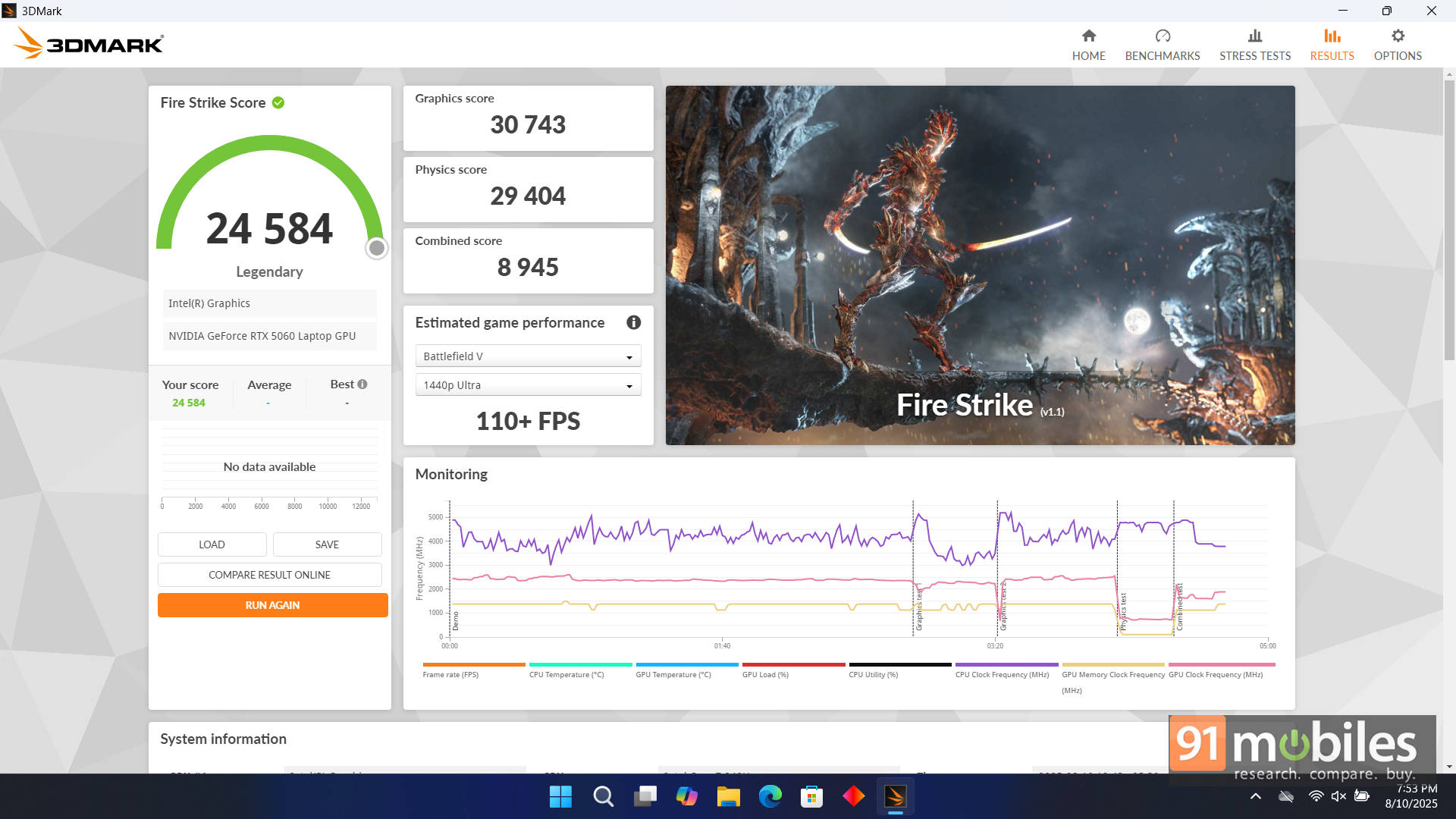
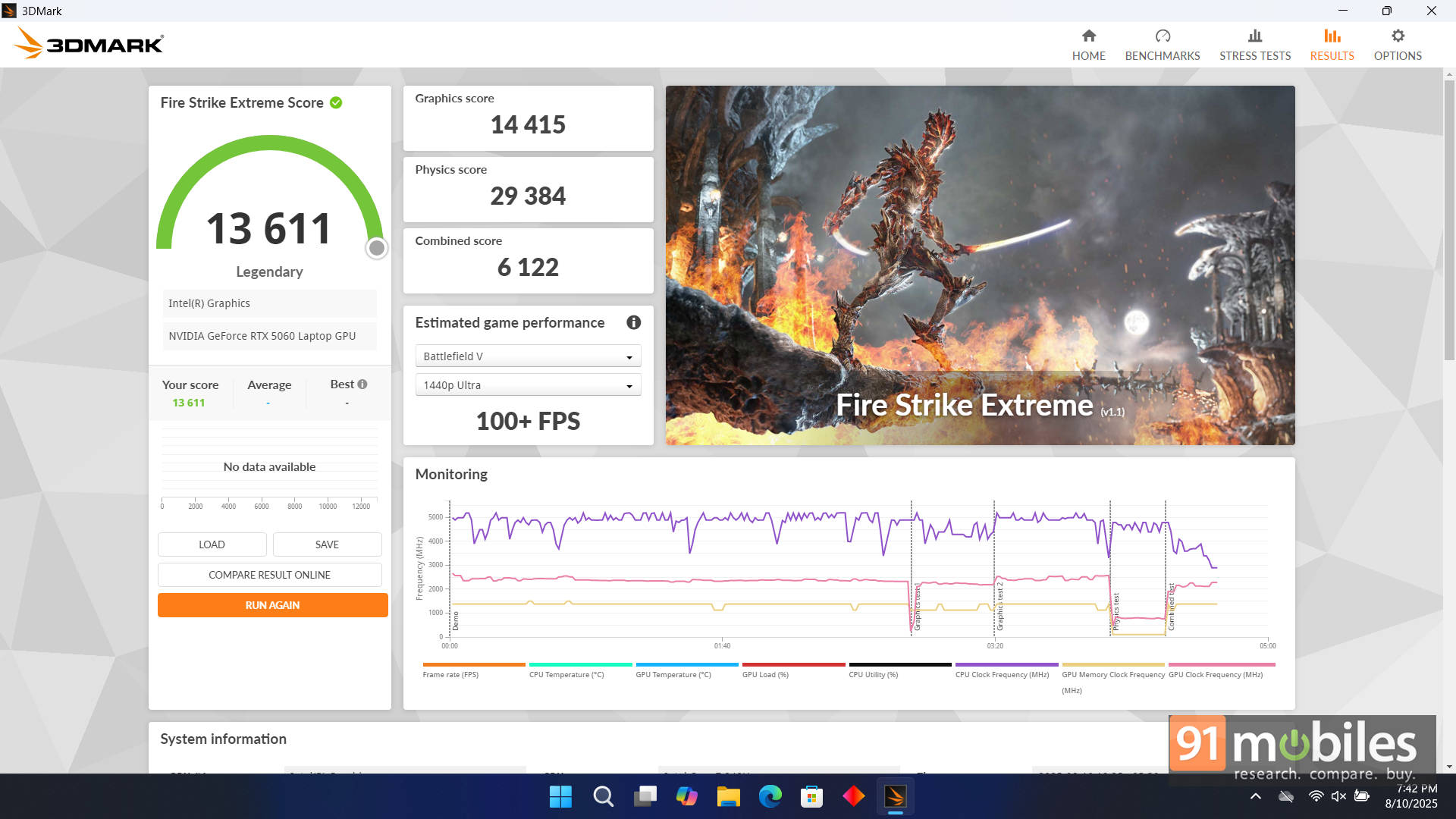
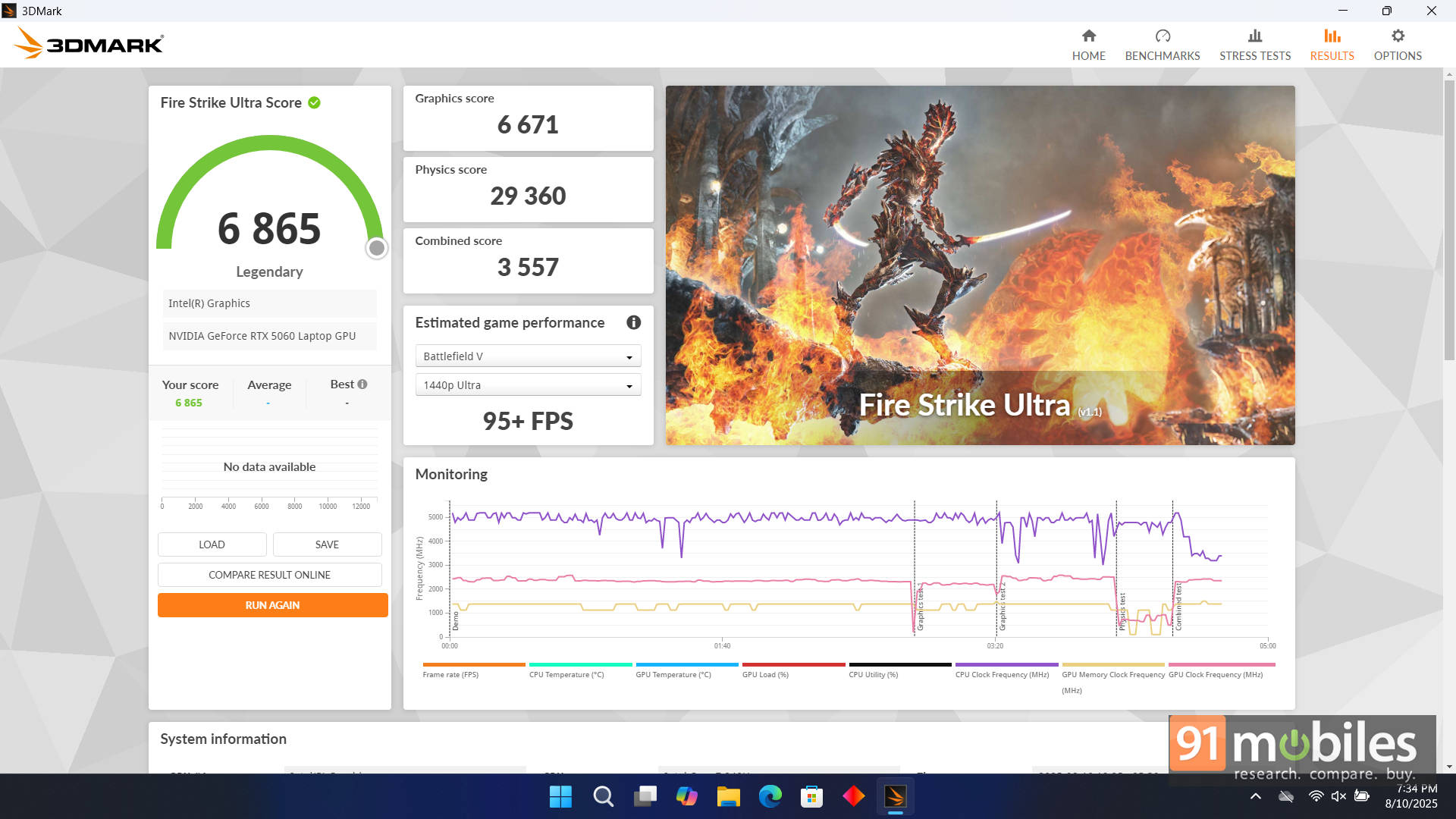
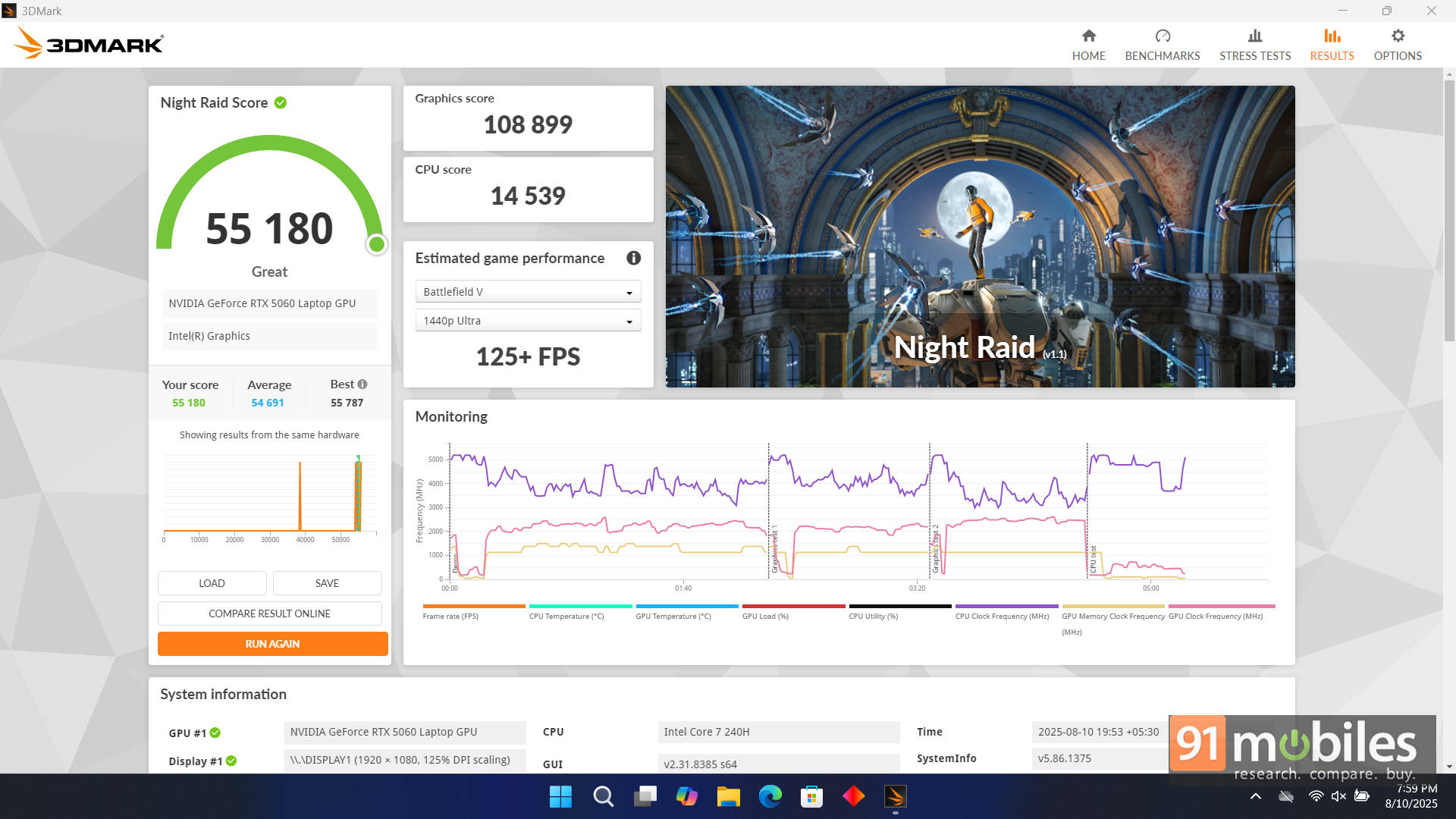
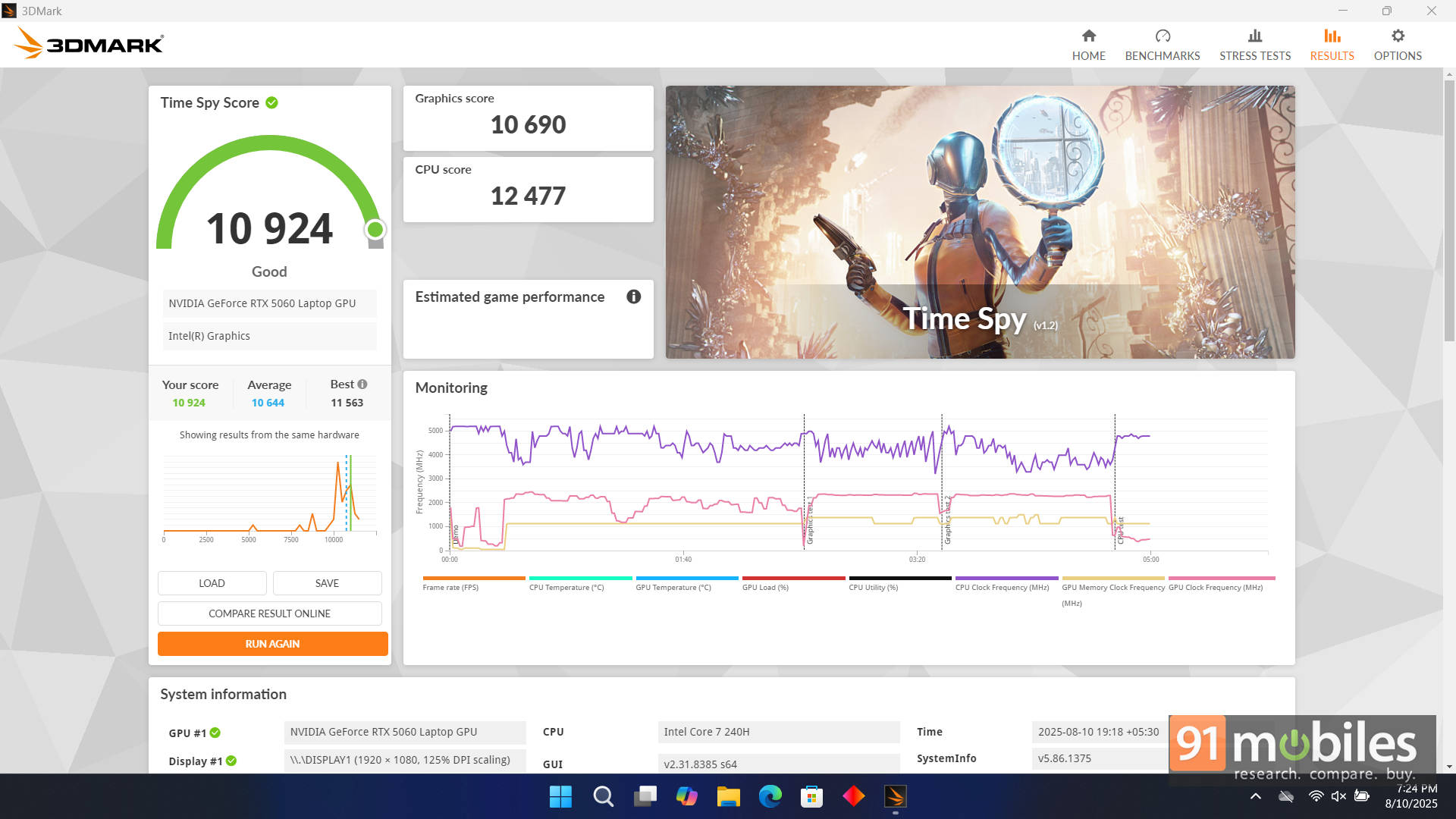
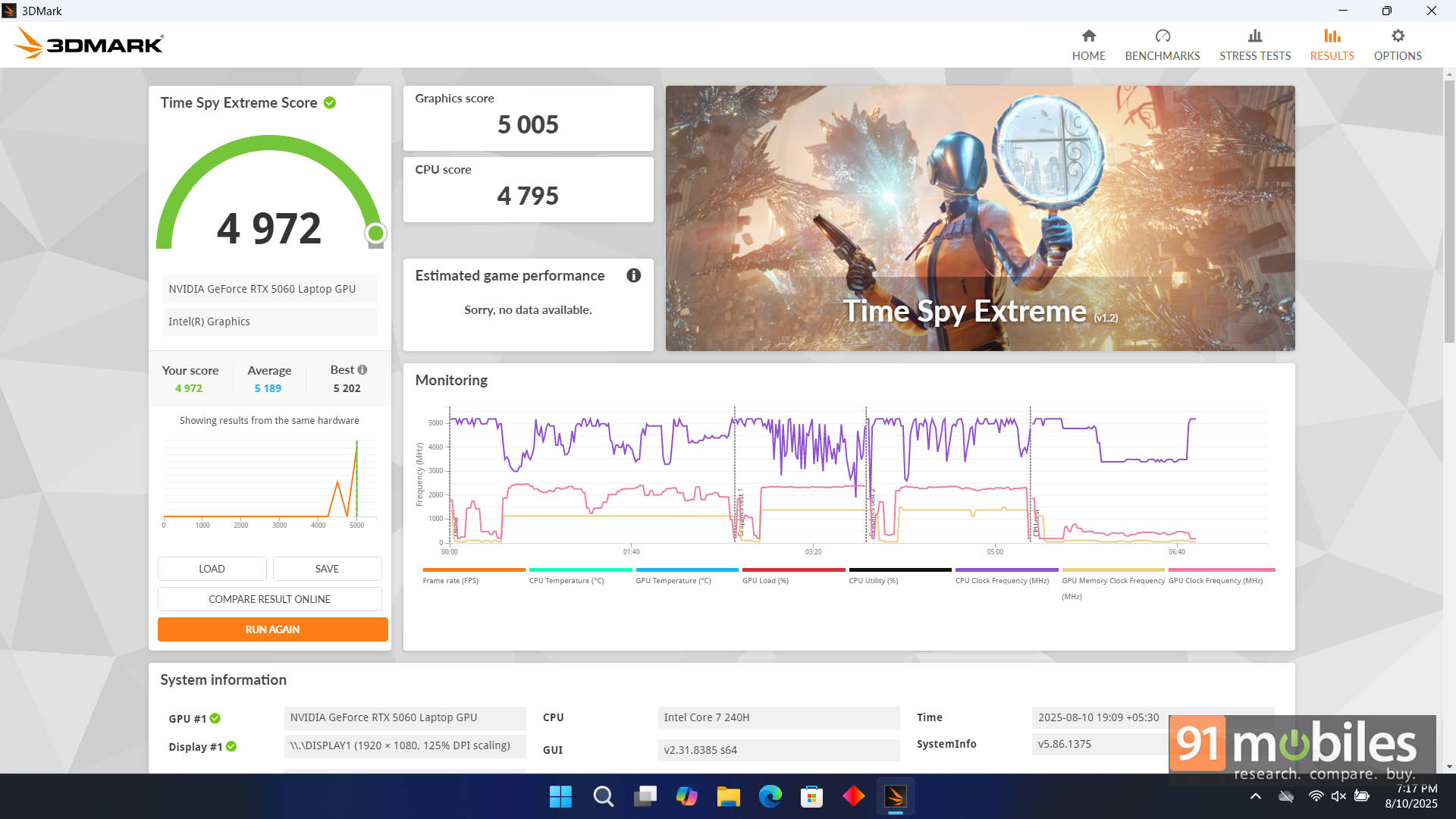


To place it in the GPU hierarchy, I compared the Victus against a couple of contenders. Against the Alienware X14 R2 with RTX 4060 (85W), the Victus pulled ahead almost every time, as expected. NVIDIA’s generational uplift is clear, with the 5060 comfortably outmuscling last gen’s 4060 even with its wattage handicap. But set it against the MSI Katana 15 HX (RTX 5060 at 115W: 100W + 15W Dynamic Boost), and suddenly the Victus plays second fiddle. The Katana consistently delivers stronger numbers across the board.
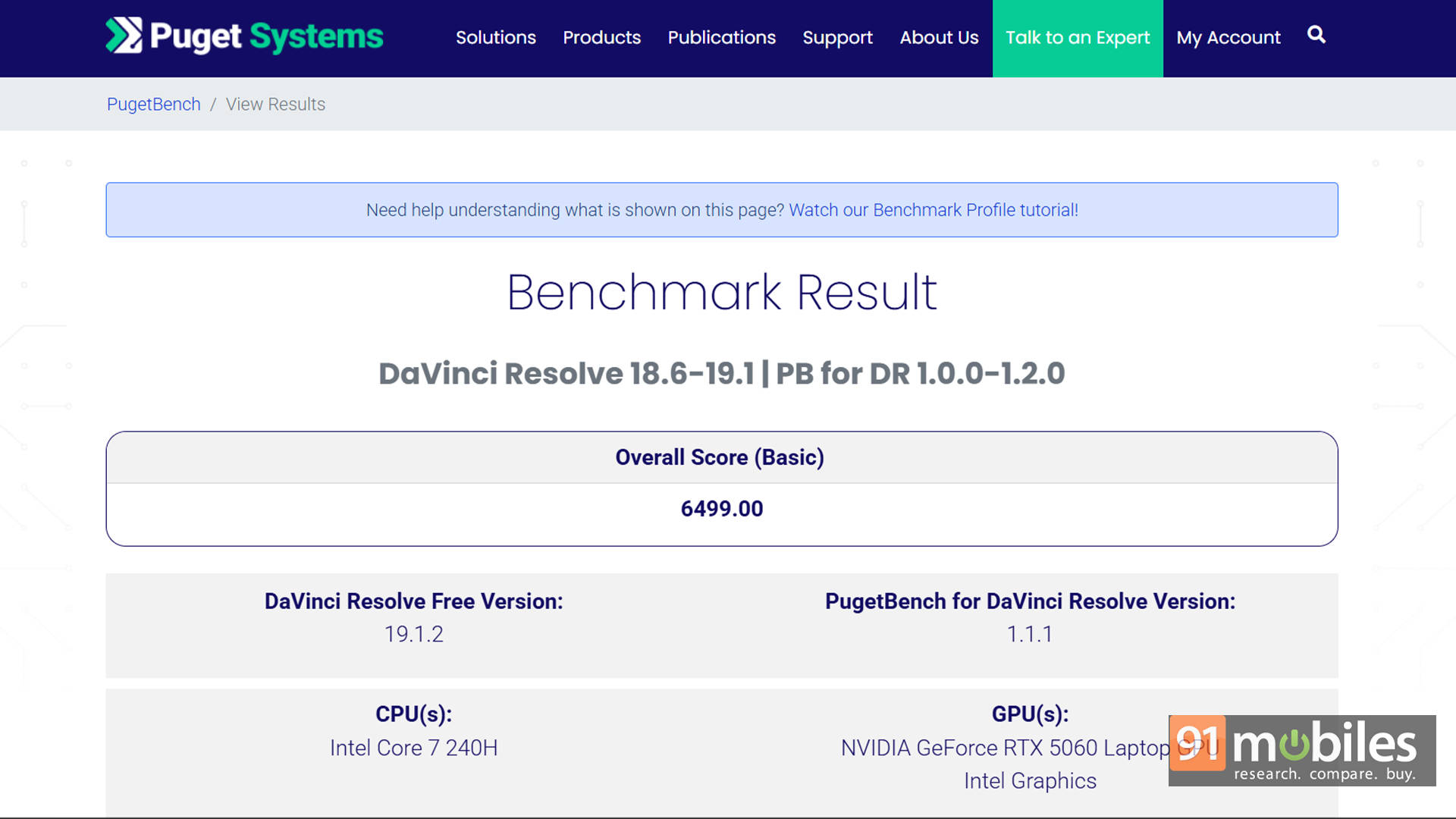
On the CPU side, the Intel Core 7 240H holds its own. Paired with 24GB DDR5 RAM, multitasking is smooth, and games don’t bottleneck. Outside gaming, it also flexes decently for creators. With a score of 6,499 in PugetBench for DaVinci Resolve, the Victus also proves capable of handling both photo and video editing without breaking much of a sweat.
There is, however, one odd quirk worth calling out. Unlike most RTX laptops these days, the Victus doesn’t seem to use NVIDIA Advanced Optimus. At least, the NVIDIA app doesn’t recognise it as one that does. This likely explains why there’s no option to disable the iGPU and run solely on the dGPU.

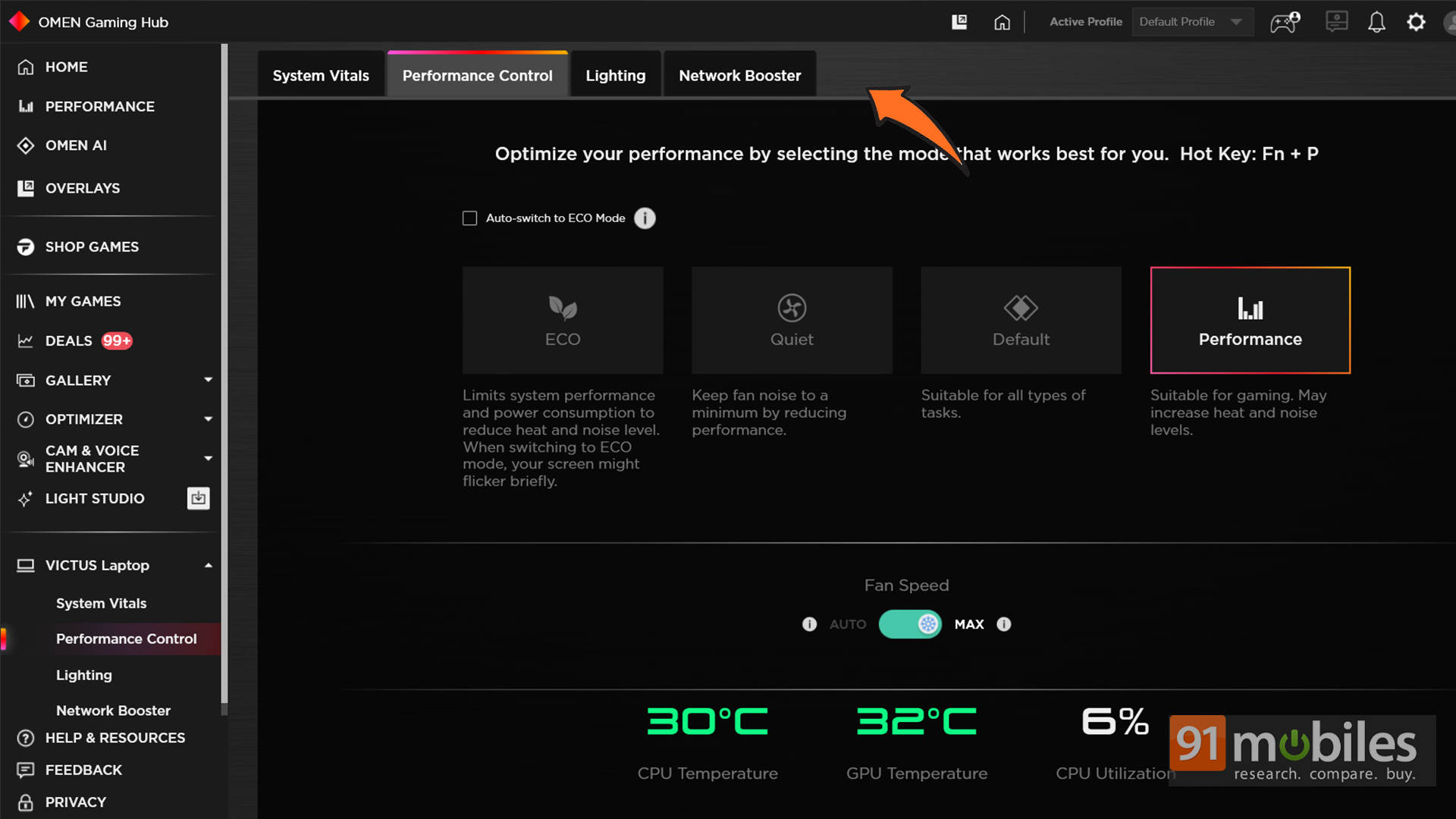
Usually, HP’s OMEN Gaming Hub has a “Graphics Switcher” setting, but here it’s missing. You won’t find it in the BIOS either. That’s rather strange, considering that having a MUX Switch has been standard on RTX laptops since the 30-series.
Could this be fixed in a future update? Possibly. And if so, we might see a small bump in GPU performance, as has happened on other laptops. But that’s purely theoretical. As it stands now, the feature is missing. Though even without it, performance remains solid.
Internals: Smart Decisions with Questionable Execution
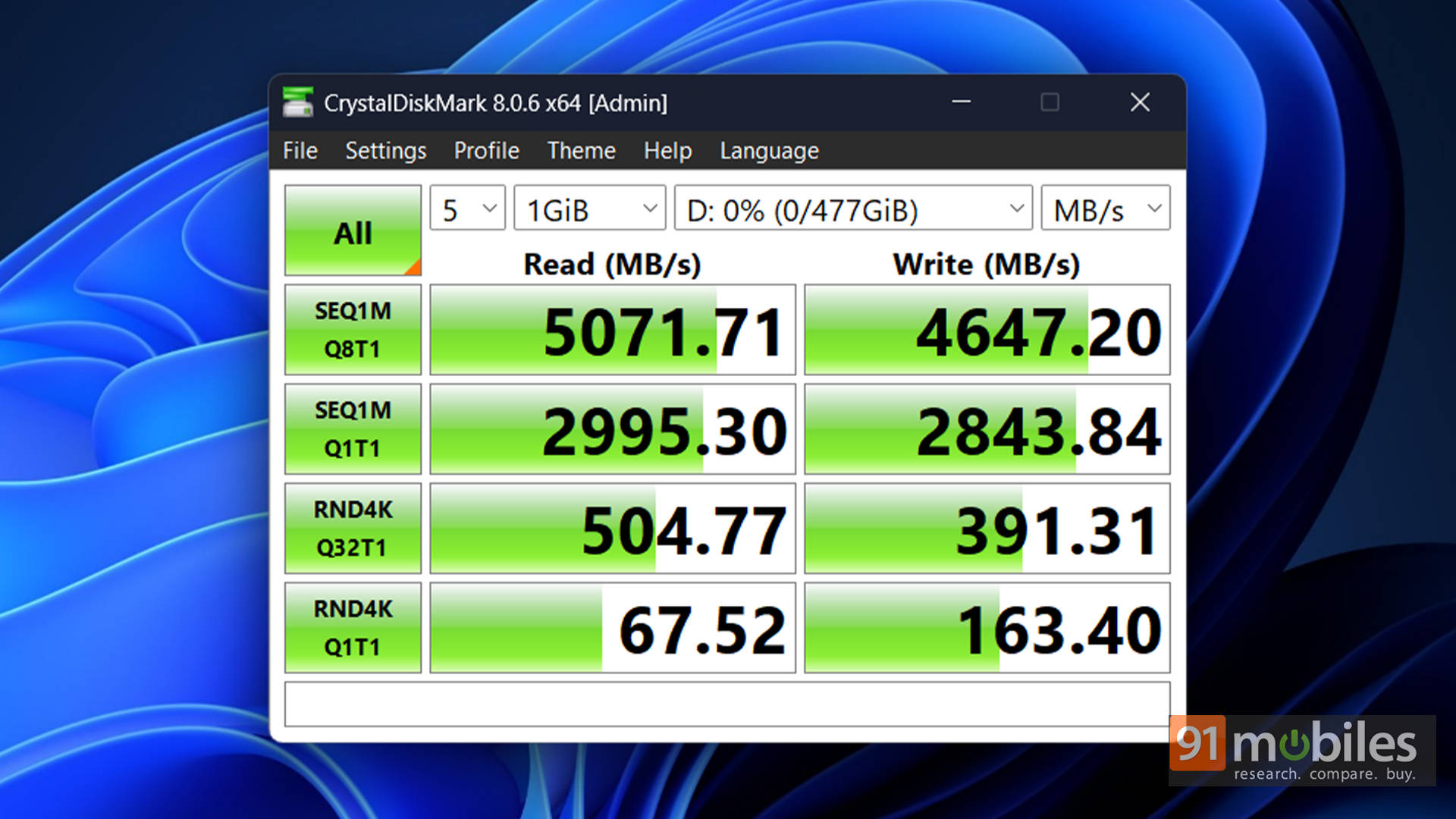
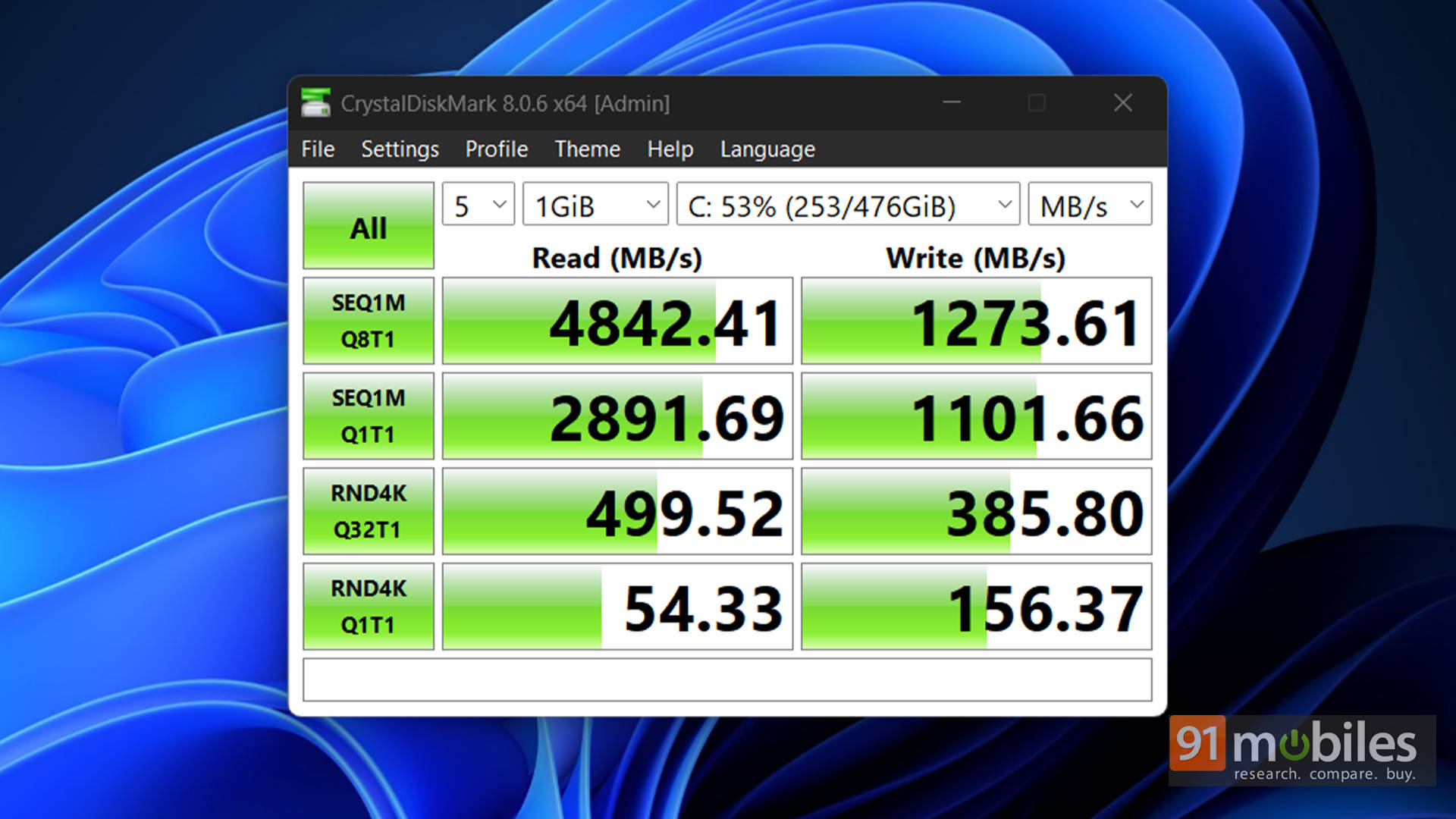
Crack open the Victus (carefully, because HP’s hinges can be fragile), and you’re greeted with a mixed bag. The good news? Dual M.2 slots, which is a rare and welcome sight on a budget-oriented gaming laptop. The bad news? HP decided to fill both with two 512GB SSDs. Why? I have no idea. Instead of simply providing a single 1TB drive and leaving the second slot free for upgrades, they’ve locked up both from the start. So when you inevitably want more storage, one of those 512GB drives is headed straight for the drawer of forgotten parts. Unless you’re clever enough to slap it into an external enclosure and call it a portable SSD.
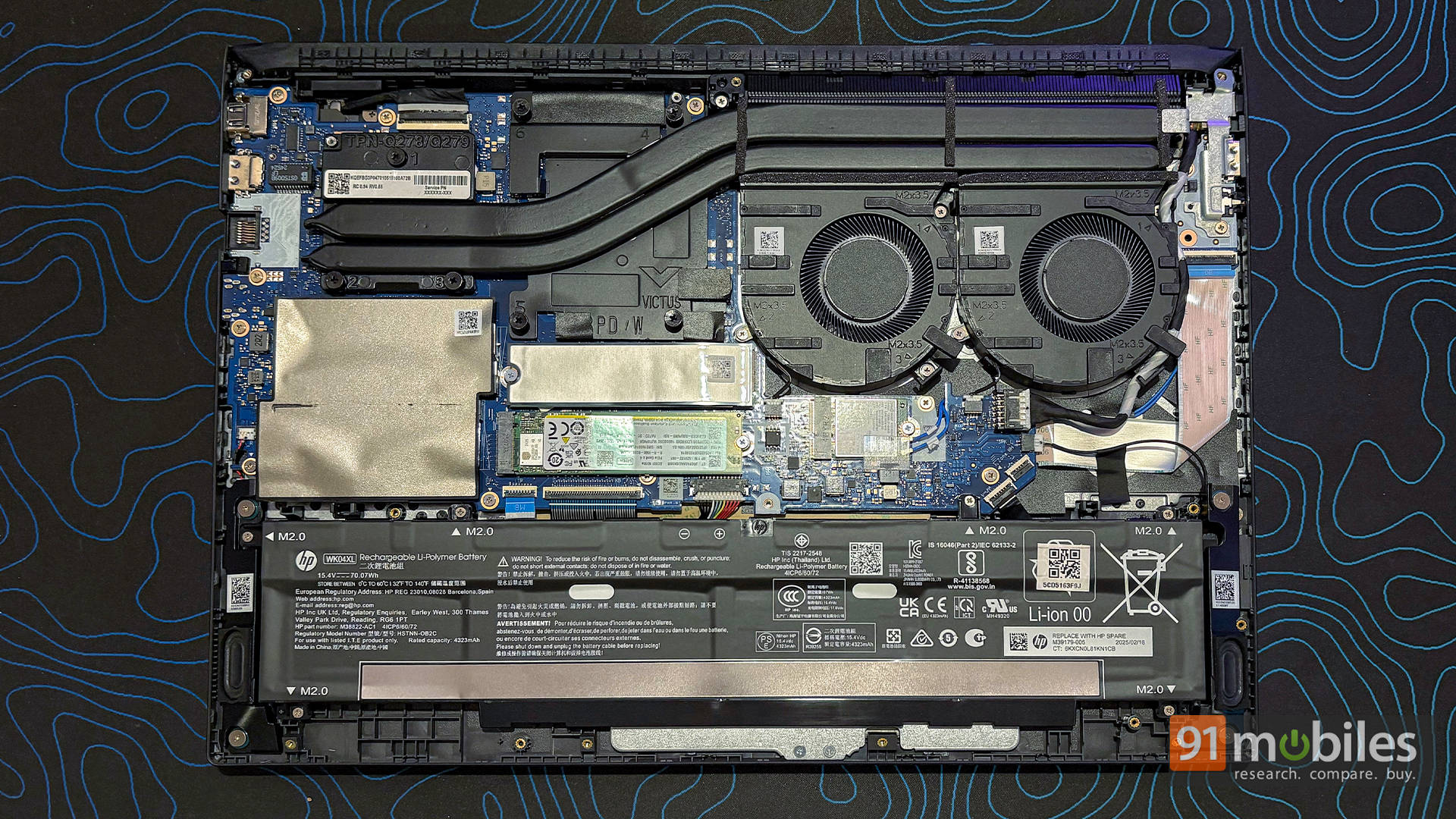
Moving on to memory, you get 24GB DDR5-5600, configured as 12GB x 2. Not the fastest DDR5 kit around, but perfectly serviceable. And frankly, 24GB hits a sweet spot, since it offers more breathing room than 16GB for productivity, multitasking, and even heavier creative workloads. However, upgraders need to watch out. If you want proper dual-channel performance down the line, you’ll eventually need to swap these out for dual 16GB sticks. Beyond that, space is mostly occupied by the battery and HP’s cooling setup. It’s nothing revolutionary, but the thermal design does its job, keeping the system quieter than some rivals while still holding respectable clocks under load.
Design and Connectivity: The Legacy Lives On
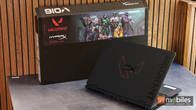
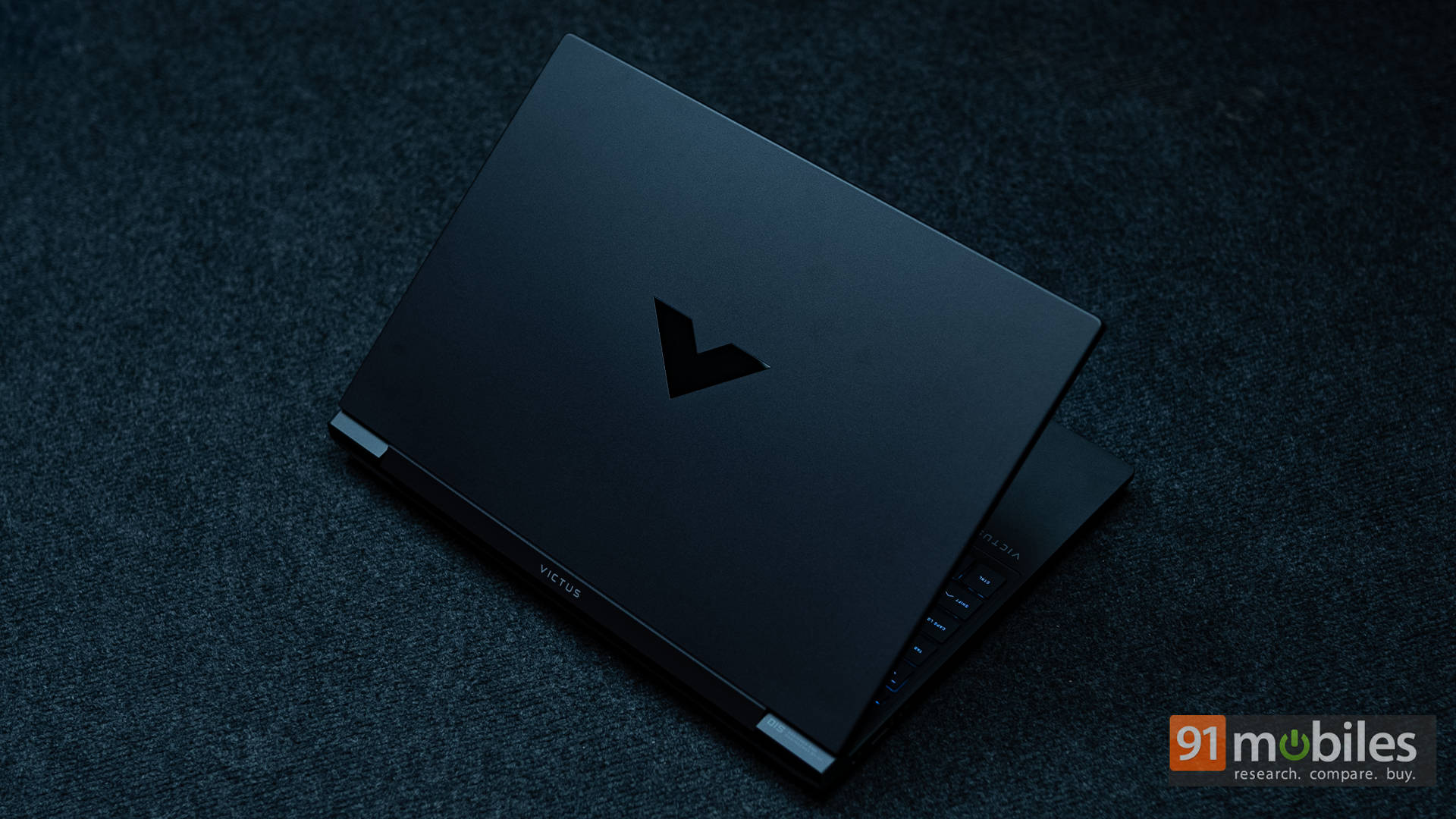
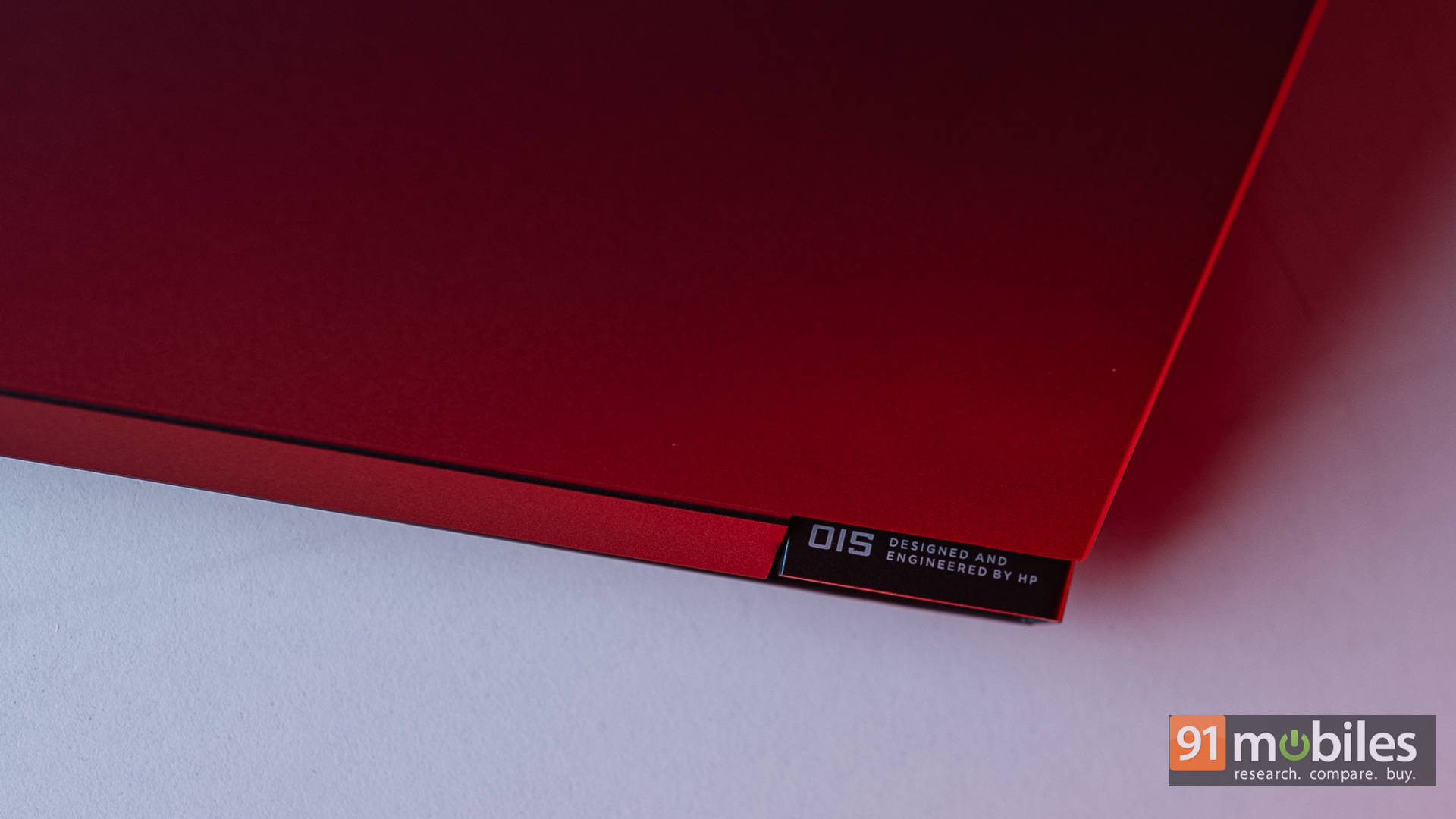
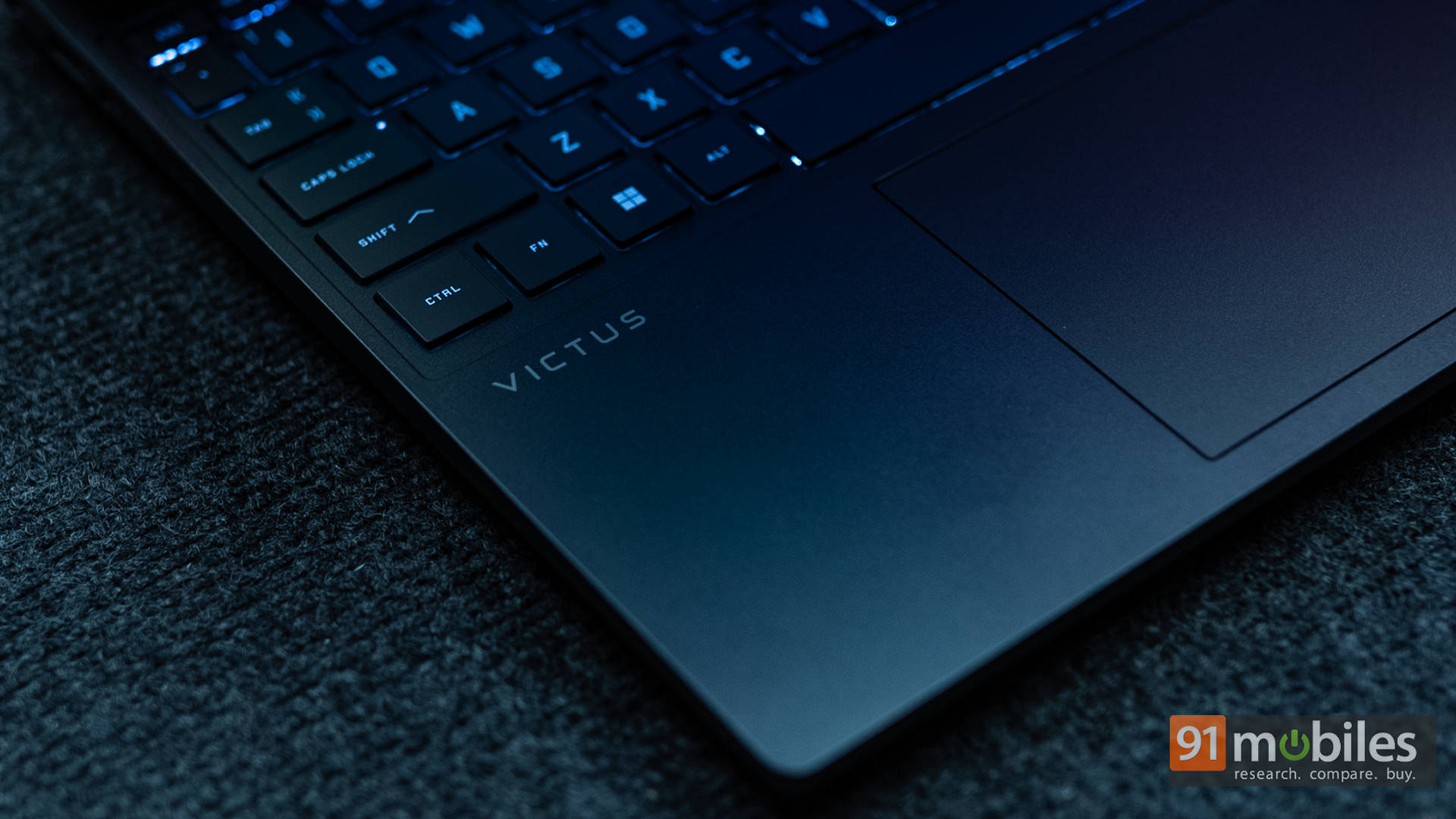
Internals and performance aside, the Victus 15-fa2009xx looks almost identical to previous Victus 15 models. And no, I’m not exaggerating. It really feels like HP dusted off the old chassis, swapped in new hardware, and called it a day. That wouldn’t necessarily be a problem if the original design were flawless. Unfortunately, it wasn’t. Still, let’s start with the positives, as there are quite a few. You get that familiar matte-black finish paired with the glossy, reflective V logo on the lid. It’s clean, understated, and recognizably Victus.
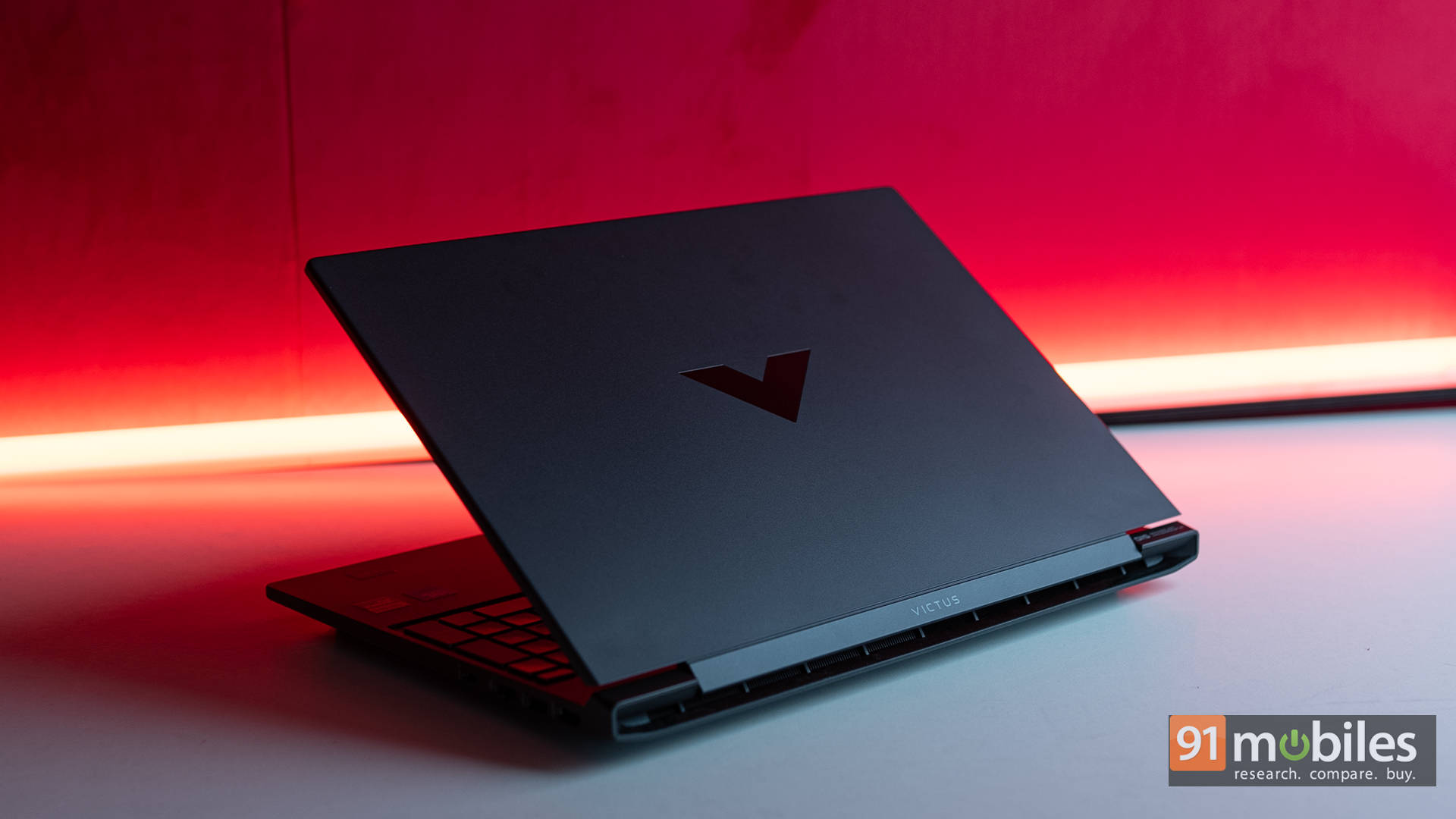
Flip the lid open and you’re greeted with noticeable bezels and a chunky chin, reminding you that this is still very much a budget machine. The build is plastic, but surprisingly stable for the most part. It’s sturdy enough to pass for something pricier at a glance. Yes, there’s a little flex on the keyboard deck, but nothing that ruins the day-to-day experience.
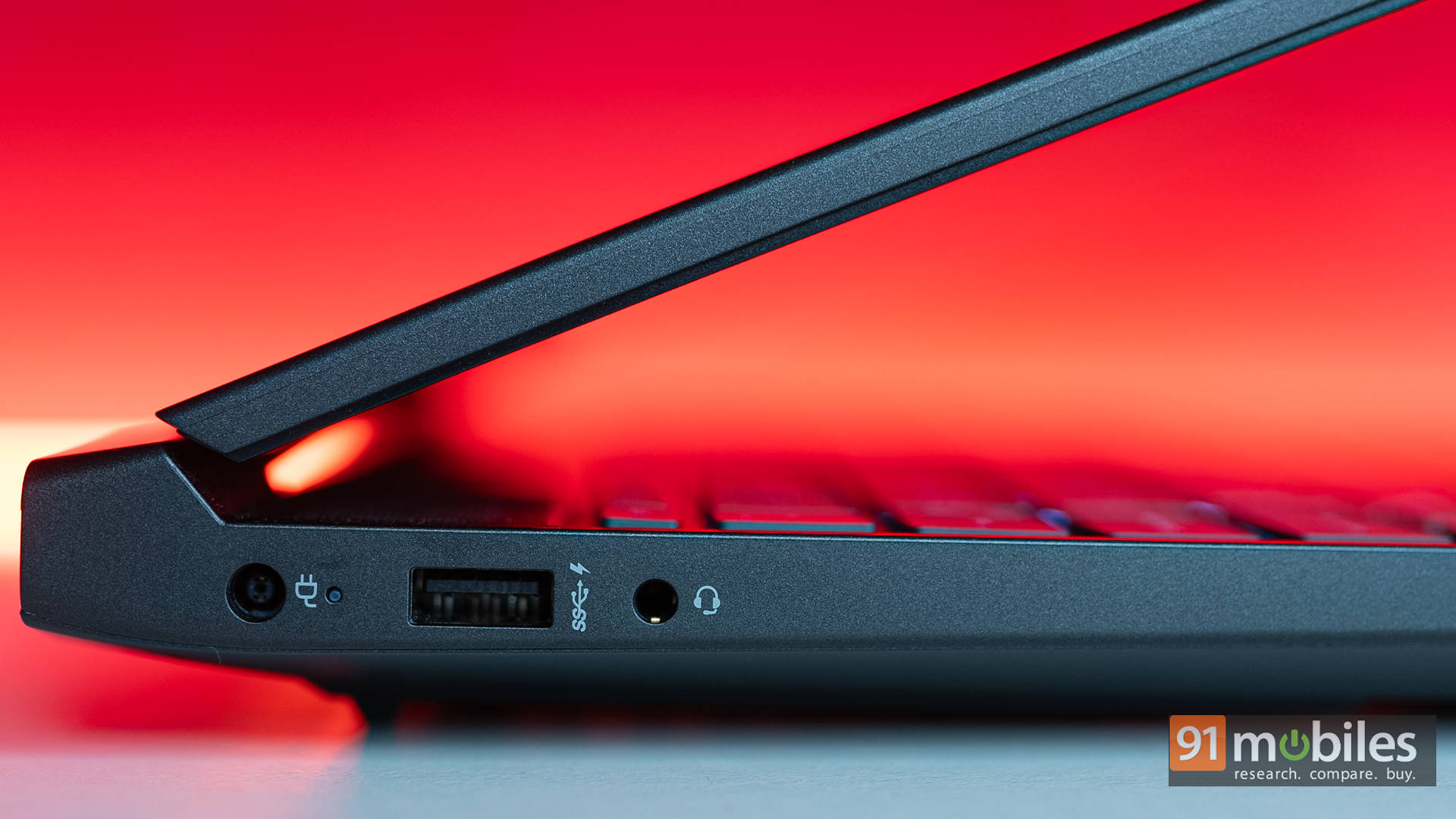
Port selection is fairly balanced. On the left, you’ll find a DC port, a USB-A 3.2 Gen 1, and a 3.5mm headphone jack. No vents, no SD card reader, which makes this side feel oddly bare. It’s unusual too, since most brands prefer stacking more ports on the left to leave the right side freer for mouse movement.
Speaking of which, the right side houses the bulk of the action: HDMI 2.1, another USB-A 3.2 Gen 1, an RJ45 Ethernet jack, and a USB-C 3.2 Gen 1 port. That USB-C is versatile, supporting both DisplayPort 1.4a and USB Power Delivery, which is always a welcome addition.
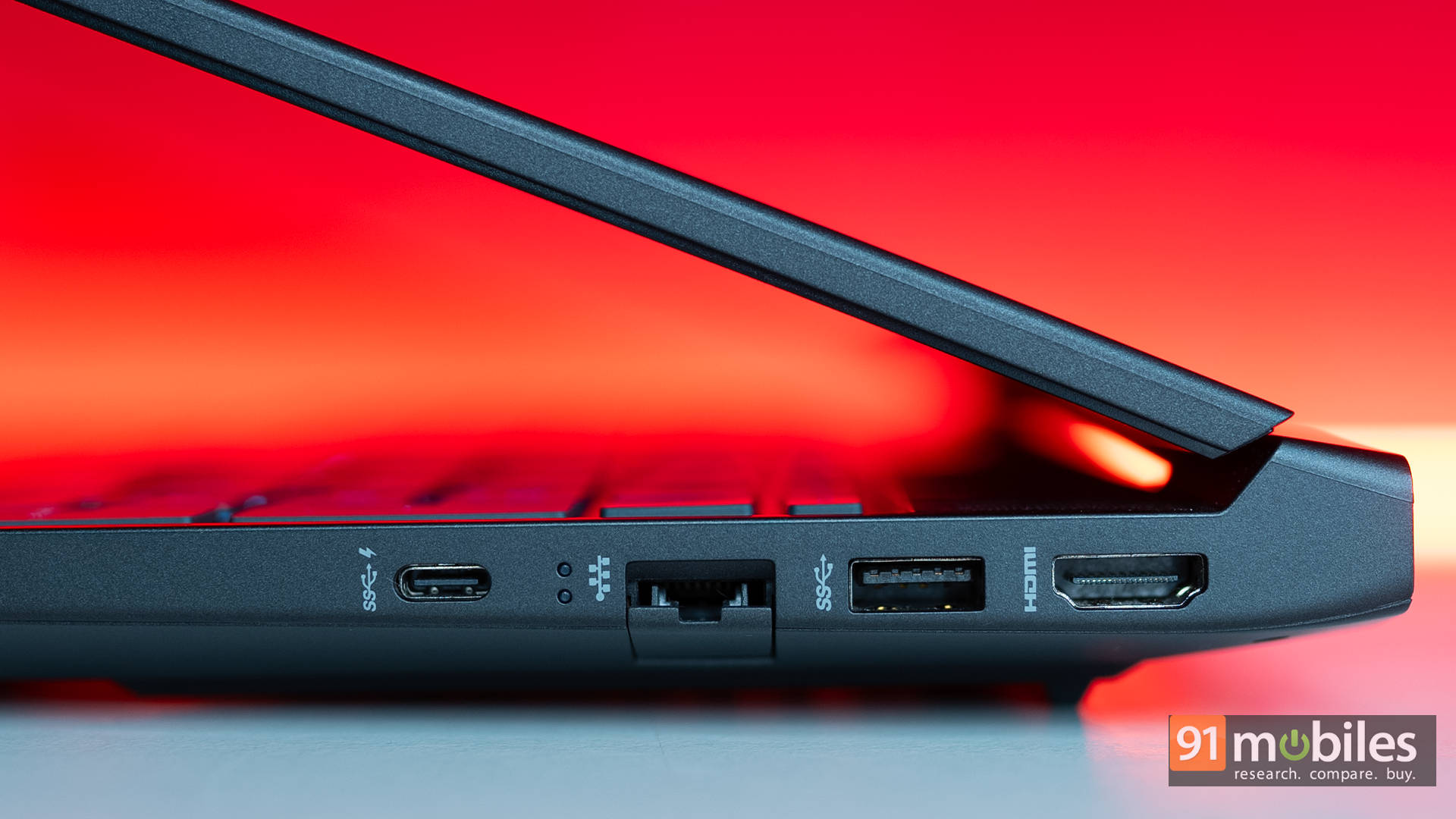
Now, the elephant in the room: the hinge design. HP is still sticking with the older mechanism that’s been criticised in the past. On this model, the hinge feels wobbly enough that using the laptop on your lap is less than ideal. Even slight adjustments cause the display to jiggle for a few seconds, and historically, this hinge design hasn’t had the best track record for durability. While the rest of the chassis feels solid enough, the hinge continues to be the weak link, and it really is time HP gave it a serious redesign.
Expecting a Different Aspect
The Victus comes with a 15.6-inch Full HD IPS panel running at 144Hz. On paper, it’s nothing jaw-dropping, but in practice, it’s a genuinely solid display. Colours are vibrant, viewing angles are wide, and it works equally well for Netflix binges and casual creative work. It’s the kind of screen you can happily share with friends in a dorm room movie night without anyone complaining about dull visuals.
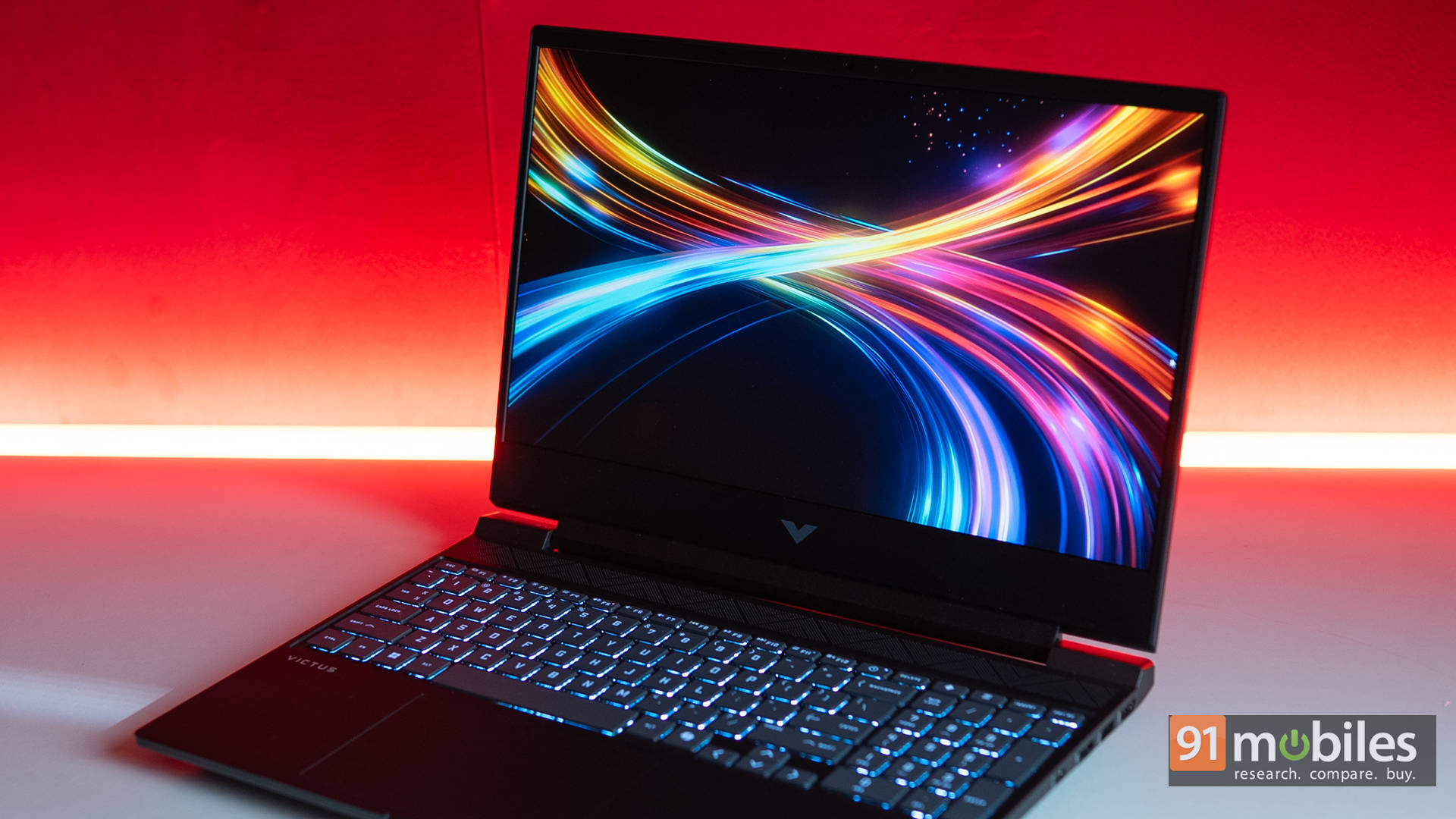
Helping that experience are the surprisingly capable speakers. At this price point, laptops usually sound like tin cans, but the Victus actually packs some bass. Tracks like Sunflower by Post Malone have a satisfying thump, and dialogue in movies comes through crisp and clear. Even at max volume, there’s no distortion or rattle. That said, once the fans spin up during gaming, you’ll want a headset to drown them out.
Speaking of gaming, the display itself keeps pace. The 144Hz refresh rate is perfect for competitive shooters and smooth enough for AAA titles when you enable DLSS 4 and Multi-Frame Generation. Input lag isn’t an issue, and I had a great time playing Valorant on this panel. It’s responsive, fluid, and snappy.
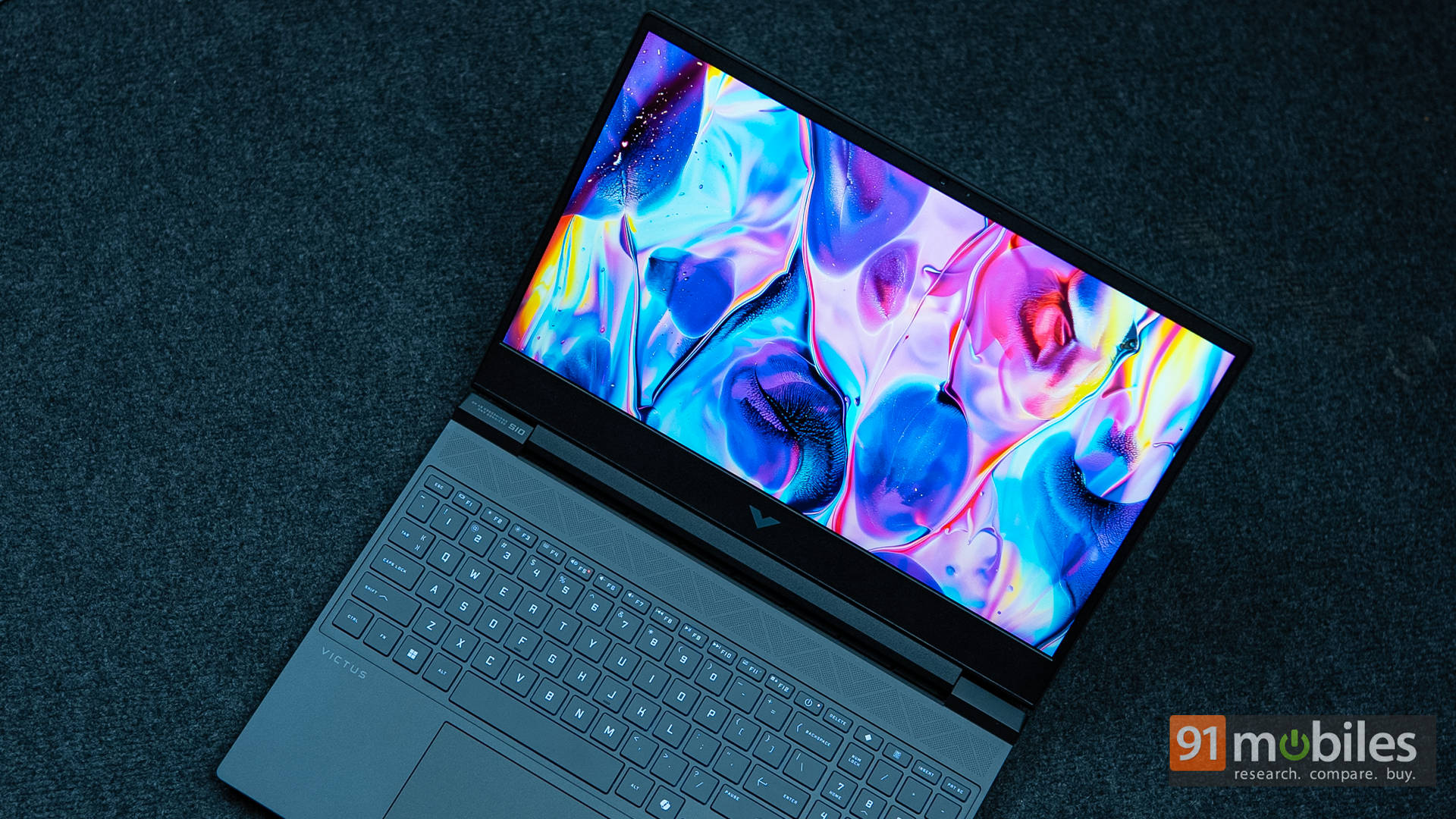
My only real gripe here is the aspect ratio. It’s 2025, and HP is still sticking to 16:9. For me, that feels outdated. Virtually every other OEM has moved to 16:10, giving gamers and creators that little extra vertical space. Maybe it’s a nitpick, but once you’ve gotten used to 16:10, going back to 16:9 feels like you’re staring through a letterbox.
Keyboard, Touchpad, and Webcam: Functional
Moving on, typing on the Victus is, for the most part, a pleasant experience. The keyboard offers decent travel, a full numpad, and a handful of useful hotkeys. It doesn’t feel cramped, and whether you’re hammering out essays in Word or queuing up for a round of Valorant, it gets the job done comfortably. HP even throws in shortcuts for OMEN Gaming Hub and Microsoft Copilot, which are genuinely handy.
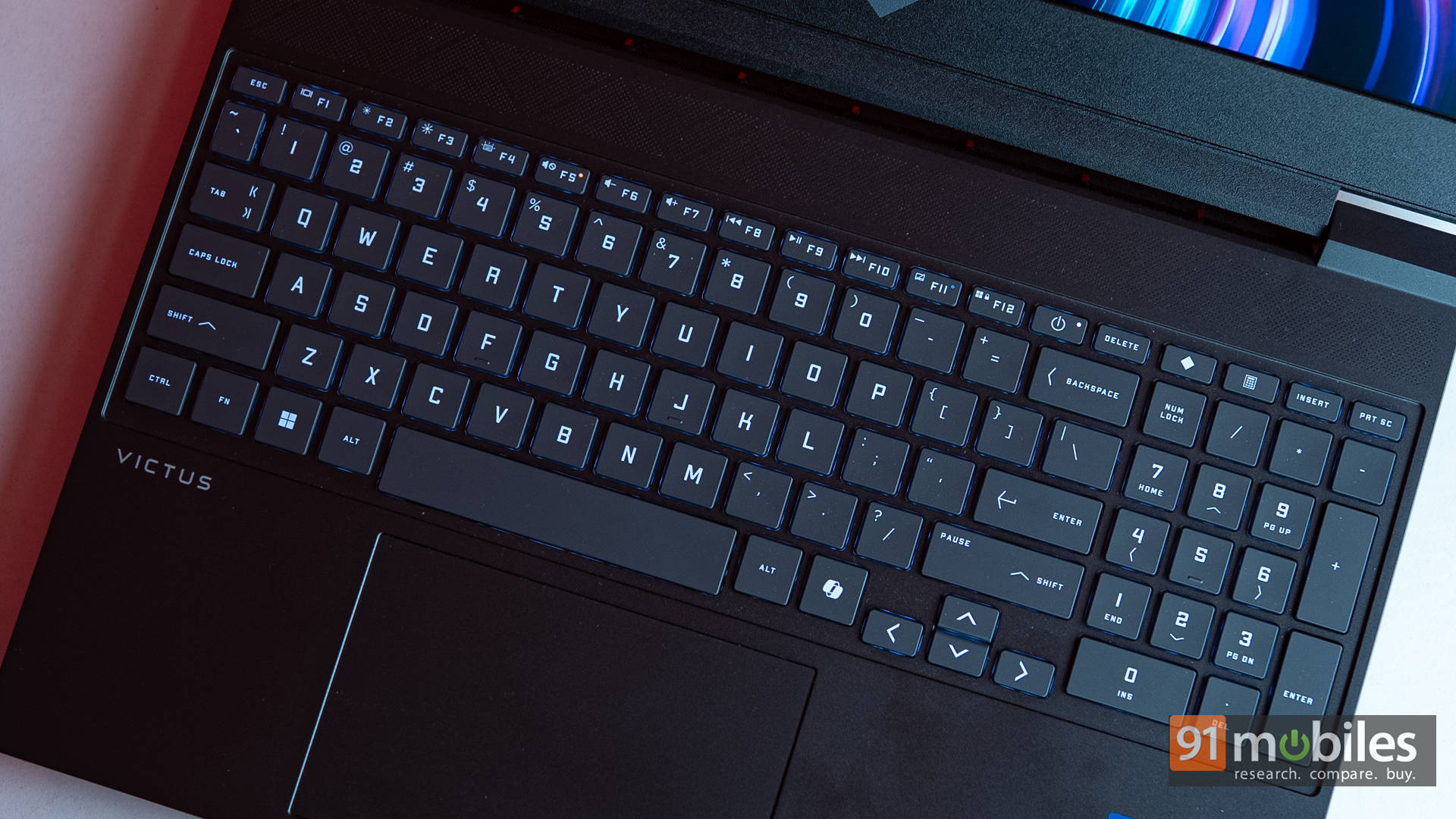
Then there’s the wildcard: a dedicated Calculator key. Not exactly what you’d expect on a gaming laptop. Personally, I think a macro key would’ve been far more practical, but then again, I know a few number-crunchers who’d love it. It’s quirky, not a dealbreaker.

What does disappoint, though, is the so-called RGB lighting. You get exactly one brightness level: on or off. No per-key customisation, no fancy patterns. To make matters worse, while the keyboard is technically recognised in Windows Dynamic Lighting, none of the changes you make there actually apply. Instead, you’re stuck with a single solid colour chosen inside OMEN Gaming Hub. It feels half-baked, like HP just wanted to tick the RGB checkbox without really committing.
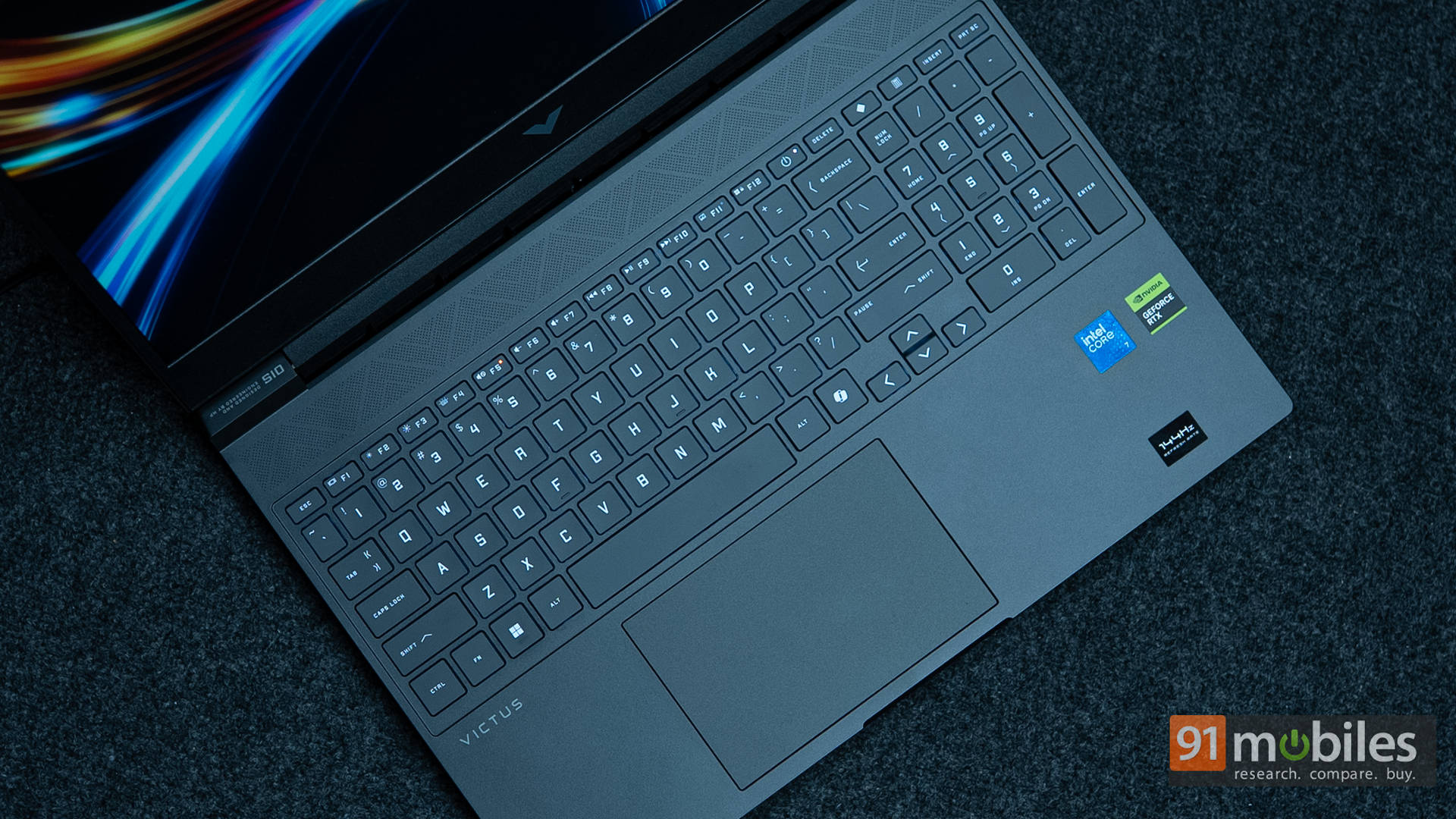
The touchpad, on the other hand, is refreshingly decent. It’s big enough, accurate, and doesn’t suffer from annoying wobble. Gamers will naturally lean on a proper mouse, but for productivity tasks or creative work, the touchpad holds up surprisingly well.
Battery Life & Charging
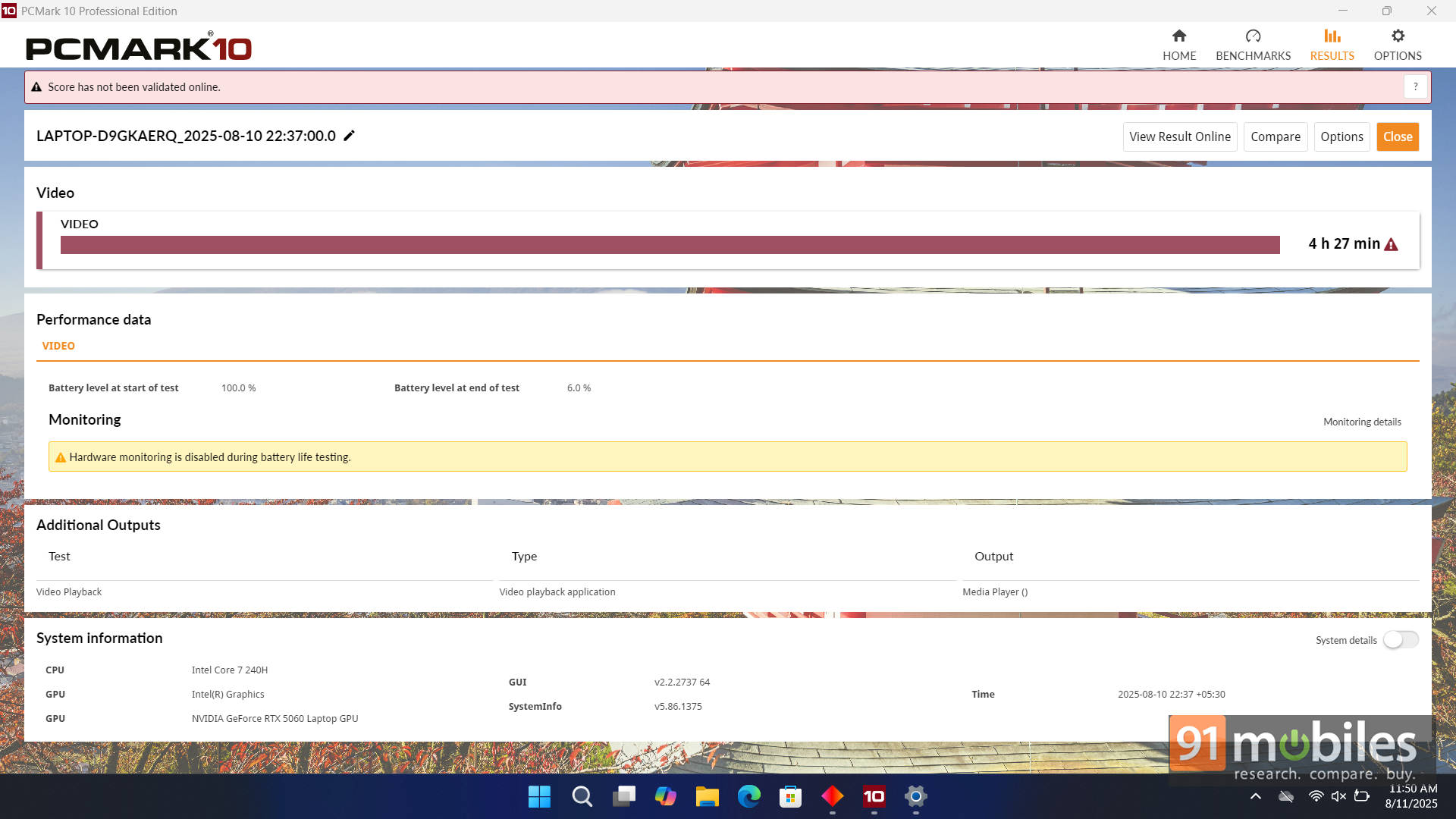
The 70Wh battery isn’t huge, but it delivers respectable endurance. In the PCMark 10 video loop test at 80% brightness, the Victus managed 4 hours 27 minutes. For a gaming laptop, that’s a solid result. That said, I expected a little more, especially since the MSI Katana 15, with a slightly larger 75Wh battery and a QHD+ display, lasted about the same in testing.
Still, the battery here is perfectly serviceable for light workloads or a Netflix binge, giving you about half a day before reaching for the charger. On that note, USB-C charging support is a very welcome addition. If you’re travelling light, you can top it up with a smaller adapter. Just don’t expect to game without the chunky power brick, since that’s still very much a necessity.
HP Victus 15 2025: Worth It?
So, where does the HP Victus 15-fa2009xx land? At its core, it’s a budget gaming laptop that plays it safe. The RTX 5060 at 80W still packs enough muscle to outpace last-gen 4060 setups, and paired with 24GB of RAM and 1TB of storage, it offers a decent out-of-the-box experience. The display, while not cutting-edge, is perfectly enjoyable for both gaming and content consumption.
That said, some choices feel questionable. The quirky RAM and storage configurations could frustrate upgraders in the long run, and the hinge design still inspires little confidence in its long-term durability. Add in the half-baked keyboard RGB and the missing MUX switch functionality, and you’ve got a handful of compromises that shouldn’t be ignored. Still, at around ₹1.2 Lakhs, the Victus 15 is certainly worth considering, especially if you value HP’s thermal restraint and overall stability.
Nonetheless, it’s important to note that the competition in this segment is fierce. At the same price point, the ASUS Gaming V16 gives you a lighter chassis and a more modern 16:10 display without sacrificing performance. And if you’re willing to stretch the budget a little, the MSI Katana 15 with its higher-wattage RTX 5060 and QHD+ panel easily makes a stronger case for itself, though both these options offer less RAM at just 16GB. In the end, the Victus 15-fa2009xx is a good step up from the previous generation, but not the boldest one. It’s reliable, it’s competent, but it doesn’t quite seize the spotlight.
Editor’s Rating: 7.5 / 10
Pros:
- Strong RTX 5060 performance
- Runs cool with solid thermals
- 24GB RAM for smoother multitasking
- USB-C charging with DisplayPort support
Cons:
- Wobbly hinge design lacks confidence
- Odd dual 512GB SSD setup
- Limited RGB lighting