


Review Summary
Expert Rating
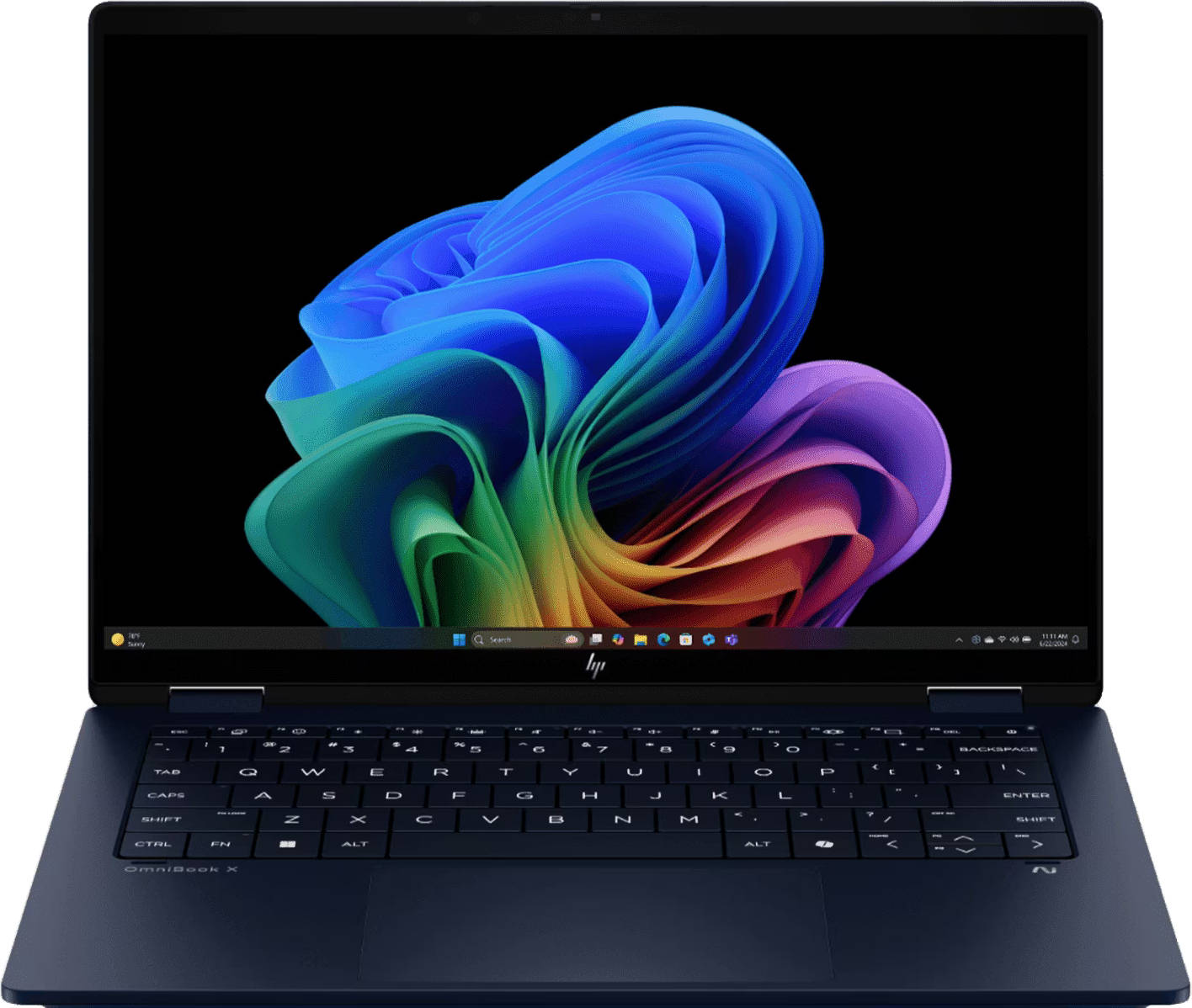
The HP Omnibook X Flip is priced at around ₹1.5 lakh, which is the sweet spot for a premium thin-and-light laptop. At this range, buyers expect excellent battery life, a stellar display, and smooth performance that makes everyday tasks effortless. As the name suggests, the laptop can also “flip” into a tablet, and for those who enjoy bingeing on Netflix in bed, the tent mode feels like a perfect fit. On paper, the Omnibook X Flip sounds like a dream. But is it really? Let’s find out!
Table of Contents
Looks That Mean Business
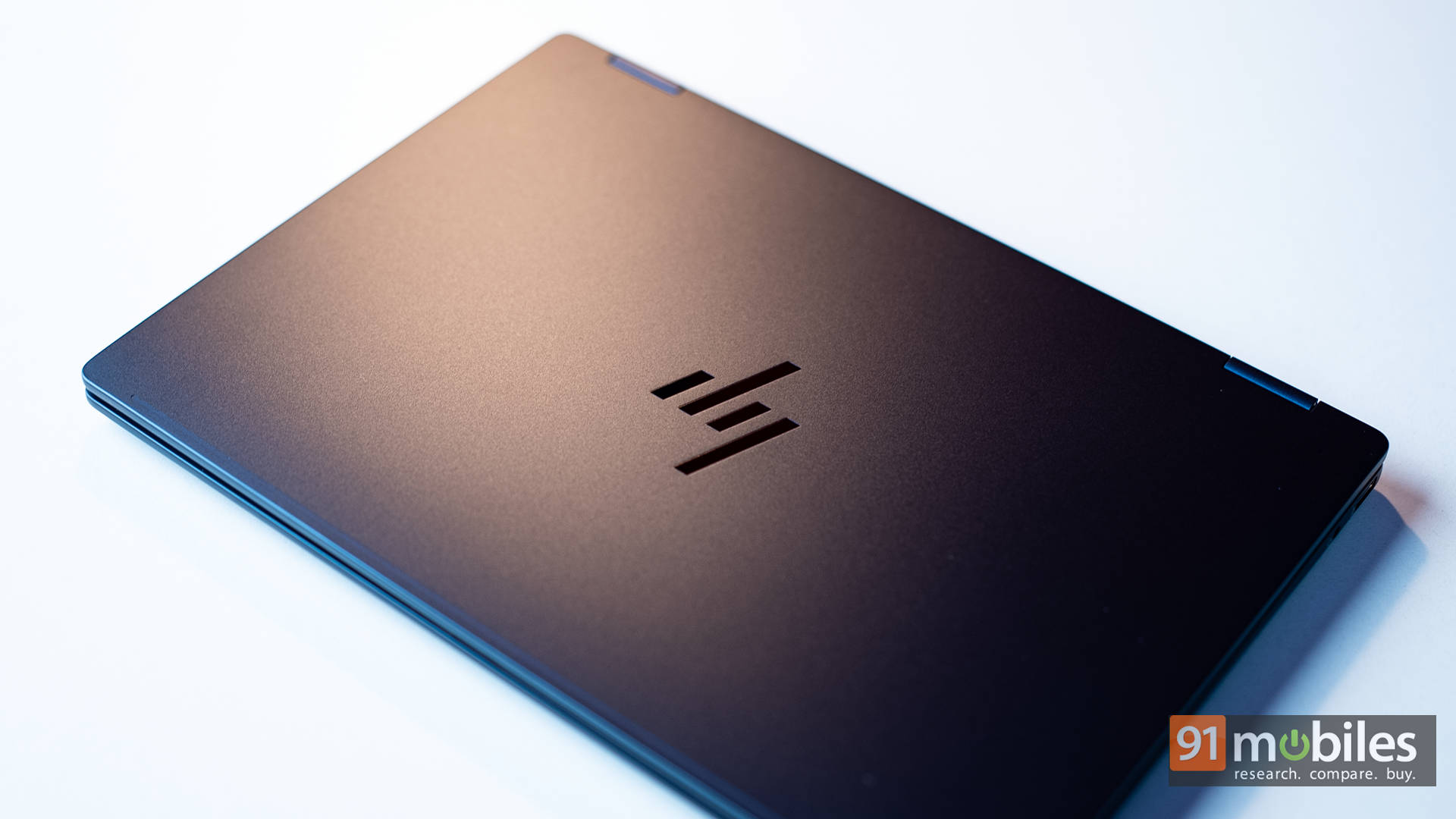
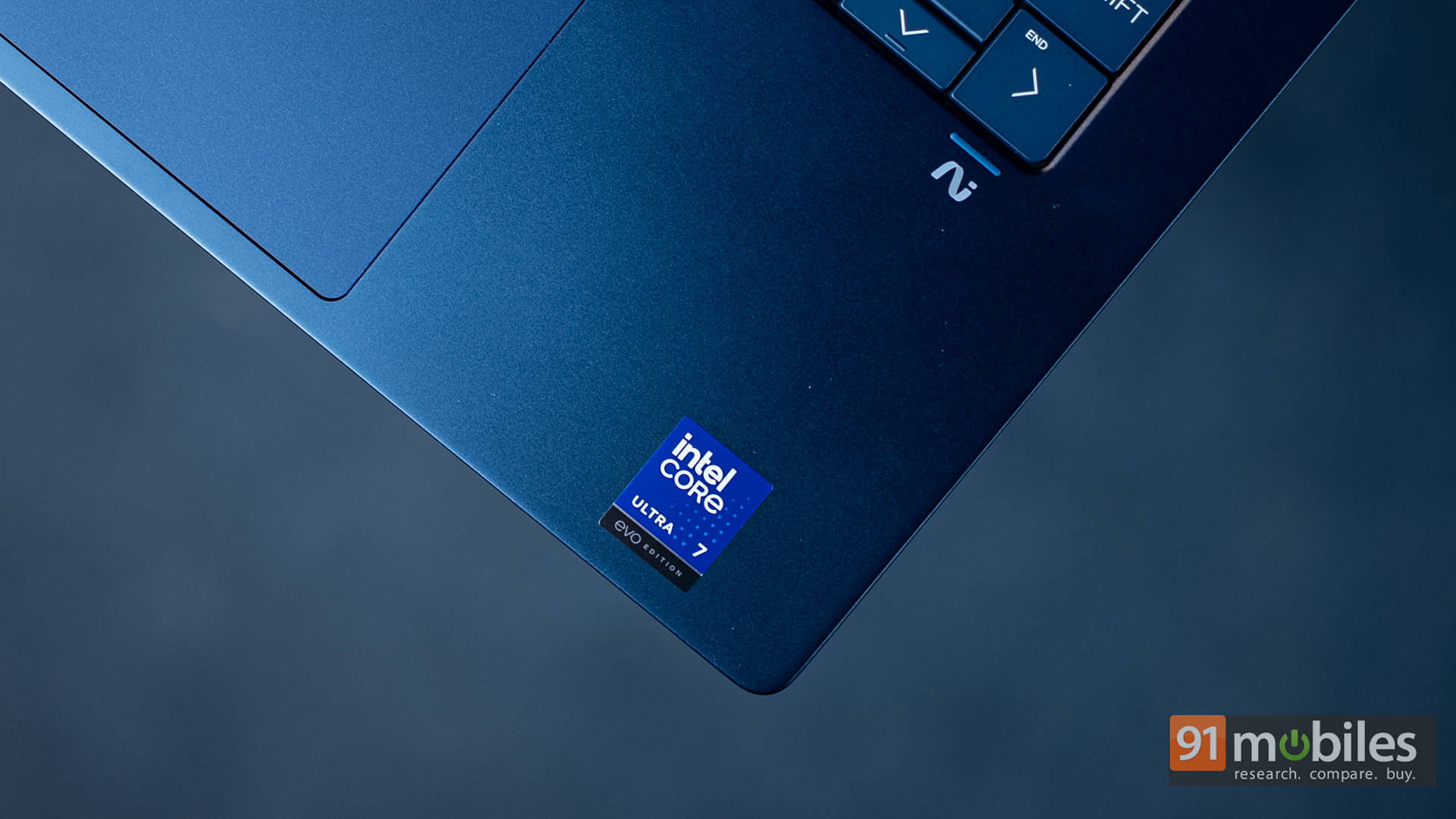
Kicking things off with the design, the Omnibook X Flip is minimal and elegant, making it perfect for anyone who wants a work machine without unnecessary flash. The “Atmospheric Blue” finish looks quite stunning, and during my two weeks of using it as a daily driver, it even managed to turn a few heads. The build is sturdy, with the speaker enclosure and bezels made of premium-feeling plastic, while the cover, keyboard frame, base, and hinge are all metal, giving it a solid and premium vibe.
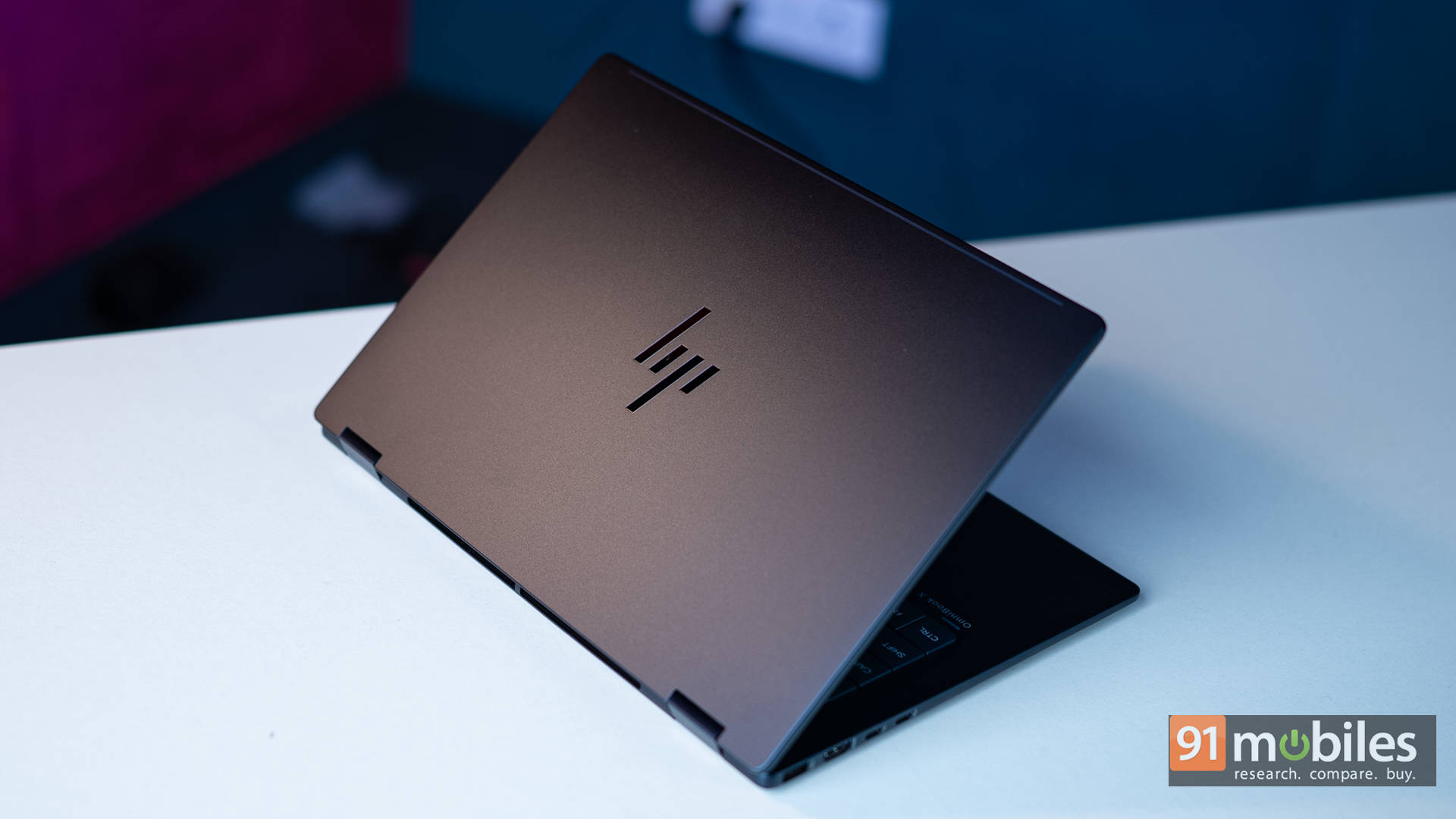
The hinge is particularly impressive, with almost no wobble. That’s saying a lot for a device that flips all the way around into tablet mode. You can lift the lid with a single finger without shaking the chassis, which is always a good sign. The touchscreen display rotates nearly 360 degrees, making it versatile for work, media, and everything in between. Two rubber feet keep it slightly elevated on a desk for airflow. On a bed, though, airflow suffers, so tent or tablet mode is still the safer choice.
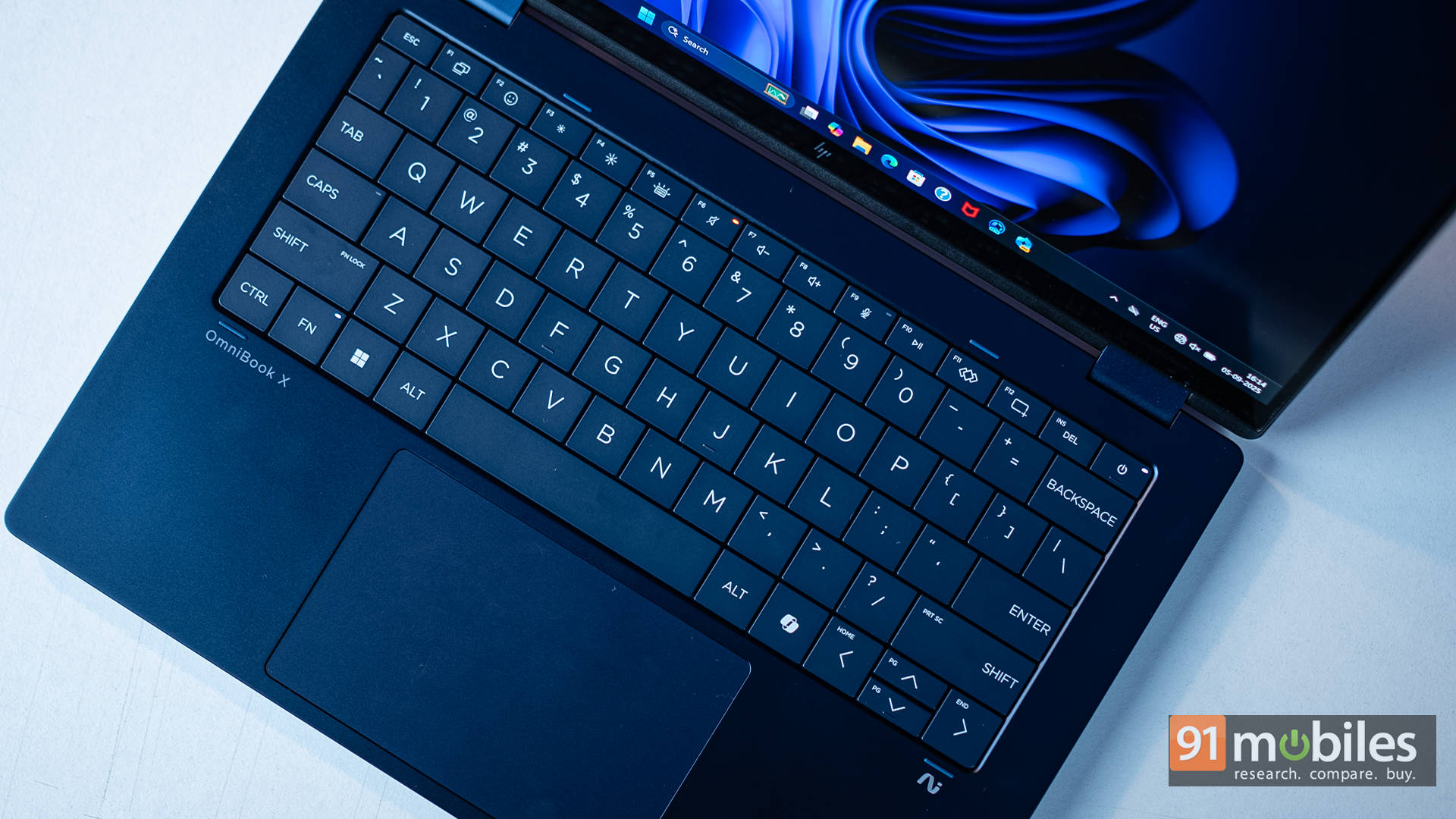
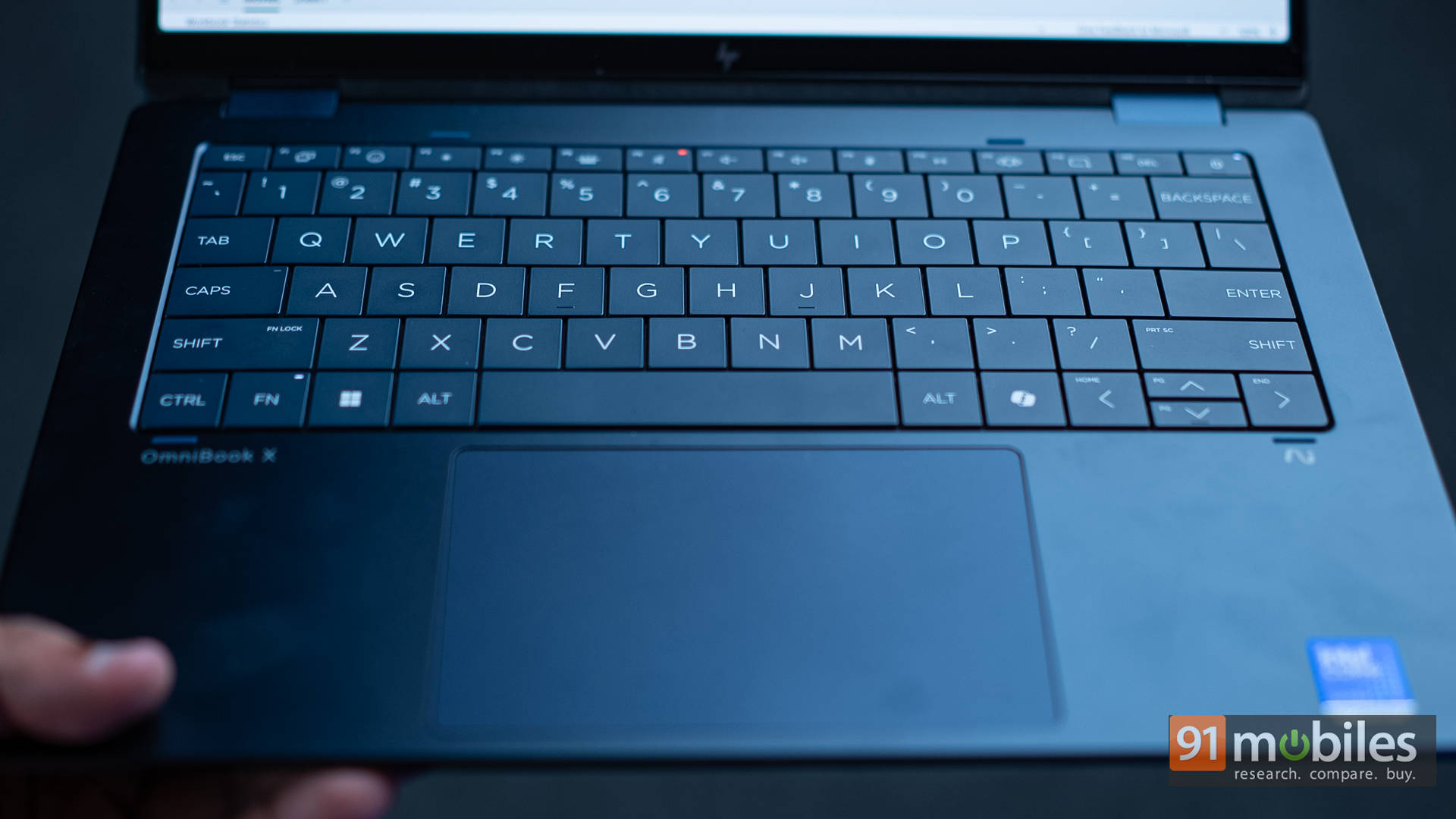
Next up, the keyboard. At first glance, the keys look oddly spaced, almost like a 4:3 layout, but once you start typing, that impression disappears. In fact, it’s one of the most comfortable laptop keyboards I’ve used recently. The keys have a satisfying click with ample travel, making typing long documents, presentations, or spreadsheets genuinely enjoyable. The backlight is bright enough for dim conditions, and there’s a handy physical shutter for the webcam (nice touch). The webcam itself supports Windows Hello, but sadly, there’s no fingerprint reader.
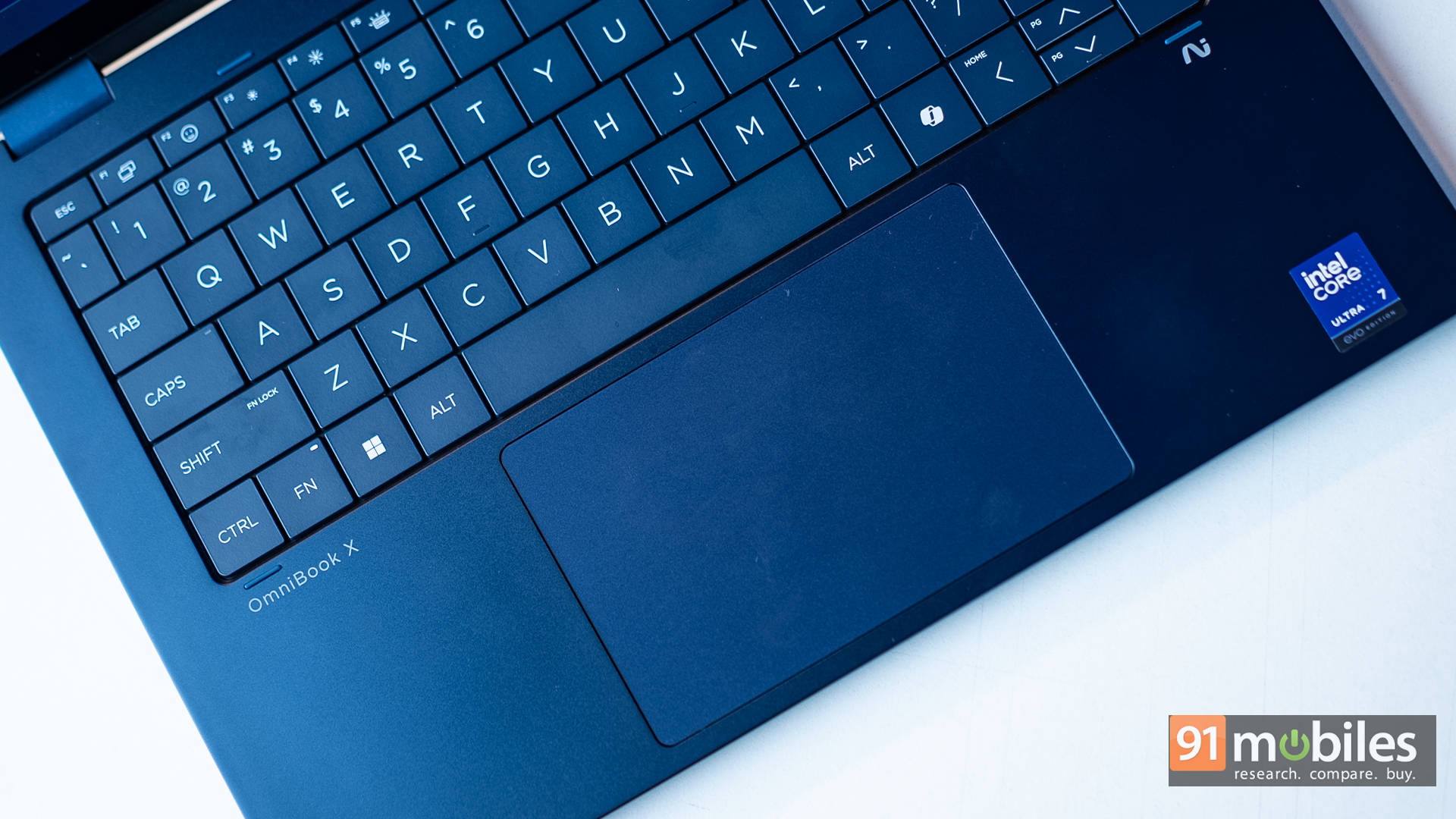
The trackpad is equally impressive, too. It’s large, smooth, and responsive with multi-gesture support. It’s almost as smooth as a MacBook’s, which is high praise. Overall, the design is robust, with a clean rectangular shape softened by rounded edges for a comfortable typing and carrying experience.
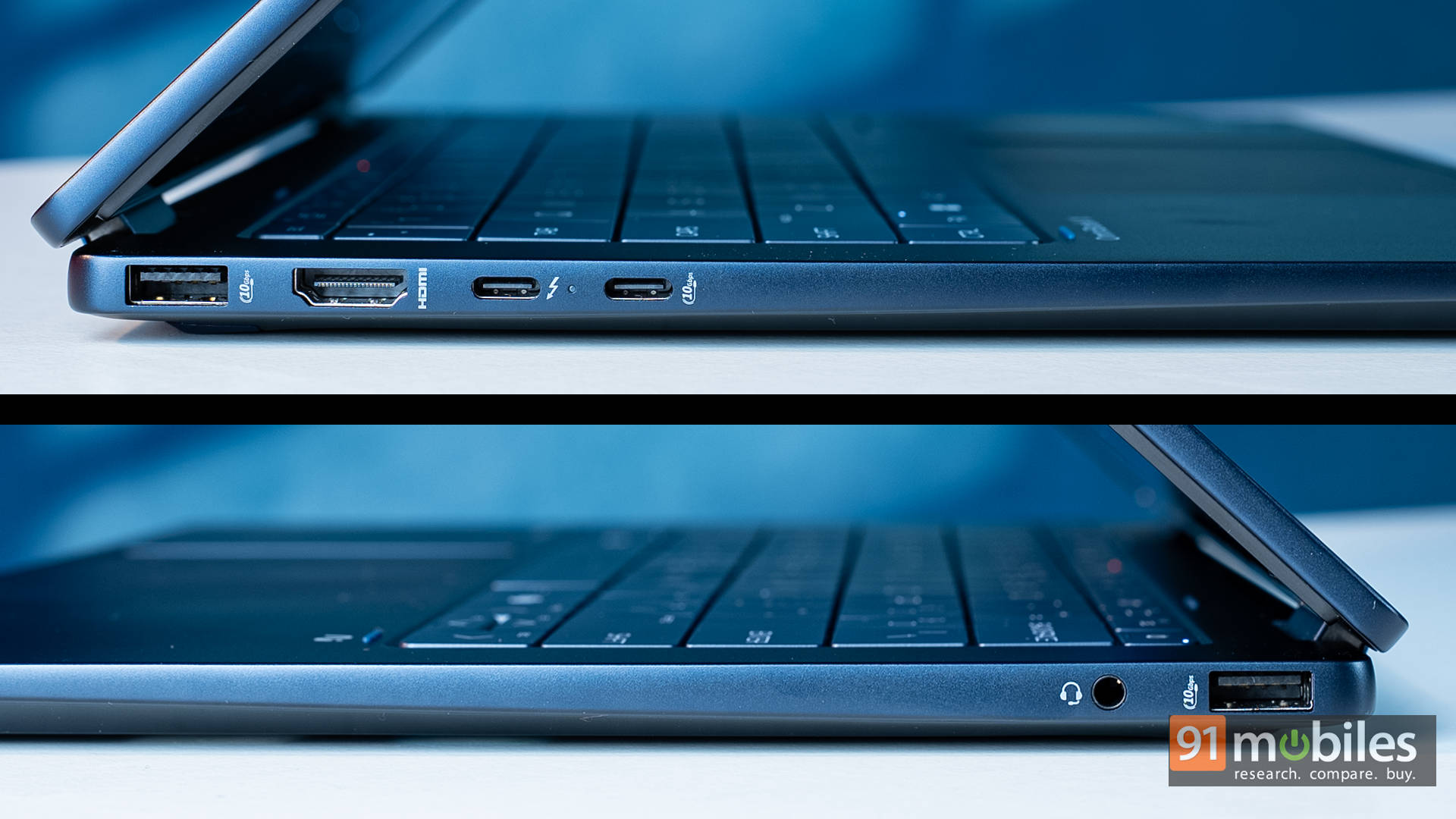
On the connectivity front, the left side houses one USB-A port, HDMI, a Thunderbolt port, and a USB-C port. On the right, you get another USB-A port and a headphone/mic combo jack. The inclusion of HDMI and USB-A made meetings painless as I could connect to a projector or plug in a pen drive without fumbling for dongles. That said, an SD card slot would have made the package perfect. Still, having this port mix felt refreshingly practical.
OLED and Loving It
The first thing you’ll notice about the Omnibook X Flip’s display is just how vibrant it looks. I used it in all sorts of settings, such as on my desk with a direct light source reflecting off it, at an airport during a weekend getaway, in a cab on the way to a meeting, and even late at night in a pitch-dark room when the kids were asleep. And let me just say: once you go OLED, there’s no going back.
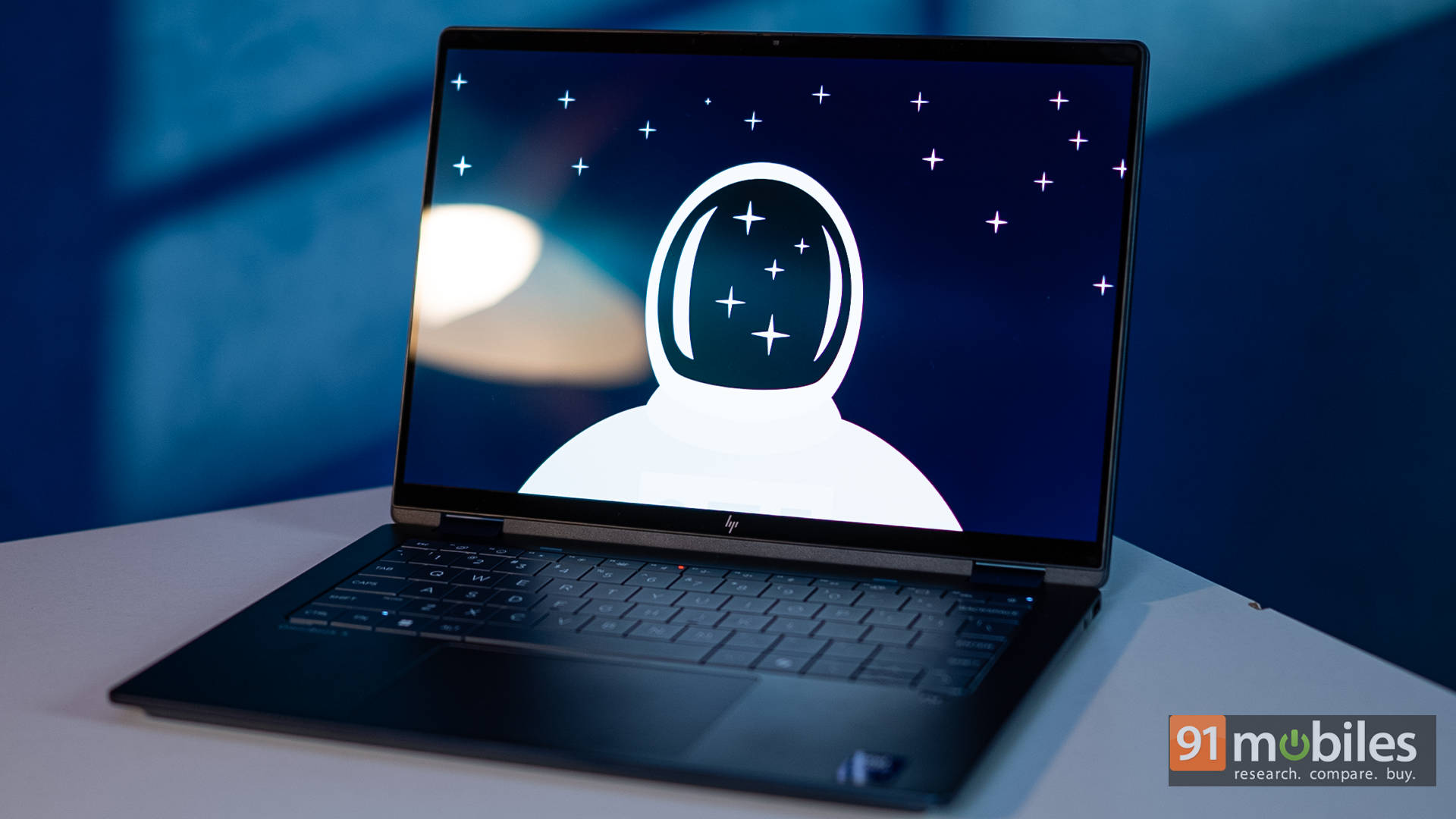
The 3K OLED panel delivers crisp, sharp visuals no matter what you’re doing. Sure, outdoor visibility in harsh sunlight takes a hit, and strong direct light can make the screen a bit reflective. But the excellent viewing angles make it easy to adjust, and in dark rooms, lowering the brightness doesn’t wash out the experience the way LCDs often do. Movies look especially stunning with no blooming or halo effects, which is a problem LCD laptop displays have long struggled with.
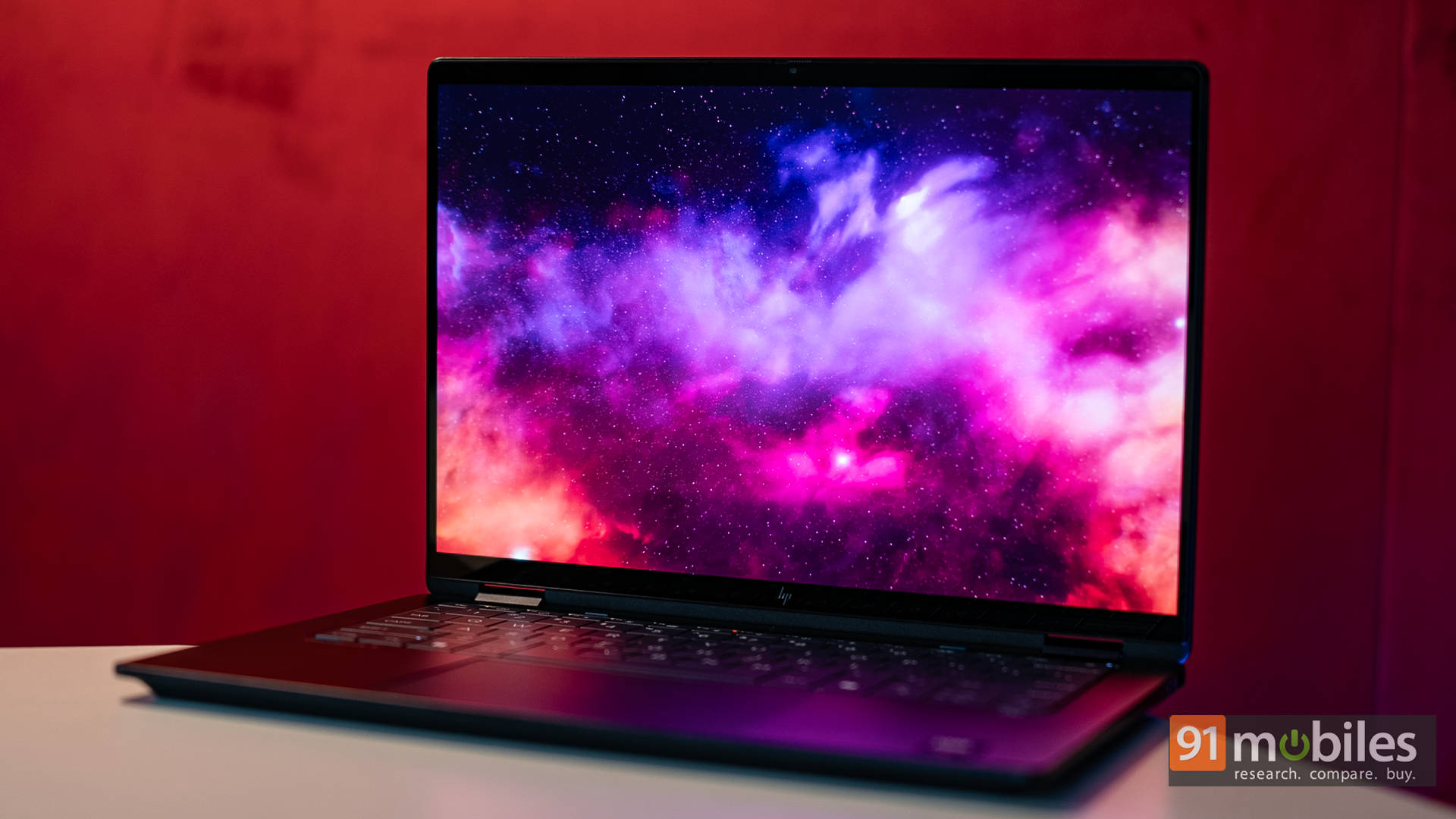
The 120Hz refresh rate is the cherry on top. This isn’t a gaming laptop, but the smoothness makes everything feel better, from scrolling through long documents and flipping through family photos to reading books on the Kindle app in tablet mode (yes, I actually do that, and it works brilliantly here). Simply put, this display is sublime.
Speakers That Speak, But Don’t Sing
Moving on to audio, the Omnibook X Flip packs two bottom-firing speakers that sound pretty good overall. For video calls, they get loud and clear. So much so that at home, in my fortress of solitude with zero ambient noise, I often had to cap the volume at around 60%. In the office, though, I found myself pushing it closer to 80–100% for calls.
For movies and TV shows, dialogue comes through clean and easy to follow. But when it comes to action-heavy soundtracks such as bangs, crashes, and deep rumbles, the experience is a bit underwhelming. The speakers simply lack bass, and at full volume, they don’t have the depth you’d expect at this price point. The saving grace is their placement. Since the speakers are positioned along the edges of the laptop’s base, they don’t get muffled in tablet or tent mode, which makes them more versatile than you might expect.
That said, the real MVP here is the Poly Studio integration. On multiple work calls at home, with my kids SCREAMING in the background, AI noise cancellation worked like a charm as the people on the other end couldn’t hear a thing. HP also adds a few AI features that boost productivity, like maintaining eye contact during video calls even when you’re glancing at a presentation on the screen. These small touches add up to a much smoother, more professional experience.
Flexing Its Muscle
Let’s get to the belly of the beast: the performance of the HP Omnibook X Flip! Below, you’ll find synthetic benchmark comparisons against similarly priced laptops like the Lenovo Yoga Book 7i Aura Edition (Intel Core Ultra 7 258V), Samsung Galaxy Book 5 Pro (Intel Core Ultra 5 226V), and Microsoft Surface Laptop 7th Gen (Qualcomm Snapdragon X Elite). All of these sit in the ₹1.25–1.6 lakh range.


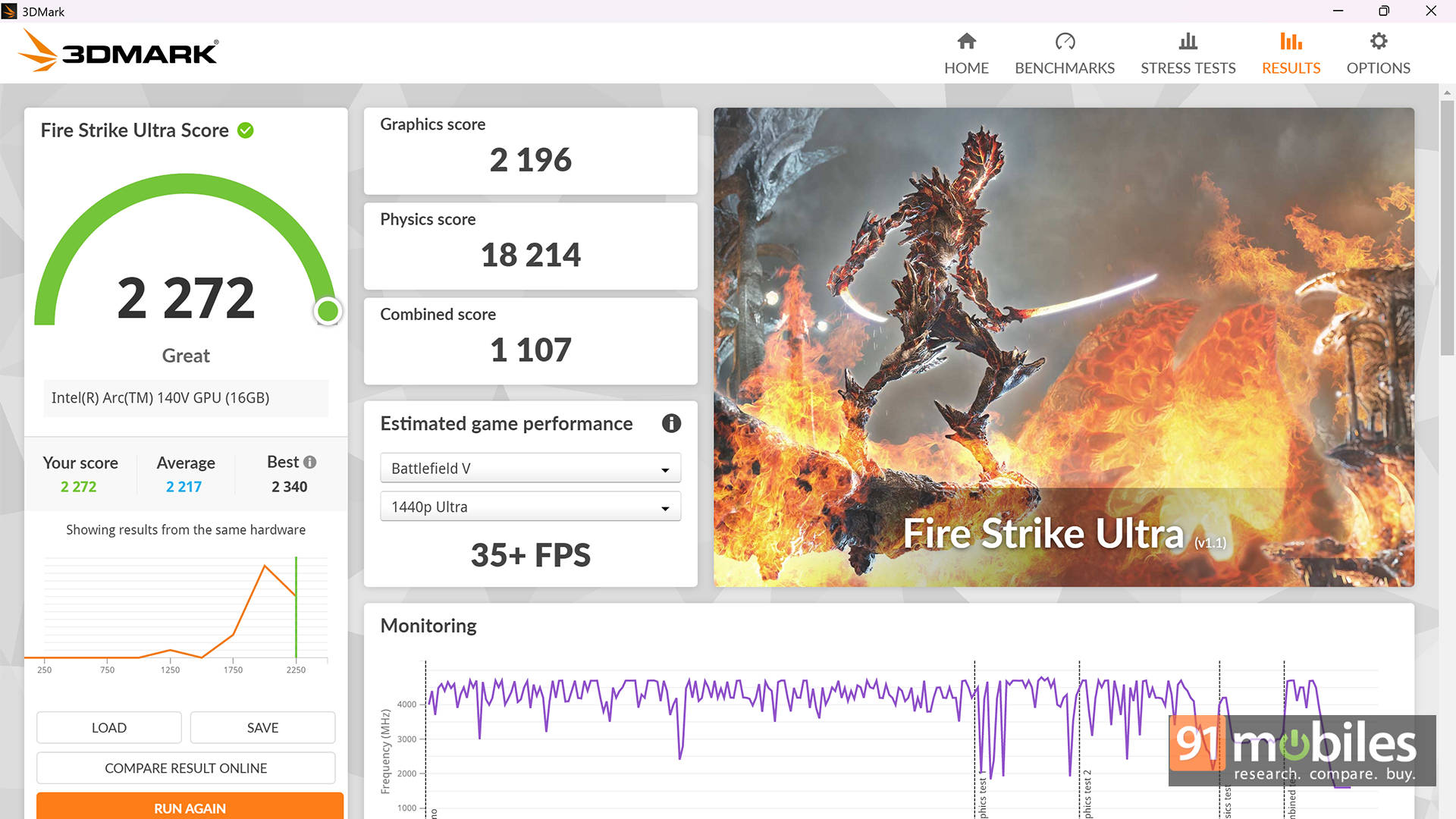
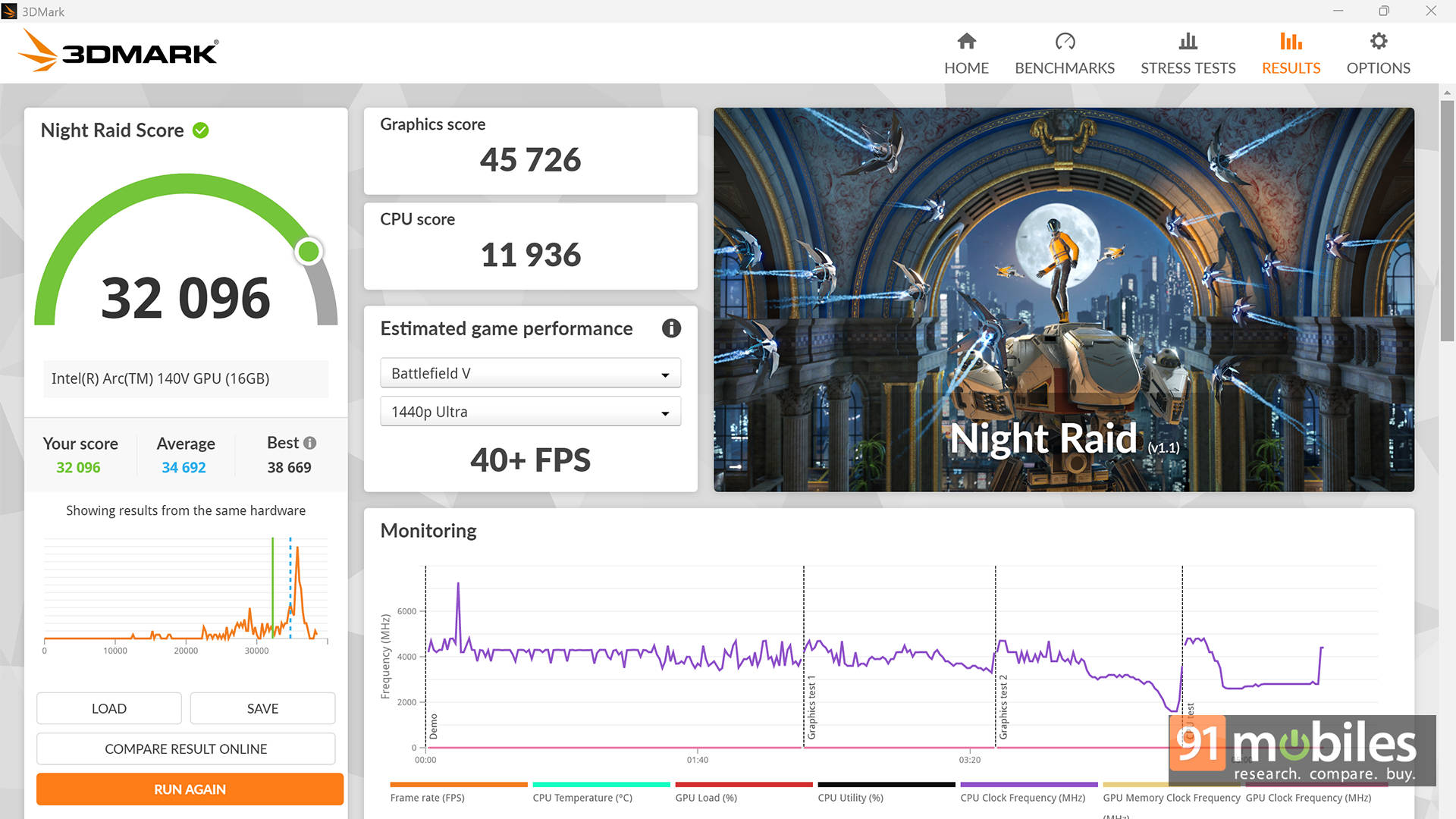
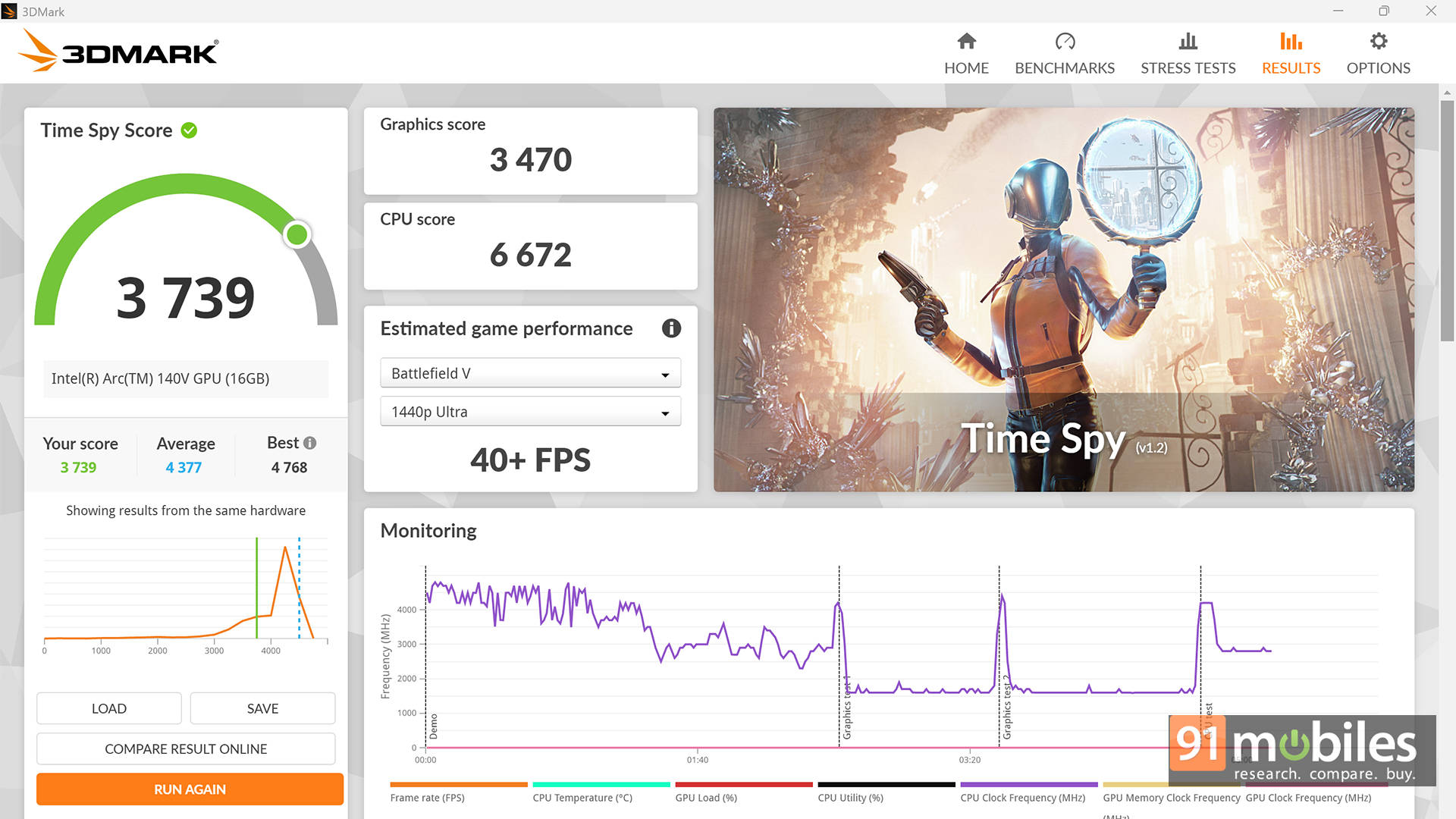
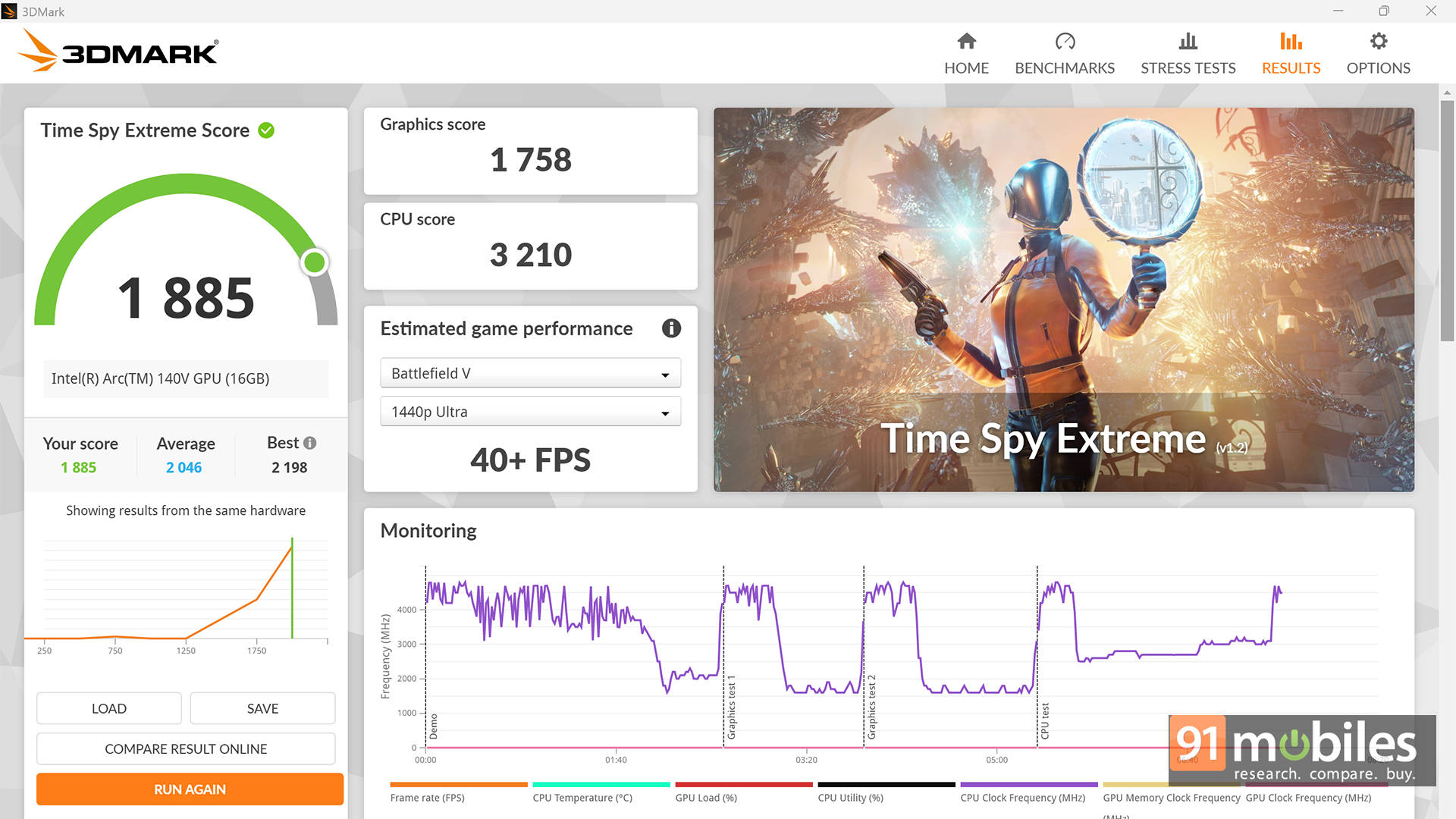
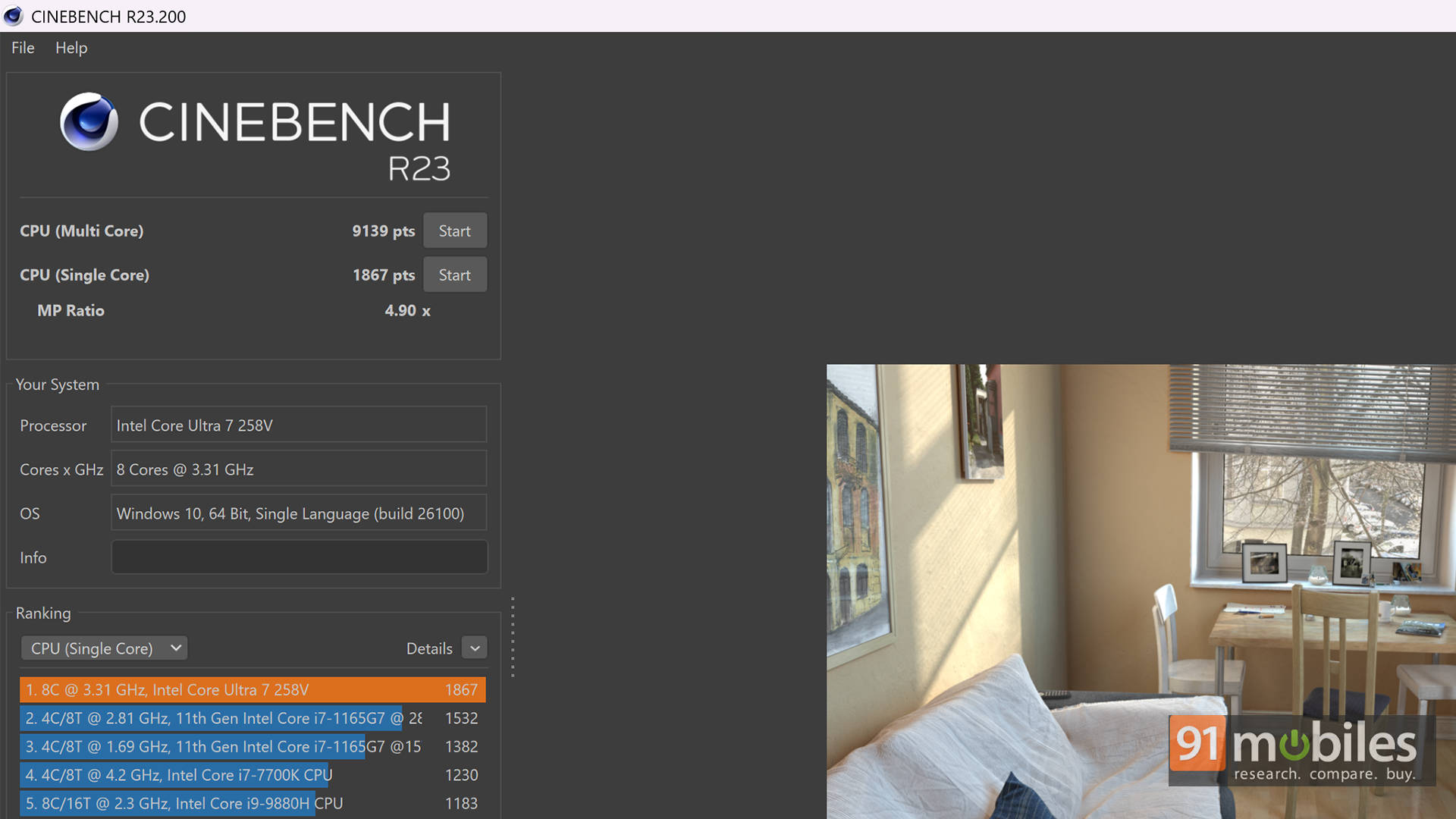
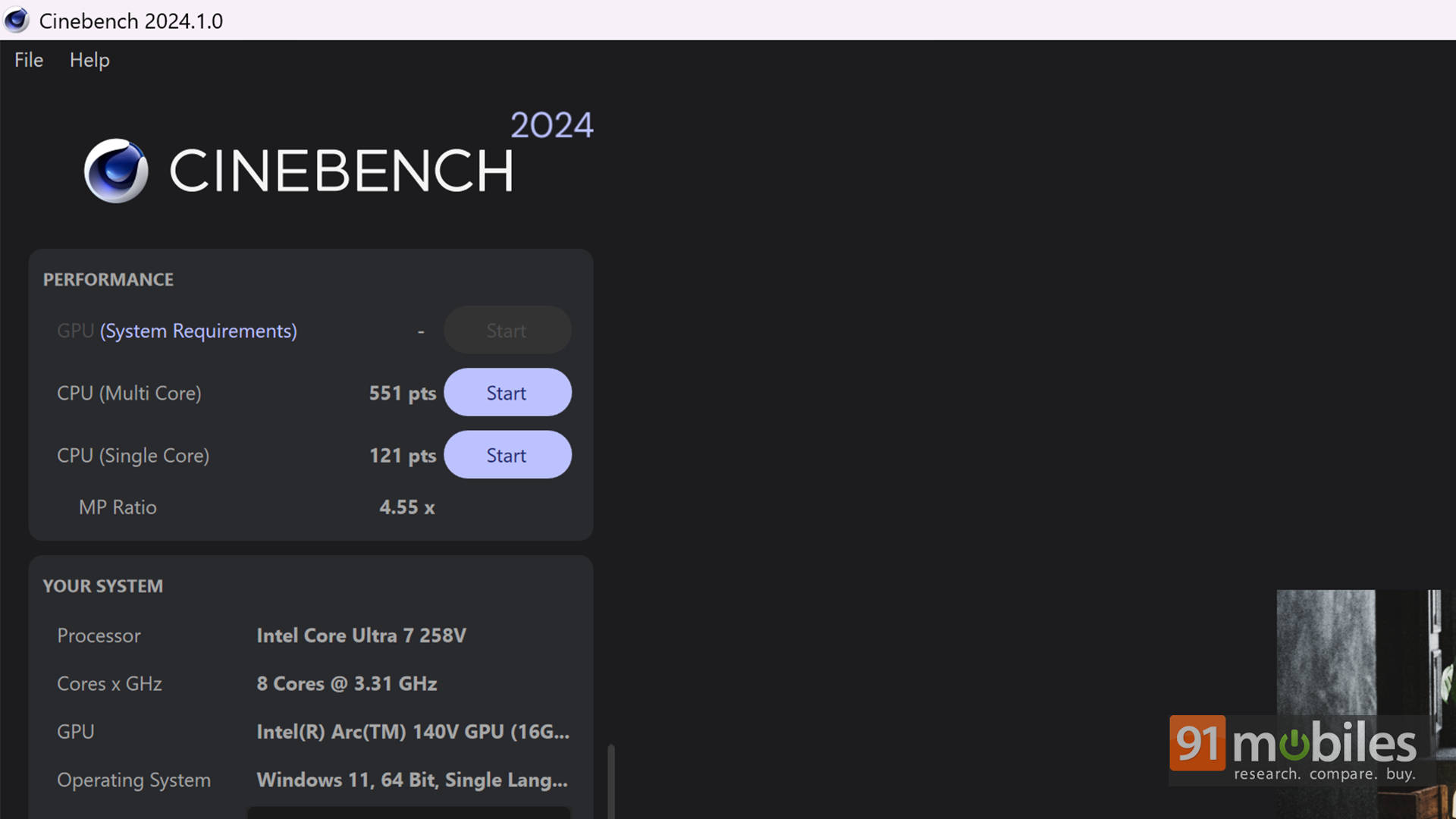
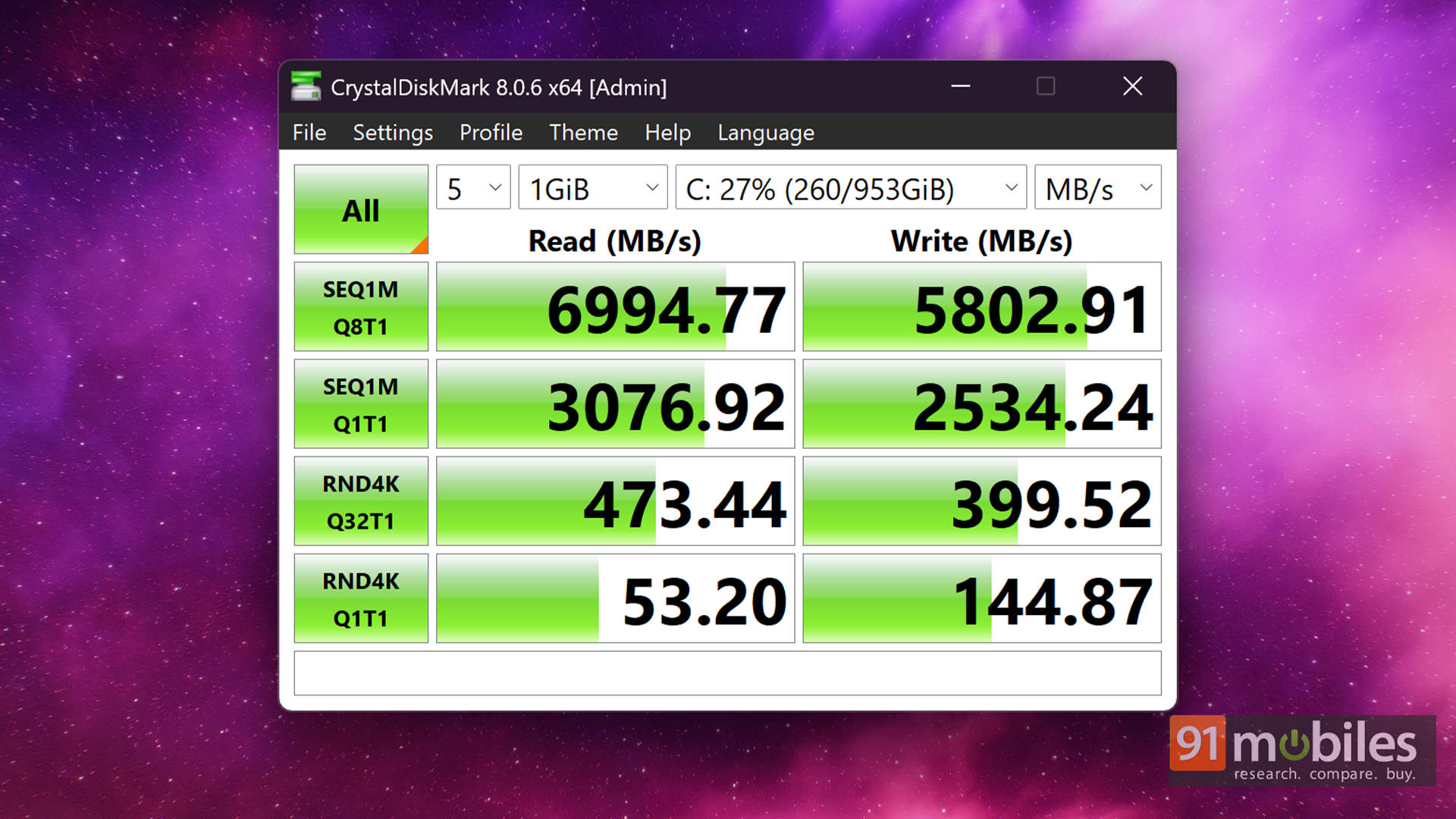
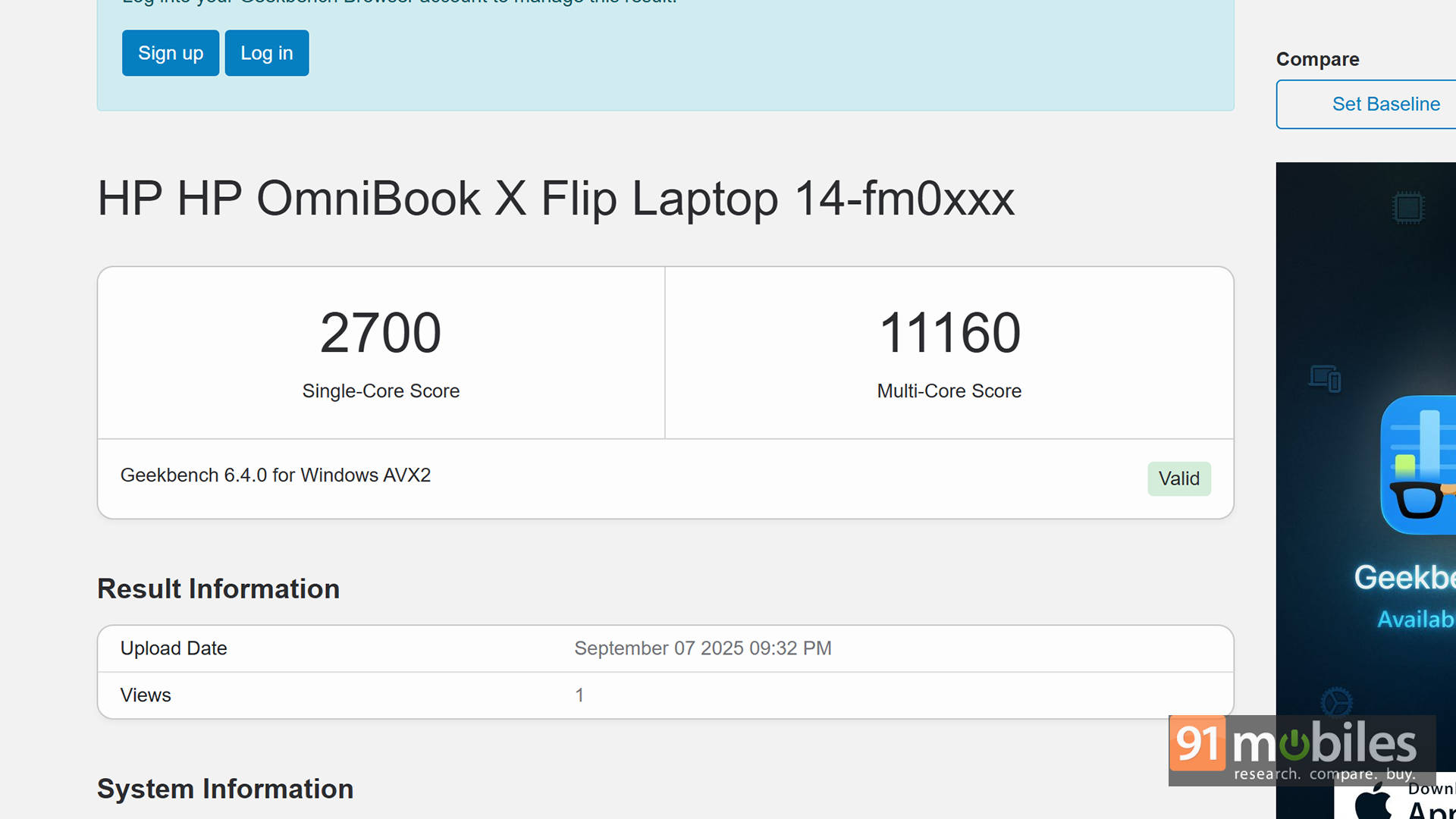
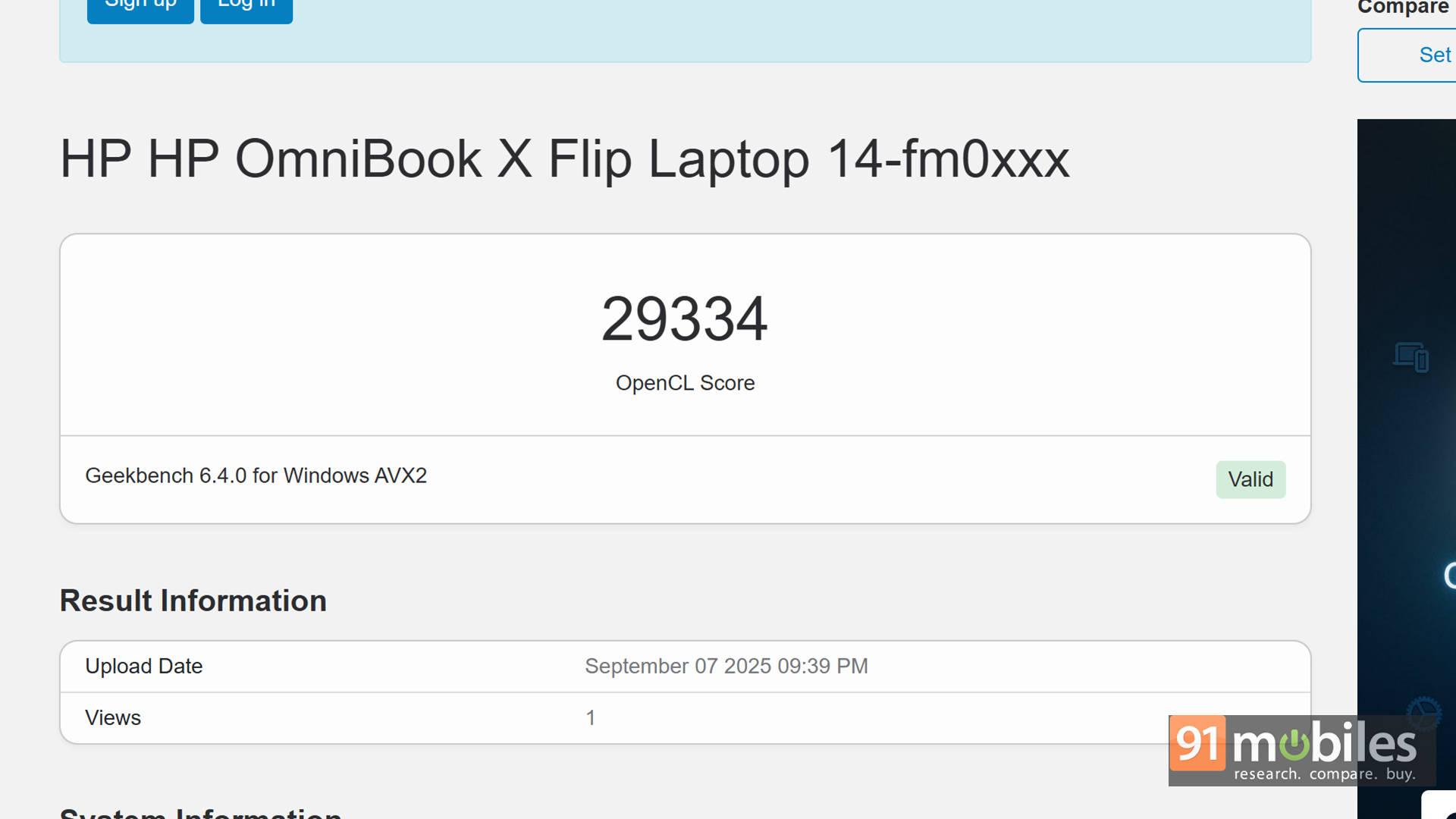
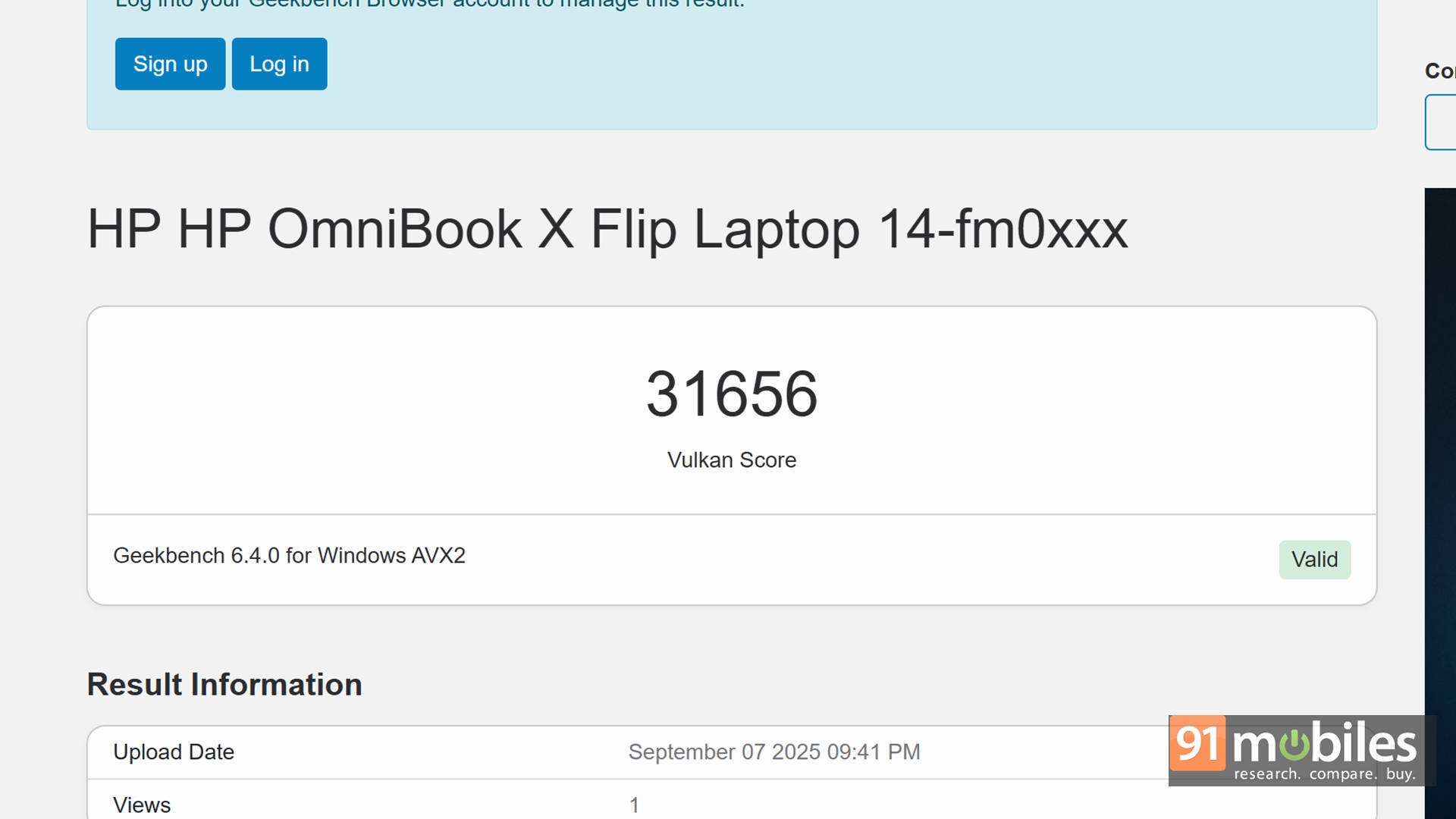
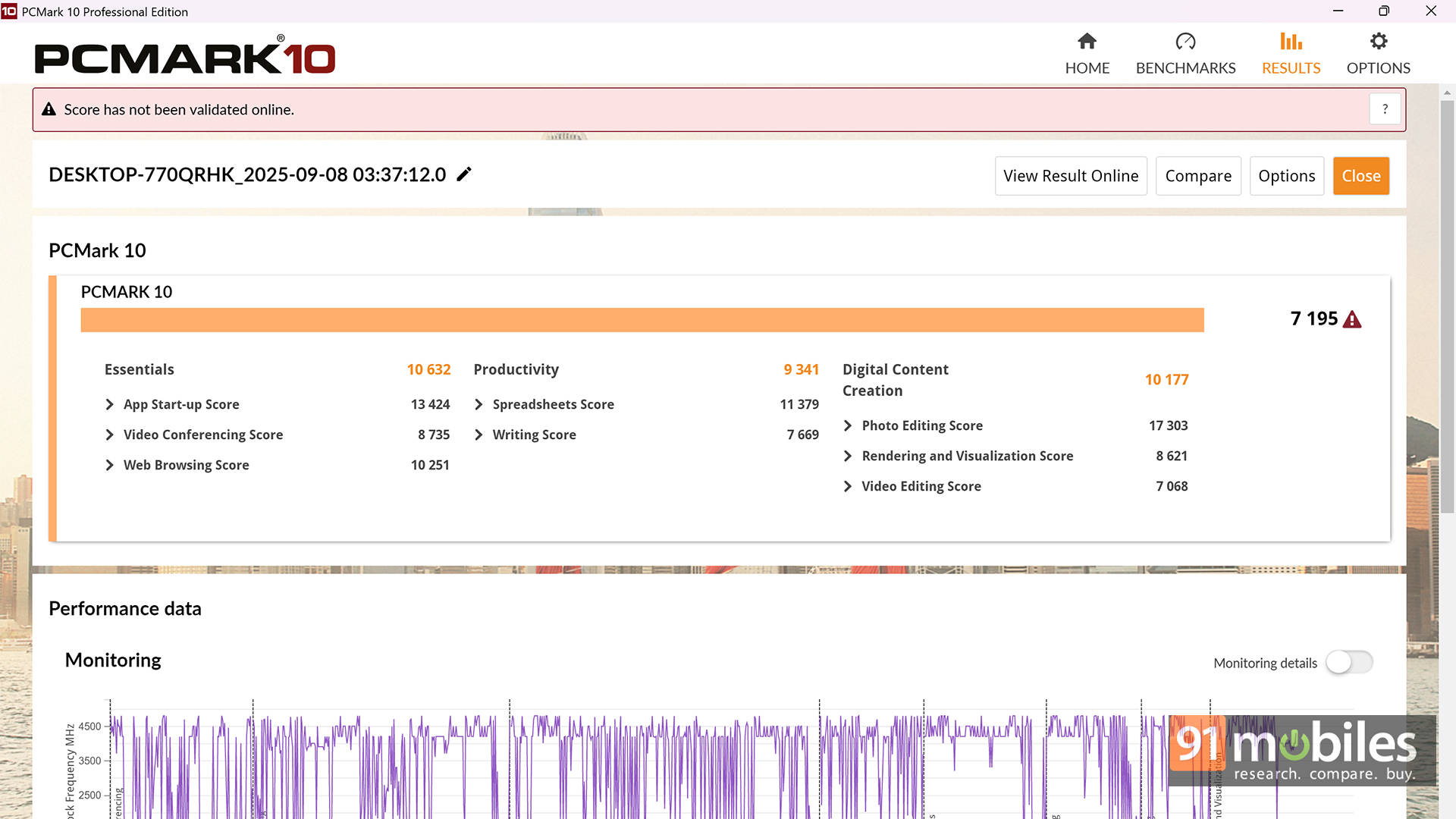
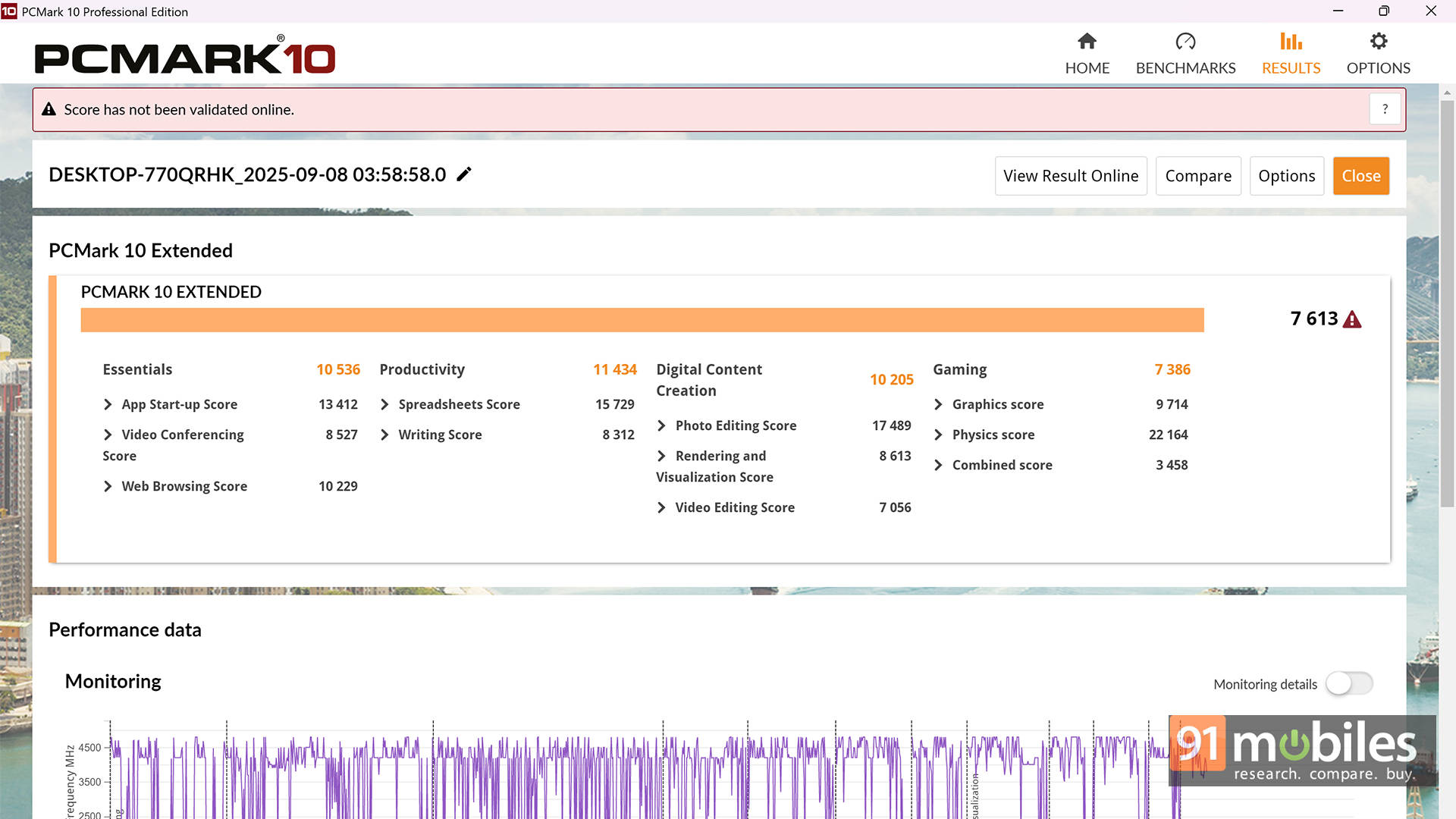


Given its flagship nature, it’s no surprise the Omnibook X Flip outperforms much of the competition. With a flagship-grade processor, 32GB of high-speed RAM, and one of the fastest SSDs we’ve tested in this segment, performance was never a bottleneck. It even managed to run GTA V at an average of 66FPS. That’s not bad at all for a thin-and-light laptop, making it more than capable for casual gaming.
| Benchmark / Laptop Name | HP OmniBook X Flip 14 | Lenovo Yogabook 7i Aura Edition | Samsung Book 5 Pro | Microsoft Surface Laptop 7th Gen |
| Cinebench R24 MT | 551 | 652 | 583 | 886 |
| Cinebench R24 ST | 121 | 121 | 111 | 118 |
| Cinebench R23 MT | 9130 | 10027 | 9937 | 9291 |
| Cinebench R23 ST | 1867 | 1796 | 1765 | 1275 |
| Geek Bench 6 ST | 2700 | 2571 | 2571 | 2736 |
| Geek Bench 6 MT | 11160 | 11217 | 10040 | 13332 |
| Geek Bench OpenCL | 29334 | 26752 | 23230 | 20410 |
| Geek Bench Vulcan | 31656 | 24688 | 27269 | 23074 |
| 3DMark Fire Strike Ultra | 2272 | 2029 | 1981 | 1491 |
| 3DMark Fire Strike Extreme | 4250 | 3974 | 3738 | 2767 |
| 3DMark Fire Strike | 7688 | 9071 | 7960 | 5959 |
| 3DMark Night Raid | 32096 | 35196 | 32498 | 26525 |
But benchmarks only tell half the story. In real-world use, the laptop easily powered through a 9-hour workday with about 15% battery still in the tank. My daily routine included an hour of video calls, some Netflix during lunch, working on presentations, crunching numbers in Excel, drafting this very review (and another one), replying to emails, presenting slides, and hopping across multiple Google Meet calls; all while keeping around 40 Chrome tabs open. Smooth sailing throughout.
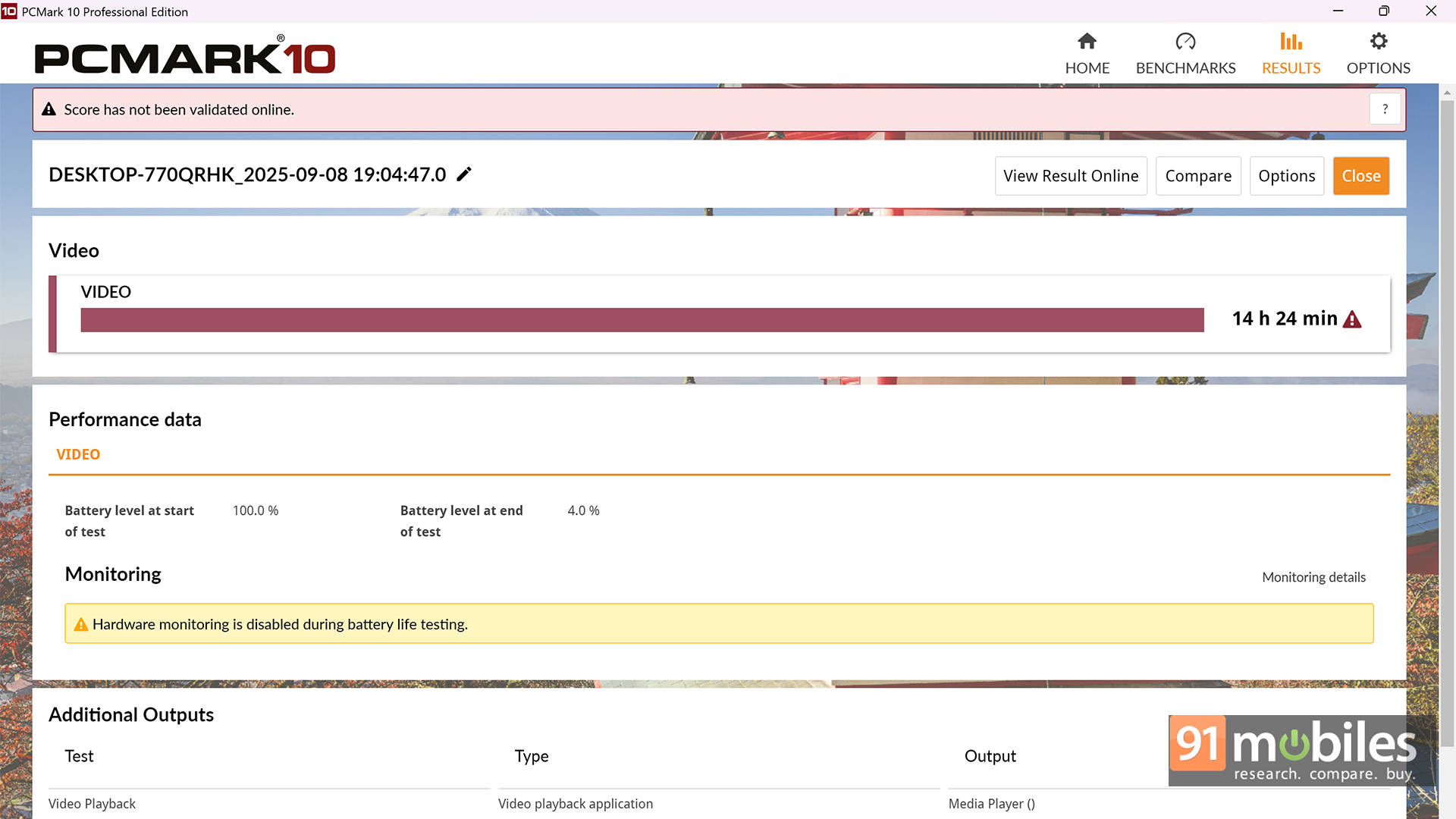
From setup to day-to-day productivity and even watching cartoons with the kids in tablet mode, the Omnibook X Flip strikes an impressive balance between work and play.
A Little Help From AI
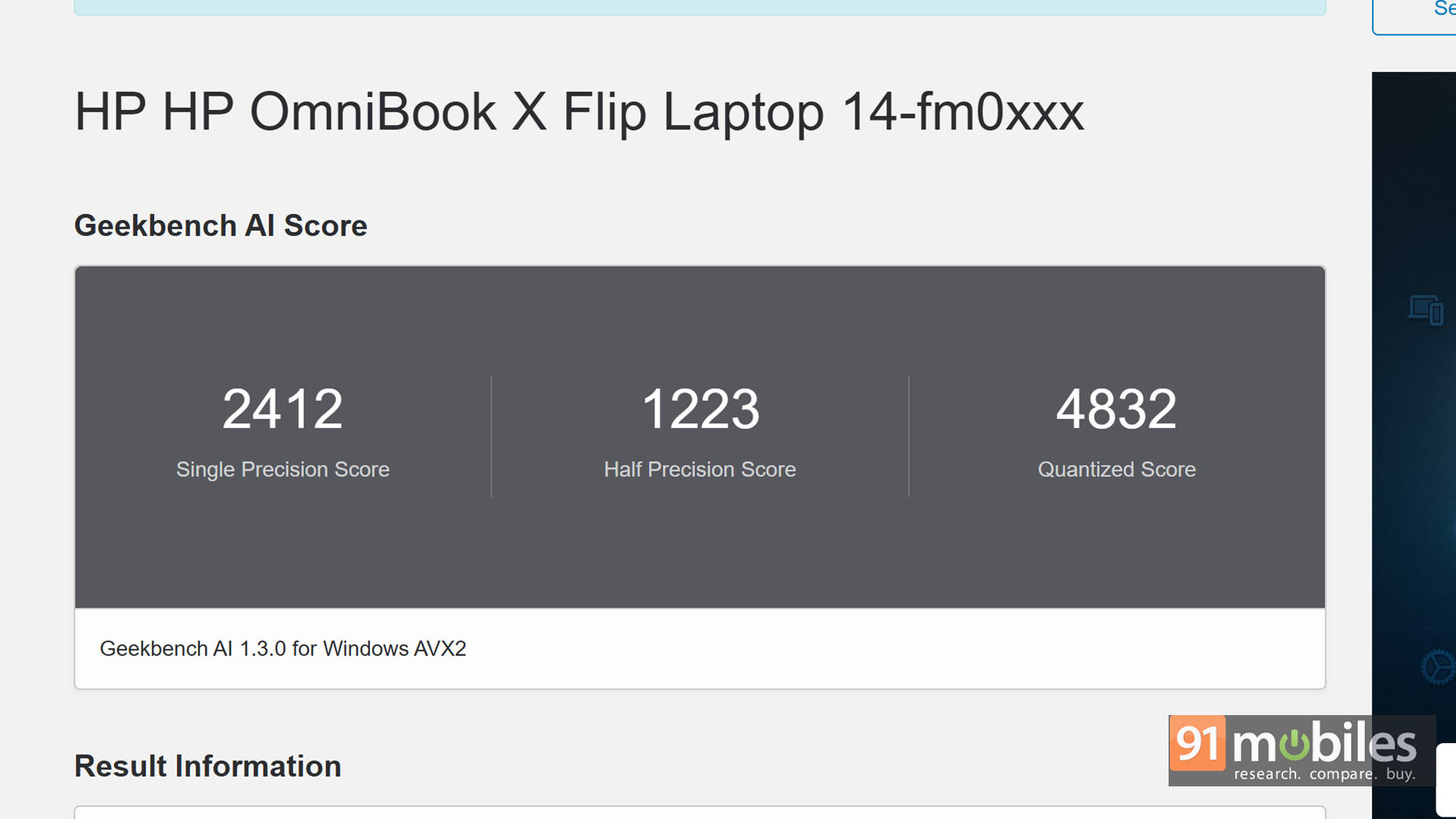
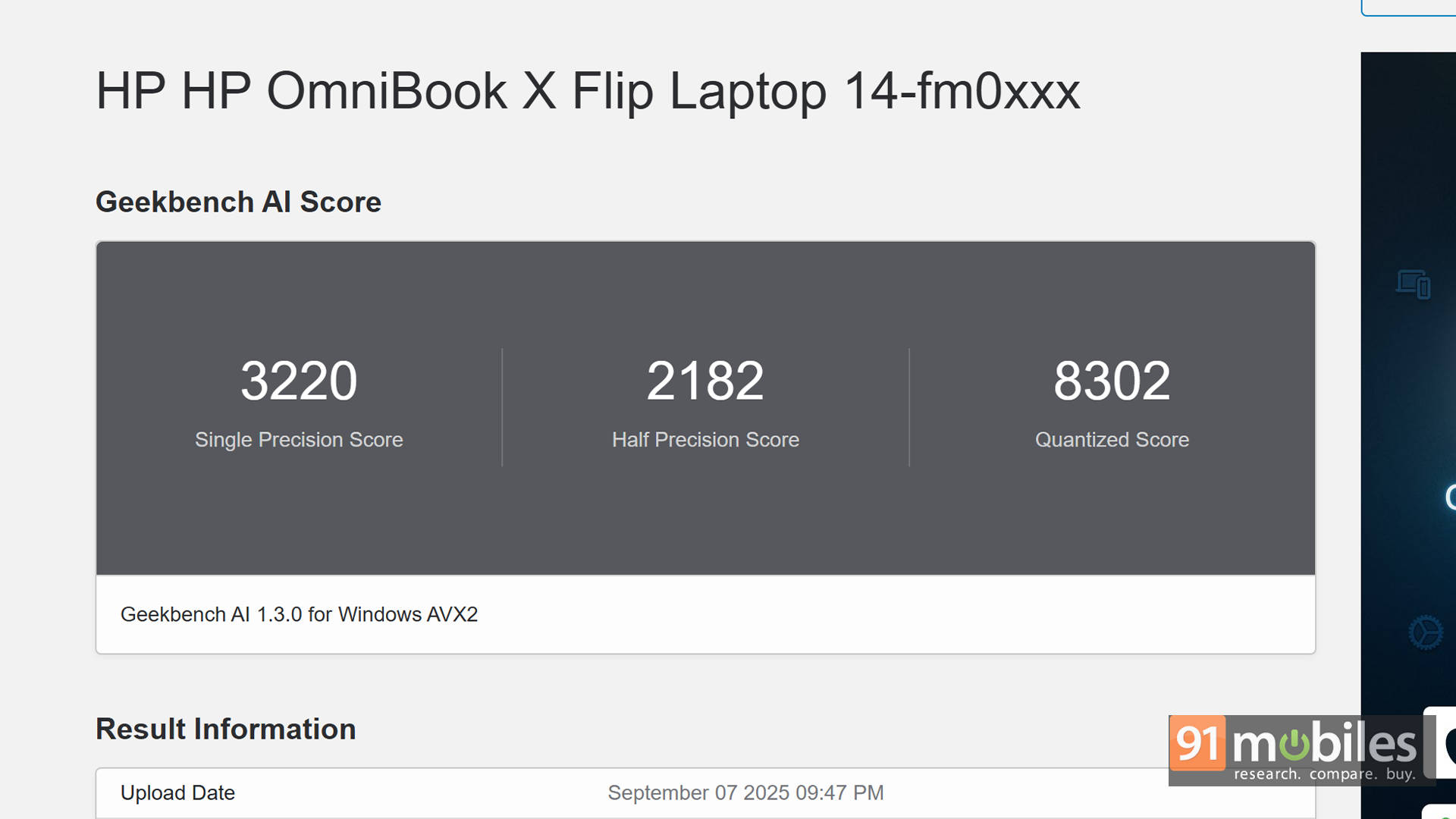
AI on PCs is still in its early days, and we've started testing it with Geekbench AI. Below, you can see the results of the HP Omnibook X Flip compared against the same competition mentioned earlier, including the Lenovo IdeaPad Slim 5x.
| Benchmark / Laptop Name | HP OmniBook X Flip 14 | Lenovo Yogabook 7i Aura Edition |
| CPU - ONNX - Single Precision | 2412 | 2585 |
| CPU - ONNX - Half Precision | 1223 | 1328 |
| CPU - ONNX - Quantized Score | 4832 | 5066 |
| CPU - OpenVINO - Single Precision | 3220 | 3212 |
| CPU - OpenVINO - Half Precision | 2182 | 2177 |
| CPU - OpenVINO - Quantized Score | 8302 | 8313 |
In real-world use, Copilot handled everyday tasks smoothly, from finding locations and drafting emails to generating cat images (because why not?). I even asked it to put together an itinerary for a recent family weekend getaway, and it did a surprisingly good job.
The Final Flip: Worth It?
I haven't really pointed out any major negatives in this review, and that's because, at nearly ₹1.5 lakh, the Omnibook X Flip delivers the kind of flagship thin-and-light experience you'd expect. It packs an immersive 3K OLED touchscreen in a foldable form factor, is lightweight and ergonomic for on-the-go use, and offers one of the most comfortable keyboards I've typed on in a while. Put simply, it feels like the complete package.
Of course, if I had to nitpick, there are a few things. Windows still isn't fully optimised for a touchscreen-only workflow, the audio output leaves room for improvement, and the lack of a fingerprint reader is noticeable. Competing laptops in this range also offer slightly better battery life, though none of them double up as a convertible.
At the end of the day, those quibbles are just that: nitpicks. The HP Omnibook X Flip is an excellent all-rounder that blends performance, portability, and premium features into one very compelling machine.
Editor's Rating: 8.5 / 10
Pros:- Smooth performance
- Comfortable keyboard
- Stunning OLED display
- Weak audio
- Windows still isn't touch-friendly