The Nothing Phone (4a) Pro is undoubtedly the closest rival to the Motorola Edge 70 Pro. While they take very different approaches to hardware, both devices are clearly aimed at lifestyle-driven users in the sub-Rs 40,000 segment. One key expectation from a certain user is a clean, fuss-free software experience. Nothing and Motorola have built a reputation for offering a clean and bloat-free Android experience. But the real question is: who actually gets the balance right between simplicity, features, meaningful customisation, and longevity?
Let’s dive into this Motorola Edge 70 Pro and Nothing Phone (4a) Pro software comparison to see how they compare.
Table of Contents
Software version
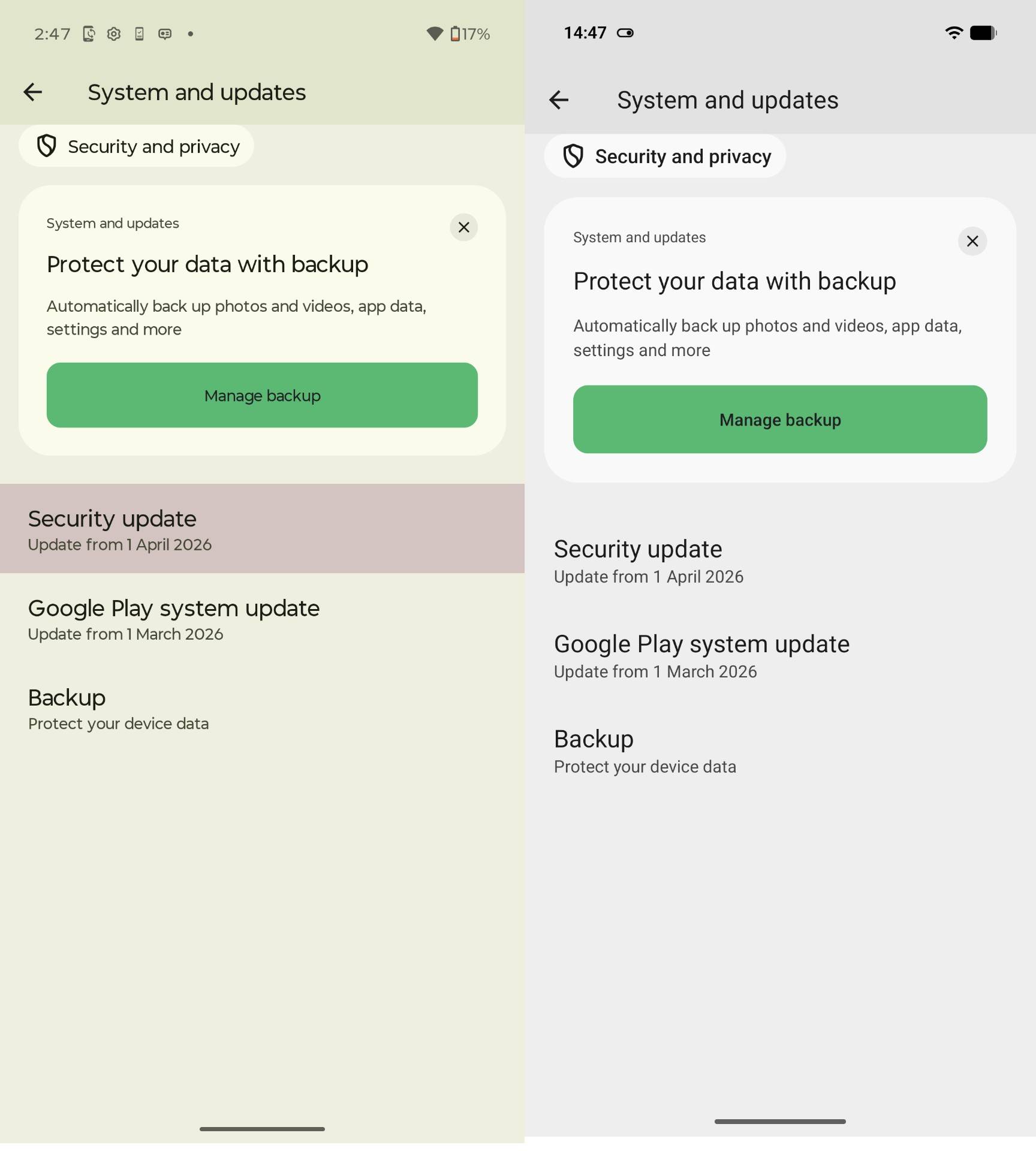
Before we compare UIs, features, and more, let’s take a look at the smartphones’ software versions. The Nothing Phone (4a) Pro and the Motorola Edge 70 Pro both run Android 16 OS out of the box. That said, at the time of writing this article, the handset had the following versions of their respective custom skins running atop the Android:
- Motorola Edge 70 Pro: Hello UI (v)
- Nothing Phone (4a) Pro: Nothing OS (v4.1)
Pre-installed apps
Every smartphone ships with a set of pre-installed apps. This typically includes essential Google apps, standard across Android devices, alongside a handful of proprietary ones. Beyond that, most OEMs also bundle third-party apps as part of commercial partnerships, which helps offset costs and price their devices more competitively.
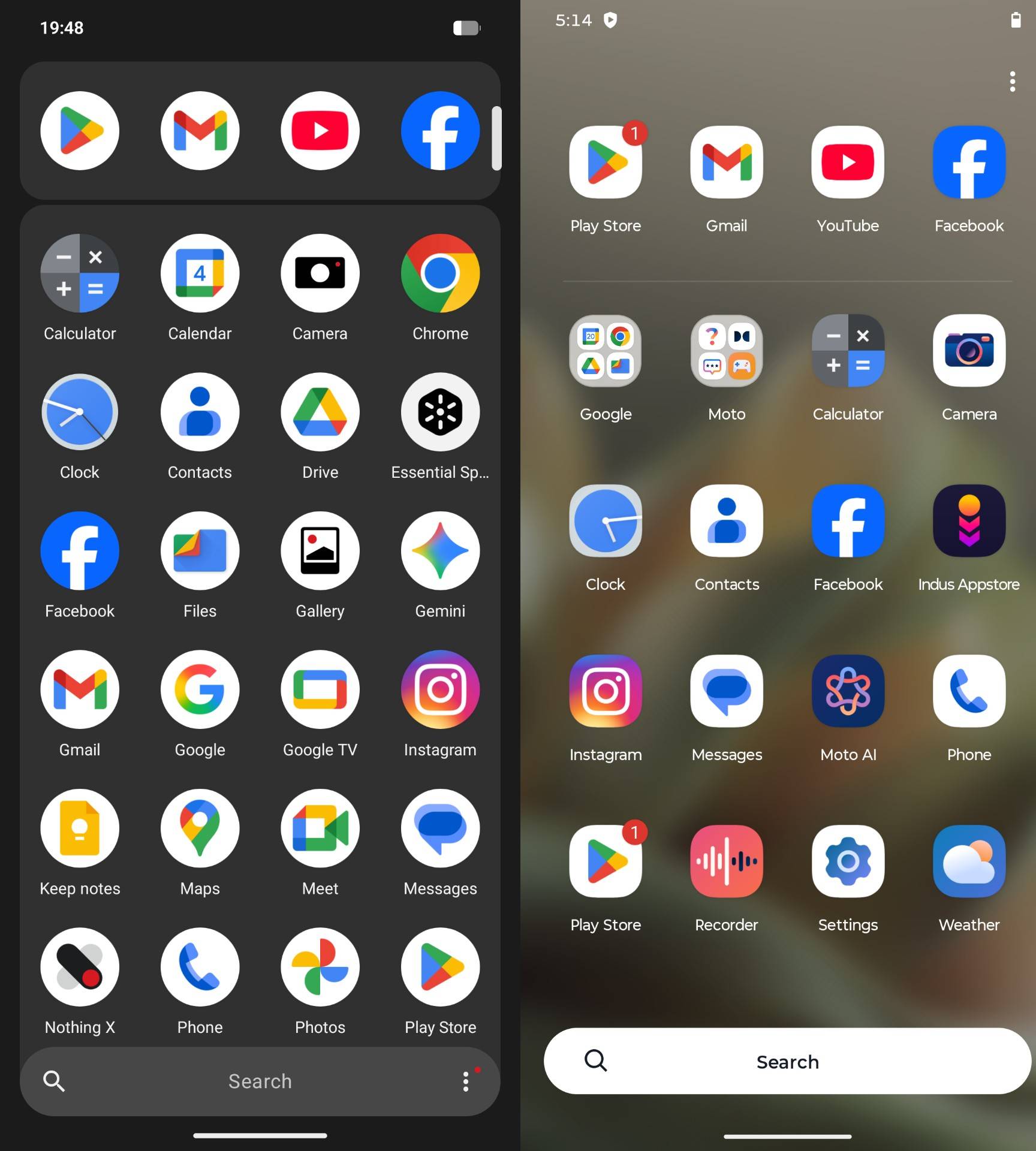
Both these phones follow a similar approach, but Motorola leans more heavily into it. The Motorola Edge 70 Pro comes with as many as 47 apps pre-installed, including seven third-party additions. That said, it’s still relatively restrained compared to brands like OnePlus, OPPO, and Vivo in this segment.
In contrast, the Nothing Phone (4a) Pro keeps things noticeably cleaner. Post setup, the total app count stands at around 30, with just two third-party apps in the mix, making it the more minimal and clutter-free of the two.
Software longevity
Beyond delivering a cleaner software experience, the Nothing Phone (4a) Pro also edges ahead in terms of long-term support. However, the gap isn’t significant. Both phones are promised three major Android OS upgrades, but Motorola limits security updates on the Edge 70 Pro to five years, keeping it relevant until 2031.
| Smartphone | Pre-Installed Apps | Software Support |
| Motorola Edge 70 Pro 5G | 47 | 3 Year OS Updates + 5 Year Security Updates |
| Nothing Phone 4a Pro | 30 | 3 Year OS Updates + 6 Year Security Updates |
The Nothing Phone (4a) Pro, on the other hand, offers six years of security updates, extending its lifecycle to 2032. In practical terms, that one-year difference isn’t substantial enough to decisively tilt the verdict in either direction.
User Interface & experience
Motorola Edge 70 Pro
As for what really matters, the user interfaces (UIs) on both smartphones feel distinctly different. The Edge 70 Pro’s Hello UI, layered on top of Android 16, sticks close to a near-stock Android experience while introducing light customisation through subtle tweaks to app design, animations, wallpapers, and system behaviour. It retains core elements like the Material 3 expressive design in areas such as the quick settings panel, but doesn’t fully embrace the vibrant colour palettes or extensive widget flexibility seen on Pixel devices.
While all of that sounds good on paper, the UI isn’t entirely free of clutter. The Edge 70 Pro can push recommendations within the app drawer and game folders. Additionally, there’s also Glance, an AI-powered lock screen layer that surfaces news, live sports scores, games, shopping trends, and more. It adds a layer of content discovery, but not everyone will appreciate it baked into the experience. Fortunately, there is an option to disable all this clutter through the settings menu, but its presence still feels a bit intrusive for a brand that’s long been associated with a clean, near-stock Android approach.
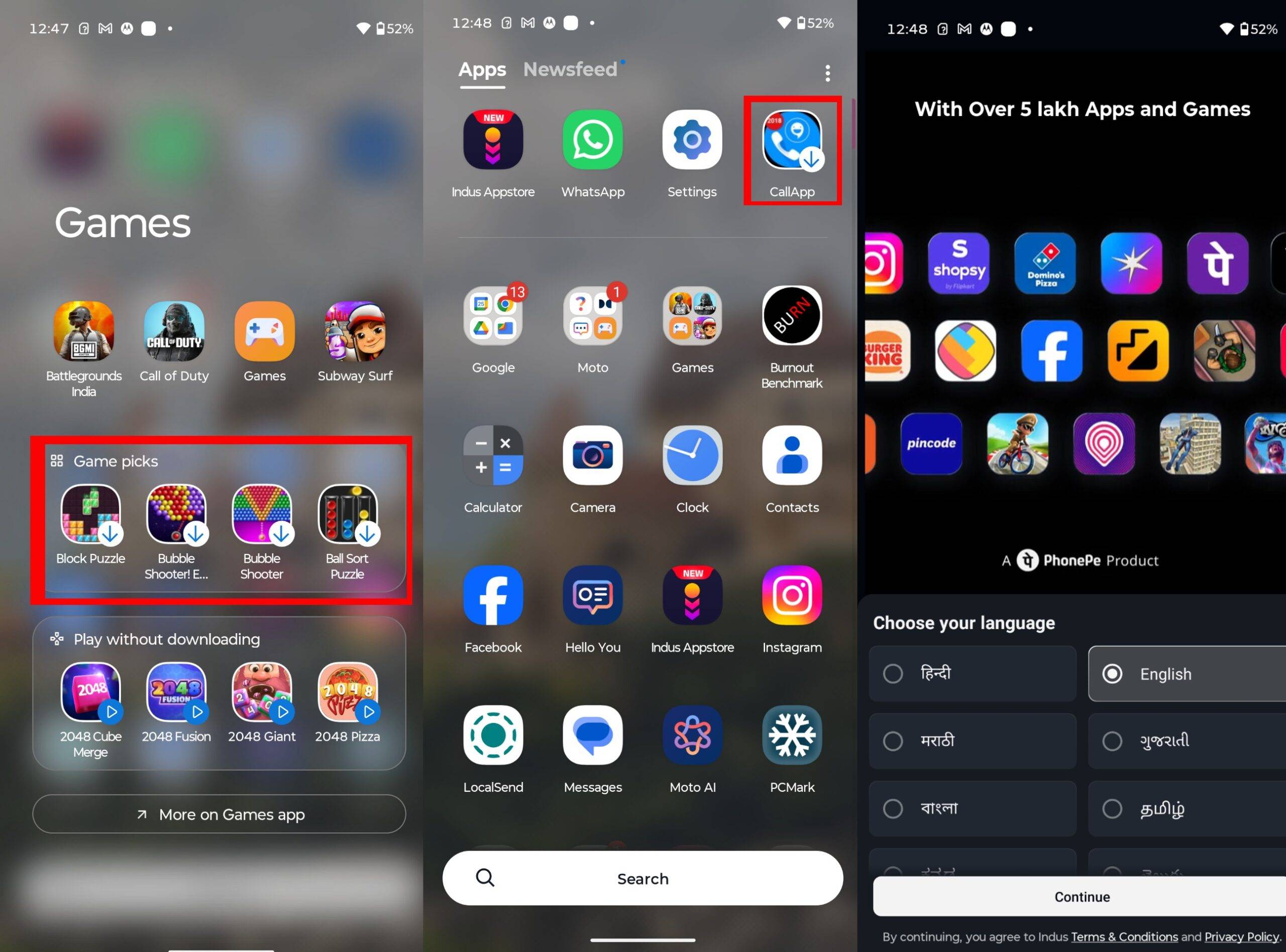
I didn’t really mind the third-party pre-installed apps on the Motorola Edge 70 Pro, except for the Indus Appstore. It feels largely redundant when you already have the Google Play Store on the device for app downloads, and the fact that it can’t be uninstalled makes it harder to ignore. The rest of the bundled apps are fairly mainstream and useful, and in many cases, they’re ones users would likely download anyway.
Moreover, the Edge 70 Pro retains Motorola’s signature gesture-based shortcuts, letting you quickly open the camera, toggle the flashlight, and perform other actions with simple movements. It also comes with a set of useful features, including Secure Folder to keep sensitive data hidden and Smart Connect, which enables seamless syncing with a Windows laptop or Android tablet.
Nothing Phone (4a) Pro
There are traces of Material 3 Expressive design on the Nothing Phone (4a) Pro as well, but they aren’t implemented system-wide. Instead, Nothing leans heavily into its signature monochrome aesthetic, which gives the UI a distinct, minimalist identity. You do get the option to switch to coloured, stock Android-style app icons during setup and later via settings if the default look feels too restrictive.
However, one limitation still stands out. The system doesn’t apply the monochrome treatment to third-party apps by default, which breaks visual consistency. To achieve a uniform look across all apps, you’ll need to install the Nothing Icon Pack from the Google Play Store, which feels slightly at odds with an otherwise thoughtfully cohesive UI.
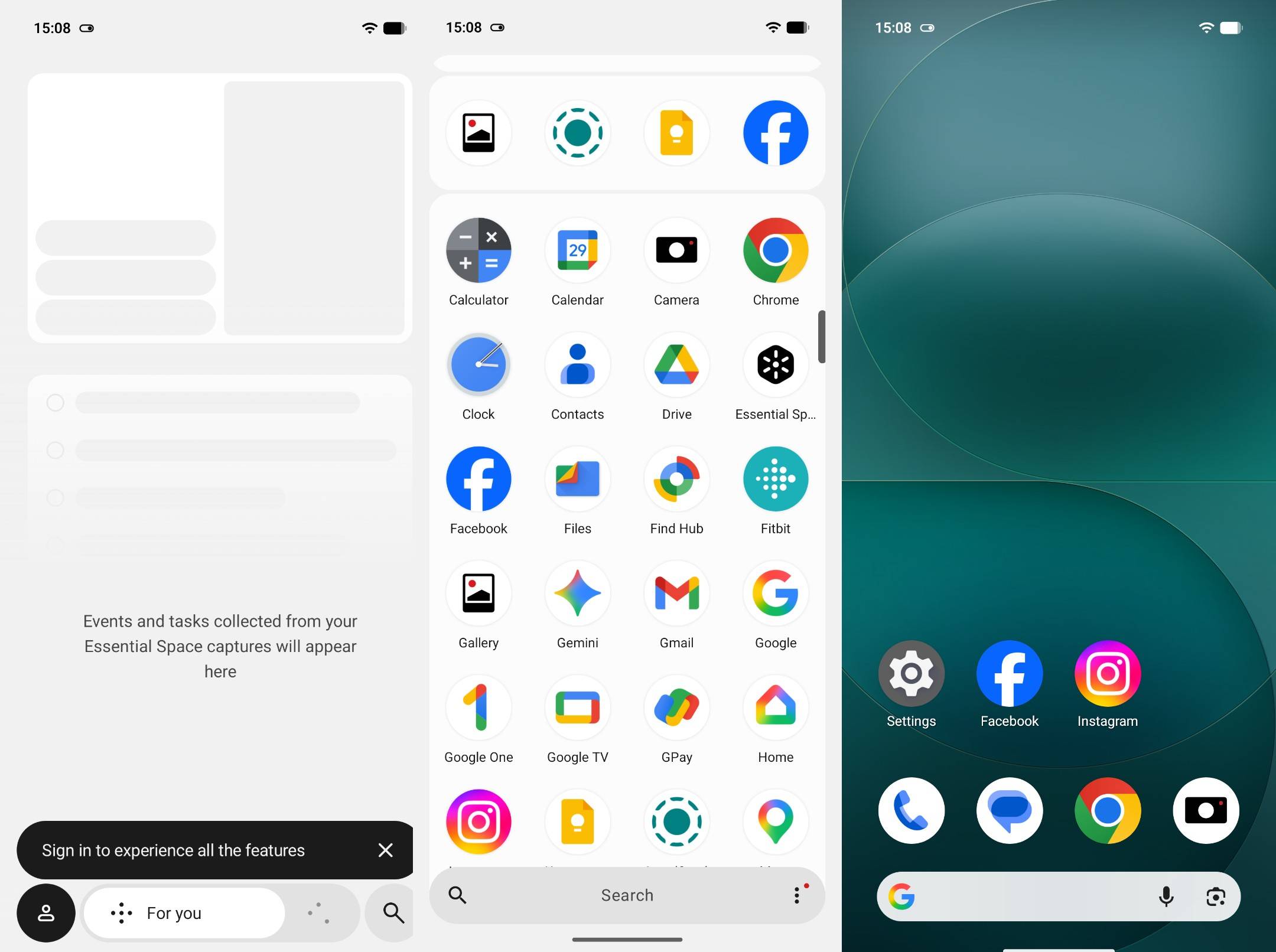
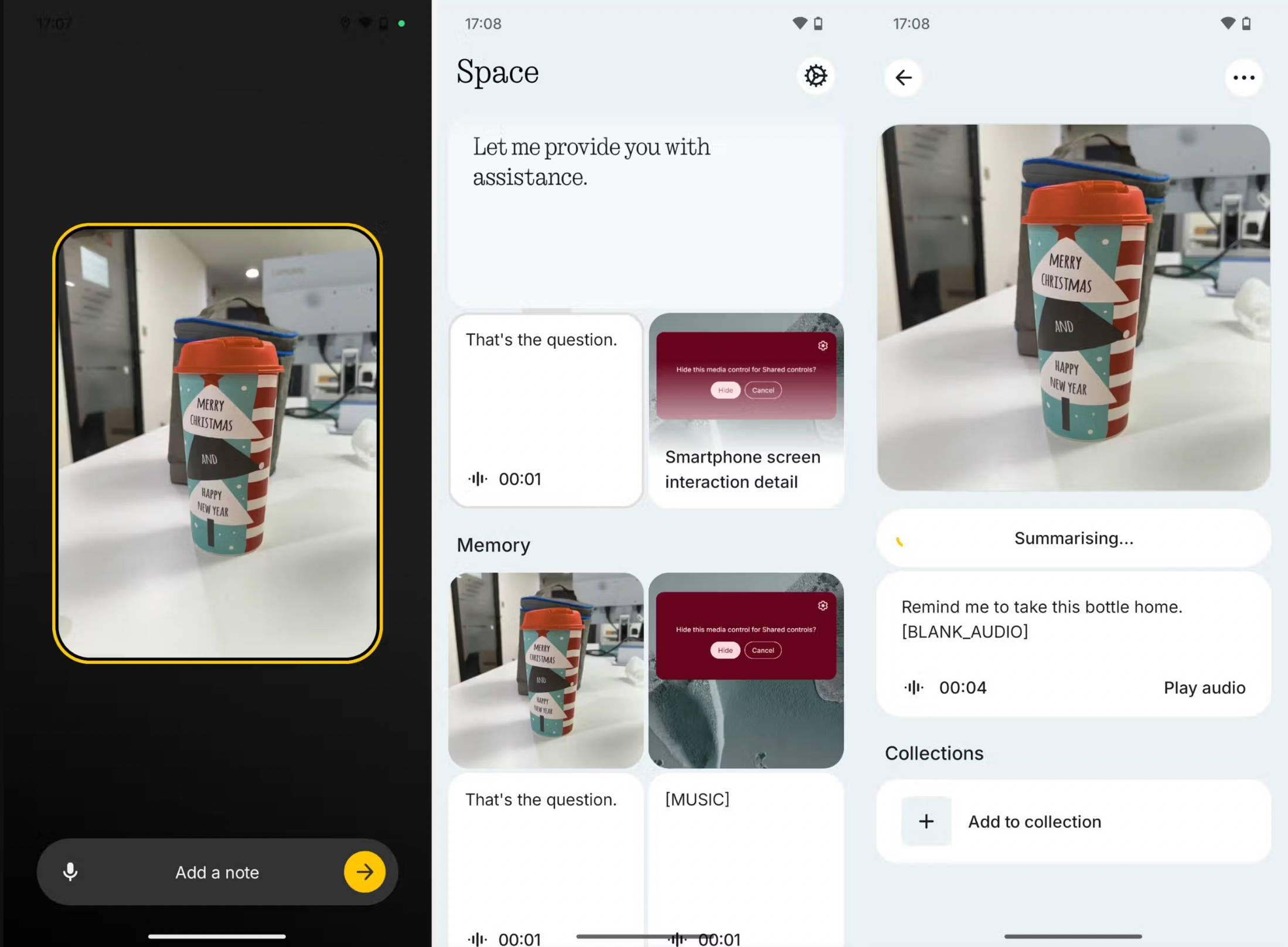
Apart from that, the UI on the Nothing Phone (4a) Pro has everything going for it. It remains clean and uncluttered, runs light in everyday use, and carries a level of polish and maturity that many busier Android skins struggle to match. The phone also introduces Essential Space, an AI-powered hub that brings together screenshots, notes, voice memos, and other important bits of information in one place. This cuts down the need to jump between multiple apps just to find what you’re looking for. On top of that, the AI can summarise stored content, so you don’t have to dig through everything manually.
Customisation options
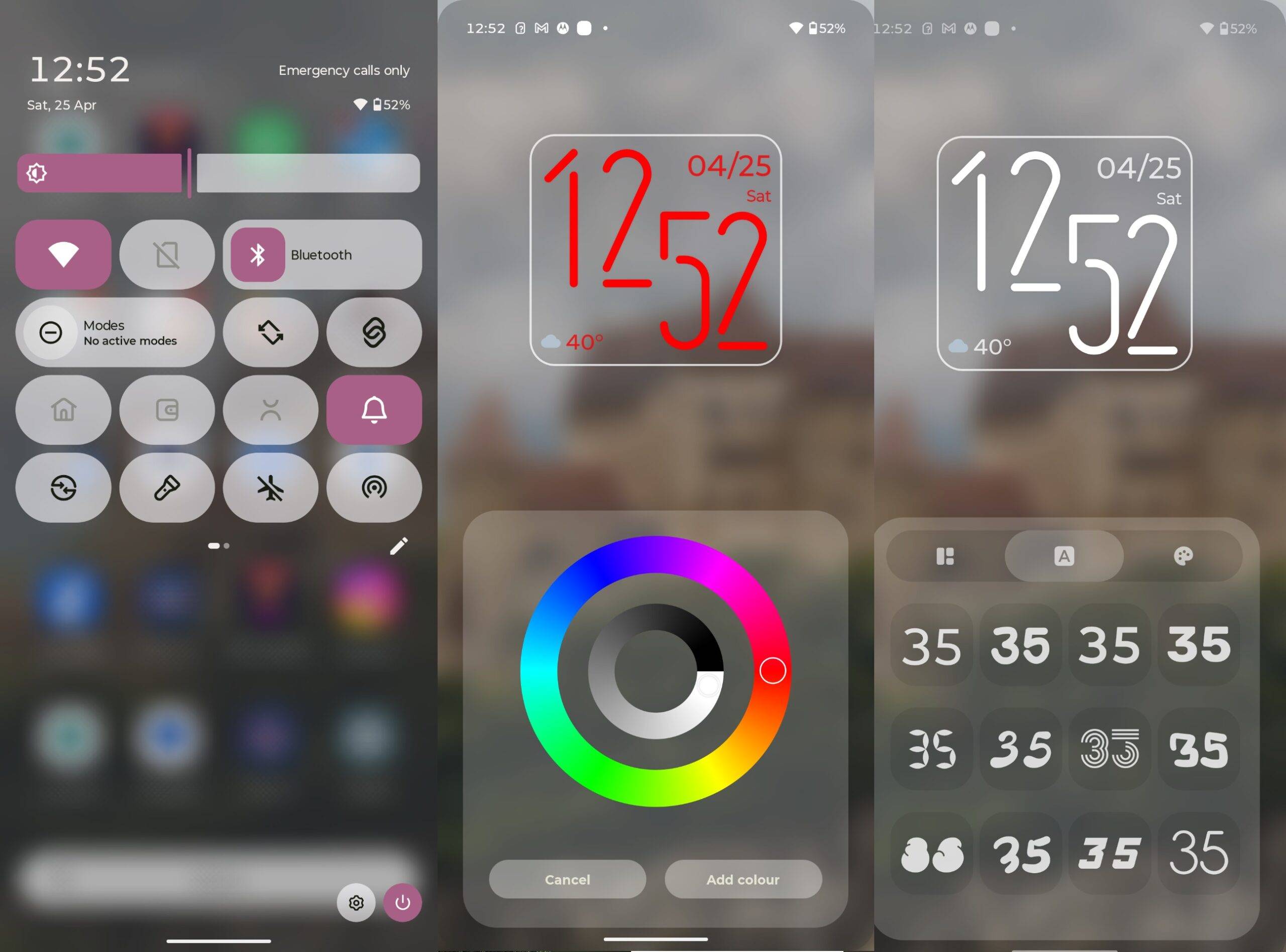
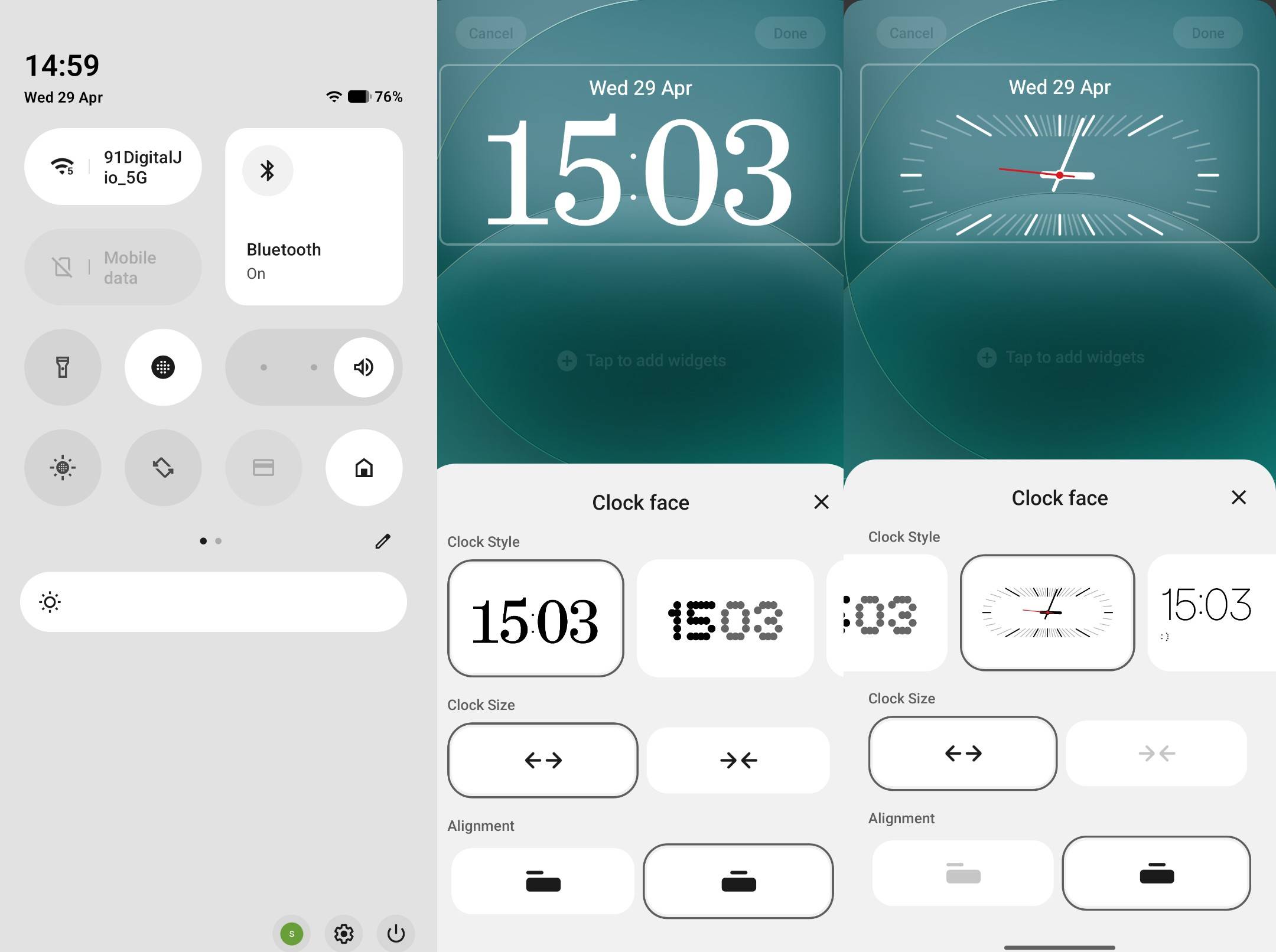
The level of customisation remains minimal on both smartphones. Neither the Motorola Edge 70 Pro nor the Nothing Phone (4a) Pro offers the level of personalisation options that other custom Android skins do. Yet, if you ask me, the Motorola smartphone offers more options for customising the UI than the Nothing Phone (4a) Pro.
The handset provides a wide range of lock screen clock styles, home screen grid options, custom font styles, and lock screen shortcuts. The Nothing Phone (4a) Pro, on the other hand, prioritises a unique look with a dot-matrix font and folders. There is an extensive list of widgets as well, but the clock style, wallpapers, and lock screen shortcuts stay limited.
AI features
It’s 2026, and no phone feels complete without a solid dose of AI. Both devices lean into system-level intelligence, offering contextual app suggestions, smart widgets, and other adaptive elements based on your usage patterns. Beyond that, they come packed with practical AI tools designed to improve everyday usability. The list includes photo-editing features such as object eraser, reflection remover, and enhanced image processing for digital-level zooms.
You also get the AI assistant Google Gemini on both smartphones, tying everything together with smarter voice interactions, contextual help, and on-device assistance.
As stated above, the Nothing Phone (4a) Pro uses AI to summarise Essential Space information. However, the phone lacks a suite of in-house AI features, which you get on the Motorola Edge 70 Pro. Marketed as Moto AI, it aims to enhance productivity through the “Assist, Capture, and Create” framework.
In simpler words, the AI on the smartphone can summarise notifications and chats, create digital memory to retrieve information from screenshots and photos, generate wallpapers with text prompts, transcribe text, curate playlists, and more. Additionally, the smartphone includes a dedicated Moto AI app with a ‘Remember this’ feature that can store information such as screenshots, voice memos, and more, similar to Nothing’s Essential Space.
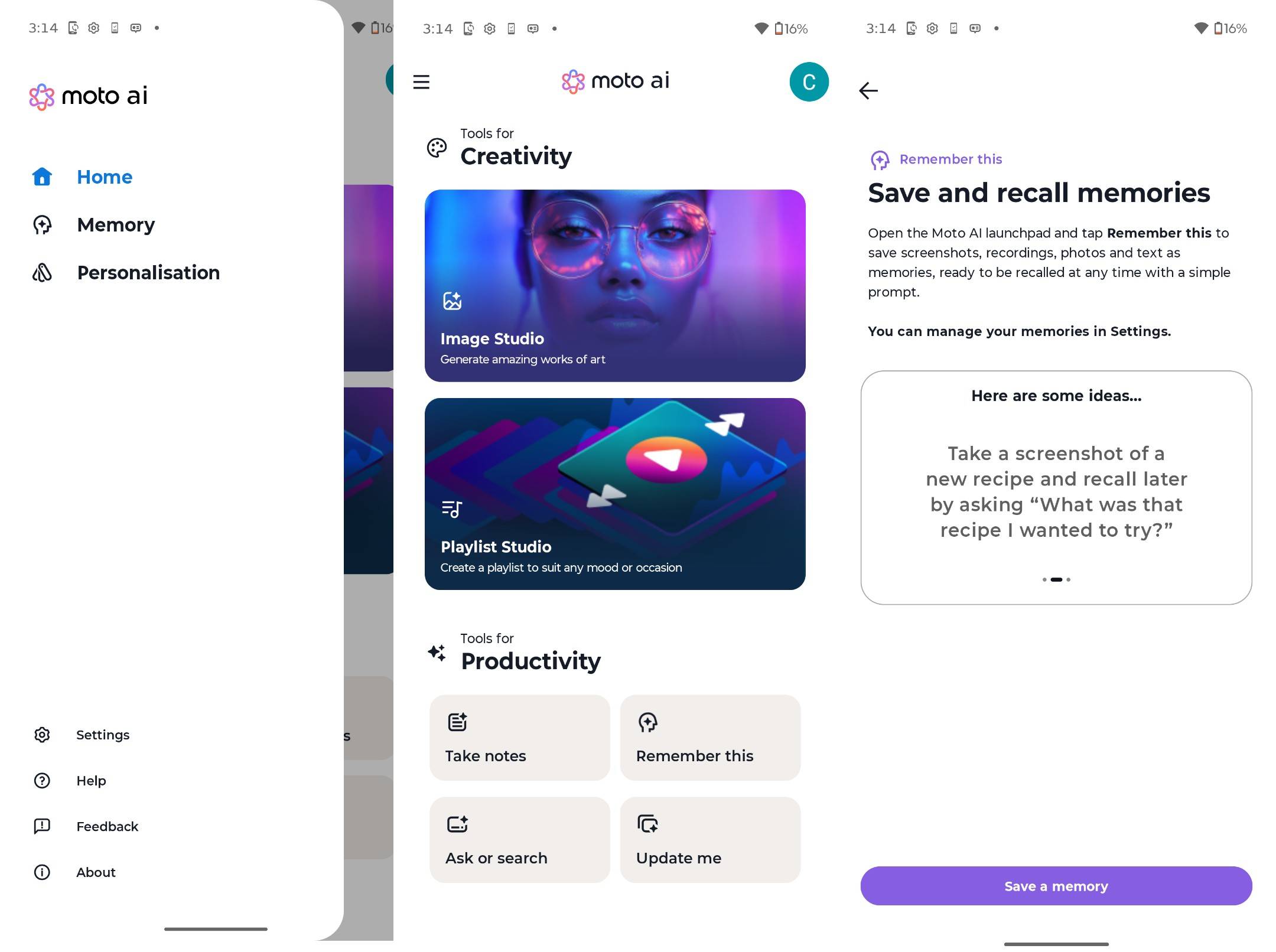
The Edge 70 Pro also features a dedicated hub for quick access to Moto AI. Like most AI suites, it relies on an active internet connection and a logged-in account to work smoothly. In addition, the smartphone supports third-party assistants such as Perplexity and Copilot, giving users more flexibility in how they interact with AI.
Verdict
While there are other factors to consider before buying a smartphone, software remains a key one, as it is the layer that ties everything together. Neither smartphone offers the longest software support in the sub-Rs 40,000 segment, but both stay close to stock Android. That said, despite sharing a similar philosophy, the way these two smartphones approach software is markedly different.
The Motorola Edge 70 Pro brings useful additions such as gesture controls, deeper customisation options, and an extensive AI toolkit, all while staying fairly close to Google’s vision of Android. However, that added functionality comes with some baggage: preloaded apps, occasional recommendations, and elements like Glance, which dilute the clean Android appeal – even if they can be disabled.
The Nothing Phone (4a) Pro, on the other hand, shines with fewer pre-installed apps, no intrusive recommendations, and a distinct visual identity. Features like Essential Space add genuine utility without overwhelming the user. However, this streamlined approach comes at a cost. It misses out on deeper customisation options and a more expansive AI feature set, which some users may value.
Ultimately, the decision to choose one over the other comes down to your preference and usage.
- If you want the cleanest, most distraction-free, and polished software experience, go for the Nothing Phone (4a) Pro.
- If you prefer more features, deeper customisation, and a stronger AI ecosystem, the Motorola Edge 70 Pro makes more sense.
You can read our full reviews of the Nothing Phone (4a) Pro and the Motorola Edge 70 Pro to understand their complete worth. After all, they come at a price point that requires you to look beyond just one aspect. The Nothing smartphone retails at a sticker price of Rs 39,999 for its base variant, while the Edge 70 Pro is priced in India starting at Rs 38,999.