MSI Titan 18 HX AI Review: I Refuse to Call It a Laptop


Let’s be honest: calling the MSI Titan 18 HX AI a “laptop” feels almost insulting. It’s a proper desktop replacement, much like previous Titan “machines”. With an Intel Core Ultra 9 285HX processor, NVIDIA’s monstrous RTX 5090 laptop GPU, 64GB of DDR5-6400 RAM, and 6TB of PCIe Gen 5 storage in RAID 0, this isn’t your average high-end gaming notebook. This is desktop-class dominance shoved into a magnesium alloy chassis with enough RGB lighting to illuminate a small village.

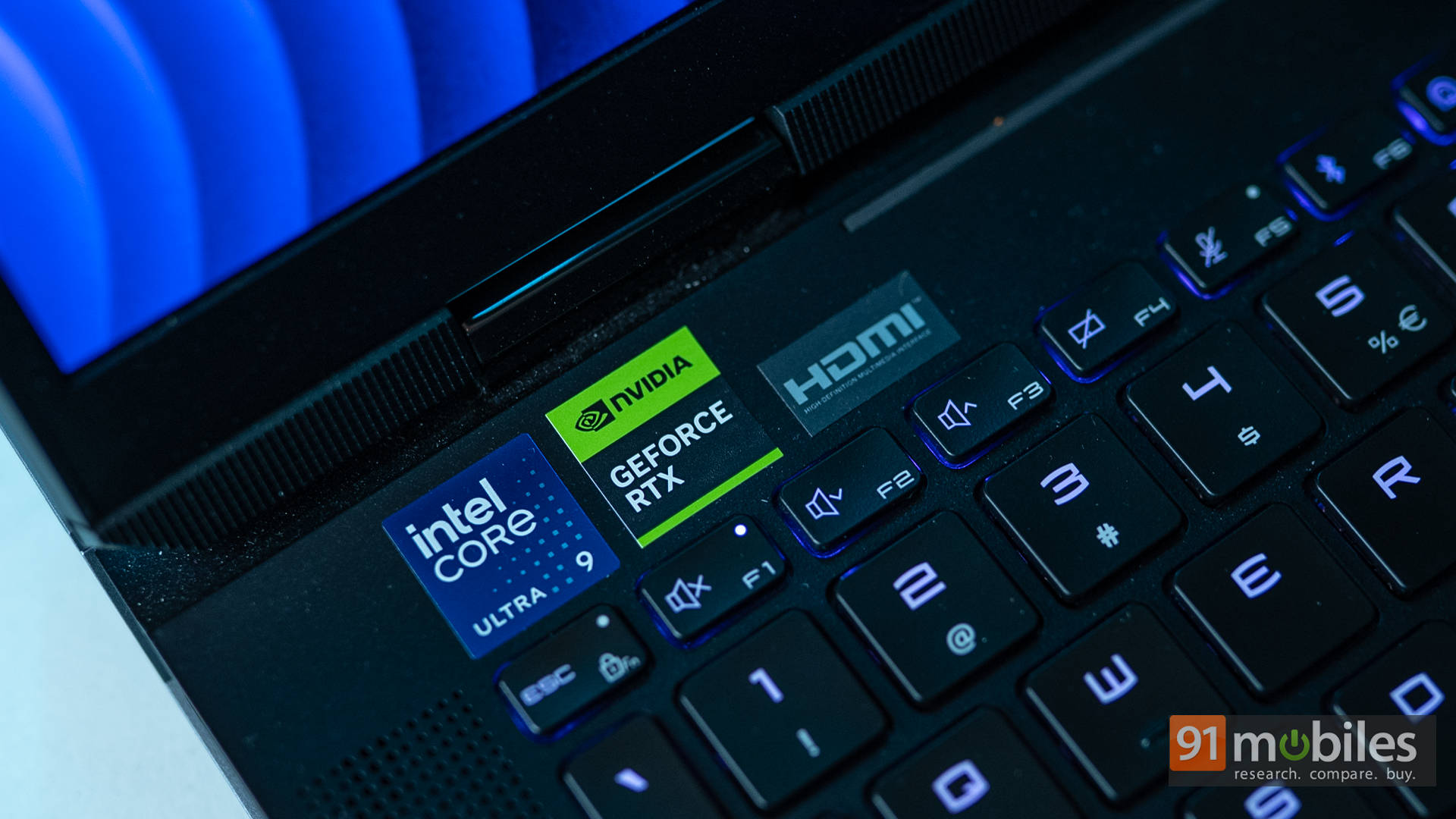
Of course, it’s accompanied by an exorbitant price tag of ₹6,20,990, which will definitely make most consumers think thrice. The question then is, provided you can even afford it, should you buy the MSI Titan 18 HX AI? Let’s find out as we take a closer look at its blistering real-world performance, visual perfection, and an accessory ecosystem powered by Thunderbolt 5 that makes you rethink what’s possible with a laptop.
Table of Contents
Frames, Flames, and Zero Shame
I’m not going to beat around the bush, so let’s follow the Titan’s own philosophy: performance first, everything else second. Under the hood sits Intel’s latest Core Ultra 9 285HX, a 24-core, 32-thread monster built on Arrow Lake architecture. This silicon is paired with a jaw-dropping 64GB of DDR5-6400 RAM and a trio of 2TB PCIe Gen 5 SSDs in RAID 0, giving you a mouthwatering 6TB of storage. With an average read speed of 16,475.14 MB/s in CrystalDiskMark, it’s the fastest laptop storage we’ve tested to date.

The real showstopper, though, is NVIDIA’s flagship RTX 5090 Laptop GPU with 24GB of GDDR7 VRAM. Together, this CPU–GPU duo tears through synthetic benchmarks, scoring 2,140 in Cinebench R24 Multi-Core and 22,823 in 3DMark Time Spy. These aren’t just big numbers for a laptop. In fact, they outshine a lot of desktop gaming rigs.
For perspective, I compared the Titan against the GIGABYTE AORUS Master 16 BYH (review) and HP Omen Max 16 (review), both running the Intel Core Ultra 9 275HX and RTX 5080 Laptop GPU. While the 285HX is essentially a slightly higher-clocked 275HX, the uplift is still noticeable in CPU-bound tests. But the GPU is where the Titan pulls away. The RTX 5090’s extra cores and higher VRAM give it a massive advantage, leaving the RTX 5080 firmly in the rear-view mirror.
When it comes to real-world gaming, the gains are even more tangible. In AAA heavyweights like Cyberpunk 2077 and Black Myth: Wukong, the Titan pushes 4K gaming past the 60FPS mark with ease. Frame Generation via DLSS 4 helps keep frame rates silky smooth, but even in native 4K, the RTX 5090 holds its ground.
Keeping all this performance in check is MSI’s Cooler Boost Titan cooling system: a dual-fan, quad-heatpipe setup, including one heatpipe dedicated to the Gen 5 SSD. The chassis even integrates 3D cooling stands that lift the laptop to improve airflow. Sure, a dedicated cooling pad will help, but even without one, thermal throttling simply isn’t part of the Titan’s vocabulary.
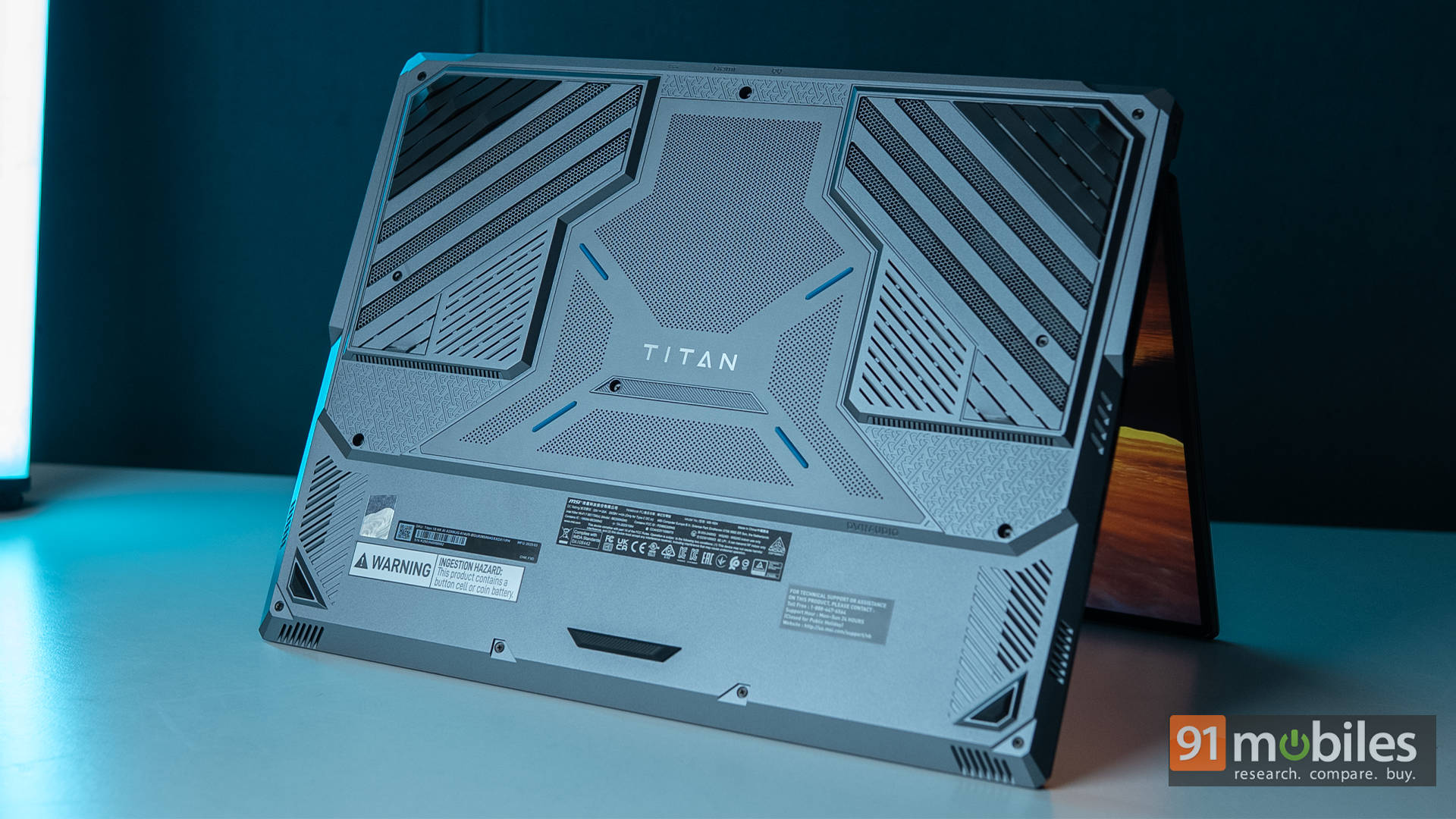
In short, this isn’t just “good” performance, no, it’s unapologetically overkill. Whether you’re chasing 4K@120Hz gaming, heavy AI workloads, or multi-stream broadcasting, the Titan 18 HX AI just keeps going.
18 Inches of Pure Flex
For anyone who says “size doesn’t matter”, let them try out the MSI Titan once. The MSI Titan 18 HX AI doesn’t just sit on your desk; it claims it. From the moment you unbox it, you’re greeted by a machine that looks and feels like it belongs in a command centre. The magnesium-aluminium alloy chassis gives it that premium rigidity without turning it into an unmovable brick. Still, at 3.7kgs, it’s a lot more portable as opposed to the previous generations, despite being more powerful.

MSI has gone for nice blue accents that complement the matte black finish. There’s enough RGB here under the keyboard and even under the MSI logo on the lid, but it skips out on a light bar like the ASUS ROG Strix SCAR 16 or even MSI’s own Raider. Instead, it walks the fine line between gamer flair and professional polish. It’s flashy enough to draw attention, but not so gaudy you’d be embarrassed to bring it into a client meeting.

The build also feels deliberately engineered for practicality. The lid opens with one finger, the hinges feel robust enough to survive years of daily opening/closing, and the slightly forward-leaning base improves cooling while giving the keyboard a more comfortable angle. Once open, you’re greeted by the 18-inch, 4K Mini-LED panel with a buttery-smooth 120Hz refresh rate and DisplayHDR 1000 certification. Just to be clear, you can opt for a 240Hz QHD+ panel or a 220Hz UHD+ model, but those are both IPS-level displays. This one right here is the top-of-the-line MiniLED.

Peak brightness on this one punches past 1,000 nits in HDR mode, making highlights in games like Cyberpunk 2077 pop with almost blinding realism. MSI claims 100% DCI-P3 coverage, and in practice, it’s not just a claim. Editing RAW photos or grading HDR video feels like working on a dedicated reference monitor. Colours are rich but accurate, blacks are deep enough to rival OLED in most scenes, and blooming is minimal thanks to the dense local dimming zones.
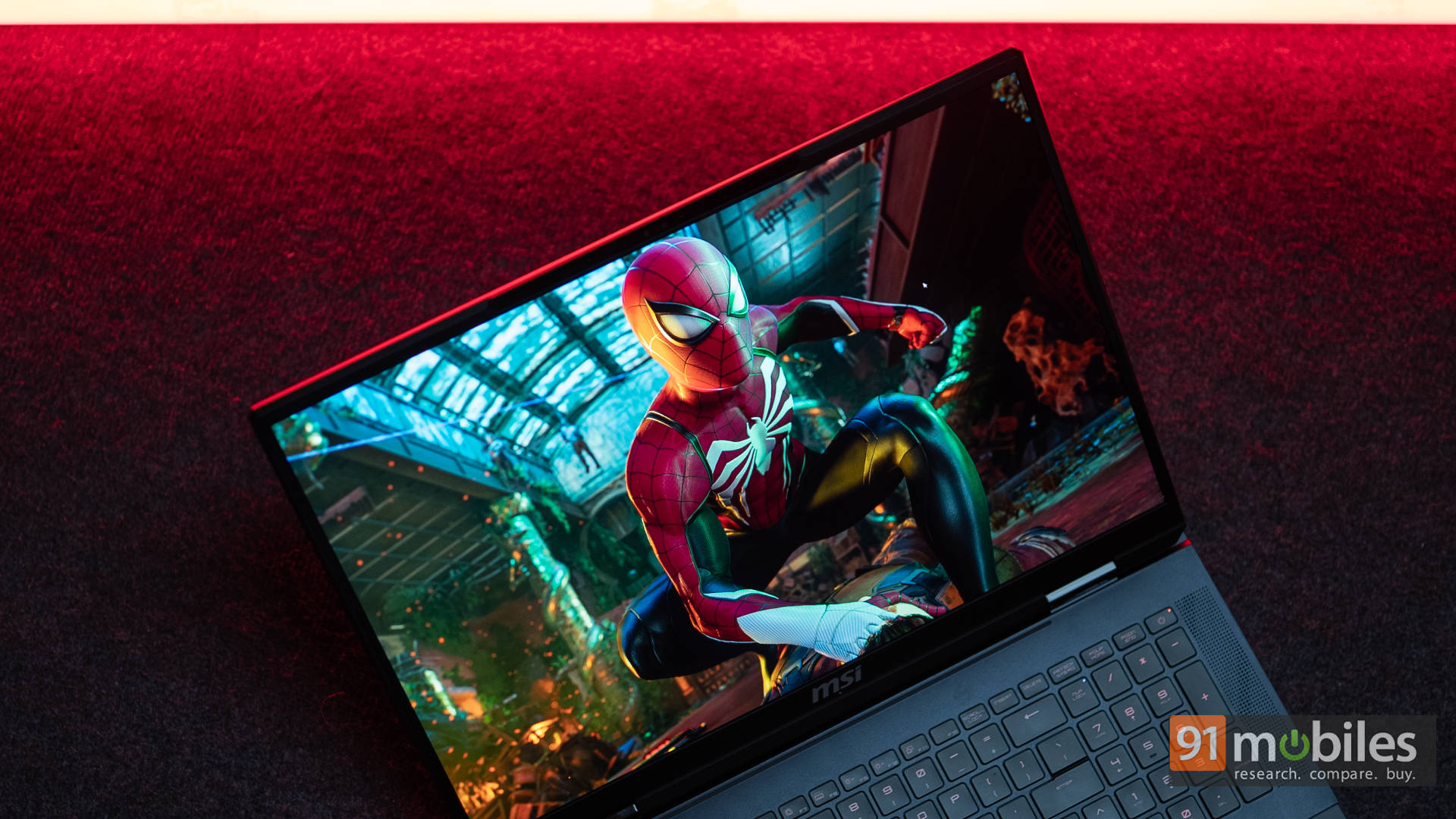
The taller 16:10 aspect ratio is another win, giving you more vertical space for productivity while still feeling cinematic in games. Whether you’re managing an absurdly large Excel sheet, editing timelines in Premiere Pro, or scanning a battlefield in Baldur’s Gate 3, the extra height is genuinely useful. And yes, the RTX 5090 has the horsepower to push high frame rates at native 4K in many titles, so you’ll actually make use of that refresh rate.

Audio hasn’t been neglected either. The Titan features a Dynaudio-tuned 6-speaker setup of two woofers & four tweeters, which delivers more volume and bass than most gaming laptops can dream of. Of course, it’s not a replacement for a high-end headset, and let’s face it, you’ll probably be wearing one during competitive play. But for single-player gaming, Netflix, or YouTube, it’s genuinely impressive. Dolby Atmos support adds an extra layer of spatial immersion, making directional audio cues in games sharper and more positional.
Ports and Connectivity
When I say that the Titan is a desktop replacement, I mean it, with the abundance of ports on offer here. The Titan’s port selection is genuinely a tech enthusiast’s dream. On the left side, there are dual USB-A 3.2 Gen 2 ports, coupled with a full-sized SD Card reader.

Then, over to the right side, the laptop offers dual Thunderbolt 5 ports, another USB-A 3.2 Gen 2 port, and a 3.5mm headphone jack.

Finally, there’s the DC-in, an HDMI 2.1 port, and an RJ45 port on the rear side. The overall placement of the ports is quite practical, with most easy access ports available where you need them, and the power and DisplayOut ports hidden behind.

Additionally, wireless duties are handled by Wi-Fi 7 and Bluetooth 5.4, both rock-solid in testing. Latency-sensitive gamers will love Wi-Fi 7’s reduced ping, and multi-device users will appreciate Bluetooth 5.4’s improved power efficiency.
Thunderbolt 5: Accessory Heaven, Courtesy of Intel
Intel clearly wanted us to experience the Titan 18 HX AI’s Thunderbolt 5 capabilities at full throttle, so they didn’t just send the laptop. They also sent a small arsenal of high-end accessories to push its connectivity to the limits.

Different Cables, Same Connector
Cables don’t usually get the spotlight, but when you’re dealing with Thunderbolt 5, they’re the difference between hitting 120Gbps and choking your bandwidth. UGREEN’s certified Thunderbolt 5 cables are built to handle everything the Titan can throw at them, including 8K@60Hz HDR footage via HDMI, without breaking a sweat.

Heck, if you want to embrace even higher resolutions, the UGREEN USB-C to DisplayPort 2.1 Cable supports up to 16K resolution. The 5090 packs enough horsepower to let you enjoy that too.

On the other hand, if you’re looking for a simple Thunderbolt 5 cable that can do everything, Belkin’s offering is something to definitely consider. It brings in that extra layer of ruggedness and flexibility for setups where cables need to twist, bend, and survive years of abuse. From sharing files via Thunderbolt Share to just outputting to a fancy USB-C monitor, this is the cable that will suffice for all your needs.
CalDigit Element Hub E5
Sure, the MSI Titan comes with most I/O ports already on offer, but for some of us, we do need a bit more, right? Well, if the Titan is a supercar, the CalDigit E5 is the pit crew. Plug this hub into one of the Titan’s Thunderbolt 5 ports, and you suddenly unlock a buffet of extra connectivity.

There are multiple USB-C and USB-A ports for drives and peripherals, DisplayPort outputs for additional monitors, and pass-through charging to keep things neat. For content creators, this is a godsend.
OWC 4TB Envoy Ultra
This is where Thunderbolt 5’s sheer bandwidth becomes very, very real. The OWC Envoy Ultra is a 4TB portable SSD that clocks read and write speeds north of 6GB/s. That means transferring a 100GB game library in under 20 seconds or editing uncompressed 8K ProRes footage directly off the drive without a hint of stutter. In fact, the real benefit is that you don’t even need to transfer things; you can just plug it into the Thunderbolt 5 port and use it directly, without any speed drop.

For AI workflows, it can stream massive datasets in real time, turning the Titan into a portable AI training lab. The drive itself is compact and rugged, perfect for slipping into a bag alongside the laptop for on-the-go high-performance work.

At the end of the day, Thunderbolt 5 on the Titan 18 HX AI isn’t just about “faster ports”, it’s about options. With the right gear, it can go from a gaming beast to a multi-display editing hub, an eGPU-powered rendering rig, or a data-mover that laughs at terabytes. It’s the kind of flexibility that quietly changes how you use a laptop, day in and day out. Sure, USB4 isn’t miles behind, but if you’ve got the budget for dedicated Thunderbolt 5 peripherals, you’ll notice a difference in everyday use.
Clicks and Flicks That Don’t Disappoint
Coming back to the laptop, let’s talk about the keyboard. MSI has equipped the Titan with a full mechanical keyboard featuring Cherry MX Ultra Low Profile switches. Tactile, clicky, and precise, it’s the kind of keyboard that makes you want to type (or trash-talk in chat) just for the feel of it. There’s also per-key RGB lighting via SteelSeries GG software lets you set up custom profiles for different games or moods.

It’s worth noting that the entire keyboard isn’t mechanical, as the arrow keys and number pad use standard membrane switches. Does that make a difference in the real world? Not at all. Was I bummed out when I found out about this, especially on a machine that costs over 6L? Kinda. Again, to each their own.

Moving on to the touchpad, it’s massive and glass-surfaced, with silky tracking and full Windows Precision gesture support. There are no edges here, but instead, it blends seamlessly with the laptop’s surface. That said, locating it shouldn’t be hard, since the entire touchpad lights up with customizable RGB lighting underneath.

That’s one feature that I’ve typically only used on Alienware laptops, so it’s nice to see other flagship laptops also feature it. Of course, you will be using a gaming mouse with this almost 99% of the time. But for the odd moment where you need to use the touchpad, it will not disappoint in the slightest.

There’s also a 1080p IR webcam with Windows Hello support and better-than-average image quality. It handles low light surprisingly well, keeping grain to a minimum, making it good enough for casual streaming. The built-in mics do a decent job, too, but with the fans getting loud under load, a good gaming headset with a quality mic (or an external microphone if budget allows) is a smart investment for multiplayer sessions.
The Price of Power
Intel will have you believe its new 200-series processors are remarkably efficient, and to be fair, they are. But let’s not kid ourselves: the MSI Titan isn’t built for marathon unplugged sessions. With great power comes… short battery life. The 99.9Wh pack inside is the largest you can legally carry on a plane, yet with this kind of hardware, you’re looking at 2–3 hours of light use and under 90 minutes while doing content creation or very casual gaming. This is “move it between rooms” portability, not “work from the park” freedom.

That said, it managed 3 hours and 39 minutes in our PCMark 10 Battery Video Loop test. Yes, that’s not exactly an endurance record, but it’s still better than both the HP OMEN 16 and Gigabyte AORUS Master 16 BYH. Given the Titan’s horsepower, Intel wasn’t bluffing about its efficiency gains.

Charging comes via a chunky 400W brick that, surprisingly, is more portable than the massive adapters of older generations. The Thunderbolt 5 port also supports USB Power Delivery up to 140W, which is quite handy for emergency top-ups. Just remember, the GPU alone is rated at 175W TGP, so don’t expect full performance on USB-PD. Ideally, the power brick should be your constant travel companion. And for a desktop replacement like this, that’s hardly a deal-breaker.
Verdict: Buy It Because You Can?
The MSI Titan 18 HX AI is ridiculous, and honestly, that’s a compliment. It’s a no-compromise, no-excuse machine for gamers and creators chasing the absolute peak of laptop performance. The Intel Core Ultra 9 285HX and RTX 5090 pairing doesn’t just put up big benchmark numbers; it reshapes workflows, annihilates load times, and pushes gaming to a level that rivals (and often surpasses) full-size desktops. Throw in Thunderbolt 5, and it becomes more than a laptop. It’s the centrepiece of an ecosystem built for ultra-fast storage, sprawling multi-display setups, and creative pipelines that scale without effort.

That said, there are alternatives if you’re after similar muscle at a lower price. MSI’s own Raider 18 offers a near-identical RTX 5090 setup for roughly ₹2 lakh less, and ASUS’s ROG Strix SCAR 18 delivers competitive performance with an Intel Core Ultra 9 275HX at a friendlier price. Of course, as is always the case, a well-built desktop can still net you more frames and better value. But sourcing an RTX 5090 desktop GPU at MSRP is its own challenge.
Ultimately, the MSI Titan isn’t something you buy out of necessity. You buy it because you want the best. Yes, it’s big. Yes, it’s heavy. Yes, it’s expensive. But if you’re in that market, you already know none of those are deal-breakers
Editor’s Rating: 9.5 / 10
Pros:
- Extreme performance with Intel Core Ultra 9 285HX & RTX 5090
- Stunning 18″ 4K Mini-LED HDR1000 display
- Blazing-fast 6TB PCIe Gen 5 RAID 0 storage
- Thunderbolt 5 for high-speed accessories
Cons:
- Big and heavy
- Fans get loud under load
- Very expensive

