OPPO F35 Pro gets stable ColorOS 17 update, promises smoother performance and enhanced security


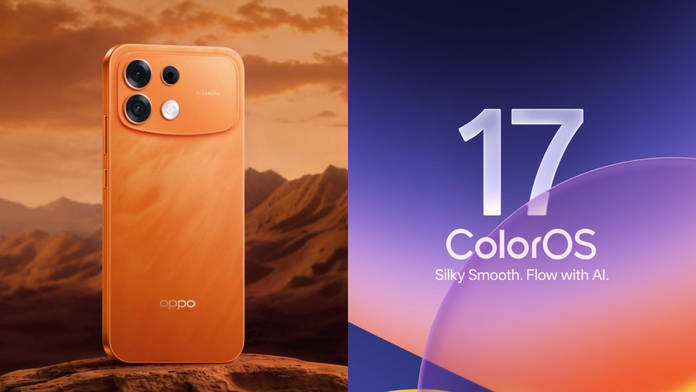
With ColorOS 17 officially out for several high-end and mid-range OPPO, OnePlus, and Realme smartphones in India, the OPPO F35 Pro is next in line to receive the update. The update promises seamless navigation between menus, more customisation options, and intelligent AI tools to simplify everyday tasks. For enhanced interactions, the update brings ColorOS Smoothness Boost, exclusive to the OPPO F-series, to further optimise system responsiveness for a fluid experience over time.
ColorOS 17 released for OPPO F35 Pro: what’s new
Smoothness and responsiveness improvements
Since ColorOS has always emphasised a smooth, responsive experience, it only makes sense for ColorOS 17 to raise the bar further. Therefore, the Laminar Flow Engine optimises foreground and background tasks for responsive performance and efficient resource use.
As a result, app launch stability has been improved by 55 percent, while thumbnails in Gallery load up to 50 percent faster compared to ColorOS 16. Similarly, the Luminous Rendering Engine reduces rendering load by up to 30 percent and RAM usage for rendering by up to 25 percent in key scenarios, supporting richer visuals without sacrificing fluidity.
Privacy and security upgrades
AI Call Guard has been introduced on ColorOS 17 and uses on-device AI to monitor calls and video interactions in real time, alerting users to potential fraud involving synthetic (AI-generated) voices or AI-manipulated faces/deepfakes.
From ColorOS 16, Private Computing Cloud (PCC) strengthens data protection with end-to-end encryption, ensuring personal data remains private and inaccessible to third parties, including OPPO itself. To tackle the rise in digital theft and phishing, this improvement could go a long way toward helping users avoid potential scams.
Show Full Article
Cosmetic design changes
As noted in our review, since the OPPO F35 Pro already ran Android 17 with ColorOS 16.5, the UI shared many similarities with ColorOS 17. Therefore, you may not find many cosmetic changes compared to ColorOS 16.5, which came out of the box on the OPPO F35 Pro. As for the actual changes compared to ColorOS 16, the smartphone brings a couple of new lockscreen clock fonts, a redesigned bottom navigation bar in first-party apps, and the introduction of Live Space, a pill-shaped UI element at the bottom of the lockscreen.
Beyond that, ColorOS 17 builds on the OPPO F35 Pro’s strengths in imaging, battery endurance, and everyday performance with refined software optimisations. If you haven’t received the update via OTA, head to Settings > System & update > Software update > Download and install once the update pops up.
For a more detailed look at ColorOS 17, we’ve covered the skin in depth in our hands-on story, which covers multiple aspects, such as UI changes, AI enhancements, customisation options, and more.
As for whether you should upgrade your OPPO F35 Pro to ColorOS 17, the improvements make it worth updating to the latest skin for a smoother software experience and better stability.