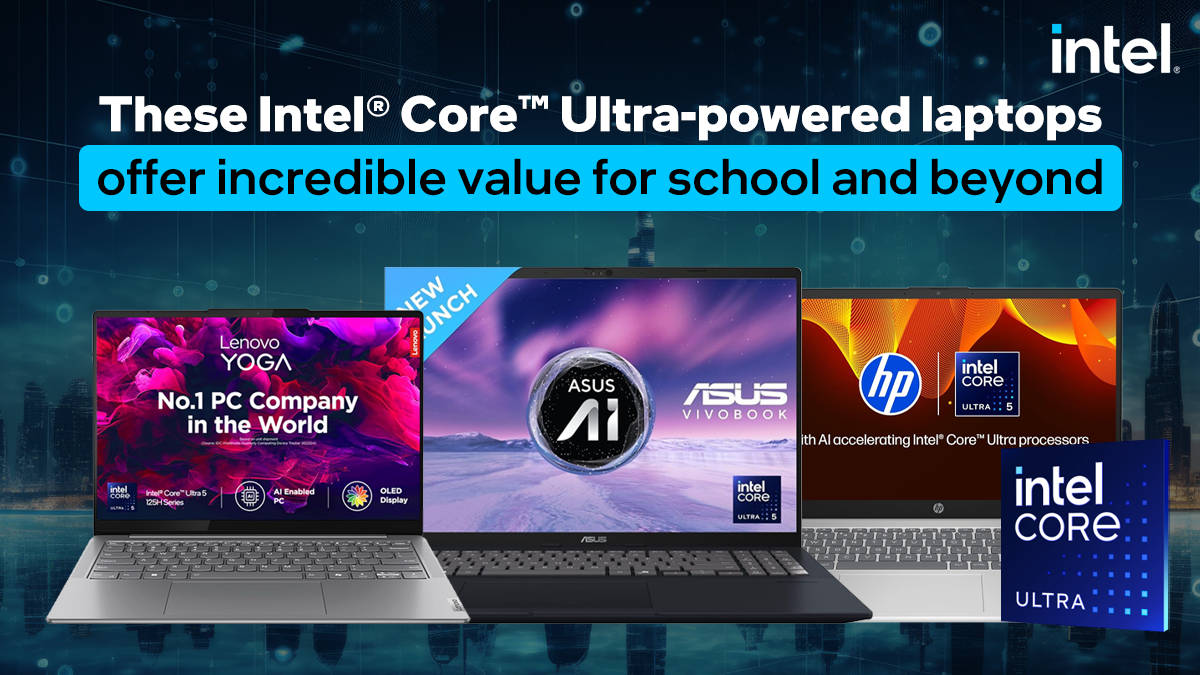
These Intel® Core™ Ultra-powered laptops offer incredible value for school and beyond


Modern education isn’t limited to textbooks and the walls of a classroom. From online classes to digital projects and virtual collaboration, students are in the midst of a technological revolution in the education sector, which is why there is an increased need for laptops. However, laptops also bring with them a growing concern, especially when talking about screen time and distractions. This is why parents need to pick the right devices for their children.
Enter Intel Core Ultra-powered AI laptops. These devices go beyond the capabilities of traditional laptops by offering enhanced potential that allows students to learn smarter, stay productive, and meet the requirements of the AI-powered future that awaits us all. Instead of using all their power all the time, these processors know how to manage tasks efficiently for a smoother experience.
These processors come with a CPU, GPU, and a Neural Processing Unit (NPU), which Intel calls AI Boost. This NPU helps with everyday AI tasks, like background blur in video calls or voice-to-text, without overloading the main processor or needing the internet. That means things get done faster, and personal data stays safely on your laptop. Thanks to the NPU, students now have a personal assistant on their fingertips that will help them not only learn better, but learn smarter. With natural conversation capabilities and plenty of AI applications available for students, the sky is the limit for how learning can become more engaging for the next generation.
Smarter performance with improved battery life
Performance is a key metric for laptop longevity, as it ensures the laptop has enough grunt to take on future applications that may require additional processing power. However, this hunt for additional performance tends to hurt battery life.
With the Core Ultra processors, Intel has found a way to offer the best of both worlds by using an advanced version of its Performance Hybrid Architecture. This sees the processor employ multiple clusters of cores. Some clusters aim to provide all-out performance, while others are about power efficiency. The Intel Thread Director prioritises and manages the distribution of workloads, sending tasks to optimised cores. This helps ensure efficient performance and longer battery life with little performance loss.
Further, students can enjoy an even better battery life since the NPU can take on low-power AI tasks instead of relying on the more performance-focused CPU or GPU. All this means that students will be able to work longer with minimal distractions, regardless of where they may be.
Smarter education
All the hardware in the world would mean very little if there weren’t enough apps or services to use it. Thankfully, developers have already offered AI features on popular apps to fully utilise the new NPUs. Take Zoom and Microsoft Teams, for instance. Two apps that are very popular for hosting online classes. Both apps now offer AI features, such as advanced background blur, eye-gaze correction, and more. Further, AI can even generate a summary of the classes to ensure students have all the information needed to create notes.
But that’s just the tip of the iceberg. With Microsoft Copilot, students can access a digital assistant that can answer queries and simplify complicated concepts. This allows students to learn at their own pace using examples that they can best relate to, making education a more personal experience.
Copilot can also help students create content for projects and other activities. The Pro version of the assistant integrates itself into PowerPoint, helping students create presentations quickly. Further, the Cocreator feature for Microsoft Paint allows students to use generative AI to quickly create images for projects while also fostering creativity.
Aside from directly helping students with schoolwork, AI can also help students plan their study sessions to improve outcomes and save time. For example, students can use AI assistants to quickly find relevant information instead of manually searching for the same information online. Further, it can also be used to develop study plans and routines to ensure that students do not face burnout.
Unlock benefits with Intel Core Ultra-powered laptops
Purchasing an Intel Core Ultra-powered laptop will unlock a whole world of possibilities for students through powerful learning opportunities. The brand has partnered with top Indian EduTech platforms to offer limited-time offers.*
CuriousJr: 6-day demo classes at Rs 29 and flat Rs 4,000 off on full course subscription. Offer lasts till 30th September, 2025.
GUVI: 22% off on Zen AIML VILT Program + a free self-paced AI & GenAI course worth Rs 4,500. Offer lasts till 15th July, 2025.
HackerKID: 85% off on HackerKID Premium. Offer lasts till 30th September, 2025.
iPrep: 25% off the subscription costs. Offer lasts till 30th June, 2025.
Infinity Learn: Up to 50% off on Guided Learning and self study courses. Offer lasts till 15th September, 2025.
*Terms and conditions apply. These offers are coming directly from the respective EduTech providers. Intel is not liable for any of these offers and provides no guarantee or warranty on these. Please reach out to the respective EduTech providers for more details.
Now that we know how Intel Core Ultra-powered laptops help students, let’s take a look at a few laptops that parents might want to consider.
ASUS Vivobook 16
The ASUS Vivobook 16 offers some incredible value. It packs a large 16-inch FHD+ display, which is very helpful for students as they will most likely juggle multiple tabs. Further, it will also help reduce eye strain as the larger screen will ensure that students don’t squint while reading text. Further, even with a display of that size, the laptop weighs 1.88kg, making it quite portable. An important factor to consider when buying a laptop for young students.
For performance, students get an Intel Core Ultra 5 225H processor with 14 cores and 16 threads. 16GB of DDR5 RAM paired with 512GB NVMe PCIe storage keeps things running smoothly. This configuration should easily ensure that the laptop is ready for future AI service and app updates.
HP 15
The HP 15 is a good choice for parents looking for a laptop that offers everything at a reasonable price. For starters, it comes with HP True Vision 1080p cameras that allow for improved clarity. Combine this with the AI features for video conferencing, and parents can be assured that their wards are better engaged with the educators.
In terms of performance, the laptop features an Intel Core Ultra 5 125H processor with 14 cores and 18 threads, which should be more than enough for most students. It is aided by 16GB DDR5 RAM, ensuring smooth operation. Meanwhile, the 512GB NVMe PCIe storage should allow snappy boot and load times. Finally, the laptop sports a 15.6-inch FHD panel that is perfectly fine for the needs of most students.
Lenovo Yoga Slim7
The Lenovo Yoga Slim7 is a premium option for parents who want their students to have the best. It, too, comes with an FHD camera, but then it takes things up a notch with a 14-inch WUXGA OLED panel that offers excellent colour accuracy. This makes it a good option for artistically inclined students. Further, the laptop supports Dolby Vision and Atmos, so online classes should be an enjoyable experience.
Powering the laptop is an Intel Core Ultra 5 125H processor with 14 cores and 18 threads of performance. Paired with 16GB LPDDR5X RAM, it should ensure plenty of performance, even when running art applications.
Dell Inspiron 13
The Dell Inspiron 13 is perfect for students who tend to carry around their laptops a lot, whether between classes or between school and home. It features a compact 13.3-inch QHD+ display that not only ensures crisp visuals but also allows for a smaller footprint. This means that it can easily fit inside most bags or backpacks. It is also quite light at 1.24kg.
In terms of performance, the laptop packs an Intel Core Ultra 5 125H processor, which is then paired with 16GB LPDDR5X RAM for smoother usage. For storage, the laptop gets a 512GB PCIe NVMe SSD for quick load times. Finally, the FHD webcam features a physical shutter for added privacy, a must for students.

