Acer Aspire 15 AS15-42 Review: Best laptop for students?


Review Summary
Expert Rating
The Acer Aspire 15 AS15-42 (UN.35MSI.00D) sits in that sweet under Rs 45,000 segment, sometimes even dropping below Rs 40,000, making it one of the most affordable Ryzen 7 laptops around. It’s designed for students, professionals, and casual users who need reliable everyday performance without burning a hole in their pocket.

Sounds too good to be true, right? That might be the impression if you were to sum this laptop up in just a couple of lines. But that would barely scratch the surface. There’s more going on with the Aspire 15 than first meets the eye. In this review, I’ll break down everything from its design to its real-world performance. So you can decide if it’s truly worth your money.
Table of Contents
Design and Build
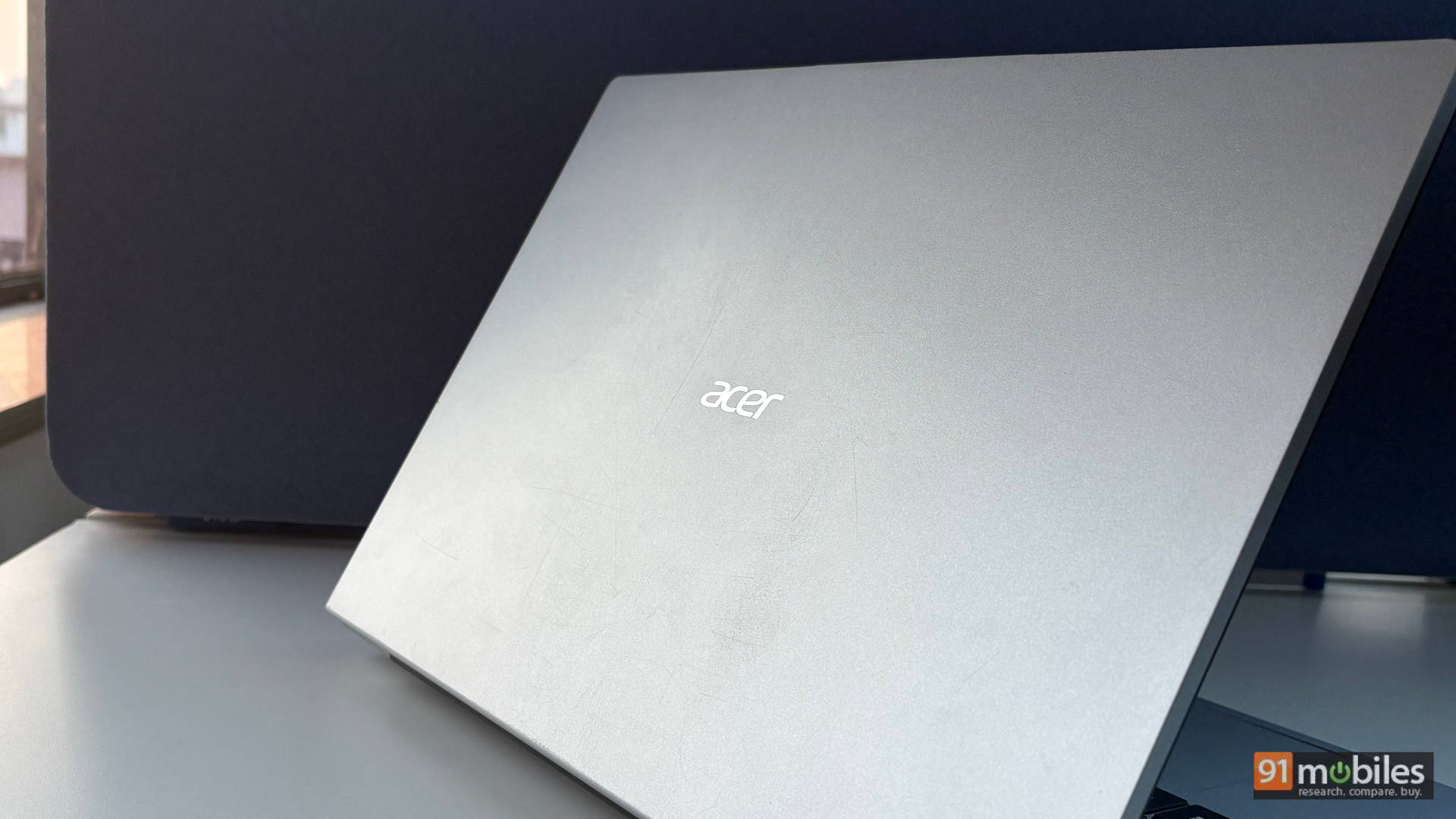
Kicking things off with the design, the Aspire 15 sports a minimal, no-nonsense design that blends easily into an office or college setup. The silver matte finish keeps fingerprints at bay. Meanwhile, Acer’s subtle branding at the centre of the lid adds to the understated aesthetic. At 1.79kg, it’s not the lightest machine around, but it still feels manageable for daily carry.
The all polycarbonate build, however, is prone to scratches. I noticed a few after a month of use, then again, I’m quite a rough user as well. Thanks to the 180 degree hinge, the display can be laid flat. The screen wobbles quite easily, even with the slightest jerk, and shows some flex, as does the keyboard. Additionally, the lid’s smooth lip design and clean edges give it a cohesive, premium-looking profile. This is especially impressive considering the price point.
Display and Audio
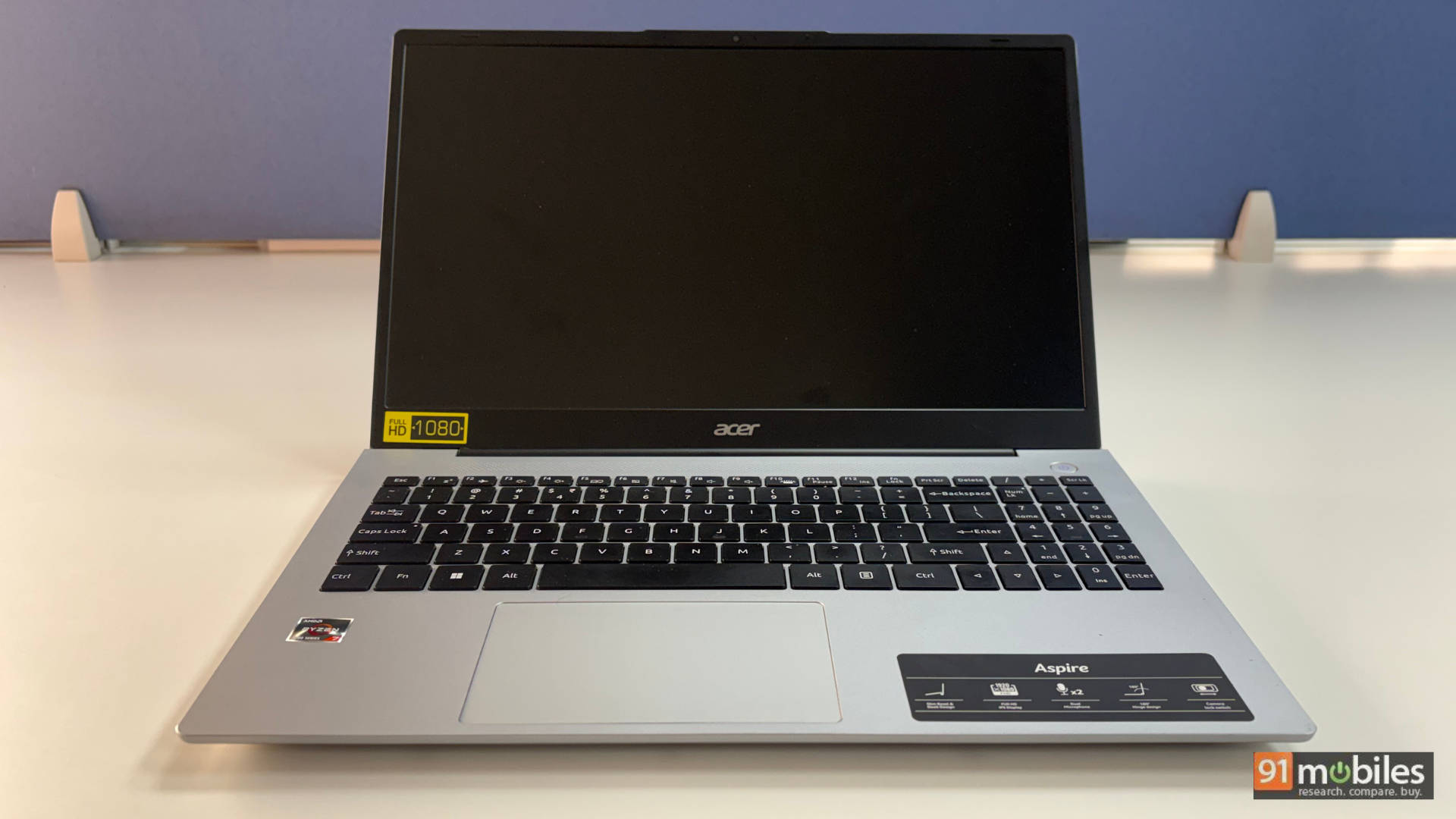
The laptop features a 15.6-inch TFT LCD panel with a 16:9 aspect ratio. It’s good enough for office tasks. Whether you’re working on Excel sheets, Word documents, presentations, or browsing through email. However, the 1080p display lacks punch when it comes to entertainment. The 45% NTSC colour gamut results in washed-out colours. And this became very evident while I was watching The Bear on Jio-Hotstar.

Brightness peaks at 300 nits, which works just fine indoors, but the outdoor visibility takes a hit. Personally, I have used this laptop in indoor settings, mostly from my office desk. It worked just fine for me.
However, if you are someone who often works outdoors, whether you’re a student wrapping up an assignment on the campus grounds. Or even a working professional who’s frequently on the move, the Aspire 15 may fall short for you. You’d be better served by a laptop with a brighter, higher-quality display.
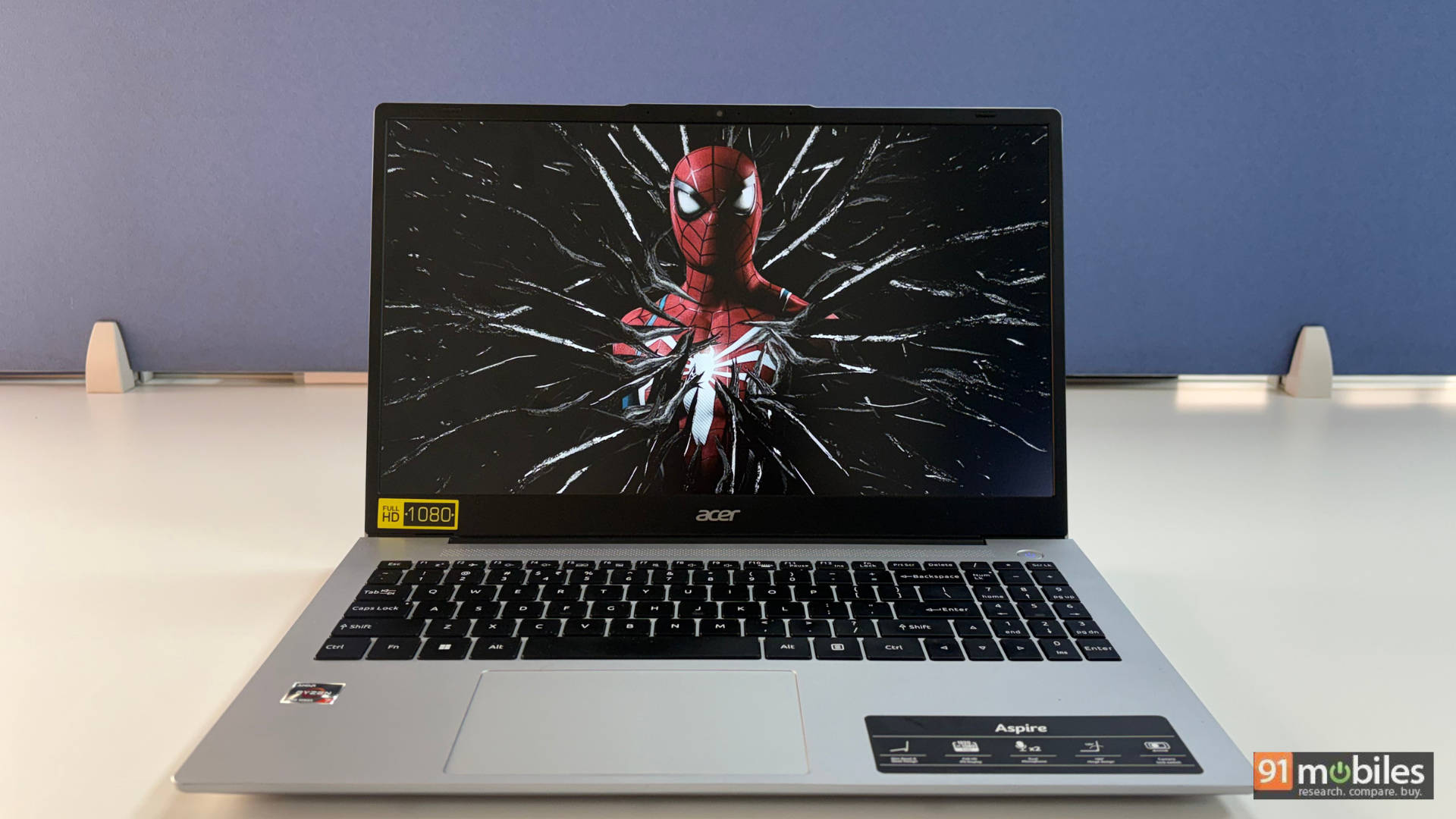
But the anti-glare coating used by Acer does help reduce reflections. The bezels are also quite thin all around, except for the chin area. One thing worth mentioning is the screen bleeding around the corners. It’s particularly noticeable in darker environments.

Most likely, this could be a unit-specific issue, but it’s something to keep in mind when buying a new laptop.

Moving on to the audio, the Aspire 15 features two down-firing speakers that output decent sound. I tested them with my usual soundtracks, Blah Blah Blah by Armin Van Buuren for the bass and the highs. Alongside the classic Bohemian Rhapsody by Queen, for its complexity, the results were fairly straightforward. Vocals are clear enough, but the speakers don’t get very loud, and the bass is basically nonexistent. Overall, they’re fine for use in a quiet, indoor setting, but don’t expect an immersive or punchy audio experience.
Keyboard and Trackpad
Coming from the Acer Aspire 14 AI’s tenkeyless keyboard, the Aspire 15’s full-sized layout felt a bit overwhelming initially. However, the typing felt comfortable in no time. The Aspire 15’s keyboard offers good key travel and tactile feedback, which I really appreciate. Meanwhile, the backlit keyboard with two-level brightness is a welcome feature for late-night users.
Although the best in this segment that I have tested so far has to be the Lenovo ThinkPad E14. I mean, it’s a ThinkPad, it’s pretty obvious. Overall, the Aspire 15 offers a responsive, comfortable and tactile keyboard, and I genuinely don’t have anything to complain about here. As a matter of fact, the whole review was also written on the Aspire 15 only.

Coming over to the trackpad, it’s spacious, smooth and responsive, supporting multi-gesture inputs seamlessly. No complaints here as well, it works exactly as you’d want for productivity tasks.
Ports and Connectivity
The Acer Aspire 15 gets the I/O selection right. On the left, you get a full-sized HDMI port, one USB-A port, two USB-C 3.2 ports and a physical camera shutter button.
On the right, there are two more USB-A 3.0 Gen 1 ports, a 3.5 mm audio jack and even a microSD card slot, a rarity in laptops these days.
One might argue for the full-sized SD car slot, but it all boils down to your setup; either way, it’s refreshing not to rely on dongles for day-to-day tasks.
Meanwhile, the wireless connectivity includes Wi-Fi 6 and Bluetooth 5.1, which gets the job done. There’s also a 720p webcam, which is very underwhelming; video quality is grainy/ But the inclusion of a privacy shutter on the left side of the laptop is a thoughtful addition.
Performance and Battery Life
The Aspire 15 runs on AMD’s Ryzen 7 7730U processor paired with 16GB DDR4 RAM and a 512GB Gen4 SSD. And for an under Rs 45,000 machine, performance is easily its strongest point. In daily use, juggling 20-plus Chrome tabs, multiple desktops and even some light photo editing, the laptop remained smooth with only minor slowdowns after prolonged sessions.

The system also allows RAM upgrades up to 32GB. Additionally, Acer’s easy access slot also allows for an easy DIY upgrade for adding more storage.

For performance, we ran the Aspire 15 through our usual benchmark suite of Cinebench, Geekbench, 3DMark, and PCMark. For the most part, it returned a respectable score overall.
To give the user a clear picture of where the Acer Aspire 15 stands, I compared it with two similarly priced machines: the Lenovo V15 Gen4 (Ryzen 7 7730U), the ASUS Vivobook 15 (Core 5 120U) and the Lenovo Thinkpad E14 (Ryzen 5 7530U). In this comparison, the Aspire 15 and the V15 came neck to neck, apart from the graphics performance. While the Vivobook 15 edges past the Acer on quite a few occasions.
Model Number | Acer Aspire 15 AS15-42 | Lenovo Thinkpad E14 | Lenovo V15 G4 |
CPU | AMD Ryzen 7 7730U | AMD Ryzen 5 7530U | AMD Ryzen 7 7730U |
GPU | AMD Radeon | AMD Radeon | AMD Radeon |
Cinebench R24 MT | 488 | NA | 527 |
Cinebench R24 ST | 85 | 83 | 84 |
Cinebench R23 MT | 9262 | 8062 | 9135 |
Cinebench R23 ST | 1440 | 1425 | 1393 |
PCMark 10 | 5665 | 5500 | 5933 |
PCMark 10 Extended | 4333 | 3989 | 4978 |
Geek Bench 6 ST | 1952 | 1865 | 1915 |
Geek Bench 6 MT | 6395 | 4537 | 6651 |
Geek Bench OpenCL | 13369 | 11499 | 15530 |
Geek Bench Vulcan | 11581 | 9974 | 14504 |
3DMark Time Spy Extreme | 451 | 344 | 626 |
3DMark Time Spy | 964 | 726 | 1355 |
3DMark Fire Strike Ultra | 542 | 390 | 764 |
3DMark Fire Strike Extreme | 1062 | 770 | 1481 |
3DMark Fire Strike | 2309 | 1768 | 3265 |
3DMark Night Raid | 10243 | 8246 | 14454 |
Battery Runtime (Hr:Min) | 5:40 | 8:30 | 10:41 |
Q8T1 READ | 3722.91 | 3718.91 | 1670.44 |
Q8T1 WRITE | 3161.85 | 3125.93 | 1657.79 |
To give you more perspective, the Thinkpad E14 with a lower-tier CPU was not far behind the Aspire 15 in terms of numbers. Overall, the Acer Aspire 15 shines when it comes to multi-core performance, but it really starts to struggle when it comes to single-core performance. But that’s not to say the Ryzen 7 7730U is a weak chip or something. It handles day-to-day workload without a hitch.

Battery life is average at best. The 55Wh cell lasted around 5 hours and 40 minutes in the PCMark 10 video loop test (80% brightness) and roughly 5 hours in mixed use. For additional context, the Lenovo V15 uses the same processor and GPU. It delivered 10 hours and 41 minutes of battery life in our PCMark test. The bundled 65W charger takes approximately 2.5 hours for a full charge.
Gaming
To see how the Aspire 15 fares in casual gaming, we fired up GTA V and Valorant. At 1080p, the laptop averaged 30 FPS in GTA V and an impressive 111 FPS in Valorant. For testing, GTA V was set to High with 8x anisotropic filtering, soft shadows on, MSAA off, and FXAA enabled. Meanwhile, Valorant was run on low settings with MSAA disabled.
Verdict
The Aspire 15 aligns with Acer’s value-first strategy in the sub-Rs 45,000 segment. It’s a reminder that not every budget laptop needs to feel like a compromise. Aimed at students and first-time buyers, it prioritises everyday performance by pairing a capable Ryzen 7 processor with a straightforward, no-frills design. Sitting at Rs 40,990 at the time of review, you get dependable performance, a clean design, and ample ports. However, the trade-offs are clear: the display is dull, the build quality feels a bit flimsy, and the speakers are forgettable.

Honestly speaking, if you want better multimedia performance or more premium build quality, consider spending Rs 8K – 10K more on something like the Acer Aspire Lite 14 OLED or HP 15s series.

Not to forget, the Lenovo V15 Gen 4, which we’ve reviewed as well, offers comparable overall performance with the same Ryzen 7 processor. It also delivers significantly better battery life, making it a strong alternative for users who prioritise endurance.
On the other hand, the Lenovo ThinkPad E14 sits slightly behind in raw performance. However, it makes up for it with an excellent keyboard, sturdier build quality, and a more business-focused experience. If reliability, typing comfort, and long-term durability matter more than outright benchmark numbers, E14 still represents strong value in this segment.
Editor’s Rating: 7 / 10
Pros:
- Excellent performance for the price
- Clean, minimal design
- Large, comfortable keyboard with backlight
- Good port selection
- Average display quality
- Noticeable chassis flex
- Battery life could’ve been better

