Acer Nitro Lite 16 review: A worthy gaming laptop or just a stylish package?


Review Summary
Expert Rating
Gaming laptops and dark, muted colours feel a natural match, and people have accepted it. Acer is trying to make a dent and break this ideology with the Acer Nitro Lite 16, especially the Pearl White colourway. It is eye candy and surely an attention grabber, or better, I call it a conversation starter. In terms of specs, it packs an Intel i5-13th Gen Raptor Lake CPU, an Nvidia RTX 3050, 16GB of DDR5 RAM, and a 512GB SSD, all under Rs. 80,000. Sounds like a perfect deal, doesn’t it? Acer must have cut some corners; that’s what we’ll be breaking down in this review of the Acer Nitro Lite 16 (NL16-71G) gaming laptop.
Table of Contents
Design that stands out
This beautiful white chassis is constructed entirely from plastic, but we were pleasantly surprised by its stability; for a super-budget machine, the main body feels remarkably sturdy. The lid exhibits slight flex, but overall it’s more robust than we expected. There’s Nitro branding in grey accents on the lid and bottom right corner of the keyboard, which instantly catches attention.
For a budget-friendly 16-inch gaming laptop, the Nitro Lite 16 is reasonably portable. It measures 362.2 (W) x 248.47 (D) x 22.9 mm (H) (14.26 x 9.78 x 0.9 inches), including the LAN port, and weighs in at a fairly light 1.95 kg with the 2-cell battery. The screen hinge opens to a maximum angle of about 130 degrees. Opening the lid past 100 degrees slightly lifts the rear of the laptop, so during normal use, the machine will have a bit of extra clearance underneath for better airflow. A clever design move from Acer.


The display is framed by relatively thin bezels on the sides and top. This top bezel houses a 2MP FHD camera and two built-in digital microphones. Kudos to Acer for including a physical privacy shutter. The Acer Nitro Lite 16 does not support Windows Hello because it lacks a fingerprint reader and an IR camera.

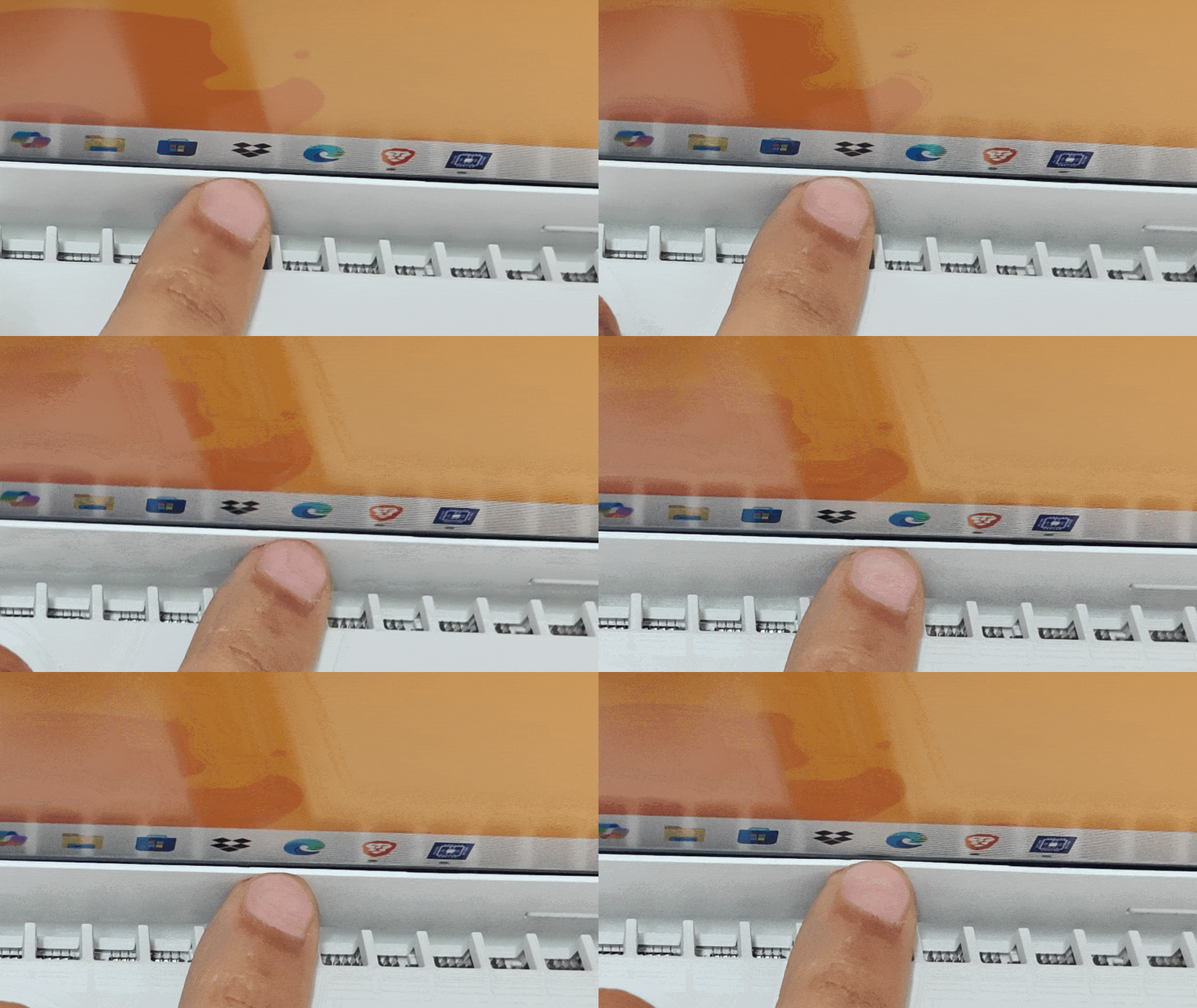
One area where Acer could have done better is the placement of the heat sink. Currently, it sits directly under the display, which is not a good idea, especially given its all-plastic construction. Over time, heat will melt the adhesive through the plastic, and with barely a month of use, I can already see a minor gap in the frame. So, a better practice will be to keep the lid extended back to 110 or 120 degrees for better airflow and to protect the display.


Ports and Connectivity
The Acer Nitro Lite 16 (NL16-71G) offers a connectivity layout that requires some strategic planning. On the left side are an HDMI 2.1 port and a USB 3.2 Gen 1 Type-A port featuring power-off charging. It’s the USB-C port that you need to pay attention to. While it boasts high-end specifications such as Thunderbolt 4 support, USB 3.2 Gen 2 speeds (10 Gbps), and DisplayPort capabilities, it also serves as the laptop’s sole charging input. This design choice creates a bottleneck: when the laptop is plugged into power, you lose access to your only USB-C port.
The right side of the chassis houses a Kensington lock slot, a second USB 3.2 Gen 1 Type-A port, and a standard 3.5mm combo audio jack. A highlight here is the inclusion of a 2.5 Gigabit Ethernet (RJ-45) port, offering wired network speeds significantly faster than standard Gigabit connections.
The rear of the laptop is reserved entirely for cooling vents. Wireless connectivity is handled by a Wi-Fi 6 (802.11ax) module with dual-band support, paired with Bluetooth 5.1.
Massive Display: 16:10 Goodness! But is it good enough?
The Acer Nitro Lite 16 packs a massive 16-inch IPS display; the good is that it’s an anti-reflective 16:10 aspect ratio, 165Hz refresh rate display, an absolute rarity in this price bracket. This is highly beneficial for productivity, as it allows you to see more lines of code, browse more rows in a spreadsheet, or view more lines of text while scrolling through a document.
The viewing angles are pretty good, too, at 170 degrees. The only caveat is the mediocre 45% NTSC colour gamut. So while it does pack in a massive display for creative work, like Photoshop or editing, the colour accuracy is a concern for professionals. So you need to use a color-accurate monitor to go with it, which adds to the cost.
Audio
There are two bottom-firing speakers on either end. The sound quality of the Acer Nitro Lite 16 (NL16-71G) is relatively good. For solo gaming, it’s fine, but with background noise in your area, I recommend headphones or external speakers for an immersive experience.

Large comfy Keyboard
Given it’s a 16-inch laptop, it packs a full-size keyboard with a dedicated numpad, and the WASD keys have a blue accent that complements the white aesthetic while still instantly signalling their purpose. Additionally, Acer could have utilized the space left on the sides of the keyboard to either space out the arrow keys, instead of cramming them, but that’s not really a deal breaker.

Another aspect Acer could have paid attention to is the backlit keyboard, which comes with a two-stage white LED that can be activated via the F11 key. It comes in handy in low-light situations, but the lack of pass-through light from the keys is a bit annoying when working or gaming in pitch darkness, as I ended up pressing the wrong key most of the time until my muscle memory adjusted to the layout.
As for the typing experience, the keys are soft, have subtle tactile feedback, and are silent compared to most gaming laptops in the segment. You can compete in boss fights without disturbing the person next to you, per se; you pair it with a silent mouse or controller.

The touchpad is medium in size and sits slightly left of the centre, perfect for typing and responsive enough for daily use, and it works well with Windows gestures. The clicks register easily. Most gamers and creators will use a mouse, so the size is not an issue.
Performance
At its core is the Intel Core i5-13420H (Raptor Lake), with 8 cores and 12 threads, where the cluster consists of 4 performance cores clocked at 2.1 GHz with a boost of up to 4.6 GHz and 4 efficiency cores. In the real world, the Acer Nitro Lite 16 can handle any task you throw at it with a breeze, like blazing-fast app launches, web browsing, and quick Photoshop or Lightroom edits.

Here’s a look at the synthetic benchmarks. On Geekbench 6, the Acer Nitro Lite 16 scored 2420 points on single-core and 10311 points on multi-core tests. In Geekbench AI, it scored 7924 quantized points. Moreover, the laptop scored 10037 points in the Cinebench R23 multi-score, 526 points in Cinebench 2024, and 2035 points in Cinebench 2026.
| Model Number | Acer Nitro Lite 16 (i5-13420H) | Lenovo LOQ (i5-12450HX) |
| Cinebench R24 MT | 526 | 663 |
| Cinebench R24 ST | 103 | 98 |
| Cinebench R23 MT | 10,037 | 11,413 |
| Cinebench R23 ST | 1,740 | 1,636 |
| PCMark 10 | 7,135 | 6,539 |
| PCMark 10 Extended | 8,015 | 7,711 |
| GeekBench 6 ST | 2,420 | 2,177 |
| GeekBench 6 MT | 10,311 | 9,381 |
The Intel Raptor Lake H-series processor, paired with 16GB of DDR5 memory, packs enough raw power to handle heavy tasks. However, these scores could have been better, as Acer has apparently capped the TDP on the Nitro Lite 16. While the Intel silicon has a maximum turbo power of 115W, in our testing, the laptop peaked at just 65W, and during less intensive tasks, it hovers around 25W. Unfortunately, you can’t tweak the TDP manually, as the “Acer Nitro Sense” app isn’t available for Nitro Lite 16.
Given the increasing integration of AI capabilities in laptops, apart from the Copilot key, the Nitro Lite 16 comes with apps such as:
- Acer AI Engine – It automatically sets the scenario profile and optimizes the system based on the active apps. Those looking for a MUX switch are out of luck.
- Acer Intelligence Space – It hosts a suite of AI features for productivity, creativity, and gaming.
But things just don’t stop here. Let’s have a look at its gaming performance.
| Model | Acer Nitro Lite 16 (6GB RTX 3050) | Acer ALG (6GB RTX 3050) | Lenovo LOQ (6GB RTX 3050) |
| Geek Bench OpenCL | 59,318 | 64,309 | 67,088 |
| Geek Bench Vulcan | 12,072 | 2,656 | 61,577 |
| 3DMark Time Spy | 4,977 | 5,500 | NA |
| 3DMark Time Spy Extreme | 2,198 | 2,513 | NA |
| 3DMark Fire Strike | 10,760 | 12,256 | 12,952 |
| 3DMark Fire Strike Extreme | 5,498 | 6,256 | 6,775 |
| 3DMark Fire Strike Ultra | 2,787 | 3,107 | 3,315 |
| 3DMark Night Raid | 36,810 | 35,860 | 41,128 |
Though the Nitro Lite 16 packs the Nvidia GeForce RTX 3050, with 6GB of GDDR6 VRAM, the story is the same here. It can handle pretty much all AAA titles at medium settings, but if you switch to “High” settings, the capped TGP of 55W becomes a bottleneck, especially in demanding titles like Cyberpunk, Black Myth, and other modern titles.
| Game | Setting | Acer Nitro Lite 16 (Avg. fps) |
|---|---|---|
| Cyberpunk 2077 | FHD Native | 34.8 fps |
| Cyberpunk 2077 | FHD DLSS | 56.45 fps |
| Cyberpunk 2077 | FHD DLSS+RT | 15.20 fps |
| Cyberpunk 2077 | FHD DLSS+RT+FG | 19.46 fps |
| Black Myth: Wukong | FHD Native | 11 fps |
| Black Myth: Wukong | FHD DLSS | 14 fps |
| Black Myth: Wukong | FHD DLSS+RT | 11 fps |
| GTA V | Native | 98.10 fps |
| GTA V | FHD | 105.78 fps |
RT* Ray Tracing, FG* Frame Generation


If you prefer to game on “High” settings, competitors such as the Lenovo LOQ offer the same 6GB RTX 3050 with a max TGP of 95W, which will deliver better gaming performance.
Updragability
Removing the bottom plate is easy: just unscrew the 10 screws, and you’ll be greeted by a small battery that occupies some of the lower half, while the cooling hardware and main board occupy the top side, keeping the serviceable parts easy to spot.

The battery is a 3-cell Li-ion unit rated at 53.99 Wh (11.55 V), and is a completely replaceable part, which can come in handy for long-term ownership. Still, there is a lot of unused space around it; Acer could have used it to provide a larger battery pack. There’s a single M.2 2280 NVMe slot, though there’s space on the board for what looks like a second SSD slot, but the connector isn’t installed on the motherboard, so you shouldn’t count on dual-drive upgrades. If you need to upgrade capacity, the existing 512GB SSD must be replaced entirely.
As for the RAM, it is hidden under a protective metal shield and can be upgraded to 32GB. Overall, maintenance is fairly friendly: you get easy access to the battery, SSD, RAM slot, and Wi-Fi card after removing the bottom cover, with the main limitation being the single SSD slot.
Battery life
Battery life is an area where I have mixed feelings about the Acer Nitro Lite 16. I began working at 9:30 AM, and by 1 PM, the 53-watt-hour battery had dropped to 5 per cent, with the keyboard light off, brightness at 50 per cent, and no audio usage. It’s not a machine you can expect long battery life from. However, in the PCMark Modern Office benchmark, it lasted for 7 hours and 27 minutes, which is decent enough for this laptop.


Gaming depletes the battery even faster. To avoid the battery dying in the middle of a boss fight, it’s better to follow the healthy practice of keeping it plugged in. This will also give you the maximum possible performance. For the record, though, the 100W PD adaptor takes 1 hour and 50 minutes to juice up this 53-watt-hour battery.
Verdict
The Acer Nitro Lite 16 (NL16-71G) is an entry-level gaming laptop that delivers a decent experience without breaking the bank. It offers a solid foundation for students and casual gamers, delivering a large 16-inch display, decent build quality, and essential features in a relatively lightweight and portable package. It’s a good machine to get you into gaming, designed to prioritise core functionality over premium extras.

However, with limited upgradeability, an underwhelming display, and capped raw power output, users must accept certain compromises in exchange for its affordable price point. If you can shell out a little more money, better look for options like the Lenovo LOQ or Acer’s full-fledged Nitro series. If your budget is strictly under 80,000, the Acer ALG with an i5-12450H and RTX3050 (review) will be a better option.
Acer’s experiment with a “Lite Nitro” gaming laptop feels like a confused attempt, as its limited power and missing Nitro-centric features make it neither a gaming laptop nor a thin-and-light laptop.
Editor’s rating: 7.5 / 10
Pros:
- Stand-out design for a gaming laptop
- Lightweight and portable 16-inch machine
- 16:10 165Hz Antiglare display
- Thunderbolt 4 and 2.5G Ethernet ports
- Poor colour accuracy (45% NTSC)
- The only Type-C / Thunderbolt port is reserved for charging
- Limited upgradeability (1x M.2 slot)
- Restrained CPU and GPU performance compared to the competition
Watch the review video here:


