Samsung Galaxy Tab S12 Series for Work, Learning and Creation: The Complete Launch Guide


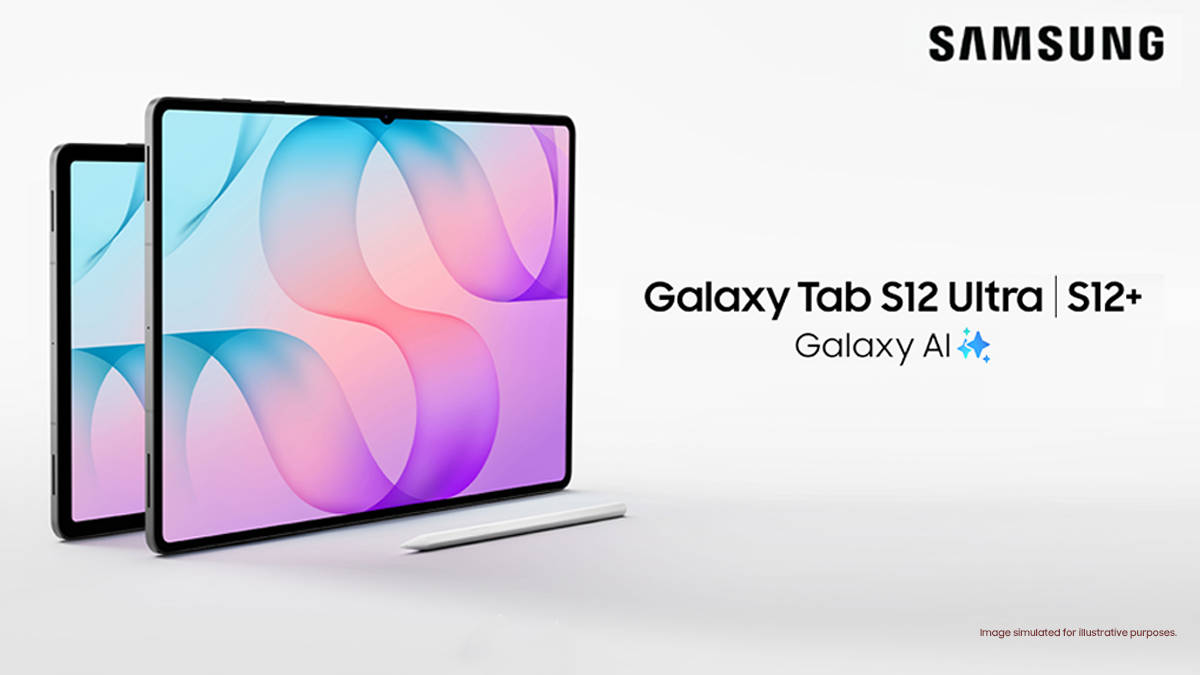
Work, learning and creation are three very different demands, and a premium tablet is now expected to handle all of them in a single day. Fast chips and sharp screens are standard at this price, so the real test is no longer what a tablet can do on paper. It is how smoothly it moves between those three modes once the actual day-to-day work begins. For consultants, executives, analysts and creative professionals, whose time is money and whose output is judged, the best tablet is one where the AI, the pen, the display and the software feel like parts of one tool, and that one tool ends up being more than the sum of its parts.
That is the case Samsung is making with the Galaxy Tab S12 series. Launched in India with sales starting on October 7th, the series comprises the Galaxy Tab S12+ and the Galaxy Tab S12 Ultra, and both come with the S Pen in the box, Google AI Pro, Galaxy AI and Samsung’s promise of up to seven OS upgrades and security updates. This guide explains how the new tablets handle work, learning and creation, how the two models differ and why the Galaxy Tab S12 series belongs on the shortlist of every professional looking for the best AI tablet or best premium tablet in 2026.
Table of Contents
Galaxy Tab S12 series price in India and key specifications
The Samsung Galaxy Tab S12+ starts at ₹1,29,999, while the Galaxy Tab S12 Ultra starts at ₹1,49,999. Both prices are for the 12GB RAM and 256GB Wi-Fi models. Here’s a quick comparison of the key details to consider when choosing a premium tablet:
● Galaxy Tab S12+: 12.6-inch display, 553g, rated for up to 21 hours of video playback, S Pen included; starts at ₹1,29,999.
● Galaxy Tab S12 Ultra: 14.6-inch display, 5.1mm thin, rated for up to 23 hours of video playback, S Pen included; starts at ₹1,49,999.
Both models share the MediaTek Dimensity 9500 processor and include the S Pen in the box. Choose the S12+ for a more portable screen or the Ultra for a larger workspace and longer rated video playback.
| Galaxy Tab S12+ | Galaxy Tab S12 Ultra |
Display | 12.6-inch Dynamic AMOLED 2X, 2800 x 1752, up to 120Hz | 14.6-inch Dynamic AMOLED 2X, 2960 x 1848, up to 120Hz |
Processor | MediaTek Dimensity 9500 (3nm) | MediaTek Dimensity 9500 (3nm) |
Battery | 10,600mAh, up to 21 hours of video playback | 11,600mAh, up to 23 hours of video playback |
Memory and storage | 12GB with 256GB or 512GB, microSD up to 2TB | 12GB with 256GB or 512GB, microSD up to 2TB |
Peak brightness | 1,600 nits | 1,600 nits |
Thickness and weight | 5.3mm, 553g (Wi-Fi) | 5.1mm, 692g (Wi-Fi) |
S Pen | Included in the box | Included in the box |
Durability | IP68 | IP68 |
Software | Android 17 with One UI 9, up to 7 OS upgrades and security updates | Android 17 with One UI 9, up to 7 OS upgrades and security updates |
Price in India (Wi-Fi) | From ₹1,29,999 (12GB/256GB) | From ₹1,49,999 (12GB/256GB) |
Price in India (5G) | From ₹1,44,999 (12GB/256GB) | From ₹1,64,999 (12GB/256GB) |
Galaxy Tab S12+ vs Galaxy Tab S12 Ultra: which model should you buy?
Both tablets share the same MediaTek Dimensity 9500 chip, the same AI features and the same in-box S Pen, so the choice comes down to how and where you work. Let’s go over the use cases that both these tablets enable.
Galaxy Tab S12+: the premium tablet for professionals on the move
The Galaxy Tab S12+ is built for mobile users. At 5.3mm thin and 553g, it is easy to carry between client meetings, boardrooms and flights, yet its 12.6-inch screen still gives you enough room for a document, a reference and your notes side by side. It suits busy professionals who want a premium AI tablet they will genuinely take everywhere.


Galaxy Tab S12 Ultra: the larger workspace for complex research and creation
The Galaxy Tab S12 Ultra is Samsung’s thinnest Galaxy Tab at 5.1mm, and it pairs that slim body with a 14.6-inch Dynamic AMOLED 2X display. That extra space makes the biggest difference when work gets complex: reading a research paper while drafting a report and keeping an AI assistant open, or sketching on a large canvas with tool panels on screen. It also has the larger battery, rated for up to 23 hours. For analysts, researchers, professional designers and video editors, the Ultra is the best Samsung tablet in the line-up.


Work, learning and creation: one tablet for the whole day
A professional’s day rarely stays in one mode. You deliver the work, get across something new and create something worth presenting, often before lunch. The Galaxy Tab S12 series is built to handle all three. The sections below cover the AI that runs through every task, the research workflow that turns sources into finished work, the note-taking apps that keep ideas organised and the creative tools that bring them to life.
AI that works across your whole workflow
The AI features on the Galaxy Tab S12 series are designed to support the way professionals actually think and work, rather than sit apart as separate tricks.
- Google AI Pro: every Galaxy Tab S12 comes with a six-month trial of Google AI Pro, which gives you access to Gemini and Google’s most capable AI models.
- Gemini Notebook: brings your notes, images, recordings and files together in one workspace, then creates summaries, podcasts and even quizzes from them. For client briefings or market research, it turns a scattered pile of material into something you can act on.
- Note Assist: works inside Samsung Notes to automatically format notes into bullets or professional meeting-note layouts, check spelling, translate, and summarise long notes in a Standard or Detailed style. It can also turn voice recordings into text transcripts.
- Galaxy AI agents: you can switch between Bixby, Gemini and Perplexity and choose the assistant that suits the task.
- Now Nudge: works with Multi-Window to understand what is on your screen and suggest the next action.
- Samsung Browser: can summarise information across the pages you have open and bring back a relevant source you viewed earlier.


A smarter research workflow, from first source to finished work
Imagine preparing for a board review, researching a market report or putting together a client pitch.
With 3-way Multi-Window, you can split the screen into three sections, each running its own app. Keep a meeting recording or source PDF in one window, Gemini in the second and your working notes or document in the third. Instead of switching between apps and losing your place, you see the source, the AI assistance and your own work at the same time.
The in-box S Pen handles the parts that feel more natural by hand. You can annotate PDFs, highlight key passages and write notes in Samsung Notes, and the app can convert handwriting into typed text when you are ready to share it. Note Assist then organises and summarises those notes, while Google AI Pro with Gemini Notebook helps you connect ideas across your sources.
When it is time to produce the final piece, the work moves into Microsoft Office. Word, Excel and PowerPoint are available on the Galaxy Tab S12 series through the Play Store, and a Microsoft 365 subscription unlocks full editing on large-screen tablets, so proposals, reports and presentations can be finished on the tablet itself. Samsung DeX turns the tablet into a PC-like desktop with up to four workspaces, which helps when a task needs more windows than a split screen allows. And because the tablet is part of the connected Galaxy experience, your Samsung Notes stay in sync with your Galaxy phone, and Quick Share moves files between your devices in seconds.
Best note-taking apps for the Galaxy Tab S12+ and Galaxy Tab S12 Ultra
Note-taking is where a premium tablet earns its keep, and the Galaxy Tab S12 series gives you more choice than most. Samsung Notes is the natural starting point because it works directly with Note Assist and handwriting conversion. Notability comes pre-loaded and is optimised for the S Pen, with a six-month trial of Notability Plus. Goodnotes and Notion are also pre-loaded, so you can pick the app that suits the way you work.
If you want your notes to sync across a Galaxy phone and tablet, Samsung Notes is the simplest choice. If you work across different platforms or with a team, Notability, Goodnotes and Notion are strong options for organising research and sharing work, which makes the tablet well suited to team projects too.
Built for every creative need
The S Pen on the Galaxy Tab S12 series offers ultra-low latency for precise input and a natural writing feel, which matters as much for drawing as it does for notes. Adobe Photoshop comes pre-loaded with four months of free access to the Photoshop mobile plan, and Samsung says it is available on an Android tablet for the first time. Clip Studio Paint comes with a six-month trial, LumaFusion is there for video editing, and Creative Studio uses AI image generation to help turn rough ideas into finished visuals. For creative professionals, the Galaxy Tab S12 series moves easily from ideation to finished creation without needing a laptop.

Real-world performance that does not fade
The MediaTek Dimensity 9500 is built on a 3nm process, and Samsung says it delivers up to 61 per cent faster NPU processing, 19 per cent faster CPU performance and 17 per cent better GPU performance than the previous generation model. The NPU gain matters most for on-device AI.
Raw speed is only part of the story, though, because long working sessions, video exports and heavy multitasking all generate heat. The new 3D Vapor Chamber is designed to dissipate heat faster and more efficiently than the flat vapour chamber used on earlier models, which helps the Galaxy Tab S12 series sustain its performance through demanding workloads.
Display and audio: a premium canvas for work and play
Both Samsung Galaxy Tab S12 models have Dynamic AMOLED 2X displays with refresh rates of up to 120Hz and peak brightness of up to 1,600 nits; actual brightness can vary with content and viewing conditions. The Galaxy Tab S12 Ultra has the larger 14.6-inch screen, with a resolution of 2,960 × 1,848 pixels, making it the better choice for a spacious workspace, detailed creative work and viewing multiple windows. The 12.6-inch Galaxy Tab S12+ has a resolution of 2,800 × 1,752 pixels and is easier to carry while still offering plenty of room for everyday tasks. Vision Booster adjusts brightness, contrast and colour to suit your surroundings, helping keep the display clear in settings such as a conference room or near a window. In short, choose the Ultra for the largest display and the S12+ for a more portable screen.
OLED and AMOLED labels alone do not determine which display is better. When comparing screens, consider verified brightness, HDR support, reflections and colour performance, as well as size. The Galaxy Tab S12 Ultra’s larger display gives you more room for multitasking and creative work, while the S12+ offers a more portable screen. Choose based on the viewing conditions and workspace you need; the specifications listed above do not establish a winner for HDR or reflection handling.
Both tablets have a four-speaker system, which Samsung says can create a wide soundstage for video calls, meetings, films and music. They can also detect the type of audio playing and adjust sound settings automatically. These are stated features, not a listening-test assessment; actual sound quality may vary by content and listening conditions.
To decide which Galaxy Tab S12 model has the better audio quality, compare them in the same listening conditions and at matched volume. Check vocal clarity, bass, stereo separation and distortion across calls, music and video. Both have four speakers, but that specification alone does not establish which sounds better; without consistent listening-test results, there is no clear audio winner.

Battery life, durability and long-term support
The Galaxy Tab S12 Ultra is rated for up to 23 hours of video playback and the Galaxy Tab S12+ for up to 21 hours, enough for a full day of meetings and travel with charge to spare. With a 45W adapter, sold separately, Samsung says both charge from 0 to 100 per cent in about 95 minutes.
For long-term use, check the exact tablet’s battery rating, durability, repair options and software support before you buy. Both Galaxy Tab S12 models are rated IP68 for water and dust resistance, tested in up to 1.5 metres of fresh water for up to 30 minutes, and use Enhanced Armor Aluminium. Samsung promises up to seven OS upgrades and Security Updates for the series; confirm the applicable support terms for your model and region. Samsung Care+ may cover accidental damage and mechanical breakdowns, subject to its plan terms, so check the coverage, cost and repair process. Also factor in optional accessories, such as a keyboard, and consider whether the rated battery life suits your typical workday.

How the Galaxy Tab S12 series compares with the iPad
The Galaxy Tab S12 series makes a strong case as an alternative to iPad when you compare price, screen size and everyday tasks.
The Galaxy Tab S12+ at ₹1,29,999 lines up against the iPad Pro 11-inch, which costs ₹1,39,900 for the 256GB Wi-Fi model on Apple India. The Galaxy Tab S12 Ultra at ₹1,49,999 compares with the iPad Pro 13-inch at ₹1,99,900, a difference of ₹49,901. The gap grows once you add a pen, because the S Pen comes in the box with every Galaxy Tab S12, while the Apple Pencil is sold separately.
- Research and AI: Google AI Pro, Gemini Notebook and Note Assist cover research, summaries and note organisation in one connected workflow.
- Notes and PDFs: the in-box S Pen, Samsung Notes and pre-loaded apps such as Notability and Goodnotes make handwritten notes and PDF annotation easy from day one.
- Multitasking: 3-way Multi-Window and DeX with up to four workspaces give flexible, laptop-like productivity.
- Durability: IP68 water and dust resistance adds peace of mind for a device you carry every day.
- Drawing and editing: Photoshop, Clip Studio Paint and LumaFusion are ready to go, and the pen needed to use them properly is already in the box.
- Microsoft Office: Word, Excel and PowerPoint run alongside your research and notes in 3-way Multi-Window.
- Portability and all-day use: the Galaxy Tab S12 Ultra is 5.1mm thin and rated for up to 23 hours of video playback, and the Galaxy Tab S12+ weighs just 553g.
- Storage: microSD expansion up to 2TB means you are not locked into the storage you buy.
- Accessories: a keyboard is optional on both platforms. Samsung’s Pro Keyboard Cover costs ₹26,499 for the Galaxy Tab S12+ and ₹27,999 for the Ultra, with 30 per cent off at launch when bought with the tablet, while Apple sells its Pencil and keyboard separately, which adds to the iPad’s total setup cost.
Considering the Galaxy Tab S12 series offers the stronger mix of flexibility and value, even some of the hardcore iPad fans would seriously consider switching.
Best for whom?
The best flagship tablet in India depends on your work and the setup you need. Consultants and executives may prefer the Galaxy Tab S12+ for its portable screen, included S Pen and rated battery life of up to 21 hours. Analysts and researchers can choose either model for a workflow that moves from source material to notes and finished documents; the Ultra’s larger display offers more room for multitasking. For creative work and productivity, both are Android tablets with Photoshop, Clip Studio Paint, LumaFusion, Microsoft Office and Samsung DeX, while the Ultra provides the larger canvas. Compare the apps required for your professional workflow, since an iPad Pro may suit you better if specific software or Apple-device integration is essential. Also compare the full setup cost, including a keyboard and pen: the S Pen is included with the Galaxy Tab S12 series, while Apple accessories are sold separately. The S12 series is a compelling premium alternative to the iPad, but the right choice depends on portability, screen space, software and ecosystem.
That is the real point of the Galaxy Tab S12 series. Technology leadership does not come from any one specification. It comes from how intelligently the whole device works together, helping you move from information to understanding, and from understanding to finished work.
Launch offers on the Galaxy Tab S12 series
Samsung has lined up a range of launch offers in India:
- Get up to 40% of assured buy back and 2 years device protection with Galaxy Forever and Samsung Care+
- ₹15,000 off when you buy the tablet with an eligible Galaxy smartphone
- 15% off on Galaxy Buds4 & Buds4 Pro and 30% off on the Pro Keyboard Cover when bought with the tablet
- No Cost EMI for up to 24 months
Add the launch offers to the in-box S Pen, Google AI Pro and up to seven OS upgrades, and the Galaxy Tab S12 series makes its case on value as well as capability. From the first call of the morning to the last edit at night, it is one tablet for the whole professional day. Work, learning, and creation, all packed into one.
FAQs
Can Galaxy Tab S12 tablets convert handwriting to text?
The Galaxy Tab S12 series can convert handwriting to text. Samsung Notes converts handwriting written with the S Pen into typed text, and Note Assist can then format, translate and summarise it.
Can I use Microsoft Office on the Galaxy Tab S12 series?
Yes. Word, Excel and PowerPoint are available on the Galaxy Tab S12 series through the Play Store, and 3-way Multi-Window and DeX let you work on documents alongside your research.
Which tablet has the best AI tools for meeting notes?
The Galaxy Tab S12 series combines Note Assist for summaries, transcripts and auto-formatted note layouts, Gemini Notebook for turning notes and recordings into summaries and podcasts, and the in-box S Pen for handwriting, which makes it one of the most complete AI note-taking tablets available.
Is the Galaxy Tab S12 series good for professionals who need note-taking and multitasking?
Yes. The S Pen is included, 3-way Multi-Window keeps presentation slides, research and notes on screen together, and battery life of up to 21 hours on the Galaxy Tab S12+ and 23 hours on the Ultra covers a full working day. The tablets also handle proposals, reports and team projects through Microsoft Office, Notion and Quick Share.
What is the best note-taking app for the Galaxy Tab S12+ and Galaxy Tab S12 Ultra?
Samsung Notes is the best starting point because it works with Note Assist and syncs with Galaxy phones. Notability, Goodnotes and Notion are pre-loaded for those who need cross-platform syncing or team collaboration.
Which premium tablet offers the best combination of AI, display and performance?
The Galaxy Tab S12 Ultra brings together Google AI Pro, Gemini Notebook and Note Assist with a 14.6-inch Dynamic AMOLED 2X display at 2960 x 1848, a 120Hz refresh rate, 1,600 nits of peak brightness, a four-speaker system and the Dimensity 9500 with a 3D Vapor Chamber. It is the best Samsung tablet for professionals who want all of it in one device.
Is the Galaxy Tab S12 series a good choice for reliable updates and durability?
The Galaxy Tab S12 series may suit buyers who prioritise durability and long-term software support: both models are rated IP68, and Samsung promises up to seven OS upgrades and security updates. Before buying, confirm the exact model’s support period and check Samsung Care+ coverage, local repair options and service terms, which can vary by region and plan.

