After formally announcing last month that eligible OnePlus devices will start receiving ColorOS updates going forward, starting with Android 17, the first glimpse of that transition is here. As with every major Android release, OnePlus is sending out closed beta invites to interested OnePlus 15 and 15R users to try the latest software iteration, except this time it’s ColorOS instead of OxygenOS. While the application page doesn’t state that it’s the ColorOS 17 update, the timeline strongly suggests it is, since closed beta testing is typically reserved for major software releases.
Table of Contents
How to apply for ColorOS 17 Closed Beta testing on OnePlus 15, 15R
The ColorOS 17 Closed Beta update is open to only 300 users of OnePlus 15 and OnePlus 15R, provided you complete and successfully pass the quiz when applying for the beta programme. Interested users must apply before August 7th, which is the deadline for the beta firmware.
Furthermore, as stated in OnePlus Community’s official post, one may be required to sign a Non-Disclosure Agreement (NDA) and submit your personal details, such as phone number and OnePlus account username, to be eligible to try out the firmware even if you’ve passed the quiz.
With that out of the way, here’s how you can apply for the ColorOS 15 Closed Beta testing programme:
Step 1: Go ahead and open Settings
Step 2: Open the System & Update menu
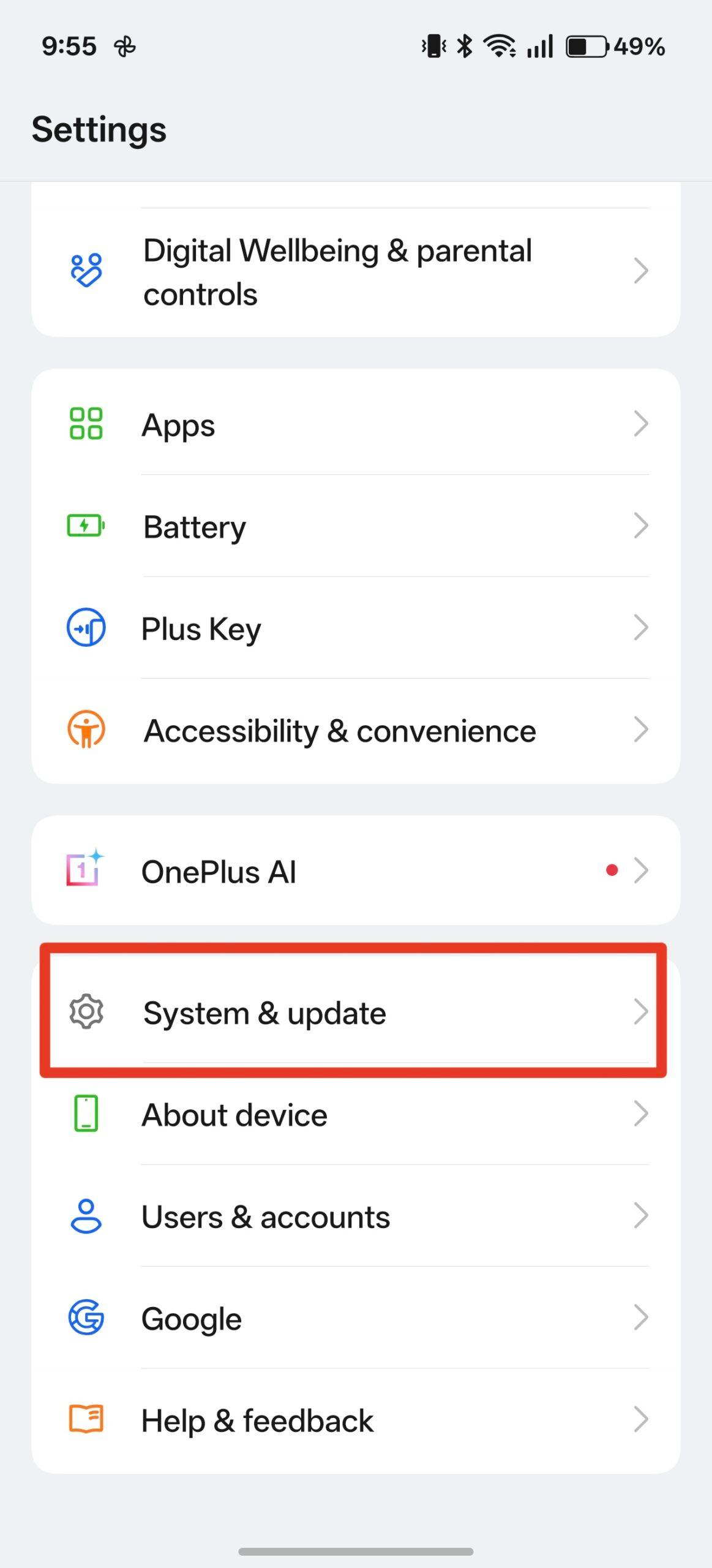
Step 3: Now select Software update
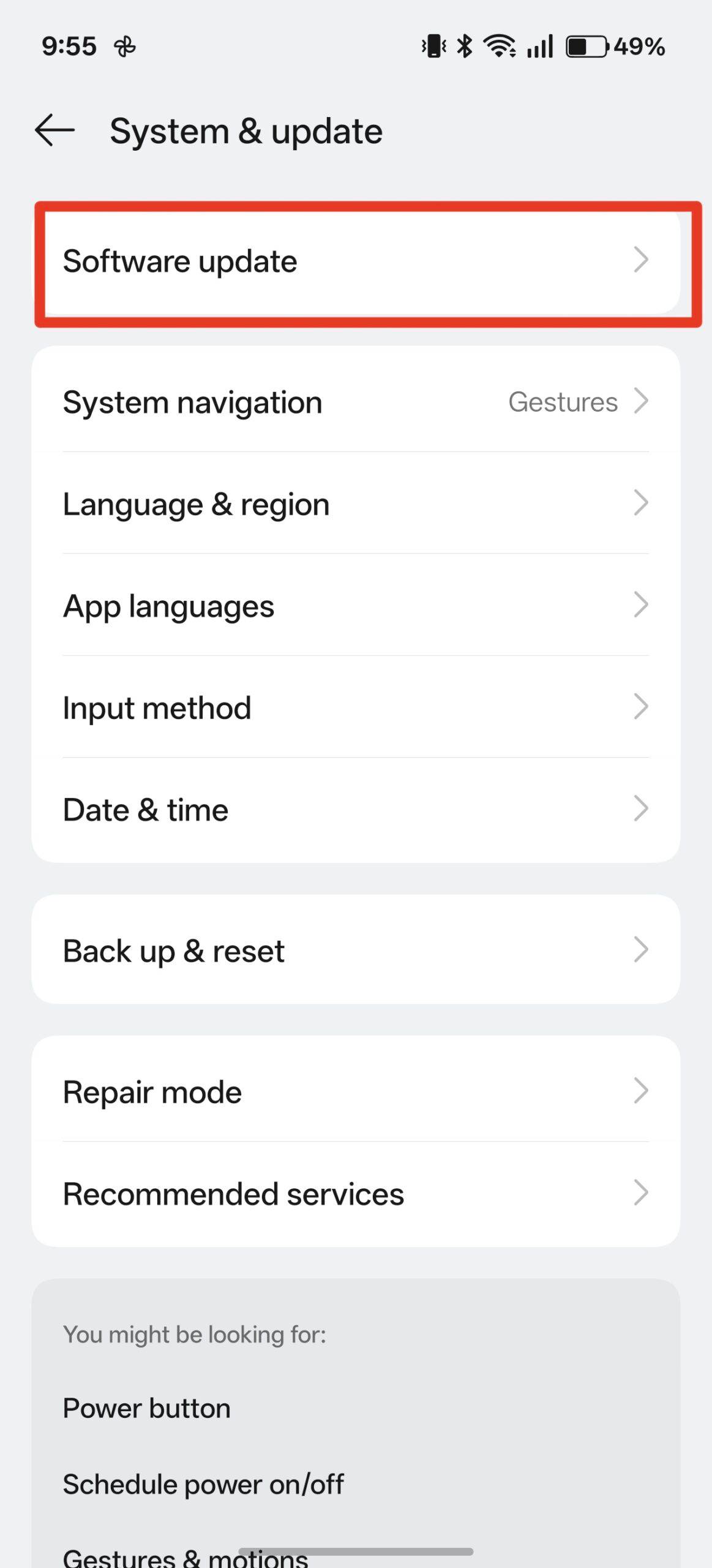
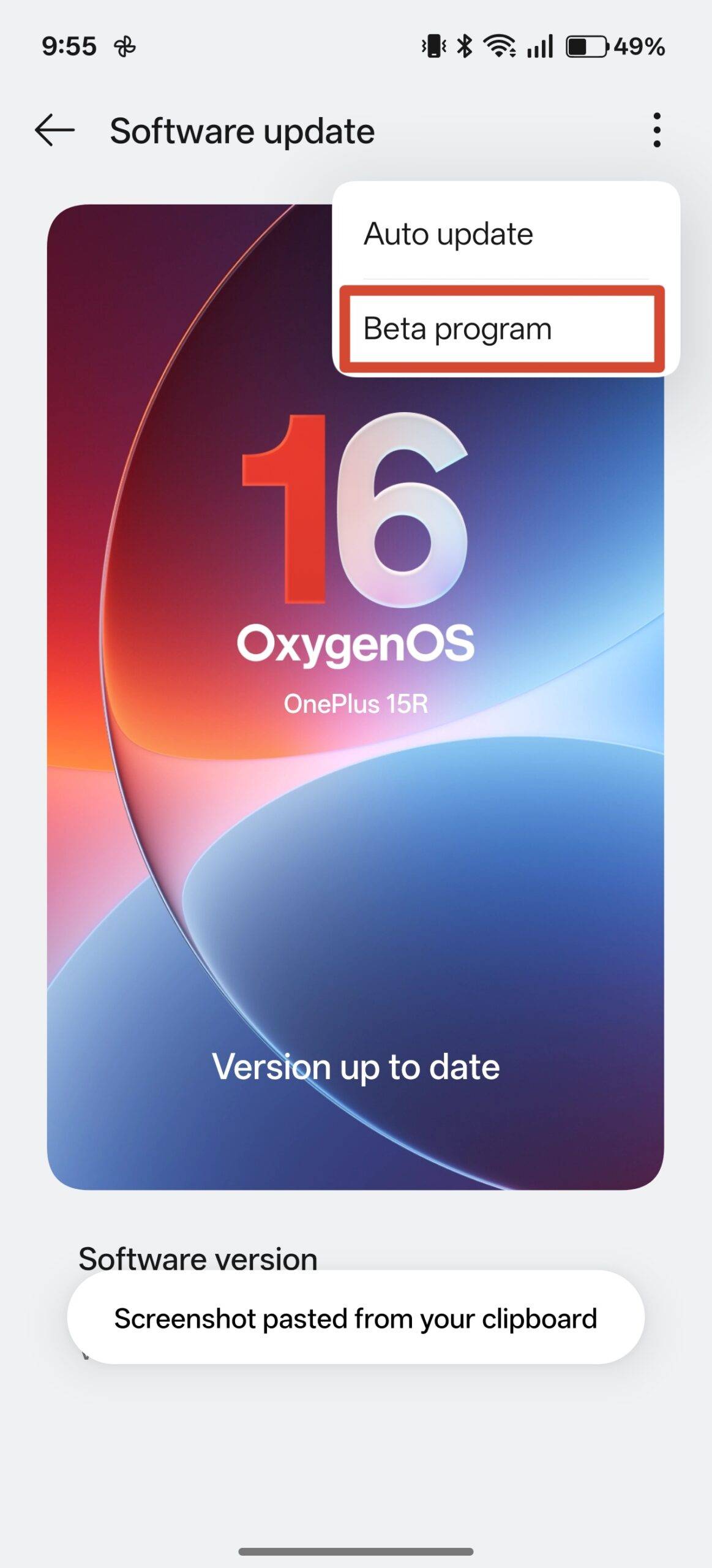
Step 4: Tap the three-dot menu in the top right corner and select Beta program
Step 5: Hit the ‘Apply‘ button under the Closed beta section
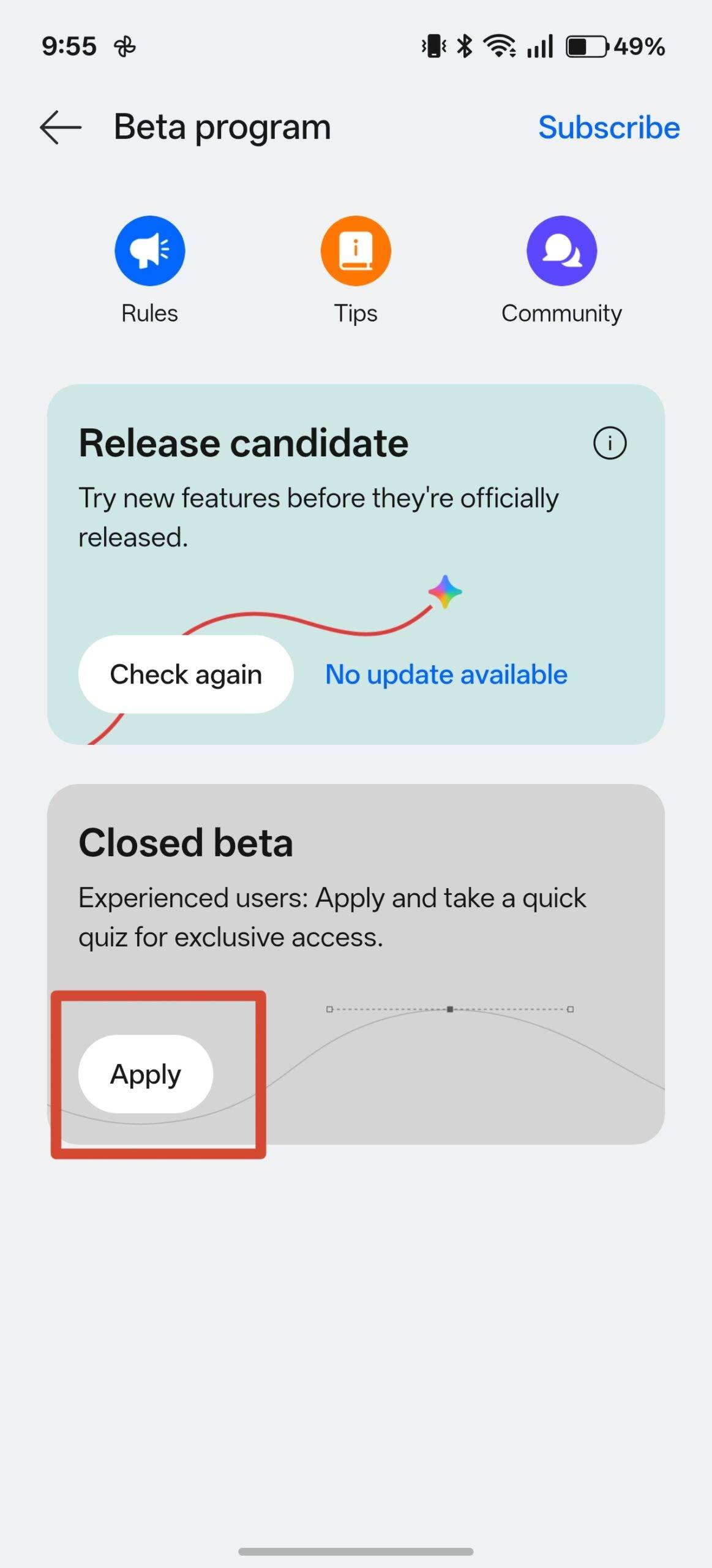
Step 6: You can read the prerequisites for the beta update on the next page, agree to the necessary requirements and hit ‘Apply‘
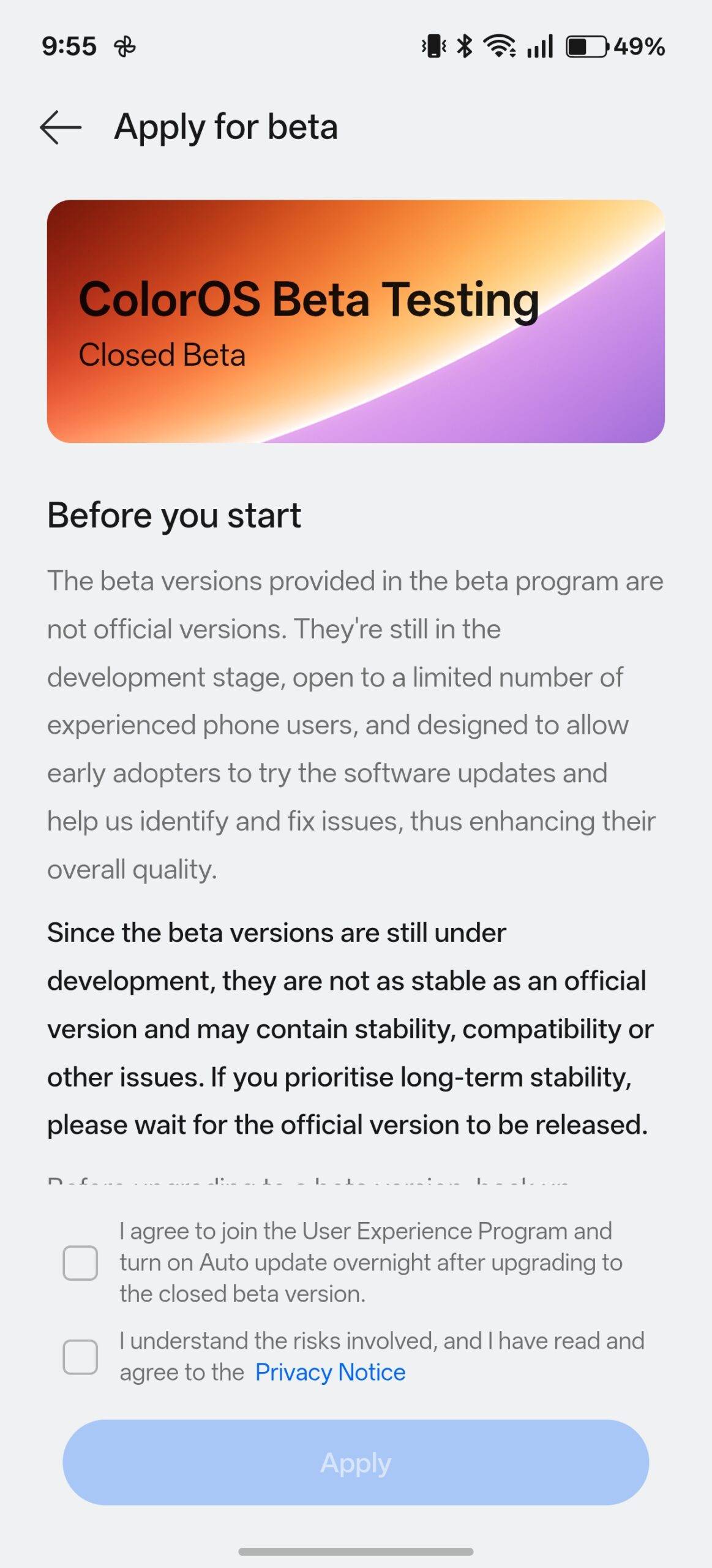
Step 7: It’ll ask you to continue with your OnePlus account. Once signed in, you’ll be required to take a quiz comprising 15 questions
Step 8: You can take the quiz three times, and the highest score will be considered for your application
Step 9: Depending on the quiz result, you’ll be notified whether you can participate in the ColorOS 17 Closed Beta testing or not within a few days
Additionally, the ColorOS 17 Closed Beta testing has also begun for OPPO Find X9 Pro, OPPO Reno 15 Pro, and Realme GT 8 Pro in India starting today. In an aim to centralise the operations and resources, OnePlus and Realme recently announced that both brands will utilise ColorOS going forward, with OPPO spearheading the two brands’ software operations.
For users, this should hopefully result in even faster update rollouts, more frequent feedback addressing, and significantly improved software stability.
What to expect on ColorOS 17
OxygenOS 16, despite completely running on the ColorOS codebase, features minor exclusive details that separated it from ColorOS and Realme UI in terms of design and appearance. For instance, it had rounded sliders for volume and brightness in quick settings, along with the red-accented clock on the lockscreen, both of which were missing on ColorOS 16 and Realme UI 7.
With ColorOS 17 arriving on OnePlus phones, it remains to be seen whether such details are retained. As for the new additions, per leaks, a major design change could arrive in the form of rounded corners on every first-party element, such as pop-up menus and buttons. On the other hand, one can also expect improvements to OPPO’s Lumious Rendering Engine, which is responsible for displaying real-time blur and light effects in various parts of the UI.
Besides that, ColorOS’ Director confirmed a couple of months ago that ColorOS 17 prioritise improving the core experience, resulting in faster performance, better efficiency, and greater system stability. That being said, OnePlus has confirmed that it will offer the option to roll back to OxygenOS 16 even if you’ve installed the stable ColorOS 17 update later this year.