Apple has begun rolling out iOS 26.3, a relatively smaller update but with important security and migration features. It focusses on smoother device switching, minor customisation tweaks and a set of security patches that Apple says users should not ignore.
Switching from iPhone to Android just got simpler
Apple is making it easier to move from an iPhone to an Android phone. iOS 26.3 introduces a new transfer tool that lets users place their iPhone next to an Android device to begin moving data. Photos, messages, notes, apps, passwords and contacts can transfer without needing to download a separate app.
Google has long offered a similar tool for users moving to Pixel or other Android devices. Apple’s version brings parity, and perhaps signals greater confidence in its ecosystem. Not everything makes the jump, though. Health data, locked notes and certain protected content are excluded, and Bluetooth-paired devices will need to be set up again. Even so, this is the most direct exit path Apple has offered so far.
For buyers weighing a switch between iOS and Android, this lowers one practical barrier. Data migration has often been the most stressful part of changing platforms.
Weather wallpapers and small polish updates
Lock Screen customisation also gets a light refresh. Weather wallpapers now have their own section instead of sitting inside the Astronomy category. Apple has added three ready-made Weather layouts with different clock styles and widgets.
It’s not a major feature, but it makes the dynamic weather visuals easier to discover and use. Compared to Android, where lock screen customisation varies widely by brand, Apple continues to take a more curated approach.
New privacy control for carrier tracking
A more substantive change is a new setting that limits how precisely mobile carriers can track location, provided the carrier supports it. When enabled, carriers are restricted to approximate location data rather than near street-level precision.
This works only on iPhones using Apple’s C1 or C1X modems, currently found in the iPhone 16e and iPhone Air. Support depends on the carrier, and the setting requires a restart once toggled.
Security fixes
The most important part of iOS 26.3 may be what users cannot see. Apple says the update patches dozens of vulnerabilities, including one in the dyld dynamic link editor that was already being exploited in a targeted attack. Other fixes cover areas such as CoreAudio, Messages and Photos. One issue could allow photos to be accessed from the Lock Screen if someone had physical access to the device. Once vulnerabilities are publicly disclosed, they become easier to target.
Should you update?
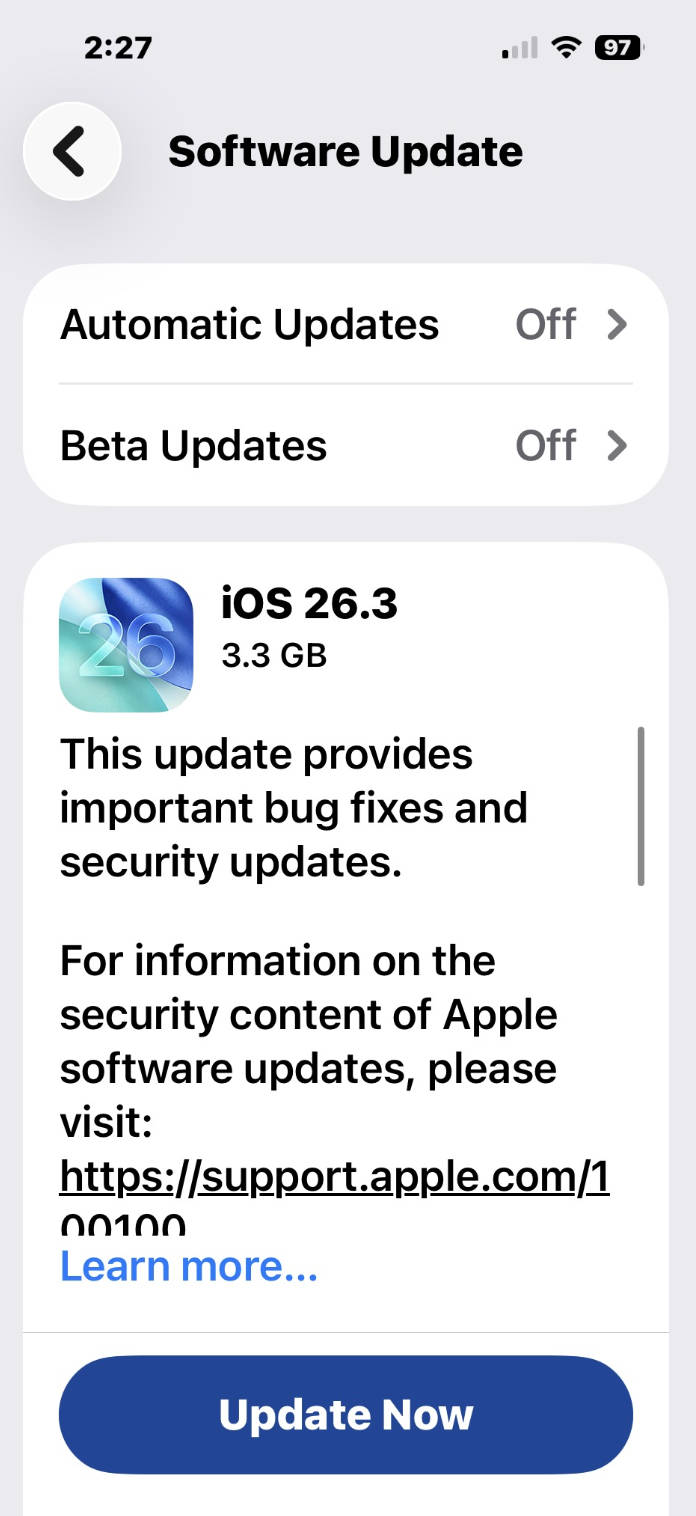
If you are already on iOS 26, this is an update worth installing sooner rather than later, primarily for the security fixes. The new transfer tool and privacy toggle are useful additions, but the real value lies in protection. The update supports all iPhones that run iOS 26, including the iPhone 11 and newer. To install it, go to Settings, tap General, then Software Update.
Looking ahead, Apple is expected to release the first iOS 26.4 beta soon, with more visible changes likely tied to the long-awaited Siri overhaul. For now, iOS 26.3 is about tightening the bolts rather than adding new ones.