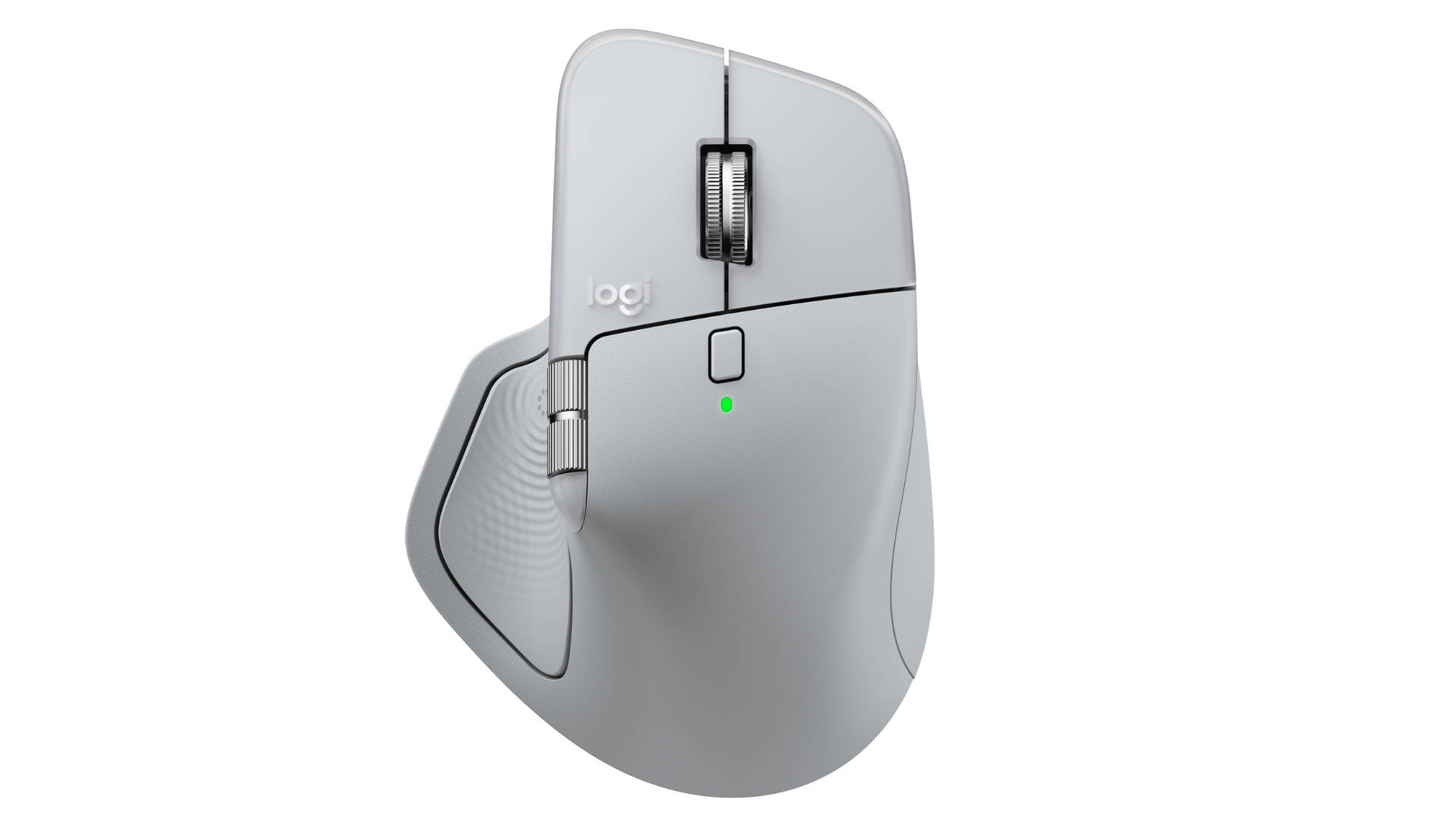
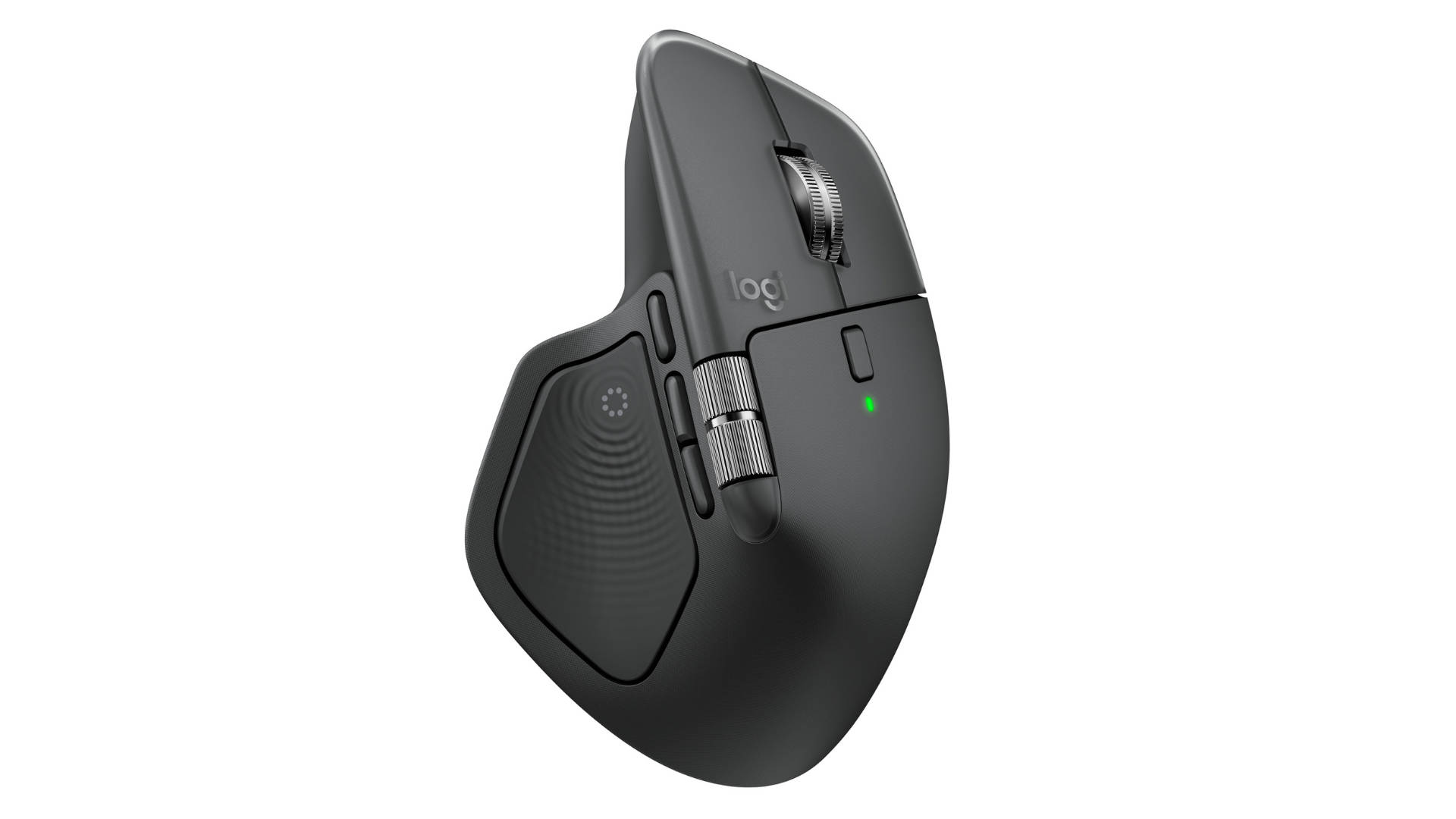
Logitech has unveiled the latest addition to its popular MX Master lineup, the MX Master 4. The Master lineup is aimed at creative professionals, developers and business users. The Master 4 brings customisable haptic feedback, making it the first MX mouse to offer tactile responses for scrolling, navigating and precision tasks.
The Logitech MX Master 4 is priced at Rs 15,995 in India and will be available in Graphite and Pale Grey colour options. Each purchase also includes a one-month Adobe Creative Cloud subscription, covering apps like Photoshop, Lightroom, and Premiere Pro.
With haptics, deeper software integration, and enterprise-friendly features, the MX Master 4 positions itself as a productivity-focused upgrade rather than a cosmetic refresh, clearly aimed at professionals who spend long hours at their desks.
At the core of the upgrade is Logitech’s new action ring, a software-driven overlay enabled through Logi options plus application. It places an app-specific shortcut directly on the screen, which should allow users to access tools and commands without excessive mouse movement. Logitech claims this can reduce repetitive actions by up to 63 percent while also speeding up workflows across applications like Photoshop, Excel and video editing software.
Logitech claims the MX Master 4 delivers up to twice the connectivity strength compared to earlier models, such as the MX Master 3S. According to the company, this improvement comes from a new high-performance chip and optimised antenna placement. The brand also adds that the updated USB-C receiver helps maintain a more stable connection across laptops, desktops and tablets.
Design-wise, the mouse retains the ergonomic shape the MX series is known for, while adding stain-resistant materials and quieter clicks, claimed to be 90 percent quieter than the MX Master 3. Logitech says this makes it better suited for shared workspaces and open offices.
For enterprises, Logitech has introduced the MX Master 4 for Business, which supports easier deployment and remote monitoring through Logitech Sync. IT administrators can manage devices without physical access, while Logi Bolt is supposed to ensure reliable wireless performance in dense office setups.
On the performance side, the mouse features an 8,000 Dots per inch (DPI) sensor that is supposed to work even on glass surfaces. DPI basically controls how fast your cursor moves. Large or ultra-wide monitors benefit from higher DPI, so you don’t have to drag the mouse repeatedly. Meanwhile, Creative work benefits from adjustable DPI, letting you switch between fast navigation and slow, precise control.
Furthermore, the MagSpeed scrolling is capable of moving through up to 1,000 lines per second, and multi-device pairing for up to three devices. Battery life is rated at up to 70 days on a full charge, with a one-minute USB-C top-up delivering up to three hours of use. If you’re someone who “puts in the hours” and wants more control, fewer repetitive actions, deeper software customisation, and if your budget allows, the MX Master 4 could be worth a look.
The Logitech MX Master series has long been regarded as the benchmark for productivity mice. Since its introduction, the lineup has been positioned above entry-level and mid-range offerings, targeting creators, power users, developers, and professionals who spend many hours working with complex workflows. The series is known for its ergonomic design, advanced scrolling tech (MagSpeed), multi-device support, and deep software customisation via Logi Options/Logi Options+.
With the MX Master 4, Logitech builds on that legacy by adding customisable haptic feedback and the Actions Ring interface, elevating tactile control and reducing repetitive movements, features that cater well to users who want finer precision and a more interactive control experience.
However, if you are in the market for a mouse and looking for options, alternatives in the Rs 12,000 to Rs 18,000 range also offer compelling value. Notable options in the same price segment include Logitech MX Master 3/3S. The immediately preceding generation remains widely available and often retails slightly lower. It offers the same ergonomic comfort, MagSpeed wheel, and multi-device support, but without haptics and the new Actions Ring enhancements.
There is also the Razer Pro Click or the Pro Click Mini, which is yet another premium Productivity mouse. It is built for professionals who want comfort with a hint of performance DNA. Featuring up to 8,000 DPI sensor, multi-device Bluetooth pairing and reliable build quality and battery life.
The productivity mouse market has shifted towards smarter interactions and software-driven workflows. This trend reflects broader user behaviour: people are spending more time in apps like spreadsheets, browser tabs, design suites, and creative tools where tiny efficiency gains (like reduced wrist movement or faster tool switching) can noticeably improve comfort and output. Logitech’s Actions Ring and haptics directly tap into this trend by driving contextual control with muscle memory cues.