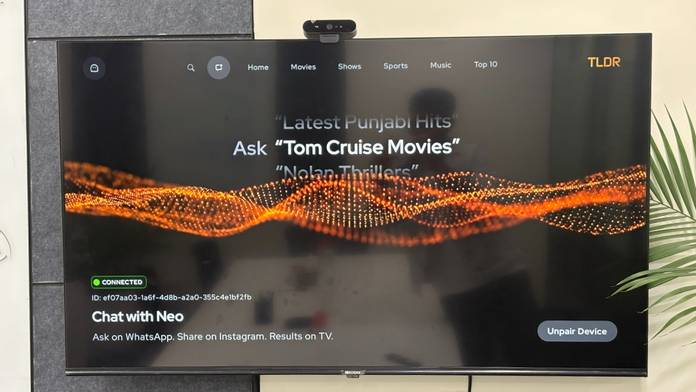
Homegrown TV maker Lumio has released TLDR, an AI-powered content discovery app that is part of its Project Neo initiative. It is currently available as a public beta on Lumio TVs and projectors; however, our beta testing shows that TLDR is also compatible with Android TV (v11 and above), Google TV, and supported projectors. Users can connect the app through WhatsApp or Instagram on their smartphones and simply chat with it for content recommendations. These recommendations are automatically shared with the TV, complete with the relevant streaming platforms, and users can even cast Instagram Reels directly to their TV.
“Instead of typing with a remote, jumping across apps, or remembering where a show lives, users can say what they want to watch; Neo brings it to the TV,” said the company in its press release. TLDR supports English, Hindi, and Hinglish, making it easy for users to interact with the app.
The app aims to solve one of the biggest frustrations with smart TVs: finding something to watch. “A colleague mentions a show over lunch, a friend sends a reel of the latest trailer, your wife texts you things to watch on WhatsApp. Then you sit down in front of the TV, and it’s all forgotten, so you’re doomed to scroll. That gap between where we discover content and where we actually watch it is exactly what Neo closes. You just say what you’re in the mood for, or forward the reel on WhatsApp and Instagram, and it’s on your screen,” said Kailash Sankaranarayanan, Co-Founder & COO, Circuit House Technologies, on the release of the app.
After using the beta version of the TLDR app, I can say it has a solid foundation and the potential to become a genuinely useful companion for Android TV users. However, there are a few areas that need improvement, particularly follow-up conversations. While the app is designed to support natural interactions, it currently struggles with contextual follow-up queries. For example, after asking for “Best horror movies”, users can’t naturally refine the results with prompts such as “On JioHotstar” or “Bollywood”.
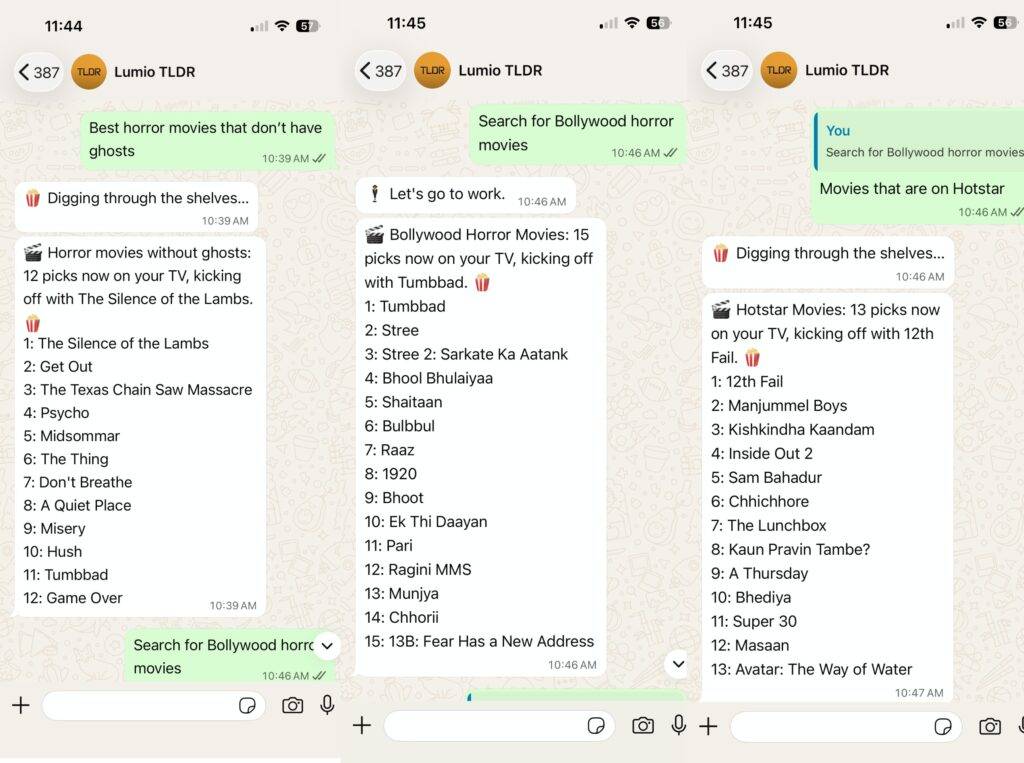
Furthermore, Instagram Reels do not currently support full-screen playback. I also encountered a few unexpected app crashes, and the connection between the TV and smartphone app occasionally dropped when the app was running in the background. However, it is worth noting that the TLDR app seamlessly paired with my smartphone and continued to work remotely once connected. The interface also supports various tabs for Home, Movies, Shows, Sports, Music, and more in case you want to browse and not use AI.
The TLDR app is available for download via the Play Store on compatible devices. If you often struggle with what to watch on TV, the app is worth getting.