Continuing the signature Nothing OS look and feel, the fourth iteration, Nothing OS 4.0, was released in stable form last November for the Phone (3) and Phone (2). Built on Android 16, the firmware introduces new features and improvements while strengthening privacy and security. It also addressed several longstanding shortcomings, such as bringing a pitch-black dark mode and the ability to open two apps in floating windows. While the update has rolled out to all eligible devices, the company is now gearing up to release Nothing OS 4.1, the latest Nothing OS version preloaded on the Phone (4a) series.
As an iterative upgrade, the update further refines the features and design language, resulting in a comprehensive UI experience. This guide provides all the details on the devices eligible for the update, their features, the process to download and install the update, and more.
Table of Contents
Which Nothing phones are eligible for Nothing OS 4.0/4.1 update?
Nothing and CMF’s entire smartphone lineup of 2024 and 2025 is eligible for the Nothing OS 4.0 update, along with its 2023 flagship, Phone (2). As for the Nothing OS 4.1 update, which debuted alongside the Phone (4a) series, the brand hasn’t confirmed when it plans to release it, but it should arrive on all phones already running Nothing OS 4.0.
| Series | Model names |
| Flagship series |
|
| Phone (a) series |
|
| CMF Phone series | December 2025: CMF Phone 2 Pro, CMF Phone 1 |
As with Nothing OS 3.1 and 3.2, all devices eligible for Nothing OS 3.0 eventually received subsequent updates. One can expect the same for Nothing smartphones awaiting the Nothing OS 4.1 update.
Nothing phones currently running on Nothing OS 4.0/4.1
| Series | Model names |
| Flagship series | Nothing Phone (3), Nothing Phone (2) |
| Phone (a) series | Nothing Phone (4a), Phone (4a) Pro, Phone (3a), Phone (3a) Pro, Phone (2a), Phone (2a) Plus |
| CMF Phone series | CMF Phone 2 Pro, CMF Phone 1 |
As of March 2026, every eligible device has received the Nothing OS 4.0 update, while the Nothing Phone (4a) and Phone (4a) Pro were released running Nothing OS 4.1. While we’ve explored all the key changes and improvements Nothing OS 4.1 brings in detail in the aforementioned sections, the firmware enhances lockscreen customisation and brings key AI features.
How to check your current Nothing OS version
In case you’re unsure whether you’re running the latest Nothing OS 4 update on your Nothing smartphone, here’s how to check your current firmware version:
Step 1: Open the Settings app on your Nothing phone
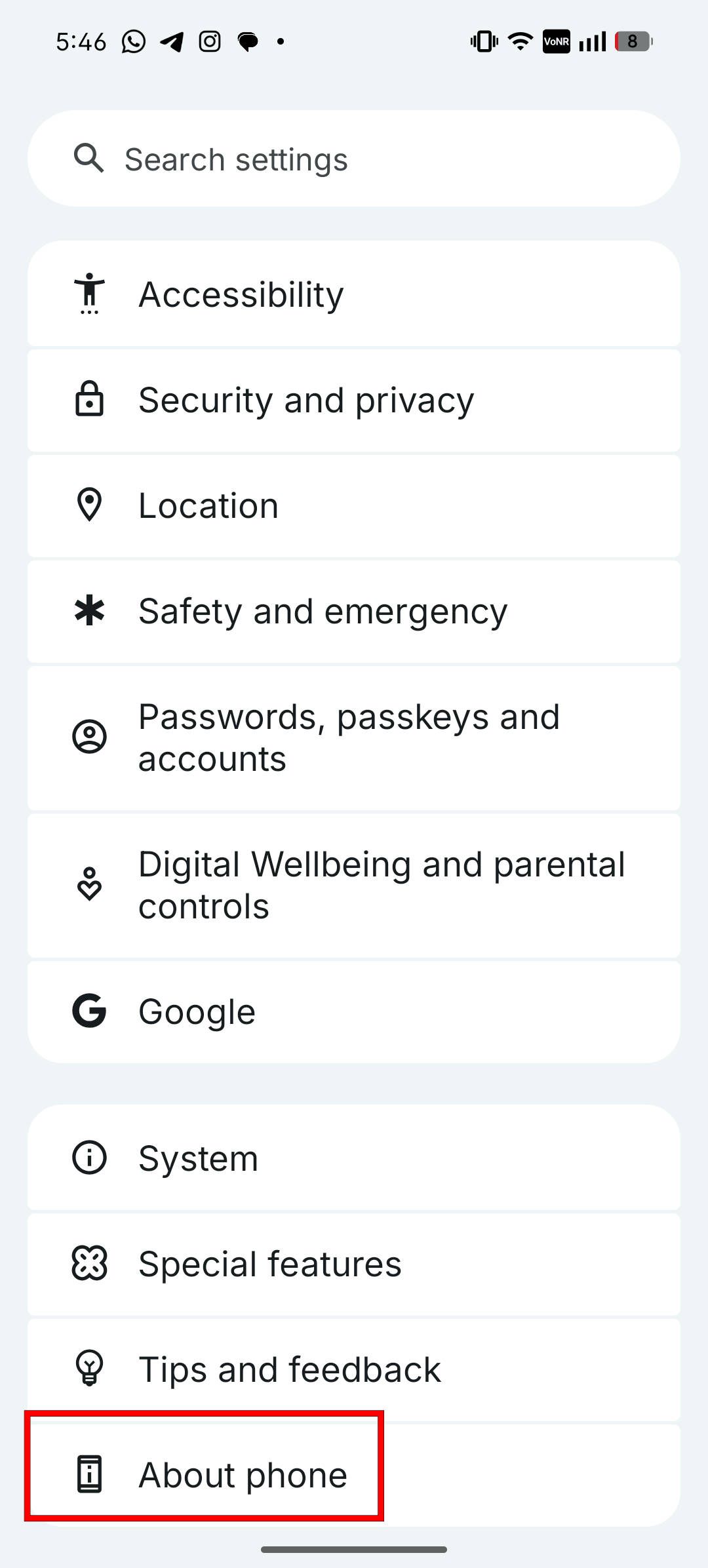
Step 2: Scroll down to the bottom of the page and select About phone
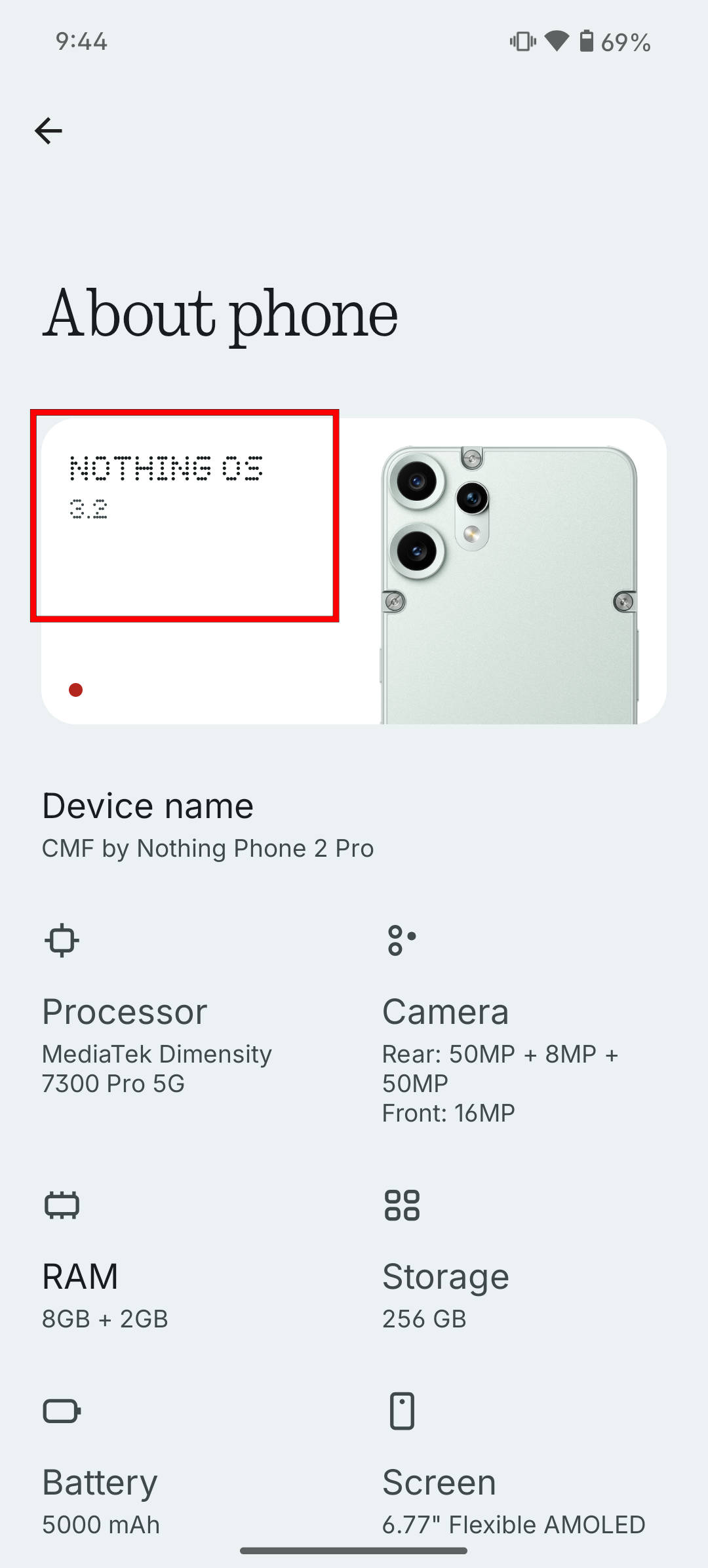
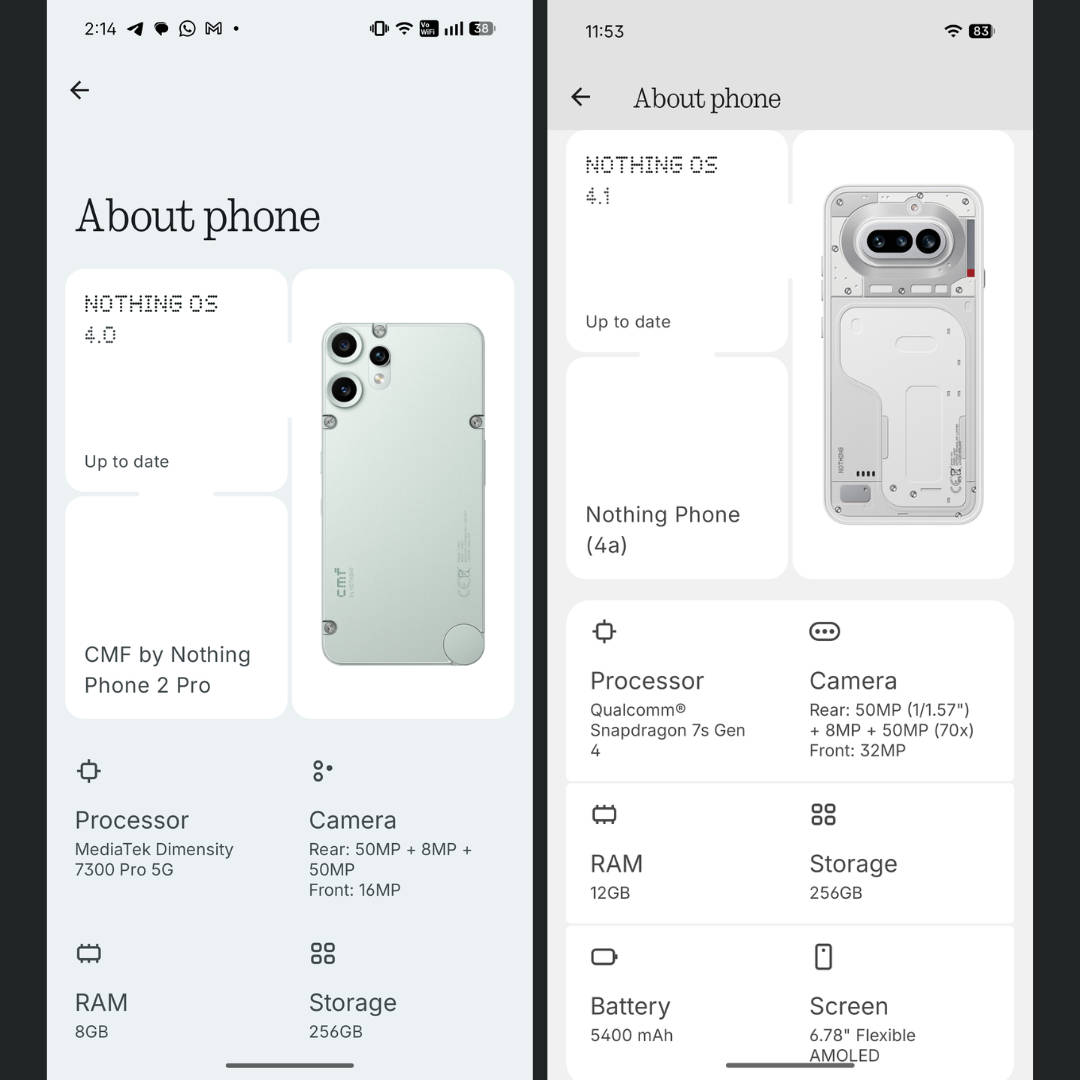
Step 3: The box at the top left corner indicates the current Nothing OS version your phone is running
How to update your Nothing phone to Nothing OS 4
Since Nothing has rolled out Nothing OS 4.0 from its end for all the eligible devices, here’s how you can update your phone:
Step 1: Go ahead and open the Settings app
Step 2: Now, go to the About phone section
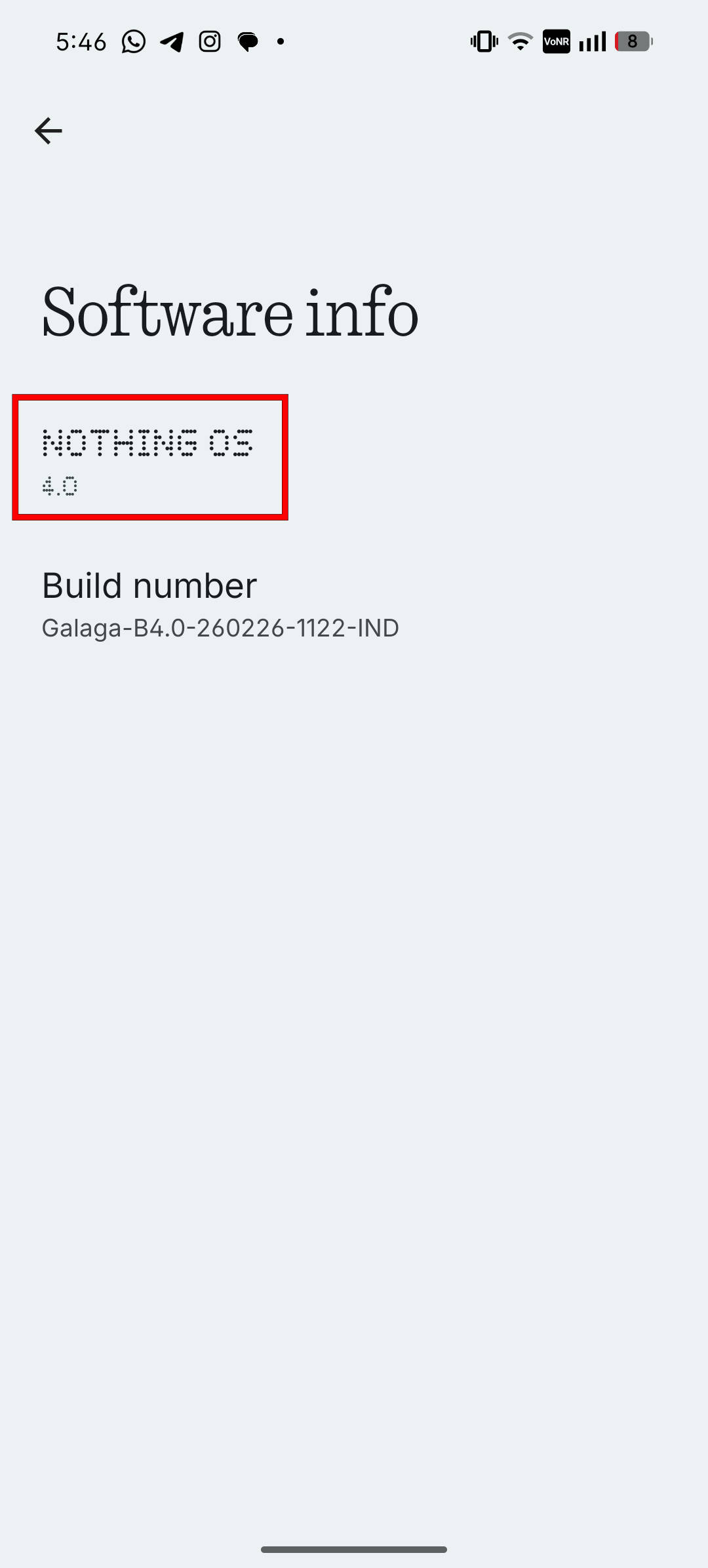
Step 3: From here, tap the Nothing OS version text
Step 4: On the next screen, select the Nothing OS version number
Step 5: The device will scan and fetch the latest available update
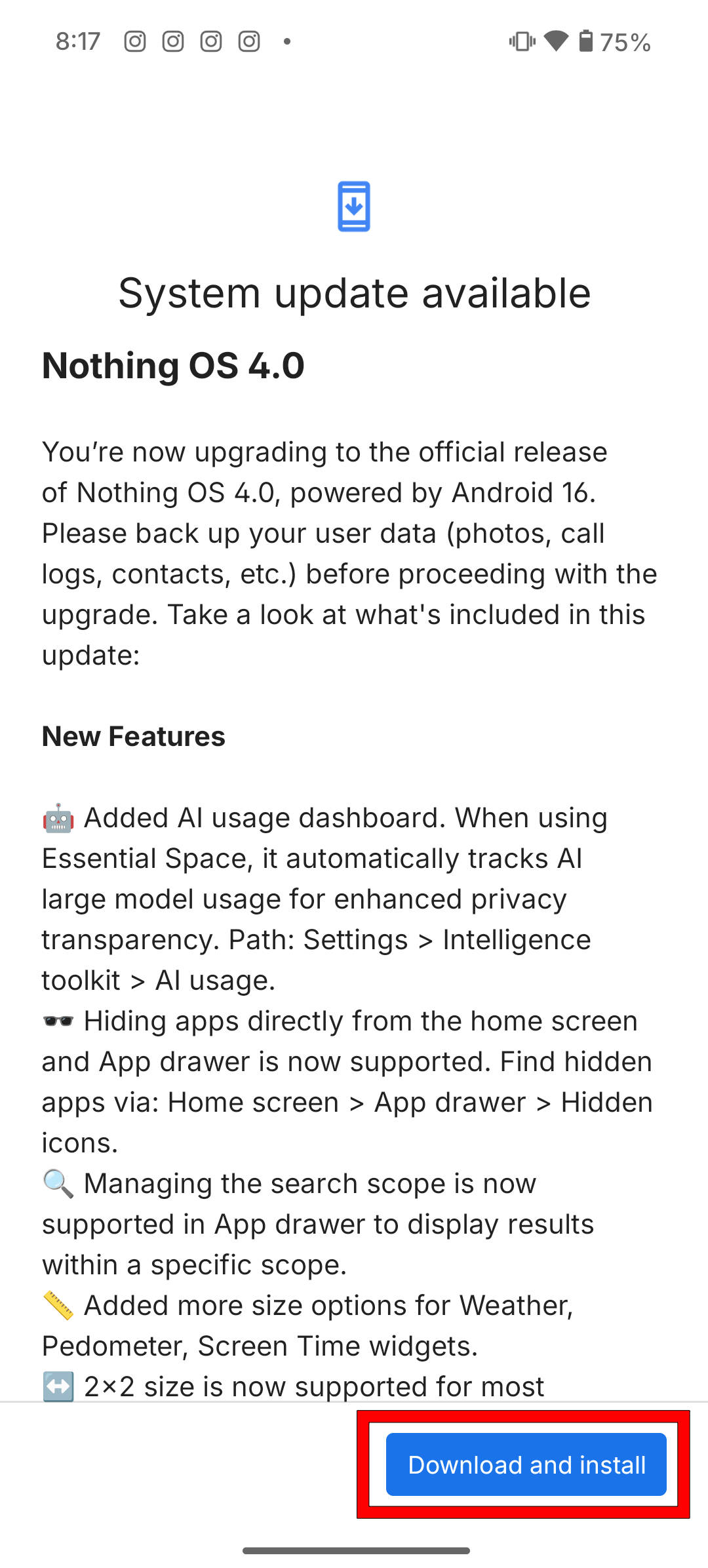
Step 6: Now, tap the Download and Install button
Step 7: Once the update is downloaded, go ahead and select Restart now to initiate the update installation
The installation process will take a few minutes. Once done, you’ll be booted on Nothing OS 4. You can follow the same guide for future OTA updates, such as Nothing OS 4.1.
Top features, changes and improvements on Nothing OS 4.0
In our CMF Phone 2 Pro long-term review, we stated that while Nothing OS 4.0 brings several notable improvements and additions, it still lacks certain features and capabilities found on other Android skins. On that note, let’s take a look at the top features and changes worth exploring on Nothing OS 4.0:
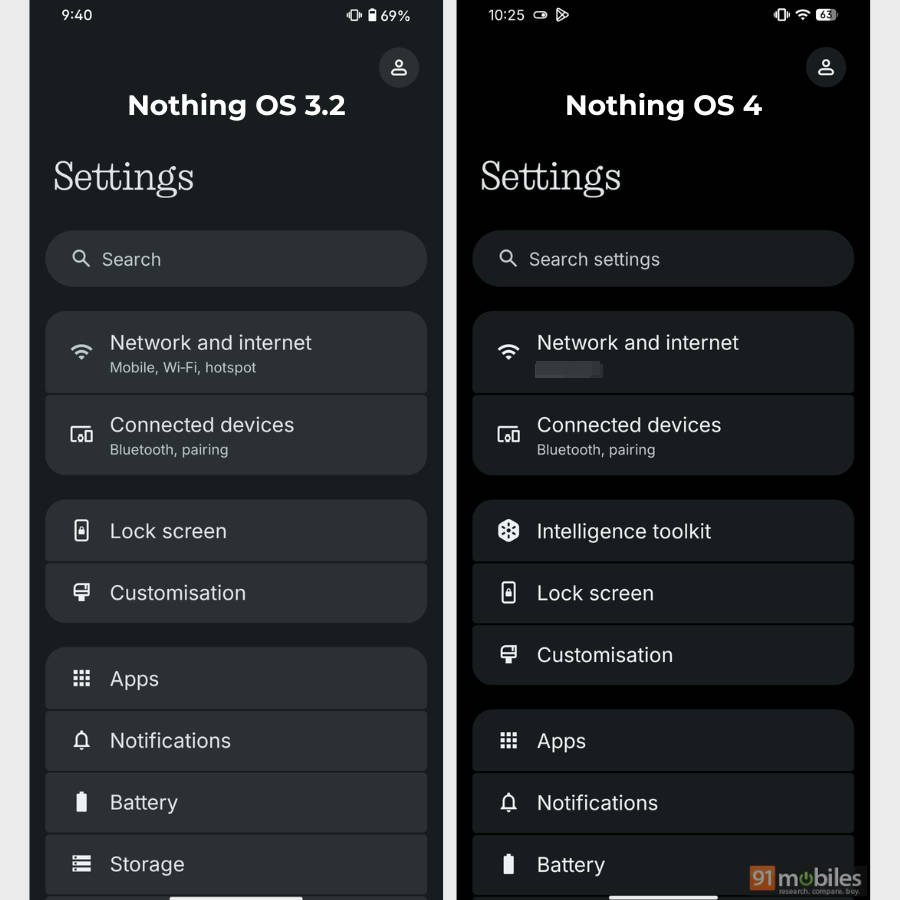
Pitch black dark mode: Nothing. OS 4.0 has a pitch-black dark theme in the form of an ‘Extra dark mode’ option within the Dark theme setting. When enabled, most first-party apps and menus, such as Settings and the notification panel, turn black instead of grey.
Fluid app and widget opening animations: While Nothing OS 4.0 makes these animations smoother, a recent update to the Nothing Launcher has further enhanced the transitions, resulting in a more enjoyable experience.
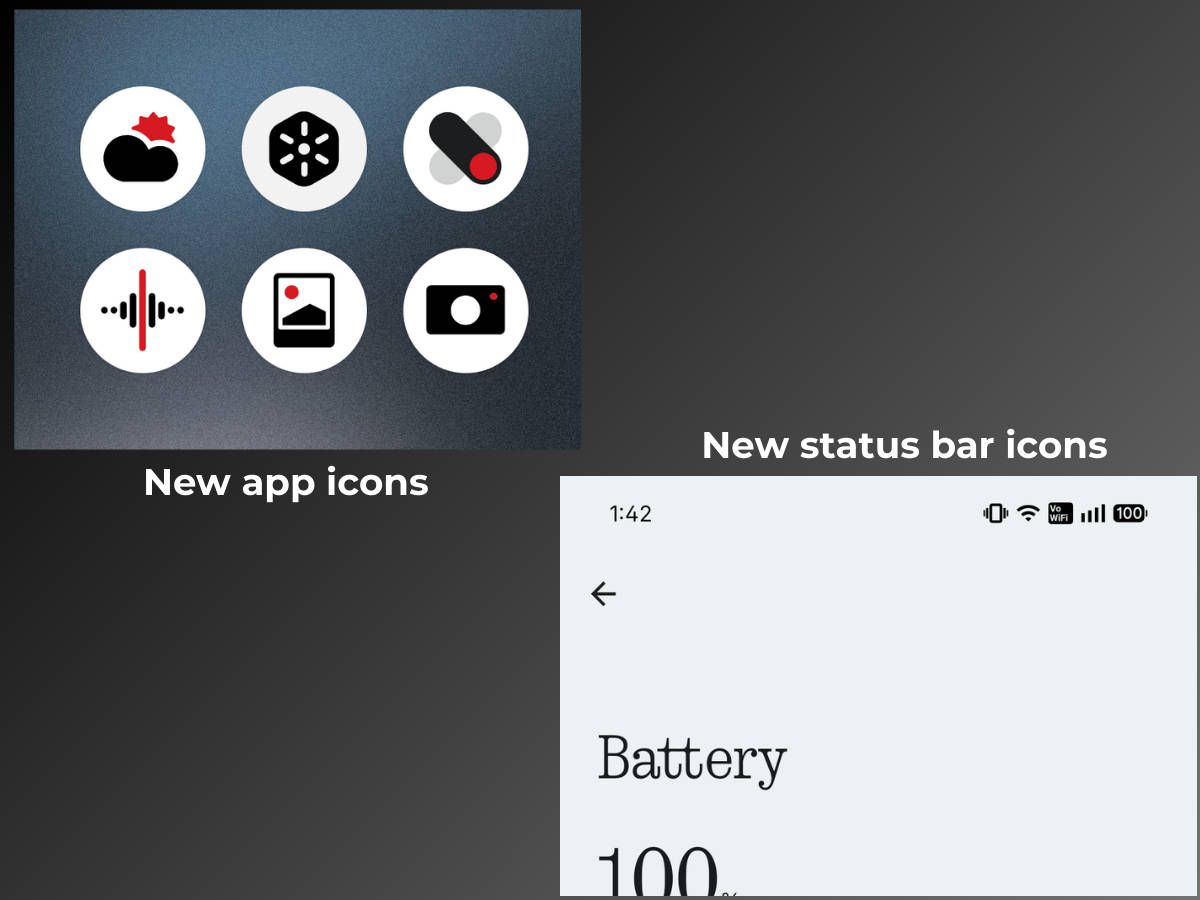
New status bar and homescreen icons: A revamped status bar and homescreen icons make the cut on Nothing OS 4.
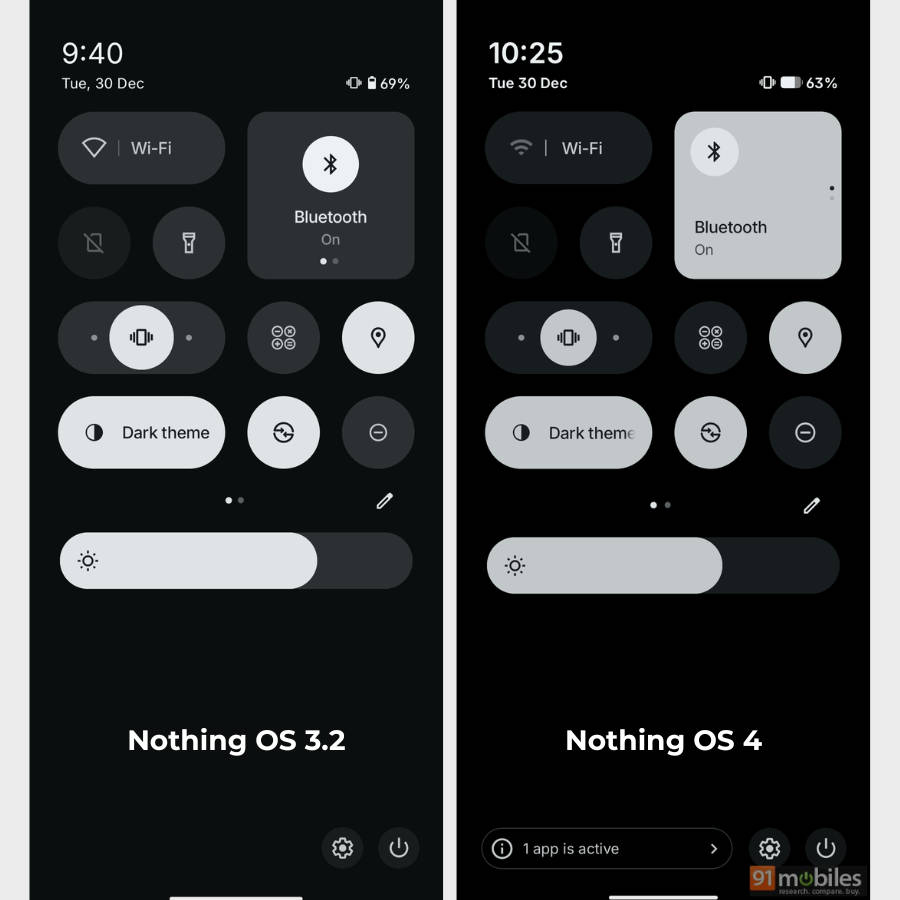
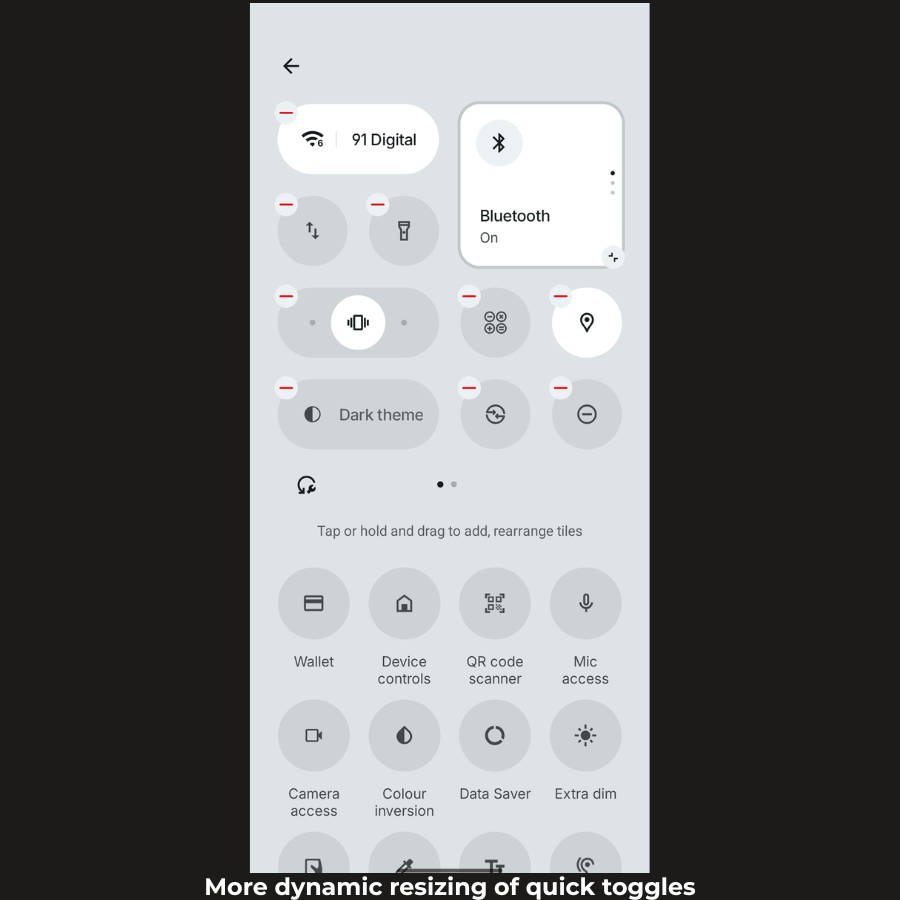
Versatile resizing of quick toggles and widgets: More toggles can now be resized into 1×2 or 2×2 layouts in the quick settings panel, giving users versatile ways to personalise the panel. Similarly, first-party widgets like Weather and Pedometer can be expanded or collapsed to different sizes to accommodate them on a homepage.
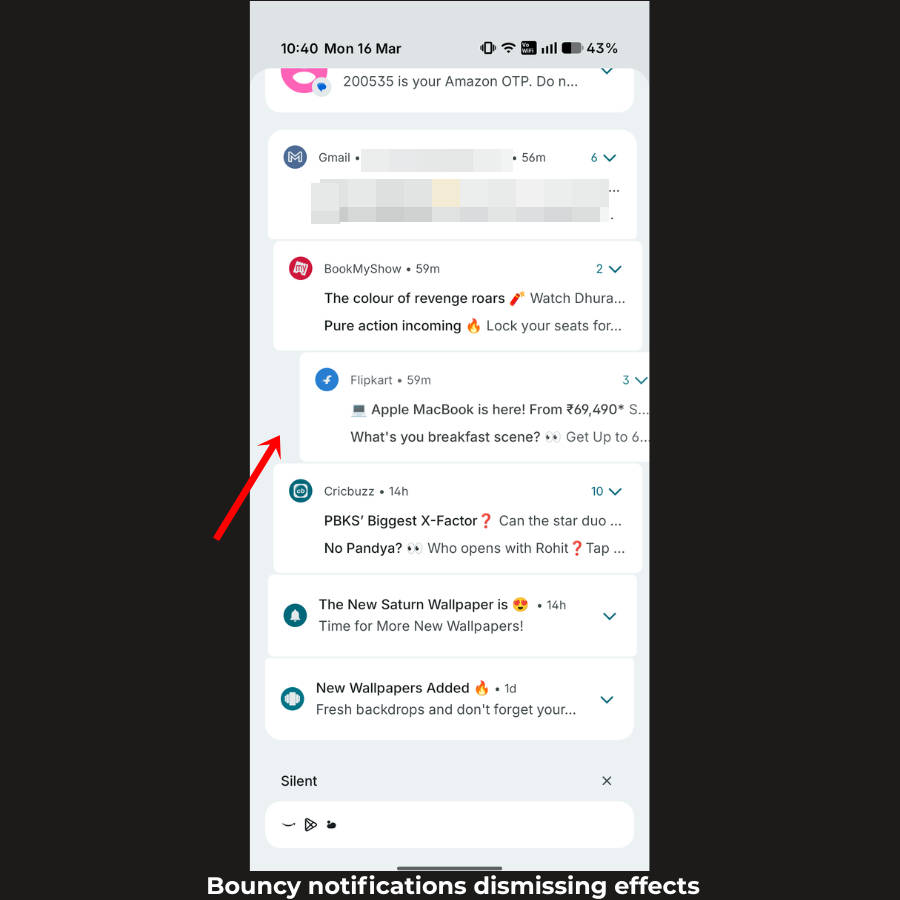
Sticky swiping effect when dismissing notifications: Inspired by Google’s Material 3 Expressive, when you subtly swipe a notification to the left or right to dismiss it, Nothing OS 4 offers a sticky animation effect. This effect is paired with haptics, resulting in a satisfying UI interaction.
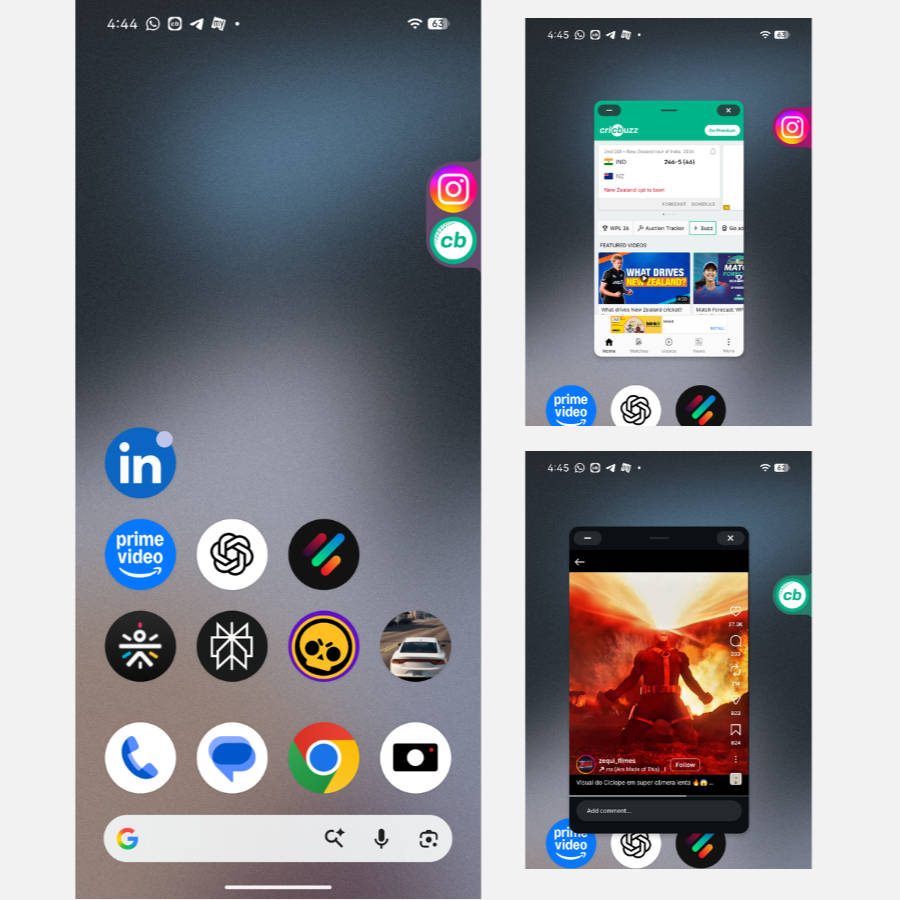
Dual Pop-up view for apps: Just like most custom skins, OS 4 finally brings support for opening two apps in floating windows. This is a welcome move for those who rely heavily on multitasking between two apps.
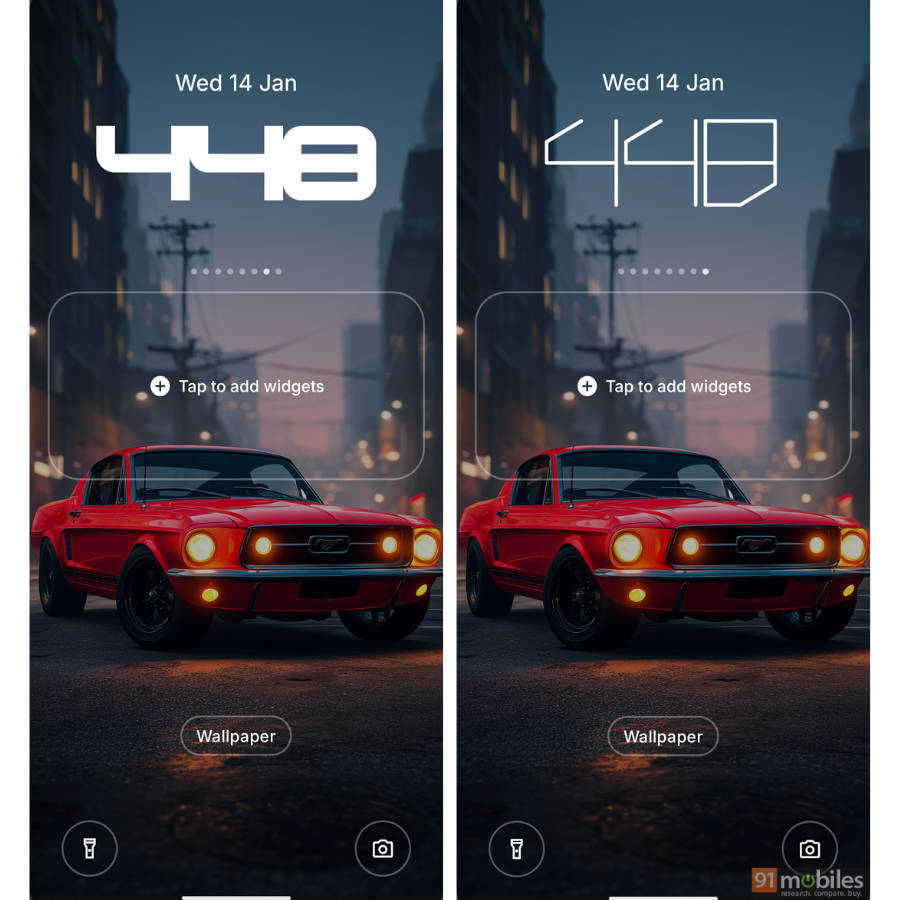
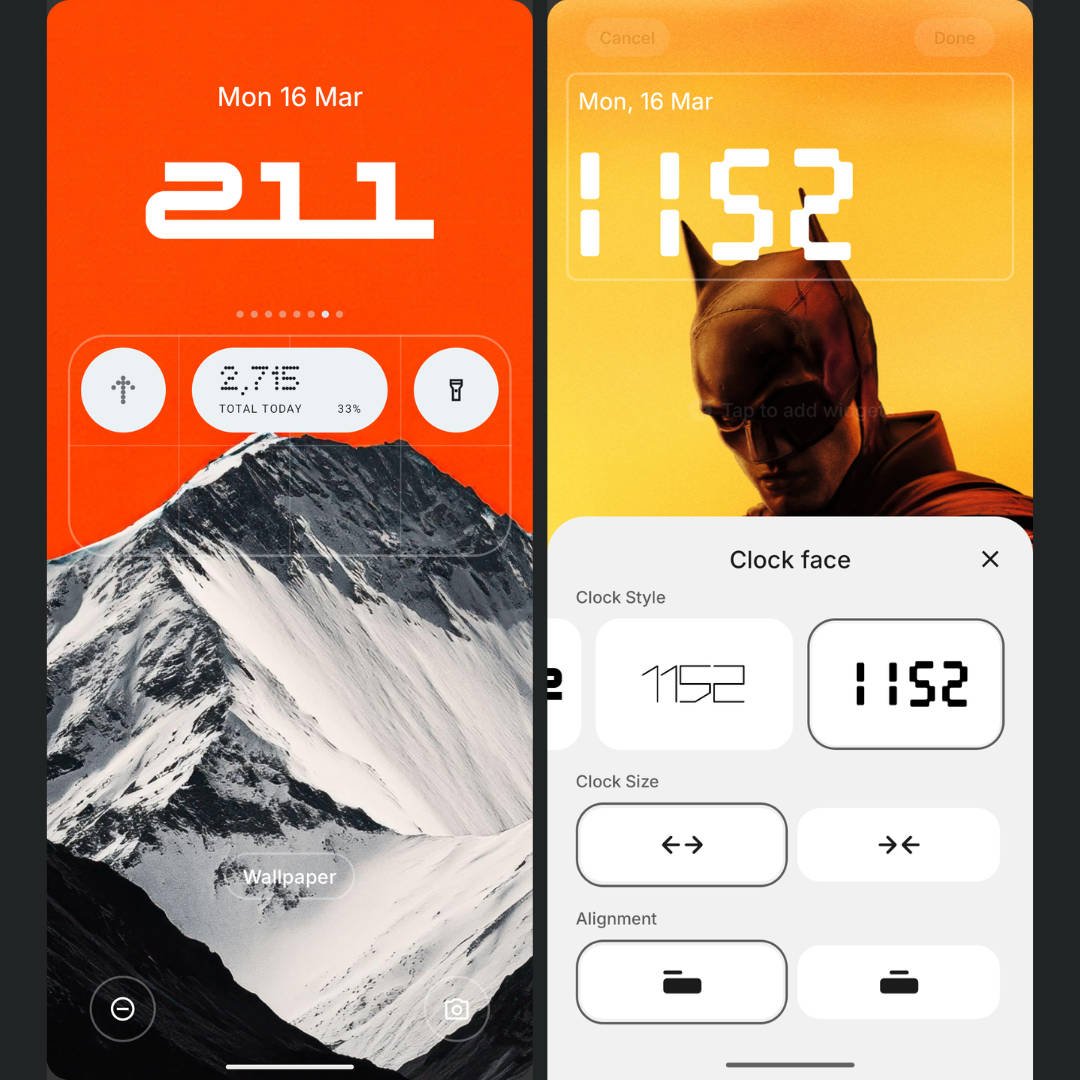
Two new lockscreen clock styles: Nothing OS 4 adds two new clock styles for the lockscreen, bringing the total number of available styles to eight. While the legibility of one of them isn’t always precise, I wish they had brought even more styles with this update.
Improved haptics implementation: An area where Nothing OS always fell behind, Nothing OS 4 brings haptics to more areas, such as when switching the volume to maximum or minimum, and dismissing notifications with a swipe.
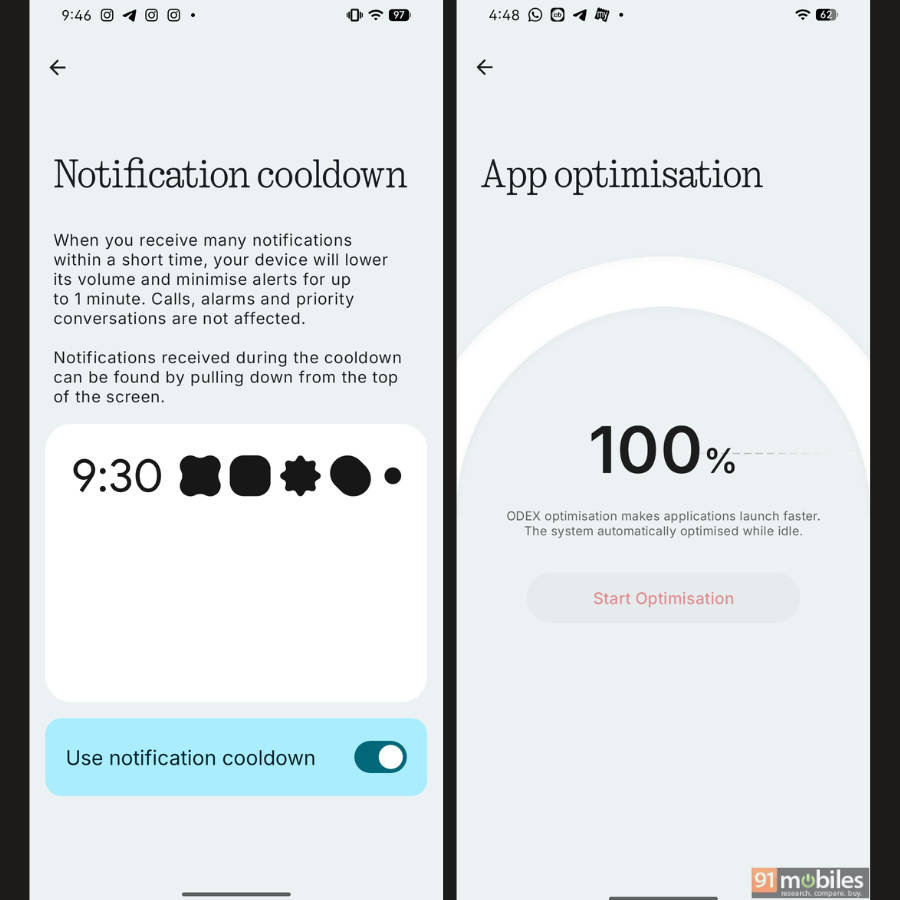
Notification cooldown: This is a core Android 16 feature that reduces the number of notifications when the phone is constantly bombarded with them, such as after a long period without internet access.
App optimisation: A new ‘App optimisation’ menu has been added in Settings, which claims to make apps launch faster.
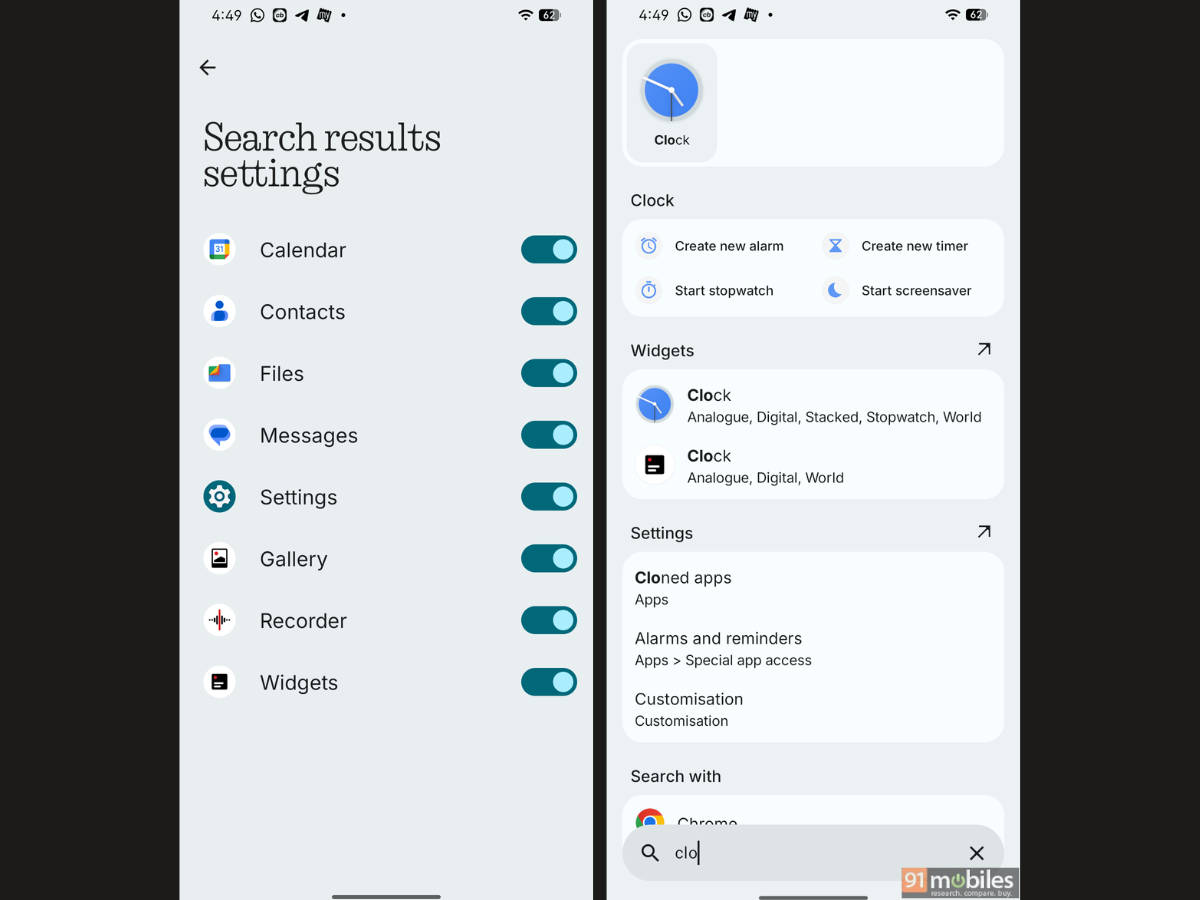
Powerful app drawer search: The search bar in the app drawer has been upgraded to display deeper results, including calendar events, files and media, SMS messages, and even widgets.
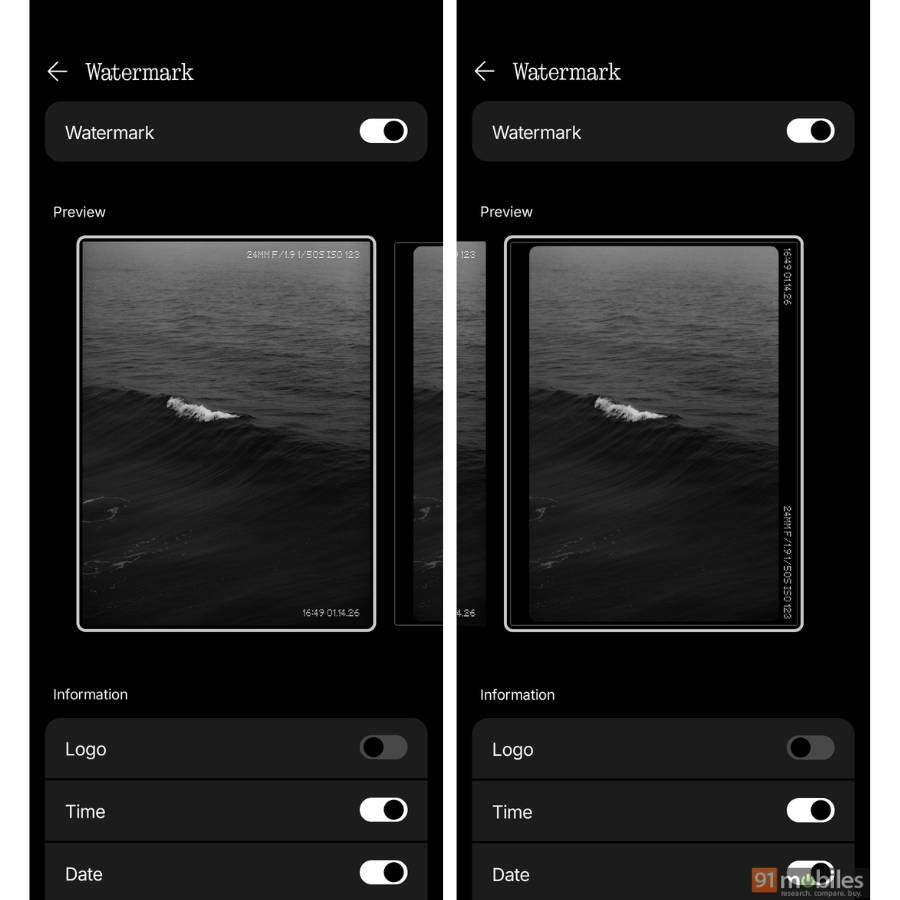
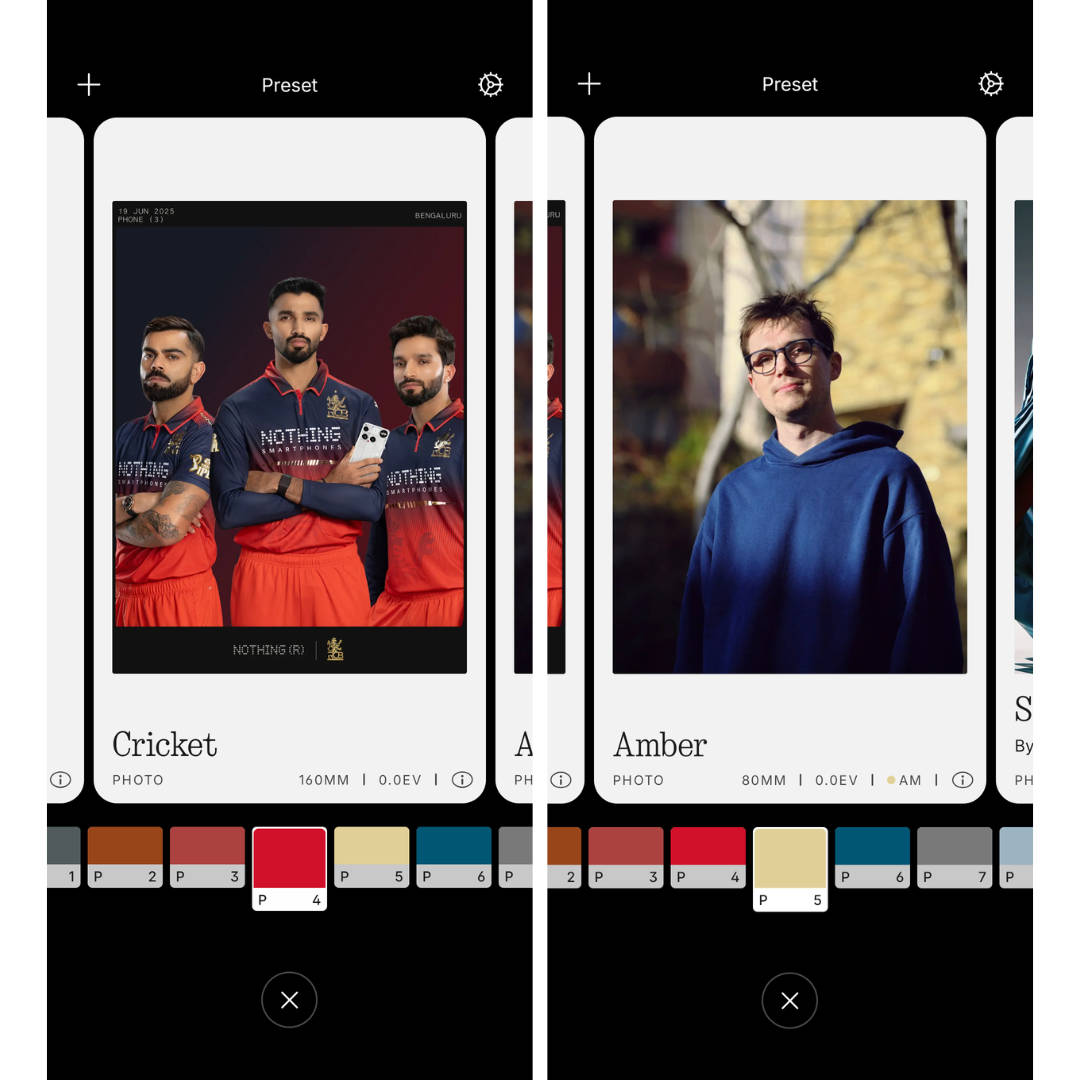
Camera watermarks and changes to presets: Users on Nothing OS 4 can utilise two different camera watermarks, while the presets now feature an intensity slider.
What to expect on Nothing OS 4.1 update
As an iterative upgrade to Nothing OS 4, the Nothing OS 4.1 update addresses several shortcomings in the software, moving it one step closer to a more comprehensive UI for those who’re fond of Nothing OS’s understated, minimal look.
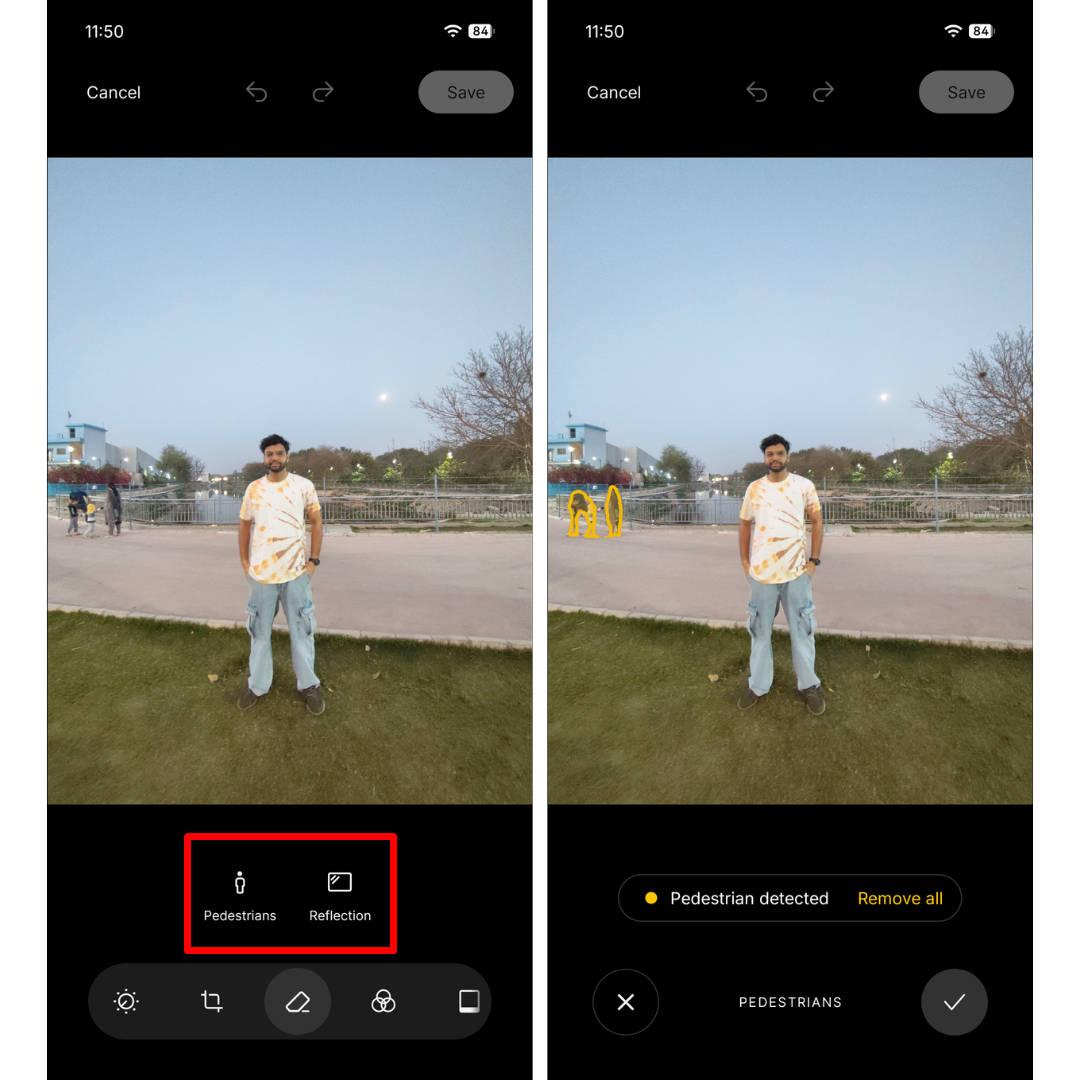
AI Eraser: AI Eraser finally arrives in the Nothing Gallery app on Nothing OS 4.1. Like other tools, this tool intelligently scans and identifies unwanted elements in an image and suggests that users remove them with one tap.
Depth effect for lockscreen clock: The update brings a much-anticipated feature: a depth effect on the lockscreen that overlays a portion of the wallpaper over the clock for an immersive look and feel.
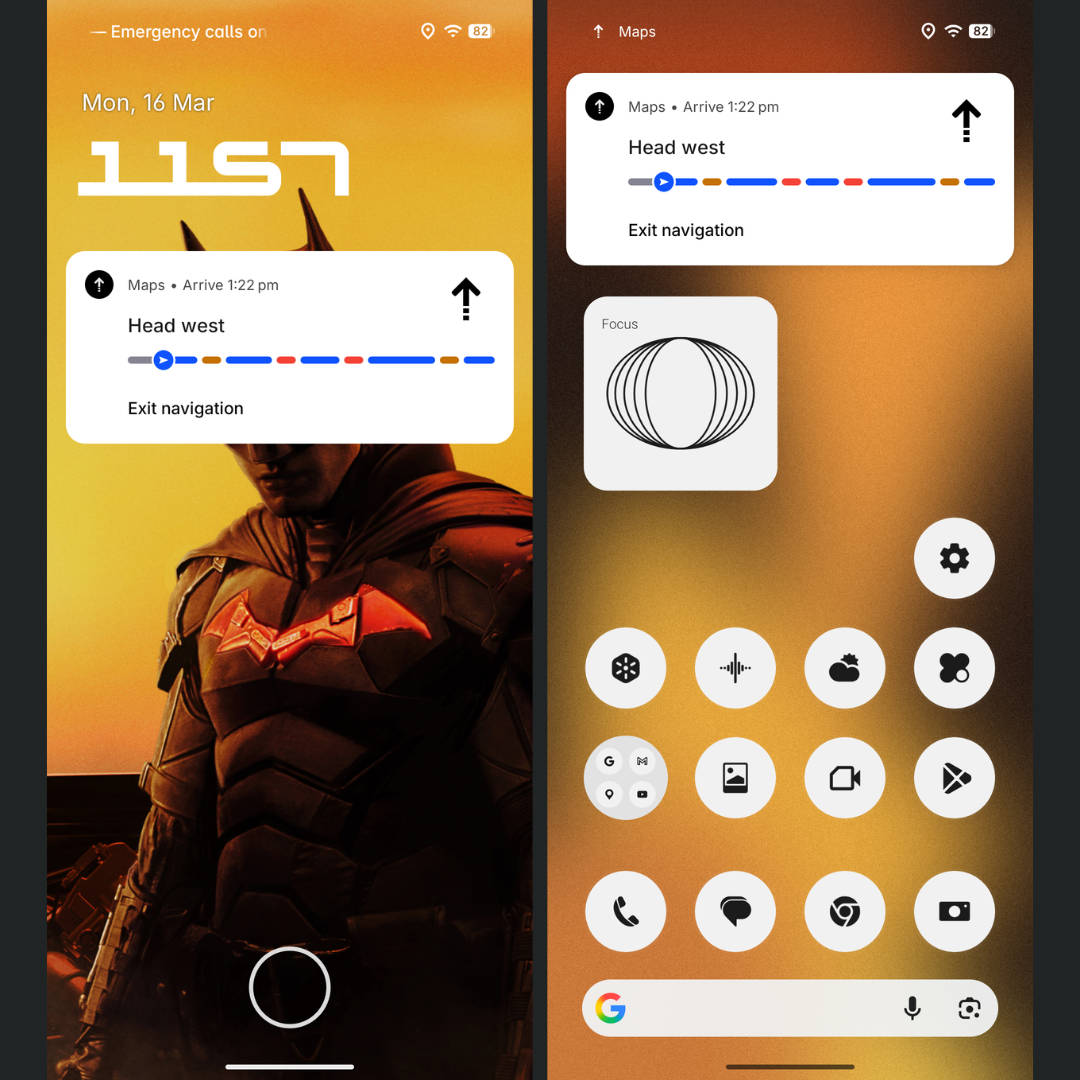
Live Updates: Nothing OS 4.1 integrates Android 16’s one of the most key features, Live Updates, for revealing key information in real-time from apps like Google Maps. It offers turn-by-turn directions through a pill-shaped layout on the status bar.
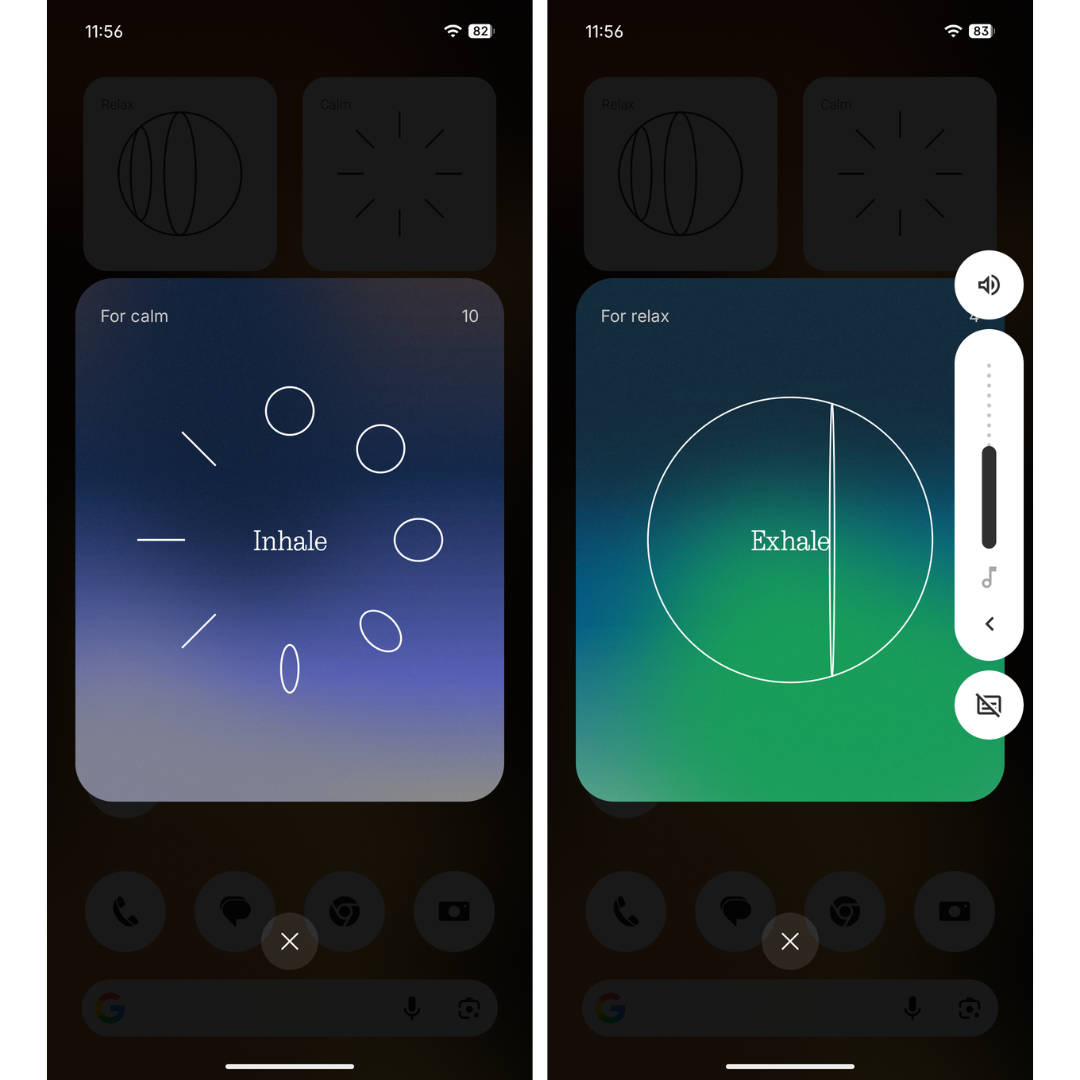
Relaxation widgets: Called Breaking Bad widgets, these allow users to perform certain breathing and relaxation exercises to freshen the mind.
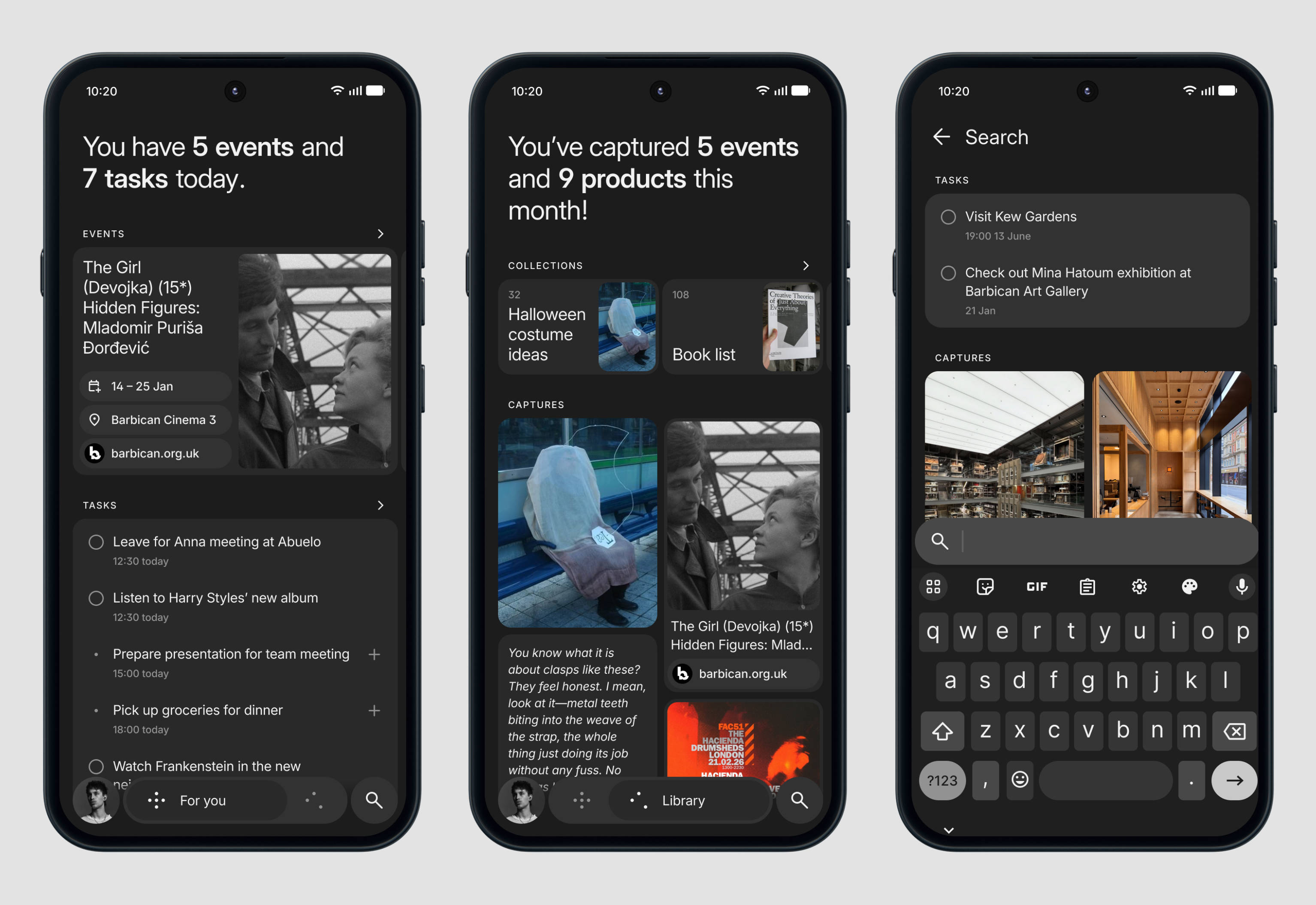
Redesigned Essential Space: The Essential Space app’s design has been reworked to appear more organised, while being easier to navigate. Semantic search has also been added to search for everything within Essential Space.
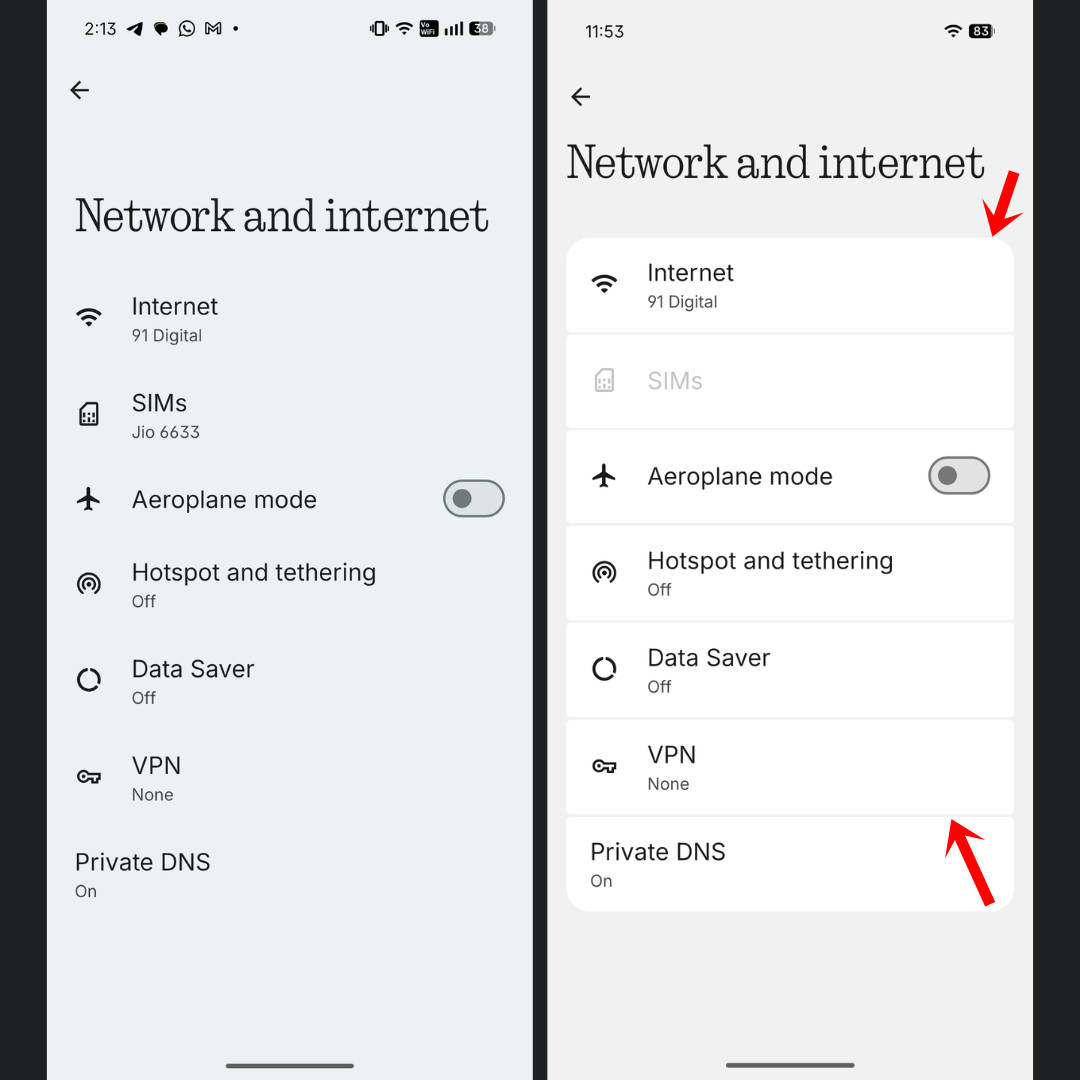
Subtle design revamps: In what appears to be a move to shift away from Android’s AOSP look, the entire Settings app now features borders and more pronounced corners in its menus. This gives the UI a different appearance from Nothing OS 4 or 3, and even from the Pixel UI.
Is it worth updating to Nothing OS 4.0/4.1?
Considering all the new improvements and features Nothing OS 4 bring to the table, it’s completely worth updating. Along with performance improvements, the update enhances day-to-day smoothness, while the battery has remained intact, just as good as it was on Nothing OS 3/3.2.
From our fair share of experience with Nothing OS 4 on the CMF Phone 2 Pro, Nothing Phone (3), and Nothing Phone (4a), certain value additions in the update, such as extra dark mode, improved haptics, brand new lockscreen customisation options, and others has made using Nothing OS more enjoyable in daily life.
OriginOS 6 update roundup: release timeline, eligible phones, features and more
OxygenOS 16 update roundup: release timeline, eligible phones, features and more

One UI 8 update roundup: release timeline, eligible device list, features and more
FAQs
Are there any device-specific features in Nothing OS 4.0?
Yes, the Nothing Phone (3) gets exclusives like extended Flip-to-Glyph controls, improved pocket mode, and new Glyph Toys (e.g., Hourglass and Lunar Cycle). Other devices may have limited widget support (e.g., up to 2 widgets on Phone (2a) vs 6 on Phone (3)) during the initial rollout.
When does Nothing plan to roll out Nothing OS 4.1 for its devices?
Released with the Nothing Phone (4a) and Phone (4a) Pro, the Nothing OS 4.1 update should start rolling out to all eligible devices. While Nothing hasn’t provided a release timeline yet, expect the update to hit flagships first, like the Phone (3) and Phone (2), followed by the Phone (3a) series and the CMF Phone 2 Pro.