ASUS Zenbook S16 UM5606GA Review: Ryzen AI 9 Power in a Cruiserweight Design


Review Summary
Expert Rating
Sixteen-inch laptops usually come with a warning label for the added weight. So, when the Zenbook S16 arrived looking ridiculously slim and weighing barely 1.5 kilograms, the first reaction was genuine suspicion. There’s no way a machine this light is packing proper performance… right?
And then it casually reveals an AMD Ryzen AI 9 465 and Radeon 880M inside. Honestly, this thing feels less like a traditional 16-inch notebook and more like a supersized ultrabook with attitude. That said, at Rs 1.7 lakh, it’s clearly aimed at professionals and creators who want performance without carrying a mini refrigerator in their backpack. Does it achieve that? Let’s find out.
Table of Contents
Featherweight, but built like a tank
The moment this laptop comes out of the box, it feels like a premium product. Not flashy or expensive. Calm, confident, expensive.


ASUS’s Ceraluminum finish is doing a lot of heavy lifting here. If this material sounds familiar, it’s because it showed up earlier on the Zenbook A14. That one was nice. This one? Even better. The Scandinavian White colour just hits differently. It looks clean, modern, and ridiculously classy.
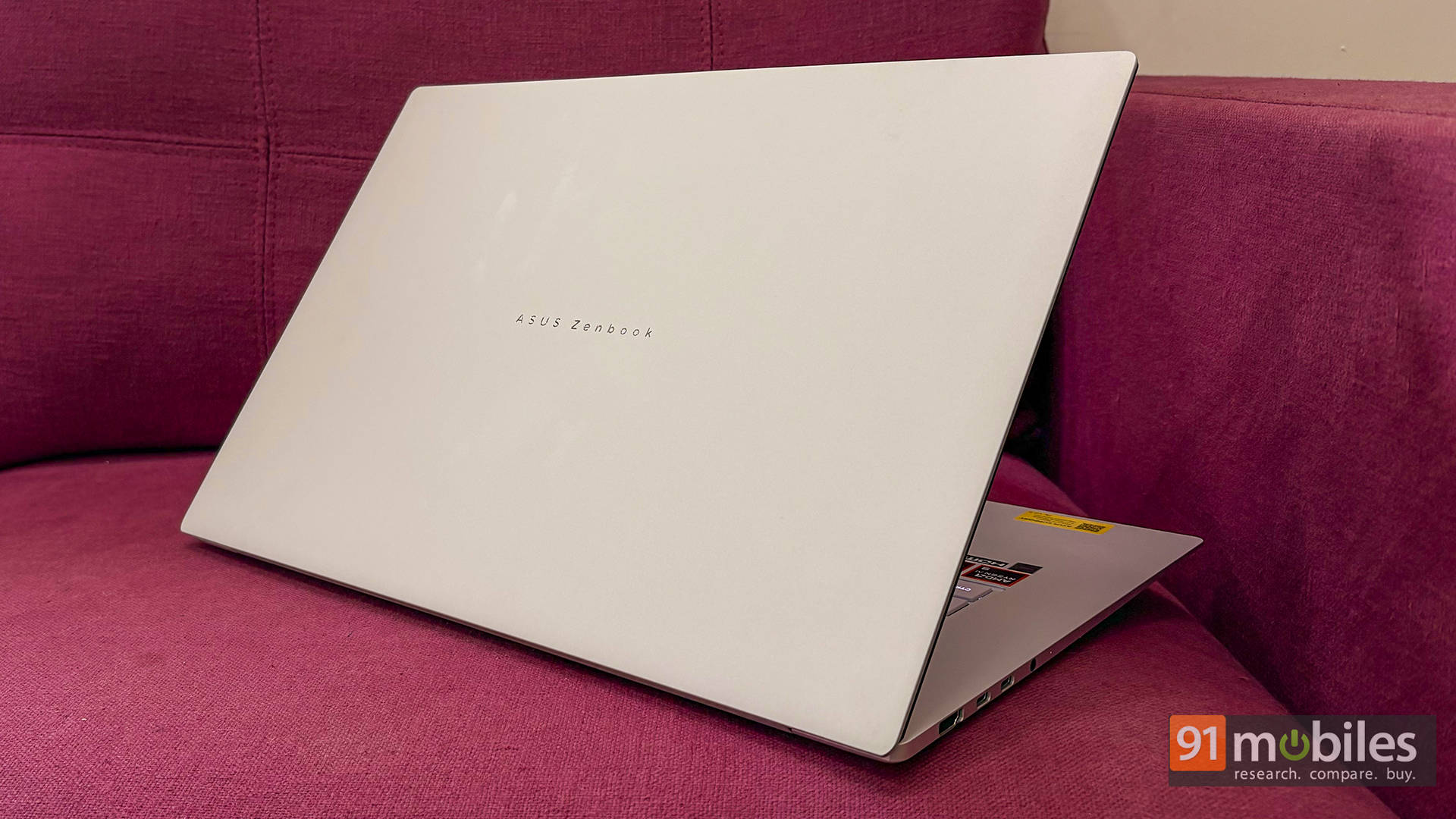
What’s wild is how light it feels. At 1.5 kg, the brain genuinely struggles to process that this is a full 16-inch machine. Picking it up almost feels like it’s hollow, like ASUS forgot to install the internals. But nope. It’s solid. No flex, no creaks, no drama.

There’s also this geometric CNC-machined grille above the keyboard that looks like a fancy speaker setup. Turns out, it’s actually part of the cooling system with a vapour chamber underneath. So it’s not just pretty, but it’s functional pretty.
Ports and connectivity
Thankfully, ASUS didn’t go full minimalist madness. Using the Zenbook S16 day to day felt refreshingly stress-free. Plugging in drives, SD cards, monitors – everything just worked without needing a dongle graveyard.

The two USB-C 4.0 ports support 40Gbps speeds along with display output and charging, so they’re basically doing Thunderbolt-level stuff even if the branding isn’t there. Add to that a proper HDMI, USB-A, headphone jack, and a full-size SD card reader, and suddenly this feels like a creator-friendly machine.

It’s the kind of port selection that doesn’t make headlines, but quietly makes life easier every single day. Which, honestly, is better.
OLED being extra (in a good way)
Moving on to the display, this OLED panel is straight up gorgeous. Deep blacks, punchy colours, sharp 3K resolution, and a smooth 120Hz refresh rate that makes even scrolling through Twitter feel premium. Watching shows, editing photos, and even just staring at wallpapers feel nicer than they should.

It’s also a touchscreen, which works perfectly fine… though honestly, it’s one of those features that ends up being used twice and then forgotten. Nice to have, not essential. Of course, you might have a use case for it, but I personally find the touchscreen pointless on a laptop that’s not a convertible.

What’s cool, though, is ASUS’ OLED care features. There are burn-in protection tools and even a screensaver built in. I haven’t used a screensaver since the Windows XP days, so this was definitely a nostalgic trip, but yeah, it’s also the need of the hour if you’re opting for an OLED panel.

Also, aiding the display are the dual speakers, which sound clear and loud enough for casual content. Not home-theatre levels, but perfectly fine for everyday Netflix or YouTube binges.
Keyboard and touchpad
Typing on this keyboard is genuinely enjoyable. The keys have good travel, nice feedback, and long writing sessions never felt tiring. It’s one of those keyboards that disappears under your fingers — which is exactly what you want.

That said, I do have a gripe with the white backlight. It doesn’t spread evenly, and some special characters don’t light up at all. At first, it felt like there might be some smart trick like “press Shift to light them up,” similar to what the Razer Blade 18 does. Nope. It’s just… not lit.

It’s not a dealbreaker, since the white light still shines nicely through the main keys, but at this price, it feels like unnecessary cost-cutting. Also, there’s no physical numpad here. Some business users might miss it on a 16-inch device, though ASUS clearly chose aesthetics over practicality here, and if I am being honest, I actually prefer the aesthetics here too.
Moving on to the touchpad, it’s an absolute banger. It’s huge. Like, comically large in the best way possible. Smooth, precise, and easily one of the best Windows touchpads around. What’s more, is that instead of the old numpad gimmick, ASUS added smart gestures for brightness, volume, scrubbing through videos, and launching ScreenXpert. Way more useful in real life.
Performance: The quiet overachiever
This is where the Zenbook stops being just a “pretty laptop” and starts going, “oh wait, this is actually fast.”

The AMD Ryzen AI 9 465 handles daily work like it’s bored. Dozens of Chrome tabs, image edits, light video work, and background apps running together, and nothing really fazes it. Benchmarks back this up too, with strong single-core and multi-core numbers that reflect real-world usage instead of just looking pretty on a chart. Even the Radeon 880M pulls its weight, comfortably handling esports titles at 1080p, and even making light AAA games playable with FSR enabled.
To add some context, I compared it with the Dell Pro 14 Premium PA14250, powered by the Intel Core Ultra 7 268V. As expected, the Ryzen chip has a clear edge in CPU-heavy tasks, delivering better scores across most benchmarks. On the flip side, Dell’s Intel Arc 140V graphics consistently outperform the 880M in GPU tests, even while running at a lower TDP.
| Benchmark/Laptop | Dell Pro 14 Premium | ASUS ZenBook S16 |
| Cinebench R24 MT | 571 | 932 |
| Cinebench R24 ST | 122 | 115 |
| Cinebench R23 MT | 8769 | 16771 |
| Cinebench R23 ST | 1927 | 1996 |
| PCMark 10 | 6779 | 8935 |
| PCMark 10 Extended | 7270 | 8372 |
| Geek Bench 6 ST | 2827 | 2782 |
| Geek Bench 6 MT | 11019 | 14317 |
| CPU - ONNX - Quantized Score | 4989 | 7384 |
| CPU - OpenVINO - Quantized Score | 8141 | 13595 |
| 3DMark Time Spy Extreme | 2115 | 1506 |
| 3DMark Time Spy | 4449 | 3312 |
| 3DMark Fire Strike Ultra | 2310 | 2150 |
| 3DMark Fire Strike Extreme | 4368 | 3904 |
| 3DMark Fire Strike | 9236 | 7408 |
| 3DMark Night Raid | 34467 | 28658 |
| Geek Bench OpenCL | 30488 | 30429 |
| Geek Bench Vulcan | 35810 | 36294 |
To be fair, neither of these machines is replacing something like an RTX 4050 anytime soon, but both get surprisingly close to older or entry-level discrete GPUs. So the choice really comes down to priorities: CPU muscle or stronger integrated graphics.
And before anyone assumes this level of performance turns the laptop into a mini space heater, relax, it doesn't. Thermals stay nicely under control, and the fans only spin up when genuinely pushed. For something this slim, that's honestly impressive. That said, we're still running extended gaming tests and will update this section with deeper numbers soon
Bigger battery, questionable charger choice
ASUS upgraded the battery from a 78Wh 2S2P setup to an 83Wh 4S1P design. In simple terms, that new layout increases voltage efficiency and delivers power more steadily, which can help with both runtime and stability under load. So it's not just bigger, but it's also smarter.
In day-to-day testing, battery life has been decent but inconsistent so far. From what I can tell, it's likely due to some Windows background weirdness. More testing is still pending, so this section will get updated.
Charging is where things get mildly confusing, though. The box includes a 68W Type-C adapter, which works fine. The previous generations came with a Mini Charger that was a lot more portable, while this is a standard ASUS laptop charger that we've seen before.
However, the more interesting part here is that the laptop supports 100W charging. And when tested with a 100W charger, it charged faster without any issues. Which makes you wonder… why not just include the 100W one? Especially when ASUS sells it separately for around Rs. 5K. Food for thought, I guess.
Thin. Light. Mighty. But Worth It?
At the end of the day, the ASUS Zenbook S16 UM5606GA is one of those laptops that's annoyingly easy to like. It looks stunning, feels ridiculously light for a 16-inch machine, has a drop-dead OLED, strong CPU grunt, and an iGPU that low-key overachieves. Sure, there are tiny nitpicks, but nothing that ruins the experience. At Rs 1.7 lakh, this isn't an impulse buy, though. It's built for creators, professionals, and business folks who want something classy, powerful, and portable without lugging around a chunky gaming brick. If that sounds like the vibe, this laptop fits like a tailored suit.
As for alternatives… It's honestly a pretty small club. You've got the older Dell 16 Premium, which costs way more, and the newer Dell XPS 16 is yet to come. The Lenovo ThinkPad T16 is practical but trades style and GPU power for corporate vibes, while the HP OmniBook 5 16-ag1087AU is cheaper but clearly a step down in premium feel. So yeah, it's a niche segment, and that's exactly why the Zenbook gets away with its price.
Editor's Rating: 8.8 / 10
Pros:
- Stunning lightweight ceraluminum premium design
- Gorgeous 3K 120Hz OLED display
- Strong AMD CPU and 880M iGPU
- Excellent ports and a giant touchpad
Cons:
- Uneven keyboard backlighting
- The box charger is underpowered
- Aimed at premium buyers

