The 2-in-1 used to be a compromise machine. You accepted a slower processor, a worse keyboard, and a less-than-ideal battery in exchange for a screen that folded back, and you told yourself the flexibility was worth it. However, those were days of the past. In this guide, we list some of the best 2-in-1 and convertible laptops on the market in India in 2026.
What follows are six convertibles we have run through the same tests, each matched to the thing it genuinely does better than the rest. Some fold, some detach, and the difference matters more than most buyers realise. Every benchmark, battery figure, and thermal reading here comes from our own lab, using the same suite and the same conditions, so these machines are directly comparable to each other rather than to marketing claims.
Here is how our winners stack up: The ASUS ROG Flow Z13 Kojima Edition takes best overall. The HP OmniBook X Flip 14 is our premium pick, the ASUS Vivobook 14 Flip wins on value, and the ASUS ProArt GoPro Edition PX13 is the one for stylus work. The Dell 14 Plus 2-in-1 leads for business, and the ASUS Chromebook CM32 Detachable is the student choice.
A note on pricing: all prices listed here are what each machine cost at the time we reviewed it. Laptop prices in India have moved sharply over the past few months, driven largely by memory and storage costs, so verify current pricing before you buy. Sale events can swing these numbers by Rs 10,000 or more in either direction.
Table of Contents
How do we test 2-in-1 laptops?
Every machine here has spent weeks as a daily driver before being put on this list. For convertibles, that means testing both halves of the promise: how it works as a laptop, and whether the tablet mode is genuinely useful or just a party trick. We use each one in laptop, tent, and tablet orientations, check whether the hinge holds position without wobble, and note how the machine behaves when the keyboard is folded away or detached entirely.
The synthetic suite is identical across every laptop we test, which is what makes these numbers meaningful side by side. We run Cinebench 2026, R24, and R23 for CPU performance, Geekbench 6 for cross-platform comparison, PCMark 10 and PCMark 10 Extended for real-world productivity, CrossMark for responsiveness, and the full 3DMark stack from Night Raid up to Time Spy Extreme for graphics. Battery life comes from the PCMark 10 video loop test at 80% brightness.
Convertibles also live or die on details that benchmarks never capture. Does the stylus feel natural or laggy? Can you actually hold it comfortably in tablet mode, or is it too heavy? Does Windows behave when you flip the screen? Is the display bright enough to use as a tablet near a window? Those questions shape the picks below as much as the charts do.
ASUS ROG Flow Z13 Kojima Edition — Best Overall 2-in-1 Laptop
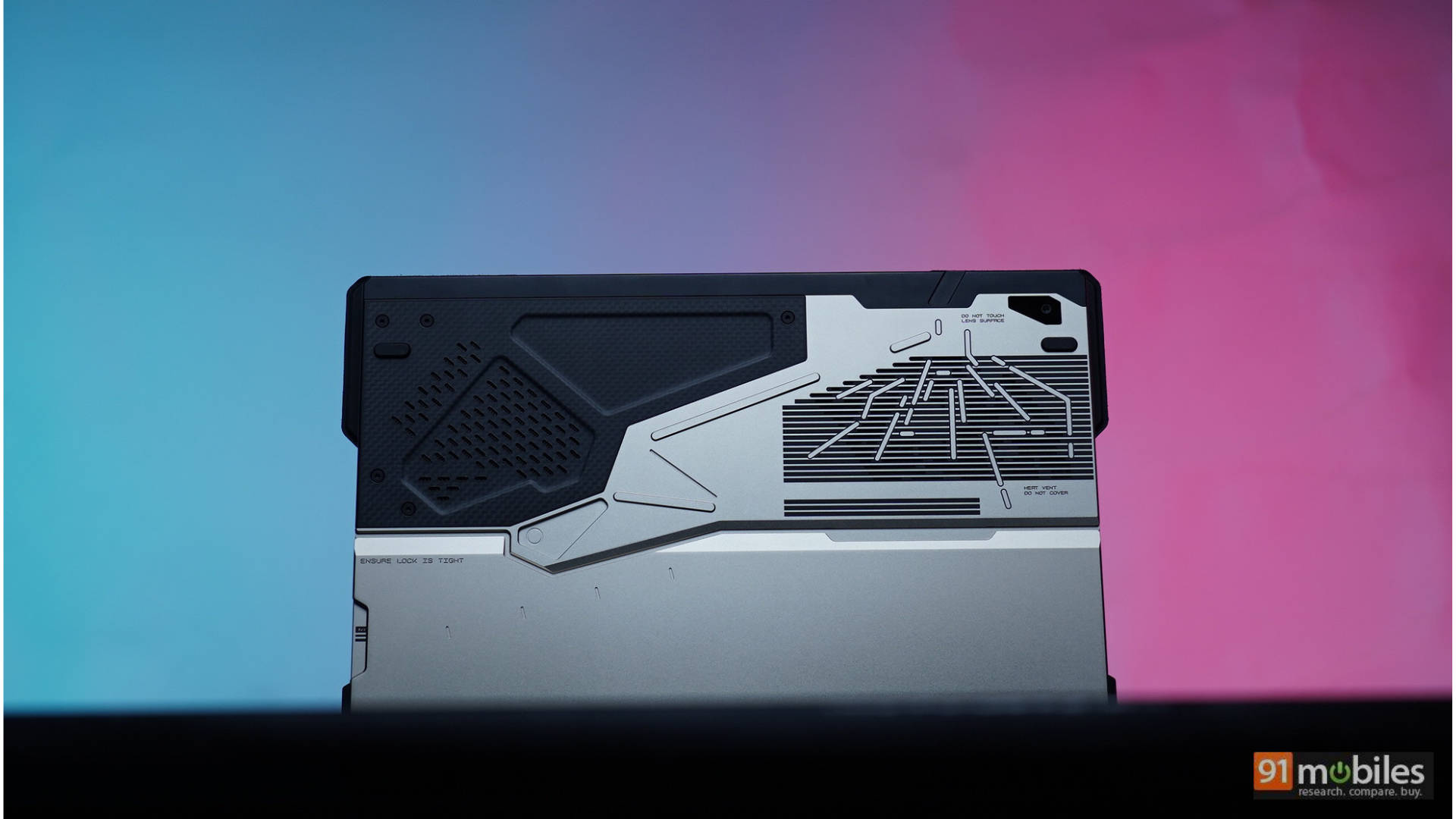
Price at time of review: Rs 3,79,990
Why we picked it
The ASUS ROG Flow Z13 GZ302EAC Kojima Edition (review) is our best overall 2-in-1 because it does something no other convertible on the market manages: it delivers full desktop-class performance from a detachable 13-inch tablet, with no compromise anywhere in the spec sheet.
The numbers are frankly absurd for the form factor. AMD’s Ryzen AI Max+ 395 drives a Radeon 8060S with 128GB of LPDDR5x unified memory, up to 96GB of which can be assigned directly to graphics. In our lab, it scored 30,344 in Cinebench R23 multi-core, 6,643 in Cinebench 2026 multi-core and 19,627 in Geekbench 6 multi-core, alongside 10,992 in PCMark 10 and a CrossMark score of 2,307. Those are the highest CPU figures of any convertible we have tested, and they hold their own against full-size gaming laptops. On the graphics side, 10,346 in 3DMark Time Spy, 23,943 in Fire Strike, and 61,669 in Night Raid put it in the territory dedicated GPUs usually occupy.
Real gaming backs that up. Cyberpunk 2077 ran at 76fps at FHD native and 84fps with DLSS, GTA V hit 158fps at 1080p, and Forza Horizon 5 managed 99fps at FHD native. During testing, we played Baldur’s Gate 3, Resident Evil Requiem, and Forza Horizon 5 on battery power for over 90 minutes on an aeroplane tray table, which is simply not possible with any conventional gaming laptop. A PugetBench DaVinci Resolve score of 6,422 means it edits as seriously as it plays.
The versatility is the actual argument, though. Keyboard attached, it is a work machine with a good trackpad and a 13.4-inch 180Hz touchscreen. Keyboard off with the kickstand out, it is a premium Windows tablet for reading or sketching.
At Rs 3,79,990, it is aggressively expensive, the speakers are merely fine, and the 70Wh battery managed 8 hours 1 minute in our PCMark 10 video loop test, dropping sharply under gaming load. But as a shape-shifting flagship, it has no real competition. It scored 8.3/10 in our review.
| Pros | Cons |
| Stunning Kojima-Inspired Design | Eye-watering price tag |
| Incredible Performance-to-Size Ratio | Average built-in speakers |
| Unmatched Portability & Versatility | Briefcase Lacks Charger Space |
Key specs:
- Processor: AMD Ryzen AI Max+ 395 (55W TDP)
- GPU: AMD Radeon 8060S (integrated, up to 96GB assignable memory)
- Display: 13.4-inch IPS touchscreen, 180Hz, detachable keyboard with kickstand
- RAM/Storage: 128GB LPDDR5x unified / 1TB Gen 4 SSD
- Battery: 70Wh, 8 hours 1 minute (PCMark 10 video loop)
- Storage speeds: 6,384MB/s read, 5,658MB/s write
- Rating: 8.3/10
HP OmniBook X Flip 14 — Best Premium 2-in-1 Laptop
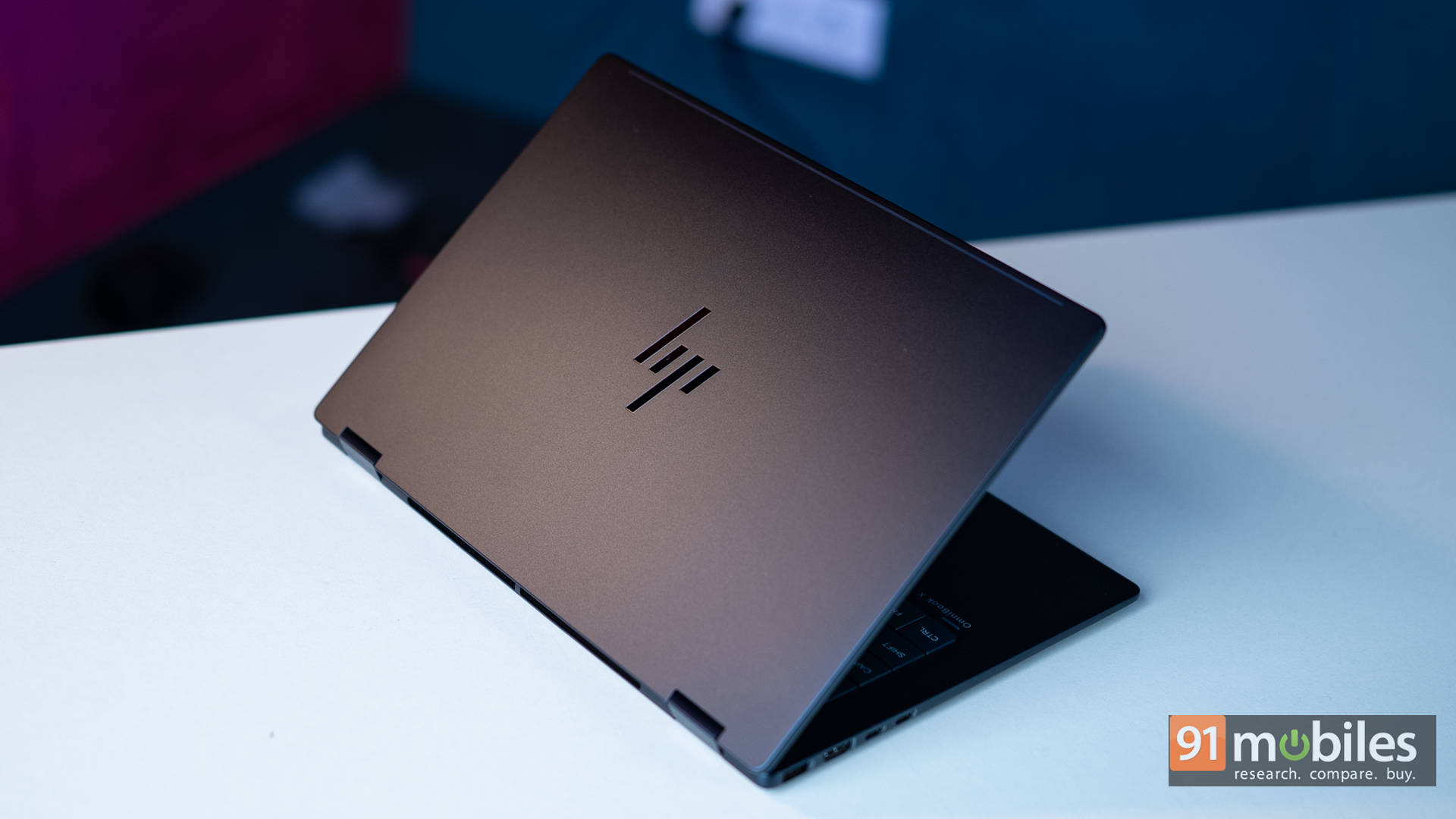
Price at time of review: Around Rs 1.5 lakh
Why we picked it
The HP OmniBook X Flip 14 (review) is our best premium convertible because it delivers the complete flagship thin-and-light experience in a body that folds, without asking you to give up anything meaningful to get the hinge.
The 3K OLED panel with a 120Hz refresh rate delivers crisp, sharp visuals in every setting we used it: on a desk with direct light reflecting off it, at an airport, in a cab, and late at night in a pitch-dark room. Movies look especially stunning with no blooming or halo effects, the problem LCD laptop displays have long struggled with, and in dark rooms, lowering the brightness does not wash out the experience the way LCDs do. Our review rated the display 9/10.
Performance holds up its end. With a Core Ultra 7 processor, 32GB of high-speed RAM and one of the fastest SSDs we have tested in this segment, performance was never a bottleneck. It scored 9,130 in Cinebench R23 multi-core, 11,160 in Geekbench 6 multi-core and 1,867 in Cinebench R23 single-core, which was the strongest single-core figure in its comparison group. On the graphics side, it led its price bracket in Fire Strike Ultra at 2,272 and Fire Strike Extreme at 4,250, and it even ran GTA V at an average of 66fps, which is respectable for a thin-and-light.
The build supports the premium positioning. The Atmospheric Blue finish turns heads, the cover, keyboard frame, base, and hinge are all metal, and the hinge itself has almost no wobble despite flipping a full 360 degrees. The keyboard is one of the most comfortable we have typed on recently, with satisfying clicks and ample travel, and the trackpad is almost as smooth as a MacBook’s
Two honest limits on this machine, i.e., the two bottom-firing speakers, lack bass and sound underwhelming with action-heavy soundtracks, and Windows still is not fully optimised for a touchscreen-only workflow. Also, there is no fingerprint reader, though the webcam supports Windows Hello and has a physical shutter. It scored 8.5/10.
| Pros | Cons |
| Smooth performance | Weak audio |
| Comfortable keyboard | Windows still isn’t touch-friendly |
| Stunning OLED display |
Key specs:
- Processor: Intel Core Ultra 7 (Series 2)
- Display: 14-inch 3K OLED touchscreen, 120Hz, 360-degree hinge
- RAM/Storage: 32GB / 1TB SSD
- Ports: USB-A x2, HDMI, Thunderbolt, USB-C, headphone/mic combo
- Extras: Poly Studio AI noise cancellation, physical webcam shutter, Windows Hello
- Rating: 8.5/10
ASUS Vivobook 14 Flip — Best Value 2-in-1 Laptop
Price at time of review: Rs 1,11,990
Why we picked it
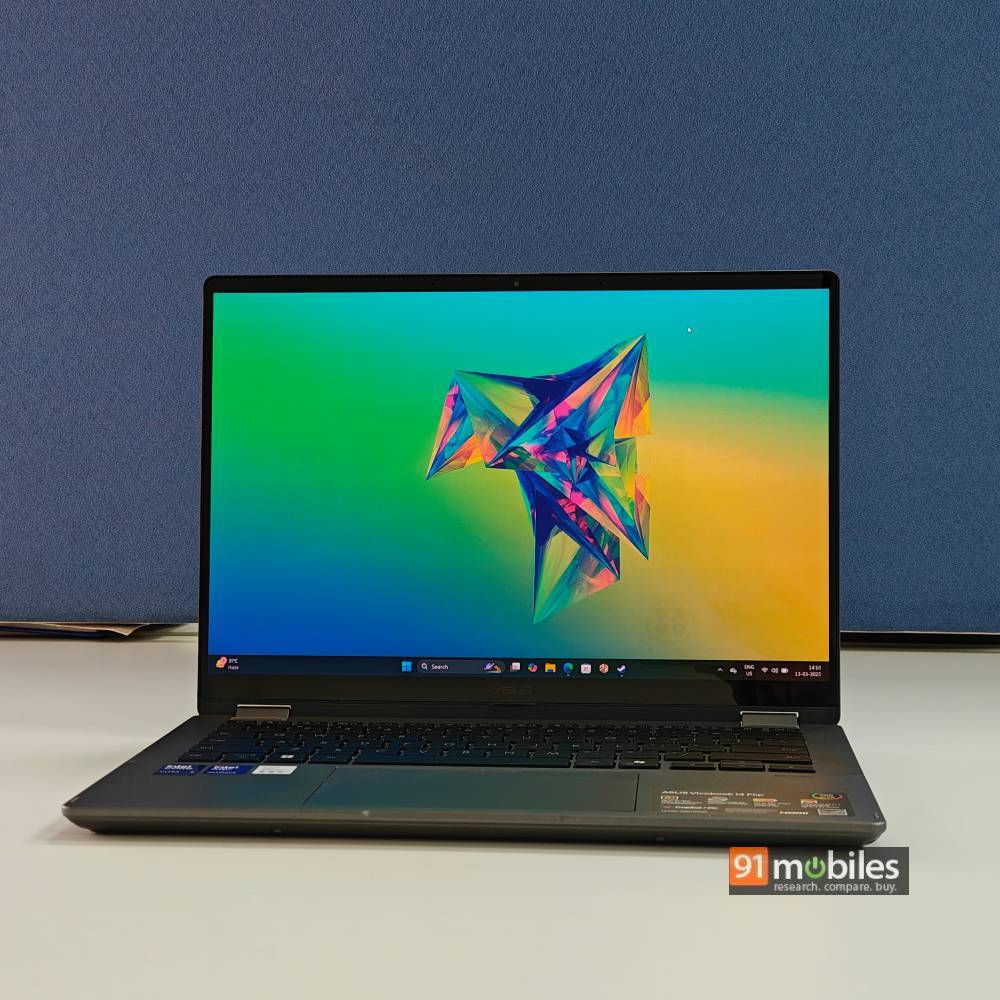
The ASUS Vivobook 14 Flip (review) is our best value convertible because it ran 23 hours 25 minutes in our PCMark 10 video loop test, which is the second-highest battery figure we have ever recorded, and it pairs that endurance with an OLED panel at a price well under the premium tier.
The Intel Core Ultra 7 256V is a 15W Lunar Lake chip built for exactly this, and the 70Wh battery gives it room to stretch. For anyone whose convertible spends the day moving between meeting rooms, lectures, or cafés, that endurance changes how you use the machine.
Performance is respectable rather than remarkable, and it is worth being clear about that. It scored 10,820 in Cinebench R23 multi-core, 7,081 in PCMark 10, and 10,940 in Geekbench 6 multi-core, which sits behind the Dell 14 Plus on some CPU measures while pulling ahead where the integrated Arc 140V graphics matter. In 3DMark, it managed 4,356 in Time Spy, 8,895 in Fire Strike, and 36,230 in Night Raid, all comfortably ahead of the Dell’s Radeon 860M, and it ran GTA V at 108fps and Valorant at 256fps. Storage came in at 6,353MB/s reads.
Add a 360-degree hinge, 16GB of LPDDR5x, and a 512GB Gen 4 SSD, and the package makes sense at roughly Rs 1.09 lakh, especially against machines costing Rs 40,000 more.
The trade-offs are the ones you would expect at this tier. The panel runs at 60Hz rather than the 120Hz found on the OmniBook X Flip, and the 15W processor means sustained heavy workloads are not what this machine is for. As a flexible, long-lasting daily driver, though, nothing here offers more for the money. It scored 8/10 on our review.
| Pros | Cons |
| Fantastic battery life | The raw performance could have been better |
| Good build with a comfortable keyboard | Very reflective display |
| Great display with convertible form factor | |
| Windows Hello with camera shutter |
Key specs:
- Processor: Intel Core Ultra 7 256V (15W TDP)
- GPU: Intel Arc 140V
- Display: 14-inch OLED touchscreen, 60Hz, 360-degree hinge
- RAM/Storage: 16GB LPDDR5x / 512GB Gen 4 SSD
- Battery: 70Wh, 23 hours 25 minutes (PCMark 10 video loop)
- Storage speeds: 6,353MB/s read, 4,300MB/s write
- Rating: 8/10
ASUS ProArt GoPro Edition PX13 — Best for Note-Taking and Stylus Work
Price at time of review: Rs 3,34,990
Why we picked it
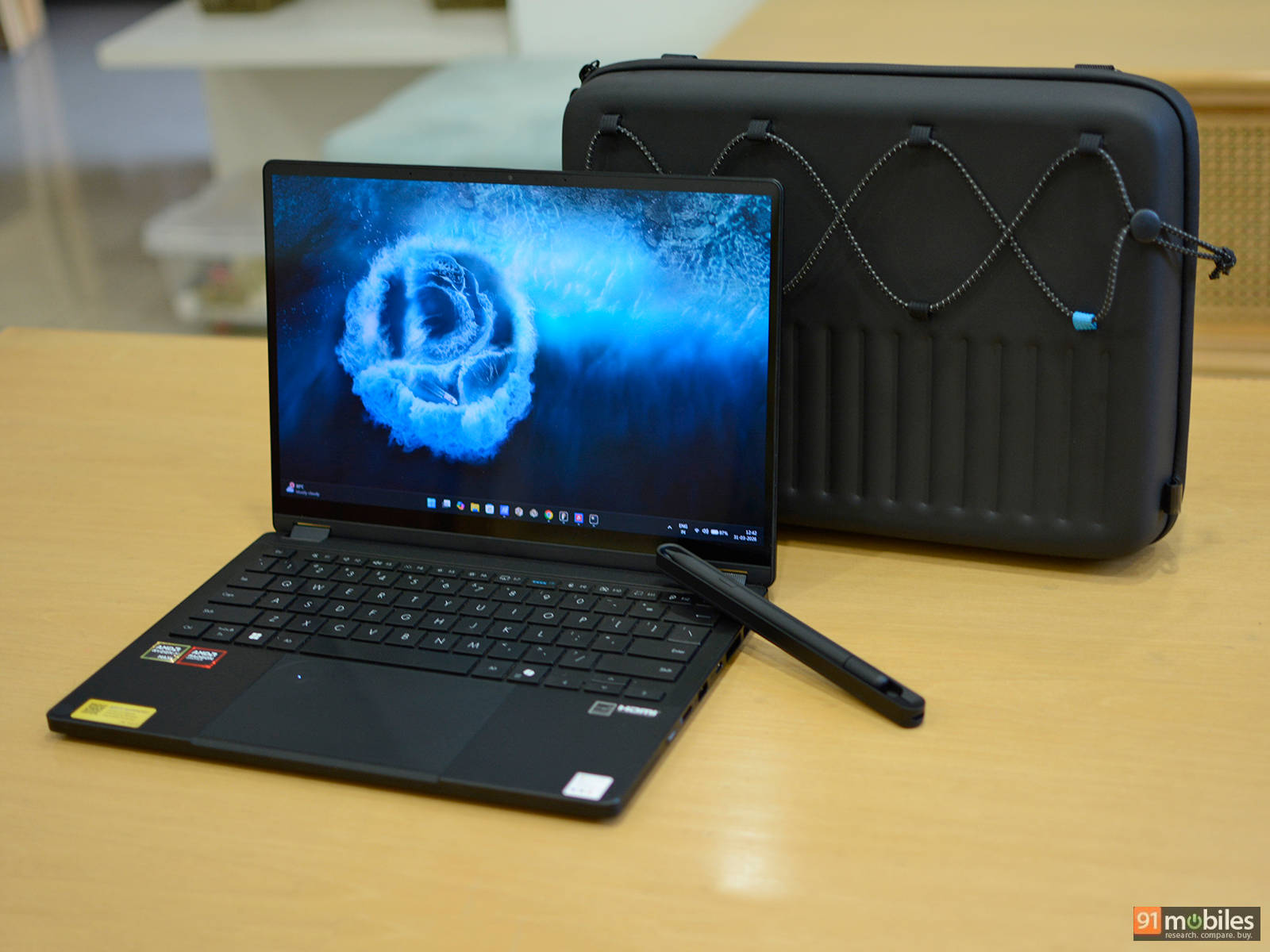
The ASUS ProArt GoPro Edition PX13 HN7306 (review) is our pick for stylus work because it pairs a factory-calibrated 3K OLED touchscreen with an included ASUS Pen that has genuine haptic feedback and its own charging cradle, in a 1.39kg body that folds flat for sketching.
The display is the meat of the matter with the 13.3-inch OLED panel that runs at 3K (2880 x 1800) in a 16:10 ratio, with 100% DCI-P3 coverage and factory calibration, HDR True Black 500 support, and 500 nits of brightness. For annotation, sketching, and diagramming, that combination of resolution, colour accuracy, and glossy touch response is exactly what you want, and the 360-degree hinge means you can lay it flat or use it in tent mode depending on the task. The included pen offers solid haptic feedback, and unlike most bundled styluses, it gets a dedicated charging cradle rather than a magnetic strip you keep losing.
The performance underneath is the strongest of any conventional convertible here. The Ryzen AI Max+ 395 is a 16-core, 32-thread chip boosting to 5.1GHz with a 50 TOPS NPU, paired with the 40-CU Radeon 8060S and 128GB of unified memory. It scored 28,576 in Cinebench R23 multi-core, up from 16,900 on the previous PX13, alongside 10,313 in PCMark 10, 18,994 in Geekbench 6 multi-core, and 6,231 in PugetBench for DaVinci Resolve.
The rest is built for people who work outdoors. MIL-STD-810H durability handles drops, vibration, and temperature swings. There is a microSD reader for camera footage, two USB 4.0 Type-C ports, USB-A, full-size HDMI 2.1, and Wi-Fi 7.
Be clear about the compromises, because at Rs 3,34,990 they definitely matter. The panel is limited to 60Hz, which feels thin at this price. The fans get loud under load. The 1080p webcam produces washed-out colours in anything but bright rooms. And the 73Wh battery managed 8 hours 21 minutes in our PCMark 10 video loop test, respectable but behind the efficiency of competing platforms. It scored 7.5/10.
| Pros | Cons |
| Solid build quality | 60Hz refresh rate |
| Punchy 3K OLED display | Loud fans under load |
| Best-in-class performance | Very expensive |
| Solid keyboard and touchpad | Poor webcam performance |
Key specs:
- Processor: AMD Ryzen AI Max+ 395 (16 cores, 32 threads, up to 5.1GHz, 50 TOPS NPU)
- GPU: AMD Radeon 8060S (40 CUs)
- Display: 13.3-inch 3K (2880 x 1800) OLED touchscreen, 60Hz, 100% DCI-P3, HDR True Black 500, 500 nits
- RAM/Storage: 128GB LPDDR5x unified / 1TB Gen 4 SSD
- Battery: 73Wh, 8 hours 21 minutes (PCMark 10 video loop), 200W charger
- Build: 1.39kg, 15.8 to 17.7mm, MIL-STD-810H, ASUS Pen with charging cradle included
- Rating: 7.5/10
Dell 14 Plus 2-in-1 — Best 2-in-1 for Business
Price at time of review: Rs 90,589
Why we picked it
The Dell 14 Plus 2-in-1 (review) is our best business convertible because it combines 13 and a half hours of battery, a genuinely premium aluminium build, and an included active pen at a price that fits a corporate budget rather than a flagship one.
The 64Wh cell paired with AMD’s efficient Ryzen AI 7 350 lasted 13 hours 29 minutes in our PCMark 10 video loop test, which is impressive for a 2-in-1, and 10 to 12 hours in typical mixed use across writing, video playback, Zoom calls, and browsing. The bundled 65W USB-C adapter takes it from zero to 50% in roughly 40 to 45 minutes and to full in under two hours, so a short break between meetings is enough to recover most of a working day.
Performance is well judged for the segment thanks to the Ryzen AI 7 350 with Radeon 860M graphics and a dedicated NPU scored 10,600 in Cinebench R23 multi-core, 7,236 in PCMark 10, and 10,732 in Geekbench 6 multi-core, comfortably outperforming most laptops in its bracket.
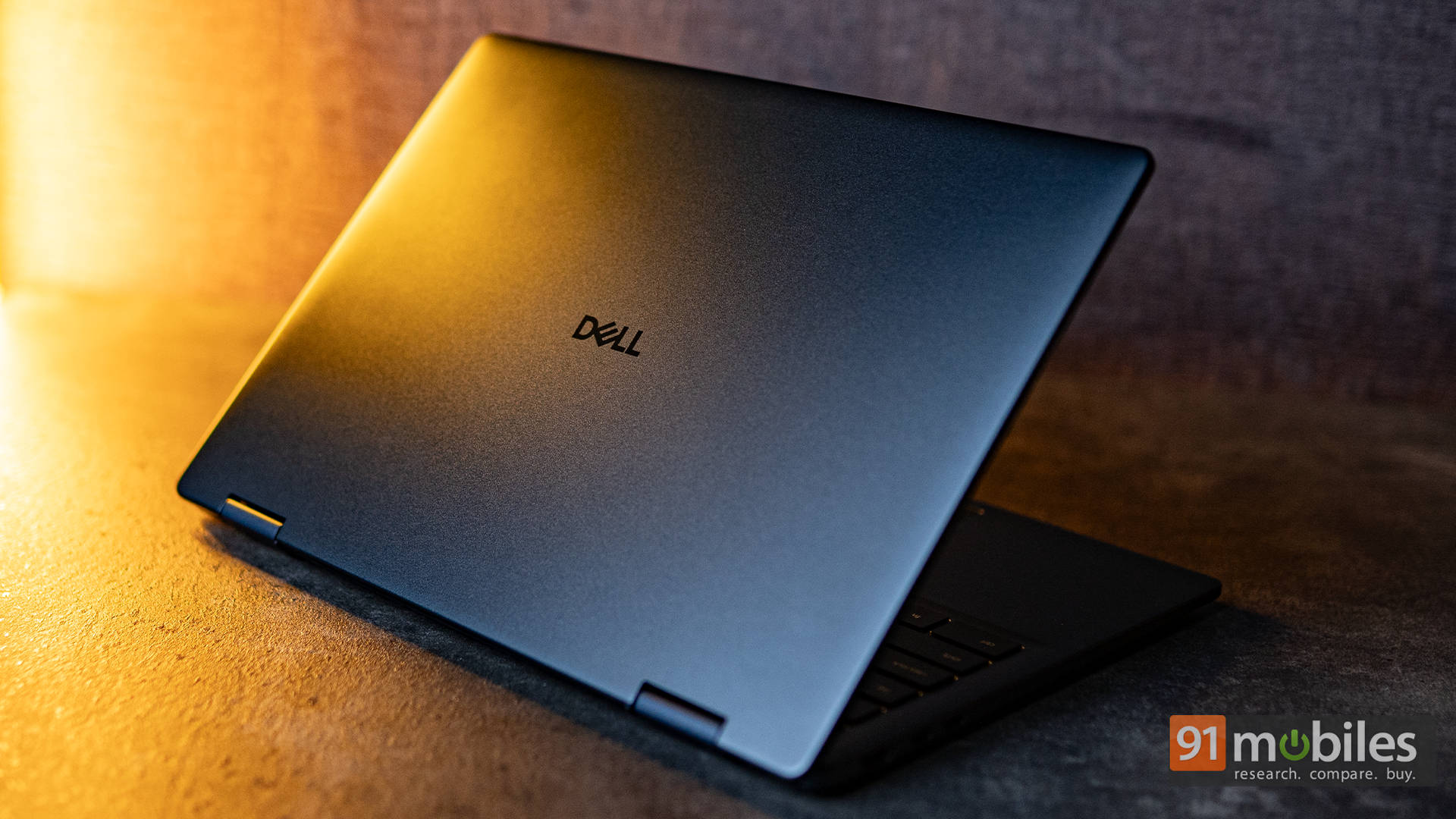
The build is where Dell earns the business label. The Midnight Blue aluminium lid and base feel far more premium than the price suggests, with rounded corners and a diamond-cut hinge, while keeping weight to around 1.59kg.
The chassis has minimal flex when twisted, and the 360-degree hinge transitions smoothly through laptop, tent, and tablet modes while maintaining firm resistance. Connectivity is practical rather than minimal: dual USB-C 3.2 Gen 2 with full DisplayPort and Power Delivery, USB-A, HDMI, a headphone jack, Wi-Fi 7, and Bluetooth 5.4.
The display is the compromise. It is a 14-inch 1920 x 1200 WVA touchscreen rated at 300 nits, sharp and fairly colour-accurate indoors with a helpful 16:10 ratio, but outdoor visibility takes a hit, and it cannot match OLED rivals for vibrancy. The HDMI 1.4 port also caps 4K output at 30Hz. Neither undermines the core proposition. It scored 8.7/10.
| Pros | Cons |
| Strong performance for productivity | Display brightness could be better |
| Premium, sturdy aluminium build | Resolution could be sharper |
| Long battery with fast charging | |
| Smooth 2-in-1 hinge plus included active pen |
Key specs:
- Processor: AMD Ryzen AI 7 350 (28W TDP)
- GPU: AMD Radeon 860M
- Display: 14-inch (1920 x 1200) WVA touchscreen, 60Hz, 300 nits, 16:10
- RAM/Storage: 16GB LPDDR5x / 1TB Gen 4 SSD
- Battery: 64Wh, 13 hours 29 minutes (PCMark 10 video loop), 65W USB-C
- Build: 1.59kg, aluminium lid and base, 360-degree hinge, Dell Active Pen included
- Rating: 8.7/10
ASUS Chromebook CM32 Detachable — Best 2-in-1 for Students
Price at time of review: Rs 48,990
Why we picked it
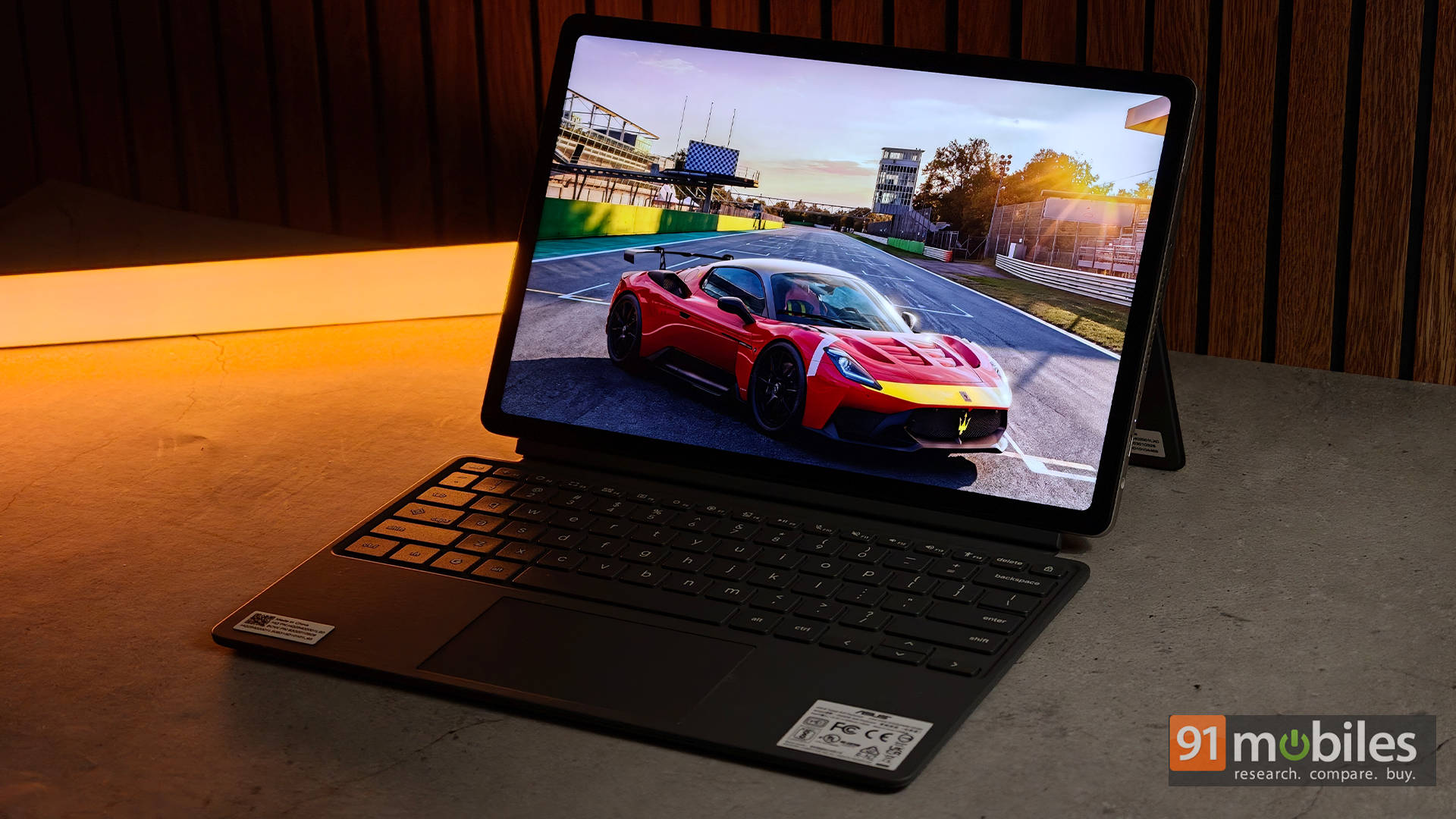
The ASUS Chromebook CM32 Detachable (review) is our best student convertible because it bundles both the detachable keyboard and a USI 2.0 stylus in the box, wraps them around a genuinely excellent 120Hz display, and weighs about 610g as a tablet.
The display is one of the reasons to buy it. ASUS fitted a 12.1-inch WQXGA (2560 x 1600) IPS touchscreen with a 16:10 ratio, a 120Hz refresh rate, and up to 600 nits of brightness, covering 98% of DCI-P3. At this price, that specification is unusual enough to be the deciding factor on its own. Lecture notes, PDFs and websites will all look crisp and fluid, the extra vertical space means less scrolling through readings, and Gorilla Glass 3 with an anti-fingerprint coating will keep it usable despite constant touch input.
The bundled accessories are the second argument. Many competing detachables charge extra for the keyboard, the stylus, or both. Here you get a keyboard with 1.35mm key travel that feels closer to a real ASUS laptop than a flimsy cover, and a USI 2.0 pen with 4,096 levels of pressure sensitivity that attaches magnetically and charges wirelessly, so it is always ready for notes or diagrams.
The MediaTek Kompanio 540 deserves more credit than it usually gets. It is built for efficiency rather than raw power, which for a Chromebook is the right call. Browsing, writing assignments, streaming lectures, video calls and multitasking across several tabs all feel smooth, and the chipset sips power when idle, so closing the lid between classes barely dents the battery. The 42Wh cell comfortably lasts nine to ten hours of mixed use, and the included 45W USB-C charger tops it up quickly. The 5MP front camera is one of the best you will find at this price, with sharp video, good HDR against bright windows and little grain, backed by microphones that capture voices naturally.
Know the limits before you commit. The kickstand is rigid and takes practice, and using the machine on your lap is awkward because of the detachable design. There is exactly one USB-C port alongside a headphone jack, so accessories while charging need a hub. There is no fingerprint scanner. And the base variant’s 4GB of RAM feels limiting, so spend up to the 8GB model if the budget allows. Students who need desktop Photoshop, CAD or advanced programming tools should buy Windows instead. For everyone else, it scored 8.3/10.
| Pros | Cons |
| Gorgeous 12.1-inch 2.5K 120Hz display | Kickstand has a learning curve and isn’t great on the lap |
| Lightweight, premium design with bundled keyboard and stylus | Only one USB-C port |
| Fantastic webcam and microphones | No fingerprint scanner |
| Great battery life with efficient MediaTek chipset | Base model’s 4GB RAM feels limiting |
Key specs:
- Processor: MediaTek Kompanio 540 (8 cores, up to 2.6GHz)
- GPU: ARM Mali-G57 MC2
- Display: 12.1-inch WQXGA (2560 x 1600) IPS touchscreen, 120Hz, 600 nits, 98% DCI-P3, Gorilla Glass 3
- RAM/Storage: 8GB LPDDR5X / 128GB eMMC (base: 4GB / 64GB)
- Battery: 42Wh, 9 to 10 hours mixed use, 45W USB-C charger
- Build: Around 610g as a tablet, aluminium chassis, MIL-STD-810H
- Included: Detachable keyboard (1.35mm travel) and USI 2.0 stylus with wireless charging
- Rating: 8.3/10
Winners at a glance
Prices below are as of the time each machine was reviewed and are subject to change.
| Laptop | Category win | Processor | Graphics | Memory/Storage | Battery | Rating | Price |
| ASUS ROG Flow Z13 Kojima Edition | Best overall | Ryzen AI Max+ 395 | 13.4-inch IPS, 180Hz | 128GB / 1TB | 8:01 | 8.3/10 | Rs 3,79,990 |
| HP OmniBook X Flip 14 | Best premium | Core Ultra 7 Series 2 | 14-inch 3K OLED, 120Hz | 32GB / 1TB | Full workday | 8.5/10 | Around Rs 1.5 lakh |
| ASUS Vivobook 14 Flip | Best value | Core Ultra 7 256V | 14-inch OLED, 60Hz | 16GB / 512GB | 23:25 | See note | Rs 1,11,990 |
| ASUS ProArt GoPro Edition PX13 | Best for stylus work | Ryzen AI Max+ 395 | 13.3-inch 3K OLED, 60Hz | 128GB / 1TB | 8:21 | 7.5/10 | Rs 3,34,990 |
| Dell 14 Plus 2-in-1 | Best for business | Ryzen AI 7 350 | 14-inch WVA, 300 nits | 16GB / 1TB | 13:29 | 8.7/10 | Rs 90,589 |
| ASUS Chromebook CM32 Detachable | Best for students | MediaTek Kompanio 540 | 12.1-inch 2.5K, 120Hz | 8GB / 128GB | 9 to 10 hrs | 8.3/10 | Rs 48,990 |
FAQs
Which is the best 2-in-1 laptop in India?
The ASUS ROG Flow Z13 Kojima Edition is the best 2-in-1 laptop in India overall. It scored 30,344 in Cinebench R23 multi-core and 10,346 in 3DMark Time Spy from a detachable 13-inch tablet, making it the only convertible that delivers genuine desktop-class performance alongside true tablet versatility.
Which 2-in-1 laptop has the best battery life?
The ASUS Vivobook 14 Flip, by an enormous margin. It ran 23 hours 25 minutes in our PCMark 10 video loop test, nearly triple what most convertibles here manage. The Dell 14 Plus 2-in-1 is second at 13 hours 29 minutes.
Which is the best 2-in-1 laptop for students?
The ASUS Chromebook CM32 Detachable at Rs 48,990. It bundles both the detachable keyboard and a USI 2.0 stylus in the box, weighs around 610g as a tablet, and carries a 12.1-inch 2.5K 120Hz display with 600 nits of brightness that is unusually good at this price.
Which 2-in-1 is best for note-taking with a stylus?
The ASUS ProArt GoPro Edition PX13. Its 13.3-inch 3K OLED panel is factory calibrated with 100% DCI-P3 coverage, and the included ASUS Pen offers genuine haptic feedback plus a dedicated charging cradle rather than a magnetic strip.
Which is the best 2-in-1 laptop for business and office work?
The Dell 14 Plus 2-in-1, which scored 8.7/10 in our review. It delivers 13 hours 29 minutes of battery, a premium aluminium build, Wi-Fi 7, a fingerprint reader and an included active pen at around Rs 90,589.
Should I buy a convertible or a detachable 2-in-1?
Convertibles like the OmniBook X Flip, Vivobook 14 Flip, ProArt PX13 and Dell 14 Plus fold their screens back 360 degrees, so the keyboard stays attached and they work better on a lap. Detachables like the ROG Flow Z13 and Chromebook CM32 separate completely, making them lighter and more natural as tablets, but they rely on a kickstand and are awkward to use on your lap.
Are 2-in-1 laptops powerful enough for real work?
Yes, and that has changed considerably. The ROG Flow Z13 and ProArt PX13 both run AMD’s Ryzen AI Max+ 395 with 128GB of unified memory, posting Cinebench R23 multi-core scores of 30,344 and 28,576 respectively, which rival full-size performance laptops. Mid-range convertibles handle browsing, documents, video calls and light creative work comfortably.
Can 2-in-1 laptops handle gaming?
At the top end, yes. The ROG Flow Z13 ran Cyberpunk 2077 at 76fps at FHD native and GTA V at 158fps at 1080p, while the ProArt PX13 managed 376fps in Valorant. Mid-range convertibles like the Vivobook 14 Flip handle esports titles well, hitting 256fps in Valorant, but are not built for demanding AAA games.