Dell Alienware 18 Area-51 Review: The Laptop That Refuses To Be Subtle


There are gaming laptops that try to strike a balance. Thin enough to travel, powerful enough to game, stylish enough to sit in a café without drawing stares. And then there’s the Alienware 18 Area-51, a machine that looks at that idea, laughs quietly, and proceeds to do the exact opposite. This is not a laptop that tries to blend in. At nearly Rs. 5 lakh in India, the Alienware Area-51 isn’t chasing the mass market. It’s chasing a very specific buyer: someone who wants desktop-class performance, top-tier thermals, and a machine that feels like the final boss of gaming laptops.
Armed with Intel’s Core Ultra 9 275HX, NVIDIA’s RTX 5090 Laptop GPU, 64GB of DDR5 RAM, and a massive 18-inch WQXGA display, this is Alienware’s boldest portable statement yet. The big question, of course, is whether all that power translates into real-world excellence, or if this is simply brute force without finesse. Let’s find out.
Table of Contents
Performance That Feels Borderline Unfair
Let’s address the obvious first: performance is the entire reason this laptop exists. The Intel Core Ultra 9 275HX isn’t the strongest kid on the block, being slightly behind the 285HX, but it’s still great for sustained workloads. Pair that with the RTX 5090 Laptop GPU, and the Area-51 enters a performance tier that very few laptops can even approach.

Synthetic benchmarks reflect this dominance quite well. A Cinebench R23 multi-core score of 38048 and 2251 in Cinebench R24 is stunning, while a score of 12622 in 3DMark Time Spy Extreme is indicative of the GPU’s dominance. Throughout our suite of synthetic benchmarks, the Area-51 not only performed well, but it also managed to come out the best overall performer across all the flagship laptops we’ve tested this year.
In gaming workloads, the experience is exactly what the spec sheet promises, and then some. Modern AAA titles at native 2560×1600 resolution run effortlessly at high refresh rates. Games like Cyberpunk 2077, Alan Wake 2, and Hogwarts Legacy can comfortably push well past the 100 FPS mark with DLSS enabled, while competitive titles like Valorant and CS2 feel almost comically smooth. In fact, the 300Hz refresh rate really makes all those competitive titles feel surreal, giving real gamers a significant advantage.

For creators, the story is equally strong. Video renders, 3D workloads, and heavy multitasking barely register as stress. This is a machine that can game all night and render a project the next morning without breaking a sweat. For context, a score of 11365 in PugetBench for DaVinci Resolve is quite amazing. Long story short, if raw performance is your top priority, the Area-51 doesn’t just deliver. It dominates.

Packing an HX-class CPU and an RTX 5090 into a laptop is easy on paper. Keeping them cool under sustained load is where most manufacturers stumble. The Area-51 doesn’t. Alienware’s revamped cooling system, with its large vapour chamber, multiple high-capacity fans, and generous internal airflow, does an impressive job of managing heat. During extended gaming sessions, CPU temperatures hover in the mid-70s°C range, while the GPU often stays closer to 60–65°C, even under load.
Built Like a Spaceship
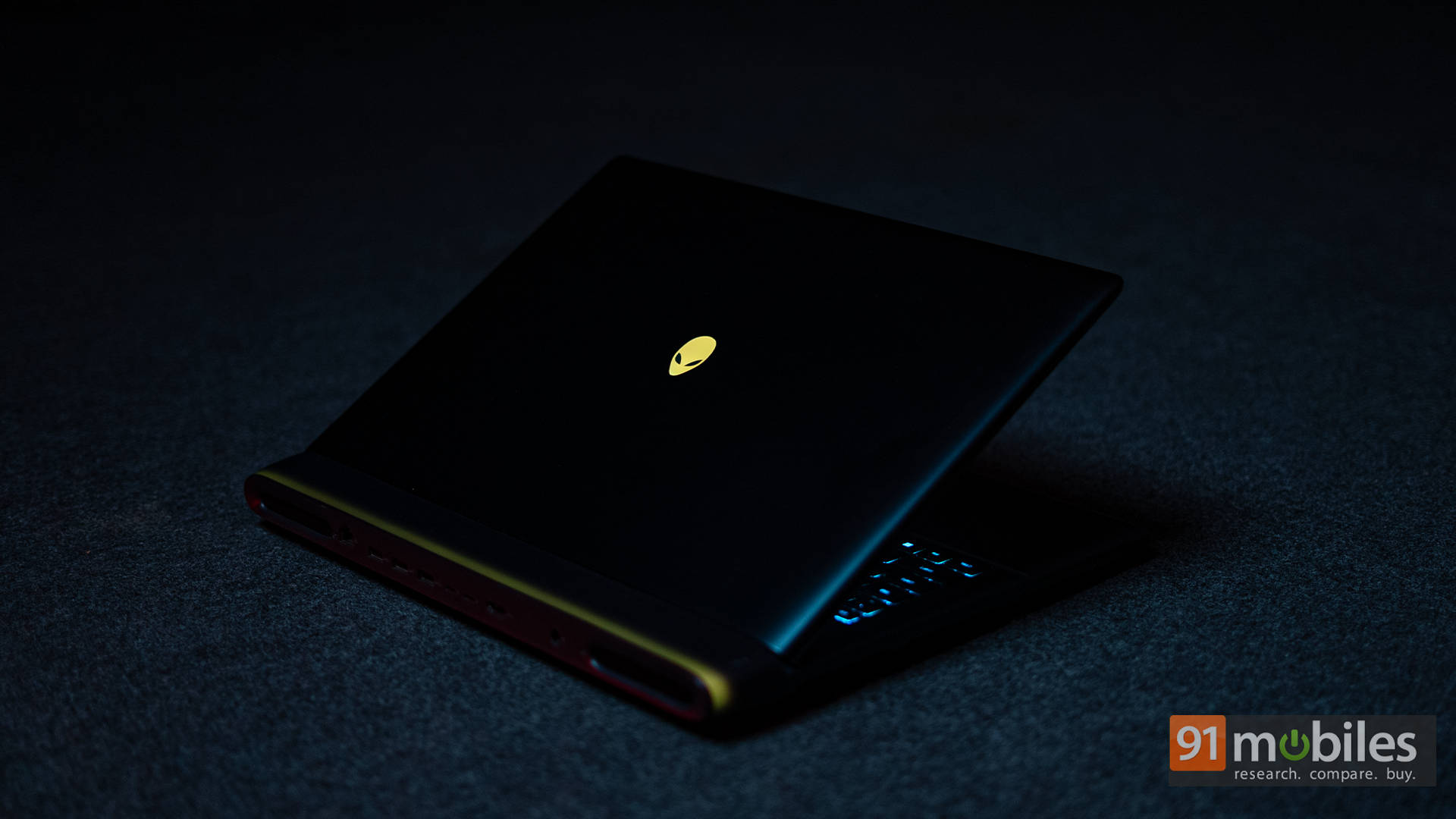
The Area-51’s design makes one thing immediately clear: subtlety was never part of the brief. This 18-inch beast is powered by a metal-heavy chassis wrapped in Alienware’s signature sci-fi aesthetic. The finish feels premium, solid, and unapologetically bold. It’s a laptop that looks expensive, and, thankfully, feels it too. There’s no flex in the lid, no creaking from the chassis, and no sense that corners were cut anywhere.

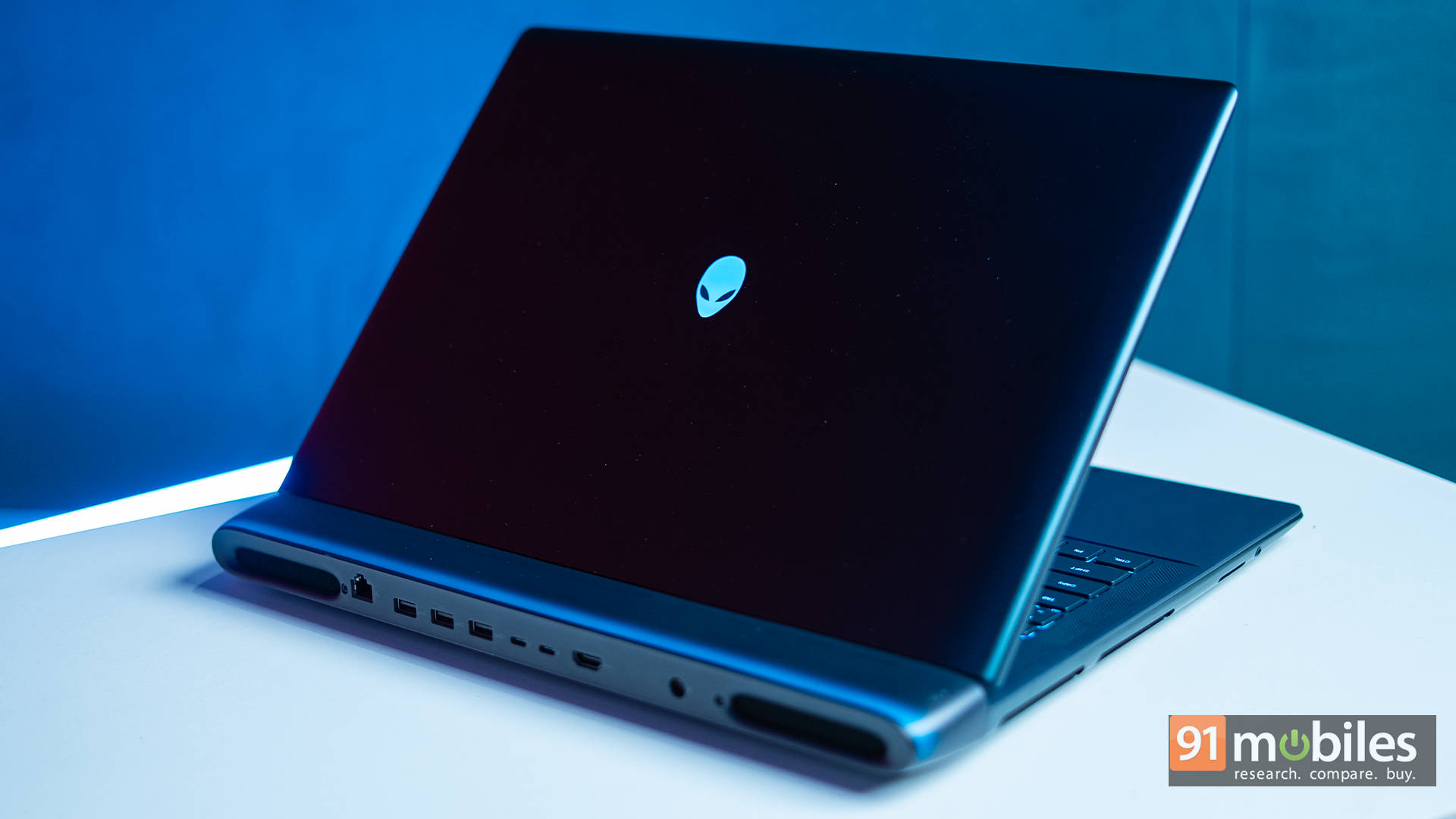
Around the back, Alienware sticks to its smart design philosophy by shifting most of the heavier ports away from the sides. This keeps cables out of your mouse space and further reinforces the whole desktop-replacement vibe the Area-51 is clearly going for.

That said, this layout does come with a small trade-off. Even something as simple as plugging in a thumb drive often means reaching around to the back. On the left side, you’ll find a full-sized SD card reader and a 3.5mm headphone jack, and that’s about it. The right side is kept completely clean, with no ports at all. The result looks tidy and intentional, but it does compromise a bit on everyday convenience.

And yes, it’s heavy. Very heavy. This is not a laptop you casually toss into a backpack and carry around all day. But Alienware isn’t pretending otherwise. The Area-51 is designed to live on a desk, stay plugged in, and get serious work done. And in that role, the weight feels like part of the deal rather than a flaw.
Cinematic Gaming Experience
Moving on to the display, the 18-inch WQXGA (2560×1600) IPS panel is one of the laptop’s biggest selling points, quite literally. The sheer size of the panel makes games feel immersive in a way that smaller laptops struggle to match. Combined with the 300Hz refresh rate, fast-paced titles feel incredibly fluid, while single-player games benefit from the extra vertical space and sharpness.

Colour reproduction is strong, too, with 100% DCI-P3 coverage, making the display suitable for content creation as well. Brightness levels are high enough for indoor use without issue, though this isn’t an HDR-focused panel like OLED or mini-LED alternatives.

Speaking of which, yes, at this price, some buyers will absolutely question the lack of OLED. In fact, having tested out MiniLED on ASUS’s ROG models and OLED on Gigabyte and Lenovo’s premium models does make the Area-51’s display feel a bit behind. Then again, Alienware’s counterargument is clear: performance consistency, refresh rate, and longevity over visual flair. Whether that trade-off works depends on what you value more.

The speakers get loud enough for casual gaming and media consumption, with decent clarity, but they won’t replace a good headset. Thankfully, most buyers in this category will be using headphones anyway, especially while gaming, when the fans kick in, so that shouldn’t be a concern. For entertainment needs, the speakers are pretty solid, and the only thing you’ll be missing is the thump of some deep bass.
Clicky, Bright, and Built for Gaming
Alienware continues to excel in keyboard design, especially for gamers. The full-size keyboard offers excellent key travel, crisp feedback, and per-key RGB lighting that’s bright without being obnoxious. Whether you’re gaming or typing long documents, it feels comfortable and responsive.

The layout is spacious, too, which is an obvious benefit of the 18-inch chassis. As such, there’s no sense of cramped keys or awkward placements.

The RGB implementation integrates well with Alienware Command Centre, letting you customise zones or effects easily.

The touchpad is large, smooth, and accurate. While most gamers will use a mouse, it’s nice to see a touchpad that doesn’t feel like an afterthought. Tracking is precise, gestures work reliably, and the click mechanism feels premium. Of course, the customizable RGB underneath is a signature addition which will definitely appeal to gamers.
Plugged In Is the Only Way
Let’s be blunt: battery life is not this laptop’s strength — and it’s not trying to be. With this level of hardware, unplugged usage is limited. Light tasks like browsing or media playback can stretch a few hours, but gaming on battery is more of a technical possibility than a practical one.

Nonetheless, the laptop did manage to last a little under 4.5 hours in the PCMark 10 Battery video loop test at 80% display brightness, which is quite impressive. Charging is fast, too, and the massive power brick ensures the system gets all the juice it needs to perform at its best.
Verdict: Who Is This Actually For?
The Alienware 18 Area-51 is not a sensible laptop. It’s not a value pick. It’s not trying to be portable, affordable, or discreet. What it is is one of the most powerful gaming laptops money can buy in India right now. If you want a laptop that genuinely feels like a desktop replacement, one that can game, create, and multitask at the highest level without compromise, the Area-51 delivers exactly that.
At its price, it competes with machines like the MSI Titan 18 HX, ASUS ROG Strix SCAR 18, and Razer Blade 18. Compared to those, Alienware’s strength lies in its thermal stability, build quality, and sheer performance consistency. Add to that, it’s backed by Dell’s excellent customer service, making it an option definitely worth considering. This is a machine for enthusiasts who know exactly what they’re paying for. And for that audience, it doesn’t disappoint.
Editor’s Rating: 9.5 / 10
Pros:
- Desktop-class gaming performance
- Excellent thermal stability
- Massive high-refresh display
- Premium build and design
Cons:
- No OLED or MiniLED options
- No ports on the sides
- Extremely expensive

